
This tutorial walks you through the end-to-end process of deploying a customized Gemma model in an Android sample app.
In this tutorial, we will:
- Start with a fine tuned model
- Convert the fine tuned model with the AI Edge Torch library
- This will convert the HuggingFace checkpoint to a .litertlm file
- Evaluate the quality of the fine tuned model
- Run the adb commands to push the custom model to a test device
- This will push the model in .litertlm format to an Android Device for local testing
- Run the Pirate Gemma sample app
- This will use the LiteRT-LM Kotlin library to run inference on the fine tuned model in a sample Android app
Step 1: Start with a fine tuned model
For this tutorial, we will start with a fine tuned model. In order to show a clear difference between a base model and a fine tuned one, we took a base Gemma270m model and fine tuned it to speak like a pirate.
You can find the pre-fine tuned Pirate Gemma model at
https://huggingface.co/erintwalsh/pirate-gemma
For more information on fine tuning a model, see the Gemma Cookbook and Unsloth guides.
Step 2: Convert and run your custom model in the command line
Now that you have a custom model published on HuggingFace,
you can use the AI Edge Torch library to download and convert that
model to a .litertlm format.
Prerequisites
Be sure to have uv tool and Python 3.11 or later installed on your device.
Convert model
uv tool install litert-torch-nightly

litert-torch export_hf \
  --model=[YOUR-HF-USERNAME]/pirate-gemma \
  --output_dir=/tmp/pirate-gemma \
  --externalize_embedder
Run your model locally
uv tool install litert-lm

litert-lm run  \
  /tmp/pirate-gemma/model.litertlm \
  --prompt="Where is the nearest buried treasure?"
Step 3: Evaluate model quality
Assess quality of fine tuning
Once you have your model running locally, you can use the AI Edge evaluation CLI tool to analyze the LiteRT-LM model quality of the fine tuning. This tool offers built-in post-conversion quality parity validation between the original HF model and the converted LiteRT-LM model with public datasets. Beyond public datasets, you can create customized evaluation tasks using your own data and specific metrics. See a custom task example for evaluating this fine tuned model using LLM-as-a-Judge.
uv tool install ai-edge-eval

GEMINI_API_KEY="your_actual_api_key_here"
ai_edge_eval \
  --framework custom \
  --runner litert-lm \
  --model-path /path/to/your/model.litertlm \
  --custom-tasks-file pirate_gemma_custom_task.py \
  --tasks pirate_gemma_eval \
  --output-dir /tmp/results
Step 4: Push your local model to your test device
Use these adb instructions to push the model you just ran onto your physical Android device.
adb shell rm -r /data/local/tmp/llm/ # Remove any previously loaded models

adb shell mkdir -p /data/local/tmp/llm/

adb push /tmp/pirate-gemma/model.litertlm  /data/local/tmp/llm/pirate-gemma.litertlm
Step 5: Run inference on your custom model with the Captain Gemma sample app
Captain Gemma is an app that demonstrates interfacing with the model on device. Find it on GitHub and clone the repository to run it in Android Studio.
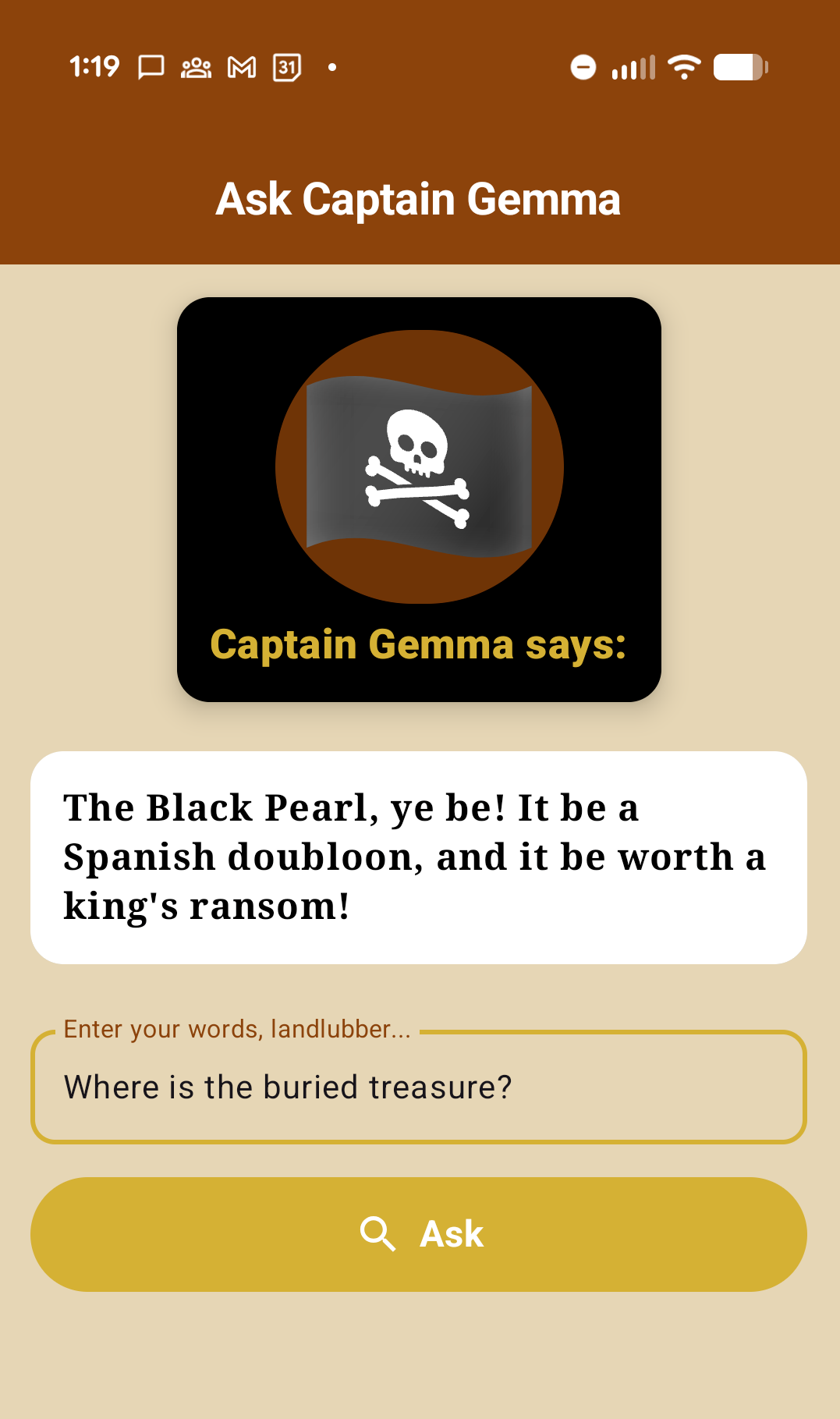
Open up the Captain Gemma sample app and run it on your device. This is an app that uses Android Compose elements to demonstrate running inference on a fine tuned model on your Android device. The app takes text input from a user, and returns the fine tuned Gemma model's pirate wisdom.
Run the app on your test device,
that you just pushed the .litertlm file to. Enter in a
query, and see the model's output in the white speech box.
Sample code
See examples of setting up your model and running inference with the LiteRT-LM APIs in the Captain Gemma sample code.
Step 6: Model deployment
Once you have finished locally testing your custom model and are ready to deploy, there are options for hosting your model, such as:
- You can push your
.litertlmfile to the HuggingFace model repo you created earlier, and download it in your app using the HuggingFace APIs - You can use a hosting service such as Firebase, which provides APIs for your app to fetch your model URL and download for Android or iOS.