
-


-
สร้างโดย Nano Banana Pro พรอมต์: "นำเสนอฉากการ์ตูน 3 มิติขนาดเล็กแบบไอโซเมตริกมุมมองจากด้านบน 45° ที่ชัดเจนของลอนดอน โดยมีสถานที่สำคัญและองค์ประกอบทางสถาปัตยกรรมที่โดดเด่นที่สุด ใช้พื้นผิวที่นุ่มนวลและละเอียดด้วยวัสดุ PBR ที่สมจริง รวมถึงแสงและเงาที่นุ่มนวลและสมจริง ผสานรวมสภาพอากาศปัจจุบันเข้ากับสภาพแวดล้อมของเมืองโดยตรงเพื่อสร้างบรรยากาศที่สมจริง ใช้การจัดองค์ประกอบที่เรียบง่ายและสะอาดตาโดยมีพื้นหลังสีทึบที่นุ่มนวล วางชื่อ "ลอนดอน" เป็นข้อความตัวหนาขนาดใหญ่ไว้ตรงกลางด้านบน วางไอคอนสภาพอากาศที่โดดเด่นไว้ใต้ชื่อ จากนั้นวางวันที่ (ข้อความขนาดเล็ก) และอุณหภูมิ (ข้อความขนาดกลาง) ข้อความทั้งหมดต้องอยู่ตรงกลางโดยมีระยะห่างที่สอดคล้องกัน และอาจซ้อนทับด้านบนของอาคารเล็กน้อย"ดูข้อมูลเพิ่มเติมเกี่ยวกับการอ้างอิงจาก Search และลองใช้ใน AI Studio -

สร้างโดย Nano Banana Pro พรอมต์: "ใส่โลโก้นี้ในโฆษณาระดับไฮเอนด์สำหรับน้ำหอมกลิ่นกล้วย โลโก้ผสานรวมกับขวดได้อย่างลงตัว"ลองใช้การคงรายละเอียดที่มีความเที่ยงตรงสูงของ Nano Banana ใน AI Studio -
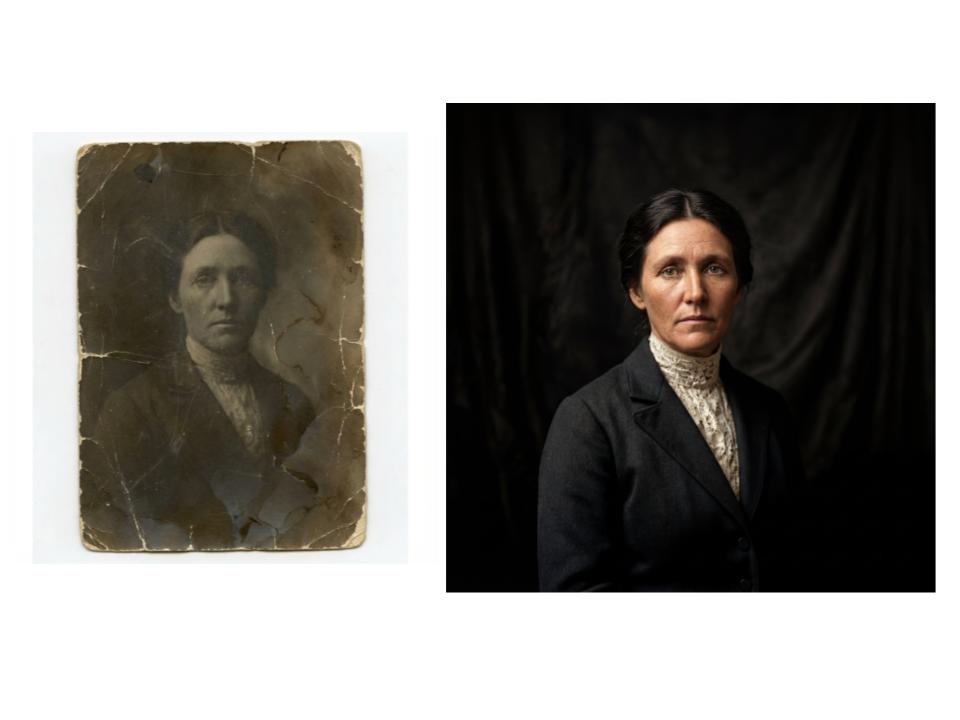
สร้างโดย Nano Banana Pro พรอมต์: "กู้คืนรูปภาพนี้อย่างซื่อสัตย์ด้วยความเที่ยงตรงสูงให้มีคุณภาพเทียบเท่าภาพถ่ายสมัยใหม่แบบเต็มสี อัปสเกลเป็น 4K"สร้างรูปภาพที่ความละเอียดสูงสุด 4K ลองใช้ AI Studio ของ Nano Banana -
สร้างโดย Nano Banana Pro พรอมต์: "รูปภาพหน้าปกนิตยสารแบบมัน หน้าปกมีคำว่า "Nano Banana Pro" ตัวหนาขนาดใหญ่ ข้อความอยู่ในแบบอักษร Serif และเต็มมุมมอง ไม่มีข้อความอื่น ด้านหน้าข้อความมีภาพบุคคลที่สวมชุดสวยงาม ระบุหมายเลขฉบับและวันที่ปัจจุบันที่มุมพร้อมกับบาร์โค้ดและราคา นิตยสารวางอยู่บนชั้นวางที่ติดกับผนังอิฐภายในร้านค้าของดีไซเนอร์ หุ่นโชว์สวมชุดเดียวกัน" -
สร้างโดย Nano Banana Pro พรอมต์: "ใช้ Search เพื่อดูว่าการเปิดตัว Gemini 3 Flash ได้รับการตอบรับอย่างไร ใช้ข้อมูลนี้เพื่อเขียนบทความสั้นๆ เกี่ยวกับเรื่องนี้ (พร้อมหัวข้อ) ส่งคืนรูปภาพของบทความตามที่ปรากฏในนิตยสารแบบมันที่เน้นการออกแบบ เป็นรูปภาพของหน้าเดียวที่พับอยู่ ซึ่งแสดงบทความเกี่ยวกับ Gemini 3 Flash รูปภาพหลัก 1 รูป บรรทัดแรกในแบบอักษร Serif" -
สร้างโดย Nano Banana Pro พรอมต์: "รูปภาพฉากในชีวิตประจำวันที่คาเฟ่ที่วุ่นวายซึ่งเสิร์ฟอาหารเช้า ในเบื้องหน้าเป็นชายหนุ่มในการ์ตูนที่มีผมสีน้ำเงิน คนหนึ่งเป็นภาพร่างดินสอ อีกคนเป็นตัวละครดินน้ำมัน"ทดลองใช้สไตล์ศิลปะต่างๆ ด้วย Nano Banana ใน AI Studio -
สร้างโดย Nano Banana Pro พรอมต์: "ไอคอนที่แสดงสุนัขน่ารัก พื้นหลังเป็นสีขาว สร้างไอคอนในสไตล์ 3 มิติที่มีสีสันและจับต้องได้ ไม่มีข้อความ"สร้างไอคอน สติกเกอร์ และชิ้นงานด้วย Nano Banana ใน AI Studio -
สร้างโดย Nano Banana Pro พรอมต์: "สร้างรูปภาพที่เป็นไอโซเมตริกอย่างสมบูรณ์ ภาพนี้ไม่ใช่ภาพจำลอง แต่เป็นภาพถ่ายที่บังเอิญเป็นภาพไอโซเมตริกที่สมบูรณ์แบบ เป็นภาพถ่ายภายในออฟฟิศสมัยใหม่ที่สวยงาม"
Nano Banana คือชื่อของความสามารถในการสร้างรูปภาพดั้งเดิมของ Gemini Gemini สามารถสร้างและประมวลผลรูปภาพในรูปแบบการสนทนา ด้วยข้อความ รูปภาพ หรือทั้ง 2 อย่างรวมกัน ซึ่งช่วยให้คุณสร้าง แก้ไข และ ทำซ้ำภาพด้วยการควบคุมที่ไม่เคยมีมาก่อน
Nano Banana หมายถึงโมเดล 2 แบบที่แตกต่างกันซึ่งพร้อมใช้งานใน Gemini API ดังนี้
- Nano Banana: โมเดลรูปภาพ Gemini 2.5 Flash (
gemini-2.5-flash-image) โมเดลนี้ออกแบบมาเพื่อความเร็วและ ประสิทธิภาพ โดยปรับให้เหมาะกับงานที่มีปริมาณมากและมีเวลาในการตอบสนองต่ำ - Nano Banana Pro: โมเดลตัวอย่างรูปภาพของ Gemini 3 Pro (
gemini-3-pro-image-preview) โมเดลนี้ออกแบบมาเพื่อการผลิตชิ้นงานระดับมืออาชีพ โดยใช้การให้เหตุผลขั้นสูง ("การคิด") เพื่อทำตามคำสั่งที่ซับซ้อนและแสดงข้อความที่มีความเที่ยงตรงสูง
รูปภาพที่สร้างขึ้นทั้งหมดจะมีลายน้ำ SynthID
การสร้างรูปภาพ (การเปลี่ยนข้อความเป็นรูปภาพ)
Python
from google import genai
from google.genai import types
from PIL import Image

client = genai.Client()

prompt = ("Create a picture of a nano banana dish in a fancy restaurant with a Gemini theme")
response = client.models.generate_content(
    model="gemini-2.5-flash-image",
    contents=[prompt],
)

for part in response.parts:
    if part.text is not None:
        print(part.text)
    elif part.inline_data is not None:
        image = part.as_image()
        image.save("generated_image.png")
JavaScript
import { GoogleGenAI } from "@google/genai";
import * as fs from "node:fs";

async function main() {

  const ai = new GoogleGenAI({});

  const prompt =
    "Create a picture of a nano banana dish in a fancy restaurant with a Gemini theme";

  const response = await ai.models.generateContent({
    model: "gemini-2.5-flash-image",
    contents: prompt,
  });
  for (const part of response.candidates[0].content.parts) {
    if (part.text) {
      console.log(part.text);
    } else if (part.inlineData) {
      const imageData = part.inlineData.data;
      const buffer = Buffer.from(imageData, "base64");
      fs.writeFileSync("gemini-native-image.png", buffer);
      console.log("Image saved as gemini-native-image.png");
    }
  }
}

main();
Go
package main

import (
  "context"
  "fmt"
  "log"
  "os"
  "google.golang.org/genai"
)

func main() {

  ctx := context.Background()
  client, err := genai.NewClient(ctx, nil)
  if err != nil {
      log.Fatal(err)
  }

  result, _ := client.Models.GenerateContent(
      ctx,
      "gemini-2.5-flash-image",
      genai.Text("Create a picture of a nano banana dish in a " +
                 " fancy restaurant with a Gemini theme"),
  )

  for _, part := range result.Candidates[0].Content.Parts {
      if part.Text != "" {
          fmt.Println(part.Text)
      } else if part.InlineData != nil {
          imageBytes := part.InlineData.Data
          outputFilename := "gemini_generated_image.png"
          _ = os.WriteFile(outputFilename, imageBytes, 0644)
      }
  }
}
Java
import com.google.genai.Client;
import com.google.genai.types.GenerateContentConfig;
import com.google.genai.types.GenerateContentResponse;
import com.google.genai.types.Part;

import java.io.IOException;
import java.nio.file.Files;
import java.nio.file.Paths;

public class TextToImage {
  public static void main(String[] args) throws IOException {

    try (Client client = new Client()) {
      GenerateContentConfig config = GenerateContentConfig.builder()
          .responseModalities("TEXT", "IMAGE")
          .build();

      GenerateContentResponse response = client.models.generateContent(
          "gemini-2.5-flash-image",
          "Create a picture of a nano banana dish in a fancy restaurant with a Gemini theme",
          config);

      for (Part part : response.parts()) {
        if (part.text().isPresent()) {
          System.out.println(part.text().get());
        } else if (part.inlineData().isPresent()) {
          var blob = part.inlineData().get();
          if (blob.data().isPresent()) {
            Files.write(Paths.get("_01_generated_image.png"), blob.data().get());
          }
        }
      }
    }
  }
}
REST
curl -s -X POST \
  "https://generativelanguage.googleapis.com/v1beta/models/gemini-2.5-flash-image:generateContent" \
  -H "x-goog-api-key: $GEMINI_API_KEY" \
  -H "Content-Type: application/json" \
  -d '{
    "contents": [{
      "parts": [
        {"text": "Create a picture of a nano banana dish in a fancy restaurant with a Gemini theme"}
      ]
    }]
  }'
การแก้ไขรูปภาพ (ข้อความและรูปภาพเป็นรูปภาพ)
โปรดทราบ: โปรดตรวจสอบว่าคุณมีสิทธิ์ที่จำเป็นสำหรับรูปภาพใดก็ตามที่คุณอัปโหลด อย่าสร้างเนื้อหาที่ละเมิดสิทธิของผู้อื่น รวมถึงวิดีโอหรือรูปภาพที่หลอกลวง คุกคาม หรือเป็นอันตราย การใช้บริการ Generative AI นี้เป็นไปตามนโยบายการใช้งานที่ไม่อนุญาตของเรา
ระบุรูปภาพและใช้พรอมต์ข้อความเพื่อเพิ่ม นำออก หรือแก้ไของค์ประกอบ เปลี่ยนสไตล์ หรือปรับการไล่ระดับสี
ตัวอย่างต่อไปนี้แสดงการอัปโหลดรูปภาพที่เข้ารหัส base64
สำหรับรูปภาพหลายรายการ เพย์โหลดขนาดใหญ่ และประเภท MIME ที่รองรับ โปรดดูหน้าการทำความเข้าใจรูปภาพ
Python
from google import genai
from google.genai import types
from PIL import Image

client = genai.Client()

prompt = (
    "Create a picture of my cat eating a nano-banana in a "
    "fancy restaurant under the Gemini constellation",
)

image = Image.open("/path/to/cat_image.png")

response = client.models.generate_content(
    model="gemini-2.5-flash-image",
    contents=[prompt, image],
)

for part in response.parts:
    if part.text is not None:
        print(part.text)
    elif part.inline_data is not None:
        image = part.as_image()
        image.save("generated_image.png")
JavaScript
import { GoogleGenAI } from "@google/genai";
import * as fs from "node:fs";

async function main() {

  const ai = new GoogleGenAI({});

  const imagePath = "path/to/cat_image.png";
  const imageData = fs.readFileSync(imagePath);
  const base64Image = imageData.toString("base64");

  const prompt = [
    { text: "Create a picture of my cat eating a nano-banana in a" +
            "fancy restaurant under the Gemini constellation" },
    {
      inlineData: {
        mimeType: "image/png",
        data: base64Image,
      },
    },
  ];

  const response = await ai.models.generateContent({
    model: "gemini-2.5-flash-image",
    contents: prompt,
  });
  for (const part of response.candidates[0].content.parts) {
    if (part.text) {
      console.log(part.text);
    } else if (part.inlineData) {
      const imageData = part.inlineData.data;
      const buffer = Buffer.from(imageData, "base64");
      fs.writeFileSync("gemini-native-image.png", buffer);
      console.log("Image saved as gemini-native-image.png");
    }
  }
}

main();
Go
package main

import (
 "context"
 "fmt"
 "log"
 "os"
 "google.golang.org/genai"
)

func main() {

 ctx := context.Background()
 client, err := genai.NewClient(ctx, nil)
 if err != nil {
     log.Fatal(err)
 }

 imagePath := "/path/to/cat_image.png"
 imgData, _ := os.ReadFile(imagePath)

 parts := []*genai.Part{
   genai.NewPartFromText("Create a picture of my cat eating a nano-banana in a fancy restaurant under the Gemini constellation"),
   &genai.Part{
     InlineData: &genai.Blob{
       MIMEType: "image/png",
       Data:     imgData,
     },
   },
 }

 contents := []*genai.Content{
   genai.NewContentFromParts(parts, genai.RoleUser),
 }

 result, _ := client.Models.GenerateContent(
     ctx,
     "gemini-2.5-flash-image",
     contents,
 )

 for _, part := range result.Candidates[0].Content.Parts {
     if part.Text != "" {
         fmt.Println(part.Text)
     } else if part.InlineData != nil {
         imageBytes := part.InlineData.Data
         outputFilename := "gemini_generated_image.png"
         _ = os.WriteFile(outputFilename, imageBytes, 0644)
     }
 }
}
Java
import com.google.genai.Client;
import com.google.genai.types.Content;
import com.google.genai.types.GenerateContentConfig;
import com.google.genai.types.GenerateContentResponse;
import com.google.genai.types.Part;

import java.io.IOException;
import java.nio.file.Files;
import java.nio.file.Path;
import java.nio.file.Paths;

public class TextAndImageToImage {
  public static void main(String[] args) throws IOException {

    try (Client client = new Client()) {
      GenerateContentConfig config = GenerateContentConfig.builder()
          .responseModalities("TEXT", "IMAGE")
          .build();

      GenerateContentResponse response = client.models.generateContent(
          "gemini-2.5-flash-image",
          Content.fromParts(
              Part.fromText("""
                  Create a picture of my cat eating a nano-banana in
                  a fancy restaurant under the Gemini constellation
                  """),
              Part.fromBytes(
                  Files.readAllBytes(
                      Path.of("src/main/resources/cat.jpg")),
                  "image/jpeg")),
          config);

      for (Part part : response.parts()) {
        if (part.text().isPresent()) {
          System.out.println(part.text().get());
        } else if (part.inlineData().isPresent()) {
          var blob = part.inlineData().get();
          if (blob.data().isPresent()) {
            Files.write(Paths.get("gemini_generated_image.png"), blob.data().get());
          }
        }
      }
    }
  }
}
REST
curl -s -X POST \
  "https://generativelanguage.googleapis.com/v1beta/models/gemini-2.5-flash-image:generateContent" \
    -H "x-goog-api-key: $GEMINI_API_KEY" \
    -H 'Content-Type: application/json' \
    -d "{
      \"contents\": [{
        \"parts\":[
            {\"text\": \"'Create a picture of my cat eating a nano-banana in a fancy restaurant under the Gemini constellation\"},
            {
              \"inline_data\": {
                \"mime_type\":\"image/jpeg\",
                \"data\": \"<BASE64_IMAGE_DATA>\"
              }
            }
        ]
      }]
    }"
การแต่งภาพแบบหลายรอบ
สร้างและแก้ไขรูปภาพต่อไปด้วยการสนทนา การแชทหรือการสนทนาแบบหลายรอบเป็นวิธีที่แนะนำในการทำซ้ำรูปภาพ ตัวอย่างต่อไปนี้แสดงพรอมต์เพื่อสร้างอินโฟกราฟิกเกี่ยวกับการสังเคราะห์ด้วยแสง
Python
from google import genai
from google.genai import types

client = genai.Client()

chat = client.chats.create(
    model="gemini-3-pro-image-preview",
    config=types.GenerateContentConfig(
        response_modalities=['TEXT', 'IMAGE'],
        tools=[{"google_search": {}}]
    )
)

message = "Create a vibrant infographic that explains photosynthesis as if it were a recipe for a plant's favorite food. Show the \"ingredients\" (sunlight, water, CO2) and the \"finished dish\" (sugar/energy). The style should be like a page from a colorful kids' cookbook, suitable for a 4th grader."

response = chat.send_message(message)

for part in response.parts:
    if part.text is not None:
        print(part.text)
    elif image:= part.as_image():
        image.save("photosynthesis.png")
JavaScript
import { GoogleGenAI } from "@google/genai";

const ai = new GoogleGenAI({});

async function main() {
  const chat = ai.chats.create({
    model: "gemini-3-pro-image-preview",
    config: {
      responseModalities: ['TEXT', 'IMAGE'],
      tools: [{googleSearch: {}}],
    },
  });

await main();

const message = "Create a vibrant infographic that explains photosynthesis as if it were a recipe for a plant's favorite food. Show the \"ingredients\" (sunlight, water, CO2) and the \"finished dish\" (sugar/energy). The style should be like a page from a colorful kids' cookbook, suitable for a 4th grader."

let response = await chat.sendMessage({message});

for (const part of response.candidates[0].content.parts) {
    if (part.text) {
      console.log(part.text);
    } else if (part.inlineData) {
      const imageData = part.inlineData.data;
      const buffer = Buffer.from(imageData, "base64");
      fs.writeFileSync("photosynthesis.png", buffer);
      console.log("Image saved as photosynthesis.png");
    }
}
Go
package main

import (
    "context"
    "fmt"
    "log"
    "os"

    "google.golang.org/genai"
)

func main() {
    ctx := context.Background()
    client, err := genai.NewClient(ctx, nil)
    if err != nil {
        log.Fatal(err)
    }
    defer client.Close()

    model := client.GenerativeModel("gemini-3-pro-image-preview")
    model.GenerationConfig = &pb.GenerationConfig{
        ResponseModalities: []pb.ResponseModality{genai.Text, genai.Image},
    }
    chat := model.StartChat()

    message := "Create a vibrant infographic that explains photosynthesis as if it were a recipe for a plant's favorite food. Show the \"ingredients\" (sunlight, water, CO2) and the \"finished dish\" (sugar/energy). The style should be like a page from a colorful kids' cookbook, suitable for a 4th grader."

    resp, err := chat.SendMessage(ctx, genai.Text(message))
    if err != nil {
        log.Fatal(err)
    }

    for _, part := range resp.Candidates[0].Content.Parts {
        if txt, ok := part.(genai.Text); ok {
            fmt.Printf("%s", string(txt))
        } else if img, ok := part.(genai.ImageData); ok {
            err := os.WriteFile("photosynthesis.png", img.Data, 0644)
            if err != nil {
                log.Fatal(err)
            }
        }
    }
}
Java
import com.google.genai.Chat;
import com.google.genai.Client;
import com.google.genai.types.Content;
import com.google.genai.types.GenerateContentConfig;
import com.google.genai.types.GenerateContentResponse;
import com.google.genai.types.GoogleSearch;
import com.google.genai.types.ImageConfig;
import com.google.genai.types.Part;
import com.google.genai.types.RetrievalConfig;
import com.google.genai.types.Tool;
import com.google.genai.types.ToolConfig;

import java.io.IOException;
import java.nio.file.Files;
import java.nio.file.Path;
import java.nio.file.Paths;

public class MultiturnImageEditing {
  public static void main(String[] args) throws IOException {

    try (Client client = new Client()) {

      GenerateContentConfig config = GenerateContentConfig.builder()
          .responseModalities("TEXT", "IMAGE")
          .tools(Tool.builder()
              .googleSearch(GoogleSearch.builder().build())
              .build())
          .build();

      Chat chat = client.chats.create("gemini-3-pro-image-preview", config);

      GenerateContentResponse response = chat.sendMessage("""
          Create a vibrant infographic that explains photosynthesis
          as if it were a recipe for a plant's favorite food.
          Show the "ingredients" (sunlight, water, CO2)
          and the "finished dish" (sugar/energy).
          The style should be like a page from a colorful
          kids' cookbook, suitable for a 4th grader.
          """);

      for (Part part : response.parts()) {
        if (part.text().isPresent()) {
          System.out.println(part.text().get());
        } else if (part.inlineData().isPresent()) {
          var blob = part.inlineData().get();
          if (blob.data().isPresent()) {
            Files.write(Paths.get("photosynthesis.png"), blob.data().get());
          }
        }
      }
      // ...
    }
  }
}
REST
curl -s -X POST \
  "https://generativelanguage.googleapis.com/v1beta/models/gemini-3-pro-image-preview:generateContent" \
  -H "x-goog-api-key: $GEMINI_API_KEY" \
  -H "Content-Type: application/json" \
  -d '{
    "contents": [{
      "role": "user",
      "parts": [
        {"text": "Create a vibrant infographic that explains photosynthesis as if it were a recipe for a plants favorite food. Show the \"ingredients\" (sunlight, water, CO2) and the \"finished dish\" (sugar/energy). The style should be like a page from a colorful kids cookbook, suitable for a 4th grader."}
      ]
    }],
    "generationConfig": {
      "responseModalities": ["TEXT", "IMAGE"]
    }
  }'
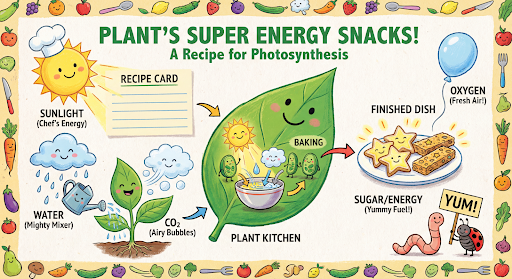
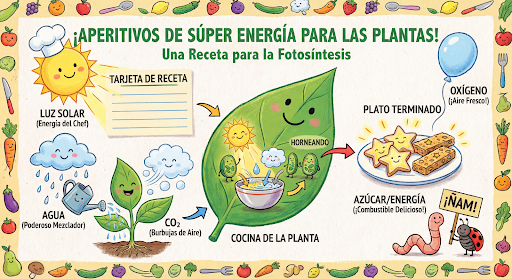
จากนั้นคุณสามารถใช้แชทเดียวกันเพื่อเปลี่ยนภาษาในกราฟิกเป็นภาษาสเปน
Python
message = "Update this infographic to be in Spanish. Do not change any other elements of the image."
aspect_ratio = "16:9" # "1:1","2:3","3:2","3:4","4:3","4:5","5:4","9:16","16:9","21:9"
resolution = "2K" # "1K", "2K", "4K"

response = chat.send_message(message,
    config=types.GenerateContentConfig(
        image_config=types.ImageConfig(
            aspect_ratio=aspect_ratio,
            image_size=resolution
        ),
    ))

for part in response.parts:
    if part.text is not None:
        print(part.text)
    elif image:= part.as_image():
        image.save("photosynthesis_spanish.png")
JavaScript
const message = 'Update this infographic to be in Spanish. Do not change any other elements of the image.';
const aspectRatio = '16:9';
const resolution = '2K';

let response = await chat.sendMessage({
  message,
  config: {
    responseModalities: ['TEXT', 'IMAGE'],
    imageConfig: {
      aspectRatio: aspectRatio,
      imageSize: resolution,
    },
    tools: [{googleSearch: {}}],
  },
});

for (const part of response.candidates[0].content.parts) {
    if (part.text) {
      console.log(part.text);
    } else if (part.inlineData) {
      const imageData = part.inlineData.data;
      const buffer = Buffer.from(imageData, "base64");
      fs.writeFileSync("photosynthesis2.png", buffer);
      console.log("Image saved as photosynthesis2.png");
    }
}
Go
message = "Update this infographic to be in Spanish. Do not change any other elements of the image."
aspect_ratio = "16:9" // "1:1","2:3","3:2","3:4","4:3","4:5","5:4","9:16","16:9","21:9"
resolution = "2K"     // "1K", "2K", "4K"

model.GenerationConfig.ImageConfig = &pb.ImageConfig{
    AspectRatio: aspect_ratio,
    ImageSize:   resolution,
}

resp, err = chat.SendMessage(ctx, genai.Text(message))
if err != nil {
    log.Fatal(err)
}

for _, part := range resp.Candidates[0].Content.Parts {
    if txt, ok := part.(genai.Text); ok {
        fmt.Printf("%s", string(txt))
    } else if img, ok := part.(genai.ImageData); ok {
        err := os.WriteFile("photosynthesis_spanish.png", img.Data, 0644)
        if err != nil {
            log.Fatal(err)
        }
    }
}
Java
String aspectRatio = "16:9"; // "1:1","2:3","3:2","3:4","4:3","4:5","5:4","9:16","16:9","21:9"
String resolution = "2K"; // "1K", "2K", "4K"

config = GenerateContentConfig.builder()
    .responseModalities("TEXT", "IMAGE")
    .imageConfig(ImageConfig.builder()
        .aspectRatio(aspectRatio)
        .imageSize(resolution)
        .build())
    .build();

response = chat.sendMessage(
    "Update this infographic to be in Spanish. " +
    "Do not change any other elements of the image.",
    config);

for (Part part : response.parts()) {
  if (part.text().isPresent()) {
    System.out.println(part.text().get());
  } else if (part.inlineData().isPresent()) {
    var blob = part.inlineData().get();
    if (blob.data().isPresent()) {
      Files.write(Paths.get("photosynthesis_spanish.png"), blob.data().get());
    }
  }
}
REST
curl -s -X POST \
  "https://generativelanguage.googleapis.com/v1beta/models/gemini-3-pro-image-preview:generateContent" \
  -H "x-goog-api-key: $GEMINI_API_KEY" \
  -H 'Content-Type: application/json' \
  -d '{
    "contents": [
      {
        "role": "user",
        "parts": [{"text": "Create a vibrant infographic that explains photosynthesis..."}]
      },
      {
        "role": "model",
        "parts": [{"inline_data": {"mime_type": "image/png", "data": "<PREVIOUS_IMAGE_DATA>"}}]
      },
      {
        "role": "user",
        "parts": [{"text": "Update this infographic to be in Spanish. Do not change any other elements of the image."}]
      }
    ],
    "tools": [{"google_search": {}}],
    "generationConfig": {
      "responseModalities": ["TEXT", "IMAGE"],
      "imageConfig": {
        "aspectRatio": "16:9",
        "imageSize": "2K"
      }
    }
  }'
ใหม่ด้วยรูปภาพ Gemini 3 Pro
โมเดลรูปภาพ Gemini 3 Pro (gemini-3-pro-image-preview) เป็นโมเดลการสร้างและแก้ไขรูปภาพที่ล้ำสมัย
ซึ่งได้รับการเพิ่มประสิทธิภาพสำหรับการผลิตชิ้นงานระดับมืออาชีพ
โดยออกแบบมาเพื่อจัดการเวิร์กโฟลว์ที่ท้าทายที่สุดผ่านการให้เหตุผลขั้นสูง และ
มีความโดดเด่นในงานสร้างสรรค์และการแก้ไขที่ซับซ้อนและมีหลายรอบ
- เอาต์พุตความละเอียดสูง: ความสามารถในการสร้างภาพความละเอียด 1K, 2K และ 4K ในตัว
- การแสดงข้อความขั้นสูง: สร้างข้อความที่อ่านได้และมีสไตล์สำหรับ อินโฟกราฟิก เมนู ไดอะแกรม และชิ้นงานทางการตลาด
- การอ้างอิงจาก Google Search: โมเดลสามารถใช้ Google Search เป็นเครื่องมือเพื่อ ยืนยันข้อเท็จจริงและสร้างภาพตามข้อมูลแบบเรียลไทม์ (เช่น แผนที่ สภาพอากาศปัจจุบัน แผนภูมิหุ้น เหตุการณ์ล่าสุด)
- โหมดการคิด: โมเดลใช้กระบวนการ "การคิด" เพื่อให้เหตุผลผ่านพรอมต์ที่ซับซ้อน โดยจะสร้าง "ภาพความคิด" ชั่วคราว (มองเห็นได้ในแบ็กเอนด์ แต่ไม่มีการเรียกเก็บเงิน) เพื่อปรับแต่งองค์ประกอบก่อนที่จะสร้างเอาต์พุตคุณภาพสูง ขั้นสุดท้าย
- รูปภาพอ้างอิงสูงสุด 14 รูป: ตอนนี้คุณสามารถผสมรูปภาพอ้างอิงได้สูงสุด 14 รูปเพื่อสร้างรูปภาพสุดท้าย
ใช้รูปภาพอ้างอิงได้สูงสุด 14 รูป
รุ่นตัวอย่างของ Gemini 3 Pro ช่วยให้คุณผสมรูปภาพอ้างอิงได้สูงสุด 14 รูป รูปภาพทั้ง 14 รูป อาจมีลักษณะต่อไปนี้
- รูปภาพวัตถุที่มีความเที่ยงตรงสูงสูงสุด 6 ภาพเพื่อรวมไว้ในรูปภาพสุดท้าย
รูปภาพมนุษย์สูงสุด 5 รูปเพื่อรักษาความสอดคล้องของตัวละคร
Python
from google import genai
from google.genai import types
from PIL import Image

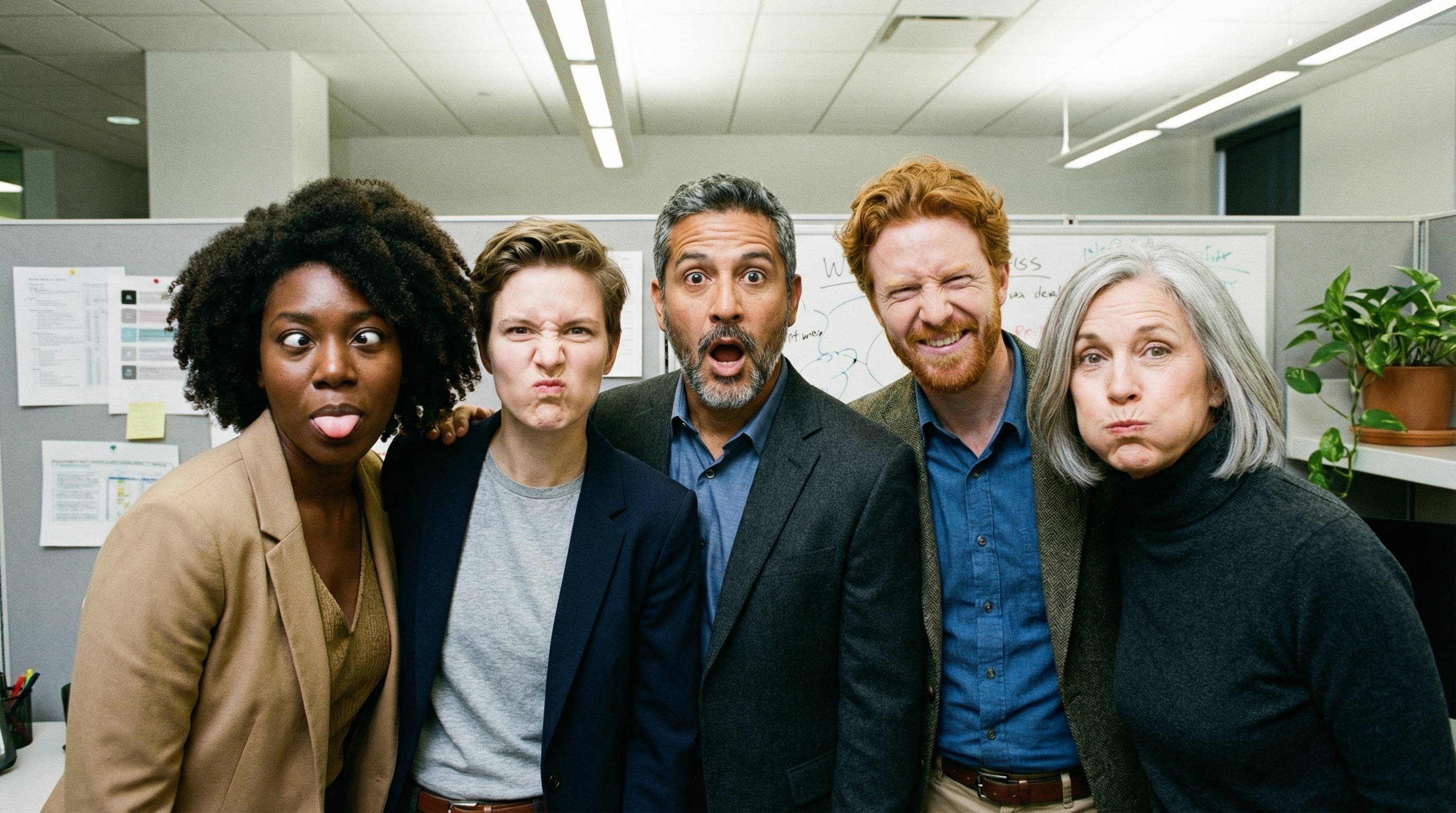
prompt = "An office group photo of these people, they are making funny faces."
aspect_ratio = "5:4" # "1:1","2:3","3:2","3:4","4:3","4:5","5:4","9:16","16:9","21:9"
resolution = "2K" # "1K", "2K", "4K"

client = genai.Client()

response = client.models.generate_content(
    model="gemini-3-pro-image-preview",
    contents=[
        prompt,
        Image.open('person1.png'),
        Image.open('person2.png'),
        Image.open('person3.png'),
        Image.open('person4.png'),
        Image.open('person5.png'),
    ],
    config=types.GenerateContentConfig(
        response_modalities=['TEXT', 'IMAGE'],
        image_config=types.ImageConfig(
            aspect_ratio=aspect_ratio,
            image_size=resolution
        ),
    )
)

for part in response.parts:
    if part.text is not None:
        print(part.text)
    elif image:= part.as_image():
        image.save("office.png")
JavaScript
import { GoogleGenAI } from "@google/genai";
import * as fs from "node:fs";

async function main() {

  const ai = new GoogleGenAI({});

  const prompt =
      'An office group photo of these people, they are making funny faces.';
  const aspectRatio = '5:4';
  const resolution = '2K';

const contents = [
  { text: prompt },
  {
    inlineData: {
      mimeType: "image/jpeg",
      data: base64ImageFile1,
    },
  },
  {
    inlineData: {
      mimeType: "image/jpeg",
      data: base64ImageFile2,
    },
  },
  {
    inlineData: {
      mimeType: "image/jpeg",
      data: base64ImageFile3,
    },
  },
  {
    inlineData: {
      mimeType: "image/jpeg",
      data: base64ImageFile4,
    },
  },
  {
    inlineData: {
      mimeType: "image/jpeg",
      data: base64ImageFile5,
    },
  }
];

const response = await ai.models.generateContent({
    model: 'gemini-3-pro-image-preview',
    contents: contents,
    config: {
      responseModalities: ['TEXT', 'IMAGE'],
      imageConfig: {
        aspectRatio: aspectRatio,
        imageSize: resolution,
      },
    },
  });

  for (const part of response.candidates[0].content.parts) {
    if (part.text) {
      console.log(part.text);
    } else if (part.inlineData) {
      const imageData = part.inlineData.data;
      const buffer = Buffer.from(imageData, "base64");
      fs.writeFileSync("image.png", buffer);
      console.log("Image saved as image.png");
    }
  }

}

main();
Go
package main

import (
    "context"
    "fmt"
    "log"
    "os"

    "google.golang.org/genai"
)

func main() {
    ctx := context.Background()
    client, err := genai.NewClient(ctx, nil)
    if err != nil {
        log.Fatal(err)
    }
    defer client.Close()

    model := client.GenerativeModel("gemini-3-pro-image-preview")
    model.GenerationConfig = &pb.GenerationConfig{
        ResponseModalities: []pb.ResponseModality{genai.Text, genai.Image},
        ImageConfig: &pb.ImageConfig{
            AspectRatio: "5:4",
            ImageSize:   "2K",
        },
    }

    img1, err := os.ReadFile("person1.png")
    if err != nil { log.Fatal(err) }
    img2, err := os.ReadFile("person2.png")
    if err != nil { log.Fatal(err) }
    img3, err := os.ReadFile("person3.png")
    if err != nil { log.Fatal(err) }
    img4, err := os.ReadFile("person4.png")
    if err != nil { log.Fatal(err) }
    img5, err := os.ReadFile("person5.png")
    if err != nil { log.Fatal(err) }

    parts := []genai.Part{
        genai.Text("An office group photo of these people, they are making funny faces."),
        genai.ImageData{MIMEType: "image/png", Data: img1},
        genai.ImageData{MIMEType: "image/png", Data: img2},
        genai.ImageData{MIMEType: "image/png", Data: img3},
        genai.ImageData{MIMEType: "image/png", Data: img4},
        genai.ImageData{MIMEType: "image/png", Data: img5},
    }

    resp, err := model.GenerateContent(ctx, parts...)
    if err != nil {
        log.Fatal(err)
    }

    for _, part := range resp.Candidates[0].Content.Parts {
        if txt, ok := part.(genai.Text); ok {
            fmt.Printf("%s", string(txt))
        } else if img, ok := part.(genai.ImageData); ok {
            err := os.WriteFile("office.png", img.Data, 0644)
            if err != nil {
                log.Fatal(err)
            }
        }
    }
}
Java
import com.google.genai.Client;
import com.google.genai.types.Content;
import com.google.genai.types.GenerateContentConfig;
import com.google.genai.types.GenerateContentResponse;
import com.google.genai.types.ImageConfig;
import com.google.genai.types.Part;

import java.io.IOException;
import java.nio.file.Files;
import java.nio.file.Path;
import java.nio.file.Paths;

public class GroupPhoto {
  public static void main(String[] args) throws IOException {

    try (Client client = new Client()) {
      GenerateContentConfig config = GenerateContentConfig.builder()
          .responseModalities("TEXT", "IMAGE")
          .imageConfig(ImageConfig.builder()
              .aspectRatio("5:4")
              .imageSize("2K")
              .build())
          .build();

      GenerateContentResponse response = client.models.generateContent(
          "gemini-3-pro-image-preview",
          Content.fromParts(
              Part.fromText("An office group photo of these people, they are making funny faces."),
              Part.fromBytes(Files.readAllBytes(Path.of("person1.png")), "image/png"),
              Part.fromBytes(Files.readAllBytes(Path.of("person2.png")), "image/png"),
              Part.fromBytes(Files.readAllBytes(Path.of("person3.png")), "image/png"),
              Part.fromBytes(Files.readAllBytes(Path.of("person4.png")), "image/png"),
              Part.fromBytes(Files.readAllBytes(Path.of("person5.png")), "image/png")
          ), config);

      for (Part part : response.parts()) {
        if (part.text().isPresent()) {
          System.out.println(part.text().get());
        } else if (part.inlineData().isPresent()) {
          var blob = part.inlineData().get();
          if (blob.data().isPresent()) {
            Files.write(Paths.get("office.png"), blob.data().get());
          }
        }
      }
    }
  }
}
REST
curl -s -X POST \
  "https://generativelanguage.googleapis.com/v1beta/models/gemini-3-pro-image-preview:generateContent" \
    -H "x-goog-api-key: $GEMINI_API_KEY" \
    -H 'Content-Type: application/json' \
    -d "{
      \"contents\": [{
        \"parts\":[
            {\"text\": \"An office group photo of these people, they are making funny faces.\"},
            {\"inline_data\": {\"mime_type\":\"image/png\", \"data\": \"<BASE64_DATA_IMG_1>\"}},
            {\"inline_data\": {\"mime_type\":\"image/png\", \"data\": \"<BASE64_DATA_IMG_2>\"}},
            {\"inline_data\": {\"mime_type\":\"image/png\", \"data\": \"<BASE64_DATA_IMG_3>\"}},
            {\"inline_data\": {\"mime_type\":\"image/png\", \"data\": \"<BASE64_DATA_IMG_4>\"}},
            {\"inline_data\": {\"mime_type\":\"image/png\", \"data\": \"<BASE64_DATA_IMG_5>\"}}
        ]
      }],
      \"generationConfig\": {
        \"responseModalities\": [\"TEXT\", \"IMAGE\"],
        \"imageConfig\": {
          \"aspectRatio\": \"5:4\",
          \"imageSize\": \"2K\"
        }
      }
    }"
การเชื่อมต่อแหล่งข้อมูลกับ Google Search
ใช้เครื่องมือ Google Search เพื่อสร้างรูปภาพ โดยอิงตามข้อมูลแบบเรียลไทม์ เช่น พยากรณ์อากาศ แผนภูมิหุ้น หรือ เหตุการณ์ล่าสุด
โปรดทราบว่าเมื่อใช้การอ้างอิงกับ Google Search พร้อมการสร้างรูปภาพ ระบบจะไม่ส่งผลการค้นหาที่อิงตามรูปภาพไปยังโมเดลการสร้างและจะ ยกเว้นออกจากคำตอบ
Python
from google import genai
prompt = "Visualize the current weather forecast for the next 5 days in San Francisco as a clean, modern weather chart. Add a visual on what I should wear each day"
aspect_ratio = "16:9" # "1:1","2:3","3:2","3:4","4:3","4:5","5:4","9:16","16:9","21:9"

client = genai.Client()

response = client.models.generate_content(
    model="gemini-3-pro-image-preview",
    contents=prompt,
    config=types.GenerateContentConfig(
        response_modalities=['Text', 'Image'],
        image_config=types.ImageConfig(
            aspect_ratio=aspect_ratio,
        ),
        tools=[{"google_search": {}}]
    )
)

for part in response.parts:
    if part.text is not None:
        print(part.text)
    elif image:= part.as_image():
        image.save("weather.png")
JavaScript
import { GoogleGenAI } from "@google/genai";
import * as fs from "node:fs";

async function main() {

  const ai = new GoogleGenAI({});

  const prompt = 'Visualize the current weather forecast for the next 5 days in San Francisco as a clean, modern weather chart. Add a visual on what I should wear each day';
  const aspectRatio = '16:9';
  const resolution = '2K';

const response = await ai.models.generateContent({
    model: 'gemini-3-pro-image-preview',
    contents: prompt,
    config: {
      responseModalities: ['TEXT', 'IMAGE'],
      imageConfig: {
        aspectRatio: aspectRatio,
        imageSize: resolution,
      },
    tools: [{ googleSearch: {} }]
    },
  });

  for (const part of response.candidates[0].content.parts) {
    if (part.text) {
      console.log(part.text);
    } else if (part.inlineData) {
      const imageData = part.inlineData.data;
      const buffer = Buffer.from(imageData, "base64");
      fs.writeFileSync("image.png", buffer);
      console.log("Image saved as image.png");
    }
  }

}

main();
Java
import com.google.genai.Client;
import com.google.genai.types.GenerateContentConfig;
import com.google.genai.types.GenerateContentResponse;
import com.google.genai.types.GoogleSearch;
import com.google.genai.types.ImageConfig;
import com.google.genai.types.Part;
import com.google.genai.types.Tool;

import java.io.IOException;
import java.nio.file.Files;
import java.nio.file.Paths;

public class SearchGrounding {
  public static void main(String[] args) throws IOException {

    try (Client client = new Client()) {
      GenerateContentConfig config = GenerateContentConfig.builder()
          .responseModalities("TEXT", "IMAGE")
          .imageConfig(ImageConfig.builder()
              .aspectRatio("16:9")
              .build())
          .tools(Tool.builder()
              .googleSearch(GoogleSearch.builder().build())
              .build())
          .build();

      GenerateContentResponse response = client.models.generateContent(
          "gemini-3-pro-image-preview", """
              Visualize the current weather forecast for the next 5 days
              in San Francisco as a clean, modern weather chart.
              Add a visual on what I should wear each day
              """,
          config);

      for (Part part : response.parts()) {
        if (part.text().isPresent()) {
          System.out.println(part.text().get());
        } else if (part.inlineData().isPresent()) {
          var blob = part.inlineData().get();
          if (blob.data().isPresent()) {
            Files.write(Paths.get("weather.png"), blob.data().get());
          }
        }
      }
    }
  }
}
REST
curl -s -X POST \
  "https://generativelanguage.googleapis.com/v1beta/models/gemini-3-pro-image-preview:generateContent" \
  -H "x-goog-api-key: $GEMINI_API_KEY" \
  -H "Content-Type: application/json" \
  -d '{
    "contents": [{"parts": [{"text": "Visualize the current weather forecast for the next 5 days in San Francisco as a clean, modern weather chart. Add a visual on what I should wear each day"}]}],
    "tools": [{"google_search": {}}],
    "generationConfig": {
      "responseModalities": ["TEXT", "IMAGE"],
      "imageConfig": {"aspectRatio": "16:9"}
    }
  }'
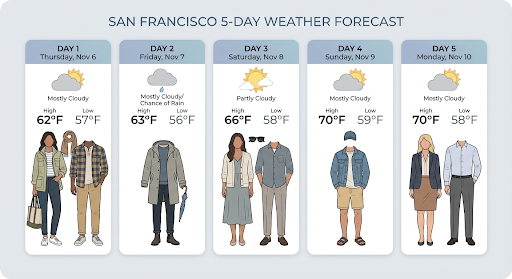
การตอบกลับมี groundingMetadata ซึ่งมีช่องที่จำเป็นต่อไปนี้
searchEntryPoint: มี HTML และ CSS เพื่อแสดงผลคำแนะนำในการค้นหาที่จำเป็นgroundingChunks: แสดงผลแหล่งที่มาบนเว็บ 3 อันดับแรกที่ใช้เป็นพื้นฐานสำหรับ รูปภาพที่สร้างขึ้น
สร้างรูปภาพที่มีความละเอียดสูงสุด 4K
รูปภาพของ Gemini 3 Pro สร้างรูปภาพ 1K โดยค่าเริ่มต้น แต่ยังสามารถแสดงรูปภาพ 2K และ 4K ได้ด้วย
หากต้องการสร้างชิ้นงานที่มีความละเอียดสูงขึ้น ให้ระบุ image_size ใน
generation_config
คุณต้องใช้ตัว "K" พิมพ์ใหญ่ (เช่น 1K, 2K, 4K) พารามิเตอร์ตัวพิมพ์เล็ก (เช่น 1k) จะถูกปฏิเสธ
Python
from google import genai
from google.genai import types

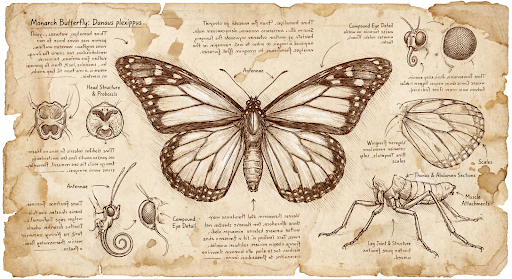
prompt = "Da Vinci style anatomical sketch of a dissected Monarch butterfly. Detailed drawings of the head, wings, and legs on textured parchment with notes in English."
aspect_ratio = "1:1" # "1:1","2:3","3:2","3:4","4:3","4:5","5:4","9:16","16:9","21:9"
resolution = "1K" # "1K", "2K", "4K"

client = genai.Client()

response = client.models.generate_content(
    model="gemini-3-pro-image-preview",
    contents=prompt,
    config=types.GenerateContentConfig(
        response_modalities=['TEXT', 'IMAGE'],
        image_config=types.ImageConfig(
            aspect_ratio=aspect_ratio,
            image_size=resolution
        ),
    )
)

for part in response.parts:
    if part.text is not None:
        print(part.text)
    elif image:= part.as_image():
        image.save("butterfly.png")
JavaScript
import { GoogleGenAI } from "@google/genai";
import * as fs from "node:fs";

async function main() {

  const ai = new GoogleGenAI({});

  const prompt =
      'Da Vinci style anatomical sketch of a dissected Monarch butterfly. Detailed drawings of the head, wings, and legs on textured parchment with notes in English.';
  const aspectRatio = '1:1';
  const resolution = '1K';

  const response = await ai.models.generateContent({
    model: 'gemini-3-pro-image-preview',
    contents: prompt,
    config: {
      responseModalities: ['TEXT', 'IMAGE'],
      imageConfig: {
        aspectRatio: aspectRatio,
        imageSize: resolution,
      },
    },
  });

  for (const part of response.candidates[0].content.parts) {
    if (part.text) {
      console.log(part.text);
    } else if (part.inlineData) {
      const imageData = part.inlineData.data;
      const buffer = Buffer.from(imageData, "base64");
      fs.writeFileSync("image.png", buffer);
      console.log("Image saved as image.png");
    }
  }

}

main();
Go
package main

import (
    "context"
    "fmt"
    "log"
    "os"

    "google.golang.org/genai"
)

func main() {
    ctx := context.Background()
    client, err := genai.NewClient(ctx, nil)
    if err != nil {
        log.Fatal(err)
    }
    defer client.Close()

    model := client.GenerativeModel("gemini-3-pro-image-preview")
    model.GenerationConfig = &pb.GenerationConfig{
        ResponseModalities: []pb.ResponseModality{genai.Text, genai.Image},
        ImageConfig: &pb.ImageConfig{
            AspectRatio: "1:1",
            ImageSize:   "1K",
        },
    }

    prompt := "Da Vinci style anatomical sketch of a dissected Monarch butterfly. Detailed drawings of the head, wings, and legs on textured parchment with notes in English."
    resp, err := model.GenerateContent(ctx, genai.Text(prompt))
    if err != nil {
        log.Fatal(err)
    }

    for _, part := range resp.Candidates[0].Content.Parts {
        if txt, ok := part.(genai.Text); ok {
            fmt.Printf("%s", string(txt))
        } else if img, ok := part.(genai.ImageData); ok {
            err := os.WriteFile("butterfly.png", img.Data, 0644)
            if err != nil {
                log.Fatal(err)
            }
        }
    }
}
Java
import com.google.genai.Client;
import com.google.genai.types.GenerateContentConfig;
import com.google.genai.types.GenerateContentResponse;
import com.google.genai.types.GoogleSearch;
import com.google.genai.types.ImageConfig;
import com.google.genai.types.Part;
import com.google.genai.types.Tool;

import java.io.IOException;
import java.nio.file.Files;
import java.nio.file.Paths;

public class HiRes {
    public static void main(String[] args) throws IOException {

      try (Client client = new Client()) {
        GenerateContentConfig config = GenerateContentConfig.builder()
            .responseModalities("TEXT", "IMAGE")
            .imageConfig(ImageConfig.builder()
                .aspectRatio("16:9")
                .imageSize("4K")
                .build())
            .build();

        GenerateContentResponse response = client.models.generateContent(
            "gemini-3-pro-image-preview", """
              Da Vinci style anatomical sketch of a dissected Monarch butterfly.
              Detailed drawings of the head, wings, and legs on textured
              parchment with notes in English.
              """,
            config);

        for (Part part : response.parts()) {
          if (part.text().isPresent()) {
            System.out.println(part.text().get());
          } else if (part.inlineData().isPresent()) {
            var blob = part.inlineData().get();
            if (blob.data().isPresent()) {
              Files.write(Paths.get("butterfly.png"), blob.data().get());
            }
          }
        }
      }
    }
}
REST
curl -s -X POST \
  "https://generativelanguage.googleapis.com/v1beta/models/gemini-3-pro-image-preview:generateContent" \
  -H "x-goog-api-key: $GEMINI_API_KEY" \
  -H "Content-Type: application/json" \
  -d '{
    "contents": [{"parts": [{"text": "Da Vinci style anatomical sketch of a dissected Monarch butterfly. Detailed drawings of the head, wings, and legs on textured parchment with notes in English."}]}],
    "tools": [{"google_search": {}}],
    "generationConfig": {
      "responseModalities": ["TEXT", "IMAGE"],
      "imageConfig": {"aspectRatio": "1:1", "imageSize": "1K"}
    }
  }'
ต่อไปนี้เป็นตัวอย่างรูปภาพที่สร้างขึ้นจากพรอมต์นี้
กระบวนการคิด
โมเดลตัวอย่างรูปภาพของ Gemini 3 Pro เป็นโมเดลการคิดและใช้กระบวนการให้เหตุผล ("การคิด") สำหรับพรอมต์ที่ซับซ้อน ฟีเจอร์นี้เปิดใช้อยู่โดยค่าเริ่มต้นและ ปิดใช้ใน API ไม่ได้ ดูข้อมูลเพิ่มเติมเกี่ยวกับกระบวนการคิดได้ที่คำแนะนำการคิดของ Gemini
โมเดลจะสร้างรูปภาพชั่วคราวสูงสุด 2 รูปเพื่อทดสอบองค์ประกอบและตรรกะ รูปภาพสุดท้ายในส่วน "กำลังคิด" คือรูปภาพสุดท้ายที่แสดงผล
คุณสามารถตรวจสอบความคิดที่นำไปสู่การสร้างรูปภาพสุดท้ายได้
Python
for part in response.parts:
    if part.thought:
        if part.text:
            print(part.text)
        elif image:= part.as_image():
            image.show()
JavaScript
for (const part of response.candidates[0].content.parts) {
  if (part.thought) {
    if (part.text) {
      console.log(part.text);
    } else if (part.inlineData) {
      const imageData = part.inlineData.data;
      const buffer = Buffer.from(imageData, 'base64');
      fs.writeFileSync('image.png', buffer);
      console.log('Image saved as image.png');
    }
  }
}
ลายเซ็นความคิด
ลายเซ็นความคิดคือการแสดงความคิดภายในของโมเดลที่เข้ารหัส และใช้เพื่อรักษาบริบทการให้เหตุผลในการโต้ตอบแบบหลายรอบ คำตอบทั้งหมดจะมีthought_signature
ฟิลด์ โดยทั่วไปแล้ว หากคุณได้รับลายเซ็นความคิดในคำตอบของโมเดล
คุณควรส่งลายเซ็นกลับไปตามที่ได้รับเมื่อส่งประวัติการสนทนาในรอบถัดไป
การไม่เผยแพร่ลายเซ็นความคิด
อาจทำให้การตอบกลับไม่สำเร็จ ดูคำอธิบายเพิ่มเติมเกี่ยวกับลายเซ็นโดยรวมได้ในเอกสารประกอบเกี่ยวกับลายเซ็นความคิด
วิธีการทำงานของลายเซ็นความคิดมีดังนี้
inline_dataส่วนทั้งหมดที่มีรูปภาพmimetypeซึ่งเป็นส่วนหนึ่งของการตอบกลับ ควรมีลายเซ็น- หากมีข้อความบางส่วนที่ตอนต้น (ก่อนรูปภาพ) ทันทีหลังจากความคิดเห็น ข้อความส่วนแรกควรมีลายเซ็นด้วย
- หาก
inline_dataส่วนที่มีรูปภาพmimetypeเป็นส่วนหนึ่งของความคิด ระบบจะไม่ใส่ลายเซ็น
โค้ดต่อไปนี้แสดงตัวอย่างตำแหน่งที่รวมลายเซ็นความคิด
[
  {
    "inline_data": {
      "data": "<base64_image_data_0>",
      "mime_type": "image/png"
    },
    "thought": true // Thoughts don't have signatures
  },
  {
    "inline_data": {
      "data": "<base64_image_data_1>",
      "mime_type": "image/png"
    },
    "thought": true // Thoughts don't have signatures
  },
  {
    "inline_data": {
      "data": "<base64_image_data_2>",
      "mime_type": "image/png"
    },
    "thought": true // Thoughts don't have signatures
  },
  {
    "text": "Here is a step-by-step guide to baking macarons, presented in three separate images.\n\n### Step 1: Piping the Batter\n\nThe first step after making your macaron batter is to pipe it onto a baking sheet. This requires a steady hand to create uniform circles.\n\n",
    "thought_signature": "<Signature_A>" // The first non-thought part always has a signature
  },
  {
    "inline_data": {
      "data": "<base64_image_data_3>",
      "mime_type": "image/png"
    },
    "thought_signature": "<Signature_B>" // All image parts have a signatures
  },
  {
    "text": "\n\n### Step 2: Baking and Developing Feet\n\nOnce piped, the macarons are baked in the oven. A key sign of a successful bake is the development of \"feet\"—the ruffled edge at the base of each macaron shell.\n\n"
    // Follow-up text parts don't have signatures
  },
  {
    "inline_data": {
      "data": "<base64_image_data_4>",
      "mime_type": "image/png"
    },
    "thought_signature": "<Signature_C>" // All image parts have a signatures
  },
  {
    "text": "\n\n### Step 3: Assembling the Macaron\n\nThe final step is to pair the cooled macaron shells by size and sandwich them together with your desired filling, creating the classic macaron dessert.\n\n"
  },
  {
    "inline_data": {
      "data": "<base64_image_data_5>",
      "mime_type": "image/png"
    },
    "thought_signature": "<Signature_D>" // All image parts have a signatures
  }
]
โหมดการสร้างรูปภาพอื่นๆ
Gemini รองรับโหมดการโต้ตอบกับรูปภาพอื่นๆ ตามโครงสร้างพรอมต์และบริบท ซึ่งรวมถึง
- ข้อความเป็นรูปภาพและข้อความ (แทรกสลับ): แสดงรูปภาพพร้อมข้อความที่เกี่ยวข้อง
- ตัวอย่างพรอมต์: "สร้างสูตรปาเอญ่าพร้อมภาพประกอบ"
- รูปภาพและข้อความเป็นรูปภาพและข้อความ (แทรกสลับ): ใช้รูปภาพและข้อความที่ป้อนเพื่อสร้างรูปภาพและข้อความใหม่ที่เกี่ยวข้อง
- ตัวอย่างพรอมต์: (พร้อมรูปภาพห้องที่มีเฟอร์นิเจอร์) "โซฟาสีอื่นสีไหนจะเข้ากับพื้นที่ของฉันบ้าง คุณอัปเดตรูปภาพได้ไหม"
สร้างรูปภาพเป็นชุด
หากต้องการสร้างรูปภาพจำนวนมาก คุณสามารถใช้ Batch API ได้ คุณจะได้รับขีดจำกัดอัตราที่สูงขึ้น เพื่อแลกกับการดำเนินการที่ใช้เวลาไม่เกิน 24 ชั่วโมง
ดูเอกสารประกอบการสร้างรูปภาพด้วย Batch API และสูตรการใช้งาน เพื่อดูตัวอย่างรูปภาพและโค้ดของ Batch API
คำแนะนำและกลยุทธ์ในการเขียนพรอมต์
การสร้างรูปภาพอย่างเชี่ยวชาญเริ่มต้นด้วยหลักการพื้นฐานข้อเดียว
อธิบายฉาก อย่าเพียงแสดงรายการคีย์เวิร์ด จุดแข็งหลักของโมเดลคือความเข้าใจภาษาอย่างลึกซึ้ง ย่อหน้าแบบบรรยาย ที่อธิบายรายละเอียดจะสร้างรูปภาพที่ดียิ่งขึ้นและสอดคล้องกันมากกว่า รายการคำที่ไม่ได้เชื่อมต่อกันเกือบทุกครั้ง
พรอมต์สำหรับการสร้างรูปภาพ
กลยุทธ์ต่อไปนี้จะช่วยให้คุณสร้างพรอมต์ที่มีประสิทธิภาพเพื่อ สร้างรูปภาพที่คุณต้องการได้อย่างแม่นยำ
1. ฉากสมจริง
หากต้องการรูปภาพที่สมจริง ให้ใช้คำศัพท์เกี่ยวกับการถ่ายภาพ ระบุมุมกล้อง ประเภทเลนส์ แสง และรายละเอียดเล็กๆ น้อยๆ เพื่อเป็นแนวทางให้โมเดลสร้างผลลัพธ์ที่สมจริง
เทมเพลต
A photorealistic [shot type] of [subject], [action or expression], set in
[environment]. The scene is illuminated by [lighting description], creating
a [mood] atmosphere. Captured with a [camera/lens details], emphasizing
[key textures and details]. The image should be in a [aspect ratio] format.
พรอมต์
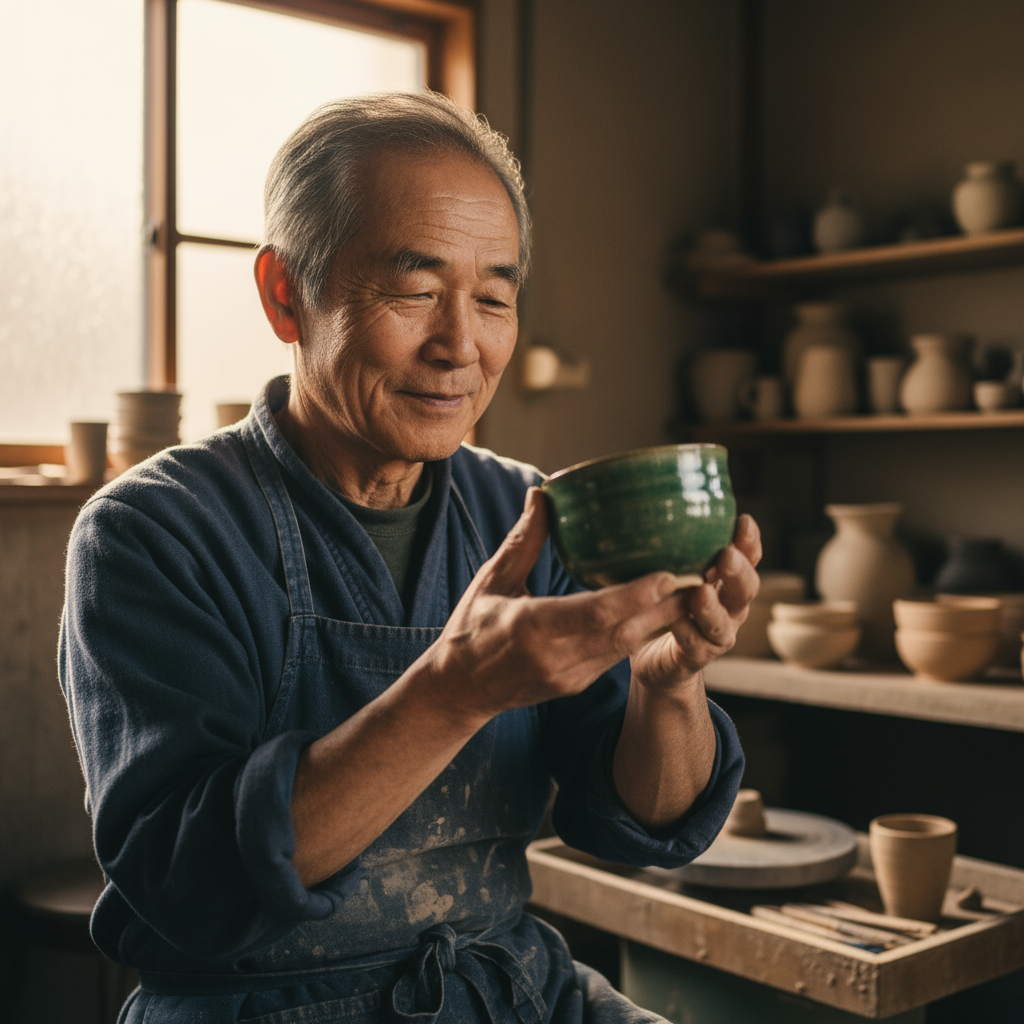
A photorealistic close-up portrait of an elderly Japanese ceramicist with
deep, sun-etched wrinkles and a warm, knowing smile. He is carefully
inspecting a freshly glazed tea bowl. The setting is his rustic,
sun-drenched workshop. The scene is illuminated by soft, golden hour light
streaming through a window, highlighting the fine texture of the clay.
Captured with an 85mm portrait lens, resulting in a soft, blurred background
(bokeh). The overall mood is serene and masterful. Vertical portrait
orientation.
Python
from google import genai
from google.genai import types

client = genai.Client()

response = client.models.generate_content(
    model="gemini-2.5-flash-image",
    contents="A photorealistic close-up portrait of an elderly Japanese ceramicist with deep, sun-etched wrinkles and a warm, knowing smile. He is carefully inspecting a freshly glazed tea bowl. The setting is his rustic, sun-drenched workshop with pottery wheels and shelves of clay pots in the background. The scene is illuminated by soft, golden hour light streaming through a window, highlighting the fine texture of the clay and the fabric of his apron. Captured with an 85mm portrait lens, resulting in a soft, blurred background (bokeh). The overall mood is serene and masterful.",
)

for part in response.parts:
    if part.text is not None:
        print(part.text)
    elif part.inline_data is not None:
        image = part.as_image()
        image.save("photorealistic_example.png")
Java
import com.google.genai.Client;
import com.google.genai.types.GenerateContentConfig;
import com.google.genai.types.GenerateContentResponse;
import com.google.genai.types.Part;

import java.io.IOException;
import java.nio.file.Files;
import java.nio.file.Paths;

public class PhotorealisticScene {
  public static void main(String[] args) throws IOException {

    try (Client client = new Client()) {
      GenerateContentConfig config = GenerateContentConfig.builder()
          .responseModalities("TEXT", "IMAGE")
          .build();

      GenerateContentResponse response = client.models.generateContent(
          "gemini-2.5-flash-image",
          """
          A photorealistic close-up portrait of an elderly Japanese ceramicist
          with deep, sun-etched wrinkles and a warm, knowing smile. He is
          carefully inspecting a freshly glazed tea bowl. The setting is his
          rustic, sun-drenched workshop with pottery wheels and shelves of
          clay pots in the background. The scene is illuminated by soft,
          golden hour light streaming through a window, highlighting the
          fine texture of the clay and the fabric of his apron. Captured
          with an 85mm portrait lens, resulting in a soft, blurred
          background (bokeh). The overall mood is serene and masterful.
          """,
          config);

      for (Part part : response.parts()) {
        if (part.text().isPresent()) {
          System.out.println(part.text().get());
        } else if (part.inlineData().isPresent()) {
          var blob = part.inlineData().get();
          if (blob.data().isPresent()) {
            Files.write(Paths.get("photorealistic_example.png"), blob.data().get());
          }
        }
      }
    }
  }
}
JavaScript
import { GoogleGenAI } from "@google/genai";
import * as fs from "node:fs";

async function main() {

  const ai = new GoogleGenAI({});

  const prompt =
    "A photorealistic close-up portrait of an elderly Japanese ceramicist with deep, sun-etched wrinkles and a warm, knowing smile. He is carefully inspecting a freshly glazed tea bowl. The setting is his rustic, sun-drenched workshop with pottery wheels and shelves of clay pots in the background. The scene is illuminated by soft, golden hour light streaming through a window, highlighting the fine texture of the clay and the fabric of his apron. Captured with an 85mm portrait lens, resulting in a soft, blurred background (bokeh). The overall mood is serene and masterful.";

  const response = await ai.models.generateContent({
    model: "gemini-2.5-flash-image",
    contents: prompt,
  });
  for (const part of response.candidates[0].content.parts) {
    if (part.text) {
      console.log(part.text);
    } else if (part.inlineData) {
      const imageData = part.inlineData.data;
      const buffer = Buffer.from(imageData, "base64");
      fs.writeFileSync("photorealistic_example.png", buffer);
      console.log("Image saved as photorealistic_example.png");
    }
  }
}

main();
Go
package main

import (
    "context"
    "fmt"
    "log"
    "os"
    "google.golang.org/genai"
)

func main() {

    ctx := context.Background()
    client, err := genai.NewClient(ctx, nil)
    if err != nil {
        log.Fatal(err)
    }

    result, _ := client.Models.GenerateContent(
        ctx,
        "gemini-2.5-flash-image",
        genai.Text("A photorealistic close-up portrait of an elderly Japanese ceramicist with deep, sun-etched wrinkles and a warm, knowing smile. He is carefully inspecting a freshly glazed tea bowl. The setting is his rustic, sun-drenched workshop with pottery wheels and shelves of clay pots in the background. The scene is illuminated by soft, golden hour light streaming through a window, highlighting the fine texture of the clay and the fabric of his apron. Captured with an 85mm portrait lens, resulting in a soft, blurred background (bokeh). The overall mood is serene and masterful."),
    )

    for _, part := range result.Candidates[0].Content.Parts {
        if part.Text != "" {
            fmt.Println(part.Text)
        } else if part.InlineData != nil {
            imageBytes := part.InlineData.Data
            outputFilename := "photorealistic_example.png"
            _ = os.WriteFile(outputFilename, imageBytes, 0644)
        }
    }
}
REST
curl -s -X POST \
  "https://generativelanguage.googleapis.com/v1beta/models/gemini-2.5-flash-image:generateContent" \
  -H "x-goog-api-key: $GEMINI_API_KEY" \
  -H "Content-Type: application/json" \
  -d '{
    "contents": [{
      "parts": [
        {"text": "A photorealistic close-up portrait of an elderly Japanese ceramicist with deep, sun-etched wrinkles and a warm, knowing smile. He is carefully inspecting a freshly glazed tea bowl. The setting is his rustic, sun-drenched workshop with pottery wheels and shelves of clay pots in the background. The scene is illuminated by soft, golden hour light streaming through a window, highlighting the fine texture of the clay and the fabric of his apron. Captured with an 85mm portrait lens, resulting in a soft, blurred background (bokeh). The overall mood is serene and masterful."}
      ]
    }]
  }'
2. ภาพวาดและสติกเกอร์ที่ผ่านการปรับแต่ง
หากต้องการสร้างสติกเกอร์ ไอคอน หรือชิ้นงาน ให้ระบุสไตล์อย่างชัดเจนและขอ พื้นหลังโปร่งใส
เทมเพลต
A [style] sticker of a [subject], featuring [key characteristics] and a
[color palette]. The design should have [line style] and [shading style].
The background must be transparent.
พรอมต์
A kawaii-style sticker of a happy red panda wearing a tiny bamboo hat. It's
munching on a green bamboo leaf. The design features bold, clean outlines,
simple cel-shading, and a vibrant color palette. The background must be white.
Python
from google import genai
from google.genai import types

client = genai.Client()

response = client.models.generate_content(
    model="gemini-2.5-flash-image",
    contents="A kawaii-style sticker of a happy red panda wearing a tiny bamboo hat. It's munching on a green bamboo leaf. The design features bold, clean outlines, simple cel-shading, and a vibrant color palette. The background must be white.",
)

for part in response.parts:
    if part.text is not None:
        print(part.text)
    elif part.inline_data is not None:
        image = part.as_image()
        image.save("red_panda_sticker.png")
Java
import com.google.genai.Client;
import com.google.genai.types.GenerateContentConfig;
import com.google.genai.types.GenerateContentResponse;
import com.google.genai.types.Part;

import java.io.IOException;
import java.nio.file.Files;
import java.nio.file.Paths;

public class StylizedIllustration {
  public static void main(String[] args) throws IOException {

    try (Client client = new Client()) {
      GenerateContentConfig config = GenerateContentConfig.builder()
          .responseModalities("TEXT", "IMAGE")
          .build();

      GenerateContentResponse response = client.models.generateContent(
          "gemini-2.5-flash-image",
          """
          A kawaii-style sticker of a happy red panda wearing a tiny bamboo
          hat. It's munching on a green bamboo leaf. The design features
          bold, clean outlines, simple cel-shading, and a vibrant color
          palette. The background must be white.
          """,
          config);

      for (Part part : response.parts()) {
        if (part.text().isPresent()) {
          System.out.println(part.text().get());
        } else if (part.inlineData().isPresent()) {
          var blob = part.inlineData().get();
          if (blob.data().isPresent()) {
            Files.write(Paths.get("red_panda_sticker.png"), blob.data().get());
          }
        }
      }
    }
  }
}
JavaScript
import { GoogleGenAI } from "@google/genai";
import * as fs from "node:fs";

async function main() {

  const ai = new GoogleGenAI({});

  const prompt =
    "A kawaii-style sticker of a happy red panda wearing a tiny bamboo hat. It's munching on a green bamboo leaf. The design features bold, clean outlines, simple cel-shading, and a vibrant color palette. The background must be white.";

  const response = await ai.models.generateContent({
    model: "gemini-2.5-flash-image",
    contents: prompt,
  });
  for (const part of response.candidates[0].content.parts) {
    if (part.text) {
      console.log(part.text);
    } else if (part.inlineData) {
      const imageData = part.inlineData.data;
      const buffer = Buffer.from(imageData, "base64");
      fs.writeFileSync("red_panda_sticker.png", buffer);
      console.log("Image saved as red_panda_sticker.png");
    }
  }
}

main();
Go
package main

import (
    "context"
    "fmt"
    "log"
    "os"
    "google.golang.org/genai"
)

func main() {

    ctx := context.Background()
    client, err := genai.NewClient(ctx, nil)
    if err != nil {
        log.Fatal(err)
    }

    result, _ := client.Models.GenerateContent(
        ctx,
        "gemini-2.5-flash-image",
        genai.Text("A kawaii-style sticker of a happy red panda wearing a tiny bamboo hat. It's munching on a green bamboo leaf. The design features bold, clean outlines, simple cel-shading, and a vibrant color palette. The background must be white."),
    )

    for _, part := range result.Candidates[0].Content.Parts {
        if part.Text != "" {
            fmt.Println(part.Text)
        } else if part.InlineData != nil {
            imageBytes := part.InlineData.Data
            outputFilename := "red_panda_sticker.png"
            _ = os.WriteFile(outputFilename, imageBytes, 0644)
        }
    }
}
REST
curl -s -X POST \
  "https://generativelanguage.googleapis.com/v1beta/models/gemini-2.5-flash-image:generateContent" \
  -H "x-goog-api-key: $GEMINI_API_KEY" \
  -H "Content-Type: application/json" \
  -d '{
    "contents": [{
      "parts": [
        {"text": "A kawaii-style sticker of a happy red panda wearing a tiny bamboo hat. It is munching on a green bamboo leaf. The design features bold, clean outlines, simple cel-shading, and a vibrant color palette. The background must be white."}
      ]
    }]
  }'

3. ข้อความที่ถูกต้องในรูปภาพ
Gemini ทำงานได้ดีในการแสดงข้อความ ระบุข้อความ รูปแบบแบบอักษร (เชิงพรรณนา) และการออกแบบโดยรวมให้ชัดเจน ใช้ตัวอย่างรูปภาพ Gemini 3 Pro สำหรับ การผลิตชิ้นงานระดับมืออาชีพ
เทมเพลต
Create a [image type] for [brand/concept] with the text "[text to render]"
in a [font style]. The design should be [style description], with a
[color scheme].
พรอมต์
Create a modern, minimalist logo for a coffee shop called 'The Daily Grind'. The text should be in a clean, bold, sans-serif font. The color scheme is black and white. Put the logo in a circle. Use a coffee bean in a clever way.
Python
from google import genai
from google.genai import types

client = genai.Client()

response = client.models.generate_content(
    model="gemini-3-pro-image-preview",
    contents="Create a modern, minimalist logo for a coffee shop called 'The Daily Grind'. The text should be in a clean, bold, sans-serif font. The color scheme is black and white. Put the logo in a circle. Use a coffee bean in a clever way.",
    config=types.GenerateContentConfig(
        image_config=types.ImageConfig(
            aspect_ratio="1:1",
        )
    )
)

for part in response.parts:
    if part.text is not None:
        print(part.text)
    elif part.inline_data is not None:
        image = part.as_image()
        image.save("logo_example.jpg")
Java
import com.google.genai.Client;
import com.google.genai.types.GenerateContentConfig;
import com.google.genai.types.GenerateContentResponse;
import com.google.genai.types.Part;
import com.google.genai.types.ImageConfig;

import java.io.IOException;
import java.nio.file.Files;
import java.nio.file.Paths;

public class AccurateTextInImages {
  public static void main(String[] args) throws IOException {

    try (Client client = new Client()) {
      GenerateContentConfig config = GenerateContentConfig.builder()
          .responseModalities("TEXT", "IMAGE")
          .imageConfig(ImageConfig.builder()
              .aspectRatio("1:1")
              .build())
          .build();

      GenerateContentResponse response = client.models.generateContent(
          "gemini-3-pro-image-preview",
          """
          Create a modern, minimalist logo for a coffee shop called 'The Daily Grind'. The text should be in a clean, bold, sans-serif font. The color scheme is black and white. Put the logo in a circle. Use a coffee bean in a clever way.
          """,
          config);

      for (Part part : response.parts()) {
        if (part.text().isPresent()) {
          System.out.println(part.text().get());
        } else if (part.inlineData().isPresent()) {
          var blob = part.inlineData().get();
          if (blob.data().isPresent()) {
            Files.write(Paths.get("logo_example.jpg"), blob.data().get());
          }
        }
      }
    }
  }
}
JavaScript
import { GoogleGenAI } from "@google/genai";
import * as fs from "node:fs";

async function main() {

  const ai = new GoogleGenAI({});

  const prompt =
    "Create a modern, minimalist logo for a coffee shop called 'The Daily Grind'. The text should be in a clean, bold, sans-serif font. The color scheme is black and white. Put the logo in a circle. Use a coffee bean in a clever way.";

  const response = await ai.models.generateContent({
    model: "gemini-3-pro-image-preview",
    contents: prompt,
    config: {
      imageConfig: {
        aspectRatio: "1:1",
      },
    },
  });
  for (const part of response.candidates[0].content.parts) {
    if (part.text) {
      console.log(part.text);
    } else if (part.inlineData) {
      const imageData = part.inlineData.data;
      const buffer = Buffer.from(imageData, "base64");
      fs.writeFileSync("logo_example.jpg", buffer);
      console.log("Image saved as logo_example.jpg");
    }
  }
}

main();
Go
package main

import (
    "context"
    "fmt"
    "log"
    "os"
    "google.golang.org/genai"
)

func main() {

    ctx := context.Background()
    client, err := genai.NewClient(ctx, nil)
    if err != nil {
        log.Fatal(err)
    }

    result, _ := client.Models.GenerateContent(
        ctx,
        "gemini-3-pro-image-preview",
        genai.Text("Create a modern, minimalist logo for a coffee shop called 'The Daily Grind'. The text should be in a clean, bold, sans-serif font. The color scheme is black and white. Put the logo in a circle. Use a coffee bean in a clever way."),
        &genai.GenerateContentConfig{
            ImageConfig: &genai.ImageConfig{
              AspectRatio: "1:1",
            },
        },
    )

    for _, part := range result.Candidates[0].Content.Parts {
        if part.Text != "" {
            fmt.Println(part.Text)
        } else if part.InlineData != nil {
            imageBytes := part.InlineData.Data
            outputFilename := "logo_example.jpg"
            _ = os.WriteFile(outputFilename, imageBytes, 0644)
        }
    }
}
REST
curl -s -X POST \
  "https://generativelanguage.googleapis.com/v1beta/models/gemini-3-pro-image-preview:generateContent" \
  -H "x-goog-api-key: $GEMINI_API_KEY" \
  -H "Content-Type: application/json" \
  -d '{
    "contents": [{
      "parts": [
        {"text": "Create a modern, minimalist logo for a coffee shop called The Daily Grind. The text should be in a clean, bold, sans-serif font. The color scheme is black and white. Put the logo in a circle. Use a coffee bean in a clever way."}
      ]
    }],
    "generationConfig": {
      "imageConfig": {
        "aspectRatio": "1:1"
      }
    }
  }'

4. ภาพจำลองผลิตภัณฑ์และการถ่ายภาพเชิงพาณิชย์
เหมาะอย่างยิ่งสำหรับการสร้างภาพผลิตภัณฑ์ที่สะอาดตาและดูเป็นมืออาชีพสำหรับอีคอมเมิร์ซ การโฆษณา หรือการสร้างแบรนด์
เทมเพลต
A high-resolution, studio-lit product photograph of a [product description]
on a [background surface/description]. The lighting is a [lighting setup,
e.g., three-point softbox setup] to [lighting purpose]. The camera angle is
a [angle type] to showcase [specific feature]. Ultra-realistic, with sharp
focus on [key detail]. [Aspect ratio].
พรอมต์
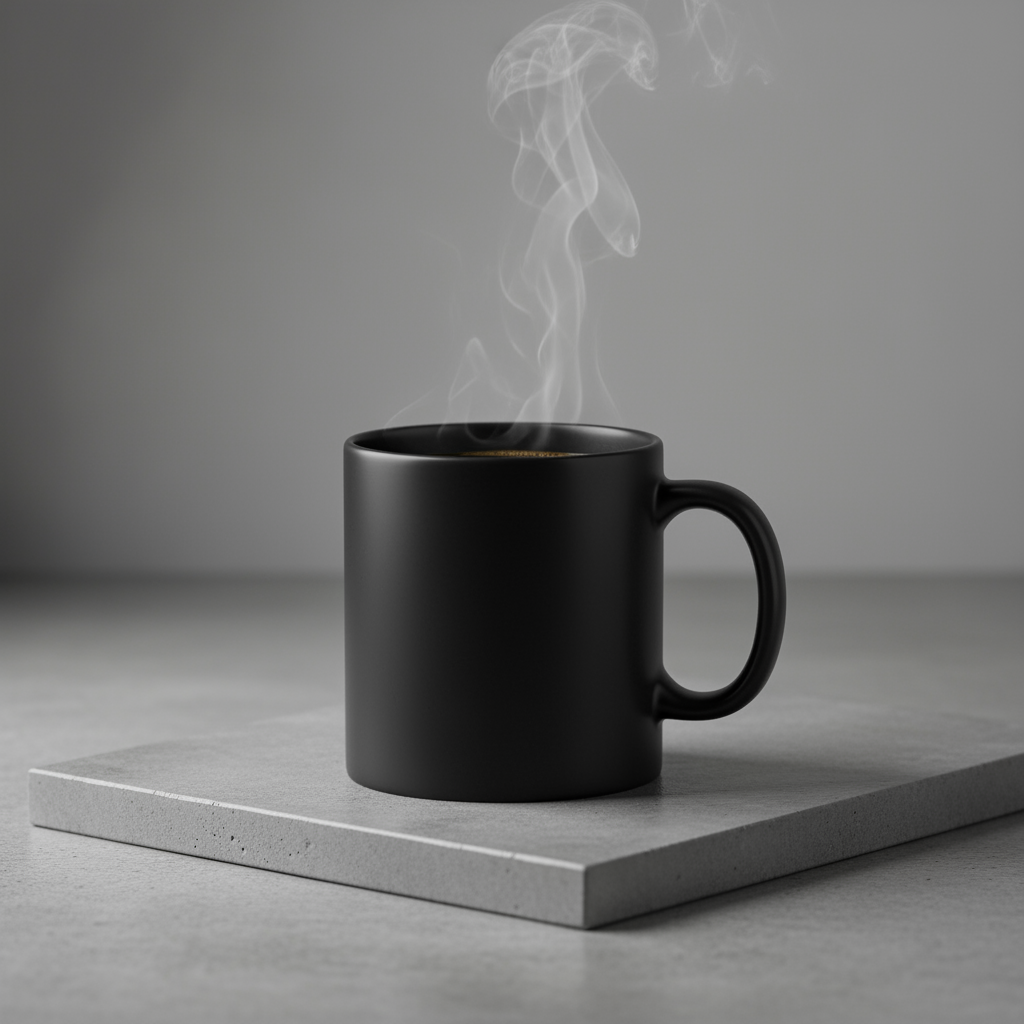
A high-resolution, studio-lit product photograph of a minimalist ceramic
coffee mug in matte black, presented on a polished concrete surface. The
lighting is a three-point softbox setup designed to create soft, diffused
highlights and eliminate harsh shadows. The camera angle is a slightly
elevated 45-degree shot to showcase its clean lines. Ultra-realistic, with
sharp focus on the steam rising from the coffee. Square image.
Python
from google import genai
from google.genai import types

client = genai.Client()

response = client.models.generate_content(
    model="gemini-2.5-flash-image",
    contents="A high-resolution, studio-lit product photograph of a minimalist ceramic coffee mug in matte black, presented on a polished concrete surface. The lighting is a three-point softbox setup designed to create soft, diffused highlights and eliminate harsh shadows. The camera angle is a slightly elevated 45-degree shot to showcase its clean lines. Ultra-realistic, with sharp focus on the steam rising from the coffee. Square image.",
)

for part in response.parts:
    if part.text is not None:
        print(part.text)
    elif part.inline_data is not None:
        image = part.as_image()
        image.save("product_mockup.png")
Java
import com.google.genai.Client;
import com.google.genai.types.GenerateContentConfig;
import com.google.genai.types.GenerateContentResponse;
import com.google.genai.types.Part;

import java.io.IOException;
import java.nio.file.Files;
import java.nio.file.Paths;

public class ProductMockup {
  public static void main(String[] args) throws IOException {

    try (Client client = new Client()) {
      GenerateContentConfig config = GenerateContentConfig.builder()
          .responseModalities("TEXT", "IMAGE")
          .build();

      GenerateContentResponse response = client.models.generateContent(
          "gemini-2.5-flash-image",
          """
          A high-resolution, studio-lit product photograph of a minimalist
          ceramic coffee mug in matte black, presented on a polished
          concrete surface. The lighting is a three-point softbox setup
          designed to create soft, diffused highlights and eliminate harsh
          shadows. The camera angle is a slightly elevated 45-degree shot
          to showcase its clean lines. Ultra-realistic, with sharp focus
          on the steam rising from the coffee. Square image.
          """,
          config);

      for (Part part : response.parts()) {
        if (part.text().isPresent()) {
          System.out.println(part.text().get());
        } else if (part.inlineData().isPresent()) {
          var blob = part.inlineData().get();
          if (blob.data().isPresent()) {
            Files.write(Paths.get("product_mockup.png"), blob.data().get());
          }
        }
      }
    }
  }
}
JavaScript
import { GoogleGenAI } from "@google/genai";
import * as fs from "node:fs";

async function main() {

  const ai = new GoogleGenAI({});

  const prompt =
    "A high-resolution, studio-lit product photograph of a minimalist ceramic coffee mug in matte black, presented on a polished concrete surface. The lighting is a three-point softbox setup designed to create soft, diffused highlights and eliminate harsh shadows. The camera angle is a slightly elevated 45-degree shot to showcase its clean lines. Ultra-realistic, with sharp focus on the steam rising from the coffee. Square image.";

  const response = await ai.models.generateContent({
    model: "gemini-2.5-flash-image",
    contents: prompt,
  });
  for (const part of response.candidates[0].content.parts) {
    if (part.text) {
      console.log(part.text);
    } else if (part.inlineData) {
      const imageData = part.inlineData.data;
      const buffer = Buffer.from(imageData, "base64");
      fs.writeFileSync("product_mockup.png", buffer);
      console.log("Image saved as product_mockup.png");
    }
  }
}

main();
Go
package main

import (
    "context"
    "fmt"
    "log"
    "os"
    "google.golang.org/genai"
)

func main() {

    ctx := context.Background()
    client, err := genai.NewClient(ctx, nil)
    if err != nil {
        log.Fatal(err)
    }

    result, _ := client.Models.GenerateContent(
        ctx,
        "gemini-2.5-flash-image",
        genai.Text("A high-resolution, studio-lit product photograph of a minimalist ceramic coffee mug in matte black, presented on a polished concrete surface. The lighting is a three-point softbox setup designed to create soft, diffused highlights and eliminate harsh shadows. The camera angle is a slightly elevated 45-degree shot to showcase its clean lines. Ultra-realistic, with sharp focus on the steam rising from the coffee. Square image."),
    )

    for _, part := range result.Candidates[0].Content.Parts {
        if part.Text != "" {
            fmt.Println(part.Text)
        } else if part.InlineData != nil {
            imageBytes := part.InlineData.Data
            outputFilename := "product_mockup.png"
            _ = os.WriteFile(outputFilename, imageBytes, 0644)
        }
    }
}
REST
curl -s -X POST \
  "https://generativelanguage.googleapis.com/v1beta/models/gemini-2.5-flash-image:generateContent" \
  -H "x-goog-api-key: $GEMINI_API_KEY" \
  -H "Content-Type: application/json" \
  -d '{
    "contents": [{
      "parts": [
        {"text": "A high-resolution, studio-lit product photograph of a minimalist ceramic coffee mug in matte black, presented on a polished concrete surface. The lighting is a three-point softbox setup designed to create soft, diffused highlights and eliminate harsh shadows. The camera angle is a slightly elevated 45-degree shot to showcase its clean lines. Ultra-realistic, with sharp focus on the steam rising from the coffee. Square image."}
      ]
    }]
  }'
5. การออกแบบพื้นที่ว่างและเรียบง่าย
เหมาะอย่างยิ่งสำหรับการสร้างพื้นหลังสำหรับเว็บไซต์ งานนำเสนอ หรือสื่อการตลาด ที่จะมีการวางซ้อนข้อความ
เทมเพลต
A minimalist composition featuring a single [subject] positioned in the
[bottom-right/top-left/etc.] of the frame. The background is a vast, empty
[color] canvas, creating significant negative space. Soft, subtle lighting.
[Aspect ratio].
พรอมต์
A minimalist composition featuring a single, delicate red maple leaf
positioned in the bottom-right of the frame. The background is a vast, empty
off-white canvas, creating significant negative space for text. Soft,
diffused lighting from the top left. Square image.
Python
from google import genai
from google.genai import types

client = genai.Client()

response = client.models.generate_content(
    model="gemini-2.5-flash-image",
    contents="A minimalist composition featuring a single, delicate red maple leaf positioned in the bottom-right of the frame. The background is a vast, empty off-white canvas, creating significant negative space for text. Soft, diffused lighting from the top left. Square image.",
)

for part in response.parts:
    if part.text is not None:
        print(part.text)
    elif part.inline_data is not None:
        image = part.as_image()
        image.save("minimalist_design.png")
Java
import com.google.genai.Client;
import com.google.genai.types.GenerateContentConfig;
import com.google.genai.types.GenerateContentResponse;
import com.google.genai.types.Part;

import java.io.IOException;
import java.nio.file.Files;
import java.nio.file.Paths;

public class MinimalistDesign {
  public static void main(String[] args) throws IOException {

    try (Client client = new Client()) {
      GenerateContentConfig config = GenerateContentConfig.builder()
          .responseModalities("TEXT", "IMAGE")
          .build();

      GenerateContentResponse response = client.models.generateContent(
          "gemini-2.5-flash-image",
          """
          A minimalist composition featuring a single, delicate red maple
          leaf positioned in the bottom-right of the frame. The background
          is a vast, empty off-white canvas, creating significant negative
          space for text. Soft, diffused lighting from the top left.
          Square image.
          """,
          config);

      for (Part part : response.parts()) {
        if (part.text().isPresent()) {
          System.out.println(part.text().get());
        } else if (part.inlineData().isPresent()) {
          var blob = part.inlineData().get();
          if (blob.data().isPresent()) {
            Files.write(Paths.get("minimalist_design.png"), blob.data().get());
          }
        }
      }
    }
  }
}
JavaScript
import { GoogleGenAI } from "@google/genai";
import * as fs from "node:fs";

async function main() {

  const ai = new GoogleGenAI({});

  const prompt =
    "A minimalist composition featuring a single, delicate red maple leaf positioned in the bottom-right of the frame. The background is a vast, empty off-white canvas, creating significant negative space for text. Soft, diffused lighting from the top left. Square image.";

  const response = await ai.models.generateContent({
    model: "gemini-2.5-flash-image",
    contents: prompt,
  });
  for (const part of response.candidates[0].content.parts) {
    if (part.text) {
      console.log(part.text);
    } else if (part.inlineData) {
      const imageData = part.inlineData.data;
      const buffer = Buffer.from(imageData, "base64");
      fs.writeFileSync("minimalist_design.png", buffer);
      console.log("Image saved as minimalist_design.png");
    }
  }
}

main();
Go
package main

import (
    "context"
    "fmt"
    "log"
    "os"
    "google.golang.org/genai"
)

func main() {

    ctx := context.Background()
    client, err := genai.NewClient(ctx, nil)
    if err != nil {
        log.Fatal(err)
    }

    result, _ := client.Models.GenerateContent(
        ctx,
        "gemini-2.5-flash-image",
        genai.Text("A minimalist composition featuring a single, delicate red maple leaf positioned in the bottom-right of the frame. The background is a vast, empty off-white canvas, creating significant negative space for text. Soft, diffused lighting from the top left. Square image."),
    )

    for _, part := range result.Candidates[0].Content.Parts {
        if part.Text != "" {
            fmt.Println(part.Text)
        } else if part.InlineData != nil {
            imageBytes := part.InlineData.Data
            outputFilename := "minimalist_design.png"
            _ = os.WriteFile(outputFilename, imageBytes, 0644)
        }
    }
}
REST
curl -s -X POST \
  "https://generativelanguage.googleapis.com/v1beta/models/gemini-2.5-flash-image:generateContent" \
  -H "x-goog-api-key: $GEMINI_API_KEY" \
  -H "Content-Type: application/json" \
  -d '{
    "contents": [{
      "parts": [
        {"text": "A minimalist composition featuring a single, delicate red maple leaf positioned in the bottom-right of the frame. The background is a vast, empty off-white canvas, creating significant negative space for text. Soft, diffused lighting from the top left. Square image."}
      ]
    }]
  }'

6. ภาพต่อเนื่อง (แผงการ์ตูน / สตอรีบอร์ด)
สร้างขึ้นจากความสอดคล้องของตัวละครและคำอธิบายฉากเพื่อสร้างแผงสำหรับ การเล่าเรื่องด้วยภาพ พรอมต์เหล่านี้ทำงานได้ดีที่สุดกับตัวอย่างรูปภาพของ Gemini 3 Pro เพื่อให้ได้ความแม่นยำของข้อความและความสามารถในการเล่าเรื่อง
เทมเพลต
Make a 3 panel comic in a [style]. Put the character in a [type of scene].
พรอมต์
Make a 3 panel comic in a gritty, noir art style with high-contrast black and white inks. Put the character in a humurous scene.
Python
from google import genai
from google.genai import types
from PIL import Image

client = genai.Client()

image_input = Image.open('/path/to/your/man_in_white_glasses.jpg')
text_input = "Make a 3 panel comic in a gritty, noir art style with high-contrast black and white inks. Put the character in a humurous scene."

response = client.models.generate_content(
    model="gemini-3-pro-image-preview",
    contents=[text_input, image_input],
)

for part in response.parts:
    if part.text is not None:
        print(part.text)
    elif part.inline_data is not None:
        image = part.as_image()
        image.save("comic_panel.jpg")
Java
import com.google.genai.Client;
import com.google.genai.types.Content;
import com.google.genai.types.GenerateContentConfig;
import com.google.genai.types.GenerateContentResponse;
import com.google.genai.types.Part;

import java.io.IOException;
import java.nio.file.Files;
import java.nio.file.Path;
import java.nio.file.Paths;

public class ComicPanel {
  public static void main(String[] args) throws IOException {

    try (Client client = new Client()) {
      GenerateContentConfig config = GenerateContentConfig.builder()
          .responseModalities("TEXT", "IMAGE")
          .build();

      GenerateContentResponse response = client.models.generateContent(
          "gemini-3-pro-image-preview",
          Content.fromParts(
              Part.fromText("""
                  Make a 3 panel comic in a gritty, noir art style with high-contrast black and white inks. Put the character in a humurous scene.
                  """),
              Part.fromBytes(
                  Files.readAllBytes(
                      Path.of("/path/to/your/man_in_white_glasses.jpg")),
                  "image/jpeg")),
          config);

      for (Part part : response.parts()) {
        if (part.text().isPresent()) {
          System.out.println(part.text().get());
        } else if (part.inlineData().isPresent()) {
          var blob = part.inlineData().get();
          if (blob.data().isPresent()) {
            Files.write(Paths.get("comic_panel.jpg"), blob.data().get());
          }
        }
      }
    }
  }
}
JavaScript
import { GoogleGenAI } from "@google/genai";
import * as fs from "node:fs";

async function main() {

  const ai = new GoogleGenAI({});

  const imagePath = "/path/to/your/man_in_white_glasses.jpg";
  const imageData = fs.readFileSync(imagePath);
  const base64Image = imageData.toString("base64");

  const prompt = [
    {text: "Make a 3 panel comic in a gritty, noir art style with high-contrast black and white inks. Put the character in a humurous scene."},
    {
      inlineData: {
        mimeType: "image/jpeg",
        data: base64Image,
      },
    },
  ];

  const response = await ai.models.generateContent({
    model: "gemini-3-pro-image-preview",
    contents: prompt,
  });
  for (const part of response.candidates[0].content.parts) {
    if (part.text) {
      console.log(part.text);
    } else if (part.inlineData) {
      const imageData = part.inlineData.data;
      const buffer = Buffer.from(imageData, "base64");
      fs.writeFileSync("comic_panel.jpg", buffer);
      console.log("Image saved as comic_panel.jpg");
    }
  }
}

main();
Go
package main

import (
    "context"
    "fmt"
    "log"
    "os"
    "google.golang.org/genai"
)

func main() {

    ctx := context.Background()
    client, err := genai.NewClient(ctx, nil)
    if err != nil {
        log.Fatal(err)
    }

    imagePath := "/path/to/your/man_in_white_glasses.jpg"
    imgData, _ := os.ReadFile(imagePath)

    parts := []*genai.Part{
      genai.NewPartFromText("Make a 3 panel comic in a gritty, noir art style with high-contrast black and white inks. Put the character in a humurous scene."),
      &genai.Part{
        InlineData: &genai.Blob{
          MIMEType: "image/jpeg",
          Data:     imgData,
        },
      },
    }

    contents := []*genai.Content{
      genai.NewContentFromParts(parts, genai.RoleUser),
    }

    result, _ := client.Models.GenerateContent(
        ctx,
        "gemini-3-pro-image-preview",
        contents,
    )

    for _, part := range result.Candidates[0].Content.Parts {
        if part.Text != "" {
            fmt.Println(part.Text)
        } else if part.InlineData != nil {
            imageBytes := part.InlineData.Data
            outputFilename := "comic_panel.jpg"
            _ = os.WriteFile(outputFilename, imageBytes, 0644)
        }
    }
}
REST
curl -s -X POST \
  "https://generativelanguage.googleapis.com/v1beta/models/gemini-3-pro-image-preview:generateContent" \
  -H "x-goog-api-key: $GEMINI_API_KEY" \
  -H "Content-Type: application/json" \
  -d '{
    "contents": [{
      "parts": [
        {"text": "Make a 3 panel comic in a gritty, noir art style with high-contrast black and white inks. Put the character in a humurous scene."},
        {"inline_data": {"mime_type": "image/jpeg", "data": "<BASE64_IMAGE_DATA>"}}
      ]
    }]
  }'
อินพุต |
เอาต์พุต |

|
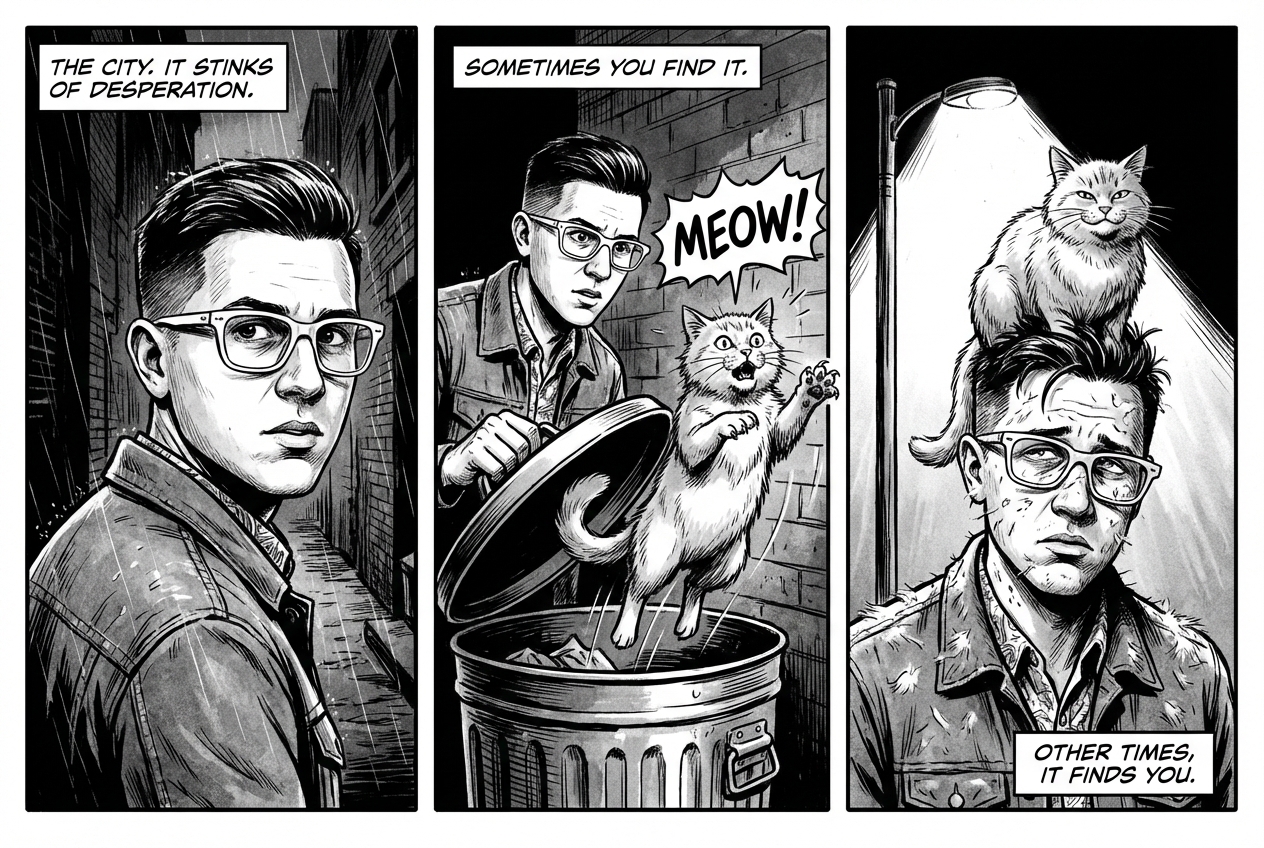
|
7. การเชื่อมต่อแหล่งข้อมูลกับ Google Search
ใช้ Google Search เพื่อสร้างรูปภาพตามข้อมูลล่าสุดหรือข้อมูลแบบเรียลไทม์ ซึ่งจะเป็นประโยชน์สำหรับข่าวสาร สภาพอากาศ และหัวข้ออื่นๆ ที่ต้องอัปเดตอยู่เสมอ
พรอมต์
Make a simple but stylish graphic of last night's Arsenal game in the Champion's League
Python
from google import genai
from google.genai import types
prompt = "Make a simple but stylish graphic of last night's Arsenal game in the Champion's League"
aspect_ratio = "16:9" # "1:1","2:3","3:2","3:4","4:3","4:5","5:4","9:16","16:9","21:9"

client = genai.Client()

response = client.models.generate_content(
    model="gemini-3-pro-image-preview",
    contents=prompt,
    config=types.GenerateContentConfig(
        response_modalities=['Text', 'Image'],
        image_config=types.ImageConfig(
            aspect_ratio=aspect_ratio,
        ),
        tools=[{"google_search": {}}]
    )
)

for part in response.parts:
    if part.text is not None:
        print(part.text)
    elif image:= part.as_image():
        image.save("football-score.jpg")
Java
import com.google.genai.Client;
import com.google.genai.types.GenerateContentConfig;
import com.google.genai.types.GenerateContentResponse;
import com.google.genai.types.GoogleSearch;
import com.google.genai.types.ImageConfig;
import com.google.genai.types.Part;
import com.google.genai.types.Tool;

import java.io.IOException;
import java.nio.file.Files;
import java.nio.file.Paths;

public class SearchGrounding {
  public static void main(String[] args) throws IOException {

    try (Client client = new Client()) {
      GenerateContentConfig config = GenerateContentConfig.builder()
          .responseModalities("TEXT", "IMAGE")
          .imageConfig(ImageConfig.builder()
              .aspectRatio("16:9")
              .build())
          .tools(Tool.builder()
              .googleSearch(GoogleSearch.builder().build())
              .build())
          .build();

      GenerateContentResponse response = client.models.generateContent(
          "gemini-3-pro-image-preview", """
              Make a simple but stylish graphic of last night's Arsenal game in the Champion's League
              """,
          config);

      for (Part part : response.parts()) {
        if (part.text().isPresent()) {
          System.out.println(part.text().get());
        } else if (part.inlineData().isPresent()) {
          var blob = part.inlineData().get();
          if (blob.data().isPresent()) {
            Files.write(Paths.get("football-score.jpg"), blob.data().get());
          }
        }
      }
    }
  }
}
JavaScript
import { GoogleGenAI } from "@google/genai";
import * as fs from "node:fs";

async function main() {

  const ai = new GoogleGenAI({});

  const prompt = "Make a simple but stylish graphic of last night's Arsenal game in the Champion's League";

  const aspectRatio = '16:9';
  const resolution = '2K';

const response = await ai.models.generateContent({
    model: 'gemini-3-pro-image-preview',
    contents: prompt,
    config: {
      responseModalities: ['TEXT', 'IMAGE'],
      imageConfig: {
        aspectRatio: aspectRatio,
        imageSize: resolution,
      },
      tools: [{"google_search": {}}],
    },
  });

  for (const part of response.candidates[0].content.parts) {
    if (part.text) {
      console.log(part.text);
    } else if (part.inlineData) {
      const imageData = part.inlineData.data;
      const buffer = Buffer.from(imageData, "base64");
      fs.writeFileSync("football-score.jpg", buffer);
      console.log("Image saved as football-score.jpg");
    }
  }

}

main();
Go
package main

import (
    "context"
    "fmt"
    "log"
    "os"

    "google.golang.org/genai"
    pb "google.golang.org/genai/schema"
)

func main() {
    ctx := context.Background()
    client, err := genai.NewClient(ctx, nil)
    if err != nil {
        log.Fatal(err)
    }
    defer client.Close()

    model := client.GenerativeModel("gemini-3-pro-image-preview")
    model.Tools = []*pb.Tool{
        pb.NewGoogleSearchTool(),
    }
    model.GenerationConfig = &pb.GenerationConfig{
        ResponseModalities: []pb.ResponseModality{genai.Text, genai.Image},
        ImageConfig: &pb.ImageConfig{
            AspectRatio: "16:9",
        },
    }

    prompt := "Make a simple but stylish graphic of last night's Arsenal game in the Champion's League"
    resp, err := model.GenerateContent(ctx, genai.Text(prompt))
    if err != nil {
        log.Fatal(err)
    }

    for _, part := range resp.Candidates[0].Content.Parts {
        if txt, ok := part.(genai.Text); ok {
            fmt.Printf("%s", string(txt))
        } else if img, ok := part.(genai.ImageData); ok {
            err := os.WriteFile("football-score.jpg", img.Data, 0644)
            if err != nil {
                log.Fatal(err)
            }
        }
    }
}
REST
curl -s -X POST \
  "https://generativelanguage.googleapis.com/v1beta/models/gemini-3-pro-image-preview:generateContent" \
  -H "x-goog-api-key: $GEMINI_API_KEY" \
  -H "Content-Type: application/json" \
  -d '{
    "contents": [{"parts": [{"text": "Make a simple but stylish graphic of last nights Arsenal game in the Champions League"}]}],
    "tools": [{"google_search": {}}],
    "generationConfig": {
      "responseModalities": ["TEXT", "IMAGE"],
      "imageConfig": {"aspectRatio": "16:9"}
    }
  }'
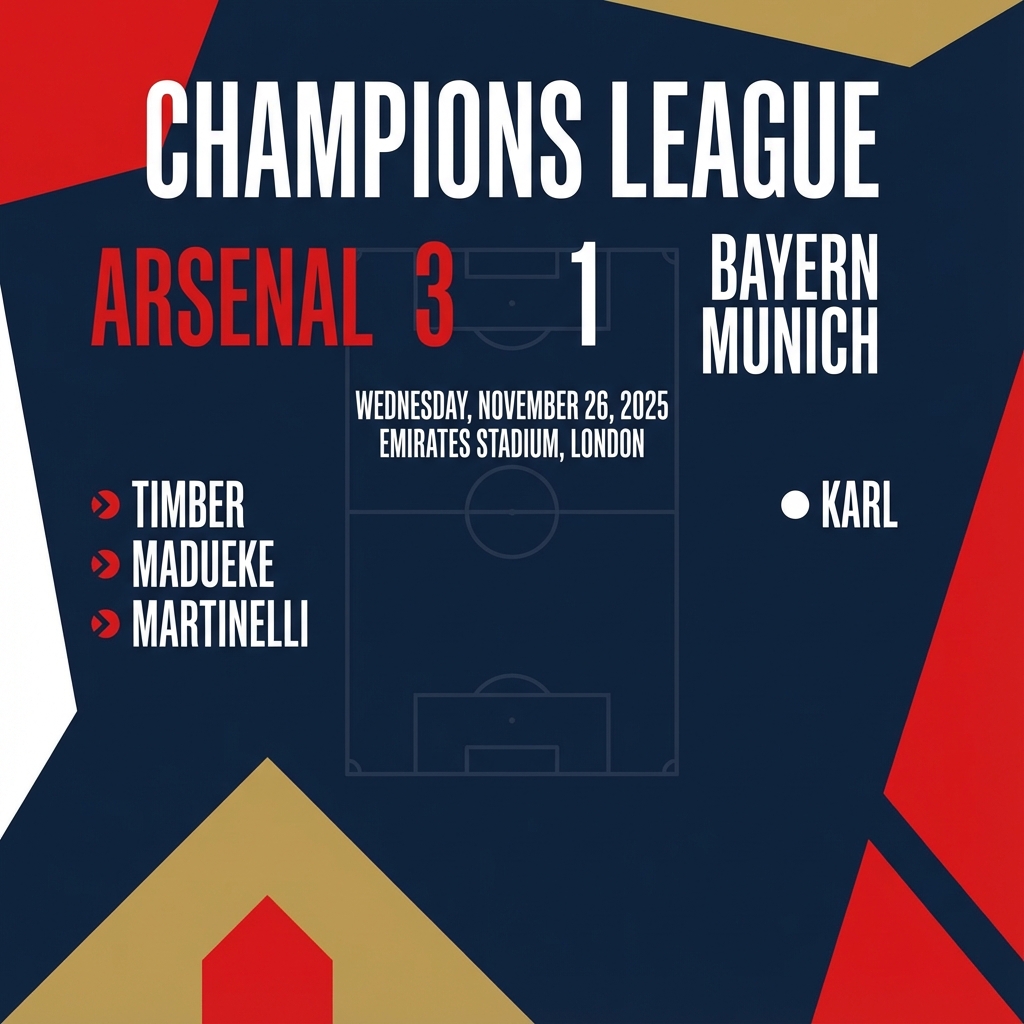
พรอมต์สำหรับการแก้ไขรูปภาพ
ตัวอย่างเหล่านี้แสดงวิธีระบุรูปภาพพร้อมกับพรอมต์ข้อความสำหรับการ แก้ไข องค์ประกอบ และการโอนสไตล์
1. การเพิ่มและนำองค์ประกอบออก
ระบุรูปภาพและอธิบายการเปลี่ยนแปลง โมเดลจะตรงกับสไตล์ แสง และมุมมองของรูปภาพต้นฉบับ
เทมเพลต
Using the provided image of [subject], please [add/remove/modify] [element]
to/from the scene. Ensure the change is [description of how the change should
integrate].
พรอมต์
"Using the provided image of my cat, please add a small, knitted wizard hat
on its head. Make it look like it's sitting comfortably and matches the soft
lighting of the photo."
Python
from google import genai
from google.genai import types
from PIL import Image

client = genai.Client()

# Base image prompt: "A photorealistic picture of a fluffy ginger cat sitting on a wooden floor, looking directly at the camera. Soft, natural light from a window."
image_input = Image.open('/path/to/your/cat_photo.png')
text_input = """Using the provided image of my cat, please add a small, knitted wizard hat on its head. Make it look like it's sitting comfortably and not falling off."""

# Generate an image from a text prompt
response = client.models.generate_content(
    model="gemini-2.5-flash-image",
    contents=[text_input, image_input],
)

for part in response.parts:
    if part.text is not None:
        print(part.text)
    elif part.inline_data is not None:
        image = part.as_image()
        image.save("cat_with_hat.png")
Java
import com.google.genai.Client;
import com.google.genai.types.Content;
import com.google.genai.types.GenerateContentConfig;
import com.google.genai.types.GenerateContentResponse;
import com.google.genai.types.Part;

import java.io.IOException;
import java.nio.file.Files;
import java.nio.file.Path;
import java.nio.file.Paths;

public class AddRemoveElements {
  public static void main(String[] args) throws IOException {

    try (Client client = new Client()) {
      GenerateContentConfig config = GenerateContentConfig.builder()
          .responseModalities("TEXT", "IMAGE")
          .build();

      GenerateContentResponse response = client.models.generateContent(
          "gemini-2.5-flash-image",
          Content.fromParts(
              Part.fromText("""
                  Using the provided image of my cat, please add a small,
                  knitted wizard hat on its head. Make it look like it's
                  sitting comfortably and not falling off.
                  """),
              Part.fromBytes(
                  Files.readAllBytes(
                      Path.of("/path/to/your/cat_photo.png")),
                  "image/png")),
          config);

      for (Part part : response.parts()) {
        if (part.text().isPresent()) {
          System.out.println(part.text().get());
        } else if (part.inlineData().isPresent()) {
          var blob = part.inlineData().get();
          if (blob.data().isPresent()) {
            Files.write(Paths.get("cat_with_hat.png"), blob.data().get());
          }
        }
      }
    }
  }
}
JavaScript
import { GoogleGenAI } from "@google/genai";
import * as fs from "node:fs";

async function main() {

  const ai = new GoogleGenAI({});

  const imagePath = "/path/to/your/cat_photo.png";
  const imageData = fs.readFileSync(imagePath);
  const base64Image = imageData.toString("base64");

  const prompt = [
    { text: "Using the provided image of my cat, please add a small, knitted wizard hat on its head. Make it look like it's sitting comfortably and not falling off." },
    {
      inlineData: {
        mimeType: "image/png",
        data: base64Image,
      },
    },
  ];

  const response = await ai.models.generateContent({
    model: "gemini-2.5-flash-image",
    contents: prompt,
  });
  for (const part of response.candidates[0].content.parts) {
    if (part.text) {
      console.log(part.text);
    } else if (part.inlineData) {
      const imageData = part.inlineData.data;
      const buffer = Buffer.from(imageData, "base64");
      fs.writeFileSync("cat_with_hat.png", buffer);
      console.log("Image saved as cat_with_hat.png");
    }
  }
}

main();
Go
package main

import (
  "context"
  "fmt"
  "log"
  "os"
  "google.golang.org/genai"
)

func main() {

  ctx := context.Background()
  client, err := genai.NewClient(ctx, nil)
  if err != nil {
      log.Fatal(err)
  }

  imagePath := "/path/to/your/cat_photo.png"
  imgData, _ := os.ReadFile(imagePath)

  parts := []*genai.Part{
    genai.NewPartFromText("Using the provided image of my cat, please add a small, knitted wizard hat on its head. Make it look like it's sitting comfortably and not falling off."),
    &genai.Part{
      InlineData: &genai.Blob{
        MIMEType: "image/png",
        Data:     imgData,
      },
    },
  }

  contents := []*genai.Content{
    genai.NewContentFromParts(parts, genai.RoleUser),
  }

  result, _ := client.Models.GenerateContent(
      ctx,
      "gemini-2.5-flash-image",
      contents,
  )

  for _, part := range result.Candidates[0].Content.Parts {
      if part.Text != "" {
          fmt.Println(part.Text)
      } else if part.InlineData != nil {
          imageBytes := part.InlineData.Data
          outputFilename := "cat_with_hat.png"
          _ = os.WriteFile(outputFilename, imageBytes, 0644)
      }
  }
}
REST
curl -s -X POST \
  "https://generativelanguage.googleapis.com/v1beta/models/gemini-2.5-flash-image:generateContent" \
    -H "x-goog-api-key: $GEMINI_API_KEY" \
    -H 'Content-Type: application/json' \
    -d "{
      \"contents\": [{
        \"parts\":[
            {\"text\": \"Using the provided image of my cat, please add a small, knitted wizard hat on its head. Make it look like it's sitting comfortably and not falling off.\"},
            {
              \"inline_data\": {
                \"mime_type\":\"image/png\",
                \"data\": \"<BASE64_IMAGE_DATA>\"
              }
            }
        ]
      }]
    }"
อินพุต |
เอาต์พุต |
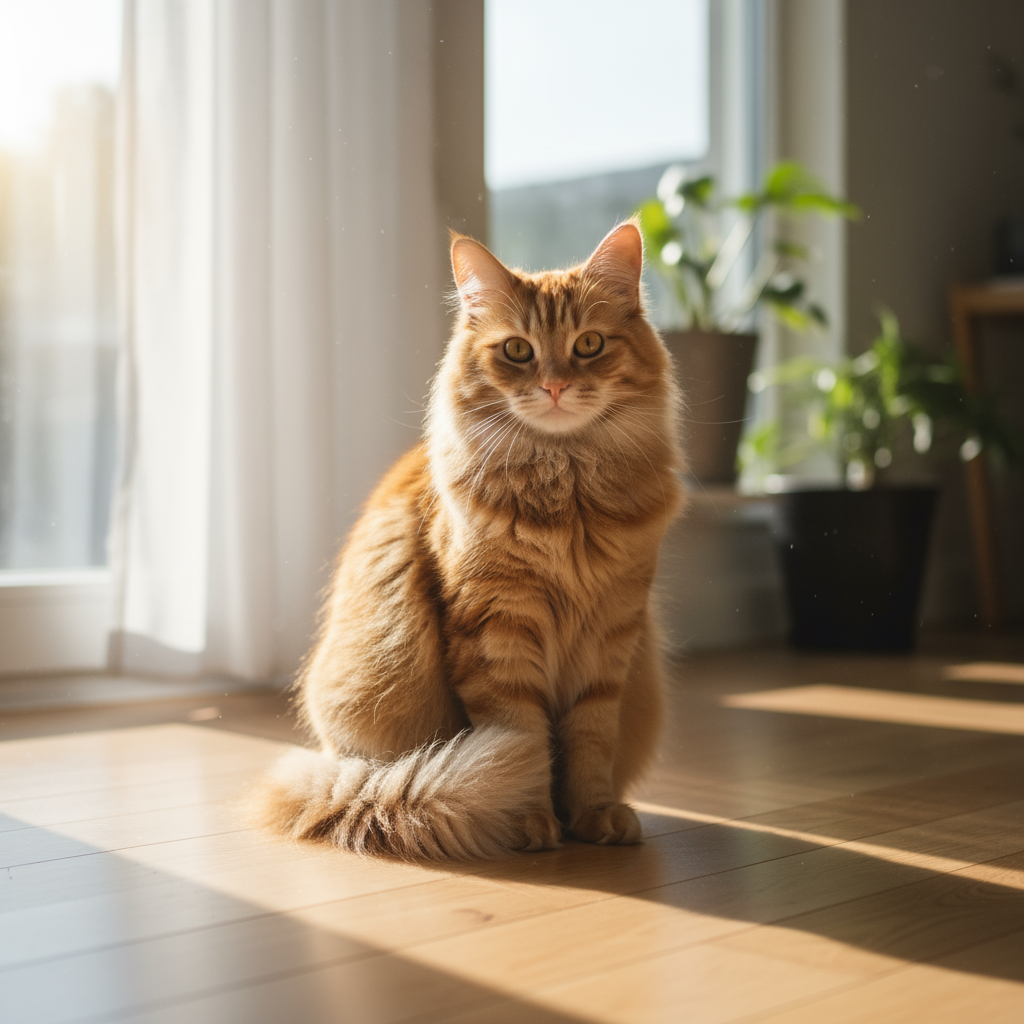
|
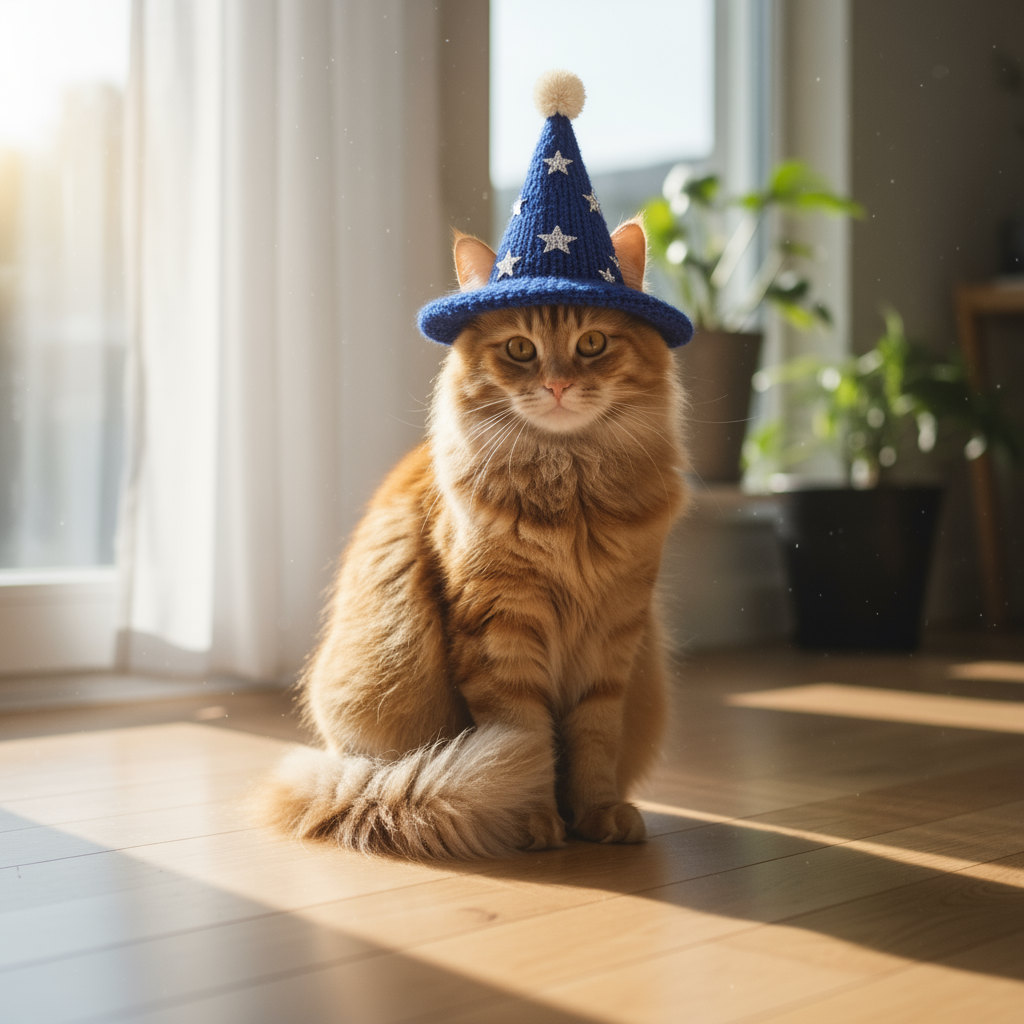
|
2. การแก้ไขจุดบกพร่องในภาพ (การมาสก์เชิงความหมาย)
กำหนด "มาสก์" ในลักษณะการสนทนาเพื่อแก้ไขส่วนที่ต้องการของรูปภาพโดย ไม่แตะต้องส่วนอื่นๆ
เทมเพลต
Using the provided image, change only the [specific element] to [new
element/description]. Keep everything else in the image exactly the same,
preserving the original style, lighting, and composition.
พรอมต์
"Using the provided image of a living room, change only the blue sofa to be
a vintage, brown leather chesterfield sofa. Keep the rest of the room,
including the pillows on the sofa and the lighting, unchanged."
Python
from google import genai
from google.genai import types
from PIL import Image

client = genai.Client()

# Base image prompt: "A wide shot of a modern, well-lit living room with a prominent blue sofa in the center. A coffee table is in front of it and a large window is in the background."
living_room_image = Image.open('/path/to/your/living_room.png')
text_input = """Using the provided image of a living room, change only the blue sofa to be a vintage, brown leather chesterfield sofa. Keep the rest of the room, including the pillows on the sofa and the lighting, unchanged."""

# Generate an image from a text prompt
response = client.models.generate_content(
    model="gemini-2.5-flash-image",
    contents=[living_room_image, text_input],
)

for part in response.parts:
    if part.text is not None:
        print(part.text)
    elif part.inline_data is not None:
        image = part.as_image()
        image.save("living_room_edited.png")
Java
import com.google.genai.Client;
import com.google.genai.types.Content;
import com.google.genai.types.GenerateContentConfig;
import com.google.genai.types.GenerateContentResponse;
import com.google.genai.types.Part;

import java.io.IOException;
import java.nio.file.Files;
import java.nio.file.Path;
import java.nio.file.Paths;

public class Inpainting {
  public static void main(String[] args) throws IOException {

    try (Client client = new Client()) {
      GenerateContentConfig config = GenerateContentConfig.builder()
          .responseModalities("TEXT", "IMAGE")
          .build();

      GenerateContentResponse response = client.models.generateContent(
          "gemini-2.5-flash-image",
          Content.fromParts(
              Part.fromBytes(
                  Files.readAllBytes(
                      Path.of("/path/to/your/living_room.png")),
                  "image/png"),
              Part.fromText("""
                  Using the provided image of a living room, change
                  only the blue sofa to be a vintage, brown leather
                  chesterfield sofa. Keep the rest of the room,
                  including the pillows on the sofa and the lighting,
                  unchanged.
                  """)),
          config);

      for (Part part : response.parts()) {
        if (part.text().isPresent()) {
          System.out.println(part.text().get());
        } else if (part.inlineData().isPresent()) {
          var blob = part.inlineData().get();
          if (blob.data().isPresent()) {
            Files.write(Paths.get("living_room_edited.png"), blob.data().get());
          }
        }
      }
    }
  }
}
JavaScript
import { GoogleGenAI } from "@google/genai";
import * as fs from "node:fs";

async function main() {

  const ai = new GoogleGenAI({});

  const imagePath = "/path/to/your/living_room.png";
  const imageData = fs.readFileSync(imagePath);
  const base64Image = imageData.toString("base64");

  const prompt = [
    {
      inlineData: {
        mimeType: "image/png",
        data: base64Image,
      },
    },
    { text: "Using the provided image of a living room, change only the blue sofa to be a vintage, brown leather chesterfield sofa. Keep the rest of the room, including the pillows on the sofa and the lighting, unchanged." },
  ];

  const response = await ai.models.generateContent({
    model: "gemini-2.5-flash-image",
    contents: prompt,
  });
  for (const part of response.candidates[0].content.parts) {
    if (part.text) {
      console.log(part.text);
    } else if (part.inlineData) {
      const imageData = part.inlineData.data;
      const buffer = Buffer.from(imageData, "base64");
      fs.writeFileSync("living_room_edited.png", buffer);
      console.log("Image saved as living_room_edited.png");
    }
  }
}

main();
Go
package main

import (
  "context"
  "fmt"
  "log"
  "os"
  "google.golang.org/genai"
)

func main() {

  ctx := context.Background()
  client, err := genai.NewClient(ctx, nil)
  if err != nil {
      log.Fatal(err)
  }

  imagePath := "/path/to/your/living_room.png"
  imgData, _ := os.ReadFile(imagePath)

  parts := []*genai.Part{
    &genai.Part{
      InlineData: &genai.Blob{
        MIMEType: "image/png",
        Data:     imgData,
      },
    },
    genai.NewPartFromText("Using the provided image of a living room, change only the blue sofa to be a vintage, brown leather chesterfield sofa. Keep the rest of the room, including the pillows on the sofa and the lighting, unchanged."),
  }

  contents := []*genai.Content{
    genai.NewContentFromParts(parts, genai.RoleUser),
  }

  result, _ := client.Models.GenerateContent(
      ctx,
      "gemini-2.5-flash-image",
      contents,
  )

  for _, part := range result.Candidates[0].Content.Parts {
      if part.Text != "" {
          fmt.Println(part.Text)
      } else if part.InlineData != nil {
          imageBytes := part.InlineData.Data
          outputFilename := "living_room_edited.png"
          _ = os.WriteFile(outputFilename, imageBytes, 0644)
      }
  }
}
REST
curl -s -X POST \
  "https://generativelanguage.googleapis.com/v1beta/models/gemini-2.5-flash-image:generateContent" \
    -H "x-goog-api-key: $GEMINI_API_KEY" \
    -H 'Content-Type: application/json' \
    -d "{
      \"contents\": [{
        \"parts\":[
            {
              \"inline_data\": {
                \"mime_type\":\"image/png\",
                \"data\": \"<BASE64_IMAGE_DATA>\"
              }
            },
            {\"text\": \"Using the provided image of a living room, change only the blue sofa to be a vintage, brown leather chesterfield sofa. Keep the rest of the room, including the pillows on the sofa and the lighting, unchanged.\"}
        ]
      }]
    }"
อินพุต |
เอาต์พุต |
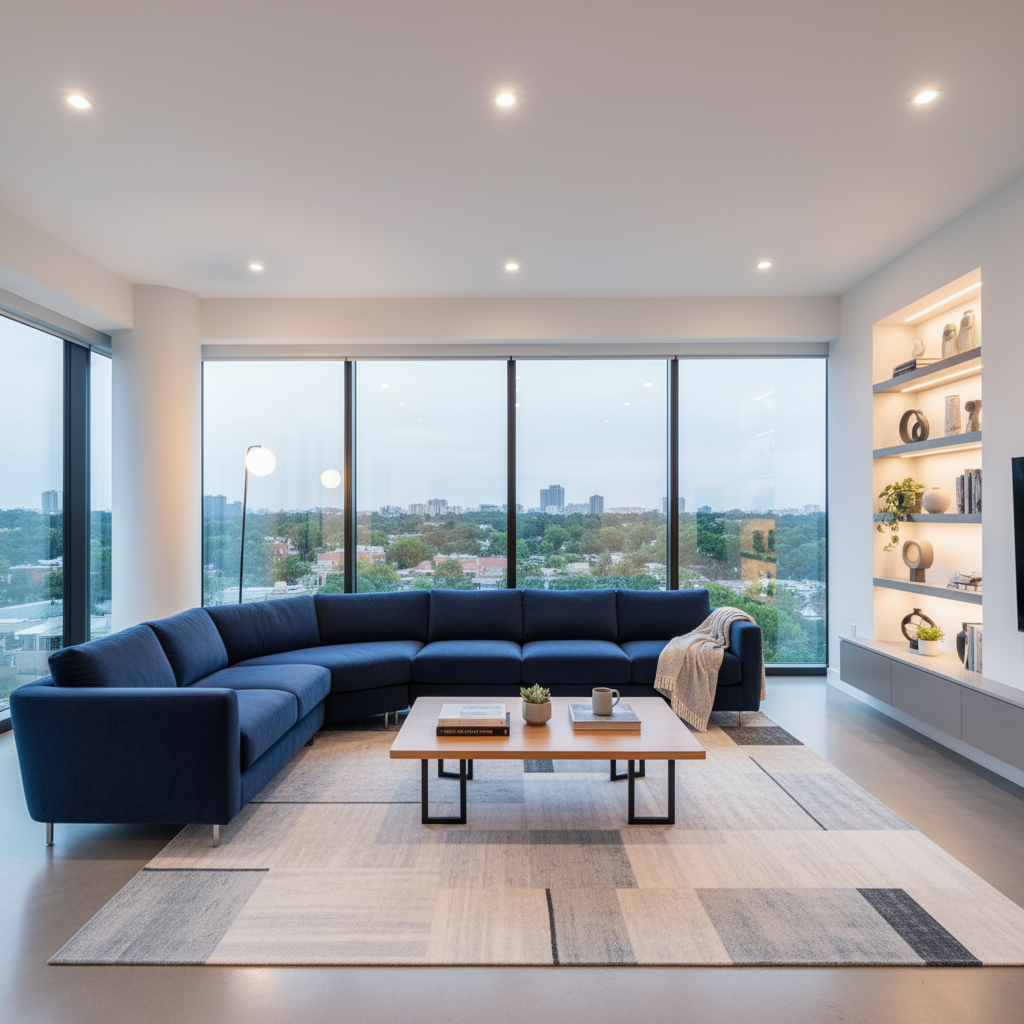
|

|
3. การถ่ายโอนสไตล์
ส่งรูปภาพและขอให้โมเดลสร้างเนื้อหาของรูปภาพนั้นใหม่ใน สไตล์ศิลปะที่แตกต่างกัน
เทมเพลต
Transform the provided photograph of [subject] into the artistic style of [artist/art style]. Preserve the original composition but render it with [description of stylistic elements].
พรอมต์
"Transform the provided photograph of a modern city street at night into the artistic style of Vincent van Gogh's 'Starry Night'. Preserve the original composition of buildings and cars, but render all elements with swirling, impasto brushstrokes and a dramatic palette of deep blues and bright yellows."
Python
from google import genai
from google.genai import types
from PIL import Image

client = genai.Client()

# Base image prompt: "A photorealistic, high-resolution photograph of a busy city street in New York at night, with bright neon signs, yellow taxis, and tall skyscrapers."
city_image = Image.open('/path/to/your/city.png')
text_input = """Transform the provided photograph of a modern city street at night into the artistic style of Vincent van Gogh's 'Starry Night'. Preserve the original composition of buildings and cars, but render all elements with swirling, impasto brushstrokes and a dramatic palette of deep blues and bright yellows."""

# Generate an image from a text prompt
response = client.models.generate_content(
    model="gemini-2.5-flash-image",
    contents=[city_image, text_input],
)

for part in response.parts:
    if part.text is not None:
        print(part.text)
    elif part.inline_data is not None:
        image = part.as_image()
        image.save("city_style_transfer.png")
Java
import com.google.genai.Client;
import com.google.genai.types.Content;
import com.google.genai.types.GenerateContentConfig;
import com.google.genai.types.GenerateContentResponse;
import com.google.genai.types.Part;

import java.io.IOException;
import java.nio.file.Files;
import java.nio.file.Path;
import java.nio.file.Paths;

public class StyleTransfer {
  public static void main(String[] args) throws IOException {

    try (Client client = new Client()) {
      GenerateContentConfig config = GenerateContentConfig.builder()
          .responseModalities("TEXT", "IMAGE")
          .build();

      GenerateContentResponse response = client.models.generateContent(
          "gemini-2.5-flash-image",
          Content.fromParts(
              Part.fromBytes(
                  Files.readAllBytes(
                      Path.of("/path/to/your/city.png")),
                  "image/png"),
              Part.fromText("""
                  Transform the provided photograph of a modern city
                  street at night into the artistic style of
                  Vincent van Gogh's 'Starry Night'. Preserve the
                  original composition of buildings and cars, but
                  render all elements with swirling, impasto
                  brushstrokes and a dramatic palette of deep blues
                  and bright yellows.
                  """)),
          config);

      for (Part part : response.parts()) {
        if (part.text().isPresent()) {
          System.out.println(part.text().get());
        } else if (part.inlineData().isPresent()) {
          var blob = part.inlineData().get();
          if (blob.data().isPresent()) {
            Files.write(Paths.get("city_style_transfer.png"), blob.data().get());
          }
        }
      }
    }
  }
}
JavaScript
import { GoogleGenAI } from "@google/genai";
import * as fs from "node:fs";

async function main() {

  const ai = new GoogleGenAI({});

  const imagePath = "/path/to/your/city.png";
  const imageData = fs.readFileSync(imagePath);
  const base64Image = imageData.toString("base64");

  const prompt = [
    {
      inlineData: {
        mimeType: "image/png",
        data: base64Image,
      },
    },
    { text: "Transform the provided photograph of a modern city street at night into the artistic style of Vincent van Gogh's 'Starry Night'. Preserve the original composition of buildings and cars, but render all elements with swirling, impasto brushstrokes and a dramatic palette of deep blues and bright yellows." },
  ];

  const response = await ai.models.generateContent({
    model: "gemini-2.5-flash-image",
    contents: prompt,
  });
  for (const part of response.candidates[0].content.parts) {
    if (part.text) {
      console.log(part.text);
    } else if (part.inlineData) {
      const imageData = part.inlineData.data;
      const buffer = Buffer.from(imageData, "base64");
      fs.writeFileSync("city_style_transfer.png", buffer);
      console.log("Image saved as city_style_transfer.png");
    }
  }
}

main();
Go
package main

import (
  "context"
  "fmt"
  "log"
  "os"
  "google.golang.org/genai"
)

func main() {

  ctx := context.Background()
  client, err := genai.NewClient(ctx, nil)
  if err != nil {
      log.Fatal(err)
  }

  imagePath := "/path/to/your/city.png"
  imgData, _ := os.ReadFile(imagePath)

  parts := []*genai.Part{
    &genai.Part{
      InlineData: &genai.Blob{
        MIMEType: "image/png",
        Data:     imgData,
      },
    },
    genai.NewPartFromText("Transform the provided photograph of a modern city street at night into the artistic style of Vincent van Gogh's 'Starry Night'. Preserve the original composition of buildings and cars, but render all elements with swirling, impasto brushstrokes and a dramatic palette of deep blues and bright yellows."),
  }

  contents := []*genai.Content{
    genai.NewContentFromParts(parts, genai.RoleUser),
  }

  result, _ := client.Models.GenerateContent(
      ctx,
      "gemini-2.5-flash-image",
      contents,
  )

  for _, part := range result.Candidates[0].Content.Parts {
      if part.Text != "" {
          fmt.Println(part.Text)
      } else if part.InlineData != nil {
          imageBytes := part.InlineData.Data
          outputFilename := "city_style_transfer.png"
          _ = os.WriteFile(outputFilename, imageBytes, 0644)
      }
  }
}
REST
curl -s -X POST \
  "https://generativelanguage.googleapis.com/v1beta/models/gemini-2.5-flash-image:generateContent" \
    -H "x-goog-api-key: $GEMINI_API_KEY" \
    -H 'Content-Type: application/json' \
    -d "{
      \"contents\": [{
        \"parts\":[
            {
              \"inline_data\": {
                \"mime_type\":\"image/png\",
                \"data\": \"<BASE64_IMAGE_DATA>\"
              }
            },
            {\"text\": \"Transform the provided photograph of a modern city street at night into the artistic style of Vincent van Gogh's 'Starry Night'. Preserve the original composition of buildings and cars, but render all elements with swirling, impasto brushstrokes and a dramatic palette of deep blues and bright yellows.\"}
        ]
      }]
    }"
อินพุต |
เอาต์พุต |
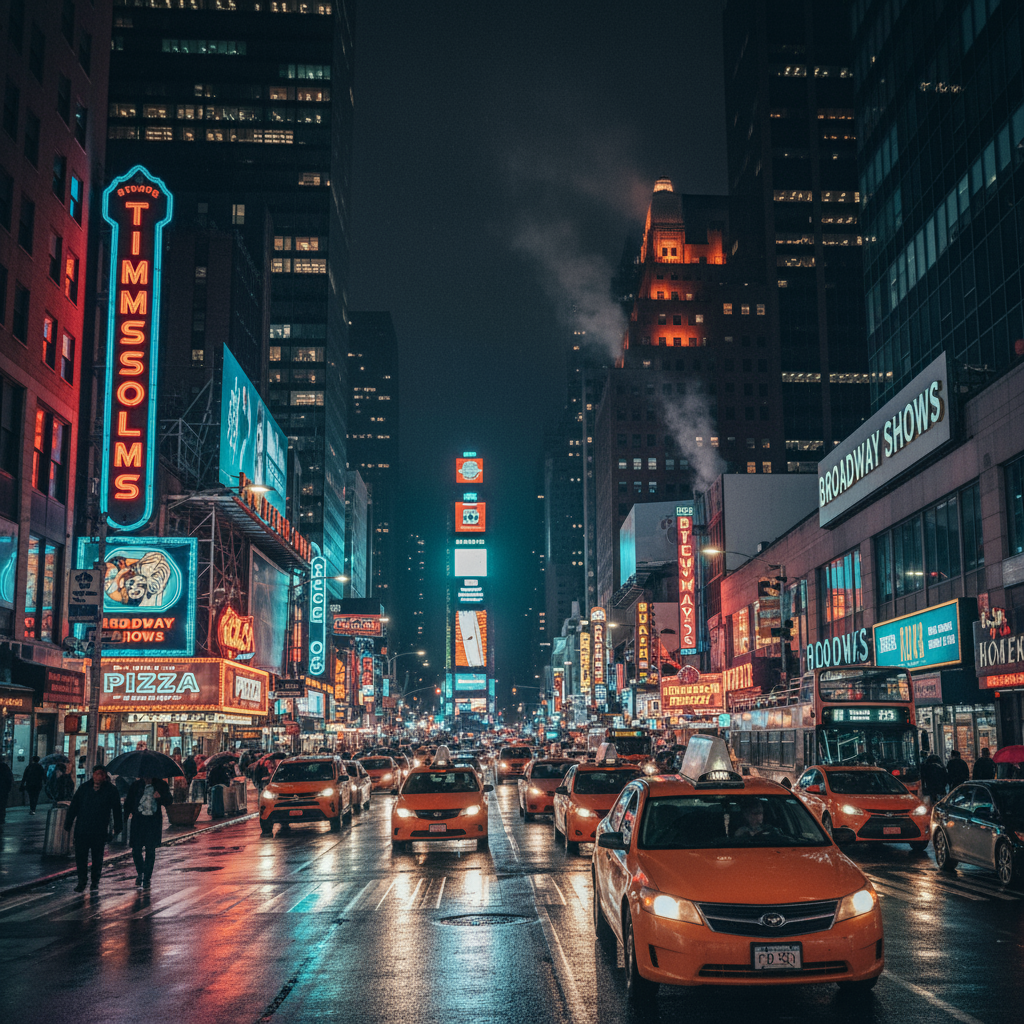
|
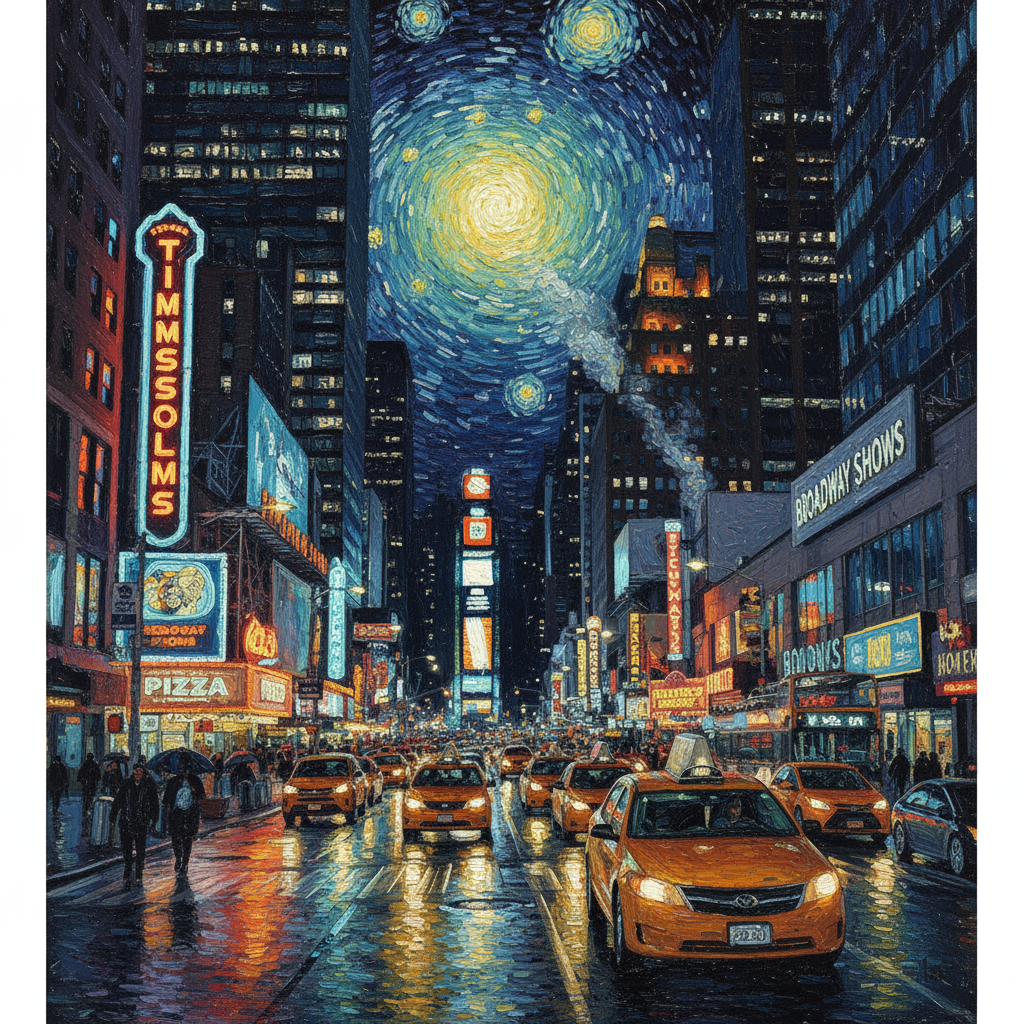
|
4. การจัดองค์ประกอบขั้นสูง: การรวมรูปภาพหลายรูป
ระบุรูปภาพหลายรูปเป็นบริบทเพื่อสร้างฉากคอมโพสิตใหม่ ซึ่งเหมาะสำหรับภาพจำลองผลิตภัณฑ์หรือภาพคอลลาจที่สร้างสรรค์
เทมเพลต
Create a new image by combining the elements from the provided images. Take
the [element from image 1] and place it with/on the [element from image 2].
The final image should be a [description of the final scene].
พรอมต์
"Create a professional e-commerce fashion photo. Take the blue floral dress
from the first image and let the woman from the second image wear it.
Generate a realistic, full-body shot of the woman wearing the dress, with
the lighting and shadows adjusted to match the outdoor environment."
Python
from google import genai
from google.genai import types
from PIL import Image

client = genai.Client()

# Base image prompts:
# 1. Dress: "A professionally shot photo of a blue floral summer dress on a plain white background, ghost mannequin style."
# 2. Model: "Full-body shot of a woman with her hair in a bun, smiling, standing against a neutral grey studio background."
dress_image = Image.open('/path/to/your/dress.png')
model_image = Image.open('/path/to/your/model.png')

text_input = """Create a professional e-commerce fashion photo. Take the blue floral dress from the first image and let the woman from the second image wear it. Generate a realistic, full-body shot of the woman wearing the dress, with the lighting and shadows adjusted to match the outdoor environment."""

# Generate an image from a text prompt
response = client.models.generate_content(
    model="gemini-2.5-flash-image",
    contents=[dress_image, model_image, text_input],
)

for part in response.parts:
    if part.text is not None:
        print(part.text)
    elif part.inline_data is not None:
        image = part.as_image()
        image.save("fashion_ecommerce_shot.png")
Java
import com.google.genai.Client;
import com.google.genai.types.Content;
import com.google.genai.types.GenerateContentConfig;
import com.google.genai.types.GenerateContentResponse;
import com.google.genai.types.Part;

import java.io.IOException;
import java.nio.file.Files;
import java.nio.file.Path;
import java.nio.file.Paths;

public class AdvancedComposition {
  public static void main(String[] args) throws IOException {

    try (Client client = new Client()) {
      GenerateContentConfig config = GenerateContentConfig.builder()
          .responseModalities("TEXT", "IMAGE")
          .build();

      GenerateContentResponse response = client.models.generateContent(
          "gemini-2.5-flash-image",
          Content.fromParts(
              Part.fromBytes(
                  Files.readAllBytes(
                      Path.of("/path/to/your/dress.png")),
                  "image/png"),
              Part.fromBytes(
                  Files.readAllBytes(
                      Path.of("/path/to/your/model.png")),
                  "image/png"),
              Part.fromText("""
                  Create a professional e-commerce fashion photo.
                  Take the blue floral dress from the first image and
                  let the woman from the second image wear it. Generate
                  a realistic, full-body shot of the woman wearing the
                  dress, with the lighting and shadows adjusted to
                  match the outdoor environment.
                  """)),
          config);

      for (Part part : response.parts()) {
        if (part.text().isPresent()) {
          System.out.println(part.text().get());
        } else if (part.inlineData().isPresent()) {
          var blob = part.inlineData().get();
          if (blob.data().isPresent()) {
            Files.write(Paths.get("fashion_ecommerce_shot.png"), blob.data().get());
          }
        }
      }
    }
  }
}
JavaScript
import { GoogleGenAI } from "@google/genai";
import * as fs from "node:fs";

async function main() {

  const ai = new GoogleGenAI({});

  const imagePath1 = "/path/to/your/dress.png";
  const imageData1 = fs.readFileSync(imagePath1);
  const base64Image1 = imageData1.toString("base64");
  const imagePath2 = "/path/to/your/model.png";
  const imageData2 = fs.readFileSync(imagePath2);
  const base64Image2 = imageData2.toString("base64");

  const prompt = [
    {
      inlineData: {
        mimeType: "image/png",
        data: base64Image1,
      },
    },
    {
      inlineData: {
        mimeType: "image/png",
        data: base64Image2,
      },
    },
    { text: "Create a professional e-commerce fashion photo. Take the blue floral dress from the first image and let the woman from the second image wear it. Generate a realistic, full-body shot of the woman wearing the dress, with the lighting and shadows adjusted to match the outdoor environment." },
  ];

  const response = await ai.models.generateContent({
    model: "gemini-2.5-flash-image",
    contents: prompt,
  });
  for (const part of response.candidates[0].content.parts) {
    if (part.text) {
      console.log(part.text);
    } else if (part.inlineData) {
      const imageData = part.inlineData.data;
      const buffer = Buffer.from(imageData, "base64");
      fs.writeFileSync("fashion_ecommerce_shot.png", buffer);
      console.log("Image saved as fashion_ecommerce_shot.png");
    }
  }
}

main();
Go
package main

import (
  "context"
  "fmt"
  "log"
  "os"
  "google.golang.org/genai"
)

func main() {

  ctx := context.Background()
  client, err := genai.NewClient(ctx, nil)
  if err != nil {
      log.Fatal(err)
  }

  imgData1, _ := os.ReadFile("/path/to/your/dress.png")
  imgData2, _ := os.ReadFile("/path/to/your/model.png")

  parts := []*genai.Part{
    &genai.Part{
      InlineData: &genai.Blob{
        MIMEType: "image/png",
        Data:     imgData1,
      },
    },
    &genai.Part{
      InlineData: &genai.Blob{
        MIMEType: "image/png",
        Data:     imgData2,
      },
    },
    genai.NewPartFromText("Create a professional e-commerce fashion photo. Take the blue floral dress from the first image and let the woman from the second image wear it. Generate a realistic, full-body shot of the woman wearing the dress, with the lighting and shadows adjusted to match the outdoor environment."),
  }

  contents := []*genai.Content{
    genai.NewContentFromParts(parts, genai.RoleUser),
  }

  result, _ := client.Models.GenerateContent(
      ctx,
      "gemini-2.5-flash-image",
      contents,
  )

  for _, part := range result.Candidates[0].Content.Parts {
      if part.Text != "" {
          fmt.Println(part.Text)
      } else if part.InlineData != nil {
          imageBytes := part.InlineData.Data
          outputFilename := "fashion_ecommerce_shot.png"
          _ = os.WriteFile(outputFilename, imageBytes, 0644)
      }
  }
}
REST
curl -s -X POST \
  "https://generativelanguage.googleapis.com/v1beta/models/gemini-2.5-flash-image:generateContent" \
    -H "x-goog-api-key: $GEMINI_API_KEY" \
    -H 'Content-Type: application/json' \
    -d "{
      \"contents\": [{
        \"parts\":[
            {
              \"inline_data\": {
                \"mime_type\":\"image/png\",
                \"data\": \"<BASE64_IMAGE_DATA_1>\"
              }
            },
            {
              \"inline_data\": {
                \"mime_type\":\"image/png\",
                \"data\": \"<BASE64_IMAGE_DATA_2>\"
              }
            },
            {\"text\": \"Create a professional e-commerce fashion photo. Take the blue floral dress from the first image and let the woman from the second image wear it. Generate a realistic, full-body shot of the woman wearing the dress, with the lighting and shadows adjusted to match the outdoor environment.\"}
        ]
      }]
    }"
อินพุต 1 |
อินพุต 2 |
เอาต์พุต |
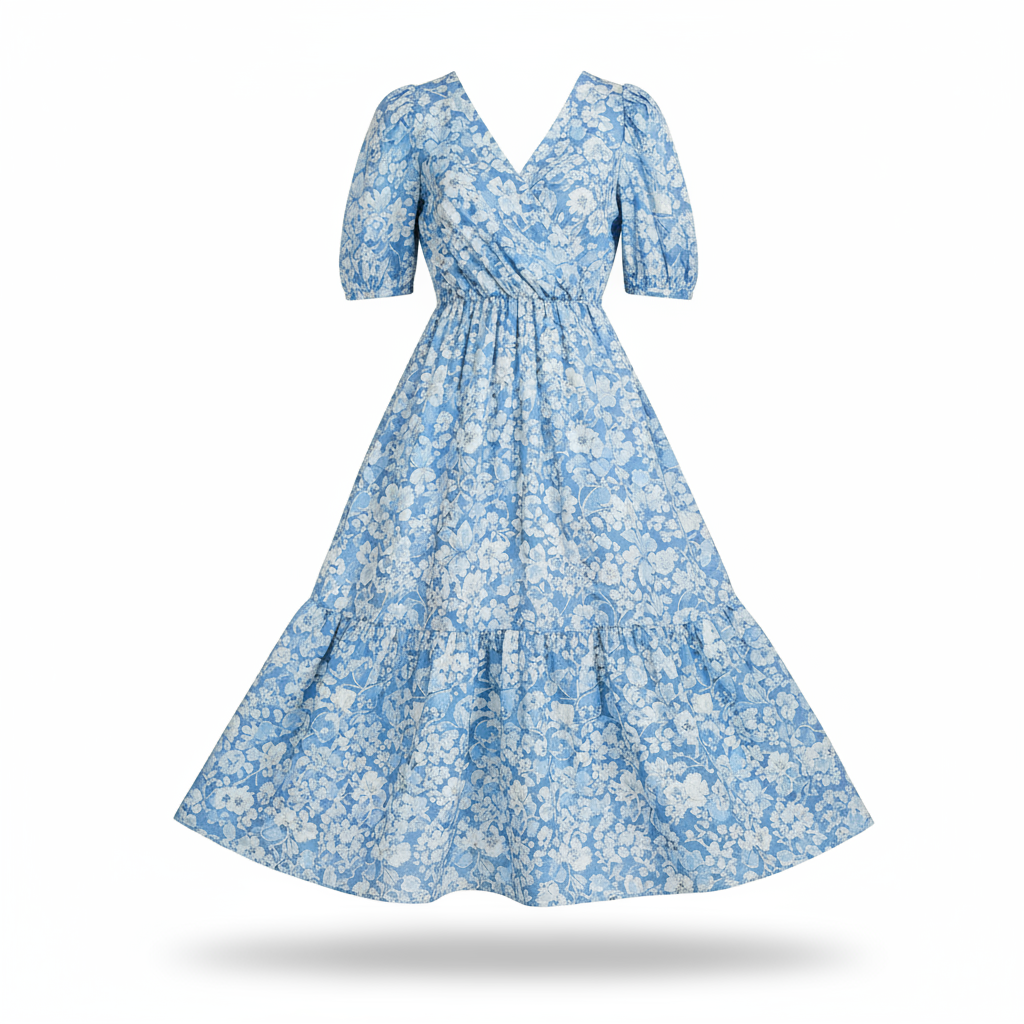
|
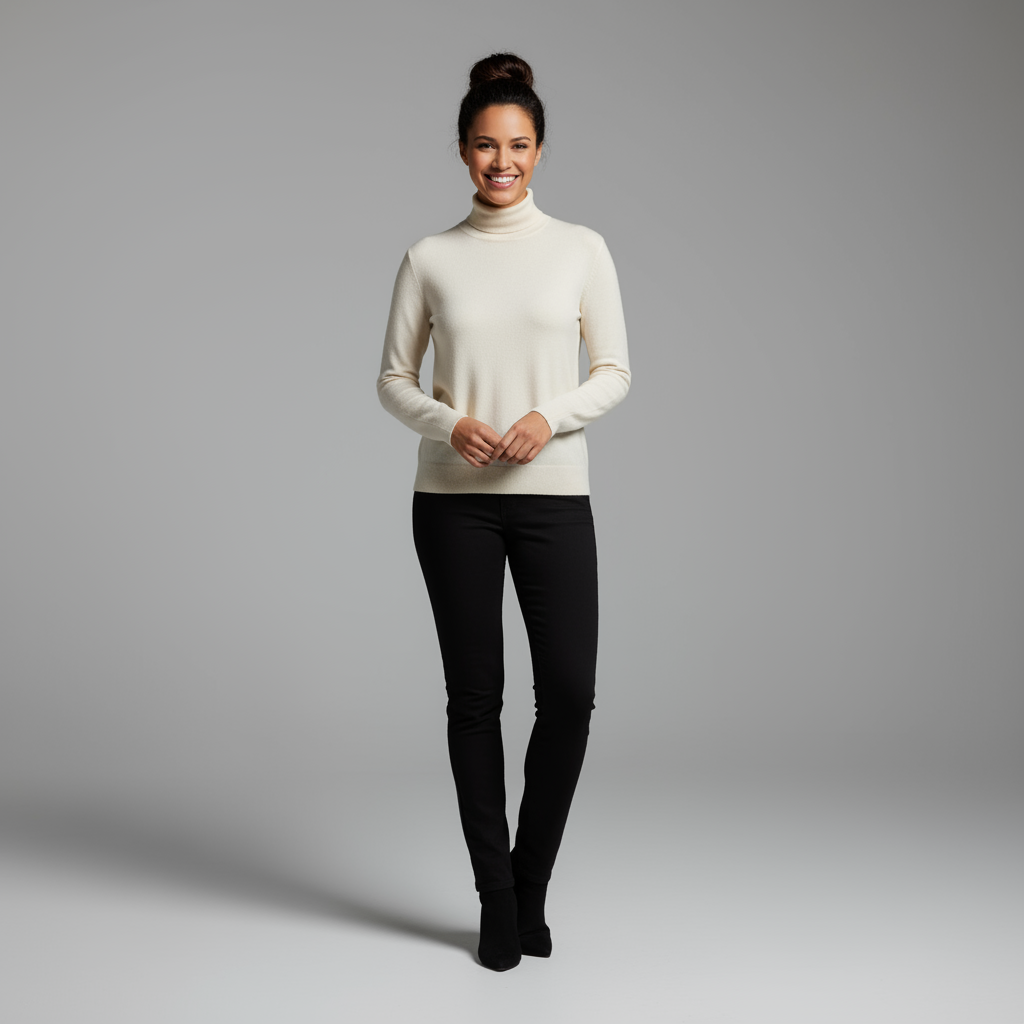
|
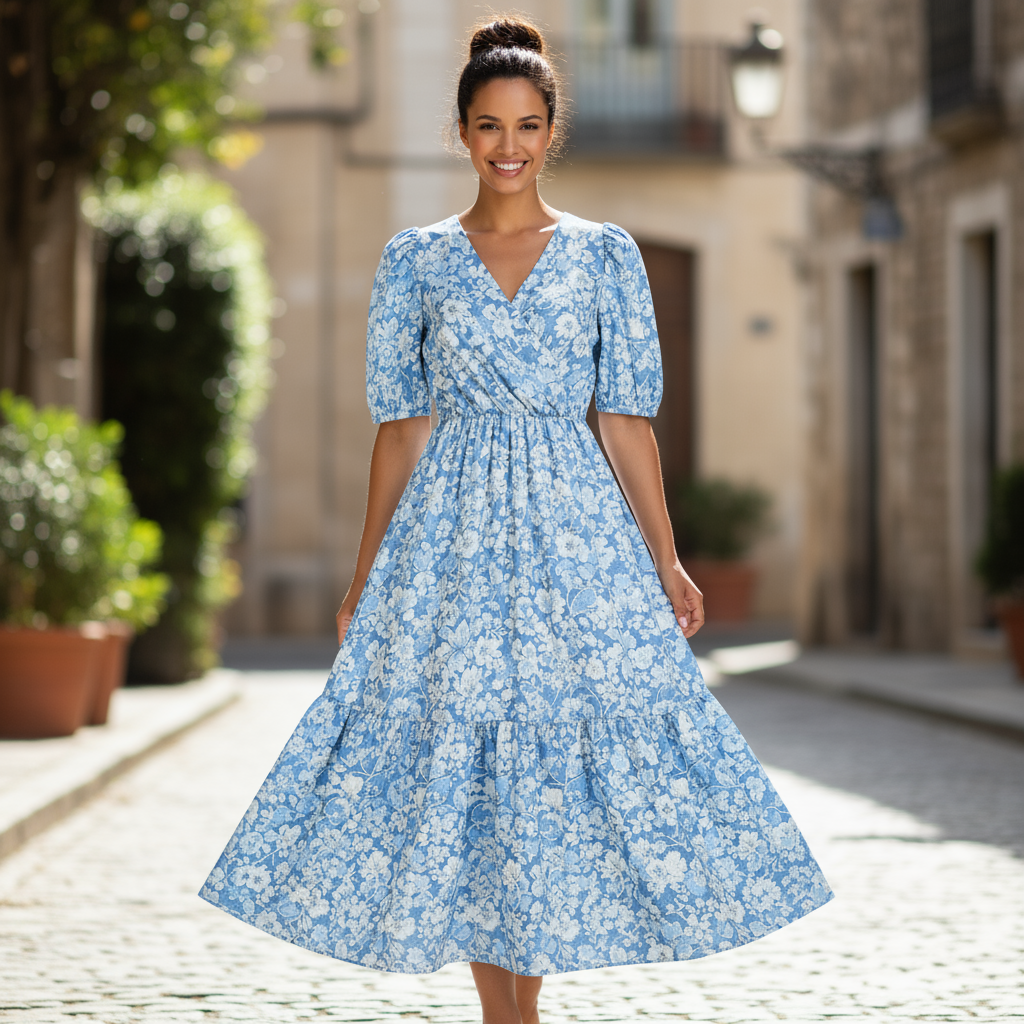
|
5. การรักษาความละเอียดสูง
หากต้องการให้ระบบเก็บรายละเอียดที่สำคัญ (เช่น ใบหน้าหรือโลโก้) ไว้ในระหว่างการแก้ไข โปรดอธิบายรายละเอียดเหล่านั้นพร้อมกับคำขอแก้ไข
เทมเพลต
Using the provided images, place [element from image 2] onto [element from
image 1]. Ensure that the features of [element from image 1] remain
completely unchanged. The added element should [description of how the
element should integrate].
พรอมต์
"Take the first image of the woman with brown hair, blue eyes, and a neutral
expression. Add the logo from the second image onto her black t-shirt.
Ensure the woman's face and features remain completely unchanged. The logo
should look like it's naturally printed on the fabric, following the folds
of the shirt."
Python
from google import genai
from google.genai import types
from PIL import Image

client = genai.Client()

# Base image prompts:
# 1. Woman: "A professional headshot of a woman with brown hair and blue eyes, wearing a plain black t-shirt, against a neutral studio background."
# 2. Logo: "A simple, modern logo with the letters 'G' and 'A' in a white circle."
woman_image = Image.open('/path/to/your/woman.png')
logo_image = Image.open('/path/to/your/logo.png')
text_input = """Take the first image of the woman with brown hair, blue eyes, and a neutral expression. Add the logo from the second image onto her black t-shirt. Ensure the woman's face and features remain completely unchanged. The logo should look like it's naturally printed on the fabric, following the folds of the shirt."""

# Generate an image from a text prompt
response = client.models.generate_content(
    model="gemini-2.5-flash-image",
    contents=[woman_image, logo_image, text_input],
)

for part in response.parts:
    if part.text is not None:
        print(part.text)
    elif part.inline_data is not None:
        image = part.as_image()
        image.save("woman_with_logo.png")
Java
import com.google.genai.Client;
import com.google.genai.types.Content;
import com.google.genai.types.GenerateContentConfig;
import com.google.genai.types.GenerateContentResponse;
import com.google.genai.types.Part;

import java.io.IOException;
import java.nio.file.Files;
import java.nio.file.Path;
import java.nio.file.Paths;

public class HighFidelity {
  public static void main(String[] args) throws IOException {

    try (Client client = new Client()) {
      GenerateContentConfig config = GenerateContentConfig.builder()
          .responseModalities("TEXT", "IMAGE")
          .build();

      GenerateContentResponse response = client.models.generateContent(
          "gemini-2.5-flash-image",
          Content.fromParts(
              Part.fromBytes(
                  Files.readAllBytes(
                      Path.of("/path/to/your/woman.png")),
                  "image/png"),
              Part.fromBytes(
                  Files.readAllBytes(
                      Path.of("/path/to/your/logo.png")),
                  "image/png"),
              Part.fromText("""
                  Take the first image of the woman with brown hair,
                  blue eyes, and a neutral expression. Add the logo
                  from the second image onto her black t-shirt.
                  Ensure the woman's face and features remain
                  completely unchanged. The logo should look like
                  it's naturally printed on the fabric, following
                  the folds of the shirt.
                  """)),
          config);

      for (Part part : response.parts()) {
        if (part.text().isPresent()) {
          System.out.println(part.text().get());
        } else if (part.inlineData().isPresent()) {
          var blob = part.inlineData().get();
          if (blob.data().isPresent()) {
            Files.write(Paths.get("woman_with_logo.png"), blob.data().get());
          }
        }
      }
    }
  }
}
JavaScript
import { GoogleGenAI } from "@google/genai";
import * as fs from "node:fs";

async function main() {

  const ai = new GoogleGenAI({});

  const imagePath1 = "/path/to/your/woman.png";
  const imageData1 = fs.readFileSync(imagePath1);
  const base64Image1 = imageData1.toString("base64");
  const imagePath2 = "/path/to/your/logo.png";
  const imageData2 = fs.readFileSync(imagePath2);
  const base64Image2 = imageData2.toString("base64");

  const prompt = [
    {
      inlineData: {
        mimeType: "image/png",
        data: base64Image1,
      },
    },
    {
      inlineData: {
        mimeType: "image/png",
        data: base64Image2,
      },
    },
    { text: "Take the first image of the woman with brown hair, blue eyes, and a neutral expression. Add the logo from the second image onto her black t-shirt. Ensure the woman's face and features remain completely unchanged. The logo should look like it's naturally printed on the fabric, following the folds of the shirt." },
  ];

  const response = await ai.models.generateContent({
    model: "gemini-2.5-flash-image",
    contents: prompt,
  });
  for (const part of response.candidates[0].content.parts) {
    if (part.text) {
      console.log(part.text);
    } else if (part.inlineData) {
      const imageData = part.inlineData.data;
      const buffer = Buffer.from(imageData, "base64");
      fs.writeFileSync("woman_with_logo.png", buffer);
      console.log("Image saved as woman_with_logo.png");
    }
  }
}

main();
Go
package main

import (
  "context"
  "fmt"
  "log"
  "os"
  "google.golang.org/genai"
)

func main() {

  ctx := context.Background()
  client, err := genai.NewClient(ctx, nil)
  if err != nil {
      log.Fatal(err)
  }

  imgData1, _ := os.ReadFile("/path/to/your/woman.png")
  imgData2, _ := os.ReadFile("/path/to/your/logo.png")

  parts := []*genai.Part{
    &genai.Part{
      InlineData: &genai.Blob{
        MIMEType: "image/png",
        Data:     imgData1,
      },
    },
    &genai.Part{
      InlineData: &genai.Blob{
        MIMEType: "image/png",
        Data:     imgData2,
      },
    },
    genai.NewPartFromText("Take the first image of the woman with brown hair, blue eyes, and a neutral expression. Add the logo from the second image onto her black t-shirt. Ensure the woman's face and features remain completely unchanged. The logo should look like it's naturally printed on the fabric, following the folds of the shirt."),
  }

  contents := []*genai.Content{
    genai.NewContentFromParts(parts, genai.RoleUser),
  }

  result, _ := client.Models.GenerateContent(
      ctx,
      "gemini-2.5-flash-image",
      contents,
  )

  for _, part := range result.Candidates[0].Content.Parts {
      if part.Text != "" {
          fmt.Println(part.Text)
      } else if part.InlineData != nil {
          imageBytes := part.InlineData.Data
          outputFilename := "woman_with_logo.png"
          _ = os.WriteFile(outputFilename, imageBytes, 0644)
      }
  }
}
REST
curl -s -X POST \
  "https://generativelanguage.googleapis.com/v1beta/models/gemini-2.5-flash-image:generateContent" \
    -H "x-goog-api-key: $GEMINI_API_KEY" \
    -H 'Content-Type: application/json' \
    -d "{
      \"contents\": [{
        \"parts\":[
            {
              \"inline_data\": {
                \"mime_type\":\"image/png\",
                \"data\": \"<BASE64_IMAGE_DATA_1>\"
              }
            },
            {
              \"inline_data\": {
                \"mime_type\":\"image/png\",
                \"data\": \"<BASE64_IMAGE_DATA_2>\"
              }
            },
            {\"text\": \"Take the first image of the woman with brown hair, blue eyes, and a neutral expression. Add the logo from the second image onto her black t-shirt. Ensure the woman's face and features remain completely unchanged. The logo should look like it's naturally printed on the fabric, following the folds of the shirt.\"}
        ]
      }]
    }"
อินพุต 1 |
อินพุต 2 |
เอาต์พุต |

|

|

|
6. ทำให้มีชีวิตชีวา
อัปโหลดภาพร่างหรือภาพวาดคร่าวๆ แล้วขอให้โมเดลปรับแต่งให้เป็นรูปภาพที่เสร็จสมบูรณ์
เทมเพลต
Turn this rough [medium] sketch of a [subject] into a [style description]
photo. Keep the [specific features] from the sketch but add [new details/materials].
พรอมต์
"Turn this rough pencil sketch of a futuristic car into a polished photo of the finished concept car in a showroom. Keep the sleek lines and low profile from the sketch but add metallic blue paint and neon rim lighting."
Python
from google import genai
from PIL import Image

client = genai.Client()

# Base image prompt: "A rough pencil sketch of a flat sports car on white paper."
sketch_image = Image.open('/path/to/your/car_sketch.png')
text_input = """Turn this rough pencil sketch of a futuristic car into a polished photo of the finished concept car in a showroom. Keep the sleek lines and low profile from the sketch but add metallic blue paint and neon rim lighting."""

response = client.models.generate_content(
    model="gemini-3-pro-image-preview",
    contents=[sketch_image, text_input],
)

for part in response.parts:
    if part.text is not None:
        print(part.text)
    elif part.inline_data is not None:
        image = part.as_image()
        image.save("car_photo.png")
Java
import com.google.genai.Client;
import com.google.genai.types.Content;
import com.google.genai.types.GenerateContentConfig;
import com.google.genai.types.GenerateContentResponse;
import com.google.genai.types.Part;

import java.io.IOException;
import java.nio.file.Files;
import java.nio.file.Path;
import java.nio.file.Paths;

public class BringToLife {
  public static void main(String[] args) throws IOException {
    try (Client client = new Client()) {
      GenerateContentConfig config = GenerateContentConfig.builder()
          .responseModalities("TEXT", "IMAGE")
          .build();

      GenerateContentResponse response = client.models.generateContent(
          "gemini-3-pro-image-preview",
          Content.fromParts(
              Part.fromBytes(
                  Files.readAllBytes(
                      Path.of("/path/to/your/car_sketch.png")),
                  "image/png"),
              Part.fromText("""
                  Turn this rough pencil sketch of a futuristic car into a polished photo of the finished concept car in a showroom. Keep the sleek lines and low profile from the sketch but add metallic blue paint and neon rim lighting.
                  """)),
          config);

      for (Part part : response.parts()) {
        if (part.text().isPresent()) {
          System.out.println(part.text().get());
        } else if (part.inlineData().isPresent()) {
          var blob = part.inlineData().get();
          if (blob.data().isPresent()) {
            Files.write(Paths.get("car_photo.png"), blob.data().get());
          }
        }
      }
    }
  }
}
JavaScript
import { GoogleGenAI } from "@google/genai";
import * as fs from "node:fs";

async function main() {

  const ai = new GoogleGenAI({});

  const imagePath = "/path/to/your/car_sketch.png";
  const imageData = fs.readFileSync(imagePath);
  const base64Image = imageData.toString("base64");

  const prompt = [
    {
      inlineData: {
        mimeType: "image/png",
        data: base64Image,
      },
    },
    { text: "Turn this rough pencil sketch of a futuristic car into a polished photo of the finished concept car in a showroom. Keep the sleek lines and low profile from the sketch but add metallic blue paint and neon rim lighting." },
  ];

  const response = await ai.models.generateContent({
    model: "gemini-3-pro-image-preview",
    contents: prompt,
  });
  for (const part of response.candidates[0].content.parts) {
    if (part.text) {
      console.log(part.text);
    } else if (part.inlineData) {
      const imageData = part.inlineData.data;
      const buffer = Buffer.from(imageData, "base64");
      fs.writeFileSync("car_photo.png", buffer);
      console.log("Image saved as car_photo.png");
    }
  }
}

main();
Go
package main

import (
  "context"
  "fmt"
  "log"
  "os"
  "google.golang.org/genai"
)

func main() {

  ctx := context.Background()
  client, err := genai.NewClient(ctx, nil)
  if err != nil {
      log.Fatal(err)
  }

  imgData, _ := os.ReadFile("/path/to/your/car_sketch.png")

  parts := []*genai.Part{
    &genai.Part{
      InlineData: &genai.Blob{
        MIMEType: "image/png",
        Data:     imgData,
      },
    },
    genai.NewPartFromText("Turn this rough pencil sketch of a futuristic car into a polished photo of the finished concept car in a showroom. Keep the sleek lines and low profile from the sketch but add metallic blue paint and neon rim lighting."),
  }

  contents := []*genai.Content{
    genai.NewContentFromParts(parts, genai.RoleUser),
  }

  result, _ := client.Models.GenerateContent(
      ctx,
      "gemini-3-pro-image-preview",
      contents,
  )

  for _, part := range result.Candidates[0].Content.Parts {
      if part.Text != "" {
          fmt.Println(part.Text)
      } else if part.InlineData != nil {
          imageBytes := part.InlineData.Data
          outputFilename := "car_photo.png"
          _ = os.WriteFile(outputFilename, imageBytes, 0644)
      }
  }
}
REST
curl -s -X POST \
  "https://generativelanguage.googleapis.com/v1beta/models/gemini-3-pro-image-preview:generateContent" \
    -H "x-goog-api-key: $GEMINI_API_KEY" \
    -H 'Content-Type: application/json' \
    -d "{
      \"contents\": [{
        \"parts\":[
            {
              \"inline_data\": {
                \"mime_type\":\"image/png\",
                \"data\": \"<BASE64_IMAGE_DATA>\"
              }
            },
            {\"text\": \"Turn this rough pencil sketch of a futuristic car into a polished photo of the finished concept car in a showroom. Keep the sleek lines and low profile from the sketch but add metallic blue paint and neon rim lighting.\"}
        ]
      }]
    }"
อินพุต |
เอาต์พุต |
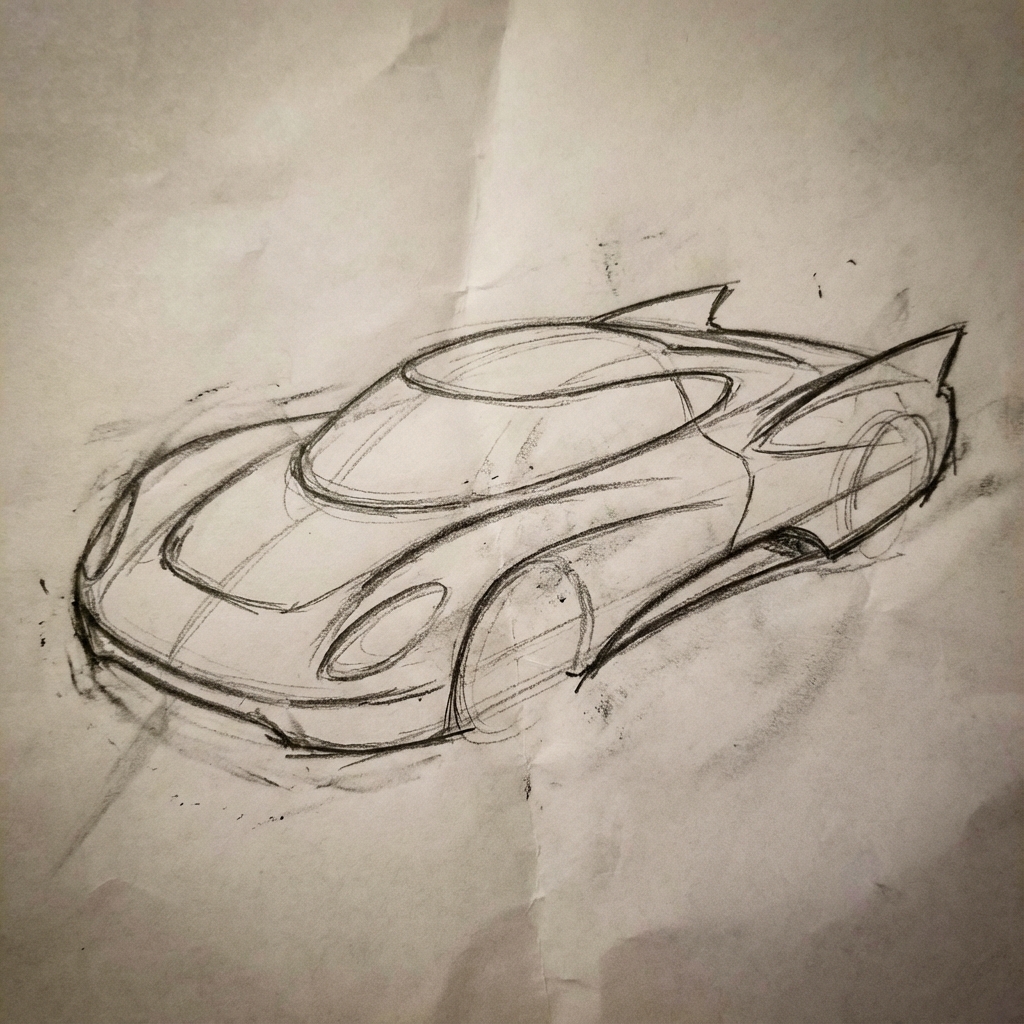
|
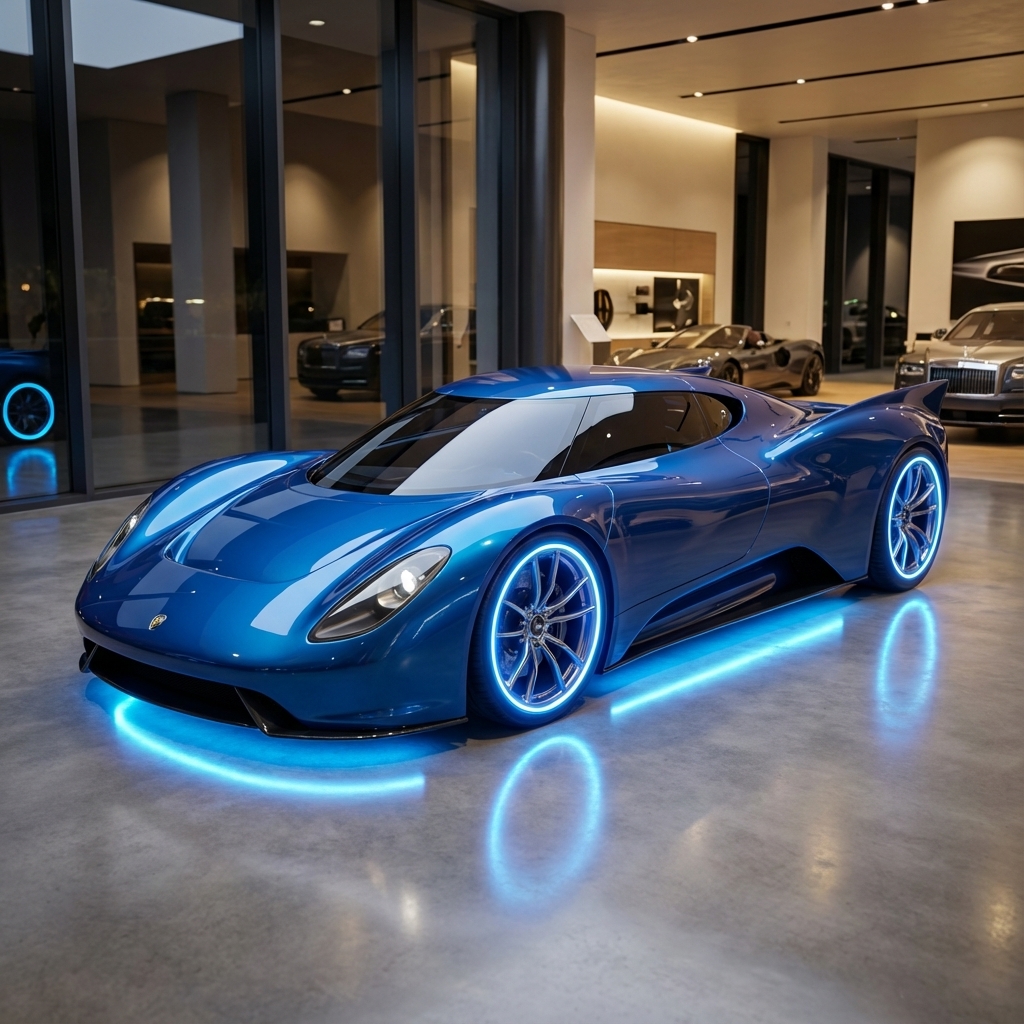
|
7. ความสอดคล้องของตัวละคร: มุมมอง 360
คุณสร้างมุมมอง 360 องศาของตัวละครได้โดยการป้อนพรอมต์ซ้ำๆ สำหรับมุมต่างๆ เพื่อผลลัพธ์ที่ดีที่สุด ให้ใส่รูปภาพที่สร้างไว้ก่อนหน้านี้ในพรอมต์ถัดไปเพื่อรักษาความสอดคล้องกัน สำหรับท่าทางที่ซับซ้อน ให้ใส่รูปภาพอ้างอิงของท่าทางที่ต้องการ
เทมเพลต
A studio portrait of [person] against [background], [looking forward/in profile looking right/etc.]
พรอมต์
A studio portrait of this man against white, in profile looking right
Python
from google import genai
from google.genai import types
from PIL import Image

client = genai.Client()

image_input = Image.open('/path/to/your/man_in_white_glasses.jpg')
text_input = """A studio portrait of this man against white, in profile looking right"""

response = client.models.generate_content(
    model="gemini-3-pro-image-preview",
    contents=[text_input, image_input],
)

for part in response.parts:
    if part.text is not None:
        print(part.text)
    elif part.inline_data is not None:
        image = part.as_image()
        image.save("man_right_profile.png")
Java
import com.google.genai.Client;
import com.google.genai.types.Content;
import com.google.genai.types.GenerateContentConfig;
import com.google.genai.types.GenerateContentResponse;
import com.google.genai.types.Part;

import java.io.IOException;
import java.nio.file.Files;
import java.nio.file.Path;
import java.nio.file.Paths;

public class CharacterConsistency {
  public static void main(String[] args) throws IOException {
    try (Client client = new Client()) {
      GenerateContentConfig config = GenerateContentConfig.builder()
          .responseModalities("TEXT", "IMAGE")
          .build();

      GenerateContentResponse response = client.models.generateContent(
          "gemini-3-pro-image-preview",
          Content.fromParts(
              Part.fromText("""
                  A studio portrait of this man against white, in profile looking right
                  """),
              Part.fromBytes(
                  Files.readAllBytes(
                      Path.of("/path/to/your/man_in_white_glasses.jpg")),
                  "image/jpeg")),
          config);

      for (Part part : response.parts()) {
        if (part.text().isPresent()) {
          System.out.println(part.text().get());
        } else if (part.inlineData().isPresent()) {
          var blob = part.inlineData().get();
          if (blob.data().isPresent()) {
            Files.write(Paths.get("man_right_profile.png"), blob.data().get());
          }
        }
      }
    }
  }
}
JavaScript
import { GoogleGenAI } from "@google/genai";
import * as fs from "node:fs";

async function main() {

  const ai = new GoogleGenAI({});

  const imagePath = "/path/to/your/man_in_white_glasses.jpg";
  const imageData = fs.readFileSync(imagePath);
  const base64Image = imageData.toString("base64");

  const prompt = [
    { text: "A studio portrait of this man against white, in profile looking right" },
    {
      inlineData: {
        mimeType: "image/jpeg",
        data: base64Image,
      },
    },
  ];

  const response = await ai.models.generateContent({
    model: "gemini-3-pro-image-preview",
    contents: prompt,
  });
  for (const part of response.candidates[0].content.parts) {
    if (part.text) {
      console.log(part.text);
    } else if (part.inlineData) {
      const imageData = part.inlineData.data;
      const buffer = Buffer.from(imageData, "base64");
      fs.writeFileSync("man_right_profile.png", buffer);
      console.log("Image saved as man_right_profile.png");
    }
  }
}

main();
Go
package main

import (
  "context"
  "fmt"
  "log"
  "os"
  "google.golang.org/genai"
)

func main() {

  ctx := context.Background()
  client, err := genai.NewClient(ctx, nil)
  if err != nil {
      log.Fatal(err)
  }

  imagePath := "/path/to/your/man_in_white_glasses.jpg"
  imgData, _ := os.ReadFile(imagePath)

  parts := []*genai.Part{
    genai.NewPartFromText("A studio portrait of this man against white, in profile looking right"),
    &genai.Part{
      InlineData: &genai.Blob{
        MIMEType: "image/jpeg",
        Data:     imgData,
      },
    },
  }

  contents := []*genai.Content{
    genai.NewContentFromParts(parts, genai.RoleUser),
  }

  result, _ := client.Models.GenerateContent(
      ctx,
      "gemini-3-pro-image-preview",
      contents,
  )

  for _, part := range result.Candidates[0].Content.Parts {
      if part.Text != "" {
          fmt.Println(part.Text)
      } else if part.InlineData != nil {
          imageBytes := part.InlineData.Data
          outputFilename := "man_right_profile.png"
          _ = os.WriteFile(outputFilename, imageBytes, 0644)
      }
  }
}
REST
curl -s -X POST \
  "https://generativelanguage.googleapis.com/v1beta/models/gemini-3-pro-image-preview:generateContent" \
    -H "x-goog-api-key: $GEMINI_API_KEY" \
    -H 'Content-Type: application/json' \
    -d "{
      \"contents\": [{
        \"parts\":[
            {\"text\": \"A studio portrait of this man against white, in profile looking right\"},
            {
              \"inline_data\": {
                \"mime_type\":\"image/jpeg\",
                \"data\": \"<BASE64_IMAGE_DATA>\"
              }
            }
        ]
      }]
    }"
อินพุต |
เอาต์พุต 1 |
เอาต์พุต 2 |
|
|
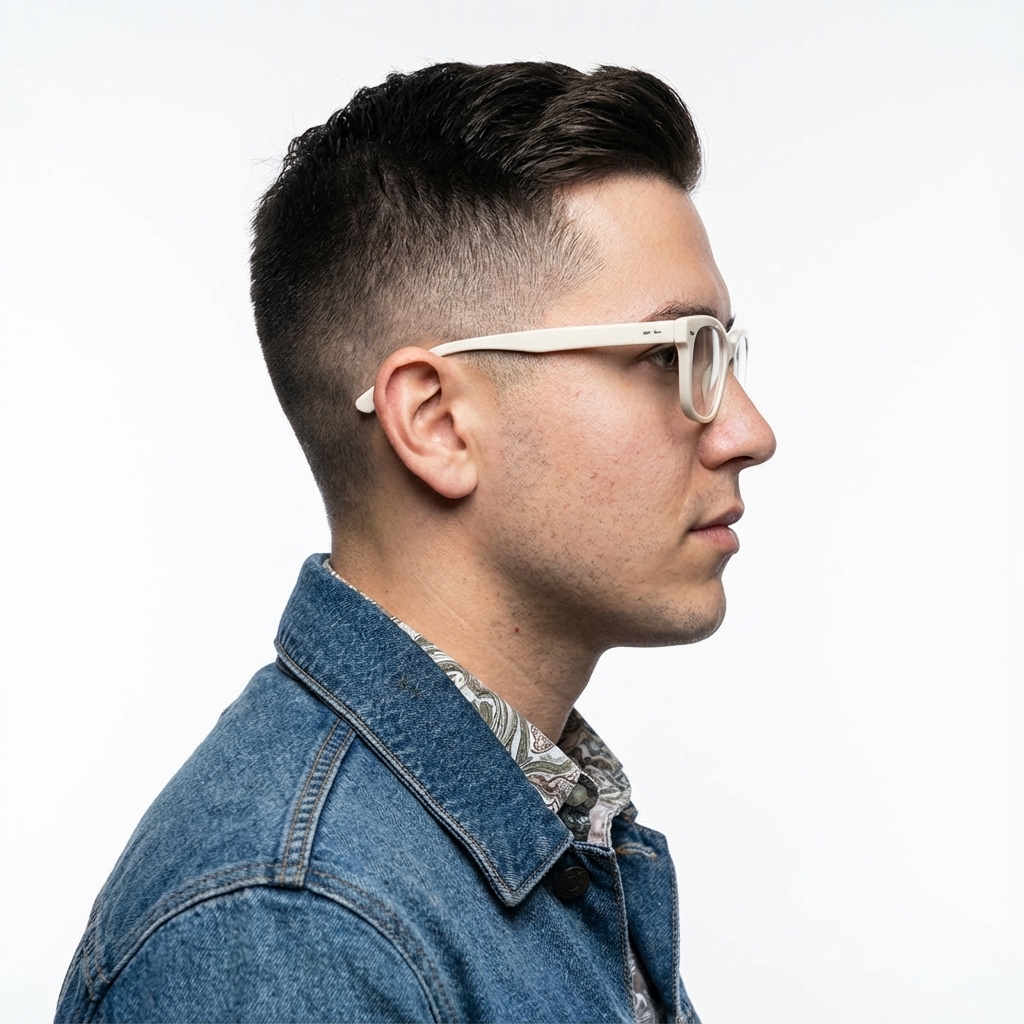
|

|
แนวทางปฏิบัติแนะนำ
หากต้องการยกระดับผลลัพธ์จากดีเป็นยอดเยี่ยม ให้ผสานรวมกลยุทธ์ระดับมืออาชีพเหล่านี้เข้ากับเวิร์กโฟลว์
- ระบุรายละเอียดให้มากที่สุด: ยิ่งคุณให้รายละเอียดมากเท่าไหร่ คุณก็จะยิ่งควบคุมได้มากขึ้นเท่านั้น แทนที่จะใช้คำว่า "ชุดเกราะแฟนตาซี" ให้อธิบายว่า "ชุดเกราะเพลทของเอลฟ์ที่ตกแต่งอย่างงดงาม สลักลายใบไม้สีเงิน มีคอเสื้อสูงและเกราะไหล่รูปปีกเหยี่ยว"
- ระบุบริบทและเจตนา: อธิบายวัตถุประสงค์ของรูปภาพ ความเข้าใจบริบทของ โมเดลจะมีผลต่อเอาต์พุตสุดท้าย เช่น "สร้างโลโก้สำหรับแบรนด์ผลิตภัณฑ์ดูแลผิวระดับไฮเอนด์ที่เน้นความเรียบง่าย" จะให้ผลลัพธ์ที่ดีกว่า เพียงแค่ "สร้างโลโก้"
- ทำซ้ำและปรับแต่ง: อย่าคาดหวังว่าจะได้รูปภาพที่สมบูรณ์แบบตั้งแต่ครั้งแรก ใช้ ลักษณะการสนทนาของโมเดลเพื่อทำการเปลี่ยนแปลงเล็กๆ น้อยๆ ติดตามด้วยพรอมต์ เช่น "ดีมาก แต่ช่วยปรับแสงให้ดูอบอุ่นขึ้นหน่อยได้ไหม" หรือ "คงทุกอย่างไว้เหมือนเดิม แต่เปลี่ยนสีหน้าของตัวละครให้ดู จริงจังมากขึ้น"
- ใช้คำสั่งแบบทีละขั้นตอน: สำหรับฉากที่ซับซ้อนซึ่งมีองค์ประกอบจำนวนมาก ให้แบ่งพรอมต์ออกเป็นขั้นตอน "ก่อนอื่น ให้สร้างพื้นหลังเป็นป่าที่เงียบสงบและมีหมอก ในตอนเช้า จากนั้นเพิ่มแท่นบูชาหินโบราณที่ปกคลุมด้วยมอสไว้ที่ด้านหน้า สุดท้าย ให้วางดาบเรืองแสงเล่มเดียวไว้บนแท่นบูชา"
- ใช้ "พรอมต์เชิงลบเชิงความหมาย": แทนที่จะพูดว่า "ไม่มีรถ" ให้อธิบายฉากที่ต้องการในเชิงบวกว่า "ถนนที่ว่างเปล่าและรกร้างโดยไม่มีร่องรอยของ การจราจร"
- ควบคุมกล้อง: ใช้ภาษาที่เกี่ยวข้องกับการถ่ายภาพและภาพยนตร์เพื่อควบคุม
องค์ประกอบ คำอย่าง
wide-angle shot,macro shot,low-angle perspective
ข้อจำกัด
- เพื่อประสิทธิภาพสูงสุด ให้ใช้ภาษาต่อไปนี้ EN, ar-EG, de-DE, es-MX, fr-FR, hi-IN, id-ID, it-IT, ja-JP, ko-KR, pt-BR, ru-RU, ua-UA, vi-VN, zh-CN
- การสร้างรูปภาพไม่รองรับอินพุตเสียงหรือวิดีโอ
- โมเดลจะไม่สร้างรูปภาพตามจำนวนที่ผู้ใช้ขออย่างชัดเจนเสมอไป
gemini-2.5-flash-imageทำงานได้ดีที่สุดเมื่อมีรูปภาพเป็นอินพุตไม่เกิน 3 รูป ส่วนgemini-3-pro-image-previewรองรับรูปภาพ 5 รูปที่มีความเที่ยงตรงสูง และรองรับรูปภาพทั้งหมดไม่เกิน 14 รูป- เมื่อสร้างข้อความสำหรับรูปภาพ Gemini จะทำงานได้ดีที่สุดหากคุณสร้างข้อความก่อน แล้วจึงขอรูปภาพพร้อมข้อความ
- รูปภาพที่สร้างขึ้นทั้งหมดจะมีลายน้ำ SynthID
การกำหนดค่าที่ไม่บังคับ
คุณเลือกกำหนดค่ารูปแบบการตอบกลับและสัดส่วนภาพของเอาต์พุตของโมเดลได้ในฟิลด์ config ของการเรียกใช้ generate_content
ประเภทเอาต์พุต
โมเดลจะแสดงคำตอบเป็นข้อความและรูปภาพโดยค่าเริ่มต้น
(เช่น response_modalities=['Text', 'Image'])
คุณกำหนดค่าคำตอบให้แสดงเฉพาะรูปภาพโดยไม่มีข้อความได้โดยใช้
response_modalities=['Image']
Python
response = client.models.generate_content(
    model="gemini-2.5-flash-image",
    contents=[prompt],
    config=types.GenerateContentConfig(
        response_modalities=['Image']
    )
)
JavaScript
const response = await ai.models.generateContent({
    model: "gemini-2.5-flash-image",
    contents: prompt,
    config: {
        responseModalities: ['Image']
    }
  });
Go
result, _ := client.Models.GenerateContent(
    ctx,
    "gemini-2.5-flash-image",
    genai.Text("Create a picture of a nano banana dish in a " +
                " fancy restaurant with a Gemini theme"),
    &genai.GenerateContentConfig{
        ResponseModalities: "Image",
    },
  )
Java
response = client.models.generateContent(
    "gemini-2.5-flash-image",
    prompt,
    GenerateContentConfig.builder()
        .responseModalities("IMAGE")
        .build());
REST
curl -s -X POST \
  "https://generativelanguage.googleapis.com/v1beta/models/gemini-2.5-flash-image:generateContent" \
  -H "x-goog-api-key: $GEMINI_API_KEY" \
  -H "Content-Type: application/json" \
  -d '{
    "contents": [{
      "parts": [
        {"text": "Create a picture of a nano banana dish in a fancy restaurant with a Gemini theme"}
      ]
    }],
    "generationConfig": {
      "responseModalities": ["Image"]
    }
  }'
สัดส่วนภาพและขนาดรูปภาพ
โดยค่าเริ่มต้น โมเดลจะจับคู่ขนาดรูปภาพเอาต์พุตกับขนาดของรูปภาพอินพุต หรือสร้างสี่เหลี่ยมจัตุรัส 1:1
คุณควบคุมสัดส่วนของรูปภาพเอาต์พุตได้โดยใช้ฟิลด์ aspect_ratio
ในส่วน image_config ในคำขอการตอบกลับ ซึ่งแสดงที่นี่
Python
# For gemini-2.5-flash-image
response = client.models.generate_content(
    model="gemini-2.5-flash-image",
    contents=[prompt],
    config=types.GenerateContentConfig(
        image_config=types.ImageConfig(
            aspect_ratio="16:9",
        )
    )
)

# For gemini-3-pro-image-preview
response = client.models.generate_content(
    model="gemini-3-pro-image-preview",
    contents=[prompt],
    config=types.GenerateContentConfig(
        image_config=types.ImageConfig(
            aspect_ratio="16:9",
            image_size="2K",
        )
    )
)
JavaScript
// For gemini-2.5-flash-image
const response = await ai.models.generateContent({
    model: "gemini-2.5-flash-image",
    contents: prompt,
    config: {
      imageConfig: {
        aspectRatio: "16:9",
      },
    }
  });

// For gemini-3-pro-image-preview
const response_gemini3 = await ai.models.generateContent({
    model: "gemini-3-pro-image-preview",
    contents: prompt,
    config: {
      imageConfig: {
        aspectRatio: "16:9",
        imageSize: "2K",
      },
    }
  });
Go
// For gemini-2.5-flash-image
result, _ := client.Models.GenerateContent(
    ctx,
    "gemini-2.5-flash-image",
    genai.Text("Create a picture of a nano banana dish in a " +
                " fancy restaurant with a Gemini theme"),
    &genai.GenerateContentConfig{
        ImageConfig: &genai.ImageConfig{
          AspectRatio: "16:9",
        },
    }
  )

// For gemini-3-pro-image-preview
result_gemini3, _ := client.Models.GenerateContent(
    ctx,
    "gemini-3-pro-image-preview",
    genai.Text("Create a picture of a nano banana dish in a " +
                " fancy restaurant with a Gemini theme"),
    &genai.GenerateContentConfig{
        ImageConfig: &genai.ImageConfig{
          AspectRatio: "16:9",
          ImageSize: "2K",
        },
    }
  )
Java
// For gemini-2.5-flash-image
response = client.models.generateContent(
    "gemini-2.5-flash-image",
    prompt,
    GenerateContentConfig.builder()
        .imageConfig(ImageConfig.builder()
            .aspectRatio("16:9")
            .build())
        .build());

// For gemini-3-pro-image-preview
response_gemini3 = client.models.generateContent(
    "gemini-3-pro-image-preview",
    prompt,
    GenerateContentConfig.builder()
        .imageConfig(ImageConfig.builder()
            .aspectRatio("16:9")
            .imageSize("2K")
            .build())
        .build());
REST
# For gemini-2.5-flash-image
curl -s -X POST \
  "https://generativelanguage.googleapis.com/v1beta/models/gemini-2.5-flash-image:generateContent" \
  -H "x-goog-api-key: $GEMINI_API_KEY" \
  -H 'Content-Type: application/json' \
  -d '{
    "contents": [{
      "parts": [
        {"text": "Create a picture of a nano banana dish in a fancy restaurant with a Gemini theme"}
      ]
    }],
    "generationConfig": {
      "imageConfig": {
        "aspectRatio": "16:9"
      }
    }
  }'

# For gemini-3-pro-image-preview
curl -s -X POST \
  "https://generativelanguage.googleapis.com/v1beta/models/gemini-3-pro-image-preview:generateContent" \
  -H "x-goog-api-key: $GEMINI_API_KEY" \
  -H 'Content-Type: application/json' \
  -d '{
    "contents": [{
      "parts": [
        {"text": "Create a picture of a nano banana dish in a fancy restaurant with a Gemini theme"}
      ]
    }],
    "generationConfig": {
      "imageConfig": {
        "aspectRatio": "16:9",
        "imageSize": "2K"
      }
    }
  }'
อัตราส่วนต่างๆ ที่พร้อมใช้งานและขนาดของรูปภาพที่สร้างขึ้นแสดงอยู่ในตารางต่อไปนี้
รูปภาพ Gemini 2.5 Flash
| สัดส่วนภาพ | ความละเอียด | โทเค็น |
|---|---|---|
| 1:1 | 1024x1024 | 1290 |
| 2:3 | 832x1248 | 1290 |
| 3:2 | 1248x832 | 1290 |
| 3:4 | 864x1184 | 1290 |
| 4:3 | 1184x864 | 1290 |
| 4:5 | 896x1152 | 1290 |
| 5:4 | 1152x896 | 1290 |
| 9:16 | 768x1344 | 1290 |
| 16:9 | 1344x768 | 1290 |
| 21:9 | 1536x672 | 1290 |
ตัวอย่างรูปภาพของ Gemini 3 Pro
| สัดส่วนภาพ | ความละเอียด 1K | โทเค็น 1,000 รายการ | ความละเอียดระดับ 2K | โทเค็น 2,000 รายการ | ความละเอียดระดับ 4K | โทเค็น 4K |
|---|---|---|---|---|---|---|
| 1:1 | 1024x1024 | 1120 | 2048x2048 | 1120 | 4096x4096 | 2000 |
| 2:3 | 848x1264 | 1120 | 1696x2528 | 1120 | 3392x5056 | 2000 |
| 3:2 | 1264x848 | 1120 | 2528x1696 | 1120 | 5056x3392 | 2000 |
| 3:4 | 896x1200 | 1120 | 1792x2400 | 1120 | 3584x4800 | 2000 |
| 4:3 | 1200x896 | 1120 | 2400x1792 | 1120 | 4800x3584 | 2000 |
| 4:5 | 928x1152 | 1120 | 1856x2304 | 1120 | 3712x4608 | 2000 |
| 5:4 | 1152x928 | 1120 | 2304x1856 | 1120 | 4608x3712 | 2000 |
| 9:16 | 768x1376 | 1120 | 1536x2752 | 1120 | 3072x5504 | 2000 |
| 16:9 | 1376x768 | 1120 | 2752x1536 | 1120 | 5504x3072 | 2000 |
| 21:9 | 1584x672 | 1120 | 3168x1344 | 1120 | 6336x2688 | 2000 |
การเลือกโมเดล
เลือกโมเดลที่เหมาะกับกรณีการใช้งานของคุณมากที่สุด
การแสดงตัวอย่างรูปภาพของ Gemini 3 Pro (การแสดงตัวอย่าง Nano Banana Pro) ออกแบบมาสำหรับ การผลิตชิ้นงานระดับมืออาชีพและคำสั่งที่ซับซ้อน โมเดลนี้มี การอ้างอิงจากโลกแห่งความเป็นจริงโดยใช้ Google Search ซึ่งเป็นกระบวนการ "การคิด" เริ่มต้นที่ ปรับแต่งองค์ประกอบก่อนการสร้าง และสามารถสร้างรูปภาพที่มีความละเอียดสูงสุด 4K ดูรายละเอียดเพิ่มเติมได้ที่หน้าราคาและความสามารถของโมเดล
รูปภาพ Gemini 2.5 Flash (Nano Banana) ออกแบบมาเพื่อความเร็วและ ประสิทธิภาพ โมเดลนี้ได้รับการเพิ่มประสิทธิภาพสำหรับงานที่มีปริมาณมากและมีเวลาในการตอบสนองต่ำ และสร้างรูปภาพที่ความละเอียด 1024 พิกเซล ดูรายละเอียดเพิ่มเติมได้ที่หน้าราคาและความสามารถของโมเดล
กรณีที่ควรใช้ Imagen
นอกเหนือจากการใช้ความสามารถในการสร้างรูปภาพในตัวของ Gemini แล้ว คุณยังเข้าถึง Imagen ซึ่งเป็นโมเดลการสร้างรูปภาพเฉพาะของเราผ่าน Gemini API ได้ด้วย
Imagen 4 ควรเป็นโมเดลที่คุณเลือกใช้เมื่อเริ่มสร้างรูปภาพด้วย Imagen เลือก Imagen 4 Ultra สำหรับกรณีการใช้งานขั้นสูง หรือเมื่อต้องการรูปภาพคุณภาพดีที่สุด (โปรดทราบว่าสร้างได้ครั้งละ 1 รูปเท่านั้น)
ขั้นตอนถัดไป
- ดูตัวอย่างและโค้ดตัวอย่างเพิ่มเติมได้ในคู่มือตำราอาหาร
- ดูคู่มือ Veo เพื่อดูวิธีสร้างวิดีโอด้วย Gemini API
- ดูข้อมูลเพิ่มเติมเกี่ยวกับโมเดล Gemini ได้ที่โมเดล Gemini