
Gemini Robotics ER 2 can track task progress from continuous video feeds using two capabilities:
- Moment finding: identifies the precise timestamp where a key event occurs.
- Progress classification: assigns each video to one of five completion brackets (0–20%, 20–40%, 40–60%, 60–80%, 80–100%).
Moment finding
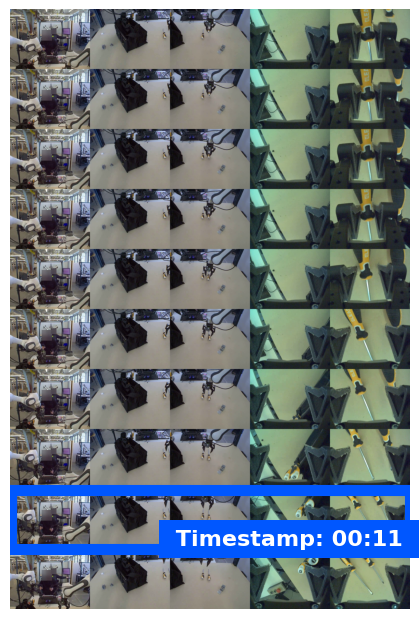
Moment finding identifies the exact video frame where a critical event occurs — for example, when a cup is full or a knot is tied. Robots use this to verify success, sequence steps, and trigger corrections.
The following example prompt asks the model to identify the completion moment for a given task in a video:
from google import genai
from google.genai import types

client = genai.Client()

with open("task_video.mp4", "rb") as f:
    video_bytes = f.read()

prompt = """
At what timestamp (in seconds) does the task reach successful completion?
Return a JSON object: {"completion_time_seconds": <float>}.
If the task is not completed, return {"completion_time_seconds": null}.
"""

response = client.models.generate_content(
    model="gemini-robotics-er-2-preview",
    contents=[
        types.Part.from_bytes(data=video_bytes, mime_type="video/mp4"),
        prompt,
    ],
)

print(response.text)
The following shows example frames from a moment-finding video, with the model identifying the task completion timestamp:
Progress classification
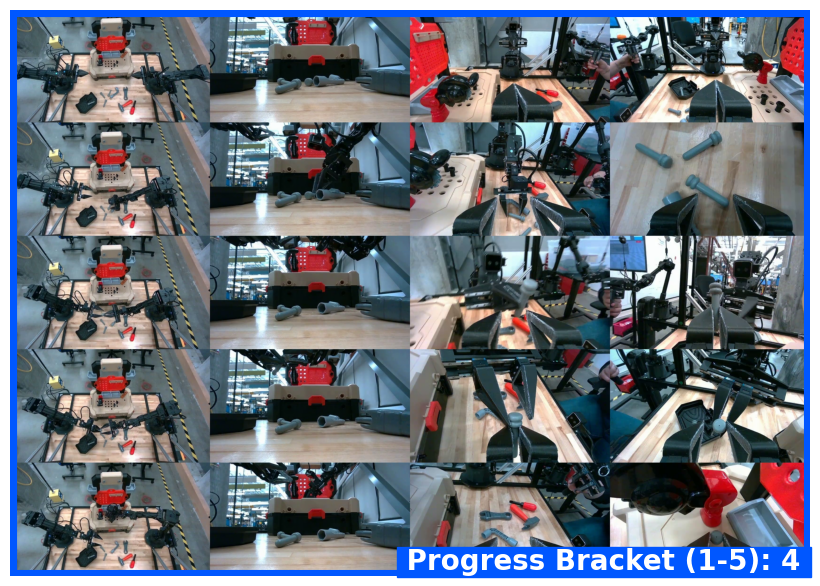
Progress classification assigns a video to one of five completion brackets: 0–20%, 20–40%, 40–60%, 60–80%, or 80–100%. This gives robots real-time situational awareness so they can adjust actions or retry failed steps without restarting an entire workflow.
The following example prompt asks the model to classify the current progress level from a video:
from google import genai
from google.genai import types

client = genai.Client()

with open("task_video.mp4", "rb") as f:
    video_bytes = f.read()

prompt = """
Watch this video and classify the task progress level at the final frame.
Return a JSON object with the progress bracket:
{"progress_level": "0-20" | "20-40" | "40-60" | "60-80" | "80-100"}.
"""

response = client.models.generate_content(
    model="gemini-robotics-er-2-preview",
    contents=[
        types.Part.from_bytes(data=video_bytes, mime_type="video/mp4"),
        prompt,
    ],
)

print(response.text)
The following shows example frames from a progress classification video, with the model assigning a progress bracket:
Examples
For full runnable examples including multi-step task tracking, see the Robotics cookbook.
What's next
- Live API for robotics — real-time bidirectional streaming.
- Task orchestration — long-horizon tasks with spatial reasoning.
- Gemini Robotics ER overview — model comparison and capabilities.