

Nano Banana 图片生成
- 或者,您也可以根据提示自行构建:
-






-
由 Nano Banana 2 生成 提示:“一张光面杂志封面的照片,极简的蓝色封面上印有粗体大字‘Nano Banana’。文字采用衬线字体,并填充整个视图。没有其他文字。文字前面是一张人像,照片中的人穿着时尚简约的连衣裙。她正俏皮地拿着数字 2,这是画面的焦点。
在角落中放置期号和“2026 年 2 月”日期,以及条形码。杂志放在设计师商店内一面橙色粉刷墙壁的架子上。" -
由 Nano Banana Pro 生成 提示:“呈现一个清晰的 45° 俯视角等距微缩 3D 卡通伦敦场景,其中包含伦敦最具代表性的地标和建筑元素。使用柔和精致的纹理、逼真的 PBR 材质以及柔和逼真的光照和阴影。将当前天气状况直接融入城市环境中,营造身临其境的氛围感。使用简洁的极简构图,搭配柔和的纯色背景。在顶部中央,放置标题“伦敦”(粗体大号文字)、下方的醒目天气图标、日期(小号文字)和温度(中号文字)。所有文字都必须居中显示,间距一致,并且可能会略微遮盖建筑物顶部。" -
由 Nano Banana 2 生成 提示:“使用图片搜索功能查找有关辉煌腾云雀的准确图片。请以这只鸟为主题,创作一张精美的 3:2 壁纸,采用自然的自上而下渐变效果,构图简洁。" -

由 Nano Banana Pro 生成 提示:“将此徽标放在高端香蕉香味香水广告上。徽标与瓶身完美融合。” -
由 Nano Banana Pro 生成 提示:“一张忙碌的咖啡馆供应早餐的日常场景的照片。前景中是一位蓝发动漫男子,其中一人是铅笔素描,另一人是黏土动画人物" -
由 Nano Banana Pro 生成 提示:“使用搜索功能查找 Gemini 3 Flash 的发布情况。请使用此信息撰写一篇关于此主题的简短文章(带标题)。返回文章的照片,该照片显示了文章在以设计为重点的精美杂志中的样子。这是一张照片,显示的是一篇关于 Gemini 3 Flash 的文章,文章内容显示在一张对折的纸上。一张主打照片。衬线字体标题。 -
由 Nano Banana Pro 生成 提示:“一个代表可爱狗狗的图标。背景为白色。以色彩鲜艳且具有触感的 3D 风格制作图标。没有文字。” -
由 Nano Banana 2 生成 提示:“制作一张完全等距的照片。它不是微缩模型,而是一张恰好是完美等距视角的拍摄照片。这是一张现代花园的美丽照片。画面中有一个 2 字形的大泳池,以及“Nano Banana 2”字样。
Nano Banana 是 Gemini 原生图片生成功能的名称。 Gemini 能够以对话方式生成并处理图片,支持文本、图片、视频或组合形式的输入。这让您能够以前所未有的精准度创建、修改和迭代视觉内容。
Nano Banana 是指 Gemini API 中提供的四种不同的模型:
- Nano Banana 2 Lite (Gemini 3.1 Flash Lite Image) (
gemini-3.1-flash-lite-image):我们速度最快、成本最低的 Gemini 图片模型,专为速度和规模而打造,速度和成本是主要的操作限制。未针对多个参考输入或多轮连续编辑进行优化。 - Nano Banana 2 (Gemini 3.1 Flash Image)
(
gemini-3.1-flash-image):是一款用途最广泛的通用型模型,可用于处理所有任务。该模型平衡了速度与前沿的 4K 生成技术、丰富的知识储备和可靠的文字呈现效果。擅长处理多张参考图片并保持一致性。 - Nano Banana Pro (Gemini 3 Pro Image) (
gemini-3-pro-image):这是处理最复杂的视觉任务的优质选择,可提供最高水平的世界知识、高级本地化、准确的品牌一致性和精准的创意控制。 - Nano Banana (Gemini 2.5 Flash Image) (
gemini-2.5-flash-image):Nano Banana 系列的旧版先驱。 虽然 Nano Banana 1 一直是一款可靠的实用工具,但我们强烈建议客户改用 Nano Banana 2 Lite,以体验更高的质量、更快的生成速度和更低的 API 价格。
生成的所有图片都包含 SynthID 水印。
图片生成(文生图)
Python
from google import genai
from PIL import Image
import base64

client = genai.Client()

interaction = client.interactions.create(
    model="gemini-3.1-flash-image",
    input="Create a picture of a nano banana dish in a fancy restaurant with a Gemini theme",
)

with open("generated_image.png", "wb") as f:
    f.write(base64.b64decode(interaction.output_image.data))
JavaScript
import { GoogleGenAI } from "@google/genai";
import * as fs from "node:fs";

async function main() {

  const ai = new GoogleGenAI({});

  const prompt =
    "Create a picture of a nano banana dish in a fancy restaurant with a Gemini theme";

  const interaction = await ai.interactions.create({
    model: "gemini-3.1-flash-image",
    input: prompt,
  });
  const generatedImage = interaction.output_image;
  if (generatedImage) {
    const buffer = Buffer.from(generatedImage.data, "base64");
    fs.writeFileSync("gemini-native-image.png", buffer);
    console.log("Image saved as gemini-native-image.png");
  }
}

main();
Java
import com.google.genai.Client;
import com.google.genai.gaos.models.interactions.CreateModelInteraction;
import com.google.genai.gaos.models.interactions.Interaction;
import com.google.genai.gaos.models.interactions.InteractionsInput;
import com.google.genai.gaos.models.interactions.Model;
import com.google.genai.gaos.models.operations.CreateInteractionRequestBody;
import java.nio.file.Files;
import java.nio.file.Paths;
import java.util.Base64;

Client client = new Client();

CreateModelInteraction params =
    CreateModelInteraction.builder()
        .model(Model.of("gemini-3.1-flash-image"))
        .input(
            InteractionsInput.of(
                "Create a picture of a nano banana dish in a fancy restaurant with a Gemini theme"))
        .build();

Interaction interaction =
    client.interactions.create(CreateInteractionRequestBody.of(params)).interaction().get();

if (interaction.outputImage().isPresent()
    && interaction.outputImage().get().data().isPresent()) {
  byte[] imageBytes =
      Base64.getDecoder().decode(interaction.outputImage().get().data().get());
  Files.write(Paths.get("generated_image.png"), imageBytes);
}
Go
package main

import (
    "context"
    "encoding/base64"
    "log"
    "os"

    "google.golang.org/genai"
    "google.golang.org/genai/interactions/models/interactions"
    "google.golang.org/genai/interactions/models/operations"
)

func main() {
    ctx := context.Background()
    client, err := genai.NewClient(ctx, nil)
    if err != nil {
        log.Fatal(err)
    }

    res, err := client.Interactions.Create(ctx, operations.CreateInteractionRequest{
        Body: operations.NewCreateInteractionRequestBody(interactions.CreateModelInteraction{
            Model: interactions.Model("gemini-3.1-flash-image"),
            Input: interactions.NewInteractionsInput("Create a picture of a nano banana dish in a fancy restaurant with a Gemini theme"),
        }),
    })
    if err != nil {
        log.Fatal(err)
    }

    if res.Interaction.OutputImage != nil && res.Interaction.OutputImage.Data != nil {
        imageBytes, err := base64.StdEncoding.DecodeString(*res.Interaction.OutputImage.Data)
        if err != nil {
            log.Fatal(err)
        }
        if err := os.WriteFile("generated_image.png", imageBytes, 0644); err != nil {
            log.Fatal(err)
        }
    }
}
REST
curl -s -X POST \
  "https://generativelanguage.googleapis.com/v1beta/interactions" \
  -H "x-goog-api-key: $GEMINI_API_KEY" \
  -H "Content-Type: application/json" \
  -d '{
    "model": "gemini-3.1-flash-image",
    "input": [
      {"type": "text", "text": "Create a picture of a nano banana dish in a fancy restaurant with a Gemini theme"}
    ]
  }'
您可以使用 interaction.output_image 属性检索生成的图片数据,该属性会返回上次生成的图片块。如需详细了解便捷属性,请参阅互动概览。
图片编辑(文本和图片转图片)
提醒:请确保您对上传的所有图片均拥有必要权利。 请勿生成会侵犯他人权利的内容,包括会欺骗、骚扰或伤害他人的视频或图片。使用此生成式 AI 服务时须遵守我们的《使用限制政策》。
提供图片并使用文本提示添加、移除或修改元素、更改样式或调整色彩分级。
以下示例演示了如何上传 base64 编码的图片。
如需了解多张图片、更大的载荷和支持的 MIME 类型,请参阅图片理解页面。
Python
from google import genai
from PIL import Image
import base64

client = genai.Client()

with open("/path/to/cat_image.png", "rb") as f:
    image_bytes = f.read()

interaction = client.interactions.create(
    model="gemini-3.1-flash-image",
    input=[
        {
          "type": "text",
          "text": "Create a picture of a nano banana dish in a fancy restaurant with a Gemini theme"
        },
        {
            "type": "image",
            "data": base64.b64encode(image_bytes).decode('utf-8'),
            "mime_type": "image/png"
        }
    ],
)

with open("generated_image.png", "wb") as f:
    f.write(base64.b64decode(interaction.output_image.data))
JavaScript
import { GoogleGenAI } from "@google/genai";
import * as fs from "node:fs";

async function main() {

  const ai = new GoogleGenAI({});

  const imagePath = "path/to/cat_image.png";
  const imageData = fs.readFileSync(imagePath);
  const base64Image = imageData.toString("base64");

  const prompt = [
    { type: "text", text: "Create a picture of my cat eating a nano-banana in a" +
            "fancy restaurant under the Gemini constellation" },
    {
      type: "image",
      mime_type: "image/png",
      data: base64Image
    },
  ];

  const interaction = await ai.interactions.create({
    model: "gemini-3.1-flash-image",
    input: prompt,
  });
  const generatedImage = interaction.output_image;
  if (generatedImage) {
    const buffer = Buffer.from(generatedImage.data, "base64");
    fs.writeFileSync("gemini-native-image.png", buffer);
    console.log("Image saved as gemini-native-image.png");
  }
}

main();
Java
import com.google.genai.Client;
import com.google.genai.gaos.models.interactions.Content;
import com.google.genai.gaos.models.interactions.CreateModelInteraction;
import com.google.genai.gaos.models.interactions.ImageContent;
import com.google.genai.gaos.models.interactions.ImageContentMimeType;
import com.google.genai.gaos.models.interactions.Interaction;
import com.google.genai.gaos.models.interactions.InteractionsInput;
import com.google.genai.gaos.models.interactions.Model;
import com.google.genai.gaos.models.interactions.TextContent;
import com.google.genai.gaos.models.operations.CreateInteractionRequestBody;
import java.nio.file.Files;
import java.nio.file.Paths;
import java.util.Arrays;
import java.util.Base64;
import java.util.List;

Client client = new Client();

byte[] inputBytes = Files.readAllBytes(Paths.get("/path/to/cat_image.png"));
String base64Image = Base64.getEncoder().encodeToString(inputBytes);

Content textContent =
    TextContent.builder()
        .text("Create a picture of a nano banana dish in a fancy restaurant with a Gemini theme")
        .build();
Content imageContent =
    ImageContent.builder()
        .data(base64Image)
        .mimeType(ImageContentMimeType.IMAGE_PNG)
        .build();

List<Content> contents = Arrays.asList(textContent, imageContent);

CreateModelInteraction params =
    CreateModelInteraction.builder()
        .model(Model.of("gemini-3.1-flash-image"))
        .input(InteractionsInput.ofContent(contents))
        .build();

Interaction interaction =
    client.interactions.create(CreateInteractionRequestBody.of(params)).interaction().get();

if (interaction.outputImage().isPresent()
    && interaction.outputImage().get().data().isPresent()) {
  byte[] outputBytes =
      Base64.getDecoder().decode(interaction.outputImage().get().data().get());
  Files.write(Paths.get("generated_image.png"), outputBytes);
}
Go
package main

import (
    "context"
    "encoding/base64"
    "log"
    "os"

    "google.golang.org/genai"
    "google.golang.org/genai/interactions/models/interactions"
    "google.golang.org/genai/interactions/models/operations"
)

func main() {
    ctx := context.Background()
    client, err := genai.NewClient(ctx, nil)
    if err != nil {
        log.Fatal(err)
    }

    inputBytes, err := os.ReadFile("/path/to/cat_image.png")
    if err != nil {
        log.Fatal(err)
    }
    base64Image := base64.StdEncoding.EncodeToString(inputBytes)

    res, err := client.Interactions.Create(ctx, operations.CreateInteractionRequest{
        Body: operations.NewCreateInteractionRequestBody(interactions.CreateModelInteraction{
            Model: interactions.Model("gemini-3.1-flash-image"),
            Input: interactions.NewInteractionsInput([]interactions.Content{
                interactions.NewContent(interactions.TextContent{
                    Text: "Create a picture of a nano banana dish in a fancy restaurant with a Gemini theme",
                }),
                interactions.NewContent(interactions.ImageContent{
                    Data:     genai.Ptr(base64Image),
                    MimeType: interactions.ImageContentMimeTypeImagePng.ToPointer(),
                }),
            }),
        }),
    })
    if err != nil {
        log.Fatal(err)
    }

    if res.Interaction.OutputImage != nil && res.Interaction.OutputImage.Data != nil {
        outputBytes, err := base64.StdEncoding.DecodeString(*res.Interaction.OutputImage.Data)
        if err != nil {
            log.Fatal(err)
        }
        if err := os.WriteFile("generated_image.png", outputBytes, 0644); err != nil {
            log.Fatal(err)
        }
    }
}
REST
curl -s -X POST \
  "https://generativelanguage.googleapis.com/v1beta/interactions" \
    -H "x-goog-api-key: $GEMINI_API_KEY" \
    -H 'Content-Type: application/json' \
    -d "{
      \"model\": \"gemini-3.1-flash-image\",
      \"input\": [
        {\"type\": \"text\", \"text\": \"Create a picture of my cat eating a nano-banana in a fancy restaurant under the Gemini constellation\"},
        {
          \"type\": \"image\",
          \"mime_type\": \"image/jpeg\",
          \"data\": \"<BASE64_IMAGE_DATA>\"
        }
      ]
    }"
多轮图片修改
继续以对话方式生成和修改图片。建议采用多轮对话的方式来迭代优化图片。以下示例展示了生成有关光合作用的信息图表的提示。
Python
from google import genai
import base64

client = genai.Client()

interaction = client.interactions.create(
    model="gemini-3.1-flash-image",
    input="Create a vibrant infographic that explains photosynthesis as if it were a recipe for a plant's favorite food. Show the \"ingredients\" (sunlight, water, CO2) and the \"finished dish\" (sugar/energy). The style should be like a page from a colorful kids' cookbook, suitable for a 4th grader.",
    tools=[{"type": "google_search"}],
)

with open("photosynthesis.png", "wb") as f:
    f.write(base64.b64decode(interaction.output_image.data))
JavaScript
import { GoogleGenAI } from "@google/genai";
import * as fs from "node:fs";

const ai = new GoogleGenAI({});

async function main() {
  const interaction = await ai.interactions.create({
    model: "gemini-3.1-flash-image",
    input: "Create a vibrant infographic that explains photosynthesis as if it were a recipe for a plant's favorite food. Show the \"ingredients\" (sunlight, water, CO2) and the \"finished dish\" (sugar/energy). The style should be like a page from a colorful kids' cookbook, suitable for a 4th grader.",
    tools: [{"type": "google_search"}],
  });

  const generatedImage = interaction.output_image;
  if (generatedImage) {
    const buffer = Buffer.from(generatedImage.data, "base64");
    fs.writeFileSync("photosynthesis.png", buffer);
    console.log("Image saved as photosynthesis.png");
  }
}

await main();
Java
import com.google.genai.Client;
import com.google.genai.gaos.models.interactions.CreateModelInteraction;
import com.google.genai.gaos.models.interactions.GoogleSearch;
import com.google.genai.gaos.models.interactions.Interaction;
import com.google.genai.gaos.models.interactions.InteractionsInput;
import com.google.genai.gaos.models.interactions.Model;
import com.google.genai.gaos.models.operations.CreateInteractionRequestBody;
import java.nio.file.Files;
import java.nio.file.Paths;
import java.util.Arrays;
import java.util.Base64;

Client client = new Client();

CreateModelInteraction params =
    CreateModelInteraction.builder()
        .model(Model.of("gemini-3.1-flash-image"))
        .input(
            InteractionsInput.of(
                "Create a vibrant infographic that explains photosynthesis as if it were a recipe for a plant's favorite food. Show the \"ingredients\" (sunlight, water, CO2) and the \"finished dish\" (sugar/energy). The style should be like a page from a colorful kids' cookbook, suitable for a 4th grader."))
        .tools(Arrays.asList(new GoogleSearch()))
        .build();

Interaction interaction =
    client.interactions.create(CreateInteractionRequestBody.of(params)).interaction().get();

if (interaction.outputImage().isPresent()
    && interaction.outputImage().get().data().isPresent()) {
  byte[] imageBytes =
      Base64.getDecoder().decode(interaction.outputImage().get().data().get());
  Files.write(Paths.get("photosynthesis.png"), imageBytes);
}
Go
package main

import (
    "context"
    "encoding/base64"
    "log"
    "os"

    "google.golang.org/genai"
    "google.golang.org/genai/interactions/models/interactions"
    "google.golang.org/genai/interactions/models/operations"
)

func main() {
    ctx := context.Background()
    client, err := genai.NewClient(ctx, nil)
    if err != nil {
        log.Fatal(err)
    }

    res, err := client.Interactions.Create(ctx, operations.CreateInteractionRequest{
        Body: operations.NewCreateInteractionRequestBody(interactions.CreateModelInteraction{
            Model: interactions.Model("gemini-3.1-flash-image"),
            Input: interactions.NewInteractionsInput(`Create a vibrant infographic that explains photosynthesis as if it were a recipe for a plant's favorite food. Show the "ingredients" (sunlight, water, CO2) and the "finished dish" (sugar/energy). The style should be like a page from a colorful kids' cookbook, suitable for a 4th grader.`),
            Tools: []interactions.Tool{
                interactions.NewTool(interactions.GoogleSearch{}),
            },
        }),
    })
    if err != nil {
        log.Fatal(err)
    }

    if res.Interaction.OutputImage != nil && res.Interaction.OutputImage.Data != nil {
        imageBytes, err := base64.StdEncoding.DecodeString(*res.Interaction.OutputImage.Data)
        if err != nil {
            log.Fatal(err)
        }
        if err := os.WriteFile("photosynthesis.png", imageBytes, 0644); err != nil {
            log.Fatal(err)
        }
    }
}
REST
curl -s -X POST \
  "https://generativelanguage.googleapis.com/v1beta/interactions" \
  -H "x-goog-api-key: $GEMINI_API_KEY" \
  -H "Content-Type: application/json" \
  -d '{
    "model": "gemini-3.1-flash-image",
    "input": [
      {"type": "text", "text": "Create a vibrant infographic that explains photosynthesis as if it were a recipe for a plants favorite food. Show the \"ingredients\" (sunlight, water, CO2) and the \"finished dish\" (sugar/energy). The style should be like a page from a colorful kids cookbook, suitable for a 4th grader."}
    ],
    "tools": [{"type": "google_search"}]
  }'
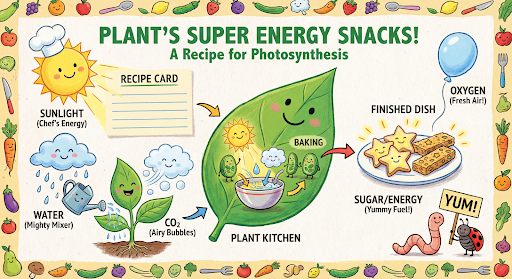
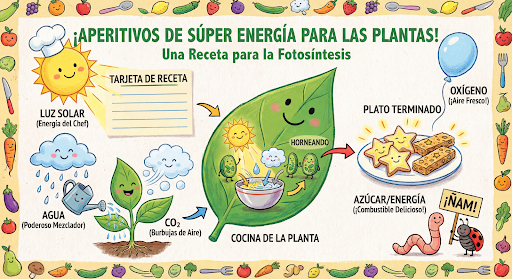
然后,您可以使用 previous_interaction_id 将图形上的语言更改为西班牙语。
Python
interaction_2 = client.interactions.create(
    model="gemini-3.1-flash-image",
    input="Update this infographic to be in Spanish. Do not change any other elements of the image.",
    previous_interaction_id=interaction.id,
    response_format={
        "type": "image",
        "mime_type": "image/jpeg",
        "aspect_ratio": "16:9",
        "image_size": "2K"
    },
)

generated_image = interaction_2.output_image
if generated_image:
    with open("photosynthesis_spanish.png", "wb") as f:
        f.write(base64.b64decode(generated_image.data))
JavaScript
const interaction2 = await ai.interactions.create({
  model: "gemini-3.1-flash-image",
  input: "Update this infographic to be in Spanish. Do not change any other elements of the image.",
  previous_interaction_id: interaction.id,
  response_format: {
    type: "image",
    mime_type: "image/png",
    aspect_ratio: "16:9",
    image_size: "2K"
  },
});

const generatedImage = interaction2.output_image;
if (generatedImage) {
  const buffer = Buffer.from(generatedImage.data, "base64");
  fs.writeFileSync("photosynthesis_spanish.png", buffer);
}
Java
import com.google.genai.Client;
import com.google.genai.gaos.models.interactions.CreateModelInteraction;
import com.google.genai.gaos.models.interactions.CreateModelInteractionResponseFormat;
import com.google.genai.gaos.models.interactions.GoogleSearch;
import com.google.genai.gaos.models.interactions.ImageResponseFormat;
import com.google.genai.gaos.models.interactions.ImageResponseFormatAspectRatio;
import com.google.genai.gaos.models.interactions.ImageResponseFormatImageSize;
import com.google.genai.gaos.models.interactions.ImageResponseFormatMimeType;
import com.google.genai.gaos.models.interactions.Interaction;
import com.google.genai.gaos.models.interactions.InteractionsInput;
import com.google.genai.gaos.models.interactions.Model;
import com.google.genai.gaos.models.interactions.ResponseFormat;
import com.google.genai.gaos.models.operations.CreateInteractionRequestBody;
import java.nio.file.Files;
import java.nio.file.Paths;
import java.util.Arrays;
import java.util.Base64;

Client client = new Client();

CreateModelInteraction turn1Params =
    CreateModelInteraction.builder()
        .model(Model.of("gemini-3.1-flash-image"))
        .input(
            InteractionsInput.of(
                "Create a vibrant infographic that explains photosynthesis as if it were a recipe for a plant's favorite food."))
        .tools(Arrays.asList(new GoogleSearch()))
        .build();

Interaction interaction =
    client.interactions.create(CreateInteractionRequestBody.of(turn1Params)).interaction().get();

CreateModelInteractionResponseFormat format =
    CreateModelInteractionResponseFormat.of(
        ResponseFormat.of(
            ImageResponseFormat.builder()
                .mimeType(ImageResponseFormatMimeType.IMAGE_JPEG)
                .aspectRatio(ImageResponseFormatAspectRatio.of("16:9"))
                .imageSize(ImageResponseFormatImageSize.TWO_K)
                .build()));

CreateModelInteraction turn2Params =
    CreateModelInteraction.builder()
        .model(Model.of("gemini-3.1-flash-image"))
        .input(
            InteractionsInput.of(
                "Update this infographic to be in Spanish. Do not change any other elements of the image."))
        .previousInteractionId(interaction.id().orElse(""))
        .responseFormat(format)
        .build();

Interaction interaction2 =
    client.interactions.create(CreateInteractionRequestBody.of(turn2Params)).interaction().get();

if (interaction2.outputImage().isPresent()
    && interaction2.outputImage().get().data().isPresent()) {
  byte[] imageBytes =
      Base64.getDecoder().decode(interaction2.outputImage().get().data().get());
  Files.write(Paths.get("photosynthesis_spanish.png"), imageBytes);
}
Go
package main

import (
    "context"
    "encoding/base64"
    "log"
    "os"

    "google.golang.org/genai"
    "google.golang.org/genai/interactions/models/interactions"
    "google.golang.org/genai/interactions/models/operations"
)

func main() {
    ctx := context.Background()
    client, err := genai.NewClient(ctx, nil)
    if err != nil {
        log.Fatal(err)
    }

    res1, err := client.Interactions.Create(ctx, operations.CreateInteractionRequest{
        Body: operations.NewCreateInteractionRequestBody(interactions.CreateModelInteraction{
            Model: interactions.Model("gemini-3.1-flash-image"),
            Input: interactions.NewInteractionsInput("Create a vibrant infographic that explains photosynthesis as if it were a recipe for a plant's favorite food."),
            Tools: []interactions.Tool{
                interactions.NewTool(interactions.GoogleSearch{}),
            },
        }),
    })
    if err != nil {
        log.Fatal(err)
    }

    format := interactions.NewCreateModelInteractionResponseFormat(
        interactions.NewResponseFormat(interactions.ImageResponseFormat{
            MimeType:    interactions.ImageResponseFormatMimeTypeImageJpeg.ToPointer(),
            AspectRatio: interactions.ImageResponseFormatAspectRatio("16:9").ToPointer(),
            ImageSize:   interactions.ImageResponseFormatImageSizeTwoK.ToPointer(),
        }),
    )

    res2, err := client.Interactions.Create(ctx, operations.CreateInteractionRequest{
        Body: operations.NewCreateInteractionRequestBody(interactions.CreateModelInteraction{
            Model:                 interactions.Model("gemini-3.1-flash-image"),
            Input:                 interactions.NewInteractionsInput("Update this infographic to be in Spanish. Do not change any other elements of the image."),
            PreviousInteractionID: res1.Interaction.ID,
            ResponseFormat:        genai.Ptr(format),
        }),
    })
    if err != nil {
        log.Fatal(err)
    }

    if res2.Interaction.OutputImage != nil && res2.Interaction.OutputImage.Data != nil {
        imageBytes, err := base64.StdEncoding.DecodeString(*res2.Interaction.OutputImage.Data)
        if err != nil {
            log.Fatal(err)
        }
        if err := os.WriteFile("photosynthesis_spanish.png", imageBytes, 0644); err != nil {
            log.Fatal(err)
        }
    }
}
REST
curl -s -X POST \
  "https://generativelanguage.googleapis.com/v1beta/interactions" \
  -H "x-goog-api-key: $GEMINI_API_KEY" \
  -H 'Content-Type: application/json' \
  -d '{
    "model": "gemini-3.1-flash-image",
    "input": "Update this infographic to be in Spanish. Do not change any other elements of the image.",
    "previous_interaction_id": "<PREVIOUS_INTERACTION_ID>",
    "response_format": {
      "type": "image",
      "mime_type": "image/jpeg",
      "aspect_ratio": "16:9",
      "image_size": "2K"
    }
  }'
Gemini 3 图片模型的新功能
Gemini 3 提供前沿的图片生成和编辑模型。Gemini 3.1 Flash Image 专为速度和大规模量产场景而优化,而 Gemini 3 Pro Image 专为专业素材制作而优化。 这些模型旨在通过高级推理来处理最具挑战性的工作流程,擅长处理复杂的多轮创建和修改任务。
- 高分辨率输出:内置生成 1K、2K 和 4K 视觉内容的能力。
- Gemini 3.1 Flash Image 新增了较小的 512 像素 (0.5K) 分辨率。
- Gemini 3.1 Flash Lite Image 仅支持 1K 分辨率。
- 高级文本呈现:能够为信息图表、菜单、图表和营销素材资源生成清晰易读的风格化文本。
- 使用 Google 搜索进行接地:模型可以使用 Google 搜索作为工具来验证事实,并根据实时数据(例如当前天气地图、股票图表、近期活动)生成图像。
- Gemini 3.1 Flash Lite Image 模型不支持此功能。
- Gemini 3.1 Flash Image 除了网页搜索接地之外,还集成了 Google 图片搜索接地。
- 思考模式:模型利用“思考”过程来推理复杂的提示。它会生成临时“想法图片”(在后端可见,但不收费),以在生成最终的高质量输出之前优化构图。
- 最多 14 张参考图片:您现在最多可以混合使用 14 张参考图片来生成最终图片。
- 新增宽高比:Gemini 3.1 Flash Lite Image 新增了
1:1、3:2、2:3、3:4、4:3、4:5、5:4、9:16、16:9、21:9宽高比。
最多可使用 14 张参考图片
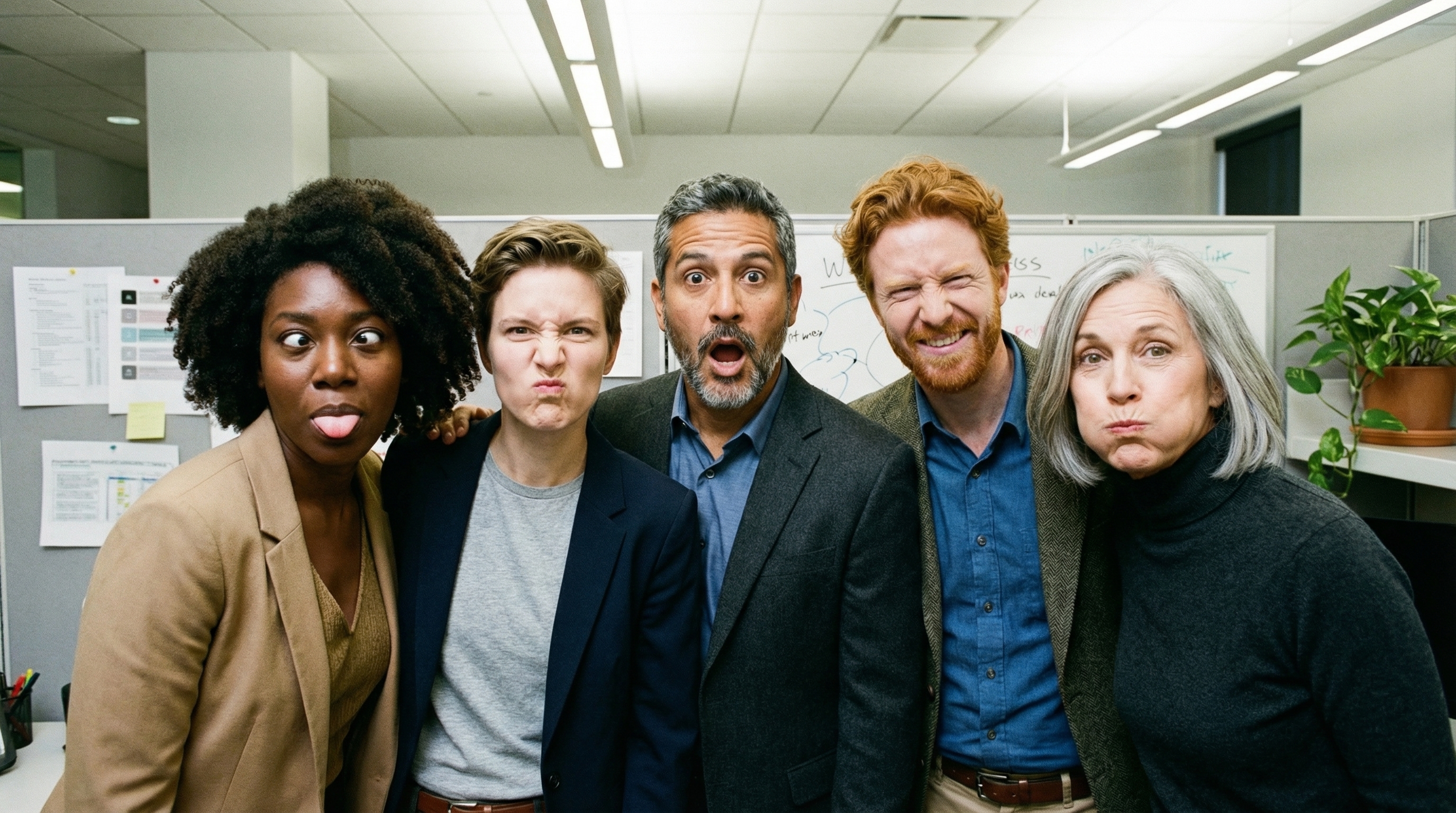
Gemini 3 图片模型可让您混合使用最多 14 张参考图片。这 14 张图片可以包含以下内容:
| Gemini 3.1 Flash Lite 映像 | Gemini 3.1 Flash Image | Gemini 3 Pro Image |
|---|---|---|
| 最多 14 张高保真对象图片,用于包含在最终图片中 | 最多 10 张高保真对象图片,用于添加到最终图片中 | 最多 6 张高保真对象图片,用于添加到最终图片中 |
| 不适用 | 最多 4 张角色图片,以保持角色画风一致 | 最多 5 张角色图片,以保持角色一致性 |
| 不适用 | 不适用 | 最多可使用 3 张图片作为样式参考 |
Python
from google import genai
from google.genai import types
from PIL import Image
import base64

prompt = "An office group photo of these people, they are making funny faces."

client = genai.Client()

interaction = client.interactions.create(
    model="gemini-3.1-flash-image",
    input=[
        {
            "type": "text",
            "text": prompt,
        },
        {
            "type": "image",
            "data": base64.b64encode(image_bytes).decode('utf-8'),
            "mime_type": "image/png"
        },
        {
            "type": "image",
            "data": base64.b64encode(image_bytes).decode('utf-8'),
            "mime_type": "image/png"
        },
        {
            "type": "image",
            "data": base64.b64encode(image_bytes).decode('utf-8'),
            "mime_type": "image/png"
        },
        {
            "type": "image",
            "data": base64.b64encode(image_bytes).decode('utf-8'),
            "mime_type": "image/png"
        },
        {
            "type": "image",
            "data": base64.b64encode(image_bytes).decode('utf-8'),
            "mime_type": "image/png"
        },
    ],
    response_format={
        "type": "image",
        "aspect_ratio": "5:4",
        "image_size": "2K"
    },
)

with open("office.png", "wb") as f:
    f.write(base64.b64decode(interaction.output_image.data))
JavaScript
import { GoogleGenAI } from "@google/genai";
import * as fs from "node:fs";

async function main() {
  const ai = new GoogleGenAI({});

  const input = [
    {
      type: "text",
      text: "An office group photo of these people, they are making funny faces.",
    },
    { type: "image", mime_type: "image/jpeg", data: base64ImageFile1 },
    { type: "image", mime_type: "image/jpeg", data: base64ImageFile2 },
    { type: "image", mime_type: "image/jpeg", data: base64ImageFile3 },
    { type: "image", mime_type: "image/jpeg", data: base64ImageFile4 },
    { type: "image", mime_type: "image/jpeg", data: base64ImageFile5 },
  ];

  const interaction = await ai.interactions.create({
    model: "gemini-3.1-flash-image",
    input: input,
    response_format: {
      type: "image",
      aspect_ratio: "5:4",
      image_size: "2K",
    },
  });

  const buffer = Buffer.from(interaction.output_image.data, 'base64');

  fs.writeFileSync('office.png', buffer);
}

main();
Java
import com.google.genai.Client;
import com.google.genai.gaos.models.interactions.Content;
import com.google.genai.gaos.models.interactions.CreateModelInteraction;
import com.google.genai.gaos.models.interactions.CreateModelInteractionResponseFormat;
import com.google.genai.gaos.models.interactions.ImageContent;
import com.google.genai.gaos.models.interactions.ImageContentMimeType;
import com.google.genai.gaos.models.interactions.ImageResponseFormat;
import com.google.genai.gaos.models.interactions.ImageResponseFormatAspectRatio;
import com.google.genai.gaos.models.interactions.ImageResponseFormatImageSize;
import com.google.genai.gaos.models.interactions.Interaction;
import com.google.genai.gaos.models.interactions.InteractionsInput;
import com.google.genai.gaos.models.interactions.Model;
import com.google.genai.gaos.models.interactions.ResponseFormat;
import com.google.genai.gaos.models.interactions.TextContent;
import com.google.genai.gaos.models.operations.CreateInteractionRequestBody;
import java.nio.file.Files;
import java.nio.file.Paths;
import java.util.Arrays;
import java.util.Base64;
import java.util.List;

String prompt = "An office group photo of these people, they are making funny faces.";

byte[] imageBytes = Files.readAllBytes(Paths.get("/path/to/person.png"));
String base64Image = Base64.getEncoder().encodeToString(imageBytes);

Content textContent = TextContent.builder().text(prompt).build();
Content imageContent =
    ImageContent.builder()
        .data(base64Image)
        .mimeType(ImageContentMimeType.IMAGE_PNG)
        .build();

List<Content> contents =
    Arrays.asList(
        textContent,
        imageContent,
        imageContent,
        imageContent,
        imageContent,
        imageContent);

CreateModelInteractionResponseFormat format =
    CreateModelInteractionResponseFormat.of(
        ResponseFormat.of(
            ImageResponseFormat.builder()
                .aspectRatio(ImageResponseFormatAspectRatio.of("5:4"))
                .imageSize(ImageResponseFormatImageSize.TWO_K)
                .build()));

Client client = new Client();

CreateModelInteraction params =
    CreateModelInteraction.builder()
        .model(Model.of("gemini-3.1-flash-image"))
        .input(InteractionsInput.ofContent(contents))
        .responseFormat(format)
        .build();

Interaction interaction =
    client.interactions.create(CreateInteractionRequestBody.of(params)).interaction().get();

if (interaction.outputImage().isPresent()
    && interaction.outputImage().get().data().isPresent()) {
  byte[] outBytes =
      Base64.getDecoder().decode(interaction.outputImage().get().data().get());
  Files.write(Paths.get("office.png"), outBytes);
}
Go
package main

import (
    "context"
    "encoding/base64"
    "log"
    "os"

    "google.golang.org/genai"
    "google.golang.org/genai/interactions/models/interactions"
    "google.golang.org/genai/interactions/models/operations"
)

func main() {
    ctx := context.Background()
    client, err := genai.NewClient(ctx, nil)
    if err != nil {
        log.Fatal(err)
    }

    prompt := "An office group photo of these people, they are making funny faces."

    imageBytes, err := os.ReadFile("/path/to/person.png")
    if err != nil {
        log.Fatal(err)
    }
    base64Image := base64.StdEncoding.EncodeToString(imageBytes)

    textContent := interactions.NewContent(interactions.TextContent{
        Text: prompt,
    })
    imageContent := interactions.NewContent(interactions.ImageContent{
        Data:     genai.Ptr(base64Image),
        MimeType: interactions.ImageContentMimeTypeImagePng.ToPointer(),
    })

    contents := []interactions.Content{
        textContent,
        imageContent,
        imageContent,
        imageContent,
        imageContent,
        imageContent,
    }

    format := interactions.NewCreateModelInteractionResponseFormat(
        interactions.NewResponseFormat(interactions.ImageResponseFormat{
            AspectRatio: interactions.ImageResponseFormatAspectRatio("5:4").ToPointer(),
            ImageSize:   interactions.ImageResponseFormatImageSizeTwoK.ToPointer(),
        }),
    )

    res, err := client.Interactions.Create(ctx, operations.CreateInteractionRequest{
        Body: operations.NewCreateInteractionRequestBody(interactions.CreateModelInteraction{
            Model:          interactions.Model("gemini-3.1-flash-image"),
            Input:          interactions.NewInteractionsInput(contents),
            ResponseFormat: genai.Ptr(format),
        }),
    })
    if err != nil {
        log.Fatal(err)
    }

    if res.Interaction.OutputImage != nil && res.Interaction.OutputImage.Data != nil {
        outBytes, err := base64.StdEncoding.DecodeString(*res.Interaction.OutputImage.Data)
        if err != nil {
            log.Fatal(err)
        }
        if err := os.WriteFile("office.png", outBytes, 0644); err != nil {
            log.Fatal(err)
        }
    }
}
REST
curl -s -X POST \
  "https://generativelanguage.googleapis.com/v1beta/interactions" \
    -H "x-goog-api-key: $GEMINI_API_KEY" \
    -H 'Content-Type: application/json' \
    -d "{
      \"model\": \"gemini-3.1-flash-image\",
      \"input\": [
        {\"type\": \"text\", \"text\": \"An office group photo of these people, they are making funny faces.\"},
        {\"type\": \"image\", \"mime_type\": \"image/png\", \"data\": \"<BASE64_DATA_IMG_1>\"},
        {\"type\": \"image\", \"mime_type\": \"image/png\", \"data\": \"<BASE64_DATA_IMG_2>\"},
        {\"type\": \"image\", \"mime_type\": \"image/png\", \"data\": \"<BASE64_DATA_IMG_3>\"},
        {\"type\": \"image\", \"mime_type\": \"image/png\", \"data\": \"<BASE64_DATA_IMG_4>\"},
        {\"type\": \"image\", \"mime_type\": \"image/png\", \"data\": \"<BASE64_DATA_IMG_5>\"}
      ],
      \"response_format\": {
        \"type\": \"image\",
        \"aspect_ratio\": \"5:4\",
        \"image_size\": \"2K\"
      }
    }"
依托 Google 搜索进行接地
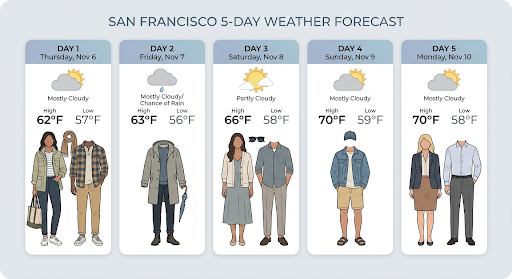
使用 Google 搜索工具根据实时信息(例如天气预报、股市图表或近期活动)生成图片。
请注意,将“依托 Google 搜索进行接地”与图片生成功能搭配使用时,基于图片的搜索结果不会传递给生成模型,并且会从回答中排除(请参阅依托 Google 图片搜索进行接地)。
Python
from google import genai
from google.genai import types
import base64
prompt = "Visualize the current weather forecast for the next 5 days in San Francisco as a clean, modern weather chart. Add a visual on what I should wear each day"

client = genai.Client()

interaction = client.interactions.create(
    model="gemini-3.1-flash-image",
    input=prompt,
    tools=[{"type": "google_search"}],
    response_format={
        "type": "image",
        "mime_type": "image/jpeg",
        "aspect_ratio": "16:9"
    },
)

with open("weather.png", "wb") as f:
    f.write(base64.b64decode(interaction.output_image.data))
JavaScript
import { GoogleGenAI } from "@google/genai";
import * as fs from "node:fs";

async function main() {
  const ai = new GoogleGenAI({});

  const interaction = await ai.interactions.create({
    model: "gemini-3.1-flash-image",
    input: "Visualize the current weather forecast for the next 5 days in San Francisco as a clean, modern weather chart. Add a visual on what I should wear each day",
    tools: [{"type": "google_search"}],
    response_format: {
      type: "image",
      mime_type: "image/png",
      aspect_ratio: "16:9",
      image_size: "2K"
    },
  });

  const buffer = Buffer.from(interaction.output_image.data, 'base64');

  fs.writeFileSync('weather.png', buffer);
}

main();
Java
import com.google.genai.Client;
import com.google.genai.gaos.models.interactions.CreateModelInteraction;
import com.google.genai.gaos.models.interactions.CreateModelInteractionResponseFormat;
import com.google.genai.gaos.models.interactions.GoogleSearch;
import com.google.genai.gaos.models.interactions.ImageResponseFormat;
import com.google.genai.gaos.models.interactions.ImageResponseFormatAspectRatio;
import com.google.genai.gaos.models.interactions.ImageResponseFormatMimeType;
import com.google.genai.gaos.models.interactions.Interaction;
import com.google.genai.gaos.models.interactions.InteractionsInput;
import com.google.genai.gaos.models.interactions.Model;
import com.google.genai.gaos.models.interactions.ResponseFormat;
import com.google.genai.gaos.models.operations.CreateInteractionRequestBody;
import java.nio.file.Files;
import java.nio.file.Paths;
import java.util.Arrays;
import java.util.Base64;

String prompt =
    "Visualize the current weather forecast for the next 5 days in San Francisco as a clean, modern weather chart. Add a visual on what I should wear each day";

Client client = new Client();

CreateModelInteractionResponseFormat format =
    CreateModelInteractionResponseFormat.of(
        ResponseFormat.of(
            ImageResponseFormat.builder()
                .mimeType(ImageResponseFormatMimeType.IMAGE_JPEG)
                .aspectRatio(ImageResponseFormatAspectRatio.of("16:9"))
                .build()));

CreateModelInteraction params =
    CreateModelInteraction.builder()
        .model(Model.of("gemini-3.1-flash-image"))
        .input(InteractionsInput.of(prompt))
        .tools(Arrays.asList(new GoogleSearch()))
        .responseFormat(format)
        .build();

Interaction interaction =
    client.interactions.create(CreateInteractionRequestBody.of(params)).interaction().get();

if (interaction.outputImage().isPresent()
    && interaction.outputImage().get().data().isPresent()) {
  byte[] imageBytes =
      Base64.getDecoder().decode(interaction.outputImage().get().data().get());
  Files.write(Paths.get("weather.png"), imageBytes);
}
Go
package main

import (
    "context"
    "encoding/base64"
    "log"
    "os"

    "google.golang.org/genai"
    "google.golang.org/genai/interactions/models/interactions"
    "google.golang.org/genai/interactions/models/operations"
)

func main() {
    ctx := context.Background()
    client, err := genai.NewClient(ctx, nil)
    if err != nil {
        log.Fatal(err)
    }

    prompt := "Visualize the current weather forecast for the next 5 days in San Francisco as a clean, modern weather chart. Add a visual on what I should wear each day"

    format := interactions.NewCreateModelInteractionResponseFormat(
        interactions.NewResponseFormat(interactions.ImageResponseFormat{
            MimeType:    interactions.ImageResponseFormatMimeTypeImageJpeg.ToPointer(),
            AspectRatio: interactions.ImageResponseFormatAspectRatio("16:9").ToPointer(),
        }),
    )

    res, err := client.Interactions.Create(ctx, operations.CreateInteractionRequest{
        Body: operations.NewCreateInteractionRequestBody(interactions.CreateModelInteraction{
            Model: interactions.Model("gemini-3.1-flash-image"),
            Input: interactions.NewInteractionsInput(prompt),
            Tools: []interactions.Tool{
                interactions.NewTool(interactions.GoogleSearch{}),
            },
            ResponseFormat: genai.Ptr(format),
        }),
    })
    if err != nil {
        log.Fatal(err)
    }

    if res.Interaction.OutputImage != nil && res.Interaction.OutputImage.Data != nil {
        imageBytes, err := base64.StdEncoding.DecodeString(*res.Interaction.OutputImage.Data)
        if err != nil {
            log.Fatal(err)
        }
        if err := os.WriteFile("weather.png", imageBytes, 0644); err != nil {
            log.Fatal(err)
        }
    }
}
REST
curl -s -X POST \
  "https://generativelanguage.googleapis.com/v1beta/interactions" \
  -H "x-goog-api-key: $GEMINI_API_KEY" \
  -H "Content-Type: application/json" \
  -d '{
    "model": "gemini-3.1-flash-image",
    "input": [
      {"type": "text", "text": "Visualize the current weather forecast for the next 5 days in San Francisco as a clean, modern weather chart. Add a visual on what I should wear each day"}
    ],
    "tools": [{"type": "google_search"}],
    "response_format": {
      "type": "image",
      "mime_type": "image/jpeg",
      "aspect_ratio": "16:9"
    }
  }'
响应包含 google_search_call 和 google_search_result 步骤,以及文本步骤中的内嵌 url_citation 注释:
google_search_result:包含search_suggestions,一个用于在界面中呈现搜索建议的 HTML 代码段。url_citation注释:文本步骤中的内嵌引用,用于将回答的各个部分链接到其网络来源。
依托 Google 搜索进行接地,以获取图片 (3.1 Flash)
借助“依托 Google 图片搜索进行接地”功能,模型可以使用通过 Google 图片搜索检索到的网络图片作为图片生成的视觉上下文。图片搜索是“使用 Google 搜索进行接地”工具中的一种新搜索类型,可与标准网页搜索配合使用。
如需启用图片搜索,请在 API 请求中配置 google_search 工具,并在 search_types 数组中指定 image_search。图片搜索可以单独使用,也可以与网页搜索一起使用。
Python
from google import genai

client = genai.Client()

interaction = client.interactions.create(
    model="gemini-3.1-flash-image",
    input="A detailed painting of a Timareta butterfly resting on a flower",
    tools=[{
      "type": "google_search",
      "search_types": ["web_search", "image_search"]
    }]
)
JavaScript
import { GoogleGenAI } from "@google/genai";

async function main() {
  const ai = new GoogleGenAI({});

  const interaction = await ai.interactions.create({
    model: "gemini-3.1-flash-image",
    input: "A detailed painting of a Timareta butterfly resting on a flower",
    tools: [{
      "type": "google_search",
      "search_types": ["web_search", "image_search"]
    }]
  });
}

main();
Java
import com.google.genai.Client;
import com.google.genai.gaos.models.interactions.CreateModelInteraction;
import com.google.genai.gaos.models.interactions.GoogleSearch;
import com.google.genai.gaos.models.interactions.GoogleSearchSearchType;
import com.google.genai.gaos.models.interactions.Interaction;
import com.google.genai.gaos.models.interactions.InteractionsInput;
import com.google.genai.gaos.models.interactions.Model;
import com.google.genai.gaos.models.operations.CreateInteractionRequestBody;
import java.util.Arrays;

Client client = new Client();

GoogleSearch searchTool =
    GoogleSearch.builder()
        .searchTypes(
            Arrays.asList(
                GoogleSearchSearchType.WEB_SEARCH, GoogleSearchSearchType.IMAGE_SEARCH))
        .build();

CreateModelInteraction params =
    CreateModelInteraction.builder()
        .model(Model.of("gemini-3.1-flash-image"))
        .input(
            InteractionsInput.of(
                "A detailed painting of a Timareta butterfly resting on a flower"))
        .tools(Arrays.asList(searchTool))
        .build();

Interaction interaction =
    client.interactions.create(CreateInteractionRequestBody.of(params)).interaction().get();
Go
package main

import (
    "context"
    "log"

    "google.golang.org/genai"
    "google.golang.org/genai/interactions/models/interactions"
    "google.golang.org/genai/interactions/models/operations"
)

func main() {
    ctx := context.Background()
    client, err := genai.NewClient(ctx, nil)
    if err != nil {
        log.Fatal(err)
    }

    searchTool := interactions.GoogleSearch{
        SearchTypes: []interactions.GoogleSearchSearchType{
            interactions.GoogleSearchSearchTypeWebSearch,
            interactions.GoogleSearchSearchTypeImageSearch,
        },
    }

    res, err := client.Interactions.Create(ctx, operations.CreateInteractionRequest{
        Body: operations.NewCreateInteractionRequestBody(interactions.CreateModelInteraction{
            Model: interactions.Model("gemini-3.1-flash-image"),
            Input: interactions.NewInteractionsInput("A detailed painting of a Timareta butterfly resting on a flower"),
            Tools: []interactions.Tool{
                interactions.NewTool(searchTool),
            },
        }),
    })
    if err != nil {
        log.Fatal(err)
    }
    _ = res
}
REST
curl -s -X POST \
  "https://generativelanguage.googleapis.com/v1beta/interactions" \
  -H "x-goog-api-key: $GEMINI_API_KEY" \
  -H "Content-Type: application/json" \
  -d '{
    "model": "gemini-3.1-flash-image",
    "input": "A detailed painting of a Timareta butterfly resting on a flower",
    "tools": [{"type": "google_search", "search_types": ["web_search", "image_search"]}]
  }'
展示要求
在“依托 Google 搜索进行接地”功能中使用图片搜索时,您必须显示google_search_result步骤中的 search_suggestions。如需了解完整的使用要求,请参阅服务条款。
答案
对于使用图片搜索的有依据的回答,API 会在回答步骤中返回内嵌引用和提供方信息元数据:
url_citation注释:model_output中文本内容块的内嵌引用,用于将生成的内容链接到其来源。google_search_result:包含search_suggestions,这是一个用于在界面中呈现搜索建议的 HTML 代码段。
视频转图片生成(3.1 Flash 和 3.1 Flash Lite)
借助视频到图片生成功能,您可以将视频的上下文作为多模态参考,生成新图片。这对于创建高质量的视频缩略图、电影海报、摘要信息图表或受视频场景启发的新作品非常有用。
在生成过程中,模型会分析视频帧的上下文以提取视觉主题和关键事件,然后将这些信息与您的文本提示一起用于合成输出图片。
您可以在 API 请求中直接传递公开的 YouTube 网址,也可以使用 Files API 上传本地视频文件。
Python
from google import genai
from google.genai import types
import base64

client = genai.Client()

interaction = client.interactions.create(
    model="gemini-3.1-flash-image",
    input=[
        {
            "type": "video",
            "uri": "https://www.youtube.com/watch?v=UTdfxFyOQTI",
            "mime_type": "video/mp4"
        },
        {"type": "text", "text": "Generate a poster image that captures the key themes of this video."}
    ],
    response_format={"type": "image", "aspect_ratio": "16:9"}
)

# Save the generated image part
for step in interaction.steps:
    if step.type == "model_output":
        for content_block in step.content:
            if content_block.type == "text":
                print(content_block.text)
            elif content_block.type == "image":
                with open("video_poster.png", "wb") as f:
                    f.write(base64.b64decode(content_block.data))
                print("Image saved as video_poster.png")
JavaScript
import { GoogleGenAI } from "@google/genai";
import * as fs from "node:fs";

async function main() {
  const ai = new GoogleGenAI({});

  const interaction = await ai.interactions.create({
    model: "gemini-3.1-flash-image",
    input: [
      {
        type: "video",
        uri: "https://www.youtube.com/watch?v=UTdfxFyOQTI",
        mime_type: "video/mp4"
      },
      { type: "text", text: "Generate a poster image that captures the key themes of this video." }
    ],
    response_format: {
      type: "image",
      aspect_ratio: "16:9"
    }
  });

  for (const step of interaction.steps) {
    if (step.type === "model_output") {
      for (const contentBlock of step.content) {
        if (contentBlock.type === "text") {
          console.log(contentBlock.text);
        } else if (contentBlock.type === "image") {
          const buffer = Buffer.from(contentBlock.data, "base64");
          fs.writeFileSync("video_poster.png", buffer);
          console.log("Image saved as video_poster.png");
        }
      }
    }
  }
}

main();
Java
import com.google.genai.Client;
import com.google.genai.gaos.models.interactions.Content;
import com.google.genai.gaos.models.interactions.CreateModelInteraction;
import com.google.genai.gaos.models.interactions.CreateModelInteractionResponseFormat;
import com.google.genai.gaos.models.interactions.ImageContent;
import com.google.genai.gaos.models.interactions.ImageResponseFormat;
import com.google.genai.gaos.models.interactions.ImageResponseFormatAspectRatio;
import com.google.genai.gaos.models.interactions.Interaction;
import com.google.genai.gaos.models.interactions.InteractionsInput;
import com.google.genai.gaos.models.interactions.Model;
import com.google.genai.gaos.models.interactions.ModelOutputStep;
import com.google.genai.gaos.models.interactions.ResponseFormat;
import com.google.genai.gaos.models.interactions.Step;
import com.google.genai.gaos.models.interactions.TextContent;
import com.google.genai.gaos.models.interactions.VideoContent;
import com.google.genai.gaos.models.interactions.VideoContentMimeType;
import com.google.genai.gaos.models.operations.CreateInteractionRequestBody;
import java.nio.file.Files;
import java.nio.file.Paths;
import java.util.Arrays;
import java.util.Base64;
import java.util.List;

Client client = new Client();

Content videoContent =
    VideoContent.builder()
        .uri("https://www.youtube.com/watch?v=UTdfxFyOQTI")
        .mimeType(VideoContentMimeType.VIDEO_MP4)
        .build();
Content textContent =
    TextContent.builder()
        .text("Generate a poster image that captures the key themes of this video.")
        .build();

List<Content> contents = Arrays.asList(videoContent, textContent);

CreateModelInteractionResponseFormat format =
    CreateModelInteractionResponseFormat.of(
        ResponseFormat.of(
            ImageResponseFormat.builder()
                .aspectRatio(ImageResponseFormatAspectRatio.of("16:9"))
                .build()));

CreateModelInteraction params =
    CreateModelInteraction.builder()
        .model(Model.of("gemini-3.1-flash-image"))
        .input(InteractionsInput.ofContent(contents))
        .responseFormat(format)
        .build();

Interaction interaction =
    client.interactions.create(CreateInteractionRequestBody.of(params)).interaction().get();

if (interaction.steps().isPresent()) {
  for (Step step : interaction.steps().get()) {
    if (step instanceof ModelOutputStep) {
      ModelOutputStep outputStep = (ModelOutputStep) step;
      if (outputStep.content().isPresent()) {
        for (Content block : outputStep.content().get()) {
          if (block instanceof TextContent) {
            System.out.println(((TextContent) block).text().orElse(""));
          } else if (block instanceof ImageContent) {
            ImageContent img = (ImageContent) block;
            if (img.data().isPresent()) {
              byte[] imgBytes = Base64.getDecoder().decode(img.data().get());
              Files.write(Paths.get("video_poster.png"), imgBytes);
              System.out.println("Image saved as video_poster.png");
            }
          }
        }
      }
    }
  }
}
Go
package main

import (
    "context"
    "encoding/base64"
    "fmt"
    "log"
    "os"

    "google.golang.org/genai"
    "google.golang.org/genai/interactions/models/interactions"
    "google.golang.org/genai/interactions/models/operations"
)

func main() {
    ctx := context.Background()
    client, err := genai.NewClient(ctx, nil)
    if err != nil {
        log.Fatal(err)
    }

    contents := []interactions.Content{
        interactions.NewContent(interactions.VideoContent{
            URI:      genai.Ptr("https://www.youtube.com/watch?v=UTdfxFyOQTI"),
            MimeType: interactions.VideoContentMimeTypeVideoMp4.ToPointer(),
        }),
        interactions.NewContent(interactions.TextContent{
            Text: "Generate a poster image that captures the key themes of this video.",
        }),
    }

    format := interactions.NewCreateModelInteractionResponseFormat(
        interactions.NewResponseFormat(interactions.ImageResponseFormat{
            AspectRatio: interactions.ImageResponseFormatAspectRatio("16:9").ToPointer(),
        }),
    )

    res, err := client.Interactions.Create(ctx, operations.CreateInteractionRequest{
        Body: operations.NewCreateInteractionRequestBody(interactions.CreateModelInteraction{
            Model:          interactions.Model("gemini-3.1-flash-image"),
            Input:          interactions.NewInteractionsInput(contents),
            ResponseFormat: genai.Ptr(format),
        }),
    })
    if err != nil {
        log.Fatal(err)
    }

    for _, step := range res.Interaction.Steps {
        if step.ModelOutputStep != nil {
            for _, block := range step.ModelOutputStep.Content {
                if block.TextContent != nil {
                    fmt.Println(block.TextContent.Text)
                } else if block.ImageContent != nil && block.ImageContent.Data != nil {
                    imgBytes, err := base64.StdEncoding.DecodeString(*block.ImageContent.Data)
                    if err != nil {
                        log.Fatal(err)
                    }
                    if err := os.WriteFile("video_poster.png", imgBytes, 0644); err != nil {
                        log.Fatal(err)
                    }
                    fmt.Println("Image saved as video_poster.png")
                }
            }
        }
    }
}
REST
curl -s -X POST \
  "https://generativelanguage.googleapis.com/v1beta/interactions" \
  -H "x-goog-api-key: $GEMINI_API_KEY" \
  -H 'Content-Type: application/json' \
  -d '{
    "model": "gemini-3.1-flash-image",
    "input": [
      {
        "type": "video",
        "uri": "https://www.youtube.com/watch?v=UTdfxFyOQTI",
        "mime_type": "video/mp4"
      },
      {
        "type": "text",
        "text": "Generate a poster image that captures the key themes of this video."
      }
    ],
    "response_format": {
      "type": "image",
      "aspect_ratio": "16:9"
    }
  }'
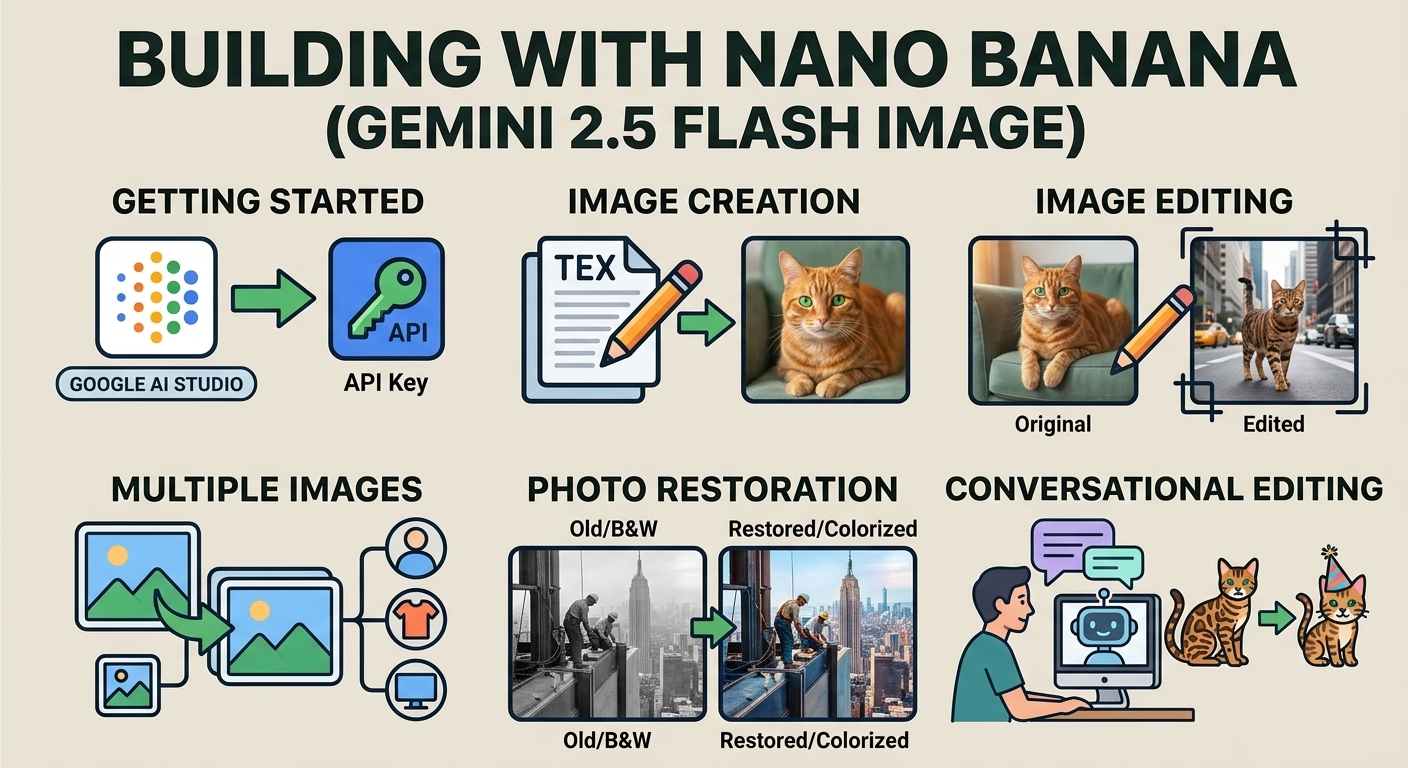
生成分辨率最高为 4K 的图片
Gemini 3 Image 模型默认生成 1K 图片,但也可以输出 2K、4K 和 512 像素 (0.5K)(仅限 Gemini 3.1 Flash Image)图片。如需生成更高分辨率的素材资源,请在 response_format 中指定 image_size。
您必须使用大写“K”(例如 512px (05.K)、1K、2K、4K)。系统会拒绝小写参数(例如 1k)。
Python
from google import genai
from google.genai import types
import base64

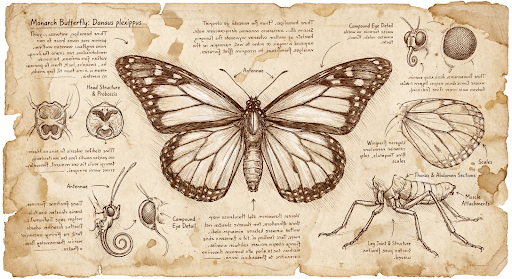
prompt = "Da Vinci style anatomical sketch of a dissected Monarch butterfly. Detailed drawings of the head, wings, and legs on textured parchment with notes in English."

client = genai.Client()

interaction = client.interactions.create(
    model="gemini-3.1-flash-image",
    input=prompt,
    response_format={
        "type": "image",
        "mime_type": "image/jpeg",
        "aspect_ratio": "1:1",
        "image_size": "1K"
    },
)

print(interaction.output_text)

with open("butterfly.png", "wb") as f:
    f.write(base64.b64decode(interaction.output_image.data))
JavaScript
import { GoogleGenAI } from "@google/genai";
import * as fs from "node:fs";

async function main() {
  const ai = new GoogleGenAI({});

  const interaction = await ai.interactions.create({
    model: "gemini-3.1-flash-image",
    input: "Da Vinci style anatomical sketch of a dissected Monarch butterfly. Detailed drawings of the head, wings, and legs on textured parchment with notes in English.",
    response_format: {
      type: "image",
      mime_type: "image/png",
      aspect_ratio: "1:1",
      image_size: "1K",
    },
  });

  console.log(interaction.output_text);

  const buffer = Buffer.from(interaction.output_image.data, 'base64');

  fs.writeFileSync('butterfly.png', buffer);
}

main();
Java
import com.google.genai.Client;
import com.google.genai.gaos.models.interactions.CreateModelInteraction;
import com.google.genai.gaos.models.interactions.CreateModelInteractionResponseFormat;
import com.google.genai.gaos.models.interactions.ImageResponseFormat;
import com.google.genai.gaos.models.interactions.ImageResponseFormatAspectRatio;
import com.google.genai.gaos.models.interactions.ImageResponseFormatImageSize;
import com.google.genai.gaos.models.interactions.ImageResponseFormatMimeType;
import com.google.genai.gaos.models.interactions.Interaction;
import com.google.genai.gaos.models.interactions.InteractionsInput;
import com.google.genai.gaos.models.interactions.Model;
import com.google.genai.gaos.models.interactions.ResponseFormat;
import com.google.genai.gaos.models.operations.CreateInteractionRequestBody;
import java.nio.file.Files;
import java.nio.file.Paths;
import java.util.Base64;

String prompt =
    "Da Vinci style anatomical sketch of a dissected Monarch butterfly. Detailed drawings of the head, wings, and legs on textured parchment with notes in English.";

Client client = new Client();

CreateModelInteractionResponseFormat format =
    CreateModelInteractionResponseFormat.of(
        ResponseFormat.of(
            ImageResponseFormat.builder()
                .mimeType(ImageResponseFormatMimeType.IMAGE_JPEG)
                .aspectRatio(ImageResponseFormatAspectRatio.of("1:1"))
                .imageSize(ImageResponseFormatImageSize.ONE_K)
                .build()));

CreateModelInteraction params =
    CreateModelInteraction.builder()
        .model(Model.of("gemini-3.1-flash-image"))
        .input(InteractionsInput.of(prompt))
        .responseFormat(format)
        .build();

Interaction interaction =
    client.interactions.create(CreateInteractionRequestBody.of(params)).interaction().get();

System.out.println(interaction.outputText().orElse(""));

if (interaction.outputImage().isPresent()
    && interaction.outputImage().get().data().isPresent()) {
  byte[] imageBytes =
      Base64.getDecoder().decode(interaction.outputImage().get().data().get());
  Files.write(Paths.get("butterfly.png"), imageBytes);
}
Go
package main

import (
    "context"
    "encoding/base64"
    "fmt"
    "log"
    "os"

    "google.golang.org/genai"
    "google.golang.org/genai/interactions/models/interactions"
    "google.golang.org/genai/interactions/models/operations"
)

func main() {
    ctx := context.Background()
    client, err := genai.NewClient(ctx, nil)
    if err != nil {
        log.Fatal(err)
    }

    prompt := "Da Vinci style anatomical sketch of a dissected Monarch butterfly. Detailed drawings of the head, wings, and legs on textured parchment with notes in English."

    format := interactions.NewCreateModelInteractionResponseFormat(
        interactions.NewResponseFormat(interactions.ImageResponseFormat{
            MimeType:    interactions.ImageResponseFormatMimeTypeImageJpeg.ToPointer(),
            AspectRatio: interactions.ImageResponseFormatAspectRatio("1:1").ToPointer(),
            ImageSize:   interactions.ImageResponseFormatImageSizeOneK.ToPointer(),
        }),
    )

    res, err := client.Interactions.Create(ctx, operations.CreateInteractionRequest{
        Body: operations.NewCreateInteractionRequestBody(interactions.CreateModelInteraction{
            Model:          interactions.Model("gemini-3.1-flash-image"),
            Input:          interactions.NewInteractionsInput(prompt),
            ResponseFormat: genai.Ptr(format),
        }),
    })
    if err != nil {
        log.Fatal(err)
    }

    if res.Interaction.OutputText != nil {
        fmt.Println(*res.Interaction.OutputText)
    }

    if res.Interaction.OutputImage != nil && res.Interaction.OutputImage.Data != nil {
        imageBytes, err := base64.StdEncoding.DecodeString(*res.Interaction.OutputImage.Data)
        if err != nil {
            log.Fatal(err)
        }
        if err := os.WriteFile("butterfly.png", imageBytes, 0644); err != nil {
            log.Fatal(err)
        }
    }
}
REST
curl -s -X POST \
  "https://generativelanguage.googleapis.com/v1beta/interactions" \
  -H "x-goog-api-key: $GEMINI_API_KEY" \
  -H "Content-Type: application/json" \
  -d '{
    "model": "gemini-3.1-flash-image",
    "input": "Da Vinci style anatomical sketch of a dissected Monarch butterfly. Detailed drawings of the head, wings, and legs on textured parchment with notes in English.",
    "response_format": {
      "type": "image",
      "mime_type": "image/jpeg",
      "aspect_ratio": "1:1",
      "image_size": "1K"
    }
  }'
以下是根据此提示生成的示例图片:
思考过程
Gemini 3 图片模型是思考型模型,可使用推理流程(“思考”)处理复杂的提示。此功能默认处于启用状态,并且无法在 API 中停用。如需详细了解思考过程,请参阅 Gemini 思考指南。
模型最多会生成两张临时图片,以测试构图和逻辑。“思考”中的最后一张图片也是最终渲染的图片。
您可以查看生成最终图片所依据的想法。
Python
for step in interaction.steps:
    if step.type == "thought":
        for content_block in step.summary:
            if content_block.type == "text":
                print(content_block.text)
            elif content_block.type == "image":
                image = Image.open(io.BytesIO(base64.b64decode(content_block.data)))
                image.show()
JavaScript
for (const step of interaction.steps) {
  if (step.type === "thought") {
    for (const contentBlock of step.summary) {
      if (contentBlock.type === "text") {
        console.log(contentBlock.text);
      } else if (contentBlock.type === "image") {
        const buffer = Buffer.from(contentBlock.data, 'base64');
        fs.writeFileSync('thought_image.png', buffer);
      }
    }
  }
}
Java
import com.google.genai.Client;
import com.google.genai.gaos.models.interactions.CreateModelInteraction;
import com.google.genai.gaos.models.interactions.ImageContent;
import com.google.genai.gaos.models.interactions.Interaction;
import com.google.genai.gaos.models.interactions.InteractionsInput;
import com.google.genai.gaos.models.interactions.Model;
import com.google.genai.gaos.models.interactions.Step;
import com.google.genai.gaos.models.interactions.TextContent;
import com.google.genai.gaos.models.interactions.ThoughtStep;
import com.google.genai.gaos.models.interactions.ThoughtSummaryContent;
import com.google.genai.gaos.models.operations.CreateInteractionRequestBody;
import java.nio.file.Files;
import java.nio.file.Paths;
import java.util.Base64;

Client client = new Client();

CreateModelInteraction params =
    CreateModelInteraction.builder()
        .model(Model.of("gemini-3.1-flash-image"))
        .input(
            InteractionsInput.of(
                "A futuristic city built inside a giant glass bottle floating in space"))
        .build();

Interaction interaction =
    client.interactions.create(CreateInteractionRequestBody.of(params)).interaction().get();

if (interaction.steps().isPresent()) {
  for (Step step : interaction.steps().get()) {
    if (step instanceof ThoughtStep) {
      ThoughtStep thoughtStep = (ThoughtStep) step;
      if (thoughtStep.summary().isPresent()) {
        for (ThoughtSummaryContent contentBlock : thoughtStep.summary().get()) {
          if (contentBlock instanceof TextContent) {
            System.out.println(((TextContent) contentBlock).text().orElse(""));
          } else if (contentBlock instanceof ImageContent) {
            ImageContent img = (ImageContent) contentBlock;
            if (img.data().isPresent()) {
              byte[] imgBytes = Base64.getDecoder().decode(img.data().get());
              Files.write(Paths.get("thought_image.png"), imgBytes);
            }
          }
        }
      }
    }
  }
}
Go
package main

import (
    "context"
    "encoding/base64"
    "fmt"
    "log"
    "os"

    "google.golang.org/genai"
    "google.golang.org/genai/interactions/models/interactions"
    "google.golang.org/genai/interactions/models/operations"
)

func main() {
    ctx := context.Background()
    client, err := genai.NewClient(ctx, nil)
    if err != nil {
        log.Fatal(err)
    }

    res, err := client.Interactions.Create(ctx, operations.CreateInteractionRequest{
        Body: operations.NewCreateInteractionRequestBody(interactions.CreateModelInteraction{
            Model: interactions.Model("gemini-3.1-flash-image"),
            Input: interactions.NewInteractionsInput("A futuristic city built inside a giant glass bottle floating in space"),
        }),
    })
    if err != nil {
        log.Fatal(err)
    }

    for _, step := range res.Interaction.Steps {
        if step.ThoughtStep != nil {
            for _, contentBlock := range step.ThoughtStep.Summary {
                if contentBlock.TextContent != nil {
                    fmt.Println(contentBlock.TextContent.Text)
                } else if contentBlock.ImageContent != nil && contentBlock.ImageContent.Data != nil {
                    imgBytes, err := base64.StdEncoding.DecodeString(*contentBlock.ImageContent.Data)
                    if err != nil {
                        log.Fatal(err)
                    }
                    if err := os.WriteFile("thought_image.png", imgBytes, 0644); err != nil {
                        log.Fatal(err)
                    }
                }
            }
        }
    }
}
交织的文本和图片
虽然标准图片生成模型只能输出图片,但一些高级 Gemini 3 模型(例如 gemini-3-pro-image)可以生成交织的内容,例如在同一回答中包含文本块和插图的故事或说明指南。
由于输出复杂且交错,因此 .output_image 或 .output_text 等便利属性无法捕获完整序列。如需访问和保存交错的内容,您必须手动迭代 steps:
Python
interaction = client.interactions.create(
    model="gemini-3-pro-image",
    input="Write the story of the lifecycle of a monarch butterfly, interleave illustrations",
)

image_counter = 1
for step in interaction.steps:
    if step.type == "model_output":
        for content_block in step.content:
            if content_block.type == "text":
                print(content_block.text)
            elif content_block.type == "image":
                filename = f"butterfly_lifecycle_{image_counter}.png"
                with open(filename, "wb") as f:
                    f.write(base64.b64decode(content_block.data))
                print(f"\n[Saved illustration: {filename}]\n")
                image_counter += 1
JavaScript
const interaction = await ai.interactions.create({
    model: "gemini-3-pro-image",
    input: "Write the story of the lifecycle of a monarch butterfly, interleave illustrations",
});

let imageCounter = 1;
for (const step of interaction.steps) {
  if (step.type === "model_output") {
    for (const contentBlock of step.content) {
      if (contentBlock.type === "text") {
        console.log(contentBlock.text);
      } else if (contentBlock.type === "image") {
        const buffer = Buffer.from(contentBlock.data, "base64");
        const filename = `butterfly_lifecycle_${imageCounter}.png`;
        fs.writeFileSync(filename, buffer);
        console.log(`\n[Saved illustration: ${filename}]\n`);
        imageCounter++;
      }
    }
  }
}
Java
import com.google.genai.Client;
import com.google.genai.gaos.models.interactions.Content;
import com.google.genai.gaos.models.interactions.CreateModelInteraction;
import com.google.genai.gaos.models.interactions.ImageContent;
import com.google.genai.gaos.models.interactions.Interaction;
import com.google.genai.gaos.models.interactions.InteractionsInput;
import com.google.genai.gaos.models.interactions.Model;
import com.google.genai.gaos.models.interactions.ModelOutputStep;
import com.google.genai.gaos.models.interactions.Step;
import com.google.genai.gaos.models.interactions.TextContent;
import com.google.genai.gaos.models.operations.CreateInteractionRequestBody;
import java.nio.file.Files;
import java.nio.file.Paths;
import java.util.Base64;

Client client = new Client();

CreateModelInteraction params =
    CreateModelInteraction.builder()
        .model(Model.of("gemini-3-pro-image"))
        .input(
            InteractionsInput.of(
                "Write the story of the lifecycle of a monarch butterfly, interleave illustrations"))
        .build();

Interaction interaction =
    client.interactions.create(CreateInteractionRequestBody.of(params)).interaction().get();

int imageCounter = 1;
if (interaction.steps().isPresent()) {
  for (Step step : interaction.steps().get()) {
    if (step instanceof ModelOutputStep) {
      ModelOutputStep outputStep = (ModelOutputStep) step;
      if (outputStep.content().isPresent()) {
        for (Content contentBlock : outputStep.content().get()) {
          if (contentBlock instanceof TextContent) {
            System.out.println(((TextContent) contentBlock).text().orElse(""));
          } else if (contentBlock instanceof ImageContent) {
            ImageContent img = (ImageContent) contentBlock;
            if (img.data().isPresent()) {
              String filename = String.format("butterfly_lifecycle_%d.png", imageCounter);
              byte[] imgBytes = Base64.getDecoder().decode(img.data().get());
              Files.write(Paths.get(filename), imgBytes);
              System.out.printf("%n[Saved illustration: %s]%n", filename);
              imageCounter++;
            }
          }
        }
      }
    }
  }
}
Go
package main

import (
    "context"
    "encoding/base64"
    "fmt"
    "log"
    "os"

    "google.golang.org/genai"
    "google.golang.org/genai/interactions/models/interactions"
    "google.golang.org/genai/interactions/models/operations"
)

func main() {
    ctx := context.Background()
    client, err := genai.NewClient(ctx, nil)
    if err != nil {
        log.Fatal(err)
    }

    res, err := client.Interactions.Create(ctx, operations.CreateInteractionRequest{
        Body: operations.NewCreateInteractionRequestBody(interactions.CreateModelInteraction{
            Model: interactions.Model("gemini-3-pro-image"),
            Input: interactions.NewInteractionsInput("Write the story of the lifecycle of a monarch butterfly, interleave illustrations"),
        }),
    })
    if err != nil {
        log.Fatal(err)
    }

    imageCounter := 1
    for _, step := range res.Interaction.Steps {
        if step.ModelOutputStep != nil {
            for _, contentBlock := range step.ModelOutputStep.Content {
                if contentBlock.TextContent != nil {
                    fmt.Println(contentBlock.TextContent.Text)
                } else if contentBlock.ImageContent != nil && contentBlock.ImageContent.Data != nil {
                    filename := fmt.Sprintf("butterfly_lifecycle_%d.png", imageCounter)
                    imgBytes, err := base64.StdEncoding.DecodeString(*contentBlock.ImageContent.Data)
                    if err != nil {
                        log.Fatal(err)
                    }
                    if err := os.WriteFile(filename, imgBytes, 0644); err != nil {
                        log.Fatal(err)
                    }
                    fmt.Printf("\n[Saved illustration: %s]\n", filename)
                    imageCounter++
                }
            }
        }
    }
}
控制思考等级
借助 Gemini 3.1 Flash Image 和 Gemini 3.1 Flash Lite Image,您可以控制模型用于平衡质量和延迟的思考量。默认 thinking_level 为 minimal,支持的级别为 minimal 和 high。
Python
from google import genai
from PIL import Image
import base64
import io

client = genai.Client()

interaction = client.interactions.create(
    model="gemini-3.1-flash-image",
    input="A futuristic city built inside a giant glass bottle floating in space",
    generation_config={"thinking_level": "high"},
)

print(interaction.output_text)

image = Image.open(io.BytesIO(base64.b64decode(interaction.output_image.data)))

image.show()
JavaScript
import { GoogleGenAI } from "@google/genai";
import * as fs from "node:fs";

async function main() {
  const ai = new GoogleGenAI({});

  const interaction = await ai.interactions.create({
    model: "gemini-3.1-flash-image",
    input: "A futuristic city built inside a giant glass bottle floating in space",
    generation_config: { thinking_level: "high" },
  });

  console.log(interaction.output_text);

  const buffer = Buffer.from(interaction.output_image.data, 'base64');

  fs.writeFileSync('image.png', buffer);
}
main();
Java
import com.google.genai.Client;
import com.google.genai.gaos.models.interactions.CreateModelInteraction;
import com.google.genai.gaos.models.interactions.GenerationConfig;
import com.google.genai.gaos.models.interactions.Interaction;
import com.google.genai.gaos.models.interactions.InteractionsInput;
import com.google.genai.gaos.models.interactions.Model;
import com.google.genai.gaos.models.interactions.ThinkingLevel;
import com.google.genai.gaos.models.operations.CreateInteractionRequestBody;
import java.nio.file.Files;
import java.nio.file.Paths;
import java.util.Base64;

Client client = new Client();

CreateModelInteraction params =
    CreateModelInteraction.builder()
        .model(Model.of("gemini-3.1-flash-image"))
        .input(
            InteractionsInput.of(
                "A futuristic city built inside a giant glass bottle floating in space"))
        .generationConfig(GenerationConfig.builder().thinkingLevel(ThinkingLevel.HIGH).build())
        .build();

Interaction interaction =
    client.interactions.create(CreateInteractionRequestBody.of(params)).interaction().get();

System.out.println(interaction.outputText().orElse(""));

if (interaction.outputImage().isPresent()
    && interaction.outputImage().get().data().isPresent()) {
  byte[] imageBytes =
      Base64.getDecoder().decode(interaction.outputImage().get().data().get());
  Files.write(Paths.get("futuristic_city.png"), imageBytes);
}
Go
package main

import (
    "context"
    "encoding/base64"
    "fmt"
    "log"
    "os"

    "google.golang.org/genai"
    "google.golang.org/genai/interactions/models/interactions"
    "google.golang.org/genai/interactions/models/operations"
)

func main() {
    ctx := context.Background()
    client, err := genai.NewClient(ctx, nil)
    if err != nil {
        log.Fatal(err)
    }

    res, err := client.Interactions.Create(ctx, operations.CreateInteractionRequest{
        Body: operations.NewCreateInteractionRequestBody(interactions.CreateModelInteraction{
            Model: interactions.Model("gemini-3.1-flash-image"),
            Input: interactions.NewInteractionsInput("A futuristic city built inside a giant glass bottle floating in space"),
            GenerationConfig: &interactions.GenerationConfig{
                ThinkingLevel: interactions.ThinkingLevelHigh.ToPointer(),
            },
        }),
    })
    if err != nil {
        log.Fatal(err)
    }

    if res.Interaction.OutputText != nil {
        fmt.Println(*res.Interaction.OutputText)
    }

    if res.Interaction.OutputImage != nil && res.Interaction.OutputImage.Data != nil {
        imageBytes, err := base64.StdEncoding.DecodeString(*res.Interaction.OutputImage.Data)
        if err != nil {
            log.Fatal(err)
        }
        if err := os.WriteFile("futuristic_city.png", imageBytes, 0644); err != nil {
            log.Fatal(err)
        }
    }
}
REST
curl -s -X POST \
  "https://generativelanguage.googleapis.com/v1beta/interactions" \
  -H "x-goog-api-key: $GEMINI_API_KEY" \
  -H "Content-Type: application/json" \
  -d '{
    "model": "gemini-3.1-flash-image",
    "input": "A futuristic city built inside a giant glass bottle floating in space",
    "generation_config": {
      "thinking_level": "high"
    }
  }'
请注意,对于思考模型,系统默认会针对思考 token 收费,因为无论您是否查看思考过程,系统默认都会进行思考过程。
其他图片生成模式
虽然建议在大多数使用场景中使用 Nano Banana 图片生成模型,但您也可以探索专用图片生成模型:
- Imagen:Google 的旧版文本转图片模型(已关闭)。
- Veo:Google 的视频生成模型。
批量生成图片
本页介绍的所有图片生成功能也可以使用 Batch API 作为批处理作业运行,如果您需要生成大量图片,这会是理想之选。您可以获得更高的速率限制,但相应地,周转时间最长为 24 小时。
提示指南和策略
本部分提供了常见图片生成和修改工作流的提示示例和模板。每个示例都包含一个可重复使用的模板和一个适用于 Interactions API 的示例提示。
用于生成图片的提示
以下示例展示了如何使用文本提示生成各种类型的图片。
1. 逼真场景
详细描述一个场景。说明越具体,您对结果的控制就越好。
模板
A photorealistic [type of shot] of a [subject description] in a [setting
description]. [Description of the light]. Shot from a [camera angle]
with a [lens type].
提示
A photorealistic wide-angle shot of a vibrant coral reef teeming with tropical fish. Crystal-clear turquoise water with sunbeams filtering down from the surface, illuminating a sea turtle gliding gracefully over the coral. Shot from a low perspective with a wide-angle lens. Aspect ratio 16:9.
Python
from google import genai
from google.genai import types
import base64

client = genai.Client()

interaction = client.interactions.create(
    model="gemini-3.1-flash-image",
    input="A photorealistic wide-angle shot of a vibrant coral reef teeming with tropical fish. Crystal-clear turquoise water with sunbeams filtering down from the surface, illuminating a sea turtle gliding gracefully over the coral. Shot from a low perspective with a wide-angle lens. Aspect ratio 16:9.",
    response_format=[
        {
            "type": "image",
            "mime_type": "image/jpeg",
            "aspect_ratio": "16:9",
        }
    ],
)

print(interaction.output_text)

with open("coral_reef.png", "wb") as f:

    f.write(base64.b64decode(interaction.output_image.data))
JavaScript
import { GoogleGenAI } from "@google/genai";
import * as fs from "node:fs";

async function main() {
  const ai = new GoogleGenAI({});

  const interaction = await ai.interactions.create({
    model: "gemini-3.1-flash-image",
    input: "A photorealistic wide-angle shot of a vibrant coral reef teeming with tropical fish. Crystal-clear turquoise water with sunbeams filtering down from the surface, illuminating a sea turtle gliding gracefully over the coral. Shot from a low perspective with a wide-angle lens. Aspect ratio 16:9.",
    response_format: [
      {
        type: "image",
        mime_type: "image/jpeg",
        aspect_ratio: "16:9",
      }
    ],
  });
  console.log(interaction.output_text);

  const buffer = Buffer.from(interaction.output_image.data, 'base64');

  fs.writeFileSync('coral_reef.png', buffer);
}

main();
Java
import com.google.genai.Client;
import com.google.genai.gaos.models.interactions.CreateModelInteraction;
import com.google.genai.gaos.models.interactions.CreateModelInteractionResponseFormat;
import com.google.genai.gaos.models.interactions.ImageResponseFormat;
import com.google.genai.gaos.models.interactions.ImageResponseFormatAspectRatio;
import com.google.genai.gaos.models.interactions.ImageResponseFormatMimeType;
import com.google.genai.gaos.models.interactions.Interaction;
import com.google.genai.gaos.models.interactions.InteractionsInput;
import com.google.genai.gaos.models.interactions.Model;
import com.google.genai.gaos.models.interactions.ResponseFormat;
import com.google.genai.gaos.models.operations.CreateInteractionRequestBody;
import java.nio.file.Files;
import java.nio.file.Paths;
import java.util.Arrays;
import java.util.Base64;

Client client = new Client();

CreateModelInteractionResponseFormat format =
    CreateModelInteractionResponseFormat.of(
        Arrays.asList(
            ResponseFormat.of(
                ImageResponseFormat.builder()
                    .mimeType(ImageResponseFormatMimeType.IMAGE_JPEG)
                    .aspectRatio(ImageResponseFormatAspectRatio.of("16:9"))
                    .build())));

CreateModelInteraction params =
    CreateModelInteraction.builder()
        .model(Model.of("gemini-3.1-flash-image"))
        .input(
            InteractionsInput.of(
                "A photorealistic wide-angle shot of a vibrant coral reef teeming with tropical fish. Crystal-clear turquoise water with sunbeams filtering down from the surface, illuminating a sea turtle gliding gracefully over the coral. Shot from a low perspective with a wide-angle lens. Aspect ratio 16:9."))
        .responseFormat(format)
        .build();

Interaction interaction =
    client.interactions.create(CreateInteractionRequestBody.of(params)).interaction().get();

System.out.println(interaction.outputText().orElse(""));

if (interaction.outputImage().isPresent()
    && interaction.outputImage().get().data().isPresent()) {
  byte[] imageBytes =
      Base64.getDecoder().decode(interaction.outputImage().get().data().get());
  Files.write(Paths.get("coral_reef.png"), imageBytes);
}
Go
package main

import (
    "context"
    "encoding/base64"
    "fmt"
    "log"
    "os"

    "google.golang.org/genai"
    "google.golang.org/genai/interactions/models/interactions"
    "google.golang.org/genai/interactions/models/operations"
)

func main() {
    ctx := context.Background()
    client, err := genai.NewClient(ctx, nil)
    if err != nil {
        log.Fatal(err)
    }

    format := interactions.NewCreateModelInteractionResponseFormat([]interactions.ResponseFormat{
        interactions.NewResponseFormat(interactions.ImageResponseFormat{
            MimeType:    interactions.ImageResponseFormatMimeTypeImageJpeg.ToPointer(),
            AspectRatio: interactions.ImageResponseFormatAspectRatio("16:9").ToPointer(),
        }),
    })

    res, err := client.Interactions.Create(ctx, operations.CreateInteractionRequest{
        Body: operations.NewCreateInteractionRequestBody(interactions.CreateModelInteraction{
            Model:          interactions.Model("gemini-3.1-flash-image"),
            Input:          interactions.NewInteractionsInput("A photorealistic wide-angle shot of a vibrant coral reef teeming with tropical fish. Crystal-clear turquoise water with sunbeams filtering down from the surface, illuminating a sea turtle gliding gracefully over the coral. Shot from a low perspective with a wide-angle lens. Aspect ratio 16:9."),
            ResponseFormat: genai.Ptr(format),
        }),
    })
    if err != nil {
        log.Fatal(err)
    }

    if res.Interaction.OutputText != nil {
        fmt.Println(*res.Interaction.OutputText)
    }

    if res.Interaction.OutputImage != nil && res.Interaction.OutputImage.Data != nil {
        imageBytes, err := base64.StdEncoding.DecodeString(*res.Interaction.OutputImage.Data)
        if err != nil {
            log.Fatal(err)
        }
        if err := os.WriteFile("coral_reef.png", imageBytes, 0644); err != nil {
            log.Fatal(err)
        }
    }
}
REST
curl -s -X POST \
  "https://generativelanguage.googleapis.com/v1beta/interactions" \
  -H "x-goog-api-key: $GEMINI_API_KEY" \
  -H "Content-Type: application/json" \
  -d '{
    "model": "gemini-3.1-flash-image",
    "input": "A photorealistic wide-angle shot of a vibrant coral reef teeming with tropical fish. Crystal-clear turquoise water with sunbeams filtering down from the surface, illuminating a sea turtle gliding gracefully over the coral. Shot from a low perspective with a wide-angle lens. Aspect ratio 16:9.",
    "response_format": {
      "type": "image",
      "mime_type": "image/png",
      "aspect_ratio": "16:9"
    }
  }'
2. 风格化插图和贴纸
描述艺术风格、主题和媒介。请明确指定视觉细节(粗线条、颜色等),以确保获得一致的结果。
模板
A [style] of a [subject, with details about accessories or actions]
doing [activity]. The design features [visual qualities, e.g., bold outlines,
cel-shading, etc.] and [color/background preference].
提示
A kawaii-style sticker of a happy red panda wearing a tiny bamboo hat. It's munching on a green bamboo leaf. The design features bold, clean outlines, simple cel-shading, and a vibrant color palette. The background must be white.
Python
from google import genai
import base64

client = genai.Client()

interaction = client.interactions.create(
    model="gemini-3.1-flash-image",
    input="A kawaii-style sticker of a happy red panda wearing a tiny bamboo hat. It's munching on a green bamboo leaf. The design features bold, clean outlines, simple cel-shading, and a vibrant color palette. The background must be white.",
)

for step in interaction.steps:
    if step.type == "model_output":
        for content_block in step.content:
            if content_block.type == "text":
                print(content_block.text)
            elif content_block.type == "image":
                with open("red_panda_sticker.png", "wb") as f:
                    f.write(base64.b64decode(content_block.data))
JavaScript
import { GoogleGenAI } from "@google/genai";
import * as fs from "node:fs";

async function main() {
  const ai = new GoogleGenAI({});

  const interaction = await ai.interactions.create({
    model: "gemini-3.1-flash-image",
    input: "A kawaii-style sticker of a happy red panda wearing a tiny bamboo hat. It's munching on a green bamboo leaf. The design features bold, clean outlines, simple cel-shading, and a vibrant color palette. The background must be white.",
  });
  for (const step of interaction.steps) {
    if (step.type === "model_output") {
      for (const contentBlock of step.content) {
        if (contentBlock.type === "text") {
          console.log(contentBlock.text);
        } else if (contentBlock.type === "image") {
          const buffer = Buffer.from(contentBlock.data, "base64");
          fs.writeFileSync("red_panda_sticker.png", buffer);
        }
      }
    }
  }
}

main();
Java
import com.google.genai.Client;
import com.google.genai.gaos.models.interactions.Content;
import com.google.genai.gaos.models.interactions.CreateModelInteraction;
import com.google.genai.gaos.models.interactions.ImageContent;
import com.google.genai.gaos.models.interactions.Interaction;
import com.google.genai.gaos.models.interactions.InteractionsInput;
import com.google.genai.gaos.models.interactions.Model;
import com.google.genai.gaos.models.interactions.ModelOutputStep;
import com.google.genai.gaos.models.interactions.Step;
import com.google.genai.gaos.models.interactions.TextContent;
import com.google.genai.gaos.models.operations.CreateInteractionRequestBody;
import java.nio.file.Files;
import java.nio.file.Paths;
import java.util.Base64;

Client client = new Client();

CreateModelInteraction params =
    CreateModelInteraction.builder()
        .model(Model.of("gemini-3.1-flash-image"))
        .input(
            InteractionsInput.of(
                "A kawaii-style sticker of a happy red panda wearing a tiny bamboo hat. It's munching on a green bamboo leaf. The design features bold, clean outlines, simple cel-shading, and a vibrant color palette. The background must be white."))
        .build();

Interaction interaction =
    client.interactions.create(CreateInteractionRequestBody.of(params)).interaction().get();

if (interaction.steps().isPresent()) {
  for (Step step : interaction.steps().get()) {
    if (step instanceof ModelOutputStep) {
      ModelOutputStep outputStep = (ModelOutputStep) step;
      if (outputStep.content().isPresent()) {
        for (Content contentBlock : outputStep.content().get()) {
          if (contentBlock instanceof TextContent) {
            System.out.println(((TextContent) contentBlock).text().orElse(""));
          } else if (contentBlock instanceof ImageContent) {
            ImageContent img = (ImageContent) contentBlock;
            if (img.data().isPresent()) {
              byte[] imgBytes = Base64.getDecoder().decode(img.data().get());
              Files.write(Paths.get("red_panda_sticker.png"), imgBytes);
            }
          }
        }
      }
    }
  }
}
Go
package main

import (
    "context"
    "encoding/base64"
    "fmt"
    "log"
    "os"

    "google.golang.org/genai"
    "google.golang.org/genai/interactions/models/interactions"
    "google.golang.org/genai/interactions/models/operations"
)

func main() {
    ctx := context.Background()
    client, err := genai.NewClient(ctx, nil)
    if err != nil {
        log.Fatal(err)
    }

    res, err := client.Interactions.Create(ctx, operations.CreateInteractionRequest{
        Body: operations.NewCreateInteractionRequestBody(interactions.CreateModelInteraction{
            Model: interactions.Model("gemini-3.1-flash-image"),
            Input: interactions.NewInteractionsInput("A kawaii-style sticker of a happy red panda wearing a tiny bamboo hat. It's munching on a green bamboo leaf. The design features bold, clean outlines, simple cel-shading, and a vibrant color palette. The background must be white."),
        }),
    })
    if err != nil {
        log.Fatal(err)
    }

    for _, step := range res.Interaction.Steps {
        if step.ModelOutputStep != nil {
            for _, contentBlock := range step.ModelOutputStep.Content {
                if contentBlock.TextContent != nil {
                    fmt.Println(contentBlock.TextContent.Text)
                } else if contentBlock.ImageContent != nil && contentBlock.ImageContent.Data != nil {
                    imgBytes, err := base64.StdEncoding.DecodeString(*contentBlock.ImageContent.Data)
                    if err != nil {
                        log.Fatal(err)
                    }
                    if err := os.WriteFile("red_panda_sticker.png", imgBytes, 0644); err != nil {
                        log.Fatal(err)
                    }
                }
            }
        }
    }
}
REST
curl -s -X POST \
  "https://generativelanguage.googleapis.com/v1beta/interactions" \
  -H "x-goog-api-key: $GEMINI_API_KEY" \
  -H "Content-Type: application/json" \
  -d '{
    "model": "gemini-3.1-flash-image",
    "input": "A kawaii-style sticker of a happy red panda wearing a tiny bamboo hat. It is munching on a green bamboo leaf. The design features bold, clean outlines, simple cel-shading, and a vibrant color palette. The background must be white."
  }'

3. 图片中的文字准确无误
Gemini 在渲染文字方面表现出色。清楚说明文字、字体样式(描述性)和整体设计。使用 Gemini 3 Pro Image 制作专业素材资源。
模板
Create a [image type] for [brand/concept] with the text "[text to render]"
in a [font style]. The design should be [style description], with a
[color scheme].
提示
Create a modern, minimalist logo for a coffee shop called 'The Daily Grind'. The text should be in a clean, bold, sans-serif font. The color scheme is black and white. Put the logo in a circle. Use a coffee bean in a clever way.
Python
from google import genai
import base64

client = genai.Client()

interaction = client.interactions.create(
    model="gemini-3.1-flash-image",
    input="Create a modern, minimalist logo for a coffee shop called 'The Daily Grind'. The text should be in a clean, bold, sans-serif font. The color scheme is black and white. Put the logo in a circle. Use a coffee bean in a clever way.",
    response_format={"type": "image", "aspect_ratio": "1:1"},
)

for step in interaction.steps:
    if step.type == "model_output":
        for content_block in step.content:
            if content_block.type == "text":
                print(content_block.text)
            elif content_block.type == "image":
                with open("logo_example.jpg", "wb") as f:
                    f.write(base64.b64decode(content_block.data))
JavaScript
import { GoogleGenAI } from "@google/genai";
import * as fs from "node:fs";

async function main() {
  const ai = new GoogleGenAI({});

  const interaction = await ai.interactions.create({
    model: "gemini-3.1-flash-image",
    input: "Create a modern, minimalist logo for a coffee shop called 'The Daily Grind'. The text should be in a clean, bold, sans-serif font. The color scheme is black and white. Put the logo in a circle. Use a coffee bean in a clever way.",
    response_format: { type: "image", aspect_ratio: "1:1" },
  });
  for (const step of interaction.steps) {
    if (step.type === "model_output") {
      for (const contentBlock of step.content) {
        if (contentBlock.type === "text") {
          console.log(contentBlock.text);
        } else if (contentBlock.type === "image") {
          const buffer = Buffer.from(contentBlock.data, "base64");
          fs.writeFileSync("logo_example.jpg", buffer);
        }
      }
    }
  }
}

main();
Java
import com.google.genai.Client;
import com.google.genai.gaos.models.interactions.Content;
import com.google.genai.gaos.models.interactions.CreateModelInteraction;
import com.google.genai.gaos.models.interactions.CreateModelInteractionResponseFormat;
import com.google.genai.gaos.models.interactions.ImageContent;
import com.google.genai.gaos.models.interactions.ImageResponseFormat;
import com.google.genai.gaos.models.interactions.ImageResponseFormatAspectRatio;
import com.google.genai.gaos.models.interactions.Interaction;
import com.google.genai.gaos.models.interactions.InteractionsInput;
import com.google.genai.gaos.models.interactions.Model;
import com.google.genai.gaos.models.interactions.ModelOutputStep;
import com.google.genai.gaos.models.interactions.ResponseFormat;
import com.google.genai.gaos.models.interactions.Step;
import com.google.genai.gaos.models.interactions.TextContent;
import com.google.genai.gaos.models.operations.CreateInteractionRequestBody;
import java.nio.file.Files;
import java.nio.file.Paths;
import java.util.Base64;

Client client = new Client();

CreateModelInteractionResponseFormat format =
    CreateModelInteractionResponseFormat.of(
        ResponseFormat.of(
            ImageResponseFormat.builder()
                .aspectRatio(ImageResponseFormatAspectRatio.of("1:1"))
                .build()));

CreateModelInteraction params =
    CreateModelInteraction.builder()
        .model(Model.of("gemini-3.1-flash-image"))
        .input(
            InteractionsInput.of(
                "Create a modern, minimalist logo for a coffee shop called 'The Daily Grind'. The text should be in a clean, bold, sans-serif font. The color scheme is black and white. Put the logo in a circle. Use a coffee bean in a clever way."))
        .responseFormat(format)
        .build();

Interaction interaction =
    client.interactions.create(CreateInteractionRequestBody.of(params)).interaction().get();

if (interaction.steps().isPresent()) {
  for (Step step : interaction.steps().get()) {
    if (step instanceof ModelOutputStep) {
      ModelOutputStep outputStep = (ModelOutputStep) step;
      if (outputStep.content().isPresent()) {
        for (Content contentBlock : outputStep.content().get()) {
          if (contentBlock instanceof TextContent) {
            System.out.println(((TextContent) contentBlock).text().orElse(""));
          } else if (contentBlock instanceof ImageContent) {
            ImageContent img = (ImageContent) contentBlock;
            if (img.data().isPresent()) {
              byte[] imgBytes = Base64.getDecoder().decode(img.data().get());
              Files.write(Paths.get("logo_example.jpg"), imgBytes);
            }
          }
        }
      }
    }
  }
}
Go
package main

import (
    "context"
    "encoding/base64"
    "fmt"
    "log"
    "os"

    "google.golang.org/genai"
    "google.golang.org/genai/interactions/models/interactions"
    "google.golang.org/genai/interactions/models/operations"
)

func main() {
    ctx := context.Background()
    client, err := genai.NewClient(ctx, nil)
    if err != nil {
        log.Fatal(err)
    }

    format := interactions.NewCreateModelInteractionResponseFormat(
        interactions.NewResponseFormat(interactions.ImageResponseFormat{
            AspectRatio: interactions.ImageResponseFormatAspectRatio("1:1").ToPointer(),
        }),
    )

    res, err := client.Interactions.Create(ctx, operations.CreateInteractionRequest{
        Body: operations.NewCreateInteractionRequestBody(interactions.CreateModelInteraction{
            Model:          interactions.Model("gemini-3.1-flash-image"),
            Input:          interactions.NewInteractionsInput("Create a modern, minimalist logo for a coffee shop called 'The Daily Grind'. The text should be in a clean, bold, sans-serif font. The color scheme is black and white. Put the logo in a circle. Use a coffee bean in a clever way."),
            ResponseFormat: genai.Ptr(format),
        }),
    })
    if err != nil {
        log.Fatal(err)
    }

    for _, step := range res.Interaction.Steps {
        if step.ModelOutputStep != nil {
            for _, contentBlock := range step.ModelOutputStep.Content {
                if contentBlock.TextContent != nil {
                    fmt.Println(contentBlock.TextContent.Text)
                } else if contentBlock.ImageContent != nil && contentBlock.ImageContent.Data != nil {
                    imgBytes, err := base64.StdEncoding.DecodeString(*contentBlock.ImageContent.Data)
                    if err != nil {
                        log.Fatal(err)
                    }
                    if err := os.WriteFile("logo_example.jpg", imgBytes, 0644); err != nil {
                        log.Fatal(err)
                    }
                }
            }
        }
    }
}
REST
curl -s -X POST \
  "https://generativelanguage.googleapis.com/v1beta/interactions" \
  -H "x-goog-api-key: $GEMINI_API_KEY" \
  -H "Content-Type: application/json" \
  -d '{
    "model": "gemini-3.1-flash-image",
    "input": "Create a modern, minimalist logo for a coffee shop called The Daily Grind. The text should be in a clean, bold, sans-serif font. The color scheme is black and white. Put the logo in a circle. Use a coffee bean in a clever way.",
    "response_format": {
      "type": "image",
      "aspect_ratio": "1:1"
    }
  }'

4. 产品模型和商业摄影
非常适合为电子商务、广告或品牌宣传制作干净专业的商品照片。
模板
A high-resolution, studio-lit product photograph of a [product description]
on a [background surface/description]. The lighting is a [lighting setup,
e.g., three-point softbox setup] to [lighting purpose]. The camera angle is
a [angle type] to showcase [specific feature]. Ultra-realistic, with sharp
focus on [key detail]. [Aspect ratio].
提示
A high-resolution, studio-lit product photograph of a minimalist ceramic
coffee mug in matte black, presented on a polished concrete surface. The
lighting is a three-point softbox setup designed to create soft, diffused
highlights and eliminate harsh shadows. The camera angle is a slightly
elevated 45-degree shot to showcase its clean lines. Ultra-realistic, with
sharp focus on the steam rising from the coffee. Square image.
Python
from google import genai
import base64

client = genai.Client()

interaction = client.interactions.create(
    model="gemini-3.1-flash-image",
    input="A high-resolution, studio-lit product photograph of a minimalist ceramic coffee mug in matte black, presented on a polished concrete surface. The lighting is a three-point softbox setup designed to create soft, diffused highlights and eliminate harsh shadows. The camera angle is a slightly elevated 45-degree shot to showcase its clean lines. Ultra-realistic, with sharp focus on the steam rising from the coffee. Square image.",
)

for step in interaction.steps:
    if step.type == "model_output":
        for content_block in step.content:
            if content_block.type == "text":
                print(content_block.text)
            elif content_block.type == "image":
                with open("product_mockup.png", "wb") as f:
                    f.write(base64.b64decode(content_block.data))
JavaScript
import { GoogleGenAI } from "@google/genai";
import * as fs from "node:fs";

async function main() {
  const ai = new GoogleGenAI({});

  const interaction = await ai.interactions.create({
    model: "gemini-3.1-flash-image",
    input: "A high-resolution, studio-lit product photograph of a minimalist ceramic coffee mug in matte black, presented on a polished concrete surface. The lighting is a three-point softbox setup designed to create soft, diffused highlights and eliminate harsh shadows. The camera angle is a slightly elevated 45-degree shot to showcase its clean lines. Ultra-realistic, with sharp focus on the steam rising from the coffee. Square image.",
  });
  for (const step of interaction.steps) {
    if (step.type === "model_output") {
      for (const contentBlock of step.content) {
        if (contentBlock.type === "text") {
          console.log(contentBlock.text);
        } else if (contentBlock.type === "image") {
          const buffer = Buffer.from(contentBlock.data, "base64");
          fs.writeFileSync("product_mockup.png", buffer);
        }
      }
    }
  }
}

main();
Java
import com.google.genai.Client;
import com.google.genai.gaos.models.interactions.Content;
import com.google.genai.gaos.models.interactions.CreateModelInteraction;
import com.google.genai.gaos.models.interactions.ImageContent;
import com.google.genai.gaos.models.interactions.Interaction;
import com.google.genai.gaos.models.interactions.InteractionsInput;
import com.google.genai.gaos.models.interactions.Model;
import com.google.genai.gaos.models.interactions.ModelOutputStep;
import com.google.genai.gaos.models.interactions.Step;
import com.google.genai.gaos.models.interactions.TextContent;
import com.google.genai.gaos.models.operations.CreateInteractionRequestBody;
import java.nio.file.Files;
import java.nio.file.Paths;
import java.util.Base64;

Client client = new Client();

CreateModelInteraction params =
    CreateModelInteraction.builder()
        .model(Model.of("gemini-3.1-flash-image"))
        .input(
            InteractionsInput.of(
                "A high-resolution, studio-lit product photograph of a minimalist ceramic coffee mug in matte black, presented on a polished concrete surface. The lighting is a three-point softbox setup designed to create soft, diffused highlights and eliminate harsh shadows. The camera angle is a slightly elevated 45-degree shot to showcase its clean lines. Ultra-realistic, with sharp focus on the steam rising from the coffee. Square image."))
        .build();

Interaction interaction =
    client.interactions.create(CreateInteractionRequestBody.of(params)).interaction().get();

if (interaction.steps().isPresent()) {
  for (Step step : interaction.steps().get()) {
    if (step instanceof ModelOutputStep) {
      ModelOutputStep outputStep = (ModelOutputStep) step;
      if (outputStep.content().isPresent()) {
        for (Content contentBlock : outputStep.content().get()) {
          if (contentBlock instanceof TextContent) {
            System.out.println(((TextContent) contentBlock).text().orElse(""));
          } else if (contentBlock instanceof ImageContent) {
            ImageContent img = (ImageContent) contentBlock;
            if (img.data().isPresent()) {
              byte[] imgBytes = Base64.getDecoder().decode(img.data().get());
              Files.write(Paths.get("product_mockup.png"), imgBytes);
            }
          }
        }
      }
    }
  }
}
Go
package main

import (
    "context"
    "encoding/base64"
    "fmt"
    "log"
    "os"

    "google.golang.org/genai"
    "google.golang.org/genai/interactions/models/interactions"
    "google.golang.org/genai/interactions/models/operations"
)

func main() {
    ctx := context.Background()
    client, err := genai.NewClient(ctx, nil)
    if err != nil {
        log.Fatal(err)
    }

    res, err := client.Interactions.Create(ctx, operations.CreateInteractionRequest{
        Body: operations.NewCreateInteractionRequestBody(interactions.CreateModelInteraction{
            Model: interactions.Model("gemini-3.1-flash-image"),
            Input: interactions.NewInteractionsInput("A high-resolution, studio-lit product photograph of a minimalist ceramic coffee mug in matte black, presented on a polished concrete surface. The lighting is a three-point softbox setup designed to create soft, diffused highlights and eliminate harsh shadows. The camera angle is a slightly elevated 45-degree shot to showcase its clean lines. Ultra-realistic, with sharp focus on the steam rising from the coffee. Square image."),
        }),
    })
    if err != nil {
        log.Fatal(err)
    }

    for _, step := range res.Interaction.Steps {
        if step.ModelOutputStep != nil {
            for _, contentBlock := range step.ModelOutputStep.Content {
                if contentBlock.TextContent != nil {
                    fmt.Println(contentBlock.TextContent.Text)
                } else if contentBlock.ImageContent != nil && contentBlock.ImageContent.Data != nil {
                    imgBytes, err := base64.StdEncoding.DecodeString(*contentBlock.ImageContent.Data)
                    if err != nil {
                        log.Fatal(err)
                    }
                    if err := os.WriteFile("product_mockup.png", imgBytes, 0644); err != nil {
                        log.Fatal(err)
                    }
                }
            }
        }
    }
}
REST
curl -s -X POST \
  "https://generativelanguage.googleapis.com/v1beta/interactions" \
  -H "x-goog-api-key: $GEMINI_API_KEY" \
  -H "Content-Type: application/json" \
  -d '{
    "model": "gemini-3.1-flash-image",
    "input": "A high-resolution, studio-lit product photograph of a minimalist ceramic coffee mug in matte black, presented on a polished concrete surface. The lighting is a three-point softbox setup designed to create soft, diffused highlights and eliminate harsh shadows. The camera angle is a slightly elevated 45-degree shot to showcase its clean lines. Ultra-realistic, with sharp focus on the steam rising from the coffee. Square image."
  }'
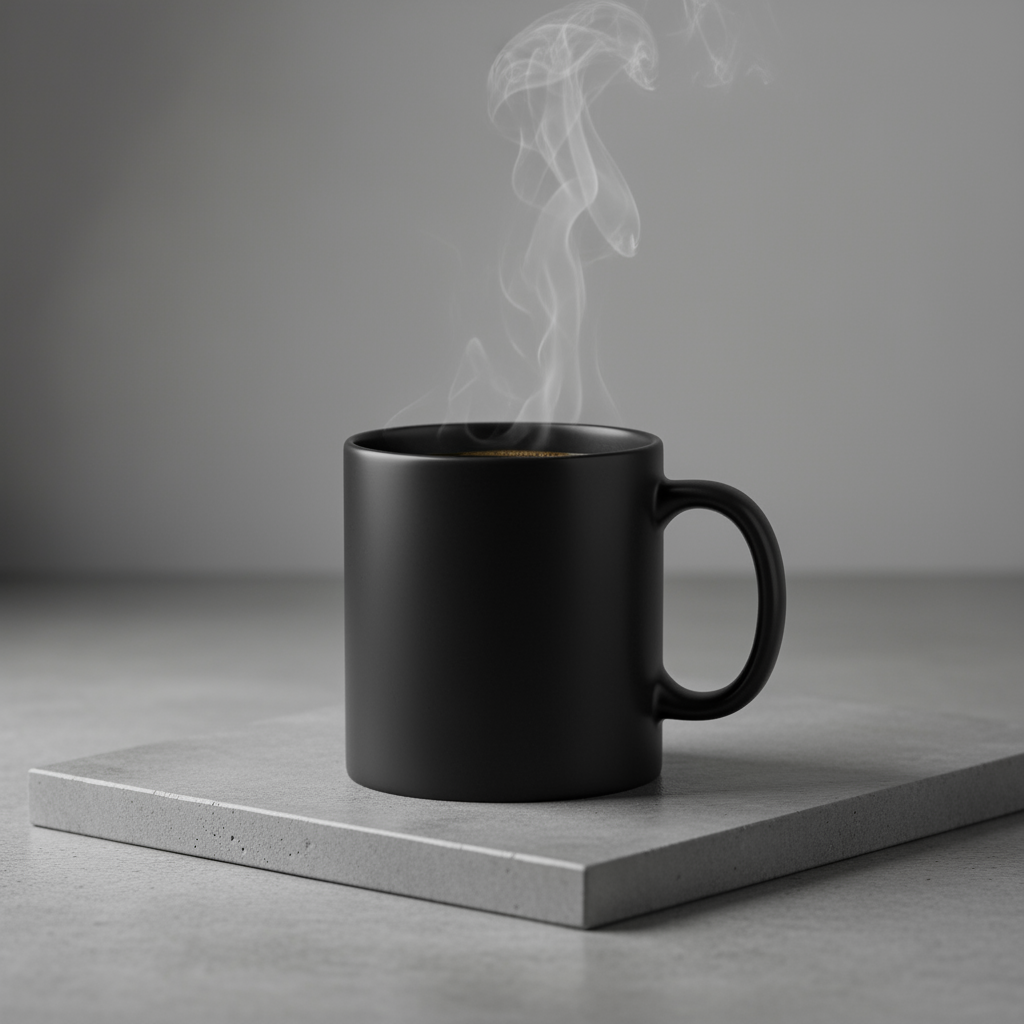
5. 极简风格和负空间设计
非常适合用于创建网站、演示文稿或营销材料的背景,以便在其中叠加文字。
模板
A minimalist composition featuring a single [subject] positioned in the
[bottom-right/top-left/etc.] of the frame. The background is a vast, empty
[color] canvas, creating significant negative space. Soft, subtle lighting.
[Aspect ratio].
提示
A minimalist composition featuring a single, delicate red maple leaf
positioned in the bottom-right of the frame. The background is a vast, empty
off-white canvas, creating significant negative space for text. Soft,
diffused lighting from the top left. Square image.
Python
from google import genai
import base64

client = genai.Client()

interaction = client.interactions.create(
    model="gemini-3.1-flash-image",
    input="A minimalist composition featuring a single, delicate red maple leaf positioned in the bottom-right of the frame. The background is a vast, empty off-white canvas, creating significant negative space for text. Soft, diffused lighting from the top left. Square image.",
)

for step in interaction.steps:
    if step.type == "model_output":
        for content_block in step.content:
            if content_block.type == "text":
                print(content_block.text)
            elif content_block.type == "image":
                with open("minimalist_design.png", "wb") as f:
                    f.write(base64.b64decode(content_block.data))
JavaScript
import { GoogleGenAI } from "@google/genai";
import * as fs from "node:fs";

async function main() {
  const ai = new GoogleGenAI({});

  const interaction = await ai.interactions.create({
    model: "gemini-3.1-flash-image",
    input: "A minimalist composition featuring a single, delicate red maple leaf positioned in the bottom-right of the frame. The background is a vast, empty off-white canvas, creating significant negative space for text. Soft, diffused lighting from the top left. Square image.",
  });
  for (const step of interaction.steps) {
    if (step.type === "model_output") {
      for (const contentBlock of step.content) {
        if (contentBlock.type === "text") {
          console.log(contentBlock.text);
        } else if (contentBlock.type === "image") {
          const buffer = Buffer.from(contentBlock.data, "base64");
          fs.writeFileSync("minimalist_design.png", buffer);
        }
      }
    }
  }
}

main();
Java
import com.google.genai.Client;
import com.google.genai.gaos.models.interactions.Content;
import com.google.genai.gaos.models.interactions.CreateModelInteraction;
import com.google.genai.gaos.models.interactions.ImageContent;
import com.google.genai.gaos.models.interactions.Interaction;
import com.google.genai.gaos.models.interactions.InteractionsInput;
import com.google.genai.gaos.models.interactions.Model;
import com.google.genai.gaos.models.interactions.ModelOutputStep;
import com.google.genai.gaos.models.interactions.Step;
import com.google.genai.gaos.models.interactions.TextContent;
import com.google.genai.gaos.models.operations.CreateInteractionRequestBody;
import java.nio.file.Files;
import java.nio.file.Paths;
import java.util.Base64;

Client client = new Client();

CreateModelInteraction params =
    CreateModelInteraction.builder()
        .model(Model.of("gemini-3.1-flash-image"))
        .input(
            InteractionsInput.of(
                "A minimalist composition featuring a single, delicate red maple leaf positioned in the bottom-right of the frame. The background is a vast, empty off-white canvas, creating significant negative space for text. Soft, diffused lighting from the top left. Square image."))
        .build();

Interaction interaction =
    client.interactions.create(CreateInteractionRequestBody.of(params)).interaction().get();

if (interaction.steps().isPresent()) {
  for (Step step : interaction.steps().get()) {
    if (step instanceof ModelOutputStep) {
      ModelOutputStep outputStep = (ModelOutputStep) step;
      if (outputStep.content().isPresent()) {
        for (Content contentBlock : outputStep.content().get()) {
          if (contentBlock instanceof TextContent) {
            System.out.println(((TextContent) contentBlock).text().orElse(""));
          } else if (contentBlock instanceof ImageContent) {
            ImageContent img = (ImageContent) contentBlock;
            if (img.data().isPresent()) {
              byte[] imgBytes = Base64.getDecoder().decode(img.data().get());
              Files.write(Paths.get("minimalist_design.png"), imgBytes);
            }
          }
        }
      }
    }
  }
}
Go
package main

import (
    "context"
    "encoding/base64"
    "fmt"
    "log"
    "os"

    "google.golang.org/genai"
    "google.golang.org/genai/interactions/models/interactions"
    "google.golang.org/genai/interactions/models/operations"
)

func main() {
    ctx := context.Background()
    client, err := genai.NewClient(ctx, nil)
    if err != nil {
        log.Fatal(err)
    }

    res, err := client.Interactions.Create(ctx, operations.CreateInteractionRequest{
        Body: operations.NewCreateInteractionRequestBody(interactions.CreateModelInteraction{
            Model: interactions.Model("gemini-3.1-flash-image"),
            Input: interactions.NewInteractionsInput("A minimalist composition featuring a single, delicate red maple leaf positioned in the bottom-right of the frame. The background is a vast, empty off-white canvas, creating significant negative space for text. Soft, diffused lighting from the top left. Square image."),
        }),
    })
    if err != nil {
        log.Fatal(err)
    }

    for _, step := range res.Interaction.Steps {
        if step.ModelOutputStep != nil {
            for _, contentBlock := range step.ModelOutputStep.Content {
                if contentBlock.TextContent != nil {
                    fmt.Println(contentBlock.TextContent.Text)
                } else if contentBlock.ImageContent != nil && contentBlock.ImageContent.Data != nil {
                    imgBytes, err := base64.StdEncoding.DecodeString(*contentBlock.ImageContent.Data)
                    if err != nil {
                        log.Fatal(err)
                    }
                    if err := os.WriteFile("minimalist_design.png", imgBytes, 0644); err != nil {
                        log.Fatal(err)
                    }
                }
            }
        }
    }
}
REST
curl -s -X POST \
  "https://generativelanguage.googleapis.com/v1beta/interactions" \
  -H "x-goog-api-key: $GEMINI_API_KEY" \
  -H "Content-Type: application/json" \
  -d '{
    "model": "gemini-3.1-flash-image",
    "input": "A minimalist composition featuring a single, delicate red maple leaf positioned in the bottom-right of the frame. The background is a vast, empty off-white canvas, creating significant negative space for text. Soft, diffused lighting from the top left. Square image."
  }'

6. 连续艺术(漫画分格 / 故事板)
以角色一致性和场景描述为基础,创建用于视觉叙事的漫画格。为了确保文本准确性和叙事能力,这些提示最适合搭配 Gemini 3 Pro 和 Gemini 3.1 Flash Image 使用。
模板
Make a 3 panel comic in a [style]. Put the character in a [type of scene].
提示
Make a 3 panel comic in a gritty, noir art style with high-contrast black and white inks. Put the character in a humurous scene.
Python
from google import genai
from PIL import Image
import base64

client = genai.Client()

with open('/path/to/your/man_in_white_glasses.jpg', 'rb') as f:
    image_bytes = f.read()
text_input = "Make a 3 panel comic in a gritty, noir art style with high-contrast black and white inks. Put the character in a humurous scene."

interaction = client.interactions.create(
    model="gemini-3.1-flash-image",
    input=[
        {"type": "text", "text": text_input},
        {
            "type": "image",
            "data": base64.b64encode(image_bytes).decode('utf-8'),
            "mime_type": "image/jpeg"
        }
    ],
)

for step in interaction.steps:
    if step.type == "model_output":
        for content_block in step.content:
            if content_block.type == "text":
                print(content_block.text)
            elif content_block.type == "image":
                with open("comic_panel.jpg", "wb") as f:
                    f.write(base64.b64decode(content_block.data))
JavaScript
import { GoogleGenAI } from "@google/genai";
import * as fs from "node:fs";

async function main() {
  const ai = new GoogleGenAI({});

  const imagePath = "/path/to/your/man_in_white_glasses.jpg";
  const imageData = fs.readFileSync(imagePath);
  const base64Image = imageData.toString("base64");

  const input = [
    { type: "text", text: "Make a 3 panel comic in a gritty, noir art style with high-contrast black and white inks. Put the character in a humurous scene." },
    {
      type: "image",
      mime_type: "image/jpeg",
      data: base64Image
    },
  ];

  const interaction = await ai.interactions.create({
    model: "gemini-3.1-flash-image",
    input: input,
  });
  for (const step of interaction.steps) {
    if (step.type === "model_output") {
      for (const contentBlock of step.content) {
        if (contentBlock.type === "text") {
          console.log(contentBlock.text);
        } else if (contentBlock.type === "image") {
          const buffer = Buffer.from(contentBlock.data, "base64");
          fs.writeFileSync("comic_panel.jpg", buffer);
        }
      }
    }
  }
}

main();
Java
import com.google.genai.Client;
import com.google.genai.gaos.models.interactions.Content;
import com.google.genai.gaos.models.interactions.CreateModelInteraction;
import com.google.genai.gaos.models.interactions.ImageContent;
import com.google.genai.gaos.models.interactions.ImageContentMimeType;
import com.google.genai.gaos.models.interactions.Interaction;
import com.google.genai.gaos.models.interactions.InteractionsInput;
import com.google.genai.gaos.models.interactions.Model;
import com.google.genai.gaos.models.interactions.ModelOutputStep;
import com.google.genai.gaos.models.interactions.Step;
import com.google.genai.gaos.models.interactions.TextContent;
import com.google.genai.gaos.models.operations.CreateInteractionRequestBody;
import java.nio.file.Files;
import java.nio.file.Paths;
import java.util.Arrays;
import java.util.Base64;
import java.util.List;

Client client = new Client();

byte[] imageBytes = Files.readAllBytes(Paths.get("/path/to/your/man_in_white_glasses.jpg"));
String base64Image = Base64.getEncoder().encodeToString(imageBytes);
String textInput =
    "Make a 3 panel comic in a gritty, noir art style with high-contrast black and white inks. Put the character in a humurous scene.";

Content textContent = TextContent.builder().text(textInput).build();
Content imageContent =
    ImageContent.builder()
        .data(base64Image)
        .mimeType(ImageContentMimeType.IMAGE_JPEG)
        .build();

List<Content> contents = Arrays.asList(textContent, imageContent);

CreateModelInteraction params =
    CreateModelInteraction.builder()
        .model(Model.of("gemini-3.1-flash-image"))
        .input(InteractionsInput.ofContent(contents))
        .build();

Interaction interaction =
    client.interactions.create(CreateInteractionRequestBody.of(params)).interaction().get();

if (interaction.steps().isPresent()) {
  for (Step step : interaction.steps().get()) {
    if (step instanceof ModelOutputStep) {
      ModelOutputStep outputStep = (ModelOutputStep) step;
      if (outputStep.content().isPresent()) {
        for (Content contentBlock : outputStep.content().get()) {
          if (contentBlock instanceof TextContent) {
            System.out.println(((TextContent) contentBlock).text().orElse(""));
          } else if (contentBlock instanceof ImageContent) {
            ImageContent img = (ImageContent) contentBlock;
            if (img.data().isPresent()) {
              byte[] outBytes = Base64.getDecoder().decode(img.data().get());
              Files.write(Paths.get("comic_panel.jpg"), outBytes);
            }
          }
        }
      }
    }
  }
}
Go
package main

import (
    "context"
    "encoding/base64"
    "fmt"
    "log"
    "os"

    "google.golang.org/genai"
    "google.golang.org/genai/interactions/models/interactions"
    "google.golang.org/genai/interactions/models/operations"
)

func main() {
    ctx := context.Background()
    client, err := genai.NewClient(ctx, nil)
    if err != nil {
        log.Fatal(err)
    }

    imageBytes, err := os.ReadFile("/path/to/your/man_in_white_glasses.jpg")
    if err != nil {
        log.Fatal(err)
    }
    base64Image := base64.StdEncoding.EncodeToString(imageBytes)
    textInput := "Make a 3 panel comic in a gritty, noir art style with high-contrast black and white inks. Put the character in a humurous scene."

    contents := []interactions.Content{
        interactions.NewContent(interactions.TextContent{
            Text: textInput,
        }),
        interactions.NewContent(interactions.ImageContent{
            Data:     genai.Ptr(base64Image),
            MimeType: interactions.ImageContentMimeTypeImageJpeg.ToPointer(),
        }),
    }

    res, err := client.Interactions.Create(ctx, operations.CreateInteractionRequest{
        Body: operations.NewCreateInteractionRequestBody(interactions.CreateModelInteraction{
            Model: interactions.Model("gemini-3.1-flash-image"),
            Input: interactions.NewInteractionsInput(contents),
        }),
    })
    if err != nil {
        log.Fatal(err)
    }

    for _, step := range res.Interaction.Steps {
        if step.ModelOutputStep != nil {
            for _, contentBlock := range step.ModelOutputStep.Content {
                if contentBlock.TextContent != nil {
                    fmt.Println(contentBlock.TextContent.Text)
                } else if contentBlock.ImageContent != nil && contentBlock.ImageContent.Data != nil {
                    outBytes, err := base64.StdEncoding.DecodeString(*contentBlock.ImageContent.Data)
                    if err != nil {
                        log.Fatal(err)
                    }
                    if err := os.WriteFile("comic_panel.jpg", outBytes, 0644); err != nil {
                        log.Fatal(err)
                    }
                }
            }
        }
    }
}
REST
curl -s -X POST \
  "https://generativelanguage.googleapis.com/v1beta/interactions" \
  -H "x-goog-api-key: $GEMINI_API_KEY" \
  -H "Content-Type: application/json" \
  -d '{
    "model": "gemini-3.1-flash-image",
    "input": [
      {"type": "text", "text": "Make a 3 panel comic in a gritty, noir art style with high-contrast black and white inks. Put the character in a humurous scene."},
      {"type": "image", "data": "<BASE64_IMAGE_DATA>", "mime_type": "image/jpeg"}
    ]
  }'
输入 |
输出 |

|
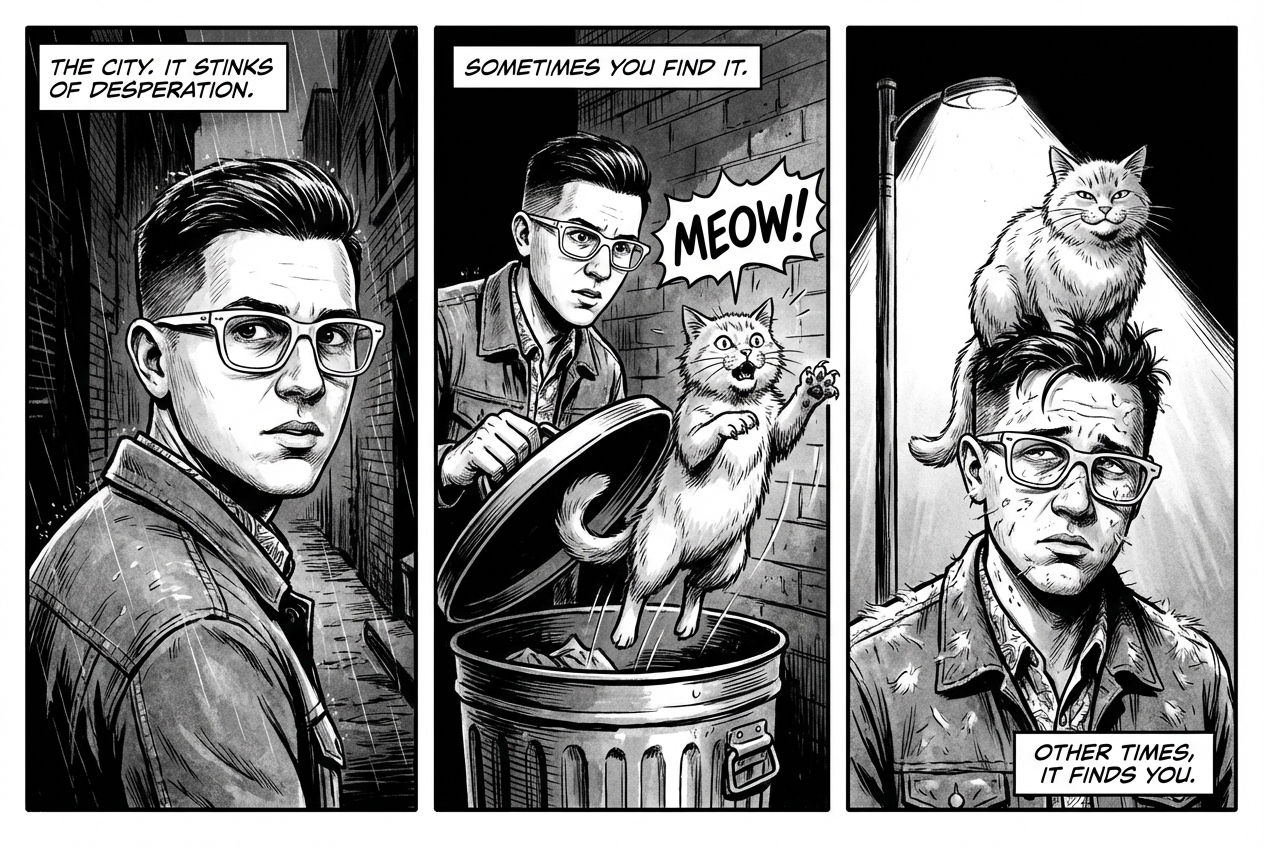
|
7. 依托 Google 搜索进行接地
使用 Google 搜索根据最新信息或实时信息生成图片。 这对于新闻、天气和其他时效性主题非常有用。
提示
Make a simple but stylish graphic of last night's Arsenal game in the Champion's League
Python
from google import genai
from google.genai import types
import base64

client = genai.Client()

interaction = client.interactions.create(
    model="gemini-3.1-flash-image",
    input="Make a simple but stylish graphic of last night's Arsenal game in the Champion's League",
    tools=[{"type": "google_search"}],
    response_format={"type": "image", "aspect_ratio": "16:9"},
)

for step in interaction.steps:
    if step.type == "model_output":
        for content_block in step.content:
            if content_block.type == "text":
                print(content_block.text)
            elif content_block.type == "image":
                with open("football-score.jpg", "wb") as f:
                    f.write(base64.b64decode(content_block.data))
JavaScript
import { GoogleGenAI } from "@google/genai";
import * as fs from "node:fs";

async function main() {
  const ai = new GoogleGenAI({});

  const interaction = await ai.interactions.create({
    model: "gemini-3.1-flash-image",
    input: "Make a simple but stylish graphic of last night's Arsenal game in the Champion's League",
    tools: [{ type: "google_search" }],
    response_format: { type: "image", aspect_ratio: "16:9", image_size: "2K" },
  });

  for (const step of interaction.steps) {
    if (step.type === "model_output") {
      for (const contentBlock of step.content) {
        if (contentBlock.type === "text") {
          console.log(contentBlock.text);
        } else if (contentBlock.type === "image") {
          const buffer = Buffer.from(contentBlock.data, "base64");
          fs.writeFileSync("football-score.jpg", buffer);
        }
      }
    }
  }
}

main();
Java
import com.google.genai.Client;
import com.google.genai.gaos.models.interactions.Content;
import com.google.genai.gaos.models.interactions.CreateModelInteraction;
import com.google.genai.gaos.models.interactions.CreateModelInteractionResponseFormat;
import com.google.genai.gaos.models.interactions.GoogleSearch;
import com.google.genai.gaos.models.interactions.ImageContent;
import com.google.genai.gaos.models.interactions.ImageResponseFormat;
import com.google.genai.gaos.models.interactions.ImageResponseFormatAspectRatio;
import com.google.genai.gaos.models.interactions.Interaction;
import com.google.genai.gaos.models.interactions.InteractionsInput;
import com.google.genai.gaos.models.interactions.Model;
import com.google.genai.gaos.models.interactions.ModelOutputStep;
import com.google.genai.gaos.models.interactions.ResponseFormat;
import com.google.genai.gaos.models.interactions.Step;
import com.google.genai.gaos.models.interactions.TextContent;
import com.google.genai.gaos.models.operations.CreateInteractionRequestBody;
import java.nio.file.Files;
import java.nio.file.Paths;
import java.util.Arrays;
import java.util.Base64;

Client client = new Client();

CreateModelInteractionResponseFormat format =
    CreateModelInteractionResponseFormat.of(
        ResponseFormat.of(
            ImageResponseFormat.builder()
                .aspectRatio(ImageResponseFormatAspectRatio.of("16:9"))
                .build()));

CreateModelInteraction params =
    CreateModelInteraction.builder()
        .model(Model.of("gemini-3.1-flash-image"))
        .input(
            InteractionsInput.of(
                "Make a simple but stylish graphic of last night's Arsenal game in the Champion's League"))
        .tools(Arrays.asList(new GoogleSearch()))
        .responseFormat(format)
        .build();

Interaction interaction =
    client.interactions.create(CreateInteractionRequestBody.of(params)).interaction().get();

if (interaction.steps().isPresent()) {
  for (Step step : interaction.steps().get()) {
    if (step instanceof ModelOutputStep) {
      ModelOutputStep outputStep = (ModelOutputStep) step;
      if (outputStep.content().isPresent()) {
        for (Content contentBlock : outputStep.content().get()) {
          if (contentBlock instanceof TextContent) {
            System.out.println(((TextContent) contentBlock).text().orElse(""));
          } else if (contentBlock instanceof ImageContent) {
            ImageContent img = (ImageContent) contentBlock;
            if (img.data().isPresent()) {
              byte[] imgBytes = Base64.getDecoder().decode(img.data().get());
              Files.write(Paths.get("football-score.jpg"), imgBytes);
            }
          }
        }
      }
    }
  }
}
Go
package main

import (
    "context"
    "encoding/base64"
    "fmt"
    "log"
    "os"

    "google.golang.org/genai"
    "google.golang.org/genai/interactions/models/interactions"
    "google.golang.org/genai/interactions/models/operations"
)

func main() {
    ctx := context.Background()
    client, err := genai.NewClient(ctx, nil)
    if err != nil {
        log.Fatal(err)
    }

    format := interactions.NewCreateModelInteractionResponseFormat(
        interactions.NewResponseFormat(interactions.ImageResponseFormat{
            AspectRatio: interactions.ImageResponseFormatAspectRatio("16:9").ToPointer(),
        }),
    )

    res, err := client.Interactions.Create(ctx, operations.CreateInteractionRequest{
        Body: operations.NewCreateInteractionRequestBody(interactions.CreateModelInteraction{
            Model: interactions.Model("gemini-3.1-flash-image"),
            Input: interactions.NewInteractionsInput("Make a simple but stylish graphic of last night's Arsenal game in the Champion's League"),
            Tools: []interactions.Tool{
                interactions.NewTool(interactions.GoogleSearch{}),
            },
            ResponseFormat: genai.Ptr(format),
        }),
    })
    if err != nil {
        log.Fatal(err)
    }

    for _, step := range res.Interaction.Steps {
        if step.ModelOutputStep != nil {
            for _, contentBlock := range step.ModelOutputStep.Content {
                if contentBlock.TextContent != nil {
                    fmt.Println(contentBlock.TextContent.Text)
                } else if contentBlock.ImageContent != nil && contentBlock.ImageContent.Data != nil {
                    imgBytes, err := base64.StdEncoding.DecodeString(*contentBlock.ImageContent.Data)
                    if err != nil {
                        log.Fatal(err)
                    }
                    if err := os.WriteFile("football-score.jpg", imgBytes, 0644); err != nil {
                        log.Fatal(err)
                    }
                }
            }
        }
    }
}
REST
curl -s -X POST \
  "https://generativelanguage.googleapis.com/v1beta/interactions" \
  -H "x-goog-api-key: $GEMINI_API_KEY" \
  -H "Content-Type: application/json" \
  -d '{
    "model": "gemini-3.1-flash-image",
    "input": "Make a simple but stylish graphic of last nights Arsenal game in the Champions League",
    "tools": [{"type": "google_search"}],
    "response_format": {
      "type": "image",
      "aspect_ratio": "16:9"
    }
  }'
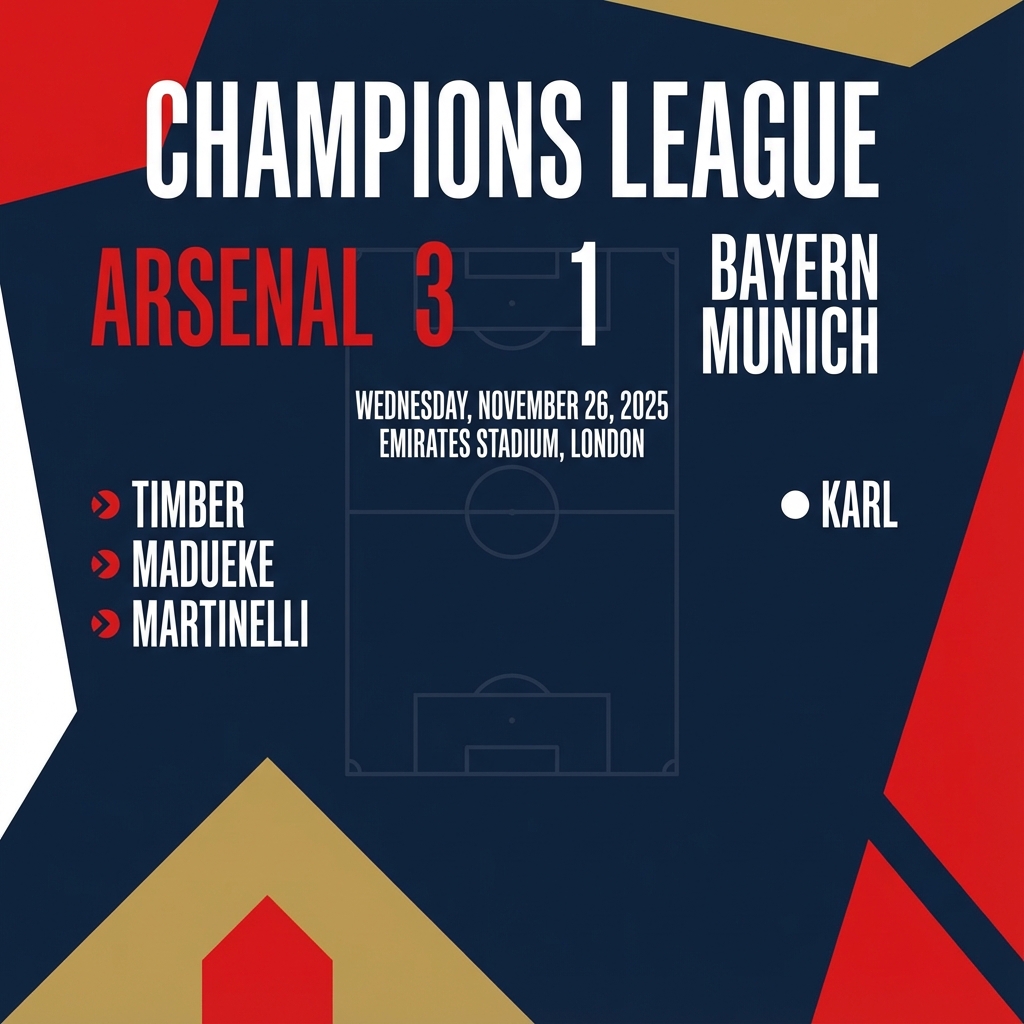
用于修改图片的提示
这些示例展示了如何提供图片以及文本提示,以进行编辑、构图和风格迁移。
1. 添加和移除元素
提供图片并描述您的更改。模型将与原始图片的风格、光线和透视效果保持一致。
模板
Using the provided image of [subject], please [add/remove/modify] [element]
to/from the scene. Ensure the change is [description of how the change should
integrate].
提示
"Using the provided image of my cat, please add a small, knitted wizard hat
on its head. Make it look like it's sitting comfortably and matches the soft
lighting of the photo."
Python
from google import genai
from PIL import Image
import base64

client = genai.Client()

with open('/path/to/your/cat_photo.png', 'rb') as f:
    image_bytes = f.read()
text_input = """Using the provided image of my cat, please add a small, knitted wizard hat on its head. Make it look like it's sitting comfortably and not falling off."""

interaction = client.interactions.create(
    model="gemini-3.1-flash-image",
    input=[
        {"type": "text", "text": text_input},
        {
            "type": "image",
            "data": base64.b64encode(image_bytes).decode('utf-8'),
            "mime_type": "image/png"
        }
    ],
)

for step in interaction.steps:
    if step.type == "model_output":
        for content_block in step.content:
            if content_block.type == "text":
                print(content_block.text)
            elif content_block.type == "image":
                with open("cat_with_hat.png", "wb") as f:
                    f.write(base64.b64decode(content_block.data))
JavaScript
import { GoogleGenAI } from "@google/genai";
import * as fs from "node:fs";

async function main() {
  const ai = new GoogleGenAI({});

  const imagePath = "/path/to/your/cat_photo.png";
  const imageData = fs.readFileSync(imagePath);
  const base64Image = imageData.toString("base64");

  const input = [
    { type: "text", text: "Using the provided image of my cat, please add a small, knitted wizard hat on its head. Make it look like it's sitting comfortably and not falling off." },
    {
      type: "image",
      mime_type: "image/png",
      data: base64Image
    },
  ];

  const interaction = await ai.interactions.create({
    model: "gemini-3.1-flash-image",
    input: input,
  });
  for (const step of interaction.steps) {
    if (step.type === "model_output") {
      for (const contentBlock of step.content) {
        if (contentBlock.type === "text") {
          console.log(contentBlock.text);
        } else if (contentBlock.type === "image") {
          const buffer = Buffer.from(contentBlock.data, "base64");
          fs.writeFileSync("cat_with_hat.png", buffer);
        }
      }
    }
  }
}

main();
Java
import com.google.genai.Client;
import com.google.genai.gaos.models.interactions.Content;
import com.google.genai.gaos.models.interactions.CreateModelInteraction;
import com.google.genai.gaos.models.interactions.ImageContent;
import com.google.genai.gaos.models.interactions.ImageContentMimeType;
import com.google.genai.gaos.models.interactions.Interaction;
import com.google.genai.gaos.models.interactions.InteractionsInput;
import com.google.genai.gaos.models.interactions.Model;
import com.google.genai.gaos.models.interactions.ModelOutputStep;
import com.google.genai.gaos.models.interactions.Step;
import com.google.genai.gaos.models.interactions.TextContent;
import com.google.genai.gaos.models.operations.CreateInteractionRequestBody;
import java.nio.file.Files;
import java.nio.file.Paths;
import java.util.Arrays;
import java.util.Base64;
import java.util.List;

Client client = new Client();

byte[] imageBytes = Files.readAllBytes(Paths.get("/path/to/your/cat_photo.png"));
String base64Image = Base64.getEncoder().encodeToString(imageBytes);
String textInput =
    "Using the provided image of my cat, please add a small, knitted wizard hat on its head. Make it look like it's sitting comfortably and not falling off.";

Content textContent = TextContent.builder().text(textInput).build();
Content imageContent =
    ImageContent.builder()
        .data(base64Image)
        .mimeType(ImageContentMimeType.IMAGE_PNG)
        .build();

List<Content> contents = Arrays.asList(textContent, imageContent);

CreateModelInteraction params =
    CreateModelInteraction.builder()
        .model(Model.of("gemini-3.1-flash-image"))
        .input(InteractionsInput.ofContent(contents))
        .build();

Interaction interaction =
    client.interactions.create(CreateInteractionRequestBody.of(params)).interaction().get();

if (interaction.steps().isPresent()) {
  for (Step step : interaction.steps().get()) {
    if (step instanceof ModelOutputStep) {
      ModelOutputStep outputStep = (ModelOutputStep) step;
      if (outputStep.content().isPresent()) {
        for (Content contentBlock : outputStep.content().get()) {
          if (contentBlock instanceof TextContent) {
            System.out.println(((TextContent) contentBlock).text().orElse(""));
          } else if (contentBlock instanceof ImageContent) {
            ImageContent img = (ImageContent) contentBlock;
            if (img.data().isPresent()) {
              byte[] outBytes = Base64.getDecoder().decode(img.data().get());
              Files.write(Paths.get("cat_with_hat.png"), outBytes);
            }
          }
        }
      }
    }
  }
}
Go
package main

import (
    "context"
    "encoding/base64"
    "fmt"
    "log"
    "os"

    "google.golang.org/genai"
    "google.golang.org/genai/interactions/models/interactions"
    "google.golang.org/genai/interactions/models/operations"
)

func main() {
    ctx := context.Background()
    client, err := genai.NewClient(ctx, nil)
    if err != nil {
        log.Fatal(err)
    }

    imageBytes, err := os.ReadFile("/path/to/your/cat_photo.png")
    if err != nil {
        log.Fatal(err)
    }
    base64Image := base64.StdEncoding.EncodeToString(imageBytes)
    textInput := "Using the provided image of my cat, please add a small, knitted wizard hat on its head. Make it look like it's sitting comfortably and not falling off."

    contents := []interactions.Content{
        interactions.NewContent(interactions.TextContent{
            Text: textInput,
        }),
        interactions.NewContent(interactions.ImageContent{
            Data:     genai.Ptr(base64Image),
            MimeType: interactions.ImageContentMimeTypeImagePng.ToPointer(),
        }),
    }

    res, err := client.Interactions.Create(ctx, operations.CreateInteractionRequest{
        Body: operations.NewCreateInteractionRequestBody(interactions.CreateModelInteraction{
            Model: interactions.Model("gemini-3.1-flash-image"),
            Input: interactions.NewInteractionsInput(contents),
        }),
    })
    if err != nil {
        log.Fatal(err)
    }

    for _, step := range res.Interaction.Steps {
        if step.ModelOutputStep != nil {
            for _, contentBlock := range step.ModelOutputStep.Content {
                if contentBlock.TextContent != nil {
                    fmt.Println(contentBlock.TextContent.Text)
                } else if contentBlock.ImageContent != nil && contentBlock.ImageContent.Data != nil {
                    outBytes, err := base64.StdEncoding.DecodeString(*contentBlock.ImageContent.Data)
                    if err != nil {
                        log.Fatal(err)
                    }
                    if err := os.WriteFile("cat_with_hat.png", outBytes, 0644); err != nil {
                        log.Fatal(err)
                    }
                }
            }
        }
    }
}
REST
curl -s -X POST \
  "https://generativelanguage.googleapis.com/v1beta/interactions" \
    -H "x-goog-api-key: $GEMINI_API_KEY" \
    -H 'Content-Type: application/json' \
    -d "{
      \"model\": \"gemini-3.1-flash-image\",
      \"input\": [
            {\"type\": \"text\", \"text\": \"Using the provided image of my cat, please add a small, knitted wizard hat on its head. Make it look like it's sitting comfortably and not falling off.\"},
            {\"type\": \"image\", \"mime_type\":\"image/png\", \"data\": \"<BASE64_IMAGE_DATA>\"}
        ]
    }"
输入 |
输出 |
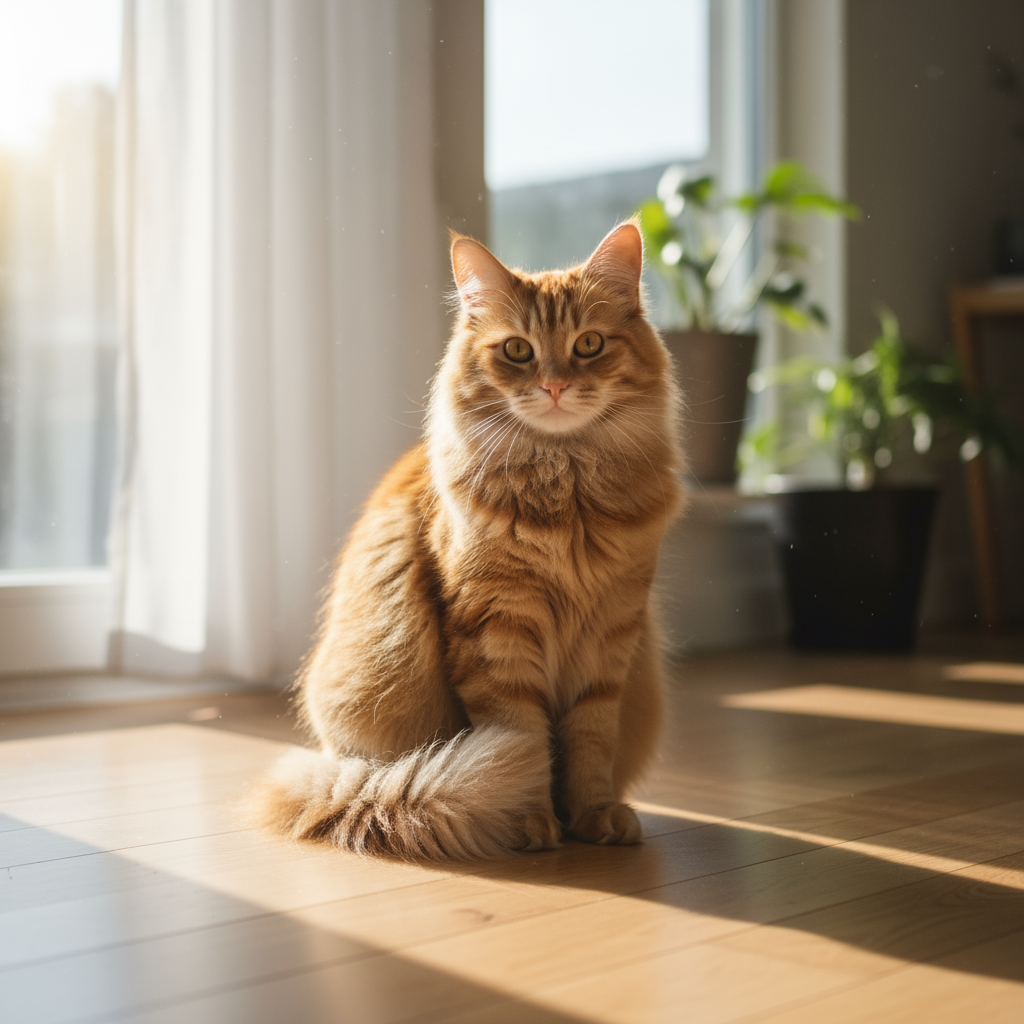
|
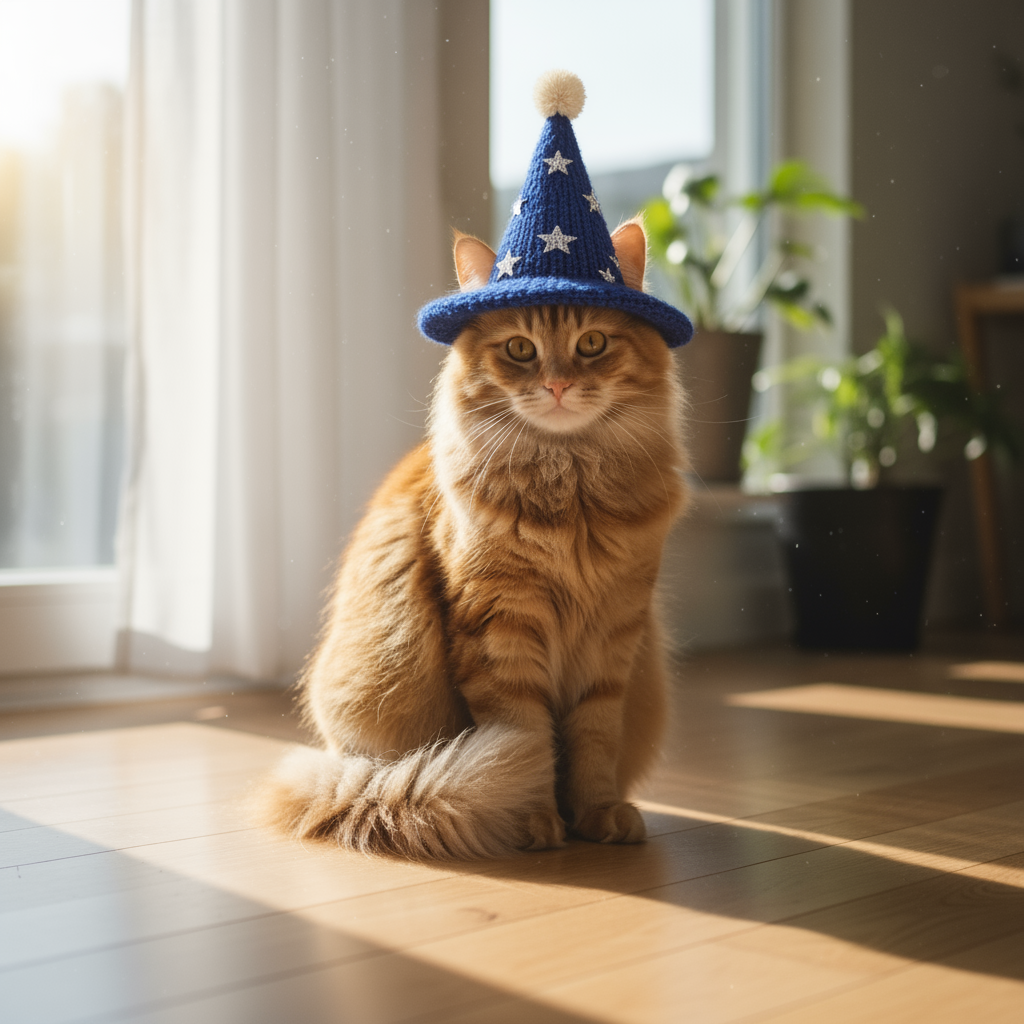
|
2. 去除多余内容(语义遮盖)
通过对话定义“蒙版”,修改图片的特定部分,同时保持其余部分不变。
模板
Using the provided image, change only the [specific element] to [new
element/description]. Keep everything else in the image exactly the same,
preserving the original style, lighting, and composition.
提示
"Using the provided image of a living room, change only the blue sofa to be
a vintage, brown leather chesterfield sofa. Keep the rest of the room,
including the pillows on the sofa and the lighting, unchanged."
Python
from google import genai
from PIL import Image
import base64

client = genai.Client()

with open('/path/to/your/living_room.png', 'rb') as f:
    image_bytes = f.read()
text_input = """Using the provided image of a living room, change only the blue sofa to be a vintage, brown leather chesterfield sofa. Keep the rest of the room, including the pillows on the sofa and the lighting, unchanged."""

interaction = client.interactions.create(
    model="gemini-3.1-flash-image",
    input=[
        {
            "type": "image",
            "data": base64.b64encode(image_bytes).decode('utf-8'),
            "mime_type": "image/png"
        },
        {"type": "text", "text": text_input}
    ],
)

for step in interaction.steps:
    if step.type == "model_output":
        for content_block in step.content:
            if content_block.type == "text":
                print(content_block.text)
            elif content_block.type == "image":
                with open("living_room_edited.png", "wb") as f:
                    f.write(base64.b64decode(content_block.data))
JavaScript
import { GoogleGenAI } from "@google/genai";
import * as fs from "node:fs";

async function main() {
  const ai = new GoogleGenAI({});

  const imagePath = "/path/to/your/living_room.png";
  const imageData = fs.readFileSync(imagePath);
  const base64Image = imageData.toString("base64");

  const input = [
    {
      type: "image",
      mime_type: "image/png",
      data: base64Image
    },
    { type: "text", text: "Using the provided image of a living room, change only the blue sofa to be a vintage, brown leather chesterfield sofa. Keep the rest of the room, including the pillows on the sofa and the lighting, unchanged." },
  ];

  const interaction = await ai.interactions.create({
    model: "gemini-3.1-flash-image",
    input: input,
  });
  for (const step of interaction.steps) {
    if (step.type === "model_output") {
      for (const contentBlock of step.content) {
        if (contentBlock.type === "text") {
          console.log(contentBlock.text);
        } else if (contentBlock.type === "image") {
          const buffer = Buffer.from(contentBlock.data, "base64");
          fs.writeFileSync("living_room_edited.png", buffer);
        }
      }
    }
  }
}

main();
Java
import com.google.genai.Client;
import com.google.genai.gaos.models.interactions.Content;
import com.google.genai.gaos.models.interactions.CreateModelInteraction;
import com.google.genai.gaos.models.interactions.ImageContent;
import com.google.genai.gaos.models.interactions.ImageContentMimeType;
import com.google.genai.gaos.models.interactions.Interaction;
import com.google.genai.gaos.models.interactions.InteractionsInput;
import com.google.genai.gaos.models.interactions.Model;
import com.google.genai.gaos.models.interactions.ModelOutputStep;
import com.google.genai.gaos.models.interactions.Step;
import com.google.genai.gaos.models.interactions.TextContent;
import com.google.genai.gaos.models.operations.CreateInteractionRequestBody;
import java.nio.file.Files;
import java.nio.file.Paths;
import java.util.Arrays;
import java.util.Base64;
import java.util.List;

Client client = new Client();

byte[] imageBytes = Files.readAllBytes(Paths.get("/path/to/your/living_room.png"));
String base64Image = Base64.getEncoder().encodeToString(imageBytes);
String textInput =
    "Using the provided image of a living room, change only the blue sofa to be a vintage, brown leather chesterfield sofa. Keep the rest of the room, including the pillows on the sofa and the lighting, unchanged.";

Content imageContent =
    ImageContent.builder()
        .data(base64Image)
        .mimeType(ImageContentMimeType.IMAGE_PNG)
        .build();
Content textContent = TextContent.builder().text(textInput).build();

List<Content> contents = Arrays.asList(imageContent, textContent);

CreateModelInteraction params =
    CreateModelInteraction.builder()
        .model(Model.of("gemini-3.1-flash-image"))
        .input(InteractionsInput.ofContent(contents))
        .build();

Interaction interaction =
    client.interactions.create(CreateInteractionRequestBody.of(params)).interaction().get();

if (interaction.steps().isPresent()) {
  for (Step step : interaction.steps().get()) {
    if (step instanceof ModelOutputStep) {
      ModelOutputStep outputStep = (ModelOutputStep) step;
      if (outputStep.content().isPresent()) {
        for (Content contentBlock : outputStep.content().get()) {
          if (contentBlock instanceof TextContent) {
            System.out.println(((TextContent) contentBlock).text().orElse(""));
          } else if (contentBlock instanceof ImageContent) {
            ImageContent img = (ImageContent) contentBlock;
            if (img.data().isPresent()) {
              byte[] outBytes = Base64.getDecoder().decode(img.data().get());
              Files.write(Paths.get("living_room_edited.png"), outBytes);
            }
          }
        }
      }
    }
  }
}
Go
package main

import (
    "context"
    "encoding/base64"
    "fmt"
    "log"
    "os"

    "google.golang.org/genai"
    "google.golang.org/genai/interactions/models/interactions"
    "google.golang.org/genai/interactions/models/operations"
)

func main() {
    ctx := context.Background()
    client, err := genai.NewClient(ctx, nil)
    if err != nil {
        log.Fatal(err)
    }

    imageBytes, err := os.ReadFile("/path/to/your/living_room.png")
    if err != nil {
        log.Fatal(err)
    }
    base64Image := base64.StdEncoding.EncodeToString(imageBytes)
    textInput := "Using the provided image of a living room, change only the blue sofa to be a vintage, brown leather chesterfield sofa. Keep the rest of the room, including the pillows on the sofa and the lighting, unchanged."

    contents := []interactions.Content{
        interactions.NewContent(interactions.ImageContent{
            Data:     genai.Ptr(base64Image),
            MimeType: interactions.ImageContentMimeTypeImagePng.ToPointer(),
        }),
        interactions.NewContent(interactions.TextContent{
            Text: textInput,
        }),
    }

    res, err := client.Interactions.Create(ctx, operations.CreateInteractionRequest{
        Body: operations.NewCreateInteractionRequestBody(interactions.CreateModelInteraction{
            Model: interactions.Model("gemini-3.1-flash-image"),
            Input: interactions.NewInteractionsInput(contents),
        }),
    })
    if err != nil {
        log.Fatal(err)
    }

    for _, step := range res.Interaction.Steps {
        if step.ModelOutputStep != nil {
            for _, contentBlock := range step.ModelOutputStep.Content {
                if contentBlock.TextContent != nil {
                    fmt.Println(contentBlock.TextContent.Text)
                } else if contentBlock.ImageContent != nil && contentBlock.ImageContent.Data != nil {
                    outBytes, err := base64.StdEncoding.DecodeString(*contentBlock.ImageContent.Data)
                    if err != nil {
                        log.Fatal(err)
                    }
                    if err := os.WriteFile("living_room_edited.png", outBytes, 0644); err != nil {
                        log.Fatal(err)
                    }
                }
            }
        }
    }
}
REST
curl -s -X POST \
  "https://generativelanguage.googleapis.com/v1beta/interactions" \
    -H "x-goog-api-key: $GEMINI_API_KEY" \
    -H 'Content-Type: application/json' \
    -d "{
      \"model\": \"gemini-3.1-flash-image\",
      \"input\": [
        {\"type\": \"image\", \"mime_type\":\"image/png\", \"data\": \"<BASE64_IMAGE_DATA>\"},
        {\"type\": \"text\", \"text\": \"Using the provided image of a living room, change only the blue sofa to be a vintage, brown leather chesterfield sofa. Keep the rest of the room, including the pillows on the sofa and the lighting, unchanged.\"}
      ]
    }"
输入 |
输出 |

|

|
3. 风格迁移
提供一张图片,并要求模型以不同的艺术风格重现其内容。
模板
Transform the provided photograph of [subject] into the artistic style of [artist/art style]. Preserve the original composition but render it with [description of stylistic elements].
提示
"Transform the provided photograph of a modern city street at night into the artistic style of Vincent van Gogh's 'Starry Night'. Preserve the original composition of buildings and cars, but render all elements with swirling, impasto brushstrokes and a dramatic palette of deep blues and bright yellows."
Python
from google import genai
from PIL import Image
import base64

client = genai.Client()

with open('/path/to/your/city.png', 'rb') as f:
    image_bytes = f.read()
text_input = """Transform the provided photograph of a modern city street at night into the artistic style of Vincent van Gogh's 'Starry Night'. Preserve the original composition of buildings and cars, but render all elements with swirling, impasto brushstrokes and a dramatic palette of deep blues and bright yellows."""

interaction = client.interactions.create(
    model="gemini-3.1-flash-image",
    input=[
        {
            "type": "image",
            "data": base64.b64encode(image_bytes).decode('utf-8'),
            "mime_type": "image/png"
        },
        {"type": "text", "text": text_input}
    ],
)

for step in interaction.steps:
    if step.type == "model_output":
        for content_block in step.content:
            if content_block.type == "text":
                print(content_block.text)
            elif content_block.type == "image":
                with open("city_style_transfer.png", "wb") as f:
                    f.write(base64.b64decode(content_block.data))
JavaScript
import { GoogleGenAI } from "@google/genai";
import * as fs from "node:fs";

async function main() {
  const ai = new GoogleGenAI({});
  const imageData = fs.readFileSync("/path/to/your/city.png");
  const base64Image = imageData.toString("base64");

  const interaction = await ai.interactions.create({
    model: "gemini-3.1-flash-image",
    input: [
      {
        type: "image",
        mime_type: "image/png",
        data: base64Image
      },
      { type: "text", text: "Transform the provided photograph of a modern city street at night into the artistic style of Vincent van Gogh's 'Starry Night'. Preserve the original composition of buildings and cars, but render all elements with swirling, impasto brushstrokes and a dramatic palette of deep blues and bright yellows." },
    ],
  });
  for (const step of interaction.steps) {
    if (step.type === "model_output") {
      for (const contentBlock of step.content) {
        if (contentBlock.type === "text") {
          console.log(contentBlock.text);
        } else if (contentBlock.type === "image") {
          const buffer = Buffer.from(contentBlock.data, "base64");
          fs.writeFileSync("city_style_transfer.png", buffer);
        }
      }
    }
  }
}

main();
Java
import com.google.genai.Client;
import com.google.genai.gaos.models.interactions.Content;
import com.google.genai.gaos.models.interactions.CreateModelInteraction;
import com.google.genai.gaos.models.interactions.ImageContent;
import com.google.genai.gaos.models.interactions.ImageContentMimeType;
import com.google.genai.gaos.models.interactions.Interaction;
import com.google.genai.gaos.models.interactions.InteractionsInput;
import com.google.genai.gaos.models.interactions.Model;
import com.google.genai.gaos.models.interactions.ModelOutputStep;
import com.google.genai.gaos.models.interactions.Step;
import com.google.genai.gaos.models.interactions.TextContent;
import com.google.genai.gaos.models.operations.CreateInteractionRequestBody;
import java.nio.file.Files;
import java.nio.file.Paths;
import java.util.Arrays;
import java.util.Base64;
import java.util.List;

Client client = new Client();

byte[] imageBytes = Files.readAllBytes(Paths.get("/path/to/your/city.png"));
String base64Image = Base64.getEncoder().encodeToString(imageBytes);
String textInput =
    "Transform the provided photograph of a modern city street at night into the artistic style of Vincent van Gogh's 'Starry Night'. Preserve the original composition of buildings and cars, but render all elements with swirling, impasto brushstrokes and a dramatic palette of deep blues and bright yellows.";

Content imageContent =
    ImageContent.builder()
        .data(base64Image)
        .mimeType(ImageContentMimeType.IMAGE_PNG)
        .build();
Content textContent = TextContent.builder().text(textInput).build();

List<Content> contents = Arrays.asList(imageContent, textContent);

CreateModelInteraction params =
    CreateModelInteraction.builder()
        .model(Model.of("gemini-3.1-flash-image"))
        .input(InteractionsInput.ofContent(contents))
        .build();

Interaction interaction =
    client.interactions.create(CreateInteractionRequestBody.of(params)).interaction().get();

if (interaction.steps().isPresent()) {
  for (Step step : interaction.steps().get()) {
    if (step instanceof ModelOutputStep) {
      ModelOutputStep outputStep = (ModelOutputStep) step;
      if (outputStep.content().isPresent()) {
        for (Content contentBlock : outputStep.content().get()) {
          if (contentBlock instanceof TextContent) {
            System.out.println(((TextContent) contentBlock).text().orElse(""));
          } else if (contentBlock instanceof ImageContent) {
            ImageContent img = (ImageContent) contentBlock;
            if (img.data().isPresent()) {
              byte[] outBytes = Base64.getDecoder().decode(img.data().get());
              Files.write(Paths.get("city_style_transfer.png"), outBytes);
            }
          }
        }
      }
    }
  }
}
Go
package main

import (
    "context"
    "encoding/base64"
    "fmt"
    "log"
    "os"

    "google.golang.org/genai"
    "google.golang.org/genai/interactions/models/interactions"
    "google.golang.org/genai/interactions/models/operations"
)

func main() {
    ctx := context.Background()
    client, err := genai.NewClient(ctx, nil)
    if err != nil {
        log.Fatal(err)
    }

    imageBytes, err := os.ReadFile("/path/to/your/city.png")
    if err != nil {
        log.Fatal(err)
    }
    base64Image := base64.StdEncoding.EncodeToString(imageBytes)
    textInput := "Transform the provided photograph of a modern city street at night into the artistic style of Vincent van Gogh's 'Starry Night'. Preserve the original composition of buildings and cars, but render all elements with swirling, impasto brushstrokes and a dramatic palette of deep blues and bright yellows."

    contents := []interactions.Content{
        interactions.NewContent(interactions.ImageContent{
            Data:     genai.Ptr(base64Image),
            MimeType: interactions.ImageContentMimeTypeImagePng.ToPointer(),
        }),
        interactions.NewContent(interactions.TextContent{
            Text: textInput,
        }),
    }

    res, err := client.Interactions.Create(ctx, operations.CreateInteractionRequest{
        Body: operations.NewCreateInteractionRequestBody(interactions.CreateModelInteraction{
            Model: interactions.Model("gemini-3.1-flash-image"),
            Input: interactions.NewInteractionsInput(contents),
        }),
    })
    if err != nil {
        log.Fatal(err)
    }

    for _, step := range res.Interaction.Steps {
        if step.ModelOutputStep != nil {
            for _, contentBlock := range step.ModelOutputStep.Content {
                if contentBlock.TextContent != nil {
                    fmt.Println(contentBlock.TextContent.Text)
                } else if contentBlock.ImageContent != nil && contentBlock.ImageContent.Data != nil {
                    outBytes, err := base64.StdEncoding.DecodeString(*contentBlock.ImageContent.Data)
                    if err != nil {
                        log.Fatal(err)
                    }
                    if err := os.WriteFile("city_style_transfer.png", outBytes, 0644); err != nil {
                        log.Fatal(err)
                    }
                }
            }
        }
    }
}
REST
curl -s -X POST \
  "https://generativelanguage.googleapis.com/v1beta/interactions" \
    -H "x-goog-api-key: $GEMINI_API_KEY" \
    -H 'Content-Type: application/json' \
    -d "{
      \"model\": \"gemini-3.1-flash-image\",
      \"input\": [
        {\"type\": \"image\", \"mime_type\":\"image/png\", \"data\": \"<BASE64_IMAGE_DATA>\"},
        {\"type\": \"text\", \"text\": \"Transform the provided photograph of a modern city street at night into the artistic style of Vincent van Gogh's 'Starry Night'. Preserve the original composition of buildings and cars, but render all elements with swirling, impasto brushstrokes and a dramatic palette of deep blues and bright yellows.\"}
      ]
    }"
输入 |
输出 |
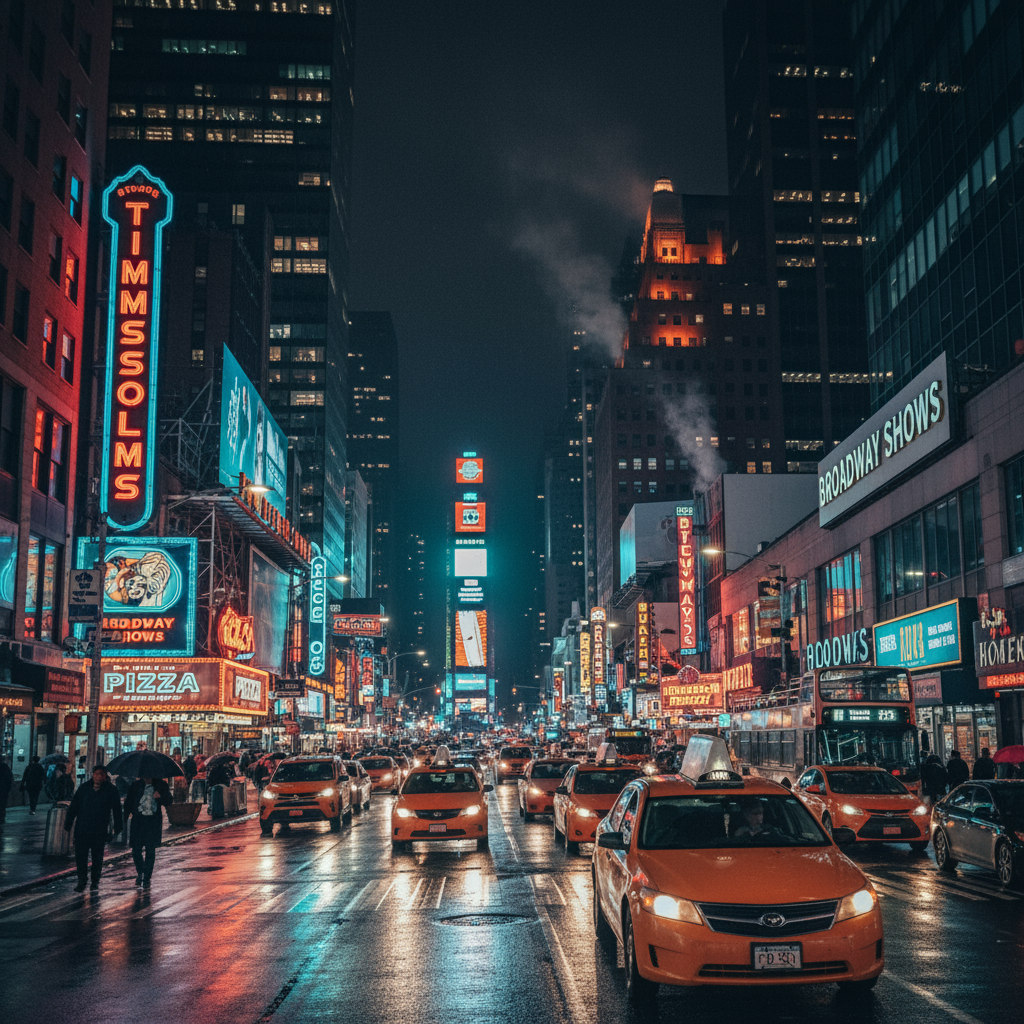
|
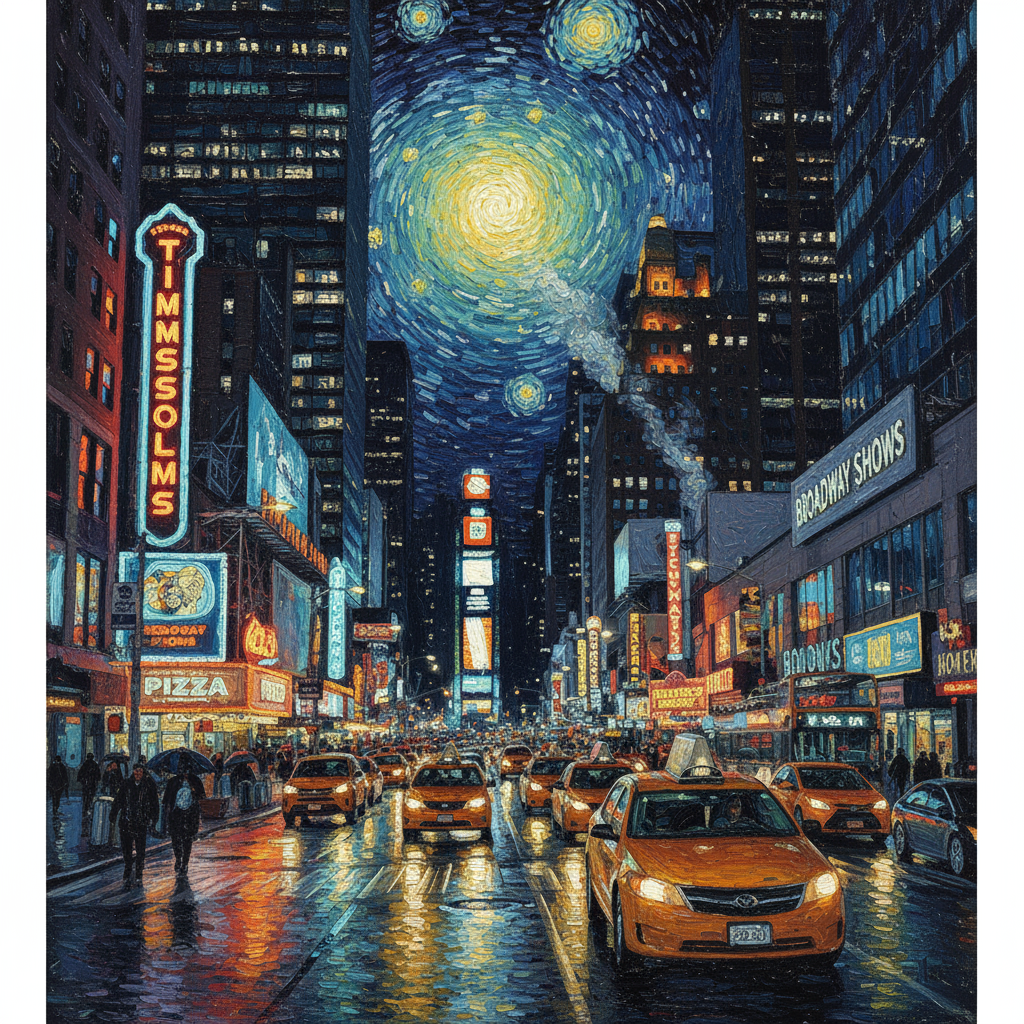
|
4. 高级构图:组合多张图片
提供多张图片作为背景信息,以创建新的合成场景。此功能非常适合制作产品模型或创意拼贴画。
模板
Create a new image by combining the elements from the provided images. Take
the [element from image 1] and place it with/on the [element from image 2].
The final image should be a [description of the final scene].
提示
"Create a professional e-commerce fashion photo. Take the blue floral dress
from the first image and let the woman from the second image wear it.
Generate a realistic, full-body shot of the woman wearing the dress, with
the lighting and shadows adjusted to match the outdoor environment."
Python
from google import genai
from PIL import Image
import base64

client = genai.Client()

with open('/path/to/your/dress.png', 'rb') as f:
    dress_bytes = f.read()
with open('/path/to/your/model.png', 'rb') as f:
    model_bytes = f.read()
text_input = """Create a professional e-commerce fashion photo. Take the blue floral dress from the first image and let the woman from the second image wear it. Generate a realistic, full-body shot of the woman wearing the dress, with the lighting and shadows adjusted to match the outdoor environment."""

interaction = client.interactions.create(
    model="gemini-3.1-flash-image",
    input=[
        {
            "type": "image",
            "data": base64.b64encode(dress_bytes).decode('utf-8'),
            "mime_type": "image/png"
        },
        {
            "type": "image",
            "data": base64.b64encode(model_bytes).decode('utf-8'),
            "mime_type": "image/png"
        },
        {"type": "text", "text": text_input}
    ],
)

for step in interaction.steps:
    if step.type == "model_output":
        for content_block in step.content:
            if content_block.type == "text":
                print(content_block.text)
            elif content_block.type == "image":
                with open("fashion_ecommerce_shot.png", "wb") as f:
                    f.write(base64.b64decode(content_block.data))
JavaScript
import { GoogleGenAI } from "@google/genai";
import * as fs from "node:fs";

async function main() {
  const ai = new GoogleGenAI({});

  const imagePath1 = "/path/to/your/dress.png";
  const imageData1 = fs.readFileSync(imagePath1);
  const base64Image1 = imageData1.toString("base64");
  const imagePath2 = "/path/to/your/model.png";
  const imageData2 = fs.readFileSync(imagePath2);
  const base64Image2 = imageData2.toString("base64");

  const input = [
    {
      type: "image",
      mime_type: "image/png",
      data: base64Image1
    },
    {
      type: "image",
      mime_type: "image/png",
      data: base64Image2
    },
    { type: "text", text: "Create a professional e-commerce fashion photo. Take the blue floral dress from the first image and let the woman from the second image wear it. Generate a realistic, full-body shot of the woman wearing the dress, with the lighting and shadows adjusted to match the outdoor environment." },
  ];

  const interaction = await ai.interactions.create({
    model: "gemini-3.1-flash-image",
    input: input,
  });
  for (const step of interaction.steps) {
    if (step.type === "model_output") {
      for (const contentBlock of step.content) {
        if (contentBlock.type === "text") {
          console.log(contentBlock.text);
        } else if (contentBlock.type === "image") {
          const buffer = Buffer.from(contentBlock.data, "base64");
          fs.writeFileSync("fashion_ecommerce_shot.png", buffer);
        }
      }
    }
  }
}

main();
Java
import com.google.genai.Client;
import com.google.genai.gaos.models.interactions.Content;
import com.google.genai.gaos.models.interactions.CreateModelInteraction;
import com.google.genai.gaos.models.interactions.ImageContent;
import com.google.genai.gaos.models.interactions.ImageContentMimeType;
import com.google.genai.gaos.models.interactions.Interaction;
import com.google.genai.gaos.models.interactions.InteractionsInput;
import com.google.genai.gaos.models.interactions.Model;
import com.google.genai.gaos.models.interactions.ModelOutputStep;
import com.google.genai.gaos.models.interactions.Step;
import com.google.genai.gaos.models.interactions.TextContent;
import com.google.genai.gaos.models.operations.CreateInteractionRequestBody;
import java.nio.file.Files;
import java.nio.file.Paths;
import java.util.Arrays;
import java.util.Base64;
import java.util.List;

Client client = new Client();

byte[] dressBytes = Files.readAllBytes(Paths.get("/path/to/your/dress.png"));
byte[] modelBytes = Files.readAllBytes(Paths.get("/path/to/your/model.png"));
String textInput =
    "Create a professional e-commerce fashion photo. Take the blue floral dress from the first image and let the woman from the second image wear it. Generate a realistic, full-body shot of the woman wearing the dress, with the lighting and shadows adjusted to match the outdoor environment.";

Content dressContent =
    ImageContent.builder()
        .data(Base64.getEncoder().encodeToString(dressBytes))
        .mimeType(ImageContentMimeType.IMAGE_PNG)
        .build();
Content modelContent =
    ImageContent.builder()
        .data(Base64.getEncoder().encodeToString(modelBytes))
        .mimeType(ImageContentMimeType.IMAGE_PNG)
        .build();
Content textContent = TextContent.builder().text(textInput).build();

List<Content> contents = Arrays.asList(dressContent, modelContent, textContent);

CreateModelInteraction params =
    CreateModelInteraction.builder()
        .model(Model.of("gemini-3.1-flash-image"))
        .input(InteractionsInput.ofContent(contents))
        .build();

Interaction interaction =
    client.interactions.create(CreateInteractionRequestBody.of(params)).interaction().get();

if (interaction.steps().isPresent()) {
  for (Step step : interaction.steps().get()) {
    if (step instanceof ModelOutputStep) {
      ModelOutputStep outputStep = (ModelOutputStep) step;
      if (outputStep.content().isPresent()) {
        for (Content contentBlock : outputStep.content().get()) {
          if (contentBlock instanceof TextContent) {
            System.out.println(((TextContent) contentBlock).text().orElse(""));
          } else if (contentBlock instanceof ImageContent) {
            ImageContent img = (ImageContent) contentBlock;
            if (img.data().isPresent()) {
              byte[] outBytes = Base64.getDecoder().decode(img.data().get());
              Files.write(Paths.get("fashion_ecommerce_shot.png"), outBytes);
            }
          }
        }
      }
    }
  }
}
Go
package main

import (
    "context"
    "encoding/base64"
    "fmt"
    "log"
    "os"

    "google.golang.org/genai"
    "google.golang.org/genai/interactions/models/interactions"
    "google.golang.org/genai/interactions/models/operations"
)

func main() {
    ctx := context.Background()
    client, err := genai.NewClient(ctx, nil)
    if err != nil {
        log.Fatal(err)
    }

    dressBytes, err := os.ReadFile("/path/to/your/dress.png")
    if err != nil {
        log.Fatal(err)
    }
    modelBytes, err := os.ReadFile("/path/to/your/model.png")
    if err != nil {
        log.Fatal(err)
    }
    textInput := "Create a professional e-commerce fashion photo. Take the blue floral dress from the first image and let the woman from the second image wear it. Generate a realistic, full-body shot of the woman wearing the dress, with the lighting and shadows adjusted to match the outdoor environment."

    contents := []interactions.Content{
        interactions.NewContent(interactions.ImageContent{
            Data:     genai.Ptr(base64.StdEncoding.EncodeToString(dressBytes)),
            MimeType: interactions.ImageContentMimeTypeImagePng.ToPointer(),
        }),
        interactions.NewContent(interactions.ImageContent{
            Data:     genai.Ptr(base64.StdEncoding.EncodeToString(modelBytes)),
            MimeType: interactions.ImageContentMimeTypeImagePng.ToPointer(),
        }),
        interactions.NewContent(interactions.TextContent{
            Text: textInput,
        }),
    }

    res, err := client.Interactions.Create(ctx, operations.CreateInteractionRequest{
        Body: operations.NewCreateInteractionRequestBody(interactions.CreateModelInteraction{
            Model: interactions.Model("gemini-3.1-flash-image"),
            Input: interactions.NewInteractionsInput(contents),
        }),
    })
    if err != nil {
        log.Fatal(err)
    }

    for _, step := range res.Interaction.Steps {
        if step.ModelOutputStep != nil {
            for _, contentBlock := range step.ModelOutputStep.Content {
                if contentBlock.TextContent != nil {
                    fmt.Println(contentBlock.TextContent.Text)
                } else if contentBlock.ImageContent != nil && contentBlock.ImageContent.Data != nil {
                    outBytes, err := base64.StdEncoding.DecodeString(*contentBlock.ImageContent.Data)
                    if err != nil {
                        log.Fatal(err)
                    }
                    if err := os.WriteFile("fashion_ecommerce_shot.png", outBytes, 0644); err != nil {
                        log.Fatal(err)
                    }
                }
            }
        }
    }
}
REST
curl -s -X POST \
  "https://generativelanguage.googleapis.com/v1beta/interactions" \
    -H "x-goog-api-key: $GEMINI_API_KEY" \
    -H 'Content-Type: application/json' \
    -d "{
      \"model\": \"gemini-3.1-flash-image\",
      \"input\": [
            {\"type\": \"image\", \"mime_type\":\"image/png\", \"data\": \"<BASE64_IMAGE_DATA_1>\"},
            {\"type\": \"image\", \"mime_type\":\"image/png\", \"data\": \"<BASE64_IMAGE_DATA_2>\"},
            {\"type\": \"text\", \"text\": \"Create a professional e-commerce fashion photo. Take the blue floral dress from the first image and let the woman from the second image wear it. Generate a realistic, full-body shot of the woman wearing the dress, with the lighting and shadows adjusted to match the outdoor environment.\"}
      }]
    }"
输入值 1 |
输入值 2 |
输出 |
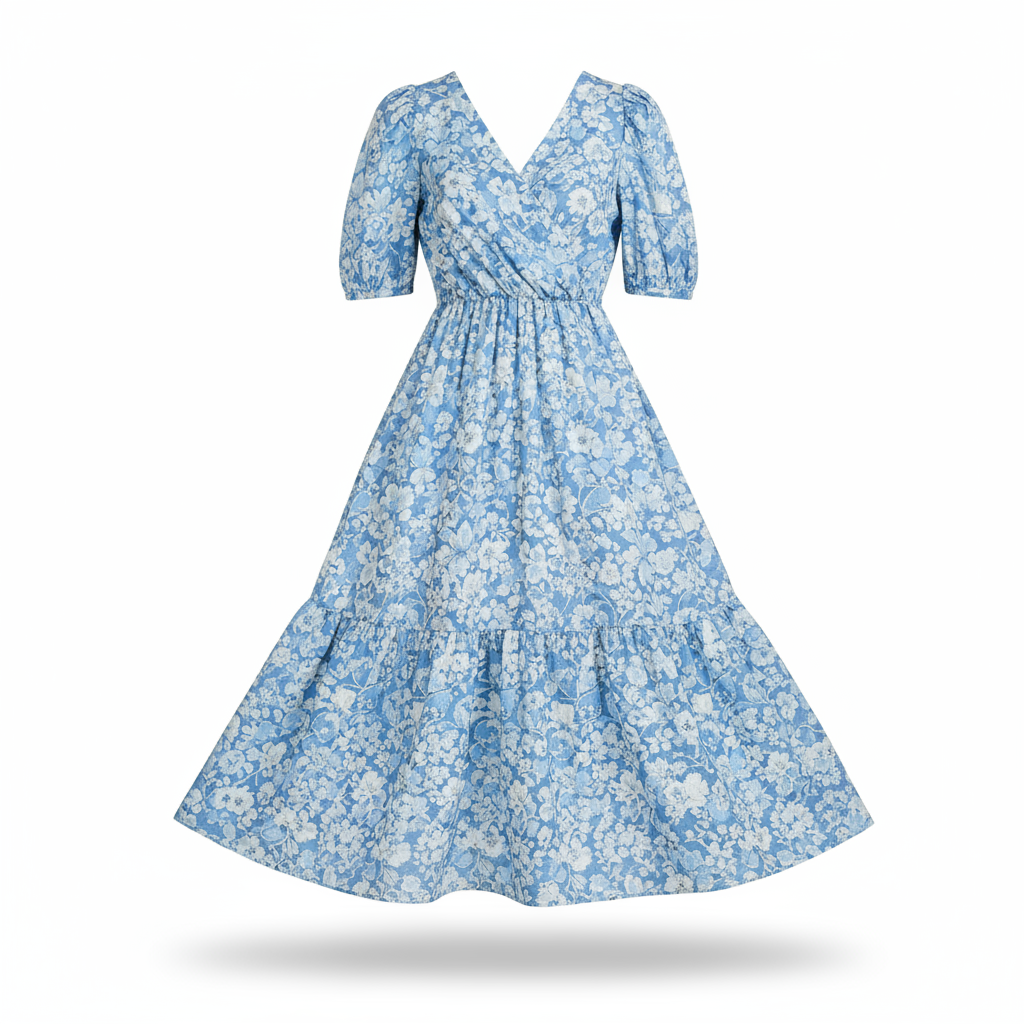
|
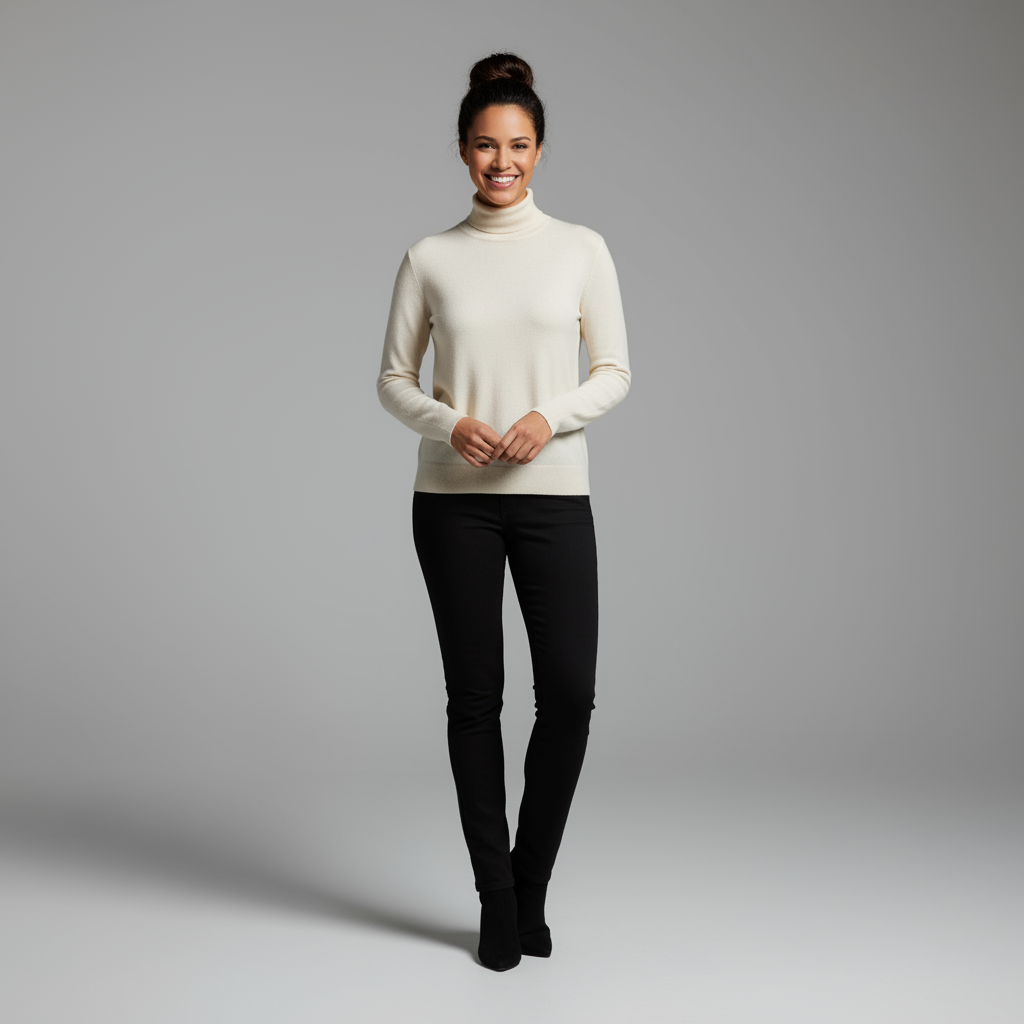
|
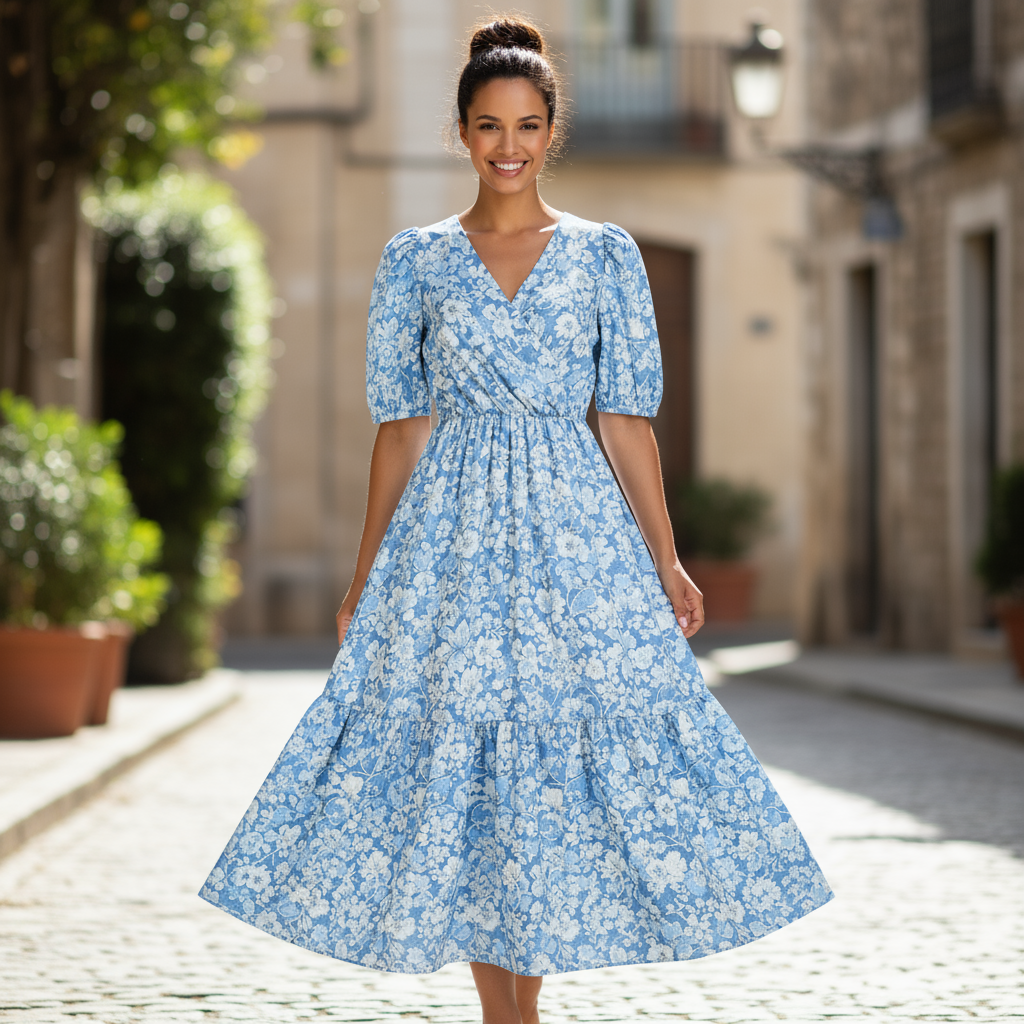
|
5. 高保真细节保留
为确保在编辑过程中保留关键细节(例如面部或徽标),请在编辑请求中详细描述这些细节。
模板
Using the provided images, place [element from image 2] onto [element from
image 1]. Ensure that the features of [element from image 1] remain
completely unchanged. The added element should [description of how the
element should integrate].
提示
"Take the first image of the woman with brown hair, blue eyes, and a neutral
expression. Add the logo from the second image onto her black t-shirt.
Ensure the woman's face and features remain completely unchanged. The logo
should look like it's naturally printed on the fabric, following the folds
of the shirt."
Python
from google import genai
from PIL import Image
import base64

client = genai.Client()

with open('/path/to/your/woman.png', 'rb') as f:
    woman_bytes = f.read()
with open('/path/to/your/logo.png', 'rb') as f:
    logo_bytes = f.read()
text_input = """Take the first image of the woman with brown hair, blue eyes, and a neutral expression. Add the logo from the second image onto her black t-shirt. Ensure the woman's face and features remain completely unchanged. The logo should look like it's naturally printed on the fabric, following the folds of the shirt."""

interaction = client.interactions.create(
    model="gemini-3.1-flash-image",
    input=[
      {"type": "image", "mime_type":"image/png", "data": base64.b64encode(woman_bytes).decode('utf-8')},
      {"type": "image", "mime_type":"image/png", "data": base64.b64encode(logo_bytes).decode('utf-8')},
      {"type": "text", "text": text_input}
    ],
)

for step in interaction.steps:
    if step.type == "model_output":
        for content_block in step.content:
            if content_block.type == "text":
                print(content_block.text)
            elif content_block.type == "image":
                with open("woman_with_logo.png", "wb") as f:
                    f.write(base64.b64decode(content_block.data))
JavaScript
import { GoogleGenAI } from "@google/genai";
import * as fs from "node:fs";

async function main() {
  const ai = new GoogleGenAI({});

  const imagePath1 = "/path/to/your/woman.png";
  const imageData1 = fs.readFileSync(imagePath1);
  const base64Image1 = imageData1.toString("base64");
  const imagePath2 = "/path/to/your/logo.png";
  const imageData2 = fs.readFileSync(imagePath2);
  const base64Image2 = imageData2.toString("base64");

  const input = [
    {"type": "image", "mime_type":"image/png", "data": base64Image1},
    {"type": "image", "mime_type":"image/png", "data": base64Image2},
    {"type": "text", "text": "Take the first image of the woman with brown hair, blue eyes, and a neutral expression. Add the logo from the second image onto her black t-shirt. Ensure the woman's face and features remain completely unchanged. The logo should look like it's naturally printed on the fabric, following the folds of the shirt."},
  ];

  const interaction = await ai.interactions.create({
    model: "gemini-3.1-flash-image",
    input: input,
  });
  for (const step of interaction.steps) {
    if (step.type === "model_output") {
      for (const contentBlock of step.content) {
        if (contentBlock.type === "text") {
          console.log(contentBlock.text);
        } else if (contentBlock.type === "image") {
          const buffer = Buffer.from(contentBlock.data, "base64");
          fs.writeFileSync("woman_with_logo.png", buffer);
        }
      }
    }
  }
}

main();
Java
import com.google.genai.Client;
import com.google.genai.gaos.models.interactions.Content;
import com.google.genai.gaos.models.interactions.CreateModelInteraction;
import com.google.genai.gaos.models.interactions.ImageContent;
import com.google.genai.gaos.models.interactions.ImageContentMimeType;
import com.google.genai.gaos.models.interactions.Interaction;
import com.google.genai.gaos.models.interactions.InteractionsInput;
import com.google.genai.gaos.models.interactions.Model;
import com.google.genai.gaos.models.interactions.ModelOutputStep;
import com.google.genai.gaos.models.interactions.Step;
import com.google.genai.gaos.models.interactions.TextContent;
import com.google.genai.gaos.models.operations.CreateInteractionRequestBody;
import java.nio.file.Files;
import java.nio.file.Paths;
import java.util.Arrays;
import java.util.Base64;
import java.util.List;

Client client = new Client();

byte[] womanBytes = Files.readAllBytes(Paths.get("/path/to/your/woman.png"));
byte[] logoBytes = Files.readAllBytes(Paths.get("/path/to/your/logo.png"));
String textInput =
    "Take the first image of the woman with brown hair, blue eyes, and a neutral expression. Add the logo from the second image onto her black t-shirt. Ensure the woman's face and features remain completely unchanged. The logo should look like it's naturally printed on the fabric, following the folds of the shirt.";

Content womanContent =
    ImageContent.builder()
        .data(Base64.getEncoder().encodeToString(womanBytes))
        .mimeType(ImageContentMimeType.IMAGE_PNG)
        .build();
Content logoContent =
    ImageContent.builder()
        .data(Base64.getEncoder().encodeToString(logoBytes))
        .mimeType(ImageContentMimeType.IMAGE_PNG)
        .build();
Content textContent = TextContent.builder().text(textInput).build();

List<Content> contents = Arrays.asList(womanContent, logoContent, textContent);

CreateModelInteraction params =
    CreateModelInteraction.builder()
        .model(Model.of("gemini-3.1-flash-image"))
        .input(InteractionsInput.ofContent(contents))
        .build();

Interaction interaction =
    client.interactions.create(CreateInteractionRequestBody.of(params)).interaction().get();

if (interaction.steps().isPresent()) {
  for (Step step : interaction.steps().get()) {
    if (step instanceof ModelOutputStep) {
      ModelOutputStep outputStep = (ModelOutputStep) step;
      if (outputStep.content().isPresent()) {
        for (Content contentBlock : outputStep.content().get()) {
          if (contentBlock instanceof TextContent) {
            System.out.println(((TextContent) contentBlock).text().orElse(""));
          } else if (contentBlock instanceof ImageContent) {
            ImageContent img = (ImageContent) contentBlock;
            if (img.data().isPresent()) {
              byte[] outBytes = Base64.getDecoder().decode(img.data().get());
              Files.write(Paths.get("woman_with_logo.png"), outBytes);
            }
          }
        }
      }
    }
  }
}
Go
package main

import (
    "context"
    "encoding/base64"
    "fmt"
    "log"
    "os"

    "google.golang.org/genai"
    "google.golang.org/genai/interactions/models/interactions"
    "google.golang.org/genai/interactions/models/operations"
)

func main() {
    ctx := context.Background()
    client, err := genai.NewClient(ctx, nil)
    if err != nil {
        log.Fatal(err)
    }

    womanBytes, err := os.ReadFile("/path/to/your/woman.png")
    if err != nil {
        log.Fatal(err)
    }
    logoBytes, err := os.ReadFile("/path/to/your/logo.png")
    if err != nil {
        log.Fatal(err)
    }
    textInput := "Take the first image of the woman with brown hair, blue eyes, and a neutral expression. Add the logo from the second image onto her black t-shirt. Ensure the woman's face and features remain completely unchanged. The logo should look like it's naturally printed on the fabric, following the folds of the shirt."

    contents := []interactions.Content{
        interactions.NewContent(interactions.ImageContent{
            Data:     genai.Ptr(base64.StdEncoding.EncodeToString(womanBytes)),
            MimeType: interactions.ImageContentMimeTypeImagePng.ToPointer(),
        }),
        interactions.NewContent(interactions.ImageContent{
            Data:     genai.Ptr(base64.StdEncoding.EncodeToString(logoBytes)),
            MimeType: interactions.ImageContentMimeTypeImagePng.ToPointer(),
        }),
        interactions.NewContent(interactions.TextContent{
            Text: textInput,
        }),
    }

    res, err := client.Interactions.Create(ctx, operations.CreateInteractionRequest{
        Body: operations.NewCreateInteractionRequestBody(interactions.CreateModelInteraction{
            Model: interactions.Model("gemini-3.1-flash-image"),
            Input: interactions.NewInteractionsInput(contents),
        }),
    })
    if err != nil {
        log.Fatal(err)
    }

    for _, step := range res.Interaction.Steps {
        if step.ModelOutputStep != nil {
            for _, contentBlock := range step.ModelOutputStep.Content {
                if contentBlock.TextContent != nil {
                    fmt.Println(contentBlock.TextContent.Text)
                } else if contentBlock.ImageContent != nil && contentBlock.ImageContent.Data != nil {
                    outBytes, err := base64.StdEncoding.DecodeString(*contentBlock.ImageContent.Data)
                    if err != nil {
                        log.Fatal(err)
                    }
                    if err := os.WriteFile("woman_with_logo.png", outBytes, 0644); err != nil {
                        log.Fatal(err)
                    }
                }
            }
        }
    }
}
REST
curl -s -X POST \
  "https://generativelanguage.googleapis.com/v1beta/interactions" \
    -H "x-goog-api-key: $GEMINI_API_KEY" \
    -H 'Content-Type: application/json' \
    -d "{
      \"model\": \"gemini-3.1-flash-image\",
      \"input\": [
        {\"type\": \"image\", \"mime_type\":\"image/png\", \"data\": \"<BASE64_IMAGE_DATA_1>\"},
        {\"type\": \"image\", \"mime_type\":\"image/png\", \"data\": \"<BASE64_IMAGE_DATA_2>\"},
        {\"type\": \"text\", \"text\": \"Take the first image of the woman with brown hair, blue eyes, and a neutral expression. Add the logo from the second image onto her black t-shirt. Ensure the woman's face and features remain completely unchanged. The logo should look like it's naturally printed on the fabric, following the folds of the shirt.\"}
      ]
    }"
输入值 1 |
输入值 2 |
输出 |

|

|

|
6. 让事物生动起来
上传草图或简笔画,然后让模型将其优化为成品图片。
模板
Turn this rough [medium] sketch of a [subject] into a [style description]
photo. Keep the [specific features] from the sketch but add [new details/materials].
提示
"Turn this rough pencil sketch of a futuristic car into a polished photo of the finished concept car in a showroom. Keep the sleek lines and low profile from the sketch but add metallic blue paint and neon rim lighting."
Python
from google import genai
from PIL import Image
import base64

client = genai.Client()

with open('/path/to/your/car_sketch.png', 'rb') as f:
    sketch_bytes = f.read()
text_input = """Turn this rough pencil sketch of a futuristic car into a polished photo of the finished concept car in a showroom. Keep the sleek lines and low profile from the sketch but add metallic blue paint and neon rim lighting."""

interaction = client.interactions.create(
    model="gemini-3.1-flash-image",
    input=[
      {"type": "image", "mime_type":"image/png", "data": base64.b64encode(sketch_bytes).decode('utf-8')},
      {"type": "text", "text": text_input}
    ],
)

for step in interaction.steps:
    if step.type == "model_output":
        for content_block in step.content:
            if content_block.type == "text":
                print(content_block.text)
            elif content_block.type == "image":
                with open("car_photo.png", "wb") as f:
                    f.write(base64.b64decode(content_block.data))
JavaScript
import { GoogleGenAI } from "@google/genai";
import * as fs from "node:fs";

async function main() {
  const ai = new GoogleGenAI({});

  const imagePath = "/path/to/your/car_sketch.png";
  const imageData = fs.readFileSync(imagePath);
  const base64Image = imageData.toString("base64");

  const input = [
    {"type": "image", "mime_type":"image/png", "data": base64Image},
    {"type": "text", "text": "Turn this rough pencil sketch of a futuristic car into a polished photo of the finished concept car in a showroom. Keep the sleek lines and low profile from the sketch but add metallic blue paint and neon rim lighting."},
  ];

  const interaction = await ai.interactions.create({
    model: "gemini-3.1-flash-image",
    input: input,
  });
  for (const step of interaction.steps) {
    if (step.type === "model_output") {
      for (const contentBlock of step.content) {
        if (contentBlock.type === "text") {
          console.log(contentBlock.text);
        } else if (contentBlock.type === "image") {
          const buffer = Buffer.from(contentBlock.data, "base64");
          fs.writeFileSync("car_photo.png", buffer);
        }
      }
    }
  }
}

main();
Java
import com.google.genai.Client;
import com.google.genai.gaos.models.interactions.Content;
import com.google.genai.gaos.models.interactions.CreateModelInteraction;
import com.google.genai.gaos.models.interactions.ImageContent;
import com.google.genai.gaos.models.interactions.ImageContentMimeType;
import com.google.genai.gaos.models.interactions.Interaction;
import com.google.genai.gaos.models.interactions.InteractionsInput;
import com.google.genai.gaos.models.interactions.Model;
import com.google.genai.gaos.models.interactions.ModelOutputStep;
import com.google.genai.gaos.models.interactions.Step;
import com.google.genai.gaos.models.interactions.TextContent;
import com.google.genai.gaos.models.operations.CreateInteractionRequestBody;
import java.nio.file.Files;
import java.nio.file.Paths;
import java.util.Arrays;
import java.util.Base64;
import java.util.List;

Client client = new Client();

byte[] sketchBytes = Files.readAllBytes(Paths.get("/path/to/your/car_sketch.png"));
String textInput =
    "Turn this rough pencil sketch of a futuristic car into a polished photo of the finished concept car in a showroom. Keep the sleek lines and low profile from the sketch but add metallic blue paint and neon rim lighting.";

Content sketchContent =
    ImageContent.builder()
        .data(Base64.getEncoder().encodeToString(sketchBytes))
        .mimeType(ImageContentMimeType.IMAGE_PNG)
        .build();
Content textContent = TextContent.builder().text(textInput).build();

List<Content> contents = Arrays.asList(sketchContent, textContent);

CreateModelInteraction params =
    CreateModelInteraction.builder()
        .model(Model.of("gemini-3.1-flash-image"))
        .input(InteractionsInput.ofContent(contents))
        .build();

Interaction interaction =
    client.interactions.create(CreateInteractionRequestBody.of(params)).interaction().get();

if (interaction.steps().isPresent()) {
  for (Step step : interaction.steps().get()) {
    if (step instanceof ModelOutputStep) {
      ModelOutputStep outputStep = (ModelOutputStep) step;
      if (outputStep.content().isPresent()) {
        for (Content contentBlock : outputStep.content().get()) {
          if (contentBlock instanceof TextContent) {
            System.out.println(((TextContent) contentBlock).text().orElse(""));
          } else if (contentBlock instanceof ImageContent) {
            ImageContent img = (ImageContent) contentBlock;
            if (img.data().isPresent()) {
              byte[] outBytes = Base64.getDecoder().decode(img.data().get());
              Files.write(Paths.get("car_photo.png"), outBytes);
            }
          }
        }
      }
    }
  }
}
Go
package main

import (
    "context"
    "encoding/base64"
    "fmt"
    "log"
    "os"

    "google.golang.org/genai"
    "google.golang.org/genai/interactions/models/interactions"
    "google.golang.org/genai/interactions/models/operations"
)

func main() {
    ctx := context.Background()
    client, err := genai.NewClient(ctx, nil)
    if err != nil {
        log.Fatal(err)
    }

    sketchBytes, err := os.ReadFile("/path/to/your/car_sketch.png")
    if err != nil {
        log.Fatal(err)
    }
    textInput := "Turn this rough pencil sketch of a futuristic car into a polished photo of the finished concept car in a showroom. Keep the sleek lines and low profile from the sketch but add metallic blue paint and neon rim lighting."

    contents := []interactions.Content{
        interactions.NewContent(interactions.ImageContent{
            Data:     genai.Ptr(base64.StdEncoding.EncodeToString(sketchBytes)),
            MimeType: interactions.ImageContentMimeTypeImagePng.ToPointer(),
        }),
        interactions.NewContent(interactions.TextContent{
            Text: textInput,
        }),
    }

    res, err := client.Interactions.Create(ctx, operations.CreateInteractionRequest{
        Body: operations.NewCreateInteractionRequestBody(interactions.CreateModelInteraction{
            Model: interactions.Model("gemini-3.1-flash-image"),
            Input: interactions.NewInteractionsInput(contents),
        }),
    })
    if err != nil {
        log.Fatal(err)
    }

    for _, step := range res.Interaction.Steps {
        if step.ModelOutputStep != nil {
            for _, contentBlock := range step.ModelOutputStep.Content {
                if contentBlock.TextContent != nil {
                    fmt.Println(contentBlock.TextContent.Text)
                } else if contentBlock.ImageContent != nil && contentBlock.ImageContent.Data != nil {
                    outBytes, err := base64.StdEncoding.DecodeString(*contentBlock.ImageContent.Data)
                    if err != nil {
                        log.Fatal(err)
                    }
                    if err := os.WriteFile("car_photo.png", outBytes, 0644); err != nil {
                        log.Fatal(err)
                    }
                }
            }
        }
    }
}
REST
curl -s -X POST \
  "https://generativelanguage.googleapis.com/v1beta/interactions" \
    -H "x-goog-api-key: $GEMINI_API_KEY" \
    -H 'Content-Type: application/json' \
    -d "{
      \"model\": \"gemini-3.1-flash-image\",
      \"input\": [
        {\"type\": \"image\", \"mime_type\":\"image/png\", \"data\": \"<BASE64_IMAGE_DATA>\"},
        {\"type\": \"text\", \"text\": \"Turn this rough pencil sketch of a futuristic car into a polished photo of the finished concept car in a showroom. Keep the sleek lines and low profile from the sketch but add metallic blue paint and neon rim lighting.\"}
      ]
    }"
输入 |
输出 |
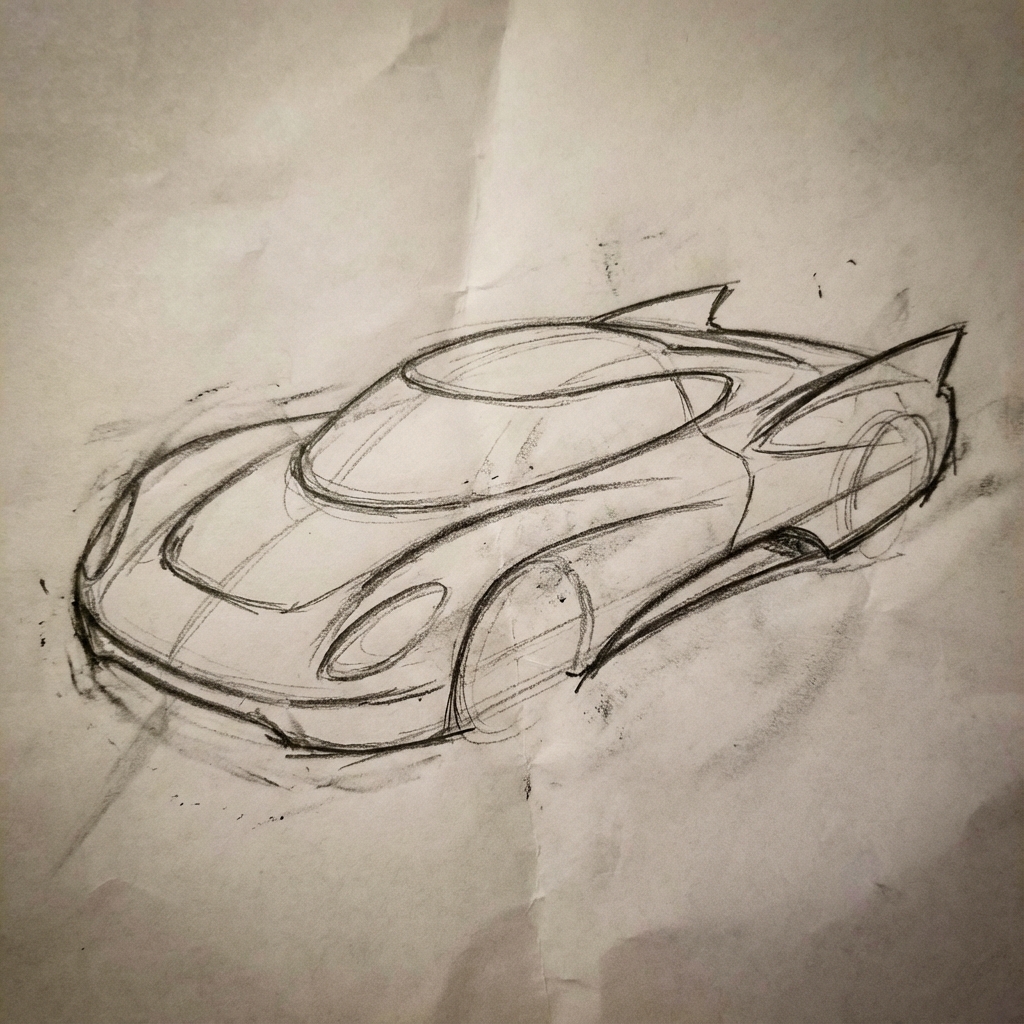
|
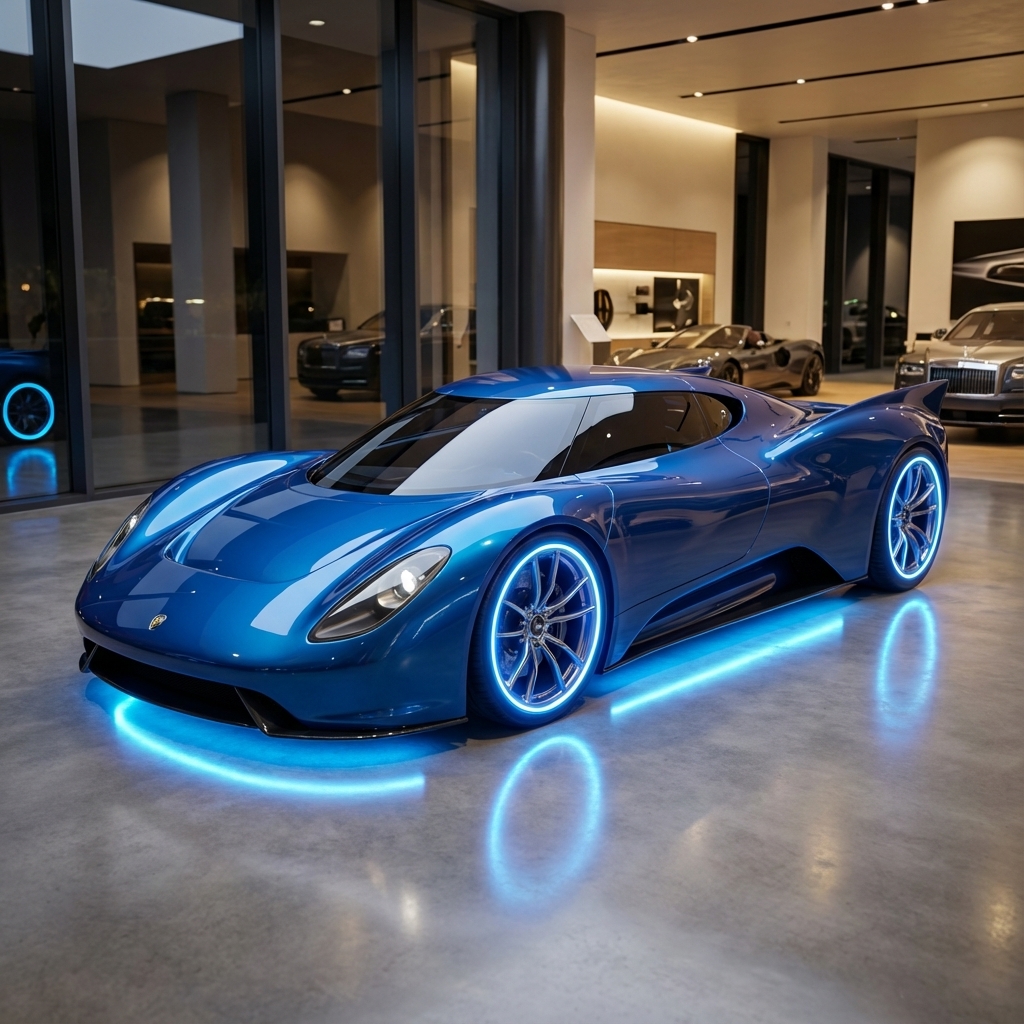
|
7. 角色一致性:360 度全景视图
您可以迭代提示不同的角度,从而生成角色的 360 度视图。为获得最佳效果,请在后续提示中添加之前生成的图片,以保持一致性。对于复杂的姿势,请添加所选姿势的参考图片。
模板
A studio portrait of [person] against [background], [looking forward/in profile looking right/etc.]
提示
A studio portrait of this man against white, in profile looking right
Python
from google import genai
from PIL import Image
import base64

client = genai.Client()

with open('/path/to/your/man_in_white_glasses.jpg', 'rb') as f:
    image_bytes = f.read()
text_input = """A studio portrait of this man against white, in profile looking right"""

interaction = client.interactions.create(
    model="gemini-3.1-flash-image",
    input={
      {"type": "text", "text": text_input},
      {"type": "image", "mime_type":"image/png", "data": base64.b64encode(image_bytes).decode('utf-8')}
    },
)

for step in interaction.steps:
    if step.type == "model_output":
        for content_block in step.content:
            if content_block.type == "text":
                print(content_block.text)
            elif content_block.type == "image":
                with open("man_right_profile.png", "wb") as f:
                    f.write(base64.b64decode(content_block.data))
输入 |
输出内容 1 |
输出内容 2 |
|
|

|

|
最佳做法
如需将结果从“好”提升到“出色”,请将以下专业策略融入您的工作流程。
- 具体化:您提供的信息越详细,对输出结果的掌控程度就越高。不要笼统地说“奇幻盔甲”,而要具体描述为“华丽的精灵板甲,蚀刻着银叶图案,带有高领和猎鹰翅膀形状的肩甲”。
- 提供上下文和意图:说明图片的用途。模型对上下文的理解会影响最终输出。例如,“为高端极简护肤品牌设计徽标”的效果要好于“设计徽标”。
- 迭代和优化:不要指望第一次尝试就能生成完美的图片。利用模型的对话特性进行小幅更改。然后,您可以继续提出提示,例如“效果很棒,但能让光线更暖一些吗?”或“保持所有内容不变,但让角色的表情更严肃一些。”
- 使用分步指令:对于包含许多元素的复杂场景,请将提示拆分为多个步骤。“首先,创建一个宁静、薄雾弥漫的黎明森林的背景。然后,在前景中添加一个长满苔藓的古老石制祭坛。最后,将一把发光的剑放在祭坛顶部。”
- 使用“语义负面提示”:不要说“没有汽车”,而是通过说“一条没有交通迹象的空旷、荒凉的街道”来正面描述预期场景。
- 控制镜头:使用摄影和电影语言来控制构图。例如
wide-angle shot、macro shot、low-angle perspective等字词。
限制
- 为获得最佳性能,请使用以下语言:英语、ar-EG、de-DE、es-MX、fr-FR、hi-IN、id-ID、it-IT、ja-JP、ko-KR、pt-BR、ru-RU、ua-UA、vi-VN、zh-CN。
- 图片生成不支持音频输入。仅 Gemini 3.1 Flash Image 和 Gemini 3.1 Flash Lite Image 支持视频输入。
- 模型不一定会生成用户明确要求的确切数量的图片输出。
gemini-2.5-flash-image最多可接受 3 张图片作为输入,而gemini-3-pro-image可支持 5 张高保真图片,总共最多可支持 14 张图片。gemini-3.1-flash-image支持在单一工作流中保持多达 4 个角色的相似度,并保持多达 10 个物体的细节保真度。- 在为图片生成文本时,如果先生成文本,再要求生成包含该文本的图片,Gemini 的效果会最佳。
gemini-3.1-flash-image目前,依托 Google 搜索进行接地不支持使用网络搜索中的人物真实世界图片。- 生成的所有图片都包含 SynthID 水印。
可选配置
您可以选择使用 response_format 参数配置输出格式、宽高比和图片大小。
输出格式
模型默认返回文本和图片回答。您可以在 response_format 参数中指定图片格式,以将响应配置为仅返回生成的图片(省略对话文本)。
如需请求多种模态(例如文本和生成的图片),请改为向 response_format 传递格式条目数组。
Python
interaction = client.interactions.create(
    model="gemini-3.1-flash-image",
    input="Write a short poem about a starry night and generate an image of it.",
    response_format=[
        {"type": "text"},
        {"type": "image"},
    ],
)
JavaScript
const interaction = await ai.interactions.create({
  model: "gemini-3.1-flash-image",
  input: "Write a short poem about a starry night and generate an image of it.",
  response_format: [
    { type: "text" },
    { type: "image" },
  ],
});
Java
import com.google.genai.Client;
import com.google.genai.gaos.models.interactions.CreateModelInteraction;
import com.google.genai.gaos.models.interactions.CreateModelInteractionResponseFormat;
import com.google.genai.gaos.models.interactions.ImageResponseFormat;
import com.google.genai.gaos.models.interactions.Interaction;
import com.google.genai.gaos.models.interactions.InteractionsInput;
import com.google.genai.gaos.models.interactions.Model;
import com.google.genai.gaos.models.interactions.ResponseFormat;
import com.google.genai.gaos.models.interactions.TextResponseFormat;
import com.google.genai.gaos.models.operations.CreateInteractionRequestBody;
import java.util.Arrays;

Client client = new Client();

CreateModelInteractionResponseFormat format =
    CreateModelInteractionResponseFormat.of(
        Arrays.asList(
            ResponseFormat.of(TextResponseFormat.builder().build()),
            ResponseFormat.of(ImageResponseFormat.builder().build())));

CreateModelInteraction params =
    CreateModelInteraction.builder()
        .model(Model.of("gemini-3.1-flash-image"))
        .input(
            InteractionsInput.of(
                "Write a short poem about a starry night and generate an image of it."))
        .responseFormat(format)
        .build();

Interaction interaction =
    client.interactions.create(CreateInteractionRequestBody.of(params)).interaction().get();
Go
package main

import (
    "context"
    "log"

    "google.golang.org/genai"
    "google.golang.org/genai/interactions/models/interactions"
    "google.golang.org/genai/interactions/models/operations"
)

func main() {
    ctx := context.Background()
    client, err := genai.NewClient(ctx, nil)
    if err != nil {
        log.Fatal(err)
    }

    format := interactions.NewCreateModelInteractionResponseFormat([]interactions.ResponseFormat{
        interactions.NewResponseFormat(interactions.TextResponseFormat{}),
        interactions.NewResponseFormat(interactions.ImageResponseFormat{}),
    })

    res, err := client.Interactions.Create(ctx, operations.CreateInteractionRequest{
        Body: operations.NewCreateInteractionRequestBody(interactions.CreateModelInteraction{
            Model:          interactions.Model("gemini-3.1-flash-image"),
            Input:          interactions.NewInteractionsInput("Write a short poem about a starry night and generate an image of it."),
            ResponseFormat: genai.Ptr(format),
        }),
    })
    if err != nil {
        log.Fatal(err)
    }
    _ = res
}
REST
curl -s -X POST \
  "https://generativelanguage.googleapis.com/v1beta/interactions" \
  -H "x-goog-api-key: $GEMINI_API_KEY" \
  -H 'Content-Type: application/json' \
  -d '{
    "model": "gemini-3.1-flash-image",
    "input": "Write a short poem about a starry night and generate an image of it.",
    "response_format": [
      { "type": "text" },
      { "type": "image" }
    ]
  }'
宽高比和图片大小
默认情况下,模型会使输出图片的大小与输入图片的大小相匹配,否则会生成 1:1 的方形图片。当 type 设置为 "image" 时,您可以使用 response_format 下的 aspect_ratio 和 image_size 字段来控制输出图片的宽高比和大小。
Python
interaction = client.interactions.create(
    model="gemini-3.1-flash-image",
    input=prompt,
    response_format={
        "type": "image",
        "aspect_ratio": "16:9",
        "image_size": "2K",
    },
)
JavaScript
const interaction = await ai.interactions.create({
    model: "gemini-3.1-flash-image",
    input: prompt,
    response_format: {
      type: "image",
      aspect_ratio: "16:9",
      image_size: "2K",
    },
  });
Java
import com.google.genai.Client;
import com.google.genai.gaos.models.interactions.CreateModelInteraction;
import com.google.genai.gaos.models.interactions.CreateModelInteractionResponseFormat;
import com.google.genai.gaos.models.interactions.ImageResponseFormat;
import com.google.genai.gaos.models.interactions.ImageResponseFormatAspectRatio;
import com.google.genai.gaos.models.interactions.ImageResponseFormatImageSize;
import com.google.genai.gaos.models.interactions.Interaction;
import com.google.genai.gaos.models.interactions.InteractionsInput;
import com.google.genai.gaos.models.interactions.Model;
import com.google.genai.gaos.models.interactions.ResponseFormat;
import com.google.genai.gaos.models.operations.CreateInteractionRequestBody;

Client client = new Client();
String prompt = "Create a picture of a nano banana dish in a fancy restaurant with a Gemini theme";

CreateModelInteractionResponseFormat format =
    CreateModelInteractionResponseFormat.of(
        ResponseFormat.of(
            ImageResponseFormat.builder()
                .aspectRatio(ImageResponseFormatAspectRatio.of("16:9"))
                .imageSize(ImageResponseFormatImageSize.TWO_K)
                .build()));

CreateModelInteraction params =
    CreateModelInteraction.builder()
        .model(Model.of("gemini-3.1-flash-image"))
        .input(InteractionsInput.of(prompt))
        .responseFormat(format)
        .build();

Interaction interaction =
    client.interactions.create(CreateInteractionRequestBody.of(params)).interaction().get();
Go
package main

import (
    "context"
    "log"

    "google.golang.org/genai"
    "google.golang.org/genai/interactions/models/interactions"
    "google.golang.org/genai/interactions/models/operations"
)

func main() {
    ctx := context.Background()
    client, err := genai.NewClient(ctx, nil)
    if err != nil {
        log.Fatal(err)
    }

    prompt := "Create a picture of a nano banana dish in a fancy restaurant with a Gemini theme"

    format := interactions.NewCreateModelInteractionResponseFormat(
        interactions.NewResponseFormat(interactions.ImageResponseFormat{
            AspectRatio: interactions.ImageResponseFormatAspectRatio("16:9").ToPointer(),
            ImageSize:   interactions.ImageResponseFormatImageSizeTwoK.ToPointer(),
        }),
    )

    res, err := client.Interactions.Create(ctx, operations.CreateInteractionRequest{
        Body: operations.NewCreateInteractionRequestBody(interactions.CreateModelInteraction{
            Model:          interactions.Model("gemini-3.1-flash-image"),
            Input:          interactions.NewInteractionsInput(prompt),
            ResponseFormat: genai.Ptr(format),
        }),
    })
    if err != nil {
        log.Fatal(err)
    }
    _ = res
}
REST
curl -s -X POST \
  "https://generativelanguage.googleapis.com/v1beta/interactions" \
  -H "x-goog-api-key: $GEMINI_API_KEY" \
  -H 'Content-Type: application/json' \
  -d '{
    "model": "gemini-3.1-flash-image",
    "input": "Create a picture of a nano banana dish in a fancy restaurant with a Gemini theme",
    "response_format": {
      "type": "image",
      "aspect_ratio": "16:9",
      "image_size": "2K"
    }
  }'
下表列出了可用的不同宽高比以及生成的图片大小:
3.1 Flash Image
| 宽高比 | 512 像素分辨率 | 500 个 token | 1K 分辨率 | 1,000 个 token | 2K 分辨率 | 2,000 个 token | 4K 分辨率 | 4,000 个 token |
|---|---|---|---|---|---|---|---|---|
| 1:1 | 512x512 | 747 | 1024x1024 | 1120 | 2048 x 2048 | 1680 | 4096x4096 | 2520 |
| 1:4 | 256x1024 | 747 | 512x2048 | 1120 | 1024x4096 | 1680 | 2048x8192 | 2520 |
| 1:8 | 192x1536 | 747 | 384x3072 | 1120 | 768x6144 | 1680 | 1536x12288 | 2520 |
| 2:3 | 424x632 | 747 | 848x1264 | 1120 | 1696x2528 | 1680 | 3392x5056 | 2520 |
| 3:2 | 632x424 | 747 | 1264x848 | 1120 | 2528x1696 | 1680 | 5056x3392 | 2520 |
| 3:4 | 448x600 | 747 | 896x1200 | 1120 | 1792x2400 | 1680 | 3584x4800 | 2520 |
| 4:1 | 1024x256 | 747 | 2048x512 | 1120 | 4096x1024 | 1680 | 8192x2048 | 2520 |
| 4:3 | 600x448 | 747 | 1200x896 | 1120 | 2400x1792 | 1680 | 4800x3584 | 2520 |
| 4:5 | 464x576 | 747 | 928x1152 | 1120 | 1856x2304 | 1680 | 3712x4608 | 2520 |
| 5:4 | 576x464 | 747 | 1152x928 | 1120 | 2304x1856 | 1680 | 4608x3712 | 2520 |
| 8:1 | 1536x192 | 747 | 3072x384 | 1120 | 6144x768 | 1680 | 12288x1536 | 2520 |
| 9:16 | 384x688 | 747 | 768x1376 | 1120 | 1536x2752 | 1680 | 3072x5504 | 2520 |
| 16:9 | 688x384 | 747 | 1376x768 | 1120 | 2752x1536 | 1680 | 5504x3072 | 2520 |
| 21:9 | 792x168 | 747 | 1584x672 | 1120 | 3168x1344 | 1680 | 6336x2688 | 2520 |
3.1 Pro Image
| 宽高比 | 1K 分辨率 | 1,000 个 token | 2K 分辨率 | 2,000 个 token | 4K 分辨率 | 4,000 个 token |
|---|---|---|---|---|---|---|
| 1:1 | 1024x1024 | 1120 | 2048 x 2048 | 1120 | 4096x4096 | 2000 |
| 2:3 | 848x1264 | 1120 | 1696x2528 | 1120 | 3392x5056 | 2000 |
| 3:2 | 1264x848 | 1120 | 2528x1696 | 1120 | 5056x3392 | 2000 |
| 3:4 | 896x1200 | 1120 | 1792x2400 | 1120 | 3584x4800 | 2000 |
| 4:3 | 1200x896 | 1120 | 2400x1792 | 1120 | 4800x3584 | 2000 |
| 4:5 | 928x1152 | 1120 | 1856x2304 | 1120 | 3712x4608 | 2000 |
| 5:4 | 1152x928 | 1120 | 2304x1856 | 1120 | 4608x3712 | 2000 |
| 9:16 | 768x1376 | 1120 | 1536x2752 | 1120 | 3072x5504 | 2000 |
| 16:9 | 1376x768 | 1120 | 2752x1536 | 1120 | 5504x3072 | 2000 |
| 21:9 | 1584x672 | 1120 | 3168x1344 | 1120 | 6336x2688 | 2000 |
Gemini 2.5 Flash 图片
| 宽高比 | 分辨率 | 令牌 |
|---|---|---|
| 1:1 | 1024x1024 | 1290 |
| 2:3 | 832x1248 | 1290 |
| 3:2 | 1248x832 | 1290 |
| 3:4 | 864x1184 | 1290 |
| 4:3 | 1184x864 | 1290 |
| 4:5 | 896x1152 | 1290 |
| 5:4 | 1152x896 | 1290 |
| 9:16 | 768x1344 | 1290 |
| 16:9 | 1344x768 | 1290 |
| 21:9 | 1536x672 | 1290 |
模型选择
选择最适合您的特定使用场景的模型。
Gemini 3.1 Flash Image (Nano Banana 2) 应该是您的首选图片生成模型,因为它在性能、智能性、成本和延迟之间实现了最佳平衡。如需了解详情,请参阅模型价格和功能页面。
Gemini 3.1 Flash Lite Image (Nano Banana 2 Lite) 是图片生成模型系列中最具效率的模型,可提供超低延迟且经济实惠的图片生成和编辑服务。 如需了解详情,请参阅模型价格和功能页面。
Gemini 3 Pro Image (Nano Banana Pro) 专为专业资源制作和复杂指令而设计。此模型具有以下特点:使用 Google 搜索进行现实世界接地、默认的“思考”流程(可在生成之前优化构图),以及能够生成分辨率高达 4K 的图片。如需了解详情,请参阅模型价格和功能页面。
Gemini 2.5 Flash Image (Nano Banana) 旨在实现速度和效率。此模型经过优化,可处理大批量、低延迟的任务,并生成 1024 像素分辨率的图片。如需了解详情,请参阅模型价格和功能页面。
何时使用 Imagen
Imagen 已关闭,无法再通过 Gemini API 使用。 使用 Nano Banana 生成和编辑图片。