

Генерация изображений нано-банана
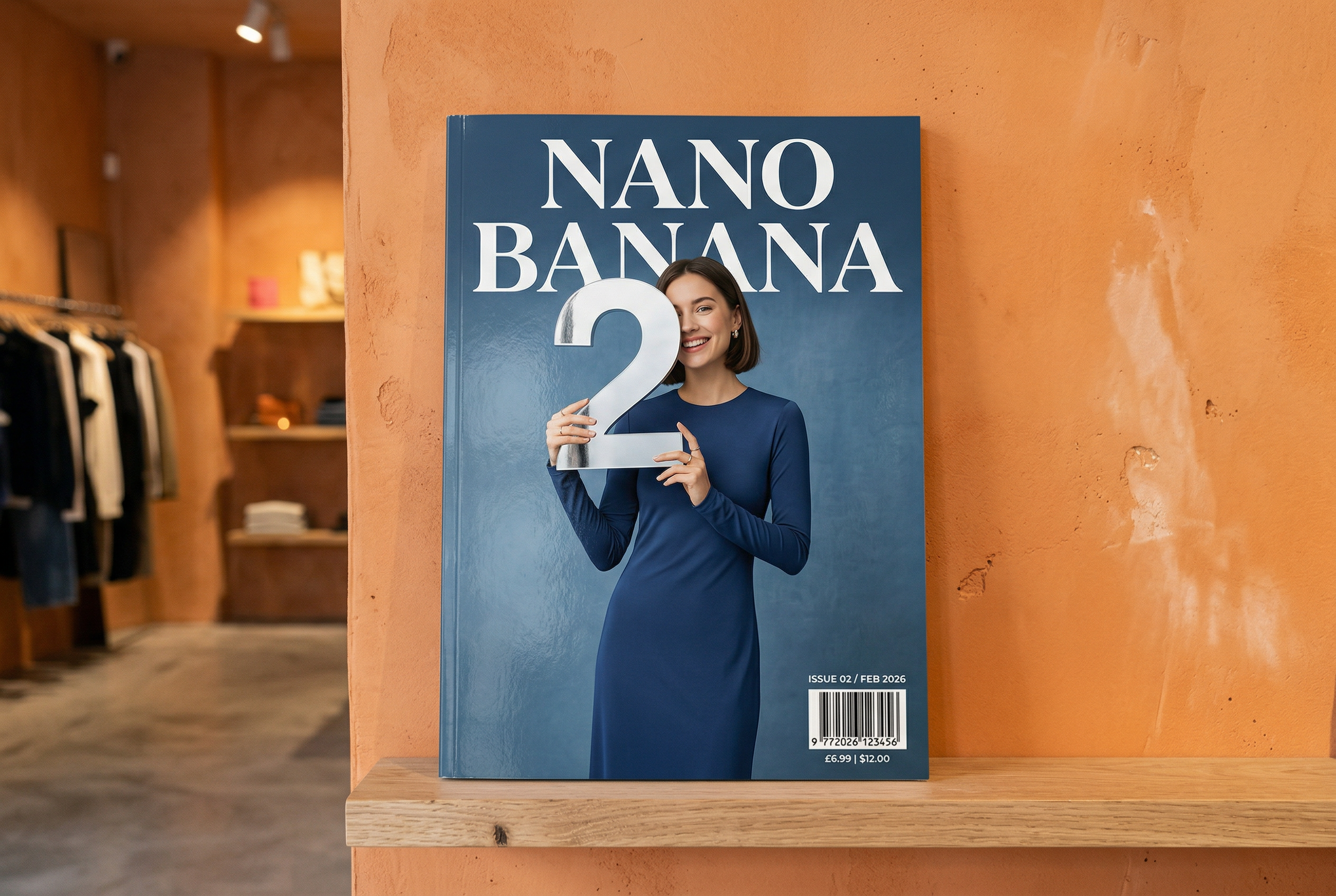



Создано с помощью Nano Banana 2 Задание: «Фотография обложки глянцевого журнала. На минималистичной синей обложке крупными жирными буквами написано Nano Banana. Текст выполнен шрифтом с засечками и заполняет всё изображение. Другого текста нет. Перед текстом — портрет человека в элегантном минималистичном платье. Она игриво держит цифру 2, которая является центральным элементом композиции».
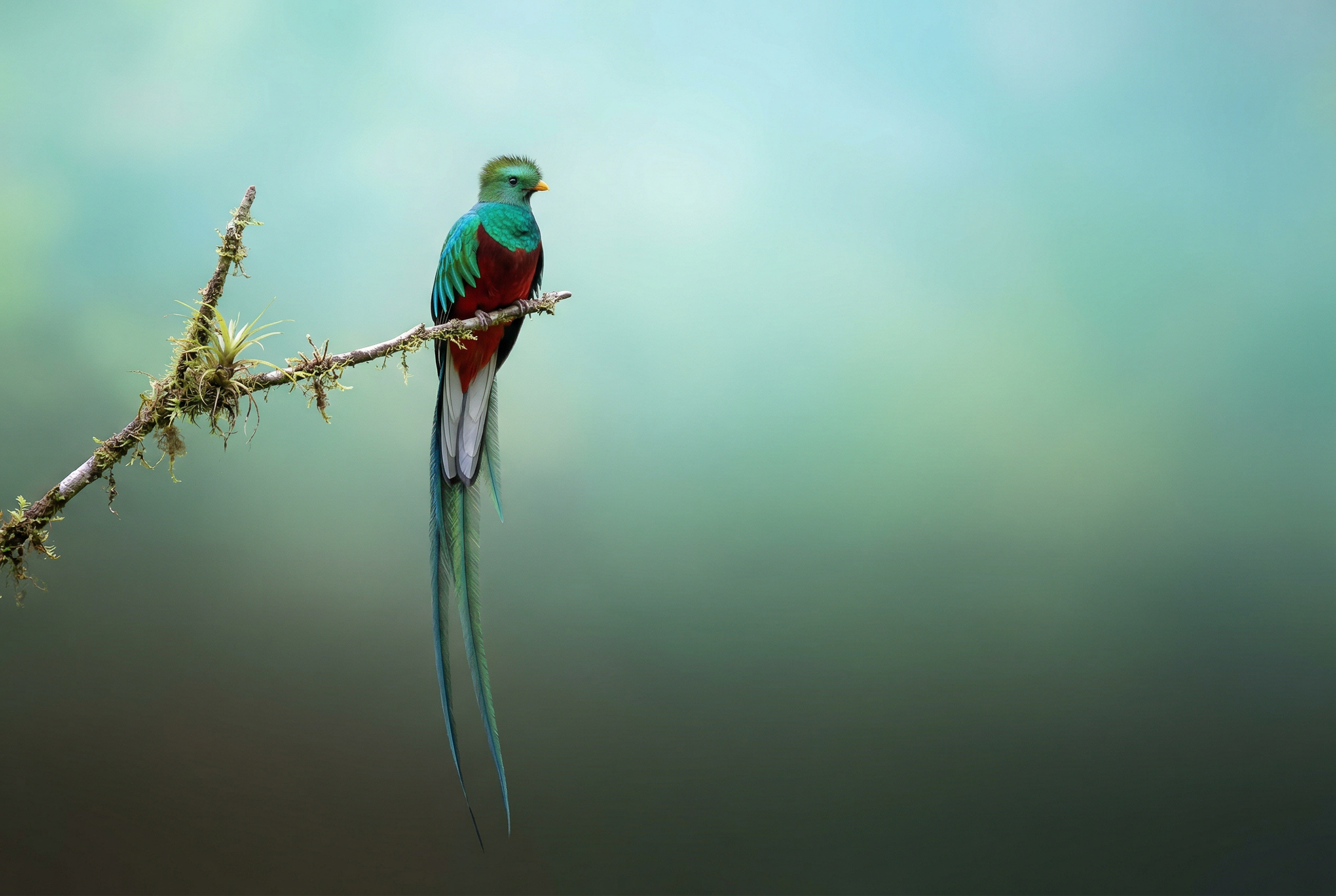
В углу журнала укажите номер выпуска и дату «Февраль 2026», а также штрихкод. Журнал стоит на полке у оранжевой оштукатуренной стены в дизайнерском магазине.Создавайте профессиональные фотографии товаров в AI Studio.Создано с помощью Nano Banana Pro Задание: «Представьте четкую, изометрическую 3D-сцену Лондона в мультяшном стиле, снятую сверху под углом 45°, с изображением его самых знаковых достопримечательностей и архитектурных элементов. Используйте мягкие, изысканные текстуры с реалистичными PBR-материалами и мягким, реалистичным освещением и тенями. Интегрируйте текущие погодные условия непосредственно в городскую среду, чтобы создать захватывающую атмосферную обстановку. Используйте чистую, минималистичную композицию с мягким однотонным фоном. В верхней центральной части разместите заголовок «Лондон» крупным жирным шрифтом, под ним — заметный значок погоды, затем дату (мелким шрифтом) и температуру (средним шрифтом). Весь текст должен быть центрирован с одинаковым интервалом и может слегка перекрывать верхние части зданий».Узнайте больше о привязке поиска и попробуйте её в AI Studio.Создано с помощью Nano Banana 2 Задание: «Используйте поиск изображений, чтобы найти точные фотографии великолепной птицы кетцаль. Создайте красивые обои с изображением этой птицы в формате 3:2, с естественным градиентом сверху вниз и минималистичной композицией».Используйте функцию привязки поиска изображений Google к Nano Banana 2. Попробуйте в AI Studio.
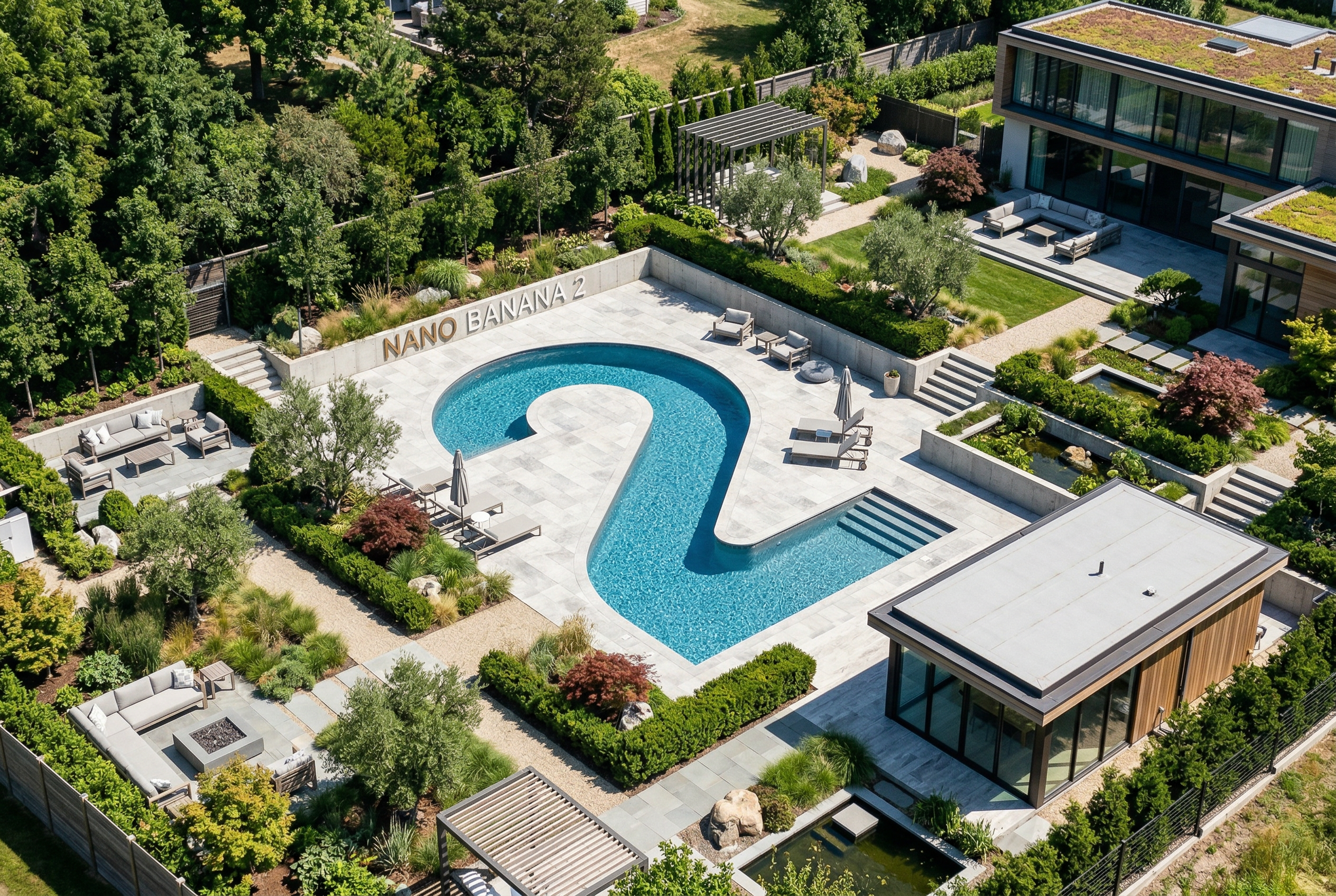
Создано с помощью Nano Banana Pro Задание: «Разместите этот логотип в высококачественной рекламе духов с ароматом банана. Логотип идеально интегрирован во флакон».Попробуйте функцию сохранения высокой детализации в Nano Banana в AI Studio.Создано с помощью Nano Banana Pro Задание: «Фотография обычной сцены в оживленном кафе, где подают завтрак. На переднем плане — аниме-персонаж с синими волосами, один из персонажей — карандашный набросок, другой — персонаж из пластилина».Экспериментируйте с различными художественными стилями с помощью Nano Banana в AI Studio.Создано с помощью Nano Banana Pro Задание: «Используйте поиск, чтобы узнать, как был воспринят запуск Gemini 3 Flash. Используйте эту информацию для написания короткой статьи об этом (с заголовками). Приложите фотографию статьи в глянцевом журнале, посвященном дизайну. Это фотография одной сложенной страницы, на которой изображена статья о Gemini 3 Flash. Одна главная фотография. Заголовок с засечками».Создано с помощью Nano Banana Pro Задание: «Иконка, изображающая милую собачку. Белый фон. Создайте иконки в красочном и тактильном 3D-стиле. Без текста».Создавайте иконки, стикеры и другие элементы с помощью Nano Banana в AI Studio.Создано с помощью Nano Banana 2 Задание: «Сделайте фотографию, которая идеально изометрична. Это не миниатюра, это снимок, который случайно получился идеально изометричным. Это фотография красивого современного сада. На ней изображен большой бассейн в форме цифры 2 и надпись: Nano Banana 2».Попробуйте создать фотореалистичные изображения в AI Studio.
Nano Banana — это название встроенных в Gemini возможностей генерации изображений. Gemini может генерировать и обрабатывать изображения в диалоговом режиме с текстом, изображениями, видео или их комбинацией. Это позволяет создавать, редактировать и дорабатывать визуальные материалы с беспрецедентным контролем.
Nano Banana — это название четырех различных моделей, доступных в API Gemini:
- Nano Banana 2 Lite ( Gemini 3.1 Flash Lite Image ) (
gemini-3.1-flash-lite-image): Наша самая быстрая и дешевая модель Gemini Image, разработанная для обеспечения высокой скорости и масштабируемости, где скорость и стоимость являются основными ограничениями в работе. Не оптимизирована для использования нескольких эталонных входных данных или многооборотного последовательного редактирования. - Nano Banana 2 ( Gemini 3.1 Flash Image ) (
gemini-3.1-flash-image): Наиболее универсальная модель, предназначенная для решения любых задач. Она сочетает в себе скорость с передовыми технологиями генерации 4K-изображений, знанием окружающего мира и надежным рендерингом текста. Отлично справляется с обработкой нескольких эталонных изображений и обеспечивает согласованность результатов. - Nano Banana Pro ( Gemini 3 Pro Image ) (
gemini-3-pro-image): Премиальный выбор для самых сложных задач визуального оформления, предлагающий высочайший уровень знания мирового рынка, расширенную локализацию, точную согласованность бренда и точный контроль над творческим процессом. - Nano Banana ( образ Gemini 2.5 Flash ) (
gemini-2.5-flash-image): Легендарный пионер серии Nano Banana. Несмотря на свою надежность, мы настоятельно рекомендуем клиентам перейти на Nano Banana 2 Lite, чтобы оценить улучшенное качество, более высокую скорость генерации и более низкую стоимость API.
Все сгенерированные изображения содержат водяной знак SynthID .
Генерация изображений (преобразование текста в изображение)
Python
from google import genai
from google.genai import types
from PIL import Image

client = genai.Client()

prompt = ("Create a picture of a nano banana dish in a fancy restaurant with a Gemini theme")
response = client.models.generate_content(
    model="gemini-3.1-flash-image",
    contents=[prompt],
)

for part in response.parts:
    if part.text is not None:
        print(part.text)
    elif part.inline_data is not None:
        image = part.as_image()
        image.save("generated_image.png")
JavaScript
import { GoogleGenAI } from "@google/genai";
import * as fs from "node:fs";

async function main() {

  const ai = new GoogleGenAI({});

  const prompt =
    "Create a picture of a nano banana dish in a fancy restaurant with a Gemini theme";

  const response = await ai.models.generateContent({
    model: "gemini-3.1-flash-image",
    contents: prompt,
  });
  for (const part of response.candidates[0].content.parts) {
    if (part.text) {
      console.log(part.text);
    } else if (part.inlineData) {
      const imageData = part.inlineData.data;
      const buffer = Buffer.from(imageData, "base64");
      fs.writeFileSync("gemini-native-image.png", buffer);
      console.log("Image saved as gemini-native-image.png");
    }
  }
}

main();
Идти
package main

import (
  "context"
  "fmt"
  "log"
  "os"
  "google.golang.org/genai"
)

func main() {

  ctx := context.Background()
  client, err := genai.NewClient(ctx, nil)
  if err != nil {
      log.Fatal(err)
  }

  result, _ := client.Models.GenerateContent(
      ctx,
      "gemini-3.1-flash-image",
      genai.Text("Create a picture of a nano banana dish in a " +
                 " fancy restaurant with a Gemini theme"),
  )

  for _, part := range result.Candidates[0].Content.Parts {
      if part.Text != "" {
          fmt.Println(part.Text)
      } else if part.InlineData != nil {
          imageBytes := part.InlineData.Data
          outputFilename := "gemini_generated_image.png"
          _ = os.WriteFile(outputFilename, imageBytes, 0644)
      }
  }
}
Java
import com.google.genai.Client;
import com.google.genai.types.GenerateContentConfig;
import com.google.genai.types.GenerateContentResponse;
import com.google.genai.types.Part;

import java.io.IOException;
import java.nio.file.Files;
import java.nio.file.Paths;

public class TextToImage {
  public static void main(String[] args) throws IOException {

    try (Client client = new Client()) {
      GenerateContentConfig config = GenerateContentConfig.builder()
          .responseModalities("TEXT", "IMAGE")
          .build();

      GenerateContentResponse response = client.models.generateContent(
          "gemini-3.1-flash-image",
          "Create a picture of a nano banana dish in a fancy restaurant with a Gemini theme",
          config);

      for (Part part : response.parts()) {
        if (part.text().isPresent()) {
          System.out.println(part.text().get());
        } else if (part.inlineData().isPresent()) {
          var blob = part.inlineData().get();
          if (blob.data().isPresent()) {
            Files.write(Paths.get("_01_generated_image.png"), blob.data().get());
          }
        }
      }
    }
  }
}
C#
using Google.GenAI;
using System;
using System.Collections.Generic;
using System.IO;
using System.Threading.Tasks;

public class TextToImage {
  public static async Task Main(string[] args) {
    var client = new Client();

    var response = await client.Models.GenerateContentAsync(
        model: "gemini-3.1-flash-image",
        contents: new List<Part>
        {
            new Part { Text = "Create a picture of a nano banana dish in a fancy restaurant with a Gemini theme" }
        }
    );

    foreach (var candidate in response.Candidates) {
        foreach (var part in candidate.Content.Parts) {
            if (part.Text != null) {
                Console.WriteLine(part.Text);
            } else if (part.InlineData != null) {
                var imageBytes = Convert.FromBase64String(part.InlineData.Data);
                await File.WriteAllBytesAsync("generated_image.png", imageBytes);
                Console.WriteLine("Image saved as generated_image.png");
            }
        }
    }
  }
}
ОТДЫХ
curl -s -X POST \
  "https://generativelanguage.googleapis.com/v1/models/gemini-3.1-flash-image:generateContent" \
  -H "x-goog-api-key: $GEMINI_API_KEY" \
  -H "Content-Type: application/json" \
  -d '{
    "contents": [{
      "parts": [
        {"text": "Create a picture of a nano banana dish in a fancy restaurant with a Gemini theme"}
      ]
    }]
  }'
Редактирование изображений (преобразование текста и изображения в изображение)
Напоминание : Убедитесь, что у вас есть необходимые права на любые загружаемые вами изображения. Не создавайте контент, нарушающий права других лиц, включая видео или изображения, которые вводят в заблуждение, преследуют или причиняют вред. Использование вами этого сервиса генеративного ИИ регулируется нашей Политикой запрещенного использования .
Предоставьте изображение и используйте текстовые подсказки для добавления, удаления или изменения элементов, изменения стиля или корректировки цветовой гаммы.
В следующем примере показана загрузка изображений в кодировке base64 . Для загрузки нескольких изображений, больших объемов данных и поддерживаемых типов MIME см. страницу "Понимание изображений" .
Python
from google import genai
from google.genai import types
from PIL import Image

client = genai.Client()

prompt = (
    "Create a picture of my cat eating a nano-banana in a "
    "fancy restaurant under the Gemini constellation",
)

image = Image.open("/path/to/cat_image.png")

response = client.models.generate_content(
    model="gemini-3.1-flash-image",
    contents=[prompt, image],
)

for part in response.parts:
    if part.text is not None:
        print(part.text)
    elif part.inline_data is not None:
        image = part.as_image()
        image.save("generated_image.png")
JavaScript
import { GoogleGenAI } from "@google/genai";
import * as fs from "node:fs";

async function main() {

  const ai = new GoogleGenAI({});

  const imagePath = "path/to/cat_image.png";
  const imageData = fs.readFileSync(imagePath);
  const base64Image = imageData.toString("base64");

  const prompt = [
    { text: "Create a picture of my cat eating a nano-banana in a" +
            "fancy restaurant under the Gemini constellation" },
    {
      inlineData: {
        mimeType: "image/png",
        data: base64Image,
      },
    },
  ];

  const response = await ai.models.generateContent({
    model: "gemini-3.1-flash-image",
    contents: prompt,
  });
  for (const part of response.candidates[0].content.parts) {
    if (part.text) {
      console.log(part.text);
    } else if (part.inlineData) {
      const imageData = part.inlineData.data;
      const buffer = Buffer.from(imageData, "base64");
      fs.writeFileSync("gemini-native-image.png", buffer);
      console.log("Image saved as gemini-native-image.png");
    }
  }
}

main();
Идти
package main

import (
 "context"
 "fmt"
 "log"
 "os"
 "google.golang.org/genai"
)

func main() {

 ctx := context.Background()
 client, err := genai.NewClient(ctx, nil)
 if err != nil {
     log.Fatal(err)
 }

 imagePath := "/path/to/cat_image.png"
 imgData, _ := os.ReadFile(imagePath)

 parts := []*genai.Part{
   genai.NewPartFromText("Create a picture of my cat eating a nano-banana in a fancy restaurant under the Gemini constellation"),
   &genai.Part{
     InlineData: &genai.Blob{
       MIMEType: "image/png",
       Data:     imgData,
     },
   },
 }

 contents := []*genai.Content{
   genai.NewContentFromParts(parts, genai.RoleUser),
 }

 result, _ := client.Models.GenerateContent(
     ctx,
     "gemini-3.1-flash-image",
     contents,
 )

 for _, part := range result.Candidates[0].Content.Parts {
     if part.Text != "" {
         fmt.Println(part.Text)
     } else if part.InlineData != nil {
         imageBytes := part.InlineData.Data
         outputFilename := "gemini_generated_image.png"
         _ = os.WriteFile(outputFilename, imageBytes, 0644)
     }
 }
}
Java
import com.google.genai.Client;
import com.google.genai.types.Content;
import com.google.genai.types.GenerateContentConfig;
import com.google.genai.types.GenerateContentResponse;
import com.google.genai.types.Part;

import java.io.IOException;
import java.nio.file.Files;
import java.nio.file.Path;
import java.nio.file.Paths;

public class TextAndImageToImage {
  public static void main(String[] args) throws IOException {

    try (Client client = new Client()) {
      GenerateContentConfig config = GenerateContentConfig.builder()
          .responseModalities("TEXT", "IMAGE")
          .build();

      GenerateContentResponse response = client.models.generateContent(
          "gemini-3.1-flash-image",
          Content.fromParts(
              Part.fromText("""
                  Create a picture of my cat eating a nano-banana in
                  a fancy restaurant under the Gemini constellation
                  """),
              Part.fromBytes(
                  Files.readAllBytes(
                      Path.of("src/main/resources/cat.jpg")),
                  "image/jpeg")),
          config);

      for (Part part : response.parts()) {
        if (part.text().isPresent()) {
          System.out.println(part.text().get());
        } else if (part.inlineData().isPresent()) {
          var blob = part.inlineData().get();
          if (blob.data().isPresent()) {
            Files.write(Paths.get("gemini_generated_image.png"), blob.data().get());
          }
        }
      }
    }
  }
}
C#
using Google.GenAI;
using System;
using System.Collections.Generic;
using System.IO;
using System.Threading.Tasks;

public class TextAndImageToImage {
  public static async Task Main(string[] args) {
    var client = new Client();

    var response = await client.Models.GenerateContentAsync(
        model: "gemini-3.1-flash-image",
        contents: new List<Part>
        {
            new Part { Text = "Create a picture of my cat eating a nano-banana in a fancy restaurant under the Gemini constellation" },
            new Part
            {
                FileData = new FileData { FileUri = "file:///path/to/cat_image.png" }
            }
        }
    );

    foreach (var candidate in response.Candidates) {
        foreach (var part in candidate.Content.Parts) {
            if (part.Text != null) {
                Console.WriteLine(part.Text);
            } else if (part.InlineData != null) {
                var imageBytes = Convert.FromBase64String(part.InlineData.Data);
                await File.WriteAllBytesAsync("gemini_generated_image.png", imageBytes);
                Console.WriteLine("Image saved as gemini_generated_image.png");
            }
        }
    }
  }
}
ОТДЫХ
curl -s -X POST \
  "https://generativelanguage.googleapis.com/v1/models/gemini-3.1-flash-image:generateContent" \
    -H "x-goog-api-key: $GEMINI_API_KEY" \
    -H 'Content-Type: application/json' \
    -d "{
      \"contents\": [{
        \"parts\":[
            {\"text\": \"'Create a picture of my cat eating a nano-banana in a fancy restaurant under the Gemini constellation\"},
            {
              \"inline_data\": {
                \"mime_type\":\"image/jpeg\",
                \"data\": \"<BASE64_IMAGE_DATA>\"
              }
            }
        ]
      }]
    }"
Многоэтапная обработка изображений
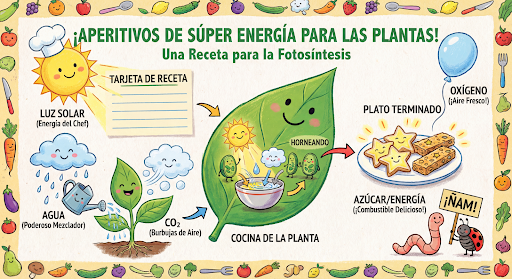
Продолжайте создавать и редактировать изображения в режиме диалога. Чат или многоэтапная переписка — рекомендуемый способ итерации работы над изображениями. В следующем примере показано задание на создание инфографики о фотосинтезе.
Python
from google import genai
from google.genai import types

client = genai.Client()

chat = client.chats.create(
    model="gemini-3.1-flash-image",
    config=types.GenerateContentConfig(
        response_modalities=['TEXT', 'IMAGE'],
        tools=[{"google_search": {}}]
    )
)

message = "Create a vibrant infographic that explains photosynthesis as if it were a recipe for a plant's favorite food. Show the \"ingredients\" (sunlight, water, CO2) and the \"finished dish\" (sugar/energy). The style should be like a page from a colorful kids' cookbook, suitable for a 4th grader."

response = chat.send_message(message)

for part in response.parts:
    if part.text is not None:
        print(part.text)
    elif image:= part.as_image():
        image.save("photosynthesis.png")
JavaScript
import { GoogleGenAI } from "@google/genai";

const ai = new GoogleGenAI({});

async function main() {
  const chat = ai.chats.create({
    model: "gemini-3.1-flash-image",
    config: {
      responseModalities: ['TEXT', 'IMAGE'],
      tools: [{googleSearch: {}}],
    },
  });
}

await main();

const message = "Create a vibrant infographic that explains photosynthesis as if it were a recipe for a plant's favorite food. Show the \"ingredients\" (sunlight, water, CO2) and the \"finished dish\" (sugar/energy). The style should be like a page from a colorful kids' cookbook, suitable for a 4th grader."

let response = await chat.sendMessage({message});

for (const part of response.candidates[0].content.parts) {
    if (part.text) {
      console.log(part.text);
    } else if (part.inlineData) {
      const imageData = part.inlineData.data;
      const buffer = Buffer.from(imageData, "base64");
      fs.writeFileSync("photosynthesis.png", buffer);
      console.log("Image saved as photosynthesis.png");
    }
}
Идти
package main

import (
    "context"
    "fmt"
    "log"
    "os"

    "google.golang.org/genai"
)

func main() {
    ctx := context.Background()
    client, err := genai.NewClient(ctx, nil)
    if err != nil {
        log.Fatal(err)
    }
    defer client.Close()

    model := client.GenerativeModel("gemini-3.1-flash-image")
    model.GenerationConfig = &pb.GenerationConfig{
        ResponseModalities: []pb.ResponseModality{genai.Text, genai.Image},
    }
    chat := model.StartChat()

    message := "Create a vibrant infographic that explains photosynthesis as if it were a recipe for a plant's favorite food. Show the \"ingredients\" (sunlight, water, CO2) and the \"finished dish\" (sugar/energy). The style should be like a page from a colorful kids' cookbook, suitable for a 4th grader."

    resp, err := chat.SendMessage(ctx, genai.Text(message))
    if err != nil {
        log.Fatal(err)
    }

    for _, part := range resp.Candidates[0].Content.Parts {
        if txt, ok := part.(genai.Text); ok {
            fmt.Printf("%s", string(txt))
        } else if img, ok := part.(genai.ImageData); ok {
            err := os.WriteFile("photosynthesis.png", img.Data, 0644)
            if err != nil {
                log.Fatal(err)
            }
        }
    }
}
Java
import com.google.genai.Chat;
import com.google.genai.Client;
import com.google.genai.types.Content;
import com.google.genai.types.GenerateContentConfig;
import com.google.genai.types.GenerateContentResponse;
import com.google.genai.types.GoogleSearch;
import com.google.genai.types.ImageConfig;
import com.google.genai.types.Part;
import com.google.genai.types.RetrievalConfig;
import com.google.genai.types.Tool;
import com.google.genai.types.ToolConfig;

import java.io.IOException;
import java.nio.file.Files;
import java.nio.file.Path;
import java.nio.file.Paths;

public class MultiturnImageEditing {
  public static void main(String[] args) throws IOException {

    try (Client client = new Client()) {

      GenerateContentConfig config = GenerateContentConfig.builder()
          .responseModalities("TEXT", "IMAGE")
          .tools(Tool.builder()
              .googleSearch(GoogleSearch.builder().build())
              .build())
          .build();

      Chat chat = client.chats.create("gemini-3.1-flash-image", config);

      GenerateContentResponse response = chat.sendMessage("""
          Create a vibrant infographic that explains photosynthesis
          as if it were a recipe for a plant's favorite food.
          Show the "ingredients" (sunlight, water, CO2)
          and the "finished dish" (sugar/energy).
          The style should be like a page from a colorful
          kids' cookbook, suitable for a 4th grader.
          """);

      for (Part part : response.parts()) {
        if (part.text().isPresent()) {
          System.out.println(part.text().get());
        } else if (part.inlineData().isPresent()) {
          var blob = part.inlineData().get();
          if (blob.data().isPresent()) {
            Files.write(Paths.get("photosynthesis.png"), blob.data().get());
          }
        }
      }
      // ...
    }
  }
}
C#
using Google.GenAI;
using System;
using System.Collections.Generic;
using System.IO;
using System.Threading.Tasks;

public class MultiturnImageEditing {
  public static async Task Main(string[] args) {
    var client = new Client();

    var response = await client.Models.GenerateContentAsync(
        model: "gemini-3.1-flash-image",
        contents: new List<Part>
        {
            new Part { Text = "Create a vibrant infographic that explains photosynthesis as if it were a recipe for a plant's favorite food. Show the \"ingredients\" (sunlight, water, CO2) and the \"finished dish\" (sugar/energy). The style should be like a page from a colorful kids' cookbook, suitable for a 4th grader." }
        },
        config: new GenerateContentConfig
        {
            ResponseModalities = new List<string> { "TEXT", "IMAGE" },
            Tools = new List<Tool> { new Tool { GoogleSearch = new GoogleSearch() } }
        }
    );

    foreach (var candidate in response.Candidates) {
        foreach (var part in candidate.Content.Parts) {
            if (part.Text != null) {
                Console.WriteLine(part.Text);
            } else if (part.InlineData != null) {
                var imageBytes = Convert.FromBase64String(part.InlineData.Data);
                await File.WriteAllBytesAsync("photosynthesis.png", imageBytes);
                Console.WriteLine("Image saved as photosynthesis.png");
            }
        }
    }
  }
}
ОТДЫХ
curl -s -X POST \
  "https://generativelanguage.googleapis.com/v1/models/gemini-3.1-flash-image:generateContent" \
  -H "x-goog-api-key: $GEMINI_API_KEY" \
  -H "Content-Type: application/json" \
  -d '{
    "contents": [{
      "role": "user",
      "parts": [
        {"text": "Create a vibrant infographic that explains photosynthesis as if it were a recipe for a plants favorite food. Show the \"ingredients\" (sunlight, water, CO2) and the \"finished dish\" (sugar/energy). The style should be like a page from a colorful kids cookbook, suitable for a 4th grader."}
      ]
    }],
    "generationConfig": {
      "responseModalities": ["TEXT", "IMAGE"]
    }
  }'

Затем вы можете использовать тот же чат, чтобы изменить язык изображения на испанский.
Python
message = "Update this infographic to be in Spanish. Do not change any other elements of the image."
aspect_ratio = "16:9" # "1:1","1:4","1:8","2:3","3:2","3:4","4:1","4:3","4:5","5:4","8:1","9:16","16:9","21:9"
resolution = "2K" # "512", "1K", "2K", "4K"

response = chat.send_message(message,
    config=types.GenerateContentConfig(
        response_format={"image": {aspect_ratio: aspect_ratio,                 image_size: resolution}},
    ))

for part in response.parts:
    if part.text is not None:
        print(part.text)
    elif image:= part.as_image():
        image.save("photosynthesis_spanish.png")
JavaScript
const message = 'Update this infographic to be in Spanish. Do not change any other elements of the image.';
const aspectRatio = '16:9';
const resolution = '2K';

let response = await chat.sendMessage({
  message,
  config: {
    responseModalities: ['TEXT', 'IMAGE'],
    responseFormat: {
    image: {
      aspectRatio: aspectRatio,
      imageSize: resolution,
    }
  },
    tools: [{googleSearch: {}}],
  },
});

for (const part of response.candidates[0].content.parts) {
    if (part.text) {
      console.log(part.text);
    } else if (part.inlineData) {
      const imageData = part.inlineData.data;
      const buffer = Buffer.from(imageData, "base64");
      fs.writeFileSync("photosynthesis2.png", buffer);
      console.log("Image saved as photosynthesis2.png");
    }
}
Идти
message = "Update this infographic to be in Spanish. Do not change any other elements of the image."
aspect_ratio = "16:9" // "1:1","1:4","1:8","2:3","3:2","3:4","4:1","4:3","4:5","5:4","8:1","9:16","16:9","21:9"
resolution = "2K"     // "512", "1K", "2K", "4K"

model.GenerationConfig.ImageConfig = &pb.ImageConfig{
    AspectRatio: aspect_ratio,
    ImageSize:   resolution,
}

resp, err = chat.SendMessage(ctx, genai.Text(message))
if err != nil {
    log.Fatal(err)
}

for _, part := range resp.Candidates[0].Content.Parts {
    if txt, ok := part.(genai.Text); ok {
        fmt.Printf("%s", string(txt))
    } else if img, ok := part.(genai.ImageData); ok {
        err := os.WriteFile("photosynthesis_spanish.png", img.Data, 0644)
        if err != nil {
            log.Fatal(err)
        }
    }
}
Java
String aspectRatio = "16:9"; // "1:1","1:4","1:8","2:3","3:2","3:4","4:1","4:3","4:5","5:4","8:1","9:16","16:9","21:9"
String resolution = "2K"; // "512", "1K", "2K", "4K"

config = GenerateContentConfig.builder()
    .responseModalities("TEXT", "IMAGE")
    .imageConfig(ImageConfig.builder()
        .aspectRatio(aspectRatio)
        .imageSize(resolution)
        .build())
    .build();

response = chat.sendMessage(
    "Update this infographic to be in Spanish. " +
    "Do not change any other elements of the image.",
    config);

for (Part part : response.parts()) {
  if (part.text().isPresent()) {
    System.out.println(part.text().get());
  } else if (part.inlineData().isPresent()) {
    var blob = part.inlineData().get();
    if (blob.data().isPresent()) {
      Files.write(Paths.get("photosynthesis_spanish.png"), blob.data().get());
    }
  }
}
C#
using Google.GenAI;
using System;
using System.Collections.Generic;
using System.IO;
using System.Threading.Tasks;

public class MultiturnImageEditingSpanish {
  public static async Task Main(string[] args) {
    var client = new Client();

    var response = await client.Models.GenerateContentAsync(
        model: "gemini-3.1-flash-image",
        contents: new List<Part>
        {
            new Part { Text = "Update this infographic to be in Spanish. Do not change any other elements of the image." }
        },
        config: new GenerateContentConfig
        {
            ResponseModalities = new List<string> { "TEXT", "IMAGE" },
            ImageConfig = new ImageConfig
            {
                AspectRatio = "16:9",
                ImageSize = "2K"
            }
        }
    );

    foreach (var candidate in response.Candidates) {
        foreach (var part in candidate.Content.Parts) {
            if (part.Text != null) {
                Console.WriteLine(part.Text);
            } else if (part.InlineData != null) {
                var imageBytes = Convert.FromBase64String(part.InlineData.Data);
                await File.WriteAllBytesAsync("photosynthesis_spanish.png", imageBytes);
                Console.WriteLine("Image saved as photosynthesis_spanish.png");
            }
        }
    }
  }
}
ОТДЫХ
curl -s -X POST \
  "https://generativelanguage.googleapis.com/v1/models/gemini-3.1-flash-image:generateContent" \
  -H "x-goog-api-key: $GEMINI_API_KEY" \
  -H 'Content-Type: application/json' \
  -d '{
    "contents": [
      {
        "role": "user",
        "parts": [{"text": "Create a vibrant infographic that explains photosynthesis..."}]
      },
      {
        "role": "model",
        "parts": [{"inline_data": {"mime_type": "image/png", "data": "<PREVIOUS_IMAGE_DATA>"}}]
      },
      {
        "role": "user",
        "parts": [{"text": "Update this infographic to be in Spanish. Do not change any other elements of the image."}]
      }
    ],
    "tools": [{"google_search": {}}],
    "generationConfig": {
      "responseModalities": ["TEXT", "IMAGE"],
      "responseFormat": {
    "image": {
        "aspectRatio": "16:9",
        "imageSize": "2K"
      }
  }
    }
  }'
Новые модели изображений Gemini 3.
Gemini 3 предлагает передовые модели генерации и редактирования изображений. Gemini 3.1 Flash Image оптимизирован для высокой скорости и больших объемов работы, а Gemini 3 Pro Image оптимизирован для профессионального создания ресурсов. Разработанные для решения самых сложных задач благодаря использованию передовых алгоритмов, они превосходно справляются со сложными многоэтапными задачами создания и модификации.
- Вывод в высоком разрешении : встроенные возможности генерации изображений в разрешениях 1K, 2K и 4K.
- В Gemini 3.1 Flash Image добавлено меньшее разрешение 512 (0,5K).
- Программа Gemini 3.1 Flash Lite Image поддерживает только разрешение 1K.
- Расширенные возможности рендеринга текста : позволяет создавать разборчивый, стилизованный текст для инфографики, меню, диаграмм и маркетинговых материалов.
- Использование поиска Google : Модель может использовать поиск Google в качестве инструмента для проверки фактов и генерации изображений на основе данных в реальном времени (например, текущие карты погоды, биржевые графики, последние события).
- Не поддерживается моделью изображений Gemini 3.1 Flash Lite.
- В Gemini 3.1 Flash Image добавлена интеграция Grounding с поиском Google для изображений, а также с веб-поиском.
- Режим мышления : Модель использует процесс «мышления» для анализа сложных задач. Она генерирует промежуточные «образы мыслей» (видимые в бэкэнде, но не оплачиваемые) для уточнения композиции перед созданием окончательного высококачественного результата.
- До 14 эталонных изображений : Теперь вы можете комбинировать до 14 эталонных изображений для получения окончательного изображения.
- Новые соотношения сторон : Gemini 3.1 Flash Lite Image добавляет соотношения сторон
1:1,3:2,2:3,3:4,4:3,4:5,5:4,9:16,16:9,21:9.
Используйте до 14 эталонных изображений.
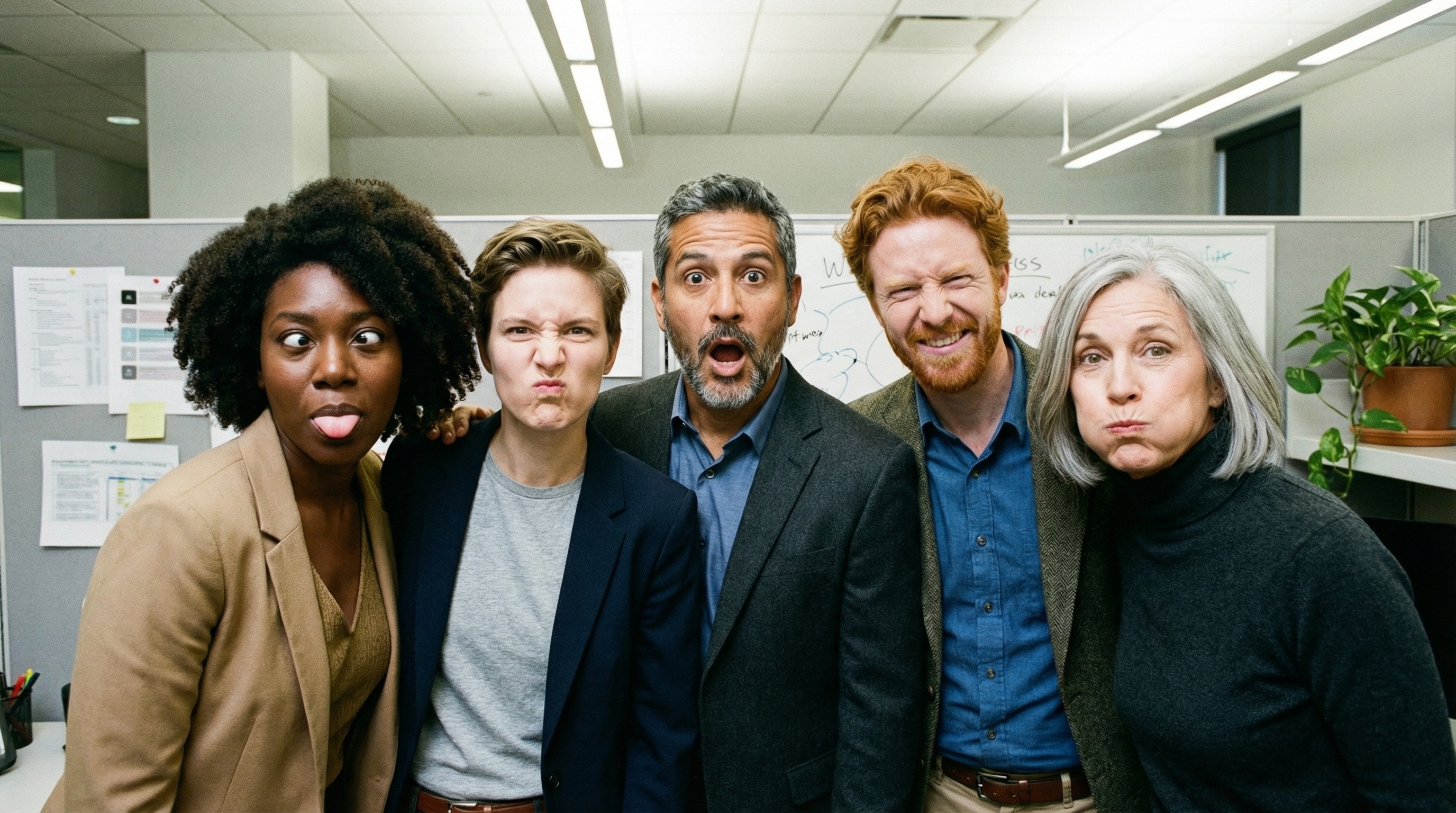
Модели изображений Gemini 3 позволяют комбинировать до 14 эталонных изображений. Эти 14 изображений могут включать в себя следующее:
| Изображение Gemini 3.1 Flash Lite | Изображение Gemini 3.1 со вспышкой | Изображение Gemini 3 Pro |
|---|---|---|
| До 14 высококачественных изображений объектов для включения в итоговое изображение. | До 10 высококачественных изображений объектов для включения в итоговое изображение. | До 6 высококачественных изображений объектов для включения в итоговое изображение. |
| Н/Д | До 4 изображений персонажей для обеспечения единообразия их внешнего вида. | До 5 изображений персонажей для обеспечения единообразия их внешнего вида. |
| Н/Д | Н/Д | До 3 изображений могут быть использованы в качестве стилистических ориентиров. |
Python
from google import genai
from google.genai import types
from PIL import Image

prompt = "An office group photo of these people, they are making funny faces."
aspect_ratio = "5:4" # "1:1","1:4","1:8","2:3","3:2","3:4","4:1","4:3","4:5","5:4","8:1","9:16","16:9","21:9"
resolution = "2K" # "512", "1K", "2K", "4K"

client = genai.Client()

response = client.models.generate_content(
    model="gemini-3.1-flash-image",
    contents=[
        prompt,
        Image.open('person1.png'),
        Image.open('person2.png'),
        Image.open('person3.png'),
        Image.open('person4.png'),
        Image.open('person5.png'),
    ],
    config=types.GenerateContentConfig(
        response_modalities=['TEXT', 'IMAGE'],
        response_format={"image": {aspect_ratio: aspect_ratio,                 image_size: resolution}},
    )
)

for part in response.parts:
    if part.text is not None:
        print(part.text)
    elif image:= part.as_image():
        image.save("office.png")
JavaScript
import { GoogleGenAI } from "@google/genai";
import * as fs from "node:fs";

async function main() {

  const ai = new GoogleGenAI({});

  const prompt =
      'An office group photo of these people, they are making funny faces.';
  const aspectRatio = '5:4';
  const resolution = '2K';

const contents = [
  { text: prompt },
  {
    inlineData: {
      mimeType: "image/jpeg",
      data: base64ImageFile1,
    },
  },
  {
    inlineData: {
      mimeType: "image/jpeg",
      data: base64ImageFile2,
    },
  },
  {
    inlineData: {
      mimeType: "image/jpeg",
      data: base64ImageFile3,
    },
  },
  {
    inlineData: {
      mimeType: "image/jpeg",
      data: base64ImageFile4,
    },
  },
  {
    inlineData: {
      mimeType: "image/jpeg",
      data: base64ImageFile5,
    },
  }
];

const response = await ai.models.generateContent({
    model: 'gemini-3.1-flash-image',
    contents: contents,
    config: {
      responseModalities: ['TEXT', 'IMAGE'],
      responseFormat: {
    image: {
        aspectRatio: aspectRatio,
        imageSize: resolution,
      }
  },
    },
  });

  for (const part of response.candidates[0].content.parts) {
    if (part.text) {
      console.log(part.text);
    } else if (part.inlineData) {
      const imageData = part.inlineData.data;
      const buffer = Buffer.from(imageData, "base64");
      fs.writeFileSync("image.png", buffer);
      console.log("Image saved as image.png");
    }
  }

}

main();
Идти
package main

import (
    "context"
    "fmt"
    "log"
    "os"

    "google.golang.org/genai"
)

func main() {
    ctx := context.Background()
    client, err := genai.NewClient(ctx, nil)
    if err != nil {
        log.Fatal(err)
    }
    defer client.Close()

    model := client.GenerativeModel("gemini-3.1-flash-image")
    model.GenerationConfig = &pb.GenerationConfig{
        ResponseModalities: []pb.ResponseModality{genai.Text, genai.Image},
        ImageConfig: &pb.ImageConfig{
            AspectRatio: "5:4",
            ImageSize:   "2K",
        },
    }

    img1, err := os.ReadFile("person1.png")
    if err != nil { log.Fatal(err) }
    img2, err := os.ReadFile("person2.png")
    if err != nil { log.Fatal(err) }
    img3, err := os.ReadFile("person3.png")
    if err != nil { log.Fatal(err) }
    img4, err := os.ReadFile("person4.png")
    if err != nil { log.Fatal(err) }
    img5, err := os.ReadFile("person5.png")
    if err != nil { log.Fatal(err) }

    parts := []genai.Part{
        genai.Text("An office group photo of these people, they are making funny faces."),
        genai.ImageData{MIMEType: "image/png", Data: img1},
        genai.ImageData{MIMEType: "image/png", Data: img2},
        genai.ImageData{MIMEType: "image/png", Data: img3},
        genai.ImageData{MIMEType: "image/png", Data: img4},
        genai.ImageData{MIMEType: "image/png", Data: img5},
    }

    resp, err := model.GenerateContent(ctx, parts...)
    if err != nil {
        log.Fatal(err)
    }

    for _, part := range resp.Candidates[0].Content.Parts {
        if txt, ok := part.(genai.Text); ok {
            fmt.Printf("%s", string(txt))
        } else if img, ok := part.(genai.ImageData); ok {
            err := os.WriteFile("office.png", img.Data, 0644)
            if err != nil {
                log.Fatal(err)
            }
        }
    }
}
Java
import com.google.genai.Client;
import com.google.genai.types.Content;
import com.google.genai.types.GenerateContentConfig;
import com.google.genai.types.GenerateContentResponse;
import com.google.genai.types.ImageConfig;
import com.google.genai.types.Part;

import java.io.IOException;
import java.nio.file.Files;
import java.nio.file.Path;
import java.nio.file.Paths;

public class GroupPhoto {
  public static void main(String[] args) throws IOException {

    try (Client client = new Client()) {
      GenerateContentConfig config = GenerateContentConfig.builder()
          .responseModalities("TEXT", "IMAGE")
          .imageConfig(ImageConfig.builder()
              .aspectRatio("5:4")
              .imageSize("2K")
              .build())
          .build();

      GenerateContentResponse response = client.models.generateContent(
          "gemini-3.1-flash-image",
          Content.fromParts(
              Part.fromText("An office group photo of these people, they are making funny faces."),
              Part.fromBytes(Files.readAllBytes(Path.of("person1.png")), "image/png"),
              Part.fromBytes(Files.readAllBytes(Path.of("person2.png")), "image/png"),
              Part.fromBytes(Files.readAllBytes(Path.of("person3.png")), "image/png"),
              Part.fromBytes(Files.readAllBytes(Path.of("person4.png")), "image/png"),
              Part.fromBytes(Files.readAllBytes(Path.of("person5.png")), "image/png")
          ), config);

      for (Part part : response.parts()) {
        if (part.text().isPresent()) {
          System.out.println(part.text().get());
        } else if (part.inlineData().isPresent()) {
          var blob = part.inlineData().get();
          if (blob.data().isPresent()) {
            Files.write(Paths.get("office.png"), blob.data().get());
          }
        }
      }
    }
  }
}
C#
using Google.GenAI;
using System;
using System.Collections.Generic;
using System.IO;
using System.Threading.Tasks;

public class GroupPhoto {
  public static async Task Main(string[] args) {
    var client = new Client();

    var response = await client.Models.GenerateContentAsync(
        model: "gemini-3.1-flash-image",
        contents: new List<Part>
        {
            new Part { Text = "An office group photo of these people, they are making funny faces." },
            new Part { FileData = new FileData { FileUri = "file:///person1.png" } },
            new Part { FileData = new FileData { FileUri = "file:///person2.png" } },
            new Part { FileData = new FileData { FileUri = "file:///person3.png" } },
            new Part { FileData = new FileData { FileUri = "file:///person4.png" } },
            new Part { FileData = new FileData { FileUri = "file:///person5.png" } }
        },
        config: new GenerateContentConfig
        {
            ResponseModalities = new List<string> { "TEXT", "IMAGE" },
            ImageConfig = new ImageConfig
            {
                AspectRatio = "5:4",
                ImageSize = "2K"
            }
        }
    );

    foreach (var candidate in response.Candidates) {
        foreach (var part in candidate.Content.Parts) {
            if (part.Text != null) {
                Console.WriteLine(part.Text);
            } else if (part.InlineData != null) {
                var imageBytes = Convert.FromBase64String(part.InlineData.Data);
                await File.WriteAllBytesAsync("office.png", imageBytes);
                Console.WriteLine("Image saved as office.png");
            }
        }
    }
  }
}
ОТДЫХ
curl -s -X POST \
  "https://generativelanguage.googleapis.com/v1/models/gemini-3.1-flash-image:generateContent" \
    -H "x-goog-api-key: $GEMINI_API_KEY" \
    -H 'Content-Type: application/json' \
    -d "{
      \"contents\": [{
        \"parts\":[
            {\"text\": \"An office group photo of these people, they are making funny faces.\"},
            {\"inline_data\": {\"mime_type\":\"image/png\", \"data\": \"<BASE64_DATA_IMG_1>\"}},
            {\"inline_data\": {\"mime_type\":\"image/png\", \"data\": \"<BASE64_DATA_IMG_2>\"}},
            {\"inline_data\": {\"mime_type\":\"image/png\", \"data\": \"<BASE64_DATA_IMG_3>\"}},
            {\"inline_data\": {\"mime_type\":\"image/png\", \"data\": \"<BASE64_DATA_IMG_4>\"}},
            {\"inline_data\": {\"mime_type\":\"image/png\", \"data\": \"<BASE64_DATA_IMG_5>\"}}
        ]
      }],
      \"generationConfig\": {
        \"responseModalities\": [\"TEXT\", \"IMAGE\"],
        \"responseFormat\": {
        \"image\": {
          \"aspectRatio\": \"5:4\",
          \"imageSize\": \"2K\"
        }
      }
      }
    }"
Освоение основ поиска Google
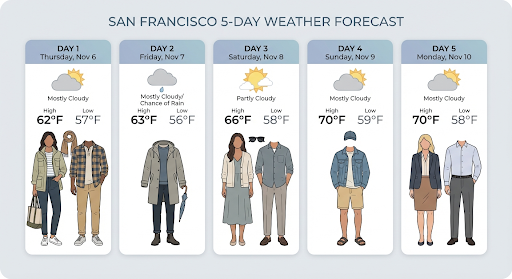
Используйте инструмент поиска Google для создания изображений на основе информации в реальном времени, такой как прогнозы погоды, биржевые графики или последние события.
Обратите внимание, что при использовании функции Grounding с поиском Google для генерации изображений результаты поиска на основе изображений не передаются в модель генерации и исключаются из ответа (см. Grounding с поиском Google для изображений ).
Python
from google import genai
prompt = "Visualize the current weather forecast for the next 5 days in San Francisco as a clean, modern weather chart. Add a visual on what I should wear each day"
aspect_ratio = "16:9" # "1:1","1:4","1:8","2:3","3:2","3:4","4:1","4:3","4:5","5:4","8:1","9:16","16:9","21:9"

client = genai.Client()

response = client.models.generate_content(
    model="gemini-3.1-flash-image",
    contents=prompt,
    config=types.GenerateContentConfig(
        response_modalities=['Text', 'Image'],
        response_format={"image": {aspect_ratio: aspect_ratio,}},
        tools=[{"google_search": {}}]
    )
)

for part in response.parts:
    if part.text is not None:
        print(part.text)
    elif image:= part.as_image():
        image.save("weather.png")
JavaScript
import { GoogleGenAI } from "@google/genai";
import * as fs from "node:fs";

async function main() {

  const ai = new GoogleGenAI({});

  const prompt = 'Visualize the current weather forecast for the next 5 days in San Francisco as a clean, modern weather chart. Add a visual on what I should wear each day';
  const aspectRatio = '16:9';
  const resolution = '2K';

const response = await ai.models.generateContent({
    model: 'gemini-3.1-flash-image',
    contents: prompt,
    config: {
      responseModalities: ['TEXT', 'IMAGE'],
      responseFormat: {
    image: {
        aspectRatio: aspectRatio,
        imageSize: resolution,
      }
  },
    tools: [{ googleSearch: {} }]
    },
  });

  for (const part of response.candidates[0].content.parts) {
    if (part.text) {
      console.log(part.text);
    } else if (part.inlineData) {
      const imageData = part.inlineData.data;
      const buffer = Buffer.from(imageData, "base64");
      fs.writeFileSync("image.png", buffer);
      console.log("Image saved as image.png");
    }
  }

}

main();
Java
import com.google.genai.Client;
import com.google.genai.types.GenerateContentConfig;
import com.google.genai.types.GenerateContentResponse;
import com.google.genai.types.GoogleSearch;
import com.google.genai.types.ImageConfig;
import com.google.genai.types.Part;
import com.google.genai.types.Tool;

import java.io.IOException;
import java.nio.file.Files;
import java.nio.file.Paths;

public class SearchGrounding {
  public static void main(String[] args) throws IOException {

    try (Client client = new Client()) {
      GenerateContentConfig config = GenerateContentConfig.builder()
          .responseModalities("TEXT", "IMAGE")
          .imageConfig(ImageConfig.builder()
              .aspectRatio("16:9")
              .build())
          .tools(Tool.builder()
              .googleSearch(GoogleSearch.builder().build())
              .build())
          .build();

      GenerateContentResponse response = client.models.generateContent(
          "gemini-3.1-flash-image", """
              Visualize the current weather forecast for the next 5 days
              in San Francisco as a clean, modern weather chart.
              Add a visual on what I should wear each day
              """,
          config);

      for (Part part : response.parts()) {
        if (part.text().isPresent()) {
          System.out.println(part.text().get());
        } else if (part.inlineData().isPresent()) {
          var blob = part.inlineData().get();
          if (blob.data().isPresent()) {
            Files.write(Paths.get("weather.png"), blob.data().get());
          }
        }
      }
    }
  }
}
C#
using Google.GenAI;
using System;
using System.Collections.Generic;
using System.IO;
using System.Threading.Tasks;

public class SearchGrounding {
  public static async Task Main(string[] args) {
    var client = new Client();

    var response = await client.Models.GenerateContentAsync(
        model: "gemini-3.1-flash-image",
        contents: new List<Part>
        {
            new Part { Text = "Visualize the current weather forecast for the next 5 days in San Francisco as a clean, modern weather chart. Add a visual on what I should wear each day" }
        },
        config: new GenerateContentConfig
        {
            ResponseModalities = new List<string> { "TEXT", "IMAGE" },
            ImageConfig = new ImageConfig
            {
                AspectRatio = "16:9"
            },
            Tools = new List<Tool> { new Tool { GoogleSearch = new GoogleSearch() } }
        }
    );

    foreach (var candidate in response.Candidates) {
        foreach (var part in candidate.Content.Parts) {
            if (part.Text != null) {
                Console.WriteLine(part.Text);
            } else if (part.InlineData != null) {
                var imageBytes = Convert.FromBase64String(part.InlineData.Data);
                await File.WriteAllBytesAsync("weather.png", imageBytes);
                Console.WriteLine("Image saved as weather.png");
            }
        }
    }
  }
}
ОТДЫХ
curl -s -X POST \
  "https://generativelanguage.googleapis.com/v1/models/gemini-3.1-flash-image:generateContent" \
  -H "x-goog-api-key: $GEMINI_API_KEY" \
  -H "Content-Type: application/json" \
  -d '{
    "contents": [{"parts": [{"text": "Visualize the current weather forecast for the next 5 days in San Francisco as a clean, modern weather chart. Add a visual on what I should wear each day"}]}],
    "tools": [{"google_search": {}}],
    "generationConfig": {
      "responseModalities": ["TEXT", "IMAGE"],
      "responseFormat": {
    "image": {"aspectRatio": "16:9"}
  }
    }
  }'
В ответе содержится groundingMetadata , включающее следующие обязательные поля:
-
searchEntryPoint: Содержит HTML и CSS для отображения необходимых поисковых подсказок. -
groundingChunks: Возвращает 3 наиболее часто используемых веб-источника для привязки сгенерированного изображения к источнику.
Использование поиска изображений в Google (3.1 Flash)
Функция «Использование изображений в контексте Google Search» позволяет моделям использовать веб-изображения, полученные через поиск Google, в качестве визуального контекста для генерации изображений. Поиск изображений — это новый тип поиска в существующем инструменте «Использование изображений в контексте Google Search», работающий параллельно со стандартным веб-поиском .
Чтобы включить поиск по изображениям, настройте инструмент googleSearch в вашем API-запросе и укажите imageSearch в объекте searchTypes . Поиск по изображениям можно использовать как отдельно, так и совместно с веб-поиском.
Обратите внимание, что функция «Привязка к фону» при поиске изображений в Google не может использоваться для поиска людей.
Python
from google import genai
prompt = "A detailed painting of a Timareta butterfly resting on a flower"

client = genai.Client()

response = client.models.generate_content(
    model="gemini-3.1-flash-image",
    contents=prompt,
    config=types.GenerateContentConfig(
        response_modalities=["IMAGE"],
        tools=[
            types.Tool(google_search=types.GoogleSearch(
                search_types=types.SearchTypes(
                    web_search=types.WebSearch(),
                    image_search=types.ImageSearch()
                )
            ))
        ]
    )
)

# Display grounding sources if available
if response.candidates and response.candidates[0].grounding_metadata and response.candidates[0].grounding_metadata.search_entry_point:
    display(HTML(response.candidates[0].grounding_metadata.search_entry_point.rendered_content))
JavaScript
import { GoogleGenAI } from "@google/genai";

async function main() {

  const ai = new GoogleGenAI({});

  const prompt = "A detailed painting of a Timareta butterfly resting on a flower";

  const response = await ai.models.generateContent({
    model: "gemini-3.1-flash-image",
    contents: prompt,
    config: {
      responseModalities: ["IMAGE"],
      tools: [
        {
          googleSearch: {
            searchTypes: {
              webSearch: {},
              imageSearch: {}
            }
          }
        }
      ]
    }
  });

  // Display grounding sources if available
  if (response.candidates && response.candidates[0].groundingMetadata && response.candidates[0].groundingMetadata.searchEntryPoint) {
      console.log(response.candidates[0].groundingMetadata.searchEntryPoint.renderedContent);
  }
}

main();
Идти
package main

import (
  "context"
  "fmt"
  "log"

  "google.golang.org/genai"
  pb "google.golang.org/genai/schema"
)

func main() {
  ctx := context.Background()
  client, err := genai.NewClient(ctx, nil)
  if err != nil {
    log.Fatal(err)
  }
  defer client.Close()

  model := client.GenerativeModel("gemini-3.1-flash-image")
  model.Tools = []*pb.Tool{
    {
      GoogleSearch: &pb.GoogleSearch{
        SearchTypes: &pb.SearchTypes{
          WebSearch:   &pb.WebSearch{},
          ImageSearch: &pb.ImageSearch{},
        },
      },
    },
  }
  model.GenerationConfig = &pb.GenerationConfig{
    ResponseModalities: []pb.ResponseModality{genai.Image},
  }

  prompt := "A detailed painting of a Timareta butterfly resting on a flower"
  resp, err := model.GenerateContent(ctx, genai.Text(prompt))
  if err != nil {
    log.Fatal(err)
  }

  if resp.Candidates[0].GroundingMetadata != nil && resp.Candidates[0].GroundingMetadata.SearchEntryPoint != nil {
    fmt.Println(resp.Candidates[0].GroundingMetadata.SearchEntryPoint.RenderedContent)
  }
}
Java
import com.google.genai.Client;
import com.google.genai.types.GenerateContentConfig;
import com.google.genai.types.GenerateContentResponse;
import com.google.genai.types.GoogleSearch;
import com.google.genai.types.ImageSearch;
import com.google.genai.types.SearchTypes;
import com.google.genai.types.Tool;
import com.google.genai.types.WebSearch;

import java.io.IOException;

public class ImageSearchGrounding {
  public static void main(String[] args) throws IOException {

    try (Client client = new Client()) {
      GenerateContentConfig config = GenerateContentConfig.builder()
          .responseModalities("IMAGE")
          .tools(Tool.builder()
              .googleSearch(GoogleSearch.builder()
                  .searchTypes(SearchTypes.builder()
                      .webSearch(WebSearch.builder().build())
                      .imageSearch(ImageSearch.builder().build())
                      .build())
                  .build())
              .build())
          .build();

      GenerateContentResponse response = client.models.generateContent(
          "gemini-3.1-flash-image",
          "A detailed painting of a Timareta butterfly resting on a flower",
          config);

      if (response.candidates().isPresent() && !response.candidates().get().isEmpty()) {
        var candidate = response.candidates().get().get(0);
        if (candidate.groundingMetadata().isPresent() && candidate.groundingMetadata().get().searchEntryPoint().isPresent()) {
          System.out.println(candidate.groundingMetadata().get().searchEntryPoint().get().renderedContent().orElse(""));
        }
      }
    }
  }
}
C#
using Google.GenAI;
using System;
using System.Collections.Generic;
using System.Threading.Tasks;

public class ImageSearchGrounding {
  public static async Task Main(string[] args) {
    var client = new Client();

    var response = await client.Models.GenerateContentAsync(
        model: "gemini-3.1-flash-image",
        contents: new List<Part>
        {
            new Part { Text = "A detailed painting of a Timareta butterfly resting on a flower" }
        },
        config: new GenerateContentConfig
        {
            ResponseModalities = new List<string> { "IMAGE" },
            Tools = new List<Tool>
            {
                new Tool
                {
                    GoogleSearch = new GoogleSearch
                    {
                        SearchTypes = new SearchTypes
                        {
                            WebSearch = new WebSearch(),
                            ImageSearch = new ImageSearch()
                        }
                    }
                }
            }
        }
    );

    foreach (var candidate in response.Candidates) {
        if (candidate.GroundingMetadata != null && candidate.GroundingMetadata.SearchEntryPoint != null) {
            Console.WriteLine(candidate.GroundingMetadata.SearchEntryPoint.RenderedContent);
        }
    }
  }
}
ОТДЫХ
curl -s -X POST \
  "https://generativelanguage.googleapis.com/v1/models/gemini-3.1-flash-image:generateContent" \
  -H "x-goog-api-key: $GEMINI_API_KEY" \
  -H "Content-Type: application/json" \
  -d '{
    "contents": [{"parts": [{"text": "A detailed painting of a Timareta butterfly resting on a flower"}]}],
    "tools": [{"google_search": {"searchTypes": {"webSearch": {}, "imageSearch": {}}}}],
    "generationConfig": {
      "responseModalities": ["IMAGE"]
    }
  }'
Требования к отображению
При использовании поиска изображений в Grounding с помощью поиска Google необходимо соблюдать следующие условия:
- Указание источника : Необходимо предоставить ссылку на веб-страницу, содержащую исходное изображение (на «содержащую страницу», а не на сам файл изображения), таким образом, чтобы пользователь мог распознать её как ссылку.
- Прямая навигация : Если вы также решите отображать исходные изображения, вы должны предоставить прямой путь в один клик от исходных изображений к содержащей их веб-странице. Любая другая реализация, которая задерживает или абстрагирует доступ конечного пользователя к исходной веб-странице, включая, помимо прочего, путь в несколько кликов или использование промежуточного средства просмотра изображений, не допускается.
Ответ
Для ответов, полученных с помощью поиска изображений, API предоставляет четкую информацию об авторстве и метаданные для связи результатов с проверенными источниками. Ключевые поля объекта groundingMetadata включают:
-
imageSearchQueries: Конкретные запросы, используемые моделью для поиска визуального контекста (поиска изображений). groundingChunks: Содержит информацию об источнике полученных результатов. Для источников изображений она будет возвращена в виде URL-адресов перенаправления с использованием нового типа фрагмента изображения. Этот фрагмент включает в себя:-
uri: URL веб-страницы для указания источника (целевая страница). -
image_uri: Прямой URL изображения.
-
groundingSupports: Предоставляет специальные сопоставления, которые связывают сгенерированный контент с соответствующим источником цитирования в блоках.searchEntryPoint: Включает в себя компонент "Google Search", содержащий совместимые HTML и CSS для отображения поисковых подсказок.
Преобразование видео в изображение (3.1 Flash и 3.1 Flash Lite)
Генерация видеоизображений позволяет создавать новые изображения, используя контекст видео в качестве мультимодальной привязки. Это полезно для создания высококачественных миниатюр видео, кинематографических постеров, сводных инфографик или новых художественных работ, вдохновленных видеосценой.
В процессе генерации модель анализирует кадры видео в контексте (до достижения моделью лимита входных токенов в 131 072 токена), чтобы извлечь визуальные темы и ключевые события, а затем использует их вместе с вашим текстовым запросом для синтеза выходного изображения.
Вы можете передавать общедоступные URL-адреса YouTube непосредственно в запросе к API или загружать локальные видеофайлы, используя Files API .
Python
from google import genai
from google.genai import types

client = genai.Client()

# Pass a public YouTube video URL as part of the contents
response = client.models.generate_content(
    model="gemini-3.1-flash-image",
    contents=[
        types.Part(
          file_data=types.FileData(file_uri="https://www.youtube.com/watch?v=UTdfxFyOQTI"),
          video_metadata=types.VideoMetadata(fps=0.5)
        ),
        "Generate a poster image that captures the key themes of this video."
    ],
    config=types.GenerateContentConfig(
        response_modalities=["TEXT", "IMAGE"]
    )
)

# Save the generated image part
for part in response.parts:
    if part.inline_data is not None:
        image = part.as_image()
        image.save("video_poster.png")
        print("Image saved as video_poster.png")
JavaScript
import { GoogleGenAI } from "@google/genai";
import * as fs from "node:fs";

async function main() {
  const ai = new GoogleGenAI({});

  const response = await ai.models.generateContent({
    model: "gemini-3.1-flash-image",
    contents: [
      {
        fileData: {
          fileUri: "https://www.youtube.com/watch?v=UTdfxFyOQTI",
        },
        videoMetadata: {
          fps: 0.5
        }
      },
      { text: "Generate a poster image that captures the key themes of this video." }
    ],
    config: {
      responseModalities: ["TEXT", "IMAGE"]
    }
  });

  for (const part of response.candidates[0].content.parts) {
    if (part.inlineData) {
      const imageData = part.inlineData.data;
      const buffer = Buffer.from(imageData, "base64");
      fs.writeFileSync("video_poster.png", buffer);
      console.log("Image saved as video_poster.png");
    }
  }
}

main();
Идти
package main

import (
    "context"
    "log"
    "os"
    "google.golang.org/genai"
)

func main() {
    ctx := context.Background()
    client, err := genai.NewClient(ctx, nil)
    if err != nil {
        log.Fatal(err)
    }

    videoPart := genai.NewPartFromURI("https://www.youtube.com/watch?v=UTdfxFyOQTI", "video/mp4")
    videoPart.VideoMetadata = &genai.VideoMetadata{FPS: genai.Ptr(0.5)}

    parts := []*genai.Part{
        videoPart,
        genai.NewPartFromText("Generate a poster image that captures the key themes of this video."),
    }

    contents := []*genai.Content{
        genai.NewContentFromParts(parts, genai.RoleUser),
    }

    result, err := client.Models.GenerateContent(
        ctx,
        "gemini-3.1-flash-image",
        contents,
        &genai.GenerateContentConfig{
            ResponseModalities: []string{"TEXT", "IMAGE"},
        },
    )
    if err != nil {
        log.Fatal(err)
    }

    for _, part := range result.Candidates[0].Content.Parts {
        if part.InlineData != nil {
            imageBytes := part.InlineData.Data
            _ = os.WriteFile("video_poster.png", imageBytes, 0644)
            log.Println("Image saved as video_poster.png")
        }
    }
}
Java
import com.google.genai.Client;
import com.google.genai.types.Content;
import com.google.genai.types.FileData;
import com.google.genai.types.GenerateContentConfig;
import com.google.genai.types.GenerateContentResponse;
import com.google.genai.types.Part;
import com.google.genai.types.VideoMetadata;
import com.google.common.collect.ImmutableList;

import java.io.IOException;
import java.nio.file.Files;
import java.nio.file.Paths;

public class VideoToImage {
  public static void main(String[] args) throws IOException {

    try (Client client = new Client()) {
      Part videoPart = Part.builder()
          .fileData(FileData.builder()
              .fileUri("https://www.youtube.com/watch?v=UTdfxFyOQTI")
              .build())
          .videoMetadata(VideoMetadata.builder()
              .fps(0.5)
              .build())
          .build();

      Part textPart = Part.builder()
          .text("Generate a poster image that captures the key themes of this video.")
          .build();

      GenerateContentConfig config = GenerateContentConfig.builder()
          .responseModalities("TEXT", "IMAGE")
          .build();

      GenerateContentResponse response = client.models.generateContent(
          "gemini-3.1-flash-image",
          Content.builder()
              .role("user")
              .parts(ImmutableList.of(videoPart, textPart))
              .build(),
          config);

      for (Part part : response.parts()) {
        if (part.inlineData().isPresent()) {
          var blob = part.inlineData().get();
          if (blob.data().isPresent()) {
            Files.write(Paths.get("video_poster.png"), blob.data().get());
            System.out.println("Image saved as video_poster.png");
          }
        }
      }
    }
  }
}
C#
using Google.GenAI;
using Google.GenAI.Types;
using System;
using System.Collections.Generic;
using System.IO;
using System.Threading.Tasks;

public class VideoToImage {
  public static async Task Main(string[] args) {
    var client = new Client();

    var response = await client.Models.GenerateContentAsync(
        model: "gemini-3.1-flash-image",
        contents: new List<Part>
        {
            new Part
            {
                FileData = new FileData { FileUri = "https://www.youtube.com/watch?v=UTdfxFyOQTI" },
                VideoMetadata = new VideoMetadata { Fps = 0.5 }
            },
            new Part { Text = "Generate a poster image that captures the key themes of this video." }
        },
        config: new GenerateContentConfig
        {
            ResponseModalities = new List<string> { "TEXT", "IMAGE" }
        }
    );

    foreach (var candidate in response.Candidates) {
        foreach (var part in candidate.Content.Parts) {
            if (part.InlineData != null) {
                var imageBytes = Convert.FromBase64String(part.InlineData.Data);
                await File.WriteAllBytesAsync("video_poster.png", imageBytes);
                Console.WriteLine("Image saved as video_poster.png");
            }
        }
    }
  }
}
ОТДЫХ
curl -s -X POST \
  "https://generativelanguage.googleapis.com/v1/models/gemini-3.1-flash-image:generateContent" \
  -H "x-goog-api-key: $GEMINI_API_KEY" \
  -H "Content-Type: application/json" \
  -d '{
    "contents": [{
      "parts": [
        {
          "file_data": {
            "file_uri": "https://www.youtube.com/watch?v=UTdfxFyOQTI"
          },
          "video_metadata": {
            "fps": 0.5
          }
        },
        {"text": "Generate a poster image that captures the key themes of this video."}
      ]
    }],
    "generationConfig": {
      "responseModalities": ["TEXT", "IMAGE"]
    }
  }'
Создавайте изображения с разрешением до 4K.
Модели изображений Gemini 3 по умолчанию генерируют изображения с разрешением 1K, но также могут выводить изображения с разрешением 2K, 4K и 512 (0,5K) (только для изображений Gemini 3.1 Flash). Для генерации изображений с более высоким разрешением укажите image_size в generation_config .
Необходимо использовать заглавную букву «K» (например, 1K, 2K, 4K). Значение 512 не использует суффикс «K». Параметры, написанные строчными буквами (например, 1k), будут отклонены.
Python
from google import genai
from google.genai import types

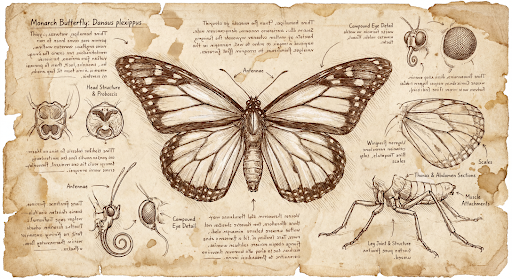
prompt = "Da Vinci style anatomical sketch of a dissected Monarch butterfly. Detailed drawings of the head, wings, and legs on textured parchment with notes in English."
aspect_ratio = "1:1" # "1:1","1:4","1:8","2:3","3:2","3:4","4:1","4:3","4:5","5:4","8:1","9:16","16:9","21:9"
resolution = "1K" # "512", "1K", "2K", "4K"

client = genai.Client()

response = client.models.generate_content(
    model="gemini-3.1-flash-image",
    contents=prompt,
    config=types.GenerateContentConfig(
        response_modalities=['TEXT', 'IMAGE'],
        response_format={"image": {aspect_ratio: aspect_ratio,                 image_size: resolution}},
    )
)

for part in response.parts:
    if part.text is not None:
        print(part.text)
    elif image:= part.as_image():
        image.save("butterfly.png")
JavaScript
import { GoogleGenAI } from "@google/genai";
import * as fs from "node:fs";

async function main() {

  const ai = new GoogleGenAI({});

  const prompt =
      'Da Vinci style anatomical sketch of a dissected Monarch butterfly. Detailed drawings of the head, wings, and legs on textured parchment with notes in English.';
  const aspectRatio = '1:1';
  const resolution = '1K';

  const response = await ai.models.generateContent({
    model: 'gemini-3.1-flash-image',
    contents: prompt,
    config: {
      responseModalities: ['TEXT', 'IMAGE'],
      responseFormat: {
    image: {
        aspectRatio: aspectRatio,
        imageSize: resolution,
      }
  },
    },
  });

  for (const part of response.candidates[0].content.parts) {
    if (part.text) {
      console.log(part.text);
    } else if (part.inlineData) {
      const imageData = part.inlineData.data;
      const buffer = Buffer.from(imageData, "base64");
      fs.writeFileSync("image.png", buffer);
      console.log("Image saved as image.png");
    }
  }

}

main();
Идти
package main

import (
    "context"
    "fmt"
    "log"
    "os"

    "google.golang.org/genai"
)

func main() {
    ctx := context.Background()
    client, err := genai.NewClient(ctx, nil)
    if err != nil {
        log.Fatal(err)
    }
    defer client.Close()

    model := client.GenerativeModel("gemini-3.1-flash-image")
    model.GenerationConfig = &pb.GenerationConfig{
        ResponseModalities: []pb.ResponseModality{genai.Text, genai.Image},
        ImageConfig: &pb.ImageConfig{
            AspectRatio: "1:1",
            ImageSize:   "1K",
        },
    }

    prompt := "Da Vinci style anatomical sketch of a dissected Monarch butterfly. Detailed drawings of the head, wings, and legs on textured parchment with notes in English."
    resp, err := model.GenerateContent(ctx, genai.Text(prompt))
    if err != nil {
        log.Fatal(err)
    }

    for _, part := range resp.Candidates[0].Content.Parts {
        if txt, ok := part.(genai.Text); ok {
            fmt.Printf("%s", string(txt))
        } else if img, ok := part.(genai.ImageData); ok {
            err := os.WriteFile("butterfly.png", img.Data, 0644)
            if err != nil {
                log.Fatal(err)
            }
        }
    }
}
Java
import com.google.genai.Client;
import com.google.genai.types.GenerateContentConfig;
import com.google.genai.types.GenerateContentResponse;
import com.google.genai.types.GoogleSearch;
import com.google.genai.types.ImageConfig;
import com.google.genai.types.Part;
import com.google.genai.types.Tool;

import java.io.IOException;
import java.nio.file.Files;
import java.nio.file.Paths;

public class HiRes {
    public static void main(String[] args) throws IOException {

      try (Client client = new Client()) {
        GenerateContentConfig config = GenerateContentConfig.builder()
            .responseModalities("TEXT", "IMAGE")
            .imageConfig(ImageConfig.builder()
                .aspectRatio("16:9")
                .imageSize("4K")
                .build())
            .build();

        GenerateContentResponse response = client.models.generateContent(
            "gemini-3.1-flash-image", """
              Da Vinci style anatomical sketch of a dissected Monarch butterfly.
              Detailed drawings of the head, wings, and legs on textured
              parchment with notes in English.
              """,
            config);

        for (Part part : response.parts()) {
          if (part.text().isPresent()) {
            System.out.println(part.text().get());
          } else if (part.inlineData().isPresent()) {
            var blob = part.inlineData().get();
            if (blob.data().isPresent()) {
              Files.write(Paths.get("butterfly.png"), blob.data().get());
            }
          }
        }
      }
    }
}
C#
using Google.GenAI;
using System;
using System.Collections.Generic;
using System.IO;
using System.Threading.Tasks;

public class HiRes {
  public static async Task Main(string[] args) {
    var client = new Client();

    var response = await client.Models.GenerateContentAsync(
        model: "gemini-3.1-flash-image",
        contents: new List<Part>
        {
            new Part { Text = "Da Vinci style anatomical sketch of a dissected Monarch butterfly. Detailed drawings of the head, wings, and legs on textured parchment with notes in English." }
        },
        config: new GenerateContentConfig
        {
            ResponseModalities = new List<string> { "TEXT", "IMAGE" },
            ImageConfig = new ImageConfig
            {
                AspectRatio = "1:1",
                ImageSize = "1K"
            }
        }
    );

    foreach (var candidate in response.Candidates) {
        foreach (var part in candidate.Content.Parts) {
            if (part.Text != null) {
                Console.WriteLine(part.Text);
            } else if (part.InlineData != null) {
                var imageBytes = Convert.FromBase64String(part.InlineData.Data);
                await File.WriteAllBytesAsync("butterfly.png", imageBytes);
                Console.WriteLine("Image saved as butterfly.png");
            }
        }
    }
  }
}
ОТДЫХ
curl -s -X POST \
  "https://generativelanguage.googleapis.com/v1/models/gemini-3.1-flash-image:generateContent" \
  -H "x-goog-api-key: $GEMINI_API_KEY" \
  -H "Content-Type: application/json" \
  -d '{
    "contents": [{"parts": [{"text": "Da Vinci style anatomical sketch of a dissected Monarch butterfly. Detailed drawings of the head, wings, and legs on textured parchment with notes in English."}]}],
    "tools": [{"google_search": {}}],
    "generationConfig": {
      "responseModalities": ["TEXT", "IMAGE"],
      "responseFormat": {
    "image": {"aspectRatio": "1:1", "imageSize": "1K"}
  }
    }
  }'
Ниже представлен пример изображения, сгенерированного по этому запросу:
Процесс мышления
Модели обработки изображений Gemini 3 — это модели мышления, использующие процесс рассуждения («Мышление») для сложных запросов. Эта функция включена по умолчанию и не может быть отключена в API. Чтобы узнать больше о процессе мышления, см. руководство по Gemini Thinking .
Модель генерирует до двух промежуточных изображений для проверки композиции и логики. Последнее изображение в режиме «Мышление» также является окончательным отрендеренным изображением.
Вы можете проверить мысли, которые привели к созданию окончательного изображения.
Python
for part in response.parts:
    if part.thought:
        if part.text:
            print(part.text)
        elif image:= part.as_image():
            image.show()
JavaScript
for (const part of response.candidates[0].content.parts) {
  if (part.thought) {
    if (part.text) {
      console.log(part.text);
    } else if (part.inlineData) {
      const imageData = part.inlineData.data;
      const buffer = Buffer.from(imageData, 'base64');
      fs.writeFileSync('image.png', buffer);
      console.log('Image saved as image.png');
    }
  }
}
Java
for (Part part : response.parts()) {
  if (part.thought().orElse(false)) {
    if (part.text().isPresent()) {
      System.out.println(part.text().get());
    } else if (part.inlineData().isPresent()) {
      var blob = part.inlineData().get();
      if (blob.data().isPresent()) {
        Files.write(Paths.get("image.png"), blob.data().get());
        System.out.println("Image saved as image.png");
      }
    }
  }
}
C#
foreach (var candidate in response.Candidates) {
    foreach (var part in candidate.Content.Parts) {
        if (part.Thought) {
            if (part.Text != null) {
                Console.WriteLine(part.Text);
            } else if (part.InlineData != null) {
                var imageBytes = Convert.FromBase64String(part.InlineData.Data);
                await File.WriteAllBytesAsync("image.png", imageBytes);
                Console.WriteLine("Image saved as image.png");
            }
        }
    }
}
Контроль уровней мышления
В Gemini 3.1 Flash Image и Gemini 3.1 Flash Lite Image вы можете контролировать объем вычислений, используемых моделью для баланса между качеством и задержкой. По умолчанию thinkingLevel имеет minimal , а поддерживаемые уровни — minimal и high . Установка thinkingLevel на minimal обеспечивает наименьшую задержку отклика. Обратите внимание, что minimal thinking не означает, что модель вообще не использует вычислительные ресурсы.
Вы можете добавить логическую переменную includeThoughts , чтобы определить, будут ли сгенерированные моделью мысли возвращаться в ответе или останутся скрытыми.
Python
from google import genai

response = client.models.generate_content(
    model="gemini-3.1-flash-image",
    contents="A futuristic city built inside a giant glass bottle floating in space",
    config=types.GenerateContentConfig(
        response_modalities=["IMAGE"],
        thinking_config=types.ThinkingConfig(
            thinking_level="High",
            include_thoughts=True
        ),
    )
)

for part in response.parts:
    if part.thought: # Skip outputting thoughts
      continue
    if part.text:
      display(Markdown(part.text))
    elif image:= part.as_image():
      image.show()
JavaScript
import { GoogleGenAI } from "@google/genai";
import * as fs from "node:fs";

async function main() {

  const ai = new GoogleGenAI({});

  const response = await ai.models.generateContent({
    model: "gemini-3.1-flash-image",
    contents: "A futuristic city built inside a giant glass bottle floating in space",
    config: {
      responseModalities: ["IMAGE"],
      thinkingConfig: {
        thinkingLevel: "High",
        includeThoughts: true
      },
    },
  });

  for (const part of response.candidates[0].content.parts) {
    if (part.thought) { // Skip outputting thoughts
      continue;
    }
    if (part.text) {
      console.log(part.text);
    } else if (part.inlineData) {
      const imageData = part.inlineData.data;
      const buffer = Buffer.from(imageData, "base64");
      fs.writeFileSync("image.png", buffer);
      console.log("Image saved as image.png");
    }
  }
}
main();
Идти
package main

import (
    "context"
    "fmt"
    "log"
    "os"

    "google.golang.org/genai"
    pb "google.golang.org/genai/schema"
)

func main() {
    ctx := context.Background()
    client, err := genai.NewClient(ctx, nil)
    if err != nil {
        log.Fatal(err)
    }
    defer client.Close()

    model := client.GenerativeModel("gemini-3.1-flash-image")
    model.GenerationConfig = &pb.GenerationConfig{
        ResponseModalities: []pb.ResponseModality{genai.Image},
        ThinkingConfig: &pb.ThinkingConfig{
            ThinkingLevel:   "High",
            IncludeThoughts: true,
        },
    }

    prompt := "A futuristic city built inside a giant glass bottle floating in space"
    resp, err := model.GenerateContent(ctx, genai.Text(prompt))
    if err != nil {
        log.Fatal(err)
    }

    for _, part := range resp.Candidates[0].Content.Parts {
        if part.Thought { // Skip outputting thoughts
            continue
        }
        if txt, ok := part.(genai.Text); ok {
            fmt.Printf("%s", string(txt))
        } else if img, ok := part.(genai.ImageData); ok {
            err := os.WriteFile("image.png", img.Data, 0644)
            if err != nil {
                log.Fatal(err)
            }
        }
    }
}
Java
import com.google.genai.Client;
import com.google.genai.types.GenerateContentConfig;
import com.google.genai.types.GenerateContentResponse;
import com.google.genai.types.Part;
import com.google.genai.types.ThinkingConfig;

import java.io.IOException;
import java.nio.file.Files;
import java.nio.file.Paths;

public class ThinkingLevels {
  public static void main(String[] args) throws IOException {

    try (Client client = new Client()) {
      GenerateContentConfig config = GenerateContentConfig.builder()
          .responseModalities("IMAGE")
          .thinkingConfig(ThinkingConfig.builder()
              .thinkingLevel("High")
              .includeThoughts(true)
              .build())
          .build();

      GenerateContentResponse response = client.models.generateContent(
          "gemini-3.1-flash-image",
          "A futuristic city built inside a giant glass bottle floating in space",
          config);

      for (Part part : response.parts()) {
        if (part.thought().orElse(false)) {
          // Skip outputting thoughts
          continue;
        }
        if (part.text().isPresent()) {
          System.out.println(part.text().get());
        } else if (part.inlineData().isPresent()) {
          var blob = part.inlineData().get();
          if (blob.data().isPresent()) {
            Files.write(Paths.get("image.png"), blob.data().get());
            System.out.println("Image saved as image.png");
          }
        }
      }
    }
  }
}
C#
using Google.GenAI;
using System;
using System.Collections.Generic;
using System.IO;
using System.Threading.Tasks;

public class ThinkingLevels {
  public static async Task Main(string[] args) {
    var client = new Client();

    var response = await client.Models.GenerateContentAsync(
        model: "gemini-3.1-flash-image",
        contents: new List<Part>
        {
            new Part { Text = "A futuristic city built inside a giant glass bottle floating in space" }
        },
        config: new GenerateContentConfig
        {
            ResponseModalities = new List<string> { "IMAGE" },
            ThinkingConfig = new ThinkingConfig
            {
                ThinkingLevel = "High",
                IncludeThoughts = true
            }
        }
    );

    foreach (var candidate in response.Candidates) {
        foreach (var part in candidate.Content.Parts) {
            if (part.Thought) {
                // Skip outputting thoughts
                continue;
            }
            if (part.Text != null) {
                Console.WriteLine(part.Text);
            } else if (part.InlineData != null) {
                var imageBytes = Convert.FromBase64String(part.InlineData.Data);
                await File.WriteAllBytesAsync("image.png", imageBytes);
                Console.WriteLine("Image saved as image.png");
            }
        }
    }
  }
}
ОТДЫХ
curl -s -X POST \
  "https://generativelanguage.googleapis.com/v1/models/gemini-3.1-flash-image:generateContent" \
  -H "x-goog-api-key: $GEMINI_API_KEY" \
  -H "Content-Type: application/json" \
  -d '{
    "contents": [{"parts": [{"text": "A futuristic city built inside a giant glass bottle floating in space"}]}],
    "generationConfig": {
      "responseModalities": ["IMAGE"],
      "thinkingConfig": {
        "thinkingLevel": "High",
        "includeThoughts": true
      }
    }
  }'
Обратите внимание, что токены мышления оплачиваются независимо от того, установлено ли значение includeThoughts на true или false , поскольку процесс мышления всегда происходит по умолчанию, независимо от того, просматриваете вы этот процесс или нет.
Мыслительные подписи
«Сигнатуры мыслей» — это зашифрованные представления внутреннего мыслительного процесса модели, используемые для сохранения контекста рассуждений в многоходовых взаимодействиях. Все ответы содержат поле thought_signature . Как правило, если вы получили «сигнатуру мысли» в ответе модели, вы должны передать её обратно в точно таком же виде при отправке истории разговора в следующем ходу. Непередача «сигнатур мыслей» может привести к ошибке ответа. Для получения более подробной информации о сигнатурах мыслей в целом, обратитесь к документации.
Вот как работают сигнатуры мыслей:
- Все части
inline_dataсmimetypeизображения, входящие в ответ, должны иметь подпись. - Если в начале (перед любым изображением) сразу после мыслей есть текстовые фрагменты, то первый текстовый фрагмент также должен содержать подпись.
- Если
inline_dataсmimetypeизображения являются частью элементов thoughts, у них не будет подписей.
Следующий код демонстрирует пример включения сигнатур мыслей:
[
  {
    "inline_data": {
      "data": "<base64_image_data_0>",
      "mime_type": "image/png"
    },
    "thought": true // Thoughts don't have signatures
  },
  {
    "inline_data": {
      "data": "<base64_image_data_1>",
      "mime_type": "image/png"
    },
    "thought": true // Thoughts don't have signatures
  },
  {
    "inline_data": {
      "data": "<base64_image_data_2>",
      "mime_type": "image/png"
    },
    "thought": true // Thoughts don't have signatures
  },
  {
    "text": "Here is a step-by-step guide to baking macarons, presented in three separate images.\n\n### Step 1: Piping the Batter\n\nThe first step after making your macaron batter is to pipe it onto a baking sheet. This requires a steady hand to create uniform circles.\n\n",
    "thought_signature": "<Signature_A>" // The first non-thought part always has a signature
  },
  {
    "inline_data": {
      "data": "<base64_image_data_3>",
      "mime_type": "image/png"
    },
    "thought_signature": "<Signature_B>" // All image parts have a signatures
  },
  {
    "text": "\n\n### Step 2: Baking and Developing Feet\n\nOnce piped, the macarons are baked in the oven. A key sign of a successful bake is the development of \"feet\"—the ruffled edge at the base of each macaron shell.\n\n"
    // Follow-up text parts don't have signatures
  },
  {
    "inline_data": {
      "data": "<base64_image_data_4>",
      "mime_type": "image/png"
    },
    "thought_signature": "<Signature_C>" // All image parts have a signatures
  },
  {
    "text": "\n\n### Step 3: Assembling the Macaron\n\nThe final step is to pair the cooled macaron shells by size and sandwich them together with your desired filling, creating the classic macaron dessert.\n\n"
  },
  {
    "inline_data": {
      "data": "<base64_image_data_5>",
      "mime_type": "image/png"
    },
    "thought_signature": "<Signature_D>" // All image parts have a signatures
  }
]
Другие режимы генерации изображений
Gemini поддерживает и другие режимы взаимодействия с изображениями, основанные на структуре и контексте подсказки, в том числе:
- Преобразование текста в изображение(а) и текст (чередование): Выводит изображения с соответствующим текстом.
- Пример задания: «Составьте иллюстрированный рецепт паэльи».
- Изображение(я) и текст в изображение(я) и текст (чередующийся режим) : Использует входные изображения и текст для создания новых связанных изображений и текста.
- Пример задания: (С изображением обставленной комнаты) "Какие еще цвета диванов подойдут для моего помещения? Можете обновить изображение?"
Создание изображений в пакетном режиме.
Если вам нужно сгенерировать много изображений, вы можете использовать API пакетной обработки . Вы получаете более высокие лимиты запросов в обмен на обработку в течение до 24 часов.
Для получения примеров и кода по генерации изображений с помощью Batch API ознакомьтесь с документацией по Batch API и руководством пользователя .
Руководство по использованию подсказок и стратегии
Освоение искусства создания изображений начинается с одного фундаментального принципа:
Опишите сцену, а не просто перечислите ключевые слова. Главное преимущество модели — глубокое понимание языка. Повествовательный, описательный абзац почти всегда создаст более качественную и связную картину, чем список разрозненных слов.
Подсказки для генерации изображений
Следующие стратегии помогут вам создать эффективные подсказки для получения именно тех изображений, которые вы ищете.
Фотография
Для получения реалистичных изображений используйте терминологию фотографии. Укажите ракурсы камеры, типы объективов, освещение и мелкие детали, чтобы помочь модели добиться реалистичного результата.
| Быстрый | Сгенерированный вывод |
|---|---|
| Фотография крупным планом портрета пожилого японского керамиста с глубокими, словно выжженными солнцем, морщинами и теплой, понимающей улыбкой. Он внимательно рассматривает свежеглазурованную чайную чашу. Место действия — его деревенская, залитая солнцем мастерская. Сцена освещена мягким светом «золотого часа», льющимся через окно и подчеркивающим тонкую текстуру глины. Снимок сделан портретным объективом 85 мм, в результате чего фон получился мягким, размытым (боке). Общее настроение — безмятежное и мастерское. Вертикальная портретная ориентация. |  |
Стилизованные иллюстрации и наклейки
Для создания стикеров, значков или других элементов оформления четко укажите желаемый стиль и запросите белый фон.
| Быстрый | Сгенерированный вывод |
|---|---|
| Наклейка в стиле каваи с изображением счастливой красной панды в крошечной бамбуковой шляпке. Она жует зеленый бамбуковый лист. Дизайн отличается четкими, выразительными контурами, простой цел-шейдинговой заливкой и яркой цветовой палитрой. Фон должен быть белым. |  |
Точный текст в изображениях
Gemini отлично справляется с отображением текста. Четко указывайте текст, стиль шрифта (с описанием) и общий дизайн. Используйте Gemini 3 Pro Image для профессионального создания графических ресурсов.
| Быстрый | Сгенерированный вывод |
|---|---|
| Создайте современный минималистичный логотип для кофейни под названием «The Daily Grind». Текст должен быть написан чистым, жирным шрифтом без засечек. Цветовая гамма — черно-белая. Поместите логотип в круг. Оригинально используйте изображение кофейного зерна. |  |
Макеты продукции и коммерческая фотосъемка
Идеально подходит для создания качественных, профессиональных фотографий товаров для электронной коммерции, рекламы или брендинга.
| Быстрый | Сгенерированный вывод |
|---|---|
| Высококачественная студийная фотография минималистичной керамической кофейной кружки матово-черного цвета, размещенной на полированной бетонной поверхности. Освещение выполнено с помощью трехточечной системы софтбоксов, предназначенной для создания мягких, рассеянных бликов и устранения резких теней. Ракурс камеры — слегка приподнятый на 45 градусов, чтобы подчеркнуть четкие линии кружки. Ультрареалистичное изображение с резким фокусом на паре, поднимающемся от кофе. Квадратное изображение. |  |
Минималистичный дизайн с использованием негативного пространства
Отлично подходит для создания фоновых изображений для веб-сайтов, презентаций или маркетинговых материалов, где будет накладываться текст.
| Быстрый | Сгенерированный вывод |
|---|---|
| Минималистичная композиция с единственным, изящным красным кленовым листом, расположенным в правом нижнем углу кадра. Фон представляет собой обширное, пустое полотно кремового цвета, создающее значительное пустое пространство для текста. Мягкое, рассеянное освещение сверху слева. Квадратное изображение. |  |
Последовательная графика (комиксные панели / раскадровка)
Основываясь на согласованности характеров и описании сцен, эти подсказки позволяют создавать панели для визуального повествования. Для большей точности текста и улучшения навыков рассказывания историй, эти подсказки лучше всего работают с Gemini 3.1 Pro и Gemini 3.1 Flash Image.
| Быстрый | Сгенерированный вывод |
|---|---|
Входное изображение:  Задание: Создайте комикс из 3 панелей в мрачном нуар-стиле с высококонтрастными черно-белыми чернилами. Поместите персонажа в юмористическую сцену. |  |
Освоение основ поиска Google
Используйте поиск Google для создания изображений на основе актуальной или текущей информации. Это полезно для новостей, погоды и других тем, требующих оперативного реагирования.
| Быстрый | Сгенерированный вывод |
|---|---|
| Создайте простую, но стильную графику, посвященную вчерашнему матчу «Арсенала» в Лиге чемпионов. | 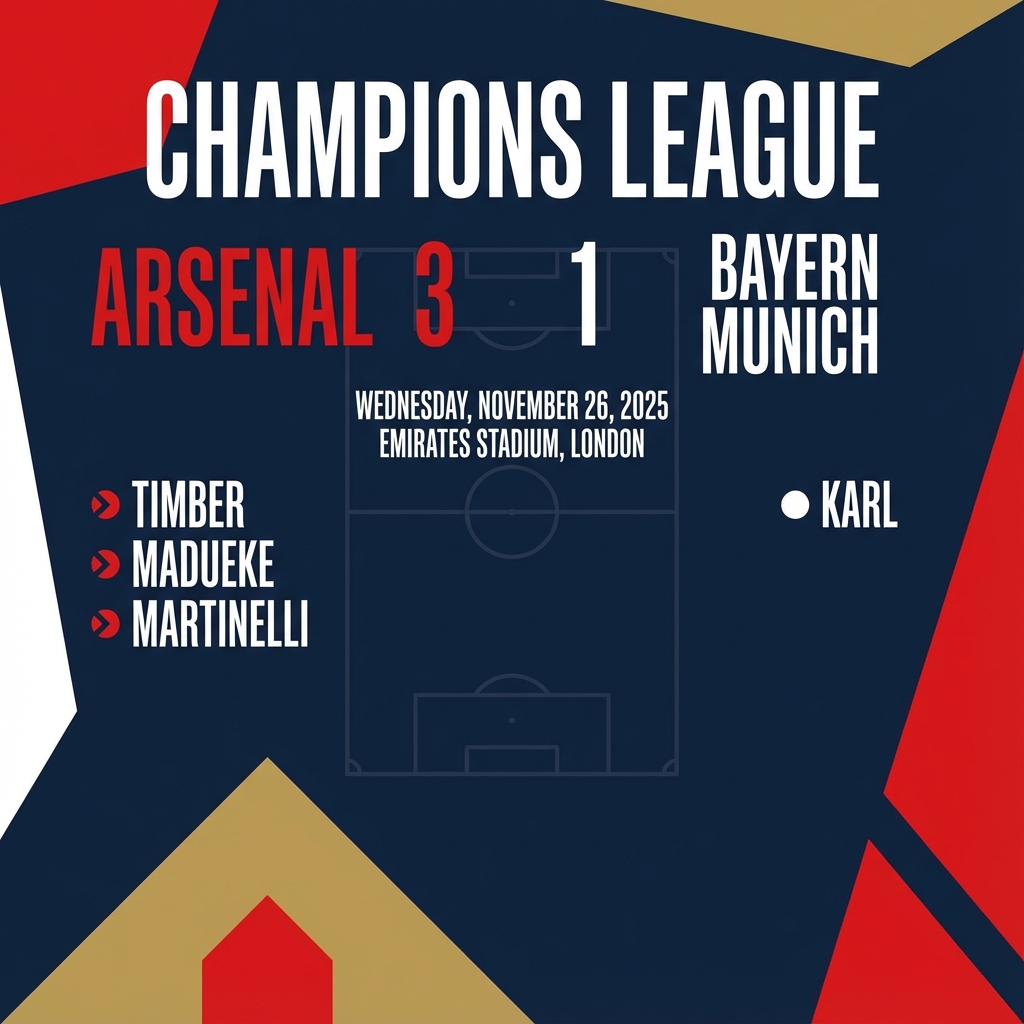 |
Подсказки для редактирования изображений
Эти примеры показывают, как добавлять изображения к текстовым подсказкам для редактирования, компоновки и переноса стиля.
Добавление и удаление элементов
Предоставьте изображение и опишите необходимые изменения. Модель должна соответствовать стилю, освещению и перспективе оригинального изображения.
| Быстрый | Сгенерированный вывод |
|---|---|
Входное изображение:  Задание: Используя предоставленное изображение моей кошки, пожалуйста, добавьте ей на голову маленькую вязаную шапочку волшебника. Сделайте так, чтобы кошка выглядела удобно сидящей и соответствовала мягкому освещению на фотографии. | 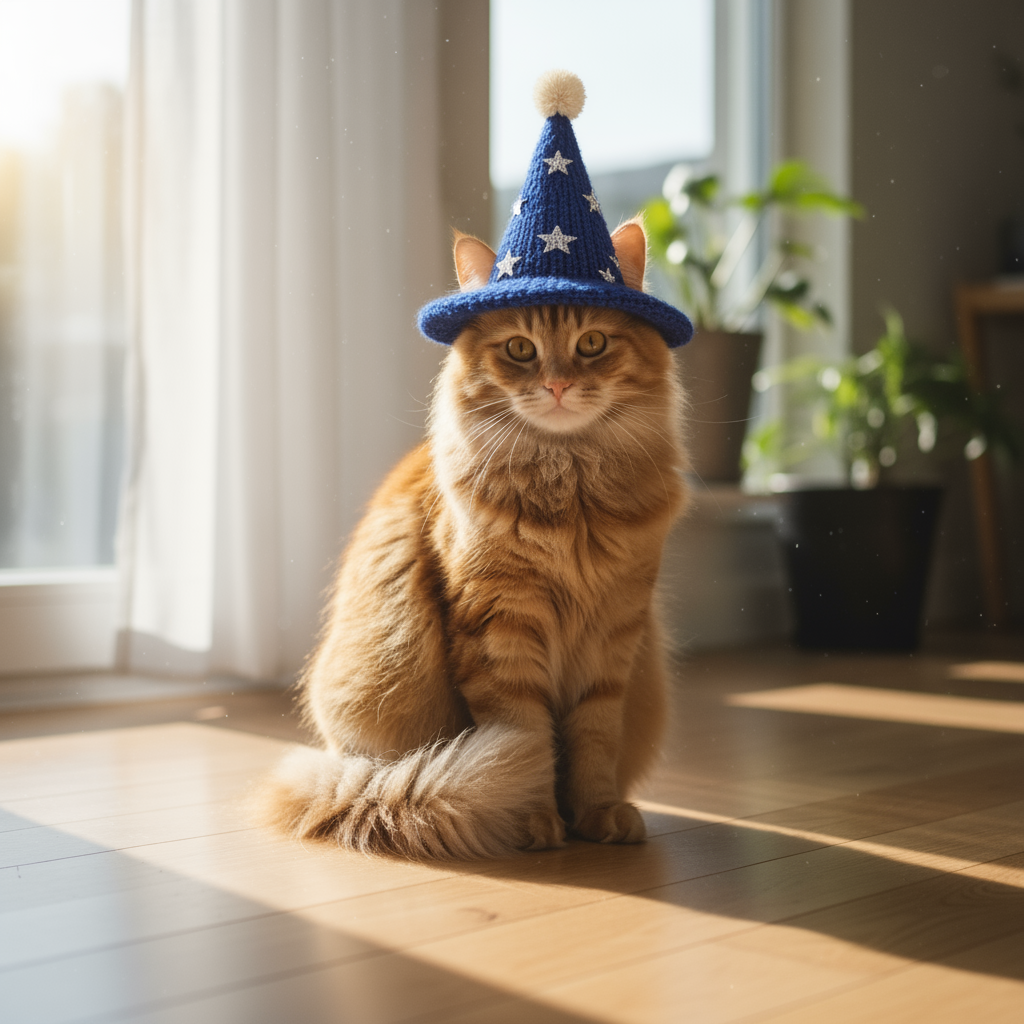 |
Заполнение пропущенных фрагментов (семантическая маскировка)
В ходе беседы можно задать «маску» для редактирования определенной части изображения, оставив остальную часть нетронутой.
| Быстрый | Сгенерированный вывод |
|---|---|
Входное изображение:  Задание: Используя предоставленное изображение гостиной, замените только синий диван на винтажный коричневый кожаный диван в стиле «честерфилд». Остальное пространство комнаты, включая подушки на диване и освещение, оставьте без изменений. |  |
Перенос стиля
Предоставьте изображение и попросите модель воссоздать его содержание в другом художественном стиле.
| Быстрый | Сгенерированный вывод |
|---|---|
Входное изображение: 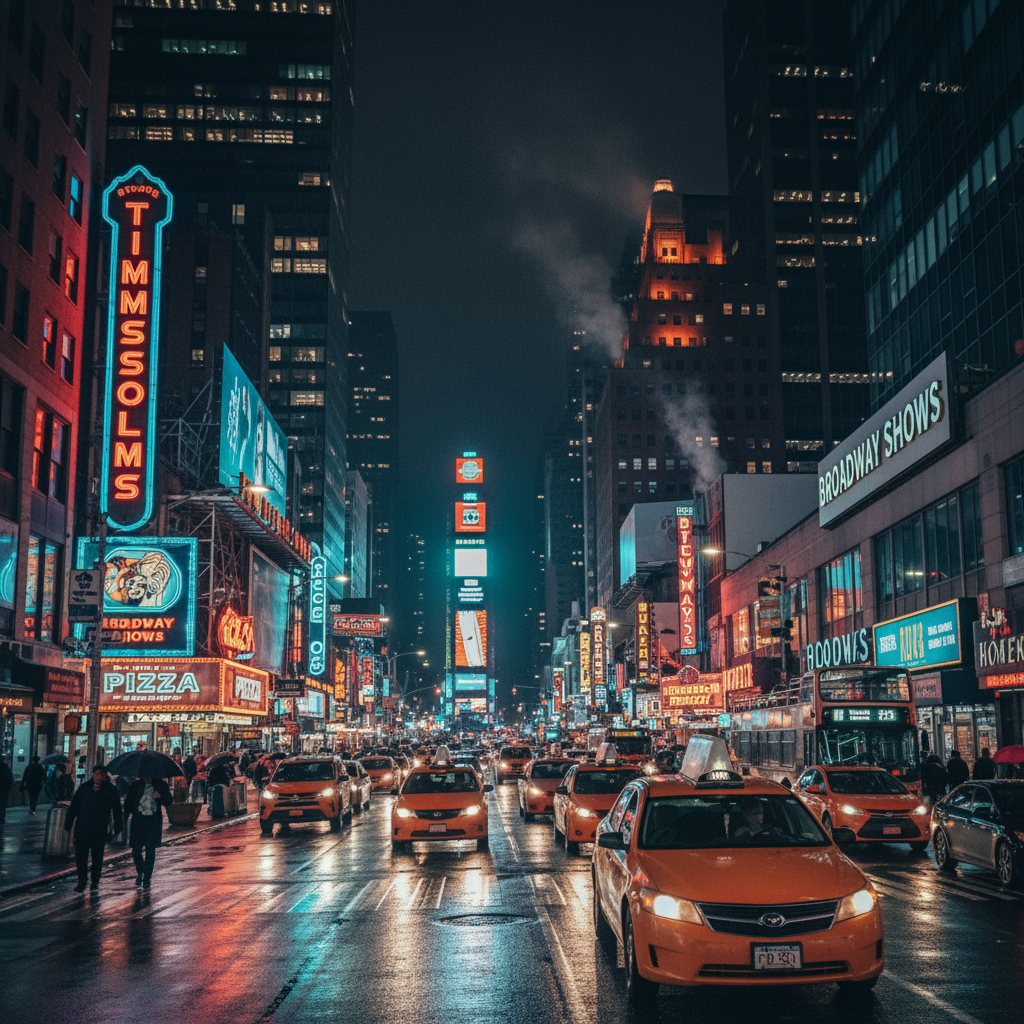 Задание: Преобразуйте предоставленную фотографию современной ночной городской улицы в художественном стиле «Звездной ночи» Винсента ван Гога. Сохраните оригинальную композицию зданий и автомобилей, но изобразите все элементы вихреобразными, пастозными мазками и используйте эффектную палитру глубоких синих и ярких желтых оттенков. | 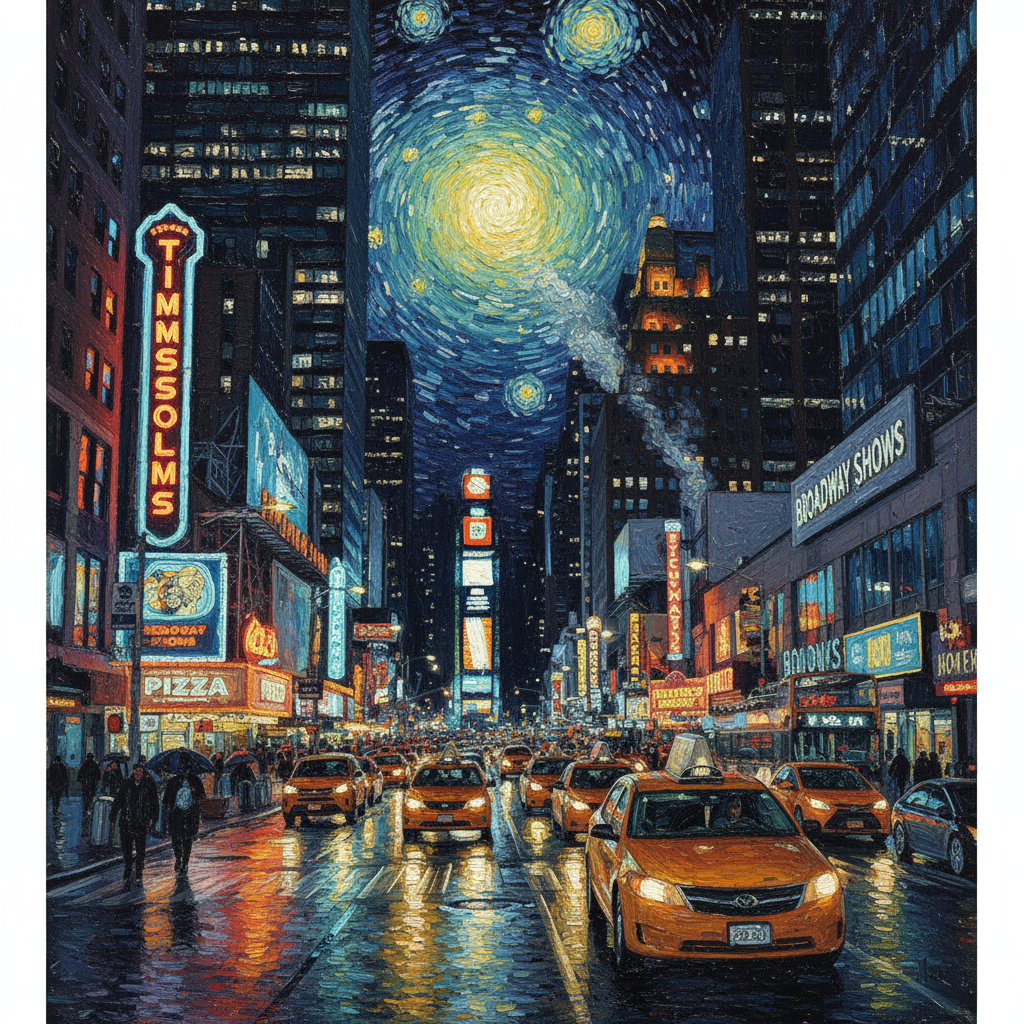 |
Продвинутая композиция: объединение нескольких изображений.
Предоставьте несколько изображений в качестве контекста для создания новой, составной сцены. Это идеально подходит для макетов продукции или креативных коллажей.
| Быстрый | Сгенерированный вывод |
|---|---|
Входные изображения: 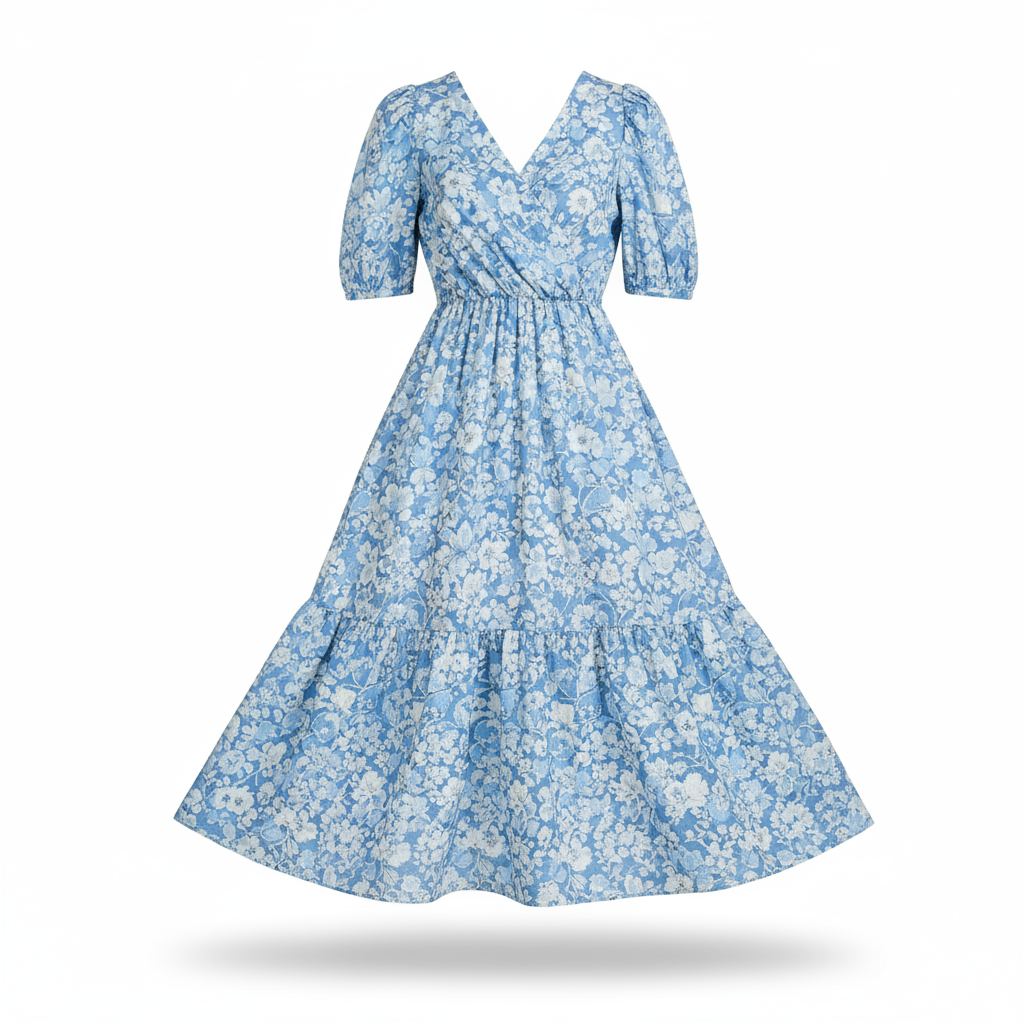  Задание: Создайте профессиональную фотографию модной одежды для интернет-магазина. Возьмите синее платье с цветочным принтом с первого изображения и покажите его женщине со второго изображения. Создайте реалистичный снимок женщины в платье в полный рост, с настройкой освещения и теней, соответствующей обстановке на улице. | 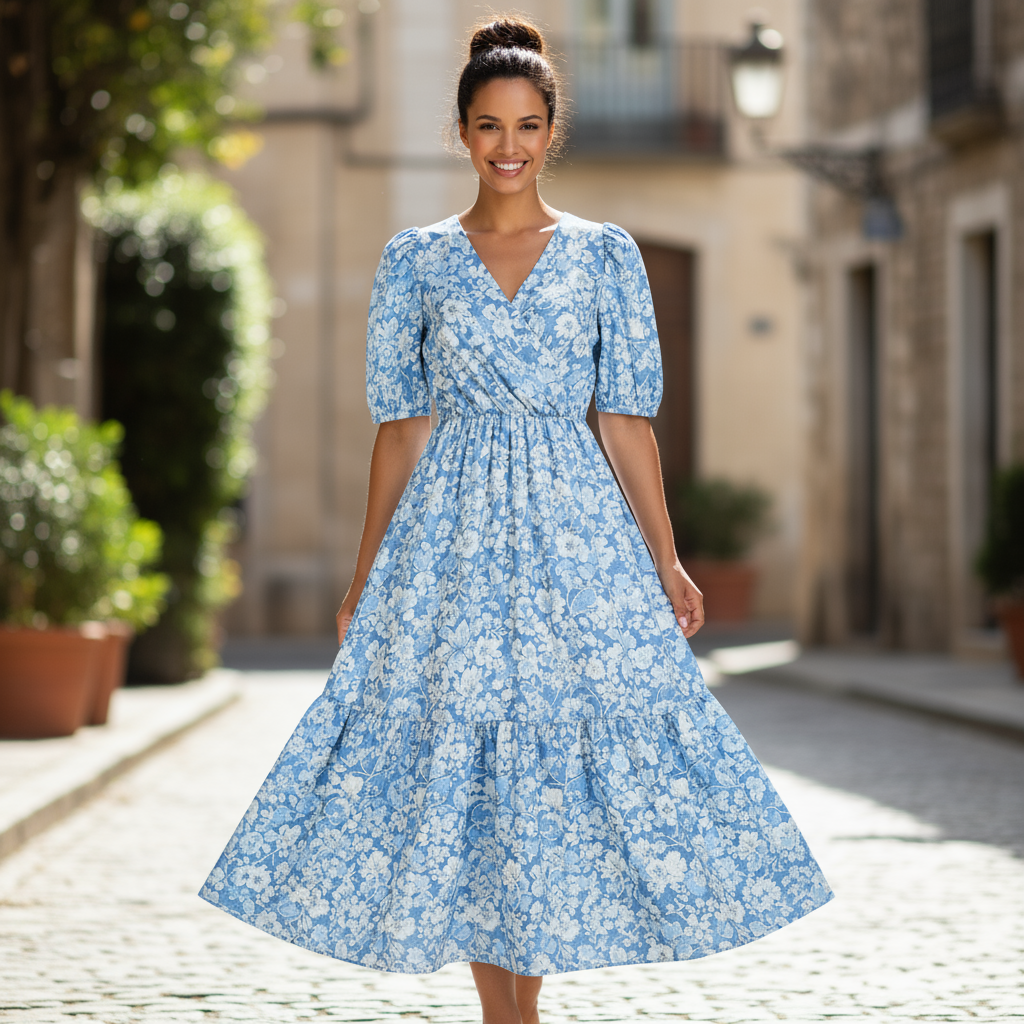 |
Сохранение высокой точности деталей
Чтобы гарантировать сохранение важных деталей (например, лица или логотипа) во время редактирования, подробно опишите их вместе с вашим запросом на редактирование.
| Быстрый | Сгенерированный вывод |
|---|---|
Входные изображения:   Задание: Возьмите первое изображение женщины с каштановыми волосами, голубыми глазами и нейтральным выражением лица. Добавьте логотип со второго изображения на её чёрную футболку. Убедитесь, что лицо и черты лица женщины остаются совершенно неизменными. Логотип должен выглядеть так, будто он естественным образом напечатан на ткани, повторяя складки футболки. |  |
Оживите что-нибудь
Загрузите черновой эскиз или рисунок и попросите модель доработать его до готового изображения.
| Быстрый | Сгенерированный вывод |
|---|---|
Входное изображение: 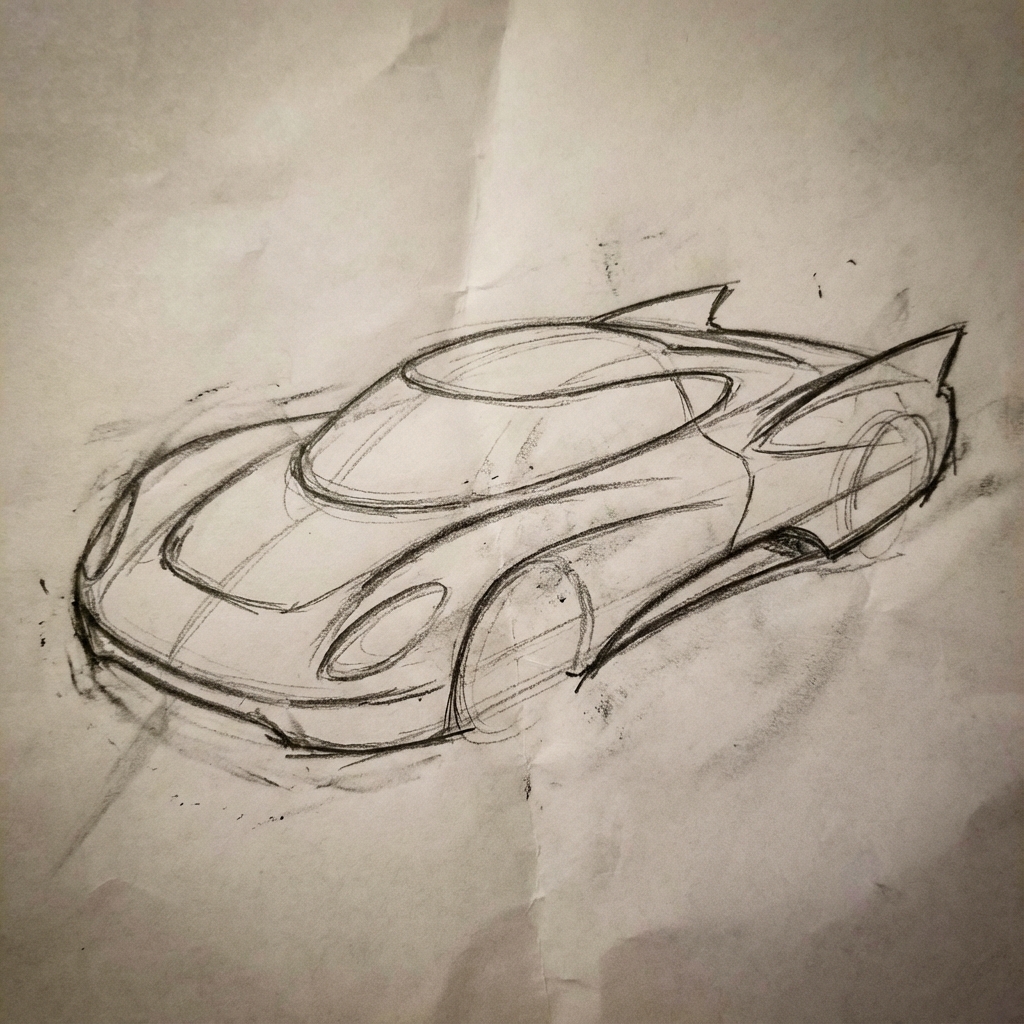 Задание: Превратите этот грубый карандашный эскиз футуристического автомобиля в отполированную фотографию готового концепт-кара в выставочном зале. Сохраните изящные линии и низкий профиль эскиза, но добавьте металлическую синюю краску и неоновую подсветку обода. | 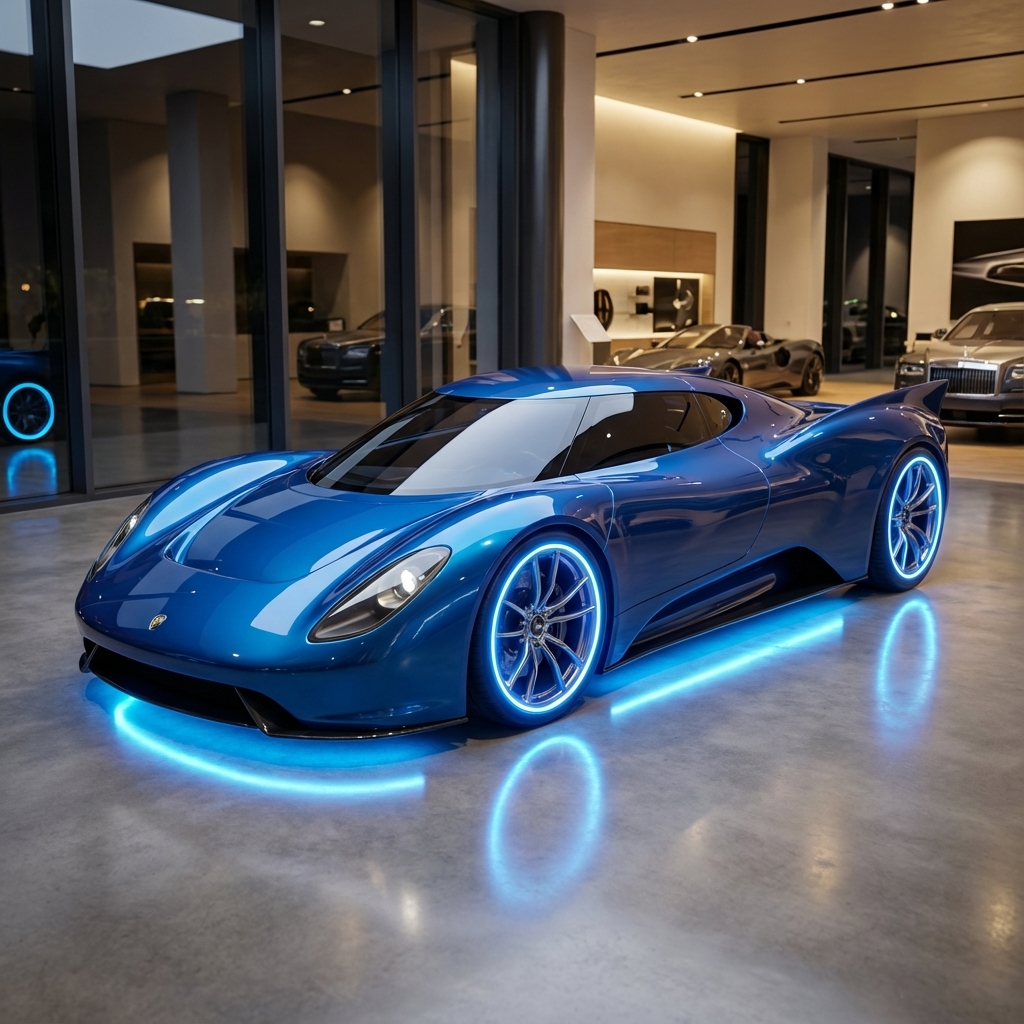 |
Единообразие персонажей: обзор на 360 градусов.
Вы можете создавать 360-градусные изображения персонажа, итеративно запрашивая разные ракурсы. Для достижения наилучших результатов включайте ранее созданные изображения в последующие запросы, чтобы обеспечить согласованность. Для сложных поз используйте эталонное изображение желаемой позы.
| Быстрый | Сгенерированный вывод |
|---|---|
Входное изображение: Задание: Студийный портрет этого мужчины на белом фоне, в профиль, смотрящего вправо. |   |
Передовые методы
Чтобы поднять ваши результаты с хороших до отличных, включите эти профессиональные стратегии в свой рабочий процесс.
- Будьте предельно конкретны: чем больше деталей вы предоставите, тем больше у вас будет контроля. Вместо «фантастические доспехи» опишите их так: «изысканные эльфийские латы, украшенные узорами из серебряной фольги, с высоким воротником и наплечниками в форме соколиных крыльев».
- Укажите контекст и цель: объясните назначение изображения. Понимание контекста моделью повлияет на конечный результат. Например, фраза «Создать логотип для элитного минималистичного бренда средств по уходу за кожей» даст лучшие результаты, чем просто «Создать логотип».
- Постепенная доработка и улучшение: не ожидайте идеального изображения с первой попытки. Используйте разговорный характер модели для внесения небольших изменений. Задавайте уточняющие вопросы, например: «Отлично, но можно сделать освещение немного теплее?» или «Оставьте все как есть, но измените выражение лица персонажа на более серьезное».
- Используйте пошаговые инструкции: для сложных сцен с множеством элементов разбейте задание на этапы. «Сначала создайте фон безмятежного, туманного леса на рассвете. Затем на переднем плане добавьте покрытый мхом древний каменный алтарь. Наконец, поместите один светящийся меч на алтарь».
- Используйте «семантические отрицательные подсказки»: вместо того, чтобы сказать «нет машин», опишите желаемую сцену в позитивном ключе: «пустая, безлюдная улица без признаков движения транспорта».
- Управляйте камерой: используйте фотографический и кинематографический язык для управления композицией. Применяйте такие термины, как
wide-angle shot,macro shot,low-angle perspective.
Ограничения
- Для достижения наилучших результатов используйте следующие языки: EN, ar-EG, de-DE, es-MX, fr-FR, hi-IN, id-ID, it-IT, ja-JP, ko-KR, pt-BR, ru-RU, ua-UA, vi-VN, zh-CN.
- В режиме генерации изображений аудиовходы не поддерживаются. Видеовходы поддерживаются только для Gemini 3.1 Flash Image и Gemini 3.1 Flash Lite Image.
- Модель не всегда будет точно соответствовать тому количеству изображений, которое явно запрашивает пользователь.
-
gemini-2.5-flash-imageлучше всего работает с 3 изображениями на входе, в то время какgemini-3-pro-imageподдерживает 5 изображений с высокой точностью и до 14 изображений в общей сложности.gemini-3.1-flash-imageподдерживает сходство символов до 4 символов и точность отображения до 10 объектов в одном рабочем процессе. - При создании текста для изображения Gemini работает лучше всего, если сначала сгенерировать текст, а затем запросить изображение с этим текстом.
-
gemini-3.1-flash-imageВ настоящее время функция "Приземление с помощью поиска Google" не поддерживает использование реальных изображений людей из веб-поиска. - Все сгенерированные изображения содержат водяной знак SynthID .
Дополнительные конфигурации
При желании вы можете настроить режимы ответа и соотношение сторон выходных данных модели в поле config вызовов generate_content .
Типы выходных данных
По умолчанию модель возвращает текстовые и графические ответы (например, response_modalities=['Text', 'Image'] ). Вы можете настроить ответ так, чтобы он возвращал только изображения без текста, используя response_modalities=['Image'] .
Python
response = client.models.generate_content(
    model="gemini-3.1-flash-image",
    contents=[prompt],
    config=types.GenerateContentConfig(
        response_modalities=['Image']
    )
)
JavaScript
const response = await ai.models.generateContent({
    model: "gemini-3.1-flash-image",
    contents: prompt,
    config: {
        responseModalities: ['Image']
    }
  });
Идти
result, _ := client.Models.GenerateContent(
    ctx,
    "gemini-3.1-flash-image",
    genai.Text("Create a picture of a nano banana dish in a " +
                " fancy restaurant with a Gemini theme"),
    &genai.GenerateContentConfig{
        ResponseModalities: "Image",
    },
  )
Java
response = client.models.generateContent(
    "gemini-3.1-flash-image",
    prompt,
    GenerateContentConfig.builder()
        .responseModalities("IMAGE")
        .build());
C#
var response = await client.Models.GenerateContentAsync(
    model: "gemini-3.1-flash-image",
    contents: new List<Part> { new Part { Text = prompt } },
    config: new GenerateContentConfig
    {
        ResponseModalities = new List<string> { "IMAGE" }
    }
);
ОТДЫХ
curl -s -X POST \
  "https://generativelanguage.googleapis.com/v1/models/gemini-3.1-flash-image:generateContent" \
  -H "x-goog-api-key: $GEMINI_API_KEY" \
  -H "Content-Type: application/json" \
  -d '{
    "contents": [{
      "parts": [
        {"text": "Create a picture of a nano banana dish in a fancy restaurant with a Gemini theme"}
      ]
    }],
    "generationConfig": {
      "responseModalities": ["Image"]
    }
  }'
Соотношение сторон и размер изображения
По умолчанию модель подбирает размер выходного изображения в соответствии с размером входного изображения или генерирует квадраты в масштабе 1:1. Вы можете управлять соотношением сторон выходного изображения с помощью поля aspect_ratio в response_format в запросе ответа, как показано здесь:
Python
# For gemini-2.5-flash-image
response = client.models.generate_content(
    model="gemini-2.5-flash-image",
    contents=[prompt],
    config=types.GenerateContentConfig(
        response_format={"image": {aspect_ratio: "16:9",}}
    )
)

# For gemini-3.1-flash-image and gemini-3-pro-image
response = client.models.generate_content(
    model="gemini-3.1-flash-image",
    contents=[prompt],
    config=types.GenerateContentConfig(
        response_format={"image": {aspect_ratio: "16:9",                 image_size: "2K",}}
    )
)
JavaScript
// For gemini-2.5-flash-image
const response = await ai.models.generateContent({
    model: "gemini-2.5-flash-image",
    contents: prompt,
    config: {
      responseFormat: {
    image: {
        aspectRatio: "16:9",
      }
  },
    }
  });

// For gemini-3.1-flash-image and gemini-3-pro-image
const response_gemini3 = await ai.models.generateContent({
    model: "gemini-3.1-flash-image",
    contents: prompt,
    config: {
      responseFormat: {
    image: {
        aspectRatio: "16:9",
        imageSize: "2K",
      }
  },
    }
  });
Идти
// For gemini-2.5-flash-image
result, _ := client.Models.GenerateContent(
    ctx,
    "gemini-2.5-flash-image",
    genai.Text("Create a picture of a nano banana dish in a " +
                " fancy restaurant with a Gemini theme"),
    &genai.GenerateContentConfig{
        ImageConfig: &genai.ImageConfig{
          AspectRatio: "16:9",
        },
    }
  )

// For gemini-3.1-flash-image and gemini-3-pro-image
result_gemini3, _ := client.Models.GenerateContent(
    ctx,
    "gemini-3.1-flash-image",
    genai.Text("Create a picture of a nano banana dish in a " +
                " fancy restaurant with a Gemini theme"),
    &genai.GenerateContentConfig{
        ImageConfig: &genai.ImageConfig{
          AspectRatio: "16:9",
          ImageSize: "2K",
        },
    }
  )
Java
// For gemini-2.5-flash-image
response = client.models.generateContent(
    "gemini-2.5-flash-image",
    prompt,
    GenerateContentConfig.builder()
        .imageConfig(ImageConfig.builder()
            .aspectRatio("16:9")
            .build())
        .build());

// For gemini-3.1-flash-image and gemini-3-pro-image
response_gemini3 = client.models.generateContent(
    "gemini-3.1-flash-image",
    prompt,
    GenerateContentConfig.builder()
        .imageConfig(ImageConfig.builder()
            .aspectRatio("16:9")
            .imageSize("2K")
            .build())
        .build());
C#
// For gemini-2.5-flash-image
var response = await client.Models.GenerateContentAsync(
    model: "gemini-2.5-flash-image",
    contents: new List<Part> { new Part { Text = prompt } },
    config: new GenerateContentConfig
    {
        ImageConfig = new ImageConfig
        {
            AspectRatio = "16:9"
        }
    }
);

// For gemini-3.1-flash-image and gemini-3-pro-image
var response_gemini3 = await client.Models.GenerateContentAsync(
    model: "gemini-3.1-flash-image",
    contents: new List<Part> { new Part { Text = prompt } },
    config: new GenerateContentConfig
    {
        ImageConfig = new ImageConfig
        {
            AspectRatio = "16:9",
            ImageSize = "2K"
        }
    }
);
ОТДЫХ
# For gemini-2.5-flash-image
curl -s -X POST \
  "https://generativelanguage.googleapis.com/v1/models/gemini-2.5-flash-image:generateContent" \
  -H "x-goog-api-key: $GEMINI_API_KEY" \
  -H 'Content-Type: application/json' \
  -d '{
    "contents": [{
      "parts": [
        {"text": "Create a picture of a nano banana dish in a fancy restaurant with a Gemini theme"}
      ]
    }],
    "generationConfig": {
      "responseFormat": {
    "image": {
        "aspectRatio": "16:9"
      }
  }
    }
  }'

# For gemini-3-pro-image
curl -s -X POST \
  "https://generativelanguage.googleapis.com/v1/models/gemini-3.1-flash-image:generateContent" \
  -H "x-goog-api-key: $GEMINI_API_KEY" \
  -H 'Content-Type: application/json' \
  -d '{
    "contents": [{
      "parts": [
        {"text": "Create a picture of a nano banana dish in a fancy restaurant with a Gemini theme"}
      ]
    }],
    "generationConfig": {
      "responseFormat": {
    "image": {
        "aspectRatio": "16:9",
        "imageSize": "2K"
      }
  }
    }
  }'
Доступные соотношения сторон и размер создаваемого изображения указаны в следующих таблицах:
3.1 Изображение вспышки
| Соотношение сторон | разрешение 512 | 0,5 тыс. токенов | разрешение 1K | 1K токенов | разрешение 2K | 2K токенов | разрешение 4K | 4K токенов |
|---|---|---|---|---|---|---|---|---|
| 1:1 | 512x512 | 747 | 1024x1024 | 1120 | 2048x2048 | 1680 | 4096x4096 | 2520 |
| 1:4 | 256x1024 | 747 | 512x2048 | 1120 | 1024x4096 | 1680 | 2048x8192 | 2520 |
| 1:8 | 192x1536 | 747 | 384x3072 | 1120 | 768x6144 | 1680 | 1536x12288 | 2520 |
| 2:3 | 424x632 | 747 | 848x1264 | 1120 | 1696x2528 | 1680 | 3392x5056 | 2520 |
| 3:2 | 632x424 | 747 | 1264x848 | 1120 | 2528x1696 | 1680 | 5056x3392 | 2520 |
| 3:4 | 448x600 | 747 | 896x1200 | 1120 | 1792x2400 | 1680 | 3584x4800 | 2520 |
| 4:1 | 1024x256 | 747 | 2048x512 | 1120 | 4096x1024 | 1680 | 8192x2048 | 2520 |
| 4:3 | 600x448 | 747 | 1200x896 | 1120 | 2400x1792 | 1680 | 4800x3584 | 2520 |
| 4:5 | 464x576 | 747 | 928x1152 | 1120 | 1856x2304 | 1680 | 3712x4608 | 2520 |
| 5:4 | 576x464 | 747 | 1152x928 | 1120 | 2304x1856 | 1680 | 4608x3712 | 2520 |
| 8:1 | 1536x192 | 747 | 3072x384 | 1120 | 6144x768 | 1680 | 12288x1536 | 2520 |
| 9:16 | 384x688 | 747 | 768x1376 | 1120 | 1536x2752 | 1680 | 3072x5504 | 2520 |
| 16:9 | 688x384 | 747 | 1376x768 | 1120 | 2752x1536 | 1680 | 5504x3072 | 2520 |
| 21:9 | 792x168 | 747 | 1584x672 | 1120 | 3168x1344 | 1680 | 6336x2688 | 2520 |
3.1 Изображение с подсветкой
| Соотношение сторон | разрешение 512 | 0,5 тыс. токенов | разрешение 1K | 1K токенов |
|---|---|---|---|---|
| 1:1 | 512x512 | 747 | 1024x1024 | 1120 |
| 1:4 | 256x1024 | 747 | 512x2048 | 1120 |
| 1:8 | 192x1536 | 747 | 384x3072 | 1120 |
| 2:3 | 424x632 | 747 | 848x1264 | 1120 |
| 3:2 | 632x424 | 747 | 1264x848 | 1120 |
| 3:4 | 448x600 | 747 | 896x1200 | 1120 |
| 4:1 | 1024x256 | 747 | 2048x512 | 1120 |
| 4:3 | 600x448 | 747 | 1200x896 | 1120 |
| 4:5 | 464x576 | 747 | 928x1152 | 1120 |
| 5:4 | 576x464 | 747 | 1152x928 | 1120 |
| 8:1 | 1536x192 | 747 | 3072x384 | 1120 |
| 9:16 | 384x688 | 747 | 768x1376 | 1120 |
| 16:9 | 688x384 | 747 | 1376x768 | 1120 |
| 21:9 | 792x168 | 747 | 1584x672 | 1120 |
3.1 Pro Image
| Соотношение сторон | разрешение 1K | 1K токенов | разрешение 2K | 2K токенов | разрешение 4K | 4K токенов |
|---|---|---|---|---|---|---|
| 1:1 | 1024x1024 | 1120 | 2048x2048 | 1120 | 4096x4096 | 2000 |
| 2:3 | 848x1264 | 1120 | 1696x2528 | 1120 | 3392x5056 | 2000 |
| 3:2 | 1264x848 | 1120 | 2528x1696 | 1120 | 5056x3392 | 2000 |
| 3:4 | 896x1200 | 1120 | 1792x2400 | 1120 | 3584x4800 | 2000 |
| 4:3 | 1200x896 | 1120 | 2400x1792 | 1120 | 4800x3584 | 2000 |
| 4:5 | 928x1152 | 1120 | 1856x2304 | 1120 | 3712x4608 | 2000 |
| 5:4 | 1152x928 | 1120 | 2304x1856 | 1120 | 4608x3712 | 2000 |
| 9:16 | 768x1376 | 1120 | 1536x2752 | 1120 | 3072x5504 | 2000 |
| 16:9 | 1376x768 | 1120 | 2752x1536 | 1120 | 5504x3072 | 2000 |
| 21:9 | 1584x672 | 1120 | 3168x1344 | 1120 | 6336x2688 | 2000 |
Изображение со вспышкой Gemini 2.5
| Соотношение сторон | Разрешение | Токены |
|---|---|---|
| 1:1 | 1024x1024 | 1290 |
| 2:3 | 832x1248 | 1290 |
| 3:2 | 1248x832 | 1290 |
| 3:4 | 864x1184 | 1290 |
| 4:3 | 1184x864 | 1290 |
| 4:5 | 896x1152 | 1290 |
| 5:4 | 1152x896 | 1290 |
| 9:16 | 768x1344 | 1290 |
| 16:9 | 1344x768 | 1290 |
| 21:9 | 1536x672 | 1290 |
Выбор модели
Выберите модель, наиболее подходящую для ваших конкретных задач.
Gemini 3.1 Flash Image (Nano Banana 2) — ваш лучший выбор для создания изображений, поскольку он обеспечивает оптимальное соотношение производительности, интеллектуальных функций, стоимости и задержки. Подробную информацию о ценах и возможностях модели можно найти на соответствующей странице.
Gemini 3.1 Flash Lite Image (Nano Banana 2 Lite) разработан как высокоэффективный инструмент в семействе устройств для создания изображений, обеспечивающий сверхнизкую задержку и экономичное создание и редактирование изображений. Более подробную информацию можно найти на странице с ценами и возможностями модели.
Gemini 3 Pro Image (Nano Banana Pro) разработан для профессионального создания графических ресурсов и сложных инструкций. Эта модель имеет реалистичную основу, созданную с помощью поиска Google, стандартный процесс «размышления», который уточняет композицию перед созданием изображения, и может генерировать изображения с разрешением до 4K. Более подробную информацию о ценах и возможностях модели можно найти на соответствующей странице.
Фотоаппарат Gemini 2.5 Flash Image (Nano Banana) разработан для обеспечения высокой скорости и эффективности. Эта модель оптимизирована для обработки больших объемов данных с низкой задержкой и генерирует изображения с разрешением 1024 пикселя. Более подробную информацию о ценах и возможностях модели можно найти на соответствующей странице.
Когда использовать Imagen
Помимо использования встроенных в Gemini возможностей генерации изображений, вы также можете получить доступ к Imagen , нашей специализированной модели генерации изображений, через API Gemini. Планируйте миграцию до даты закрытия.
Что дальше?
- Больше примеров и образцов кода вы найдете в руководстве по использованию .
- Ознакомьтесь с руководством Veo , чтобы узнать, как создавать видео с помощью API Gemini.
- Чтобы узнать больше о моделях Gemini, см. раздел «Модели Gemini» .
Генерация изображений нано-банана
Создано с помощью Nano Banana 2 Задание: «Фотография обложки глянцевого журнала. На минималистичной синей обложке крупными жирными буквами написано Nano Banana. Текст выполнен шрифтом с засечками и заполняет всё изображение. Другого текста нет. Перед текстом — портрет человека в элегантном минималистичном платье. Она игриво держит цифру 2, которая является центральным элементом композиции».
В углу журнала укажите номер выпуска и дату «Февраль 2026», а также штрихкод. Журнал стоит на полке у оранжевой оштукатуренной стены в дизайнерском магазине.Создавайте профессиональные фотографии товаров в AI Studio.Создано с помощью Nano Banana Pro Задание: «Представьте четкую, изометрическую 3D-сцену Лондона в мультяшном стиле, снятую сверху под углом 45°, с изображением его самых знаковых достопримечательностей и архитектурных элементов. Используйте мягкие, изысканные текстуры с реалистичными PBR-материалами и мягким, реалистичным освещением и тенями. Интегрируйте текущие погодные условия непосредственно в городскую среду, чтобы создать захватывающую атмосферную обстановку. Используйте чистую, минималистичную композицию с мягким однотонным фоном. В верхней центральной части разместите заголовок «Лондон» крупным жирным шрифтом, под ним — заметный значок погоды, затем дату (мелким шрифтом) и температуру (средним шрифтом). Весь текст должен быть центрирован с одинаковым интервалом и может слегка перекрывать верхние части зданий».Узнайте больше о привязке поиска и попробуйте её в AI Studio.Создано с помощью Nano Banana 2 Задание: «Используйте поиск изображений, чтобы найти точные фотографии великолепной птицы кетцаль. Создайте красивые обои с изображением этой птицы в формате 3:2, с естественным градиентом сверху вниз и минималистичной композицией».Используйте функцию привязки поиска изображений Google к Nano Banana 2. Попробуйте в AI Studio.Создано с помощью Nano Banana Pro Задание: «Разместите этот логотип в высококачественной рекламе духов с ароматом банана. Логотип идеально интегрирован во флакон».Попробуйте функцию сохранения высокой детализации в Nano Banana в AI Studio.Создано с помощью Nano Banana Pro Задание: «Фотография обычной сцены в оживленном кафе, где подают завтрак. На переднем плане — аниме-персонаж с синими волосами, один из персонажей — карандашный набросок, другой — персонаж из пластилина».Экспериментируйте с различными художественными стилями с помощью Nano Banana в AI Studio.Создано с помощью Nano Banana Pro Задание: «Используйте поиск, чтобы узнать, как был воспринят запуск Gemini 3 Flash. Используйте эту информацию для написания короткой статьи об этом (с заголовками). Приложите фотографию статьи в глянцевом журнале, посвященном дизайну. Это фотография одной сложенной страницы, на которой изображена статья о Gemini 3 Flash. Одна главная фотография. Заголовок с засечками».Создано с помощью Nano Banana Pro Задание: «Иконка, изображающая милую собачку. Белый фон. Создайте иконки в красочном и тактильном 3D-стиле. Без текста».Создавайте иконки, стикеры и другие элементы с помощью Nano Banana в AI Studio.Создано с помощью Nano Banana 2 Задание: «Сделайте фотографию, которая идеально изометрична. Это не миниатюра, это снимок, который случайно получился идеально изометричным. Это фотография красивого современного сада. На ней изображен большой бассейн в форме цифры 2 и надпись: Nano Banana 2».Попробуйте создать фотореалистичные изображения в AI Studio.
Nano Banana — это название встроенных в Gemini возможностей генерации изображений. Gemini может генерировать и обрабатывать изображения в диалоговом режиме с текстом, изображениями, видео или их комбинацией. Это позволяет создавать, редактировать и дорабатывать визуальные материалы с беспрецедентным контролем.
Nano Banana — это название четырех различных моделей, доступных в API Gemini:
- Nano Banana 2 Lite ( Gemini 3.1 Flash Lite Image ) (
gemini-3.1-flash-lite-image): Наша самая быстрая и дешевая модель Gemini Image, разработанная для обеспечения высокой скорости и масштабируемости, где скорость и стоимость являются основными ограничениями в работе. Не оптимизирована для использования нескольких эталонных входных данных или многооборотного последовательного редактирования. - Nano Banana 2 ( Gemini 3.1 Flash Image ) (
gemini-3.1-flash-image): Наиболее универсальная модель, предназначенная для решения любых задач. Она сочетает в себе скорость с передовыми технологиями генерации 4K-изображений, знанием окружающего мира и надежным рендерингом текста. Отлично справляется с обработкой нескольких эталонных изображений и обеспечивает согласованность результатов. - Nano Banana Pro ( Gemini 3 Pro Image ) (
gemini-3-pro-image): Премиальный выбор для самых сложных задач визуального оформления, предлагающий высочайший уровень знания мирового рынка, расширенную локализацию, точную согласованность бренда и точный контроль над творческим процессом. - Nano Banana ( образ Gemini 2.5 Flash ) (
gemini-2.5-flash-image): Легендарный пионер серии Nano Banana. Несмотря на свою надежность, мы настоятельно рекомендуем клиентам перейти на Nano Banana 2 Lite, чтобы оценить улучшенное качество, более высокую скорость генерации и более низкую стоимость API.
Все сгенерированные изображения содержат водяной знак SynthID .
Генерация изображений (преобразование текста в изображение)
Python
from google import genai
from google.genai import types
from PIL import Image

client = genai.Client()

prompt = ("Create a picture of a nano banana dish in a fancy restaurant with a Gemini theme")
response = client.models.generate_content(
    model="gemini-3.1-flash-image",
    contents=[prompt],
)

for part in response.parts:
    if part.text is not None:
        print(part.text)
    elif part.inline_data is not None:
        image = part.as_image()
        image.save("generated_image.png")
JavaScript
import { GoogleGenAI } from "@google/genai";
import * as fs from "node:fs";

async function main() {

  const ai = new GoogleGenAI({});

  const prompt =
    "Create a picture of a nano banana dish in a fancy restaurant with a Gemini theme";

  const response = await ai.models.generateContent({
    model: "gemini-3.1-flash-image",
    contents: prompt,
  });
  for (const part of response.candidates[0].content.parts) {
    if (part.text) {
      console.log(part.text);
    } else if (part.inlineData) {
      const imageData = part.inlineData.data;
      const buffer = Buffer.from(imageData, "base64");
      fs.writeFileSync("gemini-native-image.png", buffer);
      console.log("Image saved as gemini-native-image.png");
    }
  }
}

main();
Идти
package main

import (
  "context"
  "fmt"
  "log"
  "os"
  "google.golang.org/genai"
)

func main() {

  ctx := context.Background()
  client, err := genai.NewClient(ctx, nil)
  if err != nil {
      log.Fatal(err)
  }

  result, _ := client.Models.GenerateContent(
      ctx,
      "gemini-3.1-flash-image",
      genai.Text("Create a picture of a nano banana dish in a " +
                 " fancy restaurant with a Gemini theme"),
  )

  for _, part := range result.Candidates[0].Content.Parts {
      if part.Text != "" {
          fmt.Println(part.Text)
      } else if part.InlineData != nil {
          imageBytes := part.InlineData.Data
          outputFilename := "gemini_generated_image.png"
          _ = os.WriteFile(outputFilename, imageBytes, 0644)
      }
  }
}
Java
import com.google.genai.Client;
import com.google.genai.types.GenerateContentConfig;
import com.google.genai.types.GenerateContentResponse;
import com.google.genai.types.Part;

import java.io.IOException;
import java.nio.file.Files;
import java.nio.file.Paths;

public class TextToImage {
  public static void main(String[] args) throws IOException {

    try (Client client = new Client()) {
      GenerateContentConfig config = GenerateContentConfig.builder()
          .responseModalities("TEXT", "IMAGE")
          .build();

      GenerateContentResponse response = client.models.generateContent(
          "gemini-3.1-flash-image",
          "Create a picture of a nano banana dish in a fancy restaurant with a Gemini theme",
          config);

      for (Part part : response.parts()) {
        if (part.text().isPresent()) {
          System.out.println(part.text().get());
        } else if (part.inlineData().isPresent()) {
          var blob = part.inlineData().get();
          if (blob.data().isPresent()) {
            Files.write(Paths.get("_01_generated_image.png"), blob.data().get());
          }
        }
      }
    }
  }
}
C#
using Google.GenAI;
using System;
using System.Collections.Generic;
using System.IO;
using System.Threading.Tasks;

public class TextToImage {
  public static async Task Main(string[] args) {
    var client = new Client();

    var response = await client.Models.GenerateContentAsync(
        model: "gemini-3.1-flash-image",
        contents: new List<Part>
        {
            new Part { Text = "Create a picture of a nano banana dish in a fancy restaurant with a Gemini theme" }
        }
    );

    foreach (var candidate in response.Candidates) {
        foreach (var part in candidate.Content.Parts) {
            if (part.Text != null) {
                Console.WriteLine(part.Text);
            } else if (part.InlineData != null) {
                var imageBytes = Convert.FromBase64String(part.InlineData.Data);
                await File.WriteAllBytesAsync("generated_image.png", imageBytes);
                Console.WriteLine("Image saved as generated_image.png");
            }
        }
    }
  }
}
ОТДЫХ
curl -s -X POST \
  "https://generativelanguage.googleapis.com/v1/models/gemini-3.1-flash-image:generateContent" \
  -H "x-goog-api-key: $GEMINI_API_KEY" \
  -H "Content-Type: application/json" \
  -d '{
    "contents": [{
      "parts": [
        {"text": "Create a picture of a nano banana dish in a fancy restaurant with a Gemini theme"}
      ]
    }]
  }'
Редактирование изображений (преобразование текста и изображения в изображение)
Напоминание : Убедитесь, что у вас есть необходимые права на любые загружаемые вами изображения. Не создавайте контент, нарушающий права других лиц, включая видео или изображения, которые вводят в заблуждение, преследуют или причиняют вред. Использование вами этого сервиса генеративного ИИ регулируется нашей Политикой запрещенного использования .
Предоставьте изображение и используйте текстовые подсказки для добавления, удаления или изменения элементов, изменения стиля или корректировки цветовой гаммы.
В следующем примере показана загрузка изображений в кодировке base64 . Для загрузки нескольких изображений, больших объемов данных и поддерживаемых типов MIME см. страницу "Понимание изображений" .
Python
from google import genai
from google.genai import types
from PIL import Image

client = genai.Client()

prompt = (
    "Create a picture of my cat eating a nano-banana in a "
    "fancy restaurant under the Gemini constellation",
)

image = Image.open("/path/to/cat_image.png")

response = client.models.generate_content(
    model="gemini-3.1-flash-image",
    contents=[prompt, image],
)

for part in response.parts:
    if part.text is not None:
        print(part.text)
    elif part.inline_data is not None:
        image = part.as_image()
        image.save("generated_image.png")
JavaScript
import { GoogleGenAI } from "@google/genai";
import * as fs from "node:fs";

async function main() {

  const ai = new GoogleGenAI({});

  const imagePath = "path/to/cat_image.png";
  const imageData = fs.readFileSync(imagePath);
  const base64Image = imageData.toString("base64");

  const prompt = [
    { text: "Create a picture of my cat eating a nano-banana in a" +
            "fancy restaurant under the Gemini constellation" },
    {
      inlineData: {
        mimeType: "image/png",
        data: base64Image,
      },
    },
  ];

  const response = await ai.models.generateContent({
    model: "gemini-3.1-flash-image",
    contents: prompt,
  });
  for (const part of response.candidates[0].content.parts) {
    if (part.text) {
      console.log(part.text);
    } else if (part.inlineData) {
      const imageData = part.inlineData.data;
      const buffer = Buffer.from(imageData, "base64");
      fs.writeFileSync("gemini-native-image.png", buffer);
      console.log("Image saved as gemini-native-image.png");
    }
  }
}

main();
Идти
package main

import (
 "context"
 "fmt"
 "log"
 "os"
 "google.golang.org/genai"
)

func main() {

 ctx := context.Background()
 client, err := genai.NewClient(ctx, nil)
 if err != nil {
     log.Fatal(err)
 }

 imagePath := "/path/to/cat_image.png"
 imgData, _ := os.ReadFile(imagePath)

 parts := []*genai.Part{
   genai.NewPartFromText("Create a picture of my cat eating a nano-banana in a fancy restaurant under the Gemini constellation"),
   &genai.Part{
     InlineData: &genai.Blob{
       MIMEType: "image/png",
       Data:     imgData,
     },
   },
 }

 contents := []*genai.Content{
   genai.NewContentFromParts(parts, genai.RoleUser),
 }

 result, _ := client.Models.GenerateContent(
     ctx,
     "gemini-3.1-flash-image",
     contents,
 )

 for _, part := range result.Candidates[0].Content.Parts {
     if part.Text != "" {
         fmt.Println(part.Text)
     } else if part.InlineData != nil {
         imageBytes := part.InlineData.Data
         outputFilename := "gemini_generated_image.png"
         _ = os.WriteFile(outputFilename, imageBytes, 0644)
     }
 }
}
Java
import com.google.genai.Client;
import com.google.genai.types.Content;
import com.google.genai.types.GenerateContentConfig;
import com.google.genai.types.GenerateContentResponse;
import com.google.genai.types.Part;

import java.io.IOException;
import java.nio.file.Files;
import java.nio.file.Path;
import java.nio.file.Paths;

public class TextAndImageToImage {
  public static void main(String[] args) throws IOException {

    try (Client client = new Client()) {
      GenerateContentConfig config = GenerateContentConfig.builder()
          .responseModalities("TEXT", "IMAGE")
          .build();

      GenerateContentResponse response = client.models.generateContent(
          "gemini-3.1-flash-image",
          Content.fromParts(
              Part.fromText("""
                  Create a picture of my cat eating a nano-banana in
                  a fancy restaurant under the Gemini constellation
                  """),
              Part.fromBytes(
                  Files.readAllBytes(
                      Path.of("src/main/resources/cat.jpg")),
                  "image/jpeg")),
          config);

      for (Part part : response.parts()) {
        if (part.text().isPresent()) {
          System.out.println(part.text().get());
        } else if (part.inlineData().isPresent()) {
          var blob = part.inlineData().get();
          if (blob.data().isPresent()) {
            Files.write(Paths.get("gemini_generated_image.png"), blob.data().get());
          }
        }
      }
    }
  }
}
C#
using Google.GenAI;
using System;
using System.Collections.Generic;
using System.IO;
using System.Threading.Tasks;

public class TextAndImageToImage {
  public static async Task Main(string[] args) {
    var client = new Client();

    var response = await client.Models.GenerateContentAsync(
        model: "gemini-3.1-flash-image",
        contents: new List<Part>
        {
            new Part { Text = "Create a picture of my cat eating a nano-banana in a fancy restaurant under the Gemini constellation" },
            new Part
            {
                FileData = new FileData { FileUri = "file:///path/to/cat_image.png" }
            }
        }
    );

    foreach (var candidate in response.Candidates) {
        foreach (var part in candidate.Content.Parts) {
            if (part.Text != null) {
                Console.WriteLine(part.Text);
            } else if (part.InlineData != null) {
                var imageBytes = Convert.FromBase64String(part.InlineData.Data);
                await File.WriteAllBytesAsync("gemini_generated_image.png", imageBytes);
                Console.WriteLine("Image saved as gemini_generated_image.png");
            }
        }
    }
  }
}
ОТДЫХ
curl -s -X POST \
  "https://generativelanguage.googleapis.com/v1/models/gemini-3.1-flash-image:generateContent" \
    -H "x-goog-api-key: $GEMINI_API_KEY" \
    -H 'Content-Type: application/json' \
    -d "{
      \"contents\": [{
        \"parts\":[
            {\"text\": \"'Create a picture of my cat eating a nano-banana in a fancy restaurant under the Gemini constellation\"},
            {
              \"inline_data\": {
                \"mime_type\":\"image/jpeg\",
                \"data\": \"<BASE64_IMAGE_DATA>\"
              }
            }
        ]
      }]
    }"
Многоэтапная обработка изображений
Продолжайте создавать и редактировать изображения в режиме диалога. Чат или многоэтапная переписка — рекомендуемый способ итерации работы над изображениями. В следующем примере показано задание на создание инфографики о фотосинтезе.
Python
from google import genai
from google.genai import types

client = genai.Client()

chat = client.chats.create(
    model="gemini-3.1-flash-image",
    config=types.GenerateContentConfig(
        response_modalities=['TEXT', 'IMAGE'],
        tools=[{"google_search": {}}]
    )
)

message = "Create a vibrant infographic that explains photosynthesis as if it were a recipe for a plant's favorite food. Show the \"ingredients\" (sunlight, water, CO2) and the \"finished dish\" (sugar/energy). The style should be like a page from a colorful kids' cookbook, suitable for a 4th grader."

response = chat.send_message(message)

for part in response.parts:
    if part.text is not None:
        print(part.text)
    elif image:= part.as_image():
        image.save("photosynthesis.png")
JavaScript
import { GoogleGenAI } from "@google/genai";

const ai = new GoogleGenAI({});

async function main() {
  const chat = ai.chats.create({
    model: "gemini-3.1-flash-image",
    config: {
      responseModalities: ['TEXT', 'IMAGE'],
      tools: [{googleSearch: {}}],
    },
  });
}

await main();

const message = "Create a vibrant infographic that explains photosynthesis as if it were a recipe for a plant's favorite food. Show the \"ingredients\" (sunlight, water, CO2) and the \"finished dish\" (sugar/energy). The style should be like a page from a colorful kids' cookbook, suitable for a 4th grader."

let response = await chat.sendMessage({message});

for (const part of response.candidates[0].content.parts) {
    if (part.text) {
      console.log(part.text);
    } else if (part.inlineData) {
      const imageData = part.inlineData.data;
      const buffer = Buffer.from(imageData, "base64");
      fs.writeFileSync("photosynthesis.png", buffer);
      console.log("Image saved as photosynthesis.png");
    }
}
Идти
package main

import (
    "context"
    "fmt"
    "log"
    "os"

    "google.golang.org/genai"
)

func main() {
    ctx := context.Background()
    client, err := genai.NewClient(ctx, nil)
    if err != nil {
        log.Fatal(err)
    }
    defer client.Close()

    model := client.GenerativeModel("gemini-3.1-flash-image")
    model.GenerationConfig = &pb.GenerationConfig{
        ResponseModalities: []pb.ResponseModality{genai.Text, genai.Image},
    }
    chat := model.StartChat()

    message := "Create a vibrant infographic that explains photosynthesis as if it were a recipe for a plant's favorite food. Show the \"ingredients\" (sunlight, water, CO2) and the \"finished dish\" (sugar/energy). The style should be like a page from a colorful kids' cookbook, suitable for a 4th grader."

    resp, err := chat.SendMessage(ctx, genai.Text(message))
    if err != nil {
        log.Fatal(err)
    }

    for _, part := range resp.Candidates[0].Content.Parts {
        if txt, ok := part.(genai.Text); ok {
            fmt.Printf("%s", string(txt))
        } else if img, ok := part.(genai.ImageData); ok {
            err := os.WriteFile("photosynthesis.png", img.Data, 0644)
            if err != nil {
                log.Fatal(err)
            }
        }
    }
}
Java
import com.google.genai.Chat;
import com.google.genai.Client;
import com.google.genai.types.Content;
import com.google.genai.types.GenerateContentConfig;
import com.google.genai.types.GenerateContentResponse;
import com.google.genai.types.GoogleSearch;
import com.google.genai.types.ImageConfig;
import com.google.genai.types.Part;
import com.google.genai.types.RetrievalConfig;
import com.google.genai.types.Tool;
import com.google.genai.types.ToolConfig;

import java.io.IOException;
import java.nio.file.Files;
import java.nio.file.Path;
import java.nio.file.Paths;

public class MultiturnImageEditing {
  public static void main(String[] args) throws IOException {

    try (Client client = new Client()) {

      GenerateContentConfig config = GenerateContentConfig.builder()
          .responseModalities("TEXT", "IMAGE")
          .tools(Tool.builder()
              .googleSearch(GoogleSearch.builder().build())
              .build())
          .build();

      Chat chat = client.chats.create("gemini-3.1-flash-image", config);

      GenerateContentResponse response = chat.sendMessage("""
          Create a vibrant infographic that explains photosynthesis
          as if it were a recipe for a plant's favorite food.
          Show the "ingredients" (sunlight, water, CO2)
          and the "finished dish" (sugar/energy).
          The style should be like a page from a colorful
          kids' cookbook, suitable for a 4th grader.
          """);

      for (Part part : response.parts()) {
        if (part.text().isPresent()) {
          System.out.println(part.text().get());
        } else if (part.inlineData().isPresent()) {
          var blob = part.inlineData().get();
          if (blob.data().isPresent()) {
            Files.write(Paths.get("photosynthesis.png"), blob.data().get());
          }
        }
      }
      // ...
    }
  }
}
C#
using Google.GenAI;
using System;
using System.Collections.Generic;
using System.IO;
using System.Threading.Tasks;

public class MultiturnImageEditing {
  public static async Task Main(string[] args) {
    var client = new Client();

    var response = await client.Models.GenerateContentAsync(
        model: "gemini-3.1-flash-image",
        contents: new List<Part>
        {
            new Part { Text = "Create a vibrant infographic that explains photosynthesis as if it were a recipe for a plant's favorite food. Show the \"ingredients\" (sunlight, water, CO2) and the \"finished dish\" (sugar/energy). The style should be like a page from a colorful kids' cookbook, suitable for a 4th grader." }
        },
        config: new GenerateContentConfig
        {
            ResponseModalities = new List<string> { "TEXT", "IMAGE" },
            Tools = new List<Tool> { new Tool { GoogleSearch = new GoogleSearch() } }
        }
    );

    foreach (var candidate in response.Candidates) {
        foreach (var part in candidate.Content.Parts) {
            if (part.Text != null) {
                Console.WriteLine(part.Text);
            } else if (part.InlineData != null) {
                var imageBytes = Convert.FromBase64String(part.InlineData.Data);
                await File.WriteAllBytesAsync("photosynthesis.png", imageBytes);
                Console.WriteLine("Image saved as photosynthesis.png");
            }
        }
    }
  }
}
ОТДЫХ
curl -s -X POST \
  "https://generativelanguage.googleapis.com/v1/models/gemini-3.1-flash-image:generateContent" \
  -H "x-goog-api-key: $GEMINI_API_KEY" \
  -H "Content-Type: application/json" \
  -d '{
    "contents": [{
      "role": "user",
      "parts": [
        {"text": "Create a vibrant infographic that explains photosynthesis as if it were a recipe for a plants favorite food. Show the \"ingredients\" (sunlight, water, CO2) and the \"finished dish\" (sugar/energy). The style should be like a page from a colorful kids cookbook, suitable for a 4th grader."}
      ]
    }],
    "generationConfig": {
      "responseModalities": ["TEXT", "IMAGE"]
    }
  }'
Затем вы можете использовать тот же чат, чтобы изменить язык изображения на испанский.
Python
message = "Update this infographic to be in Spanish. Do not change any other elements of the image."
aspect_ratio = "16:9" # "1:1","1:4","1:8","2:3","3:2","3:4","4:1","4:3","4:5","5:4","8:1","9:16","16:9","21:9"
resolution = "2K" # "512", "1K", "2K", "4K"

response = chat.send_message(message,
    config=types.GenerateContentConfig(
        response_format={"image": {aspect_ratio: aspect_ratio,                 image_size: resolution}},
    ))

for part in response.parts:
    if part.text is not None:
        print(part.text)
    elif image:= part.as_image():
        image.save("photosynthesis_spanish.png")
JavaScript
const message = 'Update this infographic to be in Spanish. Do not change any other elements of the image.';
const aspectRatio = '16:9';
const resolution = '2K';

let response = await chat.sendMessage({
  message,
  config: {
    responseModalities: ['TEXT', 'IMAGE'],
    responseFormat: {
    image: {
      aspectRatio: aspectRatio,
      imageSize: resolution,
    }
  },
    tools: [{googleSearch: {}}],
  },
});

for (const part of response.candidates[0].content.parts) {
    if (part.text) {
      console.log(part.text);
    } else if (part.inlineData) {
      const imageData = part.inlineData.data;
      const buffer = Buffer.from(imageData, "base64");
      fs.writeFileSync("photosynthesis2.png", buffer);
      console.log("Image saved as photosynthesis2.png");
    }
}
Идти
message = "Update this infographic to be in Spanish. Do not change any other elements of the image."
aspect_ratio = "16:9" // "1:1","1:4","1:8","2:3","3:2","3:4","4:1","4:3","4:5","5:4","8:1","9:16","16:9","21:9"
resolution = "2K"     // "512", "1K", "2K", "4K"

model.GenerationConfig.ImageConfig = &pb.ImageConfig{
    AspectRatio: aspect_ratio,
    ImageSize:   resolution,
}

resp, err = chat.SendMessage(ctx, genai.Text(message))
if err != nil {
    log.Fatal(err)
}

for _, part := range resp.Candidates[0].Content.Parts {
    if txt, ok := part.(genai.Text); ok {
        fmt.Printf("%s", string(txt))
    } else if img, ok := part.(genai.ImageData); ok {
        err := os.WriteFile("photosynthesis_spanish.png", img.Data, 0644)
        if err != nil {
            log.Fatal(err)
        }
    }
}
Java
String aspectRatio = "16:9"; // "1:1","1:4","1:8","2:3","3:2","3:4","4:1","4:3","4:5","5:4","8:1","9:16","16:9","21:9"
String resolution = "2K"; // "512", "1K", "2K", "4K"

config = GenerateContentConfig.builder()
    .responseModalities("TEXT", "IMAGE")
    .imageConfig(ImageConfig.builder()
        .aspectRatio(aspectRatio)
        .imageSize(resolution)
        .build())
    .build();

response = chat.sendMessage(
    "Update this infographic to be in Spanish. " +
    "Do not change any other elements of the image.",
    config);

for (Part part : response.parts()) {
  if (part.text().isPresent()) {
    System.out.println(part.text().get());
  } else if (part.inlineData().isPresent()) {
    var blob = part.inlineData().get();
    if (blob.data().isPresent()) {
      Files.write(Paths.get("photosynthesis_spanish.png"), blob.data().get());
    }
  }
}
C#
using Google.GenAI;
using System;
using System.Collections.Generic;
using System.IO;
using System.Threading.Tasks;

public class MultiturnImageEditingSpanish {
  public static async Task Main(string[] args) {
    var client = new Client();

    var response = await client.Models.GenerateContentAsync(
        model: "gemini-3.1-flash-image",
        contents: new List<Part>
        {
            new Part { Text = "Update this infographic to be in Spanish. Do not change any other elements of the image." }
        },
        config: new GenerateContentConfig
        {
            ResponseModalities = new List<string> { "TEXT", "IMAGE" },
            ImageConfig = new ImageConfig
            {
                AspectRatio = "16:9",
                ImageSize = "2K"
            }
        }
    );

    foreach (var candidate in response.Candidates) {
        foreach (var part in candidate.Content.Parts) {
            if (part.Text != null) {
                Console.WriteLine(part.Text);
            } else if (part.InlineData != null) {
                var imageBytes = Convert.FromBase64String(part.InlineData.Data);
                await File.WriteAllBytesAsync("photosynthesis_spanish.png", imageBytes);
                Console.WriteLine("Image saved as photosynthesis_spanish.png");
            }
        }
    }
  }
}
ОТДЫХ
curl -s -X POST \
  "https://generativelanguage.googleapis.com/v1/models/gemini-3.1-flash-image:generateContent" \
  -H "x-goog-api-key: $GEMINI_API_KEY" \
  -H 'Content-Type: application/json' \
  -d '{
    "contents": [
      {
        "role": "user",
        "parts": [{"text": "Create a vibrant infographic that explains photosynthesis..."}]
      },
      {
        "role": "model",
        "parts": [{"inline_data": {"mime_type": "image/png", "data": "<PREVIOUS_IMAGE_DATA>"}}]
      },
      {
        "role": "user",
        "parts": [{"text": "Update this infographic to be in Spanish. Do not change any other elements of the image."}]
      }
    ],
    "tools": [{"google_search": {}}],
    "generationConfig": {
      "responseModalities": ["TEXT", "IMAGE"],
      "responseFormat": {
    "image": {
        "aspectRatio": "16:9",
        "imageSize": "2K"
      }
  }
    }
  }'
Новые модели изображений Gemini 3.
Gemini 3 предлагает передовые модели генерации и редактирования изображений. Gemini 3.1 Flash Image оптимизирован для высокой скорости и больших объемов работы, а Gemini 3 Pro Image оптимизирован для профессионального создания ресурсов. Разработанные для решения самых сложных задач благодаря использованию передовых алгоритмов, они превосходно справляются со сложными многоэтапными задачами создания и модификации.
- Вывод в высоком разрешении : встроенные возможности генерации изображений в разрешениях 1K, 2K и 4K.
- В Gemini 3.1 Flash Image добавлено меньшее разрешение 512 (0,5K).
- Программа Gemini 3.1 Flash Lite Image поддерживает только разрешение 1K.
- Расширенные возможности рендеринга текста : позволяет создавать разборчивый, стилизованный текст для инфографики, меню, диаграмм и маркетинговых материалов.
- Использование поиска Google : Модель может использовать поиск Google в качестве инструмента для проверки фактов и генерации изображений на основе данных в реальном времени (например, текущие карты погоды, биржевые графики, последние события).
- Не поддерживается моделью изображений Gemini 3.1 Flash Lite.
- В Gemini 3.1 Flash Image добавлена интеграция Grounding с поиском Google для изображений, а также с веб-поиском.
- Режим мышления : Модель использует процесс «мышления» для анализа сложных задач. Она генерирует промежуточные «образы мыслей» (видимые в бэкэнде, но не оплачиваемые) для уточнения композиции перед созданием окончательного высококачественного результата.
- До 14 эталонных изображений : Теперь вы можете комбинировать до 14 эталонных изображений для получения окончательного изображения.
- Новые соотношения сторон : Gemini 3.1 Flash Lite Image добавляет соотношения сторон
1:1,3:2,2:3,3:4,4:3,4:5,5:4,9:16,16:9,21:9.
Используйте до 14 эталонных изображений.
Модели изображений Gemini 3 позволяют комбинировать до 14 эталонных изображений. Эти 14 изображений могут включать в себя следующее:
| Изображение Gemini 3.1 Flash Lite | Изображение Gemini 3.1 со вспышкой | Изображение Gemini 3 Pro |
|---|---|---|
| До 14 высококачественных изображений объектов для включения в итоговое изображение. | До 10 высококачественных изображений объектов для включения в итоговое изображение. | До 6 высококачественных изображений объектов для включения в итоговое изображение. |
| Н/Д | До 4 изображений персонажей для обеспечения единообразия их внешнего вида. | До 5 изображений персонажей для обеспечения единообразия их внешнего вида. |
| Н/Д | Н/Д | До 3 изображений могут быть использованы в качестве стилистических ориентиров. |
Python
from google import genai
from google.genai import types
from PIL import Image

prompt = "An office group photo of these people, they are making funny faces."
aspect_ratio = "5:4" # "1:1","1:4","1:8","2:3","3:2","3:4","4:1","4:3","4:5","5:4","8:1","9:16","16:9","21:9"
resolution = "2K" # "512", "1K", "2K", "4K"

client = genai.Client()

response = client.models.generate_content(
    model="gemini-3.1-flash-image",
    contents=[
        prompt,
        Image.open('person1.png'),
        Image.open('person2.png'),
        Image.open('person3.png'),
        Image.open('person4.png'),
        Image.open('person5.png'),
    ],
    config=types.GenerateContentConfig(
        response_modalities=['TEXT', 'IMAGE'],
        response_format={"image": {aspect_ratio: aspect_ratio,                 image_size: resolution}},
    )
)

for part in response.parts:
    if part.text is not None:
        print(part.text)
    elif image:= part.as_image():
        image.save("office.png")
JavaScript
import { GoogleGenAI } from "@google/genai";
import * as fs from "node:fs";

async function main() {

  const ai = new GoogleGenAI({});

  const prompt =
      'An office group photo of these people, they are making funny faces.';
  const aspectRatio = '5:4';
  const resolution = '2K';

const contents = [
  { text: prompt },
  {
    inlineData: {
      mimeType: "image/jpeg",
      data: base64ImageFile1,
    },
  },
  {
    inlineData: {
      mimeType: "image/jpeg",
      data: base64ImageFile2,
    },
  },
  {
    inlineData: {
      mimeType: "image/jpeg",
      data: base64ImageFile3,
    },
  },
  {
    inlineData: {
      mimeType: "image/jpeg",
      data: base64ImageFile4,
    },
  },
  {
    inlineData: {
      mimeType: "image/jpeg",
      data: base64ImageFile5,
    },
  }
];

const response = await ai.models.generateContent({
    model: 'gemini-3.1-flash-image',
    contents: contents,
    config: {
      responseModalities: ['TEXT', 'IMAGE'],
      responseFormat: {
    image: {
        aspectRatio: aspectRatio,
        imageSize: resolution,
      }
  },
    },
  });

  for (const part of response.candidates[0].content.parts) {
    if (part.text) {
      console.log(part.text);
    } else if (part.inlineData) {
      const imageData = part.inlineData.data;
      const buffer = Buffer.from(imageData, "base64");
      fs.writeFileSync("image.png", buffer);
      console.log("Image saved as image.png");
    }
  }

}

main();
Идти
package main

import (
    "context"
    "fmt"
    "log"
    "os"

    "google.golang.org/genai"
)

func main() {
    ctx := context.Background()
    client, err := genai.NewClient(ctx, nil)
    if err != nil {
        log.Fatal(err)
    }
    defer client.Close()

    model := client.GenerativeModel("gemini-3.1-flash-image")
    model.GenerationConfig = &pb.GenerationConfig{
        ResponseModalities: []pb.ResponseModality{genai.Text, genai.Image},
        ImageConfig: &pb.ImageConfig{
            AspectRatio: "5:4",
            ImageSize:   "2K",
        },
    }

    img1, err := os.ReadFile("person1.png")
    if err != nil { log.Fatal(err) }
    img2, err := os.ReadFile("person2.png")
    if err != nil { log.Fatal(err) }
    img3, err := os.ReadFile("person3.png")
    if err != nil { log.Fatal(err) }
    img4, err := os.ReadFile("person4.png")
    if err != nil { log.Fatal(err) }
    img5, err := os.ReadFile("person5.png")
    if err != nil { log.Fatal(err) }

    parts := []genai.Part{
        genai.Text("An office group photo of these people, they are making funny faces."),
        genai.ImageData{MIMEType: "image/png", Data: img1},
        genai.ImageData{MIMEType: "image/png", Data: img2},
        genai.ImageData{MIMEType: "image/png", Data: img3},
        genai.ImageData{MIMEType: "image/png", Data: img4},
        genai.ImageData{MIMEType: "image/png", Data: img5},
    }

    resp, err := model.GenerateContent(ctx, parts...)
    if err != nil {
        log.Fatal(err)
    }

    for _, part := range resp.Candidates[0].Content.Parts {
        if txt, ok := part.(genai.Text); ok {
            fmt.Printf("%s", string(txt))
        } else if img, ok := part.(genai.ImageData); ok {
            err := os.WriteFile("office.png", img.Data, 0644)
            if err != nil {
                log.Fatal(err)
            }
        }
    }
}
Java
import com.google.genai.Client;
import com.google.genai.types.Content;
import com.google.genai.types.GenerateContentConfig;
import com.google.genai.types.GenerateContentResponse;
import com.google.genai.types.ImageConfig;
import com.google.genai.types.Part;

import java.io.IOException;
import java.nio.file.Files;
import java.nio.file.Path;
import java.nio.file.Paths;

public class GroupPhoto {
  public static void main(String[] args) throws IOException {

    try (Client client = new Client()) {
      GenerateContentConfig config = GenerateContentConfig.builder()
          .responseModalities("TEXT", "IMAGE")
          .imageConfig(ImageConfig.builder()
              .aspectRatio("5:4")
              .imageSize("2K")
              .build())
          .build();

      GenerateContentResponse response = client.models.generateContent(
          "gemini-3.1-flash-image",
          Content.fromParts(
              Part.fromText("An office group photo of these people, they are making funny faces."),
              Part.fromBytes(Files.readAllBytes(Path.of("person1.png")), "image/png"),
              Part.fromBytes(Files.readAllBytes(Path.of("person2.png")), "image/png"),
              Part.fromBytes(Files.readAllBytes(Path.of("person3.png")), "image/png"),
              Part.fromBytes(Files.readAllBytes(Path.of("person4.png")), "image/png"),
              Part.fromBytes(Files.readAllBytes(Path.of("person5.png")), "image/png")
          ), config);

      for (Part part : response.parts()) {
        if (part.text().isPresent()) {
          System.out.println(part.text().get());
        } else if (part.inlineData().isPresent()) {
          var blob = part.inlineData().get();
          if (blob.data().isPresent()) {
            Files.write(Paths.get("office.png"), blob.data().get());
          }
        }
      }
    }
  }
}
C#
using Google.GenAI;
using System;
using System.Collections.Generic;
using System.IO;
using System.Threading.Tasks;

public class GroupPhoto {
  public static async Task Main(string[] args) {
    var client = new Client();

    var response = await client.Models.GenerateContentAsync(
        model: "gemini-3.1-flash-image",
        contents: new List<Part>
        {
            new Part { Text = "An office group photo of these people, they are making funny faces." },
            new Part { FileData = new FileData { FileUri = "file:///person1.png" } },
            new Part { FileData = new FileData { FileUri = "file:///person2.png" } },
            new Part { FileData = new FileData { FileUri = "file:///person3.png" } },
            new Part { FileData = new FileData { FileUri = "file:///person4.png" } },
            new Part { FileData = new FileData { FileUri = "file:///person5.png" } }
        },
        config: new GenerateContentConfig
        {
            ResponseModalities = new List<string> { "TEXT", "IMAGE" },
            ImageConfig = new ImageConfig
            {
                AspectRatio = "5:4",
                ImageSize = "2K"
            }
        }
    );

    foreach (var candidate in response.Candidates) {
        foreach (var part in candidate.Content.Parts) {
            if (part.Text != null) {
                Console.WriteLine(part.Text);
            } else if (part.InlineData != null) {
                var imageBytes = Convert.FromBase64String(part.InlineData.Data);
                await File.WriteAllBytesAsync("office.png", imageBytes);
                Console.WriteLine("Image saved as office.png");
            }
        }
    }
  }
}
ОТДЫХ
curl -s -X POST \
  "https://generativelanguage.googleapis.com/v1/models/gemini-3.1-flash-image:generateContent" \
    -H "x-goog-api-key: $GEMINI_API_KEY" \
    -H 'Content-Type: application/json' \
    -d "{
      \"contents\": [{
        \"parts\":[
            {\"text\": \"An office group photo of these people, they are making funny faces.\"},
            {\"inline_data\": {\"mime_type\":\"image/png\", \"data\": \"<BASE64_DATA_IMG_1>\"}},
            {\"inline_data\": {\"mime_type\":\"image/png\", \"data\": \"<BASE64_DATA_IMG_2>\"}},
            {\"inline_data\": {\"mime_type\":\"image/png\", \"data\": \"<BASE64_DATA_IMG_3>\"}},
            {\"inline_data\": {\"mime_type\":\"image/png\", \"data\": \"<BASE64_DATA_IMG_4>\"}},
            {\"inline_data\": {\"mime_type\":\"image/png\", \"data\": \"<BASE64_DATA_IMG_5>\"}}
        ]
      }],
      \"generationConfig\": {
        \"responseModalities\": [\"TEXT\", \"IMAGE\"],
        \"responseFormat\": {
        \"image\": {
          \"aspectRatio\": \"5:4\",
          \"imageSize\": \"2K\"
        }
      }
      }
    }"
Освоение основ поиска Google
Используйте инструмент поиска Google для создания изображений на основе информации в реальном времени, такой как прогнозы погоды, биржевые графики или последние события.
Обратите внимание, что при использовании функции Grounding с поиском Google для генерации изображений результаты поиска на основе изображений не передаются в модель генерации и исключаются из ответа (см. Grounding с поиском Google для изображений ).
Python
from google import genai
prompt = "Visualize the current weather forecast for the next 5 days in San Francisco as a clean, modern weather chart. Add a visual on what I should wear each day"
aspect_ratio = "16:9" # "1:1","1:4","1:8","2:3","3:2","3:4","4:1","4:3","4:5","5:4","8:1","9:16","16:9","21:9"

client = genai.Client()

response = client.models.generate_content(
    model="gemini-3.1-flash-image",
    contents=prompt,
    config=types.GenerateContentConfig(
        response_modalities=['Text', 'Image'],
        response_format={"image": {aspect_ratio: aspect_ratio,}},
        tools=[{"google_search": {}}]
    )
)

for part in response.parts:
    if part.text is not None:
        print(part.text)
    elif image:= part.as_image():
        image.save("weather.png")
JavaScript
import { GoogleGenAI } from "@google/genai";
import * as fs from "node:fs";

async function main() {

  const ai = new GoogleGenAI({});

  const prompt = 'Visualize the current weather forecast for the next 5 days in San Francisco as a clean, modern weather chart. Add a visual on what I should wear each day';
  const aspectRatio = '16:9';
  const resolution = '2K';

const response = await ai.models.generateContent({
    model: 'gemini-3.1-flash-image',
    contents: prompt,
    config: {
      responseModalities: ['TEXT', 'IMAGE'],
      responseFormat: {
    image: {
        aspectRatio: aspectRatio,
        imageSize: resolution,
      }
  },
    tools: [{ googleSearch: {} }]
    },
  });

  for (const part of response.candidates[0].content.parts) {
    if (part.text) {
      console.log(part.text);
    } else if (part.inlineData) {
      const imageData = part.inlineData.data;
      const buffer = Buffer.from(imageData, "base64");
      fs.writeFileSync("image.png", buffer);
      console.log("Image saved as image.png");
    }
  }

}

main();
Java
import com.google.genai.Client;
import com.google.genai.types.GenerateContentConfig;
import com.google.genai.types.GenerateContentResponse;
import com.google.genai.types.GoogleSearch;
import com.google.genai.types.ImageConfig;
import com.google.genai.types.Part;
import com.google.genai.types.Tool;

import java.io.IOException;
import java.nio.file.Files;
import java.nio.file.Paths;

public class SearchGrounding {
  public static void main(String[] args) throws IOException {

    try (Client client = new Client()) {
      GenerateContentConfig config = GenerateContentConfig.builder()
          .responseModalities("TEXT", "IMAGE")
          .imageConfig(ImageConfig.builder()
              .aspectRatio("16:9")
              .build())
          .tools(Tool.builder()
              .googleSearch(GoogleSearch.builder().build())
              .build())
          .build();

      GenerateContentResponse response = client.models.generateContent(
          "gemini-3.1-flash-image", """
              Visualize the current weather forecast for the next 5 days
              in San Francisco as a clean, modern weather chart.
              Add a visual on what I should wear each day
              """,
          config);

      for (Part part : response.parts()) {
        if (part.text().isPresent()) {
          System.out.println(part.text().get());
        } else if (part.inlineData().isPresent()) {
          var blob = part.inlineData().get();
          if (blob.data().isPresent()) {
            Files.write(Paths.get("weather.png"), blob.data().get());
          }
        }
      }
    }
  }
}
C#
using Google.GenAI;
using System;
using System.Collections.Generic;
using System.IO;
using System.Threading.Tasks;

public class SearchGrounding {
  public static async Task Main(string[] args) {
    var client = new Client();

    var response = await client.Models.GenerateContentAsync(
        model: "gemini-3.1-flash-image",
        contents: new List<Part>
        {
            new Part { Text = "Visualize the current weather forecast for the next 5 days in San Francisco as a clean, modern weather chart. Add a visual on what I should wear each day" }
        },
        config: new GenerateContentConfig
        {
            ResponseModalities = new List<string> { "TEXT", "IMAGE" },
            ImageConfig = new ImageConfig
            {
                AspectRatio = "16:9"
            },
            Tools = new List<Tool> { new Tool { GoogleSearch = new GoogleSearch() } }
        }
    );

    foreach (var candidate in response.Candidates) {
        foreach (var part in candidate.Content.Parts) {
            if (part.Text != null) {
                Console.WriteLine(part.Text);
            } else if (part.InlineData != null) {
                var imageBytes = Convert.FromBase64String(part.InlineData.Data);
                await File.WriteAllBytesAsync("weather.png", imageBytes);
                Console.WriteLine("Image saved as weather.png");
            }
        }
    }
  }
}
ОТДЫХ
curl -s -X POST \
  "https://generativelanguage.googleapis.com/v1/models/gemini-3.1-flash-image:generateContent" \
  -H "x-goog-api-key: $GEMINI_API_KEY" \
  -H "Content-Type: application/json" \
  -d '{
    "contents": [{"parts": [{"text": "Visualize the current weather forecast for the next 5 days in San Francisco as a clean, modern weather chart. Add a visual on what I should wear each day"}]}],
    "tools": [{"google_search": {}}],
    "generationConfig": {
      "responseModalities": ["TEXT", "IMAGE"],
      "responseFormat": {
    "image": {"aspectRatio": "16:9"}
  }
    }
  }'
В ответе содержится groundingMetadata , включающее следующие обязательные поля:
-
searchEntryPoint: Содержит HTML и CSS для отображения необходимых поисковых подсказок. -
groundingChunks: Возвращает 3 наиболее часто используемых веб-источника для привязки сгенерированного изображения к источнику.
Использование поиска изображений в Google (3.1 Flash)
Функция «Использование изображений в контексте Google Search» позволяет моделям использовать веб-изображения, полученные через поиск Google, в качестве визуального контекста для генерации изображений. Поиск изображений — это новый тип поиска в существующем инструменте «Использование изображений в контексте Google Search», работающий параллельно со стандартным веб-поиском .
Чтобы включить поиск по изображениям, настройте инструмент googleSearch в вашем API-запросе и укажите imageSearch в объекте searchTypes . Поиск по изображениям можно использовать как отдельно, так и совместно с веб-поиском.
Обратите внимание, что функция «Привязка к фону» при поиске изображений в Google не может использоваться для поиска людей.
Python
from google import genai
prompt = "A detailed painting of a Timareta butterfly resting on a flower"

client = genai.Client()

response = client.models.generate_content(
    model="gemini-3.1-flash-image",
    contents=prompt,
    config=types.GenerateContentConfig(
        response_modalities=["IMAGE"],
        tools=[
            types.Tool(google_search=types.GoogleSearch(
                search_types=types.SearchTypes(
                    web_search=types.WebSearch(),
                    image_search=types.ImageSearch()
                )
            ))
        ]
    )
)

# Display grounding sources if available
if response.candidates and response.candidates[0].grounding_metadata and response.candidates[0].grounding_metadata.search_entry_point:
    display(HTML(response.candidates[0].grounding_metadata.search_entry_point.rendered_content))
JavaScript
import { GoogleGenAI } from "@google/genai";

async function main() {

  const ai = new GoogleGenAI({});

  const prompt = "A detailed painting of a Timareta butterfly resting on a flower";

  const response = await ai.models.generateContent({
    model: "gemini-3.1-flash-image",
    contents: prompt,
    config: {
      responseModalities: ["IMAGE"],
      tools: [
        {
          googleSearch: {
            searchTypes: {
              webSearch: {},
              imageSearch: {}
            }
          }
        }
      ]
    }
  });

  // Display grounding sources if available
  if (response.candidates && response.candidates[0].groundingMetadata && response.candidates[0].groundingMetadata.searchEntryPoint) {
      console.log(response.candidates[0].groundingMetadata.searchEntryPoint.renderedContent);
  }
}

main();
Идти
package main

import (
  "context"
  "fmt"
  "log"

  "google.golang.org/genai"
  pb "google.golang.org/genai/schema"
)

func main() {
  ctx := context.Background()
  client, err := genai.NewClient(ctx, nil)
  if err != nil {
    log.Fatal(err)
  }
  defer client.Close()

  model := client.GenerativeModel("gemini-3.1-flash-image")
  model.Tools = []*pb.Tool{
    {
      GoogleSearch: &pb.GoogleSearch{
        SearchTypes: &pb.SearchTypes{
          WebSearch:   &pb.WebSearch{},
          ImageSearch: &pb.ImageSearch{},
        },
      },
    },
  }
  model.GenerationConfig = &pb.GenerationConfig{
    ResponseModalities: []pb.ResponseModality{genai.Image},
  }

  prompt := "A detailed painting of a Timareta butterfly resting on a flower"
  resp, err := model.GenerateContent(ctx, genai.Text(prompt))
  if err != nil {
    log.Fatal(err)
  }

  if resp.Candidates[0].GroundingMetadata != nil && resp.Candidates[0].GroundingMetadata.SearchEntryPoint != nil {
    fmt.Println(resp.Candidates[0].GroundingMetadata.SearchEntryPoint.RenderedContent)
  }
}
Java
import com.google.genai.Client;
import com.google.genai.types.GenerateContentConfig;
import com.google.genai.types.GenerateContentResponse;
import com.google.genai.types.GoogleSearch;
import com.google.genai.types.ImageSearch;
import com.google.genai.types.SearchTypes;
import com.google.genai.types.Tool;
import com.google.genai.types.WebSearch;

import java.io.IOException;

public class ImageSearchGrounding {
  public static void main(String[] args) throws IOException {

    try (Client client = new Client()) {
      GenerateContentConfig config = GenerateContentConfig.builder()
          .responseModalities("IMAGE")
          .tools(Tool.builder()
              .googleSearch(GoogleSearch.builder()
                  .searchTypes(SearchTypes.builder()
                      .webSearch(WebSearch.builder().build())
                      .imageSearch(ImageSearch.builder().build())
                      .build())
                  .build())
              .build())
          .build();

      GenerateContentResponse response = client.models.generateContent(
          "gemini-3.1-flash-image",
          "A detailed painting of a Timareta butterfly resting on a flower",
          config);

      if (response.candidates().isPresent() && !response.candidates().get().isEmpty()) {
        var candidate = response.candidates().get().get(0);
        if (candidate.groundingMetadata().isPresent() && candidate.groundingMetadata().get().searchEntryPoint().isPresent()) {
          System.out.println(candidate.groundingMetadata().get().searchEntryPoint().get().renderedContent().orElse(""));
        }
      }
    }
  }
}
C#
using Google.GenAI;
using System;
using System.Collections.Generic;
using System.Threading.Tasks;

public class ImageSearchGrounding {
  public static async Task Main(string[] args) {
    var client = new Client();

    var response = await client.Models.GenerateContentAsync(
        model: "gemini-3.1-flash-image",
        contents: new List<Part>
        {
            new Part { Text = "A detailed painting of a Timareta butterfly resting on a flower" }
        },
        config: new GenerateContentConfig
        {
            ResponseModalities = new List<string> { "IMAGE" },
            Tools = new List<Tool>
            {
                new Tool
                {
                    GoogleSearch = new GoogleSearch
                    {
                        SearchTypes = new SearchTypes
                        {
                            WebSearch = new WebSearch(),
                            ImageSearch = new ImageSearch()
                        }
                    }
                }
            }
        }
    );

    foreach (var candidate in response.Candidates) {
        if (candidate.GroundingMetadata != null && candidate.GroundingMetadata.SearchEntryPoint != null) {
            Console.WriteLine(candidate.GroundingMetadata.SearchEntryPoint.RenderedContent);
        }
    }
  }
}
ОТДЫХ
curl -s -X POST \
  "https://generativelanguage.googleapis.com/v1/models/gemini-3.1-flash-image:generateContent" \
  -H "x-goog-api-key: $GEMINI_API_KEY" \
  -H "Content-Type: application/json" \
  -d '{
    "contents": [{"parts": [{"text": "A detailed painting of a Timareta butterfly resting on a flower"}]}],
    "tools": [{"google_search": {"searchTypes": {"webSearch": {}, "imageSearch": {}}}}],
    "generationConfig": {
      "responseModalities": ["IMAGE"]
    }
  }'
Требования к отображению
При использовании поиска изображений в Grounding с помощью поиска Google необходимо соблюдать следующие условия:
- Указание источника : Необходимо предоставить ссылку на веб-страницу, содержащую исходное изображение (на «содержащую страницу», а не на сам файл изображения), таким образом, чтобы пользователь мог распознать её как ссылку.
- Прямая навигация : Если вы также решите отображать исходные изображения, вы должны предоставить прямой путь в один клик от исходных изображений к содержащей их веб-странице. Любая другая реализация, которая задерживает или абстрагирует доступ конечного пользователя к исходной веб-странице, включая, помимо прочего, путь в несколько кликов или использование промежуточного средства просмотра изображений, не допускается.
Ответ
Для ответов, полученных с помощью поиска изображений, API предоставляет четкую информацию об авторстве и метаданные для связи результатов с проверенными источниками. Ключевые поля объекта groundingMetadata включают:
-
imageSearchQueries: Конкретные запросы, используемые моделью для поиска визуального контекста (поиска изображений). groundingChunks: Содержит информацию об источнике полученных результатов. Для источников изображений она будет возвращена в виде URL-адресов перенаправления с использованием нового типа фрагмента изображения. Этот фрагмент включает в себя:-
uri: URL веб-страницы для указания источника (целевая страница). -
image_uri: Прямой URL изображения.
-
groundingSupports: Предоставляет специальные сопоставления, которые связывают сгенерированный контент с соответствующим источником цитирования в блоках.searchEntryPoint: Включает в себя компонент "Google Search", содержащий совместимые HTML и CSS для отображения поисковых подсказок.
Преобразование видео в изображение (3.1 Flash и 3.1 Flash Lite)
Генерация видеоизображений позволяет создавать новые изображения, используя контекст видео в качестве мультимодальной привязки. Это полезно для создания высококачественных миниатюр видео, кинематографических постеров, сводных инфографик или новых художественных работ, вдохновленных видеосценой.
В процессе генерации модель анализирует кадры видео в контексте (до достижения моделью лимита входных токенов в 131 072 токена), чтобы извлечь визуальные темы и ключевые события, а затем использует их вместе с вашим текстовым запросом для синтеза выходного изображения.
Вы можете передавать общедоступные URL-адреса YouTube непосредственно в запросе к API или загружать локальные видеофайлы, используя Files API .
Python
from google import genai
from google.genai import types

client = genai.Client()

# Pass a public YouTube video URL as part of the contents
response = client.models.generate_content(
    model="gemini-3.1-flash-image",
    contents=[
        types.Part(
          file_data=types.FileData(file_uri="https://www.youtube.com/watch?v=UTdfxFyOQTI"),
          video_metadata=types.VideoMetadata(fps=0.5)
        ),
        "Generate a poster image that captures the key themes of this video."
    ],
    config=types.GenerateContentConfig(
        response_modalities=["TEXT", "IMAGE"]
    )
)

# Save the generated image part
for part in response.parts:
    if part.inline_data is not None:
        image = part.as_image()
        image.save("video_poster.png")
        print("Image saved as video_poster.png")
JavaScript
import { GoogleGenAI } from "@google/genai";
import * as fs from "node:fs";

async function main() {
  const ai = new GoogleGenAI({});

  const response = await ai.models.generateContent({
    model: "gemini-3.1-flash-image",
    contents: [
      {
        fileData: {
          fileUri: "https://www.youtube.com/watch?v=UTdfxFyOQTI",
        },
        videoMetadata: {
          fps: 0.5
        }
      },
      { text: "Generate a poster image that captures the key themes of this video." }
    ],
    config: {
      responseModalities: ["TEXT", "IMAGE"]
    }
  });

  for (const part of response.candidates[0].content.parts) {
    if (part.inlineData) {
      const imageData = part.inlineData.data;
      const buffer = Buffer.from(imageData, "base64");
      fs.writeFileSync("video_poster.png", buffer);
      console.log("Image saved as video_poster.png");
    }
  }
}

main();
Идти
package main

import (
    "context"
    "log"
    "os"
    "google.golang.org/genai"
)

func main() {
    ctx := context.Background()
    client, err := genai.NewClient(ctx, nil)
    if err != nil {
        log.Fatal(err)
    }

    videoPart := genai.NewPartFromURI("https://www.youtube.com/watch?v=UTdfxFyOQTI", "video/mp4")
    videoPart.VideoMetadata = &genai.VideoMetadata{FPS: genai.Ptr(0.5)}

    parts := []*genai.Part{
        videoPart,
        genai.NewPartFromText("Generate a poster image that captures the key themes of this video."),
    }

    contents := []*genai.Content{
        genai.NewContentFromParts(parts, genai.RoleUser),
    }

    result, err := client.Models.GenerateContent(
        ctx,
        "gemini-3.1-flash-image",
        contents,
        &genai.GenerateContentConfig{
            ResponseModalities: []string{"TEXT", "IMAGE"},
        },
    )
    if err != nil {
        log.Fatal(err)
    }

    for _, part := range result.Candidates[0].Content.Parts {
        if part.InlineData != nil {
            imageBytes := part.InlineData.Data
            _ = os.WriteFile("video_poster.png", imageBytes, 0644)
            log.Println("Image saved as video_poster.png")
        }
    }
}
Java
import com.google.genai.Client;
import com.google.genai.types.Content;
import com.google.genai.types.FileData;
import com.google.genai.types.GenerateContentConfig;
import com.google.genai.types.GenerateContentResponse;
import com.google.genai.types.Part;
import com.google.genai.types.VideoMetadata;
import com.google.common.collect.ImmutableList;

import java.io.IOException;
import java.nio.file.Files;
import java.nio.file.Paths;

public class VideoToImage {
  public static void main(String[] args) throws IOException {

    try (Client client = new Client()) {
      Part videoPart = Part.builder()
          .fileData(FileData.builder()
              .fileUri("https://www.youtube.com/watch?v=UTdfxFyOQTI")
              .build())
          .videoMetadata(VideoMetadata.builder()
              .fps(0.5)
              .build())
          .build();

      Part textPart = Part.builder()
          .text("Generate a poster image that captures the key themes of this video.")
          .build();

      GenerateContentConfig config = GenerateContentConfig.builder()
          .responseModalities("TEXT", "IMAGE")
          .build();

      GenerateContentResponse response = client.models.generateContent(
          "gemini-3.1-flash-image",
          Content.builder()
              .role("user")
              .parts(ImmutableList.of(videoPart, textPart))
              .build(),
          config);

      for (Part part : response.parts()) {
        if (part.inlineData().isPresent()) {
          var blob = part.inlineData().get();
          if (blob.data().isPresent()) {
            Files.write(Paths.get("video_poster.png"), blob.data().get());
            System.out.println("Image saved as video_poster.png");
          }
        }
      }
    }
  }
}
C#
using Google.GenAI;
using Google.GenAI.Types;
using System;
using System.Collections.Generic;
using System.IO;
using System.Threading.Tasks;

public class VideoToImage {
  public static async Task Main(string[] args) {
    var client = new Client();

    var response = await client.Models.GenerateContentAsync(
        model: "gemini-3.1-flash-image",
        contents: new List<Part>
        {
            new Part
            {
                FileData = new FileData { FileUri = "https://www.youtube.com/watch?v=UTdfxFyOQTI" },
                VideoMetadata = new VideoMetadata { Fps = 0.5 }
            },
            new Part { Text = "Generate a poster image that captures the key themes of this video." }
        },
        config: new GenerateContentConfig
        {
            ResponseModalities = new List<string> { "TEXT", "IMAGE" }
        }
    );

    foreach (var candidate in response.Candidates) {
        foreach (var part in candidate.Content.Parts) {
            if (part.InlineData != null) {
                var imageBytes = Convert.FromBase64String(part.InlineData.Data);
                await File.WriteAllBytesAsync("video_poster.png", imageBytes);
                Console.WriteLine("Image saved as video_poster.png");
            }
        }
    }
  }
}
ОТДЫХ
curl -s -X POST \
  "https://generativelanguage.googleapis.com/v1/models/gemini-3.1-flash-image:generateContent" \
  -H "x-goog-api-key: $GEMINI_API_KEY" \
  -H "Content-Type: application/json" \
  -d '{
    "contents": [{
      "parts": [
        {
          "file_data": {
            "file_uri": "https://www.youtube.com/watch?v=UTdfxFyOQTI"
          },
          "video_metadata": {
            "fps": 0.5
          }
        },
        {"text": "Generate a poster image that captures the key themes of this video."}
      ]
    }],
    "generationConfig": {
      "responseModalities": ["TEXT", "IMAGE"]
    }
  }'
Создавайте изображения с разрешением до 4K.
Модели изображений Gemini 3 по умолчанию генерируют изображения с разрешением 1K, но также могут выводить изображения с разрешением 2K, 4K и 512 (0,5K) (только для изображений Gemini 3.1 Flash). Для генерации изображений с более высоким разрешением укажите image_size в generation_config .
Необходимо использовать заглавную букву «K» (например, 1K, 2K, 4K). Значение 512 не использует суффикс «K». Параметры, написанные строчными буквами (например, 1k), будут отклонены.
Python
from google import genai
from google.genai import types

prompt = "Da Vinci style anatomical sketch of a dissected Monarch butterfly. Detailed drawings of the head, wings, and legs on textured parchment with notes in English."
aspect_ratio = "1:1" # "1:1","1:4","1:8","2:3","3:2","3:4","4:1","4:3","4:5","5:4","8:1","9:16","16:9","21:9"
resolution = "1K" # "512", "1K", "2K", "4K"

client = genai.Client()

response = client.models.generate_content(
    model="gemini-3.1-flash-image",
    contents=prompt,
    config=types.GenerateContentConfig(
        response_modalities=['TEXT', 'IMAGE'],
        response_format={"image": {aspect_ratio: aspect_ratio,                 image_size: resolution}},
    )
)

for part in response.parts:
    if part.text is not None:
        print(part.text)
    elif image:= part.as_image():
        image.save("butterfly.png")
JavaScript
import { GoogleGenAI } from "@google/genai";
import * as fs from "node:fs";

async function main() {

  const ai = new GoogleGenAI({});

  const prompt =
      'Da Vinci style anatomical sketch of a dissected Monarch butterfly. Detailed drawings of the head, wings, and legs on textured parchment with notes in English.';
  const aspectRatio = '1:1';
  const resolution = '1K';

  const response = await ai.models.generateContent({
    model: 'gemini-3.1-flash-image',
    contents: prompt,
    config: {
      responseModalities: ['TEXT', 'IMAGE'],
      responseFormat: {
    image: {
        aspectRatio: aspectRatio,
        imageSize: resolution,
      }
  },
    },
  });

  for (const part of response.candidates[0].content.parts) {
    if (part.text) {
      console.log(part.text);
    } else if (part.inlineData) {
      const imageData = part.inlineData.data;
      const buffer = Buffer.from(imageData, "base64");
      fs.writeFileSync("image.png", buffer);
      console.log("Image saved as image.png");
    }
  }

}

main();
Идти
package main

import (
    "context"
    "fmt"
    "log"
    "os"

    "google.golang.org/genai"
)

func main() {
    ctx := context.Background()
    client, err := genai.NewClient(ctx, nil)
    if err != nil {
        log.Fatal(err)
    }
    defer client.Close()

    model := client.GenerativeModel("gemini-3.1-flash-image")
    model.GenerationConfig = &pb.GenerationConfig{
        ResponseModalities: []pb.ResponseModality{genai.Text, genai.Image},
        ImageConfig: &pb.ImageConfig{
            AspectRatio: "1:1",
            ImageSize:   "1K",
        },
    }

    prompt := "Da Vinci style anatomical sketch of a dissected Monarch butterfly. Detailed drawings of the head, wings, and legs on textured parchment with notes in English."
    resp, err := model.GenerateContent(ctx, genai.Text(prompt))
    if err != nil {
        log.Fatal(err)
    }

    for _, part := range resp.Candidates[0].Content.Parts {
        if txt, ok := part.(genai.Text); ok {
            fmt.Printf("%s", string(txt))
        } else if img, ok := part.(genai.ImageData); ok {
            err := os.WriteFile("butterfly.png", img.Data, 0644)
            if err != nil {
                log.Fatal(err)
            }
        }
    }
}
Java
import com.google.genai.Client;
import com.google.genai.types.GenerateContentConfig;
import com.google.genai.types.GenerateContentResponse;
import com.google.genai.types.GoogleSearch;
import com.google.genai.types.ImageConfig;
import com.google.genai.types.Part;
import com.google.genai.types.Tool;

import java.io.IOException;
import java.nio.file.Files;
import java.nio.file.Paths;

public class HiRes {
    public static void main(String[] args) throws IOException {

      try (Client client = new Client()) {
        GenerateContentConfig config = GenerateContentConfig.builder()
            .responseModalities("TEXT", "IMAGE")
            .imageConfig(ImageConfig.builder()
                .aspectRatio("16:9")
                .imageSize("4K")
                .build())
            .build();

        GenerateContentResponse response = client.models.generateContent(
            "gemini-3.1-flash-image", """
              Da Vinci style anatomical sketch of a dissected Monarch butterfly.
              Detailed drawings of the head, wings, and legs on textured
              parchment with notes in English.
              """,
            config);

        for (Part part : response.parts()) {
          if (part.text().isPresent()) {
            System.out.println(part.text().get());
          } else if (part.inlineData().isPresent()) {
            var blob = part.inlineData().get();
            if (blob.data().isPresent()) {
              Files.write(Paths.get("butterfly.png"), blob.data().get());
            }
          }
        }
      }
    }
}
C#
using Google.GenAI;
using System;
using System.Collections.Generic;
using System.IO;
using System.Threading.Tasks;

public class HiRes {
  public static async Task Main(string[] args) {
    var client = new Client();

    var response = await client.Models.GenerateContentAsync(
        model: "gemini-3.1-flash-image",
        contents: new List<Part>
        {
            new Part { Text = "Da Vinci style anatomical sketch of a dissected Monarch butterfly. Detailed drawings of the head, wings, and legs on textured parchment with notes in English." }
        },
        config: new GenerateContentConfig
        {
            ResponseModalities = new List<string> { "TEXT", "IMAGE" },
            ImageConfig = new ImageConfig
            {
                AspectRatio = "1:1",
                ImageSize = "1K"
            }
        }
    );

    foreach (var candidate in response.Candidates) {
        foreach (var part in candidate.Content.Parts) {
            if (part.Text != null) {
                Console.WriteLine(part.Text);
            } else if (part.InlineData != null) {
                var imageBytes = Convert.FromBase64String(part.InlineData.Data);
                await File.WriteAllBytesAsync("butterfly.png", imageBytes);
                Console.WriteLine("Image saved as butterfly.png");
            }
        }
    }
  }
}
ОТДЫХ
curl -s -X POST \
  "https://generativelanguage.googleapis.com/v1/models/gemini-3.1-flash-image:generateContent" \
  -H "x-goog-api-key: $GEMINI_API_KEY" \
  -H "Content-Type: application/json" \
  -d '{
    "contents": [{"parts": [{"text": "Da Vinci style anatomical sketch of a dissected Monarch butterfly. Detailed drawings of the head, wings, and legs on textured parchment with notes in English."}]}],
    "tools": [{"google_search": {}}],
    "generationConfig": {
      "responseModalities": ["TEXT", "IMAGE"],
      "responseFormat": {
    "image": {"aspectRatio": "1:1", "imageSize": "1K"}
  }
    }
  }'
Ниже представлен пример изображения, сгенерированного по этому запросу:
Процесс мышления
Модели обработки изображений Gemini 3 — это модели мышления, использующие процесс рассуждения («Мышление») для сложных запросов. Эта функция включена по умолчанию и не может быть отключена в API. Чтобы узнать больше о процессе мышления, см. руководство по Gemini Thinking .
Модель генерирует до двух промежуточных изображений для проверки композиции и логики. Последнее изображение в режиме «Мышление» также является окончательным отрендеренным изображением.
Вы можете проверить мысли, которые привели к созданию окончательного изображения.
Python
for part in response.parts:
    if part.thought:
        if part.text:
            print(part.text)
        elif image:= part.as_image():
            image.show()
JavaScript
for (const part of response.candidates[0].content.parts) {
  if (part.thought) {
    if (part.text) {
      console.log(part.text);
    } else if (part.inlineData) {
      const imageData = part.inlineData.data;
      const buffer = Buffer.from(imageData, 'base64');
      fs.writeFileSync('image.png', buffer);
      console.log('Image saved as image.png');
    }
  }
}
Java
for (Part part : response.parts()) {
  if (part.thought().orElse(false)) {
    if (part.text().isPresent()) {
      System.out.println(part.text().get());
    } else if (part.inlineData().isPresent()) {
      var blob = part.inlineData().get();
      if (blob.data().isPresent()) {
        Files.write(Paths.get("image.png"), blob.data().get());
        System.out.println("Image saved as image.png");
      }
    }
  }
}
C#
foreach (var candidate in response.Candidates) {
    foreach (var part in candidate.Content.Parts) {
        if (part.Thought) {
            if (part.Text != null) {
                Console.WriteLine(part.Text);
            } else if (part.InlineData != null) {
                var imageBytes = Convert.FromBase64String(part.InlineData.Data);
                await File.WriteAllBytesAsync("image.png", imageBytes);
                Console.WriteLine("Image saved as image.png");
            }
        }
    }
}
Контроль уровней мышления
With Gemini 3.1 Flash Image and Gemini 3.1 Flash Lite Image, you can control the amount of thinking the model uses to balance quality and latency. The default thinkingLevel is minimal , and the supported levels are minimal and high . Setting the thinkingLevel to minimal provides the lowest latency responses. Note that minimal thinking does not mean the model uses no thinking at all.
You can add the includeThoughts boolean to determine whether the model's generated thoughts are returned in the response, or remain hidden.
Python
from google import genai

response = client.models.generate_content(
    model="gemini-3.1-flash-image",
    contents="A futuristic city built inside a giant glass bottle floating in space",
    config=types.GenerateContentConfig(
        response_modalities=["IMAGE"],
        thinking_config=types.ThinkingConfig(
            thinking_level="High",
            include_thoughts=True
        ),
    )
)

for part in response.parts:
    if part.thought: # Skip outputting thoughts
      continue
    if part.text:
      display(Markdown(part.text))
    elif image:= part.as_image():
      image.show()
JavaScript
import { GoogleGenAI } from "@google/genai";
import * as fs from "node:fs";

async function main() {

  const ai = new GoogleGenAI({});

  const response = await ai.models.generateContent({
    model: "gemini-3.1-flash-image",
    contents: "A futuristic city built inside a giant glass bottle floating in space",
    config: {
      responseModalities: ["IMAGE"],
      thinkingConfig: {
        thinkingLevel: "High",
        includeThoughts: true
      },
    },
  });

  for (const part of response.candidates[0].content.parts) {
    if (part.thought) { // Skip outputting thoughts
      continue;
    }
    if (part.text) {
      console.log(part.text);
    } else if (part.inlineData) {
      const imageData = part.inlineData.data;
      const buffer = Buffer.from(imageData, "base64");
      fs.writeFileSync("image.png", buffer);
      console.log("Image saved as image.png");
    }
  }
}
main();
Идти
package main

import (
    "context"
    "fmt"
    "log"
    "os"

    "google.golang.org/genai"
    pb "google.golang.org/genai/schema"
)

func main() {
    ctx := context.Background()
    client, err := genai.NewClient(ctx, nil)
    if err != nil {
        log.Fatal(err)
    }
    defer client.Close()

    model := client.GenerativeModel("gemini-3.1-flash-image")
    model.GenerationConfig = &pb.GenerationConfig{
        ResponseModalities: []pb.ResponseModality{genai.Image},
        ThinkingConfig: &pb.ThinkingConfig{
            ThinkingLevel:   "High",
            IncludeThoughts: true,
        },
    }

    prompt := "A futuristic city built inside a giant glass bottle floating in space"
    resp, err := model.GenerateContent(ctx, genai.Text(prompt))
    if err != nil {
        log.Fatal(err)
    }

    for _, part := range resp.Candidates[0].Content.Parts {
        if part.Thought { // Skip outputting thoughts
            continue
        }
        if txt, ok := part.(genai.Text); ok {
            fmt.Printf("%s", string(txt))
        } else if img, ok := part.(genai.ImageData); ok {
            err := os.WriteFile("image.png", img.Data, 0644)
            if err != nil {
                log.Fatal(err)
            }
        }
    }
}
Java
import com.google.genai.Client;
import com.google.genai.types.GenerateContentConfig;
import com.google.genai.types.GenerateContentResponse;
import com.google.genai.types.Part;
import com.google.genai.types.ThinkingConfig;

import java.io.IOException;
import java.nio.file.Files;
import java.nio.file.Paths;

public class ThinkingLevels {
  public static void main(String[] args) throws IOException {

    try (Client client = new Client()) {
      GenerateContentConfig config = GenerateContentConfig.builder()
          .responseModalities("IMAGE")
          .thinkingConfig(ThinkingConfig.builder()
              .thinkingLevel("High")
              .includeThoughts(true)
              .build())
          .build();

      GenerateContentResponse response = client.models.generateContent(
          "gemini-3.1-flash-image",
          "A futuristic city built inside a giant glass bottle floating in space",
          config);

      for (Part part : response.parts()) {
        if (part.thought().orElse(false)) {
          // Skip outputting thoughts
          continue;
        }
        if (part.text().isPresent()) {
          System.out.println(part.text().get());
        } else if (part.inlineData().isPresent()) {
          var blob = part.inlineData().get();
          if (blob.data().isPresent()) {
            Files.write(Paths.get("image.png"), blob.data().get());
            System.out.println("Image saved as image.png");
          }
        }
      }
    }
  }
}
C#
using Google.GenAI;
using System;
using System.Collections.Generic;
using System.IO;
using System.Threading.Tasks;

public class ThinkingLevels {
  public static async Task Main(string[] args) {
    var client = new Client();

    var response = await client.Models.GenerateContentAsync(
        model: "gemini-3.1-flash-image",
        contents: new List<Part>
        {
            new Part { Text = "A futuristic city built inside a giant glass bottle floating in space" }
        },
        config: new GenerateContentConfig
        {
            ResponseModalities = new List<string> { "IMAGE" },
            ThinkingConfig = new ThinkingConfig
            {
                ThinkingLevel = "High",
                IncludeThoughts = true
            }
        }
    );

    foreach (var candidate in response.Candidates) {
        foreach (var part in candidate.Content.Parts) {
            if (part.Thought) {
                // Skip outputting thoughts
                continue;
            }
            if (part.Text != null) {
                Console.WriteLine(part.Text);
            } else if (part.InlineData != null) {
                var imageBytes = Convert.FromBase64String(part.InlineData.Data);
                await File.WriteAllBytesAsync("image.png", imageBytes);
                Console.WriteLine("Image saved as image.png");
            }
        }
    }
  }
}
ОТДЫХ
curl -s -X POST \
  "https://generativelanguage.googleapis.com/v1/models/gemini-3.1-flash-image:generateContent" \
  -H "x-goog-api-key: $GEMINI_API_KEY" \
  -H "Content-Type: application/json" \
  -d '{
    "contents": [{"parts": [{"text": "A futuristic city built inside a giant glass bottle floating in space"}]}],
    "generationConfig": {
      "responseModalities": ["IMAGE"],
      "thinkingConfig": {
        "thinkingLevel": "High",
        "includeThoughts": true
      }
    }
  }'
Note that thinking tokens are billed regardless of whether includeThoughts is set to true or false , as the thinking process always happens by default whether you view the process or not.
Мыслительные подписи
Thought signatures are encrypted representations of the model's internal thought process and are used to preserve reasoning context across multi-turn interactions. All responses include a thought_signature field. As a general rule, if you receive a thought signature in a model response, you should pass it back exactly as received when sending the conversation history in the next turn. Failure to circulate thought signatures may cause the response to fail. Check the thought signature documentation for more explanations of signatures overall.
Here is how thought signatures work:
- All
inline_dataparts with imagemimetypewhich are part of the response should have signature. - If there are some text parts at the beginning (before any image) right after the thoughts, the first text part should also have a signature.
- If
inline_dataparts with imagemimetypeare part of thoughts, they won't have signatures.
The following code shows an example of where thought signatures are included:
[
  {
    "inline_data": {
      "data": "<base64_image_data_0>",
      "mime_type": "image/png"
    },
    "thought": true // Thoughts don't have signatures
  },
  {
    "inline_data": {
      "data": "<base64_image_data_1>",
      "mime_type": "image/png"
    },
    "thought": true // Thoughts don't have signatures
  },
  {
    "inline_data": {
      "data": "<base64_image_data_2>",
      "mime_type": "image/png"
    },
    "thought": true // Thoughts don't have signatures
  },
  {
    "text": "Here is a step-by-step guide to baking macarons, presented in three separate images.\n\n### Step 1: Piping the Batter\n\nThe first step after making your macaron batter is to pipe it onto a baking sheet. This requires a steady hand to create uniform circles.\n\n",
    "thought_signature": "<Signature_A>" // The first non-thought part always has a signature
  },
  {
    "inline_data": {
      "data": "<base64_image_data_3>",
      "mime_type": "image/png"
    },
    "thought_signature": "<Signature_B>" // All image parts have a signatures
  },
  {
    "text": "\n\n### Step 2: Baking and Developing Feet\n\nOnce piped, the macarons are baked in the oven. A key sign of a successful bake is the development of \"feet\"—the ruffled edge at the base of each macaron shell.\n\n"
    // Follow-up text parts don't have signatures
  },
  {
    "inline_data": {
      "data": "<base64_image_data_4>",
      "mime_type": "image/png"
    },
    "thought_signature": "<Signature_C>" // All image parts have a signatures
  },
  {
    "text": "\n\n### Step 3: Assembling the Macaron\n\nThe final step is to pair the cooled macaron shells by size and sandwich them together with your desired filling, creating the classic macaron dessert.\n\n"
  },
  {
    "inline_data": {
      "data": "<base64_image_data_5>",
      "mime_type": "image/png"
    },
    "thought_signature": "<Signature_D>" // All image parts have a signatures
  }
]
Другие режимы генерации изображений
Gemini supports other image interaction modes based on prompt structure and context, including:
- Text to image(s) and text (interleaved): Outputs images with related text.
- Example prompt: "Generate an illustrated recipe for a paella."
- Image(s) and text to image(s) and text (interleaved) : Uses input images and text to create new related images and text.
- Example prompt: (With an image of a furnished room) "What other color sofas would work in my space? can you update the image?"
Создание изображений в пакетном режиме.
If you need to generate a lot of images, you can use the Batch API . You get higher rate limits in exchange for a turnaround of up to 24 hours.
Check the Batch API image generation documentation and the cookbook for Batch API image examples and code.
Руководство по использованию подсказок и стратегии
Mastering image generation starts with one fundamental principle:
Describe the scene, don't just list keywords. The model's core strength is its deep language understanding. A narrative, descriptive paragraph will almost always produce a better, more coherent image than a list of disconnected words.
Подсказки для генерации изображений
The following strategies will help you create effective prompts to generate exactly the images you're looking for.
Фотография
For realistic images, use photography terms. Mention camera angles, lens types, lighting, and fine details to guide the model toward a realistic result.
| Быстрый | Сгенерированный вывод |
|---|---|
| A photo of a close-up portrait of an elderly Japanese ceramicist with deep, sun-etched wrinkles and a warm, knowing smile. He is carefully inspecting a freshly glazed tea bowl. The setting is his rustic, sun-drenched workshop. The scene is illuminated by soft, golden hour light streaming through a window, highlighting the fine texture of the clay. Captured with an 85mm portrait lens, resulting in a soft, blurred background (bokeh). The overall mood is serene and masterful. Vertical portrait orientation. | |
Stylized illustrations and stickers
To create stickers, icons, or assets, be explicit about the style and request a white background.
| Быстрый | Сгенерированный вывод |
|---|---|
| Наклейка в стиле каваи с изображением счастливой красной панды в крошечной бамбуковой шляпке. Она жует зеленый бамбуковый лист. Дизайн отличается четкими, выразительными контурами, простой цел-шейдинговой заливкой и яркой цветовой палитрой. Фон должен быть белым. | |
Accurate text in images
Gemini excels at rendering text. Be clear about the text, the font style (descriptively), and the overall design. Use Gemini 3 Pro Image for professional asset production.
| Быстрый | Сгенерированный вывод |
|---|---|
| Create a modern, minimalist logo for a coffee shop called 'The Daily Grind'. The text should be in a clean, bold, sans-serif font. The color scheme is black and white. Put the logo in a circle. Use a coffee bean in a clever way. | |
Product mockups and commercial photography
Perfect for creating clean, professional product shots for ecommerce, advertising, or branding.
| Быстрый | Сгенерированный вывод |
|---|---|
| A high-resolution, studio-lit product photograph of a minimalist ceramic coffee mug in matte black, presented on a polished concrete surface. The lighting is a three-point softbox setup designed to create soft, diffused highlights and eliminate harsh shadows. The camera angle is a slightly elevated 45-degree shot to showcase its clean lines. Ultra-realistic, with sharp focus on the steam rising from the coffee. Square image. | |
Minimalist and negative space design
Excellent for creating backgrounds for websites, presentations, or marketing materials where text will be overlaid.
| Быстрый | Сгенерированный вывод |
|---|---|
| A minimalist composition featuring a single, delicate red maple leaf positioned in the bottom-right of the frame. The background is a vast, empty off-white canvas, creating significant negative space for text. Soft, diffused lighting from the top left. Square image. | |
Sequential art (comic panel / storyboard)
Builds on character consistency and scene description to create panels for visual storytelling. For accuracy with text and storytelling ability, these prompts work best with Gemini 3.1 Pro and Gemini 3.1 Flash Image.
| Быстрый | Сгенерированный вывод |
|---|---|
Input image: Prompt: Make a 3 panel comic in a gritty, noir art style with high-contrast black and white inks. Put the character in a humurous scene. | |
Освоение основ поиска Google
Use Google Search to generate images based on recent or real-time information. This is useful for news, weather, and other time-sensitive topics.
| Быстрый | Сгенерированный вывод |
|---|---|
| Make a simple but stylish graphic of last night's Arsenal game in the Champion's League | |
Подсказки для редактирования изображений
These examples show how to provide images alongside your text prompts for editing, composition, and style transfer.
Adding and removing elements
Provide an image and describe your change. The model will match the original image's style, lighting, and perspective.
| Быстрый | Сгенерированный вывод |
|---|---|
Input image: Prompt: Using the provided image of my cat, please add a small, knitted wizard hat on its head. Make it look like it's sitting comfortably and matches the soft lighting of the photo. | |
Inpainting (semantic masking)
Conversationally define a "mask" to edit a specific part of an image while leaving the rest untouched.
| Быстрый | Сгенерированный вывод |
|---|---|
Input image: Prompt: Using the provided image of a living room, change only the blue sofa to be a vintage, brown leather chesterfield sofa. Keep the rest of the room, including the pillows on the sofa and the lighting, unchanged. | |
Перенос стиля
Provide an image and ask the model to recreate its content in a different artistic style.
| Быстрый | Сгенерированный вывод |
|---|---|
Input image: Prompt: Transform the provided photograph of a modern city street at night into the artistic style of Vincent van Gogh's 'Starry Night'. Preserve the original composition of buildings and cars, but render all elements with swirling, impasto brushstrokes and a dramatic palette of deep blues and bright yellows. | |
Advanced composition: combining multiple images
Provide multiple images as context to create a new, composite scene. This is perfect for product mockups or creative collages.
| Быстрый | Сгенерированный вывод |
|---|---|
Input images: Prompt: Create a professional e-commerce fashion photo. Take the blue floral dress from the first image and let the woman from the second image wear it. Generate a realistic, full-body shot of the woman wearing the dress, with the lighting and shadows adjusted to match the outdoor environment. | |
Сохранение высокой точности деталей
To ensure critical details (like a face or logo) are preserved during an edit, describe them in great detail along with your edit request.
| Быстрый | Сгенерированный вывод |
|---|---|
Input images: Prompt: Take the first image of the woman with brown hair, blue eyes, and a neutral expression. Add the logo from the second image onto her black t-shirt. Ensure the woman's face and features remain completely unchanged. The logo should look like it's naturally printed on the fabric, following the folds of the shirt. | |
Bring something to life
Upload a rough sketch or drawing and ask the model to refine it into a finished image.
| Быстрый | Сгенерированный вывод |
|---|---|
Input image: Prompt: Turn this rough pencil sketch of a futuristic car into a polished photo of the finished concept car in a showroom. Keep the sleek lines and low profile from the sketch but add metallic blue paint and neon rim lighting. | |
Character consistency: 360 view
You can generate 360-degree views of a character by iteratively prompting for different angles. For best results, include previously generated images in subsequent prompts to maintain consistency. For complex poses, include a reference image of the desired pose.
| Быстрый | Сгенерированный вывод |
|---|---|
Input image: Prompt: A studio portrait of this man against white, in profile looking right | |
Передовые методы
To elevate your results from good to great, incorporate these professional strategies into your workflow.
- Be hyper-specific: The more detail you provide, the more control you have. Instead of "fantasy armor," describe it: "ornate elven plate armor, etched with silver leaf patterns, with a high collar and pauldrons shaped like falcon wings."
- Provide context and intent: Explain the purpose of the image. The model's understanding of context will influence the final output. For example, "Create a logo for a high-end, minimalist skincare brand" will yield better results than just "Create a logo."
- Iterate and refine: Don't expect a perfect image on the first try. Use the conversational nature of the model to make small changes. Follow up with prompts like, "That's great, but can you make the lighting a bit warmer?" or "Keep everything the same, but change the character's expression to be more serious."
- Use step-by-step instructions: For complex scenes with many elements, break your prompt into steps. "First, create a background of a serene, misty forest at dawn. Then, in the foreground, add a moss-covered ancient stone altar. Finally, place a single, glowing sword on top of the altar."
- Use "semantic negative prompts": Instead of saying "no cars," describe the desired scene positively: "an empty, deserted street with no signs of traffic."
- Control the camera: Use photographic and cinematic language to control the composition. Terms like
wide-angle shot,macro shot,low-angle perspective.
Ограничения
- For best performance, use the following languages: EN, ar-EG, de-DE, es-MX, fr-FR, hi-IN, id-ID, it-IT, ja-JP, ko-KR, pt-BR, ru-RU, ua-UA, vi-VN, zh-CN.
- Image generation does not support audio inputs. Video inputs are only supported for Gemini 3.1 Flash Image and Gemini 3.1 Flash Lite Image.
- The model won't always follow the exact number of image outputs that the user explicitly asks for.
-
gemini-2.5-flash-imageworks best with up to 3 images as input, whilegemini-3-pro-imagesupports 5 images with high fidelity, and up to 14 images in total.gemini-3.1-flash-imagesupports character resemblance of up to 4 characters and the fidelity of up to 10 objects in a single workflow. - When generating text for an image, Gemini works best if you first generate the text and then ask for an image with the text.
-
gemini-3.1-flash-imageGrounding with Google Search does not support using real-world images of people from web search at this time. - Все сгенерированные изображения содержат водяной знак SynthID .
Дополнительные конфигурации
You can optionally configure the response modalities and aspect ratio of the model's output in the config field of generate_content calls.
Типы выходных данных
The model defaults to returning text and image responses (ie response_modalities=['Text', 'Image'] ). You can configure the response to return only images without text using response_modalities=['Image'] .
Python
response = client.models.generate_content(
    model="gemini-3.1-flash-image",
    contents=[prompt],
    config=types.GenerateContentConfig(
        response_modalities=['Image']
    )
)
JavaScript
const response = await ai.models.generateContent({
    model: "gemini-3.1-flash-image",
    contents: prompt,
    config: {
        responseModalities: ['Image']
    }
  });
Идти
result, _ := client.Models.GenerateContent(
    ctx,
    "gemini-3.1-flash-image",
    genai.Text("Create a picture of a nano banana dish in a " +
                " fancy restaurant with a Gemini theme"),
    &genai.GenerateContentConfig{
        ResponseModalities: "Image",
    },
  )
Java
response = client.models.generateContent(
    "gemini-3.1-flash-image",
    prompt,
    GenerateContentConfig.builder()
        .responseModalities("IMAGE")
        .build());
C#
var response = await client.Models.GenerateContentAsync(
    model: "gemini-3.1-flash-image",
    contents: new List<Part> { new Part { Text = prompt } },
    config: new GenerateContentConfig
    {
        ResponseModalities = new List<string> { "IMAGE" }
    }
);
ОТДЫХ
curl -s -X POST \
  "https://generativelanguage.googleapis.com/v1/models/gemini-3.1-flash-image:generateContent" \
  -H "x-goog-api-key: $GEMINI_API_KEY" \
  -H "Content-Type: application/json" \
  -d '{
    "contents": [{
      "parts": [
        {"text": "Create a picture of a nano banana dish in a fancy restaurant with a Gemini theme"}
      ]
    }],
    "generationConfig": {
      "responseModalities": ["Image"]
    }
  }'
Соотношение сторон и размер изображения
The model defaults to matching the output image size to that of your input image, or otherwise generates 1:1 squares. You can control the aspect ratio of the output image using the aspect_ratio field under response_format in the response request, shown here:
Python
# For gemini-2.5-flash-image
response = client.models.generate_content(
    model="gemini-2.5-flash-image",
    contents=[prompt],
    config=types.GenerateContentConfig(
        response_format={"image": {aspect_ratio: "16:9",}}
    )
)

# For gemini-3.1-flash-image and gemini-3-pro-image
response = client.models.generate_content(
    model="gemini-3.1-flash-image",
    contents=[prompt],
    config=types.GenerateContentConfig(
        response_format={"image": {aspect_ratio: "16:9",                 image_size: "2K",}}
    )
)
JavaScript
// For gemini-2.5-flash-image
const response = await ai.models.generateContent({
    model: "gemini-2.5-flash-image",
    contents: prompt,
    config: {
      responseFormat: {
    image: {
        aspectRatio: "16:9",
      }
  },
    }
  });

// For gemini-3.1-flash-image and gemini-3-pro-image
const response_gemini3 = await ai.models.generateContent({
    model: "gemini-3.1-flash-image",
    contents: prompt,
    config: {
      responseFormat: {
    image: {
        aspectRatio: "16:9",
        imageSize: "2K",
      }
  },
    }
  });
Идти
// For gemini-2.5-flash-image
result, _ := client.Models.GenerateContent(
    ctx,
    "gemini-2.5-flash-image",
    genai.Text("Create a picture of a nano banana dish in a " +
                " fancy restaurant with a Gemini theme"),
    &genai.GenerateContentConfig{
        ImageConfig: &genai.ImageConfig{
          AspectRatio: "16:9",
        },
    }
  )

// For gemini-3.1-flash-image and gemini-3-pro-image
result_gemini3, _ := client.Models.GenerateContent(
    ctx,
    "gemini-3.1-flash-image",
    genai.Text("Create a picture of a nano banana dish in a " +
                " fancy restaurant with a Gemini theme"),
    &genai.GenerateContentConfig{
        ImageConfig: &genai.ImageConfig{
          AspectRatio: "16:9",
          ImageSize: "2K",
        },
    }
  )
Java
// For gemini-2.5-flash-image
response = client.models.generateContent(
    "gemini-2.5-flash-image",
    prompt,
    GenerateContentConfig.builder()
        .imageConfig(ImageConfig.builder()
            .aspectRatio("16:9")
            .build())
        .build());

// For gemini-3.1-flash-image and gemini-3-pro-image
response_gemini3 = client.models.generateContent(
    "gemini-3.1-flash-image",
    prompt,
    GenerateContentConfig.builder()
        .imageConfig(ImageConfig.builder()
            .aspectRatio("16:9")
            .imageSize("2K")
            .build())
        .build());
C#
// For gemini-2.5-flash-image
var response = await client.Models.GenerateContentAsync(
    model: "gemini-2.5-flash-image",
    contents: new List<Part> { new Part { Text = prompt } },
    config: new GenerateContentConfig
    {
        ImageConfig = new ImageConfig
        {
            AspectRatio = "16:9"
        }
    }
);

// For gemini-3.1-flash-image and gemini-3-pro-image
var response_gemini3 = await client.Models.GenerateContentAsync(
    model: "gemini-3.1-flash-image",
    contents: new List<Part> { new Part { Text = prompt } },
    config: new GenerateContentConfig
    {
        ImageConfig = new ImageConfig
        {
            AspectRatio = "16:9",
            ImageSize = "2K"
        }
    }
);
ОТДЫХ
# For gemini-2.5-flash-image
curl -s -X POST \
  "https://generativelanguage.googleapis.com/v1/models/gemini-2.5-flash-image:generateContent" \
  -H "x-goog-api-key: $GEMINI_API_KEY" \
  -H 'Content-Type: application/json' \
  -d '{
    "contents": [{
      "parts": [
        {"text": "Create a picture of a nano banana dish in a fancy restaurant with a Gemini theme"}
      ]
    }],
    "generationConfig": {
      "responseFormat": {
    "image": {
        "aspectRatio": "16:9"
      }
  }
    }
  }'

# For gemini-3-pro-image
curl -s -X POST \
  "https://generativelanguage.googleapis.com/v1/models/gemini-3.1-flash-image:generateContent" \
  -H "x-goog-api-key: $GEMINI_API_KEY" \
  -H 'Content-Type: application/json' \
  -d '{
    "contents": [{
      "parts": [
        {"text": "Create a picture of a nano banana dish in a fancy restaurant with a Gemini theme"}
      ]
    }],
    "generationConfig": {
      "responseFormat": {
    "image": {
        "aspectRatio": "16:9",
        "imageSize": "2K"
      }
  }
    }
  }'
Доступные соотношения сторон и размер создаваемого изображения указаны в следующих таблицах:
3.1 Изображение вспышки
| Соотношение сторон | 512 resolution | 0,5 тыс. токенов | разрешение 1K | 1K токенов | разрешение 2K | 2K токенов | разрешение 4K | 4K tokens |
|---|---|---|---|---|---|---|---|---|
| 1:1 | 512x512 | 747 | 1024x1024 | 1120 | 2048x2048 | 1680 | 4096x4096 | 2520 |
| 1:4 | 256x1024 | 747 | 512x2048 | 1120 | 1024x4096 | 1680 | 2048x8192 | 2520 |
| 1:8 | 192x1536 | 747 | 384x3072 | 1120 | 768x6144 | 1680 | 1536x12288 | 2520 |
| 2:3 | 424x632 | 747 | 848x1264 | 1120 | 1696x2528 | 1680 | 3392x5056 | 2520 |
| 3:2 | 632x424 | 747 | 1264x848 | 1120 | 2528x1696 | 1680 | 5056x3392 | 2520 |
| 3:4 | 448x600 | 747 | 896x1200 | 1120 | 1792x2400 | 1680 | 3584x4800 | 2520 |
| 4:1 | 1024x256 | 747 | 2048x512 | 1120 | 4096x1024 | 1680 | 8192x2048 | 2520 |
| 4:3 | 600x448 | 747 | 1200x896 | 1120 | 2400x1792 | 1680 | 4800x3584 | 2520 |
| 4:5 | 464x576 | 747 | 928x1152 | 1120 | 1856x2304 | 1680 | 3712x4608 | 2520 |
| 5:4 | 576x464 | 747 | 1152x928 | 1120 | 2304x1856 | 1680 | 4608x3712 | 2520 |
| 8:1 | 1536x192 | 747 | 3072x384 | 1120 | 6144x768 | 1680 | 12288x1536 | 2520 |
| 9:16 | 384x688 | 747 | 768x1376 | 1120 | 1536x2752 | 1680 | 3072x5504 | 2520 |
| 16:9 | 688x384 | 747 | 1376x768 | 1120 | 2752x1536 | 1680 | 5504x3072 | 2520 |
| 21:9 | 792x168 | 747 | 1584x672 | 1120 | 3168x1344 | 1680 | 6336x2688 | 2520 |
3.1 Flash Lite Image
| Соотношение сторон | 512 resolution | 0,5 тыс. токенов | разрешение 1K | 1K токенов |
|---|---|---|---|---|
| 1:1 | 512x512 | 747 | 1024x1024 | 1120 |
| 1:4 | 256x1024 | 747 | 512x2048 | 1120 |
| 1:8 | 192x1536 | 747 | 384x3072 | 1120 |
| 2:3 | 424x632 | 747 | 848x1264 | 1120 |
| 3:2 | 632x424 | 747 | 1264x848 | 1120 |
| 3:4 | 448x600 | 747 | 896x1200 | 1120 |
| 4:1 | 1024x256 | 747 | 2048x512 | 1120 |
| 4:3 | 600x448 | 747 | 1200x896 | 1120 |
| 4:5 | 464x576 | 747 | 928x1152 | 1120 |
| 5:4 | 576x464 | 747 | 1152x928 | 1120 |
| 8:1 | 1536x192 | 747 | 3072x384 | 1120 |
| 9:16 | 384x688 | 747 | 768x1376 | 1120 |
| 16:9 | 688x384 | 747 | 1376x768 | 1120 |
| 21:9 | 792x168 | 747 | 1584x672 | 1120 |
3.1 Pro Image
| Соотношение сторон | разрешение 1K | 1K токенов | разрешение 2K | 2K токенов | разрешение 4K | 4K tokens |
|---|---|---|---|---|---|---|
| 1:1 | 1024x1024 | 1120 | 2048x2048 | 1120 | 4096x4096 | 2000 |
| 2:3 | 848x1264 | 1120 | 1696x2528 | 1120 | 3392x5056 | 2000 |
| 3:2 | 1264x848 | 1120 | 2528x1696 | 1120 | 5056x3392 | 2000 |
| 3:4 | 896x1200 | 1120 | 1792x2400 | 1120 | 3584x4800 | 2000 |
| 4:3 | 1200x896 | 1120 | 2400x1792 | 1120 | 4800x3584 | 2000 |
| 4:5 | 928x1152 | 1120 | 1856x2304 | 1120 | 3712x4608 | 2000 |
| 5:4 | 1152x928 | 1120 | 2304x1856 | 1120 | 4608x3712 | 2000 |
| 9:16 | 768x1376 | 1120 | 1536x2752 | 1120 | 3072x5504 | 2000 |
| 16:9 | 1376x768 | 1120 | 2752x1536 | 1120 | 5504x3072 | 2000 |
| 21:9 | 1584x672 | 1120 | 3168x1344 | 1120 | 6336x2688 | 2000 |
Изображение со вспышкой Gemini 2.5
| Соотношение сторон | Разрешение | Токены |
|---|---|---|
| 1:1 | 1024x1024 | 1290 |
| 2:3 | 832x1248 | 1290 |
| 3:2 | 1248x832 | 1290 |
| 3:4 | 864x1184 | 1290 |
| 4:3 | 1184x864 | 1290 |
| 4:5 | 896x1152 | 1290 |
| 5:4 | 1152x896 | 1290 |
| 9:16 | 768x1344 | 1290 |
| 16:9 | 1344x768 | 1290 |
| 21:9 | 1536x672 | 1290 |
Выбор модели
Выберите модель, наиболее подходящую для ваших конкретных задач.
Gemini 3.1 Flash Image (Nano Banana 2) — ваш лучший выбор для создания изображений, поскольку он обеспечивает оптимальное соотношение производительности, интеллектуальных функций, стоимости и задержки. Подробную информацию о ценах и возможностях модели можно найти на соответствующей странице.
Gemini 3.1 Flash Lite Image (Nano Banana 2 Lite) is designed as the efficiency specialist of the image generation family, offering ultra-low latency and cost-effective image generation and editing. Check the model pricing and capabilities page for more details.
Gemini 3 Pro Image (Nano Banana Pro) разработан для профессионального создания графических ресурсов и сложных инструкций. Эта модель имеет реалистичную основу, созданную с помощью поиска Google, стандартный процесс «размышления», который уточняет композицию перед созданием изображения, и может генерировать изображения с разрешением до 4K. Более подробную информацию о ценах и возможностях модели можно найти на соответствующей странице.
Фотоаппарат Gemini 2.5 Flash Image (Nano Banana) разработан для обеспечения высокой скорости и эффективности. Эта модель оптимизирована для обработки больших объемов данных с низкой задержкой и генерирует изображения с разрешением 1024 пикселя. Более подробную информацию о ценах и возможностях модели можно найти на соответствующей странице.
Когда использовать Imagen
Помимо использования встроенных в Gemini возможностей генерации изображений, вы также можете получить доступ к Imagen , нашей специализированной модели генерации изображений, через API Gemini. Планируйте миграцию до даты закрытия.
Что дальше?
- Find more examples and code samples in the cookbook guide .
- Ознакомьтесь с руководством Veo , чтобы узнать, как создавать видео с помощью API Gemini.
- Чтобы узнать больше о моделях Gemini, см. раздел «Модели Gemini» .
Генерация изображений нано-банана
Создано с помощью Nano Banana 2 Prompt: "A photo of a glossy magazine cover, the minimal blue cover has the large bold words Nano Banana. The text is in a serif font and fills the view. No other text. In front of the text there is a portrait of a person in a sleek and minimal dress. She is playfully holding the number 2, which is the focal point.
Put the issue number and "Feb 2026" date in the corner along with a barcode. The magazine is on a shelf against an orange plastered wall, within a designer store."Create professional product shots in AI StudioСоздано с помощью Nano Banana Pro Задание: «Представьте четкую, изометрическую 3D-сцену Лондона в мультяшном стиле, снятую сверху под углом 45°, с изображением его самых знаковых достопримечательностей и архитектурных элементов. Используйте мягкие, изысканные текстуры с реалистичными PBR-материалами и мягким, реалистичным освещением и тенями. Интегрируйте текущие погодные условия непосредственно в городскую среду, чтобы создать захватывающую атмосферную обстановку. Используйте чистую, минималистичную композицию с мягким однотонным фоном. В верхней центральной части разместите заголовок «Лондон» крупным жирным шрифтом, под ним — заметный значок погоды, затем дату (мелким шрифтом) и температуру (средним шрифтом). Весь текст должен быть центрирован с одинаковым интервалом и может слегка перекрывать верхние части зданий».Learn more about search grounding and try it in AI StudioСоздано с помощью Nano Banana 2 Задание: «Используйте поиск изображений, чтобы найти точные фотографии великолепной птицы кетцаль. Создайте красивые обои с изображением этой птицы в формате 3:2, с естественным градиентом сверху вниз и минималистичной композицией».Use Google Image Search grounding with Nano Banana 2. Try it in AI StudioСоздано с помощью Nano Banana Pro Задание: «Разместите этот логотип в высококачественной рекламе духов с ароматом банана. Логотип идеально интегрирован во флакон».Try Nano Banana's high fidelity detail preservation in AI StudioСоздано с помощью Nano Banana Pro Задание: «Фотография обычной сцены в оживленном кафе, где подают завтрак. На переднем плане — аниме-персонаж с синими волосами, один из персонажей — карандашный набросок, другой — персонаж из пластилина».Experiment with different artistic styles with Nano Banana in AI StudioСоздано с помощью Nano Banana Pro Задание: «Используйте поиск, чтобы узнать, как был воспринят запуск Gemini 3 Flash. Используйте эту информацию для написания короткой статьи об этом (с заголовками). Приложите фотографию статьи в глянцевом журнале, посвященном дизайну. Это фотография одной сложенной страницы, на которой изображена статья о Gemini 3 Flash. Одна главная фотография. Заголовок с засечками».Создано с помощью Nano Banana Pro Задание: «Иконка, изображающая милую собачку. Белый фон. Создайте иконки в красочном и тактильном 3D-стиле. Без текста».Create icons, stickers, and assets with Nano Banana in AI StudioСоздано с помощью Nano Banana 2 Задание: «Сделайте фотографию, которая идеально изометрична. Это не миниатюра, это снимок, который случайно получился идеально изометричным. Это фотография красивого современного сада. На ней изображен большой бассейн в форме цифры 2 и надпись: Nano Banana 2».
Nano Banana is the name for Gemini's native image generation capabilities. Gemini can generate and process images conversationally with text, images, video, or a combination. This lets you create, edit, and iterate on visuals with unprecedented control.
Nano Banana — это название четырех различных моделей, доступных в API Gemini:
- Nano Banana 2 Lite ( Gemini 3.1 Flash Lite Image ) (
gemini-3.1-flash-lite-image): Our fastest and cheapest Gemini image model, engineered for velocity and scale where speed and cost are the primary operational constraints. Not optimized for multiple reference inputs or multi-turn sequential editing. - Nano Banana 2 ( Gemini 3.1 Flash Image ) (
gemini-3.1-flash-image): Serves as the most versatile model, generalist workhorse model for all tasks. It balances speed with state-of-the-art 4K generation, world knowledge, and reliable text rendering. Excelling at multiple reference image processing and consistency. - Nano Banana Pro ( Gemini 3 Pro Image ) (
gemini-3-pro-image): The premium choice for the most complex visual tasks, offering the highest level of world knowledge, advanced localization, accurate brand consistency, and precision creative control. - Nano Banana ( Gemini 2.5 Flash Image ) (
gemini-2.5-flash-image): The legacy pioneer of the Nano Banana series. While it has been a reliable workhorse, we strongly recommend that customers transition to Nano Banana 2 Lite to experience enhanced quality, faster generation speeds, and lower API pricing.
Все сгенерированные изображения содержат водяной знак SynthID .
Генерация изображений (преобразование текста в изображение)
Python
from google import genai
from google.genai import types
from PIL import Image

client = genai.Client()

prompt = ("Create a picture of a nano banana dish in a fancy restaurant with a Gemini theme")
response = client.models.generate_content(
    model="gemini-3.1-flash-image",
    contents=[prompt],
)

for part in response.parts:
    if part.text is not None:
        print(part.text)
    elif part.inline_data is not None:
        image = part.as_image()
        image.save("generated_image.png")
JavaScript
import { GoogleGenAI } from "@google/genai";
import * as fs from "node:fs";

async function main() {

  const ai = new GoogleGenAI({});

  const prompt =
    "Create a picture of a nano banana dish in a fancy restaurant with a Gemini theme";

  const response = await ai.models.generateContent({
    model: "gemini-3.1-flash-image",
    contents: prompt,
  });
  for (const part of response.candidates[0].content.parts) {
    if (part.text) {
      console.log(part.text);
    } else if (part.inlineData) {
      const imageData = part.inlineData.data;
      const buffer = Buffer.from(imageData, "base64");
      fs.writeFileSync("gemini-native-image.png", buffer);
      console.log("Image saved as gemini-native-image.png");
    }
  }
}

main();
Идти
package main

import (
  "context"
  "fmt"
  "log"
  "os"
  "google.golang.org/genai"
)

func main() {

  ctx := context.Background()
  client, err := genai.NewClient(ctx, nil)
  if err != nil {
      log.Fatal(err)
  }

  result, _ := client.Models.GenerateContent(
      ctx,
      "gemini-3.1-flash-image",
      genai.Text("Create a picture of a nano banana dish in a " +
                 " fancy restaurant with a Gemini theme"),
  )

  for _, part := range result.Candidates[0].Content.Parts {
      if part.Text != "" {
          fmt.Println(part.Text)
      } else if part.InlineData != nil {
          imageBytes := part.InlineData.Data
          outputFilename := "gemini_generated_image.png"
          _ = os.WriteFile(outputFilename, imageBytes, 0644)
      }
  }
}
Java
import com.google.genai.Client;
import com.google.genai.types.GenerateContentConfig;
import com.google.genai.types.GenerateContentResponse;
import com.google.genai.types.Part;

import java.io.IOException;
import java.nio.file.Files;
import java.nio.file.Paths;

public class TextToImage {
  public static void main(String[] args) throws IOException {

    try (Client client = new Client()) {
      GenerateContentConfig config = GenerateContentConfig.builder()
          .responseModalities("TEXT", "IMAGE")
          .build();

      GenerateContentResponse response = client.models.generateContent(
          "gemini-3.1-flash-image",
          "Create a picture of a nano banana dish in a fancy restaurant with a Gemini theme",
          config);

      for (Part part : response.parts()) {
        if (part.text().isPresent()) {
          System.out.println(part.text().get());
        } else if (part.inlineData().isPresent()) {
          var blob = part.inlineData().get();
          if (blob.data().isPresent()) {
            Files.write(Paths.get("_01_generated_image.png"), blob.data().get());
          }
        }
      }
    }
  }
}
C#
using Google.GenAI;
using System;
using System.Collections.Generic;
using System.IO;
using System.Threading.Tasks;

public class TextToImage {
  public static async Task Main(string[] args) {
    var client = new Client();

    var response = await client.Models.GenerateContentAsync(
        model: "gemini-3.1-flash-image",
        contents: new List<Part>
        {
            new Part { Text = "Create a picture of a nano banana dish in a fancy restaurant with a Gemini theme" }
        }
    );

    foreach (var candidate in response.Candidates) {
        foreach (var part in candidate.Content.Parts) {
            if (part.Text != null) {
                Console.WriteLine(part.Text);
            } else if (part.InlineData != null) {
                var imageBytes = Convert.FromBase64String(part.InlineData.Data);
                await File.WriteAllBytesAsync("generated_image.png", imageBytes);
                Console.WriteLine("Image saved as generated_image.png");
            }
        }
    }
  }
}
ОТДЫХ
curl -s -X POST \
  "https://generativelanguage.googleapis.com/v1/models/gemini-3.1-flash-image:generateContent" \
  -H "x-goog-api-key: $GEMINI_API_KEY" \
  -H "Content-Type: application/json" \
  -d '{
    "contents": [{
      "parts": [
        {"text": "Create a picture of a nano banana dish in a fancy restaurant with a Gemini theme"}
      ]
    }]
  }'
Редактирование изображений (преобразование текста и изображения в изображение)
Напоминание : Убедитесь, что у вас есть необходимые права на любые загружаемые вами изображения. Не создавайте контент, нарушающий права других лиц, включая видео или изображения, которые вводят в заблуждение, преследуют или причиняют вред. Использование вами этого сервиса генеративного ИИ регулируется нашей Политикой запрещенного использования .
Provide an image and use text prompts to add, remove, or modify elements, change the style, or adjust the color grading.
The following example demonstrates uploading base64 encoded images. For multiple images, larger payloads, and supported MIME types, check the Image understanding page.
Python
from google import genai
from google.genai import types
from PIL import Image

client = genai.Client()

prompt = (
    "Create a picture of my cat eating a nano-banana in a "
    "fancy restaurant under the Gemini constellation",
)

image = Image.open("/path/to/cat_image.png")

response = client.models.generate_content(
    model="gemini-3.1-flash-image",
    contents=[prompt, image],
)

for part in response.parts:
    if part.text is not None:
        print(part.text)
    elif part.inline_data is not None:
        image = part.as_image()
        image.save("generated_image.png")
JavaScript
import { GoogleGenAI } from "@google/genai";
import * as fs from "node:fs";

async function main() {

  const ai = new GoogleGenAI({});

  const imagePath = "path/to/cat_image.png";
  const imageData = fs.readFileSync(imagePath);
  const base64Image = imageData.toString("base64");

  const prompt = [
    { text: "Create a picture of my cat eating a nano-banana in a" +
            "fancy restaurant under the Gemini constellation" },
    {
      inlineData: {
        mimeType: "image/png",
        data: base64Image,
      },
    },
  ];

  const response = await ai.models.generateContent({
    model: "gemini-3.1-flash-image",
    contents: prompt,
  });
  for (const part of response.candidates[0].content.parts) {
    if (part.text) {
      console.log(part.text);
    } else if (part.inlineData) {
      const imageData = part.inlineData.data;
      const buffer = Buffer.from(imageData, "base64");
      fs.writeFileSync("gemini-native-image.png", buffer);
      console.log("Image saved as gemini-native-image.png");
    }
  }
}

main();
Идти
package main

import (
 "context"
 "fmt"
 "log"
 "os"
 "google.golang.org/genai"
)

func main() {

 ctx := context.Background()
 client, err := genai.NewClient(ctx, nil)
 if err != nil {
     log.Fatal(err)
 }

 imagePath := "/path/to/cat_image.png"
 imgData, _ := os.ReadFile(imagePath)

 parts := []*genai.Part{
   genai.NewPartFromText("Create a picture of my cat eating a nano-banana in a fancy restaurant under the Gemini constellation"),
   &genai.Part{
     InlineData: &genai.Blob{
       MIMEType: "image/png",
       Data:     imgData,
     },
   },
 }

 contents := []*genai.Content{
   genai.NewContentFromParts(parts, genai.RoleUser),
 }

 result, _ := client.Models.GenerateContent(
     ctx,
     "gemini-3.1-flash-image",
     contents,
 )

 for _, part := range result.Candidates[0].Content.Parts {
     if part.Text != "" {
         fmt.Println(part.Text)
     } else if part.InlineData != nil {
         imageBytes := part.InlineData.Data
         outputFilename := "gemini_generated_image.png"
         _ = os.WriteFile(outputFilename, imageBytes, 0644)
     }
 }
}
Java
import com.google.genai.Client;
import com.google.genai.types.Content;
import com.google.genai.types.GenerateContentConfig;
import com.google.genai.types.GenerateContentResponse;
import com.google.genai.types.Part;

import java.io.IOException;
import java.nio.file.Files;
import java.nio.file.Path;
import java.nio.file.Paths;

public class TextAndImageToImage {
  public static void main(String[] args) throws IOException {

    try (Client client = new Client()) {
      GenerateContentConfig config = GenerateContentConfig.builder()
          .responseModalities("TEXT", "IMAGE")
          .build();

      GenerateContentResponse response = client.models.generateContent(
          "gemini-3.1-flash-image",
          Content.fromParts(
              Part.fromText("""
                  Create a picture of my cat eating a nano-banana in
                  a fancy restaurant under the Gemini constellation
                  """),
              Part.fromBytes(
                  Files.readAllBytes(
                      Path.of("src/main/resources/cat.jpg")),
                  "image/jpeg")),
          config);

      for (Part part : response.parts()) {
        if (part.text().isPresent()) {
          System.out.println(part.text().get());
        } else if (part.inlineData().isPresent()) {
          var blob = part.inlineData().get();
          if (blob.data().isPresent()) {
            Files.write(Paths.get("gemini_generated_image.png"), blob.data().get());
          }
        }
      }
    }
  }
}
C#
using Google.GenAI;
using System;
using System.Collections.Generic;
using System.IO;
using System.Threading.Tasks;

public class TextAndImageToImage {
  public static async Task Main(string[] args) {
    var client = new Client();

    var response = await client.Models.GenerateContentAsync(
        model: "gemini-3.1-flash-image",
        contents: new List<Part>
        {
            new Part { Text = "Create a picture of my cat eating a nano-banana in a fancy restaurant under the Gemini constellation" },
            new Part
            {
                FileData = new FileData { FileUri = "file:///path/to/cat_image.png" }
            }
        }
    );

    foreach (var candidate in response.Candidates) {
        foreach (var part in candidate.Content.Parts) {
            if (part.Text != null) {
                Console.WriteLine(part.Text);
            } else if (part.InlineData != null) {
                var imageBytes = Convert.FromBase64String(part.InlineData.Data);
                await File.WriteAllBytesAsync("gemini_generated_image.png", imageBytes);
                Console.WriteLine("Image saved as gemini_generated_image.png");
            }
        }
    }
  }
}
ОТДЫХ
curl -s -X POST \
  "https://generativelanguage.googleapis.com/v1/models/gemini-3.1-flash-image:generateContent" \
    -H "x-goog-api-key: $GEMINI_API_KEY" \
    -H 'Content-Type: application/json' \
    -d "{
      \"contents\": [{
        \"parts\":[
            {\"text\": \"'Create a picture of my cat eating a nano-banana in a fancy restaurant under the Gemini constellation\"},
            {
              \"inline_data\": {
                \"mime_type\":\"image/jpeg\",
                \"data\": \"<BASE64_IMAGE_DATA>\"
              }
            }
        ]
      }]
    }"
Многоэтапная обработка изображений
Keep generating and editing images conversationally. Chat or multi-turn conversation is the recommended way to iterate on images. The following example shows a prompt to generate an infographic about photosynthesis.
Python
from google import genai
from google.genai import types

client = genai.Client()

chat = client.chats.create(
    model="gemini-3.1-flash-image",
    config=types.GenerateContentConfig(
        response_modalities=['TEXT', 'IMAGE'],
        tools=[{"google_search": {}}]
    )
)

message = "Create a vibrant infographic that explains photosynthesis as if it were a recipe for a plant's favorite food. Show the \"ingredients\" (sunlight, water, CO2) and the \"finished dish\" (sugar/energy). The style should be like a page from a colorful kids' cookbook, suitable for a 4th grader."

response = chat.send_message(message)

for part in response.parts:
    if part.text is not None:
        print(part.text)
    elif image:= part.as_image():
        image.save("photosynthesis.png")
JavaScript
import { GoogleGenAI } from "@google/genai";

const ai = new GoogleGenAI({});

async function main() {
  const chat = ai.chats.create({
    model: "gemini-3.1-flash-image",
    config: {
      responseModalities: ['TEXT', 'IMAGE'],
      tools: [{googleSearch: {}}],
    },
  });
}

await main();

const message = "Create a vibrant infographic that explains photosynthesis as if it were a recipe for a plant's favorite food. Show the \"ingredients\" (sunlight, water, CO2) and the \"finished dish\" (sugar/energy). The style should be like a page from a colorful kids' cookbook, suitable for a 4th grader."

let response = await chat.sendMessage({message});

for (const part of response.candidates[0].content.parts) {
    if (part.text) {
      console.log(part.text);
    } else if (part.inlineData) {
      const imageData = part.inlineData.data;
      const buffer = Buffer.from(imageData, "base64");
      fs.writeFileSync("photosynthesis.png", buffer);
      console.log("Image saved as photosynthesis.png");
    }
}
Идти
package main

import (
    "context"
    "fmt"
    "log"
    "os"

    "google.golang.org/genai"
)

func main() {
    ctx := context.Background()
    client, err := genai.NewClient(ctx, nil)
    if err != nil {
        log.Fatal(err)
    }
    defer client.Close()

    model := client.GenerativeModel("gemini-3.1-flash-image")
    model.GenerationConfig = &pb.GenerationConfig{
        ResponseModalities: []pb.ResponseModality{genai.Text, genai.Image},
    }
    chat := model.StartChat()

    message := "Create a vibrant infographic that explains photosynthesis as if it were a recipe for a plant's favorite food. Show the \"ingredients\" (sunlight, water, CO2) and the \"finished dish\" (sugar/energy). The style should be like a page from a colorful kids' cookbook, suitable for a 4th grader."

    resp, err := chat.SendMessage(ctx, genai.Text(message))
    if err != nil {
        log.Fatal(err)
    }

    for _, part := range resp.Candidates[0].Content.Parts {
        if txt, ok := part.(genai.Text); ok {
            fmt.Printf("%s", string(txt))
        } else if img, ok := part.(genai.ImageData); ok {
            err := os.WriteFile("photosynthesis.png", img.Data, 0644)
            if err != nil {
                log.Fatal(err)
            }
        }
    }
}
Java
import com.google.genai.Chat;
import com.google.genai.Client;
import com.google.genai.types.Content;
import com.google.genai.types.GenerateContentConfig;
import com.google.genai.types.GenerateContentResponse;
import com.google.genai.types.GoogleSearch;
import com.google.genai.types.ImageConfig;
import com.google.genai.types.Part;
import com.google.genai.types.RetrievalConfig;
import com.google.genai.types.Tool;
import com.google.genai.types.ToolConfig;

import java.io.IOException;
import java.nio.file.Files;
import java.nio.file.Path;
import java.nio.file.Paths;

public class MultiturnImageEditing {
  public static void main(String[] args) throws IOException {

    try (Client client = new Client()) {

      GenerateContentConfig config = GenerateContentConfig.builder()
          .responseModalities("TEXT", "IMAGE")
          .tools(Tool.builder()
              .googleSearch(GoogleSearch.builder().build())
              .build())
          .build();

      Chat chat = client.chats.create("gemini-3.1-flash-image", config);

      GenerateContentResponse response = chat.sendMessage("""
          Create a vibrant infographic that explains photosynthesis
          as if it were a recipe for a plant's favorite food.
          Show the "ingredients" (sunlight, water, CO2)
          and the "finished dish" (sugar/energy).
          The style should be like a page from a colorful
          kids' cookbook, suitable for a 4th grader.
          """);

      for (Part part : response.parts()) {
        if (part.text().isPresent()) {
          System.out.println(part.text().get());
        } else if (part.inlineData().isPresent()) {
          var blob = part.inlineData().get();
          if (blob.data().isPresent()) {
            Files.write(Paths.get("photosynthesis.png"), blob.data().get());
          }
        }
      }
      // ...
    }
  }
}
C#
using Google.GenAI;
using System;
using System.Collections.Generic;
using System.IO;
using System.Threading.Tasks;

public class MultiturnImageEditing {
  public static async Task Main(string[] args) {
    var client = new Client();

    var response = await client.Models.GenerateContentAsync(
        model: "gemini-3.1-flash-image",
        contents: new List<Part>
        {
            new Part { Text = "Create a vibrant infographic that explains photosynthesis as if it were a recipe for a plant's favorite food. Show the \"ingredients\" (sunlight, water, CO2) and the \"finished dish\" (sugar/energy). The style should be like a page from a colorful kids' cookbook, suitable for a 4th grader." }
        },
        config: new GenerateContentConfig
        {
            ResponseModalities = new List<string> { "TEXT", "IMAGE" },
            Tools = new List<Tool> { new Tool { GoogleSearch = new GoogleSearch() } }
        }
    );

    foreach (var candidate in response.Candidates) {
        foreach (var part in candidate.Content.Parts) {
            if (part.Text != null) {
                Console.WriteLine(part.Text);
            } else if (part.InlineData != null) {
                var imageBytes = Convert.FromBase64String(part.InlineData.Data);
                await File.WriteAllBytesAsync("photosynthesis.png", imageBytes);
                Console.WriteLine("Image saved as photosynthesis.png");
            }
        }
    }
  }
}
ОТДЫХ
curl -s -X POST \
  "https://generativelanguage.googleapis.com/v1/models/gemini-3.1-flash-image:generateContent" \
  -H "x-goog-api-key: $GEMINI_API_KEY" \
  -H "Content-Type: application/json" \
  -d '{
    "contents": [{
      "role": "user",
      "parts": [
        {"text": "Create a vibrant infographic that explains photosynthesis as if it were a recipe for a plants favorite food. Show the \"ingredients\" (sunlight, water, CO2) and the \"finished dish\" (sugar/energy). The style should be like a page from a colorful kids cookbook, suitable for a 4th grader."}
      ]
    }],
    "generationConfig": {
      "responseModalities": ["TEXT", "IMAGE"]
    }
  }'
You can then use the same chat to change the language on the graphic to Spanish.
Python
message = "Update this infographic to be in Spanish. Do not change any other elements of the image."
aspect_ratio = "16:9" # "1:1","1:4","1:8","2:3","3:2","3:4","4:1","4:3","4:5","5:4","8:1","9:16","16:9","21:9"
resolution = "2K" # "512", "1K", "2K", "4K"

response = chat.send_message(message,
    config=types.GenerateContentConfig(
        response_format={"image": {aspect_ratio: aspect_ratio,                 image_size: resolution}},
    ))

for part in response.parts:
    if part.text is not None:
        print(part.text)
    elif image:= part.as_image():
        image.save("photosynthesis_spanish.png")
JavaScript
const message = 'Update this infographic to be in Spanish. Do not change any other elements of the image.';
const aspectRatio = '16:9';
const resolution = '2K';

let response = await chat.sendMessage({
  message,
  config: {
    responseModalities: ['TEXT', 'IMAGE'],
    responseFormat: {
    image: {
      aspectRatio: aspectRatio,
      imageSize: resolution,
    }
  },
    tools: [{googleSearch: {}}],
  },
});

for (const part of response.candidates[0].content.parts) {
    if (part.text) {
      console.log(part.text);
    } else if (part.inlineData) {
      const imageData = part.inlineData.data;
      const buffer = Buffer.from(imageData, "base64");
      fs.writeFileSync("photosynthesis2.png", buffer);
      console.log("Image saved as photosynthesis2.png");
    }
}
Идти
message = "Update this infographic to be in Spanish. Do not change any other elements of the image."
aspect_ratio = "16:9" // "1:1","1:4","1:8","2:3","3:2","3:4","4:1","4:3","4:5","5:4","8:1","9:16","16:9","21:9"
resolution = "2K"     // "512", "1K", "2K", "4K"

model.GenerationConfig.ImageConfig = &pb.ImageConfig{
    AspectRatio: aspect_ratio,
    ImageSize:   resolution,
}

resp, err = chat.SendMessage(ctx, genai.Text(message))
if err != nil {
    log.Fatal(err)
}

for _, part := range resp.Candidates[0].Content.Parts {
    if txt, ok := part.(genai.Text); ok {
        fmt.Printf("%s", string(txt))
    } else if img, ok := part.(genai.ImageData); ok {
        err := os.WriteFile("photosynthesis_spanish.png", img.Data, 0644)
        if err != nil {
            log.Fatal(err)
        }
    }
}
Java
String aspectRatio = "16:9"; // "1:1","1:4","1:8","2:3","3:2","3:4","4:1","4:3","4:5","5:4","8:1","9:16","16:9","21:9"
String resolution = "2K"; // "512", "1K", "2K", "4K"

config = GenerateContentConfig.builder()
    .responseModalities("TEXT", "IMAGE")
    .imageConfig(ImageConfig.builder()
        .aspectRatio(aspectRatio)
        .imageSize(resolution)
        .build())
    .build();

response = chat.sendMessage(
    "Update this infographic to be in Spanish. " +
    "Do not change any other elements of the image.",
    config);

for (Part part : response.parts()) {
  if (part.text().isPresent()) {
    System.out.println(part.text().get());
  } else if (part.inlineData().isPresent()) {
    var blob = part.inlineData().get();
    if (blob.data().isPresent()) {
      Files.write(Paths.get("photosynthesis_spanish.png"), blob.data().get());
    }
  }
}
C#
using Google.GenAI;
using System;
using System.Collections.Generic;
using System.IO;
using System.Threading.Tasks;

public class MultiturnImageEditingSpanish {
  public static async Task Main(string[] args) {
    var client = new Client();

    var response = await client.Models.GenerateContentAsync(
        model: "gemini-3.1-flash-image",
        contents: new List<Part>
        {
            new Part { Text = "Update this infographic to be in Spanish. Do not change any other elements of the image." }
        },
        config: new GenerateContentConfig
        {
            ResponseModalities = new List<string> { "TEXT", "IMAGE" },
            ImageConfig = new ImageConfig
            {
                AspectRatio = "16:9",
                ImageSize = "2K"
            }
        }
    );

    foreach (var candidate in response.Candidates) {
        foreach (var part in candidate.Content.Parts) {
            if (part.Text != null) {
                Console.WriteLine(part.Text);
            } else if (part.InlineData != null) {
                var imageBytes = Convert.FromBase64String(part.InlineData.Data);
                await File.WriteAllBytesAsync("photosynthesis_spanish.png", imageBytes);
                Console.WriteLine("Image saved as photosynthesis_spanish.png");
            }
        }
    }
  }
}
ОТДЫХ
curl -s -X POST \
  "https://generativelanguage.googleapis.com/v1/models/gemini-3.1-flash-image:generateContent" \
  -H "x-goog-api-key: $GEMINI_API_KEY" \
  -H 'Content-Type: application/json' \
  -d '{
    "contents": [
      {
        "role": "user",
        "parts": [{"text": "Create a vibrant infographic that explains photosynthesis..."}]
      },
      {
        "role": "model",
        "parts": [{"inline_data": {"mime_type": "image/png", "data": "<PREVIOUS_IMAGE_DATA>"}}]
      },
      {
        "role": "user",
        "parts": [{"text": "Update this infographic to be in Spanish. Do not change any other elements of the image."}]
      }
    ],
    "tools": [{"google_search": {}}],
    "generationConfig": {
      "responseModalities": ["TEXT", "IMAGE"],
      "responseFormat": {
    "image": {
        "aspectRatio": "16:9",
        "imageSize": "2K"
      }
  }
    }
  }'
Новые модели изображений Gemini 3.
Gemini 3 offers state-of-the-art image generation and editing models. Gemini 3.1 Flash Image is optimized for speed and high-volume use-cases, and Gemini 3 Pro Image is optimized for professional asset production. Designed to tackle the most challenging workflows through advanced reasoning, they excel at complex, multi-turn creation and modification tasks.
- High-resolution output : Built-in generation capabilities for 1K, 2K, and 4K visuals.
- Gemini 3.1 Flash Image adds the smaller 512 (0.5K) resolution.
- Gemini 3.1 Flash Lite Image only supports 1K resolution.
- Advanced text rendering : Capable of generating legible, stylized text for infographics, menus, diagrams, and marketing assets.
- Grounding with Google Search : The model can use Google Search as a tool to verify facts and generate imagery based on real-time data (eg, current weather maps, stock charts, recent events).
- Not supported by Gemini 3.1 Flash Lite Image model.
- Gemini 3.1 Flash Image adds the integration of Grounding with Google Search for Images alongside Web Search.
- Thinking mode : The model utilizes a "thinking" process to reason through complex prompts. It generates interim "thought images" (visible in the backend but not charged) to refine the composition before producing the final high-quality output.
- Up to 14 reference images : You can now mix up to 14 reference images to produce the final image.
- New aspect ratios : Gemini 3.1 Flash Lite Image adds
1:1,3:2,2:3,3:4,4:3,4:5,5:4,9:16,16:9,21:9aspect ratios .
Используйте до 14 эталонных изображений.
Модели изображений Gemini 3 позволяют комбинировать до 14 эталонных изображений. Эти 14 изображений могут включать в себя следующее:
| Изображение Gemini 3.1 Flash Lite | Изображение Gemini 3.1 со вспышкой | Изображение Gemini 3 Pro |
|---|---|---|
| До 14 высококачественных изображений объектов для включения в итоговое изображение. | Up to 10 images of objects with high-fidelity to include in the final image | Up to 6 images of objects with high-fidelity to include in the final image |
| Н/Д | До 4 изображений персонажей для обеспечения единообразия их внешнего вида. | До 5 изображений персонажей для обеспечения единообразия их внешнего вида. |
| Н/Д | Н/Д | До 3 изображений могут быть использованы в качестве стилистических ориентиров. |
Python
from google import genai
from google.genai import types
from PIL import Image

prompt = "An office group photo of these people, they are making funny faces."
aspect_ratio = "5:4" # "1:1","1:4","1:8","2:3","3:2","3:4","4:1","4:3","4:5","5:4","8:1","9:16","16:9","21:9"
resolution = "2K" # "512", "1K", "2K", "4K"

client = genai.Client()

response = client.models.generate_content(
    model="gemini-3.1-flash-image",
    contents=[
        prompt,
        Image.open('person1.png'),
        Image.open('person2.png'),
        Image.open('person3.png'),
        Image.open('person4.png'),
        Image.open('person5.png'),
    ],
    config=types.GenerateContentConfig(
        response_modalities=['TEXT', 'IMAGE'],
        response_format={"image": {aspect_ratio: aspect_ratio,                 image_size: resolution}},
    )
)

for part in response.parts:
    if part.text is not None:
        print(part.text)
    elif image:= part.as_image():
        image.save("office.png")
JavaScript
import { GoogleGenAI } from "@google/genai";
import * as fs from "node:fs";

async function main() {

  const ai = new GoogleGenAI({});

  const prompt =
      'An office group photo of these people, they are making funny faces.';
  const aspectRatio = '5:4';
  const resolution = '2K';

const contents = [
  { text: prompt },
  {
    inlineData: {
      mimeType: "image/jpeg",
      data: base64ImageFile1,
    },
  },
  {
    inlineData: {
      mimeType: "image/jpeg",
      data: base64ImageFile2,
    },
  },
  {
    inlineData: {
      mimeType: "image/jpeg",
      data: base64ImageFile3,
    },
  },
  {
    inlineData: {
      mimeType: "image/jpeg",
      data: base64ImageFile4,
    },
  },
  {
    inlineData: {
      mimeType: "image/jpeg",
      data: base64ImageFile5,
    },
  }
];

const response = await ai.models.generateContent({
    model: 'gemini-3.1-flash-image',
    contents: contents,
    config: {
      responseModalities: ['TEXT', 'IMAGE'],
      responseFormat: {
    image: {
        aspectRatio: aspectRatio,
        imageSize: resolution,
      }
  },
    },
  });

  for (const part of response.candidates[0].content.parts) {
    if (part.text) {
      console.log(part.text);
    } else if (part.inlineData) {
      const imageData = part.inlineData.data;
      const buffer = Buffer.from(imageData, "base64");
      fs.writeFileSync("image.png", buffer);
      console.log("Image saved as image.png");
    }
  }

}

main();
Идти
package main

import (
    "context"
    "fmt"
    "log"
    "os"

    "google.golang.org/genai"
)

func main() {
    ctx := context.Background()
    client, err := genai.NewClient(ctx, nil)
    if err != nil {
        log.Fatal(err)
    }
    defer client.Close()

    model := client.GenerativeModel("gemini-3.1-flash-image")
    model.GenerationConfig = &pb.GenerationConfig{
        ResponseModalities: []pb.ResponseModality{genai.Text, genai.Image},
        ImageConfig: &pb.ImageConfig{
            AspectRatio: "5:4",
            ImageSize:   "2K",
        },
    }

    img1, err := os.ReadFile("person1.png")
    if err != nil { log.Fatal(err) }
    img2, err := os.ReadFile("person2.png")
    if err != nil { log.Fatal(err) }
    img3, err := os.ReadFile("person3.png")
    if err != nil { log.Fatal(err) }
    img4, err := os.ReadFile("person4.png")
    if err != nil { log.Fatal(err) }
    img5, err := os.ReadFile("person5.png")
    if err != nil { log.Fatal(err) }

    parts := []genai.Part{
        genai.Text("An office group photo of these people, they are making funny faces."),
        genai.ImageData{MIMEType: "image/png", Data: img1},
        genai.ImageData{MIMEType: "image/png", Data: img2},
        genai.ImageData{MIMEType: "image/png", Data: img3},
        genai.ImageData{MIMEType: "image/png", Data: img4},
        genai.ImageData{MIMEType: "image/png", Data: img5},
    }

    resp, err := model.GenerateContent(ctx, parts...)
    if err != nil {
        log.Fatal(err)
    }

    for _, part := range resp.Candidates[0].Content.Parts {
        if txt, ok := part.(genai.Text); ok {
            fmt.Printf("%s", string(txt))
        } else if img, ok := part.(genai.ImageData); ok {
            err := os.WriteFile("office.png", img.Data, 0644)
            if err != nil {
                log.Fatal(err)
            }
        }
    }
}
Java
import com.google.genai.Client;
import com.google.genai.types.Content;
import com.google.genai.types.GenerateContentConfig;
import com.google.genai.types.GenerateContentResponse;
import com.google.genai.types.ImageConfig;
import com.google.genai.types.Part;

import java.io.IOException;
import java.nio.file.Files;
import java.nio.file.Path;
import java.nio.file.Paths;

public class GroupPhoto {
  public static void main(String[] args) throws IOException {

    try (Client client = new Client()) {
      GenerateContentConfig config = GenerateContentConfig.builder()
          .responseModalities("TEXT", "IMAGE")
          .imageConfig(ImageConfig.builder()
              .aspectRatio("5:4")
              .imageSize("2K")
              .build())
          .build();

      GenerateContentResponse response = client.models.generateContent(
          "gemini-3.1-flash-image",
          Content.fromParts(
              Part.fromText("An office group photo of these people, they are making funny faces."),
              Part.fromBytes(Files.readAllBytes(Path.of("person1.png")), "image/png"),
              Part.fromBytes(Files.readAllBytes(Path.of("person2.png")), "image/png"),
              Part.fromBytes(Files.readAllBytes(Path.of("person3.png")), "image/png"),
              Part.fromBytes(Files.readAllBytes(Path.of("person4.png")), "image/png"),
              Part.fromBytes(Files.readAllBytes(Path.of("person5.png")), "image/png")
          ), config);

      for (Part part : response.parts()) {
        if (part.text().isPresent()) {
          System.out.println(part.text().get());
        } else if (part.inlineData().isPresent()) {
          var blob = part.inlineData().get();
          if (blob.data().isPresent()) {
            Files.write(Paths.get("office.png"), blob.data().get());
          }
        }
      }
    }
  }
}
C#
using Google.GenAI;
using System;
using System.Collections.Generic;
using System.IO;
using System.Threading.Tasks;

public class GroupPhoto {
  public static async Task Main(string[] args) {
    var client = new Client();

    var response = await client.Models.GenerateContentAsync(
        model: "gemini-3.1-flash-image",
        contents: new List<Part>
        {
            new Part { Text = "An office group photo of these people, they are making funny faces." },
            new Part { FileData = new FileData { FileUri = "file:///person1.png" } },
            new Part { FileData = new FileData { FileUri = "file:///person2.png" } },
            new Part { FileData = new FileData { FileUri = "file:///person3.png" } },
            new Part { FileData = new FileData { FileUri = "file:///person4.png" } },
            new Part { FileData = new FileData { FileUri = "file:///person5.png" } }
        },
        config: new GenerateContentConfig
        {
            ResponseModalities = new List<string> { "TEXT", "IMAGE" },
            ImageConfig = new ImageConfig
            {
                AspectRatio = "5:4",
                ImageSize = "2K"
            }
        }
    );

    foreach (var candidate in response.Candidates) {
        foreach (var part in candidate.Content.Parts) {
            if (part.Text != null) {
                Console.WriteLine(part.Text);
            } else if (part.InlineData != null) {
                var imageBytes = Convert.FromBase64String(part.InlineData.Data);
                await File.WriteAllBytesAsync("office.png", imageBytes);
                Console.WriteLine("Image saved as office.png");
            }
        }
    }
  }
}
ОТДЫХ
curl -s -X POST \
  "https://generativelanguage.googleapis.com/v1/models/gemini-3.1-flash-image:generateContent" \
    -H "x-goog-api-key: $GEMINI_API_KEY" \
    -H 'Content-Type: application/json' \
    -d "{
      \"contents\": [{
        \"parts\":[
            {\"text\": \"An office group photo of these people, they are making funny faces.\"},
            {\"inline_data\": {\"mime_type\":\"image/png\", \"data\": \"<BASE64_DATA_IMG_1>\"}},
            {\"inline_data\": {\"mime_type\":\"image/png\", \"data\": \"<BASE64_DATA_IMG_2>\"}},
            {\"inline_data\": {\"mime_type\":\"image/png\", \"data\": \"<BASE64_DATA_IMG_3>\"}},
            {\"inline_data\": {\"mime_type\":\"image/png\", \"data\": \"<BASE64_DATA_IMG_4>\"}},
            {\"inline_data\": {\"mime_type\":\"image/png\", \"data\": \"<BASE64_DATA_IMG_5>\"}}
        ]
      }],
      \"generationConfig\": {
        \"responseModalities\": [\"TEXT\", \"IMAGE\"],
        \"responseFormat\": {
        \"image\": {
          \"aspectRatio\": \"5:4\",
          \"imageSize\": \"2K\"
        }
      }
      }
    }"
Освоение основ поиска Google
Используйте инструмент поиска Google для создания изображений на основе информации в реальном времени, такой как прогнозы погоды, биржевые графики или последние события.
Note that when using Grounding with Google Search with image generation, image-based search results are not passed to the generation model and are excluded from the response (see Grounding with Google Search for images )
Python
from google import genai
prompt = "Visualize the current weather forecast for the next 5 days in San Francisco as a clean, modern weather chart. Add a visual on what I should wear each day"
aspect_ratio = "16:9" # "1:1","1:4","1:8","2:3","3:2","3:4","4:1","4:3","4:5","5:4","8:1","9:16","16:9","21:9"

client = genai.Client()

response = client.models.generate_content(
    model="gemini-3.1-flash-image",
    contents=prompt,
    config=types.GenerateContentConfig(
        response_modalities=['Text', 'Image'],
        response_format={"image": {aspect_ratio: aspect_ratio,}},
        tools=[{"google_search": {}}]
    )
)

for part in response.parts:
    if part.text is not None:
        print(part.text)
    elif image:= part.as_image():
        image.save("weather.png")
JavaScript
import { GoogleGenAI } from "@google/genai";
import * as fs from "node:fs";

async function main() {

  const ai = new GoogleGenAI({});

  const prompt = 'Visualize the current weather forecast for the next 5 days in San Francisco as a clean, modern weather chart. Add a visual on what I should wear each day';
  const aspectRatio = '16:9';
  const resolution = '2K';

const response = await ai.models.generateContent({
    model: 'gemini-3.1-flash-image',
    contents: prompt,
    config: {
      responseModalities: ['TEXT', 'IMAGE'],
      responseFormat: {
    image: {
        aspectRatio: aspectRatio,
        imageSize: resolution,
      }
  },
    tools: [{ googleSearch: {} }]
    },
  });

  for (const part of response.candidates[0].content.parts) {
    if (part.text) {
      console.log(part.text);
    } else if (part.inlineData) {
      const imageData = part.inlineData.data;
      const buffer = Buffer.from(imageData, "base64");
      fs.writeFileSync("image.png", buffer);
      console.log("Image saved as image.png");
    }
  }

}

main();
Java
import com.google.genai.Client;
import com.google.genai.types.GenerateContentConfig;
import com.google.genai.types.GenerateContentResponse;
import com.google.genai.types.GoogleSearch;
import com.google.genai.types.ImageConfig;
import com.google.genai.types.Part;
import com.google.genai.types.Tool;

import java.io.IOException;
import java.nio.file.Files;
import java.nio.file.Paths;

public class SearchGrounding {
  public static void main(String[] args) throws IOException {

    try (Client client = new Client()) {
      GenerateContentConfig config = GenerateContentConfig.builder()
          .responseModalities("TEXT", "IMAGE")
          .imageConfig(ImageConfig.builder()
              .aspectRatio("16:9")
              .build())
          .tools(Tool.builder()
              .googleSearch(GoogleSearch.builder().build())
              .build())
          .build();

      GenerateContentResponse response = client.models.generateContent(
          "gemini-3.1-flash-image", """
              Visualize the current weather forecast for the next 5 days
              in San Francisco as a clean, modern weather chart.
              Add a visual on what I should wear each day
              """,
          config);

      for (Part part : response.parts()) {
        if (part.text().isPresent()) {
          System.out.println(part.text().get());
        } else if (part.inlineData().isPresent()) {
          var blob = part.inlineData().get();
          if (blob.data().isPresent()) {
            Files.write(Paths.get("weather.png"), blob.data().get());
          }
        }
      }
    }
  }
}
C#
using Google.GenAI;
using System;
using System.Collections.Generic;
using System.IO;
using System.Threading.Tasks;

public class SearchGrounding {
  public static async Task Main(string[] args) {
    var client = new Client();

    var response = await client.Models.GenerateContentAsync(
        model: "gemini-3.1-flash-image",
        contents: new List<Part>
        {
            new Part { Text = "Visualize the current weather forecast for the next 5 days in San Francisco as a clean, modern weather chart. Add a visual on what I should wear each day" }
        },
        config: new GenerateContentConfig
        {
            ResponseModalities = new List<string> { "TEXT", "IMAGE" },
            ImageConfig = new ImageConfig
            {
                AspectRatio = "16:9"
            },
            Tools = new List<Tool> { new Tool { GoogleSearch = new GoogleSearch() } }
        }
    );

    foreach (var candidate in response.Candidates) {
        foreach (var part in candidate.Content.Parts) {
            if (part.Text != null) {
                Console.WriteLine(part.Text);
            } else if (part.InlineData != null) {
                var imageBytes = Convert.FromBase64String(part.InlineData.Data);
                await File.WriteAllBytesAsync("weather.png", imageBytes);
                Console.WriteLine("Image saved as weather.png");
            }
        }
    }
  }
}
ОТДЫХ
curl -s -X POST \
  "https://generativelanguage.googleapis.com/v1/models/gemini-3.1-flash-image:generateContent" \
  -H "x-goog-api-key: $GEMINI_API_KEY" \
  -H "Content-Type: application/json" \
  -d '{
    "contents": [{"parts": [{"text": "Visualize the current weather forecast for the next 5 days in San Francisco as a clean, modern weather chart. Add a visual on what I should wear each day"}]}],
    "tools": [{"google_search": {}}],
    "generationConfig": {
      "responseModalities": ["TEXT", "IMAGE"],
      "responseFormat": {
    "image": {"aspectRatio": "16:9"}
  }
    }
  }'
The response includes groundingMetadata which contains the following required fields:
-
searchEntryPoint: Contains the HTML and CSS to render the required search suggestions. -
groundingChunks: Returns the top 3 web sources used to ground the generated image
Использование поиска изображений в Google (3.1 Flash)
Grounding with Google Search for images allows models to use web images retrieved via Google Search as visual context for image generation. Image Search is a new search type within the existing Grounding with Google Search tool, functioning alongside standard Web Search .
To enable Image Search, configure the googleSearch tool in your API request and specify imageSearch within the searchTypes object. Image Search can be used independently or together with Web Search.
Note that Grounding with Google Search for images can't be used to search for people.
Python
from google import genai
prompt = "A detailed painting of a Timareta butterfly resting on a flower"

client = genai.Client()

response = client.models.generate_content(
    model="gemini-3.1-flash-image",
    contents=prompt,
    config=types.GenerateContentConfig(
        response_modalities=["IMAGE"],
        tools=[
            types.Tool(google_search=types.GoogleSearch(
                search_types=types.SearchTypes(
                    web_search=types.WebSearch(),
                    image_search=types.ImageSearch()
                )
            ))
        ]
    )
)

# Display grounding sources if available
if response.candidates and response.candidates[0].grounding_metadata and response.candidates[0].grounding_metadata.search_entry_point:
    display(HTML(response.candidates[0].grounding_metadata.search_entry_point.rendered_content))
JavaScript
import { GoogleGenAI } from "@google/genai";

async function main() {

  const ai = new GoogleGenAI({});

  const prompt = "A detailed painting of a Timareta butterfly resting on a flower";

  const response = await ai.models.generateContent({
    model: "gemini-3.1-flash-image",
    contents: prompt,
    config: {
      responseModalities: ["IMAGE"],
      tools: [
        {
          googleSearch: {
            searchTypes: {
              webSearch: {},
              imageSearch: {}
            }
          }
        }
      ]
    }
  });

  // Display grounding sources if available
  if (response.candidates && response.candidates[0].groundingMetadata && response.candidates[0].groundingMetadata.searchEntryPoint) {
      console.log(response.candidates[0].groundingMetadata.searchEntryPoint.renderedContent);
  }
}

main();
Идти
package main

import (
  "context"
  "fmt"
  "log"

  "google.golang.org/genai"
  pb "google.golang.org/genai/schema"
)

func main() {
  ctx := context.Background()
  client, err := genai.NewClient(ctx, nil)
  if err != nil {
    log.Fatal(err)
  }
  defer client.Close()

  model := client.GenerativeModel("gemini-3.1-flash-image")
  model.Tools = []*pb.Tool{
    {
      GoogleSearch: &pb.GoogleSearch{
        SearchTypes: &pb.SearchTypes{
          WebSearch:   &pb.WebSearch{},
          ImageSearch: &pb.ImageSearch{},
        },
      },
    },
  }
  model.GenerationConfig = &pb.GenerationConfig{
    ResponseModalities: []pb.ResponseModality{genai.Image},
  }

  prompt := "A detailed painting of a Timareta butterfly resting on a flower"
  resp, err := model.GenerateContent(ctx, genai.Text(prompt))
  if err != nil {
    log.Fatal(err)
  }

  if resp.Candidates[0].GroundingMetadata != nil && resp.Candidates[0].GroundingMetadata.SearchEntryPoint != nil {
    fmt.Println(resp.Candidates[0].GroundingMetadata.SearchEntryPoint.RenderedContent)
  }
}
Java
import com.google.genai.Client;
import com.google.genai.types.GenerateContentConfig;
import com.google.genai.types.GenerateContentResponse;
import com.google.genai.types.GoogleSearch;
import com.google.genai.types.ImageSearch;
import com.google.genai.types.SearchTypes;
import com.google.genai.types.Tool;
import com.google.genai.types.WebSearch;

import java.io.IOException;

public class ImageSearchGrounding {
  public static void main(String[] args) throws IOException {

    try (Client client = new Client()) {
      GenerateContentConfig config = GenerateContentConfig.builder()
          .responseModalities("IMAGE")
          .tools(Tool.builder()
              .googleSearch(GoogleSearch.builder()
                  .searchTypes(SearchTypes.builder()
                      .webSearch(WebSearch.builder().build())
                      .imageSearch(ImageSearch.builder().build())
                      .build())
                  .build())
              .build())
          .build();

      GenerateContentResponse response = client.models.generateContent(
          "gemini-3.1-flash-image",
          "A detailed painting of a Timareta butterfly resting on a flower",
          config);

      if (response.candidates().isPresent() && !response.candidates().get().isEmpty()) {
        var candidate = response.candidates().get().get(0);
        if (candidate.groundingMetadata().isPresent() && candidate.groundingMetadata().get().searchEntryPoint().isPresent()) {
          System.out.println(candidate.groundingMetadata().get().searchEntryPoint().get().renderedContent().orElse(""));
        }
      }
    }
  }
}
C#
using Google.GenAI;
using System;
using System.Collections.Generic;
using System.Threading.Tasks;

public class ImageSearchGrounding {
  public static async Task Main(string[] args) {
    var client = new Client();

    var response = await client.Models.GenerateContentAsync(
        model: "gemini-3.1-flash-image",
        contents: new List<Part>
        {
            new Part { Text = "A detailed painting of a Timareta butterfly resting on a flower" }
        },
        config: new GenerateContentConfig
        {
            ResponseModalities = new List<string> { "IMAGE" },
            Tools = new List<Tool>
            {
                new Tool
                {
                    GoogleSearch = new GoogleSearch
                    {
                        SearchTypes = new SearchTypes
                        {
                            WebSearch = new WebSearch(),
                            ImageSearch = new ImageSearch()
                        }
                    }
                }
            }
        }
    );

    foreach (var candidate in response.Candidates) {
        if (candidate.GroundingMetadata != null && candidate.GroundingMetadata.SearchEntryPoint != null) {
            Console.WriteLine(candidate.GroundingMetadata.SearchEntryPoint.RenderedContent);
        }
    }
  }
}
ОТДЫХ
curl -s -X POST \
  "https://generativelanguage.googleapis.com/v1/models/gemini-3.1-flash-image:generateContent" \
  -H "x-goog-api-key: $GEMINI_API_KEY" \
  -H "Content-Type: application/json" \
  -d '{
    "contents": [{"parts": [{"text": "A detailed painting of a Timareta butterfly resting on a flower"}]}],
    "tools": [{"google_search": {"searchTypes": {"webSearch": {}, "imageSearch": {}}}}],
    "generationConfig": {
      "responseModalities": ["IMAGE"]
    }
  }'
Требования к отображению
When you use Image Search within Grounding with Google Search, you must comply with the following conditions:
- Source attribution : You must provide a link to the webpage containing the source image (the "containing page," not the image file itself) in a manner that the user will recognize as a link.
- Direct navigation : If you also choose to display the source images, you must provide a direct, single-click path from the source images to its containing source webpage. Any other implementation that delays or abstracts the end user's access to the source webpage, including but not limited to any multi-click path or the use of an intermediate image viewer, is not permitted.
Ответ
For grounded responses using image search, the API provides clear attribution and metadata to link its output to verified sources. Key fields in the groundingMetadata object include:
-
imageSearchQueries: The specific queries used by the model for visual context (image search). groundingChunks: Contains source information for retrieved results. For image sources, these will be returned as redirect URLs using a new image chunk type. This chunk includes:-
uri: The web page URL for attribution (the landing page). -
image_uri: The direct image URL.
-
groundingSupports: Provides specific mappings that link the generated content to its relevant citation source in the chunks.searchEntryPoint: Includes the "Google Search" chip containing compliant HTML and CSS to render Search Suggestions.
Video-to-image generation (3.1 Flash and 3.1 Flash Lite)
Video-to-image generation allows you to generate new images using a video's context as a multimodal reference. This is useful for creating high-quality video thumbnails, cinematic posters, summary infographics, or new artwork inspired by a video scene.
During generation, the model analyzes the video frames in context (up to the model's input token limit of 131,072 tokens) to extract visual themes and key events, then uses them alongside your text prompt to synthesize the output image.
You can pass public YouTube URLs directly in your API request or upload local video files using the Files API .
Python
from google import genai
from google.genai import types

client = genai.Client()

# Pass a public YouTube video URL as part of the contents
response = client.models.generate_content(
    model="gemini-3.1-flash-image",
    contents=[
        types.Part(
          file_data=types.FileData(file_uri="https://www.youtube.com/watch?v=UTdfxFyOQTI"),
          video_metadata=types.VideoMetadata(fps=0.5)
        ),
        "Generate a poster image that captures the key themes of this video."
    ],
    config=types.GenerateContentConfig(
        response_modalities=["TEXT", "IMAGE"]
    )
)

# Save the generated image part
for part in response.parts:
    if part.inline_data is not None:
        image = part.as_image()
        image.save("video_poster.png")
        print("Image saved as video_poster.png")
JavaScript
import { GoogleGenAI } from "@google/genai";
import * as fs from "node:fs";

async function main() {
  const ai = new GoogleGenAI({});

  const response = await ai.models.generateContent({
    model: "gemini-3.1-flash-image",
    contents: [
      {
        fileData: {
          fileUri: "https://www.youtube.com/watch?v=UTdfxFyOQTI",
        },
        videoMetadata: {
          fps: 0.5
        }
      },
      { text: "Generate a poster image that captures the key themes of this video." }
    ],
    config: {
      responseModalities: ["TEXT", "IMAGE"]
    }
  });

  for (const part of response.candidates[0].content.parts) {
    if (part.inlineData) {
      const imageData = part.inlineData.data;
      const buffer = Buffer.from(imageData, "base64");
      fs.writeFileSync("video_poster.png", buffer);
      console.log("Image saved as video_poster.png");
    }
  }
}

main();
Идти
package main

import (
    "context"
    "log"
    "os"
    "google.golang.org/genai"
)

func main() {
    ctx := context.Background()
    client, err := genai.NewClient(ctx, nil)
    if err != nil {
        log.Fatal(err)
    }

    videoPart := genai.NewPartFromURI("https://www.youtube.com/watch?v=UTdfxFyOQTI", "video/mp4")
    videoPart.VideoMetadata = &genai.VideoMetadata{FPS: genai.Ptr(0.5)}

    parts := []*genai.Part{
        videoPart,
        genai.NewPartFromText("Generate a poster image that captures the key themes of this video."),
    }

    contents := []*genai.Content{
        genai.NewContentFromParts(parts, genai.RoleUser),
    }

    result, err := client.Models.GenerateContent(
        ctx,
        "gemini-3.1-flash-image",
        contents,
        &genai.GenerateContentConfig{
            ResponseModalities: []string{"TEXT", "IMAGE"},
        },
    )
    if err != nil {
        log.Fatal(err)
    }

    for _, part := range result.Candidates[0].Content.Parts {
        if part.InlineData != nil {
            imageBytes := part.InlineData.Data
            _ = os.WriteFile("video_poster.png", imageBytes, 0644)
            log.Println("Image saved as video_poster.png")
        }
    }
}
Java
import com.google.genai.Client;
import com.google.genai.types.Content;
import com.google.genai.types.FileData;
import com.google.genai.types.GenerateContentConfig;
import com.google.genai.types.GenerateContentResponse;
import com.google.genai.types.Part;
import com.google.genai.types.VideoMetadata;
import com.google.common.collect.ImmutableList;

import java.io.IOException;
import java.nio.file.Files;
import java.nio.file.Paths;

public class VideoToImage {
  public static void main(String[] args) throws IOException {

    try (Client client = new Client()) {
      Part videoPart = Part.builder()
          .fileData(FileData.builder()
              .fileUri("https://www.youtube.com/watch?v=UTdfxFyOQTI")
              .build())
          .videoMetadata(VideoMetadata.builder()
              .fps(0.5)
              .build())
          .build();

      Part textPart = Part.builder()
          .text("Generate a poster image that captures the key themes of this video.")
          .build();

      GenerateContentConfig config = GenerateContentConfig.builder()
          .responseModalities("TEXT", "IMAGE")
          .build();

      GenerateContentResponse response = client.models.generateContent(
          "gemini-3.1-flash-image",
          Content.builder()
              .role("user")
              .parts(ImmutableList.of(videoPart, textPart))
              .build(),
          config);

      for (Part part : response.parts()) {
        if (part.inlineData().isPresent()) {
          var blob = part.inlineData().get();
          if (blob.data().isPresent()) {
            Files.write(Paths.get("video_poster.png"), blob.data().get());
            System.out.println("Image saved as video_poster.png");
          }
        }
      }
    }
  }
}
C#
using Google.GenAI;
using Google.GenAI.Types;
using System;
using System.Collections.Generic;
using System.IO;
using System.Threading.Tasks;

public class VideoToImage {
  public static async Task Main(string[] args) {
    var client = new Client();

    var response = await client.Models.GenerateContentAsync(
        model: "gemini-3.1-flash-image",
        contents: new List<Part>
        {
            new Part
            {
                FileData = new FileData { FileUri = "https://www.youtube.com/watch?v=UTdfxFyOQTI" },
                VideoMetadata = new VideoMetadata { Fps = 0.5 }
            },
            new Part { Text = "Generate a poster image that captures the key themes of this video." }
        },
        config: new GenerateContentConfig
        {
            ResponseModalities = new List<string> { "TEXT", "IMAGE" }
        }
    );

    foreach (var candidate in response.Candidates) {
        foreach (var part in candidate.Content.Parts) {
            if (part.InlineData != null) {
                var imageBytes = Convert.FromBase64String(part.InlineData.Data);
                await File.WriteAllBytesAsync("video_poster.png", imageBytes);
                Console.WriteLine("Image saved as video_poster.png");
            }
        }
    }
  }
}
ОТДЫХ
curl -s -X POST \
  "https://generativelanguage.googleapis.com/v1/models/gemini-3.1-flash-image:generateContent" \
  -H "x-goog-api-key: $GEMINI_API_KEY" \
  -H "Content-Type: application/json" \
  -d '{
    "contents": [{
      "parts": [
        {
          "file_data": {
            "file_uri": "https://www.youtube.com/watch?v=UTdfxFyOQTI"
          },
          "video_metadata": {
            "fps": 0.5
          }
        },
        {"text": "Generate a poster image that captures the key themes of this video."}
      ]
    }],
    "generationConfig": {
      "responseModalities": ["TEXT", "IMAGE"]
    }
  }'
Создавайте изображения с разрешением до 4K.
Gemini 3 image models generate 1K images by default but can also output 2K, 4K, and 512 (0.5K) (Gemini 3.1 Flash Image only) images. To generate higher resolution assets, specify the image_size in the generation_config .
You must use an uppercase 'K' (eg 1K, 2K, 4K). The 512 value does not use a 'K' suffix. Lowercase parameters (eg, 1k) will be rejected.
Python
from google import genai
from google.genai import types

prompt = "Da Vinci style anatomical sketch of a dissected Monarch butterfly. Detailed drawings of the head, wings, and legs on textured parchment with notes in English."
aspect_ratio = "1:1" # "1:1","1:4","1:8","2:3","3:2","3:4","4:1","4:3","4:5","5:4","8:1","9:16","16:9","21:9"
resolution = "1K" # "512", "1K", "2K", "4K"

client = genai.Client()

response = client.models.generate_content(
    model="gemini-3.1-flash-image",
    contents=prompt,
    config=types.GenerateContentConfig(
        response_modalities=['TEXT', 'IMAGE'],
        response_format={"image": {aspect_ratio: aspect_ratio,                 image_size: resolution}},
    )
)

for part in response.parts:
    if part.text is not None:
        print(part.text)
    elif image:= part.as_image():
        image.save("butterfly.png")
JavaScript
import { GoogleGenAI } from "@google/genai";
import * as fs from "node:fs";
async function main() {
const ai = new GoogleGenAI({});
const prompt =
'Da Vinci style anatomical sketch of a dissected Monarch butterfly. Detailed drawings of the head, wings, and legs on textured parchment with notes in English.';
const aspectRatio = '1:1';
const resolution = '1K';
const response = await ai.models.generateContent({
model: 'gemini-3.1-flash-image',
contents: prompt,
config: {
responseModalities: ['TEXT', 'IMAGE'],
responseFormat: {
image: {
aspectRatio: aspectRatio,
imageSize: resolution,
}
},
},
});
for (const part of response.candidates[0].content.parts) {
if (part.text) {
console.log(part.text);
} else if (part.inlineData) {
const imageData = part.inlineData.data;
const buffer = Buffer.from(imageData, "base64");
fs.writeFileSync("image.png", buffer);
console.log("Image saved as image.png");
}
}
}
main();
Идти
package main
import (
"context"
"fmt"
"log"
"os"
"google.golang.org/genai"
)
func main() {
ctx := context.Background()
client, err := genai.NewClient(ctx, nil)
if err != nil {
log.Fatal(err)
}
defer client.Close()
model := client.GenerativeModel("gemini-3.1-flash-image")
model.GenerationConfig = &pb.GenerationConfig{
ResponseModalities: []pb.ResponseModality{genai.Text, genai.Image},
ImageConfig: &pb.ImageConfig{
AspectRatio: "1:1",
ImageSize: "1K",
},
}
prompt := "Da Vinci style anatomical sketch of a dissected Monarch butterfly. Detailed drawings of the head, wings, and legs on textured parchment with notes in English."
resp, err := model.GenerateContent(ctx, genai.Text(prompt))
if err != nil {
log.Fatal(err)
}
for _, part := range resp.Candidates[0].Content.Parts {
if txt, ok := part.(genai.Text); ok {
fmt.Printf("%s", string(txt))
} else if img, ok := part.(genai.ImageData); ok {
err := os.WriteFile("butterfly.png", img.Data, 0644)
if err != nil {
log.Fatal(err)
}
}
}
}
Java
import com.google.genai.Client;
import com.google.genai.types.GenerateContentConfig;
import com.google.genai.types.GenerateContentResponse;
import com.google.genai.types.GoogleSearch;
import com.google.genai.types.ImageConfig;
import com.google.genai.types.Part;
import com.google.genai.types.Tool;
import java.io.IOException;
import java.nio.file.Files;
import java.nio.file.Paths;
public class HiRes {
public static void main(String[] args) throws IOException {
try (Client client = new Client()) {
GenerateContentConfig config = GenerateContentConfig.builder()
.responseModalities("TEXT", "IMAGE")
.imageConfig(ImageConfig.builder()
.aspectRatio("16:9")
.imageSize("4K")
.build())
.build();
GenerateContentResponse response = client.models.generateContent(
"gemini-3.1-flash-image", """
Da Vinci style anatomical sketch of a dissected Monarch butterfly.
Detailed drawings of the head, wings, and legs on textured
parchment with notes in English.
""",
config);
for (Part part : response.parts()) {
if (part.text().isPresent()) {
System.out.println(part.text().get());
} else if (part.inlineData().isPresent()) {
var blob = part.inlineData().get();
if (blob.data().isPresent()) {
Files.write(Paths.get("butterfly.png"), blob.data().get());
}
}
}
}
}
}
C#
using Google.GenAI;
using System;
using System.Collections.Generic;
using System.IO;
using System.Threading.Tasks;
public class HiRes {
public static async Task Main(string[] args) {
var client = new Client();
var response = await client.Models.GenerateContentAsync(
model: "gemini-3.1-flash-image",
contents: new List<Part>
{
new Part { Text = "Da Vinci style anatomical sketch of a dissected Monarch butterfly. Detailed drawings of the head, wings, and legs on textured parchment with notes in English." }
},
config: new GenerateContentConfig
{
ResponseModalities = new List<string> { "TEXT", "IMAGE" },
ImageConfig = new ImageConfig
{
AspectRatio = "1:1",
ImageSize = "1K"
}
}
);
foreach (var candidate in response.Candidates) {
foreach (var part in candidate.Content.Parts) {
if (part.Text != null) {
Console.WriteLine(part.Text);
} else if (part.InlineData != null) {
var imageBytes = Convert.FromBase64String(part.InlineData.Data);
await File.WriteAllBytesAsync("butterfly.png", imageBytes);
Console.WriteLine("Image saved as butterfly.png");
}
}
}
}
}
ОТДЫХ
curl -s -X POST \
"https://generativelanguage.googleapis.com/v1/models/gemini-3.1-flash-image:generateContent" \
-H "x-goog-api-key: $GEMINI_API_KEY" \
-H "Content-Type: application/json" \
-d '{
"contents": [{"parts": [{"text": "Da Vinci style anatomical sketch of a dissected Monarch butterfly. Detailed drawings of the head, wings, and legs on textured parchment with notes in English."}]}],
"tools": [{"google_search": {}}],
"generationConfig": {
"responseModalities": ["TEXT", "IMAGE"],
"responseFormat": {
"image": {"aspectRatio": "1:1", "imageSize": "1K"}
}
}
}'
Ниже представлен пример изображения, сгенерированного по этому запросу:
Процесс мышления
Gemini 3 image models are thinking models that use a reasoning process ("Thinking") for complex prompts. This feature is enabled by default and cannot be disabled in the API. To learn more about the thinking process, see the Gemini Thinking guide.
The model generates up to two interim images to test composition and logic. The last image within Thinking is also the final rendered image.
Вы можете проверить мысли, которые привели к созданию окончательного изображения.
Python
for part in response.parts:
if part.thought:
if part.text:
print(part.text)
elif image:= part.as_image():
image.show()
JavaScript
for (const part of response.candidates[0].content.parts) {
if (part.thought) {
if (part.text) {
console.log(part.text);
} else if (part.inlineData) {
const imageData = part.inlineData.data;
const buffer = Buffer.from(imageData, 'base64');
fs.writeFileSync('image.png', buffer);
console.log('Image saved as image.png');
}
}
}
Java
for (Part part : response.parts()) {
if (part.thought().orElse(false)) {
if (part.text().isPresent()) {
System.out.println(part.text().get());
} else if (part.inlineData().isPresent()) {
var blob = part.inlineData().get();
if (blob.data().isPresent()) {
Files.write(Paths.get("image.png"), blob.data().get());
System.out.println("Image saved as image.png");
}
}
}
}
C#
foreach (var candidate in response.Candidates) {
foreach (var part in candidate.Content.Parts) {
if (part.Thought) {
if (part.Text != null) {
Console.WriteLine(part.Text);
} else if (part.InlineData != null) {
var imageBytes = Convert.FromBase64String(part.InlineData.Data);
await File.WriteAllBytesAsync("image.png", imageBytes);
Console.WriteLine("Image saved as image.png");
}
}
}
}
Контроль уровней мышления
With Gemini 3.1 Flash Image and Gemini 3.1 Flash Lite Image, you can control the amount of thinking the model uses to balance quality and latency. The default thinkingLevel is minimal , and the supported levels are minimal and high . Setting the thinkingLevel to minimal provides the lowest latency responses. Note that minimal thinking does not mean the model uses no thinking at all.
You can add the includeThoughts boolean to determine whether the model's generated thoughts are returned in the response, or remain hidden.
Python
from google import genai
response = client.models.generate_content(
model="gemini-3.1-flash-image",
contents="A futuristic city built inside a giant glass bottle floating in space",
config=types.GenerateContentConfig(
response_modalities=["IMAGE"],
thinking_config=types.ThinkingConfig(
thinking_level="High",
include_thoughts=True
),
)
)
for part in response.parts:
if part.thought: # Skip outputting thoughts
continue
if part.text:
display(Markdown(part.text))
elif image:= part.as_image():
image.show()
JavaScript
import { GoogleGenAI } from "@google/genai";
import * as fs from "node:fs";
async function main() {
const ai = new GoogleGenAI({});
const response = await ai.models.generateContent({
model: "gemini-3.1-flash-image",
contents: "A futuristic city built inside a giant glass bottle floating in space",
config: {
responseModalities: ["IMAGE"],
thinkingConfig: {
thinkingLevel: "High",
includeThoughts: true
},
},
});
for (const part of response.candidates[0].content.parts) {
if (part.thought) { // Skip outputting thoughts
continue;
}
if (part.text) {
console.log(part.text);
} else if (part.inlineData) {
const imageData = part.inlineData.data;
const buffer = Buffer.from(imageData, "base64");
fs.writeFileSync("image.png", buffer);
console.log("Image saved as image.png");
}
}
}
main();
Идти
package main
import (
"context"
"fmt"
"log"
"os"
"google.golang.org/genai"
pb "google.golang.org/genai/schema"
)
func main() {
ctx := context.Background()
client, err := genai.NewClient(ctx, nil)
if err != nil {
log.Fatal(err)
}
defer client.Close()
model := client.GenerativeModel("gemini-3.1-flash-image")
model.GenerationConfig = &pb.GenerationConfig{
ResponseModalities: []pb.ResponseModality{genai.Image},
ThinkingConfig: &pb.ThinkingConfig{
ThinkingLevel: "High",
IncludeThoughts: true,
},
}
prompt := "A futuristic city built inside a giant glass bottle floating in space"
resp, err := model.GenerateContent(ctx, genai.Text(prompt))
if err != nil {
log.Fatal(err)
}
for _, part := range resp.Candidates[0].Content.Parts {
if part.Thought { // Skip outputting thoughts
continue
}
if txt, ok := part.(genai.Text); ok {
fmt.Printf("%s", string(txt))
} else if img, ok := part.(genai.ImageData); ok {
err := os.WriteFile("image.png", img.Data, 0644)
if err != nil {
log.Fatal(err)
}
}
}
}
Java
import com.google.genai.Client;
import com.google.genai.types.GenerateContentConfig;
import com.google.genai.types.GenerateContentResponse;
import com.google.genai.types.Part;
import com.google.genai.types.ThinkingConfig;
import java.io.IOException;
import java.nio.file.Files;
import java.nio.file.Paths;
public class ThinkingLevels {
public static void main(String[] args) throws IOException {
try (Client client = new Client()) {
GenerateContentConfig config = GenerateContentConfig.builder()
.responseModalities("IMAGE")
.thinkingConfig(ThinkingConfig.builder()
.thinkingLevel("High")
.includeThoughts(true)
.build())
.build();
GenerateContentResponse response = client.models.generateContent(
"gemini-3.1-flash-image",
"A futuristic city built inside a giant glass bottle floating in space",
config);
for (Part part : response.parts()) {
if (part.thought().orElse(false)) {
// Skip outputting thoughts
continue;
}
if (part.text().isPresent()) {
System.out.println(part.text().get());
} else if (part.inlineData().isPresent()) {
var blob = part.inlineData().get();
if (blob.data().isPresent()) {
Files.write(Paths.get("image.png"), blob.data().get());
System.out.println("Image saved as image.png");
}
}
}
}
}
}
C#
using Google.GenAI;
using System;
using System.Collections.Generic;
using System.IO;
using System.Threading.Tasks;
public class ThinkingLevels {
public static async Task Main(string[] args) {
var client = new Client();
var response = await client.Models.GenerateContentAsync(
model: "gemini-3.1-flash-image",
contents: new List<Part>
{
new Part { Text = "A futuristic city built inside a giant glass bottle floating in space" }
},
config: new GenerateContentConfig
{
ResponseModalities = new List<string> { "IMAGE" },
ThinkingConfig = new ThinkingConfig
{
ThinkingLevel = "High",
IncludeThoughts = true
}
}
);
foreach (var candidate in response.Candidates) {
foreach (var part in candidate.Content.Parts) {
if (part.Thought) {
// Skip outputting thoughts
continue;
}
if (part.Text != null) {
Console.WriteLine(part.Text);
} else if (part.InlineData != null) {
var imageBytes = Convert.FromBase64String(part.InlineData.Data);
await File.WriteAllBytesAsync("image.png", imageBytes);
Console.WriteLine("Image saved as image.png");
}
}
}
}
}
ОТДЫХ
curl -s -X POST \
"https://generativelanguage.googleapis.com/v1/models/gemini-3.1-flash-image:generateContent" \
-H "x-goog-api-key: $GEMINI_API_KEY" \
-H "Content-Type: application/json" \
-d '{
"contents": [{"parts": [{"text": "A futuristic city built inside a giant glass bottle floating in space"}]}],
"generationConfig": {
"responseModalities": ["IMAGE"],
"thinkingConfig": {
"thinkingLevel": "High",
"includeThoughts": true
}
}
}'
Note that thinking tokens are billed regardless of whether includeThoughts is set to true or false , as the thinking process always happens by default whether you view the process or not.
Мыслительные подписи
Thought signatures are encrypted representations of the model's internal thought process and are used to preserve reasoning context across multi-turn interactions. All responses include a thought_signature field. As a general rule, if you receive a thought signature in a model response, you should pass it back exactly as received when sending the conversation history in the next turn. Failure to circulate thought signatures may cause the response to fail. Check the thought signature documentation for more explanations of signatures overall.
Here is how thought signatures work:
- All
inline_dataparts with imagemimetypewhich are part of the response should have signature. - If there are some text parts at the beginning (before any image) right after the thoughts, the first text part should also have a signature.
- If
inline_dataparts with imagemimetypeare part of thoughts, they won't have signatures.
The following code shows an example of where thought signatures are included:
[
{
"inline_data": {
"data": "<base64_image_data_0>",
"mime_type": "image/png"
},
"thought": true // Thoughts don't have signatures
},
{
"inline_data": {
"data": "<base64_image_data_1>",
"mime_type": "image/png"
},
"thought": true // Thoughts don't have signatures
},
{
"inline_data": {
"data": "<base64_image_data_2>",
"mime_type": "image/png"
},
"thought": true // Thoughts don't have signatures
},
{
"text": "Here is a step-by-step guide to baking macarons, presented in three separate images.\n\n### Step 1: Piping the Batter\n\nThe first step after making your macaron batter is to pipe it onto a baking sheet. This requires a steady hand to create uniform circles.\n\n",
"thought_signature": "<Signature_A>" // The first non-thought part always has a signature
},
{
"inline_data": {
"data": "<base64_image_data_3>",
"mime_type": "image/png"
},
"thought_signature": "<Signature_B>" // All image parts have a signatures
},
{
"text": "\n\n### Step 2: Baking and Developing Feet\n\nOnce piped, the macarons are baked in the oven. A key sign of a successful bake is the development of \"feet\"—the ruffled edge at the base of each macaron shell.\n\n"
// Follow-up text parts don't have signatures
},
{
"inline_data": {
"data": "<base64_image_data_4>",
"mime_type": "image/png"
},
"thought_signature": "<Signature_C>" // All image parts have a signatures
},
{
"text": "\n\n### Step 3: Assembling the Macaron\n\nThe final step is to pair the cooled macaron shells by size and sandwich them together with your desired filling, creating the classic macaron dessert.\n\n"
},
{
"inline_data": {
"data": "<base64_image_data_5>",
"mime_type": "image/png"
},
"thought_signature": "<Signature_D>" // All image parts have a signatures
}
]
Другие режимы генерации изображений
Gemini supports other image interaction modes based on prompt structure and context, including:
- Text to image(s) and text (interleaved): Outputs images with related text.
- Example prompt: "Generate an illustrated recipe for a paella."
- Image(s) and text to image(s) and text (interleaved) : Uses input images and text to create new related images and text.
- Example prompt: (With an image of a furnished room) "What other color sofas would work in my space? can you update the image?"
Создание изображений в пакетном режиме.
If you need to generate a lot of images, you can use the Batch API . You get higher rate limits in exchange for a turnaround of up to 24 hours.
Check the Batch API image generation documentation and the cookbook for Batch API image examples and code.
Руководство по использованию подсказок и стратегии
Mastering image generation starts with one fundamental principle:
Describe the scene, don't just list keywords. The model's core strength is its deep language understanding. A narrative, descriptive paragraph will almost always produce a better, more coherent image than a list of disconnected words.
Подсказки для генерации изображений
The following strategies will help you create effective prompts to generate exactly the images you're looking for.
Фотография
For realistic images, use photography terms. Mention camera angles, lens types, lighting, and fine details to guide the model toward a realistic result.
| Быстрый | Сгенерированный вывод |
|---|---|
| A photo of a close-up portrait of an elderly Japanese ceramicist with deep, sun-etched wrinkles and a warm, knowing smile. He is carefully inspecting a freshly glazed tea bowl. The setting is his rustic, sun-drenched workshop. The scene is illuminated by soft, golden hour light streaming through a window, highlighting the fine texture of the clay. Captured with an 85mm portrait lens, resulting in a soft, blurred background (bokeh). The overall mood is serene and masterful. Vertical portrait orientation. | |
Stylized illustrations and stickers
To create stickers, icons, or assets, be explicit about the style and request a white background.
| Быстрый | Сгенерированный вывод |
|---|---|
| Наклейка в стиле каваи с изображением счастливой красной панды в крошечной бамбуковой шляпке. Она жует зеленый бамбуковый лист. Дизайн отличается четкими, выразительными контурами, простой цел-шейдинговой заливкой и яркой цветовой палитрой. Фон должен быть белым. | |
Accurate text in images
Gemini excels at rendering text. Be clear about the text, the font style (descriptively), and the overall design. Use Gemini 3 Pro Image for professional asset production.
| Быстрый | Сгенерированный вывод |
|---|---|
| Create a modern, minimalist logo for a coffee shop called 'The Daily Grind'. The text should be in a clean, bold, sans-serif font. The color scheme is black and white. Put the logo in a circle. Use a coffee bean in a clever way. | |
Product mockups and commercial photography
Perfect for creating clean, professional product shots for ecommerce, advertising, or branding.
| Быстрый | Сгенерированный вывод |
|---|---|
| A high-resolution, studio-lit product photograph of a minimalist ceramic coffee mug in matte black, presented on a polished concrete surface. The lighting is a three-point softbox setup designed to create soft, diffused highlights and eliminate harsh shadows. The camera angle is a slightly elevated 45-degree shot to showcase its clean lines. Ultra-realistic, with sharp focus on the steam rising from the coffee. Square image. | |
Minimalist and negative space design
Excellent for creating backgrounds for websites, presentations, or marketing materials where text will be overlaid.
| Быстрый | Сгенерированный вывод |
|---|---|
| A minimalist composition featuring a single, delicate red maple leaf positioned in the bottom-right of the frame. The background is a vast, empty off-white canvas, creating significant negative space for text. Soft, diffused lighting from the top left. Square image. | |
Sequential art (comic panel / storyboard)
Builds on character consistency and scene description to create panels for visual storytelling. For accuracy with text and storytelling ability, these prompts work best with Gemini 3.1 Pro and Gemini 3.1 Flash Image.
| Быстрый | Сгенерированный вывод |
|---|---|
Input image: Prompt: Make a 3 panel comic in a gritty, noir art style with high-contrast black and white inks. Put the character in a humurous scene. | |
Освоение основ поиска Google
Use Google Search to generate images based on recent or real-time information. This is useful for news, weather, and other time-sensitive topics.
| Быстрый | Сгенерированный вывод |
|---|---|
| Make a simple but stylish graphic of last night's Arsenal game in the Champion's League | |
Подсказки для редактирования изображений
These examples show how to provide images alongside your text prompts for editing, composition, and style transfer.
Adding and removing elements
Provide an image and describe your change. The model will match the original image's style, lighting, and perspective.
| Быстрый | Сгенерированный вывод |
|---|---|
Input image: Prompt: Using the provided image of my cat, please add a small, knitted wizard hat on its head. Make it look like it's sitting comfortably and matches the soft lighting of the photo. | |
Inpainting (semantic masking)
Conversationally define a "mask" to edit a specific part of an image while leaving the rest untouched.
| Быстрый | Сгенерированный вывод |
|---|---|
Input image: Prompt: Using the provided image of a living room, change only the blue sofa to be a vintage, brown leather chesterfield sofa. Keep the rest of the room, including the pillows on the sofa and the lighting, unchanged. | |
Перенос стиля
Provide an image and ask the model to recreate its content in a different artistic style.
| Быстрый | Сгенерированный вывод |
|---|---|
Input image: Prompt: Transform the provided photograph of a modern city street at night into the artistic style of Vincent van Gogh's 'Starry Night'. Preserve the original composition of buildings and cars, but render all elements with swirling, impasto brushstrokes and a dramatic palette of deep blues and bright yellows. | |
Advanced composition: combining multiple images
Provide multiple images as context to create a new, composite scene. This is perfect for product mockups or creative collages.
| Быстрый | Сгенерированный вывод |
|---|---|
Input images: Prompt: Create a professional e-commerce fashion photo. Take the blue floral dress from the first image and let the woman from the second image wear it. Generate a realistic, full-body shot of the woman wearing the dress, with the lighting and shadows adjusted to match the outdoor environment. | |
Сохранение высокой точности деталей
To ensure critical details (like a face or logo) are preserved during an edit, describe them in great detail along with your edit request.
| Быстрый | Сгенерированный вывод |
|---|---|
Input images: Prompt: Take the first image of the woman with brown hair, blue eyes, and a neutral expression. Add the logo from the second image onto her black t-shirt. Ensure the woman's face and features remain completely unchanged. The logo should look like it's naturally printed on the fabric, following the folds of the shirt. | |
Bring something to life
Upload a rough sketch or drawing and ask the model to refine it into a finished image.
| Быстрый | Сгенерированный вывод |
|---|---|
Input image: Prompt: Turn this rough pencil sketch of a futuristic car into a polished photo of the finished concept car in a showroom. Keep the sleek lines and low profile from the sketch but add metallic blue paint and neon rim lighting. | |
Character consistency: 360 view
You can generate 360-degree views of a character by iteratively prompting for different angles. For best results, include previously generated images in subsequent prompts to maintain consistency. For complex poses, include a reference image of the desired pose.
| Быстрый | Сгенерированный вывод |
|---|---|
Input image: Prompt: A studio portrait of this man against white, in profile looking right | |
Передовые методы
To elevate your results from good to great, incorporate these professional strategies into your workflow.
- Be hyper-specific: The more detail you provide, the more control you have. Instead of "fantasy armor," describe it: "ornate elven plate armor, etched with silver leaf patterns, with a high collar and pauldrons shaped like falcon wings."
- Provide context and intent: Explain the purpose of the image. The model's understanding of context will influence the final output. For example, "Create a logo for a high-end, minimalist skincare brand" will yield better results than just "Create a logo."
- Iterate and refine: Don't expect a perfect image on the first try. Use the conversational nature of the model to make small changes. Follow up with prompts like, "That's great, but can you make the lighting a bit warmer?" or "Keep everything the same, but change the character's expression to be more serious."
- Use step-by-step instructions: For complex scenes with many elements, break your prompt into steps. "First, create a background of a serene, misty forest at dawn. Then, in the foreground, add a moss-covered ancient stone altar. Finally, place a single, glowing sword on top of the altar."
- Use "semantic negative prompts": Instead of saying "no cars," describe the desired scene positively: "an empty, deserted street with no signs of traffic."
- Control the camera: Use photographic and cinematic language to control the composition. Terms like
wide-angle shot,macro shot,low-angle perspective.
Ограничения
- For best performance, use the following languages: EN, ar-EG, de-DE, es-MX, fr-FR, hi-IN, id-ID, it-IT, ja-JP, ko-KR, pt-BR, ru-RU, ua-UA, vi-VN, zh-CN.
- Image generation does not support audio inputs. Video inputs are only supported for Gemini 3.1 Flash Image and Gemini 3.1 Flash Lite Image.
- The model won't always follow the exact number of image outputs that the user explicitly asks for.
-
gemini-2.5-flash-imageworks best with up to 3 images as input, whilegemini-3-pro-imagesupports 5 images with high fidelity, and up to 14 images in total.gemini-3.1-flash-imagesupports character resemblance of up to 4 characters and the fidelity of up to 10 objects in a single workflow. - When generating text for an image, Gemini works best if you first generate the text and then ask for an image with the text.
-
gemini-3.1-flash-imageGrounding with Google Search does not support using real-world images of people from web search at this time. - Все сгенерированные изображения содержат водяной знак SynthID .
Дополнительные конфигурации
You can optionally configure the response modalities and aspect ratio of the model's output in the config field of generate_content calls.
Типы выходных данных
The model defaults to returning text and image responses (ie response_modalities=['Text', 'Image'] ). You can configure the response to return only images without text using response_modalities=['Image'] .
Python
response = client.models.generate_content(
model="gemini-3.1-flash-image",
contents=[prompt],
config=types.GenerateContentConfig(
response_modalities=['Image']
)
)
JavaScript
const response = await ai.models.generateContent({
model: "gemini-3.1-flash-image",
contents: prompt,
config: {
responseModalities: ['Image']
}
});
Идти
result, _ := client.Models.GenerateContent(
ctx,
"gemini-3.1-flash-image",
genai.Text("Create a picture of a nano banana dish in a " +
" fancy restaurant with a Gemini theme"),
&genai.GenerateContentConfig{
ResponseModalities: "Image",
},
)
Java
response = client.models.generateContent(
"gemini-3.1-flash-image",
prompt,
GenerateContentConfig.builder()
.responseModalities("IMAGE")
.build());
C#
var response = await client.Models.GenerateContentAsync(
model: "gemini-3.1-flash-image",
contents: new List<Part> { new Part { Text = prompt } },
config: new GenerateContentConfig
{
ResponseModalities = new List<string> { "IMAGE" }
}
);
ОТДЫХ
curl -s -X POST \
"https://generativelanguage.googleapis.com/v1/models/gemini-3.1-flash-image:generateContent" \
-H "x-goog-api-key: $GEMINI_API_KEY" \
-H "Content-Type: application/json" \
-d '{
"contents": [{
"parts": [
{"text": "Create a picture of a nano banana dish in a fancy restaurant with a Gemini theme"}
]
}],
"generationConfig": {
"responseModalities": ["Image"]
}
}'
Соотношение сторон и размер изображения
The model defaults to matching the output image size to that of your input image, or otherwise generates 1:1 squares. You can control the aspect ratio of the output image using the aspect_ratio field under response_format in the response request, shown here:
Python
# For gemini-2.5-flash-image
response = client.models.generate_content(
model="gemini-2.5-flash-image",
contents=[prompt],
config=types.GenerateContentConfig(
response_format={"image": {aspect_ratio: "16:9",}}
)
)
# For gemini-3.1-flash-image and gemini-3-pro-image
response = client.models.generate_content(
model="gemini-3.1-flash-image",
contents=[prompt],
config=types.GenerateContentConfig(
response_format={"image": {aspect_ratio: "16:9", image_size: "2K",}}
)
)
JavaScript
// For gemini-2.5-flash-image
const response = await ai.models.generateContent({
model: "gemini-2.5-flash-image",
contents: prompt,
config: {
responseFormat: {
image: {
aspectRatio: "16:9",
}
},
}
});
// For gemini-3.1-flash-image and gemini-3-pro-image
const response_gemini3 = await ai.models.generateContent({
model: "gemini-3.1-flash-image",
contents: prompt,
config: {
responseFormat: {
image: {
aspectRatio: "16:9",
imageSize: "2K",
}
},
}
});
Идти
// For gemini-2.5-flash-image
result, _ := client.Models.GenerateContent(
ctx,
"gemini-2.5-flash-image",
genai.Text("Create a picture of a nano banana dish in a " +
" fancy restaurant with a Gemini theme"),
&genai.GenerateContentConfig{
ImageConfig: &genai.ImageConfig{
AspectRatio: "16:9",
},
}
)
// For gemini-3.1-flash-image and gemini-3-pro-image
result_gemini3, _ := client.Models.GenerateContent(
ctx,
"gemini-3.1-flash-image",
genai.Text("Create a picture of a nano banana dish in a " +
" fancy restaurant with a Gemini theme"),
&genai.GenerateContentConfig{
ImageConfig: &genai.ImageConfig{
AspectRatio: "16:9",
ImageSize: "2K",
},
}
)
Java
// For gemini-2.5-flash-image
response = client.models.generateContent(
"gemini-2.5-flash-image",
prompt,
GenerateContentConfig.builder()
.imageConfig(ImageConfig.builder()
.aspectRatio("16:9")
.build())
.build());
// For gemini-3.1-flash-image and gemini-3-pro-image
response_gemini3 = client.models.generateContent(
"gemini-3.1-flash-image",
prompt,
GenerateContentConfig.builder()
.imageConfig(ImageConfig.builder()
.aspectRatio("16:9")
.imageSize("2K")
.build())
.build());
C#
// For gemini-2.5-flash-image
var response = await client.Models.GenerateContentAsync(
model: "gemini-2.5-flash-image",
contents: new List<Part> { new Part { Text = prompt } },
config: new GenerateContentConfig
{
ImageConfig = new ImageConfig
{
AspectRatio = "16:9"
}
}
);
// For gemini-3.1-flash-image and gemini-3-pro-image
var response_gemini3 = await client.Models.GenerateContentAsync(
model: "gemini-3.1-flash-image",
contents: new List<Part> { new Part { Text = prompt } },
config: new GenerateContentConfig
{
ImageConfig = new ImageConfig
{
AspectRatio = "16:9",
ImageSize = "2K"
}
}
);
ОТДЫХ
# For gemini-2.5-flash-image
curl -s -X POST \
"https://generativelanguage.googleapis.com/v1/models/gemini-2.5-flash-image:generateContent" \
-H "x-goog-api-key: $GEMINI_API_KEY" \
-H 'Content-Type: application/json' \
-d '{
"contents": [{
"parts": [
{"text": "Create a picture of a nano banana dish in a fancy restaurant with a Gemini theme"}
]
}],
"generationConfig": {
"responseFormat": {
"image": {
"aspectRatio": "16:9"
}
}
}
}'
# For gemini-3-pro-image
curl -s -X POST \
"https://generativelanguage.googleapis.com/v1/models/gemini-3.1-flash-image:generateContent" \
-H "x-goog-api-key: $GEMINI_API_KEY" \
-H 'Content-Type: application/json' \
-d '{
"contents": [{
"parts": [
{"text": "Create a picture of a nano banana dish in a fancy restaurant with a Gemini theme"}
]
}],
"generationConfig": {
"responseFormat": {
"image": {
"aspectRatio": "16:9",
"imageSize": "2K"
}
}
}
}'
Доступные соотношения сторон и размер создаваемого изображения указаны в следующих таблицах:
3.1 Изображение вспышки
| Соотношение сторон | 512 resolution | 0,5 тыс. токенов | разрешение 1K | 1K токенов | разрешение 2K | 2K токенов | разрешение 4K | 4K tokens |
|---|---|---|---|---|---|---|---|---|
| 1:1 | 512x512 | 747 | 1024x1024 | 1120 | 2048x2048 | 1680 | 4096x4096 | 2520 |
| 1:4 | 256x1024 | 747 | 512x2048 | 1120 | 1024x4096 | 1680 | 2048x8192 | 2520 |
| 1:8 | 192x1536 | 747 | 384x3072 | 1120 | 768x6144 | 1680 | 1536x12288 | 2520 |
| 2:3 | 424x632 | 747 | 848x1264 | 1120 | 1696x2528 | 1680 | 3392x5056 | 2520 |
| 3:2 | 632x424 | 747 | 1264x848 | 1120 | 2528x1696 | 1680 | 5056x3392 | 2520 |
| 3:4 | 448x600 | 747 | 896x1200 | 1120 | 1792x2400 | 1680 | 3584x4800 | 2520 |
| 4:1 | 1024x256 | 747 | 2048x512 | 1120 | 4096x1024 | 1680 | 8192x2048 | 2520 |
| 4:3 | 600x448 | 747 | 1200x896 | 1120 | 2400x1792 | 1680 | 4800x3584 | 2520 |
| 4:5 | 464x576 | 747 | 928x1152 | 1120 | 1856x2304 | 1680 | 3712x4608 | 2520 |
| 5:4 | 576x464 | 747 | 1152x928 | 1120 | 2304x1856 | 1680 | 4608x3712 | 2520 |
| 8:1 | 1536x192 | 747 | 3072x384 | 1120 | 6144x768 | 1680 | 12288x1536 | 2520 |
| 9:16 | 384x688 | 747 | 768x1376 | 1120 | 1536x2752 | 1680 | 3072x5504 | 2520 |
| 16:9 | 688x384 | 747 | 1376x768 | 1120 | 2752x1536 | 1680 | 5504x3072 | 2520 |
| 21:9 | 792x168 | 747 | 1584x672 | 1120 | 3168x1344 | 1680 | 6336x2688 | 2520 |
3.1 Flash Lite Image
| Соотношение сторон | 512 resolution | 0,5 тыс. токенов | разрешение 1K | 1K токенов |
|---|---|---|---|---|
| 1:1 | 512x512 | 747 | 1024x1024 | 1120 |
| 1:4 | 256x1024 | 747 | 512x2048 | 1120 |
| 1:8 | 192x1536 | 747 | 384x3072 | 1120 |
| 2:3 | 424x632 | 747 | 848x1264 | 1120 |
| 3:2 | 632x424 | 747 | 1264x848 | 1120 |
| 3:4 | 448x600 | 747 | 896x1200 | 1120 |
| 4:1 | 1024x256 | 747 | 2048x512 | 1120 |
| 4:3 | 600x448 | 747 | 1200x896 | 1120 |
| 4:5 | 464x576 | 747 | 928x1152 | 1120 |
| 5:4 | 576x464 | 747 | 1152x928 | 1120 |
| 8:1 | 1536x192 | 747 | 3072x384 | 1120 |
| 9:16 | 384x688 | 747 | 768x1376 | 1120 |
| 16:9 | 688x384 | 747 | 1376x768 | 1120 |
| 21:9 | 792x168 | 747 | 1584x672 | 1120 |
3.1 Pro Image
| Соотношение сторон | разрешение 1K | 1K токенов | разрешение 2K | 2K токенов | разрешение 4K | 4K tokens |
|---|---|---|---|---|---|---|
| 1:1 | 1024x1024 | 1120 | 2048x2048 | 1120 | 4096x4096 | 2000 |
| 2:3 | 848x1264 | 1120 | 1696x2528 | 1120 | 3392x5056 | 2000 |
| 3:2 | 1264x848 | 1120 | 2528x1696 | 1120 | 5056x3392 | 2000 |
| 3:4 | 896x1200 | 1120 | 1792x2400 | 1120 | 3584x4800 | 2000 |
| 4:3 | 1200x896 | 1120 | 2400x1792 | 1120 | 4800x3584 | 2000 |
| 4:5 | 928x1152 | 1120 | 1856x2304 | 1120 | 3712x4608 | 2000 |
| 5:4 | 1152x928 | 1120 | 2304x1856 | 1120 | 4608x3712 | 2000 |
| 9:16 | 768x1376 | 1120 | 1536x2752 | 1120 | 3072x5504 | 2000 |
| 16:9 | 1376x768 | 1120 | 2752x1536 | 1120 | 5504x3072 | 2000 |
| 21:9 | 1584x672 | 1120 | 3168x1344 | 1120 | 6336x2688 | 2000 |
Изображение со вспышкой Gemini 2.5
| Соотношение сторон | Разрешение | Токены |
|---|---|---|
| 1:1 | 1024x1024 | 1290 |
| 2:3 | 832x1248 | 1290 |
| 3:2 | 1248x832 | 1290 |
| 3:4 | 864x1184 | 1290 |
| 4:3 | 1184x864 | 1290 |
| 4:5 | 896x1152 | 1290 |
| 5:4 | 1152x896 | 1290 |
| 9:16 | 768x1344 | 1290 |
| 16:9 | 1344x768 | 1290 |
| 21:9 | 1536x672 | 1290 |
Выбор модели
Выберите модель, наиболее подходящую для ваших конкретных задач.
Gemini 3.1 Flash Image (Nano Banana 2) — ваш лучший выбор для создания изображений, поскольку он обеспечивает оптимальное соотношение производительности, интеллектуальных функций, стоимости и задержки. Подробную информацию о ценах и возможностях модели можно найти на соответствующей странице.
Gemini 3.1 Flash Lite Image (Nano Banana 2 Lite) is designed as the efficiency specialist of the image generation family, offering ultra-low latency and cost-effective image generation and editing. Check the model pricing and capabilities page for more details.
Gemini 3 Pro Image (Nano Banana Pro) разработан для профессионального создания графических ресурсов и сложных инструкций. Эта модель имеет реалистичную основу, созданную с помощью поиска Google, стандартный процесс «размышления», который уточняет композицию перед созданием изображения, и может генерировать изображения с разрешением до 4K. Более подробную информацию о ценах и возможностях модели можно найти на соответствующей странице.
Фотоаппарат Gemini 2.5 Flash Image (Nano Banana) разработан для обеспечения высокой скорости и эффективности. Эта модель оптимизирована для обработки больших объемов данных с низкой задержкой и генерирует изображения с разрешением 1024 пикселя. Более подробную информацию о ценах и возможностях модели можно найти на соответствующей странице.
Когда использовать Imagen
Помимо использования встроенных в Gemini возможностей генерации изображений, вы также можете получить доступ к Imagen , нашей специализированной модели генерации изображений, через API Gemini. Планируйте миграцию до даты закрытия.
Что дальше?
- Find more examples and code samples in the cookbook guide .
- Ознакомьтесь с руководством Veo , чтобы узнать, как создавать видео с помощью API Gemini.
- Чтобы узнать больше о моделях Gemini, см. раздел «Модели Gemini» .