

Nano Banana による画像生成
- プロンプトから独自のものを構築することもできます。
-






-
Nano Banana 2 で生成 プロンプト: 「光沢のある雑誌の表紙の写真。青色のシンプルな表紙に、Nano Banana という大きな太字の単語が書かれている。」テキストはセリフフォントで、ビュー全体に表示されます。他のテキストは含めないでください。テキストの前に、洗練されたミニマルなドレスを着た人物のポートレートがあります。彼女は数字の 2 を楽しそうに持っており、それがフォーカル ポイントになっています。
問題番号と「2026 年 2 月」の日付をバーコードとともに隅に配置します。雑誌は、デザイナーズ ショップ内のオレンジ色の漆喰の壁に面した棚に置かれています。」 -
Nano Banana Pro で生成 プロンプト: 「ロンドンの最も象徴的なランドマークと建築要素を特徴とする、45 度の真上から見た等角投影のミニチュア 3D 漫画のシーンを明確に表現して。リアルな PBR マテリアルと、優しくリアルなライティングと影を使用して、柔らかく洗練されたテクスチャを使用します。現在の気象条件を都市環境に直接統合して、没入感のある雰囲気を作り出します。背景は単色で、すっきりとしたミニマルな構図にします。上部中央に、大きな太字で「ロンドン」というタイトルを配置し、その下に目立つ天気アイコン、日付(小さいテキスト)、気温(中くらいのテキスト)を配置します。すべてのテキストは、一貫した間隔で中央に配置する必要があります。建物の上部とわずかに重なっても構いません。」 -
Nano Banana 2 で生成 プロンプト: 「画像検索を使用して、ケツァール鳥の正確な画像を見つけてください。この鳥の美しい 3:2 の壁紙を作成してください。上から下への自然なグラデーションと最小限の構図でお願いします。」 -

Nano Banana Pro で生成 プロンプト: 「このロゴをバナナの香りの香水の高級広告に配置して。ロゴがボトルに完璧に統合されています。」 -
Nano Banana Pro で生成 プロンプト: 「朝食を提供する賑やかなカフェの日常風景の写真。前景には青い髪のアニメの男性がおり、そのうち 1 人は鉛筆スケッチ、もう 1 人はクレイアニメの人物です。」 -
Nano Banana Pro で生成 プロンプト: 「検索を使用して、Gemini 3 Flash のリリースがどのように受け止められているか調べてください。この情報を使用して、それに関する短い記事(見出し付き)を書いてください。デザインに重点を置いた光沢のある雑誌に掲載された記事の写真を返します。Gemini 3 Flash に関する記事が掲載された、折り返された 1 ページの写真です。ヒーロー写真 1 枚。セリフ体の見出し。」 -
Nano Banana Pro で生成 プロンプト: 「かわいい犬を表すアイコン。背景は白です。カラフルで立体的な 3D スタイルのアイコンを作成して。テキストはありません。」 -
Nano Banana 2 で生成 プロンプト: 「完全にアイソメトリックな写真を作成してください。ミニチュアではなく、たまたま完全にアイソメトリックになった写真です。美しいモダンな庭の写真です。大きな 2 の形をしたプールと「Nano Banana 2」という文字があります。」
Nano Banana は、Gemini のネイティブ画像生成機能の名称です。Gemini は、テキスト、画像、動画、またはその組み合わせを使用して、会話形式で画像を生成して処理できます。これにより、これまでにない高いコントロール精度で画像を作成、編集、反復的な改善ができます。
モデルの選択
Nano Banana は、Gemini API で使用可能な次のモデルを指します。
- Nano Banana 2.1(Gemini Nano Banana 2.1)(
gemini-nano-banana-2.1): Nano Banana 2 のアップデート。画像生成と話して編集の主要な高効率ワークホース モデルとして機能します。Flash レベルの速度と費用対効果を維持しながら、1K、2K、4K の解像度でビジュアル品質、テキスト レンダリング、マルチターンの整合性、Google 検索のグラウンディングを改善します。 - Nano Banana 2 Lite(Gemini 3.1 Flash Lite Image)(
gemini-3.1-flash-lite-image): 最も高速で安価な Gemini 画像モデル。速度と費用が主な運用上の制約となる速度と規模向けに設計されています。複数の参照入力やマルチターンの連続編集には最適化されていません。 - Nano Banana 2(Gemini 3.1 Flash Image)(
gemini-3.1-flash-image): 前世代の高効率な主力モデル。速度と 4K 生成、世界知識、マルチ参照画像の整合性のバランスが取れています。すべての新しいプロジェクトで Nano Banana 2.1 を使用することをおすすめします。 - Nano Banana Pro(Gemini 3 Pro Image)(
gemini-3-pro-image): 最も複雑なビジュアル タスクに最適なプレミアム オプション。世界に関する最高レベルの知識、高度なローカライズ、正確なブランドの一貫性、精密なクリエイティブ制御を提供します。 - Nano Banana(Gemini 2.5 Flash Image)(
gemini-2.5-flash-image): Nano Banana シリーズの先駆者です。信頼性の高いモデルですが、品質の向上、生成速度の向上、API 料金の引き下げを実現するため、Nano Banana 2 Lite に移行することをおすすめします。
生成されたすべての画像には SynthID の透かしが埋め込まれています。
画像生成(テキスト画像変換)
Python
from google import genai
from PIL import Image
import base64

client = genai.Client()

interaction = client.interactions.create(
    model="gemini-nano-banana-2.1",
    input="Create a picture of a nano banana dish in a fancy restaurant with a Gemini theme",
)

with open("generated_image.png", "wb") as f:
    f.write(base64.b64decode(interaction.output_image.data))
JavaScript
import { GoogleGenAI } from "@google/genai";
import * as fs from "node:fs";

async function main() {

  const ai = new GoogleGenAI({});

  const prompt =
    "Create a picture of a nano banana dish in a fancy restaurant with a Gemini theme";

  const interaction = await ai.interactions.create({
    model: "gemini-nano-banana-2.1",
    input: prompt,
  });
  const generatedImage = interaction.output_image;
  if (generatedImage) {
    const buffer = Buffer.from(generatedImage.data, "base64");
    fs.writeFileSync("gemini-native-image.png", buffer);
    console.log("Image saved as gemini-native-image.png");
  }
}

main();
Java
import com.google.genai.Client;
import com.google.genai.gaos.models.interactions.CreateModelInteraction;
import com.google.genai.gaos.models.interactions.Interaction;
import com.google.genai.gaos.models.interactions.InteractionsInput;
import com.google.genai.gaos.models.interactions.Model;
import com.google.genai.gaos.models.operations.CreateInteractionRequestBody;
import java.nio.file.Files;
import java.nio.file.Paths;
import java.util.Base64;

Client client = new Client();

CreateModelInteraction params =
    CreateModelInteraction.builder()
        .model(Model.of("gemini-nano-banana-2.1"))
        .input(
            InteractionsInput.of(
                "Create a picture of a nano banana dish in a fancy restaurant with a Gemini theme"))
        .build();

Interaction interaction =
    client.interactions.create(CreateInteractionRequestBody.of(params)).interaction().get();

if (interaction.outputImage().isPresent()
    && interaction.outputImage().get().data().isPresent()) {
  byte[] imageBytes =
      Base64.getDecoder().decode(interaction.outputImage().get().data().get());
  Files.write(Paths.get("generated_image.png"), imageBytes);
}
Go
package main

import (
    "context"
    "encoding/base64"
    "log"
    "os"

    "google.golang.org/genai"
    "google.golang.org/genai/interactions/models/interactions"
    "google.golang.org/genai/interactions/models/operations"
)

func main() {
    ctx := context.Background()
    client, err := genai.NewClient(ctx, nil)
    if err != nil {
        log.Fatal(err)
    }

    res, err := client.Interactions.Create(ctx, operations.CreateInteractionRequest{
        Body: operations.NewCreateInteractionRequestBody(interactions.CreateModelInteraction{
            Model: interactions.Model("gemini-nano-banana-2.1"),
            Input: interactions.NewInteractionsInput("Create a picture of a nano banana dish in a fancy restaurant with a Gemini theme"),
        }),
    })
    if err != nil {
        log.Fatal(err)
    }

    if res.Interaction.OutputImage != nil && res.Interaction.OutputImage.Data != nil {
        imageBytes, err := base64.StdEncoding.DecodeString(*res.Interaction.OutputImage.Data)
        if err != nil {
            log.Fatal(err)
        }
        if err := os.WriteFile("generated_image.png", imageBytes, 0644); err != nil {
            log.Fatal(err)
        }
    }
}
REST
curl -s -X POST \
  "https://generativelanguage.googleapis.com/v1beta/interactions" \
  -H "x-goog-api-key: $GEMINI_API_KEY" \
  -H "Content-Type: application/json" \
  -d '{
    "model": "gemini-nano-banana-2.1",
    "input": [
      {"type": "text", "text": "Create a picture of a nano banana dish in a fancy restaurant with a Gemini theme"}
    ]
  }'
生成された画像データを取得するには、最後に生成された画像ブロックを返す interaction.output_image プロパティを使用します。コンビニエンス プロパティの詳細については、インタラクションの概要をご覧ください。
画像編集(テキストと画像による画像変換)
リマインダー: アップロードする画像に必要な権利をすべて所有していることをご確認ください。他者の権利を侵害するコンテンツ(他人を欺く、嫌がらせをする、または危害を加える動画や画像など)を生成しないでください。この生成 AI 機能の使用は、Google の使用禁止に関するポリシーの対象となります。
画像を指定し、テキスト プロンプトを使用して要素の追加、削除、変更、スタイルの変更、カラー グレーディングの調整を行います。
次の例は、base64 エンコードされた画像をアップロードする方法を示しています。複数の画像、大きなペイロード、サポートされている MIME タイプについては、画像認識のページをご覧ください。
Python
from google import genai
from PIL import Image
import base64

client = genai.Client()

with open("/path/to/cat_image.png", "rb") as f:
    image_bytes = f.read()

interaction = client.interactions.create(
    model="gemini-nano-banana-2.1",
    input=[
        {
          "type": "text",
          "text": "Create a picture of a nano banana dish in a fancy restaurant with a Gemini theme"
        },
        {
            "type": "image",
            "data": base64.b64encode(image_bytes).decode('utf-8'),
            "mime_type": "image/png"
        }
    ],
)

with open("generated_image.png", "wb") as f:
    f.write(base64.b64decode(interaction.output_image.data))
JavaScript
import { GoogleGenAI } from "@google/genai";
import * as fs from "node:fs";

async function main() {

  const ai = new GoogleGenAI({});

  const imagePath = "path/to/cat_image.png";
  const imageData = fs.readFileSync(imagePath);
  const base64Image = imageData.toString("base64");

  const prompt = [
    { type: "text", text: "Create a picture of my cat eating a nano-banana in a" +
            "fancy restaurant under the Gemini constellation" },
    {
      type: "image",
      mime_type: "image/png",
      data: base64Image
    },
  ];

  const interaction = await ai.interactions.create({
    model: "gemini-nano-banana-2.1",
    input: prompt,
  });
  const generatedImage = interaction.output_image;
  if (generatedImage) {
    const buffer = Buffer.from(generatedImage.data, "base64");
    fs.writeFileSync("gemini-native-image.png", buffer);
    console.log("Image saved as gemini-native-image.png");
  }
}

main();
Java
import com.google.genai.Client;
import com.google.genai.gaos.models.interactions.Content;
import com.google.genai.gaos.models.interactions.CreateModelInteraction;
import com.google.genai.gaos.models.interactions.ImageContent;
import com.google.genai.gaos.models.interactions.ImageContentMimeType;
import com.google.genai.gaos.models.interactions.Interaction;
import com.google.genai.gaos.models.interactions.InteractionsInput;
import com.google.genai.gaos.models.interactions.Model;
import com.google.genai.gaos.models.interactions.TextContent;
import com.google.genai.gaos.models.operations.CreateInteractionRequestBody;
import java.nio.file.Files;
import java.nio.file.Paths;
import java.util.Arrays;
import java.util.Base64;
import java.util.List;

Client client = new Client();

byte[] inputBytes = Files.readAllBytes(Paths.get("/path/to/cat_image.png"));
String base64Image = Base64.getEncoder().encodeToString(inputBytes);

Content textContent =
    TextContent.builder()
        .text("Create a picture of a nano banana dish in a fancy restaurant with a Gemini theme")
        .build();
Content imageContent =
    ImageContent.builder()
        .data(base64Image)
        .mimeType(ImageContentMimeType.IMAGE_PNG)
        .build();

List<Content> contents = Arrays.asList(textContent, imageContent);

CreateModelInteraction params =
    CreateModelInteraction.builder()
        .model(Model.of("gemini-nano-banana-2.1"))
        .input(InteractionsInput.ofContent(contents))
        .build();

Interaction interaction =
    client.interactions.create(CreateInteractionRequestBody.of(params)).interaction().get();

if (interaction.outputImage().isPresent()
    && interaction.outputImage().get().data().isPresent()) {
  byte[] outputBytes =
      Base64.getDecoder().decode(interaction.outputImage().get().data().get());
  Files.write(Paths.get("generated_image.png"), outputBytes);
}
Go
package main

import (
    "context"
    "encoding/base64"
    "log"
    "os"

    "google.golang.org/genai"
    "google.golang.org/genai/interactions/models/interactions"
    "google.golang.org/genai/interactions/models/operations"
)

func main() {
    ctx := context.Background()
    client, err := genai.NewClient(ctx, nil)
    if err != nil {
        log.Fatal(err)
    }

    inputBytes, err := os.ReadFile("/path/to/cat_image.png")
    if err != nil {
        log.Fatal(err)
    }
    base64Image := base64.StdEncoding.EncodeToString(inputBytes)

    res, err := client.Interactions.Create(ctx, operations.CreateInteractionRequest{
        Body: operations.NewCreateInteractionRequestBody(interactions.CreateModelInteraction{
            Model: interactions.Model("gemini-nano-banana-2.1"),
            Input: interactions.NewInteractionsInput([]interactions.Content{
                interactions.NewContent(interactions.TextContent{
                    Text: "Create a picture of a nano banana dish in a fancy restaurant with a Gemini theme",
                }),
                interactions.NewContent(interactions.ImageContent{
                    Data:     genai.Ptr(base64Image),
                    MimeType: interactions.ImageContentMimeTypeImagePng.ToPointer(),
                }),
            }),
        }),
    })
    if err != nil {
        log.Fatal(err)
    }

    if res.Interaction.OutputImage != nil && res.Interaction.OutputImage.Data != nil {
        outputBytes, err := base64.StdEncoding.DecodeString(*res.Interaction.OutputImage.Data)
        if err != nil {
            log.Fatal(err)
        }
        if err := os.WriteFile("generated_image.png", outputBytes, 0644); err != nil {
            log.Fatal(err)
        }
    }
}
REST
curl -s -X POST \
  "https://generativelanguage.googleapis.com/v1beta/interactions" \
    -H "x-goog-api-key: $GEMINI_API_KEY" \
    -H 'Content-Type: application/json' \
    -d "{
      \"model\": \"gemini-nano-banana-2.1\",
      \"input\": [
        {\"type\": \"text\", \"text\": \"Create a picture of my cat eating a nano-banana in a fancy restaurant under the Gemini constellation\"},
        {
          \"type\": \"image\",
          \"mime_type\": \"image/jpeg\",
          \"data\": \"<BASE64_IMAGE_DATA>\"
        }
      ]
    }"
マルチターンの画像編集
会話形式で画像の生成と編集を続けます。画像を繰り返し処理するには、マルチターン会話をおすすめします。次の例は、光合成に関するインフォグラフィックを生成するプロンプトを示しています。
Python
from google import genai
import base64

client = genai.Client()

interaction = client.interactions.create(
    model="gemini-nano-banana-2.1",
    input="Create a vibrant infographic that explains photosynthesis as if it were a recipe for a plant's favorite food. Show the \"ingredients\" (sunlight, water, CO2) and the \"finished dish\" (sugar/energy). The style should be like a page from a colorful kids' cookbook, suitable for a 4th grader.",
    tools=[{"type": "google_search"}],
)

with open("photosynthesis.png", "wb") as f:
    f.write(base64.b64decode(interaction.output_image.data))
JavaScript
import { GoogleGenAI } from "@google/genai";
import * as fs from "node:fs";

const ai = new GoogleGenAI({});

async function main() {
  const interaction = await ai.interactions.create({
    model: "gemini-nano-banana-2.1",
    input: "Create a vibrant infographic that explains photosynthesis as if it were a recipe for a plant's favorite food. Show the \"ingredients\" (sunlight, water, CO2) and the \"finished dish\" (sugar/energy). The style should be like a page from a colorful kids' cookbook, suitable for a 4th grader.",
    tools: [{"type": "google_search"}],
  });

  const generatedImage = interaction.output_image;
  if (generatedImage) {
    const buffer = Buffer.from(generatedImage.data, "base64");
    fs.writeFileSync("photosynthesis.png", buffer);
    console.log("Image saved as photosynthesis.png");
  }
}

await main();
Java
import com.google.genai.Client;
import com.google.genai.gaos.models.interactions.CreateModelInteraction;
import com.google.genai.gaos.models.interactions.GoogleSearch;
import com.google.genai.gaos.models.interactions.Interaction;
import com.google.genai.gaos.models.interactions.InteractionsInput;
import com.google.genai.gaos.models.interactions.Model;
import com.google.genai.gaos.models.operations.CreateInteractionRequestBody;
import java.nio.file.Files;
import java.nio.file.Paths;
import java.util.Arrays;
import java.util.Base64;

Client client = new Client();

CreateModelInteraction params =
    CreateModelInteraction.builder()
        .model(Model.of("gemini-nano-banana-2.1"))
        .input(
            InteractionsInput.of(
                "Create a vibrant infographic that explains photosynthesis as if it were a recipe for a plant's favorite food. Show the \"ingredients\" (sunlight, water, CO2) and the \"finished dish\" (sugar/energy). The style should be like a page from a colorful kids' cookbook, suitable for a 4th grader."))
        .tools(Arrays.asList(new GoogleSearch()))
        .build();

Interaction interaction =
    client.interactions.create(CreateInteractionRequestBody.of(params)).interaction().get();

if (interaction.outputImage().isPresent()
    && interaction.outputImage().get().data().isPresent()) {
  byte[] imageBytes =
      Base64.getDecoder().decode(interaction.outputImage().get().data().get());
  Files.write(Paths.get("photosynthesis.png"), imageBytes);
}
Go
package main

import (
    "context"
    "encoding/base64"
    "log"
    "os"

    "google.golang.org/genai"
    "google.golang.org/genai/interactions/models/interactions"
    "google.golang.org/genai/interactions/models/operations"
)

func main() {
    ctx := context.Background()
    client, err := genai.NewClient(ctx, nil)
    if err != nil {
        log.Fatal(err)
    }

    res, err := client.Interactions.Create(ctx, operations.CreateInteractionRequest{
        Body: operations.NewCreateInteractionRequestBody(interactions.CreateModelInteraction{
            Model: interactions.Model("gemini-nano-banana-2.1"),
            Input: interactions.NewInteractionsInput(`Create a vibrant infographic that explains photosynthesis as if it were a recipe for a plant's favorite food. Show the "ingredients" (sunlight, water, CO2) and the "finished dish" (sugar/energy). The style should be like a page from a colorful kids' cookbook, suitable for a 4th grader.`),
            Tools: []interactions.Tool{
                interactions.NewTool(interactions.GoogleSearch{}),
            },
        }),
    })
    if err != nil {
        log.Fatal(err)
    }

    if res.Interaction.OutputImage != nil && res.Interaction.OutputImage.Data != nil {
        imageBytes, err := base64.StdEncoding.DecodeString(*res.Interaction.OutputImage.Data)
        if err != nil {
            log.Fatal(err)
        }
        if err := os.WriteFile("photosynthesis.png", imageBytes, 0644); err != nil {
            log.Fatal(err)
        }
    }
}
REST
curl -s -X POST \
  "https://generativelanguage.googleapis.com/v1beta/interactions" \
  -H "x-goog-api-key: $GEMINI_API_KEY" \
  -H "Content-Type: application/json" \
  -d '{
    "model": "gemini-nano-banana-2.1",
    "input": [
      {"type": "text", "text": "Create a vibrant infographic that explains photosynthesis as if it were a recipe for a plants favorite food. Show the \"ingredients\" (sunlight, water, CO2) and the \"finished dish\" (sugar/energy). The style should be like a page from a colorful kids cookbook, suitable for a 4th grader."}
    ],
    "tools": [{"type": "google_search"}]
  }'
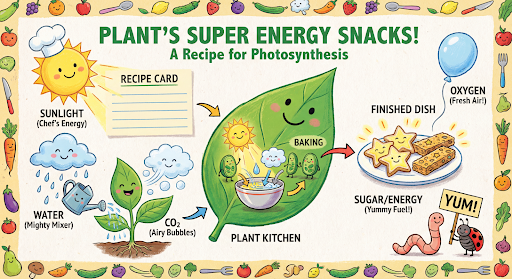
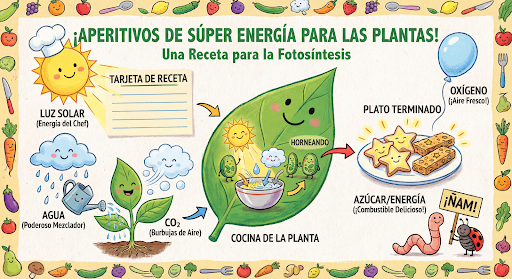
次に、previous_interaction_id を使用して、グラフィックの言語をスペイン語に変更します。
Python
interaction_2 = client.interactions.create(
    model="gemini-nano-banana-2.1",
    input="Update this infographic to be in Spanish. Do not change any other elements of the image.",
    previous_interaction_id=interaction.id,
    response_format={
        "type": "image",
        "mime_type": "image/jpeg",
        "aspect_ratio": "16:9",
        "image_size": "2K"
    },
)

generated_image = interaction_2.output_image
if generated_image:
    with open("photosynthesis_spanish.png", "wb") as f:
        f.write(base64.b64decode(generated_image.data))
JavaScript
const interaction2 = await ai.interactions.create({
  model: "gemini-nano-banana-2.1",
  input: "Update this infographic to be in Spanish. Do not change any other elements of the image.",
  previous_interaction_id: interaction.id,
  response_format: {
    type: "image",
    mime_type: "image/png",
    aspect_ratio: "16:9",
    image_size: "2K"
  },
});

const generatedImage = interaction2.output_image;
if (generatedImage) {
  const buffer = Buffer.from(generatedImage.data, "base64");
  fs.writeFileSync("photosynthesis_spanish.png", buffer);
}
Java
import com.google.genai.Client;
import com.google.genai.gaos.models.interactions.CreateModelInteraction;
import com.google.genai.gaos.models.interactions.CreateModelInteractionResponseFormat;
import com.google.genai.gaos.models.interactions.GoogleSearch;
import com.google.genai.gaos.models.interactions.ImageResponseFormat;
import com.google.genai.gaos.models.interactions.ImageResponseFormatAspectRatio;
import com.google.genai.gaos.models.interactions.ImageResponseFormatImageSize;
import com.google.genai.gaos.models.interactions.ImageResponseFormatMimeType;
import com.google.genai.gaos.models.interactions.Interaction;
import com.google.genai.gaos.models.interactions.InteractionsInput;
import com.google.genai.gaos.models.interactions.Model;
import com.google.genai.gaos.models.interactions.ResponseFormat;
import com.google.genai.gaos.models.operations.CreateInteractionRequestBody;
import java.nio.file.Files;
import java.nio.file.Paths;
import java.util.Arrays;
import java.util.Base64;

Client client = new Client();

CreateModelInteraction turn1Params =
    CreateModelInteraction.builder()
        .model(Model.of("gemini-nano-banana-2.1"))
        .input(
            InteractionsInput.of(
                "Create a vibrant infographic that explains photosynthesis as if it were a recipe for a plant's favorite food."))
        .tools(Arrays.asList(new GoogleSearch()))
        .build();

Interaction interaction =
    client.interactions.create(CreateInteractionRequestBody.of(turn1Params)).interaction().get();

CreateModelInteractionResponseFormat format =
    CreateModelInteractionResponseFormat.of(
        ResponseFormat.of(
            ImageResponseFormat.builder()
                .mimeType(ImageResponseFormatMimeType.IMAGE_JPEG)
                .aspectRatio(ImageResponseFormatAspectRatio.of("16:9"))
                .imageSize(ImageResponseFormatImageSize.TWO_K)
                .build()));

CreateModelInteraction turn2Params =
    CreateModelInteraction.builder()
        .model(Model.of("gemini-nano-banana-2.1"))
        .input(
            InteractionsInput.of(
                "Update this infographic to be in Spanish. Do not change any other elements of the image."))
        .previousInteractionId(interaction.id().orElse(""))
        .responseFormat(format)
        .build();

Interaction interaction2 =
    client.interactions.create(CreateInteractionRequestBody.of(turn2Params)).interaction().get();

if (interaction2.outputImage().isPresent()
    && interaction2.outputImage().get().data().isPresent()) {
  byte[] imageBytes =
      Base64.getDecoder().decode(interaction2.outputImage().get().data().get());
  Files.write(Paths.get("photosynthesis_spanish.png"), imageBytes);
}
Go
package main

import (
    "context"
    "encoding/base64"
    "log"
    "os"

    "google.golang.org/genai"
    "google.golang.org/genai/interactions/models/interactions"
    "google.golang.org/genai/interactions/models/operations"
)

func main() {
    ctx := context.Background()
    client, err := genai.NewClient(ctx, nil)
    if err != nil {
        log.Fatal(err)
    }

    res1, err := client.Interactions.Create(ctx, operations.CreateInteractionRequest{
        Body: operations.NewCreateInteractionRequestBody(interactions.CreateModelInteraction{
            Model: interactions.Model("gemini-nano-banana-2.1"),
            Input: interactions.NewInteractionsInput("Create a vibrant infographic that explains photosynthesis as if it were a recipe for a plant's favorite food."),
            Tools: []interactions.Tool{
                interactions.NewTool(interactions.GoogleSearch{}),
            },
        }),
    })
    if err != nil {
        log.Fatal(err)
    }

    format := interactions.NewCreateModelInteractionResponseFormat(
        interactions.NewResponseFormat(interactions.ImageResponseFormat{
            MimeType:    interactions.ImageResponseFormatMimeTypeImageJpeg.ToPointer(),
            AspectRatio: interactions.ImageResponseFormatAspectRatio("16:9").ToPointer(),
            ImageSize:   interactions.ImageResponseFormatImageSizeTwoK.ToPointer(),
        }),
    )

    res2, err := client.Interactions.Create(ctx, operations.CreateInteractionRequest{
        Body: operations.NewCreateInteractionRequestBody(interactions.CreateModelInteraction{
            Model:                 interactions.Model("gemini-nano-banana-2.1"),
            Input:                 interactions.NewInteractionsInput("Update this infographic to be in Spanish. Do not change any other elements of the image."),
            PreviousInteractionID: res1.Interaction.ID,
            ResponseFormat:        genai.Ptr(format),
        }),
    })
    if err != nil {
        log.Fatal(err)
    }

    if res2.Interaction.OutputImage != nil && res2.Interaction.OutputImage.Data != nil {
        imageBytes, err := base64.StdEncoding.DecodeString(*res2.Interaction.OutputImage.Data)
        if err != nil {
            log.Fatal(err)
        }
        if err := os.WriteFile("photosynthesis_spanish.png", imageBytes, 0644); err != nil {
            log.Fatal(err)
        }
    }
}
REST
curl -s -X POST \
  "https://generativelanguage.googleapis.com/v1beta/interactions" \
  -H "x-goog-api-key: $GEMINI_API_KEY" \
  -H 'Content-Type: application/json' \
  -d '{
    "model": "gemini-nano-banana-2.1",
    "input": "Update this infographic to be in Spanish. Do not change any other elements of the image.",
    "previous_interaction_id": "<PREVIOUS_INTERACTION_ID>",
    "response_format": {
      "type": "image",
      "mime_type": "image/jpeg",
      "aspect_ratio": "16:9",
      "image_size": "2K"
    }
  }'
Nano Banana の機能
Nano Banana モデルは、最先端の画像生成と編集を提供します。Gemini Nano Banana 2.1 と Gemini 3.1 Flash Image は、速度と大量のユースケース向けに最適化されています。Gemini 3 Pro Image は、プロフェッショナルなアセット制作向けに最適化されています。高度な推論を通じて最も困難なワークフローに取り組むように設計されており、複雑なマルチターンの作成と変更のタスクに優れています。
- 高解像度出力: 1K、2K、4K のビジュアルを生成する機能が組み込まれています。
- Gemini 3.1 Flash Image では、より小さい 512 ピクセル(0.5K)にも対応しています(Gemini Nano Banana 2.1 ではサポートされていません)。
- Gemini 3.1 Flash-Lite Image は 1K 解像度のみをサポートしています。
- 高度なテキスト レンダリング: インフォグラフィック、メニュー、図表、マーケティング アセット用に、読みやすくスタイリッシュなテキストを生成できます。
- Google 検索によるグラウンディング: モデルは Google 検索をツールとして使用して、事実を確認し、リアルタイム データ(現在の天気図、株価チャート、最近のイベントなど)に基づいて画像生成できます。
- Gemini 3.1 Flash Lite Image モデルではサポートされていません。
- Gemini Nano Banana 2.1 と Gemini 3.1 Flash Image では、ウェブ検索に加えて Google 画像検索のグラウンディングが統合されています。
- 思考モード: モデルは「思考」プロセスを利用して、複雑なプロンプトを推論します。最終的な高品質の出力を生成する前に、構図を調整するための中間的な「思考画像」(バックエンドで表示されますが、料金は発生しません)を生成します。
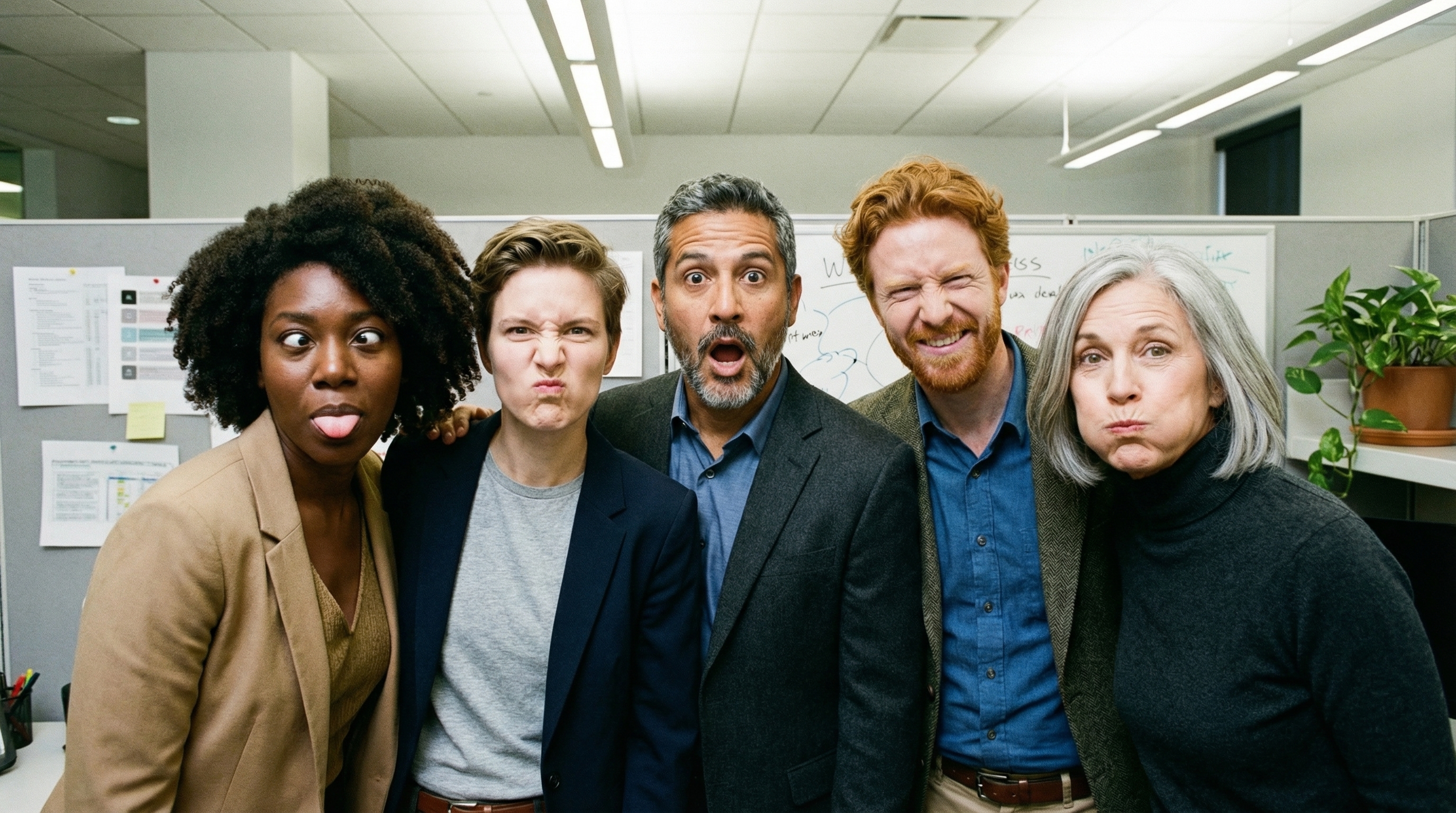
- 最大 14 枚の参照画像: 最大 14 枚の参照画像を組み合わせて最終的な画像を生成します。
- 新しいアスペクト比: Gemini 3.1 Flash Lite Image に
1:1、3:2、2:3、3:4、4:3、4:5、5:4、9:16、16:9、21:9のアスペクト比が追加されました。
参照画像を 14 枚まで使用する
Nano Banana モデルでは、最大 14 枚の参照画像を組み合わせることができます。これらの 14 枚の画像には、次のものが含まれます。
| Gemini 3.1 Flash Lite Image | Gemini Nano Banana 2.1 と Gemini 3.1 Flash Image | Gemini 3 Pro Image |
|---|---|---|
| 最終画像に含める忠実度の高いオブジェクトの画像(最大 14 枚) | 最終画像に含める忠実度の高いオブジェクトの画像(最大 10 枚) | 最終画像に含める忠実度の高いオブジェクトの画像(最大 6 枚) |
| なし | キャラクターの一貫性を保つためのキャラクターの画像(最大 4 枚) | キャラクターの一貫性を保つためのキャラクターの画像(最大 5 枚) |
| なし | なし | スタイルの参照として使用する画像(3 枚まで) |
Python
from google import genai
from google.genai import types
from PIL import Image
import base64

prompt = "An office group photo of these people, they are making funny faces."

client = genai.Client()

interaction = client.interactions.create(
    model="gemini-nano-banana-2.1",
    input=[
        {
            "type": "text",
            "text": prompt,
        },
        {
            "type": "image",
            "data": base64.b64encode(image_bytes).decode('utf-8'),
            "mime_type": "image/png"
        },
        {
            "type": "image",
            "data": base64.b64encode(image_bytes).decode('utf-8'),
            "mime_type": "image/png"
        },
        {
            "type": "image",
            "data": base64.b64encode(image_bytes).decode('utf-8'),
            "mime_type": "image/png"
        },
        {
            "type": "image",
            "data": base64.b64encode(image_bytes).decode('utf-8'),
            "mime_type": "image/png"
        },
        {
            "type": "image",
            "data": base64.b64encode(image_bytes).decode('utf-8'),
            "mime_type": "image/png"
        },
    ],
    response_format={
        "type": "image",
        "aspect_ratio": "5:4",
        "image_size": "2K"
    },
)

with open("office.png", "wb") as f:
    f.write(base64.b64decode(interaction.output_image.data))
JavaScript
import { GoogleGenAI } from "@google/genai";
import * as fs from "node:fs";

async function main() {
  const ai = new GoogleGenAI({});

  const input = [
    {
      type: "text",
      text: "An office group photo of these people, they are making funny faces.",
    },
    { type: "image", mime_type: "image/jpeg", data: base64ImageFile1 },
    { type: "image", mime_type: "image/jpeg", data: base64ImageFile2 },
    { type: "image", mime_type: "image/jpeg", data: base64ImageFile3 },
    { type: "image", mime_type: "image/jpeg", data: base64ImageFile4 },
    { type: "image", mime_type: "image/jpeg", data: base64ImageFile5 },
  ];

  const interaction = await ai.interactions.create({
    model: "gemini-nano-banana-2.1",
    input: input,
    response_format: {
      type: "image",
      aspect_ratio: "5:4",
      image_size: "2K",
    },
  });

  const buffer = Buffer.from(interaction.output_image.data, 'base64');

  fs.writeFileSync('office.png', buffer);
}

main();
Java
import com.google.genai.Client;
import com.google.genai.gaos.models.interactions.Content;
import com.google.genai.gaos.models.interactions.CreateModelInteraction;
import com.google.genai.gaos.models.interactions.CreateModelInteractionResponseFormat;
import com.google.genai.gaos.models.interactions.ImageContent;
import com.google.genai.gaos.models.interactions.ImageContentMimeType;
import com.google.genai.gaos.models.interactions.ImageResponseFormat;
import com.google.genai.gaos.models.interactions.ImageResponseFormatAspectRatio;
import com.google.genai.gaos.models.interactions.ImageResponseFormatImageSize;
import com.google.genai.gaos.models.interactions.Interaction;
import com.google.genai.gaos.models.interactions.InteractionsInput;
import com.google.genai.gaos.models.interactions.Model;
import com.google.genai.gaos.models.interactions.ResponseFormat;
import com.google.genai.gaos.models.interactions.TextContent;
import com.google.genai.gaos.models.operations.CreateInteractionRequestBody;
import java.nio.file.Files;
import java.nio.file.Paths;
import java.util.Arrays;
import java.util.Base64;
import java.util.List;

String prompt = "An office group photo of these people, they are making funny faces.";

byte[] imageBytes = Files.readAllBytes(Paths.get("/path/to/person.png"));
String base64Image = Base64.getEncoder().encodeToString(imageBytes);

Content textContent = TextContent.builder().text(prompt).build();
Content imageContent =
    ImageContent.builder()
        .data(base64Image)
        .mimeType(ImageContentMimeType.IMAGE_PNG)
        .build();

List<Content> contents =
    Arrays.asList(
        textContent,
        imageContent,
        imageContent,
        imageContent,
        imageContent,
        imageContent);

CreateModelInteractionResponseFormat format =
    CreateModelInteractionResponseFormat.of(
        ResponseFormat.of(
            ImageResponseFormat.builder()
                .aspectRatio(ImageResponseFormatAspectRatio.of("5:4"))
                .imageSize(ImageResponseFormatImageSize.TWO_K)
                .build()));

Client client = new Client();

CreateModelInteraction params =
    CreateModelInteraction.builder()
        .model(Model.of("gemini-nano-banana-2.1"))
        .input(InteractionsInput.ofContent(contents))
        .responseFormat(format)
        .build();

Interaction interaction =
    client.interactions.create(CreateInteractionRequestBody.of(params)).interaction().get();

if (interaction.outputImage().isPresent()
    && interaction.outputImage().get().data().isPresent()) {
  byte[] outBytes =
      Base64.getDecoder().decode(interaction.outputImage().get().data().get());
  Files.write(Paths.get("office.png"), outBytes);
}
Go
package main

import (
    "context"
    "encoding/base64"
    "log"
    "os"

    "google.golang.org/genai"
    "google.golang.org/genai/interactions/models/interactions"
    "google.golang.org/genai/interactions/models/operations"
)

func main() {
    ctx := context.Background()
    client, err := genai.NewClient(ctx, nil)
    if err != nil {
        log.Fatal(err)
    }

    prompt := "An office group photo of these people, they are making funny faces."

    imageBytes, err := os.ReadFile("/path/to/person.png")
    if err != nil {
        log.Fatal(err)
    }
    base64Image := base64.StdEncoding.EncodeToString(imageBytes)

    textContent := interactions.NewContent(interactions.TextContent{
        Text: prompt,
    })
    imageContent := interactions.NewContent(interactions.ImageContent{
        Data:     genai.Ptr(base64Image),
        MimeType: interactions.ImageContentMimeTypeImagePng.ToPointer(),
    })

    contents := []interactions.Content{
        textContent,
        imageContent,
        imageContent,
        imageContent,
        imageContent,
        imageContent,
    }

    format := interactions.NewCreateModelInteractionResponseFormat(
        interactions.NewResponseFormat(interactions.ImageResponseFormat{
            AspectRatio: interactions.ImageResponseFormatAspectRatio("5:4").ToPointer(),
            ImageSize:   interactions.ImageResponseFormatImageSizeTwoK.ToPointer(),
        }),
    )

    res, err := client.Interactions.Create(ctx, operations.CreateInteractionRequest{
        Body: operations.NewCreateInteractionRequestBody(interactions.CreateModelInteraction{
            Model:          interactions.Model("gemini-nano-banana-2.1"),
            Input:          interactions.NewInteractionsInput(contents),
            ResponseFormat: genai.Ptr(format),
        }),
    })
    if err != nil {
        log.Fatal(err)
    }

    if res.Interaction.OutputImage != nil && res.Interaction.OutputImage.Data != nil {
        outBytes, err := base64.StdEncoding.DecodeString(*res.Interaction.OutputImage.Data)
        if err != nil {
            log.Fatal(err)
        }
        if err := os.WriteFile("office.png", outBytes, 0644); err != nil {
            log.Fatal(err)
        }
    }
}
REST
curl -s -X POST \
  "https://generativelanguage.googleapis.com/v1beta/interactions" \
    -H "x-goog-api-key: $GEMINI_API_KEY" \
    -H 'Content-Type: application/json' \
    -d "{
      \"model\": \"gemini-nano-banana-2.1\",
      \"input\": [
        {\"type\": \"text\", \"text\": \"An office group photo of these people, they are making funny faces.\"},
        {\"type\": \"image\", \"mime_type\": \"image/png\", \"data\": \"<BASE64_DATA_IMG_1>\"},
        {\"type\": \"image\", \"mime_type\": \"image/png\", \"data\": \"<BASE64_DATA_IMG_2>\"},
        {\"type\": \"image\", \"mime_type\": \"image/png\", \"data\": \"<BASE64_DATA_IMG_3>\"},
        {\"type\": \"image\", \"mime_type\": \"image/png\", \"data\": \"<BASE64_DATA_IMG_4>\"},
        {\"type\": \"image\", \"mime_type\": \"image/png\", \"data\": \"<BASE64_DATA_IMG_5>\"}
      ],
      \"response_format\": {
        \"type\": \"image\",
        \"aspect_ratio\": \"5:4\",
        \"image_size\": \"2K\"
      }
    }"
Google 検索によるグラウンディング
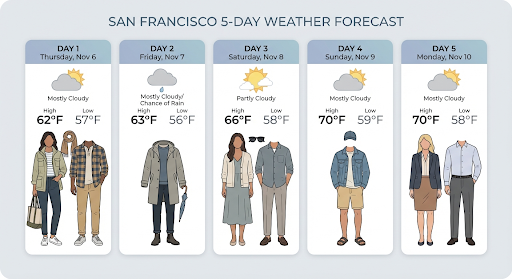
Google 検索ツールを使用して、天気予報、株価チャート、最近の出来事などのリアルタイム情報に基づいて画像を生成します。
画像生成で Google 検索によるグラウンディングを使用する場合、画像ベースの検索結果は生成モデルに渡されず、レスポンスから除外されます(Google 画像検索によるグラウンディングを参照)。
Python
from google import genai
from google.genai import types
import base64
prompt = "Visualize the current weather forecast for the next 5 days in San Francisco as a clean, modern weather chart. Add a visual on what I should wear each day"

client = genai.Client()

interaction = client.interactions.create(
    model="gemini-nano-banana-2.1",
    input=prompt,
    tools=[{"type": "google_search"}],
    response_format={
        "type": "image",
        "mime_type": "image/jpeg",
        "aspect_ratio": "16:9"
    },
)

with open("weather.png", "wb") as f:
    f.write(base64.b64decode(interaction.output_image.data))
JavaScript
import { GoogleGenAI } from "@google/genai";
import * as fs from "node:fs";

async function main() {
  const ai = new GoogleGenAI({});

  const interaction = await ai.interactions.create({
    model: "gemini-nano-banana-2.1",
    input: "Visualize the current weather forecast for the next 5 days in San Francisco as a clean, modern weather chart. Add a visual on what I should wear each day",
    tools: [{"type": "google_search"}],
    response_format: {
      type: "image",
      mime_type: "image/png",
      aspect_ratio: "16:9",
      image_size: "2K"
    },
  });

  const buffer = Buffer.from(interaction.output_image.data, 'base64');

  fs.writeFileSync('weather.png', buffer);
}

main();
Java
import com.google.genai.Client;
import com.google.genai.gaos.models.interactions.CreateModelInteraction;
import com.google.genai.gaos.models.interactions.CreateModelInteractionResponseFormat;
import com.google.genai.gaos.models.interactions.GoogleSearch;
import com.google.genai.gaos.models.interactions.ImageResponseFormat;
import com.google.genai.gaos.models.interactions.ImageResponseFormatAspectRatio;
import com.google.genai.gaos.models.interactions.ImageResponseFormatMimeType;
import com.google.genai.gaos.models.interactions.Interaction;
import com.google.genai.gaos.models.interactions.InteractionsInput;
import com.google.genai.gaos.models.interactions.Model;
import com.google.genai.gaos.models.interactions.ResponseFormat;
import com.google.genai.gaos.models.operations.CreateInteractionRequestBody;
import java.nio.file.Files;
import java.nio.file.Paths;
import java.util.Arrays;
import java.util.Base64;

String prompt =
    "Visualize the current weather forecast for the next 5 days in San Francisco as a clean, modern weather chart. Add a visual on what I should wear each day";

Client client = new Client();

CreateModelInteractionResponseFormat format =
    CreateModelInteractionResponseFormat.of(
        ResponseFormat.of(
            ImageResponseFormat.builder()
                .mimeType(ImageResponseFormatMimeType.IMAGE_JPEG)
                .aspectRatio(ImageResponseFormatAspectRatio.of("16:9"))
                .build()));

CreateModelInteraction params =
    CreateModelInteraction.builder()
        .model(Model.of("gemini-nano-banana-2.1"))
        .input(InteractionsInput.of(prompt))
        .tools(Arrays.asList(new GoogleSearch()))
        .responseFormat(format)
        .build();

Interaction interaction =
    client.interactions.create(CreateInteractionRequestBody.of(params)).interaction().get();

if (interaction.outputImage().isPresent()
    && interaction.outputImage().get().data().isPresent()) {
  byte[] imageBytes =
      Base64.getDecoder().decode(interaction.outputImage().get().data().get());
  Files.write(Paths.get("weather.png"), imageBytes);
}
Go
package main

import (
    "context"
    "encoding/base64"
    "log"
    "os"

    "google.golang.org/genai"
    "google.golang.org/genai/interactions/models/interactions"
    "google.golang.org/genai/interactions/models/operations"
)

func main() {
    ctx := context.Background()
    client, err := genai.NewClient(ctx, nil)
    if err != nil {
        log.Fatal(err)
    }

    prompt := "Visualize the current weather forecast for the next 5 days in San Francisco as a clean, modern weather chart. Add a visual on what I should wear each day"

    format := interactions.NewCreateModelInteractionResponseFormat(
        interactions.NewResponseFormat(interactions.ImageResponseFormat{
            MimeType:    interactions.ImageResponseFormatMimeTypeImageJpeg.ToPointer(),
            AspectRatio: interactions.ImageResponseFormatAspectRatio("16:9").ToPointer(),
        }),
    )

    res, err := client.Interactions.Create(ctx, operations.CreateInteractionRequest{
        Body: operations.NewCreateInteractionRequestBody(interactions.CreateModelInteraction{
            Model: interactions.Model("gemini-nano-banana-2.1"),
            Input: interactions.NewInteractionsInput(prompt),
            Tools: []interactions.Tool{
                interactions.NewTool(interactions.GoogleSearch{}),
            },
            ResponseFormat: genai.Ptr(format),
        }),
    })
    if err != nil {
        log.Fatal(err)
    }

    if res.Interaction.OutputImage != nil && res.Interaction.OutputImage.Data != nil {
        imageBytes, err := base64.StdEncoding.DecodeString(*res.Interaction.OutputImage.Data)
        if err != nil {
            log.Fatal(err)
        }
        if err := os.WriteFile("weather.png", imageBytes, 0644); err != nil {
            log.Fatal(err)
        }
    }
}
REST
curl -s -X POST \
  "https://generativelanguage.googleapis.com/v1beta/interactions" \
  -H "x-goog-api-key: $GEMINI_API_KEY" \
  -H "Content-Type: application/json" \
  -d '{
    "model": "gemini-nano-banana-2.1",
    "input": [
      {"type": "text", "text": "Visualize the current weather forecast for the next 5 days in San Francisco as a clean, modern weather chart. Add a visual on what I should wear each day"}
    ],
    "tools": [{"type": "google_search"}],
    "response_format": {
      "type": "image",
      "mime_type": "image/jpeg",
      "aspect_ratio": "16:9"
    }
  }'
レスポンスには、google_search_call ステップと google_search_result ステップが含まれ、テキスト ステップにはインライン url_citation アノテーションが含まれます。
google_search_result: UI で検索候補をレンダリングするための HTML スニペットであるsearch_suggestionsを含みます。url_citationアノテーション: テキスト ステップのインライン引用。回答の一部をウェブソースにリンクします。
画像に関する Google 検索によるグラウンディング(Nano Banana 2.1 および 3.1 Flash)
Google 画像検索によるグラウンディングを使用すると、モデルは Google 画像検索で取得したウェブ画像を画像生成の視覚的コンテキストとして使用できます。画像検索は、既存の Google 検索によるグラウンディング ツール内の新しい検索タイプであり、標準のウェブ検索とともに機能します。
画像検索を有効にするには、API リクエストで google_search ツールを構成し、search_types 配列内で image_search を指定します。画像検索は、単独で使用することも、ウェブ検索と組み合わせて使用することもできます。
Python
from google import genai

client = genai.Client()

interaction = client.interactions.create(
    model="gemini-nano-banana-2.1",
    input="A detailed painting of a Timareta butterfly resting on a flower",
    tools=[{
      "type": "google_search",
      "search_types": ["web_search", "image_search"]
    }]
)
JavaScript
import { GoogleGenAI } from "@google/genai";

async function main() {
  const ai = new GoogleGenAI({});

  const interaction = await ai.interactions.create({
    model: "gemini-nano-banana-2.1",
    input: "A detailed painting of a Timareta butterfly resting on a flower",
    tools: [{
      "type": "google_search",
      "search_types": ["web_search", "image_search"]
    }]
  });
}

main();
Java
import com.google.genai.Client;
import com.google.genai.gaos.models.interactions.CreateModelInteraction;
import com.google.genai.gaos.models.interactions.GoogleSearch;
import com.google.genai.gaos.models.interactions.GoogleSearchSearchType;
import com.google.genai.gaos.models.interactions.Interaction;
import com.google.genai.gaos.models.interactions.InteractionsInput;
import com.google.genai.gaos.models.interactions.Model;
import com.google.genai.gaos.models.operations.CreateInteractionRequestBody;
import java.util.Arrays;

Client client = new Client();

GoogleSearch searchTool =
    GoogleSearch.builder()
        .searchTypes(
            Arrays.asList(
                GoogleSearchSearchType.WEB_SEARCH, GoogleSearchSearchType.IMAGE_SEARCH))
        .build();

CreateModelInteraction params =
    CreateModelInteraction.builder()
        .model(Model.of("gemini-nano-banana-2.1"))
        .input(
            InteractionsInput.of(
                "A detailed painting of a Timareta butterfly resting on a flower"))
        .tools(Arrays.asList(searchTool))
        .build();

Interaction interaction =
    client.interactions.create(CreateInteractionRequestBody.of(params)).interaction().get();
Go
package main

import (
    "context"
    "log"

    "google.golang.org/genai"
    "google.golang.org/genai/interactions/models/interactions"
    "google.golang.org/genai/interactions/models/operations"
)

func main() {
    ctx := context.Background()
    client, err := genai.NewClient(ctx, nil)
    if err != nil {
        log.Fatal(err)
    }

    searchTool := interactions.GoogleSearch{
        SearchTypes: []interactions.GoogleSearchSearchType{
            interactions.GoogleSearchSearchTypeWebSearch,
            interactions.GoogleSearchSearchTypeImageSearch,
        },
    }

    res, err := client.Interactions.Create(ctx, operations.CreateInteractionRequest{
        Body: operations.NewCreateInteractionRequestBody(interactions.CreateModelInteraction{
            Model: interactions.Model("gemini-nano-banana-2.1"),
            Input: interactions.NewInteractionsInput("A detailed painting of a Timareta butterfly resting on a flower"),
            Tools: []interactions.Tool{
                interactions.NewTool(searchTool),
            },
        }),
    })
    if err != nil {
        log.Fatal(err)
    }
    _ = res
}
REST
curl -s -X POST \
  "https://generativelanguage.googleapis.com/v1beta/interactions" \
  -H "x-goog-api-key: $GEMINI_API_KEY" \
  -H "Content-Type: application/json" \
  -d '{
    "model": "gemini-nano-banana-2.1",
    "input": "A detailed painting of a Timareta butterfly resting on a flower",
    "tools": [{"type": "google_search", "search_types": ["web_search", "image_search"]}]
  }'
ディスプレイの要件
Google 検索によるグラウンディング内で画像検索を使用する場合は、google_search_result ステップの search_suggestions を表示する必要があります。使用要件の詳細は、利用規約でご確認ください。
レスポンス
画像検索を使用したグラウンディングされたレスポンスの場合、API はレスポンス ステップの一部としてインライン引用とアトリビューション メタデータを返します。
url_citationアノテーション:model_output内のテキスト コンテンツ ブロックにインラインで引用を挿入し、生成されたコンテンツをそのソースにリンクします。google_search_result: UI で検索候補をレンダリングするための HTML スニペットであるsearch_suggestionsを含みます。
動画から画像への生成(Nano Banana 2.1、3.1 Flash、3.1 Flash Lite)
動画から画像への生成では、動画のコンテキストをマルチモーダル参照として使用して、新しい画像を生成できます。これは、高品質な動画のサムネイル、映画のポスター、概要のインフォグラフィック、動画のシーンからインスピレーションを得た新しいアートワークの作成に役立ちます。
生成中、モデルは動画のフレームをコンテキスト内で分析してビジュアル テーマとキーイベントを抽出し、それらをテキスト プロンプトとともに使用して出力画像を合成します。
API リクエストで公開 YouTube URL を直接渡すか、Files API を使用してローカル動画ファイルをアップロードできます。
Python
from google import genai
from google.genai import types
import base64

client = genai.Client()

interaction = client.interactions.create(
    model="gemini-nano-banana-2.1",
    input=[
        {
            "type": "video",
            "uri": "https://www.youtube.com/watch?v=UTdfxFyOQTI",
            "mime_type": "video/mp4"
        },
        {"type": "text", "text": "Generate a poster image that captures the key themes of this video."}
    ],
    response_format={"type": "image", "aspect_ratio": "16:9"}
)

# Save the generated image part
for step in interaction.steps:
    if step.type == "model_output":
        for content_block in step.content:
            if content_block.type == "text":
                print(content_block.text)
            elif content_block.type == "image":
                with open("video_poster.png", "wb") as f:
                    f.write(base64.b64decode(content_block.data))
                print("Image saved as video_poster.png")
JavaScript
import { GoogleGenAI } from "@google/genai";
import * as fs from "node:fs";

async function main() {
  const ai = new GoogleGenAI({});

  const interaction = await ai.interactions.create({
    model: "gemini-nano-banana-2.1",
    input: [
      {
        type: "video",
        uri: "https://www.youtube.com/watch?v=UTdfxFyOQTI",
        mime_type: "video/mp4"
      },
      { type: "text", text: "Generate a poster image that captures the key themes of this video." }
    ],
    response_format: {
      type: "image",
      aspect_ratio: "16:9"
    }
  });

  for (const step of interaction.steps) {
    if (step.type === "model_output") {
      for (const contentBlock of step.content) {
        if (contentBlock.type === "text") {
          console.log(contentBlock.text);
        } else if (contentBlock.type === "image") {
          const buffer = Buffer.from(contentBlock.data, "base64");
          fs.writeFileSync("video_poster.png", buffer);
          console.log("Image saved as video_poster.png");
        }
      }
    }
  }
}

main();
Java
import com.google.genai.Client;
import com.google.genai.gaos.models.interactions.Content;
import com.google.genai.gaos.models.interactions.CreateModelInteraction;
import com.google.genai.gaos.models.interactions.CreateModelInteractionResponseFormat;
import com.google.genai.gaos.models.interactions.ImageContent;
import com.google.genai.gaos.models.interactions.ImageResponseFormat;
import com.google.genai.gaos.models.interactions.ImageResponseFormatAspectRatio;
import com.google.genai.gaos.models.interactions.Interaction;
import com.google.genai.gaos.models.interactions.InteractionsInput;
import com.google.genai.gaos.models.interactions.Model;
import com.google.genai.gaos.models.interactions.ModelOutputStep;
import com.google.genai.gaos.models.interactions.ResponseFormat;
import com.google.genai.gaos.models.interactions.Step;
import com.google.genai.gaos.models.interactions.TextContent;
import com.google.genai.gaos.models.interactions.VideoContent;
import com.google.genai.gaos.models.interactions.VideoContentMimeType;
import com.google.genai.gaos.models.operations.CreateInteractionRequestBody;
import java.nio.file.Files;
import java.nio.file.Paths;
import java.util.Arrays;
import java.util.Base64;
import java.util.List;

Client client = new Client();

Content videoContent =
    VideoContent.builder()
        .uri("https://www.youtube.com/watch?v=UTdfxFyOQTI")
        .mimeType(VideoContentMimeType.VIDEO_MP4)
        .build();
Content textContent =
    TextContent.builder()
        .text("Generate a poster image that captures the key themes of this video.")
        .build();

List<Content> contents = Arrays.asList(videoContent, textContent);

CreateModelInteractionResponseFormat format =
    CreateModelInteractionResponseFormat.of(
        ResponseFormat.of(
            ImageResponseFormat.builder()
                .aspectRatio(ImageResponseFormatAspectRatio.of("16:9"))
                .build()));

CreateModelInteraction params =
    CreateModelInteraction.builder()
        .model(Model.of("gemini-nano-banana-2.1"))
        .input(InteractionsInput.ofContent(contents))
        .responseFormat(format)
        .build();

Interaction interaction =
    client.interactions.create(CreateInteractionRequestBody.of(params)).interaction().get();

if (interaction.steps().isPresent()) {
  for (Step step : interaction.steps().get()) {
    if (step instanceof ModelOutputStep) {
      ModelOutputStep outputStep = (ModelOutputStep) step;
      if (outputStep.content().isPresent()) {
        for (Content block : outputStep.content().get()) {
          if (block instanceof TextContent) {
            System.out.println(((TextContent) block).text().orElse(""));
          } else if (block instanceof ImageContent) {
            ImageContent img = (ImageContent) block;
            if (img.data().isPresent()) {
              byte[] imgBytes = Base64.getDecoder().decode(img.data().get());
              Files.write(Paths.get("video_poster.png"), imgBytes);
              System.out.println("Image saved as video_poster.png");
            }
          }
        }
      }
    }
  }
}
Go
package main

import (
    "context"
    "encoding/base64"
    "fmt"
    "log"
    "os"

    "google.golang.org/genai"
    "google.golang.org/genai/interactions/models/interactions"
    "google.golang.org/genai/interactions/models/operations"
)

func main() {
    ctx := context.Background()
    client, err := genai.NewClient(ctx, nil)
    if err != nil {
        log.Fatal(err)
    }

    contents := []interactions.Content{
        interactions.NewContent(interactions.VideoContent{
            URI:      genai.Ptr("https://www.youtube.com/watch?v=UTdfxFyOQTI"),
            MimeType: interactions.VideoContentMimeTypeVideoMp4.ToPointer(),
        }),
        interactions.NewContent(interactions.TextContent{
            Text: "Generate a poster image that captures the key themes of this video.",
        }),
    }

    format := interactions.NewCreateModelInteractionResponseFormat(
        interactions.NewResponseFormat(interactions.ImageResponseFormat{
            AspectRatio: interactions.ImageResponseFormatAspectRatio("16:9").ToPointer(),
        }),
    )

    res, err := client.Interactions.Create(ctx, operations.CreateInteractionRequest{
        Body: operations.NewCreateInteractionRequestBody(interactions.CreateModelInteraction{
            Model:          interactions.Model("gemini-nano-banana-2.1"),
            Input:          interactions.NewInteractionsInput(contents),
            ResponseFormat: genai.Ptr(format),
        }),
    })
    if err != nil {
        log.Fatal(err)
    }

    for _, step := range res.Interaction.Steps {
        if step.ModelOutputStep != nil {
            for _, block := range step.ModelOutputStep.Content {
                if block.TextContent != nil {
                    fmt.Println(block.TextContent.Text)
                } else if block.ImageContent != nil && block.ImageContent.Data != nil {
                    imgBytes, err := base64.StdEncoding.DecodeString(*block.ImageContent.Data)
                    if err != nil {
                        log.Fatal(err)
                    }
                    if err := os.WriteFile("video_poster.png", imgBytes, 0644); err != nil {
                        log.Fatal(err)
                    }
                    fmt.Println("Image saved as video_poster.png")
                }
            }
        }
    }
}
REST
curl -s -X POST \
  "https://generativelanguage.googleapis.com/v1beta/interactions" \
  -H "x-goog-api-key: $GEMINI_API_KEY" \
  -H 'Content-Type: application/json' \
  -d '{
    "model": "gemini-nano-banana-2.1",
    "input": [
      {
        "type": "video",
        "uri": "https://www.youtube.com/watch?v=UTdfxFyOQTI",
        "mime_type": "video/mp4"
      },
      {
        "type": "text",
        "text": "Generate a poster image that captures the key themes of this video."
      }
    ],
    "response_format": {
      "type": "image",
      "aspect_ratio": "16:9"
    }
  }'
最大 4K 解像度の画像を生成
Gemini 3 画像モデルはデフォルトで 1K 画像を生成しますが、2K、4K、512 ピクセル(0.5K)(Gemini 3.1 Flash Image のみ)の画像を出力することもできます。高解像度のアセットを生成するには、response_format で image_size を指定します。
大文字の「K」を使用する必要があります(例: 512px(05.K)、1K、2K、4K)。小文字のパラメータ(1k など)は拒否されます。
Python
from google import genai
from google.genai import types
import base64

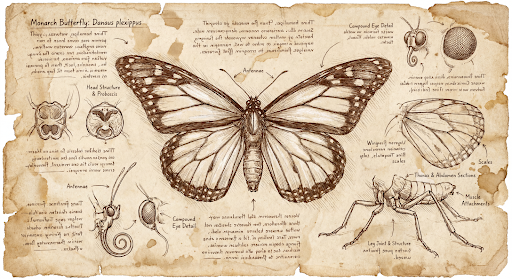
prompt = "Da Vinci style anatomical sketch of a dissected Monarch butterfly. Detailed drawings of the head, wings, and legs on textured parchment with notes in English."

client = genai.Client()

interaction = client.interactions.create(
    model="gemini-nano-banana-2.1",
    input=prompt,
    response_format={
        "type": "image",
        "mime_type": "image/jpeg",
        "aspect_ratio": "1:1",
        "image_size": "1K"
    },
)

print(interaction.output_text)

with open("butterfly.png", "wb") as f:
    f.write(base64.b64decode(interaction.output_image.data))
JavaScript
import { GoogleGenAI } from "@google/genai";
import * as fs from "node:fs";

async function main() {
  const ai = new GoogleGenAI({});

  const interaction = await ai.interactions.create({
    model: "gemini-nano-banana-2.1",
    input: "Da Vinci style anatomical sketch of a dissected Monarch butterfly. Detailed drawings of the head, wings, and legs on textured parchment with notes in English.",
    response_format: {
      type: "image",
      mime_type: "image/png",
      aspect_ratio: "1:1",
      image_size: "1K",
    },
  });

  console.log(interaction.output_text);

  const buffer = Buffer.from(interaction.output_image.data, 'base64');

  fs.writeFileSync('butterfly.png', buffer);
}

main();
Java
import com.google.genai.Client;
import com.google.genai.gaos.models.interactions.CreateModelInteraction;
import com.google.genai.gaos.models.interactions.CreateModelInteractionResponseFormat;
import com.google.genai.gaos.models.interactions.ImageResponseFormat;
import com.google.genai.gaos.models.interactions.ImageResponseFormatAspectRatio;
import com.google.genai.gaos.models.interactions.ImageResponseFormatImageSize;
import com.google.genai.gaos.models.interactions.ImageResponseFormatMimeType;
import com.google.genai.gaos.models.interactions.Interaction;
import com.google.genai.gaos.models.interactions.InteractionsInput;
import com.google.genai.gaos.models.interactions.Model;
import com.google.genai.gaos.models.interactions.ResponseFormat;
import com.google.genai.gaos.models.operations.CreateInteractionRequestBody;
import java.nio.file.Files;
import java.nio.file.Paths;
import java.util.Base64;

String prompt =
    "Da Vinci style anatomical sketch of a dissected Monarch butterfly. Detailed drawings of the head, wings, and legs on textured parchment with notes in English.";

Client client = new Client();

CreateModelInteractionResponseFormat format =
    CreateModelInteractionResponseFormat.of(
        ResponseFormat.of(
            ImageResponseFormat.builder()
                .mimeType(ImageResponseFormatMimeType.IMAGE_JPEG)
                .aspectRatio(ImageResponseFormatAspectRatio.of("1:1"))
                .imageSize(ImageResponseFormatImageSize.ONE_K)
                .build()));

CreateModelInteraction params =
    CreateModelInteraction.builder()
        .model(Model.of("gemini-nano-banana-2.1"))
        .input(InteractionsInput.of(prompt))
        .responseFormat(format)
        .build();

Interaction interaction =
    client.interactions.create(CreateInteractionRequestBody.of(params)).interaction().get();

System.out.println(interaction.outputText().orElse(""));

if (interaction.outputImage().isPresent()
    && interaction.outputImage().get().data().isPresent()) {
  byte[] imageBytes =
      Base64.getDecoder().decode(interaction.outputImage().get().data().get());
  Files.write(Paths.get("butterfly.png"), imageBytes);
}
Go
package main

import (
    "context"
    "encoding/base64"
    "fmt"
    "log"
    "os"

    "google.golang.org/genai"
    "google.golang.org/genai/interactions/models/interactions"
    "google.golang.org/genai/interactions/models/operations"
)

func main() {
    ctx := context.Background()
    client, err := genai.NewClient(ctx, nil)
    if err != nil {
        log.Fatal(err)
    }

    prompt := "Da Vinci style anatomical sketch of a dissected Monarch butterfly. Detailed drawings of the head, wings, and legs on textured parchment with notes in English."

    format := interactions.NewCreateModelInteractionResponseFormat(
        interactions.NewResponseFormat(interactions.ImageResponseFormat{
            MimeType:    interactions.ImageResponseFormatMimeTypeImageJpeg.ToPointer(),
            AspectRatio: interactions.ImageResponseFormatAspectRatio("1:1").ToPointer(),
            ImageSize:   interactions.ImageResponseFormatImageSizeOneK.ToPointer(),
        }),
    )

    res, err := client.Interactions.Create(ctx, operations.CreateInteractionRequest{
        Body: operations.NewCreateInteractionRequestBody(interactions.CreateModelInteraction{
            Model:          interactions.Model("gemini-nano-banana-2.1"),
            Input:          interactions.NewInteractionsInput(prompt),
            ResponseFormat: genai.Ptr(format),
        }),
    })
    if err != nil {
        log.Fatal(err)
    }

    if res.Interaction.OutputText != nil {
        fmt.Println(*res.Interaction.OutputText)
    }

    if res.Interaction.OutputImage != nil && res.Interaction.OutputImage.Data != nil {
        imageBytes, err := base64.StdEncoding.DecodeString(*res.Interaction.OutputImage.Data)
        if err != nil {
            log.Fatal(err)
        }
        if err := os.WriteFile("butterfly.png", imageBytes, 0644); err != nil {
            log.Fatal(err)
        }
    }
}
REST
curl -s -X POST \
  "https://generativelanguage.googleapis.com/v1beta/interactions" \
  -H "x-goog-api-key: $GEMINI_API_KEY" \
  -H "Content-Type: application/json" \
  -d '{
    "model": "gemini-nano-banana-2.1",
    "input": "Da Vinci style anatomical sketch of a dissected Monarch butterfly. Detailed drawings of the head, wings, and legs on textured parchment with notes in English.",
    "response_format": {
      "type": "image",
      "mime_type": "image/jpeg",
      "aspect_ratio": "1:1",
      "image_size": "1K"
    }
  }'
このプロンプトから生成された画像の例を次に示します。
思考プロセス
Gemini 3 画像モデルは、複雑なプロンプトに推論プロセス(「思考」)を使用する思考モデルです。この機能はデフォルトで有効になっており、API で無効にすることはできません。思考プロセスについて詳しくは、Gemini の思考ガイドをご覧ください。
このモデルは、構成とロジックをテストするために最大 2 つの中間画像を生成します。Thinking 内の最後の画像は、最終的なレンダリング画像でもあります。
最終的な画像が生成されるまでの思考を確認できます。
Python
for step in interaction.steps:
    if step.type == "thought":
        for content_block in step.summary:
            if content_block.type == "text":
                print(content_block.text)
            elif content_block.type == "image":
                image = Image.open(io.BytesIO(base64.b64decode(content_block.data)))
                image.show()
JavaScript
for (const step of interaction.steps) {
  if (step.type === "thought") {
    for (const contentBlock of step.summary) {
      if (contentBlock.type === "text") {
        console.log(contentBlock.text);
      } else if (contentBlock.type === "image") {
        const buffer = Buffer.from(contentBlock.data, 'base64');
        fs.writeFileSync('thought_image.png', buffer);
      }
    }
  }
}
Java
import com.google.genai.Client;
import com.google.genai.gaos.models.interactions.CreateModelInteraction;
import com.google.genai.gaos.models.interactions.ImageContent;
import com.google.genai.gaos.models.interactions.Interaction;
import com.google.genai.gaos.models.interactions.InteractionsInput;
import com.google.genai.gaos.models.interactions.Model;
import com.google.genai.gaos.models.interactions.Step;
import com.google.genai.gaos.models.interactions.TextContent;
import com.google.genai.gaos.models.interactions.ThoughtStep;
import com.google.genai.gaos.models.interactions.ThoughtSummaryContent;
import com.google.genai.gaos.models.operations.CreateInteractionRequestBody;
import java.nio.file.Files;
import java.nio.file.Paths;
import java.util.Base64;

Client client = new Client();

CreateModelInteraction params =
    CreateModelInteraction.builder()
        .model(Model.of("gemini-nano-banana-2.1"))
        .input(
            InteractionsInput.of(
                "A futuristic city built inside a giant glass bottle floating in space"))
        .build();

Interaction interaction =
    client.interactions.create(CreateInteractionRequestBody.of(params)).interaction().get();

if (interaction.steps().isPresent()) {
  for (Step step : interaction.steps().get()) {
    if (step instanceof ThoughtStep) {
      ThoughtStep thoughtStep = (ThoughtStep) step;
      if (thoughtStep.summary().isPresent()) {
        for (ThoughtSummaryContent contentBlock : thoughtStep.summary().get()) {
          if (contentBlock instanceof TextContent) {
            System.out.println(((TextContent) contentBlock).text().orElse(""));
          } else if (contentBlock instanceof ImageContent) {
            ImageContent img = (ImageContent) contentBlock;
            if (img.data().isPresent()) {
              byte[] imgBytes = Base64.getDecoder().decode(img.data().get());
              Files.write(Paths.get("thought_image.png"), imgBytes);
            }
          }
        }
      }
    }
  }
}
Go
package main

import (
    "context"
    "encoding/base64"
    "fmt"
    "log"
    "os"

    "google.golang.org/genai"
    "google.golang.org/genai/interactions/models/interactions"
    "google.golang.org/genai/interactions/models/operations"
)

func main() {
    ctx := context.Background()
    client, err := genai.NewClient(ctx, nil)
    if err != nil {
        log.Fatal(err)
    }

    res, err := client.Interactions.Create(ctx, operations.CreateInteractionRequest{
        Body: operations.NewCreateInteractionRequestBody(interactions.CreateModelInteraction{
            Model: interactions.Model("gemini-nano-banana-2.1"),
            Input: interactions.NewInteractionsInput("A futuristic city built inside a giant glass bottle floating in space"),
        }),
    })
    if err != nil {
        log.Fatal(err)
    }

    for _, step := range res.Interaction.Steps {
        if step.ThoughtStep != nil {
            for _, contentBlock := range step.ThoughtStep.Summary {
                if contentBlock.TextContent != nil {
                    fmt.Println(contentBlock.TextContent.Text)
                } else if contentBlock.ImageContent != nil && contentBlock.ImageContent.Data != nil {
                    imgBytes, err := base64.StdEncoding.DecodeString(*contentBlock.ImageContent.Data)
                    if err != nil {
                        log.Fatal(err)
                    }
                    if err := os.WriteFile("thought_image.png", imgBytes, 0644); err != nil {
                        log.Fatal(err)
                    }
                }
            }
        }
    }
}
インターリーブされたテキストと画像
標準の画像生成モデルは画像のみを出力しますが、一部の高度な Gemini 3 モデル(gemini-3-pro-image など)は、テキスト ブロックとイラストの両方を含むストーリーや説明ガイドなどのインターリーブ コンテンツを同じレスポンス内で生成できます。
出力は複雑でインターリーブされているため、.output_image や .output_text などの便利なプロパティでは完全なシーケンスをキャプチャできません。インターリーブされたコンテンツにアクセスして保存するには、steps を手動で反復処理する必要があります。
Python
interaction = client.interactions.create(
    model="gemini-3-pro-image",
    input="Write the story of the lifecycle of a monarch butterfly, interleave illustrations",
)

image_counter = 1
for step in interaction.steps:
    if step.type == "model_output":
        for content_block in step.content:
            if content_block.type == "text":
                print(content_block.text)
            elif content_block.type == "image":
                filename = f"butterfly_lifecycle_{image_counter}.png"
                with open(filename, "wb") as f:
                    f.write(base64.b64decode(content_block.data))
                print(f"\n[Saved illustration: {filename}]\n")
                image_counter += 1
JavaScript
const interaction = await ai.interactions.create({
    model: "gemini-3-pro-image",
    input: "Write the story of the lifecycle of a monarch butterfly, interleave illustrations",
});

let imageCounter = 1;
for (const step of interaction.steps) {
  if (step.type === "model_output") {
    for (const contentBlock of step.content) {
      if (contentBlock.type === "text") {
        console.log(contentBlock.text);
      } else if (contentBlock.type === "image") {
        const buffer = Buffer.from(contentBlock.data, "base64");
        const filename = `butterfly_lifecycle_${imageCounter}.png`;
        fs.writeFileSync(filename, buffer);
        console.log(`\n[Saved illustration: ${filename}]\n`);
        imageCounter++;
      }
    }
  }
}
Java
import com.google.genai.Client;
import com.google.genai.gaos.models.interactions.Content;
import com.google.genai.gaos.models.interactions.CreateModelInteraction;
import com.google.genai.gaos.models.interactions.ImageContent;
import com.google.genai.gaos.models.interactions.Interaction;
import com.google.genai.gaos.models.interactions.InteractionsInput;
import com.google.genai.gaos.models.interactions.Model;
import com.google.genai.gaos.models.interactions.ModelOutputStep;
import com.google.genai.gaos.models.interactions.Step;
import com.google.genai.gaos.models.interactions.TextContent;
import com.google.genai.gaos.models.operations.CreateInteractionRequestBody;
import java.nio.file.Files;
import java.nio.file.Paths;
import java.util.Base64;

Client client = new Client();

CreateModelInteraction params =
    CreateModelInteraction.builder()
        .model(Model.of("gemini-3-pro-image"))
        .input(
            InteractionsInput.of(
                "Write the story of the lifecycle of a monarch butterfly, interleave illustrations"))
        .build();

Interaction interaction =
    client.interactions.create(CreateInteractionRequestBody.of(params)).interaction().get();

int imageCounter = 1;
if (interaction.steps().isPresent()) {
  for (Step step : interaction.steps().get()) {
    if (step instanceof ModelOutputStep) {
      ModelOutputStep outputStep = (ModelOutputStep) step;
      if (outputStep.content().isPresent()) {
        for (Content contentBlock : outputStep.content().get()) {
          if (contentBlock instanceof TextContent) {
            System.out.println(((TextContent) contentBlock).text().orElse(""));
          } else if (contentBlock instanceof ImageContent) {
            ImageContent img = (ImageContent) contentBlock;
            if (img.data().isPresent()) {
              String filename = String.format("butterfly_lifecycle_%d.png", imageCounter);
              byte[] imgBytes = Base64.getDecoder().decode(img.data().get());
              Files.write(Paths.get(filename), imgBytes);
              System.out.printf("%n[Saved illustration: %s]%n", filename);
              imageCounter++;
            }
          }
        }
      }
    }
  }
}
Go
package main

import (
    "context"
    "encoding/base64"
    "fmt"
    "log"
    "os"

    "google.golang.org/genai"
    "google.golang.org/genai/interactions/models/interactions"
    "google.golang.org/genai/interactions/models/operations"
)

func main() {
    ctx := context.Background()
    client, err := genai.NewClient(ctx, nil)
    if err != nil {
        log.Fatal(err)
    }

    res, err := client.Interactions.Create(ctx, operations.CreateInteractionRequest{
        Body: operations.NewCreateInteractionRequestBody(interactions.CreateModelInteraction{
            Model: interactions.Model("gemini-3-pro-image"),
            Input: interactions.NewInteractionsInput("Write the story of the lifecycle of a monarch butterfly, interleave illustrations"),
        }),
    })
    if err != nil {
        log.Fatal(err)
    }

    imageCounter := 1
    for _, step := range res.Interaction.Steps {
        if step.ModelOutputStep != nil {
            for _, contentBlock := range step.ModelOutputStep.Content {
                if contentBlock.TextContent != nil {
                    fmt.Println(contentBlock.TextContent.Text)
                } else if contentBlock.ImageContent != nil && contentBlock.ImageContent.Data != nil {
                    filename := fmt.Sprintf("butterfly_lifecycle_%d.png", imageCounter)
                    imgBytes, err := base64.StdEncoding.DecodeString(*contentBlock.ImageContent.Data)
                    if err != nil {
                        log.Fatal(err)
                    }
                    if err := os.WriteFile(filename, imgBytes, 0644); err != nil {
                        log.Fatal(err)
                    }
                    fmt.Printf("\n[Saved illustration: %s]\n", filename)
                    imageCounter++
                }
            }
        }
    }
}
思考レベルを制御する
Gemini Nano Banana 2.1、Gemini 3.1 Flash Image、Gemini 3.1 Flash Lite Image を使用すると、モデルが使用する思考の量を制御して、品質とレイテンシのバランスを取ることができます。
| モデル | サポートされている思考レベル | デフォルト |
|---|---|---|
| Gemini Nano Banana 2.1 | minimal、medium、high |
medium |
| Gemini 3.1 Flash Image | minimal、high |
minimal |
| Gemini 3.1 Flash Lite Image | minimal、high |
minimal |
Python
from google import genai
from PIL import Image
import base64
import io

client = genai.Client()

interaction = client.interactions.create(
    model="gemini-nano-banana-2.1",
    input="A futuristic city built inside a giant glass bottle floating in space",
    generation_config={"thinking_level": "high"},
)

print(interaction.output_text)

image = Image.open(io.BytesIO(base64.b64decode(interaction.output_image.data)))

image.show()
JavaScript
import { GoogleGenAI } from "@google/genai";
import * as fs from "node:fs";

async function main() {
  const ai = new GoogleGenAI({});

  const interaction = await ai.interactions.create({
    model: "gemini-nano-banana-2.1",
    input: "A futuristic city built inside a giant glass bottle floating in space",
    generation_config: { thinking_level: "high" },
  });

  console.log(interaction.output_text);

  const buffer = Buffer.from(interaction.output_image.data, 'base64');

  fs.writeFileSync('image.png', buffer);
}
main();
Java
import com.google.genai.Client;
import com.google.genai.gaos.models.interactions.CreateModelInteraction;
import com.google.genai.gaos.models.interactions.GenerationConfig;
import com.google.genai.gaos.models.interactions.Interaction;
import com.google.genai.gaos.models.interactions.InteractionsInput;
import com.google.genai.gaos.models.interactions.Model;
import com.google.genai.gaos.models.interactions.ThinkingLevel;
import com.google.genai.gaos.models.operations.CreateInteractionRequestBody;
import java.nio.file.Files;
import java.nio.file.Paths;
import java.util.Base64;

Client client = new Client();

CreateModelInteraction params =
    CreateModelInteraction.builder()
        .model(Model.of("gemini-nano-banana-2.1"))
        .input(
            InteractionsInput.of(
                "A futuristic city built inside a giant glass bottle floating in space"))
        .generationConfig(GenerationConfig.builder().thinkingLevel(ThinkingLevel.HIGH).build())
        .build();

Interaction interaction =
    client.interactions.create(CreateInteractionRequestBody.of(params)).interaction().get();

System.out.println(interaction.outputText().orElse(""));

if (interaction.outputImage().isPresent()
    && interaction.outputImage().get().data().isPresent()) {
  byte[] imageBytes =
      Base64.getDecoder().decode(interaction.outputImage().get().data().get());
  Files.write(Paths.get("futuristic_city.png"), imageBytes);
}
Go
package main

import (
    "context"
    "encoding/base64"
    "fmt"
    "log"
    "os"

    "google.golang.org/genai"
    "google.golang.org/genai/interactions/models/interactions"
    "google.golang.org/genai/interactions/models/operations"
)

func main() {
    ctx := context.Background()
    client, err := genai.NewClient(ctx, nil)
    if err != nil {
        log.Fatal(err)
    }

    res, err := client.Interactions.Create(ctx, operations.CreateInteractionRequest{
        Body: operations.NewCreateInteractionRequestBody(interactions.CreateModelInteraction{
            Model: interactions.Model("gemini-nano-banana-2.1"),
            Input: interactions.NewInteractionsInput("A futuristic city built inside a giant glass bottle floating in space"),
            GenerationConfig: &interactions.GenerationConfig{
                ThinkingLevel: interactions.ThinkingLevelHigh.ToPointer(),
            },
        }),
    })
    if err != nil {
        log.Fatal(err)
    }

    if res.Interaction.OutputText != nil {
        fmt.Println(*res.Interaction.OutputText)
    }

    if res.Interaction.OutputImage != nil && res.Interaction.OutputImage.Data != nil {
        imageBytes, err := base64.StdEncoding.DecodeString(*res.Interaction.OutputImage.Data)
        if err != nil {
            log.Fatal(err)
        }
        if err := os.WriteFile("futuristic_city.png", imageBytes, 0644); err != nil {
            log.Fatal(err)
        }
    }
}
REST
curl -s -X POST \
  "https://generativelanguage.googleapis.com/v1beta/interactions" \
  -H "x-goog-api-key: $GEMINI_API_KEY" \
  -H "Content-Type: application/json" \
  -d '{
    "model": "gemini-nano-banana-2.1",
    "input": "A futuristic city built inside a giant glass bottle floating in space",
    "generation_config": {
      "thinking_level": "high"
    }
  }'
思考モデルでは、思考プロセスを表示するかどうかに関係なく、思考プロセスが常にデフォルトで実行されるため、思考トークンはデフォルトで課金されます。
その他の画像生成モード
ほとんどのユースケースでは Nano Banana 画像生成モデルが推奨されますが、専用の画像生成モデルを試すこともできます。
- Imagen: Google の以前のテキスト画像変換モデル(シャットダウン)。
- Veo: Google の動画生成モデル。
画像をバッチで生成する
このページで説明する画像生成機能はすべて、Batch API を使用してバッチジョブとして実行することもできます。これは、多数の画像を生成する必要がある場合に最適です。最大 24 時間のターンアラウンドと引き換えに、レート上限が高くなります。
プロンプトのガイドと戦略
このセクションでは、一般的な画像生成と編集のワークフローのプロンプトの例とテンプレートを示します。各例には、再利用可能なテンプレートと Interactions API のサンプル プロンプトが含まれています。
画像を生成するためのプロンプト
次の例は、テキスト プロンプトを使用してさまざまな種類の画像を生成する方法を示しています。
1. フォトリアリスティックなシーン
シーンを詳細に描写します。プロンプトが具体的であるほど、結果をより細かく制御できます。
テンプレート
A photorealistic [type of shot] of a [subject description] in a [setting
description]. [Description of the light]. Shot from a [camera angle]
with a [lens type].
プロンプト
A photorealistic wide-angle shot of a vibrant coral reef teeming with tropical fish. Crystal-clear turquoise water with sunbeams filtering down from the surface, illuminating a sea turtle gliding gracefully over the coral. Shot from a low perspective with a wide-angle lens. Aspect ratio 16:9.
Python
from google import genai
from google.genai import types
import base64

client = genai.Client()

interaction = client.interactions.create(
    model="gemini-nano-banana-2.1",
    input="A photorealistic wide-angle shot of a vibrant coral reef teeming with tropical fish. Crystal-clear turquoise water with sunbeams filtering down from the surface, illuminating a sea turtle gliding gracefully over the coral. Shot from a low perspective with a wide-angle lens. Aspect ratio 16:9.",
    response_format=[
        {
            "type": "image",
            "mime_type": "image/jpeg",
            "aspect_ratio": "16:9",
        }
    ],
)

print(interaction.output_text)

with open("coral_reef.png", "wb") as f:

    f.write(base64.b64decode(interaction.output_image.data))
JavaScript
import { GoogleGenAI } from "@google/genai";
import * as fs from "node:fs";

async function main() {
  const ai = new GoogleGenAI({});

  const interaction = await ai.interactions.create({
    model: "gemini-nano-banana-2.1",
    input: "A photorealistic wide-angle shot of a vibrant coral reef teeming with tropical fish. Crystal-clear turquoise water with sunbeams filtering down from the surface, illuminating a sea turtle gliding gracefully over the coral. Shot from a low perspective with a wide-angle lens. Aspect ratio 16:9.",
    response_format: [
      {
        type: "image",
        mime_type: "image/jpeg",
        aspect_ratio: "16:9",
      }
    ],
  });
  console.log(interaction.output_text);

  const buffer = Buffer.from(interaction.output_image.data, 'base64');

  fs.writeFileSync('coral_reef.png', buffer);
}

main();
Java
import com.google.genai.Client;
import com.google.genai.gaos.models.interactions.CreateModelInteraction;
import com.google.genai.gaos.models.interactions.CreateModelInteractionResponseFormat;
import com.google.genai.gaos.models.interactions.ImageResponseFormat;
import com.google.genai.gaos.models.interactions.ImageResponseFormatAspectRatio;
import com.google.genai.gaos.models.interactions.ImageResponseFormatMimeType;
import com.google.genai.gaos.models.interactions.Interaction;
import com.google.genai.gaos.models.interactions.InteractionsInput;
import com.google.genai.gaos.models.interactions.Model;
import com.google.genai.gaos.models.interactions.ResponseFormat;
import com.google.genai.gaos.models.operations.CreateInteractionRequestBody;
import java.nio.file.Files;
import java.nio.file.Paths;
import java.util.Arrays;
import java.util.Base64;

Client client = new Client();

CreateModelInteractionResponseFormat format =
    CreateModelInteractionResponseFormat.of(
        Arrays.asList(
            ResponseFormat.of(
                ImageResponseFormat.builder()
                    .mimeType(ImageResponseFormatMimeType.IMAGE_JPEG)
                    .aspectRatio(ImageResponseFormatAspectRatio.of("16:9"))
                    .build())));

CreateModelInteraction params =
    CreateModelInteraction.builder()
        .model(Model.of("gemini-nano-banana-2.1"))
        .input(
            InteractionsInput.of(
                "A photorealistic wide-angle shot of a vibrant coral reef teeming with tropical fish. Crystal-clear turquoise water with sunbeams filtering down from the surface, illuminating a sea turtle gliding gracefully over the coral. Shot from a low perspective with a wide-angle lens. Aspect ratio 16:9."))
        .responseFormat(format)
        .build();

Interaction interaction =
    client.interactions.create(CreateInteractionRequestBody.of(params)).interaction().get();

System.out.println(interaction.outputText().orElse(""));

if (interaction.outputImage().isPresent()
    && interaction.outputImage().get().data().isPresent()) {
  byte[] imageBytes =
      Base64.getDecoder().decode(interaction.outputImage().get().data().get());
  Files.write(Paths.get("coral_reef.png"), imageBytes);
}
Go
package main

import (
    "context"
    "encoding/base64"
    "fmt"
    "log"
    "os"

    "google.golang.org/genai"
    "google.golang.org/genai/interactions/models/interactions"
    "google.golang.org/genai/interactions/models/operations"
)

func main() {
    ctx := context.Background()
    client, err := genai.NewClient(ctx, nil)
    if err != nil {
        log.Fatal(err)
    }

    format := interactions.NewCreateModelInteractionResponseFormat([]interactions.ResponseFormat{
        interactions.NewResponseFormat(interactions.ImageResponseFormat{
            MimeType:    interactions.ImageResponseFormatMimeTypeImageJpeg.ToPointer(),
            AspectRatio: interactions.ImageResponseFormatAspectRatio("16:9").ToPointer(),
        }),
    })

    res, err := client.Interactions.Create(ctx, operations.CreateInteractionRequest{
        Body: operations.NewCreateInteractionRequestBody(interactions.CreateModelInteraction{
            Model:          interactions.Model("gemini-nano-banana-2.1"),
            Input:          interactions.NewInteractionsInput("A photorealistic wide-angle shot of a vibrant coral reef teeming with tropical fish. Crystal-clear turquoise water with sunbeams filtering down from the surface, illuminating a sea turtle gliding gracefully over the coral. Shot from a low perspective with a wide-angle lens. Aspect ratio 16:9."),
            ResponseFormat: genai.Ptr(format),
        }),
    })
    if err != nil {
        log.Fatal(err)
    }

    if res.Interaction.OutputText != nil {
        fmt.Println(*res.Interaction.OutputText)
    }

    if res.Interaction.OutputImage != nil && res.Interaction.OutputImage.Data != nil {
        imageBytes, err := base64.StdEncoding.DecodeString(*res.Interaction.OutputImage.Data)
        if err != nil {
            log.Fatal(err)
        }
        if err := os.WriteFile("coral_reef.png", imageBytes, 0644); err != nil {
            log.Fatal(err)
        }
    }
}
REST
curl -s -X POST \
  "https://generativelanguage.googleapis.com/v1beta/interactions" \
  -H "x-goog-api-key: $GEMINI_API_KEY" \
  -H "Content-Type: application/json" \
  -d '{
    "model": "gemini-nano-banana-2.1",
    "input": "A photorealistic wide-angle shot of a vibrant coral reef teeming with tropical fish. Crystal-clear turquoise water with sunbeams filtering down from the surface, illuminating a sea turtle gliding gracefully over the coral. Shot from a low perspective with a wide-angle lens. Aspect ratio 16:9.",
    "response_format": {
      "type": "image",
      "mime_type": "image/png",
      "aspect_ratio": "16:9"
    }
  }'
2. スタイルを適用したイラストとステッカー
芸術的なスタイル、被写体、媒体について説明します。一貫した結果を得るために、ビジュアルの詳細(太字の線、色など)を具体的に指定します。
テンプレート
A [style] of a [subject, with details about accessories or actions]
doing [activity]. The design features [visual qualities, e.g., bold outlines,
cel-shading, etc.] and [color/background preference].
プロンプト
A kawaii-style sticker of a happy red panda wearing a tiny bamboo hat. It's munching on a green bamboo leaf. The design features bold, clean outlines, simple cel-shading, and a vibrant color palette. The background must be white.
Python
from google import genai
import base64

client = genai.Client()

interaction = client.interactions.create(
    model="gemini-nano-banana-2.1",
    input="A kawaii-style sticker of a happy red panda wearing a tiny bamboo hat. It's munching on a green bamboo leaf. The design features bold, clean outlines, simple cel-shading, and a vibrant color palette. The background must be white.",
)

for step in interaction.steps:
    if step.type == "model_output":
        for content_block in step.content:
            if content_block.type == "text":
                print(content_block.text)
            elif content_block.type == "image":
                with open("red_panda_sticker.png", "wb") as f:
                    f.write(base64.b64decode(content_block.data))
JavaScript
import { GoogleGenAI } from "@google/genai";
import * as fs from "node:fs";

async function main() {
  const ai = new GoogleGenAI({});

  const interaction = await ai.interactions.create({
    model: "gemini-nano-banana-2.1",
    input: "A kawaii-style sticker of a happy red panda wearing a tiny bamboo hat. It's munching on a green bamboo leaf. The design features bold, clean outlines, simple cel-shading, and a vibrant color palette. The background must be white.",
  });
  for (const step of interaction.steps) {
    if (step.type === "model_output") {
      for (const contentBlock of step.content) {
        if (contentBlock.type === "text") {
          console.log(contentBlock.text);
        } else if (contentBlock.type === "image") {
          const buffer = Buffer.from(contentBlock.data, "base64");
          fs.writeFileSync("red_panda_sticker.png", buffer);
        }
      }
    }
  }
}

main();
Java
import com.google.genai.Client;
import com.google.genai.gaos.models.interactions.Content;
import com.google.genai.gaos.models.interactions.CreateModelInteraction;
import com.google.genai.gaos.models.interactions.ImageContent;
import com.google.genai.gaos.models.interactions.Interaction;
import com.google.genai.gaos.models.interactions.InteractionsInput;
import com.google.genai.gaos.models.interactions.Model;
import com.google.genai.gaos.models.interactions.ModelOutputStep;
import com.google.genai.gaos.models.interactions.Step;
import com.google.genai.gaos.models.interactions.TextContent;
import com.google.genai.gaos.models.operations.CreateInteractionRequestBody;
import java.nio.file.Files;
import java.nio.file.Paths;
import java.util.Base64;

Client client = new Client();

CreateModelInteraction params =
    CreateModelInteraction.builder()
        .model(Model.of("gemini-nano-banana-2.1"))
        .input(
            InteractionsInput.of(
                "A kawaii-style sticker of a happy red panda wearing a tiny bamboo hat. It's munching on a green bamboo leaf. The design features bold, clean outlines, simple cel-shading, and a vibrant color palette. The background must be white."))
        .build();

Interaction interaction =
    client.interactions.create(CreateInteractionRequestBody.of(params)).interaction().get();

if (interaction.steps().isPresent()) {
  for (Step step : interaction.steps().get()) {
    if (step instanceof ModelOutputStep) {
      ModelOutputStep outputStep = (ModelOutputStep) step;
      if (outputStep.content().isPresent()) {
        for (Content contentBlock : outputStep.content().get()) {
          if (contentBlock instanceof TextContent) {
            System.out.println(((TextContent) contentBlock).text().orElse(""));
          } else if (contentBlock instanceof ImageContent) {
            ImageContent img = (ImageContent) contentBlock;
            if (img.data().isPresent()) {
              byte[] imgBytes = Base64.getDecoder().decode(img.data().get());
              Files.write(Paths.get("red_panda_sticker.png"), imgBytes);
            }
          }
        }
      }
    }
  }
}
Go
package main

import (
    "context"
    "encoding/base64"
    "fmt"
    "log"
    "os"

    "google.golang.org/genai"
    "google.golang.org/genai/interactions/models/interactions"
    "google.golang.org/genai/interactions/models/operations"
)

func main() {
    ctx := context.Background()
    client, err := genai.NewClient(ctx, nil)
    if err != nil {
        log.Fatal(err)
    }

    res, err := client.Interactions.Create(ctx, operations.CreateInteractionRequest{
        Body: operations.NewCreateInteractionRequestBody(interactions.CreateModelInteraction{
            Model: interactions.Model("gemini-nano-banana-2.1"),
            Input: interactions.NewInteractionsInput("A kawaii-style sticker of a happy red panda wearing a tiny bamboo hat. It's munching on a green bamboo leaf. The design features bold, clean outlines, simple cel-shading, and a vibrant color palette. The background must be white."),
        }),
    })
    if err != nil {
        log.Fatal(err)
    }

    for _, step := range res.Interaction.Steps {
        if step.ModelOutputStep != nil {
            for _, contentBlock := range step.ModelOutputStep.Content {
                if contentBlock.TextContent != nil {
                    fmt.Println(contentBlock.TextContent.Text)
                } else if contentBlock.ImageContent != nil && contentBlock.ImageContent.Data != nil {
                    imgBytes, err := base64.StdEncoding.DecodeString(*contentBlock.ImageContent.Data)
                    if err != nil {
                        log.Fatal(err)
                    }
                    if err := os.WriteFile("red_panda_sticker.png", imgBytes, 0644); err != nil {
                        log.Fatal(err)
                    }
                }
            }
        }
    }
}
REST
curl -s -X POST \
  "https://generativelanguage.googleapis.com/v1beta/interactions" \
  -H "x-goog-api-key: $GEMINI_API_KEY" \
  -H "Content-Type: application/json" \
  -d '{
    "model": "gemini-nano-banana-2.1",
    "input": "A kawaii-style sticker of a happy red panda wearing a tiny bamboo hat. It is munching on a green bamboo leaf. The design features bold, clean outlines, simple cel-shading, and a vibrant color palette. The background must be white."
  }'

3. 画像内の正確なテキスト
Gemini はテキストのレンダリングに優れています。テキスト、フォント スタイル(説明)、全体的なデザインを明確にしてください。Gemini 3 Pro Image を使用して、プロフェッショナルなアセットを制作します。
テンプレート
Create a [image type] for [brand/concept] with the text "[text to render]"
in a [font style]. The design should be [style description], with a
[color scheme].
プロンプト
Create a modern, minimalist logo for a coffee shop called 'The Daily Grind'. The text should be in a clean, bold, sans-serif font. The color scheme is black and white. Put the logo in a circle. Use a coffee bean in a clever way.
Python
from google import genai
import base64

client = genai.Client()

interaction = client.interactions.create(
    model="gemini-nano-banana-2.1",
    input="Create a modern, minimalist logo for a coffee shop called 'The Daily Grind'. The text should be in a clean, bold, sans-serif font. The color scheme is black and white. Put the logo in a circle. Use a coffee bean in a clever way.",
    response_format={"type": "image", "aspect_ratio": "1:1"},
)

for step in interaction.steps:
    if step.type == "model_output":
        for content_block in step.content:
            if content_block.type == "text":
                print(content_block.text)
            elif content_block.type == "image":
                with open("logo_example.jpg", "wb") as f:
                    f.write(base64.b64decode(content_block.data))
JavaScript
import { GoogleGenAI } from "@google/genai";
import * as fs from "node:fs";

async function main() {
  const ai = new GoogleGenAI({});

  const interaction = await ai.interactions.create({
    model: "gemini-nano-banana-2.1",
    input: "Create a modern, minimalist logo for a coffee shop called 'The Daily Grind'. The text should be in a clean, bold, sans-serif font. The color scheme is black and white. Put the logo in a circle. Use a coffee bean in a clever way.",
    response_format: { type: "image", aspect_ratio: "1:1" },
  });
  for (const step of interaction.steps) {
    if (step.type === "model_output") {
      for (const contentBlock of step.content) {
        if (contentBlock.type === "text") {
          console.log(contentBlock.text);
        } else if (contentBlock.type === "image") {
          const buffer = Buffer.from(contentBlock.data, "base64");
          fs.writeFileSync("logo_example.jpg", buffer);
        }
      }
    }
  }
}

main();
Java
import com.google.genai.Client;
import com.google.genai.gaos.models.interactions.Content;
import com.google.genai.gaos.models.interactions.CreateModelInteraction;
import com.google.genai.gaos.models.interactions.CreateModelInteractionResponseFormat;
import com.google.genai.gaos.models.interactions.ImageContent;
import com.google.genai.gaos.models.interactions.ImageResponseFormat;
import com.google.genai.gaos.models.interactions.ImageResponseFormatAspectRatio;
import com.google.genai.gaos.models.interactions.Interaction;
import com.google.genai.gaos.models.interactions.InteractionsInput;
import com.google.genai.gaos.models.interactions.Model;
import com.google.genai.gaos.models.interactions.ModelOutputStep;
import com.google.genai.gaos.models.interactions.ResponseFormat;
import com.google.genai.gaos.models.interactions.Step;
import com.google.genai.gaos.models.interactions.TextContent;
import com.google.genai.gaos.models.operations.CreateInteractionRequestBody;
import java.nio.file.Files;
import java.nio.file.Paths;
import java.util.Base64;

Client client = new Client();

CreateModelInteractionResponseFormat format =
    CreateModelInteractionResponseFormat.of(
        ResponseFormat.of(
            ImageResponseFormat.builder()
                .aspectRatio(ImageResponseFormatAspectRatio.of("1:1"))
                .build()));

CreateModelInteraction params =
    CreateModelInteraction.builder()
        .model(Model.of("gemini-nano-banana-2.1"))
        .input(
            InteractionsInput.of(
                "Create a modern, minimalist logo for a coffee shop called 'The Daily Grind'. The text should be in a clean, bold, sans-serif font. The color scheme is black and white. Put the logo in a circle. Use a coffee bean in a clever way."))
        .responseFormat(format)
        .build();

Interaction interaction =
    client.interactions.create(CreateInteractionRequestBody.of(params)).interaction().get();

if (interaction.steps().isPresent()) {
  for (Step step : interaction.steps().get()) {
    if (step instanceof ModelOutputStep) {
      ModelOutputStep outputStep = (ModelOutputStep) step;
      if (outputStep.content().isPresent()) {
        for (Content contentBlock : outputStep.content().get()) {
          if (contentBlock instanceof TextContent) {
            System.out.println(((TextContent) contentBlock).text().orElse(""));
          } else if (contentBlock instanceof ImageContent) {
            ImageContent img = (ImageContent) contentBlock;
            if (img.data().isPresent()) {
              byte[] imgBytes = Base64.getDecoder().decode(img.data().get());
              Files.write(Paths.get("logo_example.jpg"), imgBytes);
            }
          }
        }
      }
    }
  }
}
Go
package main

import (
    "context"
    "encoding/base64"
    "fmt"
    "log"
    "os"

    "google.golang.org/genai"
    "google.golang.org/genai/interactions/models/interactions"
    "google.golang.org/genai/interactions/models/operations"
)

func main() {
    ctx := context.Background()
    client, err := genai.NewClient(ctx, nil)
    if err != nil {
        log.Fatal(err)
    }

    format := interactions.NewCreateModelInteractionResponseFormat(
        interactions.NewResponseFormat(interactions.ImageResponseFormat{
            AspectRatio: interactions.ImageResponseFormatAspectRatio("1:1").ToPointer(),
        }),
    )

    res, err := client.Interactions.Create(ctx, operations.CreateInteractionRequest{
        Body: operations.NewCreateInteractionRequestBody(interactions.CreateModelInteraction{
            Model:          interactions.Model("gemini-nano-banana-2.1"),
            Input:          interactions.NewInteractionsInput("Create a modern, minimalist logo for a coffee shop called 'The Daily Grind'. The text should be in a clean, bold, sans-serif font. The color scheme is black and white. Put the logo in a circle. Use a coffee bean in a clever way."),
            ResponseFormat: genai.Ptr(format),
        }),
    })
    if err != nil {
        log.Fatal(err)
    }

    for _, step := range res.Interaction.Steps {
        if step.ModelOutputStep != nil {
            for _, contentBlock := range step.ModelOutputStep.Content {
                if contentBlock.TextContent != nil {
                    fmt.Println(contentBlock.TextContent.Text)
                } else if contentBlock.ImageContent != nil && contentBlock.ImageContent.Data != nil {
                    imgBytes, err := base64.StdEncoding.DecodeString(*contentBlock.ImageContent.Data)
                    if err != nil {
                        log.Fatal(err)
                    }
                    if err := os.WriteFile("logo_example.jpg", imgBytes, 0644); err != nil {
                        log.Fatal(err)
                    }
                }
            }
        }
    }
}
REST
curl -s -X POST \
  "https://generativelanguage.googleapis.com/v1beta/interactions" \
  -H "x-goog-api-key: $GEMINI_API_KEY" \
  -H "Content-Type: application/json" \
  -d '{
    "model": "gemini-nano-banana-2.1",
    "input": "Create a modern, minimalist logo for a coffee shop called The Daily Grind. The text should be in a clean, bold, sans-serif font. The color scheme is black and white. Put the logo in a circle. Use a coffee bean in a clever way.",
    "response_format": {
      "type": "image",
      "aspect_ratio": "1:1"
    }
  }'
 「The Daily Grind」というコーヒー ショップのモダンでミニマルなロゴを作成して...
4. 商品のモックアップと広告写真
e コマース、広告、ブランディング用のクリーンでプロフェッショナルな商品ショットの作成に最適です。
テンプレート
A high-resolution, studio-lit product photograph of a [product description]
on a [background surface/description]. The lighting is a [lighting setup,
e.g., three-point softbox setup] to [lighting purpose]. The camera angle is
a [angle type] to showcase [specific feature]. Ultra-realistic, with sharp
focus on [key detail]. [Aspect ratio].
プロンプト
A high-resolution, studio-lit product photograph of a minimalist ceramic
coffee mug in matte black, presented on a polished concrete surface. The
lighting is a three-point softbox setup designed to create soft, diffused
highlights and eliminate harsh shadows. The camera angle is a slightly
elevated 45-degree shot to showcase its clean lines. Ultra-realistic, with
sharp focus on the steam rising from the coffee. Square image.
Python
from google import genai
import base64

client = genai.Client()

interaction = client.interactions.create(
    model="gemini-nano-banana-2.1",
    input="A high-resolution, studio-lit product photograph of a minimalist ceramic coffee mug in matte black, presented on a polished concrete surface. The lighting is a three-point softbox setup designed to create soft, diffused highlights and eliminate harsh shadows. The camera angle is a slightly elevated 45-degree shot to showcase its clean lines. Ultra-realistic, with sharp focus on the steam rising from the coffee. Square image.",
)

for step in interaction.steps:
    if step.type == "model_output":
        for content_block in step.content:
            if content_block.type == "text":
                print(content_block.text)
            elif content_block.type == "image":
                with open("product_mockup.png", "wb") as f:
                    f.write(base64.b64decode(content_block.data))
JavaScript
import { GoogleGenAI } from "@google/genai";
import * as fs from "node:fs";

async function main() {
  const ai = new GoogleGenAI({});

  const interaction = await ai.interactions.create({
    model: "gemini-nano-banana-2.1",
    input: "A high-resolution, studio-lit product photograph of a minimalist ceramic coffee mug in matte black, presented on a polished concrete surface. The lighting is a three-point softbox setup designed to create soft, diffused highlights and eliminate harsh shadows. The camera angle is a slightly elevated 45-degree shot to showcase its clean lines. Ultra-realistic, with sharp focus on the steam rising from the coffee. Square image.",
  });
  for (const step of interaction.steps) {
    if (step.type === "model_output") {
      for (const contentBlock of step.content) {
        if (contentBlock.type === "text") {
          console.log(contentBlock.text);
        } else if (contentBlock.type === "image") {
          const buffer = Buffer.from(contentBlock.data, "base64");
          fs.writeFileSync("product_mockup.png", buffer);
        }
      }
    }
  }
}

main();
Java
import com.google.genai.Client;
import com.google.genai.gaos.models.interactions.Content;
import com.google.genai.gaos.models.interactions.CreateModelInteraction;
import com.google.genai.gaos.models.interactions.ImageContent;
import com.google.genai.gaos.models.interactions.Interaction;
import com.google.genai.gaos.models.interactions.InteractionsInput;
import com.google.genai.gaos.models.interactions.Model;
import com.google.genai.gaos.models.interactions.ModelOutputStep;
import com.google.genai.gaos.models.interactions.Step;
import com.google.genai.gaos.models.interactions.TextContent;
import com.google.genai.gaos.models.operations.CreateInteractionRequestBody;
import java.nio.file.Files;
import java.nio.file.Paths;
import java.util.Base64;

Client client = new Client();

CreateModelInteraction params =
    CreateModelInteraction.builder()
        .model(Model.of("gemini-nano-banana-2.1"))
        .input(
            InteractionsInput.of(
                "A high-resolution, studio-lit product photograph of a minimalist ceramic coffee mug in matte black, presented on a polished concrete surface. The lighting is a three-point softbox setup designed to create soft, diffused highlights and eliminate harsh shadows. The camera angle is a slightly elevated 45-degree shot to showcase its clean lines. Ultra-realistic, with sharp focus on the steam rising from the coffee. Square image."))
        .build();

Interaction interaction =
    client.interactions.create(CreateInteractionRequestBody.of(params)).interaction().get();

if (interaction.steps().isPresent()) {
  for (Step step : interaction.steps().get()) {
    if (step instanceof ModelOutputStep) {
      ModelOutputStep outputStep = (ModelOutputStep) step;
      if (outputStep.content().isPresent()) {
        for (Content contentBlock : outputStep.content().get()) {
          if (contentBlock instanceof TextContent) {
            System.out.println(((TextContent) contentBlock).text().orElse(""));
          } else if (contentBlock instanceof ImageContent) {
            ImageContent img = (ImageContent) contentBlock;
            if (img.data().isPresent()) {
              byte[] imgBytes = Base64.getDecoder().decode(img.data().get());
              Files.write(Paths.get("product_mockup.png"), imgBytes);
            }
          }
        }
      }
    }
  }
}
Go
package main

import (
    "context"
    "encoding/base64"
    "fmt"
    "log"
    "os"

    "google.golang.org/genai"
    "google.golang.org/genai/interactions/models/interactions"
    "google.golang.org/genai/interactions/models/operations"
)

func main() {
    ctx := context.Background()
    client, err := genai.NewClient(ctx, nil)
    if err != nil {
        log.Fatal(err)
    }

    res, err := client.Interactions.Create(ctx, operations.CreateInteractionRequest{
        Body: operations.NewCreateInteractionRequestBody(interactions.CreateModelInteraction{
            Model: interactions.Model("gemini-nano-banana-2.1"),
            Input: interactions.NewInteractionsInput("A high-resolution, studio-lit product photograph of a minimalist ceramic coffee mug in matte black, presented on a polished concrete surface. The lighting is a three-point softbox setup designed to create soft, diffused highlights and eliminate harsh shadows. The camera angle is a slightly elevated 45-degree shot to showcase its clean lines. Ultra-realistic, with sharp focus on the steam rising from the coffee. Square image."),
        }),
    })
    if err != nil {
        log.Fatal(err)
    }

    for _, step := range res.Interaction.Steps {
        if step.ModelOutputStep != nil {
            for _, contentBlock := range step.ModelOutputStep.Content {
                if contentBlock.TextContent != nil {
                    fmt.Println(contentBlock.TextContent.Text)
                } else if contentBlock.ImageContent != nil && contentBlock.ImageContent.Data != nil {
                    imgBytes, err := base64.StdEncoding.DecodeString(*contentBlock.ImageContent.Data)
                    if err != nil {
                        log.Fatal(err)
                    }
                    if err := os.WriteFile("product_mockup.png", imgBytes, 0644); err != nil {
                        log.Fatal(err)
                    }
                }
            }
        }
    }
}
REST
curl -s -X POST \
  "https://generativelanguage.googleapis.com/v1beta/interactions" \
  -H "x-goog-api-key: $GEMINI_API_KEY" \
  -H "Content-Type: application/json" \
  -d '{
    "model": "gemini-nano-banana-2.1",
    "input": "A high-resolution, studio-lit product photograph of a minimalist ceramic coffee mug in matte black, presented on a polished concrete surface. The lighting is a three-point softbox setup designed to create soft, diffused highlights and eliminate harsh shadows. The camera angle is a slightly elevated 45-degree shot to showcase its clean lines. Ultra-realistic, with sharp focus on the steam rising from the coffee. Square image."
  }'
5. ミニマルでネガティブ スペースを活かしたデザイン
テキストを重ねるウェブサイト、プレゼンテーション、マーケティング資料の背景の作成に最適です。
テンプレート
A minimalist composition featuring a single [subject] positioned in the
[bottom-right/top-left/etc.] of the frame. The background is a vast, empty
[color] canvas, creating significant negative space. Soft, subtle lighting.
[Aspect ratio].
プロンプト
A minimalist composition featuring a single, delicate red maple leaf
positioned in the bottom-right of the frame. The background is a vast, empty
off-white canvas, creating significant negative space for text. Soft,
diffused lighting from the top left. Square image.
Python
from google import genai
import base64

client = genai.Client()

interaction = client.interactions.create(
    model="gemini-nano-banana-2.1",
    input="A minimalist composition featuring a single, delicate red maple leaf positioned in the bottom-right of the frame. The background is a vast, empty off-white canvas, creating significant negative space for text. Soft, diffused lighting from the top left. Square image.",
)

for step in interaction.steps:
    if step.type == "model_output":
        for content_block in step.content:
            if content_block.type == "text":
                print(content_block.text)
            elif content_block.type == "image":
                with open("minimalist_design.png", "wb") as f:
                    f.write(base64.b64decode(content_block.data))
JavaScript
import { GoogleGenAI } from "@google/genai";
import * as fs from "node:fs";

async function main() {
  const ai = new GoogleGenAI({});

  const interaction = await ai.interactions.create({
    model: "gemini-nano-banana-2.1",
    input: "A minimalist composition featuring a single, delicate red maple leaf positioned in the bottom-right of the frame. The background is a vast, empty off-white canvas, creating significant negative space for text. Soft, diffused lighting from the top left. Square image.",
  });
  for (const step of interaction.steps) {
    if (step.type === "model_output") {
      for (const contentBlock of step.content) {
        if (contentBlock.type === "text") {
          console.log(contentBlock.text);
        } else if (contentBlock.type === "image") {
          const buffer = Buffer.from(contentBlock.data, "base64");
          fs.writeFileSync("minimalist_design.png", buffer);
        }
      }
    }
  }
}

main();
Java
import com.google.genai.Client;
import com.google.genai.gaos.models.interactions.Content;
import com.google.genai.gaos.models.interactions.CreateModelInteraction;
import com.google.genai.gaos.models.interactions.ImageContent;
import com.google.genai.gaos.models.interactions.Interaction;
import com.google.genai.gaos.models.interactions.InteractionsInput;
import com.google.genai.gaos.models.interactions.Model;
import com.google.genai.gaos.models.interactions.ModelOutputStep;
import com.google.genai.gaos.models.interactions.Step;
import com.google.genai.gaos.models.interactions.TextContent;
import com.google.genai.gaos.models.operations.CreateInteractionRequestBody;
import java.nio.file.Files;
import java.nio.file.Paths;
import java.util.Base64;

Client client = new Client();

CreateModelInteraction params =
    CreateModelInteraction.builder()
        .model(Model.of("gemini-nano-banana-2.1"))
        .input(
            InteractionsInput.of(
                "A minimalist composition featuring a single, delicate red maple leaf positioned in the bottom-right of the frame. The background is a vast, empty off-white canvas, creating significant negative space for text. Soft, diffused lighting from the top left. Square image."))
        .build();

Interaction interaction =
    client.interactions.create(CreateInteractionRequestBody.of(params)).interaction().get();

if (interaction.steps().isPresent()) {
  for (Step step : interaction.steps().get()) {
    if (step instanceof ModelOutputStep) {
      ModelOutputStep outputStep = (ModelOutputStep) step;
      if (outputStep.content().isPresent()) {
        for (Content contentBlock : outputStep.content().get()) {
          if (contentBlock instanceof TextContent) {
            System.out.println(((TextContent) contentBlock).text().orElse(""));
          } else if (contentBlock instanceof ImageContent) {
            ImageContent img = (ImageContent) contentBlock;
            if (img.data().isPresent()) {
              byte[] imgBytes = Base64.getDecoder().decode(img.data().get());
              Files.write(Paths.get("minimalist_design.png"), imgBytes);
            }
          }
        }
      }
    }
  }
}
Go
package main

import (
    "context"
    "encoding/base64"
    "fmt"
    "log"
    "os"

    "google.golang.org/genai"
    "google.golang.org/genai/interactions/models/interactions"
    "google.golang.org/genai/interactions/models/operations"
)

func main() {
    ctx := context.Background()
    client, err := genai.NewClient(ctx, nil)
    if err != nil {
        log.Fatal(err)
    }

    res, err := client.Interactions.Create(ctx, operations.CreateInteractionRequest{
        Body: operations.NewCreateInteractionRequestBody(interactions.CreateModelInteraction{
            Model: interactions.Model("gemini-nano-banana-2.1"),
            Input: interactions.NewInteractionsInput("A minimalist composition featuring a single, delicate red maple leaf positioned in the bottom-right of the frame. The background is a vast, empty off-white canvas, creating significant negative space for text. Soft, diffused lighting from the top left. Square image."),
        }),
    })
    if err != nil {
        log.Fatal(err)
    }

    for _, step := range res.Interaction.Steps {
        if step.ModelOutputStep != nil {
            for _, contentBlock := range step.ModelOutputStep.Content {
                if contentBlock.TextContent != nil {
                    fmt.Println(contentBlock.TextContent.Text)
                } else if contentBlock.ImageContent != nil && contentBlock.ImageContent.Data != nil {
                    imgBytes, err := base64.StdEncoding.DecodeString(*contentBlock.ImageContent.Data)
                    if err != nil {
                        log.Fatal(err)
                    }
                    if err := os.WriteFile("minimalist_design.png", imgBytes, 0644); err != nil {
                        log.Fatal(err)
                    }
                }
            }
        }
    }
}
REST
curl -s -X POST \
  "https://generativelanguage.googleapis.com/v1beta/interactions" \
  -H "x-goog-api-key: $GEMINI_API_KEY" \
  -H "Content-Type: application/json" \
  -d '{
    "model": "gemini-nano-banana-2.1",
    "input": "A minimalist composition featuring a single, delicate red maple leaf positioned in the bottom-right of the frame. The background is a vast, empty off-white canvas, creating significant negative space for text. Soft, diffused lighting from the top left. Square image."
  }'
6. 連続したアート(コミック パネル / ストーリーボード)
キャラクターの一貫性とシーンの説明に基づいて、ビジュアル ストーリーテリング用のパネルを作成します。テキストの精度とストーリーテリングの能力を高めるには、Gemini 3 Pro と Gemini 3.1 Flash Image でこれらのプロンプトを使用するのが最適です。
テンプレート
Make a 3 panel comic in a [style]. Put the character in a [type of scene].
プロンプト
Make a 3 panel comic in a gritty, noir art style with high-contrast black and white inks. Put the character in a humurous scene.
Python
from google import genai
from PIL import Image
import base64

client = genai.Client()

with open('/path/to/your/man_in_white_glasses.jpg', 'rb') as f:
    image_bytes = f.read()
text_input = "Make a 3 panel comic in a gritty, noir art style with high-contrast black and white inks. Put the character in a humurous scene."

interaction = client.interactions.create(
    model="gemini-nano-banana-2.1",
    input=[
        {"type": "text", "text": text_input},
        {
            "type": "image",
            "data": base64.b64encode(image_bytes).decode('utf-8'),
            "mime_type": "image/jpeg"
        }
    ],
)

for step in interaction.steps:
    if step.type == "model_output":
        for content_block in step.content:
            if content_block.type == "text":
                print(content_block.text)
            elif content_block.type == "image":
                with open("comic_panel.jpg", "wb") as f:
                    f.write(base64.b64decode(content_block.data))
JavaScript
import { GoogleGenAI } from "@google/genai";
import * as fs from "node:fs";

async function main() {
  const ai = new GoogleGenAI({});

  const imagePath = "/path/to/your/man_in_white_glasses.jpg";
  const imageData = fs.readFileSync(imagePath);
  const base64Image = imageData.toString("base64");

  const input = [
    { type: "text", text: "Make a 3 panel comic in a gritty, noir art style with high-contrast black and white inks. Put the character in a humurous scene." },
    {
      type: "image",
      mime_type: "image/jpeg",
      data: base64Image
    },
  ];

  const interaction = await ai.interactions.create({
    model: "gemini-nano-banana-2.1",
    input: input,
  });
  for (const step of interaction.steps) {
    if (step.type === "model_output") {
      for (const contentBlock of step.content) {
        if (contentBlock.type === "text") {
          console.log(contentBlock.text);
        } else if (contentBlock.type === "image") {
          const buffer = Buffer.from(contentBlock.data, "base64");
          fs.writeFileSync("comic_panel.jpg", buffer);
        }
      }
    }
  }
}

main();
Java
import com.google.genai.Client;
import com.google.genai.gaos.models.interactions.Content;
import com.google.genai.gaos.models.interactions.CreateModelInteraction;
import com.google.genai.gaos.models.interactions.ImageContent;
import com.google.genai.gaos.models.interactions.ImageContentMimeType;
import com.google.genai.gaos.models.interactions.Interaction;
import com.google.genai.gaos.models.interactions.InteractionsInput;
import com.google.genai.gaos.models.interactions.Model;
import com.google.genai.gaos.models.interactions.ModelOutputStep;
import com.google.genai.gaos.models.interactions.Step;
import com.google.genai.gaos.models.interactions.TextContent;
import com.google.genai.gaos.models.operations.CreateInteractionRequestBody;
import java.nio.file.Files;
import java.nio.file.Paths;
import java.util.Arrays;
import java.util.Base64;
import java.util.List;

Client client = new Client();

byte[] imageBytes = Files.readAllBytes(Paths.get("/path/to/your/man_in_white_glasses.jpg"));
String base64Image = Base64.getEncoder().encodeToString(imageBytes);
String textInput =
    "Make a 3 panel comic in a gritty, noir art style with high-contrast black and white inks. Put the character in a humurous scene.";

Content textContent = TextContent.builder().text(textInput).build();
Content imageContent =
    ImageContent.builder()
        .data(base64Image)
        .mimeType(ImageContentMimeType.IMAGE_JPEG)
        .build();

List<Content> contents = Arrays.asList(textContent, imageContent);

CreateModelInteraction params =
    CreateModelInteraction.builder()
        .model(Model.of("gemini-nano-banana-2.1"))
        .input(InteractionsInput.ofContent(contents))
        .build();

Interaction interaction =
    client.interactions.create(CreateInteractionRequestBody.of(params)).interaction().get();

if (interaction.steps().isPresent()) {
  for (Step step : interaction.steps().get()) {
    if (step instanceof ModelOutputStep) {
      ModelOutputStep outputStep = (ModelOutputStep) step;
      if (outputStep.content().isPresent()) {
        for (Content contentBlock : outputStep.content().get()) {
          if (contentBlock instanceof TextContent) {
            System.out.println(((TextContent) contentBlock).text().orElse(""));
          } else if (contentBlock instanceof ImageContent) {
            ImageContent img = (ImageContent) contentBlock;
            if (img.data().isPresent()) {
              byte[] outBytes = Base64.getDecoder().decode(img.data().get());
              Files.write(Paths.get("comic_panel.jpg"), outBytes);
            }
          }
        }
      }
    }
  }
}
Go
package main

import (
    "context"
    "encoding/base64"
    "fmt"
    "log"
    "os"

    "google.golang.org/genai"
    "google.golang.org/genai/interactions/models/interactions"
    "google.golang.org/genai/interactions/models/operations"
)

func main() {
    ctx := context.Background()
    client, err := genai.NewClient(ctx, nil)
    if err != nil {
        log.Fatal(err)
    }

    imageBytes, err := os.ReadFile("/path/to/your/man_in_white_glasses.jpg")
    if err != nil {
        log.Fatal(err)
    }
    base64Image := base64.StdEncoding.EncodeToString(imageBytes)
    textInput := "Make a 3 panel comic in a gritty, noir art style with high-contrast black and white inks. Put the character in a humurous scene."

    contents := []interactions.Content{
        interactions.NewContent(interactions.TextContent{
            Text: textInput,
        }),
        interactions.NewContent(interactions.ImageContent{
            Data:     genai.Ptr(base64Image),
            MimeType: interactions.ImageContentMimeTypeImageJpeg.ToPointer(),
        }),
    }

    res, err := client.Interactions.Create(ctx, operations.CreateInteractionRequest{
        Body: operations.NewCreateInteractionRequestBody(interactions.CreateModelInteraction{
            Model: interactions.Model("gemini-nano-banana-2.1"),
            Input: interactions.NewInteractionsInput(contents),
        }),
    })
    if err != nil {
        log.Fatal(err)
    }

    for _, step := range res.Interaction.Steps {
        if step.ModelOutputStep != nil {
            for _, contentBlock := range step.ModelOutputStep.Content {
                if contentBlock.TextContent != nil {
                    fmt.Println(contentBlock.TextContent.Text)
                } else if contentBlock.ImageContent != nil && contentBlock.ImageContent.Data != nil {
                    outBytes, err := base64.StdEncoding.DecodeString(*contentBlock.ImageContent.Data)
                    if err != nil {
                        log.Fatal(err)
                    }
                    if err := os.WriteFile("comic_panel.jpg", outBytes, 0644); err != nil {
                        log.Fatal(err)
                    }
                }
            }
        }
    }
}
REST
curl -s -X POST \
  "https://generativelanguage.googleapis.com/v1beta/interactions" \
  -H "x-goog-api-key: $GEMINI_API_KEY" \
  -H "Content-Type: application/json" \
  -d '{
    "model": "gemini-nano-banana-2.1",
    "input": [
      {"type": "text", "text": "Make a 3 panel comic in a gritty, noir art style with high-contrast black and white inks. Put the character in a humurous scene."},
      {"type": "image", "data": "<BASE64_IMAGE_DATA>", "mime_type": "image/jpeg"}
    ]
  }'
入力 |
出力 |

|
|
7. Google 検索によるグラウンディング
Google 検索を使用して、最新の情報やリアルタイムの情報に基づいて画像を生成します。これは、ニュースや天気など、時間に敏感なトピックに役立ちます。
プロンプト
Make a simple but stylish graphic of last night's Arsenal game in the Champion's League
Python
from google import genai
from google.genai import types
import base64

client = genai.Client()

interaction = client.interactions.create(
    model="gemini-nano-banana-2.1",
    input="Make a simple but stylish graphic of last night's Arsenal game in the Champion's League",
    tools=[{"type": "google_search"}],
    response_format={"type": "image", "aspect_ratio": "16:9"},
)

for step in interaction.steps:
    if step.type == "model_output":
        for content_block in step.content:
            if content_block.type == "text":
                print(content_block.text)
            elif content_block.type == "image":
                with open("football-score.jpg", "wb") as f:
                    f.write(base64.b64decode(content_block.data))
JavaScript
import { GoogleGenAI } from "@google/genai";
import * as fs from "node:fs";

async function main() {
  const ai = new GoogleGenAI({});

  const interaction = await ai.interactions.create({
    model: "gemini-nano-banana-2.1",
    input: "Make a simple but stylish graphic of last night's Arsenal game in the Champion's League",
    tools: [{ type: "google_search" }],
    response_format: { type: "image", aspect_ratio: "16:9", image_size: "2K" },
  });

  for (const step of interaction.steps) {
    if (step.type === "model_output") {
      for (const contentBlock of step.content) {
        if (contentBlock.type === "text") {
          console.log(contentBlock.text);
        } else if (contentBlock.type === "image") {
          const buffer = Buffer.from(contentBlock.data, "base64");
          fs.writeFileSync("football-score.jpg", buffer);
        }
      }
    }
  }
}

main();
Java
import com.google.genai.Client;
import com.google.genai.gaos.models.interactions.Content;
import com.google.genai.gaos.models.interactions.CreateModelInteraction;
import com.google.genai.gaos.models.interactions.CreateModelInteractionResponseFormat;
import com.google.genai.gaos.models.interactions.GoogleSearch;
import com.google.genai.gaos.models.interactions.ImageContent;
import com.google.genai.gaos.models.interactions.ImageResponseFormat;
import com.google.genai.gaos.models.interactions.ImageResponseFormatAspectRatio;
import com.google.genai.gaos.models.interactions.Interaction;
import com.google.genai.gaos.models.interactions.InteractionsInput;
import com.google.genai.gaos.models.interactions.Model;
import com.google.genai.gaos.models.interactions.ModelOutputStep;
import com.google.genai.gaos.models.interactions.ResponseFormat;
import com.google.genai.gaos.models.interactions.Step;
import com.google.genai.gaos.models.interactions.TextContent;
import com.google.genai.gaos.models.operations.CreateInteractionRequestBody;
import java.nio.file.Files;
import java.nio.file.Paths;
import java.util.Arrays;
import java.util.Base64;

Client client = new Client();

CreateModelInteractionResponseFormat format =
    CreateModelInteractionResponseFormat.of(
        ResponseFormat.of(
            ImageResponseFormat.builder()
                .aspectRatio(ImageResponseFormatAspectRatio.of("16:9"))
                .build()));

CreateModelInteraction params =
    CreateModelInteraction.builder()
        .model(Model.of("gemini-nano-banana-2.1"))
        .input(
            InteractionsInput.of(
                "Make a simple but stylish graphic of last night's Arsenal game in the Champion's League"))
        .tools(Arrays.asList(new GoogleSearch()))
        .responseFormat(format)
        .build();

Interaction interaction =
    client.interactions.create(CreateInteractionRequestBody.of(params)).interaction().get();

if (interaction.steps().isPresent()) {
  for (Step step : interaction.steps().get()) {
    if (step instanceof ModelOutputStep) {
      ModelOutputStep outputStep = (ModelOutputStep) step;
      if (outputStep.content().isPresent()) {
        for (Content contentBlock : outputStep.content().get()) {
          if (contentBlock instanceof TextContent) {
            System.out.println(((TextContent) contentBlock).text().orElse(""));
          } else if (contentBlock instanceof ImageContent) {
            ImageContent img = (ImageContent) contentBlock;
            if (img.data().isPresent()) {
              byte[] imgBytes = Base64.getDecoder().decode(img.data().get());
              Files.write(Paths.get("football-score.jpg"), imgBytes);
            }
          }
        }
      }
    }
  }
}
Go
package main

import (
    "context"
    "encoding/base64"
    "fmt"
    "log"
    "os"

    "google.golang.org/genai"
    "google.golang.org/genai/interactions/models/interactions"
    "google.golang.org/genai/interactions/models/operations"
)

func main() {
    ctx := context.Background()
    client, err := genai.NewClient(ctx, nil)
    if err != nil {
        log.Fatal(err)
    }

    format := interactions.NewCreateModelInteractionResponseFormat(
        interactions.NewResponseFormat(interactions.ImageResponseFormat{
            AspectRatio: interactions.ImageResponseFormatAspectRatio("16:9").ToPointer(),
        }),
    )

    res, err := client.Interactions.Create(ctx, operations.CreateInteractionRequest{
        Body: operations.NewCreateInteractionRequestBody(interactions.CreateModelInteraction{
            Model: interactions.Model("gemini-nano-banana-2.1"),
            Input: interactions.NewInteractionsInput("Make a simple but stylish graphic of last night's Arsenal game in the Champion's League"),
            Tools: []interactions.Tool{
                interactions.NewTool(interactions.GoogleSearch{}),
            },
            ResponseFormat: genai.Ptr(format),
        }),
    })
    if err != nil {
        log.Fatal(err)
    }

    for _, step := range res.Interaction.Steps {
        if step.ModelOutputStep != nil {
            for _, contentBlock := range step.ModelOutputStep.Content {
                if contentBlock.TextContent != nil {
                    fmt.Println(contentBlock.TextContent.Text)
                } else if contentBlock.ImageContent != nil && contentBlock.ImageContent.Data != nil {
                    imgBytes, err := base64.StdEncoding.DecodeString(*contentBlock.ImageContent.Data)
                    if err != nil {
                        log.Fatal(err)
                    }
                    if err := os.WriteFile("football-score.jpg", imgBytes, 0644); err != nil {
                        log.Fatal(err)
                    }
                }
            }
        }
    }
}
REST
curl -s -X POST \
  "https://generativelanguage.googleapis.com/v1beta/interactions" \
  -H "x-goog-api-key: $GEMINI_API_KEY" \
  -H "Content-Type: application/json" \
  -d '{
    "model": "gemini-nano-banana-2.1",
    "input": "Make a simple but stylish graphic of last nights Arsenal game in the Champions League",
    "tools": [{"type": "google_search"}],
    "response_format": {
      "type": "image",
      "aspect_ratio": "16:9"
    }
  }'
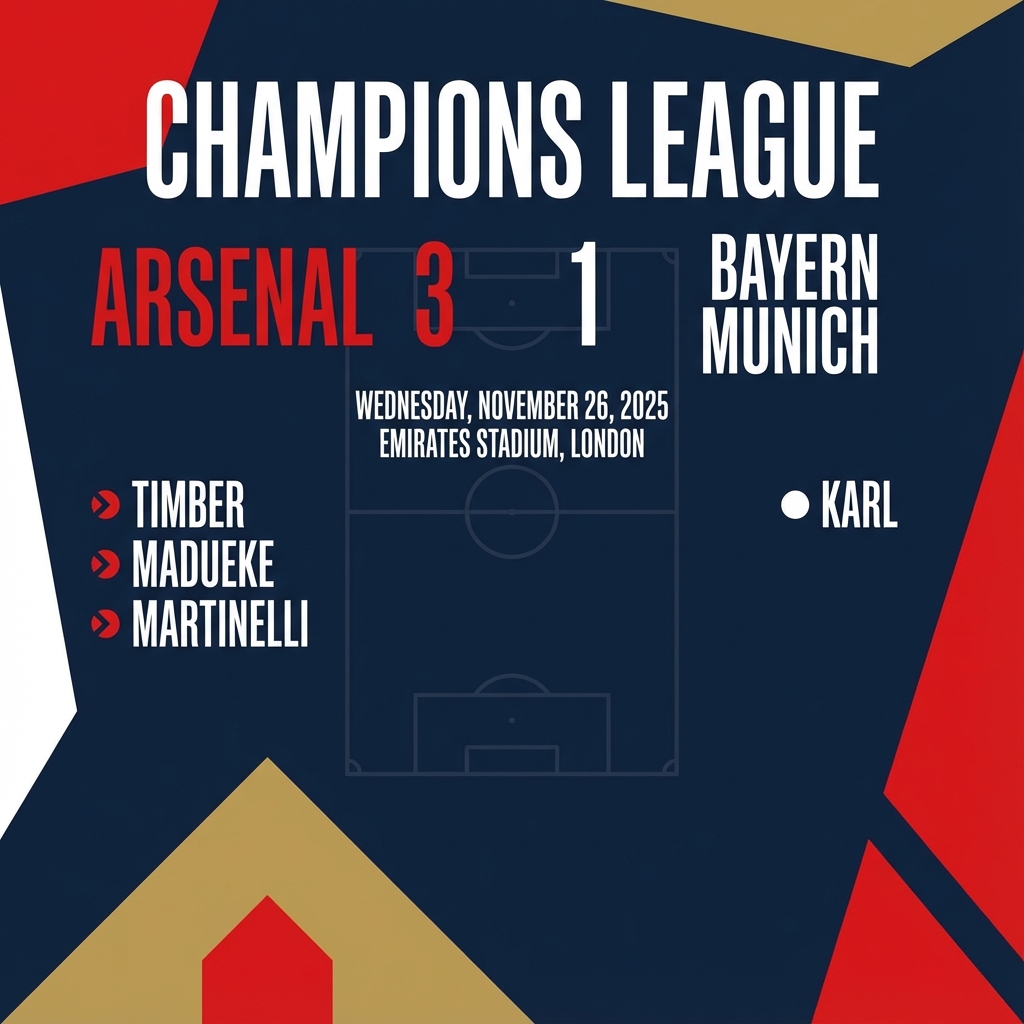
画像を編集するためのプロンプト
これらの例は、編集、構図、スタイル変換のためにテキスト プロンプトとともに画像を提供する方法を示しています。
1. 要素の追加と削除
画像を提供し、変更内容を説明します。モデルは、元の画像のスタイル、照明、遠近法に一致します。
テンプレート
Using the provided image of [subject], please [add/remove/modify] [element]
to/from the scene. Ensure the change is [description of how the change should
integrate].
プロンプト
"Using the provided image of my cat, please add a small, knitted wizard hat
on its head. Make it look like it's sitting comfortably and matches the soft
lighting of the photo."
Python
from google import genai
from PIL import Image
import base64

client = genai.Client()

with open('/path/to/your/cat_photo.png', 'rb') as f:
    image_bytes = f.read()
text_input = """Using the provided image of my cat, please add a small, knitted wizard hat on its head. Make it look like it's sitting comfortably and not falling off."""

interaction = client.interactions.create(
    model="gemini-nano-banana-2.1",
    input=[
        {"type": "text", "text": text_input},
        {
            "type": "image",
            "data": base64.b64encode(image_bytes).decode('utf-8'),
            "mime_type": "image/png"
        }
    ],
)

for step in interaction.steps:
    if step.type == "model_output":
        for content_block in step.content:
            if content_block.type == "text":
                print(content_block.text)
            elif content_block.type == "image":
                with open("cat_with_hat.png", "wb") as f:
                    f.write(base64.b64decode(content_block.data))
JavaScript
import { GoogleGenAI } from "@google/genai";
import * as fs from "node:fs";

async function main() {
  const ai = new GoogleGenAI({});

  const imagePath = "/path/to/your/cat_photo.png";
  const imageData = fs.readFileSync(imagePath);
  const base64Image = imageData.toString("base64");

  const input = [
    { type: "text", text: "Using the provided image of my cat, please add a small, knitted wizard hat on its head. Make it look like it's sitting comfortably and not falling off." },
    {
      type: "image",
      mime_type: "image/png",
      data: base64Image
    },
  ];

  const interaction = await ai.interactions.create({
    model: "gemini-nano-banana-2.1",
    input: input,
  });
  for (const step of interaction.steps) {
    if (step.type === "model_output") {
      for (const contentBlock of step.content) {
        if (contentBlock.type === "text") {
          console.log(contentBlock.text);
        } else if (contentBlock.type === "image") {
          const buffer = Buffer.from(contentBlock.data, "base64");
          fs.writeFileSync("cat_with_hat.png", buffer);
        }
      }
    }
  }
}

main();
Java
import com.google.genai.Client;
import com.google.genai.gaos.models.interactions.Content;
import com.google.genai.gaos.models.interactions.CreateModelInteraction;
import com.google.genai.gaos.models.interactions.ImageContent;
import com.google.genai.gaos.models.interactions.ImageContentMimeType;
import com.google.genai.gaos.models.interactions.Interaction;
import com.google.genai.gaos.models.interactions.InteractionsInput;
import com.google.genai.gaos.models.interactions.Model;
import com.google.genai.gaos.models.interactions.ModelOutputStep;
import com.google.genai.gaos.models.interactions.Step;
import com.google.genai.gaos.models.interactions.TextContent;
import com.google.genai.gaos.models.operations.CreateInteractionRequestBody;
import java.nio.file.Files;
import java.nio.file.Paths;
import java.util.Arrays;
import java.util.Base64;
import java.util.List;

Client client = new Client();

byte[] imageBytes = Files.readAllBytes(Paths.get("/path/to/your/cat_photo.png"));
String base64Image = Base64.getEncoder().encodeToString(imageBytes);
String textInput =
    "Using the provided image of my cat, please add a small, knitted wizard hat on its head. Make it look like it's sitting comfortably and not falling off.";

Content textContent = TextContent.builder().text(textInput).build();
Content imageContent =
    ImageContent.builder()
        .data(base64Image)
        .mimeType(ImageContentMimeType.IMAGE_PNG)
        .build();

List<Content> contents = Arrays.asList(textContent, imageContent);

CreateModelInteraction params =
    CreateModelInteraction.builder()
        .model(Model.of("gemini-nano-banana-2.1"))
        .input(InteractionsInput.ofContent(contents))
        .build();

Interaction interaction =
    client.interactions.create(CreateInteractionRequestBody.of(params)).interaction().get();

if (interaction.steps().isPresent()) {
  for (Step step : interaction.steps().get()) {
    if (step instanceof ModelOutputStep) {
      ModelOutputStep outputStep = (ModelOutputStep) step;
      if (outputStep.content().isPresent()) {
        for (Content contentBlock : outputStep.content().get()) {
          if (contentBlock instanceof TextContent) {
            System.out.println(((TextContent) contentBlock).text().orElse(""));
          } else if (contentBlock instanceof ImageContent) {
            ImageContent img = (ImageContent) contentBlock;
            if (img.data().isPresent()) {
              byte[] outBytes = Base64.getDecoder().decode(img.data().get());
              Files.write(Paths.get("cat_with_hat.png"), outBytes);
            }
          }
        }
      }
    }
  }
}
Go
package main

import (
    "context"
    "encoding/base64"
    "fmt"
    "log"
    "os"

    "google.golang.org/genai"
    "google.golang.org/genai/interactions/models/interactions"
    "google.golang.org/genai/interactions/models/operations"
)

func main() {
    ctx := context.Background()
    client, err := genai.NewClient(ctx, nil)
    if err != nil {
        log.Fatal(err)
    }

    imageBytes, err := os.ReadFile("/path/to/your/cat_photo.png")
    if err != nil {
        log.Fatal(err)
    }
    base64Image := base64.StdEncoding.EncodeToString(imageBytes)
    textInput := "Using the provided image of my cat, please add a small, knitted wizard hat on its head. Make it look like it's sitting comfortably and not falling off."

    contents := []interactions.Content{
        interactions.NewContent(interactions.TextContent{
            Text: textInput,
        }),
        interactions.NewContent(interactions.ImageContent{
            Data:     genai.Ptr(base64Image),
            MimeType: interactions.ImageContentMimeTypeImagePng.ToPointer(),
        }),
    }

    res, err := client.Interactions.Create(ctx, operations.CreateInteractionRequest{
        Body: operations.NewCreateInteractionRequestBody(interactions.CreateModelInteraction{
            Model: interactions.Model("gemini-nano-banana-2.1"),
            Input: interactions.NewInteractionsInput(contents),
        }),
    })
    if err != nil {
        log.Fatal(err)
    }

    for _, step := range res.Interaction.Steps {
        if step.ModelOutputStep != nil {
            for _, contentBlock := range step.ModelOutputStep.Content {
                if contentBlock.TextContent != nil {
                    fmt.Println(contentBlock.TextContent.Text)
                } else if contentBlock.ImageContent != nil && contentBlock.ImageContent.Data != nil {
                    outBytes, err := base64.StdEncoding.DecodeString(*contentBlock.ImageContent.Data)
                    if err != nil {
                        log.Fatal(err)
                    }
                    if err := os.WriteFile("cat_with_hat.png", outBytes, 0644); err != nil {
                        log.Fatal(err)
                    }
                }
            }
        }
    }
}
REST
curl -s -X POST \
  "https://generativelanguage.googleapis.com/v1beta/interactions" \
    -H "x-goog-api-key: $GEMINI_API_KEY" \
    -H 'Content-Type: application/json' \
    -d "{
      \"model\": \"gemini-nano-banana-2.1\",
      \"input\": [
            {\"type\": \"text\", \"text\": \"Using the provided image of my cat, please add a small, knitted wizard hat on its head. Make it look like it's sitting comfortably and not falling off.\"},
            {\"type\": \"image\", \"mime_type\":\"image/png\", \"data\": \"<BASE64_IMAGE_DATA>\"}
        ]
    }"
入力 |
出力 |
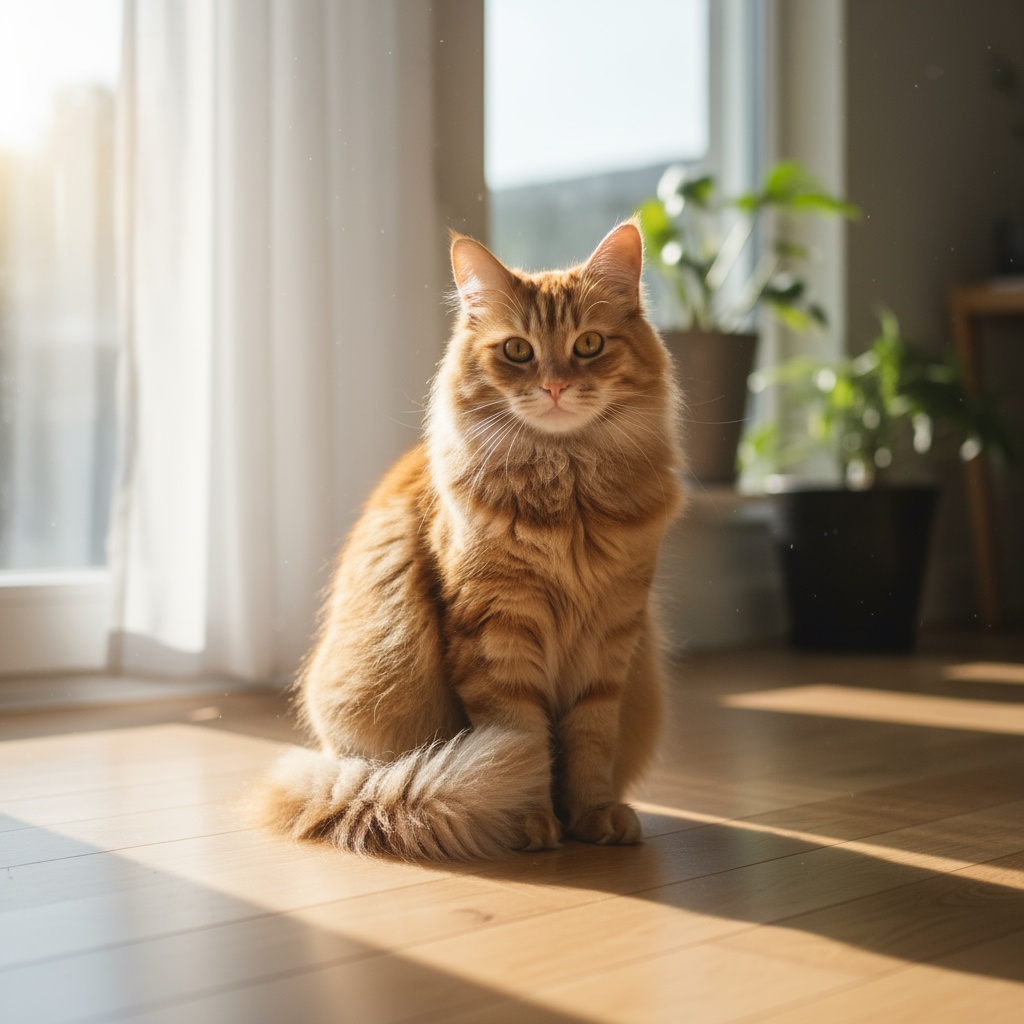
|
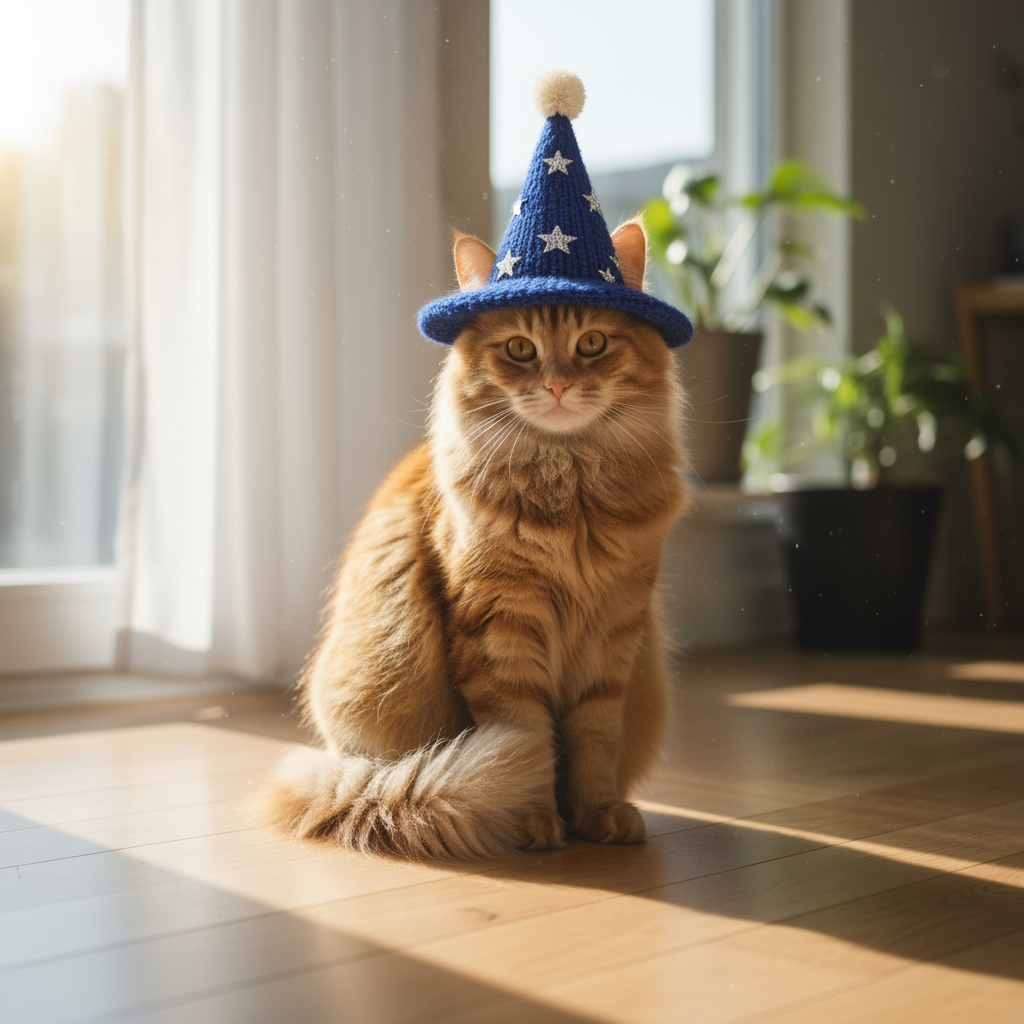
|
2. インペイント(セマンティック マスク)
会話形式で「マスク」を定義して、画像の特定の部分を編集し、残りの部分はそのままにできます。
テンプレート
Using the provided image, change only the [specific element] to [new
element/description]. Keep everything else in the image exactly the same,
preserving the original style, lighting, and composition.
プロンプト
"Using the provided image of a living room, change only the blue sofa to be
a vintage, brown leather chesterfield sofa. Keep the rest of the room,
including the pillows on the sofa and the lighting, unchanged."
Python
from google import genai
from PIL import Image
import base64

client = genai.Client()

with open('/path/to/your/living_room.png', 'rb') as f:
    image_bytes = f.read()
text_input = """Using the provided image of a living room, change only the blue sofa to be a vintage, brown leather chesterfield sofa. Keep the rest of the room, including the pillows on the sofa and the lighting, unchanged."""

interaction = client.interactions.create(
    model="gemini-nano-banana-2.1",
    input=[
        {
            "type": "image",
            "data": base64.b64encode(image_bytes).decode('utf-8'),
            "mime_type": "image/png"
        },
        {"type": "text", "text": text_input}
    ],
)

for step in interaction.steps:
    if step.type == "model_output":
        for content_block in step.content:
            if content_block.type == "text":
                print(content_block.text)
            elif content_block.type == "image":
                with open("living_room_edited.png", "wb") as f:
                    f.write(base64.b64decode(content_block.data))
JavaScript
import { GoogleGenAI } from "@google/genai";
import * as fs from "node:fs";

async function main() {
  const ai = new GoogleGenAI({});

  const imagePath = "/path/to/your/living_room.png";
  const imageData = fs.readFileSync(imagePath);
  const base64Image = imageData.toString("base64");

  const input = [
    {
      type: "image",
      mime_type: "image/png",
      data: base64Image
    },
    { type: "text", text: "Using the provided image of a living room, change only the blue sofa to be a vintage, brown leather chesterfield sofa. Keep the rest of the room, including the pillows on the sofa and the lighting, unchanged." },
  ];

  const interaction = await ai.interactions.create({
    model: "gemini-nano-banana-2.1",
    input: input,
  });
  for (const step of interaction.steps) {
    if (step.type === "model_output") {
      for (const contentBlock of step.content) {
        if (contentBlock.type === "text") {
          console.log(contentBlock.text);
        } else if (contentBlock.type === "image") {
          const buffer = Buffer.from(contentBlock.data, "base64");
          fs.writeFileSync("living_room_edited.png", buffer);
        }
      }
    }
  }
}

main();
Java
import com.google.genai.Client;
import com.google.genai.gaos.models.interactions.Content;
import com.google.genai.gaos.models.interactions.CreateModelInteraction;
import com.google.genai.gaos.models.interactions.ImageContent;
import com.google.genai.gaos.models.interactions.ImageContentMimeType;
import com.google.genai.gaos.models.interactions.Interaction;
import com.google.genai.gaos.models.interactions.InteractionsInput;
import com.google.genai.gaos.models.interactions.Model;
import com.google.genai.gaos.models.interactions.ModelOutputStep;
import com.google.genai.gaos.models.interactions.Step;
import com.google.genai.gaos.models.interactions.TextContent;
import com.google.genai.gaos.models.operations.CreateInteractionRequestBody;
import java.nio.file.Files;
import java.nio.file.Paths;
import java.util.Arrays;
import java.util.Base64;
import java.util.List;

Client client = new Client();

byte[] imageBytes = Files.readAllBytes(Paths.get("/path/to/your/living_room.png"));
String base64Image = Base64.getEncoder().encodeToString(imageBytes);
String textInput =
    "Using the provided image of a living room, change only the blue sofa to be a vintage, brown leather chesterfield sofa. Keep the rest of the room, including the pillows on the sofa and the lighting, unchanged.";

Content imageContent =
    ImageContent.builder()
        .data(base64Image)
        .mimeType(ImageContentMimeType.IMAGE_PNG)
        .build();
Content textContent = TextContent.builder().text(textInput).build();

List<Content> contents = Arrays.asList(imageContent, textContent);

CreateModelInteraction params =
    CreateModelInteraction.builder()
        .model(Model.of("gemini-nano-banana-2.1"))
        .input(InteractionsInput.ofContent(contents))
        .build();

Interaction interaction =
    client.interactions.create(CreateInteractionRequestBody.of(params)).interaction().get();

if (interaction.steps().isPresent()) {
  for (Step step : interaction.steps().get()) {
    if (step instanceof ModelOutputStep) {
      ModelOutputStep outputStep = (ModelOutputStep) step;
      if (outputStep.content().isPresent()) {
        for (Content contentBlock : outputStep.content().get()) {
          if (contentBlock instanceof TextContent) {
            System.out.println(((TextContent) contentBlock).text().orElse(""));
          } else if (contentBlock instanceof ImageContent) {
            ImageContent img = (ImageContent) contentBlock;
            if (img.data().isPresent()) {
              byte[] outBytes = Base64.getDecoder().decode(img.data().get());
              Files.write(Paths.get("living_room_edited.png"), outBytes);
            }
          }
        }
      }
    }
  }
}
Go
package main

import (
    "context"
    "encoding/base64"
    "fmt"
    "log"
    "os"

    "google.golang.org/genai"
    "google.golang.org/genai/interactions/models/interactions"
    "google.golang.org/genai/interactions/models/operations"
)

func main() {
    ctx := context.Background()
    client, err := genai.NewClient(ctx, nil)
    if err != nil {
        log.Fatal(err)
    }

    imageBytes, err := os.ReadFile("/path/to/your/living_room.png")
    if err != nil {
        log.Fatal(err)
    }
    base64Image := base64.StdEncoding.EncodeToString(imageBytes)
    textInput := "Using the provided image of a living room, change only the blue sofa to be a vintage, brown leather chesterfield sofa. Keep the rest of the room, including the pillows on the sofa and the lighting, unchanged."

    contents := []interactions.Content{
        interactions.NewContent(interactions.ImageContent{
            Data:     genai.Ptr(base64Image),
            MimeType: interactions.ImageContentMimeTypeImagePng.ToPointer(),
        }),
        interactions.NewContent(interactions.TextContent{
            Text: textInput,
        }),
    }

    res, err := client.Interactions.Create(ctx, operations.CreateInteractionRequest{
        Body: operations.NewCreateInteractionRequestBody(interactions.CreateModelInteraction{
            Model: interactions.Model("gemini-nano-banana-2.1"),
            Input: interactions.NewInteractionsInput(contents),
        }),
    })
    if err != nil {
        log.Fatal(err)
    }

    for _, step := range res.Interaction.Steps {
        if step.ModelOutputStep != nil {
            for _, contentBlock := range step.ModelOutputStep.Content {
                if contentBlock.TextContent != nil {
                    fmt.Println(contentBlock.TextContent.Text)
                } else if contentBlock.ImageContent != nil && contentBlock.ImageContent.Data != nil {
                    outBytes, err := base64.StdEncoding.DecodeString(*contentBlock.ImageContent.Data)
                    if err != nil {
                        log.Fatal(err)
                    }
                    if err := os.WriteFile("living_room_edited.png", outBytes, 0644); err != nil {
                        log.Fatal(err)
                    }
                }
            }
        }
    }
}
REST
curl -s -X POST \
  "https://generativelanguage.googleapis.com/v1beta/interactions" \
    -H "x-goog-api-key: $GEMINI_API_KEY" \
    -H 'Content-Type: application/json' \
    -d "{
      \"model\": \"gemini-nano-banana-2.1\",
      \"input\": [
        {\"type\": \"image\", \"mime_type\":\"image/png\", \"data\": \"<BASE64_IMAGE_DATA>\"},
        {\"type\": \"text\", \"text\": \"Using the provided image of a living room, change only the blue sofa to be a vintage, brown leather chesterfield sofa. Keep the rest of the room, including the pillows on the sofa and the lighting, unchanged.\"}
      ]
    }"
入力 |
出力 |

|

|
3. 画風変換
画像を提供し、異なる画風でコンテンツを再現するようにモデルに指示します。
テンプレート
Transform the provided photograph of [subject] into the artistic style of [artist/art style]. Preserve the original composition but render it with [description of stylistic elements].
プロンプト
"Transform the provided photograph of a modern city street at night into the artistic style of Vincent van Gogh's 'Starry Night'. Preserve the original composition of buildings and cars, but render all elements with swirling, impasto brushstrokes and a dramatic palette of deep blues and bright yellows."
Python
from google import genai
from PIL import Image
import base64

client = genai.Client()

with open('/path/to/your/city.png', 'rb') as f:
    image_bytes = f.read()
text_input = """Transform the provided photograph of a modern city street at night into the artistic style of Vincent van Gogh's 'Starry Night'. Preserve the original composition of buildings and cars, but render all elements with swirling, impasto brushstrokes and a dramatic palette of deep blues and bright yellows."""

interaction = client.interactions.create(
    model="gemini-nano-banana-2.1",
    input=[
        {
            "type": "image",
            "data": base64.b64encode(image_bytes).decode('utf-8'),
            "mime_type": "image/png"
        },
        {"type": "text", "text": text_input}
    ],
)

for step in interaction.steps:
    if step.type == "model_output":
        for content_block in step.content:
            if content_block.type == "text":
                print(content_block.text)
            elif content_block.type == "image":
                with open("city_style_transfer.png", "wb") as f:
                    f.write(base64.b64decode(content_block.data))
JavaScript
import { GoogleGenAI } from "@google/genai";
import * as fs from "node:fs";

async function main() {
  const ai = new GoogleGenAI({});
  const imageData = fs.readFileSync("/path/to/your/city.png");
  const base64Image = imageData.toString("base64");

  const interaction = await ai.interactions.create({
    model: "gemini-nano-banana-2.1",
    input: [
      {
        type: "image",
        mime_type: "image/png",
        data: base64Image
      },
      { type: "text", text: "Transform the provided photograph of a modern city street at night into the artistic style of Vincent van Gogh's 'Starry Night'. Preserve the original composition of buildings and cars, but render all elements with swirling, impasto brushstrokes and a dramatic palette of deep blues and bright yellows." },
    ],
  });
  for (const step of interaction.steps) {
    if (step.type === "model_output") {
      for (const contentBlock of step.content) {
        if (contentBlock.type === "text") {
          console.log(contentBlock.text);
        } else if (contentBlock.type === "image") {
          const buffer = Buffer.from(contentBlock.data, "base64");
          fs.writeFileSync("city_style_transfer.png", buffer);
        }
      }
    }
  }
}

main();
Java
import com.google.genai.Client;
import com.google.genai.gaos.models.interactions.Content;
import com.google.genai.gaos.models.interactions.CreateModelInteraction;
import com.google.genai.gaos.models.interactions.ImageContent;
import com.google.genai.gaos.models.interactions.ImageContentMimeType;
import com.google.genai.gaos.models.interactions.Interaction;
import com.google.genai.gaos.models.interactions.InteractionsInput;
import com.google.genai.gaos.models.interactions.Model;
import com.google.genai.gaos.models.interactions.ModelOutputStep;
import com.google.genai.gaos.models.interactions.Step;
import com.google.genai.gaos.models.interactions.TextContent;
import com.google.genai.gaos.models.operations.CreateInteractionRequestBody;
import java.nio.file.Files;
import java.nio.file.Paths;
import java.util.Arrays;
import java.util.Base64;
import java.util.List;

Client client = new Client();

byte[] imageBytes = Files.readAllBytes(Paths.get("/path/to/your/city.png"));
String base64Image = Base64.getEncoder().encodeToString(imageBytes);
String textInput =
    "Transform the provided photograph of a modern city street at night into the artistic style of Vincent van Gogh's 'Starry Night'. Preserve the original composition of buildings and cars, but render all elements with swirling, impasto brushstrokes and a dramatic palette of deep blues and bright yellows.";

Content imageContent =
    ImageContent.builder()
        .data(base64Image)
        .mimeType(ImageContentMimeType.IMAGE_PNG)
        .build();
Content textContent = TextContent.builder().text(textInput).build();

List<Content> contents = Arrays.asList(imageContent, textContent);

CreateModelInteraction params =
    CreateModelInteraction.builder()
        .model(Model.of("gemini-nano-banana-2.1"))
        .input(InteractionsInput.ofContent(contents))
        .build();

Interaction interaction =
    client.interactions.create(CreateInteractionRequestBody.of(params)).interaction().get();

if (interaction.steps().isPresent()) {
  for (Step step : interaction.steps().get()) {
    if (step instanceof ModelOutputStep) {
      ModelOutputStep outputStep = (ModelOutputStep) step;
      if (outputStep.content().isPresent()) {
        for (Content contentBlock : outputStep.content().get()) {
          if (contentBlock instanceof TextContent) {
            System.out.println(((TextContent) contentBlock).text().orElse(""));
          } else if (contentBlock instanceof ImageContent) {
            ImageContent img = (ImageContent) contentBlock;
            if (img.data().isPresent()) {
              byte[] outBytes = Base64.getDecoder().decode(img.data().get());
              Files.write(Paths.get("city_style_transfer.png"), outBytes);
            }
          }
        }
      }
    }
  }
}
Go
package main

import (
    "context"
    "encoding/base64"
    "fmt"
    "log"
    "os"

    "google.golang.org/genai"
    "google.golang.org/genai/interactions/models/interactions"
    "google.golang.org/genai/interactions/models/operations"
)

func main() {
    ctx := context.Background()
    client, err := genai.NewClient(ctx, nil)
    if err != nil {
        log.Fatal(err)
    }

    imageBytes, err := os.ReadFile("/path/to/your/city.png")
    if err != nil {
        log.Fatal(err)
    }
    base64Image := base64.StdEncoding.EncodeToString(imageBytes)
    textInput := "Transform the provided photograph of a modern city street at night into the artistic style of Vincent van Gogh's 'Starry Night'. Preserve the original composition of buildings and cars, but render all elements with swirling, impasto brushstrokes and a dramatic palette of deep blues and bright yellows."

    contents := []interactions.Content{
        interactions.NewContent(interactions.ImageContent{
            Data:     genai.Ptr(base64Image),
            MimeType: interactions.ImageContentMimeTypeImagePng.ToPointer(),
        }),
        interactions.NewContent(interactions.TextContent{
            Text: textInput,
        }),
    }

    res, err := client.Interactions.Create(ctx, operations.CreateInteractionRequest{
        Body: operations.NewCreateInteractionRequestBody(interactions.CreateModelInteraction{
            Model: interactions.Model("gemini-nano-banana-2.1"),
            Input: interactions.NewInteractionsInput(contents),
        }),
    })
    if err != nil {
        log.Fatal(err)
    }

    for _, step := range res.Interaction.Steps {
        if step.ModelOutputStep != nil {
            for _, contentBlock := range step.ModelOutputStep.Content {
                if contentBlock.TextContent != nil {
                    fmt.Println(contentBlock.TextContent.Text)
                } else if contentBlock.ImageContent != nil && contentBlock.ImageContent.Data != nil {
                    outBytes, err := base64.StdEncoding.DecodeString(*contentBlock.ImageContent.Data)
                    if err != nil {
                        log.Fatal(err)
                    }
                    if err := os.WriteFile("city_style_transfer.png", outBytes, 0644); err != nil {
                        log.Fatal(err)
                    }
                }
            }
        }
    }
}
REST
curl -s -X POST \
  "https://generativelanguage.googleapis.com/v1beta/interactions" \
    -H "x-goog-api-key: $GEMINI_API_KEY" \
    -H 'Content-Type: application/json' \
    -d "{
      \"model\": \"gemini-nano-banana-2.1\",
      \"input\": [
        {\"type\": \"image\", \"mime_type\":\"image/png\", \"data\": \"<BASE64_IMAGE_DATA>\"},
        {\"type\": \"text\", \"text\": \"Transform the provided photograph of a modern city street at night into the artistic style of Vincent van Gogh's 'Starry Night'. Preserve the original composition of buildings and cars, but render all elements with swirling, impasto brushstrokes and a dramatic palette of deep blues and bright yellows.\"}
      ]
    }"
入力 |
出力 |
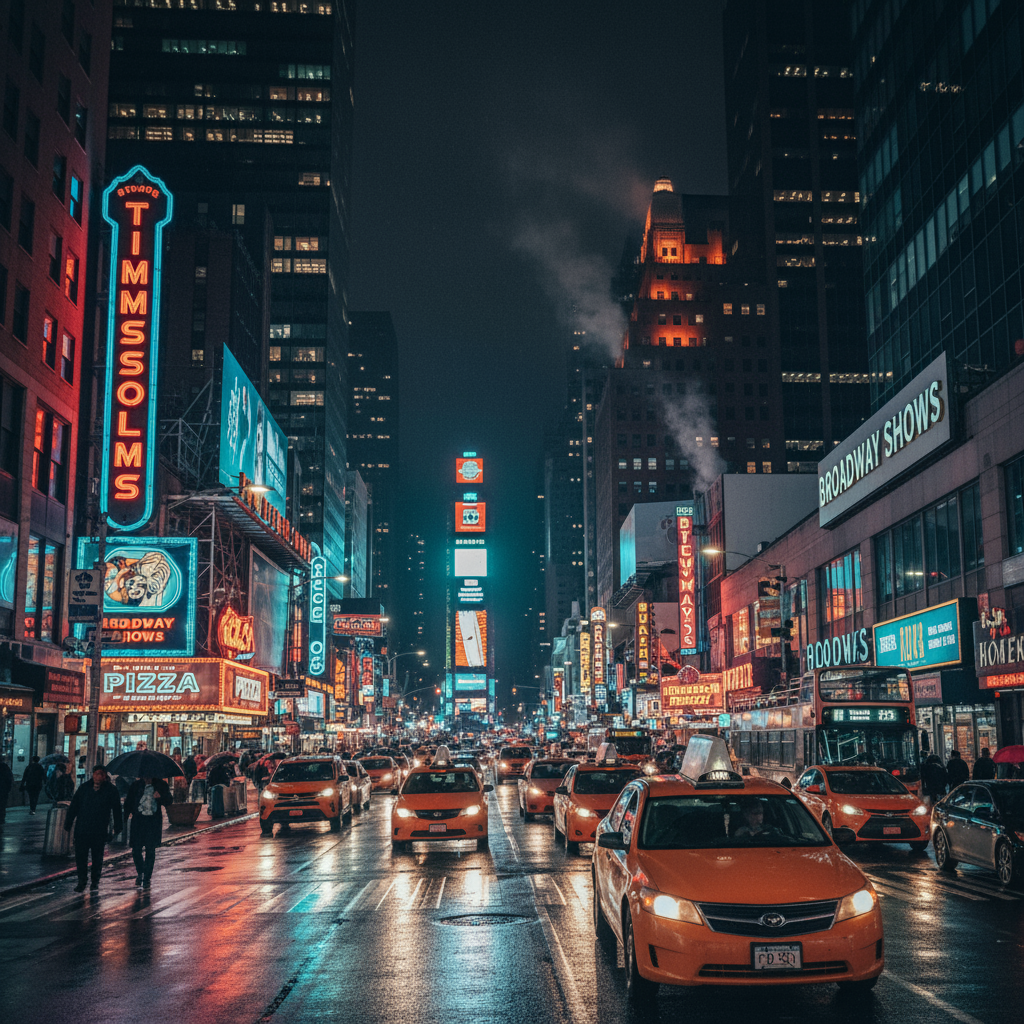
|
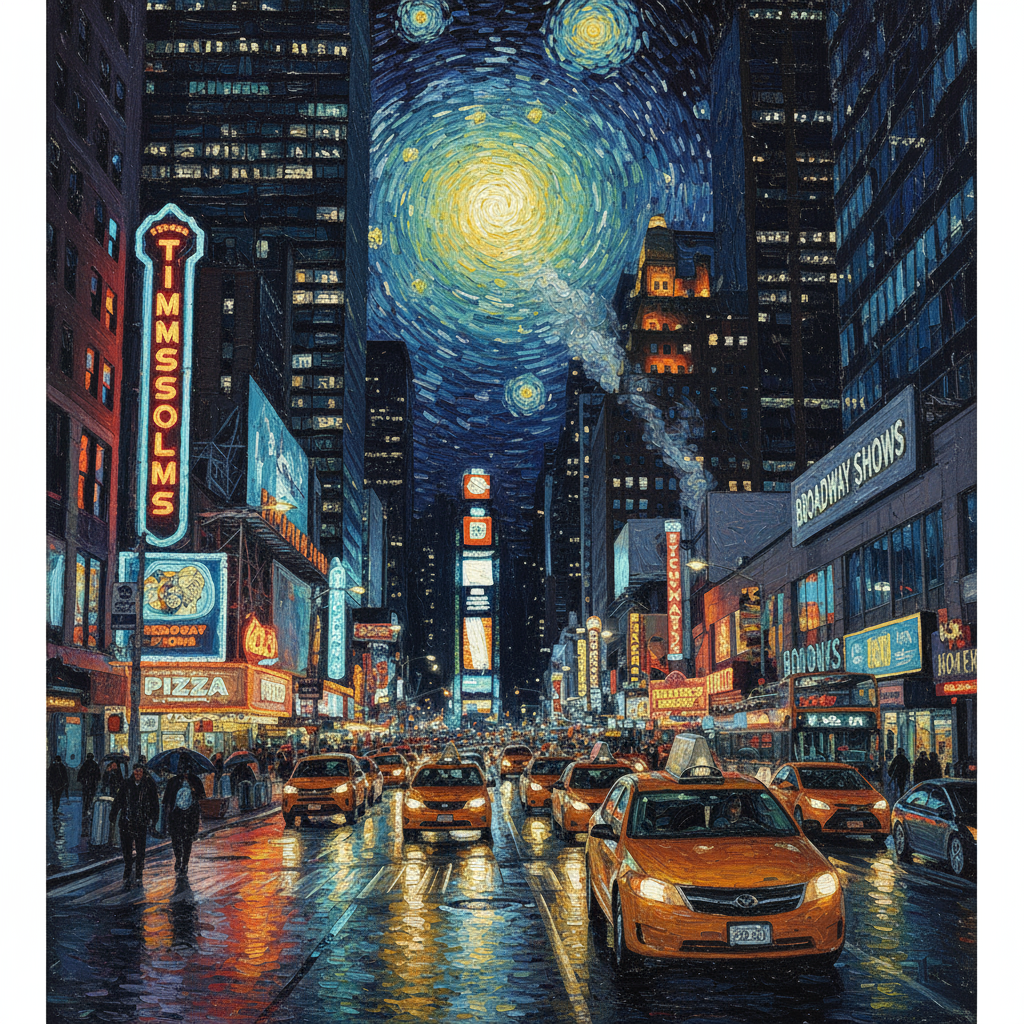
|
4. 高度な合成: 複数の画像を組み合わせる
複数の画像をコンテキストとして提供し、新しい合成シーンを作成します。商品のモックアップやクリエイティブなコラージュに最適です。
テンプレート
Create a new image by combining the elements from the provided images. Take
the [element from image 1] and place it with/on the [element from image 2].
The final image should be a [description of the final scene].
プロンプト
"Create a professional e-commerce fashion photo. Take the blue floral dress
from the first image and let the woman from the second image wear it.
Generate a realistic, full-body shot of the woman wearing the dress, with
the lighting and shadows adjusted to match the outdoor environment."
Python
from google import genai
from PIL import Image
import base64

client = genai.Client()

with open('/path/to/your/dress.png', 'rb') as f:
    dress_bytes = f.read()
with open('/path/to/your/model.png', 'rb') as f:
    model_bytes = f.read()
text_input = """Create a professional e-commerce fashion photo. Take the blue floral dress from the first image and let the woman from the second image wear it. Generate a realistic, full-body shot of the woman wearing the dress, with the lighting and shadows adjusted to match the outdoor environment."""

interaction = client.interactions.create(
    model="gemini-nano-banana-2.1",
    input=[
        {
            "type": "image",
            "data": base64.b64encode(dress_bytes).decode('utf-8'),
            "mime_type": "image/png"
        },
        {
            "type": "image",
            "data": base64.b64encode(model_bytes).decode('utf-8'),
            "mime_type": "image/png"
        },
        {"type": "text", "text": text_input}
    ],
)

for step in interaction.steps:
    if step.type == "model_output":
        for content_block in step.content:
            if content_block.type == "text":
                print(content_block.text)
            elif content_block.type == "image":
                with open("fashion_ecommerce_shot.png", "wb") as f:
                    f.write(base64.b64decode(content_block.data))
JavaScript
import { GoogleGenAI } from "@google/genai";
import * as fs from "node:fs";

async function main() {
  const ai = new GoogleGenAI({});

  const imagePath1 = "/path/to/your/dress.png";
  const imageData1 = fs.readFileSync(imagePath1);
  const base64Image1 = imageData1.toString("base64");
  const imagePath2 = "/path/to/your/model.png";
  const imageData2 = fs.readFileSync(imagePath2);
  const base64Image2 = imageData2.toString("base64");

  const input = [
    {
      type: "image",
      mime_type: "image/png",
      data: base64Image1
    },
    {
      type: "image",
      mime_type: "image/png",
      data: base64Image2
    },
    { type: "text", text: "Create a professional e-commerce fashion photo. Take the blue floral dress from the first image and let the woman from the second image wear it. Generate a realistic, full-body shot of the woman wearing the dress, with the lighting and shadows adjusted to match the outdoor environment." },
  ];

  const interaction = await ai.interactions.create({
    model: "gemini-nano-banana-2.1",
    input: input,
  });
  for (const step of interaction.steps) {
    if (step.type === "model_output") {
      for (const contentBlock of step.content) {
        if (contentBlock.type === "text") {
          console.log(contentBlock.text);
        } else if (contentBlock.type === "image") {
          const buffer = Buffer.from(contentBlock.data, "base64");
          fs.writeFileSync("fashion_ecommerce_shot.png", buffer);
        }
      }
    }
  }
}

main();
Java
import com.google.genai.Client;
import com.google.genai.gaos.models.interactions.Content;
import com.google.genai.gaos.models.interactions.CreateModelInteraction;
import com.google.genai.gaos.models.interactions.ImageContent;
import com.google.genai.gaos.models.interactions.ImageContentMimeType;
import com.google.genai.gaos.models.interactions.Interaction;
import com.google.genai.gaos.models.interactions.InteractionsInput;
import com.google.genai.gaos.models.interactions.Model;
import com.google.genai.gaos.models.interactions.ModelOutputStep;
import com.google.genai.gaos.models.interactions.Step;
import com.google.genai.gaos.models.interactions.TextContent;
import com.google.genai.gaos.models.operations.CreateInteractionRequestBody;
import java.nio.file.Files;
import java.nio.file.Paths;
import java.util.Arrays;
import java.util.Base64;
import java.util.List;

Client client = new Client();

byte[] dressBytes = Files.readAllBytes(Paths.get("/path/to/your/dress.png"));
byte[] modelBytes = Files.readAllBytes(Paths.get("/path/to/your/model.png"));
String textInput =
    "Create a professional e-commerce fashion photo. Take the blue floral dress from the first image and let the woman from the second image wear it. Generate a realistic, full-body shot of the woman wearing the dress, with the lighting and shadows adjusted to match the outdoor environment.";

Content dressContent =
    ImageContent.builder()
        .data(Base64.getEncoder().encodeToString(dressBytes))
        .mimeType(ImageContentMimeType.IMAGE_PNG)
        .build();
Content modelContent =
    ImageContent.builder()
        .data(Base64.getEncoder().encodeToString(modelBytes))
        .mimeType(ImageContentMimeType.IMAGE_PNG)
        .build();
Content textContent = TextContent.builder().text(textInput).build();

List<Content> contents = Arrays.asList(dressContent, modelContent, textContent);

CreateModelInteraction params =
    CreateModelInteraction.builder()
        .model(Model.of("gemini-nano-banana-2.1"))
        .input(InteractionsInput.ofContent(contents))
        .build();

Interaction interaction =
    client.interactions.create(CreateInteractionRequestBody.of(params)).interaction().get();

if (interaction.steps().isPresent()) {
  for (Step step : interaction.steps().get()) {
    if (step instanceof ModelOutputStep) {
      ModelOutputStep outputStep = (ModelOutputStep) step;
      if (outputStep.content().isPresent()) {
        for (Content contentBlock : outputStep.content().get()) {
          if (contentBlock instanceof TextContent) {
            System.out.println(((TextContent) contentBlock).text().orElse(""));
          } else if (contentBlock instanceof ImageContent) {
            ImageContent img = (ImageContent) contentBlock;
            if (img.data().isPresent()) {
              byte[] outBytes = Base64.getDecoder().decode(img.data().get());
              Files.write(Paths.get("fashion_ecommerce_shot.png"), outBytes);
            }
          }
        }
      }
    }
  }
}
Go
package main

import (
    "context"
    "encoding/base64"
    "fmt"
    "log"
    "os"

    "google.golang.org/genai"
    "google.golang.org/genai/interactions/models/interactions"
    "google.golang.org/genai/interactions/models/operations"
)

func main() {
    ctx := context.Background()
    client, err := genai.NewClient(ctx, nil)
    if err != nil {
        log.Fatal(err)
    }

    dressBytes, err := os.ReadFile("/path/to/your/dress.png")
    if err != nil {
        log.Fatal(err)
    }
    modelBytes, err := os.ReadFile("/path/to/your/model.png")
    if err != nil {
        log.Fatal(err)
    }
    textInput := "Create a professional e-commerce fashion photo. Take the blue floral dress from the first image and let the woman from the second image wear it. Generate a realistic, full-body shot of the woman wearing the dress, with the lighting and shadows adjusted to match the outdoor environment."

    contents := []interactions.Content{
        interactions.NewContent(interactions.ImageContent{
            Data:     genai.Ptr(base64.StdEncoding.EncodeToString(dressBytes)),
            MimeType: interactions.ImageContentMimeTypeImagePng.ToPointer(),
        }),
        interactions.NewContent(interactions.ImageContent{
            Data:     genai.Ptr(base64.StdEncoding.EncodeToString(modelBytes)),
            MimeType: interactions.ImageContentMimeTypeImagePng.ToPointer(),
        }),
        interactions.NewContent(interactions.TextContent{
            Text: textInput,
        }),
    }

    res, err := client.Interactions.Create(ctx, operations.CreateInteractionRequest{
        Body: operations.NewCreateInteractionRequestBody(interactions.CreateModelInteraction{
            Model: interactions.Model("gemini-nano-banana-2.1"),
            Input: interactions.NewInteractionsInput(contents),
        }),
    })
    if err != nil {
        log.Fatal(err)
    }

    for _, step := range res.Interaction.Steps {
        if step.ModelOutputStep != nil {
            for _, contentBlock := range step.ModelOutputStep.Content {
                if contentBlock.TextContent != nil {
                    fmt.Println(contentBlock.TextContent.Text)
                } else if contentBlock.ImageContent != nil && contentBlock.ImageContent.Data != nil {
                    outBytes, err := base64.StdEncoding.DecodeString(*contentBlock.ImageContent.Data)
                    if err != nil {
                        log.Fatal(err)
                    }
                    if err := os.WriteFile("fashion_ecommerce_shot.png", outBytes, 0644); err != nil {
                        log.Fatal(err)
                    }
                }
            }
        }
    }
}
REST
curl -s -X POST \
  "https://generativelanguage.googleapis.com/v1beta/interactions" \
    -H "x-goog-api-key: $GEMINI_API_KEY" \
    -H 'Content-Type: application/json' \
    -d "{
      \"model\": \"gemini-nano-banana-2.1\",
      \"input\": [
            {\"type\": \"image\", \"mime_type\":\"image/png\", \"data\": \"<BASE64_IMAGE_DATA_1>\"},
            {\"type\": \"image\", \"mime_type\":\"image/png\", \"data\": \"<BASE64_IMAGE_DATA_2>\"},
            {\"type\": \"text\", \"text\": \"Create a professional e-commerce fashion photo. Take the blue floral dress from the first image and let the woman from the second image wear it. Generate a realistic, full-body shot of the woman wearing the dress, with the lighting and shadows adjusted to match the outdoor environment.\"}
      }]
    }"
入力 1 |
入力 2 |
出力 |
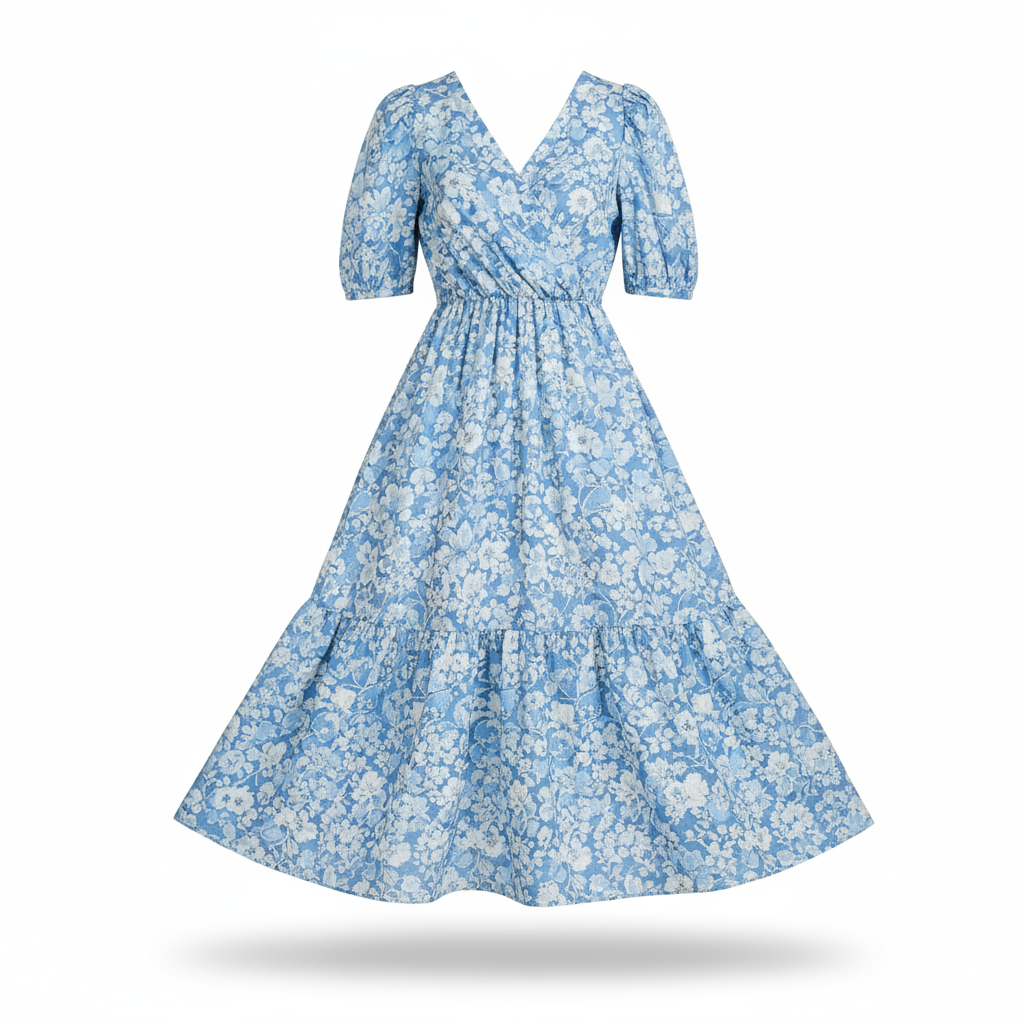
|
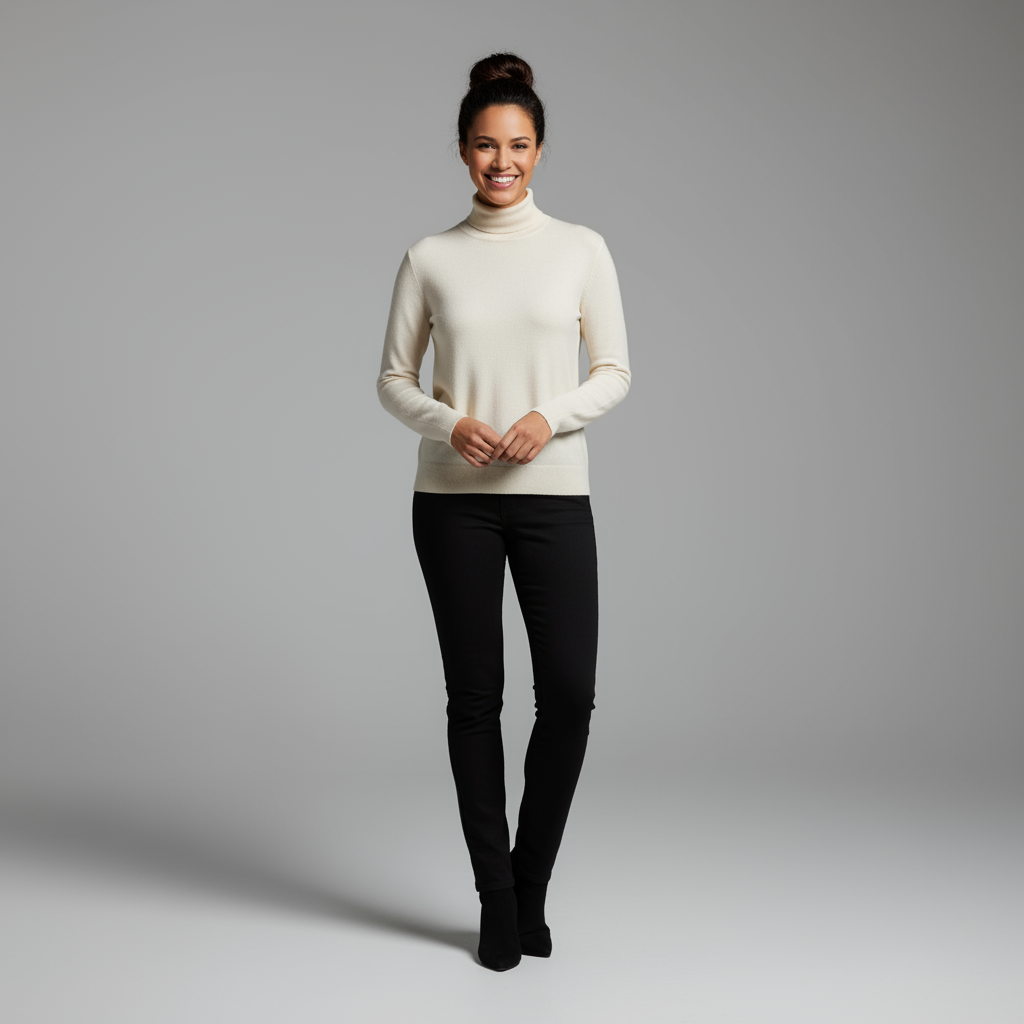
|
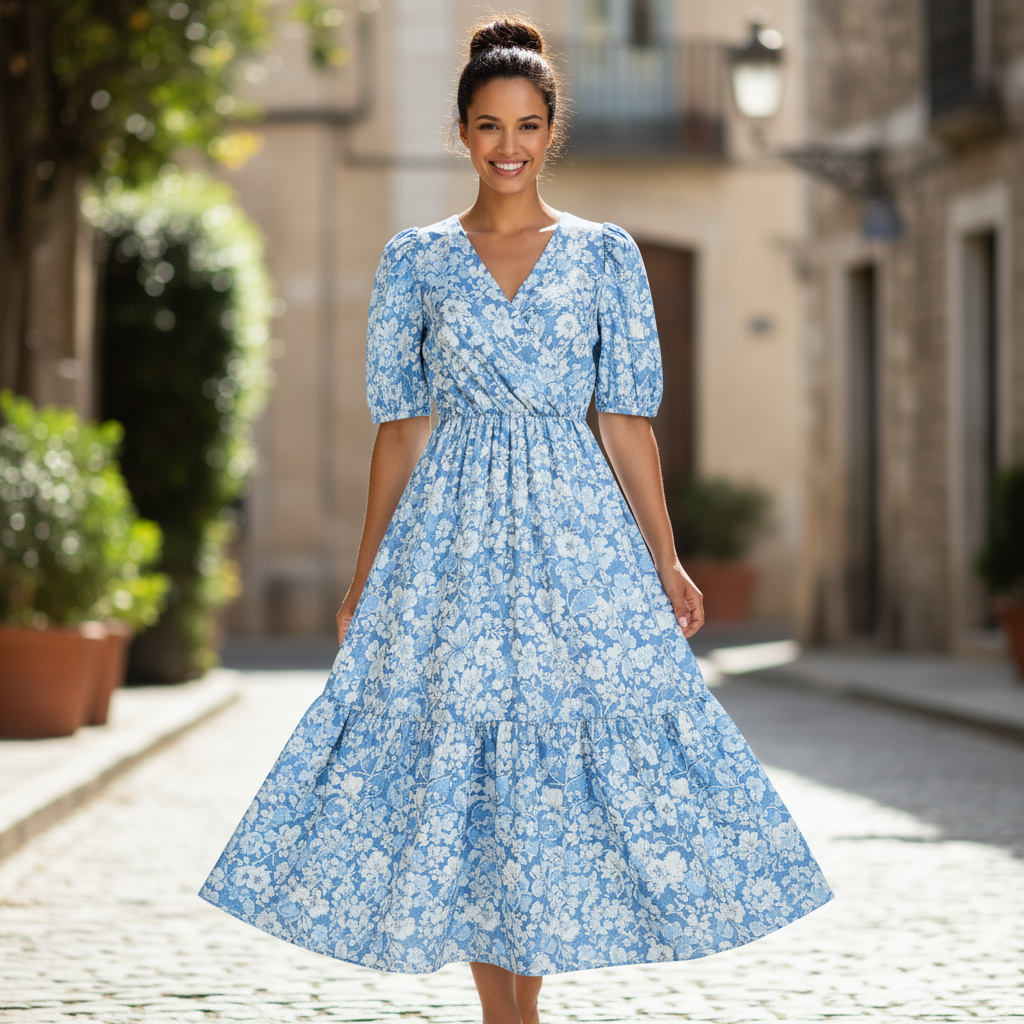
|
5. 高忠実度の詳細保持
編集時に重要な詳細(顔やロゴなど)が保持されるように、編集リクエストとともに詳細を説明してください。
テンプレート
Using the provided images, place [element from image 2] onto [element from
image 1]. Ensure that the features of [element from image 1] remain
completely unchanged. The added element should [description of how the
element should integrate].
プロンプト
"Take the first image of the woman with brown hair, blue eyes, and a neutral
expression. Add the logo from the second image onto her black t-shirt.
Ensure the woman's face and features remain completely unchanged. The logo
should look like it's naturally printed on the fabric, following the folds
of the shirt."
Python
from google import genai
from PIL import Image
import base64

client = genai.Client()

with open('/path/to/your/woman.png', 'rb') as f:
    woman_bytes = f.read()
with open('/path/to/your/logo.png', 'rb') as f:
    logo_bytes = f.read()
text_input = """Take the first image of the woman with brown hair, blue eyes, and a neutral expression. Add the logo from the second image onto her black t-shirt. Ensure the woman's face and features remain completely unchanged. The logo should look like it's naturally printed on the fabric, following the folds of the shirt."""

interaction = client.interactions.create(
    model="gemini-nano-banana-2.1",
    input=[
      {"type": "image", "mime_type":"image/png", "data": base64.b64encode(woman_bytes).decode('utf-8')},
      {"type": "image", "mime_type":"image/png", "data": base64.b64encode(logo_bytes).decode('utf-8')},
      {"type": "text", "text": text_input}
    ],
)

for step in interaction.steps:
    if step.type == "model_output":
        for content_block in step.content:
            if content_block.type == "text":
                print(content_block.text)
            elif content_block.type == "image":
                with open("woman_with_logo.png", "wb") as f:
                    f.write(base64.b64decode(content_block.data))
JavaScript
import { GoogleGenAI } from "@google/genai";
import * as fs from "node:fs";

async function main() {
  const ai = new GoogleGenAI({});

  const imagePath1 = "/path/to/your/woman.png";
  const imageData1 = fs.readFileSync(imagePath1);
  const base64Image1 = imageData1.toString("base64");
  const imagePath2 = "/path/to/your/logo.png";
  const imageData2 = fs.readFileSync(imagePath2);
  const base64Image2 = imageData2.toString("base64");

  const input = [
    {"type": "image", "mime_type":"image/png", "data": base64Image1},
    {"type": "image", "mime_type":"image/png", "data": base64Image2},
    {"type": "text", "text": "Take the first image of the woman with brown hair, blue eyes, and a neutral expression. Add the logo from the second image onto her black t-shirt. Ensure the woman's face and features remain completely unchanged. The logo should look like it's naturally printed on the fabric, following the folds of the shirt."},
  ];

  const interaction = await ai.interactions.create({
    model: "gemini-nano-banana-2.1",
    input: input,
  });
  for (const step of interaction.steps) {
    if (step.type === "model_output") {
      for (const contentBlock of step.content) {
        if (contentBlock.type === "text") {
          console.log(contentBlock.text);
        } else if (contentBlock.type === "image") {
          const buffer = Buffer.from(contentBlock.data, "base64");
          fs.writeFileSync("woman_with_logo.png", buffer);
        }
      }
    }
  }
}

main();
Java
import com.google.genai.Client;
import com.google.genai.gaos.models.interactions.Content;
import com.google.genai.gaos.models.interactions.CreateModelInteraction;
import com.google.genai.gaos.models.interactions.ImageContent;
import com.google.genai.gaos.models.interactions.ImageContentMimeType;
import com.google.genai.gaos.models.interactions.Interaction;
import com.google.genai.gaos.models.interactions.InteractionsInput;
import com.google.genai.gaos.models.interactions.Model;
import com.google.genai.gaos.models.interactions.ModelOutputStep;
import com.google.genai.gaos.models.interactions.Step;
import com.google.genai.gaos.models.interactions.TextContent;
import com.google.genai.gaos.models.operations.CreateInteractionRequestBody;
import java.nio.file.Files;
import java.nio.file.Paths;
import java.util.Arrays;
import java.util.Base64;
import java.util.List;

Client client = new Client();

byte[] womanBytes = Files.readAllBytes(Paths.get("/path/to/your/woman.png"));
byte[] logoBytes = Files.readAllBytes(Paths.get("/path/to/your/logo.png"));
String textInput =
    "Take the first image of the woman with brown hair, blue eyes, and a neutral expression. Add the logo from the second image onto her black t-shirt. Ensure the woman's face and features remain completely unchanged. The logo should look like it's naturally printed on the fabric, following the folds of the shirt.";

Content womanContent =
    ImageContent.builder()
        .data(Base64.getEncoder().encodeToString(womanBytes))
        .mimeType(ImageContentMimeType.IMAGE_PNG)
        .build();
Content logoContent =
    ImageContent.builder()
        .data(Base64.getEncoder().encodeToString(logoBytes))
        .mimeType(ImageContentMimeType.IMAGE_PNG)
        .build();
Content textContent = TextContent.builder().text(textInput).build();

List<Content> contents = Arrays.asList(womanContent, logoContent, textContent);

CreateModelInteraction params =
    CreateModelInteraction.builder()
        .model(Model.of("gemini-nano-banana-2.1"))
        .input(InteractionsInput.ofContent(contents))
        .build();

Interaction interaction =
    client.interactions.create(CreateInteractionRequestBody.of(params)).interaction().get();

if (interaction.steps().isPresent()) {
  for (Step step : interaction.steps().get()) {
    if (step instanceof ModelOutputStep) {
      ModelOutputStep outputStep = (ModelOutputStep) step;
      if (outputStep.content().isPresent()) {
        for (Content contentBlock : outputStep.content().get()) {
          if (contentBlock instanceof TextContent) {
            System.out.println(((TextContent) contentBlock).text().orElse(""));
          } else if (contentBlock instanceof ImageContent) {
            ImageContent img = (ImageContent) contentBlock;
            if (img.data().isPresent()) {
              byte[] outBytes = Base64.getDecoder().decode(img.data().get());
              Files.write(Paths.get("woman_with_logo.png"), outBytes);
            }
          }
        }
      }
    }
  }
}
Go
package main

import (
    "context"
    "encoding/base64"
    "fmt"
    "log"
    "os"

    "google.golang.org/genai"
    "google.golang.org/genai/interactions/models/interactions"
    "google.golang.org/genai/interactions/models/operations"
)

func main() {
    ctx := context.Background()
    client, err := genai.NewClient(ctx, nil)
    if err != nil {
        log.Fatal(err)
    }

    womanBytes, err := os.ReadFile("/path/to/your/woman.png")
    if err != nil {
        log.Fatal(err)
    }
    logoBytes, err := os.ReadFile("/path/to/your/logo.png")
    if err != nil {
        log.Fatal(err)
    }
    textInput := "Take the first image of the woman with brown hair, blue eyes, and a neutral expression. Add the logo from the second image onto her black t-shirt. Ensure the woman's face and features remain completely unchanged. The logo should look like it's naturally printed on the fabric, following the folds of the shirt."

    contents := []interactions.Content{
        interactions.NewContent(interactions.ImageContent{
            Data:     genai.Ptr(base64.StdEncoding.EncodeToString(womanBytes)),
            MimeType: interactions.ImageContentMimeTypeImagePng.ToPointer(),
        }),
        interactions.NewContent(interactions.ImageContent{
            Data:     genai.Ptr(base64.StdEncoding.EncodeToString(logoBytes)),
            MimeType: interactions.ImageContentMimeTypeImagePng.ToPointer(),
        }),
        interactions.NewContent(interactions.TextContent{
            Text: textInput,
        }),
    }

    res, err := client.Interactions.Create(ctx, operations.CreateInteractionRequest{
        Body: operations.NewCreateInteractionRequestBody(interactions.CreateModelInteraction{
            Model: interactions.Model("gemini-nano-banana-2.1"),
            Input: interactions.NewInteractionsInput(contents),
        }),
    })
    if err != nil {
        log.Fatal(err)
    }

    for _, step := range res.Interaction.Steps {
        if step.ModelOutputStep != nil {
            for _, contentBlock := range step.ModelOutputStep.Content {
                if contentBlock.TextContent != nil {
                    fmt.Println(contentBlock.TextContent.Text)
                } else if contentBlock.ImageContent != nil && contentBlock.ImageContent.Data != nil {
                    outBytes, err := base64.StdEncoding.DecodeString(*contentBlock.ImageContent.Data)
                    if err != nil {
                        log.Fatal(err)
                    }
                    if err := os.WriteFile("woman_with_logo.png", outBytes, 0644); err != nil {
                        log.Fatal(err)
                    }
                }
            }
        }
    }
}
REST
curl -s -X POST \
  "https://generativelanguage.googleapis.com/v1beta/interactions" \
    -H "x-goog-api-key: $GEMINI_API_KEY" \
    -H 'Content-Type: application/json' \
    -d "{
      \"model\": \"gemini-nano-banana-2.1\",
      \"input\": [
        {\"type\": \"image\", \"mime_type\":\"image/png\", \"data\": \"<BASE64_IMAGE_DATA_1>\"},
        {\"type\": \"image\", \"mime_type\":\"image/png\", \"data\": \"<BASE64_IMAGE_DATA_2>\"},
        {\"type\": \"text\", \"text\": \"Take the first image of the woman with brown hair, blue eyes, and a neutral expression. Add the logo from the second image onto her black t-shirt. Ensure the woman's face and features remain completely unchanged. The logo should look like it's naturally printed on the fabric, following the folds of the shirt.\"}
      ]
    }"
入力 1 |
入力 2 |
出力 |

|

|

|
6. Bring something to life
ラフスケッチや下絵をアップロードして、モデルに完成した画像に仕上げるよう依頼します。
テンプレート
Turn this rough [medium] sketch of a [subject] into a [style description]
photo. Keep the [specific features] from the sketch but add [new details/materials].
プロンプト
"Turn this rough pencil sketch of a futuristic car into a polished photo of the finished concept car in a showroom. Keep the sleek lines and low profile from the sketch but add metallic blue paint and neon rim lighting."
Python
from google import genai
from PIL import Image
import base64

client = genai.Client()

with open('/path/to/your/car_sketch.png', 'rb') as f:
    sketch_bytes = f.read()
text_input = """Turn this rough pencil sketch of a futuristic car into a polished photo of the finished concept car in a showroom. Keep the sleek lines and low profile from the sketch but add metallic blue paint and neon rim lighting."""

interaction = client.interactions.create(
    model="gemini-nano-banana-2.1",
    input=[
      {"type": "image", "mime_type":"image/png", "data": base64.b64encode(sketch_bytes).decode('utf-8')},
      {"type": "text", "text": text_input}
    ],
)

for step in interaction.steps:
    if step.type == "model_output":
        for content_block in step.content:
            if content_block.type == "text":
                print(content_block.text)
            elif content_block.type == "image":
                with open("car_photo.png", "wb") as f:
                    f.write(base64.b64decode(content_block.data))
JavaScript
import { GoogleGenAI } from "@google/genai";
import * as fs from "node:fs";

async function main() {
  const ai = new GoogleGenAI({});

  const imagePath = "/path/to/your/car_sketch.png";
  const imageData = fs.readFileSync(imagePath);
  const base64Image = imageData.toString("base64");

  const input = [
    {"type": "image", "mime_type":"image/png", "data": base64Image},
    {"type": "text", "text": "Turn this rough pencil sketch of a futuristic car into a polished photo of the finished concept car in a showroom. Keep the sleek lines and low profile from the sketch but add metallic blue paint and neon rim lighting."},
  ];

  const interaction = await ai.interactions.create({
    model: "gemini-nano-banana-2.1",
    input: input,
  });
  for (const step of interaction.steps) {
    if (step.type === "model_output") {
      for (const contentBlock of step.content) {
        if (contentBlock.type === "text") {
          console.log(contentBlock.text);
        } else if (contentBlock.type === "image") {
          const buffer = Buffer.from(contentBlock.data, "base64");
          fs.writeFileSync("car_photo.png", buffer);
        }
      }
    }
  }
}

main();
Java
import com.google.genai.Client;
import com.google.genai.gaos.models.interactions.Content;
import com.google.genai.gaos.models.interactions.CreateModelInteraction;
import com.google.genai.gaos.models.interactions.ImageContent;
import com.google.genai.gaos.models.interactions.ImageContentMimeType;
import com.google.genai.gaos.models.interactions.Interaction;
import com.google.genai.gaos.models.interactions.InteractionsInput;
import com.google.genai.gaos.models.interactions.Model;
import com.google.genai.gaos.models.interactions.ModelOutputStep;
import com.google.genai.gaos.models.interactions.Step;
import com.google.genai.gaos.models.interactions.TextContent;
import com.google.genai.gaos.models.operations.CreateInteractionRequestBody;
import java.nio.file.Files;
import java.nio.file.Paths;
import java.util.Arrays;
import java.util.Base64;
import java.util.List;

Client client = new Client();

byte[] sketchBytes = Files.readAllBytes(Paths.get("/path/to/your/car_sketch.png"));
String textInput =
    "Turn this rough pencil sketch of a futuristic car into a polished photo of the finished concept car in a showroom. Keep the sleek lines and low profile from the sketch but add metallic blue paint and neon rim lighting.";

Content sketchContent =
    ImageContent.builder()
        .data(Base64.getEncoder().encodeToString(sketchBytes))
        .mimeType(ImageContentMimeType.IMAGE_PNG)
        .build();
Content textContent = TextContent.builder().text(textInput).build();

List<Content> contents = Arrays.asList(sketchContent, textContent);

CreateModelInteraction params =
    CreateModelInteraction.builder()
        .model(Model.of("gemini-nano-banana-2.1"))
        .input(InteractionsInput.ofContent(contents))
        .build();

Interaction interaction =
    client.interactions.create(CreateInteractionRequestBody.of(params)).interaction().get();

if (interaction.steps().isPresent()) {
  for (Step step : interaction.steps().get()) {
    if (step instanceof ModelOutputStep) {
      ModelOutputStep outputStep = (ModelOutputStep) step;
      if (outputStep.content().isPresent()) {
        for (Content contentBlock : outputStep.content().get()) {
          if (contentBlock instanceof TextContent) {
            System.out.println(((TextContent) contentBlock).text().orElse(""));
          } else if (contentBlock instanceof ImageContent) {
            ImageContent img = (ImageContent) contentBlock;
            if (img.data().isPresent()) {
              byte[] outBytes = Base64.getDecoder().decode(img.data().get());
              Files.write(Paths.get("car_photo.png"), outBytes);
            }
          }
        }
      }
    }
  }
}
Go
package main

import (
    "context"
    "encoding/base64"
    "fmt"
    "log"
    "os"

    "google.golang.org/genai"
    "google.golang.org/genai/interactions/models/interactions"
    "google.golang.org/genai/interactions/models/operations"
)

func main() {
    ctx := context.Background()
    client, err := genai.NewClient(ctx, nil)
    if err != nil {
        log.Fatal(err)
    }

    sketchBytes, err := os.ReadFile("/path/to/your/car_sketch.png")
    if err != nil {
        log.Fatal(err)
    }
    textInput := "Turn this rough pencil sketch of a futuristic car into a polished photo of the finished concept car in a showroom. Keep the sleek lines and low profile from the sketch but add metallic blue paint and neon rim lighting."

    contents := []interactions.Content{
        interactions.NewContent(interactions.ImageContent{
            Data:     genai.Ptr(base64.StdEncoding.EncodeToString(sketchBytes)),
            MimeType: interactions.ImageContentMimeTypeImagePng.ToPointer(),
        }),
        interactions.NewContent(interactions.TextContent{
            Text: textInput,
        }),
    }

    res, err := client.Interactions.Create(ctx, operations.CreateInteractionRequest{
        Body: operations.NewCreateInteractionRequestBody(interactions.CreateModelInteraction{
            Model: interactions.Model("gemini-nano-banana-2.1"),
            Input: interactions.NewInteractionsInput(contents),
        }),
    })
    if err != nil {
        log.Fatal(err)
    }

    for _, step := range res.Interaction.Steps {
        if step.ModelOutputStep != nil {
            for _, contentBlock := range step.ModelOutputStep.Content {
                if contentBlock.TextContent != nil {
                    fmt.Println(contentBlock.TextContent.Text)
                } else if contentBlock.ImageContent != nil && contentBlock.ImageContent.Data != nil {
                    outBytes, err := base64.StdEncoding.DecodeString(*contentBlock.ImageContent.Data)
                    if err != nil {
                        log.Fatal(err)
                    }
                    if err := os.WriteFile("car_photo.png", outBytes, 0644); err != nil {
                        log.Fatal(err)
                    }
                }
            }
        }
    }
}
REST
curl -s -X POST \
  "https://generativelanguage.googleapis.com/v1beta/interactions" \
    -H "x-goog-api-key: $GEMINI_API_KEY" \
    -H 'Content-Type: application/json' \
    -d "{
      \"model\": \"gemini-nano-banana-2.1\",
      \"input\": [
        {\"type\": \"image\", \"mime_type\":\"image/png\", \"data\": \"<BASE64_IMAGE_DATA>\"},
        {\"type\": \"text\", \"text\": \"Turn this rough pencil sketch of a futuristic car into a polished photo of the finished concept car in a showroom. Keep the sleek lines and low profile from the sketch but add metallic blue paint and neon rim lighting.\"}
      ]
    }"
入力 |
出力 |
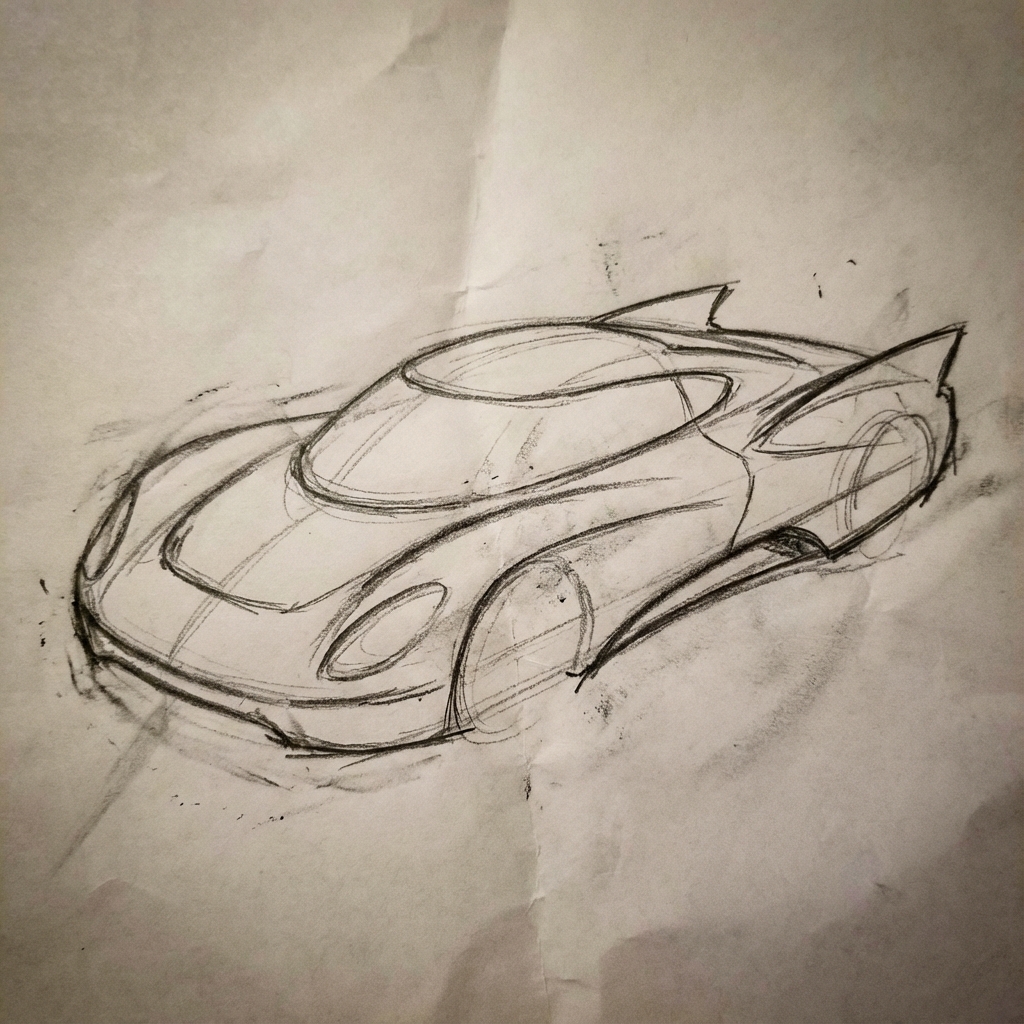
|
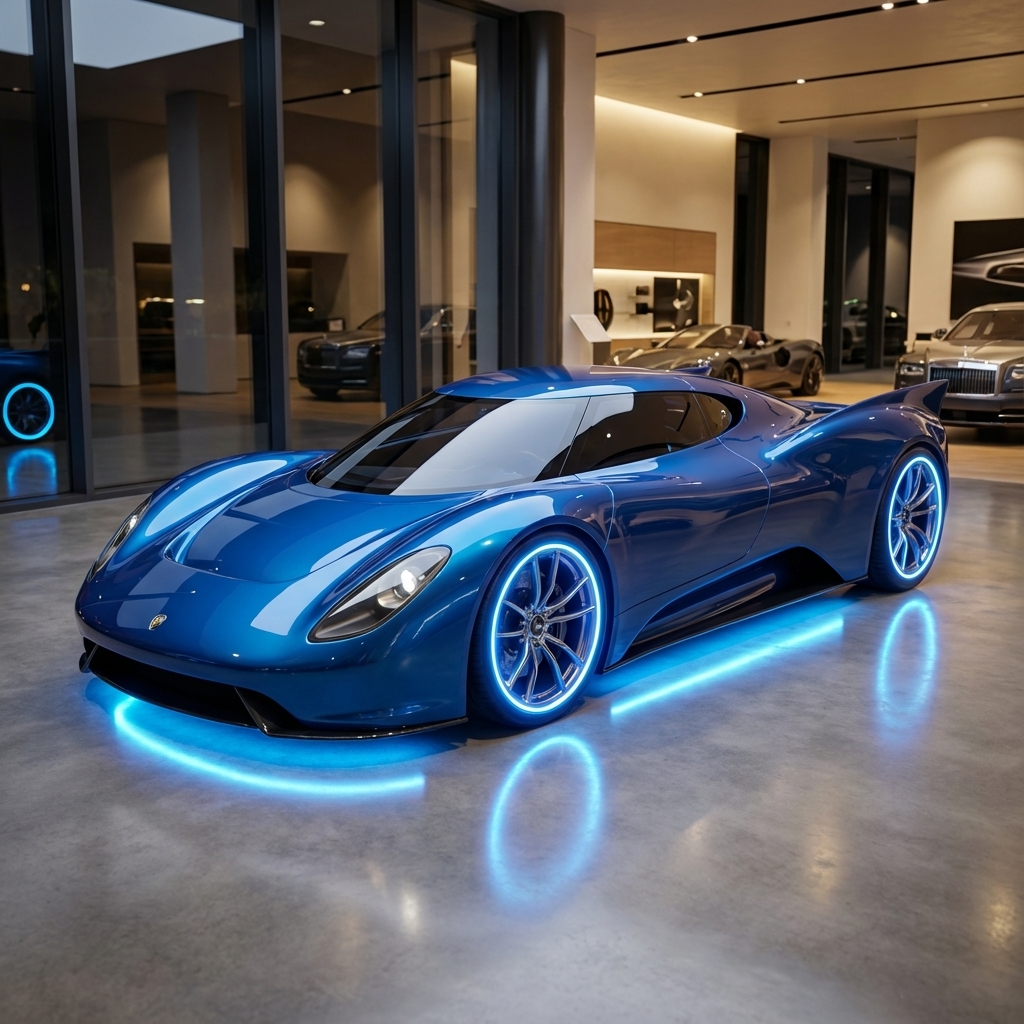
|
7. キャラクターの一貫性: 360 度のビュー
さまざまな角度を繰り返しプロンプトで指定することで、キャラクターの 360 度ビューを生成できます。最適な結果を得るには、一貫性を保つために、以前に生成した画像を後続のプロンプトに含めます。複雑なポーズの場合は、選択したポーズの参照画像を含めます。
テンプレート
A studio portrait of [person] against [background], [looking forward/in profile looking right/etc.]
プロンプト
A studio portrait of this man against white, in profile looking right
Python
from google import genai
from PIL import Image
import base64

client = genai.Client()

with open('/path/to/your/man_in_white_glasses.jpg', 'rb') as f:
    image_bytes = f.read()
text_input = """A studio portrait of this man against white, in profile looking right"""

interaction = client.interactions.create(
    model="gemini-nano-banana-2.1",
    input={
      {"type": "text", "text": text_input},
      {"type": "image", "mime_type":"image/png", "data": base64.b64encode(image_bytes).decode('utf-8')}
    },
)

for step in interaction.steps:
    if step.type == "model_output":
        for content_block in step.content:
            if content_block.type == "text":
                print(content_block.text)
            elif content_block.type == "image":
                with open("man_right_profile.png", "wb") as f:
                    f.write(base64.b64decode(content_block.data))
入力 |
出力 1 |
出力 2 |
|
|
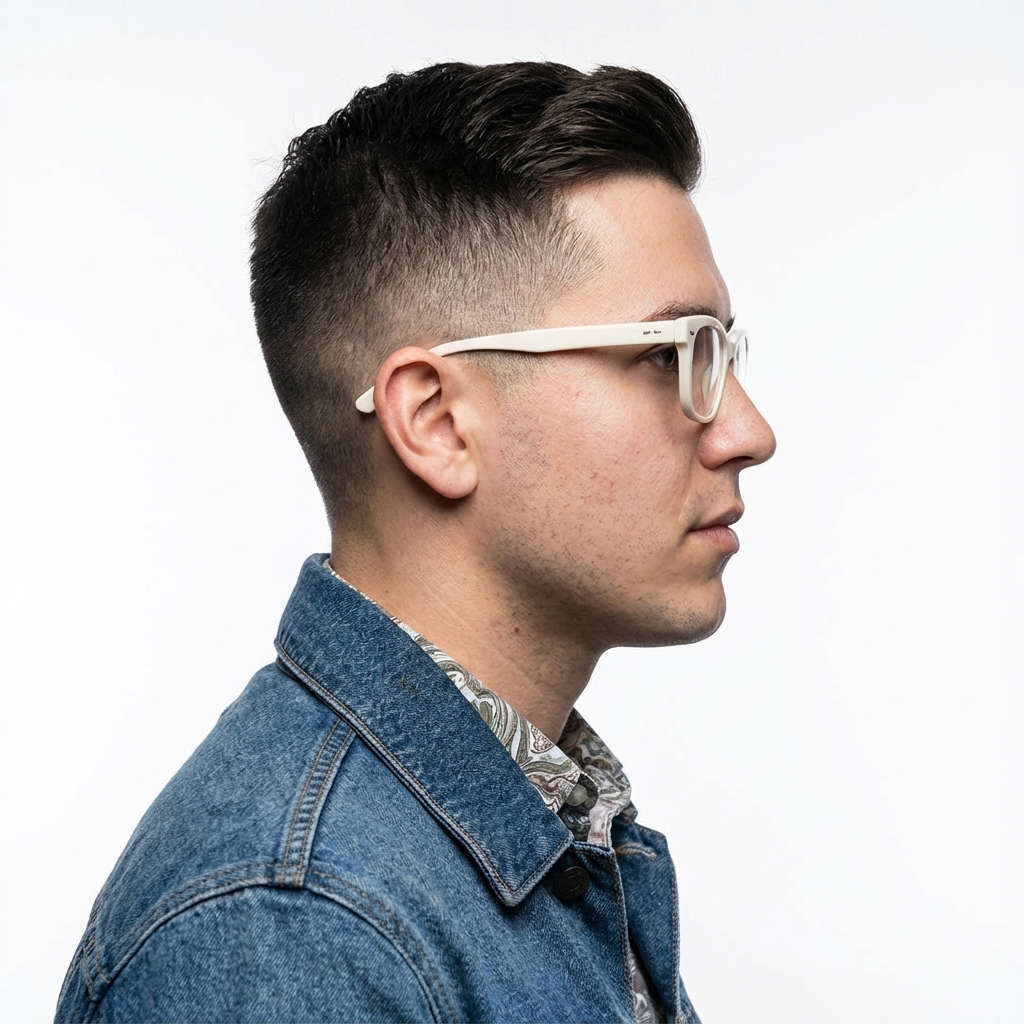
|

|
ベスト プラクティス
結果を優れたものにするには、次のプロフェッショナルな戦略をワークフローに組み込みます。
- 具体的にする: 詳細に説明するほど、より細かく制御できます。「ファンタジー アーマー」ではなく、「銀の葉の模様がエッチングされた、装飾的なエルフのプレート アーマー。ハイカラーとハヤブサの翼の形をした肩当て付き」とします。
- コンテキストと意図を提供する: 画像の目的を説明します。モデルのコンテキストの理解が最終出力に影響します。たとえば、「高級感のあるミニマリストのスキンケア ブランドのロゴを作成して」は、「ロゴを作成して」よりも効果的です。
- 繰り返して改良: 最初の試行で完璧な画像が生成されるとは限りません。モデルの会話的な性質を利用して、小さな変更を加えます。「素晴らしいですが、照明をもう少し暖色にできますか?」や「すべてそのままにして、キャラクターの表情をもっとシリアスにしてください」などのフォローアップ プロンプトを使用します。
- 手順ガイドを使用する: 多くの要素を含む複雑なシーンの場合は、プロンプトを手順に分割します。「まず、夜明けの静かで霧のかかった森の背景を作成して。次に、前景に苔むした古代の石の祭壇を追加して。最後に、祭壇の上に光る剣を 1 本置いて。」
- 「セマンティック ネガティブ プロンプト」を使用する: 「車なし」ではなく、「交通の気配のない、空っぽの寂れた通り」のように、ポジティブな表現でシーンを説明します。
- カメラを制御する: 写真や映画の撮影用語を使用して、構図を制御します。
wide-angle shot、macro shot、low-angle perspectiveなどの用語。
制限事項
- 最高のパフォーマンスを実現するには、EN、ar-EG、de-DE、es-MX、fr-FR、hi-IN、id-ID、it-IT、ja-JP、ko-KR、pt-BR、ru-RU、ua-UA、vi-VN、zh-CN のいずれかの言語を使用してください。
- 画像生成では、音声入力はサポートされていません。動画入力は、Gemini Nano Banana 2.1、Gemini 3.1 Flash Image、Gemini 3.1 Flash Lite Image でのみサポートされています。
- モデルは、ユーザーが明示的にリクエストした画像出力の数を正確に守るとは限りません。
gemini-2.5-flash-imageは最大 3 枚の画像を、gemini-3-pro-imageは高忠実度で 5 枚の画像を、合計で最大 14 枚の画像をサポートしています。gemini-nano-banana-2.1とgemini-3.1-flash-imageは、1 つのワークフローで最大 4 文字の文字類似性と最大 10 個のオブジェクトの忠実度をサポートしています。- テキストを含む画像を生成するときは、まずテキストを生成してから、そのテキストを含む画像を生成するように頼むと、良い結果が得られます。
gemini-nano-banana-2.1とgemini-3.1-flash-imageの Google 検索によるグラウンディングは、現時点ではウェブ検索から取得した人物の現実世界の画像の使用をサポートしていません。- 生成されたすべての画像には SynthID の透かしが埋め込まれています。
オプションの構成
必要に応じて、response_format パラメータを使用して、出力形式、アスペクト比、画像サイズを構成できます。
出力形式
モデルはデフォルトで、テキストと画像の両方のレスポンスを返します。response_format パラメータで画像形式を指定すると、生成された画像のみを返すようにレスポンスを構成できます(会話テキストは省略されます)。
複数のモダリティ(テキストと生成された画像の両方など)をリクエストするには、代わりに response_format に形式エントリの配列を渡します。
Python
interaction = client.interactions.create(
    model="gemini-nano-banana-2.1",
    input="Write a short poem about a starry night and generate an image of it.",
    response_format=[
        {"type": "text"},
        {"type": "image"},
    ],
)
JavaScript
const interaction = await ai.interactions.create({
  model: "gemini-nano-banana-2.1",
  input: "Write a short poem about a starry night and generate an image of it.",
  response_format: [
    { type: "text" },
    { type: "image" },
  ],
});
Java
import com.google.genai.Client;
import com.google.genai.gaos.models.interactions.CreateModelInteraction;
import com.google.genai.gaos.models.interactions.CreateModelInteractionResponseFormat;
import com.google.genai.gaos.models.interactions.ImageResponseFormat;
import com.google.genai.gaos.models.interactions.Interaction;
import com.google.genai.gaos.models.interactions.InteractionsInput;
import com.google.genai.gaos.models.interactions.Model;
import com.google.genai.gaos.models.interactions.ResponseFormat;
import com.google.genai.gaos.models.interactions.TextResponseFormat;
import com.google.genai.gaos.models.operations.CreateInteractionRequestBody;
import java.util.Arrays;

Client client = new Client();

CreateModelInteractionResponseFormat format =
    CreateModelInteractionResponseFormat.of(
        Arrays.asList(
            ResponseFormat.of(TextResponseFormat.builder().build()),
            ResponseFormat.of(ImageResponseFormat.builder().build())));

CreateModelInteraction params =
    CreateModelInteraction.builder()
        .model(Model.of("gemini-nano-banana-2.1"))
        .input(
            InteractionsInput.of(
                "Write a short poem about a starry night and generate an image of it."))
        .responseFormat(format)
        .build();

Interaction interaction =
    client.interactions.create(CreateInteractionRequestBody.of(params)).interaction().get();
Go
package main

import (
    "context"
    "log"

    "google.golang.org/genai"
    "google.golang.org/genai/interactions/models/interactions"
    "google.golang.org/genai/interactions/models/operations"
)

func main() {
    ctx := context.Background()
    client, err := genai.NewClient(ctx, nil)
    if err != nil {
        log.Fatal(err)
    }

    format := interactions.NewCreateModelInteractionResponseFormat([]interactions.ResponseFormat{
        interactions.NewResponseFormat(interactions.TextResponseFormat{}),
        interactions.NewResponseFormat(interactions.ImageResponseFormat{}),
    })

    res, err := client.Interactions.Create(ctx, operations.CreateInteractionRequest{
        Body: operations.NewCreateInteractionRequestBody(interactions.CreateModelInteraction{
            Model:          interactions.Model("gemini-nano-banana-2.1"),
            Input:          interactions.NewInteractionsInput("Write a short poem about a starry night and generate an image of it."),
            ResponseFormat: genai.Ptr(format),
        }),
    })
    if err != nil {
        log.Fatal(err)
    }
    _ = res
}
REST
curl -s -X POST \
  "https://generativelanguage.googleapis.com/v1beta/interactions" \
  -H "x-goog-api-key: $GEMINI_API_KEY" \
  -H 'Content-Type: application/json' \
  -d '{
    "model": "gemini-nano-banana-2.1",
    "input": "Write a short poem about a starry night and generate an image of it.",
    "response_format": [
      { "type": "text" },
      { "type": "image" }
    ]
  }'
アスペクト比と画像サイズ
デフォルトでは、モデルは出力画像のサイズを入力画像のサイズに合わせるか、1:1 の正方形を生成します。type が "image" に設定されている場合、response_format の aspect_ratio フィールドと image_size フィールドを使用して、出力画像のアスペクト比とサイズを制御できます。
Python
interaction = client.interactions.create(
    model="gemini-nano-banana-2.1",
    input=prompt,
    response_format={
        "type": "image",
        "aspect_ratio": "16:9",
        "image_size": "2K",
    },
)
JavaScript
const interaction = await ai.interactions.create({
    model: "gemini-nano-banana-2.1",
    input: prompt,
    response_format: {
      type: "image",
      aspect_ratio: "16:9",
      image_size: "2K",
    },
  });
Java
import com.google.genai.Client;
import com.google.genai.gaos.models.interactions.CreateModelInteraction;
import com.google.genai.gaos.models.interactions.CreateModelInteractionResponseFormat;
import com.google.genai.gaos.models.interactions.ImageResponseFormat;
import com.google.genai.gaos.models.interactions.ImageResponseFormatAspectRatio;
import com.google.genai.gaos.models.interactions.ImageResponseFormatImageSize;
import com.google.genai.gaos.models.interactions.Interaction;
import com.google.genai.gaos.models.interactions.InteractionsInput;
import com.google.genai.gaos.models.interactions.Model;
import com.google.genai.gaos.models.interactions.ResponseFormat;
import com.google.genai.gaos.models.operations.CreateInteractionRequestBody;

Client client = new Client();
String prompt = "Create a picture of a nano banana dish in a fancy restaurant with a Gemini theme";

CreateModelInteractionResponseFormat format =
    CreateModelInteractionResponseFormat.of(
        ResponseFormat.of(
            ImageResponseFormat.builder()
                .aspectRatio(ImageResponseFormatAspectRatio.of("16:9"))
                .imageSize(ImageResponseFormatImageSize.TWO_K)
                .build()));

CreateModelInteraction params =
    CreateModelInteraction.builder()
        .model(Model.of("gemini-nano-banana-2.1"))
        .input(InteractionsInput.of(prompt))
        .responseFormat(format)
        .build();

Interaction interaction =
    client.interactions.create(CreateInteractionRequestBody.of(params)).interaction().get();
Go
package main

import (
    "context"
    "log"

    "google.golang.org/genai"
    "google.golang.org/genai/interactions/models/interactions"
    "google.golang.org/genai/interactions/models/operations"
)

func main() {
    ctx := context.Background()
    client, err := genai.NewClient(ctx, nil)
    if err != nil {
        log.Fatal(err)
    }

    prompt := "Create a picture of a nano banana dish in a fancy restaurant with a Gemini theme"

    format := interactions.NewCreateModelInteractionResponseFormat(
        interactions.NewResponseFormat(interactions.ImageResponseFormat{
            AspectRatio: interactions.ImageResponseFormatAspectRatio("16:9").ToPointer(),
            ImageSize:   interactions.ImageResponseFormatImageSizeTwoK.ToPointer(),
        }),
    )

    res, err := client.Interactions.Create(ctx, operations.CreateInteractionRequest{
        Body: operations.NewCreateInteractionRequestBody(interactions.CreateModelInteraction{
            Model:          interactions.Model("gemini-nano-banana-2.1"),
            Input:          interactions.NewInteractionsInput(prompt),
            ResponseFormat: genai.Ptr(format),
        }),
    })
    if err != nil {
        log.Fatal(err)
    }
    _ = res
}
REST
curl -s -X POST \
  "https://generativelanguage.googleapis.com/v1beta/interactions" \
  -H "x-goog-api-key: $GEMINI_API_KEY" \
  -H 'Content-Type: application/json' \
  -d '{
    "model": "gemini-nano-banana-2.1",
    "input": "Create a picture of a nano banana dish in a fancy restaurant with a Gemini theme",
    "response_format": {
      "type": "image",
      "aspect_ratio": "16:9",
      "image_size": "2K"
    }
  }'
使用可能なさまざまな比率と生成される画像のサイズを次の表に示します。
Nano Banana 2.1
| アスペクト比 | 1K 解像度 | 1K トークン | 2K 解像度 | 2K トークン | 4K 解像度 | 4K トークン |
|---|---|---|---|---|---|---|
| 1:1 | 1024 x 1024 | 1120 | 2,048x2,048 | 1680 | 4096x4096 | 2520 |
| 1:4 | 512x2048 | 1120 | 1024x4096 | 1680 | 2048x8192 | 2520 |
| 1:8 | 384x3072 | 1120 | 768x6144 | 1680 | 1536x12288 | 2520 |
| 2:3 | 848x1264 | 1120 | 1696x2528 | 1680 | 3,392x5,056 | 2520 |
| 3:2 | 1264x848 | 1120 | 2528x1696 | 1680 | 5056x3392 | 2520 |
| 3:4 | 896x1200 | 1120 | 1792x2400 | 1680 | 3584x4800 | 2520 |
| 4:1 | 2048x512 | 1120 | 4096x1024 | 1680 | 8,192 x 2,048 | 2520 |
| 4:3 | 1,200×896 | 1120 | 2400x1792 | 1680 | 4800x3584 | 2520 |
| 4:5 | 928x1152 | 1120 | 1856x2304 | 1680 | 3712x4608 | 2520 |
| 5:4 | 1152x928 | 1120 | 2304x1856 | 1680 | 4608x3712 | 2520 |
| 8:1 | 3072x384 | 1120 | 6144x768 | 1680 | 12288x1536 | 2520 |
| 9:16 | 768x1376 | 1120 | 1536x2752 | 1680 | 3072x5504 | 2520 |
| 16:9 | 1376x768 | 1120 | 2752x1536 | 1680 | 5504x3072 | 2520 |
| 21:9 | 1584x672 | 1120 | 3168x1344 | 1680 | 6336x2688 | 2520 |
3.1 Flash Image
| アスペクト比 | 解像度 512 ピクセル | 0.5K トークン | 1K 解像度 | 1K トークン | 2K 解像度 | 2K トークン | 4K 解像度 | 4K トークン |
|---|---|---|---|---|---|---|---|---|
| 1:1 | 512x512 | 747 | 1024 x 1024 | 1120 | 2,048x2,048 | 1680 | 4096x4096 | 2520 |
| 1:4 | 256x1024 | 747 | 512x2048 | 1120 | 1024x4096 | 1680 | 2048x8192 | 2520 |
| 1:8 | 192x1536 | 747 | 384x3072 | 1120 | 768x6144 | 1680 | 1536x12288 | 2520 |
| 2:3 | 424x632 | 747 | 848x1264 | 1120 | 1696x2528 | 1680 | 3,392x5,056 | 2520 |
| 3:2 | 632x424 | 747 | 1264x848 | 1120 | 2528x1696 | 1680 | 5056x3392 | 2520 |
| 3:4 | 448×600 | 747 | 896x1200 | 1120 | 1792x2400 | 1680 | 3584x4800 | 2520 |
| 4:1 | 1024x256 | 747 | 2048x512 | 1120 | 4096x1024 | 1680 | 8,192 x 2,048 | 2520 |
| 4:3 | 600×448 | 747 | 1,200×896 | 1120 | 2400x1792 | 1680 | 4800x3584 | 2520 |
| 4:5 | 464x576 | 747 | 928x1152 | 1120 | 1856x2304 | 1680 | 3712x4608 | 2520 |
| 5:4 | 576x464 | 747 | 1152x928 | 1120 | 2304x1856 | 1680 | 4608x3712 | 2520 |
| 8:1 | 1536x192 | 747 | 3072x384 | 1120 | 6144x768 | 1680 | 12288x1536 | 2520 |
| 9:16 | 384x688 | 747 | 768x1376 | 1120 | 1536x2752 | 1680 | 3072x5504 | 2520 |
| 16:9 | 688x384 | 747 | 1376x768 | 1120 | 2752x1536 | 1680 | 5504x3072 | 2520 |
| 21:9 | 792x168 | 747 | 1584x672 | 1120 | 3168x1344 | 1680 | 6336x2688 | 2520 |
3.1 Pro Image
| アスペクト比 | 1K 解像度 | 1K トークン | 2K 解像度 | 2K トークン | 4K 解像度 | 4K トークン |
|---|---|---|---|---|---|---|
| 1:1 | 1024 x 1024 | 1120 | 2,048x2,048 | 1120 | 4096x4096 | 2000 |
| 2:3 | 848x1264 | 1120 | 1696x2528 | 1120 | 3,392x5,056 | 2000 |
| 3:2 | 1264x848 | 1120 | 2528x1696 | 1120 | 5056x3392 | 2000 |
| 3:4 | 896x1200 | 1120 | 1792x2400 | 1120 | 3584x4800 | 2000 |
| 4:3 | 1,200×896 | 1120 | 2400x1792 | 1120 | 4800x3584 | 2000 |
| 4:5 | 928x1152 | 1120 | 1856x2304 | 1120 | 3712x4608 | 2000 |
| 5:4 | 1152x928 | 1120 | 2304x1856 | 1120 | 4608x3712 | 2000 |
| 9:16 | 768x1376 | 1120 | 1536x2752 | 1120 | 3072x5504 | 2000 |
| 16:9 | 1376x768 | 1120 | 2752x1536 | 1120 | 5504x3072 | 2000 |
| 21:9 | 1584x672 | 1120 | 3168x1344 | 1120 | 6336x2688 | 2000 |
Gemini 2.5 Flash Image
| アスペクト比 | 解決策 | トークン |
|---|---|---|
| 1:1 | 1024 x 1024 | 1290 |
| 2:3 | 832x1248 | 1290 |
| 3:2 | 1248x832 | 1290 |
| 3:4 | 864x1184 | 1290 |
| 4:3 | 1184x864 | 1290 |
| 4:5 | 896x1152 | 1290 |
| 5:4 | 1152x896 | 1290 |
| 9:16 | 768x1344 | 1290 |
| 16:9 | 1344x768 | 1290 |
| 21:9 | 1536x672 | 1290 |
Imagen を使用するタイミング
Imagen はシャットダウンされ、Gemini API を介して利用できなくなりました。画像の生成と編集には Nano Banana を使用します。
次のステップ
- Gemini API を使用して動画を生成する方法については、Veo ガイドをご覧ください。
- Gemini モデルの詳細については、Gemini モデルをご覧ください。