

Generowanie obrazów za pomocą Nano Banana
- Możesz też utworzyć własne za pomocą promptów:
-
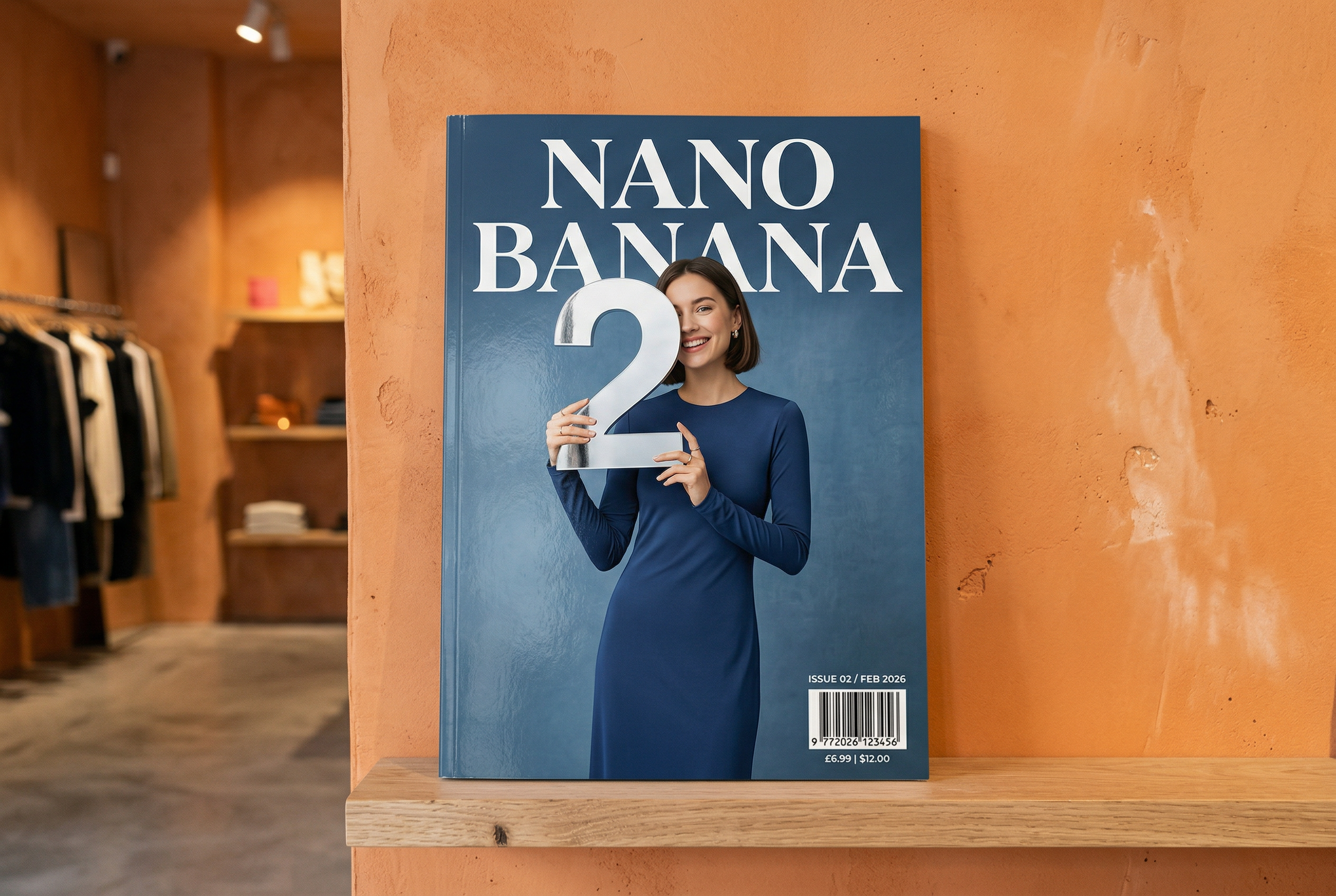

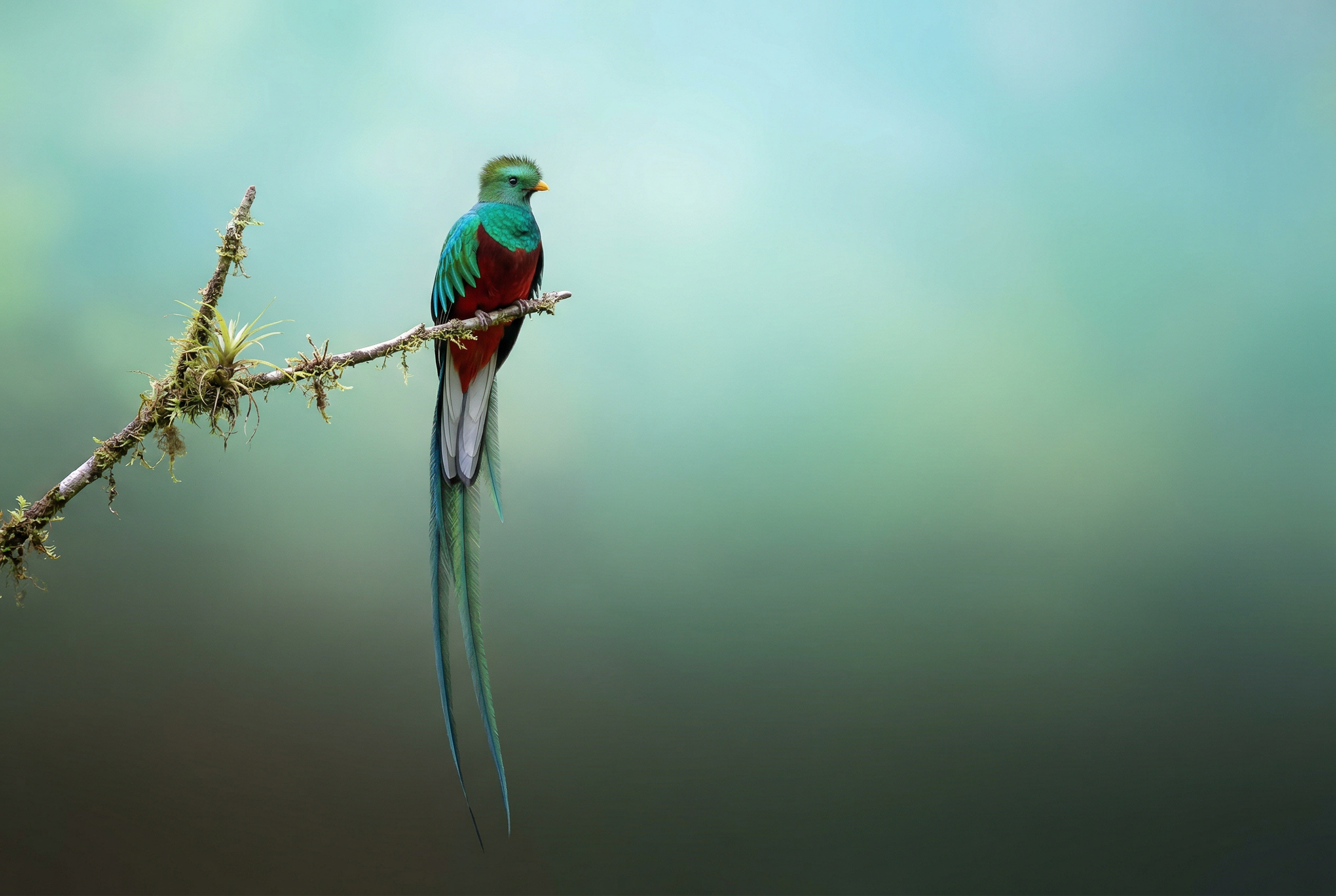


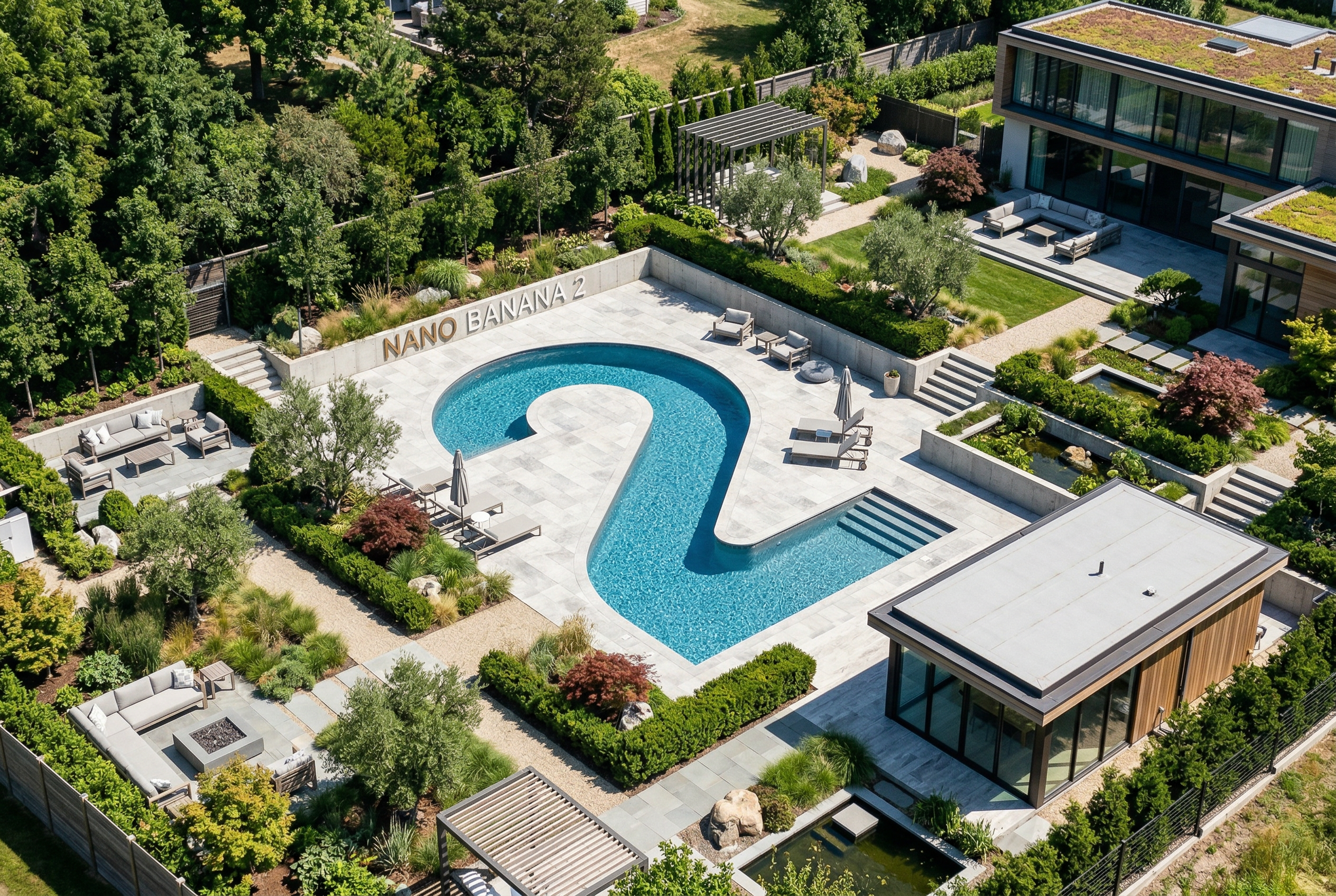
-
Wygenerowane przez Nano Banana 2 Prompt: „Zdjęcie błyszczącej okładki czasopisma. Minimalistyczna niebieska okładka zawiera duży, pogrubiony napis Nano Banana. Tekst jest napisany czcionką szeryfową i wypełnia widok. Nie dodawaj żadnego innego tekstu. Przed tekstem znajduje się portret osoby w eleganckiej i minimalistycznej sukience. Trzyma w ręku cyfrę 2, która jest głównym elementem zdjęcia.
W rogu umieść numer wydania i datę „luty 2026 r.” oraz kod kreskowy. Magazyn leży na półce przy pomarańczowej tynkowanej ścianie w sklepie z produktami od projektantów”. -
Wygenerowane przez Nano Banana Pro Prompt: „Przedstaw wyraźną, izometryczną miniaturową scenę 3D z widokiem z góry pod kątem 45° przedstawiającą Londyn, z najbardziej charakterystycznymi zabytkami i elementami architektonicznymi. Używaj miękkich, dopracowanych tekstur z realistycznymi materiałami PBR oraz delikatnym, realistycznym oświetleniem i cieniami. Zintegruj aktualne warunki pogodowe bezpośrednio ze środowiskiem miejskim, aby stworzyć realistyczny nastrój. Użyj czystej, minimalistycznej kompozycji z miękkim, jednolitym tłem. U góry pośrodku umieść tytuł „Londyn” dużym, pogrubionym tekstem, pod nim widoczną ikonę pogody, a następnie datę (mały tekst) i temperaturę (średni tekst). Cały tekst musi być wyśrodkowany i mieć spójne odstępy. Może też delikatnie nachodzić na dachy budynków”. -
Wygenerowane przez Nano Banana 2 Prompt: „Użyj wyszukiwarki grafiki, aby znaleźć dokładne zdjęcia kwezala herbowego. Utwórz piękną tapetę z tym ptakiem w proporcjach 3:2, z naturalnym gradientem od góry do dołu i minimalistyczną kompozycją”. -

Wygenerowane przez Nano Banana Pro Prompt: „Umieść to logo w reklamie luksusowych perfum o zapachu bananowym. Logo jest idealnie zintegrowane z butelką”. -
Wygenerowane przez Nano Banana Pro Prompt: „Zdjęcie przedstawiające codzienną scenę w ruchliwej kawiarni, w której serwowane jest śniadanie. Na pierwszym planie jest mężczyzna w stylu anime z niebieskimi włosami, jedna z osób jest szkicem ołówkiem, a inna jest postacią z animacji plastelinowej”. -
Wygenerowane przez Nano Banana Pro Prompt: „Użyj wyszukiwarki, aby sprawdzić, jak została przyjęta premiera Gemini 3 Flash. Użyj tych informacji, aby napisać krótki artykuł na ten temat (z nagłówkami). Zwróć zdjęcie artykułu, który ukazał się w czasopiśmie poświęconym projektowaniu. Jest to zdjęcie pojedynczej złożonej strony, na której widać artykuł o Gemini 3 Flash. 1 zdjęcie główne. Nagłówek czcionką szeryfową”. -
Wygenerowane przez Nano Banana Pro Prompt: „Ikona przedstawiająca uroczego psa. Tło jest białe. Ikony powinny być w kolorowym i namacalnym stylu 3D. Brak tekstu”. -
Wygenerowane przez Nano Banana 2 Prompt: „Zrób zdjęcie, które jest idealnie izometryczne. To nie jest miniatura, tylko zdjęcie, które przypadkowo jest idealnie izometryczne. Jest to zdjęcie pięknego, nowoczesnego ogrodu. Widać duży basen w kształcie cyfry 2 i napis: Nano Banana 2”.
Nano Banana to nazwa natywnych funkcji generowania obrazów w Gemini. Gemini może generować i przetwarzać obrazy w ramach rozmowy, wykorzystując tekst, obrazy, filmy lub ich kombinację. Dzięki temu możesz tworzyć, edytować i ulepszać treści wizualne z niespotykaną dotąd kontrolą.
Wybór modelu
Nano Banana odnosi się do tych modeli dostępnych w interfejsie Gemini API:
- Nano Banana 2.1 (Gemini Nano Banana 2.1) (
gemini-nano-banana-2.1): aktualizacja modelu Nano Banana 2, która jest podstawowym, wysoce wydajnym modelem do generowania obrazów i edytowania konwersacyjnego. Utrzymuje szybkość i efektywność kosztową na poziomie modelu Flash, zapewniając jednocześnie lepszą jakość obrazu, renderowanie tekstu, spójność wieloetapową i uzupełnianie informacji z wyszukiwarki Google w rozdzielczościach 1K, 2K i 4K. - Nano Banana 2 Lite (Gemini 3.1 Flash Lite Image) (
gemini-3.1-flash-lite-image): najszybszy i najtańszy model Gemini do generowania obrazów, zaprojektowany z myślą o szybkości i skali, gdy szybkość i koszt są głównymi ograniczeniami operacyjnymi. Nie jest zoptymalizowana pod kątem wielu danych wejściowych ani wieloetapowej edycji sekwencyjnej. - Nano Banana 2 (Gemini 3.1 Flash Image) (
gemini-3.1-flash-image): bardzo wydajny model poprzedniej generacji, który zapewnia równowagę między szybkością a generowaniem obrazów w rozdzielczości 4K, wiedzą o świecie i spójnością obrazów z wieloma odniesieniami. Zalecamy używanie Nano Banana 2.1 we wszystkich nowych projektach. - Nano Banana Pro (Gemini 3 Pro Image) (
gemini-3-pro-image): najlepszy wybór do najbardziej złożonych zadań wizualnych, oferujący najwyższy poziom wiedzy o świecie, zaawansowaną lokalizację, dokładną spójność marki i precyzyjną kontrolę nad procesem twórczym. - Nano Banana (Gemini 2.5 Flash Image) (
gemini-2.5-flash-image): starszy model z serii Nano Banana. Chociaż jest to niezawodny model, zalecamy przejście na Nano Banana 2 Lite, aby uzyskać lepszą jakość, większą szybkość generowania i niższe ceny interfejsu API.
Wszystkie wygenerowane obrazy zawierają znak wodny SynthID.
Generowanie obrazów (zamiana tekstu na obraz)
Python
from google import genai
from PIL import Image
import base64

client = genai.Client()

interaction = client.interactions.create(
    model="gemini-nano-banana-2.1",
    input="Create a picture of a nano banana dish in a fancy restaurant with a Gemini theme",
)

with open("generated_image.png", "wb") as f:
    f.write(base64.b64decode(interaction.output_image.data))
JavaScript
import { GoogleGenAI } from "@google/genai";
import * as fs from "node:fs";

async function main() {

  const ai = new GoogleGenAI({});

  const prompt =
    "Create a picture of a nano banana dish in a fancy restaurant with a Gemini theme";

  const interaction = await ai.interactions.create({
    model: "gemini-nano-banana-2.1",
    input: prompt,
  });
  const generatedImage = interaction.output_image;
  if (generatedImage) {
    const buffer = Buffer.from(generatedImage.data, "base64");
    fs.writeFileSync("gemini-native-image.png", buffer);
    console.log("Image saved as gemini-native-image.png");
  }
}

main();
Java
import com.google.genai.Client;
import com.google.genai.gaos.models.interactions.CreateModelInteraction;
import com.google.genai.gaos.models.interactions.Interaction;
import com.google.genai.gaos.models.interactions.InteractionsInput;
import com.google.genai.gaos.models.interactions.Model;
import com.google.genai.gaos.models.operations.CreateInteractionRequestBody;
import java.nio.file.Files;
import java.nio.file.Paths;
import java.util.Base64;

Client client = new Client();

CreateModelInteraction params =
    CreateModelInteraction.builder()
        .model(Model.of("gemini-nano-banana-2.1"))
        .input(
            InteractionsInput.of(
                "Create a picture of a nano banana dish in a fancy restaurant with a Gemini theme"))
        .build();

Interaction interaction =
    client.interactions.create(CreateInteractionRequestBody.of(params)).interaction().get();

if (interaction.outputImage().isPresent()
    && interaction.outputImage().get().data().isPresent()) {
  byte[] imageBytes =
      Base64.getDecoder().decode(interaction.outputImage().get().data().get());
  Files.write(Paths.get("generated_image.png"), imageBytes);
}
Go
package main

import (
    "context"
    "encoding/base64"
    "log"
    "os"

    "google.golang.org/genai"
    "google.golang.org/genai/interactions/models/interactions"
    "google.golang.org/genai/interactions/models/operations"
)

func main() {
    ctx := context.Background()
    client, err := genai.NewClient(ctx, nil)
    if err != nil {
        log.Fatal(err)
    }

    res, err := client.Interactions.Create(ctx, operations.CreateInteractionRequest{
        Body: operations.NewCreateInteractionRequestBody(interactions.CreateModelInteraction{
            Model: interactions.Model("gemini-nano-banana-2.1"),
            Input: interactions.NewInteractionsInput("Create a picture of a nano banana dish in a fancy restaurant with a Gemini theme"),
        }),
    })
    if err != nil {
        log.Fatal(err)
    }

    if res.Interaction.OutputImage != nil && res.Interaction.OutputImage.Data != nil {
        imageBytes, err := base64.StdEncoding.DecodeString(*res.Interaction.OutputImage.Data)
        if err != nil {
            log.Fatal(err)
        }
        if err := os.WriteFile("generated_image.png", imageBytes, 0644); err != nil {
            log.Fatal(err)
        }
    }
}
REST
curl -s -X POST \
  "https://generativelanguage.googleapis.com/v1beta/interactions" \
  -H "x-goog-api-key: $GEMINI_API_KEY" \
  -H "Content-Type: application/json" \
  -d '{
    "model": "gemini-nano-banana-2.1",
    "input": [
      {"type": "text", "text": "Create a picture of a nano banana dish in a fancy restaurant with a Gemini theme"}
    ]
  }'
Dane obrazu wygenerowanego przez AI możesz pobrać za pomocą właściwości interaction.output_image, która zwraca ostatni blok obrazu wygenerowanego przez AI. Szczegółowe informacje o właściwościach ułatwiających znajdziesz w omówieniu interakcji.
Edytowanie obrazów (tekst i obraz na obraz)
Przypomnienie: upewnij się, że masz wymagane prawa do wszystkich przesyłanych obrazów. Nie twórz treści naruszających prawa innych osób, w tym filmów ani obrazów, które mogą zostać wykorzystane do oszustwa, nękania lub wyrządzania krzywdy. Korzystanie z tej usługi generatywnej AI podlega naszym Zasadom dotyczącym niedozwolonych zastosowań.
Prześlij obraz i użyj promptów tekstowych, aby dodać, usunąć lub zmodyfikować elementy, zmienić styl lub dostosować gradację kolorów.
Poniższy przykład pokazuje przesyłanie obrazów zakodowanych w formacie base64.
Więcej informacji o wielu obrazach, większych ładunkach i obsługiwanych typach MIME znajdziesz na stronie poświęconej rozpoznawaniu obrazów.
Python
from google import genai
from PIL import Image
import base64

client = genai.Client()

with open("/path/to/cat_image.png", "rb") as f:
    image_bytes = f.read()

interaction = client.interactions.create(
    model="gemini-nano-banana-2.1",
    input=[
        {
          "type": "text",
          "text": "Create a picture of a nano banana dish in a fancy restaurant with a Gemini theme"
        },
        {
            "type": "image",
            "data": base64.b64encode(image_bytes).decode('utf-8'),
            "mime_type": "image/png"
        }
    ],
)

with open("generated_image.png", "wb") as f:
    f.write(base64.b64decode(interaction.output_image.data))
JavaScript
import { GoogleGenAI } from "@google/genai";
import * as fs from "node:fs";

async function main() {

  const ai = new GoogleGenAI({});

  const imagePath = "path/to/cat_image.png";
  const imageData = fs.readFileSync(imagePath);
  const base64Image = imageData.toString("base64");

  const prompt = [
    { type: "text", text: "Create a picture of my cat eating a nano-banana in a" +
            "fancy restaurant under the Gemini constellation" },
    {
      type: "image",
      mime_type: "image/png",
      data: base64Image
    },
  ];

  const interaction = await ai.interactions.create({
    model: "gemini-nano-banana-2.1",
    input: prompt,
  });
  const generatedImage = interaction.output_image;
  if (generatedImage) {
    const buffer = Buffer.from(generatedImage.data, "base64");
    fs.writeFileSync("gemini-native-image.png", buffer);
    console.log("Image saved as gemini-native-image.png");
  }
}

main();
Java
import com.google.genai.Client;
import com.google.genai.gaos.models.interactions.Content;
import com.google.genai.gaos.models.interactions.CreateModelInteraction;
import com.google.genai.gaos.models.interactions.ImageContent;
import com.google.genai.gaos.models.interactions.ImageContentMimeType;
import com.google.genai.gaos.models.interactions.Interaction;
import com.google.genai.gaos.models.interactions.InteractionsInput;
import com.google.genai.gaos.models.interactions.Model;
import com.google.genai.gaos.models.interactions.TextContent;
import com.google.genai.gaos.models.operations.CreateInteractionRequestBody;
import java.nio.file.Files;
import java.nio.file.Paths;
import java.util.Arrays;
import java.util.Base64;
import java.util.List;

Client client = new Client();

byte[] inputBytes = Files.readAllBytes(Paths.get("/path/to/cat_image.png"));
String base64Image = Base64.getEncoder().encodeToString(inputBytes);

Content textContent =
    TextContent.builder()
        .text("Create a picture of a nano banana dish in a fancy restaurant with a Gemini theme")
        .build();
Content imageContent =
    ImageContent.builder()
        .data(base64Image)
        .mimeType(ImageContentMimeType.IMAGE_PNG)
        .build();

List<Content> contents = Arrays.asList(textContent, imageContent);

CreateModelInteraction params =
    CreateModelInteraction.builder()
        .model(Model.of("gemini-nano-banana-2.1"))
        .input(InteractionsInput.ofContent(contents))
        .build();

Interaction interaction =
    client.interactions.create(CreateInteractionRequestBody.of(params)).interaction().get();

if (interaction.outputImage().isPresent()
    && interaction.outputImage().get().data().isPresent()) {
  byte[] outputBytes =
      Base64.getDecoder().decode(interaction.outputImage().get().data().get());
  Files.write(Paths.get("generated_image.png"), outputBytes);
}
Go
package main

import (
    "context"
    "encoding/base64"
    "log"
    "os"

    "google.golang.org/genai"
    "google.golang.org/genai/interactions/models/interactions"
    "google.golang.org/genai/interactions/models/operations"
)

func main() {
    ctx := context.Background()
    client, err := genai.NewClient(ctx, nil)
    if err != nil {
        log.Fatal(err)
    }

    inputBytes, err := os.ReadFile("/path/to/cat_image.png")
    if err != nil {
        log.Fatal(err)
    }
    base64Image := base64.StdEncoding.EncodeToString(inputBytes)

    res, err := client.Interactions.Create(ctx, operations.CreateInteractionRequest{
        Body: operations.NewCreateInteractionRequestBody(interactions.CreateModelInteraction{
            Model: interactions.Model("gemini-nano-banana-2.1"),
            Input: interactions.NewInteractionsInput([]interactions.Content{
                interactions.NewContent(interactions.TextContent{
                    Text: "Create a picture of a nano banana dish in a fancy restaurant with a Gemini theme",
                }),
                interactions.NewContent(interactions.ImageContent{
                    Data:     genai.Ptr(base64Image),
                    MimeType: interactions.ImageContentMimeTypeImagePng.ToPointer(),
                }),
            }),
        }),
    })
    if err != nil {
        log.Fatal(err)
    }

    if res.Interaction.OutputImage != nil && res.Interaction.OutputImage.Data != nil {
        outputBytes, err := base64.StdEncoding.DecodeString(*res.Interaction.OutputImage.Data)
        if err != nil {
            log.Fatal(err)
        }
        if err := os.WriteFile("generated_image.png", outputBytes, 0644); err != nil {
            log.Fatal(err)
        }
    }
}
REST
curl -s -X POST \
  "https://generativelanguage.googleapis.com/v1beta/interactions" \
    -H "x-goog-api-key: $GEMINI_API_KEY" \
    -H 'Content-Type: application/json' \
    -d "{
      \"model\": \"gemini-nano-banana-2.1\",
      \"input\": [
        {\"type\": \"text\", \"text\": \"Create a picture of my cat eating a nano-banana in a fancy restaurant under the Gemini constellation\"},
        {
          \"type\": \"image\",
          \"mime_type\": \"image/jpeg\",
          \"data\": \"<BASE64_IMAGE_DATA>\"
        }
      ]
    }"
Wieloetapowa edycja obrazów
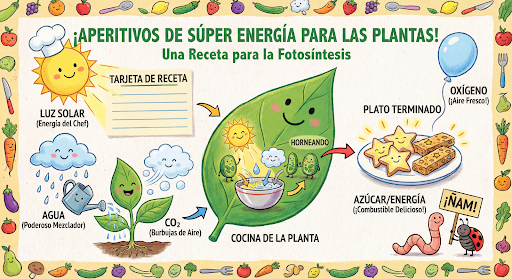
Nadal generuj i edytuj obrazy w trybie konwersacyjnym. Wieloetapowa rozmowa to zalecany sposób na ulepszanie obrazów. Poniższy przykład pokazuje prompta, który generuje infografikę o fotosyntezie.
Python
from google import genai
import base64

client = genai.Client()

interaction = client.interactions.create(
    model="gemini-nano-banana-2.1",
    input="Create a vibrant infographic that explains photosynthesis as if it were a recipe for a plant's favorite food. Show the \"ingredients\" (sunlight, water, CO2) and the \"finished dish\" (sugar/energy). The style should be like a page from a colorful kids' cookbook, suitable for a 4th grader.",
    tools=[{"type": "google_search"}],
)

with open("photosynthesis.png", "wb") as f:
    f.write(base64.b64decode(interaction.output_image.data))
JavaScript
import { GoogleGenAI } from "@google/genai";
import * as fs from "node:fs";

const ai = new GoogleGenAI({});

async function main() {
  const interaction = await ai.interactions.create({
    model: "gemini-nano-banana-2.1",
    input: "Create a vibrant infographic that explains photosynthesis as if it were a recipe for a plant's favorite food. Show the \"ingredients\" (sunlight, water, CO2) and the \"finished dish\" (sugar/energy). The style should be like a page from a colorful kids' cookbook, suitable for a 4th grader.",
    tools: [{"type": "google_search"}],
  });

  const generatedImage = interaction.output_image;
  if (generatedImage) {
    const buffer = Buffer.from(generatedImage.data, "base64");
    fs.writeFileSync("photosynthesis.png", buffer);
    console.log("Image saved as photosynthesis.png");
  }
}

await main();
Java
import com.google.genai.Client;
import com.google.genai.gaos.models.interactions.CreateModelInteraction;
import com.google.genai.gaos.models.interactions.GoogleSearch;
import com.google.genai.gaos.models.interactions.Interaction;
import com.google.genai.gaos.models.interactions.InteractionsInput;
import com.google.genai.gaos.models.interactions.Model;
import com.google.genai.gaos.models.operations.CreateInteractionRequestBody;
import java.nio.file.Files;
import java.nio.file.Paths;
import java.util.Arrays;
import java.util.Base64;

Client client = new Client();

CreateModelInteraction params =
    CreateModelInteraction.builder()
        .model(Model.of("gemini-nano-banana-2.1"))
        .input(
            InteractionsInput.of(
                "Create a vibrant infographic that explains photosynthesis as if it were a recipe for a plant's favorite food. Show the \"ingredients\" (sunlight, water, CO2) and the \"finished dish\" (sugar/energy). The style should be like a page from a colorful kids' cookbook, suitable for a 4th grader."))
        .tools(Arrays.asList(new GoogleSearch()))
        .build();

Interaction interaction =
    client.interactions.create(CreateInteractionRequestBody.of(params)).interaction().get();

if (interaction.outputImage().isPresent()
    && interaction.outputImage().get().data().isPresent()) {
  byte[] imageBytes =
      Base64.getDecoder().decode(interaction.outputImage().get().data().get());
  Files.write(Paths.get("photosynthesis.png"), imageBytes);
}
Go
package main

import (
    "context"
    "encoding/base64"
    "log"
    "os"

    "google.golang.org/genai"
    "google.golang.org/genai/interactions/models/interactions"
    "google.golang.org/genai/interactions/models/operations"
)

func main() {
    ctx := context.Background()
    client, err := genai.NewClient(ctx, nil)
    if err != nil {
        log.Fatal(err)
    }

    res, err := client.Interactions.Create(ctx, operations.CreateInteractionRequest{
        Body: operations.NewCreateInteractionRequestBody(interactions.CreateModelInteraction{
            Model: interactions.Model("gemini-nano-banana-2.1"),
            Input: interactions.NewInteractionsInput(`Create a vibrant infographic that explains photosynthesis as if it were a recipe for a plant's favorite food. Show the "ingredients" (sunlight, water, CO2) and the "finished dish" (sugar/energy). The style should be like a page from a colorful kids' cookbook, suitable for a 4th grader.`),
            Tools: []interactions.Tool{
                interactions.NewTool(interactions.GoogleSearch{}),
            },
        }),
    })
    if err != nil {
        log.Fatal(err)
    }

    if res.Interaction.OutputImage != nil && res.Interaction.OutputImage.Data != nil {
        imageBytes, err := base64.StdEncoding.DecodeString(*res.Interaction.OutputImage.Data)
        if err != nil {
            log.Fatal(err)
        }
        if err := os.WriteFile("photosynthesis.png", imageBytes, 0644); err != nil {
            log.Fatal(err)
        }
    }
}
REST
curl -s -X POST \
  "https://generativelanguage.googleapis.com/v1beta/interactions" \
  -H "x-goog-api-key: $GEMINI_API_KEY" \
  -H "Content-Type: application/json" \
  -d '{
    "model": "gemini-nano-banana-2.1",
    "input": [
      {"type": "text", "text": "Create a vibrant infographic that explains photosynthesis as if it were a recipe for a plants favorite food. Show the \"ingredients\" (sunlight, water, CO2) and the \"finished dish\" (sugar/energy). The style should be like a page from a colorful kids cookbook, suitable for a 4th grader."}
    ],
    "tools": [{"type": "google_search"}]
  }'
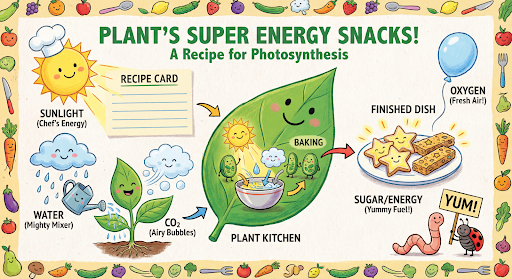
Następnie możesz użyć previous_interaction_id, aby zmienić język grafiki na hiszpański.
Python
interaction_2 = client.interactions.create(
    model="gemini-nano-banana-2.1",
    input="Update this infographic to be in Spanish. Do not change any other elements of the image.",
    previous_interaction_id=interaction.id,
    response_format={
        "type": "image",
        "mime_type": "image/jpeg",
        "aspect_ratio": "16:9",
        "image_size": "2K"
    },
)

generated_image = interaction_2.output_image
if generated_image:
    with open("photosynthesis_spanish.png", "wb") as f:
        f.write(base64.b64decode(generated_image.data))
JavaScript
const interaction2 = await ai.interactions.create({
  model: "gemini-nano-banana-2.1",
  input: "Update this infographic to be in Spanish. Do not change any other elements of the image.",
  previous_interaction_id: interaction.id,
  response_format: {
    type: "image",
    mime_type: "image/png",
    aspect_ratio: "16:9",
    image_size: "2K"
  },
});

const generatedImage = interaction2.output_image;
if (generatedImage) {
  const buffer = Buffer.from(generatedImage.data, "base64");
  fs.writeFileSync("photosynthesis_spanish.png", buffer);
}
Java
import com.google.genai.Client;
import com.google.genai.gaos.models.interactions.CreateModelInteraction;
import com.google.genai.gaos.models.interactions.CreateModelInteractionResponseFormat;
import com.google.genai.gaos.models.interactions.GoogleSearch;
import com.google.genai.gaos.models.interactions.ImageResponseFormat;
import com.google.genai.gaos.models.interactions.ImageResponseFormatAspectRatio;
import com.google.genai.gaos.models.interactions.ImageResponseFormatImageSize;
import com.google.genai.gaos.models.interactions.ImageResponseFormatMimeType;
import com.google.genai.gaos.models.interactions.Interaction;
import com.google.genai.gaos.models.interactions.InteractionsInput;
import com.google.genai.gaos.models.interactions.Model;
import com.google.genai.gaos.models.interactions.ResponseFormat;
import com.google.genai.gaos.models.operations.CreateInteractionRequestBody;
import java.nio.file.Files;
import java.nio.file.Paths;
import java.util.Arrays;
import java.util.Base64;

Client client = new Client();

CreateModelInteraction turn1Params =
    CreateModelInteraction.builder()
        .model(Model.of("gemini-nano-banana-2.1"))
        .input(
            InteractionsInput.of(
                "Create a vibrant infographic that explains photosynthesis as if it were a recipe for a plant's favorite food."))
        .tools(Arrays.asList(new GoogleSearch()))
        .build();

Interaction interaction =
    client.interactions.create(CreateInteractionRequestBody.of(turn1Params)).interaction().get();

CreateModelInteractionResponseFormat format =
    CreateModelInteractionResponseFormat.of(
        ResponseFormat.of(
            ImageResponseFormat.builder()
                .mimeType(ImageResponseFormatMimeType.IMAGE_JPEG)
                .aspectRatio(ImageResponseFormatAspectRatio.of("16:9"))
                .imageSize(ImageResponseFormatImageSize.TWO_K)
                .build()));

CreateModelInteraction turn2Params =
    CreateModelInteraction.builder()
        .model(Model.of("gemini-nano-banana-2.1"))
        .input(
            InteractionsInput.of(
                "Update this infographic to be in Spanish. Do not change any other elements of the image."))
        .previousInteractionId(interaction.id().orElse(""))
        .responseFormat(format)
        .build();

Interaction interaction2 =
    client.interactions.create(CreateInteractionRequestBody.of(turn2Params)).interaction().get();

if (interaction2.outputImage().isPresent()
    && interaction2.outputImage().get().data().isPresent()) {
  byte[] imageBytes =
      Base64.getDecoder().decode(interaction2.outputImage().get().data().get());
  Files.write(Paths.get("photosynthesis_spanish.png"), imageBytes);
}
Go
package main

import (
    "context"
    "encoding/base64"
    "log"
    "os"

    "google.golang.org/genai"
    "google.golang.org/genai/interactions/models/interactions"
    "google.golang.org/genai/interactions/models/operations"
)

func main() {
    ctx := context.Background()
    client, err := genai.NewClient(ctx, nil)
    if err != nil {
        log.Fatal(err)
    }

    res1, err := client.Interactions.Create(ctx, operations.CreateInteractionRequest{
        Body: operations.NewCreateInteractionRequestBody(interactions.CreateModelInteraction{
            Model: interactions.Model("gemini-nano-banana-2.1"),
            Input: interactions.NewInteractionsInput("Create a vibrant infographic that explains photosynthesis as if it were a recipe for a plant's favorite food."),
            Tools: []interactions.Tool{
                interactions.NewTool(interactions.GoogleSearch{}),
            },
        }),
    })
    if err != nil {
        log.Fatal(err)
    }

    format := interactions.NewCreateModelInteractionResponseFormat(
        interactions.NewResponseFormat(interactions.ImageResponseFormat{
            MimeType:    interactions.ImageResponseFormatMimeTypeImageJpeg.ToPointer(),
            AspectRatio: interactions.ImageResponseFormatAspectRatio("16:9").ToPointer(),
            ImageSize:   interactions.ImageResponseFormatImageSizeTwoK.ToPointer(),
        }),
    )

    res2, err := client.Interactions.Create(ctx, operations.CreateInteractionRequest{
        Body: operations.NewCreateInteractionRequestBody(interactions.CreateModelInteraction{
            Model:                 interactions.Model("gemini-nano-banana-2.1"),
            Input:                 interactions.NewInteractionsInput("Update this infographic to be in Spanish. Do not change any other elements of the image."),
            PreviousInteractionID: res1.Interaction.ID,
            ResponseFormat:        genai.Ptr(format),
        }),
    })
    if err != nil {
        log.Fatal(err)
    }

    if res2.Interaction.OutputImage != nil && res2.Interaction.OutputImage.Data != nil {
        imageBytes, err := base64.StdEncoding.DecodeString(*res2.Interaction.OutputImage.Data)
        if err != nil {
            log.Fatal(err)
        }
        if err := os.WriteFile("photosynthesis_spanish.png", imageBytes, 0644); err != nil {
            log.Fatal(err)
        }
    }
}
REST
curl -s -X POST \
  "https://generativelanguage.googleapis.com/v1beta/interactions" \
  -H "x-goog-api-key: $GEMINI_API_KEY" \
  -H 'Content-Type: application/json' \
  -d '{
    "model": "gemini-nano-banana-2.1",
    "input": "Update this infographic to be in Spanish. Do not change any other elements of the image.",
    "previous_interaction_id": "<PREVIOUS_INTERACTION_ID>",
    "response_format": {
      "type": "image",
      "mime_type": "image/jpeg",
      "aspect_ratio": "16:9",
      "image_size": "2K"
    }
  }'
Funkcje Nano Banana
Modele Nano Banana umożliwiają najnowocześniejsze generowanie i edytowanie obrazów. Modele Gemini Nano Banana 2.1 i Gemini 3.1 Flash Image są zoptymalizowane pod kątem szybkości i zastosowań na dużą skalę, a Gemini 3 Pro Image – pod kątem profesjonalnego tworzenia zasobów. Zostały zaprojektowane z myślą o najbardziej wymagających procesach dzięki zaawansowanemu wnioskowaniu. Doskonale radzą sobie ze złożonymi, wieloetapowymi zadaniami związanymi z tworzeniem i modyfikowaniem.
- Wysoka rozdzielczość: wbudowane funkcje generowania obrazów w rozdzielczości 1K, 2K i 4K.
- Gemini 3.1 Flash Image dodaje mniejszą rozdzielczość 512 pikseli (0,5K) (nieobsługiwaną w Gemini Nano Banana 2.1).
- Gemini 3.1 Flash Lite Image obsługuje tylko rozdzielczość 1K.
- Zaawansowane renderowanie tekstu: możliwość generowania czytelnego, stylizowanego tekstu na potrzeby infografik, menu, diagramów i zasobów marketingowych.
- Powiązanie ze źródłami informacji przy użyciu wyszukiwarki Google: model może używać wyszukiwarki Google jako narzędzia do weryfikowania faktów i generowania obrazów generatywnych na podstawie danych w czasie rzeczywistym (np. aktualnych map pogodowych, wykresów giełdowych, ostatnich wydarzeń).
- Nie jest obsługiwany przez model Gemini 3.1 Flash Lite Image.
- Gemini Nano Banana 2.1 i Gemini 3.1 Flash Image dodają integrację z ugruntowaniem wyszukiwarki grafiki Google oprócz wyszukiwarki Google.
- Tryb myślący: model wykorzystuje proces „myślenia”, aby analizować złożone prompty. Generuje tymczasowe „obrazy myśli” (widoczne w systemie, ale niepłatne), aby dopracować kompozycję przed wygenerowaniem ostatecznego obrazu wysokiej jakości.
- Do 14 obrazów referencyjnych: połącz do 14 obrazów referencyjnych, aby wygenerować ostateczny obraz.
- Nowe formaty obrazu: Gemini 3.1 Flash Lite Image dodaje
1:1,3:2,2:3,3:4,4:3,4:5,5:4,9:16,16:9,21:9formaty obrazu.
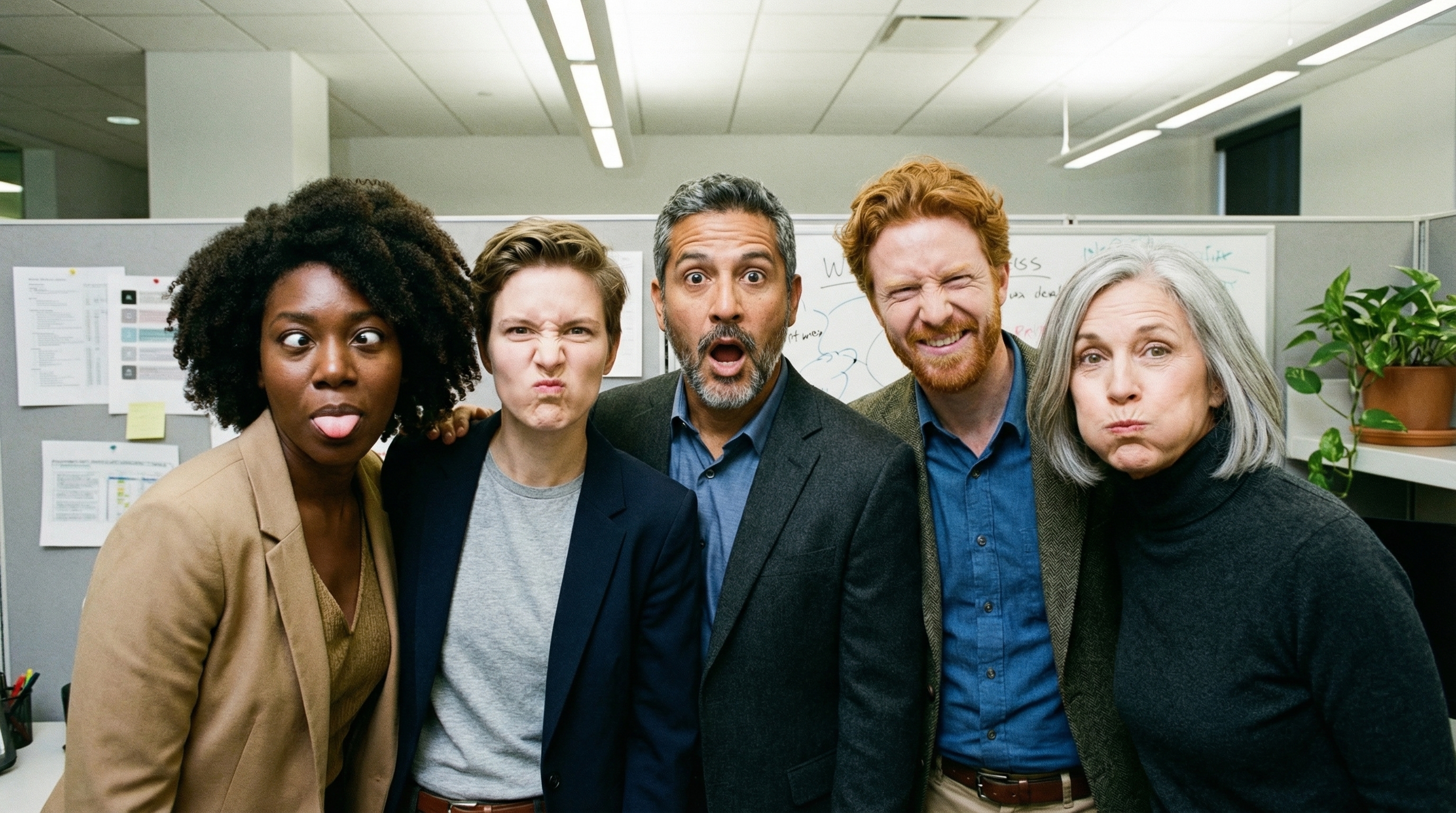
Użyj maksymalnie 14 obrazów referencyjnych
Modele Nano Banana umożliwiają miksowanie maksymalnie 14 obrazów referencyjnych. Te 14 obrazów może obejmować:
| Gemini 3.1 Flash Lite Image | Gemini Nano Banana 2.1 i Gemini 3.1 Flash Image | Gemini 3 Pro Image |
|---|---|---|
| Maksymalnie 14 obrazów obiektów o wysokiej jakości, które mają zostać uwzględnione w obrazie końcowym. | Do 10 obrazów obiektów o wysokiej jakości, które mają zostać uwzględnione w końcowym obrazie. | Maksymalnie 6 obrazów obiektów o wysokiej jakości, które mają zostać uwzględnione w obrazie końcowym |
| Nie dotyczy | Maksymalnie 4 obrazy postaci, aby zachować spójność postaci | Do 5 obrazów postaci, aby zachować spójność postaci |
| Nie dotyczy | Nie dotyczy | Maksymalnie 3 obrazy, które będą używane jako przykłady stylu. |
Python
from google import genai
from google.genai import types
from PIL import Image
import base64

prompt = "An office group photo of these people, they are making funny faces."

client = genai.Client()

interaction = client.interactions.create(
    model="gemini-nano-banana-2.1",
    input=[
        {
            "type": "text",
            "text": prompt,
        },
        {
            "type": "image",
            "data": base64.b64encode(image_bytes).decode('utf-8'),
            "mime_type": "image/png"
        },
        {
            "type": "image",
            "data": base64.b64encode(image_bytes).decode('utf-8'),
            "mime_type": "image/png"
        },
        {
            "type": "image",
            "data": base64.b64encode(image_bytes).decode('utf-8'),
            "mime_type": "image/png"
        },
        {
            "type": "image",
            "data": base64.b64encode(image_bytes).decode('utf-8'),
            "mime_type": "image/png"
        },
        {
            "type": "image",
            "data": base64.b64encode(image_bytes).decode('utf-8'),
            "mime_type": "image/png"
        },
    ],
    response_format={
        "type": "image",
        "aspect_ratio": "5:4",
        "image_size": "2K"
    },
)

with open("office.png", "wb") as f:
    f.write(base64.b64decode(interaction.output_image.data))
JavaScript
import { GoogleGenAI } from "@google/genai";
import * as fs from "node:fs";

async function main() {
  const ai = new GoogleGenAI({});

  const input = [
    {
      type: "text",
      text: "An office group photo of these people, they are making funny faces.",
    },
    { type: "image", mime_type: "image/jpeg", data: base64ImageFile1 },
    { type: "image", mime_type: "image/jpeg", data: base64ImageFile2 },
    { type: "image", mime_type: "image/jpeg", data: base64ImageFile3 },
    { type: "image", mime_type: "image/jpeg", data: base64ImageFile4 },
    { type: "image", mime_type: "image/jpeg", data: base64ImageFile5 },
  ];

  const interaction = await ai.interactions.create({
    model: "gemini-nano-banana-2.1",
    input: input,
    response_format: {
      type: "image",
      aspect_ratio: "5:4",
      image_size: "2K",
    },
  });

  const buffer = Buffer.from(interaction.output_image.data, 'base64');

  fs.writeFileSync('office.png', buffer);
}

main();
Java
import com.google.genai.Client;
import com.google.genai.gaos.models.interactions.Content;
import com.google.genai.gaos.models.interactions.CreateModelInteraction;
import com.google.genai.gaos.models.interactions.CreateModelInteractionResponseFormat;
import com.google.genai.gaos.models.interactions.ImageContent;
import com.google.genai.gaos.models.interactions.ImageContentMimeType;
import com.google.genai.gaos.models.interactions.ImageResponseFormat;
import com.google.genai.gaos.models.interactions.ImageResponseFormatAspectRatio;
import com.google.genai.gaos.models.interactions.ImageResponseFormatImageSize;
import com.google.genai.gaos.models.interactions.Interaction;
import com.google.genai.gaos.models.interactions.InteractionsInput;
import com.google.genai.gaos.models.interactions.Model;
import com.google.genai.gaos.models.interactions.ResponseFormat;
import com.google.genai.gaos.models.interactions.TextContent;
import com.google.genai.gaos.models.operations.CreateInteractionRequestBody;
import java.nio.file.Files;
import java.nio.file.Paths;
import java.util.Arrays;
import java.util.Base64;
import java.util.List;

String prompt = "An office group photo of these people, they are making funny faces.";

byte[] imageBytes = Files.readAllBytes(Paths.get("/path/to/person.png"));
String base64Image = Base64.getEncoder().encodeToString(imageBytes);

Content textContent = TextContent.builder().text(prompt).build();
Content imageContent =
    ImageContent.builder()
        .data(base64Image)
        .mimeType(ImageContentMimeType.IMAGE_PNG)
        .build();

List<Content> contents =
    Arrays.asList(
        textContent,
        imageContent,
        imageContent,
        imageContent,
        imageContent,
        imageContent);

CreateModelInteractionResponseFormat format =
    CreateModelInteractionResponseFormat.of(
        ResponseFormat.of(
            ImageResponseFormat.builder()
                .aspectRatio(ImageResponseFormatAspectRatio.of("5:4"))
                .imageSize(ImageResponseFormatImageSize.TWO_K)
                .build()));

Client client = new Client();

CreateModelInteraction params =
    CreateModelInteraction.builder()
        .model(Model.of("gemini-nano-banana-2.1"))
        .input(InteractionsInput.ofContent(contents))
        .responseFormat(format)
        .build();

Interaction interaction =
    client.interactions.create(CreateInteractionRequestBody.of(params)).interaction().get();

if (interaction.outputImage().isPresent()
    && interaction.outputImage().get().data().isPresent()) {
  byte[] outBytes =
      Base64.getDecoder().decode(interaction.outputImage().get().data().get());
  Files.write(Paths.get("office.png"), outBytes);
}
Go
package main

import (
    "context"
    "encoding/base64"
    "log"
    "os"

    "google.golang.org/genai"
    "google.golang.org/genai/interactions/models/interactions"
    "google.golang.org/genai/interactions/models/operations"
)

func main() {
    ctx := context.Background()
    client, err := genai.NewClient(ctx, nil)
    if err != nil {
        log.Fatal(err)
    }

    prompt := "An office group photo of these people, they are making funny faces."

    imageBytes, err := os.ReadFile("/path/to/person.png")
    if err != nil {
        log.Fatal(err)
    }
    base64Image := base64.StdEncoding.EncodeToString(imageBytes)

    textContent := interactions.NewContent(interactions.TextContent{
        Text: prompt,
    })
    imageContent := interactions.NewContent(interactions.ImageContent{
        Data:     genai.Ptr(base64Image),
        MimeType: interactions.ImageContentMimeTypeImagePng.ToPointer(),
    })

    contents := []interactions.Content{
        textContent,
        imageContent,
        imageContent,
        imageContent,
        imageContent,
        imageContent,
    }

    format := interactions.NewCreateModelInteractionResponseFormat(
        interactions.NewResponseFormat(interactions.ImageResponseFormat{
            AspectRatio: interactions.ImageResponseFormatAspectRatio("5:4").ToPointer(),
            ImageSize:   interactions.ImageResponseFormatImageSizeTwoK.ToPointer(),
        }),
    )

    res, err := client.Interactions.Create(ctx, operations.CreateInteractionRequest{
        Body: operations.NewCreateInteractionRequestBody(interactions.CreateModelInteraction{
            Model:          interactions.Model("gemini-nano-banana-2.1"),
            Input:          interactions.NewInteractionsInput(contents),
            ResponseFormat: genai.Ptr(format),
        }),
    })
    if err != nil {
        log.Fatal(err)
    }

    if res.Interaction.OutputImage != nil && res.Interaction.OutputImage.Data != nil {
        outBytes, err := base64.StdEncoding.DecodeString(*res.Interaction.OutputImage.Data)
        if err != nil {
            log.Fatal(err)
        }
        if err := os.WriteFile("office.png", outBytes, 0644); err != nil {
            log.Fatal(err)
        }
    }
}
REST
curl -s -X POST \
  "https://generativelanguage.googleapis.com/v1beta/interactions" \
    -H "x-goog-api-key: $GEMINI_API_KEY" \
    -H 'Content-Type: application/json' \
    -d "{
      \"model\": \"gemini-nano-banana-2.1\",
      \"input\": [
        {\"type\": \"text\", \"text\": \"An office group photo of these people, they are making funny faces.\"},
        {\"type\": \"image\", \"mime_type\": \"image/png\", \"data\": \"<BASE64_DATA_IMG_1>\"},
        {\"type\": \"image\", \"mime_type\": \"image/png\", \"data\": \"<BASE64_DATA_IMG_2>\"},
        {\"type\": \"image\", \"mime_type\": \"image/png\", \"data\": \"<BASE64_DATA_IMG_3>\"},
        {\"type\": \"image\", \"mime_type\": \"image/png\", \"data\": \"<BASE64_DATA_IMG_4>\"},
        {\"type\": \"image\", \"mime_type\": \"image/png\", \"data\": \"<BASE64_DATA_IMG_5>\"}
      ],
      \"response_format\": {
        \"type\": \"image\",
        \"aspect_ratio\": \"5:4\",
        \"image_size\": \"2K\"
      }
    }"
Powiązanie ze źródłem informacji przy użyciu wyszukiwarki Google
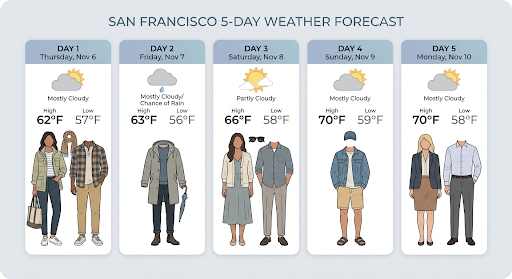
Używaj narzędzia integracji z wyszukiwarką Google, aby generować obrazy generatywne na podstawie informacji w czasie rzeczywistym, takich jak prognozy pogody, wykresy giełdowe czy ostatnie wydarzenia.
Pamiętaj, że gdy używasz powiązania ze źródłami informacji przy użyciu wyszukiwarki Google z generowaniem obrazów, wyniki wyszukiwania oparte na obrazach nie są przekazywane do modelu generowania i są wykluczane z odpowiedzi (patrz Powiązanie ze źródłami informacji przy użyciu wyszukiwarki grafiki Google).
Python
from google import genai
from google.genai import types
import base64
prompt = "Visualize the current weather forecast for the next 5 days in San Francisco as a clean, modern weather chart. Add a visual on what I should wear each day"

client = genai.Client()

interaction = client.interactions.create(
    model="gemini-nano-banana-2.1",
    input=prompt,
    tools=[{"type": "google_search"}],
    response_format={
        "type": "image",
        "mime_type": "image/jpeg",
        "aspect_ratio": "16:9"
    },
)

with open("weather.png", "wb") as f:
    f.write(base64.b64decode(interaction.output_image.data))
JavaScript
import { GoogleGenAI } from "@google/genai";
import * as fs from "node:fs";

async function main() {
  const ai = new GoogleGenAI({});

  const interaction = await ai.interactions.create({
    model: "gemini-nano-banana-2.1",
    input: "Visualize the current weather forecast for the next 5 days in San Francisco as a clean, modern weather chart. Add a visual on what I should wear each day",
    tools: [{"type": "google_search"}],
    response_format: {
      type: "image",
      mime_type: "image/png",
      aspect_ratio: "16:9",
      image_size: "2K"
    },
  });

  const buffer = Buffer.from(interaction.output_image.data, 'base64');

  fs.writeFileSync('weather.png', buffer);
}

main();
Java
import com.google.genai.Client;
import com.google.genai.gaos.models.interactions.CreateModelInteraction;
import com.google.genai.gaos.models.interactions.CreateModelInteractionResponseFormat;
import com.google.genai.gaos.models.interactions.GoogleSearch;
import com.google.genai.gaos.models.interactions.ImageResponseFormat;
import com.google.genai.gaos.models.interactions.ImageResponseFormatAspectRatio;
import com.google.genai.gaos.models.interactions.ImageResponseFormatMimeType;
import com.google.genai.gaos.models.interactions.Interaction;
import com.google.genai.gaos.models.interactions.InteractionsInput;
import com.google.genai.gaos.models.interactions.Model;
import com.google.genai.gaos.models.interactions.ResponseFormat;
import com.google.genai.gaos.models.operations.CreateInteractionRequestBody;
import java.nio.file.Files;
import java.nio.file.Paths;
import java.util.Arrays;
import java.util.Base64;

String prompt =
    "Visualize the current weather forecast for the next 5 days in San Francisco as a clean, modern weather chart. Add a visual on what I should wear each day";

Client client = new Client();

CreateModelInteractionResponseFormat format =
    CreateModelInteractionResponseFormat.of(
        ResponseFormat.of(
            ImageResponseFormat.builder()
                .mimeType(ImageResponseFormatMimeType.IMAGE_JPEG)
                .aspectRatio(ImageResponseFormatAspectRatio.of("16:9"))
                .build()));

CreateModelInteraction params =
    CreateModelInteraction.builder()
        .model(Model.of("gemini-nano-banana-2.1"))
        .input(InteractionsInput.of(prompt))
        .tools(Arrays.asList(new GoogleSearch()))
        .responseFormat(format)
        .build();

Interaction interaction =
    client.interactions.create(CreateInteractionRequestBody.of(params)).interaction().get();

if (interaction.outputImage().isPresent()
    && interaction.outputImage().get().data().isPresent()) {
  byte[] imageBytes =
      Base64.getDecoder().decode(interaction.outputImage().get().data().get());
  Files.write(Paths.get("weather.png"), imageBytes);
}
Go
package main

import (
    "context"
    "encoding/base64"
    "log"
    "os"

    "google.golang.org/genai"
    "google.golang.org/genai/interactions/models/interactions"
    "google.golang.org/genai/interactions/models/operations"
)

func main() {
    ctx := context.Background()
    client, err := genai.NewClient(ctx, nil)
    if err != nil {
        log.Fatal(err)
    }

    prompt := "Visualize the current weather forecast for the next 5 days in San Francisco as a clean, modern weather chart. Add a visual on what I should wear each day"

    format := interactions.NewCreateModelInteractionResponseFormat(
        interactions.NewResponseFormat(interactions.ImageResponseFormat{
            MimeType:    interactions.ImageResponseFormatMimeTypeImageJpeg.ToPointer(),
            AspectRatio: interactions.ImageResponseFormatAspectRatio("16:9").ToPointer(),
        }),
    )

    res, err := client.Interactions.Create(ctx, operations.CreateInteractionRequest{
        Body: operations.NewCreateInteractionRequestBody(interactions.CreateModelInteraction{
            Model: interactions.Model("gemini-nano-banana-2.1"),
            Input: interactions.NewInteractionsInput(prompt),
            Tools: []interactions.Tool{
                interactions.NewTool(interactions.GoogleSearch{}),
            },
            ResponseFormat: genai.Ptr(format),
        }),
    })
    if err != nil {
        log.Fatal(err)
    }

    if res.Interaction.OutputImage != nil && res.Interaction.OutputImage.Data != nil {
        imageBytes, err := base64.StdEncoding.DecodeString(*res.Interaction.OutputImage.Data)
        if err != nil {
            log.Fatal(err)
        }
        if err := os.WriteFile("weather.png", imageBytes, 0644); err != nil {
            log.Fatal(err)
        }
    }
}
REST
curl -s -X POST \
  "https://generativelanguage.googleapis.com/v1beta/interactions" \
  -H "x-goog-api-key: $GEMINI_API_KEY" \
  -H "Content-Type: application/json" \
  -d '{
    "model": "gemini-nano-banana-2.1",
    "input": [
      {"type": "text", "text": "Visualize the current weather forecast for the next 5 days in San Francisco as a clean, modern weather chart. Add a visual on what I should wear each day"}
    ],
    "tools": [{"type": "google_search"}],
    "response_format": {
      "type": "image",
      "mime_type": "image/jpeg",
      "aspect_ratio": "16:9"
    }
  }'
Odpowiedź zawiera kroki google_search_call i google_search_result oraz adnotacje url_citation w tekście kroku:
google_search_result: zawierasearch_suggestions, czyli fragment kodu HTML do renderowania sugestii wyszukiwania w interfejsie.- Adnotacje
url_citation: cytaty w tekście na etapie tekstowym, które łączą fragmenty odpowiedzi z ich źródłami w internecie.
Powiązanie ze źródłami informacji przy użyciu wyszukiwarki Google w przypadku obrazów (Nano Banana 2.1 i 3.1 Flash)
Grounding z wyszukiwarką grafiki Google umożliwia modelom wykorzystywanie obrazów z internetu pobranych za pomocą wyszukiwarki grafiki Google jako kontekstu wizualnego do generowania obrazów. Wyszukiwanie obrazów to nowy typ wyszukiwania w ramach istniejącego narzędzia do powiązania ze źródłami informacji przy użyciu wyszukiwarki Google, który działa obok standardowego wyszukiwania w internecie.
Aby włączyć wyszukiwanie obrazów, skonfiguruj narzędzie google_search w żądaniu do interfejsu API i określ image_search w tablicy search_types. Wyszukiwania obrazów można używać niezależnie lub razem z wyszukiwarką Google.
Python
from google import genai

client = genai.Client()

interaction = client.interactions.create(
    model="gemini-nano-banana-2.1",
    input="A detailed painting of a Timareta butterfly resting on a flower",
    tools=[{
      "type": "google_search",
      "search_types": ["web_search", "image_search"]
    }]
)
JavaScript
import { GoogleGenAI } from "@google/genai";

async function main() {
  const ai = new GoogleGenAI({});

  const interaction = await ai.interactions.create({
    model: "gemini-nano-banana-2.1",
    input: "A detailed painting of a Timareta butterfly resting on a flower",
    tools: [{
      "type": "google_search",
      "search_types": ["web_search", "image_search"]
    }]
  });
}

main();
Java
import com.google.genai.Client;
import com.google.genai.gaos.models.interactions.CreateModelInteraction;
import com.google.genai.gaos.models.interactions.GoogleSearch;
import com.google.genai.gaos.models.interactions.GoogleSearchSearchType;
import com.google.genai.gaos.models.interactions.Interaction;
import com.google.genai.gaos.models.interactions.InteractionsInput;
import com.google.genai.gaos.models.interactions.Model;
import com.google.genai.gaos.models.operations.CreateInteractionRequestBody;
import java.util.Arrays;

Client client = new Client();

GoogleSearch searchTool =
    GoogleSearch.builder()
        .searchTypes(
            Arrays.asList(
                GoogleSearchSearchType.WEB_SEARCH, GoogleSearchSearchType.IMAGE_SEARCH))
        .build();

CreateModelInteraction params =
    CreateModelInteraction.builder()
        .model(Model.of("gemini-nano-banana-2.1"))
        .input(
            InteractionsInput.of(
                "A detailed painting of a Timareta butterfly resting on a flower"))
        .tools(Arrays.asList(searchTool))
        .build();

Interaction interaction =
    client.interactions.create(CreateInteractionRequestBody.of(params)).interaction().get();
Go
package main

import (
    "context"
    "log"

    "google.golang.org/genai"
    "google.golang.org/genai/interactions/models/interactions"
    "google.golang.org/genai/interactions/models/operations"
)

func main() {
    ctx := context.Background()
    client, err := genai.NewClient(ctx, nil)
    if err != nil {
        log.Fatal(err)
    }

    searchTool := interactions.GoogleSearch{
        SearchTypes: []interactions.GoogleSearchSearchType{
            interactions.GoogleSearchSearchTypeWebSearch,
            interactions.GoogleSearchSearchTypeImageSearch,
        },
    }

    res, err := client.Interactions.Create(ctx, operations.CreateInteractionRequest{
        Body: operations.NewCreateInteractionRequestBody(interactions.CreateModelInteraction{
            Model: interactions.Model("gemini-nano-banana-2.1"),
            Input: interactions.NewInteractionsInput("A detailed painting of a Timareta butterfly resting on a flower"),
            Tools: []interactions.Tool{
                interactions.NewTool(searchTool),
            },
        }),
    })
    if err != nil {
        log.Fatal(err)
    }
    _ = res
}
REST
curl -s -X POST \
  "https://generativelanguage.googleapis.com/v1beta/interactions" \
  -H "x-goog-api-key: $GEMINI_API_KEY" \
  -H "Content-Type: application/json" \
  -d '{
    "model": "gemini-nano-banana-2.1",
    "input": "A detailed painting of a Timareta butterfly resting on a flower",
    "tools": [{"type": "google_search", "search_types": ["web_search", "image_search"]}]
  }'
Wymagania dotyczące wyświetlania
Gdy korzystasz z wyszukiwania obrazów w ramach powiązania ze źródłami informacji przy użyciu wyszukiwarki Google, musisz wyświetlić search_suggestions z kroku google_search_result. Pełne wymagania dotyczące korzystania z usługi znajdziesz w Warunkach korzystania z usługi.
Odpowiedź
W przypadku odpowiedzi opartych na wyszukiwarce grafiki interfejs API zwraca cytaty w tekście i metadane atrybucji w ramach kroków odpowiedzi:
Adnotacje
url_citation: cytaty w tekście w bloku treści tekstowych wmodel_output, które łączą wygenerowane treści z ich źródłem.google_search_result: zawierasearch_suggestions, czyli fragment kodu HTML do renderowania sugestii wyszukiwania w interfejsie.
Generowanie obrazów na podstawie filmów (Nano Banana 2.1, 3.1 Flash i 3.1 Flash Lite)
Generowanie obrazów na podstawie filmów umożliwia tworzenie nowych obrazów przy użyciu kontekstu filmu jako odniesienia multimodalnego. Jest to przydatne do tworzenia wysokiej jakości miniatur filmów, plakatów kinowych, infografik podsumowujących lub nowych grafik inspirowanych sceną z filmu.
Podczas generowania model analizuje klatki wideo w kontekście, aby wyodrębnić motywy wizualne i kluczowe zdarzenia, a następnie wykorzystuje je wraz z promptem tekstowym do syntezy obrazu wyjściowego.
Możesz przekazywać publiczne adresy URL YouTube bezpośrednio w żądaniu do interfejsu API lub przesyłać lokalne pliki wideo za pomocą interfejsu Files API.
Python
from google import genai
from google.genai import types
import base64

client = genai.Client()

interaction = client.interactions.create(
    model="gemini-nano-banana-2.1",
    input=[
        {
            "type": "video",
            "uri": "https://www.youtube.com/watch?v=UTdfxFyOQTI",
            "mime_type": "video/mp4"
        },
        {"type": "text", "text": "Generate a poster image that captures the key themes of this video."}
    ],
    response_format={"type": "image", "aspect_ratio": "16:9"}
)

# Save the generated image part
for step in interaction.steps:
    if step.type == "model_output":
        for content_block in step.content:
            if content_block.type == "text":
                print(content_block.text)
            elif content_block.type == "image":
                with open("video_poster.png", "wb") as f:
                    f.write(base64.b64decode(content_block.data))
                print("Image saved as video_poster.png")
JavaScript
import { GoogleGenAI } from "@google/genai";
import * as fs from "node:fs";

async function main() {
  const ai = new GoogleGenAI({});

  const interaction = await ai.interactions.create({
    model: "gemini-nano-banana-2.1",
    input: [
      {
        type: "video",
        uri: "https://www.youtube.com/watch?v=UTdfxFyOQTI",
        mime_type: "video/mp4"
      },
      { type: "text", text: "Generate a poster image that captures the key themes of this video." }
    ],
    response_format: {
      type: "image",
      aspect_ratio: "16:9"
    }
  });

  for (const step of interaction.steps) {
    if (step.type === "model_output") {
      for (const contentBlock of step.content) {
        if (contentBlock.type === "text") {
          console.log(contentBlock.text);
        } else if (contentBlock.type === "image") {
          const buffer = Buffer.from(contentBlock.data, "base64");
          fs.writeFileSync("video_poster.png", buffer);
          console.log("Image saved as video_poster.png");
        }
      }
    }
  }
}

main();
Java
import com.google.genai.Client;
import com.google.genai.gaos.models.interactions.Content;
import com.google.genai.gaos.models.interactions.CreateModelInteraction;
import com.google.genai.gaos.models.interactions.CreateModelInteractionResponseFormat;
import com.google.genai.gaos.models.interactions.ImageContent;
import com.google.genai.gaos.models.interactions.ImageResponseFormat;
import com.google.genai.gaos.models.interactions.ImageResponseFormatAspectRatio;
import com.google.genai.gaos.models.interactions.Interaction;
import com.google.genai.gaos.models.interactions.InteractionsInput;
import com.google.genai.gaos.models.interactions.Model;
import com.google.genai.gaos.models.interactions.ModelOutputStep;
import com.google.genai.gaos.models.interactions.ResponseFormat;
import com.google.genai.gaos.models.interactions.Step;
import com.google.genai.gaos.models.interactions.TextContent;
import com.google.genai.gaos.models.interactions.VideoContent;
import com.google.genai.gaos.models.interactions.VideoContentMimeType;
import com.google.genai.gaos.models.operations.CreateInteractionRequestBody;
import java.nio.file.Files;
import java.nio.file.Paths;
import java.util.Arrays;
import java.util.Base64;
import java.util.List;

Client client = new Client();

Content videoContent =
    VideoContent.builder()
        .uri("https://www.youtube.com/watch?v=UTdfxFyOQTI")
        .mimeType(VideoContentMimeType.VIDEO_MP4)
        .build();
Content textContent =
    TextContent.builder()
        .text("Generate a poster image that captures the key themes of this video.")
        .build();

List<Content> contents = Arrays.asList(videoContent, textContent);

CreateModelInteractionResponseFormat format =
    CreateModelInteractionResponseFormat.of(
        ResponseFormat.of(
            ImageResponseFormat.builder()
                .aspectRatio(ImageResponseFormatAspectRatio.of("16:9"))
                .build()));

CreateModelInteraction params =
    CreateModelInteraction.builder()
        .model(Model.of("gemini-nano-banana-2.1"))
        .input(InteractionsInput.ofContent(contents))
        .responseFormat(format)
        .build();

Interaction interaction =
    client.interactions.create(CreateInteractionRequestBody.of(params)).interaction().get();

if (interaction.steps().isPresent()) {
  for (Step step : interaction.steps().get()) {
    if (step instanceof ModelOutputStep) {
      ModelOutputStep outputStep = (ModelOutputStep) step;
      if (outputStep.content().isPresent()) {
        for (Content block : outputStep.content().get()) {
          if (block instanceof TextContent) {
            System.out.println(((TextContent) block).text().orElse(""));
          } else if (block instanceof ImageContent) {
            ImageContent img = (ImageContent) block;
            if (img.data().isPresent()) {
              byte[] imgBytes = Base64.getDecoder().decode(img.data().get());
              Files.write(Paths.get("video_poster.png"), imgBytes);
              System.out.println("Image saved as video_poster.png");
            }
          }
        }
      }
    }
  }
}
Go
package main

import (
    "context"
    "encoding/base64"
    "fmt"
    "log"
    "os"

    "google.golang.org/genai"
    "google.golang.org/genai/interactions/models/interactions"
    "google.golang.org/genai/interactions/models/operations"
)

func main() {
    ctx := context.Background()
    client, err := genai.NewClient(ctx, nil)
    if err != nil {
        log.Fatal(err)
    }

    contents := []interactions.Content{
        interactions.NewContent(interactions.VideoContent{
            URI:      genai.Ptr("https://www.youtube.com/watch?v=UTdfxFyOQTI"),
            MimeType: interactions.VideoContentMimeTypeVideoMp4.ToPointer(),
        }),
        interactions.NewContent(interactions.TextContent{
            Text: "Generate a poster image that captures the key themes of this video.",
        }),
    }

    format := interactions.NewCreateModelInteractionResponseFormat(
        interactions.NewResponseFormat(interactions.ImageResponseFormat{
            AspectRatio: interactions.ImageResponseFormatAspectRatio("16:9").ToPointer(),
        }),
    )

    res, err := client.Interactions.Create(ctx, operations.CreateInteractionRequest{
        Body: operations.NewCreateInteractionRequestBody(interactions.CreateModelInteraction{
            Model:          interactions.Model("gemini-nano-banana-2.1"),
            Input:          interactions.NewInteractionsInput(contents),
            ResponseFormat: genai.Ptr(format),
        }),
    })
    if err != nil {
        log.Fatal(err)
    }

    for _, step := range res.Interaction.Steps {
        if step.ModelOutputStep != nil {
            for _, block := range step.ModelOutputStep.Content {
                if block.TextContent != nil {
                    fmt.Println(block.TextContent.Text)
                } else if block.ImageContent != nil && block.ImageContent.Data != nil {
                    imgBytes, err := base64.StdEncoding.DecodeString(*block.ImageContent.Data)
                    if err != nil {
                        log.Fatal(err)
                    }
                    if err := os.WriteFile("video_poster.png", imgBytes, 0644); err != nil {
                        log.Fatal(err)
                    }
                    fmt.Println("Image saved as video_poster.png")
                }
            }
        }
    }
}
REST
curl -s -X POST \
  "https://generativelanguage.googleapis.com/v1beta/interactions" \
  -H "x-goog-api-key: $GEMINI_API_KEY" \
  -H 'Content-Type: application/json' \
  -d '{
    "model": "gemini-nano-banana-2.1",
    "input": [
      {
        "type": "video",
        "uri": "https://www.youtube.com/watch?v=UTdfxFyOQTI",
        "mime_type": "video/mp4"
      },
      {
        "type": "text",
        "text": "Generate a poster image that captures the key themes of this video."
      }
    ],
    "response_format": {
      "type": "image",
      "aspect_ratio": "16:9"
    }
  }'
generowanie obrazów w rozdzielczości do 4K;
Modele do generowania obrazów Gemini 3 domyślnie generują obrazy w rozdzielczości 1K, ale mogą też generować obrazy w rozdzielczości 2K, 4K i 512 pikseli (0,5K) (tylko Gemini 3.1 Flash Image). Aby wygenerować komponenty o wyższej rozdzielczości, określ image_size w response_format.
Musisz użyć wielkiej litery „K” (np. 512px (05.K), 1K, 2K, 4K). Parametry zapisane małymi literami (np. 1k) będą odrzucane.
Python
from google import genai
from google.genai import types
import base64

prompt = "Da Vinci style anatomical sketch of a dissected Monarch butterfly. Detailed drawings of the head, wings, and legs on textured parchment with notes in English."

client = genai.Client()

interaction = client.interactions.create(
    model="gemini-nano-banana-2.1",
    input=prompt,
    response_format={
        "type": "image",
        "mime_type": "image/jpeg",
        "aspect_ratio": "1:1",
        "image_size": "1K"
    },
)

print(interaction.output_text)

with open("butterfly.png", "wb") as f:
    f.write(base64.b64decode(interaction.output_image.data))
JavaScript
import { GoogleGenAI } from "@google/genai";
import * as fs from "node:fs";

async function main() {
  const ai = new GoogleGenAI({});

  const interaction = await ai.interactions.create({
    model: "gemini-nano-banana-2.1",
    input: "Da Vinci style anatomical sketch of a dissected Monarch butterfly. Detailed drawings of the head, wings, and legs on textured parchment with notes in English.",
    response_format: {
      type: "image",
      mime_type: "image/png",
      aspect_ratio: "1:1",
      image_size: "1K",
    },
  });

  console.log(interaction.output_text);

  const buffer = Buffer.from(interaction.output_image.data, 'base64');

  fs.writeFileSync('butterfly.png', buffer);
}

main();
Java
import com.google.genai.Client;
import com.google.genai.gaos.models.interactions.CreateModelInteraction;
import com.google.genai.gaos.models.interactions.CreateModelInteractionResponseFormat;
import com.google.genai.gaos.models.interactions.ImageResponseFormat;
import com.google.genai.gaos.models.interactions.ImageResponseFormatAspectRatio;
import com.google.genai.gaos.models.interactions.ImageResponseFormatImageSize;
import com.google.genai.gaos.models.interactions.ImageResponseFormatMimeType;
import com.google.genai.gaos.models.interactions.Interaction;
import com.google.genai.gaos.models.interactions.InteractionsInput;
import com.google.genai.gaos.models.interactions.Model;
import com.google.genai.gaos.models.interactions.ResponseFormat;
import com.google.genai.gaos.models.operations.CreateInteractionRequestBody;
import java.nio.file.Files;
import java.nio.file.Paths;
import java.util.Base64;

String prompt =
    "Da Vinci style anatomical sketch of a dissected Monarch butterfly. Detailed drawings of the head, wings, and legs on textured parchment with notes in English.";

Client client = new Client();

CreateModelInteractionResponseFormat format =
    CreateModelInteractionResponseFormat.of(
        ResponseFormat.of(
            ImageResponseFormat.builder()
                .mimeType(ImageResponseFormatMimeType.IMAGE_JPEG)
                .aspectRatio(ImageResponseFormatAspectRatio.of("1:1"))
                .imageSize(ImageResponseFormatImageSize.ONE_K)
                .build()));

CreateModelInteraction params =
    CreateModelInteraction.builder()
        .model(Model.of("gemini-nano-banana-2.1"))
        .input(InteractionsInput.of(prompt))
        .responseFormat(format)
        .build();

Interaction interaction =
    client.interactions.create(CreateInteractionRequestBody.of(params)).interaction().get();

System.out.println(interaction.outputText().orElse(""));

if (interaction.outputImage().isPresent()
    && interaction.outputImage().get().data().isPresent()) {
  byte[] imageBytes =
      Base64.getDecoder().decode(interaction.outputImage().get().data().get());
  Files.write(Paths.get("butterfly.png"), imageBytes);
}
Go
package main

import (
    "context"
    "encoding/base64"
    "fmt"
    "log"
    "os"

    "google.golang.org/genai"
    "google.golang.org/genai/interactions/models/interactions"
    "google.golang.org/genai/interactions/models/operations"
)

func main() {
    ctx := context.Background()
    client, err := genai.NewClient(ctx, nil)
    if err != nil {
        log.Fatal(err)
    }

    prompt := "Da Vinci style anatomical sketch of a dissected Monarch butterfly. Detailed drawings of the head, wings, and legs on textured parchment with notes in English."

    format := interactions.NewCreateModelInteractionResponseFormat(
        interactions.NewResponseFormat(interactions.ImageResponseFormat{
            MimeType:    interactions.ImageResponseFormatMimeTypeImageJpeg.ToPointer(),
            AspectRatio: interactions.ImageResponseFormatAspectRatio("1:1").ToPointer(),
            ImageSize:   interactions.ImageResponseFormatImageSizeOneK.ToPointer(),
        }),
    )

    res, err := client.Interactions.Create(ctx, operations.CreateInteractionRequest{
        Body: operations.NewCreateInteractionRequestBody(interactions.CreateModelInteraction{
            Model:          interactions.Model("gemini-nano-banana-2.1"),
            Input:          interactions.NewInteractionsInput(prompt),
            ResponseFormat: genai.Ptr(format),
        }),
    })
    if err != nil {
        log.Fatal(err)
    }

    if res.Interaction.OutputText != nil {
        fmt.Println(*res.Interaction.OutputText)
    }

    if res.Interaction.OutputImage != nil && res.Interaction.OutputImage.Data != nil {
        imageBytes, err := base64.StdEncoding.DecodeString(*res.Interaction.OutputImage.Data)
        if err != nil {
            log.Fatal(err)
        }
        if err := os.WriteFile("butterfly.png", imageBytes, 0644); err != nil {
            log.Fatal(err)
        }
    }
}
REST
curl -s -X POST \
  "https://generativelanguage.googleapis.com/v1beta/interactions" \
  -H "x-goog-api-key: $GEMINI_API_KEY" \
  -H "Content-Type: application/json" \
  -d '{
    "model": "gemini-nano-banana-2.1",
    "input": "Da Vinci style anatomical sketch of a dissected Monarch butterfly. Detailed drawings of the head, wings, and legs on textured parchment with notes in English.",
    "response_format": {
      "type": "image",
      "mime_type": "image/jpeg",
      "aspect_ratio": "1:1",
      "image_size": "1K"
    }
  }'
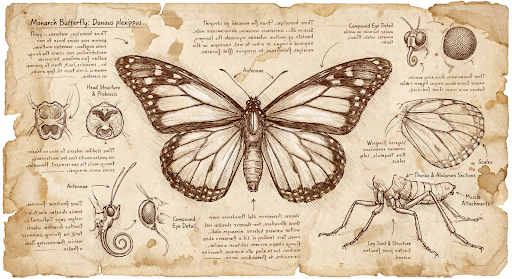
Oto przykładowy obraz wygenerowany na podstawie tego prompta:
Proces myślowy
Modele do generowania obrazów Gemini 3 to modele myślące, które w przypadku złożonych promptów wykorzystują proces rozumowania („Myślenie”). Ta funkcja jest domyślnie włączona i nie można jej wyłączyć w interfejsie API. Więcej informacji o procesie myślowym znajdziesz w przewodniku po Myśleniu Gemini.
Model generuje maksymalnie 2 obrazy tymczasowe, aby przetestować kompozycję i logikę. Ostatni obraz w sekcji Myślenie jest też ostatecznym wygenerowanym obrazem.
Możesz sprawdzić tok rozumowania, który doprowadził do wygenerowania ostatecznego obrazu.
Python
for step in interaction.steps:
    if step.type == "thought":
        for content_block in step.summary:
            if content_block.type == "text":
                print(content_block.text)
            elif content_block.type == "image":
                image = Image.open(io.BytesIO(base64.b64decode(content_block.data)))
                image.show()
JavaScript
for (const step of interaction.steps) {
  if (step.type === "thought") {
    for (const contentBlock of step.summary) {
      if (contentBlock.type === "text") {
        console.log(contentBlock.text);
      } else if (contentBlock.type === "image") {
        const buffer = Buffer.from(contentBlock.data, 'base64');
        fs.writeFileSync('thought_image.png', buffer);
      }
    }
  }
}
Java
import com.google.genai.Client;
import com.google.genai.gaos.models.interactions.CreateModelInteraction;
import com.google.genai.gaos.models.interactions.ImageContent;
import com.google.genai.gaos.models.interactions.Interaction;
import com.google.genai.gaos.models.interactions.InteractionsInput;
import com.google.genai.gaos.models.interactions.Model;
import com.google.genai.gaos.models.interactions.Step;
import com.google.genai.gaos.models.interactions.TextContent;
import com.google.genai.gaos.models.interactions.ThoughtStep;
import com.google.genai.gaos.models.interactions.ThoughtSummaryContent;
import com.google.genai.gaos.models.operations.CreateInteractionRequestBody;
import java.nio.file.Files;
import java.nio.file.Paths;
import java.util.Base64;

Client client = new Client();

CreateModelInteraction params =
    CreateModelInteraction.builder()
        .model(Model.of("gemini-nano-banana-2.1"))
        .input(
            InteractionsInput.of(
                "A futuristic city built inside a giant glass bottle floating in space"))
        .build();

Interaction interaction =
    client.interactions.create(CreateInteractionRequestBody.of(params)).interaction().get();

if (interaction.steps().isPresent()) {
  for (Step step : interaction.steps().get()) {
    if (step instanceof ThoughtStep) {
      ThoughtStep thoughtStep = (ThoughtStep) step;
      if (thoughtStep.summary().isPresent()) {
        for (ThoughtSummaryContent contentBlock : thoughtStep.summary().get()) {
          if (contentBlock instanceof TextContent) {
            System.out.println(((TextContent) contentBlock).text().orElse(""));
          } else if (contentBlock instanceof ImageContent) {
            ImageContent img = (ImageContent) contentBlock;
            if (img.data().isPresent()) {
              byte[] imgBytes = Base64.getDecoder().decode(img.data().get());
              Files.write(Paths.get("thought_image.png"), imgBytes);
            }
          }
        }
      }
    }
  }
}
Go
package main

import (
    "context"
    "encoding/base64"
    "fmt"
    "log"
    "os"

    "google.golang.org/genai"
    "google.golang.org/genai/interactions/models/interactions"
    "google.golang.org/genai/interactions/models/operations"
)

func main() {
    ctx := context.Background()
    client, err := genai.NewClient(ctx, nil)
    if err != nil {
        log.Fatal(err)
    }

    res, err := client.Interactions.Create(ctx, operations.CreateInteractionRequest{
        Body: operations.NewCreateInteractionRequestBody(interactions.CreateModelInteraction{
            Model: interactions.Model("gemini-nano-banana-2.1"),
            Input: interactions.NewInteractionsInput("A futuristic city built inside a giant glass bottle floating in space"),
        }),
    })
    if err != nil {
        log.Fatal(err)
    }

    for _, step := range res.Interaction.Steps {
        if step.ThoughtStep != nil {
            for _, contentBlock := range step.ThoughtStep.Summary {
                if contentBlock.TextContent != nil {
                    fmt.Println(contentBlock.TextContent.Text)
                } else if contentBlock.ImageContent != nil && contentBlock.ImageContent.Data != nil {
                    imgBytes, err := base64.StdEncoding.DecodeString(*contentBlock.ImageContent.Data)
                    if err != nil {
                        log.Fatal(err)
                    }
                    if err := os.WriteFile("thought_image.png", imgBytes, 0644); err != nil {
                        log.Fatal(err)
                    }
                }
            }
        }
    }
}
Przeplatany tekst i obrazy
Standardowe modele generowania obrazów generują tylko obrazy, ale niektóre zaawansowane modele Gemini 3 (takie jak gemini-3-pro-image) mogą generować treści przeplatane, takie jak opowiadania lub przewodniki zawierające zarówno bloki tekstu, jak i ilustracje w tej samej odpowiedzi.
Dane wyjściowe są złożone i przeplatane, dlatego właściwości ułatwiające, takie jak .output_image lub .output_text, nie będą rejestrować pełnej sekwencji. Aby uzyskać dostęp do przeplatanych treści i je zapisać, musisz ręcznie wykonać iterację po steps:
Python
interaction = client.interactions.create(
    model="gemini-3-pro-image",
    input="Write the story of the lifecycle of a monarch butterfly, interleave illustrations",
)

image_counter = 1
for step in interaction.steps:
    if step.type == "model_output":
        for content_block in step.content:
            if content_block.type == "text":
                print(content_block.text)
            elif content_block.type == "image":
                filename = f"butterfly_lifecycle_{image_counter}.png"
                with open(filename, "wb") as f:
                    f.write(base64.b64decode(content_block.data))
                print(f"\n[Saved illustration: {filename}]\n")
                image_counter += 1
JavaScript
const interaction = await ai.interactions.create({
    model: "gemini-3-pro-image",
    input: "Write the story of the lifecycle of a monarch butterfly, interleave illustrations",
});

let imageCounter = 1;
for (const step of interaction.steps) {
  if (step.type === "model_output") {
    for (const contentBlock of step.content) {
      if (contentBlock.type === "text") {
        console.log(contentBlock.text);
      } else if (contentBlock.type === "image") {
        const buffer = Buffer.from(contentBlock.data, "base64");
        const filename = `butterfly_lifecycle_${imageCounter}.png`;
        fs.writeFileSync(filename, buffer);
        console.log(`\n[Saved illustration: ${filename}]\n`);
        imageCounter++;
      }
    }
  }
}
Java
import com.google.genai.Client;
import com.google.genai.gaos.models.interactions.Content;
import com.google.genai.gaos.models.interactions.CreateModelInteraction;
import com.google.genai.gaos.models.interactions.ImageContent;
import com.google.genai.gaos.models.interactions.Interaction;
import com.google.genai.gaos.models.interactions.InteractionsInput;
import com.google.genai.gaos.models.interactions.Model;
import com.google.genai.gaos.models.interactions.ModelOutputStep;
import com.google.genai.gaos.models.interactions.Step;
import com.google.genai.gaos.models.interactions.TextContent;
import com.google.genai.gaos.models.operations.CreateInteractionRequestBody;
import java.nio.file.Files;
import java.nio.file.Paths;
import java.util.Base64;

Client client = new Client();

CreateModelInteraction params =
    CreateModelInteraction.builder()
        .model(Model.of("gemini-3-pro-image"))
        .input(
            InteractionsInput.of(
                "Write the story of the lifecycle of a monarch butterfly, interleave illustrations"))
        .build();

Interaction interaction =
    client.interactions.create(CreateInteractionRequestBody.of(params)).interaction().get();

int imageCounter = 1;
if (interaction.steps().isPresent()) {
  for (Step step : interaction.steps().get()) {
    if (step instanceof ModelOutputStep) {
      ModelOutputStep outputStep = (ModelOutputStep) step;
      if (outputStep.content().isPresent()) {
        for (Content contentBlock : outputStep.content().get()) {
          if (contentBlock instanceof TextContent) {
            System.out.println(((TextContent) contentBlock).text().orElse(""));
          } else if (contentBlock instanceof ImageContent) {
            ImageContent img = (ImageContent) contentBlock;
            if (img.data().isPresent()) {
              String filename = String.format("butterfly_lifecycle_%d.png", imageCounter);
              byte[] imgBytes = Base64.getDecoder().decode(img.data().get());
              Files.write(Paths.get(filename), imgBytes);
              System.out.printf("%n[Saved illustration: %s]%n", filename);
              imageCounter++;
            }
          }
        }
      }
    }
  }
}
Go
package main

import (
    "context"
    "encoding/base64"
    "fmt"
    "log"
    "os"

    "google.golang.org/genai"
    "google.golang.org/genai/interactions/models/interactions"
    "google.golang.org/genai/interactions/models/operations"
)

func main() {
    ctx := context.Background()
    client, err := genai.NewClient(ctx, nil)
    if err != nil {
        log.Fatal(err)
    }

    res, err := client.Interactions.Create(ctx, operations.CreateInteractionRequest{
        Body: operations.NewCreateInteractionRequestBody(interactions.CreateModelInteraction{
            Model: interactions.Model("gemini-3-pro-image"),
            Input: interactions.NewInteractionsInput("Write the story of the lifecycle of a monarch butterfly, interleave illustrations"),
        }),
    })
    if err != nil {
        log.Fatal(err)
    }

    imageCounter := 1
    for _, step := range res.Interaction.Steps {
        if step.ModelOutputStep != nil {
            for _, contentBlock := range step.ModelOutputStep.Content {
                if contentBlock.TextContent != nil {
                    fmt.Println(contentBlock.TextContent.Text)
                } else if contentBlock.ImageContent != nil && contentBlock.ImageContent.Data != nil {
                    filename := fmt.Sprintf("butterfly_lifecycle_%d.png", imageCounter)
                    imgBytes, err := base64.StdEncoding.DecodeString(*contentBlock.ImageContent.Data)
                    if err != nil {
                        log.Fatal(err)
                    }
                    if err := os.WriteFile(filename, imgBytes, 0644); err != nil {
                        log.Fatal(err)
                    }
                    fmt.Printf("\n[Saved illustration: %s]\n", filename)
                    imageCounter++
                }
            }
        }
    }
}
Kontrolowanie poziomów myślenia
W przypadku modeli Gemini Nano Banana 2.1, Gemini 3.1 Flash Image i Gemini 3.1 Flash Lite Image możesz kontrolować ilość czasu, jaki model poświęca na rozumowanie, aby zachować równowagę między jakością a czasem oczekiwania:
| Model | Obsługiwane poziomy myślenia | Domyślny |
|---|---|---|
| Gemini Nano Banana 2.1 | minimal, medium, high |
medium |
| Gemini 3.1 Flash Image | minimal, high |
minimal |
| Gemini 3.1 Flash Lite Image | minimal, high |
minimal |
Python
from google import genai
from PIL import Image
import base64
import io

client = genai.Client()

interaction = client.interactions.create(
    model="gemini-nano-banana-2.1",
    input="A futuristic city built inside a giant glass bottle floating in space",
    generation_config={"thinking_level": "high"},
)

print(interaction.output_text)

image = Image.open(io.BytesIO(base64.b64decode(interaction.output_image.data)))

image.show()
JavaScript
import { GoogleGenAI } from "@google/genai";
import * as fs from "node:fs";

async function main() {
  const ai = new GoogleGenAI({});

  const interaction = await ai.interactions.create({
    model: "gemini-nano-banana-2.1",
    input: "A futuristic city built inside a giant glass bottle floating in space",
    generation_config: { thinking_level: "high" },
  });

  console.log(interaction.output_text);

  const buffer = Buffer.from(interaction.output_image.data, 'base64');

  fs.writeFileSync('image.png', buffer);
}
main();
Java
import com.google.genai.Client;
import com.google.genai.gaos.models.interactions.CreateModelInteraction;
import com.google.genai.gaos.models.interactions.GenerationConfig;
import com.google.genai.gaos.models.interactions.Interaction;
import com.google.genai.gaos.models.interactions.InteractionsInput;
import com.google.genai.gaos.models.interactions.Model;
import com.google.genai.gaos.models.interactions.ThinkingLevel;
import com.google.genai.gaos.models.operations.CreateInteractionRequestBody;
import java.nio.file.Files;
import java.nio.file.Paths;
import java.util.Base64;

Client client = new Client();

CreateModelInteraction params =
    CreateModelInteraction.builder()
        .model(Model.of("gemini-nano-banana-2.1"))
        .input(
            InteractionsInput.of(
                "A futuristic city built inside a giant glass bottle floating in space"))
        .generationConfig(GenerationConfig.builder().thinkingLevel(ThinkingLevel.HIGH).build())
        .build();

Interaction interaction =
    client.interactions.create(CreateInteractionRequestBody.of(params)).interaction().get();

System.out.println(interaction.outputText().orElse(""));

if (interaction.outputImage().isPresent()
    && interaction.outputImage().get().data().isPresent()) {
  byte[] imageBytes =
      Base64.getDecoder().decode(interaction.outputImage().get().data().get());
  Files.write(Paths.get("futuristic_city.png"), imageBytes);
}
Go
package main

import (
    "context"
    "encoding/base64"
    "fmt"
    "log"
    "os"

    "google.golang.org/genai"
    "google.golang.org/genai/interactions/models/interactions"
    "google.golang.org/genai/interactions/models/operations"
)

func main() {
    ctx := context.Background()
    client, err := genai.NewClient(ctx, nil)
    if err != nil {
        log.Fatal(err)
    }

    res, err := client.Interactions.Create(ctx, operations.CreateInteractionRequest{
        Body: operations.NewCreateInteractionRequestBody(interactions.CreateModelInteraction{
            Model: interactions.Model("gemini-nano-banana-2.1"),
            Input: interactions.NewInteractionsInput("A futuristic city built inside a giant glass bottle floating in space"),
            GenerationConfig: &interactions.GenerationConfig{
                ThinkingLevel: interactions.ThinkingLevelHigh.ToPointer(),
            },
        }),
    })
    if err != nil {
        log.Fatal(err)
    }

    if res.Interaction.OutputText != nil {
        fmt.Println(*res.Interaction.OutputText)
    }

    if res.Interaction.OutputImage != nil && res.Interaction.OutputImage.Data != nil {
        imageBytes, err := base64.StdEncoding.DecodeString(*res.Interaction.OutputImage.Data)
        if err != nil {
            log.Fatal(err)
        }
        if err := os.WriteFile("futuristic_city.png", imageBytes, 0644); err != nil {
            log.Fatal(err)
        }
    }
}
REST
curl -s -X POST \
  "https://generativelanguage.googleapis.com/v1beta/interactions" \
  -H "x-goog-api-key: $GEMINI_API_KEY" \
  -H "Content-Type: application/json" \
  -d '{
    "model": "gemini-nano-banana-2.1",
    "input": "A futuristic city built inside a giant glass bottle floating in space",
    "generation_config": {
      "thinking_level": "high"
    }
  }'
Pamiętaj, że tokeny myślenia są domyślnie rozliczane w przypadku modeli myślących, ponieważ proces myślenia zawsze odbywa się domyślnie, niezależnie od tego, czy go wyświetlasz, czy nie.
Inne tryby generowania obrazów
Chociaż modele do generowania obrazów Nano Banana są zalecane w większości przypadków, możesz też wypróbować dedykowane modele do generowania obrazów:
- Imagen: starsze modele Google do zamiany tekstu na obraz (wyłączone).
- Veo: model Google do generowania filmów.
Generowanie obrazów zbiorczo
Wszystkie funkcje generowania obrazów opisane na tej stronie można też uruchamiać jako zadania wsadowe za pomocą interfejsu Batch API, co jest idealnym rozwiązaniem, jeśli chcesz wygenerować wiele obrazów.W zamian za czas realizacji wynoszący do 24 godzin otrzymasz wyższe limity liczby żądań.
Przewodnik po promptach i strategie
W tej sekcji znajdziesz przykłady promptów i szablony do typowych procesów generowania i edytowania obrazów. Każdy przykład zawiera szablon wielokrotnego użytku i przykładowy prompt dla interfejsu Interactions API.
Prompty do generowania obrazów
Poniższe przykłady pokazują, jak używać promptów tekstowych do generowania różnych typów obrazów.
1. Fotorealistyczne sceny
Opisz szczegółowo scenę. Im bardziej szczegółowe informacje podasz, tym większą kontrolę będziesz mieć nad wynikami.
Szablon
A photorealistic [type of shot] of a [subject description] in a [setting
description]. [Description of the light]. Shot from a [camera angle]
with a [lens type].
Prompt
A photorealistic wide-angle shot of a vibrant coral reef teeming with tropical fish. Crystal-clear turquoise water with sunbeams filtering down from the surface, illuminating a sea turtle gliding gracefully over the coral. Shot from a low perspective with a wide-angle lens. Aspect ratio 16:9.
Python
from google import genai
from google.genai import types
import base64

client = genai.Client()

interaction = client.interactions.create(
    model="gemini-nano-banana-2.1",
    input="A photorealistic wide-angle shot of a vibrant coral reef teeming with tropical fish. Crystal-clear turquoise water with sunbeams filtering down from the surface, illuminating a sea turtle gliding gracefully over the coral. Shot from a low perspective with a wide-angle lens. Aspect ratio 16:9.",
    response_format=[
        {
            "type": "image",
            "mime_type": "image/jpeg",
            "aspect_ratio": "16:9",
        }
    ],
)

print(interaction.output_text)

with open("coral_reef.png", "wb") as f:

    f.write(base64.b64decode(interaction.output_image.data))
JavaScript
import { GoogleGenAI } from "@google/genai";
import * as fs from "node:fs";

async function main() {
  const ai = new GoogleGenAI({});

  const interaction = await ai.interactions.create({
    model: "gemini-nano-banana-2.1",
    input: "A photorealistic wide-angle shot of a vibrant coral reef teeming with tropical fish. Crystal-clear turquoise water with sunbeams filtering down from the surface, illuminating a sea turtle gliding gracefully over the coral. Shot from a low perspective with a wide-angle lens. Aspect ratio 16:9.",
    response_format: [
      {
        type: "image",
        mime_type: "image/jpeg",
        aspect_ratio: "16:9",
      }
    ],
  });
  console.log(interaction.output_text);

  const buffer = Buffer.from(interaction.output_image.data, 'base64');

  fs.writeFileSync('coral_reef.png', buffer);
}

main();
Java
import com.google.genai.Client;
import com.google.genai.gaos.models.interactions.CreateModelInteraction;
import com.google.genai.gaos.models.interactions.CreateModelInteractionResponseFormat;
import com.google.genai.gaos.models.interactions.ImageResponseFormat;
import com.google.genai.gaos.models.interactions.ImageResponseFormatAspectRatio;
import com.google.genai.gaos.models.interactions.ImageResponseFormatMimeType;
import com.google.genai.gaos.models.interactions.Interaction;
import com.google.genai.gaos.models.interactions.InteractionsInput;
import com.google.genai.gaos.models.interactions.Model;
import com.google.genai.gaos.models.interactions.ResponseFormat;
import com.google.genai.gaos.models.operations.CreateInteractionRequestBody;
import java.nio.file.Files;
import java.nio.file.Paths;
import java.util.Arrays;
import java.util.Base64;

Client client = new Client();

CreateModelInteractionResponseFormat format =
    CreateModelInteractionResponseFormat.of(
        Arrays.asList(
            ResponseFormat.of(
                ImageResponseFormat.builder()
                    .mimeType(ImageResponseFormatMimeType.IMAGE_JPEG)
                    .aspectRatio(ImageResponseFormatAspectRatio.of("16:9"))
                    .build())));

CreateModelInteraction params =
    CreateModelInteraction.builder()
        .model(Model.of("gemini-nano-banana-2.1"))
        .input(
            InteractionsInput.of(
                "A photorealistic wide-angle shot of a vibrant coral reef teeming with tropical fish. Crystal-clear turquoise water with sunbeams filtering down from the surface, illuminating a sea turtle gliding gracefully over the coral. Shot from a low perspective with a wide-angle lens. Aspect ratio 16:9."))
        .responseFormat(format)
        .build();

Interaction interaction =
    client.interactions.create(CreateInteractionRequestBody.of(params)).interaction().get();

System.out.println(interaction.outputText().orElse(""));

if (interaction.outputImage().isPresent()
    && interaction.outputImage().get().data().isPresent()) {
  byte[] imageBytes =
      Base64.getDecoder().decode(interaction.outputImage().get().data().get());
  Files.write(Paths.get("coral_reef.png"), imageBytes);
}
Go
package main

import (
    "context"
    "encoding/base64"
    "fmt"
    "log"
    "os"

    "google.golang.org/genai"
    "google.golang.org/genai/interactions/models/interactions"
    "google.golang.org/genai/interactions/models/operations"
)

func main() {
    ctx := context.Background()
    client, err := genai.NewClient(ctx, nil)
    if err != nil {
        log.Fatal(err)
    }

    format := interactions.NewCreateModelInteractionResponseFormat([]interactions.ResponseFormat{
        interactions.NewResponseFormat(interactions.ImageResponseFormat{
            MimeType:    interactions.ImageResponseFormatMimeTypeImageJpeg.ToPointer(),
            AspectRatio: interactions.ImageResponseFormatAspectRatio("16:9").ToPointer(),
        }),
    })

    res, err := client.Interactions.Create(ctx, operations.CreateInteractionRequest{
        Body: operations.NewCreateInteractionRequestBody(interactions.CreateModelInteraction{
            Model:          interactions.Model("gemini-nano-banana-2.1"),
            Input:          interactions.NewInteractionsInput("A photorealistic wide-angle shot of a vibrant coral reef teeming with tropical fish. Crystal-clear turquoise water with sunbeams filtering down from the surface, illuminating a sea turtle gliding gracefully over the coral. Shot from a low perspective with a wide-angle lens. Aspect ratio 16:9."),
            ResponseFormat: genai.Ptr(format),
        }),
    })
    if err != nil {
        log.Fatal(err)
    }

    if res.Interaction.OutputText != nil {
        fmt.Println(*res.Interaction.OutputText)
    }

    if res.Interaction.OutputImage != nil && res.Interaction.OutputImage.Data != nil {
        imageBytes, err := base64.StdEncoding.DecodeString(*res.Interaction.OutputImage.Data)
        if err != nil {
            log.Fatal(err)
        }
        if err := os.WriteFile("coral_reef.png", imageBytes, 0644); err != nil {
            log.Fatal(err)
        }
    }
}
REST
curl -s -X POST \
  "https://generativelanguage.googleapis.com/v1beta/interactions" \
  -H "x-goog-api-key: $GEMINI_API_KEY" \
  -H "Content-Type: application/json" \
  -d '{
    "model": "gemini-nano-banana-2.1",
    "input": "A photorealistic wide-angle shot of a vibrant coral reef teeming with tropical fish. Crystal-clear turquoise water with sunbeams filtering down from the surface, illuminating a sea turtle gliding gracefully over the coral. Shot from a low perspective with a wide-angle lens. Aspect ratio 16:9.",
    "response_format": {
      "type": "image",
      "mime_type": "image/png",
      "aspect_ratio": "16:9"
    }
  }'
2. Stylizowane ilustracje i naklejki
Opisz styl artystyczny, temat i medium. Aby uzyskać spójne wyniki, podaj szczegółowe informacje o elementach wizualnych (pogrubione linie, kolory itp.).
Szablon
A [style] of a [subject, with details about accessories or actions]
doing [activity]. The design features [visual qualities, e.g., bold outlines,
cel-shading, etc.] and [color/background preference].
Prompt
A kawaii-style sticker of a happy red panda wearing a tiny bamboo hat. It's munching on a green bamboo leaf. The design features bold, clean outlines, simple cel-shading, and a vibrant color palette. The background must be white.
Python
from google import genai
import base64

client = genai.Client()

interaction = client.interactions.create(
    model="gemini-nano-banana-2.1",
    input="A kawaii-style sticker of a happy red panda wearing a tiny bamboo hat. It's munching on a green bamboo leaf. The design features bold, clean outlines, simple cel-shading, and a vibrant color palette. The background must be white.",
)

for step in interaction.steps:
    if step.type == "model_output":
        for content_block in step.content:
            if content_block.type == "text":
                print(content_block.text)
            elif content_block.type == "image":
                with open("red_panda_sticker.png", "wb") as f:
                    f.write(base64.b64decode(content_block.data))
JavaScript
import { GoogleGenAI } from "@google/genai";
import * as fs from "node:fs";

async function main() {
  const ai = new GoogleGenAI({});

  const interaction = await ai.interactions.create({
    model: "gemini-nano-banana-2.1",
    input: "A kawaii-style sticker of a happy red panda wearing a tiny bamboo hat. It's munching on a green bamboo leaf. The design features bold, clean outlines, simple cel-shading, and a vibrant color palette. The background must be white.",
  });
  for (const step of interaction.steps) {
    if (step.type === "model_output") {
      for (const contentBlock of step.content) {
        if (contentBlock.type === "text") {
          console.log(contentBlock.text);
        } else if (contentBlock.type === "image") {
          const buffer = Buffer.from(contentBlock.data, "base64");
          fs.writeFileSync("red_panda_sticker.png", buffer);
        }
      }
    }
  }
}

main();
Java
import com.google.genai.Client;
import com.google.genai.gaos.models.interactions.Content;
import com.google.genai.gaos.models.interactions.CreateModelInteraction;
import com.google.genai.gaos.models.interactions.ImageContent;
import com.google.genai.gaos.models.interactions.Interaction;
import com.google.genai.gaos.models.interactions.InteractionsInput;
import com.google.genai.gaos.models.interactions.Model;
import com.google.genai.gaos.models.interactions.ModelOutputStep;
import com.google.genai.gaos.models.interactions.Step;
import com.google.genai.gaos.models.interactions.TextContent;
import com.google.genai.gaos.models.operations.CreateInteractionRequestBody;
import java.nio.file.Files;
import java.nio.file.Paths;
import java.util.Base64;

Client client = new Client();

CreateModelInteraction params =
    CreateModelInteraction.builder()
        .model(Model.of("gemini-nano-banana-2.1"))
        .input(
            InteractionsInput.of(
                "A kawaii-style sticker of a happy red panda wearing a tiny bamboo hat. It's munching on a green bamboo leaf. The design features bold, clean outlines, simple cel-shading, and a vibrant color palette. The background must be white."))
        .build();

Interaction interaction =
    client.interactions.create(CreateInteractionRequestBody.of(params)).interaction().get();

if (interaction.steps().isPresent()) {
  for (Step step : interaction.steps().get()) {
    if (step instanceof ModelOutputStep) {
      ModelOutputStep outputStep = (ModelOutputStep) step;
      if (outputStep.content().isPresent()) {
        for (Content contentBlock : outputStep.content().get()) {
          if (contentBlock instanceof TextContent) {
            System.out.println(((TextContent) contentBlock).text().orElse(""));
          } else if (contentBlock instanceof ImageContent) {
            ImageContent img = (ImageContent) contentBlock;
            if (img.data().isPresent()) {
              byte[] imgBytes = Base64.getDecoder().decode(img.data().get());
              Files.write(Paths.get("red_panda_sticker.png"), imgBytes);
            }
          }
        }
      }
    }
  }
}
Go
package main

import (
    "context"
    "encoding/base64"
    "fmt"
    "log"
    "os"

    "google.golang.org/genai"
    "google.golang.org/genai/interactions/models/interactions"
    "google.golang.org/genai/interactions/models/operations"
)

func main() {
    ctx := context.Background()
    client, err := genai.NewClient(ctx, nil)
    if err != nil {
        log.Fatal(err)
    }

    res, err := client.Interactions.Create(ctx, operations.CreateInteractionRequest{
        Body: operations.NewCreateInteractionRequestBody(interactions.CreateModelInteraction{
            Model: interactions.Model("gemini-nano-banana-2.1"),
            Input: interactions.NewInteractionsInput("A kawaii-style sticker of a happy red panda wearing a tiny bamboo hat. It's munching on a green bamboo leaf. The design features bold, clean outlines, simple cel-shading, and a vibrant color palette. The background must be white."),
        }),
    })
    if err != nil {
        log.Fatal(err)
    }

    for _, step := range res.Interaction.Steps {
        if step.ModelOutputStep != nil {
            for _, contentBlock := range step.ModelOutputStep.Content {
                if contentBlock.TextContent != nil {
                    fmt.Println(contentBlock.TextContent.Text)
                } else if contentBlock.ImageContent != nil && contentBlock.ImageContent.Data != nil {
                    imgBytes, err := base64.StdEncoding.DecodeString(*contentBlock.ImageContent.Data)
                    if err != nil {
                        log.Fatal(err)
                    }
                    if err := os.WriteFile("red_panda_sticker.png", imgBytes, 0644); err != nil {
                        log.Fatal(err)
                    }
                }
            }
        }
    }
}
REST
curl -s -X POST \
  "https://generativelanguage.googleapis.com/v1beta/interactions" \
  -H "x-goog-api-key: $GEMINI_API_KEY" \
  -H "Content-Type: application/json" \
  -d '{
    "model": "gemini-nano-banana-2.1",
    "input": "A kawaii-style sticker of a happy red panda wearing a tiny bamboo hat. It is munching on a green bamboo leaf. The design features bold, clean outlines, simple cel-shading, and a vibrant color palette. The background must be white."
  }'

3. Dokładny tekst na obrazach
Gemini doskonale renderuje tekst. Jasno określ tekst, styl czcionki (opisowo) i ogólny wygląd. Używaj Gemini 3 Pro Image do tworzenia profesjonalnych komponentów.
Szablon
Create a [image type] for [brand/concept] with the text "[text to render]"
in a [font style]. The design should be [style description], with a
[color scheme].
Prompt
Create a modern, minimalist logo for a coffee shop called 'The Daily Grind'. The text should be in a clean, bold, sans-serif font. The color scheme is black and white. Put the logo in a circle. Use a coffee bean in a clever way.
Python
from google import genai
import base64

client = genai.Client()

interaction = client.interactions.create(
    model="gemini-nano-banana-2.1",
    input="Create a modern, minimalist logo for a coffee shop called 'The Daily Grind'. The text should be in a clean, bold, sans-serif font. The color scheme is black and white. Put the logo in a circle. Use a coffee bean in a clever way.",
    response_format={"type": "image", "aspect_ratio": "1:1"},
)

for step in interaction.steps:
    if step.type == "model_output":
        for content_block in step.content:
            if content_block.type == "text":
                print(content_block.text)
            elif content_block.type == "image":
                with open("logo_example.jpg", "wb") as f:
                    f.write(base64.b64decode(content_block.data))
JavaScript
import { GoogleGenAI } from "@google/genai";
import * as fs from "node:fs";

async function main() {
  const ai = new GoogleGenAI({});

  const interaction = await ai.interactions.create({
    model: "gemini-nano-banana-2.1",
    input: "Create a modern, minimalist logo for a coffee shop called 'The Daily Grind'. The text should be in a clean, bold, sans-serif font. The color scheme is black and white. Put the logo in a circle. Use a coffee bean in a clever way.",
    response_format: { type: "image", aspect_ratio: "1:1" },
  });
  for (const step of interaction.steps) {
    if (step.type === "model_output") {
      for (const contentBlock of step.content) {
        if (contentBlock.type === "text") {
          console.log(contentBlock.text);
        } else if (contentBlock.type === "image") {
          const buffer = Buffer.from(contentBlock.data, "base64");
          fs.writeFileSync("logo_example.jpg", buffer);
        }
      }
    }
  }
}

main();
Java
import com.google.genai.Client;
import com.google.genai.gaos.models.interactions.Content;
import com.google.genai.gaos.models.interactions.CreateModelInteraction;
import com.google.genai.gaos.models.interactions.CreateModelInteractionResponseFormat;
import com.google.genai.gaos.models.interactions.ImageContent;
import com.google.genai.gaos.models.interactions.ImageResponseFormat;
import com.google.genai.gaos.models.interactions.ImageResponseFormatAspectRatio;
import com.google.genai.gaos.models.interactions.Interaction;
import com.google.genai.gaos.models.interactions.InteractionsInput;
import com.google.genai.gaos.models.interactions.Model;
import com.google.genai.gaos.models.interactions.ModelOutputStep;
import com.google.genai.gaos.models.interactions.ResponseFormat;
import com.google.genai.gaos.models.interactions.Step;
import com.google.genai.gaos.models.interactions.TextContent;
import com.google.genai.gaos.models.operations.CreateInteractionRequestBody;
import java.nio.file.Files;
import java.nio.file.Paths;
import java.util.Base64;

Client client = new Client();

CreateModelInteractionResponseFormat format =
    CreateModelInteractionResponseFormat.of(
        ResponseFormat.of(
            ImageResponseFormat.builder()
                .aspectRatio(ImageResponseFormatAspectRatio.of("1:1"))
                .build()));

CreateModelInteraction params =
    CreateModelInteraction.builder()
        .model(Model.of("gemini-nano-banana-2.1"))
        .input(
            InteractionsInput.of(
                "Create a modern, minimalist logo for a coffee shop called 'The Daily Grind'. The text should be in a clean, bold, sans-serif font. The color scheme is black and white. Put the logo in a circle. Use a coffee bean in a clever way."))
        .responseFormat(format)
        .build();

Interaction interaction =
    client.interactions.create(CreateInteractionRequestBody.of(params)).interaction().get();

if (interaction.steps().isPresent()) {
  for (Step step : interaction.steps().get()) {
    if (step instanceof ModelOutputStep) {
      ModelOutputStep outputStep = (ModelOutputStep) step;
      if (outputStep.content().isPresent()) {
        for (Content contentBlock : outputStep.content().get()) {
          if (contentBlock instanceof TextContent) {
            System.out.println(((TextContent) contentBlock).text().orElse(""));
          } else if (contentBlock instanceof ImageContent) {
            ImageContent img = (ImageContent) contentBlock;
            if (img.data().isPresent()) {
              byte[] imgBytes = Base64.getDecoder().decode(img.data().get());
              Files.write(Paths.get("logo_example.jpg"), imgBytes);
            }
          }
        }
      }
    }
  }
}
Go
package main

import (
    "context"
    "encoding/base64"
    "fmt"
    "log"
    "os"

    "google.golang.org/genai"
    "google.golang.org/genai/interactions/models/interactions"
    "google.golang.org/genai/interactions/models/operations"
)

func main() {
    ctx := context.Background()
    client, err := genai.NewClient(ctx, nil)
    if err != nil {
        log.Fatal(err)
    }

    format := interactions.NewCreateModelInteractionResponseFormat(
        interactions.NewResponseFormat(interactions.ImageResponseFormat{
            AspectRatio: interactions.ImageResponseFormatAspectRatio("1:1").ToPointer(),
        }),
    )

    res, err := client.Interactions.Create(ctx, operations.CreateInteractionRequest{
        Body: operations.NewCreateInteractionRequestBody(interactions.CreateModelInteraction{
            Model:          interactions.Model("gemini-nano-banana-2.1"),
            Input:          interactions.NewInteractionsInput("Create a modern, minimalist logo for a coffee shop called 'The Daily Grind'. The text should be in a clean, bold, sans-serif font. The color scheme is black and white. Put the logo in a circle. Use a coffee bean in a clever way."),
            ResponseFormat: genai.Ptr(format),
        }),
    })
    if err != nil {
        log.Fatal(err)
    }

    for _, step := range res.Interaction.Steps {
        if step.ModelOutputStep != nil {
            for _, contentBlock := range step.ModelOutputStep.Content {
                if contentBlock.TextContent != nil {
                    fmt.Println(contentBlock.TextContent.Text)
                } else if contentBlock.ImageContent != nil && contentBlock.ImageContent.Data != nil {
                    imgBytes, err := base64.StdEncoding.DecodeString(*contentBlock.ImageContent.Data)
                    if err != nil {
                        log.Fatal(err)
                    }
                    if err := os.WriteFile("logo_example.jpg", imgBytes, 0644); err != nil {
                        log.Fatal(err)
                    }
                }
            }
        }
    }
}
REST
curl -s -X POST \
  "https://generativelanguage.googleapis.com/v1beta/interactions" \
  -H "x-goog-api-key: $GEMINI_API_KEY" \
  -H "Content-Type: application/json" \
  -d '{
    "model": "gemini-nano-banana-2.1",
    "input": "Create a modern, minimalist logo for a coffee shop called The Daily Grind. The text should be in a clean, bold, sans-serif font. The color scheme is black and white. Put the logo in a circle. Use a coffee bean in a clever way.",
    "response_format": {
      "type": "image",
      "aspect_ratio": "1:1"
    }
  }'

4. Makiety produktów i fotografia komercyjna
To idealne rozwiązanie do tworzenia przejrzystych, profesjonalnych zdjęć produktów na potrzeby e-commerce, reklam lub budowania marki.
Szablon
A high-resolution, studio-lit product photograph of a [product description]
on a [background surface/description]. The lighting is a [lighting setup,
e.g., three-point softbox setup] to [lighting purpose]. The camera angle is
a [angle type] to showcase [specific feature]. Ultra-realistic, with sharp
focus on [key detail]. [Aspect ratio].
Prompt
A high-resolution, studio-lit product photograph of a minimalist ceramic
coffee mug in matte black, presented on a polished concrete surface. The
lighting is a three-point softbox setup designed to create soft, diffused
highlights and eliminate harsh shadows. The camera angle is a slightly
elevated 45-degree shot to showcase its clean lines. Ultra-realistic, with
sharp focus on the steam rising from the coffee. Square image.
Python
from google import genai
import base64

client = genai.Client()

interaction = client.interactions.create(
    model="gemini-nano-banana-2.1",
    input="A high-resolution, studio-lit product photograph of a minimalist ceramic coffee mug in matte black, presented on a polished concrete surface. The lighting is a three-point softbox setup designed to create soft, diffused highlights and eliminate harsh shadows. The camera angle is a slightly elevated 45-degree shot to showcase its clean lines. Ultra-realistic, with sharp focus on the steam rising from the coffee. Square image.",
)

for step in interaction.steps:
    if step.type == "model_output":
        for content_block in step.content:
            if content_block.type == "text":
                print(content_block.text)
            elif content_block.type == "image":
                with open("product_mockup.png", "wb") as f:
                    f.write(base64.b64decode(content_block.data))
JavaScript
import { GoogleGenAI } from "@google/genai";
import * as fs from "node:fs";

async function main() {
  const ai = new GoogleGenAI({});

  const interaction = await ai.interactions.create({
    model: "gemini-nano-banana-2.1",
    input: "A high-resolution, studio-lit product photograph of a minimalist ceramic coffee mug in matte black, presented on a polished concrete surface. The lighting is a three-point softbox setup designed to create soft, diffused highlights and eliminate harsh shadows. The camera angle is a slightly elevated 45-degree shot to showcase its clean lines. Ultra-realistic, with sharp focus on the steam rising from the coffee. Square image.",
  });
  for (const step of interaction.steps) {
    if (step.type === "model_output") {
      for (const contentBlock of step.content) {
        if (contentBlock.type === "text") {
          console.log(contentBlock.text);
        } else if (contentBlock.type === "image") {
          const buffer = Buffer.from(contentBlock.data, "base64");
          fs.writeFileSync("product_mockup.png", buffer);
        }
      }
    }
  }
}

main();
Java
import com.google.genai.Client;
import com.google.genai.gaos.models.interactions.Content;
import com.google.genai.gaos.models.interactions.CreateModelInteraction;
import com.google.genai.gaos.models.interactions.ImageContent;
import com.google.genai.gaos.models.interactions.Interaction;
import com.google.genai.gaos.models.interactions.InteractionsInput;
import com.google.genai.gaos.models.interactions.Model;
import com.google.genai.gaos.models.interactions.ModelOutputStep;
import com.google.genai.gaos.models.interactions.Step;
import com.google.genai.gaos.models.interactions.TextContent;
import com.google.genai.gaos.models.operations.CreateInteractionRequestBody;
import java.nio.file.Files;
import java.nio.file.Paths;
import java.util.Base64;

Client client = new Client();

CreateModelInteraction params =
    CreateModelInteraction.builder()
        .model(Model.of("gemini-nano-banana-2.1"))
        .input(
            InteractionsInput.of(
                "A high-resolution, studio-lit product photograph of a minimalist ceramic coffee mug in matte black, presented on a polished concrete surface. The lighting is a three-point softbox setup designed to create soft, diffused highlights and eliminate harsh shadows. The camera angle is a slightly elevated 45-degree shot to showcase its clean lines. Ultra-realistic, with sharp focus on the steam rising from the coffee. Square image."))
        .build();

Interaction interaction =
    client.interactions.create(CreateInteractionRequestBody.of(params)).interaction().get();

if (interaction.steps().isPresent()) {
  for (Step step : interaction.steps().get()) {
    if (step instanceof ModelOutputStep) {
      ModelOutputStep outputStep = (ModelOutputStep) step;
      if (outputStep.content().isPresent()) {
        for (Content contentBlock : outputStep.content().get()) {
          if (contentBlock instanceof TextContent) {
            System.out.println(((TextContent) contentBlock).text().orElse(""));
          } else if (contentBlock instanceof ImageContent) {
            ImageContent img = (ImageContent) contentBlock;
            if (img.data().isPresent()) {
              byte[] imgBytes = Base64.getDecoder().decode(img.data().get());
              Files.write(Paths.get("product_mockup.png"), imgBytes);
            }
          }
        }
      }
    }
  }
}
Go
package main

import (
    "context"
    "encoding/base64"
    "fmt"
    "log"
    "os"

    "google.golang.org/genai"
    "google.golang.org/genai/interactions/models/interactions"
    "google.golang.org/genai/interactions/models/operations"
)

func main() {
    ctx := context.Background()
    client, err := genai.NewClient(ctx, nil)
    if err != nil {
        log.Fatal(err)
    }

    res, err := client.Interactions.Create(ctx, operations.CreateInteractionRequest{
        Body: operations.NewCreateInteractionRequestBody(interactions.CreateModelInteraction{
            Model: interactions.Model("gemini-nano-banana-2.1"),
            Input: interactions.NewInteractionsInput("A high-resolution, studio-lit product photograph of a minimalist ceramic coffee mug in matte black, presented on a polished concrete surface. The lighting is a three-point softbox setup designed to create soft, diffused highlights and eliminate harsh shadows. The camera angle is a slightly elevated 45-degree shot to showcase its clean lines. Ultra-realistic, with sharp focus on the steam rising from the coffee. Square image."),
        }),
    })
    if err != nil {
        log.Fatal(err)
    }

    for _, step := range res.Interaction.Steps {
        if step.ModelOutputStep != nil {
            for _, contentBlock := range step.ModelOutputStep.Content {
                if contentBlock.TextContent != nil {
                    fmt.Println(contentBlock.TextContent.Text)
                } else if contentBlock.ImageContent != nil && contentBlock.ImageContent.Data != nil {
                    imgBytes, err := base64.StdEncoding.DecodeString(*contentBlock.ImageContent.Data)
                    if err != nil {
                        log.Fatal(err)
                    }
                    if err := os.WriteFile("product_mockup.png", imgBytes, 0644); err != nil {
                        log.Fatal(err)
                    }
                }
            }
        }
    }
}
REST
curl -s -X POST \
  "https://generativelanguage.googleapis.com/v1beta/interactions" \
  -H "x-goog-api-key: $GEMINI_API_KEY" \
  -H "Content-Type: application/json" \
  -d '{
    "model": "gemini-nano-banana-2.1",
    "input": "A high-resolution, studio-lit product photograph of a minimalist ceramic coffee mug in matte black, presented on a polished concrete surface. The lighting is a three-point softbox setup designed to create soft, diffused highlights and eliminate harsh shadows. The camera angle is a slightly elevated 45-degree shot to showcase its clean lines. Ultra-realistic, with sharp focus on the steam rising from the coffee. Square image."
  }'
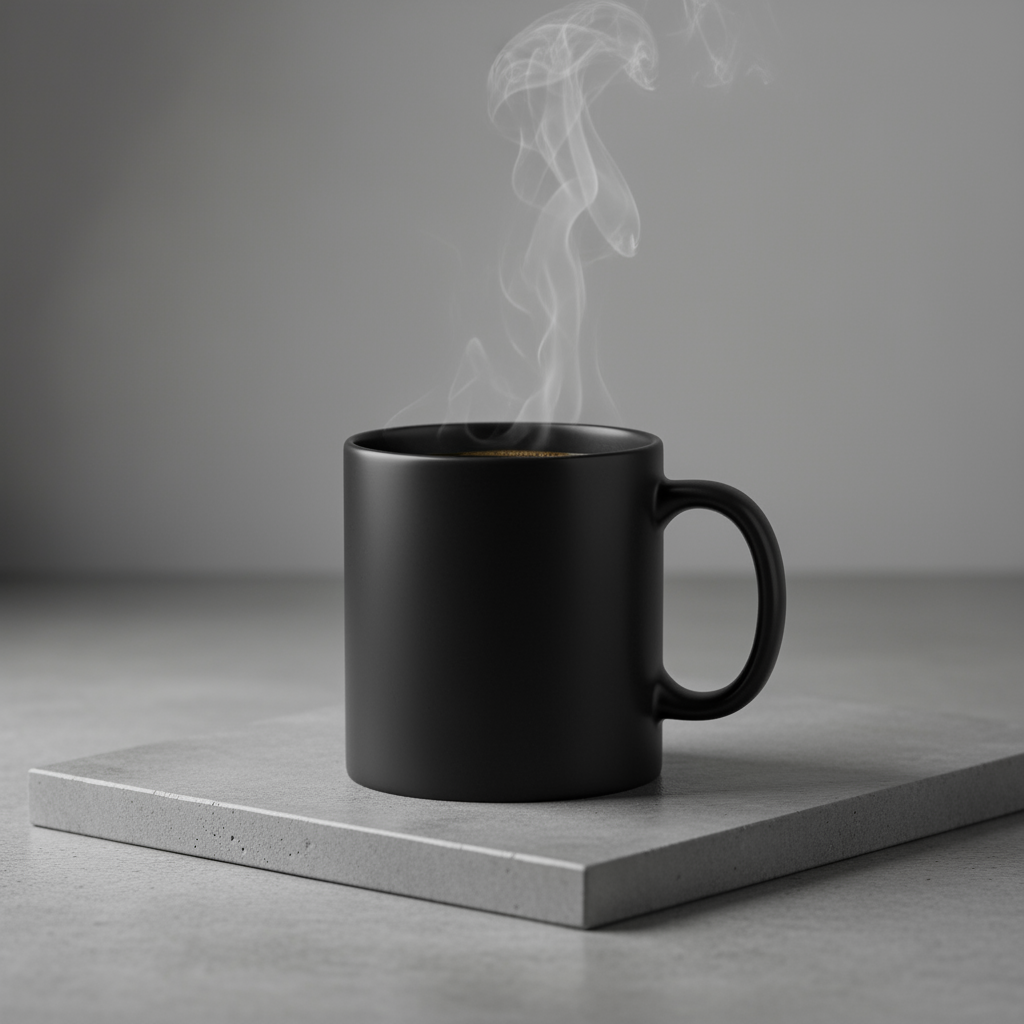
5. Minimalistyczny styl i negatywna przestrzeń
Doskonale nadaje się do tworzenia tła na strony internetowe, do prezentacji lub materiałów marketingowych, na które zostanie nałożony tekst.
Szablon
A minimalist composition featuring a single [subject] positioned in the
[bottom-right/top-left/etc.] of the frame. The background is a vast, empty
[color] canvas, creating significant negative space. Soft, subtle lighting.
[Aspect ratio].
Prompt
A minimalist composition featuring a single, delicate red maple leaf
positioned in the bottom-right of the frame. The background is a vast, empty
off-white canvas, creating significant negative space for text. Soft,
diffused lighting from the top left. Square image.
Python
from google import genai
import base64

client = genai.Client()

interaction = client.interactions.create(
    model="gemini-nano-banana-2.1",
    input="A minimalist composition featuring a single, delicate red maple leaf positioned in the bottom-right of the frame. The background is a vast, empty off-white canvas, creating significant negative space for text. Soft, diffused lighting from the top left. Square image.",
)

for step in interaction.steps:
    if step.type == "model_output":
        for content_block in step.content:
            if content_block.type == "text":
                print(content_block.text)
            elif content_block.type == "image":
                with open("minimalist_design.png", "wb") as f:
                    f.write(base64.b64decode(content_block.data))
JavaScript
import { GoogleGenAI } from "@google/genai";
import * as fs from "node:fs";

async function main() {
  const ai = new GoogleGenAI({});

  const interaction = await ai.interactions.create({
    model: "gemini-nano-banana-2.1",
    input: "A minimalist composition featuring a single, delicate red maple leaf positioned in the bottom-right of the frame. The background is a vast, empty off-white canvas, creating significant negative space for text. Soft, diffused lighting from the top left. Square image.",
  });
  for (const step of interaction.steps) {
    if (step.type === "model_output") {
      for (const contentBlock of step.content) {
        if (contentBlock.type === "text") {
          console.log(contentBlock.text);
        } else if (contentBlock.type === "image") {
          const buffer = Buffer.from(contentBlock.data, "base64");
          fs.writeFileSync("minimalist_design.png", buffer);
        }
      }
    }
  }
}

main();
Java
import com.google.genai.Client;
import com.google.genai.gaos.models.interactions.Content;
import com.google.genai.gaos.models.interactions.CreateModelInteraction;
import com.google.genai.gaos.models.interactions.ImageContent;
import com.google.genai.gaos.models.interactions.Interaction;
import com.google.genai.gaos.models.interactions.InteractionsInput;
import com.google.genai.gaos.models.interactions.Model;
import com.google.genai.gaos.models.interactions.ModelOutputStep;
import com.google.genai.gaos.models.interactions.Step;
import com.google.genai.gaos.models.interactions.TextContent;
import com.google.genai.gaos.models.operations.CreateInteractionRequestBody;
import java.nio.file.Files;
import java.nio.file.Paths;
import java.util.Base64;

Client client = new Client();

CreateModelInteraction params =
    CreateModelInteraction.builder()
        .model(Model.of("gemini-nano-banana-2.1"))
        .input(
            InteractionsInput.of(
                "A minimalist composition featuring a single, delicate red maple leaf positioned in the bottom-right of the frame. The background is a vast, empty off-white canvas, creating significant negative space for text. Soft, diffused lighting from the top left. Square image."))
        .build();

Interaction interaction =
    client.interactions.create(CreateInteractionRequestBody.of(params)).interaction().get();

if (interaction.steps().isPresent()) {
  for (Step step : interaction.steps().get()) {
    if (step instanceof ModelOutputStep) {
      ModelOutputStep outputStep = (ModelOutputStep) step;
      if (outputStep.content().isPresent()) {
        for (Content contentBlock : outputStep.content().get()) {
          if (contentBlock instanceof TextContent) {
            System.out.println(((TextContent) contentBlock).text().orElse(""));
          } else if (contentBlock instanceof ImageContent) {
            ImageContent img = (ImageContent) contentBlock;
            if (img.data().isPresent()) {
              byte[] imgBytes = Base64.getDecoder().decode(img.data().get());
              Files.write(Paths.get("minimalist_design.png"), imgBytes);
            }
          }
        }
      }
    }
  }
}
Go
package main

import (
    "context"
    "encoding/base64"
    "fmt"
    "log"
    "os"

    "google.golang.org/genai"
    "google.golang.org/genai/interactions/models/interactions"
    "google.golang.org/genai/interactions/models/operations"
)

func main() {
    ctx := context.Background()
    client, err := genai.NewClient(ctx, nil)
    if err != nil {
        log.Fatal(err)
    }

    res, err := client.Interactions.Create(ctx, operations.CreateInteractionRequest{
        Body: operations.NewCreateInteractionRequestBody(interactions.CreateModelInteraction{
            Model: interactions.Model("gemini-nano-banana-2.1"),
            Input: interactions.NewInteractionsInput("A minimalist composition featuring a single, delicate red maple leaf positioned in the bottom-right of the frame. The background is a vast, empty off-white canvas, creating significant negative space for text. Soft, diffused lighting from the top left. Square image."),
        }),
    })
    if err != nil {
        log.Fatal(err)
    }

    for _, step := range res.Interaction.Steps {
        if step.ModelOutputStep != nil {
            for _, contentBlock := range step.ModelOutputStep.Content {
                if contentBlock.TextContent != nil {
                    fmt.Println(contentBlock.TextContent.Text)
                } else if contentBlock.ImageContent != nil && contentBlock.ImageContent.Data != nil {
                    imgBytes, err := base64.StdEncoding.DecodeString(*contentBlock.ImageContent.Data)
                    if err != nil {
                        log.Fatal(err)
                    }
                    if err := os.WriteFile("minimalist_design.png", imgBytes, 0644); err != nil {
                        log.Fatal(err)
                    }
                }
            }
        }
    }
}
REST
curl -s -X POST \
  "https://generativelanguage.googleapis.com/v1beta/interactions" \
  -H "x-goog-api-key: $GEMINI_API_KEY" \
  -H "Content-Type: application/json" \
  -d '{
    "model": "gemini-nano-banana-2.1",
    "input": "A minimalist composition featuring a single, delicate red maple leaf positioned in the bottom-right of the frame. The background is a vast, empty off-white canvas, creating significant negative space for text. Soft, diffused lighting from the top left. Square image."
  }'
6. Sztuka sekwencyjna (panel komiksu / scenorys)
Wykorzystuje spójność postaci i opis sceny do tworzenia paneli do wizualnego marketingu narracyjnego. Aby uzyskać dokładny tekst i dobrą narrację, najlepiej używać tych promptów z Gemini 3 Pro i Gemini 3.1 Flash Image.
Szablon
Make a 3 panel comic in a [style]. Put the character in a [type of scene].
Prompt
Make a 3 panel comic in a gritty, noir art style with high-contrast black and white inks. Put the character in a humurous scene.
Python
from google import genai
from PIL import Image
import base64

client = genai.Client()

with open('/path/to/your/man_in_white_glasses.jpg', 'rb') as f:
    image_bytes = f.read()
text_input = "Make a 3 panel comic in a gritty, noir art style with high-contrast black and white inks. Put the character in a humurous scene."

interaction = client.interactions.create(
    model="gemini-nano-banana-2.1",
    input=[
        {"type": "text", "text": text_input},
        {
            "type": "image",
            "data": base64.b64encode(image_bytes).decode('utf-8'),
            "mime_type": "image/jpeg"
        }
    ],
)

for step in interaction.steps:
    if step.type == "model_output":
        for content_block in step.content:
            if content_block.type == "text":
                print(content_block.text)
            elif content_block.type == "image":
                with open("comic_panel.jpg", "wb") as f:
                    f.write(base64.b64decode(content_block.data))
JavaScript
import { GoogleGenAI } from "@google/genai";
import * as fs from "node:fs";

async function main() {
  const ai = new GoogleGenAI({});

  const imagePath = "/path/to/your/man_in_white_glasses.jpg";
  const imageData = fs.readFileSync(imagePath);
  const base64Image = imageData.toString("base64");

  const input = [
    { type: "text", text: "Make a 3 panel comic in a gritty, noir art style with high-contrast black and white inks. Put the character in a humurous scene." },
    {
      type: "image",
      mime_type: "image/jpeg",
      data: base64Image
    },
  ];

  const interaction = await ai.interactions.create({
    model: "gemini-nano-banana-2.1",
    input: input,
  });
  for (const step of interaction.steps) {
    if (step.type === "model_output") {
      for (const contentBlock of step.content) {
        if (contentBlock.type === "text") {
          console.log(contentBlock.text);
        } else if (contentBlock.type === "image") {
          const buffer = Buffer.from(contentBlock.data, "base64");
          fs.writeFileSync("comic_panel.jpg", buffer);
        }
      }
    }
  }
}

main();
Java
import com.google.genai.Client;
import com.google.genai.gaos.models.interactions.Content;
import com.google.genai.gaos.models.interactions.CreateModelInteraction;
import com.google.genai.gaos.models.interactions.ImageContent;
import com.google.genai.gaos.models.interactions.ImageContentMimeType;
import com.google.genai.gaos.models.interactions.Interaction;
import com.google.genai.gaos.models.interactions.InteractionsInput;
import com.google.genai.gaos.models.interactions.Model;
import com.google.genai.gaos.models.interactions.ModelOutputStep;
import com.google.genai.gaos.models.interactions.Step;
import com.google.genai.gaos.models.interactions.TextContent;
import com.google.genai.gaos.models.operations.CreateInteractionRequestBody;
import java.nio.file.Files;
import java.nio.file.Paths;
import java.util.Arrays;
import java.util.Base64;
import java.util.List;

Client client = new Client();

byte[] imageBytes = Files.readAllBytes(Paths.get("/path/to/your/man_in_white_glasses.jpg"));
String base64Image = Base64.getEncoder().encodeToString(imageBytes);
String textInput =
    "Make a 3 panel comic in a gritty, noir art style with high-contrast black and white inks. Put the character in a humurous scene.";

Content textContent = TextContent.builder().text(textInput).build();
Content imageContent =
    ImageContent.builder()
        .data(base64Image)
        .mimeType(ImageContentMimeType.IMAGE_JPEG)
        .build();

List<Content> contents = Arrays.asList(textContent, imageContent);

CreateModelInteraction params =
    CreateModelInteraction.builder()
        .model(Model.of("gemini-nano-banana-2.1"))
        .input(InteractionsInput.ofContent(contents))
        .build();

Interaction interaction =
    client.interactions.create(CreateInteractionRequestBody.of(params)).interaction().get();

if (interaction.steps().isPresent()) {
  for (Step step : interaction.steps().get()) {
    if (step instanceof ModelOutputStep) {
      ModelOutputStep outputStep = (ModelOutputStep) step;
      if (outputStep.content().isPresent()) {
        for (Content contentBlock : outputStep.content().get()) {
          if (contentBlock instanceof TextContent) {
            System.out.println(((TextContent) contentBlock).text().orElse(""));
          } else if (contentBlock instanceof ImageContent) {
            ImageContent img = (ImageContent) contentBlock;
            if (img.data().isPresent()) {
              byte[] outBytes = Base64.getDecoder().decode(img.data().get());
              Files.write(Paths.get("comic_panel.jpg"), outBytes);
            }
          }
        }
      }
    }
  }
}
Go
package main

import (
    "context"
    "encoding/base64"
    "fmt"
    "log"
    "os"

    "google.golang.org/genai"
    "google.golang.org/genai/interactions/models/interactions"
    "google.golang.org/genai/interactions/models/operations"
)

func main() {
    ctx := context.Background()
    client, err := genai.NewClient(ctx, nil)
    if err != nil {
        log.Fatal(err)
    }

    imageBytes, err := os.ReadFile("/path/to/your/man_in_white_glasses.jpg")
    if err != nil {
        log.Fatal(err)
    }
    base64Image := base64.StdEncoding.EncodeToString(imageBytes)
    textInput := "Make a 3 panel comic in a gritty, noir art style with high-contrast black and white inks. Put the character in a humurous scene."

    contents := []interactions.Content{
        interactions.NewContent(interactions.TextContent{
            Text: textInput,
        }),
        interactions.NewContent(interactions.ImageContent{
            Data:     genai.Ptr(base64Image),
            MimeType: interactions.ImageContentMimeTypeImageJpeg.ToPointer(),
        }),
    }

    res, err := client.Interactions.Create(ctx, operations.CreateInteractionRequest{
        Body: operations.NewCreateInteractionRequestBody(interactions.CreateModelInteraction{
            Model: interactions.Model("gemini-nano-banana-2.1"),
            Input: interactions.NewInteractionsInput(contents),
        }),
    })
    if err != nil {
        log.Fatal(err)
    }

    for _, step := range res.Interaction.Steps {
        if step.ModelOutputStep != nil {
            for _, contentBlock := range step.ModelOutputStep.Content {
                if contentBlock.TextContent != nil {
                    fmt.Println(contentBlock.TextContent.Text)
                } else if contentBlock.ImageContent != nil && contentBlock.ImageContent.Data != nil {
                    outBytes, err := base64.StdEncoding.DecodeString(*contentBlock.ImageContent.Data)
                    if err != nil {
                        log.Fatal(err)
                    }
                    if err := os.WriteFile("comic_panel.jpg", outBytes, 0644); err != nil {
                        log.Fatal(err)
                    }
                }
            }
        }
    }
}
REST
curl -s -X POST \
  "https://generativelanguage.googleapis.com/v1beta/interactions" \
  -H "x-goog-api-key: $GEMINI_API_KEY" \
  -H "Content-Type: application/json" \
  -d '{
    "model": "gemini-nano-banana-2.1",
    "input": [
      {"type": "text", "text": "Make a 3 panel comic in a gritty, noir art style with high-contrast black and white inks. Put the character in a humurous scene."},
      {"type": "image", "data": "<BASE64_IMAGE_DATA>", "mime_type": "image/jpeg"}
    ]
  }'
Dane wejściowe |
Wyniki |

|
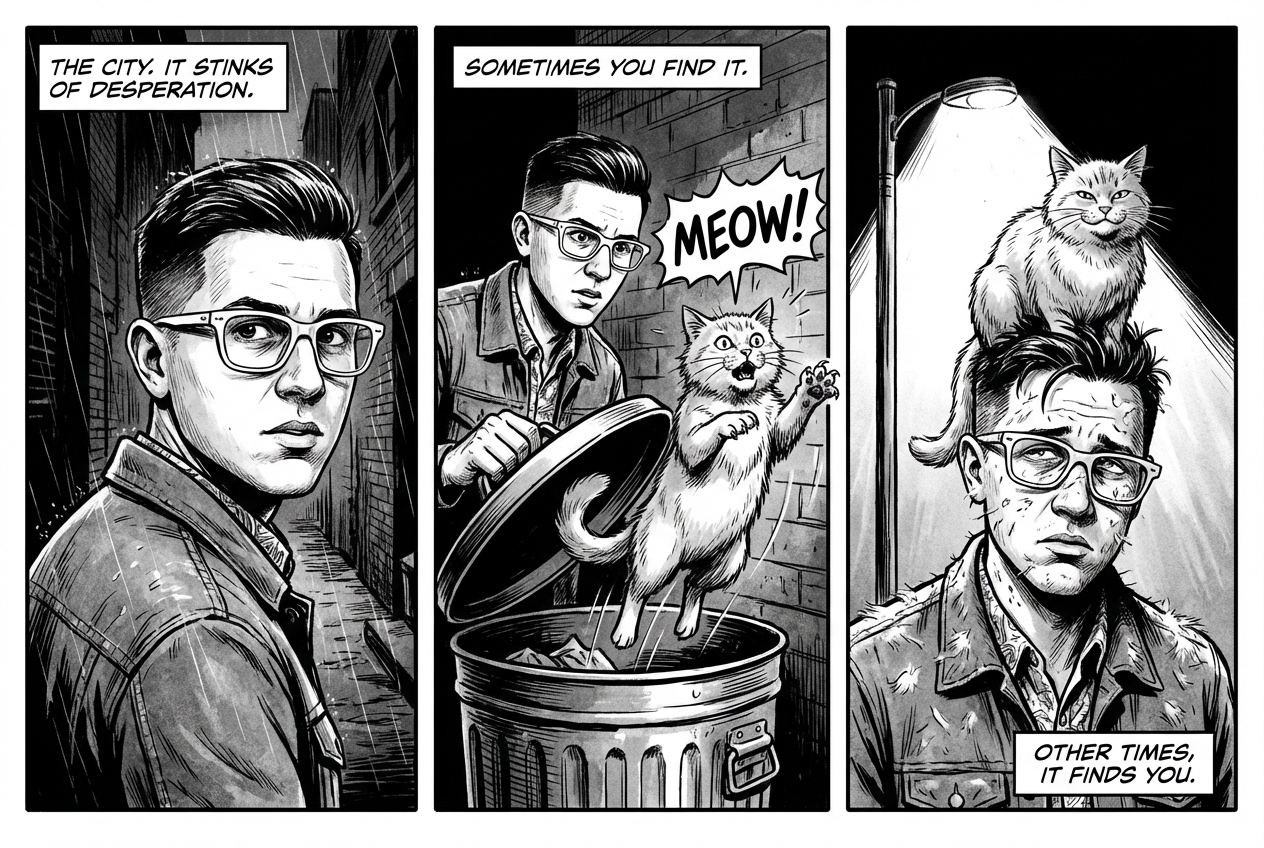
|
7. Powiązanie ze źródłem informacji przy użyciu wyszukiwarki Google
używać wyszukiwarki Google do generowania obrazów generatywnych na podstawie najnowszych informacji lub informacji w czasie rzeczywistym; Jest to przydatne w przypadku wiadomości, pogody i innych tematów, które szybko się zmieniają.
Prompt
Make a simple but stylish graphic of last night's Arsenal game in the Champion's League
Python
from google import genai
from google.genai import types
import base64

client = genai.Client()

interaction = client.interactions.create(
    model="gemini-nano-banana-2.1",
    input="Make a simple but stylish graphic of last night's Arsenal game in the Champion's League",
    tools=[{"type": "google_search"}],
    response_format={"type": "image", "aspect_ratio": "16:9"},
)

for step in interaction.steps:
    if step.type == "model_output":
        for content_block in step.content:
            if content_block.type == "text":
                print(content_block.text)
            elif content_block.type == "image":
                with open("football-score.jpg", "wb") as f:
                    f.write(base64.b64decode(content_block.data))
JavaScript
import { GoogleGenAI } from "@google/genai";
import * as fs from "node:fs";

async function main() {
  const ai = new GoogleGenAI({});

  const interaction = await ai.interactions.create({
    model: "gemini-nano-banana-2.1",
    input: "Make a simple but stylish graphic of last night's Arsenal game in the Champion's League",
    tools: [{ type: "google_search" }],
    response_format: { type: "image", aspect_ratio: "16:9", image_size: "2K" },
  });

  for (const step of interaction.steps) {
    if (step.type === "model_output") {
      for (const contentBlock of step.content) {
        if (contentBlock.type === "text") {
          console.log(contentBlock.text);
        } else if (contentBlock.type === "image") {
          const buffer = Buffer.from(contentBlock.data, "base64");
          fs.writeFileSync("football-score.jpg", buffer);
        }
      }
    }
  }
}

main();
Java
import com.google.genai.Client;
import com.google.genai.gaos.models.interactions.Content;
import com.google.genai.gaos.models.interactions.CreateModelInteraction;
import com.google.genai.gaos.models.interactions.CreateModelInteractionResponseFormat;
import com.google.genai.gaos.models.interactions.GoogleSearch;
import com.google.genai.gaos.models.interactions.ImageContent;
import com.google.genai.gaos.models.interactions.ImageResponseFormat;
import com.google.genai.gaos.models.interactions.ImageResponseFormatAspectRatio;
import com.google.genai.gaos.models.interactions.Interaction;
import com.google.genai.gaos.models.interactions.InteractionsInput;
import com.google.genai.gaos.models.interactions.Model;
import com.google.genai.gaos.models.interactions.ModelOutputStep;
import com.google.genai.gaos.models.interactions.ResponseFormat;
import com.google.genai.gaos.models.interactions.Step;
import com.google.genai.gaos.models.interactions.TextContent;
import com.google.genai.gaos.models.operations.CreateInteractionRequestBody;
import java.nio.file.Files;
import java.nio.file.Paths;
import java.util.Arrays;
import java.util.Base64;

Client client = new Client();

CreateModelInteractionResponseFormat format =
    CreateModelInteractionResponseFormat.of(
        ResponseFormat.of(
            ImageResponseFormat.builder()
                .aspectRatio(ImageResponseFormatAspectRatio.of("16:9"))
                .build()));

CreateModelInteraction params =
    CreateModelInteraction.builder()
        .model(Model.of("gemini-nano-banana-2.1"))
        .input(
            InteractionsInput.of(
                "Make a simple but stylish graphic of last night's Arsenal game in the Champion's League"))
        .tools(Arrays.asList(new GoogleSearch()))
        .responseFormat(format)
        .build();

Interaction interaction =
    client.interactions.create(CreateInteractionRequestBody.of(params)).interaction().get();

if (interaction.steps().isPresent()) {
  for (Step step : interaction.steps().get()) {
    if (step instanceof ModelOutputStep) {
      ModelOutputStep outputStep = (ModelOutputStep) step;
      if (outputStep.content().isPresent()) {
        for (Content contentBlock : outputStep.content().get()) {
          if (contentBlock instanceof TextContent) {
            System.out.println(((TextContent) contentBlock).text().orElse(""));
          } else if (contentBlock instanceof ImageContent) {
            ImageContent img = (ImageContent) contentBlock;
            if (img.data().isPresent()) {
              byte[] imgBytes = Base64.getDecoder().decode(img.data().get());
              Files.write(Paths.get("football-score.jpg"), imgBytes);
            }
          }
        }
      }
    }
  }
}
Go
package main

import (
    "context"
    "encoding/base64"
    "fmt"
    "log"
    "os"

    "google.golang.org/genai"
    "google.golang.org/genai/interactions/models/interactions"
    "google.golang.org/genai/interactions/models/operations"
)

func main() {
    ctx := context.Background()
    client, err := genai.NewClient(ctx, nil)
    if err != nil {
        log.Fatal(err)
    }

    format := interactions.NewCreateModelInteractionResponseFormat(
        interactions.NewResponseFormat(interactions.ImageResponseFormat{
            AspectRatio: interactions.ImageResponseFormatAspectRatio("16:9").ToPointer(),
        }),
    )

    res, err := client.Interactions.Create(ctx, operations.CreateInteractionRequest{
        Body: operations.NewCreateInteractionRequestBody(interactions.CreateModelInteraction{
            Model: interactions.Model("gemini-nano-banana-2.1"),
            Input: interactions.NewInteractionsInput("Make a simple but stylish graphic of last night's Arsenal game in the Champion's League"),
            Tools: []interactions.Tool{
                interactions.NewTool(interactions.GoogleSearch{}),
            },
            ResponseFormat: genai.Ptr(format),
        }),
    })
    if err != nil {
        log.Fatal(err)
    }

    for _, step := range res.Interaction.Steps {
        if step.ModelOutputStep != nil {
            for _, contentBlock := range step.ModelOutputStep.Content {
                if contentBlock.TextContent != nil {
                    fmt.Println(contentBlock.TextContent.Text)
                } else if contentBlock.ImageContent != nil && contentBlock.ImageContent.Data != nil {
                    imgBytes, err := base64.StdEncoding.DecodeString(*contentBlock.ImageContent.Data)
                    if err != nil {
                        log.Fatal(err)
                    }
                    if err := os.WriteFile("football-score.jpg", imgBytes, 0644); err != nil {
                        log.Fatal(err)
                    }
                }
            }
        }
    }
}
REST
curl -s -X POST \
  "https://generativelanguage.googleapis.com/v1beta/interactions" \
  -H "x-goog-api-key: $GEMINI_API_KEY" \
  -H "Content-Type: application/json" \
  -d '{
    "model": "gemini-nano-banana-2.1",
    "input": "Make a simple but stylish graphic of last nights Arsenal game in the Champions League",
    "tools": [{"type": "google_search"}],
    "response_format": {
      "type": "image",
      "aspect_ratio": "16:9"
    }
  }'
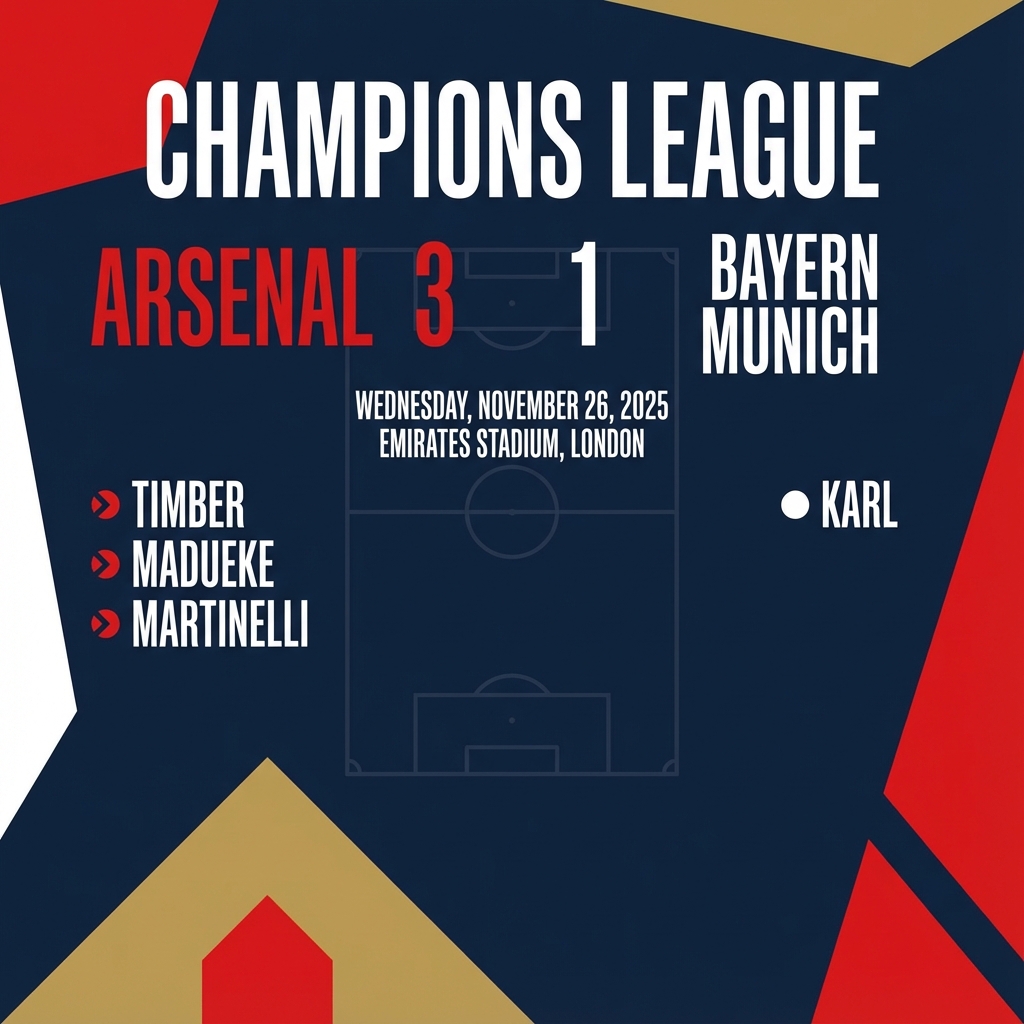
Prompty do edycji obrazów
Te przykłady pokazują, jak podawać obrazy wraz z promptami tekstowymi na potrzeby edycji, kompozycji i przenoszenia stylu.
1. Dodawanie i usuwanie elementów
Prześlij obraz i opisz, co chcesz zmienić. Model będzie pasował do stylu, oświetlenia i perspektywy oryginalnego obrazu.
Szablon
Using the provided image of [subject], please [add/remove/modify] [element]
to/from the scene. Ensure the change is [description of how the change should
integrate].
Prompt
"Using the provided image of my cat, please add a small, knitted wizard hat
on its head. Make it look like it's sitting comfortably and matches the soft
lighting of the photo."
Python
from google import genai
from PIL import Image
import base64

client = genai.Client()

with open('/path/to/your/cat_photo.png', 'rb') as f:
    image_bytes = f.read()
text_input = """Using the provided image of my cat, please add a small, knitted wizard hat on its head. Make it look like it's sitting comfortably and not falling off."""

interaction = client.interactions.create(
    model="gemini-nano-banana-2.1",
    input=[
        {"type": "text", "text": text_input},
        {
            "type": "image",
            "data": base64.b64encode(image_bytes).decode('utf-8'),
            "mime_type": "image/png"
        }
    ],
)

for step in interaction.steps:
    if step.type == "model_output":
        for content_block in step.content:
            if content_block.type == "text":
                print(content_block.text)
            elif content_block.type == "image":
                with open("cat_with_hat.png", "wb") as f:
                    f.write(base64.b64decode(content_block.data))
JavaScript
import { GoogleGenAI } from "@google/genai";
import * as fs from "node:fs";

async function main() {
  const ai = new GoogleGenAI({});

  const imagePath = "/path/to/your/cat_photo.png";
  const imageData = fs.readFileSync(imagePath);
  const base64Image = imageData.toString("base64");

  const input = [
    { type: "text", text: "Using the provided image of my cat, please add a small, knitted wizard hat on its head. Make it look like it's sitting comfortably and not falling off." },
    {
      type: "image",
      mime_type: "image/png",
      data: base64Image
    },
  ];

  const interaction = await ai.interactions.create({
    model: "gemini-nano-banana-2.1",
    input: input,
  });
  for (const step of interaction.steps) {
    if (step.type === "model_output") {
      for (const contentBlock of step.content) {
        if (contentBlock.type === "text") {
          console.log(contentBlock.text);
        } else if (contentBlock.type === "image") {
          const buffer = Buffer.from(contentBlock.data, "base64");
          fs.writeFileSync("cat_with_hat.png", buffer);
        }
      }
    }
  }
}

main();
Java
import com.google.genai.Client;
import com.google.genai.gaos.models.interactions.Content;
import com.google.genai.gaos.models.interactions.CreateModelInteraction;
import com.google.genai.gaos.models.interactions.ImageContent;
import com.google.genai.gaos.models.interactions.ImageContentMimeType;
import com.google.genai.gaos.models.interactions.Interaction;
import com.google.genai.gaos.models.interactions.InteractionsInput;
import com.google.genai.gaos.models.interactions.Model;
import com.google.genai.gaos.models.interactions.ModelOutputStep;
import com.google.genai.gaos.models.interactions.Step;
import com.google.genai.gaos.models.interactions.TextContent;
import com.google.genai.gaos.models.operations.CreateInteractionRequestBody;
import java.nio.file.Files;
import java.nio.file.Paths;
import java.util.Arrays;
import java.util.Base64;
import java.util.List;

Client client = new Client();

byte[] imageBytes = Files.readAllBytes(Paths.get("/path/to/your/cat_photo.png"));
String base64Image = Base64.getEncoder().encodeToString(imageBytes);
String textInput =
    "Using the provided image of my cat, please add a small, knitted wizard hat on its head. Make it look like it's sitting comfortably and not falling off.";

Content textContent = TextContent.builder().text(textInput).build();
Content imageContent =
    ImageContent.builder()
        .data(base64Image)
        .mimeType(ImageContentMimeType.IMAGE_PNG)
        .build();

List<Content> contents = Arrays.asList(textContent, imageContent);

CreateModelInteraction params =
    CreateModelInteraction.builder()
        .model(Model.of("gemini-nano-banana-2.1"))
        .input(InteractionsInput.ofContent(contents))
        .build();

Interaction interaction =
    client.interactions.create(CreateInteractionRequestBody.of(params)).interaction().get();

if (interaction.steps().isPresent()) {
  for (Step step : interaction.steps().get()) {
    if (step instanceof ModelOutputStep) {
      ModelOutputStep outputStep = (ModelOutputStep) step;
      if (outputStep.content().isPresent()) {
        for (Content contentBlock : outputStep.content().get()) {
          if (contentBlock instanceof TextContent) {
            System.out.println(((TextContent) contentBlock).text().orElse(""));
          } else if (contentBlock instanceof ImageContent) {
            ImageContent img = (ImageContent) contentBlock;
            if (img.data().isPresent()) {
              byte[] outBytes = Base64.getDecoder().decode(img.data().get());
              Files.write(Paths.get("cat_with_hat.png"), outBytes);
            }
          }
        }
      }
    }
  }
}
Go
package main

import (
    "context"
    "encoding/base64"
    "fmt"
    "log"
    "os"

    "google.golang.org/genai"
    "google.golang.org/genai/interactions/models/interactions"
    "google.golang.org/genai/interactions/models/operations"
)

func main() {
    ctx := context.Background()
    client, err := genai.NewClient(ctx, nil)
    if err != nil {
        log.Fatal(err)
    }

    imageBytes, err := os.ReadFile("/path/to/your/cat_photo.png")
    if err != nil {
        log.Fatal(err)
    }
    base64Image := base64.StdEncoding.EncodeToString(imageBytes)
    textInput := "Using the provided image of my cat, please add a small, knitted wizard hat on its head. Make it look like it's sitting comfortably and not falling off."

    contents := []interactions.Content{
        interactions.NewContent(interactions.TextContent{
            Text: textInput,
        }),
        interactions.NewContent(interactions.ImageContent{
            Data:     genai.Ptr(base64Image),
            MimeType: interactions.ImageContentMimeTypeImagePng.ToPointer(),
        }),
    }

    res, err := client.Interactions.Create(ctx, operations.CreateInteractionRequest{
        Body: operations.NewCreateInteractionRequestBody(interactions.CreateModelInteraction{
            Model: interactions.Model("gemini-nano-banana-2.1"),
            Input: interactions.NewInteractionsInput(contents),
        }),
    })
    if err != nil {
        log.Fatal(err)
    }

    for _, step := range res.Interaction.Steps {
        if step.ModelOutputStep != nil {
            for _, contentBlock := range step.ModelOutputStep.Content {
                if contentBlock.TextContent != nil {
                    fmt.Println(contentBlock.TextContent.Text)
                } else if contentBlock.ImageContent != nil && contentBlock.ImageContent.Data != nil {
                    outBytes, err := base64.StdEncoding.DecodeString(*contentBlock.ImageContent.Data)
                    if err != nil {
                        log.Fatal(err)
                    }
                    if err := os.WriteFile("cat_with_hat.png", outBytes, 0644); err != nil {
                        log.Fatal(err)
                    }
                }
            }
        }
    }
}
REST
curl -s -X POST \
  "https://generativelanguage.googleapis.com/v1beta/interactions" \
    -H "x-goog-api-key: $GEMINI_API_KEY" \
    -H 'Content-Type: application/json' \
    -d "{
      \"model\": \"gemini-nano-banana-2.1\",
      \"input\": [
            {\"type\": \"text\", \"text\": \"Using the provided image of my cat, please add a small, knitted wizard hat on its head. Make it look like it's sitting comfortably and not falling off.\"},
            {\"type\": \"image\", \"mime_type\":\"image/png\", \"data\": \"<BASE64_IMAGE_DATA>\"}
        ]
    }"
Dane wejściowe |
Wyniki |
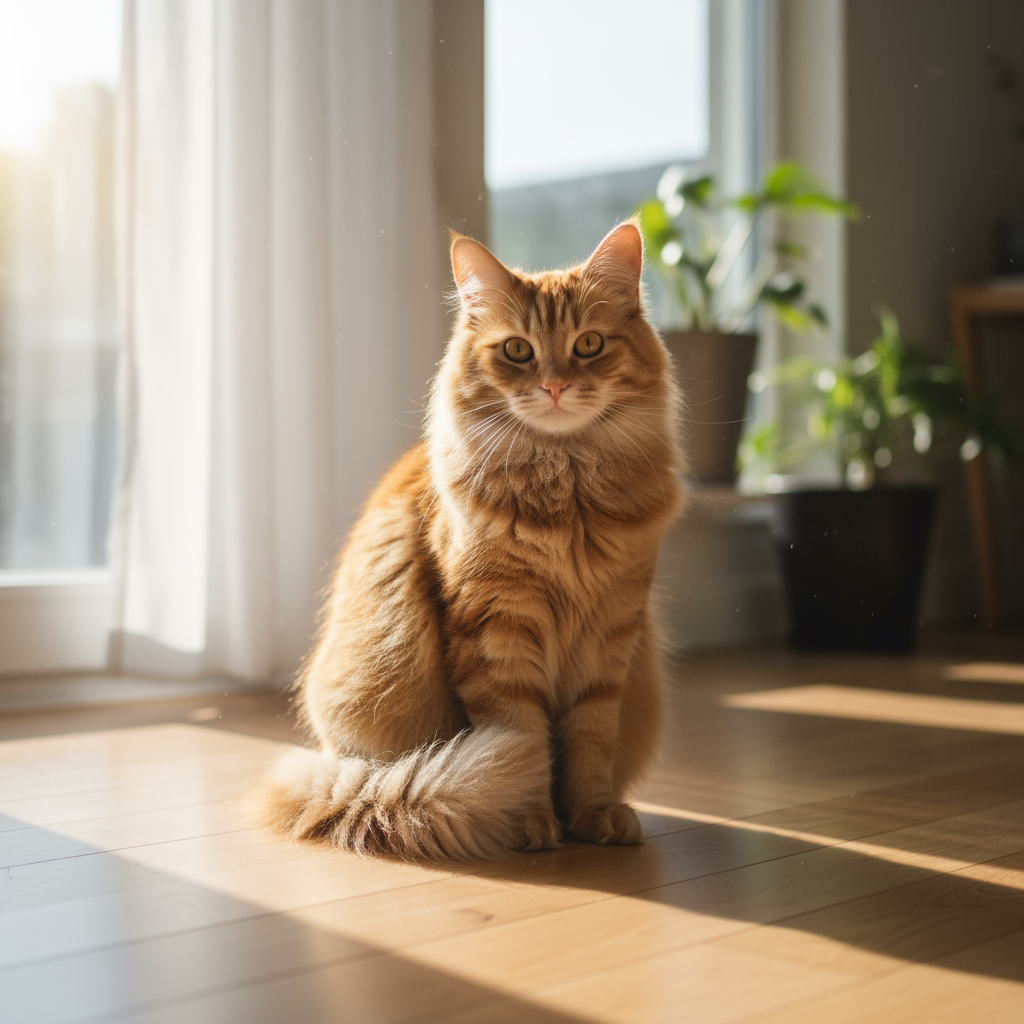
|
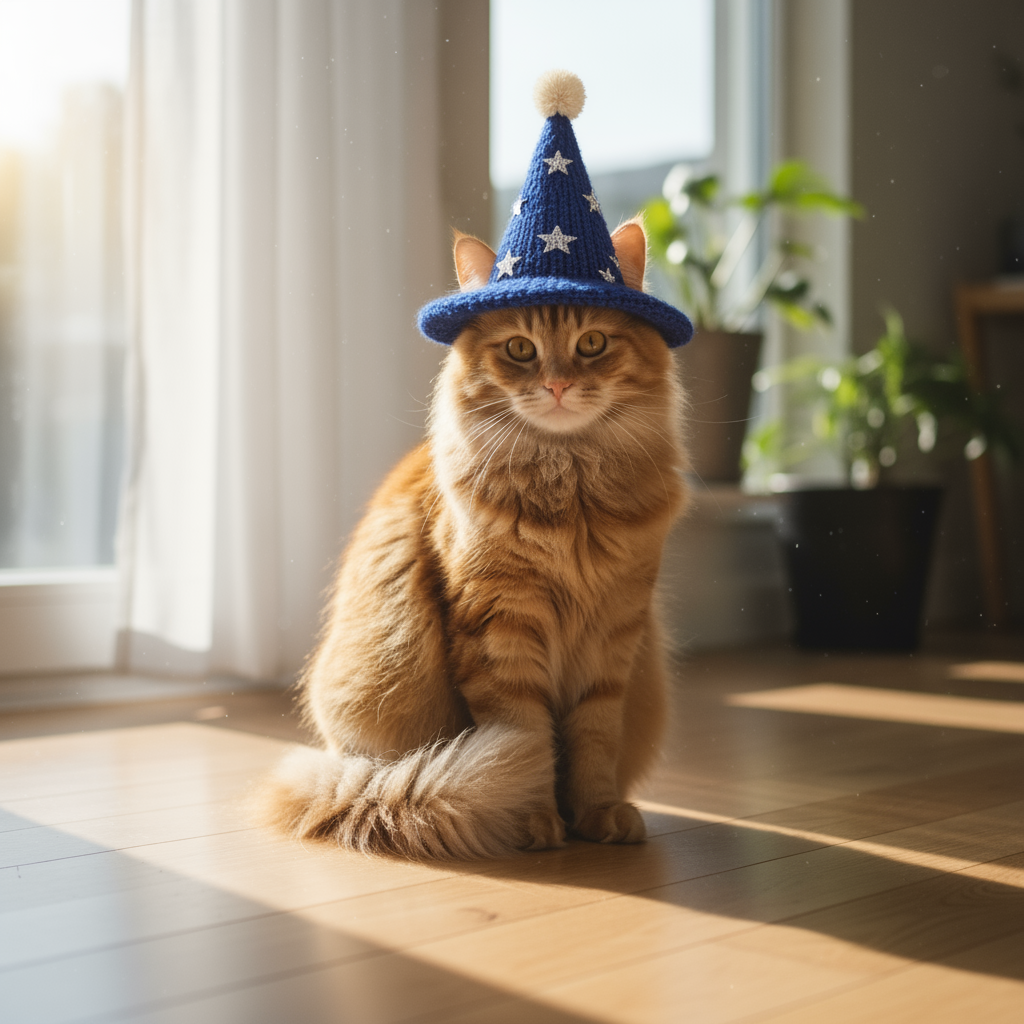
|
2. Retusz (maskowanie semantyczne)
W rozmowie zdefiniuj „maskę”, aby edytować określoną część obrazu, pozostawiając resztę bez zmian.
Szablon
Using the provided image, change only the [specific element] to [new
element/description]. Keep everything else in the image exactly the same,
preserving the original style, lighting, and composition.
Prompt
"Using the provided image of a living room, change only the blue sofa to be
a vintage, brown leather chesterfield sofa. Keep the rest of the room,
including the pillows on the sofa and the lighting, unchanged."
Python
from google import genai
from PIL import Image
import base64

client = genai.Client()

with open('/path/to/your/living_room.png', 'rb') as f:
    image_bytes = f.read()
text_input = """Using the provided image of a living room, change only the blue sofa to be a vintage, brown leather chesterfield sofa. Keep the rest of the room, including the pillows on the sofa and the lighting, unchanged."""

interaction = client.interactions.create(
    model="gemini-nano-banana-2.1",
    input=[
        {
            "type": "image",
            "data": base64.b64encode(image_bytes).decode('utf-8'),
            "mime_type": "image/png"
        },
        {"type": "text", "text": text_input}
    ],
)

for step in interaction.steps:
    if step.type == "model_output":
        for content_block in step.content:
            if content_block.type == "text":
                print(content_block.text)
            elif content_block.type == "image":
                with open("living_room_edited.png", "wb") as f:
                    f.write(base64.b64decode(content_block.data))
JavaScript
import { GoogleGenAI } from "@google/genai";
import * as fs from "node:fs";

async function main() {
  const ai = new GoogleGenAI({});

  const imagePath = "/path/to/your/living_room.png";
  const imageData = fs.readFileSync(imagePath);
  const base64Image = imageData.toString("base64");

  const input = [
    {
      type: "image",
      mime_type: "image/png",
      data: base64Image
    },
    { type: "text", text: "Using the provided image of a living room, change only the blue sofa to be a vintage, brown leather chesterfield sofa. Keep the rest of the room, including the pillows on the sofa and the lighting, unchanged." },
  ];

  const interaction = await ai.interactions.create({
    model: "gemini-nano-banana-2.1",
    input: input,
  });
  for (const step of interaction.steps) {
    if (step.type === "model_output") {
      for (const contentBlock of step.content) {
        if (contentBlock.type === "text") {
          console.log(contentBlock.text);
        } else if (contentBlock.type === "image") {
          const buffer = Buffer.from(contentBlock.data, "base64");
          fs.writeFileSync("living_room_edited.png", buffer);
        }
      }
    }
  }
}

main();
Java
import com.google.genai.Client;
import com.google.genai.gaos.models.interactions.Content;
import com.google.genai.gaos.models.interactions.CreateModelInteraction;
import com.google.genai.gaos.models.interactions.ImageContent;
import com.google.genai.gaos.models.interactions.ImageContentMimeType;
import com.google.genai.gaos.models.interactions.Interaction;
import com.google.genai.gaos.models.interactions.InteractionsInput;
import com.google.genai.gaos.models.interactions.Model;
import com.google.genai.gaos.models.interactions.ModelOutputStep;
import com.google.genai.gaos.models.interactions.Step;
import com.google.genai.gaos.models.interactions.TextContent;
import com.google.genai.gaos.models.operations.CreateInteractionRequestBody;
import java.nio.file.Files;
import java.nio.file.Paths;
import java.util.Arrays;
import java.util.Base64;
import java.util.List;

Client client = new Client();

byte[] imageBytes = Files.readAllBytes(Paths.get("/path/to/your/living_room.png"));
String base64Image = Base64.getEncoder().encodeToString(imageBytes);
String textInput =
    "Using the provided image of a living room, change only the blue sofa to be a vintage, brown leather chesterfield sofa. Keep the rest of the room, including the pillows on the sofa and the lighting, unchanged.";

Content imageContent =
    ImageContent.builder()
        .data(base64Image)
        .mimeType(ImageContentMimeType.IMAGE_PNG)
        .build();
Content textContent = TextContent.builder().text(textInput).build();

List<Content> contents = Arrays.asList(imageContent, textContent);

CreateModelInteraction params =
    CreateModelInteraction.builder()
        .model(Model.of("gemini-nano-banana-2.1"))
        .input(InteractionsInput.ofContent(contents))
        .build();

Interaction interaction =
    client.interactions.create(CreateInteractionRequestBody.of(params)).interaction().get();

if (interaction.steps().isPresent()) {
  for (Step step : interaction.steps().get()) {
    if (step instanceof ModelOutputStep) {
      ModelOutputStep outputStep = (ModelOutputStep) step;
      if (outputStep.content().isPresent()) {
        for (Content contentBlock : outputStep.content().get()) {
          if (contentBlock instanceof TextContent) {
            System.out.println(((TextContent) contentBlock).text().orElse(""));
          } else if (contentBlock instanceof ImageContent) {
            ImageContent img = (ImageContent) contentBlock;
            if (img.data().isPresent()) {
              byte[] outBytes = Base64.getDecoder().decode(img.data().get());
              Files.write(Paths.get("living_room_edited.png"), outBytes);
            }
          }
        }
      }
    }
  }
}
Go
package main

import (
    "context"
    "encoding/base64"
    "fmt"
    "log"
    "os"

    "google.golang.org/genai"
    "google.golang.org/genai/interactions/models/interactions"
    "google.golang.org/genai/interactions/models/operations"
)

func main() {
    ctx := context.Background()
    client, err := genai.NewClient(ctx, nil)
    if err != nil {
        log.Fatal(err)
    }

    imageBytes, err := os.ReadFile("/path/to/your/living_room.png")
    if err != nil {
        log.Fatal(err)
    }
    base64Image := base64.StdEncoding.EncodeToString(imageBytes)
    textInput := "Using the provided image of a living room, change only the blue sofa to be a vintage, brown leather chesterfield sofa. Keep the rest of the room, including the pillows on the sofa and the lighting, unchanged."

    contents := []interactions.Content{
        interactions.NewContent(interactions.ImageContent{
            Data:     genai.Ptr(base64Image),
            MimeType: interactions.ImageContentMimeTypeImagePng.ToPointer(),
        }),
        interactions.NewContent(interactions.TextContent{
            Text: textInput,
        }),
    }

    res, err := client.Interactions.Create(ctx, operations.CreateInteractionRequest{
        Body: operations.NewCreateInteractionRequestBody(interactions.CreateModelInteraction{
            Model: interactions.Model("gemini-nano-banana-2.1"),
            Input: interactions.NewInteractionsInput(contents),
        }),
    })
    if err != nil {
        log.Fatal(err)
    }

    for _, step := range res.Interaction.Steps {
        if step.ModelOutputStep != nil {
            for _, contentBlock := range step.ModelOutputStep.Content {
                if contentBlock.TextContent != nil {
                    fmt.Println(contentBlock.TextContent.Text)
                } else if contentBlock.ImageContent != nil && contentBlock.ImageContent.Data != nil {
                    outBytes, err := base64.StdEncoding.DecodeString(*contentBlock.ImageContent.Data)
                    if err != nil {
                        log.Fatal(err)
                    }
                    if err := os.WriteFile("living_room_edited.png", outBytes, 0644); err != nil {
                        log.Fatal(err)
                    }
                }
            }
        }
    }
}
REST
curl -s -X POST \
  "https://generativelanguage.googleapis.com/v1beta/interactions" \
    -H "x-goog-api-key: $GEMINI_API_KEY" \
    -H 'Content-Type: application/json' \
    -d "{
      \"model\": \"gemini-nano-banana-2.1\",
      \"input\": [
        {\"type\": \"image\", \"mime_type\":\"image/png\", \"data\": \"<BASE64_IMAGE_DATA>\"},
        {\"type\": \"text\", \"text\": \"Using the provided image of a living room, change only the blue sofa to be a vintage, brown leather chesterfield sofa. Keep the rest of the room, including the pillows on the sofa and the lighting, unchanged.\"}
      ]
    }"
Dane wejściowe |
Wyniki |

|

|
3. Przenoszenie stylu
Prześlij obraz i poproś model o odtworzenie jego zawartości w innym stylu artystycznym.
Szablon
Transform the provided photograph of [subject] into the artistic style of [artist/art style]. Preserve the original composition but render it with [description of stylistic elements].
Prompt
"Transform the provided photograph of a modern city street at night into the artistic style of Vincent van Gogh's 'Starry Night'. Preserve the original composition of buildings and cars, but render all elements with swirling, impasto brushstrokes and a dramatic palette of deep blues and bright yellows."
Python
from google import genai
from PIL import Image
import base64

client = genai.Client()

with open('/path/to/your/city.png', 'rb') as f:
    image_bytes = f.read()
text_input = """Transform the provided photograph of a modern city street at night into the artistic style of Vincent van Gogh's 'Starry Night'. Preserve the original composition of buildings and cars, but render all elements with swirling, impasto brushstrokes and a dramatic palette of deep blues and bright yellows."""

interaction = client.interactions.create(
    model="gemini-nano-banana-2.1",
    input=[
        {
            "type": "image",
            "data": base64.b64encode(image_bytes).decode('utf-8'),
            "mime_type": "image/png"
        },
        {"type": "text", "text": text_input}
    ],
)

for step in interaction.steps:
    if step.type == "model_output":
        for content_block in step.content:
            if content_block.type == "text":
                print(content_block.text)
            elif content_block.type == "image":
                with open("city_style_transfer.png", "wb") as f:
                    f.write(base64.b64decode(content_block.data))
JavaScript
import { GoogleGenAI } from "@google/genai";
import * as fs from "node:fs";

async function main() {
  const ai = new GoogleGenAI({});
  const imageData = fs.readFileSync("/path/to/your/city.png");
  const base64Image = imageData.toString("base64");

  const interaction = await ai.interactions.create({
    model: "gemini-nano-banana-2.1",
    input: [
      {
        type: "image",
        mime_type: "image/png",
        data: base64Image
      },
      { type: "text", text: "Transform the provided photograph of a modern city street at night into the artistic style of Vincent van Gogh's 'Starry Night'. Preserve the original composition of buildings and cars, but render all elements with swirling, impasto brushstrokes and a dramatic palette of deep blues and bright yellows." },
    ],
  });
  for (const step of interaction.steps) {
    if (step.type === "model_output") {
      for (const contentBlock of step.content) {
        if (contentBlock.type === "text") {
          console.log(contentBlock.text);
        } else if (contentBlock.type === "image") {
          const buffer = Buffer.from(contentBlock.data, "base64");
          fs.writeFileSync("city_style_transfer.png", buffer);
        }
      }
    }
  }
}

main();
Java
import com.google.genai.Client;
import com.google.genai.gaos.models.interactions.Content;
import com.google.genai.gaos.models.interactions.CreateModelInteraction;
import com.google.genai.gaos.models.interactions.ImageContent;
import com.google.genai.gaos.models.interactions.ImageContentMimeType;
import com.google.genai.gaos.models.interactions.Interaction;
import com.google.genai.gaos.models.interactions.InteractionsInput;
import com.google.genai.gaos.models.interactions.Model;
import com.google.genai.gaos.models.interactions.ModelOutputStep;
import com.google.genai.gaos.models.interactions.Step;
import com.google.genai.gaos.models.interactions.TextContent;
import com.google.genai.gaos.models.operations.CreateInteractionRequestBody;
import java.nio.file.Files;
import java.nio.file.Paths;
import java.util.Arrays;
import java.util.Base64;
import java.util.List;

Client client = new Client();

byte[] imageBytes = Files.readAllBytes(Paths.get("/path/to/your/city.png"));
String base64Image = Base64.getEncoder().encodeToString(imageBytes);
String textInput =
    "Transform the provided photograph of a modern city street at night into the artistic style of Vincent van Gogh's 'Starry Night'. Preserve the original composition of buildings and cars, but render all elements with swirling, impasto brushstrokes and a dramatic palette of deep blues and bright yellows.";

Content imageContent =
    ImageContent.builder()
        .data(base64Image)
        .mimeType(ImageContentMimeType.IMAGE_PNG)
        .build();
Content textContent = TextContent.builder().text(textInput).build();

List<Content> contents = Arrays.asList(imageContent, textContent);

CreateModelInteraction params =
    CreateModelInteraction.builder()
        .model(Model.of("gemini-nano-banana-2.1"))
        .input(InteractionsInput.ofContent(contents))
        .build();

Interaction interaction =
    client.interactions.create(CreateInteractionRequestBody.of(params)).interaction().get();

if (interaction.steps().isPresent()) {
  for (Step step : interaction.steps().get()) {
    if (step instanceof ModelOutputStep) {
      ModelOutputStep outputStep = (ModelOutputStep) step;
      if (outputStep.content().isPresent()) {
        for (Content contentBlock : outputStep.content().get()) {
          if (contentBlock instanceof TextContent) {
            System.out.println(((TextContent) contentBlock).text().orElse(""));
          } else if (contentBlock instanceof ImageContent) {
            ImageContent img = (ImageContent) contentBlock;
            if (img.data().isPresent()) {
              byte[] outBytes = Base64.getDecoder().decode(img.data().get());
              Files.write(Paths.get("city_style_transfer.png"), outBytes);
            }
          }
        }
      }
    }
  }
}
Go
package main

import (
    "context"
    "encoding/base64"
    "fmt"
    "log"
    "os"

    "google.golang.org/genai"
    "google.golang.org/genai/interactions/models/interactions"
    "google.golang.org/genai/interactions/models/operations"
)

func main() {
    ctx := context.Background()
    client, err := genai.NewClient(ctx, nil)
    if err != nil {
        log.Fatal(err)
    }

    imageBytes, err := os.ReadFile("/path/to/your/city.png")
    if err != nil {
        log.Fatal(err)
    }
    base64Image := base64.StdEncoding.EncodeToString(imageBytes)
    textInput := "Transform the provided photograph of a modern city street at night into the artistic style of Vincent van Gogh's 'Starry Night'. Preserve the original composition of buildings and cars, but render all elements with swirling, impasto brushstrokes and a dramatic palette of deep blues and bright yellows."

    contents := []interactions.Content{
        interactions.NewContent(interactions.ImageContent{
            Data:     genai.Ptr(base64Image),
            MimeType: interactions.ImageContentMimeTypeImagePng.ToPointer(),
        }),
        interactions.NewContent(interactions.TextContent{
            Text: textInput,
        }),
    }

    res, err := client.Interactions.Create(ctx, operations.CreateInteractionRequest{
        Body: operations.NewCreateInteractionRequestBody(interactions.CreateModelInteraction{
            Model: interactions.Model("gemini-nano-banana-2.1"),
            Input: interactions.NewInteractionsInput(contents),
        }),
    })
    if err != nil {
        log.Fatal(err)
    }

    for _, step := range res.Interaction.Steps {
        if step.ModelOutputStep != nil {
            for _, contentBlock := range step.ModelOutputStep.Content {
                if contentBlock.TextContent != nil {
                    fmt.Println(contentBlock.TextContent.Text)
                } else if contentBlock.ImageContent != nil && contentBlock.ImageContent.Data != nil {
                    outBytes, err := base64.StdEncoding.DecodeString(*contentBlock.ImageContent.Data)
                    if err != nil {
                        log.Fatal(err)
                    }
                    if err := os.WriteFile("city_style_transfer.png", outBytes, 0644); err != nil {
                        log.Fatal(err)
                    }
                }
            }
        }
    }
}
REST
curl -s -X POST \
  "https://generativelanguage.googleapis.com/v1beta/interactions" \
    -H "x-goog-api-key: $GEMINI_API_KEY" \
    -H 'Content-Type: application/json' \
    -d "{
      \"model\": \"gemini-nano-banana-2.1\",
      \"input\": [
        {\"type\": \"image\", \"mime_type\":\"image/png\", \"data\": \"<BASE64_IMAGE_DATA>\"},
        {\"type\": \"text\", \"text\": \"Transform the provided photograph of a modern city street at night into the artistic style of Vincent van Gogh's 'Starry Night'. Preserve the original composition of buildings and cars, but render all elements with swirling, impasto brushstrokes and a dramatic palette of deep blues and bright yellows.\"}
      ]
    }"
Dane wejściowe |
Wyniki |
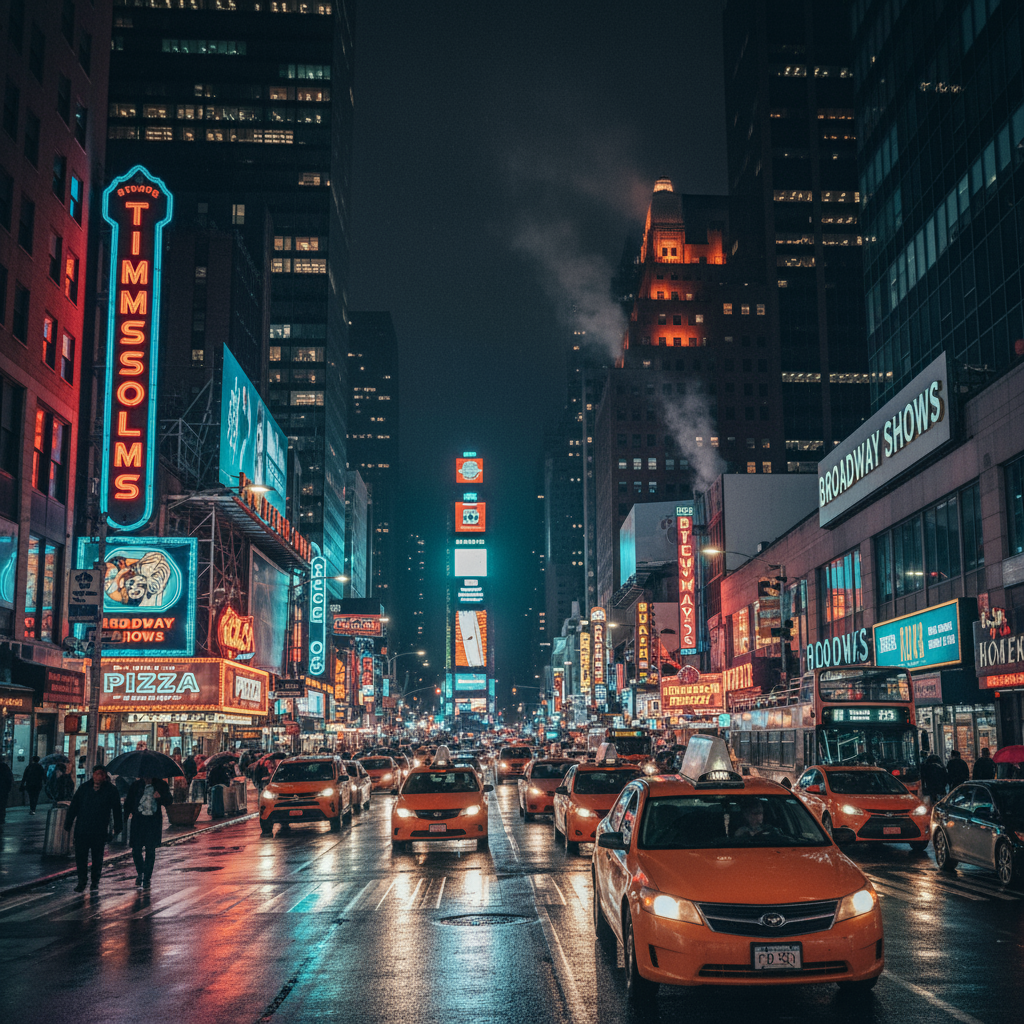
|
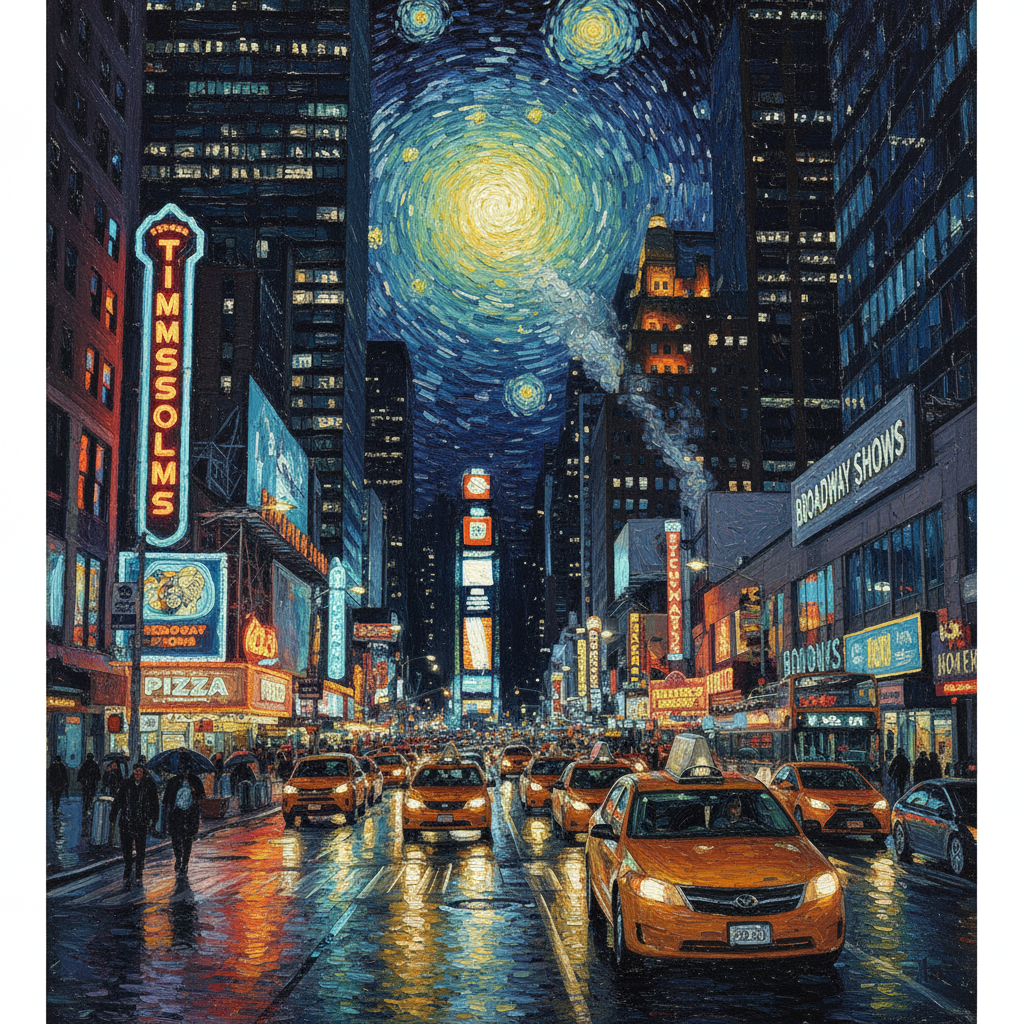
|
4. Kompozycja zaawansowana: łączenie wielu obrazów
Prześlij kilka obrazów jako kontekst, aby utworzyć nową, złożoną scenę. To idealne rozwiązanie do tworzenia makiet produktów lub kreatywnych kolaży.
Szablon
Create a new image by combining the elements from the provided images. Take
the [element from image 1] and place it with/on the [element from image 2].
The final image should be a [description of the final scene].
Prompt
"Create a professional e-commerce fashion photo. Take the blue floral dress
from the first image and let the woman from the second image wear it.
Generate a realistic, full-body shot of the woman wearing the dress, with
the lighting and shadows adjusted to match the outdoor environment."
Python
from google import genai
from PIL import Image
import base64

client = genai.Client()

with open('/path/to/your/dress.png', 'rb') as f:
    dress_bytes = f.read()
with open('/path/to/your/model.png', 'rb') as f:
    model_bytes = f.read()
text_input = """Create a professional e-commerce fashion photo. Take the blue floral dress from the first image and let the woman from the second image wear it. Generate a realistic, full-body shot of the woman wearing the dress, with the lighting and shadows adjusted to match the outdoor environment."""

interaction = client.interactions.create(
    model="gemini-nano-banana-2.1",
    input=[
        {
            "type": "image",
            "data": base64.b64encode(dress_bytes).decode('utf-8'),
            "mime_type": "image/png"
        },
        {
            "type": "image",
            "data": base64.b64encode(model_bytes).decode('utf-8'),
            "mime_type": "image/png"
        },
        {"type": "text", "text": text_input}
    ],
)

for step in interaction.steps:
    if step.type == "model_output":
        for content_block in step.content:
            if content_block.type == "text":
                print(content_block.text)
            elif content_block.type == "image":
                with open("fashion_ecommerce_shot.png", "wb") as f:
                    f.write(base64.b64decode(content_block.data))
JavaScript
import { GoogleGenAI } from "@google/genai";
import * as fs from "node:fs";

async function main() {
  const ai = new GoogleGenAI({});

  const imagePath1 = "/path/to/your/dress.png";
  const imageData1 = fs.readFileSync(imagePath1);
  const base64Image1 = imageData1.toString("base64");
  const imagePath2 = "/path/to/your/model.png";
  const imageData2 = fs.readFileSync(imagePath2);
  const base64Image2 = imageData2.toString("base64");

  const input = [
    {
      type: "image",
      mime_type: "image/png",
      data: base64Image1
    },
    {
      type: "image",
      mime_type: "image/png",
      data: base64Image2
    },
    { type: "text", text: "Create a professional e-commerce fashion photo. Take the blue floral dress from the first image and let the woman from the second image wear it. Generate a realistic, full-body shot of the woman wearing the dress, with the lighting and shadows adjusted to match the outdoor environment." },
  ];

  const interaction = await ai.interactions.create({
    model: "gemini-nano-banana-2.1",
    input: input,
  });
  for (const step of interaction.steps) {
    if (step.type === "model_output") {
      for (const contentBlock of step.content) {
        if (contentBlock.type === "text") {
          console.log(contentBlock.text);
        } else if (contentBlock.type === "image") {
          const buffer = Buffer.from(contentBlock.data, "base64");
          fs.writeFileSync("fashion_ecommerce_shot.png", buffer);
        }
      }
    }
  }
}

main();
Java
import com.google.genai.Client;
import com.google.genai.gaos.models.interactions.Content;
import com.google.genai.gaos.models.interactions.CreateModelInteraction;
import com.google.genai.gaos.models.interactions.ImageContent;
import com.google.genai.gaos.models.interactions.ImageContentMimeType;
import com.google.genai.gaos.models.interactions.Interaction;
import com.google.genai.gaos.models.interactions.InteractionsInput;
import com.google.genai.gaos.models.interactions.Model;
import com.google.genai.gaos.models.interactions.ModelOutputStep;
import com.google.genai.gaos.models.interactions.Step;
import com.google.genai.gaos.models.interactions.TextContent;
import com.google.genai.gaos.models.operations.CreateInteractionRequestBody;
import java.nio.file.Files;
import java.nio.file.Paths;
import java.util.Arrays;
import java.util.Base64;
import java.util.List;

Client client = new Client();

byte[] dressBytes = Files.readAllBytes(Paths.get("/path/to/your/dress.png"));
byte[] modelBytes = Files.readAllBytes(Paths.get("/path/to/your/model.png"));
String textInput =
    "Create a professional e-commerce fashion photo. Take the blue floral dress from the first image and let the woman from the second image wear it. Generate a realistic, full-body shot of the woman wearing the dress, with the lighting and shadows adjusted to match the outdoor environment.";

Content dressContent =
    ImageContent.builder()
        .data(Base64.getEncoder().encodeToString(dressBytes))
        .mimeType(ImageContentMimeType.IMAGE_PNG)
        .build();
Content modelContent =
    ImageContent.builder()
        .data(Base64.getEncoder().encodeToString(modelBytes))
        .mimeType(ImageContentMimeType.IMAGE_PNG)
        .build();
Content textContent = TextContent.builder().text(textInput).build();

List<Content> contents = Arrays.asList(dressContent, modelContent, textContent);

CreateModelInteraction params =
    CreateModelInteraction.builder()
        .model(Model.of("gemini-nano-banana-2.1"))
        .input(InteractionsInput.ofContent(contents))
        .build();

Interaction interaction =
    client.interactions.create(CreateInteractionRequestBody.of(params)).interaction().get();

if (interaction.steps().isPresent()) {
  for (Step step : interaction.steps().get()) {
    if (step instanceof ModelOutputStep) {
      ModelOutputStep outputStep = (ModelOutputStep) step;
      if (outputStep.content().isPresent()) {
        for (Content contentBlock : outputStep.content().get()) {
          if (contentBlock instanceof TextContent) {
            System.out.println(((TextContent) contentBlock).text().orElse(""));
          } else if (contentBlock instanceof ImageContent) {
            ImageContent img = (ImageContent) contentBlock;
            if (img.data().isPresent()) {
              byte[] outBytes = Base64.getDecoder().decode(img.data().get());
              Files.write(Paths.get("fashion_ecommerce_shot.png"), outBytes);
            }
          }
        }
      }
    }
  }
}
Go
package main

import (
    "context"
    "encoding/base64"
    "fmt"
    "log"
    "os"

    "google.golang.org/genai"
    "google.golang.org/genai/interactions/models/interactions"
    "google.golang.org/genai/interactions/models/operations"
)

func main() {
    ctx := context.Background()
    client, err := genai.NewClient(ctx, nil)
    if err != nil {
        log.Fatal(err)
    }

    dressBytes, err := os.ReadFile("/path/to/your/dress.png")
    if err != nil {
        log.Fatal(err)
    }
    modelBytes, err := os.ReadFile("/path/to/your/model.png")
    if err != nil {
        log.Fatal(err)
    }
    textInput := "Create a professional e-commerce fashion photo. Take the blue floral dress from the first image and let the woman from the second image wear it. Generate a realistic, full-body shot of the woman wearing the dress, with the lighting and shadows adjusted to match the outdoor environment."

    contents := []interactions.Content{
        interactions.NewContent(interactions.ImageContent{
            Data:     genai.Ptr(base64.StdEncoding.EncodeToString(dressBytes)),
            MimeType: interactions.ImageContentMimeTypeImagePng.ToPointer(),
        }),
        interactions.NewContent(interactions.ImageContent{
            Data:     genai.Ptr(base64.StdEncoding.EncodeToString(modelBytes)),
            MimeType: interactions.ImageContentMimeTypeImagePng.ToPointer(),
        }),
        interactions.NewContent(interactions.TextContent{
            Text: textInput,
        }),
    }

    res, err := client.Interactions.Create(ctx, operations.CreateInteractionRequest{
        Body: operations.NewCreateInteractionRequestBody(interactions.CreateModelInteraction{
            Model: interactions.Model("gemini-nano-banana-2.1"),
            Input: interactions.NewInteractionsInput(contents),
        }),
    })
    if err != nil {
        log.Fatal(err)
    }

    for _, step := range res.Interaction.Steps {
        if step.ModelOutputStep != nil {
            for _, contentBlock := range step.ModelOutputStep.Content {
                if contentBlock.TextContent != nil {
                    fmt.Println(contentBlock.TextContent.Text)
                } else if contentBlock.ImageContent != nil && contentBlock.ImageContent.Data != nil {
                    outBytes, err := base64.StdEncoding.DecodeString(*contentBlock.ImageContent.Data)
                    if err != nil {
                        log.Fatal(err)
                    }
                    if err := os.WriteFile("fashion_ecommerce_shot.png", outBytes, 0644); err != nil {
                        log.Fatal(err)
                    }
                }
            }
        }
    }
}
REST
curl -s -X POST \
  "https://generativelanguage.googleapis.com/v1beta/interactions" \
    -H "x-goog-api-key: $GEMINI_API_KEY" \
    -H 'Content-Type: application/json' \
    -d "{
      \"model\": \"gemini-nano-banana-2.1\",
      \"input\": [
            {\"type\": \"image\", \"mime_type\":\"image/png\", \"data\": \"<BASE64_IMAGE_DATA_1>\"},
            {\"type\": \"image\", \"mime_type\":\"image/png\", \"data\": \"<BASE64_IMAGE_DATA_2>\"},
            {\"type\": \"text\", \"text\": \"Create a professional e-commerce fashion photo. Take the blue floral dress from the first image and let the woman from the second image wear it. Generate a realistic, full-body shot of the woman wearing the dress, with the lighting and shadows adjusted to match the outdoor environment.\"}
      }]
    }"
Dane wejściowe 1 |
Dane wejściowe 2 |
Wyniki |
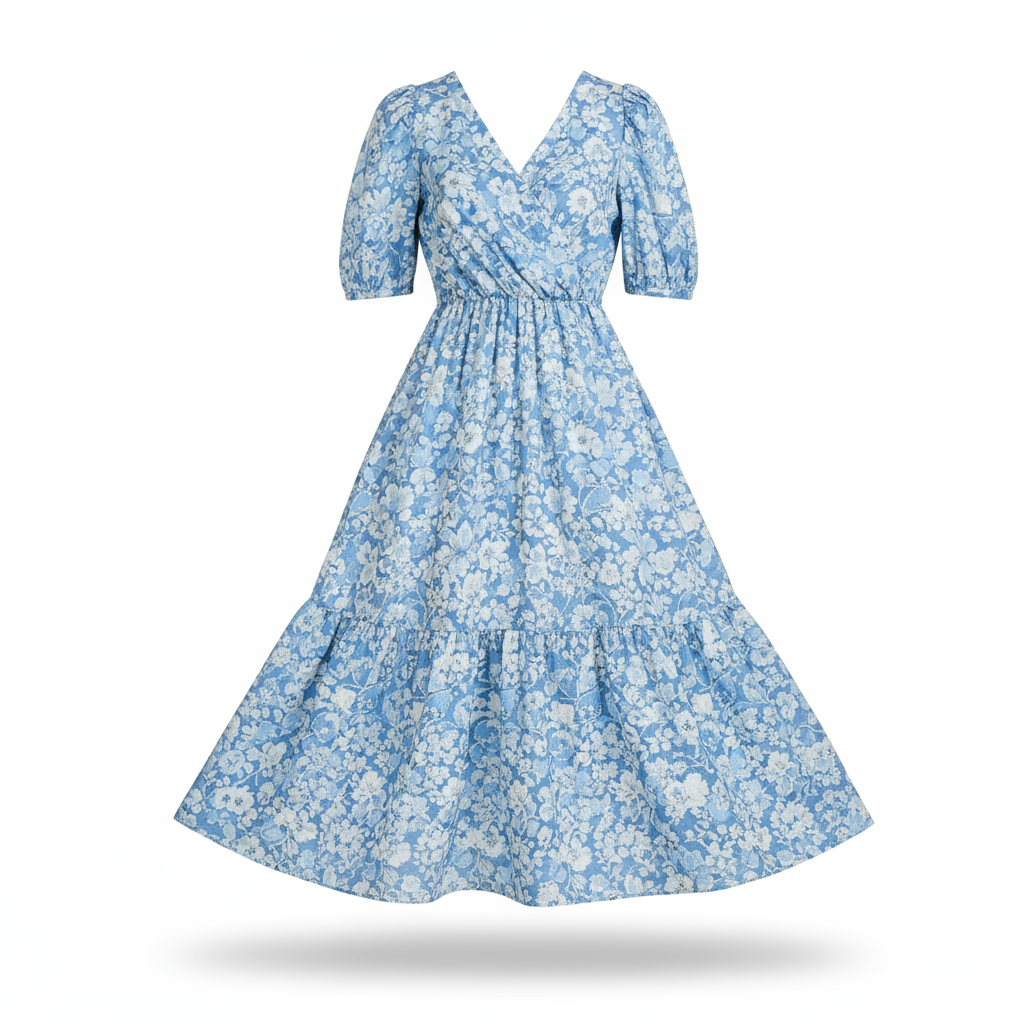
|
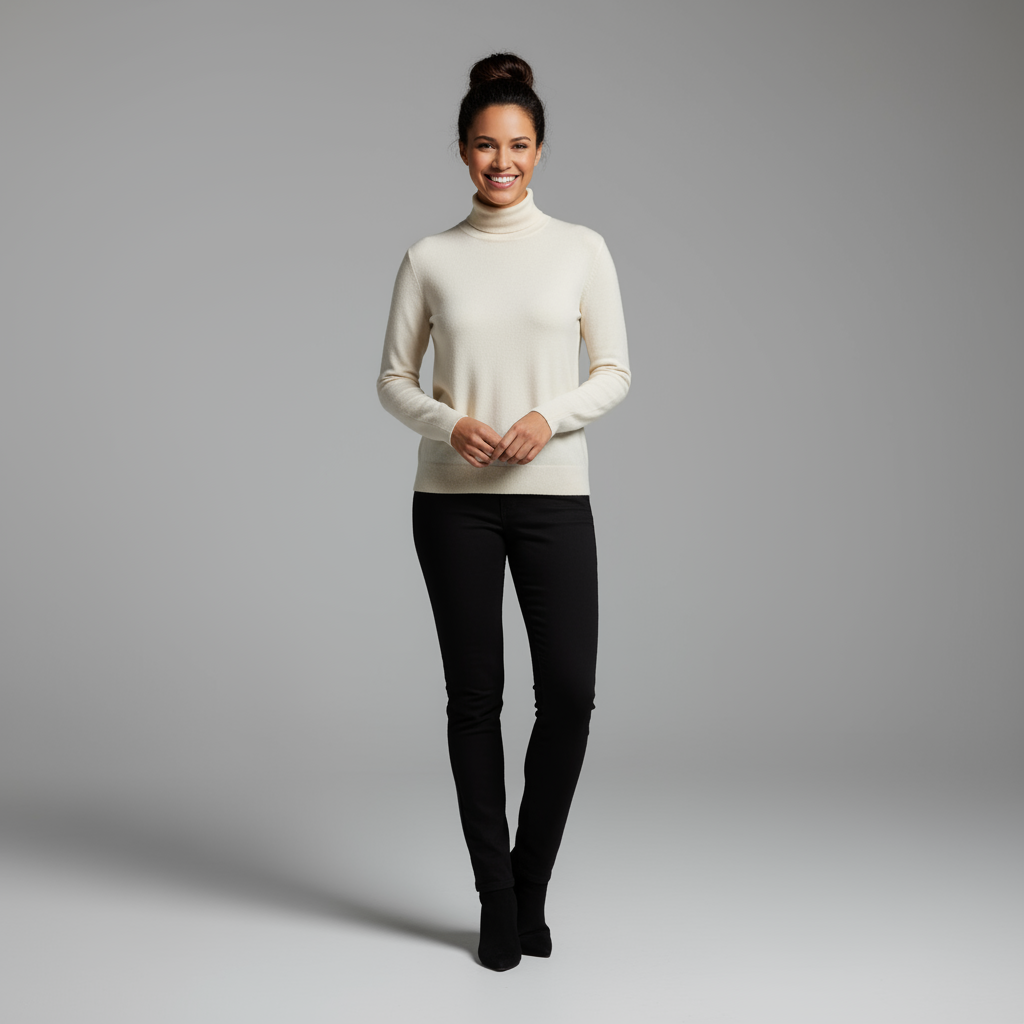
|
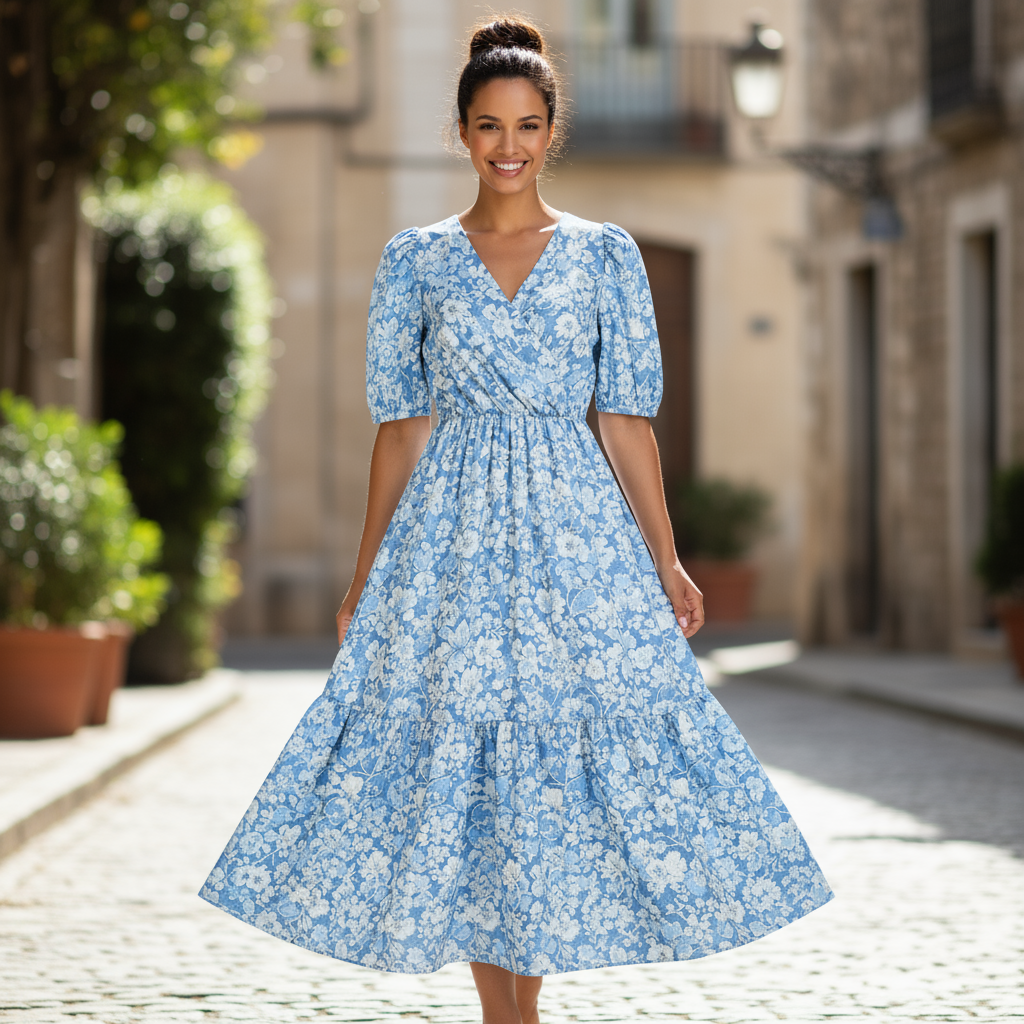
|
5. Zachowanie szczegółów w wysokiej jakości
Aby mieć pewność, że ważne szczegóły (np. twarz lub logo) zostaną zachowane podczas edycji, opisz je szczegółowo w prośbie o edycję.
Szablon
Using the provided images, place [element from image 2] onto [element from
image 1]. Ensure that the features of [element from image 1] remain
completely unchanged. The added element should [description of how the
element should integrate].
Prompt
"Take the first image of the woman with brown hair, blue eyes, and a neutral
expression. Add the logo from the second image onto her black t-shirt.
Ensure the woman's face and features remain completely unchanged. The logo
should look like it's naturally printed on the fabric, following the folds
of the shirt."
Python
from google import genai
from PIL import Image
import base64

client = genai.Client()

with open('/path/to/your/woman.png', 'rb') as f:
    woman_bytes = f.read()
with open('/path/to/your/logo.png', 'rb') as f:
    logo_bytes = f.read()
text_input = """Take the first image of the woman with brown hair, blue eyes, and a neutral expression. Add the logo from the second image onto her black t-shirt. Ensure the woman's face and features remain completely unchanged. The logo should look like it's naturally printed on the fabric, following the folds of the shirt."""

interaction = client.interactions.create(
    model="gemini-nano-banana-2.1",
    input=[
      {"type": "image", "mime_type":"image/png", "data": base64.b64encode(woman_bytes).decode('utf-8')},
      {"type": "image", "mime_type":"image/png", "data": base64.b64encode(logo_bytes).decode('utf-8')},
      {"type": "text", "text": text_input}
    ],
)

for step in interaction.steps:
    if step.type == "model_output":
        for content_block in step.content:
            if content_block.type == "text":
                print(content_block.text)
            elif content_block.type == "image":
                with open("woman_with_logo.png", "wb") as f:
                    f.write(base64.b64decode(content_block.data))
JavaScript
import { GoogleGenAI } from "@google/genai";
import * as fs from "node:fs";

async function main() {
  const ai = new GoogleGenAI({});

  const imagePath1 = "/path/to/your/woman.png";
  const imageData1 = fs.readFileSync(imagePath1);
  const base64Image1 = imageData1.toString("base64");
  const imagePath2 = "/path/to/your/logo.png";
  const imageData2 = fs.readFileSync(imagePath2);
  const base64Image2 = imageData2.toString("base64");

  const input = [
    {"type": "image", "mime_type":"image/png", "data": base64Image1},
    {"type": "image", "mime_type":"image/png", "data": base64Image2},
    {"type": "text", "text": "Take the first image of the woman with brown hair, blue eyes, and a neutral expression. Add the logo from the second image onto her black t-shirt. Ensure the woman's face and features remain completely unchanged. The logo should look like it's naturally printed on the fabric, following the folds of the shirt."},
  ];

  const interaction = await ai.interactions.create({
    model: "gemini-nano-banana-2.1",
    input: input,
  });
  for (const step of interaction.steps) {
    if (step.type === "model_output") {
      for (const contentBlock of step.content) {
        if (contentBlock.type === "text") {
          console.log(contentBlock.text);
        } else if (contentBlock.type === "image") {
          const buffer = Buffer.from(contentBlock.data, "base64");
          fs.writeFileSync("woman_with_logo.png", buffer);
        }
      }
    }
  }
}

main();
Java
import com.google.genai.Client;
import com.google.genai.gaos.models.interactions.Content;
import com.google.genai.gaos.models.interactions.CreateModelInteraction;
import com.google.genai.gaos.models.interactions.ImageContent;
import com.google.genai.gaos.models.interactions.ImageContentMimeType;
import com.google.genai.gaos.models.interactions.Interaction;
import com.google.genai.gaos.models.interactions.InteractionsInput;
import com.google.genai.gaos.models.interactions.Model;
import com.google.genai.gaos.models.interactions.ModelOutputStep;
import com.google.genai.gaos.models.interactions.Step;
import com.google.genai.gaos.models.interactions.TextContent;
import com.google.genai.gaos.models.operations.CreateInteractionRequestBody;
import java.nio.file.Files;
import java.nio.file.Paths;
import java.util.Arrays;
import java.util.Base64;
import java.util.List;

Client client = new Client();

byte[] womanBytes = Files.readAllBytes(Paths.get("/path/to/your/woman.png"));
byte[] logoBytes = Files.readAllBytes(Paths.get("/path/to/your/logo.png"));
String textInput =
    "Take the first image of the woman with brown hair, blue eyes, and a neutral expression. Add the logo from the second image onto her black t-shirt. Ensure the woman's face and features remain completely unchanged. The logo should look like it's naturally printed on the fabric, following the folds of the shirt.";

Content womanContent =
    ImageContent.builder()
        .data(Base64.getEncoder().encodeToString(womanBytes))
        .mimeType(ImageContentMimeType.IMAGE_PNG)
        .build();
Content logoContent =
    ImageContent.builder()
        .data(Base64.getEncoder().encodeToString(logoBytes))
        .mimeType(ImageContentMimeType.IMAGE_PNG)
        .build();
Content textContent = TextContent.builder().text(textInput).build();

List<Content> contents = Arrays.asList(womanContent, logoContent, textContent);

CreateModelInteraction params =
    CreateModelInteraction.builder()
        .model(Model.of("gemini-nano-banana-2.1"))
        .input(InteractionsInput.ofContent(contents))
        .build();

Interaction interaction =
    client.interactions.create(CreateInteractionRequestBody.of(params)).interaction().get();

if (interaction.steps().isPresent()) {
  for (Step step : interaction.steps().get()) {
    if (step instanceof ModelOutputStep) {
      ModelOutputStep outputStep = (ModelOutputStep) step;
      if (outputStep.content().isPresent()) {
        for (Content contentBlock : outputStep.content().get()) {
          if (contentBlock instanceof TextContent) {
            System.out.println(((TextContent) contentBlock).text().orElse(""));
          } else if (contentBlock instanceof ImageContent) {
            ImageContent img = (ImageContent) contentBlock;
            if (img.data().isPresent()) {
              byte[] outBytes = Base64.getDecoder().decode(img.data().get());
              Files.write(Paths.get("woman_with_logo.png"), outBytes);
            }
          }
        }
      }
    }
  }
}
Go
package main

import (
    "context"
    "encoding/base64"
    "fmt"
    "log"
    "os"

    "google.golang.org/genai"
    "google.golang.org/genai/interactions/models/interactions"
    "google.golang.org/genai/interactions/models/operations"
)

func main() {
    ctx := context.Background()
    client, err := genai.NewClient(ctx, nil)
    if err != nil {
        log.Fatal(err)
    }

    womanBytes, err := os.ReadFile("/path/to/your/woman.png")
    if err != nil {
        log.Fatal(err)
    }
    logoBytes, err := os.ReadFile("/path/to/your/logo.png")
    if err != nil {
        log.Fatal(err)
    }
    textInput := "Take the first image of the woman with brown hair, blue eyes, and a neutral expression. Add the logo from the second image onto her black t-shirt. Ensure the woman's face and features remain completely unchanged. The logo should look like it's naturally printed on the fabric, following the folds of the shirt."

    contents := []interactions.Content{
        interactions.NewContent(interactions.ImageContent{
            Data:     genai.Ptr(base64.StdEncoding.EncodeToString(womanBytes)),
            MimeType: interactions.ImageContentMimeTypeImagePng.ToPointer(),
        }),
        interactions.NewContent(interactions.ImageContent{
            Data:     genai.Ptr(base64.StdEncoding.EncodeToString(logoBytes)),
            MimeType: interactions.ImageContentMimeTypeImagePng.ToPointer(),
        }),
        interactions.NewContent(interactions.TextContent{
            Text: textInput,
        }),
    }

    res, err := client.Interactions.Create(ctx, operations.CreateInteractionRequest{
        Body: operations.NewCreateInteractionRequestBody(interactions.CreateModelInteraction{
            Model: interactions.Model("gemini-nano-banana-2.1"),
            Input: interactions.NewInteractionsInput(contents),
        }),
    })
    if err != nil {
        log.Fatal(err)
    }

    for _, step := range res.Interaction.Steps {
        if step.ModelOutputStep != nil {
            for _, contentBlock := range step.ModelOutputStep.Content {
                if contentBlock.TextContent != nil {
                    fmt.Println(contentBlock.TextContent.Text)
                } else if contentBlock.ImageContent != nil && contentBlock.ImageContent.Data != nil {
                    outBytes, err := base64.StdEncoding.DecodeString(*contentBlock.ImageContent.Data)
                    if err != nil {
                        log.Fatal(err)
                    }
                    if err := os.WriteFile("woman_with_logo.png", outBytes, 0644); err != nil {
                        log.Fatal(err)
                    }
                }
            }
        }
    }
}
REST
curl -s -X POST \
  "https://generativelanguage.googleapis.com/v1beta/interactions" \
    -H "x-goog-api-key: $GEMINI_API_KEY" \
    -H 'Content-Type: application/json' \
    -d "{
      \"model\": \"gemini-nano-banana-2.1\",
      \"input\": [
        {\"type\": \"image\", \"mime_type\":\"image/png\", \"data\": \"<BASE64_IMAGE_DATA_1>\"},
        {\"type\": \"image\", \"mime_type\":\"image/png\", \"data\": \"<BASE64_IMAGE_DATA_2>\"},
        {\"type\": \"text\", \"text\": \"Take the first image of the woman with brown hair, blue eyes, and a neutral expression. Add the logo from the second image onto her black t-shirt. Ensure the woman's face and features remain completely unchanged. The logo should look like it's naturally printed on the fabric, following the folds of the shirt.\"}
      ]
    }"
Dane wejściowe 1 |
Dane wejściowe 2 |
Wyniki |

|

|

|
6. Ożywianie czegoś
Prześlij szkic lub rysunek i poproś model o przekształcenie go w gotowy obraz.
Szablon
Turn this rough [medium] sketch of a [subject] into a [style description]
photo. Keep the [specific features] from the sketch but add [new details/materials].
Prompt
"Turn this rough pencil sketch of a futuristic car into a polished photo of the finished concept car in a showroom. Keep the sleek lines and low profile from the sketch but add metallic blue paint and neon rim lighting."
Python
from google import genai
from PIL import Image
import base64

client = genai.Client()

with open('/path/to/your/car_sketch.png', 'rb') as f:
    sketch_bytes = f.read()
text_input = """Turn this rough pencil sketch of a futuristic car into a polished photo of the finished concept car in a showroom. Keep the sleek lines and low profile from the sketch but add metallic blue paint and neon rim lighting."""

interaction = client.interactions.create(
    model="gemini-nano-banana-2.1",
    input=[
      {"type": "image", "mime_type":"image/png", "data": base64.b64encode(sketch_bytes).decode('utf-8')},
      {"type": "text", "text": text_input}
    ],
)

for step in interaction.steps:
    if step.type == "model_output":
        for content_block in step.content:
            if content_block.type == "text":
                print(content_block.text)
            elif content_block.type == "image":
                with open("car_photo.png", "wb") as f:
                    f.write(base64.b64decode(content_block.data))
JavaScript
import { GoogleGenAI } from "@google/genai";
import * as fs from "node:fs";

async function main() {
  const ai = new GoogleGenAI({});

  const imagePath = "/path/to/your/car_sketch.png";
  const imageData = fs.readFileSync(imagePath);
  const base64Image = imageData.toString("base64");

  const input = [
    {"type": "image", "mime_type":"image/png", "data": base64Image},
    {"type": "text", "text": "Turn this rough pencil sketch of a futuristic car into a polished photo of the finished concept car in a showroom. Keep the sleek lines and low profile from the sketch but add metallic blue paint and neon rim lighting."},
  ];

  const interaction = await ai.interactions.create({
    model: "gemini-nano-banana-2.1",
    input: input,
  });
  for (const step of interaction.steps) {
    if (step.type === "model_output") {
      for (const contentBlock of step.content) {
        if (contentBlock.type === "text") {
          console.log(contentBlock.text);
        } else if (contentBlock.type === "image") {
          const buffer = Buffer.from(contentBlock.data, "base64");
          fs.writeFileSync("car_photo.png", buffer);
        }
      }
    }
  }
}

main();
Java
import com.google.genai.Client;
import com.google.genai.gaos.models.interactions.Content;
import com.google.genai.gaos.models.interactions.CreateModelInteraction;
import com.google.genai.gaos.models.interactions.ImageContent;
import com.google.genai.gaos.models.interactions.ImageContentMimeType;
import com.google.genai.gaos.models.interactions.Interaction;
import com.google.genai.gaos.models.interactions.InteractionsInput;
import com.google.genai.gaos.models.interactions.Model;
import com.google.genai.gaos.models.interactions.ModelOutputStep;
import com.google.genai.gaos.models.interactions.Step;
import com.google.genai.gaos.models.interactions.TextContent;
import com.google.genai.gaos.models.operations.CreateInteractionRequestBody;
import java.nio.file.Files;
import java.nio.file.Paths;
import java.util.Arrays;
import java.util.Base64;
import java.util.List;

Client client = new Client();

byte[] sketchBytes = Files.readAllBytes(Paths.get("/path/to/your/car_sketch.png"));
String textInput =
    "Turn this rough pencil sketch of a futuristic car into a polished photo of the finished concept car in a showroom. Keep the sleek lines and low profile from the sketch but add metallic blue paint and neon rim lighting.";

Content sketchContent =
    ImageContent.builder()
        .data(Base64.getEncoder().encodeToString(sketchBytes))
        .mimeType(ImageContentMimeType.IMAGE_PNG)
        .build();
Content textContent = TextContent.builder().text(textInput).build();

List<Content> contents = Arrays.asList(sketchContent, textContent);

CreateModelInteraction params =
    CreateModelInteraction.builder()
        .model(Model.of("gemini-nano-banana-2.1"))
        .input(InteractionsInput.ofContent(contents))
        .build();

Interaction interaction =
    client.interactions.create(CreateInteractionRequestBody.of(params)).interaction().get();

if (interaction.steps().isPresent()) {
  for (Step step : interaction.steps().get()) {
    if (step instanceof ModelOutputStep) {
      ModelOutputStep outputStep = (ModelOutputStep) step;
      if (outputStep.content().isPresent()) {
        for (Content contentBlock : outputStep.content().get()) {
          if (contentBlock instanceof TextContent) {
            System.out.println(((TextContent) contentBlock).text().orElse(""));
          } else if (contentBlock instanceof ImageContent) {
            ImageContent img = (ImageContent) contentBlock;
            if (img.data().isPresent()) {
              byte[] outBytes = Base64.getDecoder().decode(img.data().get());
              Files.write(Paths.get("car_photo.png"), outBytes);
            }
          }
        }
      }
    }
  }
}
Go
package main

import (
    "context"
    "encoding/base64"
    "fmt"
    "log"
    "os"

    "google.golang.org/genai"
    "google.golang.org/genai/interactions/models/interactions"
    "google.golang.org/genai/interactions/models/operations"
)

func main() {
    ctx := context.Background()
    client, err := genai.NewClient(ctx, nil)
    if err != nil {
        log.Fatal(err)
    }

    sketchBytes, err := os.ReadFile("/path/to/your/car_sketch.png")
    if err != nil {
        log.Fatal(err)
    }
    textInput := "Turn this rough pencil sketch of a futuristic car into a polished photo of the finished concept car in a showroom. Keep the sleek lines and low profile from the sketch but add metallic blue paint and neon rim lighting."

    contents := []interactions.Content{
        interactions.NewContent(interactions.ImageContent{
            Data:     genai.Ptr(base64.StdEncoding.EncodeToString(sketchBytes)),
            MimeType: interactions.ImageContentMimeTypeImagePng.ToPointer(),
        }),
        interactions.NewContent(interactions.TextContent{
            Text: textInput,
        }),
    }

    res, err := client.Interactions.Create(ctx, operations.CreateInteractionRequest{
        Body: operations.NewCreateInteractionRequestBody(interactions.CreateModelInteraction{
            Model: interactions.Model("gemini-nano-banana-2.1"),
            Input: interactions.NewInteractionsInput(contents),
        }),
    })
    if err != nil {
        log.Fatal(err)
    }

    for _, step := range res.Interaction.Steps {
        if step.ModelOutputStep != nil {
            for _, contentBlock := range step.ModelOutputStep.Content {
                if contentBlock.TextContent != nil {
                    fmt.Println(contentBlock.TextContent.Text)
                } else if contentBlock.ImageContent != nil && contentBlock.ImageContent.Data != nil {
                    outBytes, err := base64.StdEncoding.DecodeString(*contentBlock.ImageContent.Data)
                    if err != nil {
                        log.Fatal(err)
                    }
                    if err := os.WriteFile("car_photo.png", outBytes, 0644); err != nil {
                        log.Fatal(err)
                    }
                }
            }
        }
    }
}
REST
curl -s -X POST \
  "https://generativelanguage.googleapis.com/v1beta/interactions" \
    -H "x-goog-api-key: $GEMINI_API_KEY" \
    -H 'Content-Type: application/json' \
    -d "{
      \"model\": \"gemini-nano-banana-2.1\",
      \"input\": [
        {\"type\": \"image\", \"mime_type\":\"image/png\", \"data\": \"<BASE64_IMAGE_DATA>\"},
        {\"type\": \"text\", \"text\": \"Turn this rough pencil sketch of a futuristic car into a polished photo of the finished concept car in a showroom. Keep the sleek lines and low profile from the sketch but add metallic blue paint and neon rim lighting.\"}
      ]
    }"
Dane wejściowe |
Wyniki |
|
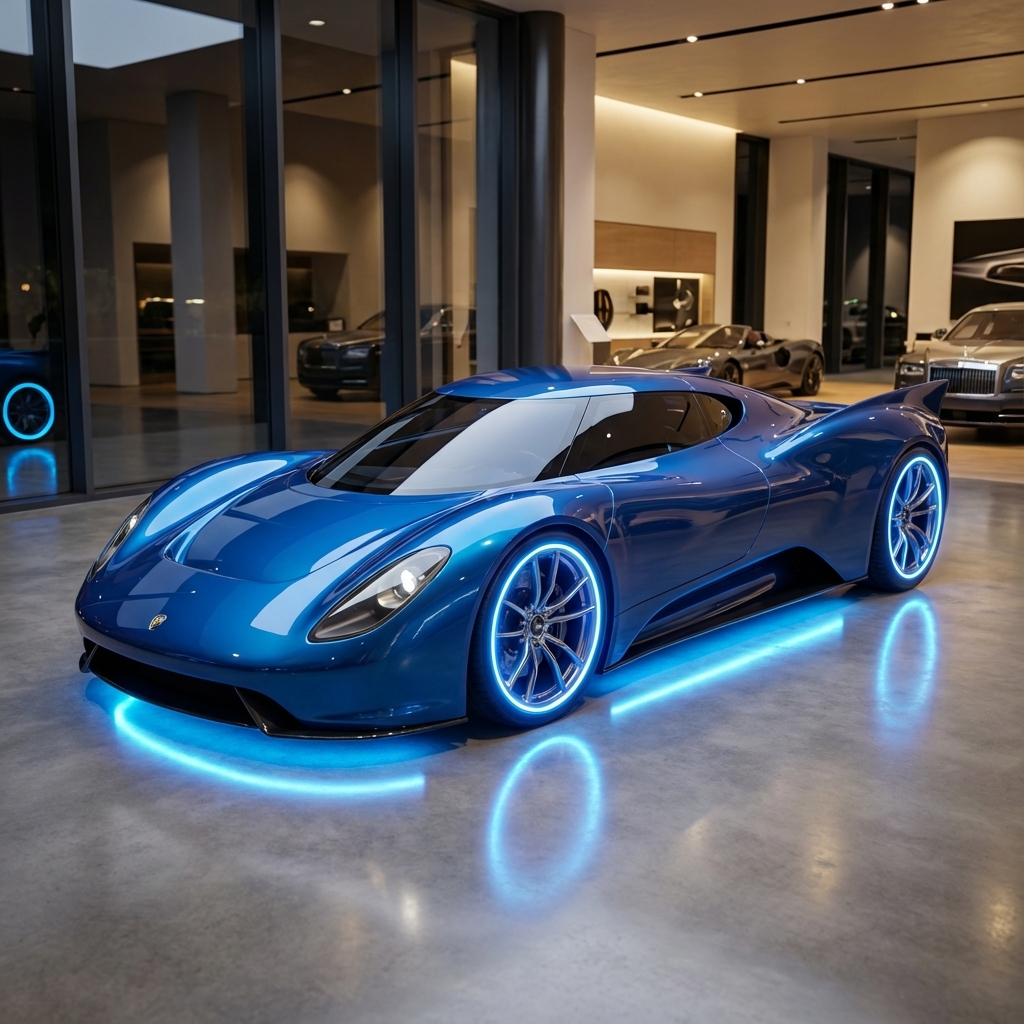
|
7. Spójność postaci: widok 360°
Możesz wygenerować widok postaci pod kątem 360 stopni, wielokrotnie prosząc o różne kąty. Aby uzyskać najlepsze wyniki, w kolejnych promptach uwzględniaj wcześniej wygenerowane obrazy, aby zachować spójność. W przypadku złożonych pozycji dołącz obraz referencyjny wybranej pozycji.
Szablon
A studio portrait of [person] against [background], [looking forward/in profile looking right/etc.]
Prompt
A studio portrait of this man against white, in profile looking right
Python
from google import genai
from PIL import Image
import base64

client = genai.Client()

with open('/path/to/your/man_in_white_glasses.jpg', 'rb') as f:
    image_bytes = f.read()
text_input = """A studio portrait of this man against white, in profile looking right"""

interaction = client.interactions.create(
    model="gemini-nano-banana-2.1",
    input={
      {"type": "text", "text": text_input},
      {"type": "image", "mime_type":"image/png", "data": base64.b64encode(image_bytes).decode('utf-8')}
    },
)

for step in interaction.steps:
    if step.type == "model_output":
        for content_block in step.content:
            if content_block.type == "text":
                print(content_block.text)
            elif content_block.type == "image":
                with open("man_right_profile.png", "wb") as f:
                    f.write(base64.b64decode(content_block.data))
Dane wejściowe |
Dane wyjściowe 1 |
Dane wyjściowe 2 |
|
|
|

|
Sprawdzone metody
Aby uzyskać jeszcze lepsze wyniki, zastosuj w swoim przepływie pracy te profesjonalne strategie.
- Podawaj bardzo szczegółowe informacje: im więcej szczegółów podasz, tym większą będziesz mieć kontrolę. Zamiast „fantastyczna zbroja” opisz ją: „ozdobna elficka zbroja płytowa pokryta srebrnymi grawerowanymi wzorami o kształcie liści, z wysokim kołnierzem i naramiennikami w kształcie skrzydeł sokoła”.
- Podaj kontekst i intencję: wyjaśnij cel obrazu. Na ostateczne dane wyjściowe będzie miało wpływ rozumienie kontekstu przez model. Na przykład „Utwórz logo dla luksusowej, minimalistycznej marki produktów do pielęgnacji skóry” da lepsze wyniki niż „Utwórz logo”.
- Ulepszaj i modyfikuj: nie oczekuj, że od razu uzyskasz idealny obraz. Wykorzystaj konwersacyjny charakter modelu, aby wprowadzać niewielkie zmiany. Możesz użyć promptów takich jak „To świetnie, ale czy możesz sprawić, żeby oświetlenie było trochę cieplejsze?” lub „Zostaw wszystko tak, jak jest, ale zmień wyraz twarzy postaci na poważniejszy”.
- Używaj szczegółowych instrukcji: w przypadku złożonych scen z wieloma elementami podziel prompt na kroki. „Najpierw utwórz tło przedstawiające spokojny, zamglony las o świcie. Następnie na pierwszym planie dodaj pokryty mchem starożytny kamienny ołtarz. Na koniec umieść na ołtarzu pojedynczy, świecący miecz”.
- Używaj „semantycznych promptów negatywnych”: zamiast pisać „bez samochodów”, opisz scenę w pozytywny sposób: „pusta, opuszczona ulica bez śladów ruchu ulicznego”.
- Kontroluj kamerę: używaj terminów fotograficznych i filmowych, aby kontrolować kompozycję. Terminy takie jak
wide-angle shot,macro shot,low-angle perspective.
Ograniczenia
- Aby uzyskać najlepsze wyniki, używaj tych języków: EN, ar-EG, de-DE, es-MX, fr-FR, hi-IN, id-ID, it-IT, ja-JP, ko-KR, pt-BR, ru-RU, ua-UA, vi-VN, zh-CN.
- Generowanie obrazów nie obsługuje danych wejściowych audio. Dane wejściowe wideo są obsługiwane tylko w przypadku modeli Gemini Nano Banana 2.1, Gemini 3.1 Flash Image i Gemini 3.1 Flash Lite Image.
- Model nie zawsze będzie generować dokładnie taką liczbę obrazów, o jaką prosi użytkownik.
gemini-2.5-flash-imagedziała najlepiej, gdy jako dane wejściowe podasz maksymalnie 3 obrazy, natomiastgemini-3-pro-imageobsługuje 5 obrazów o wysokiej jakości i łącznie do 14 obrazów.gemini-nano-banana-2.1igemini-3.1-flash-imageobsługują podobieństwo do maksymalnie 4 postaci i wierne odwzorowanie maksymalnie 10 obiektów w jednym przepływie pracy.- Jeśli chcesz wygenerować tekst na obrazie, Gemini działa najlepiej, gdy najpierw wygenerujesz tekst, a następnie poprosisz o obraz z tym tekstem.
gemini-nano-banana-2.1igemini-3.1-flash-imagez groundingiem z użyciem wyszukiwarki Google nie obsługują obecnie korzystania z prawdziwych zdjęć osób z wyszukiwarki internetowej.- Wszystkie wygenerowane obrazy zawierają znak wodny SynthID.
Konfiguracje opcjonalne
Opcjonalnie możesz skonfigurować format wyjściowy, format obrazu i rozmiar obrazu za pomocą parametru response_format.
Format wyjściowy
Model domyślnie zwraca odpowiedzi tekstowe i graficzne. Możesz skonfigurować odpowiedź tak, aby zwracała tylko obrazy wygenerowane przez AI (pomijając tekst konwersacyjny), określając format pliku graficznego w parametrze response_format.
Aby poprosić o kilka modalności (np. tekst i obraz wygenerowany przez AI), przekaż do response_format tablicę wpisów formatu.
Python
interaction = client.interactions.create(
    model="gemini-nano-banana-2.1",
    input="Write a short poem about a starry night and generate an image of it.",
    response_format=[
        {"type": "text"},
        {"type": "image"},
    ],
)
JavaScript
const interaction = await ai.interactions.create({
  model: "gemini-nano-banana-2.1",
  input: "Write a short poem about a starry night and generate an image of it.",
  response_format: [
    { type: "text" },
    { type: "image" },
  ],
});
Java
import com.google.genai.Client;
import com.google.genai.gaos.models.interactions.CreateModelInteraction;
import com.google.genai.gaos.models.interactions.CreateModelInteractionResponseFormat;
import com.google.genai.gaos.models.interactions.ImageResponseFormat;
import com.google.genai.gaos.models.interactions.Interaction;
import com.google.genai.gaos.models.interactions.InteractionsInput;
import com.google.genai.gaos.models.interactions.Model;
import com.google.genai.gaos.models.interactions.ResponseFormat;
import com.google.genai.gaos.models.interactions.TextResponseFormat;
import com.google.genai.gaos.models.operations.CreateInteractionRequestBody;
import java.util.Arrays;

Client client = new Client();

CreateModelInteractionResponseFormat format =
    CreateModelInteractionResponseFormat.of(
        Arrays.asList(
            ResponseFormat.of(TextResponseFormat.builder().build()),
            ResponseFormat.of(ImageResponseFormat.builder().build())));

CreateModelInteraction params =
    CreateModelInteraction.builder()
        .model(Model.of("gemini-nano-banana-2.1"))
        .input(
            InteractionsInput.of(
                "Write a short poem about a starry night and generate an image of it."))
        .responseFormat(format)
        .build();

Interaction interaction =
    client.interactions.create(CreateInteractionRequestBody.of(params)).interaction().get();
Go
package main

import (
    "context"
    "log"

    "google.golang.org/genai"
    "google.golang.org/genai/interactions/models/interactions"
    "google.golang.org/genai/interactions/models/operations"
)

func main() {
    ctx := context.Background()
    client, err := genai.NewClient(ctx, nil)
    if err != nil {
        log.Fatal(err)
    }

    format := interactions.NewCreateModelInteractionResponseFormat([]interactions.ResponseFormat{
        interactions.NewResponseFormat(interactions.TextResponseFormat{}),
        interactions.NewResponseFormat(interactions.ImageResponseFormat{}),
    })

    res, err := client.Interactions.Create(ctx, operations.CreateInteractionRequest{
        Body: operations.NewCreateInteractionRequestBody(interactions.CreateModelInteraction{
            Model:          interactions.Model("gemini-nano-banana-2.1"),
            Input:          interactions.NewInteractionsInput("Write a short poem about a starry night and generate an image of it."),
            ResponseFormat: genai.Ptr(format),
        }),
    })
    if err != nil {
        log.Fatal(err)
    }
    _ = res
}
REST
curl -s -X POST \
  "https://generativelanguage.googleapis.com/v1beta/interactions" \
  -H "x-goog-api-key: $GEMINI_API_KEY" \
  -H 'Content-Type: application/json' \
  -d '{
    "model": "gemini-nano-banana-2.1",
    "input": "Write a short poem about a starry night and generate an image of it.",
    "response_format": [
      { "type": "text" },
      { "type": "image" }
    ]
  }'
Formaty obrazu i rozmiar obrazu
Domyślnie model dopasowuje rozmiar obrazu wyjściowego do rozmiaru obrazu wejściowego lub generuje kwadraty 1:1. Możesz kontrolować format obrazu i rozmiar obrazu wyjściowego, używając pól aspect_ratio i image_size w sekcji response_format, gdy opcja type jest ustawiona na "image".
Python
interaction = client.interactions.create(
    model="gemini-nano-banana-2.1",
    input=prompt,
    response_format={
        "type": "image",
        "aspect_ratio": "16:9",
        "image_size": "2K",
    },
)
JavaScript
const interaction = await ai.interactions.create({
    model: "gemini-nano-banana-2.1",
    input: prompt,
    response_format: {
      type: "image",
      aspect_ratio: "16:9",
      image_size: "2K",
    },
  });
Java
import com.google.genai.Client;
import com.google.genai.gaos.models.interactions.CreateModelInteraction;
import com.google.genai.gaos.models.interactions.CreateModelInteractionResponseFormat;
import com.google.genai.gaos.models.interactions.ImageResponseFormat;
import com.google.genai.gaos.models.interactions.ImageResponseFormatAspectRatio;
import com.google.genai.gaos.models.interactions.ImageResponseFormatImageSize;
import com.google.genai.gaos.models.interactions.Interaction;
import com.google.genai.gaos.models.interactions.InteractionsInput;
import com.google.genai.gaos.models.interactions.Model;
import com.google.genai.gaos.models.interactions.ResponseFormat;
import com.google.genai.gaos.models.operations.CreateInteractionRequestBody;

Client client = new Client();
String prompt = "Create a picture of a nano banana dish in a fancy restaurant with a Gemini theme";

CreateModelInteractionResponseFormat format =
    CreateModelInteractionResponseFormat.of(
        ResponseFormat.of(
            ImageResponseFormat.builder()
                .aspectRatio(ImageResponseFormatAspectRatio.of("16:9"))
                .imageSize(ImageResponseFormatImageSize.TWO_K)
                .build()));

CreateModelInteraction params =
    CreateModelInteraction.builder()
        .model(Model.of("gemini-nano-banana-2.1"))
        .input(InteractionsInput.of(prompt))
        .responseFormat(format)
        .build();

Interaction interaction =
    client.interactions.create(CreateInteractionRequestBody.of(params)).interaction().get();
Go
package main

import (
    "context"
    "log"

    "google.golang.org/genai"
    "google.golang.org/genai/interactions/models/interactions"
    "google.golang.org/genai/interactions/models/operations"
)

func main() {
    ctx := context.Background()
    client, err := genai.NewClient(ctx, nil)
    if err != nil {
        log.Fatal(err)
    }

    prompt := "Create a picture of a nano banana dish in a fancy restaurant with a Gemini theme"

    format := interactions.NewCreateModelInteractionResponseFormat(
        interactions.NewResponseFormat(interactions.ImageResponseFormat{
            AspectRatio: interactions.ImageResponseFormatAspectRatio("16:9").ToPointer(),
            ImageSize:   interactions.ImageResponseFormatImageSizeTwoK.ToPointer(),
        }),
    )

    res, err := client.Interactions.Create(ctx, operations.CreateInteractionRequest{
        Body: operations.NewCreateInteractionRequestBody(interactions.CreateModelInteraction{
            Model:          interactions.Model("gemini-nano-banana-2.1"),
            Input:          interactions.NewInteractionsInput(prompt),
            ResponseFormat: genai.Ptr(format),
        }),
    })
    if err != nil {
        log.Fatal(err)
    }
    _ = res
}
REST
curl -s -X POST \
  "https://generativelanguage.googleapis.com/v1beta/interactions" \
  -H "x-goog-api-key: $GEMINI_API_KEY" \
  -H 'Content-Type: application/json' \
  -d '{
    "model": "gemini-nano-banana-2.1",
    "input": "Create a picture of a nano banana dish in a fancy restaurant with a Gemini theme",
    "response_format": {
      "type": "image",
      "aspect_ratio": "16:9",
      "image_size": "2K"
    }
  }'
Dostępne proporcje i rozmiary wygenerowanych obrazów są wymienione w tych tabelach:
Nano Banana 2.1
| Format obrazu | Rozdzielczość 1K | 1000 tokenów | Rozdzielczość 2K | 2 tys. tokenów | Rozdzielczość 4K | 4 tys. tokenów |
|---|---|---|---|---|---|---|
| 1:1 | 1024 x 1024 | 1120 | 2048 x 2048 | 1680 | 4096 x 4096 | 2520 |
| 1:4 | 512 x 2048 | 1120 | 1024 × 4096 | 1680 | 2048 x 8192 | 2520 |
| 1:8 | 384 x 3072 | 1120 | 768 × 6144 | 1680 | 1536 x 12288 | 2520 |
| 2:3 | 848 x 1264 | 1120 | 1696 x 2528 | 1680 | 3392 x 5056 | 2520 |
| 3:2 | 1264 x 848 | 1120 | 2528 x 1696 | 1680 | 5056 x 3392 | 2520 |
| 3:4 | 896 x 1200 | 1120 | 1792 x 2400 | 1680 | 3584 x 4800 | 2520 |
| 4:1 | 2048 x 512 | 1120 | 4096 x 1024 | 1680 | 8192 x 2048 | 2520 |
| 4:3 | 1200 x 896 | 1120 | 2400 x 1792 | 1680 | 4800 x 3584 | 2520 |
| 4:5 | 928 x 1152 | 1120 | 1856 x 2304 | 1680 | 3712 x 4608 | 2520 |
| 5:4 | 1152 x 928 | 1120 | 2304 x 1856 | 1680 | 4608 x 3712 | 2520 |
| 8:1 | 3072 x 384 | 1120 | 6144 x 768 | 1680 | 12288 x 1536 | 2520 |
| 9:16 | 768 × 1376 | 1120 | 1536 x 2752 | 1680 | 3072 x 5504 | 2520 |
| 16:9 | 1376 × 768 | 1120 | 2752 x 1536 | 1680 | 5504 x 3072 | 2520 |
| 21:9 | 1584 x 672 | 1120 | 3168 × 1344 | 1680 | 6336 x 2688 | 2520 |
3.1 Flash Image
| Format obrazu | rozdzielczość 512 pikseli, | 0,5 tys.tokenów | Rozdzielczość 1K | 1000 tokenów | Rozdzielczość 2K | 2 tys. tokenów | Rozdzielczość 4K | 4 tys. tokenów |
|---|---|---|---|---|---|---|---|---|
| 1:1 | 512 x 512 | 747 | 1024 x 1024 | 1120 | 2048 x 2048 | 1680 | 4096 x 4096 | 2520 |
| 1:4 | 256 x 1024 | 747 | 512 x 2048 | 1120 | 1024 × 4096 | 1680 | 2048 x 8192 | 2520 |
| 1:8 | 192 x 1536 | 747 | 384 x 3072 | 1120 | 768 × 6144 | 1680 | 1536 x 12288 | 2520 |
| 2:3 | 424 x 632 | 747 | 848 x 1264 | 1120 | 1696 x 2528 | 1680 | 3392 x 5056 | 2520 |
| 3:2 | 632 x 424 | 747 | 1264 x 848 | 1120 | 2528 x 1696 | 1680 | 5056 x 3392 | 2520 |
| 3:4 | 448 x 600 | 747 | 896 x 1200 | 1120 | 1792 x 2400 | 1680 | 3584 x 4800 | 2520 |
| 4:1 | 1024 x 256 | 747 | 2048 x 512 | 1120 | 4096 x 1024 | 1680 | 8192 x 2048 | 2520 |
| 4:3 | 600 x 448 | 747 | 1200 x 896 | 1120 | 2400 x 1792 | 1680 | 4800 x 3584 | 2520 |
| 4:5 | 464 x 576 | 747 | 928 x 1152 | 1120 | 1856 x 2304 | 1680 | 3712 x 4608 | 2520 |
| 5:4 | 576 x 464 | 747 | 1152 x 928 | 1120 | 2304 x 1856 | 1680 | 4608 x 3712 | 2520 |
| 8:1 | 1536 x 192 | 747 | 3072 x 384 | 1120 | 6144 x 768 | 1680 | 12288 x 1536 | 2520 |
| 9:16 | 384 x 688 | 747 | 768 × 1376 | 1120 | 1536 x 2752 | 1680 | 3072 x 5504 | 2520 |
| 16:9 | 688 x 384 | 747 | 1376 × 768 | 1120 | 2752 x 1536 | 1680 | 5504 x 3072 | 2520 |
| 21:9 | 792 x 168 | 747 | 1584 x 672 | 1120 | 3168 × 1344 | 1680 | 6336 x 2688 | 2520 |
3.1 Pro Image
| Format obrazu | Rozdzielczość 1K | 1000 tokenów | Rozdzielczość 2K | 2 tys. tokenów | Rozdzielczość 4K | 4 tys. tokenów |
|---|---|---|---|---|---|---|
| 1:1 | 1024 x 1024 | 1120 | 2048 x 2048 | 1120 | 4096 x 4096 | 2000 |
| 2:3 | 848 x 1264 | 1120 | 1696 x 2528 | 1120 | 3392 x 5056 | 2000 |
| 3:2 | 1264 x 848 | 1120 | 2528 x 1696 | 1120 | 5056 x 3392 | 2000 |
| 3:4 | 896 x 1200 | 1120 | 1792 x 2400 | 1120 | 3584 x 4800 | 2000 |
| 4:3 | 1200 x 896 | 1120 | 2400 x 1792 | 1120 | 4800 x 3584 | 2000 |
| 4:5 | 928 x 1152 | 1120 | 1856 x 2304 | 1120 | 3712 x 4608 | 2000 |
| 5:4 | 1152 x 928 | 1120 | 2304 x 1856 | 1120 | 4608 x 3712 | 2000 |
| 9:16 | 768 × 1376 | 1120 | 1536 x 2752 | 1120 | 3072 x 5504 | 2000 |
| 16:9 | 1376 × 768 | 1120 | 2752 x 1536 | 1120 | 5504 x 3072 | 2000 |
| 21:9 | 1584 x 672 | 1120 | 3168 × 1344 | 1120 | 6336 x 2688 | 2000 |
Gemini 2.5 Flash Image
| Format obrazu | Rozdzielczość | Tokeny |
|---|---|---|
| 1:1 | 1024 x 1024 | 1290 |
| 2:3 | 832 x 1248 | 1290 |
| 3:2 | 1248 x 832 | 1290 |
| 3:4 | 864 x 1184 | 1290 |
| 4:3 | 1184 × 864 | 1290 |
| 4:5 | 896 × 1152 | 1290 |
| 5:4 | 1152 x 896 | 1290 |
| 9:16 | 768 × 1344 | 1290 |
| 16:9 | 1344 x 768 | 1290 |
| 21:9 | 1536 x 672 | 1290 |
Kiedy używać Imagen
Model Imagen został wyłączony i nie jest już dostępny przez interfejs Gemini API. Używaj Nano Banana do generowania i edytowania obrazów.
Co dalej?
- Zapoznaj się z przewodnikiem po Veo, aby dowiedzieć się, jak generować filmy za pomocą interfejsu Gemini API.
- Więcej informacji o modelach Gemini znajdziesz w artykule na ich temat.