

Więcej informacji o rozpoznawaniu treści filmów znajdziesz w przewodniku na ten temat.
Veo 3.1 to model do generowania 8-sekundowych filmów (720p, 1080p lub 4K) z natywnie generowanym dźwiękiem. Dostęp do tego modelu możesz uzyskać automatycznie za pomocą interfejsu Gemini API. Więcej informacji o dostępnych wariantach modelu Veo znajdziesz w sekcji Wersje modelu.
Veo 3.1 doskonale radzi sobie z różnymi stylami wizualnymi i filmowymi oraz wprowadza kilka nowych funkcji:
- Filmy w orientacji pionowej: wybierz filmy w orientacji poziomej (
16:9) lub pionowej (9:16). - Rozszerzenie wideo: rozszerzaj filmy wygenerowane wcześniej za pomocą Veo.
- Generowanie na podstawie klatek: wygeneruj film, określając pierwszą i ostatnią klatkę.
- Wskazówki na podstawie obrazów: użyj maksymalnie 3 obrazów referencyjnych, aby określić zawartość wygenerowanego filmu.
Więcej informacji o pisaniu skutecznych promptów tekstowych do generowania filmów znajdziesz w przewodniku po promptach Veo.
Generowanie filmu na podstawie tekstu
Poniższe przykłady pokazują, jak wygenerować film z dialogiem, kinowym realizmem lub kreatywną animacją:
dialogi i efekty dźwiękowe,
Python
import time
from google import genai
from google.genai import types

client = genai.Client()

prompt = """A close up of two people staring at a cryptic drawing on a wall, torchlight flickering.
A man murmurs, 'This must be it. That's the secret code.' The woman looks at him and whispering excitedly, 'What did you find?'"""

operation = client.models.generate_videos(
    model="veo-3.1-generate-preview",
    prompt=prompt,
)

# Poll the operation status until the video is ready.
while not operation.done:
    print("Waiting for video generation to complete...")
    time.sleep(10)
    operation = client.operations.get(operation)

# Download the generated video.
generated_video = operation.response.generated_videos[0]
client.files.download(file=generated_video.video, destination="dialogue_example.mp4")
print("Generated video saved to dialogue_example.mp4")
JavaScript
import { GoogleGenAI } from "@google/genai";

const ai = new GoogleGenAI({});

const prompt = `A close up of two people staring at a cryptic drawing on a wall, torchlight flickering.
A man murmurs, 'This must be it. That's the secret code.' The woman looks at him and whispering excitedly, 'What did you find?'`;

let operation = await ai.models.generateVideos({
    model: "veo-3.1-generate-preview",
    prompt: prompt,
});

// Poll the operation status until the video is ready.
while (!operation.done) {
    console.log("Waiting for video generation to complete...")
    await new Promise((resolve) => setTimeout(resolve, 10000));
    operation = await ai.operations.getVideosOperation({
        operation: operation,
    });
}

// Download the generated video.
ai.files.download({
    file: operation.response.generatedVideos[0].video,
    downloadPath: "dialogue_example.mp4",
});
console.log(`Generated video saved to dialogue_example.mp4`);
Go
package main

import (
    "context"
    "log"
    "os"
    "time"

    "google.golang.org/genai"
)

func main() {
    ctx := context.Background()
    client, err := genai.NewClient(ctx, nil)
    if err != nil {
        log.Fatal(err)
    }

    prompt := `A close up of two people staring at a cryptic drawing on a wall, torchlight flickering.
    A man murmurs, 'This must be it. That's the secret code.' The woman looks at him and whispering excitedly, 'What did you find?'`

    operation, _ := client.Models.GenerateVideos(
        ctx,
        "veo-3.1-generate-preview",
        prompt,
        nil,
        nil,
    )

    // Poll the operation status until the video is ready.
    for !operation.Done {
    log.Println("Waiting for video generation to complete...")
        time.Sleep(10 * time.Second)
        operation, _ = client.Operations.GetVideosOperation(ctx, operation, nil)
    }

    // Download the generated video.
    video := operation.Response.GeneratedVideos[0]
    client.Files.Download(ctx, video.Video, nil)
    fname := "dialogue_example.mp4"
    _ = os.WriteFile(fname, video.Video.VideoBytes, 0644)
    log.Printf("Generated video saved to %s\n", fname)
}
Java
import com.google.genai.Client;
import com.google.genai.types.GenerateVideosOperation;
import com.google.genai.types.GeneratedVideo;

Client client = new Client();

String prompt =
    "A close up of two people staring at a cryptic drawing on a wall, torchlight flickering.\n"
        + "A man murmurs, 'This must be it. That's the secret code.' The woman looks at him and whispering excitedly, 'What did you find?'";

GenerateVideosOperation operation =
    client.models.generateVideos("veo-3.1-generate-preview", prompt, null, null);

// Poll the operation status until the video is ready.
while (!operation.done().orElse(false)) {
  System.out.println("Waiting for video generation to complete...");
  Thread.sleep(10000);
  operation = client.operations.getVideosOperation(operation, null);
}

// Download the generated video.
GeneratedVideo generatedVideo = operation.response().get().generatedVideos().get().get(0);
client.files.download(generatedVideo, "dialogue_example.mp4", null);
System.out.println("Generated video saved to dialogue_example.mp4");
REST
# Note: This script uses jq to parse the JSON response.
# GEMINI API Base URL
BASE_URL="https://generativelanguage.googleapis.com/v1beta"

# Send request to generate video and capture the operation name into a variable.
operation_name=$(curl -s "${BASE_URL}/models/veo-3.1-generate-preview:predictLongRunning" \
  -H "x-goog-api-key: $GEMINI_API_KEY" \
  -H "Content-Type: application/json" \
  -X "POST" \
  -d '{
    "instances": [{
        "prompt": "A close up of two people staring at a cryptic drawing on a wall, torchlight flickering. A man murmurs, \"This must be it. That'\''s the secret code.\" The woman looks at him and whispering excitedly, \"What did you find?\""
      }
    ]
  }' | jq -r .name)

# Poll the operation status until the video is ready
while true; do
  # Get the full JSON status and store it in a variable.
  status_response=$(curl -s -H "x-goog-api-key: $GEMINI_API_KEY" "${BASE_URL}/${operation_name}")

  # Check the "done" field from the JSON stored in the variable.
  is_done=$(echo "${status_response}" | jq .done)

  if [ "${is_done}" = "true" ]; then
    # Extract the download URI from the final response.
    video_uri=$(echo "${status_response}" | jq -r '.response.generateVideoResponse.generatedSamples[0].video.uri')
    echo "Downloading video from: ${video_uri}"

    # Download the video using the URI and API key and follow redirects.
    curl -L -o dialogue_example.mp4 -H "x-goog-api-key: $GEMINI_API_KEY" "${video_uri}"
    break
  fi
  # Wait for 5 seconds before checking again.
  sleep 10
done
Realizm filmowy
Python
import time
from google import genai
from google.genai import types

client = genai.Client()

prompt = """Drone shot following a classic red convertible driven by a man along a winding coastal road at sunset, waves crashing against the rocks below.
The convertible accelerates fast and the engine roars loudly."""

operation = client.models.generate_videos(
    model="veo-3.1-generate-preview",
    prompt=prompt,
)

# Poll the operation status until the video is ready.
while not operation.done:
    print("Waiting for video generation to complete...")
    time.sleep(10)
    operation = client.operations.get(operation)

# Download the generated video.
generated_video = operation.response.generated_videos[0]
client.files.download(file=generated_video.video, destination="realism_example.mp4")
print("Generated video saved to realism_example.mp4")
JavaScript
import { GoogleGenAI } from "@google/genai";

const ai = new GoogleGenAI({});

const prompt = `Drone shot following a classic red convertible driven by a man along a winding coastal road at sunset, waves crashing against the rocks below.
The convertible accelerates fast and the engine roars loudly.`;

let operation = await ai.models.generateVideos({
    model: "veo-3.1-generate-preview",
    prompt: prompt,
});

// Poll the operation status until the video is ready.
while (!operation.done) {
    console.log("Waiting for video generation to complete...")
    await new Promise((resolve) => setTimeout(resolve, 10000));
    operation = await ai.operations.getVideosOperation({
        operation: operation,
    });
}

// Download the generated video.
ai.files.download({
    file: operation.response.generatedVideos[0].video,
    downloadPath: "realism_example.mp4",
});
console.log(`Generated video saved to realism_example.mp4`);
Go
package main

import (
    "context"
    "log"
    "os"
    "time"

    "google.golang.org/genai"
)

func main() {
    ctx := context.Background()
    client, err := genai.NewClient(ctx, nil)
    if err != nil {
        log.Fatal(err)
    }

    prompt := `Drone shot following a classic red convertible driven by a man along a winding coastal road at sunset, waves crashing against the rocks below.
  The convertible accelerates fast and the engine roars loudly.`

    operation, _ := client.Models.GenerateVideos(
        ctx,
        "veo-3.1-generate-preview",
        prompt,
        nil,
        nil,
    )

    // Poll the operation status until the video is ready.
    for !operation.Done {
    log.Println("Waiting for video generation to complete...")
        time.Sleep(10 * time.Second)
        operation, _ = client.Operations.GetVideosOperation(ctx, operation, nil)
    }

    // Download the generated video.
    video := operation.Response.GeneratedVideos[0]
    client.Files.Download(ctx, video.Video, nil)
    fname := "realism_example.mp4"
    _ = os.WriteFile(fname, video.Video.VideoBytes, 0644)
    log.Printf("Generated video saved to %s\n", fname)
}
Java
import com.google.genai.Client;
import com.google.genai.types.GenerateVideosOperation;
import com.google.genai.types.GeneratedVideo;

Client client = new Client();

String prompt =
    "Drone shot following a classic red convertible driven by a man along a winding coastal road at sunset, waves crashing against the rocks below.\n"
        + "The convertible accelerates fast and the engine roars loudly.";

GenerateVideosOperation operation =
    client.models.generateVideos("veo-3.1-generate-preview", prompt, null, null);

// Poll the operation status until the video is ready.
while (!operation.done().orElse(false)) {
  System.out.println("Waiting for video generation to complete...");
  Thread.sleep(10000);
  operation = client.operations.getVideosOperation(operation, null);
}

// Download the generated video.
GeneratedVideo generatedVideo = operation.response().get().generatedVideos().get().get(0);
client.files.download(generatedVideo, "realism_example.mp4", null);
System.out.println("Generated video saved to realism_example.mp4");
REST
# Note: This script uses jq to parse the JSON response.
# GEMINI API Base URL
BASE_URL="https://generativelanguage.googleapis.com/v1beta"

# Send request to generate video and capture the operation name into a variable.
operation_name=$(curl -s "${BASE_URL}/models/veo-3.1-generate-preview:predictLongRunning" \
  -H "x-goog-api-key: $GEMINI_API_KEY" \
  -H "Content-Type: application/json" \
  -X "POST" \
  -d '{
    "instances": [{
        "prompt": "Drone shot following a classic red convertible driven by a man along a winding coastal road at sunset, waves crashing against the rocks below. The convertible accelerates fast and the engine roars loudly."
      }
    ]
  }' | jq -r .name)

# Poll the operation status until the video is ready
while true; do
  # Get the full JSON status and store it in a variable.
  status_response=$(curl -s -H "x-goog-api-key: $GEMINI_API_KEY" "${BASE_URL}/${operation_name}")

  # Check the "done" field from the JSON stored in the variable.
  is_done=$(echo "${status_response}" | jq .done)

  if [ "${is_done}" = "true" ]; then
    # Extract the download URI from the final response.
    video_uri=$(echo "${status_response}" | jq -r '.response.generateVideoResponse.generatedSamples[0].video.uri')
    echo "Downloading video from: ${video_uri}"

    # Download the video using the URI and API key and follow redirects.
    curl -L -o realism_example.mp4 -H "x-goog-api-key: $GEMINI_API_KEY" "${video_uri}"
    break
  fi
  # Wait for 5 seconds before checking again.
  sleep 10
done
Animacja kreatywna
Python
import time
from google import genai

client = genai.Client()
prompt = "A whimsical stop-motion animation of a tiny robot tending to a garden of glowing mushrooms on a miniature planet."

operation = client.models.generate_videos(
    model="veo-3.1-generate-preview",
    prompt=prompt,
)

# Poll the operation status until the video is ready.
while not operation.done:
    print("Waiting for video generation to complete...")
    time.sleep(10)
    operation = client.operations.get(operation)

# Download the generated video.
generated_video = operation.response.generated_videos[0]
client.files.download(file=generated_video.video, destination="style_example.mp4")
print("Generated video saved to style_example.mp4")
JavaScript
import { GoogleGenAI } from "@google/genai";

const ai = new GoogleGenAI({});

const prompt = "A whimsical stop-motion animation of a tiny robot tending to a garden of glowing mushrooms on a miniature planet.";

let operation = await ai.models.generateVideos({
    model: "veo-3.1-generate-preview",
    prompt: prompt,
});

// Poll the operation status until the video is ready.
while (!operation.done) {
    console.log("Waiting for video generation to complete...")
    await new Promise((resolve) => setTimeout(resolve, 10000));
    operation = await ai.operations.getVideosOperation({
        operation: operation,
    });
}

// Download the generated video.
ai.files.download({
    file: operation.response.generatedVideos[0].video,
    downloadPath: "style_example.mp4",
});
console.log(`Generated video saved to style_example.mp4`);
Go
package main

import (
    "context"
    "log"
    "os"
    "time"

    "google.golang.org/genai"
)

func main() {
    ctx := context.Background()
    client, err := genai.NewClient(ctx, nil)
    if err != nil {
        log.Fatal(err)
    }

    prompt := `A whimsical stop-motion animation of a tiny robot tending to a garden of glowing mushrooms on a miniature planet.`

    operation, _ := client.Models.GenerateVideos(
        ctx,
        "veo-3.1-generate-preview",
        prompt,
        nil,
        nil,
    )

    // Poll the operation status until the video is ready.
    for !operation.Done {
    log.Println("Waiting for video generation to complete...")
        time.Sleep(10 * time.Second)
        operation, _ = client.Operations.GetVideosOperation(ctx, operation, nil)
    }

    // Download the generated video.
    video := operation.Response.GeneratedVideos[0]
    client.Files.Download(ctx, video.Video, nil)
    fname := "style_example.mp4"
    _ = os.WriteFile(fname, video.Video.VideoBytes, 0644)
    log.Printf("Generated video saved to %s\n", fname)
}
Java
import com.google.genai.Client;
import com.google.genai.types.GenerateVideosOperation;
import com.google.genai.types.GeneratedVideo;

Client client = new Client();

String prompt =
    "A whimsical stop-motion animation of a tiny robot tending to a garden of glowing mushrooms on a miniature planet.";

GenerateVideosOperation operation =
    client.models.generateVideos("veo-3.1-generate-preview", prompt, null, null);

// Poll the operation status until the video is ready.
while (!operation.done().orElse(false)) {
  System.out.println("Waiting for video generation to complete...");
  Thread.sleep(10000);
  operation = client.operations.getVideosOperation(operation, null);
}

// Download the generated video.
GeneratedVideo generatedVideo = operation.response().get().generatedVideos().get().get(0);
client.files.download(generatedVideo, "style_example.mp4", null);
System.out.println("Generated video saved to style_example.mp4");
REST
# Note: This script uses jq to parse the JSON response.
# GEMINI API Base URL
BASE_URL="https://generativelanguage.googleapis.com/v1beta"

# Send request to generate video and capture the operation name into a variable.
operation_name=$(curl -s "${BASE_URL}/models/veo-3.1-generate-preview:predictLongRunning" \
  -H "x-goog-api-key: $GEMINI_API_KEY" \
  -H "Content-Type: application/json" \
  -X "POST" \
  -d '{
    "instances": [{
        "prompt": "A whimsical stop-motion animation of a tiny robot tending to a garden of glowing mushrooms on a miniature planet."
      }
    ]
  }' | jq -r .name)

# Poll the operation status until the video is ready
while true; do
  # Get the full JSON status and store it in a variable.
  status_response=$(curl -s -H "x-goog-api-key: $GEMINI_API_KEY" "${BASE_URL}/${operation_name}")

  # Check the "done" field from the JSON stored in the variable.
  is_done=$(echo "${status_response}" | jq .done)

  if [ "${is_done}" = "true" ]; then
    # Extract the download URI from the final response.
    video_uri=$(echo "${status_response}" | jq -r '.response.generateVideoResponse.generatedSamples[0].video.uri')
    echo "Downloading video from: ${video_uri}"

    # Download the video using the URI and API key and follow redirects.
    curl -L -o style_example.mp4 -H "x-goog-api-key: $GEMINI_API_KEY" "${video_uri}"
    break
  fi
  # Wait for 5 seconds before checking again.
  sleep 10
done
Kontrolowanie formatu obrazu
Veo 3.1 umożliwia tworzenie filmów w orientacji poziomej (16:9, ustawienie domyślne) lub pionowej (9:16). Możesz wskazać modelowi, którego chcesz użyć, za pomocą parametru aspect_ratio:
Python
import time
from google import genai
from google.genai import types

client = genai.Client()

prompt = """A montage of pizza making: a chef tossing and flattening the floury dough, ladling rich red tomato sauce in a spiral, sprinkling mozzarella cheese and pepperoni, and a final shot of the bubbling golden-brown pizza, upbeat electronic music with a rhythmical beat is playing, high energy professional video."""

operation = client.models.generate_videos(
    model="veo-3.1-generate-preview",
    prompt=prompt,
    config=types.GenerateVideosConfig(
      aspect_ratio="9:16",
    ),
)

# Poll the operation status until the video is ready.
while not operation.done:
    print("Waiting for video generation to complete...")
    time.sleep(10)
    operation = client.operations.get(operation)

# Download the generated video.
generated_video = operation.response.generated_videos[0]
client.files.download(file=generated_video.video, destination="pizza_making.mp4")
print("Generated video saved to pizza_making.mp4")
JavaScript
import { GoogleGenAI } from "@google/genai";

const ai = new GoogleGenAI({});

const prompt = `A montage of pizza making: a chef tossing and flattening the floury dough, ladling rich red tomato sauce in a spiral, sprinkling mozzarella cheese and pepperoni, and a final shot of the bubbling golden-brown pizza, upbeat electronic music with a rhythmical beat is playing, high energy professional video.`;

let operation = await ai.models.generateVideos({
    model: "veo-3.1-generate-preview",
    prompt: prompt,
    config: {
      aspectRatio: "9:16",
    },
});

// Poll the operation status until the video is ready.
while (!operation.done) {
    console.log("Waiting for video generation to complete...")
    await new Promise((resolve) => setTimeout(resolve, 10000));
    operation = await ai.operations.getVideosOperation({
        operation: operation,
    });
}

// Download the generated video.
ai.files.download({
    file: operation.response.generatedVideos[0].video,
    downloadPath: "pizza_making.mp4",
});
console.log(`Generated video saved to pizza_making.mp4`);
Go
package main

import (
    "context"
    "log"
    "os"
    "time"

    "google.golang.org/genai"
)

func main() {
    ctx := context.Background()
    client, err := genai.NewClient(ctx, nil)
    if err != nil {
        log.Fatal(err)
    }

    prompt := `A montage of pizza making: a chef tossing and flattening the floury dough, ladling rich red tomato sauce in a spiral, sprinkling mozzarella cheese and pepperoni, and a final shot of the bubbling golden-brown pizza, upbeat electronic music with a rhythmical beat is playing, high energy professional video.`

  videoConfig := &genai.GenerateVideosConfig{
      AspectRatio: "9:16",
  }

    operation, _ := client.Models.GenerateVideos(
        ctx,
        "veo-3.1-generate-preview",
        prompt,
        nil,
        videoConfig,
    )

    // Poll the operation status until the video is ready.
    for !operation.Done {
    log.Println("Waiting for video generation to complete...")
        time.Sleep(10 * time.Second)
        operation, _ = client.Operations.GetVideosOperation(ctx, operation, nil)
    }

    // Download the generated video.
    video := operation.Response.GeneratedVideos[0]
    client.Files.Download(ctx, video.Video, nil)
    fname := "pizza_making.mp4"
    _ = os.WriteFile(fname, video.Video.VideoBytes, 0644)
    log.Printf("Generated video saved to %s\n", fname)
}
REST
# Note: This script uses jq to parse the JSON response.
# GEMINI API Base URL
BASE_URL="https://generativelanguage.googleapis.com/v1beta"

# Send request to generate video and capture the operation name into a variable.
operation_name=$(curl -s "${BASE_URL}/models/veo-3.1-generate-preview:predictLongRunning" \
  -H "x-goog-api-key: $GEMINI_API_KEY" \
  -H "Content-Type: application/json" \
  -X "POST" \
  -d '{
    "instances": [{
        "prompt": "A montage of pizza making: a chef tossing and flattening the floury dough, ladling rich red tomato sauce in a spiral, sprinkling mozzarella cheese and pepperoni, and a final shot of the bubbling golden-brown pizza, upbeat electronic music with a rhythmical beat is playing, high energy professional video."
      }
    ],
    "parameters": {
      "aspectRatio": "9:16"
    }
  }' | jq -r .name)

# Poll the operation status until the video is ready
while true; do
  # Get the full JSON status and store it in a variable.
  status_response=$(curl -s -H "x-goog-api-key: $GEMINI_API_KEY" "${BASE_URL}/${operation_name}")

  # Check the "done" field from the JSON stored in the variable.
  is_done=$(echo "${status_response}" | jq .done)

  if [ "${is_done}" = "true" ]; then
    # Extract the download URI from the final response.
    video_uri=$(echo "${status_response}" | jq -r '.response.generateVideoResponse.generatedSamples[0].video.uri')
    echo "Downloading video from: ${video_uri}"

    # Download the video using the URI and API key and follow redirects.
    curl -L -o pizza_making.mp4 -H "x-goog-api-key: $GEMINI_API_KEY" "${video_uri}"
    break
  fi
  # Wait for 5 seconds before checking again.
  sleep 10
done
Kontrolowanie rozdzielczości
Veo 3.1 może też bezpośrednio generować filmy w rozdzielczości 720p, 1080p lub 4K (rozdzielczość 4K nie jest dostępna w przypadku Veo 3.1 Lite).
Pamiętaj, że im wyższa rozdzielczość, tym większe opóźnienie. Filmy 4K są też droższe (zobacz cennik).
Rozszerzenie wideo jest również ograniczone do filmów w rozdzielczości 720p.
Python
import time
from google import genai
from google.genai import types

client = genai.Client()

prompt = """A stunning drone view of the Grand Canyon during a flamboyant sunset that highlights the canyon's colors. The drone slowly flies towards the sun then accelerates, dives and flies inside the canyon."""

operation = client.models.generate_videos(
    model="veo-3.1-generate-preview",
    prompt=prompt,
    config=types.GenerateVideosConfig(
      resolution="4k",
    ),
)

# Poll the operation status until the video is ready.
while not operation.done:
    print("Waiting for video generation to complete...")
    time.sleep(10)
    operation = client.operations.get(operation)

# Download the generated video.
generated_video = operation.response.generated_videos[0]
client.files.download(file=generated_video.video, destination="4k_grand_canyon.mp4")
print("Generated video saved to 4k_grand_canyon.mp4")
JavaScript
import { GoogleGenAI } from "@google/genai";

const ai = new GoogleGenAI({});

const prompt = `A stunning drone view of the Grand Canyon during a flamboyant sunset that highlights the canyon's colors. The drone slowly flies towards the sun then accelerates, dives and flies inside the canyon.`;

let operation = await ai.models.generateVideos({
    model: "veo-3.1-generate-preview",
    prompt: prompt,
    config: {
      resolution: "4k",
    },
});

// Poll the operation status until the video is ready.
while (!operation.done) {
    console.log("Waiting for video generation to complete...")
    await new Promise((resolve) => setTimeout(resolve, 10000));
    operation = await ai.operations.getVideosOperation({
        operation: operation,
    });
}

// Download the generated video.
ai.files.download({
    file: operation.response.generatedVideos[0].video,
    downloadPath: "4k_grand_canyon.mp4",
});
console.log(`Generated video saved to 4k_grand_canyon.mp4`);
Go
package main

import (
    "context"
    "log"
    "os"
    "time"

    "google.golang.org/genai"
)

func main() {
    ctx := context.Background()
    client, err := genai.NewClient(ctx, nil)
    if err != nil {
        log.Fatal(err)
    }

    prompt := `A stunning drone view of the Grand Canyon during a flamboyant sunset that highlights the canyon's colors. The drone slowly flies towards the sun then accelerates, dives and flies inside the canyon.`

  videoConfig := &genai.GenerateVideosConfig{
      Resolution: "4k",
  }

    operation, _ := client.Models.GenerateVideos(
        ctx,
        "veo-3.1-generate-preview",
        prompt,
        nil,
        videoConfig,
    )

    // Poll the operation status until the video is ready.
    for !operation.Done {
    log.Println("Waiting for video generation to complete...")
        time.Sleep(10 * time.Second)
        operation, _ = client.Operations.GetVideosOperation(ctx, operation, nil)
    }

    // Download the generated video.
    video := operation.Response.GeneratedVideos[0]
    client.Files.Download(ctx, video.Video, nil)
    fname := "4k_grand_canyon.mp4"
    _ = os.WriteFile(fname, video.Video.VideoBytes, 0644)
    log.Printf("Generated video saved to %s\n", fname)
}
REST
# Note: This script uses jq to parse the JSON response.
# GEMINI API Base URL
BASE_URL="https://generativelanguage.googleapis.com/v1beta"

# Send request to generate video and capture the operation name into a variable.
operation_name=$(curl -s "${BASE_URL}/models/veo-3.1-generate-preview:predictLongRunning" \
  -H "x-goog-api-key: $GEMINI_API_KEY" \
  -H "Content-Type: application/json" \
  -X "POST" \
  -d '{
    "instances": [{
        "prompt": "A stunning drone view of the Grand Canyon during a flamboyant sunset that highlights the canyon'\''s colors. The drone slowly flies towards the sun then accelerates, dives and flies inside the canyon."
      }
    ],
    "parameters": {
      "resolution": "4k"
    }
  }' | jq -r .name)

# Poll the operation status until the video is ready
while true; do
  # Get the full JSON status and store it in a variable.
  status_response=$(curl -s -H "x-goog-api-key: $GEMINI_API_KEY" "${BASE_URL}/${operation_name}")

  # Check the "done" field from the JSON stored in the variable.
  is_done=$(echo "${status_response}" | jq .done)

  if [ "${is_done}" = "true" ]; then
    # Extract the download URI from the final response.
    video_uri=$(echo "${status_response}" | jq -r '.response.generateVideoResponse.generatedSamples[0].video.uri')
    echo "Downloading video from: ${video_uri}"

    # Download the video using the URI and API key and follow redirects.
    curl -L -o 4k_grand_canyon.mp4 -H "x-goog-api-key: $GEMINI_API_KEY" "${video_uri}"
    break
  fi
  # Wait for 5 seconds before checking again.
  sleep 10
done
Generowanie filmu na podstawie obrazu
Poniższy kod pokazuje, jak wygenerować obraz za pomocą modelu Gemini 3.1 Flash Image, czyli Nano Banana 2, a następnie użyć go jako klatki początkowej do wygenerowania filmu za pomocą Veo 3.1.
Python
import time
from google import genai

client = genai.Client()

prompt = "Panning wide shot of a calico kitten sleeping in the sunshine"

# Step 1: Generate an image with Nano Banana 2.
image = client.models.generate_content(
    model="gemini-3.1-flash-image-preview",
    contents=prompt,
    config={"response_modalities":['IMAGE']}
)

# Step 2: Generate video with Veo 3.1 using the image.
operation = client.models.generate_videos(
    model="veo-3.1-generate-preview",
    prompt=prompt,
    image=image.parts[0].as_image(),
)

# Poll the operation status until the video is ready.
while not operation.done:
    print("Waiting for video generation to complete...")
    time.sleep(10)
    operation = client.operations.get(operation)

# Download the video.
video = operation.response.generated_videos[0]
client.files.download(file=video.video, destination="veo3_with_image_input.mp4")
print("Generated video saved to veo3_with_image_input.mp4")
JavaScript
import { GoogleGenAI } from "@google/genai";

const ai = new GoogleGenAI({});

const prompt = "Panning wide shot of a calico kitten sleeping in the sunshine";

// Step 1: Generate an image with Nano Banana 2.
const imageResponse = await ai.models.generateContent({
  model: "gemini-3.1-flash-image-preview",
  prompt: prompt,
});

// Step 2: Generate video with Veo 3.1 using the image.
let operation = await ai.models.generateVideos({
  model: "veo-3.1-generate-preview",
  prompt: prompt,
  image: {
    imageBytes: imageResponse.generatedImages[0].image.imageBytes,
    mimeType: "image/png",
  },
});

// Poll the operation status until the video is ready.
while (!operation.done) {
  console.log("Waiting for video generation to complete...")
  await new Promise((resolve) => setTimeout(resolve, 10000));
  operation = await ai.operations.getVideosOperation({
    operation: operation,
  });
}

// Download the video.
ai.files.download({
    file: operation.response.generatedVideos[0].video,
    downloadPath: "veo3_with_image_input.mp4",
});
console.log(`Generated video saved to veo3_with_image_input.mp4`);
Go
package main

import (
    "context"
    "log"
    "os"
    "time"

    "google.golang.org/genai"
)

func main() {
    ctx := context.Background()
    client, err := genai.NewClient(ctx, nil)
    if err != nil {
        log.Fatal(err)
    }

    prompt := "Panning wide shot of a calico kitten sleeping in the sunshine"

    // Step 1: Generate an image with Nano Banana 2.
    imageResponse, err := client.Models.GenerateContent(
        ctx,
        "gemini-3.1-flash-image-preview",
        prompt,
        nil, // GenerateImagesConfig
    )
    if err != nil {
        log.Fatal(err)
    }

    // Step 2: Generate video with Veo 3.1 using the image.
    operation, err := client.Models.GenerateVideos(
        ctx,
        "veo-3.1-generate-preview",
        prompt,
        imageResponse.GeneratedImages[0].Image,
        nil, // GenerateVideosConfig
    )
    if err != nil {
        log.Fatal(err)
    }

    // Poll the operation status until the video is ready.
    for !operation.Done {
        log.Println("Waiting for video generation to complete...")
        time.Sleep(10 * time.Second)
        operation, _ = client.Operations.GetVideosOperation(ctx, operation, nil)
    }

    // Download the video.
    video := operation.Response.GeneratedVideos[0]
    client.Files.Download(ctx, video.Video, nil)
    fname := "veo3_with_image_input.mp4"
    _ = os.WriteFile(fname, video.Video.VideoBytes, 0644)
    log.Printf("Generated video saved to %s\n", fname)
}
Java
import com.google.genai.Client;
import com.google.genai.types.Blob;
import com.google.genai.types.GenerateContentConfig;
import com.google.genai.types.GenerateContentResponse;
import com.google.genai.types.GenerateVideosOperation;
import com.google.genai.types.GeneratedVideo;
import com.google.genai.types.Image;

Client client = new Client();

String prompt = "Panning wide shot of a calico kitten sleeping in the sunshine";

// Step 1: Generate an image with Nano Banana 2.
GenerateContentResponse imageResponse =
    client.models.generateContent(
        "gemini-3.1-flash-image-preview",
        prompt,
        GenerateContentConfig.builder().responseModalities("IMAGE").build());

Blob inlineData = imageResponse.parts().get(0).inlineData().get();
Image image =
    Image.builder()
        .imageBytes(inlineData.data().get())
        .mimeType(inlineData.mimeType().orElse("image/png"))
        .build();

// Step 2: Generate video with Veo 3.1 using the image.
GenerateVideosOperation operation =
    client.models.generateVideos("veo-3.1-generate-preview", prompt, image, null);

// Poll the operation status until the video is ready.
while (!operation.done().orElse(false)) {
  System.out.println("Waiting for video generation to complete...");
  Thread.sleep(10000);
  operation = client.operations.getVideosOperation(operation, null);
}

// Download the video.
GeneratedVideo video = operation.response().get().generatedVideos().get().get(0);
client.files.download(video, "veo3_with_image_input.mp4", null);
System.out.println("Generated video saved to veo3_with_image_input.mp4");
Korzystanie z obrazów referencyjnych
Veo 3.1 akceptuje teraz maksymalnie 3 obrazy referencyjne, które pomogą Ci wygenerować film. Prześlij obrazy przedstawiające osobę, postać lub produkt, aby zachować wygląd obiektu w wygenerowanym filmie.
Na przykład użycie tych 3 obrazów wygenerowanych za pomocą Nano Banana jako odniesień z dobrze napisanym promptem pozwala utworzyć taki film:
`dress_image` |
`woman_image` |
`glasses_image` |
|---|---|---|

|

|

|
Python
import time
from google import genai

client = genai.Client()

prompt = "The video opens with a medium, eye-level shot of a beautiful woman with dark hair and warm brown eyes. She wears a magnificent, high-fashion flamingo dress with layers of pink and fuchsia feathers, complemented by whimsical pink, heart-shaped sunglasses. She walks with serene confidence through the crystal-clear, shallow turquoise water of a sun-drenched lagoon. The camera slowly pulls back to a medium-wide shot, revealing the breathtaking scene as the dress's long train glides and floats gracefully on the water's surface behind her. The cinematic, dreamlike atmosphere is enhanced by the vibrant colors of the dress against the serene, minimalist landscape, capturing a moment of pure elegance and high-fashion fantasy."

dress_reference = types.VideoGenerationReferenceImage(
  image=dress_image, # Generated separately with Nano Banana
  reference_type="asset"
)

sunglasses_reference = types.VideoGenerationReferenceImage(
  image=glasses_image, # Generated separately with Nano Banana
  reference_type="asset"
)

woman_reference = types.VideoGenerationReferenceImage(
  image=woman_image, # Generated separately with Nano Banana
  reference_type="asset"
)

operation = client.models.generate_videos(
    model="veo-3.1-generate-preview",
    prompt=prompt,
    config=types.GenerateVideosConfig(
      reference_images=[dress_reference, glasses_reference, woman_reference],
    ),
)

# Poll the operation status until the video is ready.
while not operation.done:
    print("Waiting for video generation to complete...")
    time.sleep(10)
    operation = client.operations.get(operation)

# Download the video.
video = operation.response.generated_videos[0]
client.files.download(file=video.video, destination="veo3.1_with_reference_images.mp4")
print("Generated video saved to veo3.1_with_reference_images.mp4")
JavaScript
import { GoogleGenAI } from "@google/genai";

const ai = new GoogleGenAI({});

const prompt = "The video opens with a medium, eye-level shot of a beautiful woman with dark hair and warm brown eyes. She wears a magnificent, high-fashion flamingo dress with layers of pink and fuchsia feathers, complemented by whimsical pink, heart-shaped sunglasses. She walks with serene confidence through the crystal-clear, shallow turquoise water of a sun-drenched lagoon. The camera slowly pulls back to a medium-wide shot, revealing the breathtaking scene as the dress's long train glides and floats gracefully on the water's surface behind her. The cinematic, dreamlike atmosphere is enhanced by the vibrant colors of the dress against the serene, minimalist landscape, capturing a moment of pure elegance and high-fashion fantasy.";

// dressImage, glassesImage, womanImage generated separately with Nano Banana
// and available as objects like { imageBytes: "...", mimeType: "image/png" }
const dressReference = {
  image: dressImage,
  referenceType: "asset",
};
const sunglassesReference = {
  image: glassesImage,
  referenceType: "asset",
};
const womanReference = {
  image: womanImage,
  referenceType: "asset",
};

let operation = await ai.models.generateVideos({
  model: "veo-3.1-generate-preview",
  prompt: prompt,
  config: {
    referenceImages: [
      dressReference,
      sunglassesReference,
      womanReference,
    ],
  },
});

// Poll the operation status until the video is ready.
while (!operation.done) {
  console.log("Waiting for video generation to complete...");
  await new Promise((resolve) => setTimeout(resolve, 10000));
  operation = await ai.operations.getVideosOperation({
    operation: operation,
  });
}

// Download the video.
ai.files.download({
  file: operation.response.generatedVideos[0].video,
  downloadPath: "veo3.1_with_reference_images.mp4",
});
console.log(`Generated video saved to veo3.1_with_reference_images.mp4`);
Go
package main

import (
    "context"
    "log"
    "os"
    "time"

    "google.golang.org/genai"
)

func main() {
    ctx := context.Background()
    client, err := genai.NewClient(ctx, nil)
    if err != nil {
        log.Fatal(err)
    }

  prompt := `The video opens with a medium, eye-level shot of a beautiful woman with dark hair and warm brown eyes. She wears a magnificent, high-fashion flamingo dress with layers of pink and fuchsia feathers, complemented by whimsical pink, heart-shaped sunglasses. She walks with serene confidence through the crystal-clear, shallow turquoise water of a sun-drenched lagoon. The camera slowly pulls back to a medium-wide shot, revealing the breathtaking scene as the dress's long train glides and floats gracefully on the water's surface behind her. The cinematic, dreamlike atmosphere is enhanced by the vibrant colors of the dress against the serene, minimalist landscape, capturing a moment of pure elegance and high-fashion fantasy.`

  // dressImage, glassesImage, womanImage generated separately with Nano Banana
  // and available as *genai.Image objects.
  var dressImage, glassesImage, womanImage *genai.Image

  dressReference := &genai.VideoGenerationReferenceImage{
    Image: dressImage,
    ReferenceType: "asset",
  }
  sunglassesReference := &genai.VideoGenerationReferenceImage{
    Image: glassesImage,
    ReferenceType: "asset",
  }
  womanReference := &genai.VideoGenerationReferenceImage{
    Image: womanImage,
    ReferenceType: "asset",
  }

    operation, _ := client.Models.GenerateVideos(
        ctx,
        "veo-3.1-generate-preview",
        prompt,
    nil, // image
        &genai.GenerateVideosConfig{
      ReferenceImages: []*genai.VideoGenerationReferenceImage{
        dressReference,
        sunglassesReference,
        womanReference,
      },
    },
    )

    // Poll the operation status until the video is ready.
    for !operation.Done {
        log.Println("Waiting for video generation to complete...")
        time.Sleep(10 * time.Second)
        operation, _ = client.Operations.GetVideosOperation(ctx, operation, nil)
    }

    // Download the video.
    video := operation.Response.GeneratedVideos[0]
    client.Files.Download(ctx, video.Video, nil)
    fname := "veo3.1_with_reference_images.mp4"
    _ = os.WriteFile(fname, video.Video.VideoBytes, 0644)
    log.Printf("Generated video saved to %s\n", fname)
}
REST
# Note: This script uses jq to parse the JSON response.
# It assumes dress_image_base64, glasses_image_base64, and woman_image_base64
# contain base64-encoded image data.

# GEMINI API Base URL
BASE_URL="https://generativelanguage.googleapis.com/v1beta"

# Send request to generate video and capture the operation name into a variable.
operation_name=$(curl -s "${BASE_URL}/models/veo-3.1-generate-preview:predictLongRunning" \
  -H "x-goog-api-key: $GEMINI_API_KEY" \
  -H "Content-Type: application/json" \
  -X "POST" \
  -d '{
    "instances": [{
      "prompt": "The video opens with a medium, eye-level shot of a beautiful woman with dark hair and warm brown eyes. She wears a magnificent, high-fashion flamingo dress with layers of pink and fuchsia feathers, complemented by whimsical pink, heart-shaped sunglasses. She walks with serene confidence through the crystal-clear, shallow turquoise water of a sun-drenched lagoon. The camera slowly pulls back to a medium-wide shot, revealing the breathtaking scene as the dress'\''s long train glides and floats gracefully on the water'\''s surface behind her. The cinematic, dreamlike atmosphere is enhanced by the vibrant colors of the dress against the serene, minimalist landscape, capturing a moment of pure elegance and high-fashion fantasy.",
      "referenceImages": [
        {
          "image": {"inlineData": {"mimeType": "image/png", "data": "'"$dress_image_base64"'"}},
          "referenceType": "asset"
        },
        {
          "image": {"inlineData": {"mimeType": "image/png", "data": "'"$glasses_image_base64"'"}},
          "referenceType": "asset"
        },
        {
          "image": {"inlineData": {"mimeType": "image/png", "data": "'"$woman_image_base64"'"}},
          "referenceType": "asset"
        }
      ]
    }],
  }' | jq -r .name)

# Poll the operation status until the video is ready
while true; do
  # Get the full JSON status and store it in a variable.
  status_response=$(curl -s -H "x-goog-api-key: $GEMINI_API_KEY" "${BASE_URL}/${operation_name}")

  # Check the "done" field from the JSON stored in the variable.
  is_done=$(echo "${status_response}" | jq .done)

  if [ "${is_done}" = "true" ]; then
    # Extract the download URI from the final response.
    video_uri=$(echo "${status_response}" | jq -r '.response.generateVideoResponse.generatedSamples[0].video.uri')
    echo "Downloading video from: ${video_uri}"

    # Download the video using the URI and API key and follow redirects.
    curl -L -o veo3.1_with_reference_images.mp4 -H "x-goog-api-key: $GEMINI_API_KEY" "${video_uri}"
    break
  fi
  # Wait for 10 seconds before checking again.
  sleep 10
done
Używanie pierwszej i ostatniej klatki
Veo 3.1 umożliwia tworzenie filmów za pomocą interpolacji lub określania pierwszej i ostatniej klatki filmu. Informacje o pisaniu skutecznych promptów tekstowych do generowania filmów znajdziesz w przewodniku po promptach Veo.
Python
import time
from google import genai

client = genai.Client()

prompt = "A cinematic, haunting video. A ghostly woman with long white hair and a flowing dress swings gently on a rope swing beneath a massive, gnarled tree in a foggy, moonlit clearing. The fog thickens and swirls around her, and she slowly fades away, vanishing completely. The empty swing is left swaying rhythmically on its own in the eerie silence."

operation = client.models.generate_videos(
    model="veo-3.1-generate-preview",
    prompt=prompt,
    image=first_image, # The starting frame is passed as a primary input
    config=types.GenerateVideosConfig(
      last_frame=last_image # The ending frame is passed as a generation constraint in the config
    ),
)

# Poll the operation status until the video is ready.
while not operation.done:
    print("Waiting for video generation to complete...")
    time.sleep(10)
    operation = client.operations.get(operation)

# Download the video.
video = operation.response.generated_videos[0]
client.files.download(file=video.video, destination="veo3.1_with_interpolation.mp4")
print("Generated video saved to veo3.1_with_interpolation.mp4")
JavaScript
import { GoogleGenAI } from "@google/genai";

const ai = new GoogleGenAI({});

const prompt = "A cinematic, haunting video. A ghostly woman with long white hair and a flowing dress swings gently on a rope swing beneath a massive, gnarled tree in a foggy, moonlit clearing. The fog thickens and swirls around her, and she slowly fades away, vanishing completely. The empty swing is left swaying rhythmically on its own in the eerie silence.";

// firstImage and lastImage generated separately with Nano Banana
// and available as objects like { imageBytes: "...", mimeType: "image/png" }
let operation = await ai.models.generateVideos({
    model: "veo-3.1-generate-preview",
    prompt: prompt,
    image: firstImage, // The starting frame is passed as a primary input
    config: {
      lastFrame: lastImage, // The ending frame is passed as a generation constraint in the config
    },
});

// Poll the operation status until the video is ready.
while (!operation.done) {
    console.log("Waiting for video generation to complete...")
    await new Promise((resolve) => setTimeout(resolve, 10000));
    operation = await ai.operations.getVideosOperation({
        operation: operation,
    });
}

// Download the video.
ai.files.download({
    file: operation.response.generatedVideos[0].video,
    downloadPath: "veo3.1_with_interpolation.mp4",
});
console.log(`Generated video saved to veo3.1_with_interpolation.mp4`);
Go
package main

import (
    "context"
    "log"
    "os"
    "time"

    "google.golang.org/genai"
)

func main() {
    ctx := context.Background()
    client, err := genai.NewClient(ctx, nil)
    if err != nil {
        log.Fatal(err)
    }

  prompt := `A cinematic, haunting video. A ghostly woman with long white hair and a flowing dress swings gently on a rope swing beneath a massive, gnarled tree in a foggy, moonlit clearing. The fog thickens and swirls around her, and she slowly fades away, vanishing completely. The empty swing is left swaying rhythmically on its own in the eerie silence.`

  // firstImage and lastImage generated separately with Nano Banana
  // and available as *genai.Image objects.
  var firstImage, lastImage *genai.Image

    operation, _ := client.Models.GenerateVideos(
        ctx,
        "veo-3.1-generate-preview",
        prompt,
    firstImage, // The starting frame is passed as a primary input
        &genai.GenerateVideosConfig{
      LastFrame: lastImage, // The ending frame is passed as a generation constraint in the config
    },
    )

    // Poll the operation status until the video is ready.
    for !operation.Done {
        log.Println("Waiting for video generation to complete...")
        time.Sleep(10 * time.Second)
        operation, _ = client.Operations.GetVideosOperation(ctx, operation, nil)
    }

    // Download the video.
    video := operation.Response.GeneratedVideos[0]
    client.Files.Download(ctx, video.Video, nil)
    fname := "veo3.1_with_interpolation.mp4"
    _ = os.WriteFile(fname, video.Video.VideoBytes, 0644)
    log.Printf("Generated video saved to %s\n", fname)
}
REST
# Note: This script uses jq to parse the JSON response.
# It assumes first_image_base64 and last_image_base64
# contain base64-encoded image data.

# GEMINI API Base URL
BASE_URL="https://generativelanguage.googleapis.com/v1beta"

# Send request to generate video and capture the operation name into a variable.
# The starting frame is passed as a primary input
# The ending frame is passed as a generation constraint in the config
operation_name=$(curl -s "${BASE_URL}/models/veo-3.1-generate-preview:predictLongRunning" \
  -H "x-goog-api-key: $GEMINI_API_KEY" \
  -H "Content-Type: application/json" \
  -X "POST" \
  -d '{
    "instances": [{
      "prompt": "A cinematic, haunting video. A ghostly woman with long white hair and a flowing dress swings gently on a rope swing beneath a massive, gnarled tree in a foggy, moonlit clearing. The fog thickens and swirls around her, and she slowly fades away, vanishing completely. The empty swing is left swaying rhythmically on its own in the eerie silence.",
      "image": {"inlineData": {"mimeType": "image/png", "data": "'"$first_image_base64"'"}},
      "lastFrame": {"inlineData": {"mimeType": "image/png", "data": "'"$last_image_base64"'"}}
    }],
  }' | jq -r .name)

# Poll the operation status until the video is ready
while true; do
  # Get the full JSON status and store it in a variable.
  status_response=$(curl -s -H "x-goog-api-key: $GEMINI_API_KEY" "${BASE_URL}/${operation_name}")

  # Check the "done" field from the JSON stored in the variable.
  is_done=$(echo "${status_response}" | jq .done)

  if [ "${is_done}" = "true" ]; then
    # Extract the download URI from the final response.
    video_uri=$(echo "${status_response}" | jq -r '.response.generateVideoResponse.generatedSamples[0].video.uri')
    echo "Downloading video from: ${video_uri}"

    # Download the video using the URI and API key and follow redirects.
    curl -L -o veo3.1_with_interpolation.mp4 -H "x-goog-api-key: $GEMINI_API_KEY" "${video_uri}"
    break
  fi
  # Wait for 10 seconds before checking again.
  sleep 10
done
`first_image` |
`last_image` |
veo3.1_with_interpolation.mp4 |
|---|---|---|

|

|
|
Rozszerzanie filmów Veo
Za pomocą Veo 3.1 możesz wydłużyć filmy wygenerowane wcześniej za pomocą Veo o 7 sekund i nawet 20 razy.
Ograniczenia dotyczące filmu wejściowego:
- Filmy wygenerowane przez Veo mogą trwać maksymalnie 141 sekund.
- Gemini API obsługuje tylko rozszerzenia filmów wygenerowanych przez Veo.
- Film powinien pochodzić z urządzenia poprzedniej generacji, takiego jak
operation.response.generated_videos[0].video - Filmy są przechowywane przez 2 dni, ale jeśli film jest używany w rozszerzeniu, licznik czasu przechowywania jest resetowany. Możesz rozszerzać tylko filmy, które zostały wygenerowane lub do których odwołano się w ciągu ostatnich 2 dni.
- Filmy wejściowe powinny mieć określoną długość, format obrazu i wymiary:
- Format obrazu: 9:16 lub 16:9
- Rozdzielczość: 720p
- Długość wideo: maksymalnie 141 sekund
Wynikiem rozszerzenia jest pojedynczy film łączący film wejściowy użytkownika i wygenerowany rozszerzony film o długości do 148 sekund.
W tym przykładzie bierzemy film wygenerowany przez Veo, pokazany tutaj z oryginalnym promptem, i rozszerzamy go za pomocą parametru video i nowego prompta:
| Prompt | Wyjście: butterfly_video |
|---|---|
| Motyl origami macha skrzydłami i wylatuje przez drzwi balkonowe do ogrodu. |
|
Python
import time
from google import genai

client = genai.Client()

prompt = "Track the butterfly into the garden as it lands on an orange origami flower. A fluffy white puppy runs up and gently pats the flower."

operation = client.models.generate_videos(
    model="veo-3.1-generate-preview",
    video=operation.response.generated_videos[0].video, # This must be a video from a previous generation
    prompt=prompt,
    config=types.GenerateVideosConfig(
        number_of_videos=1,
        resolution="720p"
    ),
)

# Poll the operation status until the video is ready.
while not operation.done:
    print("Waiting for video generation to complete...")
    time.sleep(10)
    operation = client.operations.get(operation)

# Download the video.
video = operation.response.generated_videos[0]
client.files.download(file=video.video, destination="veo3.1_extension.mp4")
print("Generated video saved to veo3.1_extension.mp4")
JavaScript
import { GoogleGenAI } from "@google/genai";

const ai = new GoogleGenAI({});

const prompt = "Track the butterfly into the garden as it lands on an orange origami flower. A fluffy white puppy runs up and gently pats the flower.";

// butterflyVideo must be a video from a previous generation
// available as an object like { videoBytes: "...", mimeType: "video/mp4" }
let operation = await ai.models.generateVideos({
    model: "veo-3.1-generate-preview",
    video: butterflyVideo,
    prompt: prompt,
    config: {
        numberOfVideos: 1,
        resolution: "720p",
    },
});

// Poll the operation status until the video is ready.
while (!operation.done) {
    console.log("Waiting for video generation to complete...")
    await new Promise((resolve) => setTimeout(resolve, 10000));
    operation = await ai.operations.getVideosOperation({
        operation: operation,
    });
}

// Download the video.
ai.files.download({
    file: operation.response.generatedVideos[0].video,
    downloadPath: "veo3.1_extension.mp4",
});
console.log(`Generated video saved to veo3.1_extension.mp4`);
Go
package main

import (
    "context"
    "log"
    "os"
    "time"

    "google.golang.org/genai"
)

func main() {
    ctx := context.Background()
    client, err := genai.NewClient(ctx, nil)
    if err != nil {
        log.Fatal(err)
    }

  prompt := `Track the butterfly into the garden as it lands on an orange origami flower. A fluffy white puppy runs up and gently pats the flower.`

  // butterflyVideo must be a video from a previous generation
  // available as a *genai.Video object.
  var butterflyVideo *genai.Video

    operation, _ := client.Models.GenerateVideos(
        ctx,
        "veo-3.1-generate-preview",
        prompt,
    nil, // image
    butterflyVideo,
        &genai.GenerateVideosConfig{
      NumberOfVideos: 1,
      Resolution: "720p",
    },
    )

    // Poll the operation status until the video is ready.
    for !operation.Done {
        log.Println("Waiting for video generation to complete...")
        time.Sleep(10 * time.Second)
        operation, _ = client.Operations.GetVideosOperation(ctx, operation, nil)
    }

    // Download the video.
    video := operation.Response.GeneratedVideos[0]
    client.Files.Download(ctx, video.Video, nil)
    fname := "veo3.1_extension.mp4"
    _ = os.WriteFile(fname, video.Video.VideoBytes, 0644)
    log.Printf("Generated video saved to %s\n", fname)
}
REST
# Note: This script uses jq to parse the JSON response.
# It assumes butterfly_video_base64 contains base64-encoded
# video data from a previous generation.

# GEMINI API Base URL
BASE_URL="https://generativelanguage.googleapis.com/v1beta"

# Send request to generate video and capture the operation name into a variable.
operation_name=$(curl -s "${BASE_URL}/models/veo-3.1-generate-preview:predictLongRunning" \
  -H "x-goog-api-key: $GEMINI_API_KEY" \
  -H "Content-Type: application/json" \
  -X "POST" \
  -d '{
    "instances": [{
      "prompt": "Track the butterfly into the garden as it lands on an orange origami flower. A fluffy white puppy runs up and gently pats the flower.",
      "video": {"inlineData": {"mimeType": "video/mp4", "data": "'"$butterfly_video_base64"'"}}
    }],
    "parameters": {
      "numberOfVideos": 1,
      "resolution": "720p"
    }
  }' | jq -r .name)

# Poll the operation status until the video is ready
while true; do
  # Get the full JSON status and store it in a variable.
  status_response=$(curl -s -H "x-goog-api-key: $GEMINI_API_KEY" "${BASE_URL}/${operation_name}")

  # Check the "done" field from the JSON stored in the variable.
  is_done=$(echo "${status_response}" | jq .done)

  if [ "${is_done}" = "true" ]; then
    # Extract the download URI from the final response.
    video_uri=$(echo "${status_response}" | jq -r '.response.generateVideoResponse.generatedSamples[0].video.uri')
    echo "Downloading video from: ${video_uri}"

    # Download the video using the URI and API key and follow redirects.
    curl -L -o veo3.1_extension.mp4 -H "x-goog-api-key: $GEMINI_API_KEY" "${video_uri}"
    break
  fi
  # Wait for 10 seconds before checking again.
  sleep 10
done
Informacje o pisaniu skutecznych promptów tekstowych do generowania filmów znajdziesz w przewodniku po promptach Veo.
Obsługa operacji asynchronicznych
Generowanie filmów to zadanie wymagające dużej mocy obliczeniowej. Gdy wysyłasz żądanie do interfejsu API, rozpoczyna ono długotrwałe zadanie i natychmiast zwraca obiekt operation. Następnie musisz odpytywać, dopóki film nie będzie gotowy, co jest sygnalizowane przez stan done o wartości true.
Podstawą tego procesu jest pętla sondowania, która okresowo sprawdza stan zadania.
Python
import time
from google import genai
from google.genai import types

client = genai.Client()

# After starting the job, you get an operation object.
operation = client.models.generate_videos(
    model="veo-3.1-generate-preview",
    prompt="A cinematic shot of a majestic lion in the savannah.",
)

# Alternatively, you can use operation.name to get the operation.
operation = types.GenerateVideosOperation(name=operation.name)

# This loop checks the job status every 10 seconds.
while not operation.done:
    time.sleep(10)
    # Refresh the operation object to get the latest status.
    operation = client.operations.get(operation)

# Once done, the result is in operation.response.
# ... process and download your video ...
JavaScript
import { GoogleGenAI } from "@google/genai";

const ai = new GoogleGenAI({});

// After starting the job, you get an operation object.
let operation = await ai.models.generateVideos({
  model: "veo-3.1-generate-preview",
  prompt: "A cinematic shot of a majestic lion in the savannah.",
});

// Alternatively, you can use operation.name to get the operation.
// operation = types.GenerateVideosOperation(name=operation.name)

// This loop checks the job status every 10 seconds.
while (!operation.done) {
    await new Promise((resolve) => setTimeout(resolve, 1000));
    // Refresh the operation object to get the latest status.
    operation = await ai.operations.getVideosOperation({ operation });
}

// Once done, the result is in operation.response.
// ... process and download your video ...
Go
package main

import (
    "context"
    "log"
    "time"

    "google.golang.org/genai"
)

func main() {
    ctx := context.Background()
    client, err := genai.NewClient(ctx, nil)
    if err != nil {
        log.Fatal(err)
    }

    // After starting the job, you get an operation object.
    operation, _ := client.Models.GenerateVideos(
        ctx,
        "veo-3.1-generate-preview",
        "A cinematic shot of a majestic lion in the savannah.",
        nil,
        nil,
    )

    // This loop checks the job status every 10 seconds.
    for !operation.Done {
        time.Sleep(10 * time.Second)
        // Refresh the operation object to get the latest status.
        operation, _ = client.Operations.GetVideosOperation(ctx, operation, nil)
    }

    // Once done, the result is in operation.Response.
    // ... process and download your video ...
}
Java
import com.google.genai.Client;
import com.google.genai.types.GenerateVideosOperation;

Client client = new Client();

// After starting the job, you get an operation object.
GenerateVideosOperation operation =
    client.models.generateVideos(
        "veo-3.1-generate-preview",
        "A cinematic shot of a majestic lion in the savannah.",
        null,
        null);

// Alternatively, you can use operation.name to construct the operation.
operation = GenerateVideosOperation.builder().name(operation.name().get()).build();

// This loop checks the job status every 10 seconds.
while (!operation.done().orElse(false)) {
  Thread.sleep(10000);
  // Refresh the operation object to get the latest status.
  operation = client.operations.getVideosOperation(operation, null);
}

// Once done, the result is in operation.response().
// ... process and download your video ...
REST
# Note: This script uses jq to parse the JSON response.
# GEMINI API Base URL
BASE_URL="https://generativelanguage.googleapis.com/v1beta"

# Send request to generate video and capture the operation name into a variable.
operation_name=$(curl -s "${BASE_URL}/models/veo-3.1-generate-preview:predictLongRunning" \
  -H "x-goog-api-key: $GEMINI_API_KEY" \
  -H "Content-Type: application/json" \
  -X "POST" \
  -d '{
    "instances": [{
        "prompt": "A cinematic shot of a majestic lion in the savannah."
      }
    ]
  }' | jq -r .name)

# This loop checks the job status every 10 seconds.
while true; do
  # Get the full JSON status and store it in a variable.
  status_response=$(curl -s -H "x-goog-api-key: $GEMINI_API_KEY" "${BASE_URL}/${operation_name}")

  # Check the "done" field from the JSON stored in the variable.
  is_done=$(echo "${status_response}" | jq .done)

  if [ "${is_done}" = "true" ]; then
    # Once done, the result is in status_response.
    # ... process and download your video ...
    echo "Video generation complete."
    break
  fi
  # Wait for 10 seconds before checking again.
  echo "Waiting for video generation to complete..."
  sleep 10
done
Parametry i specyfikacje interfejsu API Veo
Te parametry możesz ustawić w żądaniu do interfejsu API, aby kontrolować proces generowania filmu.
| Parametr | Veo 3.1 i Veo 3.1 Fast | Veo 3.1 Lite | Veo 3 i Veo 3 Fast |
|---|---|---|---|
| Instancje | |||
prompt:Opis tekstowy filmu. Obsługuje sygnały dźwiękowe. |
string |
string |
string |
image:obraz początkowy do animacji. |
Image obiekt |
Image obiekt |
Image obiekt |
lastFrame:Obraz końcowy, do którego ma przejść film z interpolacją. Musi być używany w połączeniu z parametrem image. |
Image obiekt |
Image obiekt |
Image obiekt |
referenceImages:Maksymalnie 3 obrazy, które będą używane jako odniesienia do stylu i treści. |
VideoGenerationReferenceImage obiekt |
n/a obiekt |
nie dotyczy |
video:Film, który ma być używany w rozszerzeniu wideo. |
Video obiekt z poprzedniej generacji |
nie dotyczy | nie dotyczy |
| Parametry | |||
aspectRatio:format obrazu filmu. |
"16:9" (domyślnie),"9:16" |
"16:9" (domyślnie),"9:16" |
"16:9" (domyślnie),"9:16" |
durationSeconds:długość wygenerowanego filmu. |
"4", "6", "8".W przypadku korzystania z rozszerzenia, obrazów referencyjnych lub rozdzielczości 1080p i 4K musi to być „8” |
"4", "6", "8".Musi wynosić „8” w przypadku używania obrazów referencyjnych lub rozdzielczości 1080p |
"4", "6", "8".W przypadku korzystania z rozszerzenia, obrazów referencyjnych lub rozdzielczości 1080p i 4K musi to być „8” |
personGeneration:Kontroluje generowanie obrazów przedstawiających ludzi. (informacje o ograniczeniach regionalnych znajdziesz w sekcji Ograniczenia). |
Zamiana tekstu na film i rozszerzenie:tylko "allow_all"Zamiana obrazu na film, interpolacja i obrazy referencyjne:tylko "allow_adult"
|
Zamiana tekstu na film:tylko "allow_all"Zamiana obrazu na film, interpolacja i obrazy referencyjne:tylko "allow_adult"
|
Zamiana tekstu na film:tylko "allow_all"Zamiana obrazu na film:tylko "allow_adult"
|
resolution:Rozdzielczość filmu. |
"720p" (domyślny), "1080p" (obsługuje tylko czas trwania 8 s),"4k" (obsługuje tylko czas trwania 8 s)"720p" tylko w przypadku rozszerzenia
|
"720p" (domyślny), "1080p" (obsługuje tylko czas trwania 8 s) |
"720p" (domyślny), "1080p" (obsługuje tylko czas trwania 8 s),"4k" (obsługuje tylko czas trwania 8 s)"720p" tylko w przypadku rozszerzenia
|
Pamiętaj, że parametr seed jest też dostępny w przypadku modeli Veo 3.
Nie gwarantuje to determinizmu, ale nieco go poprawia.
Funkcje modelu
| Funkcja | Veo 3.1 i Veo 3.1 Fast | Veo 3.1 Lite | Veo 3 i Veo 3 Fast |
|---|---|---|---|
| Dźwięk: natywnie generuje dźwięk wraz z filmem. |
✔️ Zawsze włączone | ✔️ Zawsze włączone | ✔️ Zawsze włączone |
| Modalności wejściowe: typ danych wejściowych używanych do generowania. |
zamiana tekstu na film, zamiana obrazu na film, tworzenie filmu na podstawie filmu, | Zamiana tekstu na film, zamiana obrazu na film | Zamiana tekstu na film, zamiana obrazu na film |
| Rozdzielczość: rozdzielczość wyjściowa filmu. |
720p, 1080p (tylko 8 s), 4K (tylko 8 s) 720p tylko w przypadku korzystania z rozszerzenia wideo. |
720p, 1080p (tylko długość 8 s) |
720p i 1080p (tylko 16:9) |
| Liczba klatek: Liczba klatek na sekundę w wyjściowym pliku wideo. |
24 kl./s | 24 kl./s | 24 kl./s |
| Czas trwania filmu: długość wygenerowanego filmu. |
8 sekund, 6 sekund, 4 sekundy 8 sekund tylko w przypadku rozdzielczości 1080p lub 4K albo używania obrazów referencyjnych |
8 sekund, 6 sekund, 4 sekundy 8 sekund tylko w przypadku rozdzielczości 1080p lub używania obrazów referencyjnych |
8 sekund |
| Filmy na żądanie: liczba filmów wygenerowanych na żądanie. |
1 | 1 | 1 |
| Stan: Dostępność modelu |
Podgląd | Podgląd | Stabilny |
Ograniczenia
- Prompty dotyczące wielu filmów: odwoływanie się do wielu filmów lub wyciąganie wniosków na ich podstawie nie jest obecnie obsługiwane. Próba użycia promptów z wieloma filmami może spowodować pogorszenie wydajności modelu lub nieoczekiwane wyniki.
- Obsługa języków: język angielski (EN) jest w pełni obsługiwany, ale inne języki nie zostały ocenione, więc mogą działać, ale wyniki mogą się różnić.
- Czas oczekiwania na żądanie: min: 11 sekund, maks: 6 minut (w godzinach największego zapotrzebowania).
- Ograniczenia regionalne: w lokalizacjach w UE, Wielkiej Brytanii, Szwajcarii i regionie MENA jedyną dozwoloną wartością parametru
personGenerationjestallow_adult. - Przechowywanie filmów: wygenerowane filmy są przechowywane na serwerze przez 2 dni, po czym są usuwane. Aby zapisać kopię lokalną, musisz pobrać film w ciągu 2 dni od jego wygenerowania. Wydłużone filmy są traktowane jako nowo wygenerowane.
- Znaki wodne: filmy utworzone przez Veo są oznaczone znakiem wodnym za pomocą SynthID, naszego narzędzia do dodawania znaków wodnych i identyfikowania treści generowanych przez AI. Filmy można weryfikować za pomocą platformy weryfikacyjnej SynthID.
- Bezpieczeństwo: wygenerowane filmy przechodzą przez filtry bezpieczeństwa i procesy sprawdzania zapamiętywania, które pomagają ograniczyć ryzyko związane z prywatnością, prawami autorskimi i uprzedzeniami.
- Błąd dźwięku: Veo 3.1 czasami blokuje generowanie filmu z powodu filtrów bezpieczeństwa lub innych problemów z przetwarzaniem dźwięku. Jeśli film nie zostanie wygenerowany, nie obciążymy Cię płatnością.
Przewodnik po promptach w Veo
Ta sekcja zawiera przykłady filmów, które możesz utworzyć za pomocą Veo, oraz pokazuje, jak modyfikować prompty, aby uzyskać różne wyniki.
Filtry bezpieczeństwa
Veo stosuje filtry bezpieczeństwa w Gemini, aby generowane filmy i przesyłane zdjęcia nie zawierały obraźliwych treści. Prompty, które naruszają nasze warunki i wytyczne, są blokowane.
Podstawy pisania promptów
Dobre prompty są opisowe i jasne. Aby jak najlepiej wykorzystać Veo, zacznij od określenia głównego pomysłu, doprecyzuj go, dodając słowa kluczowe i modyfikatory, i uwzględnij w promptach terminologię związaną z filmami.
Prompt powinien zawierać te elementy:
- Temat: obiekt, osoba, zwierzę lub sceneria, które chcesz umieścić w filmie, np. pejzaż miejski, przyroda, pojazdy lub szczeniaki.
- Akcja: co robi obiekt (np. idzie, biegnie lub odwraca głowę).
- Styl: określ kierunek kreatywny, używając konkretnych słów kluczowych związanych ze stylem filmu, takich jak science fiction, horror, film noir, lub stylów animowanych, takich jak kreskówka.
- Pozycja i ruch kamery: [opcjonalnie] kontroluj położenie i ruch kamery, używając takich określeń jak widok z lotu ptaka, na wysokości oczu, ujęcie z góry, ujęcie z wózka lub perspektywa żabia.
- Kompozycja: [opcjonalnie] sposób kadrowania ujęcia, np. szeroki kadr, zbliżenie, ujęcie pojedyncze lub ujęcie podwójne.
- Ostrość i efekty obiektywu: [opcjonalnie] używaj takich terminów jak mała głębia ostrości, duża głębia ostrości, nieostrość, obiektyw makro i obiektyw szerokokątny, aby uzyskać określone efekty wizualne.
- Atmosfera: [opcjonalnie] jak kolor i światło wpływają na scenerię, np. niebieskie odcienie, noc lub ciepłe odcienie.
Więcej wskazówek dotyczących pisania promptów
- Używaj opisowego języka: używaj przymiotników i przysłówków, aby Veo mógł stworzyć dokładny obraz.
- Uwydatnij szczegóły twarzy: określ szczegóły twarzy jako główny element zdjęcia, np. używając w prompcie słowa portret.
Więcej kompleksowych strategii tworzenia promptów znajdziesz w artykule Wprowadzenie do projektowania promptów.
Prośba o dźwięk
Możesz podać Veo wskazówki dotyczące efektów dźwiękowych, szumu otoczenia i dialogów. Model wychwytuje niuanse tych wskazówek, aby wygenerować zsynchronizowaną ścieżkę dźwiękową.
- Dialog: używaj cudzysłowów w przypadku konkretnych wypowiedzi. (Przykład: „To musi być klucz”, mruknął).
- Efekty dźwiękowe (SFX): dokładnie opisuj dźwięki. (Przykład: głośny pisk opon, ryk silnika).
- Szum otoczenia: opisz dźwięki otoczenia. (Przykład: w tle słychać cichy, niepokojący szum).
Te filmy pokazują, jak promptować generator dźwięku Veo 3 z coraz większą szczegółowością.
| Prompt | Wygenerowane dane wyjściowe |
|---|---|
| Więcej szczegółów (dialogi i dźwięki otoczenia) Szerokie ujęcie zamglonego lasu w północno-zachodniej części wybrzeża Pacyfiku. Dwoje wyczerpanych turystów, mężczyzna i kobieta, przedziera się przez paprocie. Mężczyzna nagle się zatrzymuje i patrzy na drzewo. Zbliżenie: na korze drzewa widać świeże, głębokie ślady pazurów. Mężczyzna (trzymając rękę na nożu myśliwskim): „To nie jest zwykły niedźwiedź”. Kobieta (głos drżący ze strachu, rozgląda się po lesie): „To co to jest?”. Szorstka kora, trzaskające gałązki, kroki na wilgotnej ziemi. Słychać ćwierkanie samotnego ptaka. |
|
| Mniej szczegółów (dialog) Animacja z wycinanek papierowych. Nowy bibliotekarz: „Gdzie trzymacie zakazane książki?” Stary kurator: „Nie. To one nas utrzymują”. |
|
Wypróbuj te prompty, aby usłyszeć dźwięk. Wypróbuj Veo
Prompty z obrazami referencyjnymi
Możesz użyć co najmniej jednego obrazu jako danych wejściowych, aby kierować generowanymi filmami, korzystając z funkcji obrazu na film w Veo. Veo używa obrazu wejściowego jako klatki początkowej. Wybierz obraz, który najbardziej przypomina pierwszą scenę Twojego filmu, aby animować przedmioty codziennego użytku, ożywiać rysunki i obrazy oraz dodawać ruch i dźwięk do scen przyrodniczych.
| Prompt | Wygenerowane dane wyjściowe |
|---|---|
| Obraz wejściowy (wygenerowany przez Nano Banana) Hiperrealistyczne makrofotografie przedstawiające miniaturowych surferów pływających na falach oceanu w rustykalnej kamiennej umywalce łazienkowej. Z mosiężnego kranu w stylu vintage płynie woda, tworząc nieustanny szum. Surrealistyczne, fantazyjne, jasne, naturalne oświetlenie. |

|
| Film wyjściowy (wygenerowany przez Veo 3.1) Surrealistyczny, kinowy film makro. Malutcy surferzy pływają na niekończących się falach w kamiennej umywalce. Odkręcony mosiężny kran w stylu vintage generuje niekończący się szum fal. Kamera powoli przesuwa się po fantazyjnej, oświetlonej słońcem scenie, podczas gdy miniaturowe postacie zręcznie tną turkusową wodę. |
|
Veo 3.1 umożliwia wykorzystanie obrazów referencyjnych lub elementów do kierowania treścią wygenerowanego filmu. Prześlij maksymalnie 3 obrazy zasobów przedstawiające pojedynczą osobę, postać lub produkt. Veo zachowa wygląd obiektu w wygenerowanym filmie.
| Prompt | Wygenerowane dane wyjściowe |
|---|---|
| Obraz referencyjny (wygenerowany przez Nano Banana) Żabnica czai się w głębokiej, ciemnej wodzie, z odsłoniętymi zębami i świecącą przynętą. |

|
| Obraz referencyjny (wygenerowany przez Nano Banana) Różowy kostium księżniczki dla dziecka z różdżką i tiarą na jednolitym tle. |

|
| Film wyjściowy (wygenerowany przez Veo 3.1) Utwórz zabawną animowaną wersję ryby w kostiumie, która pływa i macha różdżką. |
|
Za pomocą Veo 3.1 możesz też generować filmy, określając ich pierwszą i ostatnią klatkę.
| Prompt | Wygenerowane dane wyjściowe |
|---|---|
| Pierwszy obraz (wygenerowany przez Nano Banana) Wysokiej jakości fotorealistyczny obraz przedstawiający rudego kota prowadzącego czerwony kabriolet na wybrzeżu Riwiery Francuskiej. |
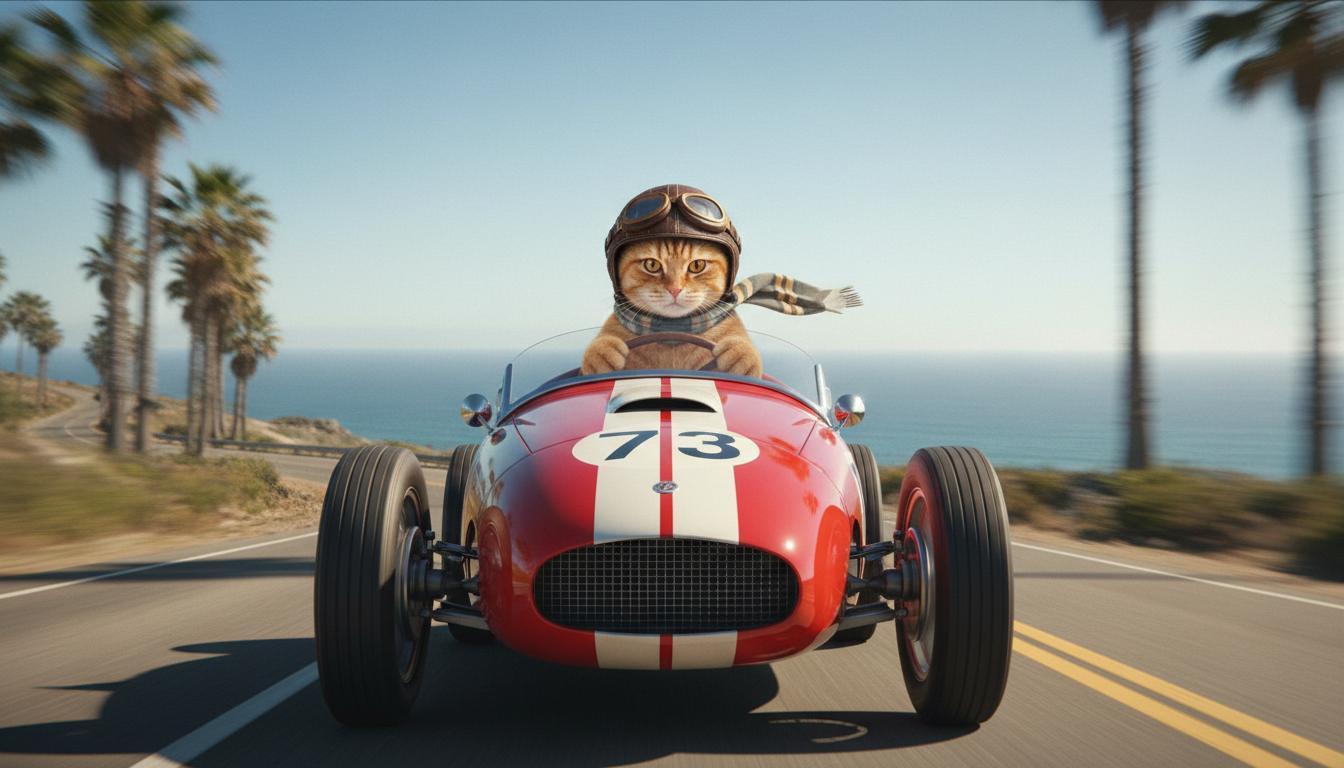
|
| Ostatni obraz (wygenerowany przez Nano Banana) Pokaż, co się dzieje, gdy samochód spada z klifu. |
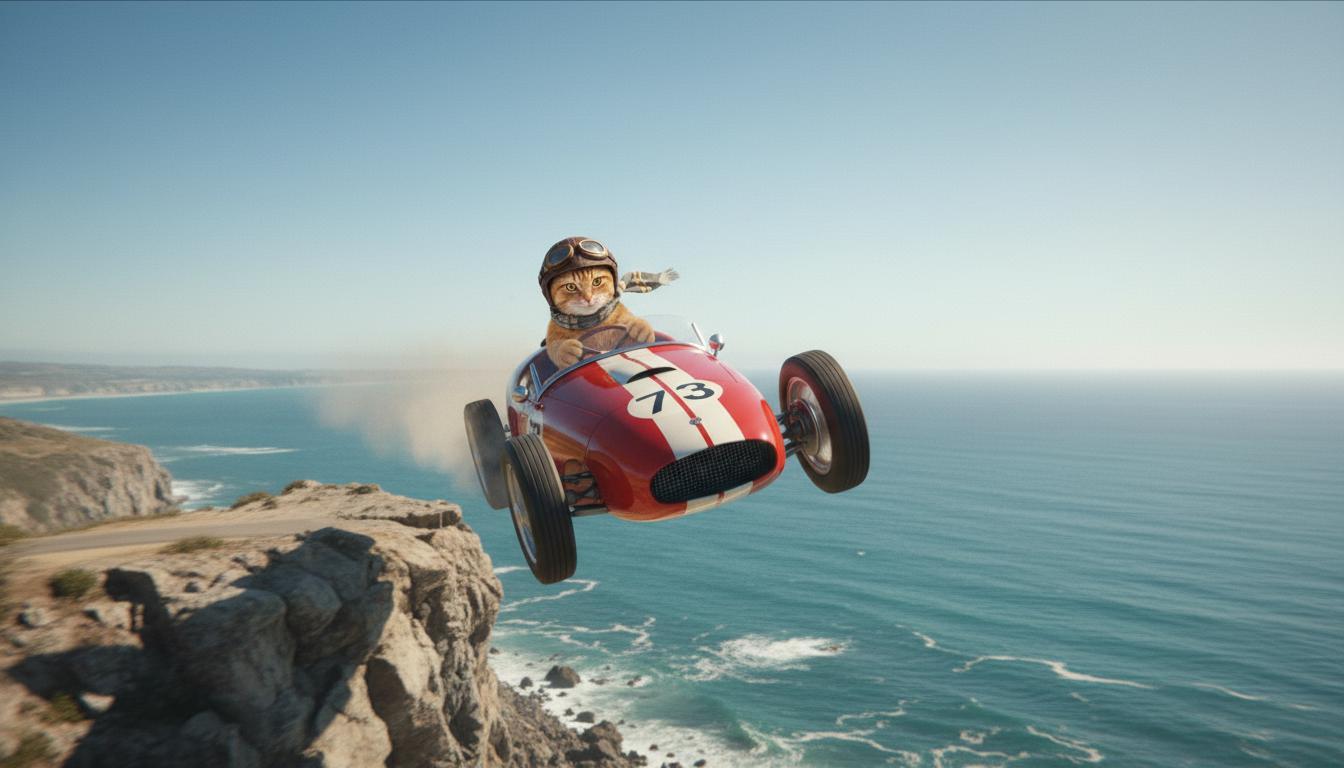
|
| Wygenerowany film (utworzony przez Veo 3.1) Opcjonalne |
|
Ta funkcja zapewnia precyzyjną kontrolę nad kompozycją ujęcia, umożliwiając zdefiniowanie klatki początkowej i końcowej. Prześlij obraz lub użyj klatki z poprzednio wygenerowanego filmu, aby mieć pewność, że scena zaczyna się i kończy dokładnie tak, jak chcesz.
Prośba o rozszerzenie
Aby wydłużyć film wygenerowany za pomocą Veo przy użyciu Veo 3.1 (niedostępne w przypadku Veo 3.1 Lite), użyj filmu jako danych wejściowych wraz z opcjonalnym promptem tekstowym. Funkcja Wydłuż finalizuje ostatnią sekundę lub 24 klatki filmu i kontynuuje akcję.
Pamiętaj, że nie można skutecznie wydłużyć głosu, jeśli nie występuje on w ostatniej sekundzie filmu.
| Prompt | Wygenerowane dane wyjściowe |
|---|---|
| Film wejściowy (wygenerowany przez Veo 3.1) Paralotniarz startuje ze szczytu góry i szybuje w dół, podziwiając pokryte kwiatami doliny. |
|
| Wygenerowany film (utworzony przez Veo 3.1) Wydłuż ten film, pokazując paralotniarza powoli schodzącego w dół. |
|
Przykładowe prompty i wyniki
W tej sekcji znajdziesz kilka promptów, które pokazują, jak szczegółowe opisy mogą poprawić jakość każdego filmu.
Sople
Z tego filmu dowiesz się, jak wykorzystać w promptach elementy podstaw pisania promptów.
| Prompt | Wygenerowane dane wyjściowe |
|---|---|
| Zbliżenie (kompozycja) topniejących sopli (temat) na zamarzniętej ścianie skalnej (kontekst) w chłodnych odcieniach niebieskiego (nastrój), powiększenie (ruch kamery) z zachowaniem szczegółów kapiącej wody (akcja). |
|
Mężczyzna rozmawiający przez telefon
Te filmy pokazują, jak możesz modyfikować prompt, dodając coraz bardziej szczegółowe informacje, aby Veo dostosował wynik do Twoich upodobań.
| Prompt | Wygenerowane dane wyjściowe |
|---|---|
| Mniej szczegółów Kamera przesuwa się, aby pokazać zbliżenie na zdesperowanego mężczyznę w zielonym prochowcu. Mężczyzna dzwoni z telefonu ściennego z tarczą, oświetlonego zielonym neonem. Wygląda jak scena z filmu. |
|
| Więcej szczegółów Zbliżenie w stylu filmowym przedstawia zdesperowanego mężczyznę w zniszczonym zielonym prochowcu, który wybiera numer na telefonie z tarczą zamontowanym na brudnej ceglanej ścianie, oświetlonym niesamowitym blaskiem zielonego neonu. Kamera zbliża się, ukazując napięcie w jego szczęce i desperację na twarzy, gdy próbuje wykonać połączenie. Płytka głębia ostrości skupia się na jego zmarszczonych brwiach i czarnym telefonie z tarczą, rozmywając tło w morze neonowych kolorów i niewyraźnych cieni, co tworzy poczucie pilności i izolacji. |
|
Irbis śnieżny
| Prompt | Wygenerowane dane wyjściowe |
|---|---|
| Prosty prompt: Urocze stworzenie z futrem przypominającym panterę śnieżną spaceruje po zimowym lesie, renderowanie w stylu kreskówki 3D. |
|
| Szczegółowy prompt: Utwórz krótką scenę animowaną 3D w stylu radosnej kreskówki. Urocze stworzenie z futrem przypominającym panterę śnieżną, dużymi, wyrazistymi oczami i przyjazną, zaokrągloną sylwetką radośnie biega po fantazyjnym zimowym lesie. Scena powinna przedstawiać zaokrąglone, pokryte śniegiem drzewa, delikatnie opadające płatki śniegu i ciepłe światło słoneczne przebijające się przez gałęzie. Skoczne ruchy i szeroki uśmiech stworka powinny wyrażać czystą radość. Postaraj się o pogodny, ciepły ton, jasne, radosne kolory i zabawną animację. |

|
Przykłady według elementów tekstu
Te przykłady pokazują, jak ulepszyć prompty, korzystając z każdego podstawowego elementu.
Temat i kontekst
Określ główny obiekt (temat) oraz tło lub środowisko (kontekst).
| Prompt | Wygenerowane dane wyjściowe |
|---|---|
| Renderowanie architektoniczne białego betonowego budynku mieszkalnego o płynnych, organicznych kształtach, płynnie łączącego się z bujną zielenią i futurystycznymi elementami |
|
| Satelita unoszący się w przestrzeni kosmicznej z księżycem i gwiazdami w tle. |
|
Działanie
Określ, co robi obiekt (np. idzie, biegnie lub odwraca głowę).
| Prompt | Wygenerowane dane wyjściowe |
|---|---|
| Szerokie ujęcie kobiety spacerującej po plaży, która zadowolona i zrelaksowana patrzy w stronę horyzontu o zachodzie słońca. |
|
Styl
Dodaj słowa kluczowe, aby ukierunkować generowanie na konkretną estetykę (np. surrealistyczną, vintage, futurystyczną, film noir).
| Prompt | Wygenerowane dane wyjściowe |
|---|---|
| Styl filmu noir, mężczyzna i kobieta idą ulicą, tajemnica, kinowy, czarno-biały. |
|
Ruch kamery i kompozycja
Określ, jak porusza się kamera (ujęcie z punktu widzenia, widok z lotu ptaka, widok z drona) i jak jest nakręcone ujęcie (szeroki kadr, zbliżenie, z niskiego kąta).
| Prompt | Wygenerowane dane wyjściowe |
|---|---|
| Ujęcie z punktu widzenia z zabytkowego samochodu jadącego w deszczu, Kanada w nocy, filmowe. |
|
| Zbliżenie na oko, w którym odbija się miasto. |
|
Atmosfera
Palety kolorów i oświetlenie wpływają na nastrój. Spróbuj użyć takich haseł jak „przygaszony pomarańczowy, ciepłe barwy”, „naturalne światło”, „wschód słońca” lub „chłodne odcienie niebieskiego”.
| Prompt | Wygenerowane dane wyjściowe |
|---|---|
| Zbliżenie na dziewczynę trzymającą uroczego szczeniaka golden retrievera w parku, światło słoneczne. |
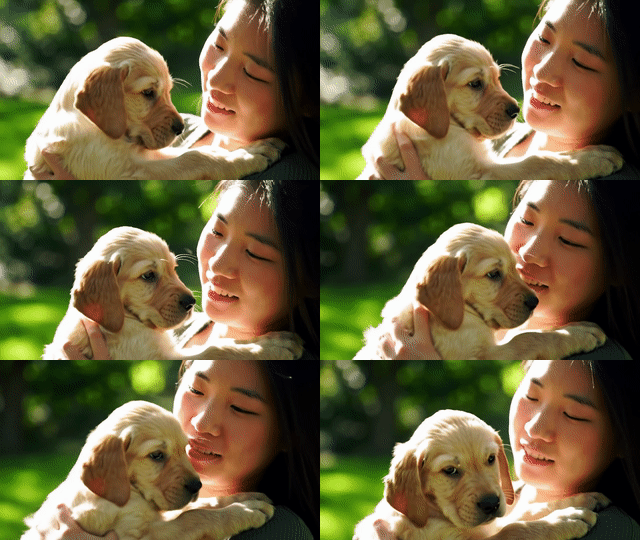
|
| Filmowe zbliżenie na smutną kobietę jadącą autobusem w deszczu, chłodne niebieskie odcienie, smutny nastrój. |

|
Formaty obrazu
Veo umożliwia określenie formatu obrazu filmu.
| Prompt | Wygenerowane dane wyjściowe |
|---|---|
| Panoramiczny (16:9) Utwórz film z widokiem z drona śledzącego mężczyznę jadącego czerwonym kabrioletem w Palm Springs w latach 70., ciepłe światło słoneczne, długie cienie. |
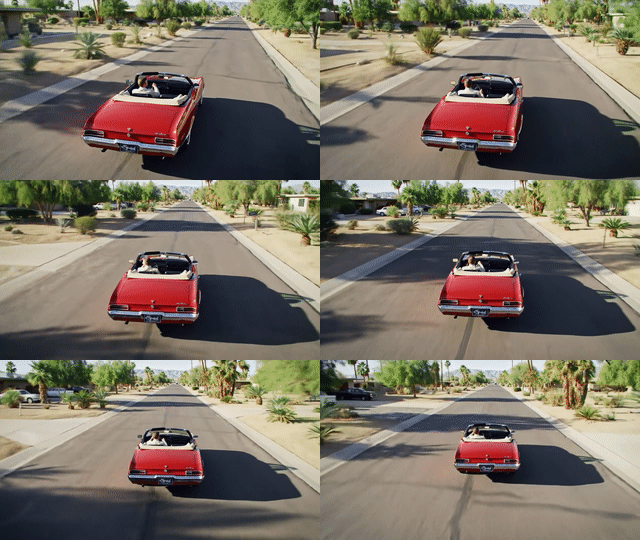
|
| Orientacja pionowa (9:16) Utwórz film z najciekawszymi momentami przedstawiający płynny ruch majestatycznego hawajskiego wodospadu w bujnym lesie deszczowym. Skup się na realistycznym przepływie wody, szczegółowych liściach i naturalnym oświetleniu, aby oddać spokój. Uchwyć płynącą wodę, mglistą atmosferę i światło słoneczne przebijające się przez gęste korony drzew. Użyj płynnych, kinowych ruchów kamery, aby pokazać wodospad i jego otoczenie. Postaraj się uzyskać spokojny, realistyczny ton, który przeniesie widza do spokojnego, pięknego hawajskiego lasu deszczowego. |
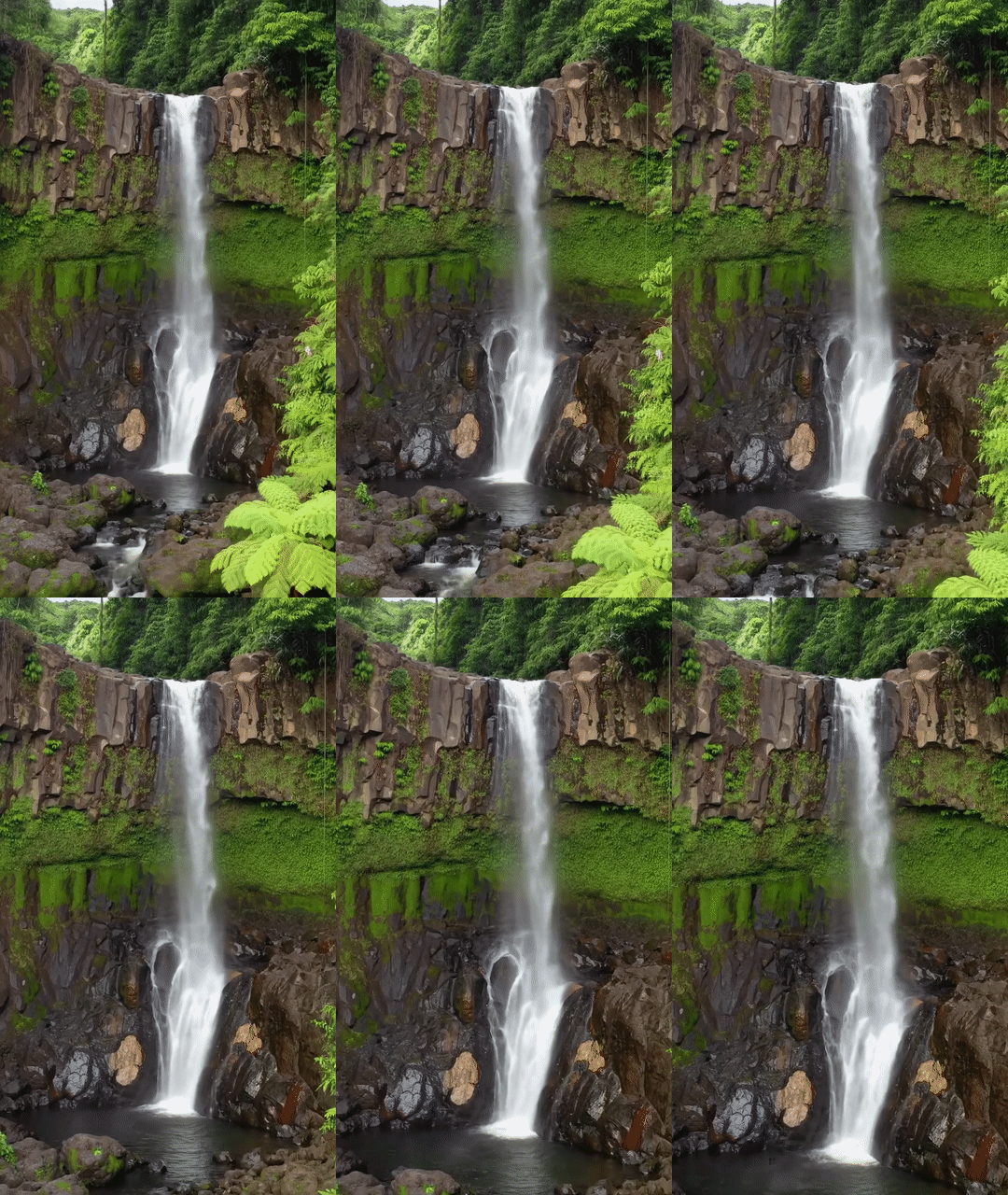
|
Wersje modelu
Więcej informacji o korzystaniu z modelu Veo znajdziesz na stronie Ceny i w sekcji Limity liczby żądań.
Veo 3.1 Preview
| Właściwość | Opis |
|---|---|
| Kod modelu |
Gemini API
|
| Obsługiwane typy danych |
Wejście Tekst, obraz Dane wyjściowe Film z dźwiękiem |
| Limits |
Dane wejściowe w formie tekstu 1024 tokeny Wyjściowy film 1 |
| Ostatnia aktualizacja | Styczeń 2026 |
Veo 3.1 Fast Preview
| Właściwość | Opis |
|---|---|
| Kod modelu |
Gemini API
|
| Obsługiwane typy danych |
Wejście Tekst, obraz Dane wyjściowe Film z dźwiękiem |
| Limits |
Dane wejściowe w formie tekstu 1024 tokeny Wyjściowy film 1 |
| Ostatnia aktualizacja | Styczeń 2026 |
Veo 3.1 Lite (wersja testowa)
| Właściwość | Opis |
|---|---|
| Kod modelu |
Gemini API
|
| Obsługiwane typy danych |
Wejście Tekst, obraz Dane wyjściowe Film z dźwiękiem |
| Limits |
Dane wejściowe w formie tekstu 1024 tokeny Wyjściowy film 1 |
| Ostatnia aktualizacja | Marzec 2026 r. |
Veo 3 (wycofany)
| Właściwość | Opis |
|---|---|
| Kod modelu |
Gemini API
|
| Obsługiwane typy danych |
Wejście Tekst, obraz Dane wyjściowe Film z dźwiękiem |
| Limits |
Dane wejściowe w formie tekstu 1024 tokeny Wyjściowy film 1 |
| Ostatnia aktualizacja | Lipiec 2025 r. |
Veo 3 Fast (wycofany)
| Właściwość | Opis |
|---|---|
| Kod modelu |
Gemini API
|
| Obsługiwane typy danych |
Wejście Tekst, obraz Dane wyjściowe Film z dźwiękiem |
| Limits |
Dane wejściowe w formie tekstu 1024 tokeny Wyjściowy film 1 |
| Ostatnia aktualizacja | Lipiec 2025 r. |
Wersje Veo Fast umożliwiają deweloperom tworzenie filmów z dźwiękiem przy zachowaniu wysokiej jakości oraz optymalizacji pod kątem szybkości i zastosowań biznesowych. Są idealne do usług backendu, które automatycznie generują reklamy, narzędzi do szybkiego testowania A/B koncepcji kreacji lub aplikacji, które muszą szybko tworzyć treści do mediów społecznościowych.
Co dalej?
- Aby rozpocząć korzystanie z interfejsu Veo 3.1 API, poeksperymentuj w notatniku Colab Szybki start z Veo i aplecie Veo 3.1.
- Dowiedz się, jak pisać jeszcze lepsze prompty, dzięki naszemu wprowadzeniu do projektowania promptów.