

للتعرّف على ميزة "فهم الفيديو"، يُرجى الاطّلاع على دليل فهم الفيديو.
Veo 3.1 هو نموذج لإنشاء فيديوهات مدتها 8 ثوانٍ (بدقة 720p أو 1080p أو 4k) مع صوت مدمج. يمكنك الوصول إلى هذا النموذج برمجيًا باستخدام Gemini API. لمزيد من المعلومات عن إصدارات نموذج Veo المتاحة، يُرجى الاطّلاع على قسم إصدارات النموذج.
يتميّز Veo 3.1 بمجموعة واسعة من الأساليب المرئية والسينمائية، ويقدّم العديد من الإمكانات الجديدة:
- الفيديوهات باتجاه عمودي: يمكنك الاختيار بين الفيديوهات باتجاه أفقي (
16:9) والفيديوهات باتجاه عمودي (9:16). - إضافة الفيديو: يمكنك تمديد الفيديوهات التي تم إنشاؤها سابقًا باستخدام Veo.
- إنشاء فيديو استنادًا إلى إطارات معيّنة: يمكنك إنشاء فيديو من خلال تحديد الإطارَين الأول والأخير.
- توجيهات مستندة إلى الصور: يمكنكم استخدام ما يصل إلى ثلاث صور مرجعية لتوجيه محتوى الفيديو الذي يتم إنشاؤه.
لمزيد من المعلومات حول كتابة طلبات نصية فعّالة لإنشاء الفيديوهات، يُرجى الاطّلاع على دليل طلبات Veo
إنشاء فيديوهات من النص
توضّح الأمثلة التالية كيف يمكنك إنشاء فيديو يتضمّن حوارًا أو واقعية سينمائية أو صورًا متحركة إبداعية:
الحوار والمؤثرات الصوتية
Python
import time
from google import genai
from google.genai import types

client = genai.Client()

prompt = """A close up of two people staring at a cryptic drawing on a wall, torchlight flickering.
A man murmurs, 'This must be it. That's the secret code.' The woman looks at him and whispering excitedly, 'What did you find?'"""

operation = client.models.generate_videos(
    model="veo-3.1-generate-preview",
    prompt=prompt,
)

# Poll the operation status until the video is ready.
while not operation.done:
    print("Waiting for video generation to complete...")
    time.sleep(10)
    operation = client.operations.get(operation)

# Download the generated video.
generated_video = operation.response.generated_videos[0]
client.files.download(file=generated_video.video, destination="dialogue_example.mp4")
print("Generated video saved to dialogue_example.mp4")
JavaScript
import { GoogleGenAI } from "@google/genai";

const ai = new GoogleGenAI({});

const prompt = `A close up of two people staring at a cryptic drawing on a wall, torchlight flickering.
A man murmurs, 'This must be it. That's the secret code.' The woman looks at him and whispering excitedly, 'What did you find?'`;

let operation = await ai.models.generateVideos({
    model: "veo-3.1-generate-preview",
    prompt: prompt,
});

// Poll the operation status until the video is ready.
while (!operation.done) {
    console.log("Waiting for video generation to complete...")
    await new Promise((resolve) => setTimeout(resolve, 10000));
    operation = await ai.operations.getVideosOperation({
        operation: operation,
    });
}

// Download the generated video.
ai.files.download({
    file: operation.response.generatedVideos[0].video,
    downloadPath: "dialogue_example.mp4",
});
console.log(`Generated video saved to dialogue_example.mp4`);
Go
package main

import (
    "context"
    "log"
    "os"
    "time"

    "google.golang.org/genai"
)

func main() {
    ctx := context.Background()
    client, err := genai.NewClient(ctx, nil)
    if err != nil {
        log.Fatal(err)
    }

    prompt := `A close up of two people staring at a cryptic drawing on a wall, torchlight flickering.
    A man murmurs, 'This must be it. That's the secret code.' The woman looks at him and whispering excitedly, 'What did you find?'`

    operation, _ := client.Models.GenerateVideos(
        ctx,
        "veo-3.1-generate-preview",
        prompt,
        nil,
        nil,
    )

    // Poll the operation status until the video is ready.
    for !operation.Done {
    log.Println("Waiting for video generation to complete...")
        time.Sleep(10 * time.Second)
        operation, _ = client.Operations.GetVideosOperation(ctx, operation, nil)
    }

    // Download the generated video.
    video := operation.Response.GeneratedVideos[0]
    client.Files.Download(ctx, video.Video, nil)
    fname := "dialogue_example.mp4"
    _ = os.WriteFile(fname, video.Video.VideoBytes, 0644)
    log.Printf("Generated video saved to %s\n", fname)
}
جافا
import com.google.genai.Client;
import com.google.genai.types.GenerateVideosOperation;
import com.google.genai.types.GeneratedVideo;

Client client = new Client();

String prompt =
    "A close up of two people staring at a cryptic drawing on a wall, torchlight flickering.\n"
        + "A man murmurs, 'This must be it. That's the secret code.' The woman looks at him and whispering excitedly, 'What did you find?'";

GenerateVideosOperation operation =
    client.models.generateVideos("veo-3.1-generate-preview", prompt, null, null);

// Poll the operation status until the video is ready.
while (!operation.done().orElse(false)) {
  System.out.println("Waiting for video generation to complete...");
  Thread.sleep(10000);
  operation = client.operations.getVideosOperation(operation, null);
}

// Download the generated video.
GeneratedVideo generatedVideo = operation.response().get().generatedVideos().get().get(0);
client.files.download(generatedVideo, "dialogue_example.mp4", null);
System.out.println("Generated video saved to dialogue_example.mp4");
REST
# Note: This script uses jq to parse the JSON response.
# GEMINI API Base URL
BASE_URL="https://generativelanguage.googleapis.com/v1beta"

# Send request to generate video and capture the operation name into a variable.
operation_name=$(curl -s "${BASE_URL}/models/veo-3.1-generate-preview:predictLongRunning" \
  -H "x-goog-api-key: $GEMINI_API_KEY" \
  -H "Content-Type: application/json" \
  -X "POST" \
  -d '{
    "instances": [{
        "prompt": "A close up of two people staring at a cryptic drawing on a wall, torchlight flickering. A man murmurs, \"This must be it. That'\''s the secret code.\" The woman looks at him and whispering excitedly, \"What did you find?\""
      }
    ]
  }' | jq -r .name)

# Poll the operation status until the video is ready
while true; do
  # Get the full JSON status and store it in a variable.
  status_response=$(curl -s -H "x-goog-api-key: $GEMINI_API_KEY" "${BASE_URL}/${operation_name}")

  # Check the "done" field from the JSON stored in the variable.
  is_done=$(echo "${status_response}" | jq .done)

  if [ "${is_done}" = "true" ]; then
    # Extract the download URI from the final response.
    video_uri=$(echo "${status_response}" | jq -r '.response.generateVideoResponse.generatedSamples[0].video.uri')
    echo "Downloading video from: ${video_uri}"

    # Download the video using the URI and API key and follow redirects.
    curl -L -o dialogue_example.mp4 -H "x-goog-api-key: $GEMINI_API_KEY" "${video_uri}"
    break
  fi
  # Wait for 5 seconds before checking again.
  sleep 10
done
واقعية سينمائية
Python
import time
from google import genai
from google.genai import types

client = genai.Client()

prompt = """Drone shot following a classic red convertible driven by a man along a winding coastal road at sunset, waves crashing against the rocks below.
The convertible accelerates fast and the engine roars loudly."""

operation = client.models.generate_videos(
    model="veo-3.1-generate-preview",
    prompt=prompt,
)

# Poll the operation status until the video is ready.
while not operation.done:
    print("Waiting for video generation to complete...")
    time.sleep(10)
    operation = client.operations.get(operation)

# Download the generated video.
generated_video = operation.response.generated_videos[0]
client.files.download(file=generated_video.video, destination="realism_example.mp4")
print("Generated video saved to realism_example.mp4")
JavaScript
import { GoogleGenAI } from "@google/genai";

const ai = new GoogleGenAI({});

const prompt = `Drone shot following a classic red convertible driven by a man along a winding coastal road at sunset, waves crashing against the rocks below.
The convertible accelerates fast and the engine roars loudly.`;

let operation = await ai.models.generateVideos({
    model: "veo-3.1-generate-preview",
    prompt: prompt,
});

// Poll the operation status until the video is ready.
while (!operation.done) {
    console.log("Waiting for video generation to complete...")
    await new Promise((resolve) => setTimeout(resolve, 10000));
    operation = await ai.operations.getVideosOperation({
        operation: operation,
    });
}

// Download the generated video.
ai.files.download({
    file: operation.response.generatedVideos[0].video,
    downloadPath: "realism_example.mp4",
});
console.log(`Generated video saved to realism_example.mp4`);
Go
package main

import (
    "context"
    "log"
    "os"
    "time"

    "google.golang.org/genai"
)

func main() {
    ctx := context.Background()
    client, err := genai.NewClient(ctx, nil)
    if err != nil {
        log.Fatal(err)
    }

    prompt := `Drone shot following a classic red convertible driven by a man along a winding coastal road at sunset, waves crashing against the rocks below.
  The convertible accelerates fast and the engine roars loudly.`

    operation, _ := client.Models.GenerateVideos(
        ctx,
        "veo-3.1-generate-preview",
        prompt,
        nil,
        nil,
    )

    // Poll the operation status until the video is ready.
    for !operation.Done {
    log.Println("Waiting for video generation to complete...")
        time.Sleep(10 * time.Second)
        operation, _ = client.Operations.GetVideosOperation(ctx, operation, nil)
    }

    // Download the generated video.
    video := operation.Response.GeneratedVideos[0]
    client.Files.Download(ctx, video.Video, nil)
    fname := "realism_example.mp4"
    _ = os.WriteFile(fname, video.Video.VideoBytes, 0644)
    log.Printf("Generated video saved to %s\n", fname)
}
جافا
import com.google.genai.Client;
import com.google.genai.types.GenerateVideosOperation;
import com.google.genai.types.GeneratedVideo;

Client client = new Client();

String prompt =
    "Drone shot following a classic red convertible driven by a man along a winding coastal road at sunset, waves crashing against the rocks below.\n"
        + "The convertible accelerates fast and the engine roars loudly.";

GenerateVideosOperation operation =
    client.models.generateVideos("veo-3.1-generate-preview", prompt, null, null);

// Poll the operation status until the video is ready.
while (!operation.done().orElse(false)) {
  System.out.println("Waiting for video generation to complete...");
  Thread.sleep(10000);
  operation = client.operations.getVideosOperation(operation, null);
}

// Download the generated video.
GeneratedVideo generatedVideo = operation.response().get().generatedVideos().get().get(0);
client.files.download(generatedVideo, "realism_example.mp4", null);
System.out.println("Generated video saved to realism_example.mp4");
REST
# Note: This script uses jq to parse the JSON response.
# GEMINI API Base URL
BASE_URL="https://generativelanguage.googleapis.com/v1beta"

# Send request to generate video and capture the operation name into a variable.
operation_name=$(curl -s "${BASE_URL}/models/veo-3.1-generate-preview:predictLongRunning" \
  -H "x-goog-api-key: $GEMINI_API_KEY" \
  -H "Content-Type: application/json" \
  -X "POST" \
  -d '{
    "instances": [{
        "prompt": "Drone shot following a classic red convertible driven by a man along a winding coastal road at sunset, waves crashing against the rocks below. The convertible accelerates fast and the engine roars loudly."
      }
    ]
  }' | jq -r .name)

# Poll the operation status until the video is ready
while true; do
  # Get the full JSON status and store it in a variable.
  status_response=$(curl -s -H "x-goog-api-key: $GEMINI_API_KEY" "${BASE_URL}/${operation_name}")

  # Check the "done" field from the JSON stored in the variable.
  is_done=$(echo "${status_response}" | jq .done)

  if [ "${is_done}" = "true" ]; then
    # Extract the download URI from the final response.
    video_uri=$(echo "${status_response}" | jq -r '.response.generateVideoResponse.generatedSamples[0].video.uri')
    echo "Downloading video from: ${video_uri}"

    # Download the video using the URI and API key and follow redirects.
    curl -L -o realism_example.mp4 -H "x-goog-api-key: $GEMINI_API_KEY" "${video_uri}"
    break
  fi
  # Wait for 5 seconds before checking again.
  sleep 10
done
صور متحركة إبداعية
Python
import time
from google import genai

client = genai.Client()
prompt = "A whimsical stop-motion animation of a tiny robot tending to a garden of glowing mushrooms on a miniature planet."

operation = client.models.generate_videos(
    model="veo-3.1-generate-preview",
    prompt=prompt,
)

# Poll the operation status until the video is ready.
while not operation.done:
    print("Waiting for video generation to complete...")
    time.sleep(10)
    operation = client.operations.get(operation)

# Download the generated video.
generated_video = operation.response.generated_videos[0]
client.files.download(file=generated_video.video, destination="style_example.mp4")
print("Generated video saved to style_example.mp4")
JavaScript
import { GoogleGenAI } from "@google/genai";

const ai = new GoogleGenAI({});

const prompt = "A whimsical stop-motion animation of a tiny robot tending to a garden of glowing mushrooms on a miniature planet.";

let operation = await ai.models.generateVideos({
    model: "veo-3.1-generate-preview",
    prompt: prompt,
});

// Poll the operation status until the video is ready.
while (!operation.done) {
    console.log("Waiting for video generation to complete...")
    await new Promise((resolve) => setTimeout(resolve, 10000));
    operation = await ai.operations.getVideosOperation({
        operation: operation,
    });
}

// Download the generated video.
ai.files.download({
    file: operation.response.generatedVideos[0].video,
    downloadPath: "style_example.mp4",
});
console.log(`Generated video saved to style_example.mp4`);
Go
package main

import (
    "context"
    "log"
    "os"
    "time"

    "google.golang.org/genai"
)

func main() {
    ctx := context.Background()
    client, err := genai.NewClient(ctx, nil)
    if err != nil {
        log.Fatal(err)
    }

    prompt := `A whimsical stop-motion animation of a tiny robot tending to a garden of glowing mushrooms on a miniature planet.`

    operation, _ := client.Models.GenerateVideos(
        ctx,
        "veo-3.1-generate-preview",
        prompt,
        nil,
        nil,
    )

    // Poll the operation status until the video is ready.
    for !operation.Done {
    log.Println("Waiting for video generation to complete...")
        time.Sleep(10 * time.Second)
        operation, _ = client.Operations.GetVideosOperation(ctx, operation, nil)
    }

    // Download the generated video.
    video := operation.Response.GeneratedVideos[0]
    client.Files.Download(ctx, video.Video, nil)
    fname := "style_example.mp4"
    _ = os.WriteFile(fname, video.Video.VideoBytes, 0644)
    log.Printf("Generated video saved to %s\n", fname)
}
جافا
import com.google.genai.Client;
import com.google.genai.types.GenerateVideosOperation;
import com.google.genai.types.GeneratedVideo;

Client client = new Client();

String prompt =
    "A whimsical stop-motion animation of a tiny robot tending to a garden of glowing mushrooms on a miniature planet.";

GenerateVideosOperation operation =
    client.models.generateVideos("veo-3.1-generate-preview", prompt, null, null);

// Poll the operation status until the video is ready.
while (!operation.done().orElse(false)) {
  System.out.println("Waiting for video generation to complete...");
  Thread.sleep(10000);
  operation = client.operations.getVideosOperation(operation, null);
}

// Download the generated video.
GeneratedVideo generatedVideo = operation.response().get().generatedVideos().get().get(0);
client.files.download(generatedVideo, "style_example.mp4", null);
System.out.println("Generated video saved to style_example.mp4");
REST
# Note: This script uses jq to parse the JSON response.
# GEMINI API Base URL
BASE_URL="https://generativelanguage.googleapis.com/v1beta"

# Send request to generate video and capture the operation name into a variable.
operation_name=$(curl -s "${BASE_URL}/models/veo-3.1-generate-preview:predictLongRunning" \
  -H "x-goog-api-key: $GEMINI_API_KEY" \
  -H "Content-Type: application/json" \
  -X "POST" \
  -d '{
    "instances": [{
        "prompt": "A whimsical stop-motion animation of a tiny robot tending to a garden of glowing mushrooms on a miniature planet."
      }
    ]
  }' | jq -r .name)

# Poll the operation status until the video is ready
while true; do
  # Get the full JSON status and store it in a variable.
  status_response=$(curl -s -H "x-goog-api-key: $GEMINI_API_KEY" "${BASE_URL}/${operation_name}")

  # Check the "done" field from the JSON stored in the variable.
  is_done=$(echo "${status_response}" | jq .done)

  if [ "${is_done}" = "true" ]; then
    # Extract the download URI from the final response.
    video_uri=$(echo "${status_response}" | jq -r '.response.generateVideoResponse.generatedSamples[0].video.uri')
    echo "Downloading video from: ${video_uri}"

    # Download the video using the URI and API key and follow redirects.
    curl -L -o style_example.mp4 -H "x-goog-api-key: $GEMINI_API_KEY" "${video_uri}"
    break
  fi
  # Wait for 5 seconds before checking again.
  sleep 10
done
التحكّم في نسبة العرض إلى الارتفاع
يتيح لك Veo 3.1 إنشاء فيديوهات باتجاه أفقي (16:9، الإعداد التلقائي) أو باتجاه عمودي (9:16). يمكنك إخبار النموذج بالنمط الذي تريده باستخدام المَعلمة aspect_ratio:
Python
import time
from google import genai
from google.genai import types

client = genai.Client()

prompt = """A montage of pizza making: a chef tossing and flattening the floury dough, ladling rich red tomato sauce in a spiral, sprinkling mozzarella cheese and pepperoni, and a final shot of the bubbling golden-brown pizza, upbeat electronic music with a rhythmical beat is playing, high energy professional video."""

operation = client.models.generate_videos(
    model="veo-3.1-generate-preview",
    prompt=prompt,
    config=types.GenerateVideosConfig(
      aspect_ratio="9:16",
    ),
)

# Poll the operation status until the video is ready.
while not operation.done:
    print("Waiting for video generation to complete...")
    time.sleep(10)
    operation = client.operations.get(operation)

# Download the generated video.
generated_video = operation.response.generated_videos[0]
client.files.download(file=generated_video.video, destination="pizza_making.mp4")
print("Generated video saved to pizza_making.mp4")
JavaScript
import { GoogleGenAI } from "@google/genai";

const ai = new GoogleGenAI({});

const prompt = `A montage of pizza making: a chef tossing and flattening the floury dough, ladling rich red tomato sauce in a spiral, sprinkling mozzarella cheese and pepperoni, and a final shot of the bubbling golden-brown pizza, upbeat electronic music with a rhythmical beat is playing, high energy professional video.`;

let operation = await ai.models.generateVideos({
    model: "veo-3.1-generate-preview",
    prompt: prompt,
    config: {
      aspectRatio: "9:16",
    },
});

// Poll the operation status until the video is ready.
while (!operation.done) {
    console.log("Waiting for video generation to complete...")
    await new Promise((resolve) => setTimeout(resolve, 10000));
    operation = await ai.operations.getVideosOperation({
        operation: operation,
    });
}

// Download the generated video.
ai.files.download({
    file: operation.response.generatedVideos[0].video,
    downloadPath: "pizza_making.mp4",
});
console.log(`Generated video saved to pizza_making.mp4`);
Go
package main

import (
    "context"
    "log"
    "os"
    "time"

    "google.golang.org/genai"
)

func main() {
    ctx := context.Background()
    client, err := genai.NewClient(ctx, nil)
    if err != nil {
        log.Fatal(err)
    }

    prompt := `A montage of pizza making: a chef tossing and flattening the floury dough, ladling rich red tomato sauce in a spiral, sprinkling mozzarella cheese and pepperoni, and a final shot of the bubbling golden-brown pizza, upbeat electronic music with a rhythmical beat is playing, high energy professional video.`

  videoConfig := &genai.GenerateVideosConfig{
      AspectRatio: "9:16",
  }

    operation, _ := client.Models.GenerateVideos(
        ctx,
        "veo-3.1-generate-preview",
        prompt,
        nil,
        videoConfig,
    )

    // Poll the operation status until the video is ready.
    for !operation.Done {
    log.Println("Waiting for video generation to complete...")
        time.Sleep(10 * time.Second)
        operation, _ = client.Operations.GetVideosOperation(ctx, operation, nil)
    }

    // Download the generated video.
    video := operation.Response.GeneratedVideos[0]
    client.Files.Download(ctx, video.Video, nil)
    fname := "pizza_making.mp4"
    _ = os.WriteFile(fname, video.Video.VideoBytes, 0644)
    log.Printf("Generated video saved to %s\n", fname)
}
REST
# Note: This script uses jq to parse the JSON response.
# GEMINI API Base URL
BASE_URL="https://generativelanguage.googleapis.com/v1beta"

# Send request to generate video and capture the operation name into a variable.
operation_name=$(curl -s "${BASE_URL}/models/veo-3.1-generate-preview:predictLongRunning" \
  -H "x-goog-api-key: $GEMINI_API_KEY" \
  -H "Content-Type: application/json" \
  -X "POST" \
  -d '{
    "instances": [{
        "prompt": "A montage of pizza making: a chef tossing and flattening the floury dough, ladling rich red tomato sauce in a spiral, sprinkling mozzarella cheese and pepperoni, and a final shot of the bubbling golden-brown pizza, upbeat electronic music with a rhythmical beat is playing, high energy professional video."
      }
    ],
    "parameters": {
      "aspectRatio": "9:16"
    }
  }' | jq -r .name)

# Poll the operation status until the video is ready
while true; do
  # Get the full JSON status and store it in a variable.
  status_response=$(curl -s -H "x-goog-api-key: $GEMINI_API_KEY" "${BASE_URL}/${operation_name}")

  # Check the "done" field from the JSON stored in the variable.
  is_done=$(echo "${status_response}" | jq .done)

  if [ "${is_done}" = "true" ]; then
    # Extract the download URI from the final response.
    video_uri=$(echo "${status_response}" | jq -r '.response.generateVideoResponse.generatedSamples[0].video.uri')
    echo "Downloading video from: ${video_uri}"

    # Download the video using the URI and API key and follow redirects.
    curl -L -o pizza_making.mp4 -H "x-goog-api-key: $GEMINI_API_KEY" "${video_uri}"
    break
  fi
  # Wait for 5 seconds before checking again.
  sleep 10
done
التحكّم في درجة الدقة
يمكن لـ Veo 3.1 أيضًا إنشاء فيديوهات بدقة 720p أو 1080p أو 4K مباشرةً (دقة 4K غير متاحة في Veo 3.1 Lite).
يُرجى العِلم أنّه كلما زادت درجة الدقة، زاد وقت الاستجابة. وتكون الفيديوهات بدقة 4K أكثر تكلفة أيضًا (يُرجى الاطّلاع على الأسعار).
تقتصر إضافة الفيديو أيضًا على الفيديوهات بدقة 720p.
Python
import time
from google import genai
from google.genai import types

client = genai.Client()

prompt = """A stunning drone view of the Grand Canyon during a flamboyant sunset that highlights the canyon's colors. The drone slowly flies towards the sun then accelerates, dives and flies inside the canyon."""

operation = client.models.generate_videos(
    model="veo-3.1-generate-preview",
    prompt=prompt,
    config=types.GenerateVideosConfig(
      resolution="4k",
    ),
)

# Poll the operation status until the video is ready.
while not operation.done:
    print("Waiting for video generation to complete...")
    time.sleep(10)
    operation = client.operations.get(operation)

# Download the generated video.
generated_video = operation.response.generated_videos[0]
client.files.download(file=generated_video.video, destination="4k_grand_canyon.mp4")
print("Generated video saved to 4k_grand_canyon.mp4")
JavaScript
import { GoogleGenAI } from "@google/genai";

const ai = new GoogleGenAI({});

const prompt = `A stunning drone view of the Grand Canyon during a flamboyant sunset that highlights the canyon's colors. The drone slowly flies towards the sun then accelerates, dives and flies inside the canyon.`;

let operation = await ai.models.generateVideos({
    model: "veo-3.1-generate-preview",
    prompt: prompt,
    config: {
      resolution: "4k",
    },
});

// Poll the operation status until the video is ready.
while (!operation.done) {
    console.log("Waiting for video generation to complete...")
    await new Promise((resolve) => setTimeout(resolve, 10000));
    operation = await ai.operations.getVideosOperation({
        operation: operation,
    });
}

// Download the generated video.
ai.files.download({
    file: operation.response.generatedVideos[0].video,
    downloadPath: "4k_grand_canyon.mp4",
});
console.log(`Generated video saved to 4k_grand_canyon.mp4`);
Go
package main

import (
    "context"
    "log"
    "os"
    "time"

    "google.golang.org/genai"
)

func main() {
    ctx := context.Background()
    client, err := genai.NewClient(ctx, nil)
    if err != nil {
        log.Fatal(err)
    }

    prompt := `A stunning drone view of the Grand Canyon during a flamboyant sunset that highlights the canyon's colors. The drone slowly flies towards the sun then accelerates, dives and flies inside the canyon.`

  videoConfig := &genai.GenerateVideosConfig{
      Resolution: "4k",
  }

    operation, _ := client.Models.GenerateVideos(
        ctx,
        "veo-3.1-generate-preview",
        prompt,
        nil,
        videoConfig,
    )

    // Poll the operation status until the video is ready.
    for !operation.Done {
    log.Println("Waiting for video generation to complete...")
        time.Sleep(10 * time.Second)
        operation, _ = client.Operations.GetVideosOperation(ctx, operation, nil)
    }

    // Download the generated video.
    video := operation.Response.GeneratedVideos[0]
    client.Files.Download(ctx, video.Video, nil)
    fname := "4k_grand_canyon.mp4"
    _ = os.WriteFile(fname, video.Video.VideoBytes, 0644)
    log.Printf("Generated video saved to %s\n", fname)
}
REST
# Note: This script uses jq to parse the JSON response.
# GEMINI API Base URL
BASE_URL="https://generativelanguage.googleapis.com/v1beta"

# Send request to generate video and capture the operation name into a variable.
operation_name=$(curl -s "${BASE_URL}/models/veo-3.1-generate-preview:predictLongRunning" \
  -H "x-goog-api-key: $GEMINI_API_KEY" \
  -H "Content-Type: application/json" \
  -X "POST" \
  -d '{
    "instances": [{
        "prompt": "A stunning drone view of the Grand Canyon during a flamboyant sunset that highlights the canyon'\''s colors. The drone slowly flies towards the sun then accelerates, dives and flies inside the canyon."
      }
    ],
    "parameters": {
      "resolution": "4k"
    }
  }' | jq -r .name)

# Poll the operation status until the video is ready
while true; do
  # Get the full JSON status and store it in a variable.
  status_response=$(curl -s -H "x-goog-api-key: $GEMINI_API_KEY" "${BASE_URL}/${operation_name}")

  # Check the "done" field from the JSON stored in the variable.
  is_done=$(echo "${status_response}" | jq .done)

  if [ "${is_done}" = "true" ]; then
    # Extract the download URI from the final response.
    video_uri=$(echo "${status_response}" | jq -r '.response.generateVideoResponse.generatedSamples[0].video.uri')
    echo "Downloading video from: ${video_uri}"

    # Download the video using the URI and API key and follow redirects.
    curl -L -o 4k_grand_canyon.mp4 -H "x-goog-api-key: $GEMINI_API_KEY" "${video_uri}"
    break
  fi
  # Wait for 5 seconds before checking again.
  sleep 10
done
إنشاء فيديو من صورة
يوضّح الرمز البرمجي التالي كيفية إنشاء صورة باستخدام Gemini 3.1 Flash Image، المعروف أيضًا باسم Nano Banana 2، ثم استخدام هذه الصورة كإطار البداية لإنشاء فيديو باستخدام Veo 3.1.
Python
import time
from google import genai

client = genai.Client()

prompt = "Panning wide shot of a calico kitten sleeping in the sunshine"

# Step 1: Generate an image with Nano Banana 2.
image = client.models.generate_content(
    model="gemini-3.1-flash-image-preview",
    contents=prompt,
    config={"response_modalities":['IMAGE']}
)

# Step 2: Generate video with Veo 3.1 using the image.
operation = client.models.generate_videos(
    model="veo-3.1-generate-preview",
    prompt=prompt,
    image=image.parts[0].as_image(),
)

# Poll the operation status until the video is ready.
while not operation.done:
    print("Waiting for video generation to complete...")
    time.sleep(10)
    operation = client.operations.get(operation)

# Download the video.
video = operation.response.generated_videos[0]
client.files.download(file=video.video, destination="veo3_with_image_input.mp4")
print("Generated video saved to veo3_with_image_input.mp4")
JavaScript
import { GoogleGenAI } from "@google/genai";

const ai = new GoogleGenAI({});

const prompt = "Panning wide shot of a calico kitten sleeping in the sunshine";

// Step 1: Generate an image with Nano Banana 2.
const imageResponse = await ai.models.generateContent({
  model: "gemini-3.1-flash-image-preview",
  prompt: prompt,
});

// Step 2: Generate video with Veo 3.1 using the image.
let operation = await ai.models.generateVideos({
  model: "veo-3.1-generate-preview",
  prompt: prompt,
  image: {
    imageBytes: imageResponse.generatedImages[0].image.imageBytes,
    mimeType: "image/png",
  },
});

// Poll the operation status until the video is ready.
while (!operation.done) {
  console.log("Waiting for video generation to complete...")
  await new Promise((resolve) => setTimeout(resolve, 10000));
  operation = await ai.operations.getVideosOperation({
    operation: operation,
  });
}

// Download the video.
ai.files.download({
    file: operation.response.generatedVideos[0].video,
    downloadPath: "veo3_with_image_input.mp4",
});
console.log(`Generated video saved to veo3_with_image_input.mp4`);
Go
package main

import (
    "context"
    "log"
    "os"
    "time"

    "google.golang.org/genai"
)

func main() {
    ctx := context.Background()
    client, err := genai.NewClient(ctx, nil)
    if err != nil {
        log.Fatal(err)
    }

    prompt := "Panning wide shot of a calico kitten sleeping in the sunshine"

    // Step 1: Generate an image with Nano Banana 2.
    imageResponse, err := client.Models.GenerateContent(
        ctx,
        "gemini-3.1-flash-image-preview",
        prompt,
        nil, // GenerateImagesConfig
    )
    if err != nil {
        log.Fatal(err)
    }

    // Step 2: Generate video with Veo 3.1 using the image.
    operation, err := client.Models.GenerateVideos(
        ctx,
        "veo-3.1-generate-preview",
        prompt,
        imageResponse.GeneratedImages[0].Image,
        nil, // GenerateVideosConfig
    )
    if err != nil {
        log.Fatal(err)
    }

    // Poll the operation status until the video is ready.
    for !operation.Done {
        log.Println("Waiting for video generation to complete...")
        time.Sleep(10 * time.Second)
        operation, _ = client.Operations.GetVideosOperation(ctx, operation, nil)
    }

    // Download the video.
    video := operation.Response.GeneratedVideos[0]
    client.Files.Download(ctx, video.Video, nil)
    fname := "veo3_with_image_input.mp4"
    _ = os.WriteFile(fname, video.Video.VideoBytes, 0644)
    log.Printf("Generated video saved to %s\n", fname)
}
جافا
import com.google.genai.Client;
import com.google.genai.types.Blob;
import com.google.genai.types.GenerateContentConfig;
import com.google.genai.types.GenerateContentResponse;
import com.google.genai.types.GenerateVideosOperation;
import com.google.genai.types.GeneratedVideo;
import com.google.genai.types.Image;

Client client = new Client();

String prompt = "Panning wide shot of a calico kitten sleeping in the sunshine";

// Step 1: Generate an image with Nano Banana 2.
GenerateContentResponse imageResponse =
    client.models.generateContent(
        "gemini-3.1-flash-image-preview",
        prompt,
        GenerateContentConfig.builder().responseModalities("IMAGE").build());

Blob inlineData = imageResponse.parts().get(0).inlineData().get();
Image image =
    Image.builder()
        .imageBytes(inlineData.data().get())
        .mimeType(inlineData.mimeType().orElse("image/png"))
        .build();

// Step 2: Generate video with Veo 3.1 using the image.
GenerateVideosOperation operation =
    client.models.generateVideos("veo-3.1-generate-preview", prompt, image, null);

// Poll the operation status until the video is ready.
while (!operation.done().orElse(false)) {
  System.out.println("Waiting for video generation to complete...");
  Thread.sleep(10000);
  operation = client.operations.getVideosOperation(operation, null);
}

// Download the video.
GeneratedVideo video = operation.response().get().generatedVideos().get().get(0);
client.files.download(video, "veo3_with_image_input.mp4", null);
System.out.println("Generated video saved to veo3_with_image_input.mp4");
استخدام الصور المرجعية
يقبل نموذج Veo 3.1 الآن ما يصل إلى 3 صور مرجعية لتوجيه محتوى الفيديو الذي يتم إنشاؤه. يمكنك تقديم صور لشخص أو شخصية أو منتج للحفاظ على مظهر العنصر في الفيديو الناتج.
على سبيل المثال، باستخدام هذه الصور الثلاث التي تم إنشاؤها باستخدام Nano Banana كمراجع مع طلب مكتوب بشكل جيد، يتم إنشاء الفيديو التالي:
`dress_image` |
`woman_image` |
`glasses_image` |
|---|---|---|

|

|

|
Python
import time
from google import genai

client = genai.Client()

prompt = "The video opens with a medium, eye-level shot of a beautiful woman with dark hair and warm brown eyes. She wears a magnificent, high-fashion flamingo dress with layers of pink and fuchsia feathers, complemented by whimsical pink, heart-shaped sunglasses. She walks with serene confidence through the crystal-clear, shallow turquoise water of a sun-drenched lagoon. The camera slowly pulls back to a medium-wide shot, revealing the breathtaking scene as the dress's long train glides and floats gracefully on the water's surface behind her. The cinematic, dreamlike atmosphere is enhanced by the vibrant colors of the dress against the serene, minimalist landscape, capturing a moment of pure elegance and high-fashion fantasy."

dress_reference = types.VideoGenerationReferenceImage(
  image=dress_image, # Generated separately with Nano Banana
  reference_type="asset"
)

sunglasses_reference = types.VideoGenerationReferenceImage(
  image=glasses_image, # Generated separately with Nano Banana
  reference_type="asset"
)

woman_reference = types.VideoGenerationReferenceImage(
  image=woman_image, # Generated separately with Nano Banana
  reference_type="asset"
)

operation = client.models.generate_videos(
    model="veo-3.1-generate-preview",
    prompt=prompt,
    config=types.GenerateVideosConfig(
      reference_images=[dress_reference, glasses_reference, woman_reference],
    ),
)

# Poll the operation status until the video is ready.
while not operation.done:
    print("Waiting for video generation to complete...")
    time.sleep(10)
    operation = client.operations.get(operation)

# Download the video.
video = operation.response.generated_videos[0]
client.files.download(file=video.video, destination="veo3.1_with_reference_images.mp4")
print("Generated video saved to veo3.1_with_reference_images.mp4")
JavaScript
import { GoogleGenAI } from "@google/genai";

const ai = new GoogleGenAI({});

const prompt = "The video opens with a medium, eye-level shot of a beautiful woman with dark hair and warm brown eyes. She wears a magnificent, high-fashion flamingo dress with layers of pink and fuchsia feathers, complemented by whimsical pink, heart-shaped sunglasses. She walks with serene confidence through the crystal-clear, shallow turquoise water of a sun-drenched lagoon. The camera slowly pulls back to a medium-wide shot, revealing the breathtaking scene as the dress's long train glides and floats gracefully on the water's surface behind her. The cinematic, dreamlike atmosphere is enhanced by the vibrant colors of the dress against the serene, minimalist landscape, capturing a moment of pure elegance and high-fashion fantasy.";

// dressImage, glassesImage, womanImage generated separately with Nano Banana
// and available as objects like { imageBytes: "...", mimeType: "image/png" }
const dressReference = {
  image: dressImage,
  referenceType: "asset",
};
const sunglassesReference = {
  image: glassesImage,
  referenceType: "asset",
};
const womanReference = {
  image: womanImage,
  referenceType: "asset",
};

let operation = await ai.models.generateVideos({
  model: "veo-3.1-generate-preview",
  prompt: prompt,
  config: {
    referenceImages: [
      dressReference,
      sunglassesReference,
      womanReference,
    ],
  },
});

// Poll the operation status until the video is ready.
while (!operation.done) {
  console.log("Waiting for video generation to complete...");
  await new Promise((resolve) => setTimeout(resolve, 10000));
  operation = await ai.operations.getVideosOperation({
    operation: operation,
  });
}

// Download the video.
ai.files.download({
  file: operation.response.generatedVideos[0].video,
  downloadPath: "veo3.1_with_reference_images.mp4",
});
console.log(`Generated video saved to veo3.1_with_reference_images.mp4`);
Go
package main

import (
    "context"
    "log"
    "os"
    "time"

    "google.golang.org/genai"
)

func main() {
    ctx := context.Background()
    client, err := genai.NewClient(ctx, nil)
    if err != nil {
        log.Fatal(err)
    }

  prompt := `The video opens with a medium, eye-level shot of a beautiful woman with dark hair and warm brown eyes. She wears a magnificent, high-fashion flamingo dress with layers of pink and fuchsia feathers, complemented by whimsical pink, heart-shaped sunglasses. She walks with serene confidence through the crystal-clear, shallow turquoise water of a sun-drenched lagoon. The camera slowly pulls back to a medium-wide shot, revealing the breathtaking scene as the dress's long train glides and floats gracefully on the water's surface behind her. The cinematic, dreamlike atmosphere is enhanced by the vibrant colors of the dress against the serene, minimalist landscape, capturing a moment of pure elegance and high-fashion fantasy.`

  // dressImage, glassesImage, womanImage generated separately with Nano Banana
  // and available as *genai.Image objects.
  var dressImage, glassesImage, womanImage *genai.Image

  dressReference := &genai.VideoGenerationReferenceImage{
    Image: dressImage,
    ReferenceType: "asset",
  }
  sunglassesReference := &genai.VideoGenerationReferenceImage{
    Image: glassesImage,
    ReferenceType: "asset",
  }
  womanReference := &genai.VideoGenerationReferenceImage{
    Image: womanImage,
    ReferenceType: "asset",
  }

    operation, _ := client.Models.GenerateVideos(
        ctx,
        "veo-3.1-generate-preview",
        prompt,
    nil, // image
        &genai.GenerateVideosConfig{
      ReferenceImages: []*genai.VideoGenerationReferenceImage{
        dressReference,
        sunglassesReference,
        womanReference,
      },
    },
    )

    // Poll the operation status until the video is ready.
    for !operation.Done {
        log.Println("Waiting for video generation to complete...")
        time.Sleep(10 * time.Second)
        operation, _ = client.Operations.GetVideosOperation(ctx, operation, nil)
    }

    // Download the video.
    video := operation.Response.GeneratedVideos[0]
    client.Files.Download(ctx, video.Video, nil)
    fname := "veo3.1_with_reference_images.mp4"
    _ = os.WriteFile(fname, video.Video.VideoBytes, 0644)
    log.Printf("Generated video saved to %s\n", fname)
}
REST
# Note: This script uses jq to parse the JSON response.
# It assumes dress_image_base64, glasses_image_base64, and woman_image_base64
# contain base64-encoded image data.

# GEMINI API Base URL
BASE_URL="https://generativelanguage.googleapis.com/v1beta"

# Send request to generate video and capture the operation name into a variable.
operation_name=$(curl -s "${BASE_URL}/models/veo-3.1-generate-preview:predictLongRunning" \
  -H "x-goog-api-key: $GEMINI_API_KEY" \
  -H "Content-Type: application/json" \
  -X "POST" \
  -d '{
    "instances": [{
      "prompt": "The video opens with a medium, eye-level shot of a beautiful woman with dark hair and warm brown eyes. She wears a magnificent, high-fashion flamingo dress with layers of pink and fuchsia feathers, complemented by whimsical pink, heart-shaped sunglasses. She walks with serene confidence through the crystal-clear, shallow turquoise water of a sun-drenched lagoon. The camera slowly pulls back to a medium-wide shot, revealing the breathtaking scene as the dress'\''s long train glides and floats gracefully on the water'\''s surface behind her. The cinematic, dreamlike atmosphere is enhanced by the vibrant colors of the dress against the serene, minimalist landscape, capturing a moment of pure elegance and high-fashion fantasy.",
      "referenceImages": [
        {
          "image": {"inlineData": {"mimeType": "image/png", "data": "'"$dress_image_base64"'"}},
          "referenceType": "asset"
        },
        {
          "image": {"inlineData": {"mimeType": "image/png", "data": "'"$glasses_image_base64"'"}},
          "referenceType": "asset"
        },
        {
          "image": {"inlineData": {"mimeType": "image/png", "data": "'"$woman_image_base64"'"}},
          "referenceType": "asset"
        }
      ]
    }],
  }' | jq -r .name)

# Poll the operation status until the video is ready
while true; do
  # Get the full JSON status and store it in a variable.
  status_response=$(curl -s -H "x-goog-api-key: $GEMINI_API_KEY" "${BASE_URL}/${operation_name}")

  # Check the "done" field from the JSON stored in the variable.
  is_done=$(echo "${status_response}" | jq .done)

  if [ "${is_done}" = "true" ]; then
    # Extract the download URI from the final response.
    video_uri=$(echo "${status_response}" | jq -r '.response.generateVideoResponse.generatedSamples[0].video.uri')
    echo "Downloading video from: ${video_uri}"

    # Download the video using the URI and API key and follow redirects.
    curl -L -o veo3.1_with_reference_images.mp4 -H "x-goog-api-key: $GEMINI_API_KEY" "${video_uri}"
    break
  fi
  # Wait for 10 seconds before checking again.
  sleep 10
done
استخدام الإطارَين الأول والأخير
يتيح لك Veo 3.1 إنشاء فيديوهات باستخدام الاستكمال، أو تحديد الإطارَين الأول والأخير من الفيديو. للحصول على معلومات حول كتابة طلبات نصية فعّالة لإنشاء الفيديوهات، يُرجى الاطّلاع على دليل طلبات Veo.
Python
import time
from google import genai

client = genai.Client()

prompt = "A cinematic, haunting video. A ghostly woman with long white hair and a flowing dress swings gently on a rope swing beneath a massive, gnarled tree in a foggy, moonlit clearing. The fog thickens and swirls around her, and she slowly fades away, vanishing completely. The empty swing is left swaying rhythmically on its own in the eerie silence."

operation = client.models.generate_videos(
    model="veo-3.1-generate-preview",
    prompt=prompt,
    image=first_image, # The starting frame is passed as a primary input
    config=types.GenerateVideosConfig(
      last_frame=last_image # The ending frame is passed as a generation constraint in the config
    ),
)

# Poll the operation status until the video is ready.
while not operation.done:
    print("Waiting for video generation to complete...")
    time.sleep(10)
    operation = client.operations.get(operation)

# Download the video.
video = operation.response.generated_videos[0]
client.files.download(file=video.video, destination="veo3.1_with_interpolation.mp4")
print("Generated video saved to veo3.1_with_interpolation.mp4")
JavaScript
import { GoogleGenAI } from "@google/genai";

const ai = new GoogleGenAI({});

const prompt = "A cinematic, haunting video. A ghostly woman with long white hair and a flowing dress swings gently on a rope swing beneath a massive, gnarled tree in a foggy, moonlit clearing. The fog thickens and swirls around her, and she slowly fades away, vanishing completely. The empty swing is left swaying rhythmically on its own in the eerie silence.";

// firstImage and lastImage generated separately with Nano Banana
// and available as objects like { imageBytes: "...", mimeType: "image/png" }
let operation = await ai.models.generateVideos({
    model: "veo-3.1-generate-preview",
    prompt: prompt,
    image: firstImage, // The starting frame is passed as a primary input
    config: {
      lastFrame: lastImage, // The ending frame is passed as a generation constraint in the config
    },
});

// Poll the operation status until the video is ready.
while (!operation.done) {
    console.log("Waiting for video generation to complete...")
    await new Promise((resolve) => setTimeout(resolve, 10000));
    operation = await ai.operations.getVideosOperation({
        operation: operation,
    });
}

// Download the video.
ai.files.download({
    file: operation.response.generatedVideos[0].video,
    downloadPath: "veo3.1_with_interpolation.mp4",
});
console.log(`Generated video saved to veo3.1_with_interpolation.mp4`);
Go
package main

import (
    "context"
    "log"
    "os"
    "time"

    "google.golang.org/genai"
)

func main() {
    ctx := context.Background()
    client, err := genai.NewClient(ctx, nil)
    if err != nil {
        log.Fatal(err)
    }

  prompt := `A cinematic, haunting video. A ghostly woman with long white hair and a flowing dress swings gently on a rope swing beneath a massive, gnarled tree in a foggy, moonlit clearing. The fog thickens and swirls around her, and she slowly fades away, vanishing completely. The empty swing is left swaying rhythmically on its own in the eerie silence.`

  // firstImage and lastImage generated separately with Nano Banana
  // and available as *genai.Image objects.
  var firstImage, lastImage *genai.Image

    operation, _ := client.Models.GenerateVideos(
        ctx,
        "veo-3.1-generate-preview",
        prompt,
    firstImage, // The starting frame is passed as a primary input
        &genai.GenerateVideosConfig{
      LastFrame: lastImage, // The ending frame is passed as a generation constraint in the config
    },
    )

    // Poll the operation status until the video is ready.
    for !operation.Done {
        log.Println("Waiting for video generation to complete...")
        time.Sleep(10 * time.Second)
        operation, _ = client.Operations.GetVideosOperation(ctx, operation, nil)
    }

    // Download the video.
    video := operation.Response.GeneratedVideos[0]
    client.Files.Download(ctx, video.Video, nil)
    fname := "veo3.1_with_interpolation.mp4"
    _ = os.WriteFile(fname, video.Video.VideoBytes, 0644)
    log.Printf("Generated video saved to %s\n", fname)
}
REST
# Note: This script uses jq to parse the JSON response.
# It assumes first_image_base64 and last_image_base64
# contain base64-encoded image data.

# GEMINI API Base URL
BASE_URL="https://generativelanguage.googleapis.com/v1beta"

# Send request to generate video and capture the operation name into a variable.
# The starting frame is passed as a primary input
# The ending frame is passed as a generation constraint in the config
operation_name=$(curl -s "${BASE_URL}/models/veo-3.1-generate-preview:predictLongRunning" \
  -H "x-goog-api-key: $GEMINI_API_KEY" \
  -H "Content-Type: application/json" \
  -X "POST" \
  -d '{
    "instances": [{
      "prompt": "A cinematic, haunting video. A ghostly woman with long white hair and a flowing dress swings gently on a rope swing beneath a massive, gnarled tree in a foggy, moonlit clearing. The fog thickens and swirls around her, and she slowly fades away, vanishing completely. The empty swing is left swaying rhythmically on its own in the eerie silence.",
      "image": {"inlineData": {"mimeType": "image/png", "data": "'"$first_image_base64"'"}},
      "lastFrame": {"inlineData": {"mimeType": "image/png", "data": "'"$last_image_base64"'"}}
    }],
  }' | jq -r .name)

# Poll the operation status until the video is ready
while true; do
  # Get the full JSON status and store it in a variable.
  status_response=$(curl -s -H "x-goog-api-key: $GEMINI_API_KEY" "${BASE_URL}/${operation_name}")

  # Check the "done" field from the JSON stored in the variable.
  is_done=$(echo "${status_response}" | jq .done)

  if [ "${is_done}" = "true" ]; then
    # Extract the download URI from the final response.
    video_uri=$(echo "${status_response}" | jq -r '.response.generateVideoResponse.generatedSamples[0].video.uri')
    echo "Downloading video from: ${video_uri}"

    # Download the video using the URI and API key and follow redirects.
    curl -L -o veo3.1_with_interpolation.mp4 -H "x-goog-api-key: $GEMINI_API_KEY" "${video_uri}"
    break
  fi
  # Wait for 10 seconds before checking again.
  sleep 10
done
`first_image` |
`last_image` |
veo3.1_with_interpolation.mp4 |
|---|---|---|

|

|
|
كيفية إطالة فيديوهات Veo
يمكنك استخدام Veo 3.1 لتمديد الفيديوهات التي أنشأتها سابقًا باستخدام Veo بمقدار 7 ثوانٍ وما يصل إلى 20 مرة.
القيود المفروضة على الفيديو المُدخل:
- الفيديوهات التي تم إنشاؤها بواسطة Veo والتي تصل مدتها إلى 141 ثانية فقط
- لا تتيح Gemini API سوى إضافة محتوى إلى الفيديوهات التي تم إنشاؤها بواسطة Veo.
- يجب أن يكون الفيديو من جيل سابق، مثل
operation.response.generated_videos[0].video - يتم تخزين الفيديوهات لمدة يومَين، ولكن إذا تمت الإشارة إلى فيديو لتمديد فترة تخزينه، تتم إعادة ضبط موقّت التخزين الذي تبلغ مدته يومَين. يمكنك فقط إطالة مدة الفيديوهات التي تم إنشاؤها أو الإشارة إليها في آخر يومَين.
- يجب أن تكون الفيديوهات المُدخلة بطول ونسبة عرض إلى ارتفاع وأبعاد معيّنة:
- نسبة العرض إلى الارتفاع: 9:16 أو 16:9
- درجة الدقة: 720p
- مدة الفيديو: 141 ثانية أو أقل
تكون نتيجة الإضافة عبارة عن فيديو واحد يجمع بين الفيديو الذي أدخله المستخدم والفيديو الموسَّع الذي تم إنشاؤه، وذلك لمدة تصل إلى 148 ثانية.
يستخدم هذا المثال فيديو تم إنشاؤه بواسطة Veo، ويظهر هنا مع
الطلب الأصلي، ويتم تمديده باستخدام مَعلمة video وطلب
جديد:
| الطلب | الناتج: butterfly_video |
|---|---|
| فراشة أوريغامي ترفرف بجناحيها وتطير من الأبواب الفرنسية إلى الحديقة. |
|
Python
import time
from google import genai

client = genai.Client()

prompt = "Track the butterfly into the garden as it lands on an orange origami flower. A fluffy white puppy runs up and gently pats the flower."

operation = client.models.generate_videos(
    model="veo-3.1-generate-preview",
    video=operation.response.generated_videos[0].video, # This must be a video from a previous generation
    prompt=prompt,
    config=types.GenerateVideosConfig(
        number_of_videos=1,
        resolution="720p"
    ),
)

# Poll the operation status until the video is ready.
while not operation.done:
    print("Waiting for video generation to complete...")
    time.sleep(10)
    operation = client.operations.get(operation)

# Download the video.
video = operation.response.generated_videos[0]
client.files.download(file=video.video, destination="veo3.1_extension.mp4")
print("Generated video saved to veo3.1_extension.mp4")
JavaScript
import { GoogleGenAI } from "@google/genai";

const ai = new GoogleGenAI({});

const prompt = "Track the butterfly into the garden as it lands on an orange origami flower. A fluffy white puppy runs up and gently pats the flower.";

// butterflyVideo must be a video from a previous generation
// available as an object like { videoBytes: "...", mimeType: "video/mp4" }
let operation = await ai.models.generateVideos({
    model: "veo-3.1-generate-preview",
    video: butterflyVideo,
    prompt: prompt,
    config: {
        numberOfVideos: 1,
        resolution: "720p",
    },
});

// Poll the operation status until the video is ready.
while (!operation.done) {
    console.log("Waiting for video generation to complete...")
    await new Promise((resolve) => setTimeout(resolve, 10000));
    operation = await ai.operations.getVideosOperation({
        operation: operation,
    });
}

// Download the video.
ai.files.download({
    file: operation.response.generatedVideos[0].video,
    downloadPath: "veo3.1_extension.mp4",
});
console.log(`Generated video saved to veo3.1_extension.mp4`);
Go
package main

import (
    "context"
    "log"
    "os"
    "time"

    "google.golang.org/genai"
)

func main() {
    ctx := context.Background()
    client, err := genai.NewClient(ctx, nil)
    if err != nil {
        log.Fatal(err)
    }

  prompt := `Track the butterfly into the garden as it lands on an orange origami flower. A fluffy white puppy runs up and gently pats the flower.`

  // butterflyVideo must be a video from a previous generation
  // available as a *genai.Video object.
  var butterflyVideo *genai.Video

    operation, _ := client.Models.GenerateVideos(
        ctx,
        "veo-3.1-generate-preview",
        prompt,
    nil, // image
    butterflyVideo,
        &genai.GenerateVideosConfig{
      NumberOfVideos: 1,
      Resolution: "720p",
    },
    )

    // Poll the operation status until the video is ready.
    for !operation.Done {
        log.Println("Waiting for video generation to complete...")
        time.Sleep(10 * time.Second)
        operation, _ = client.Operations.GetVideosOperation(ctx, operation, nil)
    }

    // Download the video.
    video := operation.Response.GeneratedVideos[0]
    client.Files.Download(ctx, video.Video, nil)
    fname := "veo3.1_extension.mp4"
    _ = os.WriteFile(fname, video.Video.VideoBytes, 0644)
    log.Printf("Generated video saved to %s\n", fname)
}
REST
# Note: This script uses jq to parse the JSON response.
# It assumes butterfly_video_base64 contains base64-encoded
# video data from a previous generation.

# GEMINI API Base URL
BASE_URL="https://generativelanguage.googleapis.com/v1beta"

# Send request to generate video and capture the operation name into a variable.
operation_name=$(curl -s "${BASE_URL}/models/veo-3.1-generate-preview:predictLongRunning" \
  -H "x-goog-api-key: $GEMINI_API_KEY" \
  -H "Content-Type: application/json" \
  -X "POST" \
  -d '{
    "instances": [{
      "prompt": "Track the butterfly into the garden as it lands on an orange origami flower. A fluffy white puppy runs up and gently pats the flower.",
      "video": {"inlineData": {"mimeType": "video/mp4", "data": "'"$butterfly_video_base64"'"}}
    }],
    "parameters": {
      "numberOfVideos": 1,
      "resolution": "720p"
    }
  }' | jq -r .name)

# Poll the operation status until the video is ready
while true; do
  # Get the full JSON status and store it in a variable.
  status_response=$(curl -s -H "x-goog-api-key: $GEMINI_API_KEY" "${BASE_URL}/${operation_name}")

  # Check the "done" field from the JSON stored in the variable.
  is_done=$(echo "${status_response}" | jq .done)

  if [ "${is_done}" = "true" ]; then
    # Extract the download URI from the final response.
    video_uri=$(echo "${status_response}" | jq -r '.response.generateVideoResponse.generatedSamples[0].video.uri')
    echo "Downloading video from: ${video_uri}"

    # Download the video using the URI and API key and follow redirects.
    curl -L -o veo3.1_extension.mp4 -H "x-goog-api-key: $GEMINI_API_KEY" "${video_uri}"
    break
  fi
  # Wait for 10 seconds before checking again.
  sleep 10
done
للحصول على معلومات حول كتابة طلبات نصية فعّالة لإنشاء الفيديوهات، يُرجى الاطّلاع على دليل طلبات Veo.
التعامل مع العمليات غير المتزامنة
إنّ إنشاء الفيديوهات يتطلّب موارد حوسبة كبيرة. عند إرسال طلب إلى واجهة برمجة التطبيقات، تبدأ مهمة طويلة الأمد وتُرجع على الفور عنصر operation. بعد ذلك، عليك إجراء استطلاع إلى أن يصبح الفيديو جاهزًا، وهو ما تشير إليه الحالة done التي تكون صحيحة.
تعتمد هذه العملية بشكل أساسي على حلقة استطلاع تتحقّق بشكل دوري من حالة المهمة.
Python
import time
from google import genai
from google.genai import types

client = genai.Client()

# After starting the job, you get an operation object.
operation = client.models.generate_videos(
    model="veo-3.1-generate-preview",
    prompt="A cinematic shot of a majestic lion in the savannah.",
)

# Alternatively, you can use operation.name to get the operation.
operation = types.GenerateVideosOperation(name=operation.name)

# This loop checks the job status every 10 seconds.
while not operation.done:
    time.sleep(10)
    # Refresh the operation object to get the latest status.
    operation = client.operations.get(operation)

# Once done, the result is in operation.response.
# ... process and download your video ...
JavaScript
import { GoogleGenAI } from "@google/genai";

const ai = new GoogleGenAI({});

// After starting the job, you get an operation object.
let operation = await ai.models.generateVideos({
  model: "veo-3.1-generate-preview",
  prompt: "A cinematic shot of a majestic lion in the savannah.",
});

// Alternatively, you can use operation.name to get the operation.
// operation = types.GenerateVideosOperation(name=operation.name)

// This loop checks the job status every 10 seconds.
while (!operation.done) {
    await new Promise((resolve) => setTimeout(resolve, 1000));
    // Refresh the operation object to get the latest status.
    operation = await ai.operations.getVideosOperation({ operation });
}

// Once done, the result is in operation.response.
// ... process and download your video ...
Go
package main

import (
    "context"
    "log"
    "time"

    "google.golang.org/genai"
)

func main() {
    ctx := context.Background()
    client, err := genai.NewClient(ctx, nil)
    if err != nil {
        log.Fatal(err)
    }

    // After starting the job, you get an operation object.
    operation, _ := client.Models.GenerateVideos(
        ctx,
        "veo-3.1-generate-preview",
        "A cinematic shot of a majestic lion in the savannah.",
        nil,
        nil,
    )

    // This loop checks the job status every 10 seconds.
    for !operation.Done {
        time.Sleep(10 * time.Second)
        // Refresh the operation object to get the latest status.
        operation, _ = client.Operations.GetVideosOperation(ctx, operation, nil)
    }

    // Once done, the result is in operation.Response.
    // ... process and download your video ...
}
جافا
import com.google.genai.Client;
import com.google.genai.types.GenerateVideosOperation;

Client client = new Client();

// After starting the job, you get an operation object.
GenerateVideosOperation operation =
    client.models.generateVideos(
        "veo-3.1-generate-preview",
        "A cinematic shot of a majestic lion in the savannah.",
        null,
        null);

// Alternatively, you can use operation.name to construct the operation.
operation = GenerateVideosOperation.builder().name(operation.name().get()).build();

// This loop checks the job status every 10 seconds.
while (!operation.done().orElse(false)) {
  Thread.sleep(10000);
  // Refresh the operation object to get the latest status.
  operation = client.operations.getVideosOperation(operation, null);
}

// Once done, the result is in operation.response().
// ... process and download your video ...
REST
# Note: This script uses jq to parse the JSON response.
# GEMINI API Base URL
BASE_URL="https://generativelanguage.googleapis.com/v1beta"

# Send request to generate video and capture the operation name into a variable.
operation_name=$(curl -s "${BASE_URL}/models/veo-3.1-generate-preview:predictLongRunning" \
  -H "x-goog-api-key: $GEMINI_API_KEY" \
  -H "Content-Type: application/json" \
  -X "POST" \
  -d '{
    "instances": [{
        "prompt": "A cinematic shot of a majestic lion in the savannah."
      }
    ]
  }' | jq -r .name)

# This loop checks the job status every 10 seconds.
while true; do
  # Get the full JSON status and store it in a variable.
  status_response=$(curl -s -H "x-goog-api-key: $GEMINI_API_KEY" "${BASE_URL}/${operation_name}")

  # Check the "done" field from the JSON stored in the variable.
  is_done=$(echo "${status_response}" | jq .done)

  if [ "${is_done}" = "true" ]; then
    # Once done, the result is in status_response.
    # ... process and download your video ...
    echo "Video generation complete."
    break
  fi
  # Wait for 10 seconds before checking again.
  echo "Waiting for video generation to complete..."
  sleep 10
done
مَعلمات ومواصفات Veo API
في ما يلي المَعلمات التي يمكنك ضبطها في طلب البيانات من واجهة برمجة التطبيقات للتحكّم في عملية إنشاء الفيديوهات.
| المَعلمة | Veo 3.1 وVeo 3.1 Fast | Veo 3.1 Lite | Veo 3 وVeo 3 Fast |
|---|---|---|---|
| إطارات مبعثَرة | |||
prompt:الوصف النصي للفيديو يتيح استخدام الإشارات الصوتية. |
string |
string |
string |
image:صورة أولية لتحريكها. |
عنصر واحد (Image) |
عنصر واحد (Image) |
عنصر واحد (Image) |
lastFrame:الصورة النهائية التي سينتهي عندها فيديو الاستكمال. يجب استخدامها مع المَعلمة image. |
عنصر واحد (Image) |
عنصر واحد (Image) |
عنصر واحد (Image) |
referenceImages:ما يصل إلى ثلاث صور لاستخدامها كمراجع للنمط والمحتوى |
عنصر واحد (VideoGenerationReferenceImage) |
عنصر واحد (n/a) |
timing fixed in amara |
video:الفيديو الذي سيتم استخدامه لإضافة الفيديو |
عنصر واحد (Video) من جيل سابق |
timing fixed in amara | timing fixed in amara |
| المعلمات | |||
aspectRatio:نسبة العرض إلى الارتفاع للفيديو |
"16:9" (تلقائي)،"9:16" |
"16:9" (تلقائي)،"9:16" |
"16:9" (تلقائي)،"9:16" |
durationSeconds:مدة الفيديو الذي تم إنشاؤه |
"4"، "6"، "8".يجب أن تكون القيمة "8" عند استخدام الإضافة أو الصور المرجعية أو مع دقة 1080p و4K |
"4"، "6"، "8".يجب أن تكون القيمة "8" عند استخدام الصور المرجعية أو بدقة 1080p |
"4"، "6"، "8".يجب أن تكون القيمة "8" عند استخدام الإضافة أو الصور المرجعية أو مع دقة 1080p و4K |
personGeneration:يتحكّم في إنشاء صور لأشخاص. (يُرجى الاطّلاع على القيود لمعرفة القيود المفروضة على المنطقة) |
تحويل النص إلى فيديو والإضافة:"allow_all" فقطتحويل الصورة إلى فيديو والاستكمال والصور المرجعية: "allow_adult" فقط
|
تحويل النص إلى فيديو:"allow_all" فقطتحويل الصورة إلى فيديو والاستكمال والصور المرجعية: "allow_adult" فقط
|
تحويل النص إلى فيديو:"allow_all" فقطتحويل الصورة إلى فيديو: "allow_adult" فقط
|
resolution:درجة دقة الفيديو |
"720p" (تلقائي)، "1080p" (يتيح فقط مدة 8 ثوانٍ)، "4k" (يتيح فقط مدة 8 ثوانٍ)"720p" للإضافة فقط
|
"720p" (تلقائي)، "1080p" (يتيح فقط مدة 8 ثوانٍ) |
"720p" (تلقائي)، "1080p" (يتيح فقط مدة 8 ثوانٍ)، "4k" (يتيح فقط مدة 8 ثوانٍ)"720p" للإضافة فقط
|
يُرجى العِلم أنّ مَعلمة seed تتوفّر أيضًا لنماذج Veo 3.
لا يضمن ذلك الحتمية، ولكنه يحسّنها قليلاً.
ميزات النموذجَين
| الميزة | Veo 3.1 وVeo 3.1 Fast | Veo 3.1 Lite | Veo 3 وVeo 3 Fast |
|---|---|---|---|
| الصوت: يتم إنشاء الصوت مع الفيديو بشكل تلقائي. |
✔️ مفعَّلة دائمًا | ✔️ مفعَّلة دائمًا | ✔️ مفعَّلة دائمًا |
| طُرق الإدخال: نوع الإدخال المستخدَم لإنشاء المحتوى. |
تحويل النص إلى فيديو، وتحويل الصورة إلى فيديو، وتعديل الفيديو | تحويل النص إلى فيديو، وتحويل الصورة إلى فيديو | تحويل النص إلى فيديو، وتحويل الصورة إلى فيديو |
| درجة الدقة: درجة دقة الفيديو الناتج |
720p و1080p (بطول 8 ثوانٍ فقط) و4k (بطول 8 ثوانٍ فقط) 720p فقط عند استخدام إضافة الفيديو |
720p و1080p (بطول 8 ثوانٍ فقط) |
720p و1080p (بنسبة عرض إلى ارتفاع 16:9 فقط) |
| عدد اللقطات في الثانية: عدد اللقطات في الثانية في الفيديو الناتج. |
24 إطارًا في الثانية | 24 إطارًا في الثانية | 24 إطارًا في الثانية |
| مدة الفيديو: طول الفيديو الذي تم إنشاؤه. |
8 ثوانٍ و6 ثوانٍ و4 ثوانٍ 8 ثوانٍ فقط إذا كانت الدقة 1080p أو 4k أو عند استخدام صور مرجعية |
8 ثوانٍ و6 ثوانٍ و4 ثوانٍ 8 ثوانٍ فقط إذا كانت الدقة 1080p أو عند استخدام صور مرجعية |
8 ثوانٍ |
| عدد الفيديوهات لكل طلب: عدد الفيديوهات التي يتم إنشاؤها لكل طلب. |
1 | 1 | 1 |
| الحالة: مدى توفّر النموذج |
معاينة | معاينة | مستقر |
القيود
- الطلبات المتعلّقة بفيديوهات متعددة: لا يمكن حاليًا الإشارة إلى فيديوهات متعددة أو الاستدلال منها. قد تؤدي محاولة استخدام طلبات متعددة الفيديوهات إلى تراجع أداء النموذج أو الحصول على نتائج غير متوقعة.
- اللغات المتاحة: تتوفّر الميزة بالكامل باللغة الإنجليزية (EN)، ولكن لم يتم تقييم اللغات الأخرى، لذا قد تعمل ولكن قد تختلف النتائج.
- وقت استجابة الطلب: الحد الأدنى: 11 ثانية، والحد الأقصى: 6 دقائق (خلال ساعات الذروة)
- القيود الإقليمية: في بلدان الاتحاد الأوروبي والمملكة المتحدة وسويسرا والشرق الأوسط وشمال أفريقيا،
allow_adultهي القيمة الوحيدة المسموح بها لسمةpersonGeneration. - الاحتفاظ بالفيديوهات: يتم تخزين الفيديوهات التي يتم إنشاؤها على الخادم لمدة يومَين، ثم تتم إزالتها. لحفظ نسخة محلية، يجب تنزيل الفيديو في غضون يومَين من إنشائه. يتم التعامل مع الفيديوهات التي تم تمديدها على أنّها فيديوهات تم إنشاؤها حديثًا.
- العلامات المائية: تتم إضافة علامات مائية إلى الفيديوهات التي يتم إنشاؤها باستخدام Veo من خلال SynthID، وهي أداتنا لإضافة العلامات المائية والتعرّف على المحتوى من إنشاء الذكاء الاصطناعي. يمكن التحقّق من الفيديوهات باستخدام منصة التحقّق SynthID.
- الأمان: تخضع الفيديوهات التي يتم إنشاؤها لفلاتر الأمان وعمليات التحقّق من الحفظ التي تساعد في الحدّ من المخاطر المتعلّقة بالخصوصية وحقوق الطبع والنشر والتحيّز.
- خطأ في الصوت: قد يحظر Veo 3.1 أحيانًا إنشاء فيديو بسبب فلاتر الأمان أو مشاكل أخرى في معالجة الصوت. ولن يتم تحصيل رسوم منك إذا تم حظر إنشاء الفيديو.
دليل كتابة الطلبات في Veo
يحتوي هذا القسم على أمثلة على الفيديوهات التي يمكنك إنشاؤها باستخدام Veo، ويوضّح لك كيفية تعديل الطلبات للحصول على نتائج مختلفة.
فلاتر الأمان
يطبّق Veo فلاتر الأمان في Gemini للمساعدة في ضمان عدم احتواء الفيديوهات التي يتم إنشاؤها والصور التي يتم تحميلها على محتوى مسيء. يتم حظر الطلبات التي تخالف البنود والإرشادات.
أساسيات كتابة الطلبات
تكون الطلبات الجيدة وصفية وواضحة. للاستفادة إلى أقصى حدّ من Veo، ابدأوا بتحديد فكرتكم الأساسية، ثم حسّنوها من خلال إضافة كلمات رئيسية ومعدِّلات، وأدرِجوا مصطلحات خاصة بالفيديو في طلباتكم.
يجب تضمين العناصر التالية في طلبك:
- الموضوع: الشيء أو الشخص أو الحيوان أو المشهد الذي تريدونه في الفيديو، مثل منظر المدينة أو الطبيعة أو المركبات أو الجراء.
- النشاط: النشاط الذي يؤديه الشخص/العنصر محور التركيز (مثل المشي أو الجري أو تحريك الرأس).
- النمط: حدِّدوا التوجيه الإبداعي باستخدام كلمات رئيسية محدّدة لنمط الفيلم، مثل خيال علمي أو فيلم رعب أو فيلم جريمة سوداوي أو أنماط الرسوم المتحركة مثل رسوم متحركة.
- موضع الكاميرا وحركتها: [اختياري] يمكنك التحكّم في موضع الكاميرا وحركتها باستخدام عبارات مثل تصوير جوّي أو مستوى العين أو لقطة من الأعلى إلى الأسفل أو لقطة من عربة متحركة أو لقطة من الأسفل.
- التركيب: [اختياري] طريقة تصوير اللقطة، مثل لقطة واسعة أو لقطة مقرّبة أو لقطة واحدة أو لقطة مزدوجة.
- تأثيرات التركيز والعدسة: [اختياري] استخدِم عبارات مثل تركيز سطحي أو تركيز عميق أو تركيز ناعم أو عدسة ماكرو أو عدسة بزاوية عريضة للحصول على تأثيرات بصرية معيّنة.
- طابع التباين العام: [اختياري] الألوان والإضاءة في المشهد، مثل درجات الأزرق أو الليل أو درجات الألوان الدافئة
مزيد من النصائح لكتابة الطلبات
- استخدام لغة وصفية: استخدِم الصفات والأحوال لتقديم صورة واضحة لـ Veo.
- تحسين تفاصيل الوجه: حدِّد تفاصيل الوجه كعنصر تركيز في الصورة، مثلاً باستخدام كلمة صورة شخصية في الطلب.
للحصول على استراتيجيات أكثر شمولاً حول الطلبات، يُرجى الاطّلاع على مقدمة حول تصميم الطلبات.
إدخال طلب صوتي
يمكنك تزويد Veo بإشارات للمؤثرات الصوتية والضوضاء المحيطة والحوار. يلتقط النموذج الفروق الدقيقة في هذه الإشارات لإنشاء مقطع صوتي متزامن.
- الحوار: استخدِم علامات الاقتباس للإشارة إلى كلام محدّد. (مثال: "لا بدّ أنّ هذا هو المفتاح"، قال هامسًا.)
- المؤثرات الصوتية (SFX): يجب وصف الأصوات بوضوح. (مثال: صوت صرير الإطارات بصوت عالٍ، هدير المحرك)
- الضوضاء المحيطة: يُرجى وصف المشهد الصوتي للبيئة. (مثال: صوت طنين خافت ومخيف يتردد في الخلفية.)
تعرض هذه الفيديوهات كيفية توجيه Veo 3 لإنشاء الصوت بمستويات تفصيلية متزايدة.
| الطلب | الردّ الذي أنشأه الذكاء الاصطناعي |
|---|---|
| مزيد من التفاصيل (الحوار والأجواء) لقطة واسعة لغابة ضبابية في شمال غرب المحيط الهادئ. يظهر متنزّهان مرهقان، رجل وامرأة، يشقّان طريقهما عبر نباتات السرخس، ثم يتوقف الرجل فجأة وينظر إلى شجرة. لقطة مقرّبة: تظهر علامات مخالب عميقة وجديدة محفورة في لحاء الشجرة. الرجل: (يضع يده على سكين الصيد) "هذا ليس دبًا عاديًا". المرأة: (بصوت يرتجف من الخوف، وهي تتفحّص الغابة) "إذًا ما هو؟" نباح خشن، وأغصان تتكسر، وخطوات على الأرض الرطبة. يُغرّد طائر وحيد. |
|
| تفاصيل أقل (الحوار) رسوم متحركة من قصاصات ورقية أمين المكتبة الجديد: "أين تحتفظ بالكتب المحظورة؟" القيّم القديم: "لا نفعل ذلك. بل هم من يحتفظون بنا". |
|
جرِّب هذه الطلبات بنفسك للاستماع إلى الصوت. جرِّب Veo
توجيه الطلبات باستخدام الصور المرجعية
يمكنك استخدام صورة واحدة أو أكثر كمدخلات لتوجيه الفيديوهات التي يتم إنشاؤها، وذلك باستخدام إمكانات تحويل الصورة إلى فيديو في Veo. يستخدم Veo الصورة المُدخلة كإطار أوّلي. اختَر صورة قريبة من المشهد الأول الذي تتخيّله للفيديو لتحريك الأغراض اليومية، وبث الحياة في الرسومات واللوحات، وإضافة الحركة والصوت إلى مشاهد الطبيعة.
| الطلب | الردّ الذي أنشأه الذكاء الاصطناعي |
|---|---|
| صورة الإدخال (تم إنشاؤها بواسطة Nano Banana) صورة ماكرو فائقة الواقعية لراكبي أمواج صغار يركبون أمواج المحيط داخل حوض حمام حجري ريفي. يظهر صنبور نحاسي قديم يتدفق منه الماء، ما يخلق صوت أمواج متواصل. صورة سريالية وغريبة بإضاءة طبيعية ساطعة |

|
| الفيديو الناتج (تم إنشاؤه بواسطة Veo 3.1) فيديو سينمائي سريالي مقرّب. يركب راكبو أمواج صغار أمواجًا متدحرجة لا تنتهي داخل حوض حمّام حجري. يصدر صوت الأمواج المتلاطمة من صنبور نحاسي عتيق يتدفق منه الماء. تتحرّك الكاميرا ببطء عبر المشهد الخلاب والمشمس بينما تشقّ الشخصيات المصغّرة طريقها بمهارة في المياه الفيروزية. |
|
يتيح لك Veo 3.1 استخدام صور مرجعية أو مكوّنات لتوجيه محتوى الفيديو الذي يتم إنشاؤه. يُرجى تقديم ما يصل إلى ثلاث صور لمادة عرض لشخص أو شخصية أو منتج واحد. يحافظ Veo على مظهر الشخص في الفيديو الناتج.
| الطلب | الردّ الذي أنشأه الذكاء الاصطناعي |
|---|---|
| صورة مرجعية (من إنشاء Nano Banana) سمكة أبو الشص في أعماق البحر تتربّص في المياه المظلمة العميقة، وأسنانها مكشوفة وطُعمها يتوهّج. |

|
| صورة مرجعية (تم إنشاؤها بواسطة Nano Banana) زي أميرة وردي للأطفال مع عصا سحرية وتاج، على خلفية منتج عادية. |

|
| الفيديو الناتج (من إنشاء Veo 3.1) أريد إنشاء نسخة كرتونية مضحكة من السمكة التي ترتدي الزي، وهي تسبح وتلوّح بالعصا السحرية. |
|
باستخدام Veo 3.1، يمكنك أيضًا إنشاء فيديوهات من خلال تحديد الإطارَين الأول والأخير من الفيديو.
| الطلب | الردّ الذي أنشأه الذكاء الاصطناعي |
|---|---|
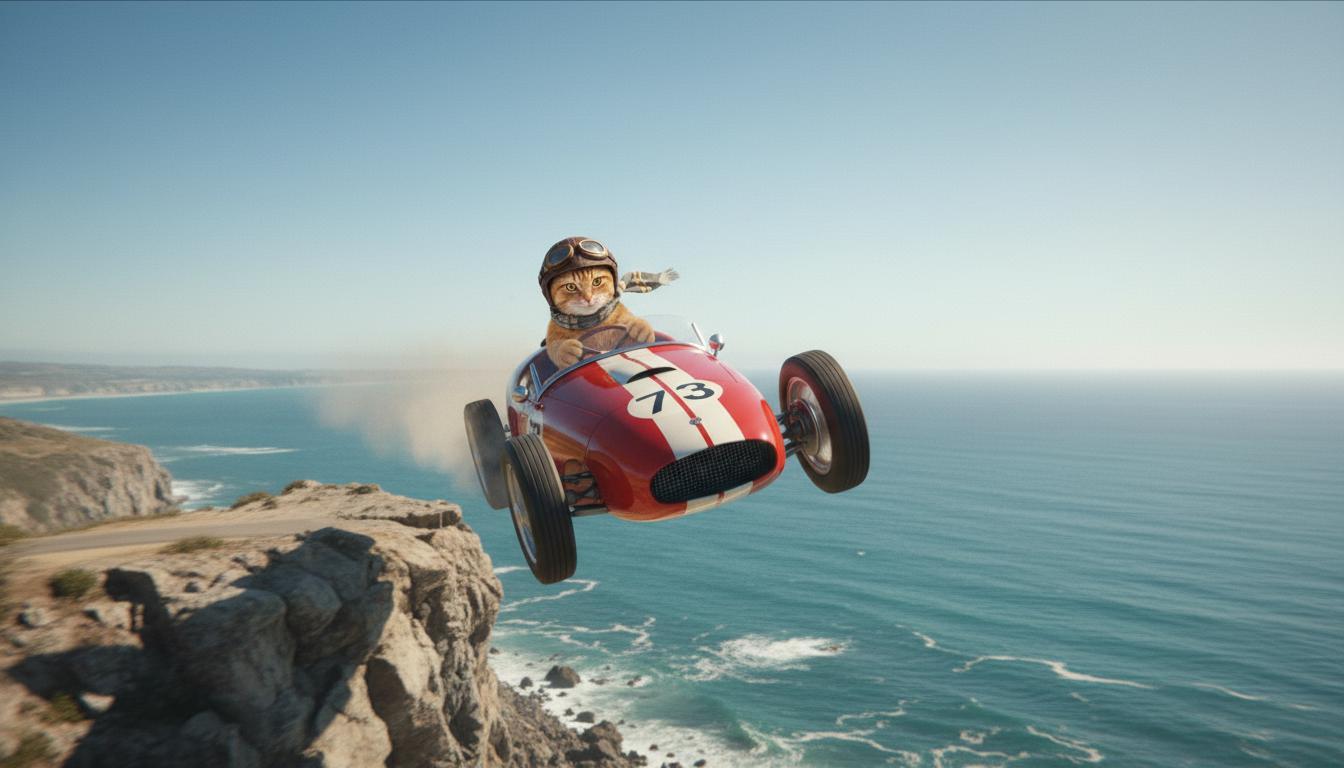
| الصورة الأولى (تم إنشاؤها بواسطة Nano Banana) صورة أمامية عالية الجودة تبدو واقعية لقطّ زنجبيلي يقود سيارة سباق حمراء مكشوفة على ساحل الريفييرا الفرنسية. |

|
| الصورة الأخيرة (تم إنشاؤها بواسطة Nano Banana) أريد رؤية ما يحدث عندما تنطلق السيارة من منحدر. |
|
| الفيديو الناتج (تم إنشاؤه بواسطة Veo 3.1) اختياري |
|
تتيح لك هذه الميزة التحكّم بدقة في تكوين اللقطة من خلال تحديد الإطارَين الأول والأخير. يمكنك تحميل صورة أو استخدام إطار من فيديو تم إنشاؤه سابقًا لضمان بدء المشهد وانتهائه تمامًا كما تتخيّله.
طلب تمديد
لتمديد الفيديو الذي أنشأته باستخدام Veo 3.1 (غير متاح في Veo 3.1 Lite)، استخدِم الفيديو كإدخال مع طلب نصي اختياري. يُنهي خيار "تمديد الفيديو" الثانية الأخيرة أو آخر 24 إطارًا من الفيديو ويواصل تصوير لقطات المَشهد.
يُرجى العِلم أنّه لا يمكن تمديد الصوت بشكل فعّال إذا لم يكن موجودًا في آخر ثانية من الفيديو.
| الطلب | الردّ الذي أنشأه الذكاء الاصطناعي |
|---|---|
| الفيديو المُدخل (من إنشاء Veo 3.1) يقلع المظلّي من قمة الجبل ويبدأ بالتحليق فوق الجبال المطلة على الوديان المغطاة بالزهور في الأسفل. |
|
| الفيديو الناتج (تم إنشاؤه بواسطة Veo 3.1) أريد تمديد هذا الفيديو مع هبوط المظلّة ببطء. |
|
أمثلة على الطلبات والنتائج
يعرض هذا القسم عدة طلبات، ويسلّط الضوء على كيفية تحسين التفاصيل الوصفية لنتيجة كل فيديو.
دلالة جليدية
يوضّح هذا الفيديو كيفية استخدام عناصر أساسيات كتابة الطلبات في طلبك.
| الطلب | الردّ الذي أنشأه الذكاء الاصطناعي |
|---|---|
| لقطة مقرّبة (تكوين) لقطع جليد تذوب (الموضوع) على جدار صخري متجمّد (السياق) مع درجات اللون الأزرق البارد (طابع التباين العام)، مع تكبير الصورة (حركة الكاميرا) مع الحفاظ على تفاصيل قطرات الماء المقرّبة (الإجراء). |
|
رجل يتحدث على الهاتف
توضّح هذه الفيديوهات كيف يمكنك مراجعة طلبك من خلال إضافة تفاصيل أكثر تحديدًا لكي يحسّن Veo الناتج وفقًا لرغبتك.
| الطلب | الردّ الذي أنشأه الذكاء الاصطناعي |
|---|---|
| تفاصيل أقل تتحرك الكاميرا لإظهار لقطة عن قرب لرجل يائس يرتدي معطفًا أخضر. ويُجري مكالمة على هاتف حائط بقرص دوار مع إضاءة نيون خضراء. يبدو وكأنه مشهد من فيلم. |
|
| مزيد من التفاصيل لقطة سينمائية مقرّبة تتبع رجلاً يائسًا يرتدي معطفًا أخضر باليًا وهو يطلب رقمًا على هاتف بقرص دوار مثبّت على جدار من الطوب الخشن، تحت وهج غريب من لافتة نيون خضراء. تقترب الكاميرا منه، لتكشف عن توتره واليأس الذي يرتسم على وجهه وهو يحاول إجراء المكالمة. يُركّز عمق المجال الضحل على حاجبَيه المقطّبَين والهاتف الأسود الدوّار، ما يؤدي إلى تمويه الخلفية لتصبح بحرًا من ألوان النيون والظلال غير الواضحة، ما يخلق شعورًا بالإلحاح والعزلة. |
|
نمر الثلوج
| الطلب | الردّ الذي أنشأه الذكاء الاصطناعي |
|---|---|
| طلب بسيط: مخلوق لطيف بفراء يشبه فراء النمر الثلجي يسير في غابة شتوية، بنمط رسم كرتوني ثلاثي الأبعاد. |
|
| الطلب المفصّل: أريد إنشاء مشهد قصير متحرك ثلاثي الأبعاد بأسلوب الرسوم المتحركة المبهجة. مخلوق لطيف بفراء يشبه فراء نمر الثلوج، وعيون كبيرة معبّرة، وشكل ودود ومستدير، يتبختر بسعادة في غابة شتوية ساحرة. يجب أن يتضمّن المشهد أشجارًا مستديرة مغطاة بالثلوج، ورقاقات ثلج تتساقط بلطف، وضوء شمس دافئ يتخلّل الأغصان. يجب أن تعبّر حركات المخلوق المفعمة بالحيوية وابتسامته العريضة عن البهجة الخالصة. استخدِم أسلوبًا مبهجًا ومؤثرًا مع ألوان زاهية ومرحة ورسومات متحركة ممتعة. |

|
أمثلة حسب عناصر الكتابة
توضّح لك هذه الأمثلة كيفية تحسين طلباتك من خلال كل عنصر أساسي.
الموضوع والسياق
حدِّد التركيز الرئيسي (الموضوع) والخلفية أو البيئة (السياق).
| الطلب | الردّ الذي أنشأه الذكاء الاصطناعي |
|---|---|
| تصميم معماري لمبنى سكني من الخرسانة البيضاء بأشكال عضوية انسيابية، يمتزج بسلاسة مع المساحات الخضراء المورقة والعناصر المستقبلية |
|
| قمر صناعي يطفو في الفضاء الخارجي مع القمر وبعض النجوم في الخلفية. |
|
الإجراء
حدِّد النشاط الذي يؤديه الشخص/العنصر محور التركيز (مثل المشي أو الجري أو تحريك الرأس).
| الطلب | الردّ الذي أنشأه الذكاء الاصطناعي |
|---|---|
| لقطة واسعة لامرأة تمشي على الشاطئ، وتبدو راضية ومسترخية وهي تنظر نحو الأفق عند غروب الشمس. |
|
النمط
أضِف كلمات رئيسية لتوجيه عملية الإنشاء نحو جمالية معيّنة (مثل سريالية أو عتيقة أو مستقبلية أو فيلم نوار).
| الطلب | الردّ الذي أنشأه الذكاء الاصطناعي |
|---|---|
| أسلوب أفلام النوار، رجل وامرأة يسيران في الشارع، غموض، سينمائي، أبيض وأسود. |
|
حركة الكاميرا وتكوين اللقطة
حدِّد طريقة حركة الكاميرا (لقطة من وجهة نظر صانع المحتوى، تصوير جوّي، لقطة تتبُّع من طائرة بدون طيار) وطريقة تصوير اللقطة (لقطة واسعة، لقطة مقرّبة، زاوية منخفضة).
| الطلب | الردّ الذي أنشأه الذكاء الاصطناعي |
|---|---|
| لقطة من وجهة نظر صانع المحتوى من سيارة قديمة تسير تحت المطر في كندا ليلاً، بأسلوب سينمائي |
|
| لقطة مقرّبة جدًا لعين تنعكس فيها صورة مدينة |
|
الأجواء
تؤثر لوحات الألوان والإضاءة في الحالة المزاجية. جرِّب عبارات مثل "ألوان دافئة برتقالية خافتة" أو "إضاءة طبيعية" أو "شروق الشمس" أو "ألوان زرقاء باردة".
| الطلب | الردّ الذي أنشأه الذكاء الاصطناعي |
|---|---|
| صورة مقرّبة لفتاة تحمل جروًا لطيفًا من فصيلة "غولدن ريتريفر" في الحديقة، في ضوء الشمس. |
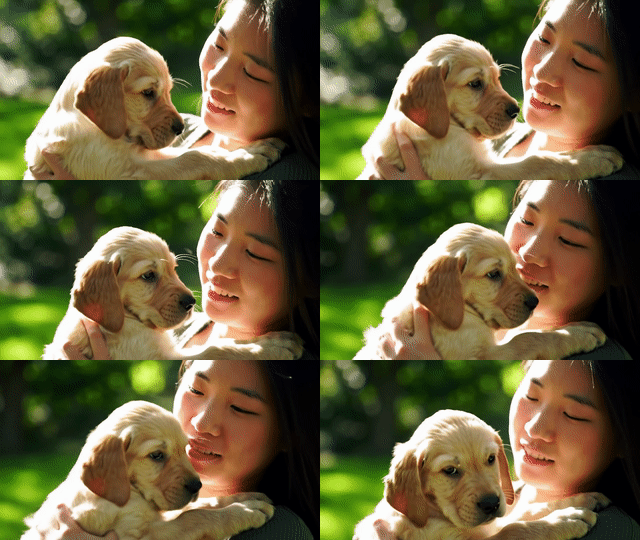
|
| لقطة سينمائية قريبة لامرأة حزينة تركب حافلة تحت المطر، بدرجات اللون الأزرق البارد، وأجواء حزينة. |

|
نِسب العرض إلى الارتفاع
يتيح لك Veo تحديد نسبة العرض إلى الارتفاع للفيديو.
| الطلب | الردّ الذي أنشأه الذكاء الاصطناعي |
|---|---|
| شاشة عريضة (16:9) أريد إنشاء فيديو من منظور طائرة بدون طيار تتبع رجلاً يقود سيارة حمراء مكشوفة في بالم سبرينغز في السبعينيات، مع ضوء شمس دافئ وظلال طويلة. |
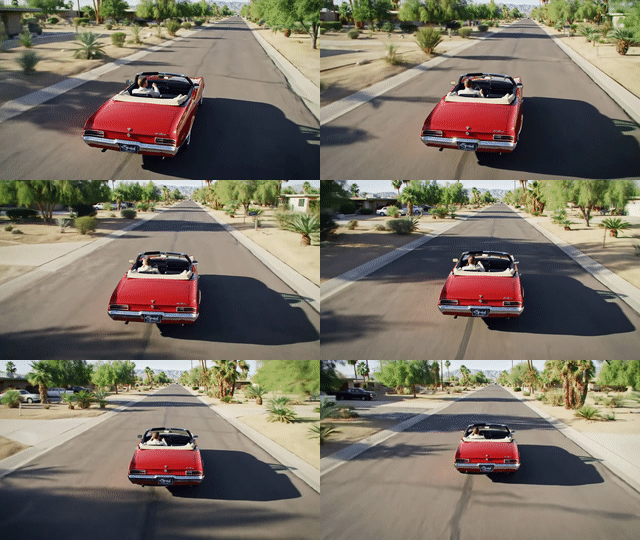
|
| عمودي (9:16) أريد إنشاء فيديو يبرز الحركة السلسة لشلال هاواي الرائع داخل غابة مطيرة خضراء. ركِّز على تدفّق المياه الواقعي وأوراق الشجر المفصّلة والإضاءة الطبيعية للتعبير عن الهدوء. التقِط صورًا للمياه المتدفقة والأجواء الضبابية وأشعة الشمس المتناثرة التي تتخلّل أوراق الشجر الكثيفة. استخدِم حركات كاميرا سينمائية سلسة لعرض الشلال ومحيطه. يجب أن يكون الأسلوب هادئًا وواقعيًا، وينقل المشاهد إلى جمال الغابات المطيرة الهادئة في هاواي. |
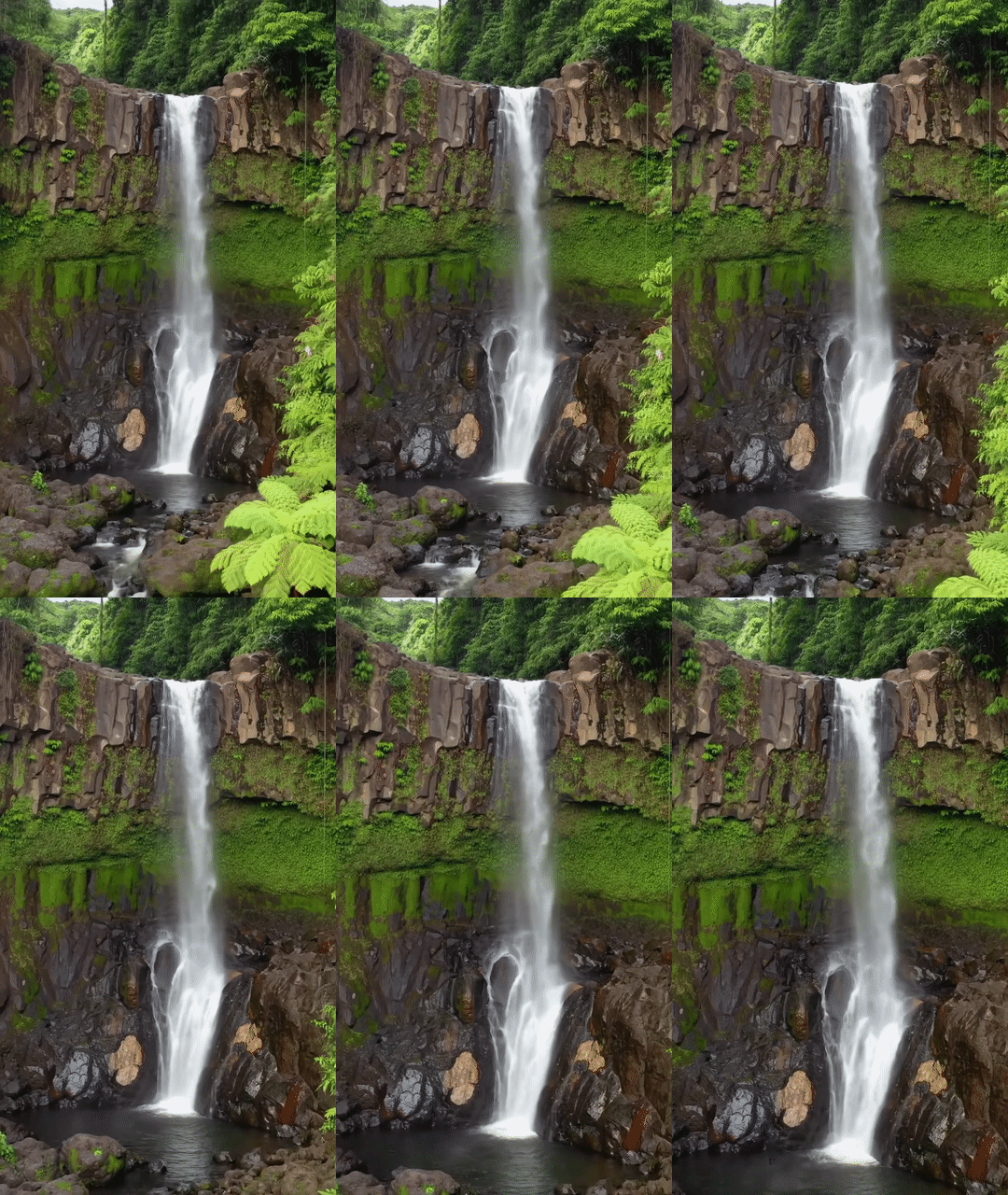
|
إصدارات النماذج
يمكنك الاطّلاع على صفحة الأسعار وحدود معدّل الاستخدام لمزيد من التفاصيل حول استخدام نموذج Veo.
النسخة الحصرية من Veo 3.1
| الموقع | الوصف |
|---|---|
| رمز الطراز |
Gemini API
|
| أنواع البيانات المتوافقة |
الإدخال نص، صورة الناتج فيديو مع صوت |
| الحدود |
إدخال النص 1,024 رمز مميّز الفيديو الناتج 1 |
| آخر تعديل | يناير 2026 |
النسخة الحصرية من Veo 3.1 Fast
| الموقع | الوصف |
|---|---|
| رمز الطراز |
Gemini API
|
| أنواع البيانات المتوافقة |
الإدخال نص، صورة الناتج فيديو مع صوت |
| الحدود |
إدخال النص 1,024 رمز مميّز الفيديو الناتج 1 |
| آخر تعديل | يناير 2026 |
النسخة الحصرية من Veo 3.1 Lite
| الموقع | الوصف |
|---|---|
| رمز الطراز |
Gemini API
|
| أنواع البيانات المتوافقة |
الإدخال نص، صورة الناتج فيديو مع صوت |
| الحدود |
إدخال النص 1,024 رمز مميّز الفيديو الناتج 1 |
| آخر تعديل | مارس 2026 |
Veo 3 (متوقف نهائيًا)
| الموقع | الوصف |
|---|---|
| رمز الطراز |
Gemini API
|
| أنواع البيانات المتوافقة |
الإدخال نص، صورة الناتج فيديو مع صوت |
| الحدود |
إدخال النص 1,024 رمز مميّز الفيديو الناتج 1 |
| آخر تعديل | يوليو 2025 |
Veo 3 Fast (متوقّف نهائيًا)
| الموقع | الوصف |
|---|---|
| رمز الطراز |
Gemini API
|
| أنواع البيانات المتوافقة |
الإدخال نص، صورة الناتج فيديو مع صوت |
| الحدود |
إدخال النص 1,024 رمز مميّز الفيديو الناتج 1 |
| آخر تعديل | يوليو 2025 |
تتيح إصدارات Veo Fast للمطوّرين إنشاء فيديوهات مع صوت مع الحفاظ على جودة عالية وتحسين السرعة وحالات الاستخدام التجاري. وهي مثالية لخدمات الخلفية التي تنشئ الإعلانات آليًا، أو أدوات اختبار A/B السريع للأفكار الإبداعية، أو التطبيقات التي تحتاج إلى إنشاء محتوى لوسائل التواصل الاجتماعي بسرعة.
الخطوات التالية
- يمكنك البدء باستخدام Veo 3.1 API من خلال تجربة Veo Quickstart Colab وتطبيق Veo 3.1.
- يمكنك التعرّف على كيفية كتابة طلبات أفضل من خلال مقدمة حول تصميم الطلبات.