

برای آشنایی با درک ویدیو، به راهنمای درک ویدیو مراجعه کنید.
Veo 3.1 مدلی برای تولید ویدیوهای ۸ ثانیهای (۷۲۰ پیکسل، ۱۰۸۰ پیکسل، یا ۴k) با صدای تولیدشده بومی است. بااستفاده از Gemini API میتوانید بهصورت برنامهریزیشده به این مدل دسترسی پیدا کنید. برای کسب اطلاعات بیشتر درباره انواع مدل Veo موجود، بخش نسخههای مدل را ببینید.
Veo 3.1 در طیف گستردهای از سبکهای دیداری و سینمایی برتری دارد و چند قابلیت جدید را معرفی میکند:
- ویدیوهای عمودی: بین ویدیوهای افقی (
16:9) و عمودی (9:16) انتخاب کنید. - افزونه ویدیو: ویدیوهایی را که قبلاً بااستفاده از Veo تولید شدهاند گسترش دهید.
- تولید مختص قاب: با مشخص کردن قابهای اول و آخر، ویدیو تولید کنید.
- جهتدهی مبتنی بر تصویر: از حداکثر سه تصویر مرجع برای هدایت محتوای ویدیو تولیدشده خود استفاده کنید.
برای اطلاعات بیشتر درباره نوشتن پیاموارههای نوشتاری مؤثر برای تولید ویدیو، به راهنمای پیامواره Veo مراجعه کنید
تولید ویدیو از نوشتار
مثالهای زیر نشان میدهد که چگونه میتوانید ویدیویی با گفتگو، واقعگرایی سینمایی، یا پویانمایی خلاقانه تولید کنید:
گفتگو و جلوههای صوتی
Python
import time
from google import genai
from google.genai import types

client = genai.Client()

prompt = """A close up of two people staring at a cryptic drawing on a wall, torchlight flickering.
A man murmurs, 'This must be it. That's the secret code.' The woman looks at him and whispering excitedly, 'What did you find?'"""

operation = client.models.generate_videos(
    model="veo-3.1-generate-preview",
    prompt=prompt,
)

# Poll the operation status until the video is ready.
while not operation.done:
    print("Waiting for video generation to complete...")
    time.sleep(10)
    operation = client.operations.get(operation)

# Download the generated video.
generated_video = operation.response.generated_videos[0]
client.files.download(file=generated_video.video, destination="dialogue_example.mp4")
print("Generated video saved to dialogue_example.mp4")
JavaScript
import { GoogleGenAI } from "@google/genai";

const ai = new GoogleGenAI({});

const prompt = `A close up of two people staring at a cryptic drawing on a wall, torchlight flickering.
A man murmurs, 'This must be it. That's the secret code.' The woman looks at him and whispering excitedly, 'What did you find?'`;

let operation = await ai.models.generateVideos({
    model: "veo-3.1-generate-preview",
    prompt: prompt,
});

// Poll the operation status until the video is ready.
while (!operation.done) {
    console.log("Waiting for video generation to complete...")
    await new Promise((resolve) => setTimeout(resolve, 10000));
    operation = await ai.operations.getVideosOperation({
        operation: operation,
    });
}

// Download the generated video.
ai.files.download({
    file: operation.response.generatedVideos[0].video,
    downloadPath: "dialogue_example.mp4",
});
console.log(`Generated video saved to dialogue_example.mp4`);
رفتن
package main

import (
    "context"
    "log"
    "os"
    "time"

    "google.golang.org/genai"
)

func main() {
    ctx := context.Background()
    client, err := genai.NewClient(ctx, nil)
    if err != nil {
        log.Fatal(err)
    }

    prompt := `A close up of two people staring at a cryptic drawing on a wall, torchlight flickering.
    A man murmurs, 'This must be it. That's the secret code.' The woman looks at him and whispering excitedly, 'What did you find?'`

    operation, _ := client.Models.GenerateVideos(
        ctx,
        "veo-3.1-generate-preview",
        prompt,
        nil,
        nil,
    )

    // Poll the operation status until the video is ready.
    for !operation.Done {
    log.Println("Waiting for video generation to complete...")
        time.Sleep(10 * time.Second)
        operation, _ = client.Operations.GetVideosOperation(ctx, operation, nil)
    }

    // Download the generated video.
    video := operation.Response.GeneratedVideos[0]
    client.Files.Download(ctx, video.Video, nil)
    fname := "dialogue_example.mp4"
    _ = os.WriteFile(fname, video.Video.VideoBytes, 0644)
    log.Printf("Generated video saved to %s\n", fname)
}
جاوا
import com.google.genai.Client;
import com.google.genai.types.GenerateVideosOperation;
import com.google.genai.types.GeneratedVideo;

Client client = new Client();

String prompt =
    "A close up of two people staring at a cryptic drawing on a wall, torchlight flickering.\n"
        + "A man murmurs, 'This must be it. That's the secret code.' The woman looks at him and whispering excitedly, 'What did you find?'";

GenerateVideosOperation operation =
    client.models.generateVideos("veo-3.1-generate-preview", prompt, null, null);

// Poll the operation status until the video is ready.
while (!operation.done().orElse(false)) {
  System.out.println("Waiting for video generation to complete...");
  Thread.sleep(10000);
  operation = client.operations.getVideosOperation(operation, null);
}

// Download the generated video.
GeneratedVideo generatedVideo = operation.response().get().generatedVideos().get().get(0);
client.files.download(generatedVideo, "dialogue_example.mp4", null);
System.out.println("Generated video saved to dialogue_example.mp4");
REST
# Note: This script uses jq to parse the JSON response.
# GEMINI API Base URL
BASE_URL="https://generativelanguage.googleapis.com/v1beta"

# Send request to generate video and capture the operation name into a variable.
operation_name=$(curl -s "${BASE_URL}/models/veo-3.1-generate-preview:predictLongRunning" \
  -H "x-goog-api-key: $GEMINI_API_KEY" \
  -H "Content-Type: application/json" \
  -X "POST" \
  -d '{
    "instances": [{
        "prompt": "A close up of two people staring at a cryptic drawing on a wall, torchlight flickering. A man murmurs, \"This must be it. That'\''s the secret code.\" The woman looks at him and whispering excitedly, \"What did you find?\""
      }
    ]
  }' | jq -r .name)

# Poll the operation status until the video is ready
while true; do
  # Get the full JSON status and store it in a variable.
  status_response=$(curl -s -H "x-goog-api-key: $GEMINI_API_KEY" "${BASE_URL}/${operation_name}")

  # Check the "done" field from the JSON stored in the variable.
  is_done=$(echo "${status_response}" | jq .done)

  if [ "${is_done}" = "true" ]; then
    # Extract the download URI from the final response.
    video_uri=$(echo "${status_response}" | jq -r '.response.generateVideoResponse.generatedSamples[0].video.uri')
    echo "Downloading video from: ${video_uri}"

    # Download the video using the URI and API key and follow redirects.
    curl -L -o dialogue_example.mp4 -H "x-goog-api-key: $GEMINI_API_KEY" "${video_uri}"
    break
  fi
  # Wait for 5 seconds before checking again.
  sleep 10
done
واقعگرایی سینمایی
Python
import time
from google import genai
from google.genai import types

client = genai.Client()

prompt = """Drone shot following a classic red convertible driven by a man along a winding coastal road at sunset, waves crashing against the rocks below.
The convertible accelerates fast and the engine roars loudly."""

operation = client.models.generate_videos(
    model="veo-3.1-generate-preview",
    prompt=prompt,
)

# Poll the operation status until the video is ready.
while not operation.done:
    print("Waiting for video generation to complete...")
    time.sleep(10)
    operation = client.operations.get(operation)

# Download the generated video.
generated_video = operation.response.generated_videos[0]
client.files.download(file=generated_video.video, destination="realism_example.mp4")
print("Generated video saved to realism_example.mp4")
JavaScript
import { GoogleGenAI } from "@google/genai";

const ai = new GoogleGenAI({});

const prompt = `Drone shot following a classic red convertible driven by a man along a winding coastal road at sunset, waves crashing against the rocks below.
The convertible accelerates fast and the engine roars loudly.`;

let operation = await ai.models.generateVideos({
    model: "veo-3.1-generate-preview",
    prompt: prompt,
});

// Poll the operation status until the video is ready.
while (!operation.done) {
    console.log("Waiting for video generation to complete...")
    await new Promise((resolve) => setTimeout(resolve, 10000));
    operation = await ai.operations.getVideosOperation({
        operation: operation,
    });
}

// Download the generated video.
ai.files.download({
    file: operation.response.generatedVideos[0].video,
    downloadPath: "realism_example.mp4",
});
console.log(`Generated video saved to realism_example.mp4`);
رفتن
package main

import (
    "context"
    "log"
    "os"
    "time"

    "google.golang.org/genai"
)

func main() {
    ctx := context.Background()
    client, err := genai.NewClient(ctx, nil)
    if err != nil {
        log.Fatal(err)
    }

    prompt := `Drone shot following a classic red convertible driven by a man along a winding coastal road at sunset, waves crashing against the rocks below.
  The convertible accelerates fast and the engine roars loudly.`

    operation, _ := client.Models.GenerateVideos(
        ctx,
        "veo-3.1-generate-preview",
        prompt,
        nil,
        nil,
    )

    // Poll the operation status until the video is ready.
    for !operation.Done {
    log.Println("Waiting for video generation to complete...")
        time.Sleep(10 * time.Second)
        operation, _ = client.Operations.GetVideosOperation(ctx, operation, nil)
    }

    // Download the generated video.
    video := operation.Response.GeneratedVideos[0]
    client.Files.Download(ctx, video.Video, nil)
    fname := "realism_example.mp4"
    _ = os.WriteFile(fname, video.Video.VideoBytes, 0644)
    log.Printf("Generated video saved to %s\n", fname)
}
جاوا
import com.google.genai.Client;
import com.google.genai.types.GenerateVideosOperation;
import com.google.genai.types.GeneratedVideo;

Client client = new Client();

String prompt =
    "Drone shot following a classic red convertible driven by a man along a winding coastal road at sunset, waves crashing against the rocks below.\n"
        + "The convertible accelerates fast and the engine roars loudly.";

GenerateVideosOperation operation =
    client.models.generateVideos("veo-3.1-generate-preview", prompt, null, null);

// Poll the operation status until the video is ready.
while (!operation.done().orElse(false)) {
  System.out.println("Waiting for video generation to complete...");
  Thread.sleep(10000);
  operation = client.operations.getVideosOperation(operation, null);
}

// Download the generated video.
GeneratedVideo generatedVideo = operation.response().get().generatedVideos().get().get(0);
client.files.download(generatedVideo, "realism_example.mp4", null);
System.out.println("Generated video saved to realism_example.mp4");
REST
# Note: This script uses jq to parse the JSON response.
# GEMINI API Base URL
BASE_URL="https://generativelanguage.googleapis.com/v1beta"

# Send request to generate video and capture the operation name into a variable.
operation_name=$(curl -s "${BASE_URL}/models/veo-3.1-generate-preview:predictLongRunning" \
  -H "x-goog-api-key: $GEMINI_API_KEY" \
  -H "Content-Type: application/json" \
  -X "POST" \
  -d '{
    "instances": [{
        "prompt": "Drone shot following a classic red convertible driven by a man along a winding coastal road at sunset, waves crashing against the rocks below. The convertible accelerates fast and the engine roars loudly."
      }
    ]
  }' | jq -r .name)

# Poll the operation status until the video is ready
while true; do
  # Get the full JSON status and store it in a variable.
  status_response=$(curl -s -H "x-goog-api-key: $GEMINI_API_KEY" "${BASE_URL}/${operation_name}")

  # Check the "done" field from the JSON stored in the variable.
  is_done=$(echo "${status_response}" | jq .done)

  if [ "${is_done}" = "true" ]; then
    # Extract the download URI from the final response.
    video_uri=$(echo "${status_response}" | jq -r '.response.generateVideoResponse.generatedSamples[0].video.uri')
    echo "Downloading video from: ${video_uri}"

    # Download the video using the URI and API key and follow redirects.
    curl -L -o realism_example.mp4 -H "x-goog-api-key: $GEMINI_API_KEY" "${video_uri}"
    break
  fi
  # Wait for 5 seconds before checking again.
  sleep 10
done
پویانمایی خلاقانه
Python
import time
from google import genai

client = genai.Client()
prompt = "A whimsical stop-motion animation of a tiny robot tending to a garden of glowing mushrooms on a miniature planet."

operation = client.models.generate_videos(
    model="veo-3.1-generate-preview",
    prompt=prompt,
)

# Poll the operation status until the video is ready.
while not operation.done:
    print("Waiting for video generation to complete...")
    time.sleep(10)
    operation = client.operations.get(operation)

# Download the generated video.
generated_video = operation.response.generated_videos[0]
client.files.download(file=generated_video.video, destination="style_example.mp4")
print("Generated video saved to style_example.mp4")
JavaScript
import { GoogleGenAI } from "@google/genai";

const ai = new GoogleGenAI({});

const prompt = "A whimsical stop-motion animation of a tiny robot tending to a garden of glowing mushrooms on a miniature planet.";

let operation = await ai.models.generateVideos({
    model: "veo-3.1-generate-preview",
    prompt: prompt,
});

// Poll the operation status until the video is ready.
while (!operation.done) {
    console.log("Waiting for video generation to complete...")
    await new Promise((resolve) => setTimeout(resolve, 10000));
    operation = await ai.operations.getVideosOperation({
        operation: operation,
    });
}

// Download the generated video.
ai.files.download({
    file: operation.response.generatedVideos[0].video,
    downloadPath: "style_example.mp4",
});
console.log(`Generated video saved to style_example.mp4`);
رفتن
package main

import (
    "context"
    "log"
    "os"
    "time"

    "google.golang.org/genai"
)

func main() {
    ctx := context.Background()
    client, err := genai.NewClient(ctx, nil)
    if err != nil {
        log.Fatal(err)
    }

    prompt := `A whimsical stop-motion animation of a tiny robot tending to a garden of glowing mushrooms on a miniature planet.`

    operation, _ := client.Models.GenerateVideos(
        ctx,
        "veo-3.1-generate-preview",
        prompt,
        nil,
        nil,
    )

    // Poll the operation status until the video is ready.
    for !operation.Done {
    log.Println("Waiting for video generation to complete...")
        time.Sleep(10 * time.Second)
        operation, _ = client.Operations.GetVideosOperation(ctx, operation, nil)
    }

    // Download the generated video.
    video := operation.Response.GeneratedVideos[0]
    client.Files.Download(ctx, video.Video, nil)
    fname := "style_example.mp4"
    _ = os.WriteFile(fname, video.Video.VideoBytes, 0644)
    log.Printf("Generated video saved to %s\n", fname)
}
جاوا
import com.google.genai.Client;
import com.google.genai.types.GenerateVideosOperation;
import com.google.genai.types.GeneratedVideo;

Client client = new Client();

String prompt =
    "A whimsical stop-motion animation of a tiny robot tending to a garden of glowing mushrooms on a miniature planet.";

GenerateVideosOperation operation =
    client.models.generateVideos("veo-3.1-generate-preview", prompt, null, null);

// Poll the operation status until the video is ready.
while (!operation.done().orElse(false)) {
  System.out.println("Waiting for video generation to complete...");
  Thread.sleep(10000);
  operation = client.operations.getVideosOperation(operation, null);
}

// Download the generated video.
GeneratedVideo generatedVideo = operation.response().get().generatedVideos().get().get(0);
client.files.download(generatedVideo, "style_example.mp4", null);
System.out.println("Generated video saved to style_example.mp4");
REST
# Note: This script uses jq to parse the JSON response.
# GEMINI API Base URL
BASE_URL="https://generativelanguage.googleapis.com/v1beta"

# Send request to generate video and capture the operation name into a variable.
operation_name=$(curl -s "${BASE_URL}/models/veo-3.1-generate-preview:predictLongRunning" \
  -H "x-goog-api-key: $GEMINI_API_KEY" \
  -H "Content-Type: application/json" \
  -X "POST" \
  -d '{
    "instances": [{
        "prompt": "A whimsical stop-motion animation of a tiny robot tending to a garden of glowing mushrooms on a miniature planet."
      }
    ]
  }' | jq -r .name)

# Poll the operation status until the video is ready
while true; do
  # Get the full JSON status and store it in a variable.
  status_response=$(curl -s -H "x-goog-api-key: $GEMINI_API_KEY" "${BASE_URL}/${operation_name}")

  # Check the "done" field from the JSON stored in the variable.
  is_done=$(echo "${status_response}" | jq .done)

  if [ "${is_done}" = "true" ]; then
    # Extract the download URI from the final response.
    video_uri=$(echo "${status_response}" | jq -r '.response.generateVideoResponse.generatedSamples[0].video.uri')
    echo "Downloading video from: ${video_uri}"

    # Download the video using the URI and API key and follow redirects.
    curl -L -o style_example.mp4 -H "x-goog-api-key: $GEMINI_API_KEY" "${video_uri}"
    break
  fi
  # Wait for 5 seconds before checking again.
  sleep 10
done
کنترل نسبت ابعادی
Veo 3.1 به شما امکان میدهد ویدیوهای افقی (16:9، تنظیم پیشفرض) یا عمودی (9:16) ایجاد کنید. بااستفاده از پارامتر
aspect_ratio میتوانید به مدل بگویید کدام را میخواهید:
Python
import time
from google import genai
from google.genai import types

client = genai.Client()

prompt = """A montage of pizza making: a chef tossing and flattening the floury dough, ladling rich red tomato sauce in a spiral, sprinkling mozzarella cheese and pepperoni, and a final shot of the bubbling golden-brown pizza, upbeat electronic music with a rhythmical beat is playing, high energy professional video."""

operation = client.models.generate_videos(
    model="veo-3.1-generate-preview",
    prompt=prompt,
    config=types.GenerateVideosConfig(
      aspect_ratio="9:16",
    ),
)

# Poll the operation status until the video is ready.
while not operation.done:
    print("Waiting for video generation to complete...")
    time.sleep(10)
    operation = client.operations.get(operation)

# Download the generated video.
generated_video = operation.response.generated_videos[0]
client.files.download(file=generated_video.video, destination="pizza_making.mp4")
print("Generated video saved to pizza_making.mp4")
JavaScript
import { GoogleGenAI } from "@google/genai";

const ai = new GoogleGenAI({});

const prompt = `A montage of pizza making: a chef tossing and flattening the floury dough, ladling rich red tomato sauce in a spiral, sprinkling mozzarella cheese and pepperoni, and a final shot of the bubbling golden-brown pizza, upbeat electronic music with a rhythmical beat is playing, high energy professional video.`;

let operation = await ai.models.generateVideos({
    model: "veo-3.1-generate-preview",
    prompt: prompt,
    config: {
      aspectRatio: "9:16",
    },
});

// Poll the operation status until the video is ready.
while (!operation.done) {
    console.log("Waiting for video generation to complete...")
    await new Promise((resolve) => setTimeout(resolve, 10000));
    operation = await ai.operations.getVideosOperation({
        operation: operation,
    });
}

// Download the generated video.
ai.files.download({
    file: operation.response.generatedVideos[0].video,
    downloadPath: "pizza_making.mp4",
});
console.log(`Generated video saved to pizza_making.mp4`);
رفتن
package main

import (
    "context"
    "log"
    "os"
    "time"

    "google.golang.org/genai"
)

func main() {
    ctx := context.Background()
    client, err := genai.NewClient(ctx, nil)
    if err != nil {
        log.Fatal(err)
    }

    prompt := `A montage of pizza making: a chef tossing and flattening the floury dough, ladling rich red tomato sauce in a spiral, sprinkling mozzarella cheese and pepperoni, and a final shot of the bubbling golden-brown pizza, upbeat electronic music with a rhythmical beat is playing, high energy professional video.`

  videoConfig := &genai.GenerateVideosConfig{
      AspectRatio: "9:16",
  }

    operation, _ := client.Models.GenerateVideos(
        ctx,
        "veo-3.1-generate-preview",
        prompt,
        nil,
        videoConfig,
    )

    // Poll the operation status until the video is ready.
    for !operation.Done {
    log.Println("Waiting for video generation to complete...")
        time.Sleep(10 * time.Second)
        operation, _ = client.Operations.GetVideosOperation(ctx, operation, nil)
    }

    // Download the generated video.
    video := operation.Response.GeneratedVideos[0]
    client.Files.Download(ctx, video.Video, nil)
    fname := "pizza_making.mp4"
    _ = os.WriteFile(fname, video.Video.VideoBytes, 0644)
    log.Printf("Generated video saved to %s\n", fname)
}
REST
# Note: This script uses jq to parse the JSON response.
# GEMINI API Base URL
BASE_URL="https://generativelanguage.googleapis.com/v1beta"

# Send request to generate video and capture the operation name into a variable.
operation_name=$(curl -s "${BASE_URL}/models/veo-3.1-generate-preview:predictLongRunning" \
  -H "x-goog-api-key: $GEMINI_API_KEY" \
  -H "Content-Type: application/json" \
  -X "POST" \
  -d '{
    "instances": [{
        "prompt": "A montage of pizza making: a chef tossing and flattening the floury dough, ladling rich red tomato sauce in a spiral, sprinkling mozzarella cheese and pepperoni, and a final shot of the bubbling golden-brown pizza, upbeat electronic music with a rhythmical beat is playing, high energy professional video."
      }
    ],
    "parameters": {
      "aspectRatio": "9:16"
    }
  }' | jq -r .name)

# Poll the operation status until the video is ready
while true; do
  # Get the full JSON status and store it in a variable.
  status_response=$(curl -s -H "x-goog-api-key: $GEMINI_API_KEY" "${BASE_URL}/${operation_name}")

  # Check the "done" field from the JSON stored in the variable.
  is_done=$(echo "${status_response}" | jq .done)

  if [ "${is_done}" = "true" ]; then
    # Extract the download URI from the final response.
    video_uri=$(echo "${status_response}" | jq -r '.response.generateVideoResponse.generatedSamples[0].video.uri')
    echo "Downloading video from: ${video_uri}"

    # Download the video using the URI and API key and follow redirects.
    curl -L -o pizza_making.mp4 -H "x-goog-api-key: $GEMINI_API_KEY" "${video_uri}"
    break
  fi
  # Wait for 5 seconds before checking again.
  sleep 10
done
کنترل وضوح
Veo 3.1 همچنین میتواند مستقیماً ویدیوهای ۷۲۰ پیکسل، ۱۰۸۰ پیکسل، یا ۴k تولید کند (۴k برای Veo 3.1 Lite دردسترس نیست).
توجه داشته باشید که هرچه وضوح بالاتر باشد، تأخیر بیشتر خواهد بود. ویدیوهای 4k نیز گرانتر هستند (به قیمتگذاری مراجعه کنید).
افزونه ویدیویی نیز به ویدیوهای ۷۲۰ پیکسل محدود است.
Python
import time
from google import genai
from google.genai import types

client = genai.Client()

prompt = """A stunning drone view of the Grand Canyon during a flamboyant sunset that highlights the canyon's colors. The drone slowly flies towards the sun then accelerates, dives and flies inside the canyon."""

operation = client.models.generate_videos(
    model="veo-3.1-generate-preview",
    prompt=prompt,
    config=types.GenerateVideosConfig(
      resolution="4k",
    ),
)

# Poll the operation status until the video is ready.
while not operation.done:
    print("Waiting for video generation to complete...")
    time.sleep(10)
    operation = client.operations.get(operation)

# Download the generated video.
generated_video = operation.response.generated_videos[0]
client.files.download(file=generated_video.video, destination="4k_grand_canyon.mp4")
print("Generated video saved to 4k_grand_canyon.mp4")
JavaScript
import { GoogleGenAI } from "@google/genai";

const ai = new GoogleGenAI({});

const prompt = `A stunning drone view of the Grand Canyon during a flamboyant sunset that highlights the canyon's colors. The drone slowly flies towards the sun then accelerates, dives and flies inside the canyon.`;

let operation = await ai.models.generateVideos({
    model: "veo-3.1-generate-preview",
    prompt: prompt,
    config: {
      resolution: "4k",
    },
});

// Poll the operation status until the video is ready.
while (!operation.done) {
    console.log("Waiting for video generation to complete...")
    await new Promise((resolve) => setTimeout(resolve, 10000));
    operation = await ai.operations.getVideosOperation({
        operation: operation,
    });
}

// Download the generated video.
ai.files.download({
    file: operation.response.generatedVideos[0].video,
    downloadPath: "4k_grand_canyon.mp4",
});
console.log(`Generated video saved to 4k_grand_canyon.mp4`);
رفتن
package main

import (
    "context"
    "log"
    "os"
    "time"

    "google.golang.org/genai"
)

func main() {
    ctx := context.Background()
    client, err := genai.NewClient(ctx, nil)
    if err != nil {
        log.Fatal(err)
    }

    prompt := `A stunning drone view of the Grand Canyon during a flamboyant sunset that highlights the canyon's colors. The drone slowly flies towards the sun then accelerates, dives and flies inside the canyon.`

  videoConfig := &genai.GenerateVideosConfig{
      Resolution: "4k",
  }

    operation, _ := client.Models.GenerateVideos(
        ctx,
        "veo-3.1-generate-preview",
        prompt,
        nil,
        videoConfig,
    )

    // Poll the operation status until the video is ready.
    for !operation.Done {
    log.Println("Waiting for video generation to complete...")
        time.Sleep(10 * time.Second)
        operation, _ = client.Operations.GetVideosOperation(ctx, operation, nil)
    }

    // Download the generated video.
    video := operation.Response.GeneratedVideos[0]
    client.Files.Download(ctx, video.Video, nil)
    fname := "4k_grand_canyon.mp4"
    _ = os.WriteFile(fname, video.Video.VideoBytes, 0644)
    log.Printf("Generated video saved to %s\n", fname)
}
REST
# Note: This script uses jq to parse the JSON response.
# GEMINI API Base URL
BASE_URL="https://generativelanguage.googleapis.com/v1beta"

# Send request to generate video and capture the operation name into a variable.
operation_name=$(curl -s "${BASE_URL}/models/veo-3.1-generate-preview:predictLongRunning" \
  -H "x-goog-api-key: $GEMINI_API_KEY" \
  -H "Content-Type: application/json" \
  -X "POST" \
  -d '{
    "instances": [{
        "prompt": "A stunning drone view of the Grand Canyon during a flamboyant sunset that highlights the canyon'\''s colors. The drone slowly flies towards the sun then accelerates, dives and flies inside the canyon."
      }
    ],
    "parameters": {
      "resolution": "4k"
    }
  }' | jq -r .name)

# Poll the operation status until the video is ready
while true; do
  # Get the full JSON status and store it in a variable.
  status_response=$(curl -s -H "x-goog-api-key: $GEMINI_API_KEY" "${BASE_URL}/${operation_name}")

  # Check the "done" field from the JSON stored in the variable.
  is_done=$(echo "${status_response}" | jq .done)

  if [ "${is_done}" = "true" ]; then
    # Extract the download URI from the final response.
    video_uri=$(echo "${status_response}" | jq -r '.response.generateVideoResponse.generatedSamples[0].video.uri')
    echo "Downloading video from: ${video_uri}"

    # Download the video using the URI and API key and follow redirects.
    curl -L -o 4k_grand_canyon.mp4 -H "x-goog-api-key: $GEMINI_API_KEY" "${video_uri}"
    break
  fi
  # Wait for 5 seconds before checking again.
  sleep 10
done
تولید ویدیو با تصویر
کد زیر تولید تصویر بااستفاده از تصویر Gemini 3.1 Flash با نام مستعار Nano Banana 2 را نشان میدهد، سپس از آن تصویر بهعنوان قاب شروع برای تولید ویدیو با Veo 3.1 استفاده میکند.
Python
import time
from google import genai

client = genai.Client()

prompt = "Panning wide shot of a calico kitten sleeping in the sunshine"

# Step 1: Generate an image with Nano Banana 2.
image = client.models.generate_content(
    model="gemini-3.1-flash-image-preview",
    contents=prompt,
    config={"response_modalities":['IMAGE']}
)

# Step 2: Generate video with Veo 3.1 using the image.
operation = client.models.generate_videos(
    model="veo-3.1-generate-preview",
    prompt=prompt,
    image=image.parts[0].as_image(),
)

# Poll the operation status until the video is ready.
while not operation.done:
    print("Waiting for video generation to complete...")
    time.sleep(10)
    operation = client.operations.get(operation)

# Download the video.
video = operation.response.generated_videos[0]
client.files.download(file=video.video, destination="veo3_with_image_input.mp4")
print("Generated video saved to veo3_with_image_input.mp4")
JavaScript
import { GoogleGenAI } from "@google/genai";

const ai = new GoogleGenAI({});

const prompt = "Panning wide shot of a calico kitten sleeping in the sunshine";

// Step 1: Generate an image with Nano Banana 2.
const imageResponse = await ai.models.generateContent({
  model: "gemini-3.1-flash-image-preview",
  prompt: prompt,
});

// Step 2: Generate video with Veo 3.1 using the image.
let operation = await ai.models.generateVideos({
  model: "veo-3.1-generate-preview",
  prompt: prompt,
  image: {
    imageBytes: imageResponse.generatedImages[0].image.imageBytes,
    mimeType: "image/png",
  },
});

// Poll the operation status until the video is ready.
while (!operation.done) {
  console.log("Waiting for video generation to complete...")
  await new Promise((resolve) => setTimeout(resolve, 10000));
  operation = await ai.operations.getVideosOperation({
    operation: operation,
  });
}

// Download the video.
ai.files.download({
    file: operation.response.generatedVideos[0].video,
    downloadPath: "veo3_with_image_input.mp4",
});
console.log(`Generated video saved to veo3_with_image_input.mp4`);
رفتن
package main

import (
    "context"
    "log"
    "os"
    "time"

    "google.golang.org/genai"
)

func main() {
    ctx := context.Background()
    client, err := genai.NewClient(ctx, nil)
    if err != nil {
        log.Fatal(err)
    }

    prompt := "Panning wide shot of a calico kitten sleeping in the sunshine"

    // Step 1: Generate an image with Nano Banana 2.
    imageResponse, err := client.Models.GenerateContent(
        ctx,
        "gemini-3.1-flash-image-preview",
        prompt,
        nil, // GenerateImagesConfig
    )
    if err != nil {
        log.Fatal(err)
    }

    // Step 2: Generate video with Veo 3.1 using the image.
    operation, err := client.Models.GenerateVideos(
        ctx,
        "veo-3.1-generate-preview",
        prompt,
        imageResponse.GeneratedImages[0].Image,
        nil, // GenerateVideosConfig
    )
    if err != nil {
        log.Fatal(err)
    }

    // Poll the operation status until the video is ready.
    for !operation.Done {
        log.Println("Waiting for video generation to complete...")
        time.Sleep(10 * time.Second)
        operation, _ = client.Operations.GetVideosOperation(ctx, operation, nil)
    }

    // Download the video.
    video := operation.Response.GeneratedVideos[0]
    client.Files.Download(ctx, video.Video, nil)
    fname := "veo3_with_image_input.mp4"
    _ = os.WriteFile(fname, video.Video.VideoBytes, 0644)
    log.Printf("Generated video saved to %s\n", fname)
}
جاوا
import com.google.genai.Client;
import com.google.genai.types.Blob;
import com.google.genai.types.GenerateContentConfig;
import com.google.genai.types.GenerateContentResponse;
import com.google.genai.types.GenerateVideosOperation;
import com.google.genai.types.GeneratedVideo;
import com.google.genai.types.Image;

Client client = new Client();

String prompt = "Panning wide shot of a calico kitten sleeping in the sunshine";

// Step 1: Generate an image with Nano Banana 2.
GenerateContentResponse imageResponse =
    client.models.generateContent(
        "gemini-3.1-flash-image-preview",
        prompt,
        GenerateContentConfig.builder().responseModalities("IMAGE").build());

Blob inlineData = imageResponse.parts().get(0).inlineData().get();
Image image =
    Image.builder()
        .imageBytes(inlineData.data().get())
        .mimeType(inlineData.mimeType().orElse("image/png"))
        .build();

// Step 2: Generate video with Veo 3.1 using the image.
GenerateVideosOperation operation =
    client.models.generateVideos("veo-3.1-generate-preview", prompt, image, null);

// Poll the operation status until the video is ready.
while (!operation.done().orElse(false)) {
  System.out.println("Waiting for video generation to complete...");
  Thread.sleep(10000);
  operation = client.operations.getVideosOperation(operation, null);
}

// Download the video.
GeneratedVideo video = operation.response().get().generatedVideos().get().get(0);
client.files.download(video, "veo3_with_image_input.mp4", null);
System.out.println("Generated video saved to veo3_with_image_input.mp4");
استفاده از تصاویر مرجع
Veo 3.1 اکنون تا ۳ تصویر مرجع را برای هدایت محتوای ویدیو تولیدشده شما میپذیرد. تصاویری از شخص، شخصیت، یا محصول ارائه دهید تا ظاهر سوژه در ویدیو برونداد حفظ شود.
برای مثال، استفاده از این سه تصویر تولیدشده با Nano Banana بهعنوان مرجع با پیاموارهای خوشنوشته ویدیو زیر را ایجاد میکند:
`dress_image` |
`woman_image` |
`glasses_image` |
|---|---|---|

|

|

|
Python
import time
from google import genai

client = genai.Client()

prompt = "The video opens with a medium, eye-level shot of a beautiful woman with dark hair and warm brown eyes. She wears a magnificent, high-fashion flamingo dress with layers of pink and fuchsia feathers, complemented by whimsical pink, heart-shaped sunglasses. She walks with serene confidence through the crystal-clear, shallow turquoise water of a sun-drenched lagoon. The camera slowly pulls back to a medium-wide shot, revealing the breathtaking scene as the dress's long train glides and floats gracefully on the water's surface behind her. The cinematic, dreamlike atmosphere is enhanced by the vibrant colors of the dress against the serene, minimalist landscape, capturing a moment of pure elegance and high-fashion fantasy."

dress_reference = types.VideoGenerationReferenceImage(
  image=dress_image, # Generated separately with Nano Banana
  reference_type="asset"
)

sunglasses_reference = types.VideoGenerationReferenceImage(
  image=glasses_image, # Generated separately with Nano Banana
  reference_type="asset"
)

woman_reference = types.VideoGenerationReferenceImage(
  image=woman_image, # Generated separately with Nano Banana
  reference_type="asset"
)

operation = client.models.generate_videos(
    model="veo-3.1-generate-preview",
    prompt=prompt,
    config=types.GenerateVideosConfig(
      reference_images=[dress_reference, glasses_reference, woman_reference],
    ),
)

# Poll the operation status until the video is ready.
while not operation.done:
    print("Waiting for video generation to complete...")
    time.sleep(10)
    operation = client.operations.get(operation)

# Download the video.
video = operation.response.generated_videos[0]
client.files.download(file=video.video, destination="veo3.1_with_reference_images.mp4")
print("Generated video saved to veo3.1_with_reference_images.mp4")
JavaScript
import { GoogleGenAI } from "@google/genai";

const ai = new GoogleGenAI({});

const prompt = "The video opens with a medium, eye-level shot of a beautiful woman with dark hair and warm brown eyes. She wears a magnificent, high-fashion flamingo dress with layers of pink and fuchsia feathers, complemented by whimsical pink, heart-shaped sunglasses. She walks with serene confidence through the crystal-clear, shallow turquoise water of a sun-drenched lagoon. The camera slowly pulls back to a medium-wide shot, revealing the breathtaking scene as the dress's long train glides and floats gracefully on the water's surface behind her. The cinematic, dreamlike atmosphere is enhanced by the vibrant colors of the dress against the serene, minimalist landscape, capturing a moment of pure elegance and high-fashion fantasy.";

// dressImage, glassesImage, womanImage generated separately with Nano Banana
// and available as objects like { imageBytes: "...", mimeType: "image/png" }
const dressReference = {
  image: dressImage,
  referenceType: "asset",
};
const sunglassesReference = {
  image: glassesImage,
  referenceType: "asset",
};
const womanReference = {
  image: womanImage,
  referenceType: "asset",
};

let operation = await ai.models.generateVideos({
  model: "veo-3.1-generate-preview",
  prompt: prompt,
  config: {
    referenceImages: [
      dressReference,
      sunglassesReference,
      womanReference,
    ],
  },
});

// Poll the operation status until the video is ready.
while (!operation.done) {
  console.log("Waiting for video generation to complete...");
  await new Promise((resolve) => setTimeout(resolve, 10000));
  operation = await ai.operations.getVideosOperation({
    operation: operation,
  });
}

// Download the video.
ai.files.download({
  file: operation.response.generatedVideos[0].video,
  downloadPath: "veo3.1_with_reference_images.mp4",
});
console.log(`Generated video saved to veo3.1_with_reference_images.mp4`);
رفتن
package main

import (
    "context"
    "log"
    "os"
    "time"

    "google.golang.org/genai"
)

func main() {
    ctx := context.Background()
    client, err := genai.NewClient(ctx, nil)
    if err != nil {
        log.Fatal(err)
    }

  prompt := `The video opens with a medium, eye-level shot of a beautiful woman with dark hair and warm brown eyes. She wears a magnificent, high-fashion flamingo dress with layers of pink and fuchsia feathers, complemented by whimsical pink, heart-shaped sunglasses. She walks with serene confidence through the crystal-clear, shallow turquoise water of a sun-drenched lagoon. The camera slowly pulls back to a medium-wide shot, revealing the breathtaking scene as the dress's long train glides and floats gracefully on the water's surface behind her. The cinematic, dreamlike atmosphere is enhanced by the vibrant colors of the dress against the serene, minimalist landscape, capturing a moment of pure elegance and high-fashion fantasy.`

  // dressImage, glassesImage, womanImage generated separately with Nano Banana
  // and available as *genai.Image objects.
  var dressImage, glassesImage, womanImage *genai.Image

  dressReference := &genai.VideoGenerationReferenceImage{
    Image: dressImage,
    ReferenceType: "asset",
  }
  sunglassesReference := &genai.VideoGenerationReferenceImage{
    Image: glassesImage,
    ReferenceType: "asset",
  }
  womanReference := &genai.VideoGenerationReferenceImage{
    Image: womanImage,
    ReferenceType: "asset",
  }

    operation, _ := client.Models.GenerateVideos(
        ctx,
        "veo-3.1-generate-preview",
        prompt,
    nil, // image
        &genai.GenerateVideosConfig{
      ReferenceImages: []*genai.VideoGenerationReferenceImage{
        dressReference,
        sunglassesReference,
        womanReference,
      },
    },
    )

    // Poll the operation status until the video is ready.
    for !operation.Done {
        log.Println("Waiting for video generation to complete...")
        time.Sleep(10 * time.Second)
        operation, _ = client.Operations.GetVideosOperation(ctx, operation, nil)
    }

    // Download the video.
    video := operation.Response.GeneratedVideos[0]
    client.Files.Download(ctx, video.Video, nil)
    fname := "veo3.1_with_reference_images.mp4"
    _ = os.WriteFile(fname, video.Video.VideoBytes, 0644)
    log.Printf("Generated video saved to %s\n", fname)
}
REST
# Note: This script uses jq to parse the JSON response.
# It assumes dress_image_base64, glasses_image_base64, and woman_image_base64
# contain base64-encoded image data.

# GEMINI API Base URL
BASE_URL="https://generativelanguage.googleapis.com/v1beta"

# Send request to generate video and capture the operation name into a variable.
operation_name=$(curl -s "${BASE_URL}/models/veo-3.1-generate-preview:predictLongRunning" \
  -H "x-goog-api-key: $GEMINI_API_KEY" \
  -H "Content-Type: application/json" \
  -X "POST" \
  -d '{
    "instances": [{
      "prompt": "The video opens with a medium, eye-level shot of a beautiful woman with dark hair and warm brown eyes. She wears a magnificent, high-fashion flamingo dress with layers of pink and fuchsia feathers, complemented by whimsical pink, heart-shaped sunglasses. She walks with serene confidence through the crystal-clear, shallow turquoise water of a sun-drenched lagoon. The camera slowly pulls back to a medium-wide shot, revealing the breathtaking scene as the dress'\''s long train glides and floats gracefully on the water'\''s surface behind her. The cinematic, dreamlike atmosphere is enhanced by the vibrant colors of the dress against the serene, minimalist landscape, capturing a moment of pure elegance and high-fashion fantasy.",
      "referenceImages": [
        {
          "image": {"inlineData": {"mimeType": "image/png", "data": "'"$dress_image_base64"'"}},
          "referenceType": "asset"
        },
        {
          "image": {"inlineData": {"mimeType": "image/png", "data": "'"$glasses_image_base64"'"}},
          "referenceType": "asset"
        },
        {
          "image": {"inlineData": {"mimeType": "image/png", "data": "'"$woman_image_base64"'"}},
          "referenceType": "asset"
        }
      ]
    }],
  }' | jq -r .name)

# Poll the operation status until the video is ready
while true; do
  # Get the full JSON status and store it in a variable.
  status_response=$(curl -s -H "x-goog-api-key: $GEMINI_API_KEY" "${BASE_URL}/${operation_name}")

  # Check the "done" field from the JSON stored in the variable.
  is_done=$(echo "${status_response}" | jq .done)

  if [ "${is_done}" = "true" ]; then
    # Extract the download URI from the final response.
    video_uri=$(echo "${status_response}" | jq -r '.response.generateVideoResponse.generatedSamples[0].video.uri')
    echo "Downloading video from: ${video_uri}"

    # Download the video using the URI and API key and follow redirects.
    curl -L -o veo3.1_with_reference_images.mp4 -H "x-goog-api-key: $GEMINI_API_KEY" "${video_uri}"
    break
  fi
  # Wait for 10 seconds before checking again.
  sleep 10
done
استفاده از قابهای اول و آخر
Veo 3.1 به شما امکان میدهد بااستفاده از میانیابی یا مشخص کردن قابهای اول و آخر ویدیو، ویدیو بسازید. برای کسب اطلاعات درباره نوشتن پیاموارههای نوشتاری مؤثر برای تولید ویدیو، راهنمای پیامواره Veo را ببینید.
Python
import time
from google import genai

client = genai.Client()

prompt = "A cinematic, haunting video. A ghostly woman with long white hair and a flowing dress swings gently on a rope swing beneath a massive, gnarled tree in a foggy, moonlit clearing. The fog thickens and swirls around her, and she slowly fades away, vanishing completely. The empty swing is left swaying rhythmically on its own in the eerie silence."

operation = client.models.generate_videos(
    model="veo-3.1-generate-preview",
    prompt=prompt,
    image=first_image, # The starting frame is passed as a primary input
    config=types.GenerateVideosConfig(
      last_frame=last_image # The ending frame is passed as a generation constraint in the config
    ),
)

# Poll the operation status until the video is ready.
while not operation.done:
    print("Waiting for video generation to complete...")
    time.sleep(10)
    operation = client.operations.get(operation)

# Download the video.
video = operation.response.generated_videos[0]
client.files.download(file=video.video, destination="veo3.1_with_interpolation.mp4")
print("Generated video saved to veo3.1_with_interpolation.mp4")
JavaScript
import { GoogleGenAI } from "@google/genai";

const ai = new GoogleGenAI({});

const prompt = "A cinematic, haunting video. A ghostly woman with long white hair and a flowing dress swings gently on a rope swing beneath a massive, gnarled tree in a foggy, moonlit clearing. The fog thickens and swirls around her, and she slowly fades away, vanishing completely. The empty swing is left swaying rhythmically on its own in the eerie silence.";

// firstImage and lastImage generated separately with Nano Banana
// and available as objects like { imageBytes: "...", mimeType: "image/png" }
let operation = await ai.models.generateVideos({
    model: "veo-3.1-generate-preview",
    prompt: prompt,
    image: firstImage, // The starting frame is passed as a primary input
    config: {
      lastFrame: lastImage, // The ending frame is passed as a generation constraint in the config
    },
});

// Poll the operation status until the video is ready.
while (!operation.done) {
    console.log("Waiting for video generation to complete...")
    await new Promise((resolve) => setTimeout(resolve, 10000));
    operation = await ai.operations.getVideosOperation({
        operation: operation,
    });
}

// Download the video.
ai.files.download({
    file: operation.response.generatedVideos[0].video,
    downloadPath: "veo3.1_with_interpolation.mp4",
});
console.log(`Generated video saved to veo3.1_with_interpolation.mp4`);
رفتن
package main

import (
    "context"
    "log"
    "os"
    "time"

    "google.golang.org/genai"
)

func main() {
    ctx := context.Background()
    client, err := genai.NewClient(ctx, nil)
    if err != nil {
        log.Fatal(err)
    }

  prompt := `A cinematic, haunting video. A ghostly woman with long white hair and a flowing dress swings gently on a rope swing beneath a massive, gnarled tree in a foggy, moonlit clearing. The fog thickens and swirls around her, and she slowly fades away, vanishing completely. The empty swing is left swaying rhythmically on its own in the eerie silence.`

  // firstImage and lastImage generated separately with Nano Banana
  // and available as *genai.Image objects.
  var firstImage, lastImage *genai.Image

    operation, _ := client.Models.GenerateVideos(
        ctx,
        "veo-3.1-generate-preview",
        prompt,
    firstImage, // The starting frame is passed as a primary input
        &genai.GenerateVideosConfig{
      LastFrame: lastImage, // The ending frame is passed as a generation constraint in the config
    },
    )

    // Poll the operation status until the video is ready.
    for !operation.Done {
        log.Println("Waiting for video generation to complete...")
        time.Sleep(10 * time.Second)
        operation, _ = client.Operations.GetVideosOperation(ctx, operation, nil)
    }

    // Download the video.
    video := operation.Response.GeneratedVideos[0]
    client.Files.Download(ctx, video.Video, nil)
    fname := "veo3.1_with_interpolation.mp4"
    _ = os.WriteFile(fname, video.Video.VideoBytes, 0644)
    log.Printf("Generated video saved to %s\n", fname)
}
REST
# Note: This script uses jq to parse the JSON response.
# It assumes first_image_base64 and last_image_base64
# contain base64-encoded image data.

# GEMINI API Base URL
BASE_URL="https://generativelanguage.googleapis.com/v1beta"

# Send request to generate video and capture the operation name into a variable.
# The starting frame is passed as a primary input
# The ending frame is passed as a generation constraint in the config
operation_name=$(curl -s "${BASE_URL}/models/veo-3.1-generate-preview:predictLongRunning" \
  -H "x-goog-api-key: $GEMINI_API_KEY" \
  -H "Content-Type: application/json" \
  -X "POST" \
  -d '{
    "instances": [{
      "prompt": "A cinematic, haunting video. A ghostly woman with long white hair and a flowing dress swings gently on a rope swing beneath a massive, gnarled tree in a foggy, moonlit clearing. The fog thickens and swirls around her, and she slowly fades away, vanishing completely. The empty swing is left swaying rhythmically on its own in the eerie silence.",
      "image": {"inlineData": {"mimeType": "image/png", "data": "'"$first_image_base64"'"}},
      "lastFrame": {"inlineData": {"mimeType": "image/png", "data": "'"$last_image_base64"'"}}
    }],
  }' | jq -r .name)

# Poll the operation status until the video is ready
while true; do
  # Get the full JSON status and store it in a variable.
  status_response=$(curl -s -H "x-goog-api-key: $GEMINI_API_KEY" "${BASE_URL}/${operation_name}")

  # Check the "done" field from the JSON stored in the variable.
  is_done=$(echo "${status_response}" | jq .done)

  if [ "${is_done}" = "true" ]; then
    # Extract the download URI from the final response.
    video_uri=$(echo "${status_response}" | jq -r '.response.generateVideoResponse.generatedSamples[0].video.uri')
    echo "Downloading video from: ${video_uri}"

    # Download the video using the URI and API key and follow redirects.
    curl -L -o veo3.1_with_interpolation.mp4 -H "x-goog-api-key: $GEMINI_API_KEY" "${video_uri}"
    break
  fi
  # Wait for 10 seconds before checking again.
  sleep 10
done
`first_image` |
`last_image` |
veo3.1_with_interpolation.mp4 |
|---|---|---|

|

|
|
گسترش ویدیوهای Veo
از Veo 3.1 برای طولانی کردن ویدیوهایی که قبلاً با Veo تولید کردهاید بهمدت ۷ ثانیه و تا ۲۰ برابر استفاده کنید.
محدودیتهای ویدیو ورودی:
- ویدیوهای تولیدشده با Veo فقط تا ۱۴۱ ثانیه طول دارند.
- «میانای برنامهسازی کاربردی Gemini» فقط از افزونههای ویدیویی برای ویدیوهای تولیدشده با Veo پشتیبانی میکند.
- ویدیو باید از نسل قبلی باشد، مانند
operation.response.generated_videos[0].video - ویدیوها بهمدت ۲ روز ذخیره میشوند، اما اگر ویدیویی برای افزونه ارجاع داده شود، تایمر ذخیرهسازی ۲ روزه آن بازنشانی میشود. فقط میتوانید ویدیوهایی را گسترش دهید که در دو روز گذشته تولید یا ارجاع داده شدهاند.
- انتظار میرود ویدیوهای ورودی طول، نسبت ابعادی، و ابعاد مشخصی داشته باشند:
- نسبت ابعادی: ۹:۱۶ یا ۱۶:۹
- وضوح: ۷۲۰ پیکسل
- طول ویدیو: ۱۴۱ ثانیه یا کمتر
برونداد افزونه یک ویدیو واحد است که ویدیو ورودی کاربر و ویدیو گسترده تولیدشده را برای حداکثر ۱۴۸ ثانیه ویدیو ترکیب میکند.
این مثال ویدیویی تولیدشده با Veo را که در اینجا با پیامواره اصلیاش نشان داده شده است میگیرد و آن را بااستفاده از پارامتر video و پیامواره جدیدی گسترش میدهد:
| پیامواره | برونداد: butterfly_video |
|---|---|
| پروانهای اوریگامی بالهایش را تکان میدهد و از درهای فرانسوی به باغ پرواز میکند. |
|
Python
import time
from google import genai

client = genai.Client()

prompt = "Track the butterfly into the garden as it lands on an orange origami flower. A fluffy white puppy runs up and gently pats the flower."

operation = client.models.generate_videos(
    model="veo-3.1-generate-preview",
    video=operation.response.generated_videos[0].video, # This must be a video from a previous generation
    prompt=prompt,
    config=types.GenerateVideosConfig(
        number_of_videos=1,
        resolution="720p"
    ),
)

# Poll the operation status until the video is ready.
while not operation.done:
    print("Waiting for video generation to complete...")
    time.sleep(10)
    operation = client.operations.get(operation)

# Download the video.
video = operation.response.generated_videos[0]
client.files.download(file=video.video, destination="veo3.1_extension.mp4")
print("Generated video saved to veo3.1_extension.mp4")
JavaScript
import { GoogleGenAI } from "@google/genai";

const ai = new GoogleGenAI({});

const prompt = "Track the butterfly into the garden as it lands on an orange origami flower. A fluffy white puppy runs up and gently pats the flower.";

// butterflyVideo must be a video from a previous generation
// available as an object like { videoBytes: "...", mimeType: "video/mp4" }
let operation = await ai.models.generateVideos({
    model: "veo-3.1-generate-preview",
    video: butterflyVideo,
    prompt: prompt,
    config: {
        numberOfVideos: 1,
        resolution: "720p",
    },
});

// Poll the operation status until the video is ready.
while (!operation.done) {
    console.log("Waiting for video generation to complete...")
    await new Promise((resolve) => setTimeout(resolve, 10000));
    operation = await ai.operations.getVideosOperation({
        operation: operation,
    });
}

// Download the video.
ai.files.download({
    file: operation.response.generatedVideos[0].video,
    downloadPath: "veo3.1_extension.mp4",
});
console.log(`Generated video saved to veo3.1_extension.mp4`);
رفتن
package main

import (
    "context"
    "log"
    "os"
    "time"

    "google.golang.org/genai"
)

func main() {
    ctx := context.Background()
    client, err := genai.NewClient(ctx, nil)
    if err != nil {
        log.Fatal(err)
    }

  prompt := `Track the butterfly into the garden as it lands on an orange origami flower. A fluffy white puppy runs up and gently pats the flower.`

  // butterflyVideo must be a video from a previous generation
  // available as a *genai.Video object.
  var butterflyVideo *genai.Video

    operation, _ := client.Models.GenerateVideos(
        ctx,
        "veo-3.1-generate-preview",
        prompt,
    nil, // image
    butterflyVideo,
        &genai.GenerateVideosConfig{
      NumberOfVideos: 1,
      Resolution: "720p",
    },
    )

    // Poll the operation status until the video is ready.
    for !operation.Done {
        log.Println("Waiting for video generation to complete...")
        time.Sleep(10 * time.Second)
        operation, _ = client.Operations.GetVideosOperation(ctx, operation, nil)
    }

    // Download the video.
    video := operation.Response.GeneratedVideos[0]
    client.Files.Download(ctx, video.Video, nil)
    fname := "veo3.1_extension.mp4"
    _ = os.WriteFile(fname, video.Video.VideoBytes, 0644)
    log.Printf("Generated video saved to %s\n", fname)
}
REST
# Note: This script uses jq to parse the JSON response.
# It assumes butterfly_video_base64 contains base64-encoded
# video data from a previous generation.

# GEMINI API Base URL
BASE_URL="https://generativelanguage.googleapis.com/v1beta"

# Send request to generate video and capture the operation name into a variable.
operation_name=$(curl -s "${BASE_URL}/models/veo-3.1-generate-preview:predictLongRunning" \
  -H "x-goog-api-key: $GEMINI_API_KEY" \
  -H "Content-Type: application/json" \
  -X "POST" \
  -d '{
    "instances": [{
      "prompt": "Track the butterfly into the garden as it lands on an orange origami flower. A fluffy white puppy runs up and gently pats the flower.",
      "video": {"inlineData": {"mimeType": "video/mp4", "data": "'"$butterfly_video_base64"'"}}
    }],
    "parameters": {
      "numberOfVideos": 1,
      "resolution": "720p"
    }
  }' | jq -r .name)

# Poll the operation status until the video is ready
while true; do
  # Get the full JSON status and store it in a variable.
  status_response=$(curl -s -H "x-goog-api-key: $GEMINI_API_KEY" "${BASE_URL}/${operation_name}")

  # Check the "done" field from the JSON stored in the variable.
  is_done=$(echo "${status_response}" | jq .done)

  if [ "${is_done}" = "true" ]; then
    # Extract the download URI from the final response.
    video_uri=$(echo "${status_response}" | jq -r '.response.generateVideoResponse.generatedSamples[0].video.uri')
    echo "Downloading video from: ${video_uri}"

    # Download the video using the URI and API key and follow redirects.
    curl -L -o veo3.1_extension.mp4 -H "x-goog-api-key: $GEMINI_API_KEY" "${video_uri}"
    break
  fi
  # Wait for 10 seconds before checking again.
  sleep 10
done
برای کسب اطلاعات درباره نوشتن پیاموارههای نوشتاری مؤثر برای تولید ویدیو، به راهنمای پیامواره Veo مراجعه کنید.
مدیریت عملیات غیرهمگام
تولید ویدیو یک کار محاسباتی فشرده است. وقتی درخواستی به API ارسال میکنید، کار طولانیمدتی را شروع میکند و بلافاصله شیء operation را برمیگرداند. سپس باید تا زمانی که ویدیو آماده شود، که با وضعیت
done درست نشان داده میشود، نظرسنجی کنید.
هسته این فرایند یک حلقه نظرسنجی است که وضعیت کار را بهصورت دورهای بررسی میکند.
Python
import time
from google import genai
from google.genai import types

client = genai.Client()

# After starting the job, you get an operation object.
operation = client.models.generate_videos(
    model="veo-3.1-generate-preview",
    prompt="A cinematic shot of a majestic lion in the savannah.",
)

# Alternatively, you can use operation.name to get the operation.
operation = types.GenerateVideosOperation(name=operation.name)

# This loop checks the job status every 10 seconds.
while not operation.done:
    time.sleep(10)
    # Refresh the operation object to get the latest status.
    operation = client.operations.get(operation)

# Once done, the result is in operation.response.
# ... process and download your video ...
JavaScript
import { GoogleGenAI } from "@google/genai";

const ai = new GoogleGenAI({});

// After starting the job, you get an operation object.
let operation = await ai.models.generateVideos({
  model: "veo-3.1-generate-preview",
  prompt: "A cinematic shot of a majestic lion in the savannah.",
});

// Alternatively, you can use operation.name to get the operation.
// operation = types.GenerateVideosOperation(name=operation.name)

// This loop checks the job status every 10 seconds.
while (!operation.done) {
    await new Promise((resolve) => setTimeout(resolve, 1000));
    // Refresh the operation object to get the latest status.
    operation = await ai.operations.getVideosOperation({ operation });
}

// Once done, the result is in operation.response.
// ... process and download your video ...
رفتن
package main

import (
    "context"
    "log"
    "time"

    "google.golang.org/genai"
)

func main() {
    ctx := context.Background()
    client, err := genai.NewClient(ctx, nil)
    if err != nil {
        log.Fatal(err)
    }

    // After starting the job, you get an operation object.
    operation, _ := client.Models.GenerateVideos(
        ctx,
        "veo-3.1-generate-preview",
        "A cinematic shot of a majestic lion in the savannah.",
        nil,
        nil,
    )

    // This loop checks the job status every 10 seconds.
    for !operation.Done {
        time.Sleep(10 * time.Second)
        // Refresh the operation object to get the latest status.
        operation, _ = client.Operations.GetVideosOperation(ctx, operation, nil)
    }

    // Once done, the result is in operation.Response.
    // ... process and download your video ...
}
جاوا
import com.google.genai.Client;
import com.google.genai.types.GenerateVideosOperation;

Client client = new Client();

// After starting the job, you get an operation object.
GenerateVideosOperation operation =
    client.models.generateVideos(
        "veo-3.1-generate-preview",
        "A cinematic shot of a majestic lion in the savannah.",
        null,
        null);

// Alternatively, you can use operation.name to construct the operation.
operation = GenerateVideosOperation.builder().name(operation.name().get()).build();

// This loop checks the job status every 10 seconds.
while (!operation.done().orElse(false)) {
  Thread.sleep(10000);
  // Refresh the operation object to get the latest status.
  operation = client.operations.getVideosOperation(operation, null);
}

// Once done, the result is in operation.response().
// ... process and download your video ...
REST
# Note: This script uses jq to parse the JSON response.
# GEMINI API Base URL
BASE_URL="https://generativelanguage.googleapis.com/v1beta"

# Send request to generate video and capture the operation name into a variable.
operation_name=$(curl -s "${BASE_URL}/models/veo-3.1-generate-preview:predictLongRunning" \
  -H "x-goog-api-key: $GEMINI_API_KEY" \
  -H "Content-Type: application/json" \
  -X "POST" \
  -d '{
    "instances": [{
        "prompt": "A cinematic shot of a majestic lion in the savannah."
      }
    ]
  }' | jq -r .name)

# This loop checks the job status every 10 seconds.
while true; do
  # Get the full JSON status and store it in a variable.
  status_response=$(curl -s -H "x-goog-api-key: $GEMINI_API_KEY" "${BASE_URL}/${operation_name}")

  # Check the "done" field from the JSON stored in the variable.
  is_done=$(echo "${status_response}" | jq .done)

  if [ "${is_done}" = "true" ]; then
    # Once done, the result is in status_response.
    # ... process and download your video ...
    echo "Video generation complete."
    break
  fi
  # Wait for 10 seconds before checking again.
  echo "Waiting for video generation to complete..."
  sleep 10
done
پارامترها و مشخصات Veo API
اینها پارامترهایی هستند که میتوانید در درخواست API خود تنظیم کنید تا فرایند تولید ویدیو را کنترل کنید.
| پارامتر | Veo 3.1 و Veo 3.1 Fast | Veo 3.1 Lite | Veo 3 و Veo 3 Fast |
|---|---|---|---|
| نمونهها | |||
prompt:شرح نوشتاری ویدیو. از نشانهای صوتی پشتیبانی میکند. |
string |
string |
string |
image:تصویر اولیه برای پویانمایی. |
Image شیء |
Image شیء |
Image شیء |
lastFrame:تصویر نهایی برای ویدیو درونیابی برای انتقال. باید همراه با پارامتر image استفاده شود. |
Image شیء |
Image شیء |
Image شیء |
referenceImages:حداکثر سه تصویر برای استفاده بهعنوان مرجع سبک و محتوا. |
VideoGenerationReferenceImage شیء |
n/a شیء |
نامربوط |
video:ویدیویی که برای افزونه ویدیویی استفاده میشود. |
Video شیء از نسل قبلی |
نامربوط | نامربوط |
| پارامترها | |||
aspectRatio:نسبت ابعادی ویدیو. |
"16:9" (پیشفرض)،"9:16" |
"16:9" (پیشفرض)،"9:16" |
"16:9" (پیشفرض)،"9:16" |
durationSeconds:طول ویدیو تولیدشده. |
"4"، "6"، "8".هنگام استفاده از افزونه، تصاویر مرجع، یا با وضوح ۱۰۸۰ پیکسل و 4K باید «۸» باشد |
"4"، "6"، "8".هنگام استفاده از تصاویر مرجع یا با ۱۰۸۰ پیکسل باید «۸» باشد |
"4"، "6"، "8".هنگام استفاده از افزونه، تصاویر مرجع، یا با وضوح ۱۰۸۰ پیکسل و 4K باید «۸» باشد |
personGeneration:تولید افراد را کنترل میکند. (برای محدودیتهای منطقهای، محدودیتها را ببینید) |
تبدیل نوشتار به ویدیو و «افزونه»:"allow_all" فقطتبدیل تصویر به ویدیو، «درونیابی»، و «تصاویر مرجع»: "allow_adult" فقط
|
نوشتار به ویدیو:"allow_all" فقطتصویر به ویدیو، میانیابی، و تصاویر مرجع: "allow_adult" فقط
|
نوشتار به ویدیو:"allow_all" فقطتصویر به ویدیو: "allow_adult" فقط
|
resolution:وضوح ویدیو. |
"720p" (پیشفرض)، "1080p" (فقط از مدت ۸ ثانیه پشتیبانی میکند)،"4k" (فقط از مدت ۸ ثانیه پشتیبانی میکند)"720p" فقط برای افزونه
|
"720p" (پیشفرض)، "1080p" (فقط از مدت ۸ ثانیه پشتیبانی میکند) |
"720p" (پیشفرض)، "1080p" (فقط از مدت ۸ ثانیه پشتیبانی میکند)،"4k" (فقط از مدت ۸ ثانیه پشتیبانی میکند)"720p" فقط برای افزونه
|
توجه داشته باشید که پارامتر seed برای مدلهای Veo 3 نیز دردسترس است.
این کار قطعیت را تضمین نمیکند، اما آن را کمی بهبود میبخشد.
ویژگیهای مدل
| ویژگی | Veo 3.1 و Veo 3.1 Fast | Veo 3.1 Lite | Veo 3 و Veo 3 Fast |
|---|---|---|---|
| صدا: بهصورت بومی صدا را با ویدیو تولید میکند. |
✔️ همیشه روشن | ✔️ همیشه روشن | ✔️ همیشه روشن |
| روشهای ورودی: نوع ورودی استفادهشده برای تولید. |
نوشتار به ویدیو، تصویر به ویدیو، ویدیو به ویدیو | نوشتار به ویدیو، تصویر به ویدیو | نوشتار به ویدیو، تصویر به ویدیو |
| وضوح: وضوح برونداد ویدیو. |
۷۲۰ پیکسل، ۱۰۸۰ پیکسل (فقط طول ۸ ثانیه)، ۴k (فقط طول ۸ ثانیه) فقط ۷۲۰ پیکسل هنگام استفاده از افزونه ویدیویی. |
۷۲۰ پیکسل، ۱۰۸۰ پیکسل (فقط طول ۸ ثانیه) |
۷۲۰ پیکسل و ۱۰۸۰ پیکسل (فقط ۱۶:۹) |
| نرخ فریم: نرخ فریم برونداد ویدیو. |
۲۴ فریم در ثانیه | ۲۴ فریم در ثانیه | ۲۴ فریم در ثانیه |
| مدت ویدیو: طول ویدیو تولیدشده. |
۸ ثانیه، ۶ ثانیه، ۴ ثانیه فقط درصورت استفاده از ۱۰۸۰ پیکسل یا ۴k یا استفاده از تصاویر مرجع ۸ ثانیه |
۸ ثانیه، ۶ ثانیه، ۴ ثانیه فقط ۸ ثانیه درصورت استفاده از ۱۰۸۰ پیکسل یا تصاویر مرجع |
۸ ثانیه |
| ویدیوها در هر درخواست: تعداد ویدیوهای تولیدشده در هر درخواست. |
1 | 1 | 1 |
| وضعیت: دردسترس بودن مدل |
پیشنمایش | پیشنمایش | پایدار |
محدودیتها
- پیامواره چند ویدیویی: درحالحاضر ارجاع یا استدلال در چندین ویدیو پشتیبانی نمیشود. تلاش برای پیامواره چندویدیویی ممکن است منجر به کاهش عملکرد مدل یا بروندادهای غیرمنتظره شود.
- پشتیبانی از زبان: زبان انگلیسی (EN) بهطور کامل پشتیبانی میشود، اما زبانهای دیگر ارزیابی نشدهاند، بنابراین ممکن است کار کنند اما نتایج متفاوت باشد.
- تأخیر درخواست: حداقل: ۱۱ ثانیه؛ حداکثر: ۶ دقیقه (در ساعات اوج).
- محدودیتهای منطقهای: در مکانهای اتحادیه اروپا، پادشاهی متحد، سوئیس، خاورمیانه و شمال آفریقا،
allow_adultتنها مقدار مجاز برایpersonGenerationاست. - نگهداری ویدیو: ویدیوهای تولیدشده بهمدت ۲ روز در سرور ذخیره میشوند و پساز آن برداشته میشوند. برای ذخیره کردن نسخه محلی، باید ویدیو خود را ظرف ۲ روز پساز تولید بارگیری کنید. ویدیوهای طولانی بهعنوان ویدیوهای جدیداً تولیدشده درنظر گرفته میشوند.
- تهنقشگذاری: ویدیوهای ساختهشده توسط Veo بااستفاده از SynthID، ابزار ما برای تهنقشگذاری و شناسایی محتوای تولیدشده با هوش مصنوعی، تهنقشگذاری میشوند. ویدیوها را میتوان بااستفاده از پلاتفرم درستیسنجی SynthID درستیسنجی کرد.
- ایمنی: ویدیوهای تولیدشده از فیلترهای ایمنی و فرایندهای بررسی حافظه عبور میکنند که به کاهش خطرات حریم خصوصی، حق نشر، و تعصب کمک میکند.
- خطای صدا: گاهی اوقات Veo 3.1 بهدلیل فیلترهای ایمنی یا مشکلات دیگر پردازش صدا، از تولید ویدیو جلوگیری میکند. اگر ویدیو شما از تولید مسدود شود، هزینهای از شما کسر نخواهد شد.
راهنمای پیامواره Veo
این بخش شامل نمونههایی از ویدیوهایی است که میتوانید بااستفاده از Veo بسازید و نحوه تغییر پیاموارهها برای تولید نتایج متمایز را به شما نشان میدهد.
فیلترهای ایمنی
Veo فیلترهای ایمنی را در سراسر Gemini اعمال میکند تا مطمئن شود ویدیوهای تولیدشده و عکسهای بارگذاریشده حاوی محتوای توهینآمیز نیستند. پیاموارههایی که شرایط و دستورالعملهای ما را نقض میکنند مسدود میشوند.
اصول اولیه نوشتن پیامواره
پیاموارههای خوب توصیفی و واضح هستند. برای بهرهمندی حداکثری از Veo، با شناسایی ایده اصلیتان شروع کنید، با افزودن کلیدواژهها و اصلاحکنندهها ایدهتان را پالایش کنید، و اصطلاحات خاص ویدیو را در پیاموارههایتان بگنجانید.
عناصر زیر باید در پیامواره شما گنجانده شود:
- موضوع: شیء، شخص، حیوان، یا منظرهای که در ویدیوتان میخواهید، مثل منظره شهری، طبیعت، وسایل نقلیه، یا توله سگها.
- کنش: کاری که سوژه انجام میدهد (برای مثال، پیادهروی، دویدن، یا چرخاندن سر).
- سبک: بااستفاده از کلیدواژههای سبک فیلم خاص، مانند علمی-تخیلی، فیلم ترسناک، فیلم نوآر، یا سبکهای پویانماییشده مانند کارتون، جهت خلاقانه را مشخص کنید.
- موقعیت و حرکت دوربین: [اختیاری] بااستفاده از اصطلاحاتی مثل نمای هوایی، همسطح چشم، نمای از بالا، نمای عروسکی، یا نمای از پایین، مکان و حرکت دوربین را کنترل کنید.
- ترکیببندی: [اختیاری] نحوه قاببندی نما، مانند نمای باز، نمای نزدیک، نمای تکنفره یا نمای دونفره.
- جلوههای لنز و فوکوس: [اختیاری] از اصطلاحاتی مانند فوکوس کمعمق، فوکوس عمیق، فوکوس نرم، لنز ماکرو، و لنز زاویه باز برای دستیابی به جلوههای دیداری خاص استفاده کنید.
- فضای کلی: [اختیاری] نحوه مشارکت رنگ و نور در صحنه، مانند رنگهای آبی، شب، یا رنگهای گرم.
نکات بیشتر برای نوشتن پیاموارهها
- از زبان توصیفی استفاده کنید: از صفتها و قیدها برای ایجاد تصویری واضح برای Veo استفاده کنید.
- بهبود دادن جزئیات چهره: جزئیات چهره را بهعنوان تمرکز عکس مشخص کنید، مثلاً از کلمه پرتره در پیامواره استفاده کنید.
برای استراتژیهای پیامواره جامعتر، به مقدمهای بر طراحی پیامواره مراجعه کنید.
درحال درخواست صدا
میتوانید به Veo نشانههایی برای جلوههای صوتی، نوفه محیطی، و گفتگو ارائه دهید. این مدل تفاوتهای ظریف این نشانهها را برای تولید یک موسیقی متن همگامسازیشده ثبت میکند.
- گفتگو: برای گفتار خاص از نقلقول استفاده کنید. (مثال: «این باید کلید باشد،» زمزمه کرد.)
- جلوههای صوتی (SFX): صداها را بهطور واضح توصیف کنید. (مثال: لاستیکها با صدای بلند جیغ میکشند، موتور غرش میکند.)
- نوفه محیطی: فضای صوتی محیط را توصیف کنید. (مثال: صدایی ضعیف و وهمآور در پسزمینه طنینانداز میشود.)
این ویدیوها نشان میدهند که چگونه با افزایش سطوح جزئیات، تولید صدای Veo 3 را هدایت کنیم.
| پیامواره | برونداد تولیدشده |
|---|---|
| جزئیات بیشتر (گفتگو و محیط) نمایی عریض از جنگل مهآلود شمال غربی اقیانوس آرام. دو کوهنورد خسته، یک مرد و یک زن، درحالیکه از میان سرخسها عبور میکنند، مرد ناگهان میایستد و به درختی خیره میشود. نمای نزدیک: جای چنگالهای تازه و عمیق روی پوست درخت دیده میشود. مرد: (دستش روی چاقوی شکار) «این خرس معمولی نیست.» زن: (صدا از ترس میلرزد، جنگل را اسکن میکند) «پس چیست؟» صدای پوست درخت، شکستن شاخهها، صدای پا روی زمین نمناک. پرندهای تنها جیکجیک میکند. |
|
| جزئیات کمتر (گفتگو) پویانمایی برش کاغذی. کتابدار جدید: «کتابهای ممنوعه را کجا نگه میدارید؟» قدیمیترین متصدی: «ما این کار را نمیکنیم. آنها ما را نگه میدارند.» |
|
برای شنیدن صدا، خودتان این پیاموارهها را امتحان کنید! امتحان کردن Veo
پیامواره با تصاویر مرجع
میتوانید از یک یا چند تصویر بهعنوان ورودی برای هدایت ویدیوهای تولیدشده خود بااستفاده از قابلیتهای تصویر به ویدیو Veo استفاده کنید. Veo از تصویر ورودی بهعنوان قاب اولیه استفاده میکند. تصویری را انتخاب کنید که به آنچه بهعنوان صحنه اول ویدیوتان درنظر دارید نزدیکتر باشد تا اشیاء روزمره را پویانمایی کنید، به نقاشیها و طراحیها جان ببخشید، و به صحنههای طبیعت حرکت و صدا اضافه کنید.
| پیامواره | برونداد تولیدشده |
|---|---|
| تصویر ورودی (تولیدشده با Nano Banana) عکس ماکروی فوقواقعگرایانه از موجسواران کوچک و مینیاتوری که در موجهای اقیانوس درون یک روشویی سنگی روستایی موجسواری میکنند. یک شیر آب برنجی قدیمی درحال کار است و صدای موجهای همیشگی را ایجاد میکند. فراواقعی، خیالانگیز، نورپردازی طبیعی روشن. |

|
| ویدیو خروجی (تولیدشده توسط Veo 3.1) ویدیو کلاننمای سینمایی فراواقعی. موجسواران کوچکی در سینک سنگی حمام سوار موجهای دائمی و غلتان میشوند. یک شیر آب برنجی قدیمی درحال کار موجهای بیانتها را تولید میکند. دوربین بهآرامی در سراسر صحنه خیالانگیز و آفتابی میچرخد و پیکرهای مینیاتوری بهطور ماهرانه آب فیروزهای را میشکافند. |
|
Veo 3.1 به شما امکان میدهد از تصاویر مرجع یا مواد لازم برای هدایت محتوای ویدیو تولیدشده استفاده کنید. حداکثر سه تصویر دارایی از یک شخص، شخصیت، یا محصول ارائه دهید. Veo ظاهر سوژه را در ویدیو خروجی حفظ میکند.
| پیامواره | برونداد تولیدشده |
|---|---|
| تصویر مرجع (تولیدشده با Nano Banana) قلابچهماهی در آبهای عمیق و تاریک کمین کرده است، دندانهایش نمایان است و طعمهاش میدرخشد. |

|
| تصویر مرجع (تولیدشده با Nano Banana) لباس شاهزاده صورتی کودک با چوب جادو و تاج، روی پسزمینه محصول ساده. |

|
| ویدیو برونداد (تولیدشده توسط Veo 3.1) نسخه کارتونی احمقانهای از ماهی بساز که لباس پوشیده و درحال شنا کردن و تکان دادن چوبدستی است. |
|
بااستفاده از Veo 3.1، میتوانید با مشخص کردن اولین و آخرین قاب ویدیو نیز ویدیو تولید کنید.
| پیامواره | برونداد تولیدشده |
|---|---|
| تصویر اول (تولیدشده توسط Nano Banana) تصویر واقعنمای با کیفیت بالای یک گربه زنجبیلی که در ساحل ریویرای فرانسه درحال راندن یک ماشین مسابقه روباز قرمز است. |
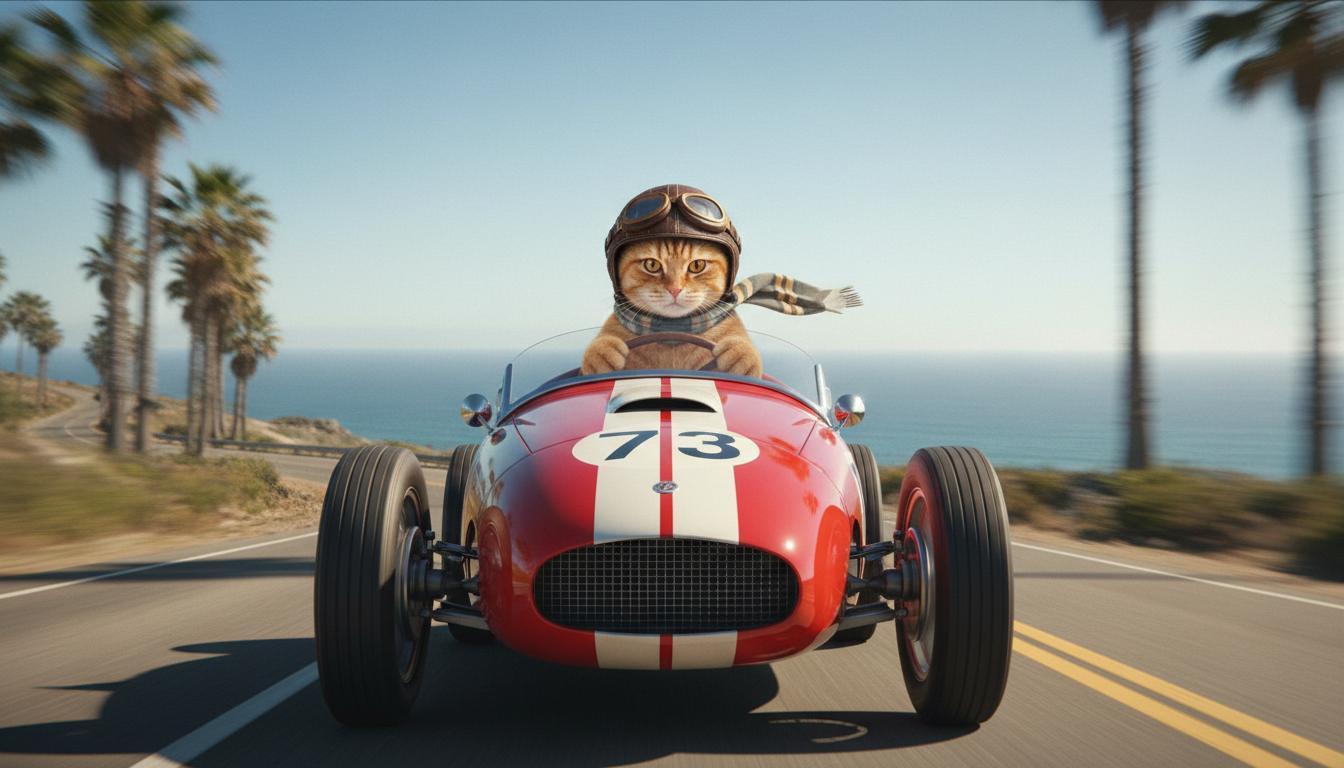
|
| آخرین تصویر (تولیدشده توسط Nano Banana) نشان بدهید وقتی ماشین از صخرهای بلند میشود چه اتفاقی میافتد. |
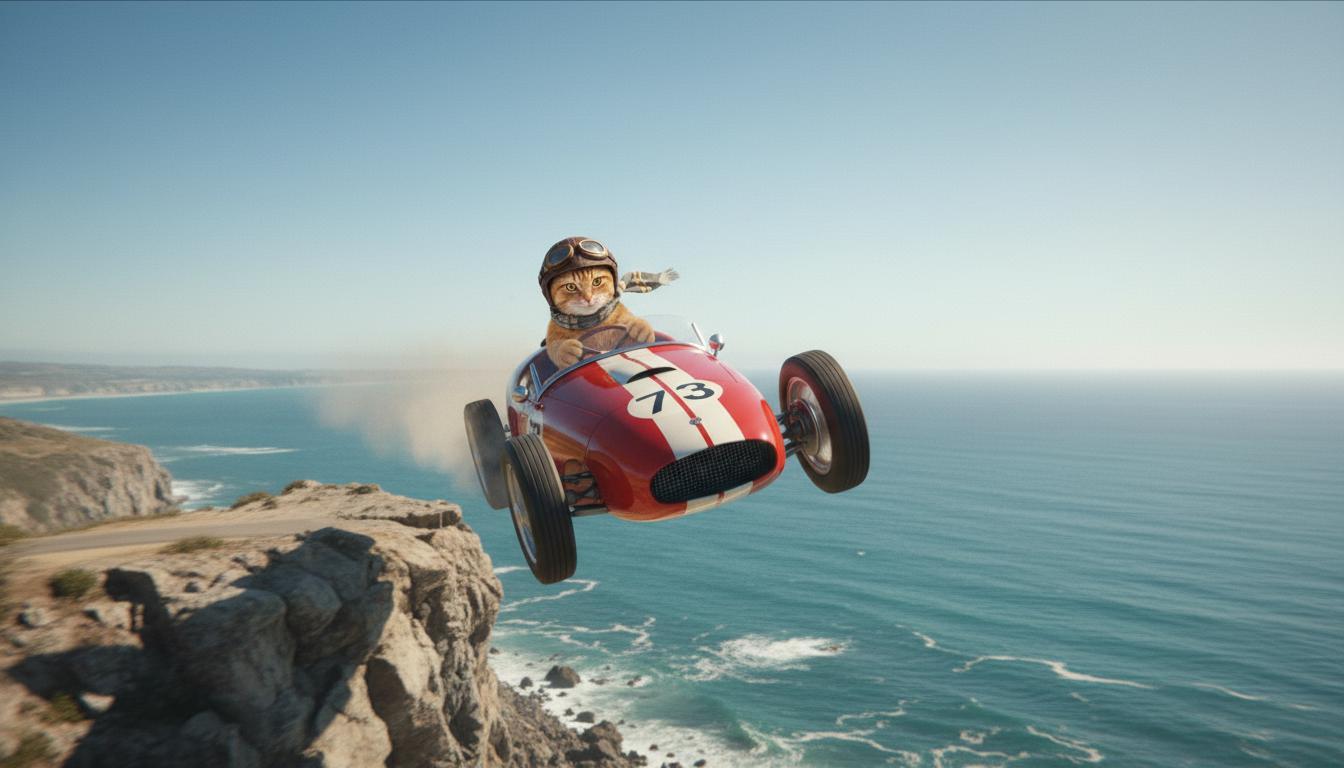
|
| ویدیو برونداد (تولیدشده توسط Veo 3.1) اختیاری |
|
این ویژگی با امکان تعریف قاب شروع و پایان، کنترل دقیقی بر ترکیببندی عکس به شما میدهد. تصویری بارگذاری کنید یا از قاب ویدیو تولیدشده قبلی استفاده کنید تا مطمئن شوید صحنه دقیقاً همانطور که تصور کردهاید شروع و تمام میشود.
پیاموارهای برای افزونه بدهید
برای طولانی کردن ویدیو تولیدشده با Veo با Veo 3.1 (برای Veo 3.1 Lite دردسترس نیست)، از ویدیو بهعنوان ورودی همراه با پیامواره نوشتاری اختیاری استفاده کنید. «طولانی کردن» ثانیه آخر یا ۲۴ قاب ویدیو شما را نهایی میکند و کنش را ادامه میدهد.
توجه داشته باشید که اگر صدا در ۱ ثانیه آخر ویدیو وجود نداشته باشد، نمیتوان آن را بهطور مؤثر گسترش داد.
| پیامواره | برونداد تولیدشده |
|---|---|
| ویدیو ورودی (تولیدشده توسط Veo 3.1) چترباز از بالای کوه پرواز میکند و شروع به سر خوردن بهسمت پایین کوهها میکند و به درههای پوشیده از گل در پایین نگاه میکند. |
|
| ویدیو خروجی (تولیدشده توسط Veo 3.1) این ویدیو را با چتربازی که بهآرامی پایین میآید طولانیتر کن. |
|
پیاموارههای نمونه و برونداد
این بخش چندین پیامواره ارائه میدهد و نشان میدهد که چگونه جزئیات توصیفی میتواند نتیجه هر ویدیو را بهبود بخشد.
زنگهای موسیقی شاد
این ویدیو نشان میدهد که چگونه میتوانید از عناصر اصول اولیه نوشتن پیامواره در پیامواره خود استفاده کنید.
| پیامواره | برونداد تولیدشده |
|---|---|
| نمای نزدیک (ترکیب) از قندیلهای درحال آب شدن (سوژه) روی دیوار سنگی یخزده (زمینه) با رنگهای آبی سرد (فضا)، با بزرگنمایی (حرکت دوربین) که جزئیات نمای نزدیک از چکه آب (کنش) را حفظ میکند. |
|
مردی پشت تلفن
این ویدیوها نشان میدهند که چگونه میتوانید پیامواره خود را با جزئیات دقیقتر اصلاح کنید تا Veo برونداد را مطابق با سلیقه شما پالایش کند.
| پیامواره | برونداد تولیدشده |
|---|---|
| جزئیات کمتر دوربین حرکت میکند تا نمای نزدیکی از مردی درمانده با کت بارانی سبز نشان دهد. او با تلفن دیواری چرخشی با نور نئون سبز درحال تماس است. بهنظر میرسد صحنهای از یک فیلم باشد. |
|
| جزئیات بیشتر نمای نزدیک سینمایی مردی درمانده را که کت بارانی سبز رنگپریدهای پوشیده است دنبال میکند و او درحال شمارهگیری با تلفنی چرخشی است که روی دیواری آجری و خشن نصب شده است. نور نئون سبز رنگی با درخشش وهمآور محیط را روشن کرده است. دوربین بهآرامی جلو میرود و تنش در فک و ناامیدی حکشده بر چهره او را نشان میدهد که برای برقراری تماس تلاش میکند. عمق کم میدان روی پیشانی پرچین او و تلفن گردان سیاه تمرکز میکند و پسزمینه را به دریایی از رنگهای نئونی و سایههای نامشخص محو میکند و حس فوریت و انزوا را ایجاد میکند. |
|
پلنگ برفی
| پیامواره | برونداد تولیدشده |
|---|---|
| پیامواره ساده: موجودی بامزه با خز شبیه پلنگ برفی در جنگل زمستانی راه میرود، رندر بهسبک کارتون سهبعدی. |
|
| پیامواره دقیق: صحنه پویانمایی سهبعدی کوتاهی بهسبک کارتونی شاد بساز. موجودی بامزه با خز شبیه به پلنگ برفی، چشمهای درشت و گویا، و اندامی گرد و مهربان با خوشحالی در جنگلی زمستانی و رؤیایی میخرامد. این صحنه باید درختان گرد پوشیده از برف، دانههای برف که بهآرامی میبارند، و نور گرم خورشید که از میان شاخهها میتابد را بهتصویر بکشد. حرکات جهشی موجود و لبخند پهن او باید شادی خالص را منتقل کند. لحنی شاد و دلگرمکننده با رنگهای روشن و شاد و پویانمایی بازیگوشانه هدف قرار دهید. |

|
نمونههایی براساس عناصر نوشتاری
این مثالها نشان میدهد که چگونه پیاموارههایتان را براساس هر عنصر پایه پالایش کنید.
موضوع و زمینه
کانون اصلی (موضوع) و پسزمینه یا محیط (بافت) را مشخص کنید.
| پیامواره | برونداد تولیدشده |
|---|---|
| تصویرسازی معماری از ساختمان آپارتمانی بتنی سفید با اشکال ارگانیک روان، که بهطور یکپارچه با فضای سبز انبوه و عناصر آیندهنگرانه ترکیب شده است |
|
| ماهوارهای که در فضای بیرونی شناور است و ماه و چند ستاره در پسزمینه دیده میشود. |
|
کنش
مشخص کنید که سوژه چه کاری انجام میدهد (برای نمونه، راه رفتن، دویدن، یا چرخاندن سر).
| پیامواره | برونداد تولیدشده |
|---|---|
| نمایی عریض از زنی که در ساحل قدم میزند و با رضایت و آرامش به افق درحال غروب نگاه میکند. |
|
سبک
کلیدواژههایی اضافه کنید تا تولید را بهسمت زیباییشناسی خاصی هدایت کنید (برای نمونه، فراواقعی، قدیمی، آیندهنگرانه، فیلم نوآر).
| پیامواره | برونداد تولیدشده |
|---|---|
| سبک فیلم نوآر، مرد و زنی در خیابان راه میروند، رازآلود، سینمایی، سیاهوسفید. |
|
حرکت دوربین و ترکیببندی
مشخص کنید دوربین چگونه حرکت میکند (نمای اول شخص، نمای هوایی، نمای پهپاد ردیاب) و چگونه نما قاببندی میشود (نمای عریض، نمای نزدیک، زاویه پایین).
| پیامواره | برونداد تولیدشده |
|---|---|
| نمای اولشخص از خودرو قدیمی که در شب در کانادا درحال رانندگی در باران است، سینمایی. |
|
| نمای بسیار نزدیک از چشمی که شهر در آن منعکس شده است. |
|
محیط
پالتهای رنگ و نورپردازی بر حالوهوا تأثیر میگذارند. عبارتهایی مثل «نارنجی مات رنگهای گرم»، «نور طبیعی»، «طلوع خورشید»، یا «رنگهای آبی سرد» را امتحان کنید.
| پیامواره | برونداد تولیدشده |
|---|---|
| نمای نزدیک از دختری که توله سگ شکاری رتریور طلایی دوستداشتنی را در پارک در نور آفتاب در آغوش گرفته است. |
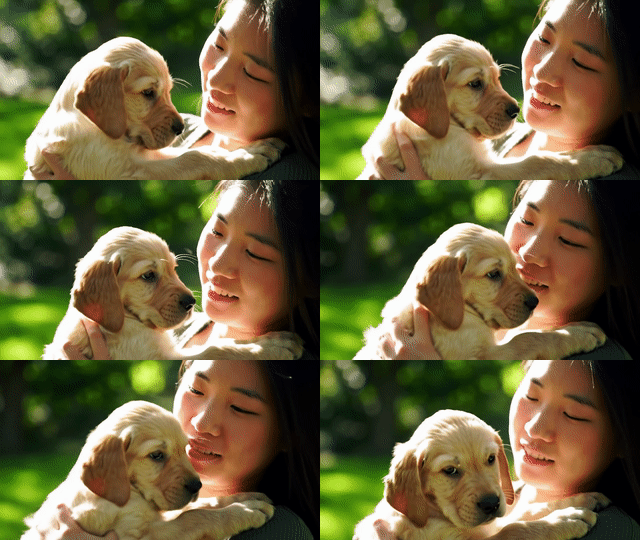
|
| نمای نزدیک سینمایی از زنی غمگین که در باران سوار اتوبوس شده است، رنگهای آبی سرد، حالوهوای غمگین. |

|
نسبت ابعادی
Veo به شما امکان میدهد نسبت ابعادی ویدیو خود را مشخص کنید.
| پیامواره | برونداد تولیدشده |
|---|---|
| صفحهگسترده (۱۶:۹) ویدیویی با نمای پهپاد ردیابی از مردی که در پالم اسپرینگز درحال راندن خودروی روباز قرمز است، دهه ۱۹۷۰، نور خورشید گرم، سایههای بلند بساز. |

|
| عمودی (۹:۱۶) ویدیویی بساز که حرکت روان آبشار باشکوهی در جنگل بارانی سرسبز هاوایی را برجسته کند. برای انتقال آرامش، بر جریان آب واقعگرایانه، شاخ و برگ دقیق، و نورپردازی طبیعی تمرکز کن. آبهای خروشان، فضای مهآلود، و نور سایهروشن خورشید را که از میان سایبان متراکم درختان میتابد ثبت کن. از حرکات دوربین سینمایی و روان برای نمایش آبشار و محیط اطراف آن استفاده کنید. لحنی آرام و واقعگرایانه را هدف قرار دهید و بیننده را به زیبایی آرامشبخش جنگلهای بارانی هاوایی منتقل کنید. |
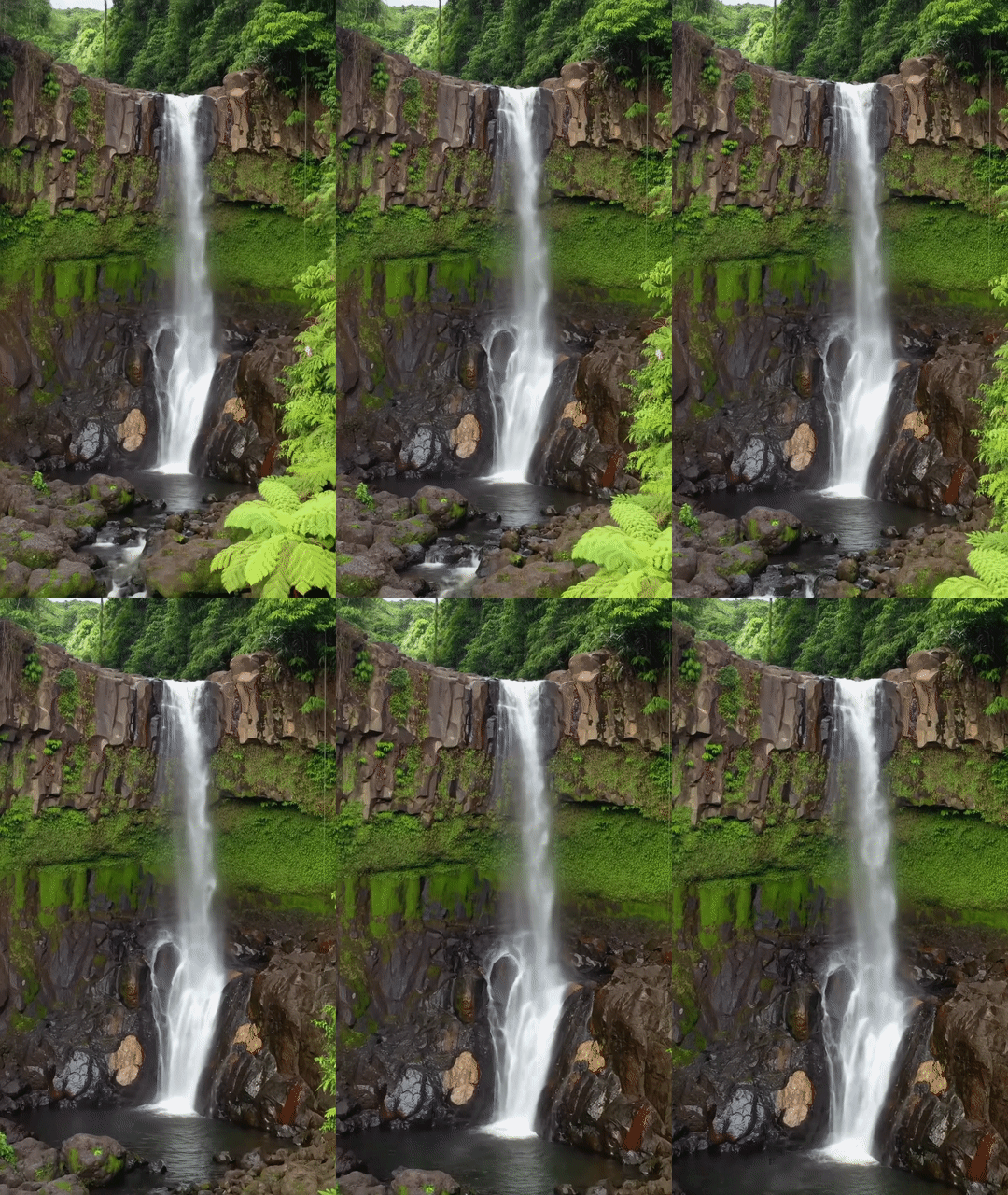
|
نسخههای مدل
برای جزئیات بیشتر درباره استفاده از مدل Veo، صفحه قیمتگذاری و حدود نرخ را بررسی کنید.
پیشنمایش Veo 3.1
| دارایی | شرح |
|---|---|
| کد مدل |
Gemini API
|
| انواع دادههای پشتیبانیشده برای |
ورودی نوشتار، تصویر برونداد ویدیو با صدا |
| محدودیتها |
ورودی نوشتاری ۱٬۰۲۴ دادهواحد ویدیو برونداد 1 |
| آخرین بهروزرسانی | ژانویه ۲۰۲۶ |
Veo 3.1 Fast Preview
| دارایی | شرح |
|---|---|
| کد مدل |
Gemini API
|
| انواع دادههای پشتیبانیشده برای |
ورودی نوشتار، تصویر برونداد ویدیو با صدا |
| محدودیتها |
ورودی نوشتاری ۱٬۰۲۴ دادهواحد ویدیو برونداد 1 |
| آخرین بهروزرسانی | ژانویه ۲۰۲۶ |
پیشنمایش Veo 3.1 Lite
| دارایی | شرح |
|---|---|
| کد مدل |
Gemini API
|
| انواع دادههای پشتیبانیشده برای |
ورودی نوشتار، تصویر برونداد ویدیو با صدا |
| محدودیتها |
ورودی نوشتاری ۱٬۰۲۴ دادهواحد ویدیو برونداد 1 |
| آخرین بهروزرسانی | مارس ۲۰۲۶ |
Veo 3 (منسوخ)
| دارایی | شرح |
|---|---|
| کد مدل |
Gemini API
|
| انواع دادههای پشتیبانیشده برای |
ورودی نوشتار، تصویر برونداد ویدیو با صدا |
| محدودیتها |
ورودی نوشتاری ۱٬۰۲۴ دادهواحد ویدیو برونداد 1 |
| آخرین بهروزرسانی | ژوئیه ۲۰۲۵ |
Veo 3 Fast (منسوخ)
| دارایی | شرح |
|---|---|
| کد مدل |
Gemini API
|
| انواع دادههای پشتیبانیشده برای |
ورودی نوشتار، تصویر برونداد ویدیو با صدا |
| محدودیتها |
ورودی نوشتاری ۱٬۰۲۴ دادهواحد ویدیو برونداد 1 |
| آخرین بهروزرسانی | ژوئیه ۲۰۲۵ |
نسخههای Veo Fast به توسعهدهندگان امکان میدهد ویدیوهای صدادار بسازند و درعینحال کیفیت بالا را حفظ کنند و برای سرعت و موارد استفاده تجاری بهینهسازی کنند. این API برای خدمات زیر ایدهآل است: خدمات زیرین که آگهیها را بهصورت برنامهریزیشده تولید میکنند، ابزارهایی برای آزمایش سریع A/B مفاهیم خلاقانه، یا برنامههایی که باید بهسرعت محتوای رسانههای اجتماعی تولید کنند.
قدم بعدی چیست
- با آزمایش در Veo Quickstart Colab و برنامه کوچک Veo 3.1، کار با Veo 3.1 API را شروع کنید.
- با مقدمهای بر طراحی پیامواره، یاد بگیرید چگونه پیاموارههای بهتری بنویسید.