

Video anlama hakkında bilgi edinmek için Video anlama kılavuzuna bakın.
Veo 3.1, yerel olarak üretilmiş ses içeren 8 saniyelik videolar (720p, 1080p veya 4K) üretmek için kullanılan bir modeldir. Bu modele Gemini API'yi kullanarak programatik olarak erişebilirsiniz. Kullanılabilir Veo modeli varyantları hakkında daha fazla bilgi edinmek için Model sürümleri bölümüne bakın.
Veo 3.1, çok çeşitli görsel ve sinematik stillerde mükemmel sonuçlar verir ve birçok yeni özellik sunar:
- Dikey videolar: Yatay (
16:9) ve dikey (9:16) videolar arasında seçim yapın. - Video uzatma: Daha önce Veo kullanılarak üretilen videoları uzatın.
- Kareye özel üretim: İlk ve son kareleri belirterek video üretebilirsiniz.
- Görsel tabanlı yönlendirme: Üretilen videonuzun içeriğini yönlendirmek için en fazla üç referans görsel kullanın.
Video üretimi için etkili metin istemleri yazma hakkında daha fazla bilgi edinmek istiyorsanız Veo istem kılavuzunu inceleyin.
Metinden video üretme
Aşağıdaki örneklerde diyalog, sinematik gerçekçilik veya yaratıcı animasyon içeren bir videoyu nasıl oluşturabileceğiniz gösterilmektedir:
Diyalog ve ses efektleri
Python
import time
from google import genai
from google.genai import types

client = genai.Client()

prompt = """A close up of two people staring at a cryptic drawing on a wall, torchlight flickering.
A man murmurs, 'This must be it. That's the secret code.' The woman looks at him and whispering excitedly, 'What did you find?'"""

operation = client.models.generate_videos(
    model="veo-3.1-generate-preview",
    prompt=prompt,
)

# Poll the operation status until the video is ready.
while not operation.done:
    print("Waiting for video generation to complete...")
    time.sleep(10)
    operation = client.operations.get(operation)

# Download the generated video.
generated_video = operation.response.generated_videos[0]
client.files.download(file=generated_video.video, destination="dialogue_example.mp4")
print("Generated video saved to dialogue_example.mp4")
JavaScript
import { GoogleGenAI } from "@google/genai";

const ai = new GoogleGenAI({});

const prompt = `A close up of two people staring at a cryptic drawing on a wall, torchlight flickering.
A man murmurs, 'This must be it. That's the secret code.' The woman looks at him and whispering excitedly, 'What did you find?'`;

let operation = await ai.models.generateVideos({
    model: "veo-3.1-generate-preview",
    prompt: prompt,
});

// Poll the operation status until the video is ready.
while (!operation.done) {
    console.log("Waiting for video generation to complete...")
    await new Promise((resolve) => setTimeout(resolve, 10000));
    operation = await ai.operations.getVideosOperation({
        operation: operation,
    });
}

// Download the generated video.
ai.files.download({
    file: operation.response.generatedVideos[0].video,
    downloadPath: "dialogue_example.mp4",
});
console.log(`Generated video saved to dialogue_example.mp4`);
Go
package main

import (
    "context"
    "log"
    "os"
    "time"

    "google.golang.org/genai"
)

func main() {
    ctx := context.Background()
    client, err := genai.NewClient(ctx, nil)
    if err != nil {
        log.Fatal(err)
    }

    prompt := `A close up of two people staring at a cryptic drawing on a wall, torchlight flickering.
    A man murmurs, 'This must be it. That's the secret code.' The woman looks at him and whispering excitedly, 'What did you find?'`

    operation, _ := client.Models.GenerateVideos(
        ctx,
        "veo-3.1-generate-preview",
        prompt,
        nil,
        nil,
    )

    // Poll the operation status until the video is ready.
    for !operation.Done {
    log.Println("Waiting for video generation to complete...")
        time.Sleep(10 * time.Second)
        operation, _ = client.Operations.GetVideosOperation(ctx, operation, nil)
    }

    // Download the generated video.
    video := operation.Response.GeneratedVideos[0]
    client.Files.Download(ctx, video.Video, nil)
    fname := "dialogue_example.mp4"
    _ = os.WriteFile(fname, video.Video.VideoBytes, 0644)
    log.Printf("Generated video saved to %s\n", fname)
}
Java
import com.google.genai.Client;
import com.google.genai.types.GenerateVideosOperation;
import com.google.genai.types.GeneratedVideo;

Client client = new Client();

String prompt =
    "A close up of two people staring at a cryptic drawing on a wall, torchlight flickering.\n"
        + "A man murmurs, 'This must be it. That's the secret code.' The woman looks at him and whispering excitedly, 'What did you find?'";

GenerateVideosOperation operation =
    client.models.generateVideos("veo-3.1-generate-preview", prompt, null, null);

// Poll the operation status until the video is ready.
while (!operation.done().orElse(false)) {
  System.out.println("Waiting for video generation to complete...");
  Thread.sleep(10000);
  operation = client.operations.getVideosOperation(operation, null);
}

// Download the generated video.
GeneratedVideo generatedVideo = operation.response().get().generatedVideos().get().get(0);
client.files.download(generatedVideo, "dialogue_example.mp4", null);
System.out.println("Generated video saved to dialogue_example.mp4");
REST
# Note: This script uses jq to parse the JSON response.
# GEMINI API Base URL
BASE_URL="https://generativelanguage.googleapis.com/v1beta"

# Send request to generate video and capture the operation name into a variable.
operation_name=$(curl -s "${BASE_URL}/models/veo-3.1-generate-preview:predictLongRunning" \
  -H "x-goog-api-key: $GEMINI_API_KEY" \
  -H "Content-Type: application/json" \
  -X "POST" \
  -d '{
    "instances": [{
        "prompt": "A close up of two people staring at a cryptic drawing on a wall, torchlight flickering. A man murmurs, \"This must be it. That'\''s the secret code.\" The woman looks at him and whispering excitedly, \"What did you find?\""
      }
    ]
  }' | jq -r .name)

# Poll the operation status until the video is ready
while true; do
  # Get the full JSON status and store it in a variable.
  status_response=$(curl -s -H "x-goog-api-key: $GEMINI_API_KEY" "${BASE_URL}/${operation_name}")

  # Check the "done" field from the JSON stored in the variable.
  is_done=$(echo "${status_response}" | jq .done)

  if [ "${is_done}" = "true" ]; then
    # Extract the download URI from the final response.
    video_uri=$(echo "${status_response}" | jq -r '.response.generateVideoResponse.generatedSamples[0].video.uri')
    echo "Downloading video from: ${video_uri}"

    # Download the video using the URI and API key and follow redirects.
    curl -L -o dialogue_example.mp4 -H "x-goog-api-key: $GEMINI_API_KEY" "${video_uri}"
    break
  fi
  # Wait for 5 seconds before checking again.
  sleep 10
done
Sinematik gerçekçilik
Python
import time
from google import genai
from google.genai import types

client = genai.Client()

prompt = """Drone shot following a classic red convertible driven by a man along a winding coastal road at sunset, waves crashing against the rocks below.
The convertible accelerates fast and the engine roars loudly."""

operation = client.models.generate_videos(
    model="veo-3.1-generate-preview",
    prompt=prompt,
)

# Poll the operation status until the video is ready.
while not operation.done:
    print("Waiting for video generation to complete...")
    time.sleep(10)
    operation = client.operations.get(operation)

# Download the generated video.
generated_video = operation.response.generated_videos[0]
client.files.download(file=generated_video.video, destination="realism_example.mp4")
print("Generated video saved to realism_example.mp4")
JavaScript
import { GoogleGenAI } from "@google/genai";

const ai = new GoogleGenAI({});

const prompt = `Drone shot following a classic red convertible driven by a man along a winding coastal road at sunset, waves crashing against the rocks below.
The convertible accelerates fast and the engine roars loudly.`;

let operation = await ai.models.generateVideos({
    model: "veo-3.1-generate-preview",
    prompt: prompt,
});

// Poll the operation status until the video is ready.
while (!operation.done) {
    console.log("Waiting for video generation to complete...")
    await new Promise((resolve) => setTimeout(resolve, 10000));
    operation = await ai.operations.getVideosOperation({
        operation: operation,
    });
}

// Download the generated video.
ai.files.download({
    file: operation.response.generatedVideos[0].video,
    downloadPath: "realism_example.mp4",
});
console.log(`Generated video saved to realism_example.mp4`);
Go
package main

import (
    "context"
    "log"
    "os"
    "time"

    "google.golang.org/genai"
)

func main() {
    ctx := context.Background()
    client, err := genai.NewClient(ctx, nil)
    if err != nil {
        log.Fatal(err)
    }

    prompt := `Drone shot following a classic red convertible driven by a man along a winding coastal road at sunset, waves crashing against the rocks below.
  The convertible accelerates fast and the engine roars loudly.`

    operation, _ := client.Models.GenerateVideos(
        ctx,
        "veo-3.1-generate-preview",
        prompt,
        nil,
        nil,
    )

    // Poll the operation status until the video is ready.
    for !operation.Done {
    log.Println("Waiting for video generation to complete...")
        time.Sleep(10 * time.Second)
        operation, _ = client.Operations.GetVideosOperation(ctx, operation, nil)
    }

    // Download the generated video.
    video := operation.Response.GeneratedVideos[0]
    client.Files.Download(ctx, video.Video, nil)
    fname := "realism_example.mp4"
    _ = os.WriteFile(fname, video.Video.VideoBytes, 0644)
    log.Printf("Generated video saved to %s\n", fname)
}
Java
import com.google.genai.Client;
import com.google.genai.types.GenerateVideosOperation;
import com.google.genai.types.GeneratedVideo;

Client client = new Client();

String prompt =
    "Drone shot following a classic red convertible driven by a man along a winding coastal road at sunset, waves crashing against the rocks below.\n"
        + "The convertible accelerates fast and the engine roars loudly.";

GenerateVideosOperation operation =
    client.models.generateVideos("veo-3.1-generate-preview", prompt, null, null);

// Poll the operation status until the video is ready.
while (!operation.done().orElse(false)) {
  System.out.println("Waiting for video generation to complete...");
  Thread.sleep(10000);
  operation = client.operations.getVideosOperation(operation, null);
}

// Download the generated video.
GeneratedVideo generatedVideo = operation.response().get().generatedVideos().get().get(0);
client.files.download(generatedVideo, "realism_example.mp4", null);
System.out.println("Generated video saved to realism_example.mp4");
REST
# Note: This script uses jq to parse the JSON response.
# GEMINI API Base URL
BASE_URL="https://generativelanguage.googleapis.com/v1beta"

# Send request to generate video and capture the operation name into a variable.
operation_name=$(curl -s "${BASE_URL}/models/veo-3.1-generate-preview:predictLongRunning" \
  -H "x-goog-api-key: $GEMINI_API_KEY" \
  -H "Content-Type: application/json" \
  -X "POST" \
  -d '{
    "instances": [{
        "prompt": "Drone shot following a classic red convertible driven by a man along a winding coastal road at sunset, waves crashing against the rocks below. The convertible accelerates fast and the engine roars loudly."
      }
    ]
  }' | jq -r .name)

# Poll the operation status until the video is ready
while true; do
  # Get the full JSON status and store it in a variable.
  status_response=$(curl -s -H "x-goog-api-key: $GEMINI_API_KEY" "${BASE_URL}/${operation_name}")

  # Check the "done" field from the JSON stored in the variable.
  is_done=$(echo "${status_response}" | jq .done)

  if [ "${is_done}" = "true" ]; then
    # Extract the download URI from the final response.
    video_uri=$(echo "${status_response}" | jq -r '.response.generateVideoResponse.generatedSamples[0].video.uri')
    echo "Downloading video from: ${video_uri}"

    # Download the video using the URI and API key and follow redirects.
    curl -L -o realism_example.mp4 -H "x-goog-api-key: $GEMINI_API_KEY" "${video_uri}"
    break
  fi
  # Wait for 5 seconds before checking again.
  sleep 10
done
Yaratıcı animasyon
Python
import time
from google import genai

client = genai.Client()
prompt = "A whimsical stop-motion animation of a tiny robot tending to a garden of glowing mushrooms on a miniature planet."

operation = client.models.generate_videos(
    model="veo-3.1-generate-preview",
    prompt=prompt,
)

# Poll the operation status until the video is ready.
while not operation.done:
    print("Waiting for video generation to complete...")
    time.sleep(10)
    operation = client.operations.get(operation)

# Download the generated video.
generated_video = operation.response.generated_videos[0]
client.files.download(file=generated_video.video, destination="style_example.mp4")
print("Generated video saved to style_example.mp4")
JavaScript
import { GoogleGenAI } from "@google/genai";

const ai = new GoogleGenAI({});

const prompt = "A whimsical stop-motion animation of a tiny robot tending to a garden of glowing mushrooms on a miniature planet.";

let operation = await ai.models.generateVideos({
    model: "veo-3.1-generate-preview",
    prompt: prompt,
});

// Poll the operation status until the video is ready.
while (!operation.done) {
    console.log("Waiting for video generation to complete...")
    await new Promise((resolve) => setTimeout(resolve, 10000));
    operation = await ai.operations.getVideosOperation({
        operation: operation,
    });
}

// Download the generated video.
ai.files.download({
    file: operation.response.generatedVideos[0].video,
    downloadPath: "style_example.mp4",
});
console.log(`Generated video saved to style_example.mp4`);
Go
package main

import (
    "context"
    "log"
    "os"
    "time"

    "google.golang.org/genai"
)

func main() {
    ctx := context.Background()
    client, err := genai.NewClient(ctx, nil)
    if err != nil {
        log.Fatal(err)
    }

    prompt := `A whimsical stop-motion animation of a tiny robot tending to a garden of glowing mushrooms on a miniature planet.`

    operation, _ := client.Models.GenerateVideos(
        ctx,
        "veo-3.1-generate-preview",
        prompt,
        nil,
        nil,
    )

    // Poll the operation status until the video is ready.
    for !operation.Done {
    log.Println("Waiting for video generation to complete...")
        time.Sleep(10 * time.Second)
        operation, _ = client.Operations.GetVideosOperation(ctx, operation, nil)
    }

    // Download the generated video.
    video := operation.Response.GeneratedVideos[0]
    client.Files.Download(ctx, video.Video, nil)
    fname := "style_example.mp4"
    _ = os.WriteFile(fname, video.Video.VideoBytes, 0644)
    log.Printf("Generated video saved to %s\n", fname)
}
Java
import com.google.genai.Client;
import com.google.genai.types.GenerateVideosOperation;
import com.google.genai.types.GeneratedVideo;

Client client = new Client();

String prompt =
    "A whimsical stop-motion animation of a tiny robot tending to a garden of glowing mushrooms on a miniature planet.";

GenerateVideosOperation operation =
    client.models.generateVideos("veo-3.1-generate-preview", prompt, null, null);

// Poll the operation status until the video is ready.
while (!operation.done().orElse(false)) {
  System.out.println("Waiting for video generation to complete...");
  Thread.sleep(10000);
  operation = client.operations.getVideosOperation(operation, null);
}

// Download the generated video.
GeneratedVideo generatedVideo = operation.response().get().generatedVideos().get().get(0);
client.files.download(generatedVideo, "style_example.mp4", null);
System.out.println("Generated video saved to style_example.mp4");
REST
# Note: This script uses jq to parse the JSON response.
# GEMINI API Base URL
BASE_URL="https://generativelanguage.googleapis.com/v1beta"

# Send request to generate video and capture the operation name into a variable.
operation_name=$(curl -s "${BASE_URL}/models/veo-3.1-generate-preview:predictLongRunning" \
  -H "x-goog-api-key: $GEMINI_API_KEY" \
  -H "Content-Type: application/json" \
  -X "POST" \
  -d '{
    "instances": [{
        "prompt": "A whimsical stop-motion animation of a tiny robot tending to a garden of glowing mushrooms on a miniature planet."
      }
    ]
  }' | jq -r .name)

# Poll the operation status until the video is ready
while true; do
  # Get the full JSON status and store it in a variable.
  status_response=$(curl -s -H "x-goog-api-key: $GEMINI_API_KEY" "${BASE_URL}/${operation_name}")

  # Check the "done" field from the JSON stored in the variable.
  is_done=$(echo "${status_response}" | jq .done)

  if [ "${is_done}" = "true" ]; then
    # Extract the download URI from the final response.
    video_uri=$(echo "${status_response}" | jq -r '.response.generateVideoResponse.generatedSamples[0].video.uri')
    echo "Downloading video from: ${video_uri}"

    # Download the video using the URI and API key and follow redirects.
    curl -L -o style_example.mp4 -H "x-goog-api-key: $GEMINI_API_KEY" "${video_uri}"
    break
  fi
  # Wait for 5 seconds before checking again.
  sleep 10
done
En-boy oranını kontrol etme
Veo 3.1 ile yatay (16:9, varsayılan ayar) veya dikey (9:16) videolar oluşturabilirsiniz. aspect_ratio parametresini kullanarak modele hangisini istediğinizi söyleyebilirsiniz:
Python
import time
from google import genai
from google.genai import types

client = genai.Client()

prompt = """A montage of pizza making: a chef tossing and flattening the floury dough, ladling rich red tomato sauce in a spiral, sprinkling mozzarella cheese and pepperoni, and a final shot of the bubbling golden-brown pizza, upbeat electronic music with a rhythmical beat is playing, high energy professional video."""

operation = client.models.generate_videos(
    model="veo-3.1-generate-preview",
    prompt=prompt,
    config=types.GenerateVideosConfig(
      aspect_ratio="9:16",
    ),
)

# Poll the operation status until the video is ready.
while not operation.done:
    print("Waiting for video generation to complete...")
    time.sleep(10)
    operation = client.operations.get(operation)

# Download the generated video.
generated_video = operation.response.generated_videos[0]
client.files.download(file=generated_video.video, destination="pizza_making.mp4")
print("Generated video saved to pizza_making.mp4")
JavaScript
import { GoogleGenAI } from "@google/genai";

const ai = new GoogleGenAI({});

const prompt = `A montage of pizza making: a chef tossing and flattening the floury dough, ladling rich red tomato sauce in a spiral, sprinkling mozzarella cheese and pepperoni, and a final shot of the bubbling golden-brown pizza, upbeat electronic music with a rhythmical beat is playing, high energy professional video.`;

let operation = await ai.models.generateVideos({
    model: "veo-3.1-generate-preview",
    prompt: prompt,
    config: {
      aspectRatio: "9:16",
    },
});

// Poll the operation status until the video is ready.
while (!operation.done) {
    console.log("Waiting for video generation to complete...")
    await new Promise((resolve) => setTimeout(resolve, 10000));
    operation = await ai.operations.getVideosOperation({
        operation: operation,
    });
}

// Download the generated video.
ai.files.download({
    file: operation.response.generatedVideos[0].video,
    downloadPath: "pizza_making.mp4",
});
console.log(`Generated video saved to pizza_making.mp4`);
Go
package main

import (
    "context"
    "log"
    "os"
    "time"

    "google.golang.org/genai"
)

func main() {
    ctx := context.Background()
    client, err := genai.NewClient(ctx, nil)
    if err != nil {
        log.Fatal(err)
    }

    prompt := `A montage of pizza making: a chef tossing and flattening the floury dough, ladling rich red tomato sauce in a spiral, sprinkling mozzarella cheese and pepperoni, and a final shot of the bubbling golden-brown pizza, upbeat electronic music with a rhythmical beat is playing, high energy professional video.`

  videoConfig := &genai.GenerateVideosConfig{
      AspectRatio: "9:16",
  }

    operation, _ := client.Models.GenerateVideos(
        ctx,
        "veo-3.1-generate-preview",
        prompt,
        nil,
        videoConfig,
    )

    // Poll the operation status until the video is ready.
    for !operation.Done {
    log.Println("Waiting for video generation to complete...")
        time.Sleep(10 * time.Second)
        operation, _ = client.Operations.GetVideosOperation(ctx, operation, nil)
    }

    // Download the generated video.
    video := operation.Response.GeneratedVideos[0]
    client.Files.Download(ctx, video.Video, nil)
    fname := "pizza_making.mp4"
    _ = os.WriteFile(fname, video.Video.VideoBytes, 0644)
    log.Printf("Generated video saved to %s\n", fname)
}
REST
# Note: This script uses jq to parse the JSON response.
# GEMINI API Base URL
BASE_URL="https://generativelanguage.googleapis.com/v1beta"

# Send request to generate video and capture the operation name into a variable.
operation_name=$(curl -s "${BASE_URL}/models/veo-3.1-generate-preview:predictLongRunning" \
  -H "x-goog-api-key: $GEMINI_API_KEY" \
  -H "Content-Type: application/json" \
  -X "POST" \
  -d '{
    "instances": [{
        "prompt": "A montage of pizza making: a chef tossing and flattening the floury dough, ladling rich red tomato sauce in a spiral, sprinkling mozzarella cheese and pepperoni, and a final shot of the bubbling golden-brown pizza, upbeat electronic music with a rhythmical beat is playing, high energy professional video."
      }
    ],
    "parameters": {
      "aspectRatio": "9:16"
    }
  }' | jq -r .name)

# Poll the operation status until the video is ready
while true; do
  # Get the full JSON status and store it in a variable.
  status_response=$(curl -s -H "x-goog-api-key: $GEMINI_API_KEY" "${BASE_URL}/${operation_name}")

  # Check the "done" field from the JSON stored in the variable.
  is_done=$(echo "${status_response}" | jq .done)

  if [ "${is_done}" = "true" ]; then
    # Extract the download URI from the final response.
    video_uri=$(echo "${status_response}" | jq -r '.response.generateVideoResponse.generatedSamples[0].video.uri')
    echo "Downloading video from: ${video_uri}"

    # Download the video using the URI and API key and follow redirects.
    curl -L -o pizza_making.mp4 -H "x-goog-api-key: $GEMINI_API_KEY" "${video_uri}"
    break
  fi
  # Wait for 5 seconds before checking again.
  sleep 10
done
Çözünürlüğü kontrol etme
Veo 3.1 ayrıca doğrudan 720p, 1080p veya 4K videolar oluşturabilir (4K, Veo 3.1 Lite'ta kullanılamaz).
Çözünürlük ne kadar yüksek olursa gecikmenin de o kadar yüksek olacağını unutmayın. 4K videoların fiyatı da daha yüksektir (fiyatlandırmaya bakın).
Video uzantısı da 720p videolarla sınırlıdır.
Python
import time
from google import genai
from google.genai import types

client = genai.Client()

prompt = """A stunning drone view of the Grand Canyon during a flamboyant sunset that highlights the canyon's colors. The drone slowly flies towards the sun then accelerates, dives and flies inside the canyon."""

operation = client.models.generate_videos(
    model="veo-3.1-generate-preview",
    prompt=prompt,
    config=types.GenerateVideosConfig(
      resolution="4k",
    ),
)

# Poll the operation status until the video is ready.
while not operation.done:
    print("Waiting for video generation to complete...")
    time.sleep(10)
    operation = client.operations.get(operation)

# Download the generated video.
generated_video = operation.response.generated_videos[0]
client.files.download(file=generated_video.video, destination="4k_grand_canyon.mp4")
print("Generated video saved to 4k_grand_canyon.mp4")
JavaScript
import { GoogleGenAI } from "@google/genai";

const ai = new GoogleGenAI({});

const prompt = `A stunning drone view of the Grand Canyon during a flamboyant sunset that highlights the canyon's colors. The drone slowly flies towards the sun then accelerates, dives and flies inside the canyon.`;

let operation = await ai.models.generateVideos({
    model: "veo-3.1-generate-preview",
    prompt: prompt,
    config: {
      resolution: "4k",
    },
});

// Poll the operation status until the video is ready.
while (!operation.done) {
    console.log("Waiting for video generation to complete...")
    await new Promise((resolve) => setTimeout(resolve, 10000));
    operation = await ai.operations.getVideosOperation({
        operation: operation,
    });
}

// Download the generated video.
ai.files.download({
    file: operation.response.generatedVideos[0].video,
    downloadPath: "4k_grand_canyon.mp4",
});
console.log(`Generated video saved to 4k_grand_canyon.mp4`);
Go
package main

import (
    "context"
    "log"
    "os"
    "time"

    "google.golang.org/genai"
)

func main() {
    ctx := context.Background()
    client, err := genai.NewClient(ctx, nil)
    if err != nil {
        log.Fatal(err)
    }

    prompt := `A stunning drone view of the Grand Canyon during a flamboyant sunset that highlights the canyon's colors. The drone slowly flies towards the sun then accelerates, dives and flies inside the canyon.`

  videoConfig := &genai.GenerateVideosConfig{
      Resolution: "4k",
  }

    operation, _ := client.Models.GenerateVideos(
        ctx,
        "veo-3.1-generate-preview",
        prompt,
        nil,
        videoConfig,
    )

    // Poll the operation status until the video is ready.
    for !operation.Done {
    log.Println("Waiting for video generation to complete...")
        time.Sleep(10 * time.Second)
        operation, _ = client.Operations.GetVideosOperation(ctx, operation, nil)
    }

    // Download the generated video.
    video := operation.Response.GeneratedVideos[0]
    client.Files.Download(ctx, video.Video, nil)
    fname := "4k_grand_canyon.mp4"
    _ = os.WriteFile(fname, video.Video.VideoBytes, 0644)
    log.Printf("Generated video saved to %s\n", fname)
}
REST
# Note: This script uses jq to parse the JSON response.
# GEMINI API Base URL
BASE_URL="https://generativelanguage.googleapis.com/v1beta"

# Send request to generate video and capture the operation name into a variable.
operation_name=$(curl -s "${BASE_URL}/models/veo-3.1-generate-preview:predictLongRunning" \
  -H "x-goog-api-key: $GEMINI_API_KEY" \
  -H "Content-Type: application/json" \
  -X "POST" \
  -d '{
    "instances": [{
        "prompt": "A stunning drone view of the Grand Canyon during a flamboyant sunset that highlights the canyon'\''s colors. The drone slowly flies towards the sun then accelerates, dives and flies inside the canyon."
      }
    ],
    "parameters": {
      "resolution": "4k"
    }
  }' | jq -r .name)

# Poll the operation status until the video is ready
while true; do
  # Get the full JSON status and store it in a variable.
  status_response=$(curl -s -H "x-goog-api-key: $GEMINI_API_KEY" "${BASE_URL}/${operation_name}")

  # Check the "done" field from the JSON stored in the variable.
  is_done=$(echo "${status_response}" | jq .done)

  if [ "${is_done}" = "true" ]; then
    # Extract the download URI from the final response.
    video_uri=$(echo "${status_response}" | jq -r '.response.generateVideoResponse.generatedSamples[0].video.uri')
    echo "Downloading video from: ${video_uri}"

    # Download the video using the URI and API key and follow redirects.
    curl -L -o 4k_grand_canyon.mp4 -H "x-goog-api-key: $GEMINI_API_KEY" "${video_uri}"
    break
  fi
  # Wait for 5 seconds before checking again.
  sleep 10
done
Görüntüden video üretme
Aşağıdaki kodda, Gemini 3.1 Flash Image (diğer adıyla Nano Banana 2) kullanılarak bir görüntünün nasıl üretileceği ve ardından bu görüntünün Veo 3.1 ile video üretmek için başlangıç karesi olarak nasıl kullanılacağı gösterilmektedir.
Python
import time
from google import genai

client = genai.Client()

prompt = "Panning wide shot of a calico kitten sleeping in the sunshine"

# Step 1: Generate an image with Nano Banana 2.
image = client.models.generate_content(
    model="gemini-3.1-flash-image-preview",
    contents=prompt,
    config={"response_modalities":['IMAGE']}
)

# Step 2: Generate video with Veo 3.1 using the image.
operation = client.models.generate_videos(
    model="veo-3.1-generate-preview",
    prompt=prompt,
    image=image.parts[0].as_image(),
)

# Poll the operation status until the video is ready.
while not operation.done:
    print("Waiting for video generation to complete...")
    time.sleep(10)
    operation = client.operations.get(operation)

# Download the video.
video = operation.response.generated_videos[0]
client.files.download(file=video.video, destination="veo3_with_image_input.mp4")
print("Generated video saved to veo3_with_image_input.mp4")
JavaScript
import { GoogleGenAI } from "@google/genai";

const ai = new GoogleGenAI({});

const prompt = "Panning wide shot of a calico kitten sleeping in the sunshine";

// Step 1: Generate an image with Nano Banana 2.
const imageResponse = await ai.models.generateContent({
  model: "gemini-3.1-flash-image-preview",
  prompt: prompt,
});

// Step 2: Generate video with Veo 3.1 using the image.
let operation = await ai.models.generateVideos({
  model: "veo-3.1-generate-preview",
  prompt: prompt,
  image: {
    imageBytes: imageResponse.generatedImages[0].image.imageBytes,
    mimeType: "image/png",
  },
});

// Poll the operation status until the video is ready.
while (!operation.done) {
  console.log("Waiting for video generation to complete...")
  await new Promise((resolve) => setTimeout(resolve, 10000));
  operation = await ai.operations.getVideosOperation({
    operation: operation,
  });
}

// Download the video.
ai.files.download({
    file: operation.response.generatedVideos[0].video,
    downloadPath: "veo3_with_image_input.mp4",
});
console.log(`Generated video saved to veo3_with_image_input.mp4`);
Go
package main

import (
    "context"
    "log"
    "os"
    "time"

    "google.golang.org/genai"
)

func main() {
    ctx := context.Background()
    client, err := genai.NewClient(ctx, nil)
    if err != nil {
        log.Fatal(err)
    }

    prompt := "Panning wide shot of a calico kitten sleeping in the sunshine"

    // Step 1: Generate an image with Nano Banana 2.
    imageResponse, err := client.Models.GenerateContent(
        ctx,
        "gemini-3.1-flash-image-preview",
        prompt,
        nil, // GenerateImagesConfig
    )
    if err != nil {
        log.Fatal(err)
    }

    // Step 2: Generate video with Veo 3.1 using the image.
    operation, err := client.Models.GenerateVideos(
        ctx,
        "veo-3.1-generate-preview",
        prompt,
        imageResponse.GeneratedImages[0].Image,
        nil, // GenerateVideosConfig
    )
    if err != nil {
        log.Fatal(err)
    }

    // Poll the operation status until the video is ready.
    for !operation.Done {
        log.Println("Waiting for video generation to complete...")
        time.Sleep(10 * time.Second)
        operation, _ = client.Operations.GetVideosOperation(ctx, operation, nil)
    }

    // Download the video.
    video := operation.Response.GeneratedVideos[0]
    client.Files.Download(ctx, video.Video, nil)
    fname := "veo3_with_image_input.mp4"
    _ = os.WriteFile(fname, video.Video.VideoBytes, 0644)
    log.Printf("Generated video saved to %s\n", fname)
}
Java
import com.google.genai.Client;
import com.google.genai.types.Blob;
import com.google.genai.types.GenerateContentConfig;
import com.google.genai.types.GenerateContentResponse;
import com.google.genai.types.GenerateVideosOperation;
import com.google.genai.types.GeneratedVideo;
import com.google.genai.types.Image;

Client client = new Client();

String prompt = "Panning wide shot of a calico kitten sleeping in the sunshine";

// Step 1: Generate an image with Nano Banana 2.
GenerateContentResponse imageResponse =
    client.models.generateContent(
        "gemini-3.1-flash-image-preview",
        prompt,
        GenerateContentConfig.builder().responseModalities("IMAGE").build());

Blob inlineData = imageResponse.parts().get(0).inlineData().get();
Image image =
    Image.builder()
        .imageBytes(inlineData.data().get())
        .mimeType(inlineData.mimeType().orElse("image/png"))
        .build();

// Step 2: Generate video with Veo 3.1 using the image.
GenerateVideosOperation operation =
    client.models.generateVideos("veo-3.1-generate-preview", prompt, image, null);

// Poll the operation status until the video is ready.
while (!operation.done().orElse(false)) {
  System.out.println("Waiting for video generation to complete...");
  Thread.sleep(10000);
  operation = client.operations.getVideosOperation(operation, null);
}

// Download the video.
GeneratedVideo video = operation.response().get().generatedVideos().get().get(0);
client.files.download(video, "veo3_with_image_input.mp4", null);
System.out.println("Generated video saved to veo3_with_image_input.mp4");
Referans görselleri kullanma
Veo 3.1 artık üretilen videonuzun içeriğini yönlendirmek için en fazla 3 referans görsel kabul ediyor. Çıkış videosunda öznenin görünümünü korumak için bir kişinin, karakterin veya ürünün resimlerini sağlayın.
Örneğin, Nano Banana ile üretilen bu üç görüntüyü referans olarak kullanıp iyi yazılmış bir istem eklediğinizde aşağıdaki video oluşturulur:
`dress_image` |
`woman_image` |
`glasses_image` |
|---|---|---|

|

|

|
Python
import time
from google import genai

client = genai.Client()

prompt = "The video opens with a medium, eye-level shot of a beautiful woman with dark hair and warm brown eyes. She wears a magnificent, high-fashion flamingo dress with layers of pink and fuchsia feathers, complemented by whimsical pink, heart-shaped sunglasses. She walks with serene confidence through the crystal-clear, shallow turquoise water of a sun-drenched lagoon. The camera slowly pulls back to a medium-wide shot, revealing the breathtaking scene as the dress's long train glides and floats gracefully on the water's surface behind her. The cinematic, dreamlike atmosphere is enhanced by the vibrant colors of the dress against the serene, minimalist landscape, capturing a moment of pure elegance and high-fashion fantasy."

dress_reference = types.VideoGenerationReferenceImage(
  image=dress_image, # Generated separately with Nano Banana
  reference_type="asset"
)

sunglasses_reference = types.VideoGenerationReferenceImage(
  image=glasses_image, # Generated separately with Nano Banana
  reference_type="asset"
)

woman_reference = types.VideoGenerationReferenceImage(
  image=woman_image, # Generated separately with Nano Banana
  reference_type="asset"
)

operation = client.models.generate_videos(
    model="veo-3.1-generate-preview",
    prompt=prompt,
    config=types.GenerateVideosConfig(
      reference_images=[dress_reference, glasses_reference, woman_reference],
    ),
)

# Poll the operation status until the video is ready.
while not operation.done:
    print("Waiting for video generation to complete...")
    time.sleep(10)
    operation = client.operations.get(operation)

# Download the video.
video = operation.response.generated_videos[0]
client.files.download(file=video.video, destination="veo3.1_with_reference_images.mp4")
print("Generated video saved to veo3.1_with_reference_images.mp4")
JavaScript
import { GoogleGenAI } from "@google/genai";

const ai = new GoogleGenAI({});

const prompt = "The video opens with a medium, eye-level shot of a beautiful woman with dark hair and warm brown eyes. She wears a magnificent, high-fashion flamingo dress with layers of pink and fuchsia feathers, complemented by whimsical pink, heart-shaped sunglasses. She walks with serene confidence through the crystal-clear, shallow turquoise water of a sun-drenched lagoon. The camera slowly pulls back to a medium-wide shot, revealing the breathtaking scene as the dress's long train glides and floats gracefully on the water's surface behind her. The cinematic, dreamlike atmosphere is enhanced by the vibrant colors of the dress against the serene, minimalist landscape, capturing a moment of pure elegance and high-fashion fantasy.";

// dressImage, glassesImage, womanImage generated separately with Nano Banana
// and available as objects like { imageBytes: "...", mimeType: "image/png" }
const dressReference = {
  image: dressImage,
  referenceType: "asset",
};
const sunglassesReference = {
  image: glassesImage,
  referenceType: "asset",
};
const womanReference = {
  image: womanImage,
  referenceType: "asset",
};

let operation = await ai.models.generateVideos({
  model: "veo-3.1-generate-preview",
  prompt: prompt,
  config: {
    referenceImages: [
      dressReference,
      sunglassesReference,
      womanReference,
    ],
  },
});

// Poll the operation status until the video is ready.
while (!operation.done) {
  console.log("Waiting for video generation to complete...");
  await new Promise((resolve) => setTimeout(resolve, 10000));
  operation = await ai.operations.getVideosOperation({
    operation: operation,
  });
}

// Download the video.
ai.files.download({
  file: operation.response.generatedVideos[0].video,
  downloadPath: "veo3.1_with_reference_images.mp4",
});
console.log(`Generated video saved to veo3.1_with_reference_images.mp4`);
Go
package main

import (
    "context"
    "log"
    "os"
    "time"

    "google.golang.org/genai"
)

func main() {
    ctx := context.Background()
    client, err := genai.NewClient(ctx, nil)
    if err != nil {
        log.Fatal(err)
    }

  prompt := `The video opens with a medium, eye-level shot of a beautiful woman with dark hair and warm brown eyes. She wears a magnificent, high-fashion flamingo dress with layers of pink and fuchsia feathers, complemented by whimsical pink, heart-shaped sunglasses. She walks with serene confidence through the crystal-clear, shallow turquoise water of a sun-drenched lagoon. The camera slowly pulls back to a medium-wide shot, revealing the breathtaking scene as the dress's long train glides and floats gracefully on the water's surface behind her. The cinematic, dreamlike atmosphere is enhanced by the vibrant colors of the dress against the serene, minimalist landscape, capturing a moment of pure elegance and high-fashion fantasy.`

  // dressImage, glassesImage, womanImage generated separately with Nano Banana
  // and available as *genai.Image objects.
  var dressImage, glassesImage, womanImage *genai.Image

  dressReference := &genai.VideoGenerationReferenceImage{
    Image: dressImage,
    ReferenceType: "asset",
  }
  sunglassesReference := &genai.VideoGenerationReferenceImage{
    Image: glassesImage,
    ReferenceType: "asset",
  }
  womanReference := &genai.VideoGenerationReferenceImage{
    Image: womanImage,
    ReferenceType: "asset",
  }

    operation, _ := client.Models.GenerateVideos(
        ctx,
        "veo-3.1-generate-preview",
        prompt,
    nil, // image
        &genai.GenerateVideosConfig{
      ReferenceImages: []*genai.VideoGenerationReferenceImage{
        dressReference,
        sunglassesReference,
        womanReference,
      },
    },
    )

    // Poll the operation status until the video is ready.
    for !operation.Done {
        log.Println("Waiting for video generation to complete...")
        time.Sleep(10 * time.Second)
        operation, _ = client.Operations.GetVideosOperation(ctx, operation, nil)
    }

    // Download the video.
    video := operation.Response.GeneratedVideos[0]
    client.Files.Download(ctx, video.Video, nil)
    fname := "veo3.1_with_reference_images.mp4"
    _ = os.WriteFile(fname, video.Video.VideoBytes, 0644)
    log.Printf("Generated video saved to %s\n", fname)
}
REST
# Note: This script uses jq to parse the JSON response.
# It assumes dress_image_base64, glasses_image_base64, and woman_image_base64
# contain base64-encoded image data.

# GEMINI API Base URL
BASE_URL="https://generativelanguage.googleapis.com/v1beta"

# Send request to generate video and capture the operation name into a variable.
operation_name=$(curl -s "${BASE_URL}/models/veo-3.1-generate-preview:predictLongRunning" \
  -H "x-goog-api-key: $GEMINI_API_KEY" \
  -H "Content-Type: application/json" \
  -X "POST" \
  -d '{
    "instances": [{
      "prompt": "The video opens with a medium, eye-level shot of a beautiful woman with dark hair and warm brown eyes. She wears a magnificent, high-fashion flamingo dress with layers of pink and fuchsia feathers, complemented by whimsical pink, heart-shaped sunglasses. She walks with serene confidence through the crystal-clear, shallow turquoise water of a sun-drenched lagoon. The camera slowly pulls back to a medium-wide shot, revealing the breathtaking scene as the dress'\''s long train glides and floats gracefully on the water'\''s surface behind her. The cinematic, dreamlike atmosphere is enhanced by the vibrant colors of the dress against the serene, minimalist landscape, capturing a moment of pure elegance and high-fashion fantasy.",
      "referenceImages": [
        {
          "image": {"inlineData": {"mimeType": "image/png", "data": "'"$dress_image_base64"'"}},
          "referenceType": "asset"
        },
        {
          "image": {"inlineData": {"mimeType": "image/png", "data": "'"$glasses_image_base64"'"}},
          "referenceType": "asset"
        },
        {
          "image": {"inlineData": {"mimeType": "image/png", "data": "'"$woman_image_base64"'"}},
          "referenceType": "asset"
        }
      ]
    }],
  }' | jq -r .name)

# Poll the operation status until the video is ready
while true; do
  # Get the full JSON status and store it in a variable.
  status_response=$(curl -s -H "x-goog-api-key: $GEMINI_API_KEY" "${BASE_URL}/${operation_name}")

  # Check the "done" field from the JSON stored in the variable.
  is_done=$(echo "${status_response}" | jq .done)

  if [ "${is_done}" = "true" ]; then
    # Extract the download URI from the final response.
    video_uri=$(echo "${status_response}" | jq -r '.response.generateVideoResponse.generatedSamples[0].video.uri')
    echo "Downloading video from: ${video_uri}"

    # Download the video using the URI and API key and follow redirects.
    curl -L -o veo3.1_with_reference_images.mp4 -H "x-goog-api-key: $GEMINI_API_KEY" "${video_uri}"
    break
  fi
  # Wait for 10 seconds before checking again.
  sleep 10
done
İlk ve son kareler kullanılıyor
Veo 3.1, interpolasyon kullanarak veya videonun ilk ve son karelerini belirterek video oluşturmanıza olanak tanır. Video üretimi için etkili metin istemleri yazma hakkında bilgi edinmek istiyorsanız Veo istem kılavuzunu inceleyin.
Python
import time
from google import genai

client = genai.Client()

prompt = "A cinematic, haunting video. A ghostly woman with long white hair and a flowing dress swings gently on a rope swing beneath a massive, gnarled tree in a foggy, moonlit clearing. The fog thickens and swirls around her, and she slowly fades away, vanishing completely. The empty swing is left swaying rhythmically on its own in the eerie silence."

operation = client.models.generate_videos(
    model="veo-3.1-generate-preview",
    prompt=prompt,
    image=first_image, # The starting frame is passed as a primary input
    config=types.GenerateVideosConfig(
      last_frame=last_image # The ending frame is passed as a generation constraint in the config
    ),
)

# Poll the operation status until the video is ready.
while not operation.done:
    print("Waiting for video generation to complete...")
    time.sleep(10)
    operation = client.operations.get(operation)

# Download the video.
video = operation.response.generated_videos[0]
client.files.download(file=video.video, destination="veo3.1_with_interpolation.mp4")
print("Generated video saved to veo3.1_with_interpolation.mp4")
JavaScript
import { GoogleGenAI } from "@google/genai";

const ai = new GoogleGenAI({});

const prompt = "A cinematic, haunting video. A ghostly woman with long white hair and a flowing dress swings gently on a rope swing beneath a massive, gnarled tree in a foggy, moonlit clearing. The fog thickens and swirls around her, and she slowly fades away, vanishing completely. The empty swing is left swaying rhythmically on its own in the eerie silence.";

// firstImage and lastImage generated separately with Nano Banana
// and available as objects like { imageBytes: "...", mimeType: "image/png" }
let operation = await ai.models.generateVideos({
    model: "veo-3.1-generate-preview",
    prompt: prompt,
    image: firstImage, // The starting frame is passed as a primary input
    config: {
      lastFrame: lastImage, // The ending frame is passed as a generation constraint in the config
    },
});

// Poll the operation status until the video is ready.
while (!operation.done) {
    console.log("Waiting for video generation to complete...")
    await new Promise((resolve) => setTimeout(resolve, 10000));
    operation = await ai.operations.getVideosOperation({
        operation: operation,
    });
}

// Download the video.
ai.files.download({
    file: operation.response.generatedVideos[0].video,
    downloadPath: "veo3.1_with_interpolation.mp4",
});
console.log(`Generated video saved to veo3.1_with_interpolation.mp4`);
Go
package main

import (
    "context"
    "log"
    "os"
    "time"

    "google.golang.org/genai"
)

func main() {
    ctx := context.Background()
    client, err := genai.NewClient(ctx, nil)
    if err != nil {
        log.Fatal(err)
    }

  prompt := `A cinematic, haunting video. A ghostly woman with long white hair and a flowing dress swings gently on a rope swing beneath a massive, gnarled tree in a foggy, moonlit clearing. The fog thickens and swirls around her, and she slowly fades away, vanishing completely. The empty swing is left swaying rhythmically on its own in the eerie silence.`

  // firstImage and lastImage generated separately with Nano Banana
  // and available as *genai.Image objects.
  var firstImage, lastImage *genai.Image

    operation, _ := client.Models.GenerateVideos(
        ctx,
        "veo-3.1-generate-preview",
        prompt,
    firstImage, // The starting frame is passed as a primary input
        &genai.GenerateVideosConfig{
      LastFrame: lastImage, // The ending frame is passed as a generation constraint in the config
    },
    )

    // Poll the operation status until the video is ready.
    for !operation.Done {
        log.Println("Waiting for video generation to complete...")
        time.Sleep(10 * time.Second)
        operation, _ = client.Operations.GetVideosOperation(ctx, operation, nil)
    }

    // Download the video.
    video := operation.Response.GeneratedVideos[0]
    client.Files.Download(ctx, video.Video, nil)
    fname := "veo3.1_with_interpolation.mp4"
    _ = os.WriteFile(fname, video.Video.VideoBytes, 0644)
    log.Printf("Generated video saved to %s\n", fname)
}
REST
# Note: This script uses jq to parse the JSON response.
# It assumes first_image_base64 and last_image_base64
# contain base64-encoded image data.

# GEMINI API Base URL
BASE_URL="https://generativelanguage.googleapis.com/v1beta"

# Send request to generate video and capture the operation name into a variable.
# The starting frame is passed as a primary input
# The ending frame is passed as a generation constraint in the config
operation_name=$(curl -s "${BASE_URL}/models/veo-3.1-generate-preview:predictLongRunning" \
  -H "x-goog-api-key: $GEMINI_API_KEY" \
  -H "Content-Type: application/json" \
  -X "POST" \
  -d '{
    "instances": [{
      "prompt": "A cinematic, haunting video. A ghostly woman with long white hair and a flowing dress swings gently on a rope swing beneath a massive, gnarled tree in a foggy, moonlit clearing. The fog thickens and swirls around her, and she slowly fades away, vanishing completely. The empty swing is left swaying rhythmically on its own in the eerie silence.",
      "image": {"inlineData": {"mimeType": "image/png", "data": "'"$first_image_base64"'"}},
      "lastFrame": {"inlineData": {"mimeType": "image/png", "data": "'"$last_image_base64"'"}}
    }],
  }' | jq -r .name)

# Poll the operation status until the video is ready
while true; do
  # Get the full JSON status and store it in a variable.
  status_response=$(curl -s -H "x-goog-api-key: $GEMINI_API_KEY" "${BASE_URL}/${operation_name}")

  # Check the "done" field from the JSON stored in the variable.
  is_done=$(echo "${status_response}" | jq .done)

  if [ "${is_done}" = "true" ]; then
    # Extract the download URI from the final response.
    video_uri=$(echo "${status_response}" | jq -r '.response.generateVideoResponse.generatedSamples[0].video.uri')
    echo "Downloading video from: ${video_uri}"

    # Download the video using the URI and API key and follow redirects.
    curl -L -o veo3.1_with_interpolation.mp4 -H "x-goog-api-key: $GEMINI_API_KEY" "${video_uri}"
    break
  fi
  # Wait for 10 seconds before checking again.
  sleep 10
done
`first_image` |
`last_image` |
veo3.1_with_interpolation.mp4 |
|---|---|---|

|

|
|
Veo videolarını uzatma
Daha önce Veo ile oluşturduğunuz videoları Veo 3.1 ile 7 saniye ve 20 defaya kadar uzatabilirsiniz.
Giriş videosu sınırlamaları:
- Veo tarafından üretilen videoların uzunluğu en fazla 141 saniye olabilir.
- Gemini API, yalnızca Veo tarafından üretilen videolar için video uzantılarını destekler.
- Video, önceki bir nesilden (ör.
operation.response.generated_videos[0].video) olmalıdır. - Videolar 2 gün boyunca saklanır ancak bir videoya uzantı için referans verilirse 2 günlük saklama zamanlayıcısı sıfırlanır. Yalnızca son iki gün içinde üretilen veya referans verilen videoların süresini uzatabilirsiniz.
- Giriş videolarının belirli bir uzunluk, en-boy oranı ve boyutlara sahip olması beklenir:
- En-boy oranı: 9:16 veya 16:9
- Çözünürlük: 720p
- Video uzunluğu: 141 saniye veya daha kısa
Uzantının çıkışı, kullanıcının giriş videosu ile üretilen genişletilmiş videoyu birleştiren tek bir videodur (en fazla 148 saniye).
Bu örnekte, Veo tarafından oluşturulan bir video (orijinal istemiyle birlikte gösterilir) video parametresi ve yeni bir istem kullanılarak genişletilir:
| İstem | Çıkış: butterfly_video |
|---|---|
| Origami kelebek kanatlarını çırparak Fransız kapılardan bahçeye uçuyor. |
|
Python
import time
from google import genai

client = genai.Client()

prompt = "Track the butterfly into the garden as it lands on an orange origami flower. A fluffy white puppy runs up and gently pats the flower."

operation = client.models.generate_videos(
    model="veo-3.1-generate-preview",
    video=operation.response.generated_videos[0].video, # This must be a video from a previous generation
    prompt=prompt,
    config=types.GenerateVideosConfig(
        number_of_videos=1,
        resolution="720p"
    ),
)

# Poll the operation status until the video is ready.
while not operation.done:
    print("Waiting for video generation to complete...")
    time.sleep(10)
    operation = client.operations.get(operation)

# Download the video.
video = operation.response.generated_videos[0]
client.files.download(file=video.video, destination="veo3.1_extension.mp4")
print("Generated video saved to veo3.1_extension.mp4")
JavaScript
import { GoogleGenAI } from "@google/genai";

const ai = new GoogleGenAI({});

const prompt = "Track the butterfly into the garden as it lands on an orange origami flower. A fluffy white puppy runs up and gently pats the flower.";

// butterflyVideo must be a video from a previous generation
// available as an object like { videoBytes: "...", mimeType: "video/mp4" }
let operation = await ai.models.generateVideos({
    model: "veo-3.1-generate-preview",
    video: butterflyVideo,
    prompt: prompt,
    config: {
        numberOfVideos: 1,
        resolution: "720p",
    },
});

// Poll the operation status until the video is ready.
while (!operation.done) {
    console.log("Waiting for video generation to complete...")
    await new Promise((resolve) => setTimeout(resolve, 10000));
    operation = await ai.operations.getVideosOperation({
        operation: operation,
    });
}

// Download the video.
ai.files.download({
    file: operation.response.generatedVideos[0].video,
    downloadPath: "veo3.1_extension.mp4",
});
console.log(`Generated video saved to veo3.1_extension.mp4`);
Go
package main

import (
    "context"
    "log"
    "os"
    "time"

    "google.golang.org/genai"
)

func main() {
    ctx := context.Background()
    client, err := genai.NewClient(ctx, nil)
    if err != nil {
        log.Fatal(err)
    }

  prompt := `Track the butterfly into the garden as it lands on an orange origami flower. A fluffy white puppy runs up and gently pats the flower.`

  // butterflyVideo must be a video from a previous generation
  // available as a *genai.Video object.
  var butterflyVideo *genai.Video

    operation, _ := client.Models.GenerateVideos(
        ctx,
        "veo-3.1-generate-preview",
        prompt,
    nil, // image
    butterflyVideo,
        &genai.GenerateVideosConfig{
      NumberOfVideos: 1,
      Resolution: "720p",
    },
    )

    // Poll the operation status until the video is ready.
    for !operation.Done {
        log.Println("Waiting for video generation to complete...")
        time.Sleep(10 * time.Second)
        operation, _ = client.Operations.GetVideosOperation(ctx, operation, nil)
    }

    // Download the video.
    video := operation.Response.GeneratedVideos[0]
    client.Files.Download(ctx, video.Video, nil)
    fname := "veo3.1_extension.mp4"
    _ = os.WriteFile(fname, video.Video.VideoBytes, 0644)
    log.Printf("Generated video saved to %s\n", fname)
}
REST
# Note: This script uses jq to parse the JSON response.
# It assumes butterfly_video_base64 contains base64-encoded
# video data from a previous generation.

# GEMINI API Base URL
BASE_URL="https://generativelanguage.googleapis.com/v1beta"

# Send request to generate video and capture the operation name into a variable.
operation_name=$(curl -s "${BASE_URL}/models/veo-3.1-generate-preview:predictLongRunning" \
  -H "x-goog-api-key: $GEMINI_API_KEY" \
  -H "Content-Type: application/json" \
  -X "POST" \
  -d '{
    "instances": [{
      "prompt": "Track the butterfly into the garden as it lands on an orange origami flower. A fluffy white puppy runs up and gently pats the flower.",
      "video": {"inlineData": {"mimeType": "video/mp4", "data": "'"$butterfly_video_base64"'"}}
    }],
    "parameters": {
      "numberOfVideos": 1,
      "resolution": "720p"
    }
  }' | jq -r .name)

# Poll the operation status until the video is ready
while true; do
  # Get the full JSON status and store it in a variable.
  status_response=$(curl -s -H "x-goog-api-key: $GEMINI_API_KEY" "${BASE_URL}/${operation_name}")

  # Check the "done" field from the JSON stored in the variable.
  is_done=$(echo "${status_response}" | jq .done)

  if [ "${is_done}" = "true" ]; then
    # Extract the download URI from the final response.
    video_uri=$(echo "${status_response}" | jq -r '.response.generateVideoResponse.generatedSamples[0].video.uri')
    echo "Downloading video from: ${video_uri}"

    # Download the video using the URI and API key and follow redirects.
    curl -L -o veo3.1_extension.mp4 -H "x-goog-api-key: $GEMINI_API_KEY" "${video_uri}"
    break
  fi
  # Wait for 10 seconds before checking again.
  sleep 10
done
Video üretimi için etkili metin istemleri yazma hakkında bilgi edinmek istiyorsanız Veo istem kılavuzunu inceleyin.
Eşzamansız işlemleri yönetme
Video üretimi, yoğun işlem gücü gerektiren bir görevdir. API'ye istek gönderdiğinizde uzun süren bir iş başlatılır ve hemen bir operation nesnesi döndürülür. Ardından, video hazır olana kadar yoklama yapmanız gerekir. Videonun hazır olduğu, done durumunun doğru olmasıyla belirtilir.
Bu sürecin temelinde, işin durumunu düzenli olarak kontrol eden bir yoklama döngüsü yer alır.
Python
import time
from google import genai
from google.genai import types

client = genai.Client()

# After starting the job, you get an operation object.
operation = client.models.generate_videos(
    model="veo-3.1-generate-preview",
    prompt="A cinematic shot of a majestic lion in the savannah.",
)

# Alternatively, you can use operation.name to get the operation.
operation = types.GenerateVideosOperation(name=operation.name)

# This loop checks the job status every 10 seconds.
while not operation.done:
    time.sleep(10)
    # Refresh the operation object to get the latest status.
    operation = client.operations.get(operation)

# Once done, the result is in operation.response.
# ... process and download your video ...
JavaScript
import { GoogleGenAI } from "@google/genai";

const ai = new GoogleGenAI({});

// After starting the job, you get an operation object.
let operation = await ai.models.generateVideos({
  model: "veo-3.1-generate-preview",
  prompt: "A cinematic shot of a majestic lion in the savannah.",
});

// Alternatively, you can use operation.name to get the operation.
// operation = types.GenerateVideosOperation(name=operation.name)

// This loop checks the job status every 10 seconds.
while (!operation.done) {
    await new Promise((resolve) => setTimeout(resolve, 1000));
    // Refresh the operation object to get the latest status.
    operation = await ai.operations.getVideosOperation({ operation });
}

// Once done, the result is in operation.response.
// ... process and download your video ...
Go
package main

import (
    "context"
    "log"
    "time"

    "google.golang.org/genai"
)

func main() {
    ctx := context.Background()
    client, err := genai.NewClient(ctx, nil)
    if err != nil {
        log.Fatal(err)
    }

    // After starting the job, you get an operation object.
    operation, _ := client.Models.GenerateVideos(
        ctx,
        "veo-3.1-generate-preview",
        "A cinematic shot of a majestic lion in the savannah.",
        nil,
        nil,
    )

    // This loop checks the job status every 10 seconds.
    for !operation.Done {
        time.Sleep(10 * time.Second)
        // Refresh the operation object to get the latest status.
        operation, _ = client.Operations.GetVideosOperation(ctx, operation, nil)
    }

    // Once done, the result is in operation.Response.
    // ... process and download your video ...
}
Java
import com.google.genai.Client;
import com.google.genai.types.GenerateVideosOperation;

Client client = new Client();

// After starting the job, you get an operation object.
GenerateVideosOperation operation =
    client.models.generateVideos(
        "veo-3.1-generate-preview",
        "A cinematic shot of a majestic lion in the savannah.",
        null,
        null);

// Alternatively, you can use operation.name to construct the operation.
operation = GenerateVideosOperation.builder().name(operation.name().get()).build();

// This loop checks the job status every 10 seconds.
while (!operation.done().orElse(false)) {
  Thread.sleep(10000);
  // Refresh the operation object to get the latest status.
  operation = client.operations.getVideosOperation(operation, null);
}

// Once done, the result is in operation.response().
// ... process and download your video ...
REST
# Note: This script uses jq to parse the JSON response.
# GEMINI API Base URL
BASE_URL="https://generativelanguage.googleapis.com/v1beta"

# Send request to generate video and capture the operation name into a variable.
operation_name=$(curl -s "${BASE_URL}/models/veo-3.1-generate-preview:predictLongRunning" \
  -H "x-goog-api-key: $GEMINI_API_KEY" \
  -H "Content-Type: application/json" \
  -X "POST" \
  -d '{
    "instances": [{
        "prompt": "A cinematic shot of a majestic lion in the savannah."
      }
    ]
  }' | jq -r .name)

# This loop checks the job status every 10 seconds.
while true; do
  # Get the full JSON status and store it in a variable.
  status_response=$(curl -s -H "x-goog-api-key: $GEMINI_API_KEY" "${BASE_URL}/${operation_name}")

  # Check the "done" field from the JSON stored in the variable.
  is_done=$(echo "${status_response}" | jq .done)

  if [ "${is_done}" = "true" ]; then
    # Once done, the result is in status_response.
    # ... process and download your video ...
    echo "Video generation complete."
    break
  fi
  # Wait for 10 seconds before checking again.
  echo "Waiting for video generation to complete..."
  sleep 10
done
Veo API parametreleri ve spesifikasyonları
Bunlar, video üretim sürecini kontrol etmek için API isteğinizde ayarlayabileceğiniz parametrelerdir.
| Parametre | Veo 3.1 ve Veo 3.1 Fast | Veo 3.1 Lite | Veo 3 ve Veo 3 Fast |
|---|---|---|---|
| Örnekler | |||
prompt:Videonun metin açıklaması. Ses işaretlerini destekler. |
string |
string |
string |
image:Animasyon uygulanacak ilk resim. |
Image nesnesi |
Image nesnesi |
Image nesnesi |
lastFrame:Ara değer hesaplama videosunun geçiş yapacağı son görüntü. image parametresiyle birlikte kullanılmalıdır. |
Image nesnesi |
Image nesnesi |
Image nesnesi |
referenceImages:Stil ve içerik referansı olarak kullanılacak en fazla üç resim. |
VideoGenerationReferenceImage nesnesi |
n/a nesnesi |
Yok |
video:Video uzantısı için kullanılacak video. |
Önceki nesilden Video nesne |
Yok | Yok |
| Parametreler | |||
aspectRatio:Videonun en-boy oranı. |
"16:9" (varsayılan),"9:16" |
"16:9" (varsayılan),"9:16" |
"16:9" (varsayılan),"9:16" |
durationSeconds:Oluşturulan videonun uzunluğu. |
"4", "6", "8".Uzantı, referans görseller veya 1080p ve 4K çözünürlükler kullanılırken "8" olmalıdır |
"4", "6", "8".Referans görseller kullanılırken veya 1080p çözünürlükte "8" olmalıdır |
"4", "6", "8".Uzantı, referans görseller veya 1080p ve 4K çözünürlükler kullanılırken "8" olmalıdır |
personGeneration:İnsanların yer aldığı görüntülerin üretilmesini kontrol eder. (Bölge kısıtlamaları için Sınırlamalar bölümüne bakın) |
Metinden videoya ve uzantı:"allow_all" yalnızcaResimden videoya, interpolasyon ve referans görseller: "allow_adult" yalnızca
|
Metinden videoya: Yalnızca "allow_all"Resimden videoya, ara değer bulma ve referans görseller: Yalnızca "allow_adult"
|
Metinden videoya: Yalnızca "allow_all"Görüntüden videoya: Yalnızca "allow_adult"
|
resolution:Videonun çözünürlüğü. |
"720p" (varsayılan), "1080p" (yalnızca 8 saniye süreyi destekler),"4k" (yalnızca 8 saniye süreyi destekler)"720p" yalnızca uzatma için
|
"720p" (varsayılan), "1080p" (yalnızca 8 saniyelik süreyi destekler) |
"720p" (varsayılan), "1080p" (yalnızca 8 saniye süreyi destekler),"4k" (yalnızca 8 saniye süreyi destekler)"720p" yalnızca uzantı için
|
seed parametresinin Veo 3 modellerinde de kullanılabildiğini unutmayın.
Belirlenebilirliği garanti etmez ancak biraz iyileştirir.
Model özellikleri
| Özellik | Veo 3.1 ve Veo 3.1 Fast | Veo 3.1 Lite | Veo 3 ve Veo 3 Fast |
|---|---|---|---|
| Ses: Videoyla birlikte ses üretir. |
✔️ Her zaman açık | ✔️ Her zaman açık | ✔️ Her zaman açık |
| Giriş modaliteleri: Üretim için kullanılan giriş türü. |
Metinden videoya, resimden videoya, videodan videoya | Metinden videoya, resimden videoya | Metinden videoya, resimden videoya |
| Çözünürlük: Videonun çıkış çözünürlüğü. |
720p, 1080p (yalnızca 8 saniye uzunluk), 4k (yalnızca 8 saniye uzunluk) Video uzantısı kullanılırken yalnızca 720p. |
720p, 1080p (yalnızca 8 saniye uzunluğunda) |
720p ve 1080p (yalnızca 16:9) |
| Kare hızı: Videonun çıkış kare hızı. |
24 fps | 24 fps | 24 fps |
| Video süresi: Oluşturulan videonun uzunluğu. |
8 saniye, 6 saniye, 4 saniye Yalnızca 1080p veya 4K çözünürlükte ya da referans görsel kullanılıyorsa 8 saniye |
8 saniye, 6 saniye, 4 saniye Yalnızca 1080p çözünürlükte veya referans görseller kullanılıyorsa 8 saniye |
8 saniye |
| İstek başına video sayısı: İstek başına oluşturulan video sayısı. |
1 | 1 | 1 |
| Durum: Model kullanılabilirliği |
Önizleme | Önizleme | Kararlı |
Sınırlamalar
- Çoklu video istemleri: Birden fazla videoya referans verme veya birden fazla video üzerinden akıl yürütme şu anda desteklenmemektedir. Çoklu video istemi kullanmaya çalışmak, model performansının düşmesine veya beklenmedik çıkışlara neden olabilir.
- Dil desteği: İngilizce (EN) tam olarak desteklenir ancak diğer diller değerlendirilmediğinden çalışabilir ancak sonuçlar değişiklik gösterebilir.
- İstek gecikmesi: Minimum: 11 saniye; Maksimum: 6 dakika (yoğun saatlerde).
- Bölgesel sınırlamalar: AB, Birleşik Krallık, İsviçre, Orta Doğu ve Kuzey Afrika konumlarında
personGenerationiçin izin verilen tek değerallow_adultdeğeridir. - Video saklama: Oluşturulan videolar sunucuda 2 gün boyunca saklanır ve ardından kaldırılır. Yerel bir kopya kaydetmek için videonuzu oluşturulduktan sonraki 2 gün içinde indirmeniz gerekir. Uzatılan videolar, yeni oluşturulan videolar olarak değerlendirilir.
- Filigran ekleme: Veo tarafından oluşturulan videolara, yapay zekayla üretilen içeriklere filigran ekleyip bu tür içerikleri tespit etmek için kullandığımız SynthID aracıyla filigran eklenir. Videolar, SynthID doğrulama platformu kullanılarak doğrulanabilir.
- Güvenlik: Oluşturulan videolar, gizlilik, telif hakkı ve önyargı risklerini azaltmaya yardımcı olan güvenlik filtrelerinden ve ezberleme kontrolü süreçlerinden geçirilir.
- Ses hatası: Veo 3.1, güvenlik filtreleri veya sesle ilgili diğer işleme sorunları nedeniyle bazen videoların üretilmesini engeller. Videonuzun oluşturulması engellenirse sizden ücret alınmaz.
Veo istem rehberi
Bu bölümde, Veo'yu kullanarak oluşturabileceğiniz video örnekleri ve farklı sonuçlar elde etmek için istemleri nasıl değiştirebileceğiniz gösterilmektedir.
Güvenlik filtreleri
Veo, üretilen videolarda ve yüklenen fotoğraflarda rahatsız edici içerik bulunmamasını sağlamak için Gemini genelinde güvenlik filtreleri uygular. Şartlarımızı ve kurallarımızı ihlal eden istemler engellenir.
İstem yazmayla ilgili temel bilgiler
İyi istemler açıklayıcı ve nettir. Veo'dan en iyi şekilde yararlanmak için temel fikrinizi belirleyerek başlayın, anahtar kelimeler ve değiştiriciler ekleyerek fikrinizi geliştirin ve istemlerinize videoya özgü terminolojiyi dahil edin.
İsteminizde aşağıdaki öğeler bulunmalıdır:
- Özne: Videonuzda yer almasını istediğiniz nesne, kişi, hayvan veya manzara (ör. şehir manzarası, doğa, araçlar veya yavru köpekler).
- İşlem: Öznenin ne yaptığı (ör. yürüme, koşma veya başını çevirme).
- Stil: Bilim kurgu, korku filmi, film noir gibi belirli film stili anahtar kelimelerini veya çizgi film gibi animasyon stillerini kullanarak reklam öğesi yönünü belirtin.
- Kamera konumu ve hareketi: [İsteğe bağlı] Kuş bakışı görünüm, göz hizası, tepeden çekim, şaryolu çekim veya solucan bakışı gibi terimleri kullanarak kameranın konumunu ve hareketini kontrol edin.
- Kompozisyon: [İsteğe bağlı] Çekimin nasıl kurgulandığı (ör. geniş çekim, yakın çekim, tekli çekim veya ikili çekim).
- Odak ve lens efektleri: [İsteğe bağlı] Belirli görsel efektler elde etmek için sığ odak, derin odak, yumuşak odak, makro lens ve geniş açı lens gibi terimler kullanın.
- Atmosfer: [İsteğe bağlı] Rengin ve ışığın sahneye nasıl katkıda bulunduğu (ör. mavi tonlar, gece veya sıcak tonlar).
İstem yazmayla ilgili diğer ipuçları
- Açıklayıcı bir dil kullanın: Veo'nun net bir resim oluşturması için sıfatlar ve zarflar kullanın.
- Yüz ayrıntılarını iyileştirme: İstemde portre kelimesini kullanarak yüz ayrıntılarını fotoğrafın odak noktası olarak belirtebilirsiniz.
Daha kapsamlı istem stratejileri için İstem tasarımına giriş başlıklı makaleyi inceleyin.
Ses için istem girme
Veo'ya ses efektleri, ortam gürültüsü ve diyalog için talimatlar verebilirsiniz. Model, bu ipuçlarının nüanslarını yakalayarak senkronize bir ses parçası oluşturur.
- Diyalog: Belirli bir konuşma için tırnak işareti kullanın. (Örnek: "Anahtar bu olmalı," diye mırıldandı.)
- Ses efektleri (SFX): Sesleri açıkça tanımlayın. (Örnek: lastiklerin gürültülü bir şekilde gıcırdaması, motorun kükremesi.)
- Ortam gürültüsü: Ortamın ses ortamını açıklayın. (Örnek: Arka planda hafif, ürkütücü bir uğultu duyuluyor.)
Bu videolarda, Veo 3'ün ses üreten modelinin ayrıntı düzeyi artırılarak nasıl kullanıldığı gösterilmektedir.
| İstem | Oluşturulan çıkış |
|---|---|
| Daha fazla ayrıntı (Diyalog ve ortam) Sisli bir Pasifik Kuzeybatı ormanının geniş açılı çekimi. Yorgunluktan bitap düşmüş iki doğa yürüyüşçüsü (bir erkek ve bir kadın), eğrelti otlarının arasından geçerken erkek aniden durup bir ağaca bakıyor. Yakın çekim: Ağacın kabuğunda taze, derin pençe izleri var. Adam: (Eli av bıçağında) "Bu sıradan bir ayı değil." Kadın: (Korkudan sesi titreyerek ormanı tarar) "O zaman ne bu?" Sert bir havlama, kırılan dallar, nemli topraktaki ayak sesleri. Yalnız bir kuş cıvıldıyor. |
|
| Daha az ayrıntı (Diyalog) Kağıt Kesme Animasyonu. Yeni kütüphaneci: "Yasaklı kitapları nerede tutuyorsunuz?" Eski küratör: "Hayır, yok. Bizi koruyorlar." |
|
Sesi dinlemek için bu istemleri kendiniz deneyin. Veo'yu deneyin
Referans görsellerle istem girme
Veo'nun resimden videoya dönüştürme özelliklerini kullanarak üretilen videolarınızı yönlendirmek için bir veya daha fazla resmi giriş olarak kullanabilirsiniz. Veo, giriş resmini ilk kare olarak kullanır. Günlük nesneleri hareket ettirmek, çizimlerinize ve tablolarınıza hayat vermek, doğa manzaralarına hareket ve ses katmak için videonuzun ilk sahnesi olarak hayal ettiğiniz görsele en yakın resmi seçin.
| İstem | Oluşturulan çıkış |
|---|---|
| Giriş resmi (Nano Banana tarafından oluşturulmuştur) Rustik taş bir banyo lavabosunda okyanus dalgalarında sörf yapan minik sörfçülerin hiper gerçekçi makro fotoğrafı. Eski bir pirinç musluktan su akıyor ve sürekli dalga sesi çıkarıyor. Sürreal, tuhaf, parlak doğal ışık. |

|
| Çıkış Videosu (Veo 3.1 tarafından üretilmiştir) Sürreal, sinematik bir makro video. Taş bir banyo lavabosunun içinde sürekli dalgalar üzerinde sörf yapan küçük sörfçüler. Akan eski bir pirinç musluk, sonsuz dalgalar oluşturuyor. Minyatür figürler turkuaz renkli suda ustalıkla sörf yaparken kamera, güneş ışığıyla aydınlatılmış bu büyüleyici sahneyi yavaşça tarıyor. |
|
Veo 3.1, üretilen videonuzun içeriğini yönlendirmek için referans görseller veya içerik öğeleri kullanmanıza olanak tanır. Tek bir kişi, karakter veya ürünün en fazla üç öğe resmini sağlayın. Veo, çıkış videosunda öznenin görünümünü korur.
| İstem | Oluşturulan çıkış |
|---|---|
| Referans görsel (Nano Banana tarafından oluşturulmuştur) Derin ve karanlık sularda pusuya yatmış, dişlerini göstermiş ve yemi parlayan bir fener balığı. |

|
| Referans görsel (Nano Banana tarafından oluşturulmuştur) Sade bir ürün arka planında, asası ve tacıyla birlikte pembe bir çocuk prenses kostümü. |

|
| Çıkış Videosu (Veo 3.1 tarafından oluşturulmuştur) Kostüm giymiş, yüzen ve asayı sallayan balığın komik bir çizgi film versiyonunu oluştur. |
|
Veo 3.1'i kullanarak videonun ilk ve son karelerini belirterek de video üretebilirsiniz.
| İstem | Oluşturulan çıkış |
|---|---|
| İlk resim (Nano Banana tarafından üretilmiştir) Fransız Rivierası sahilinde kırmızı üstü açık yarış arabası kullanan sarman kedinin yüksek kaliteli, fotoğraf gerçekliğinde önden görünümü. |
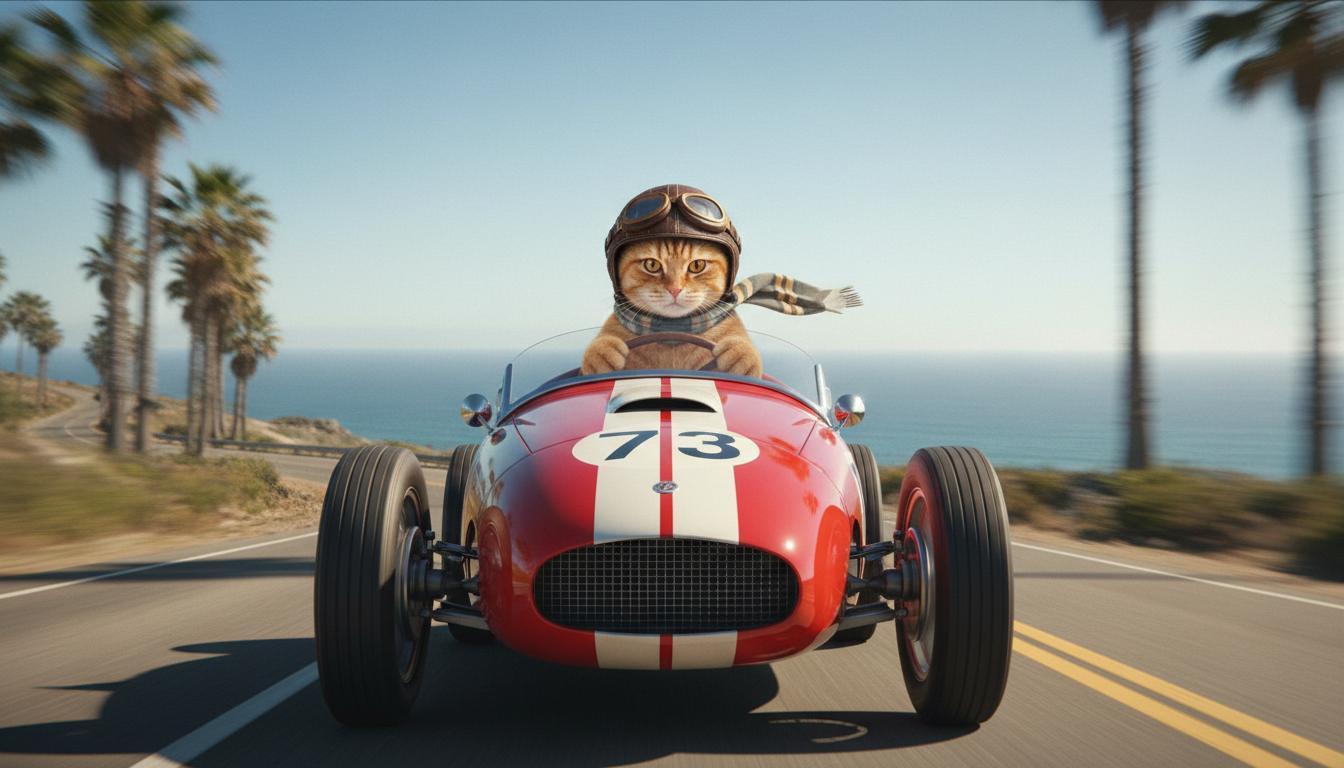
|
| Son görüntü (Nano Banana tarafından oluşturulmuştur) Araba uçurumdan uçtuğunda ne olacağını göster. |
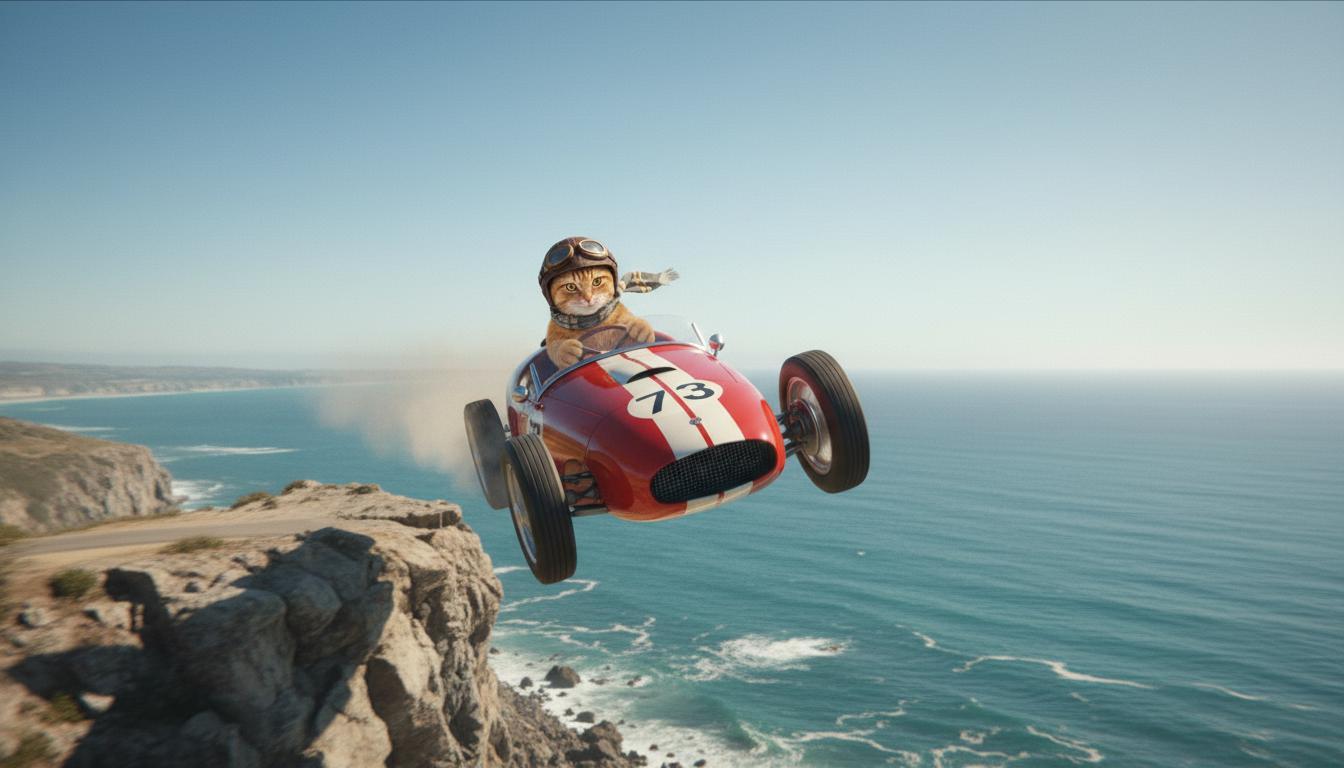
|
| Çıkış Videosu (Veo 3.1 tarafından üretilmiştir) İsteğe bağlı |
|
Bu özellik, başlangıç ve bitiş karesini tanımlamanıza olanak tanıyarak çekiminizin kompozisyonu üzerinde hassas kontrol sağlar. Sahnenizin tam olarak hayal ettiğiniz gibi başlayıp bitmesi için bir resim yükleyin veya önceki bir video üretiminden bir kare kullanın.
Uzantı için istem girme
Veo ile oluşturduğunuz videoyu Veo 3.1 ile uzatmak için (Veo 3.1 Lite'ta kullanılamaz) videoyu isteğe bağlı bir metin istemiyle birlikte giriş olarak kullanın. Uzatma, videonuzun son saniyesini veya 24 karesini tamamlar ve hareketi devam ettirir.
Videonun son 1 saniyesinde ses yoksa sesin etkili bir şekilde uzatılamayacağını unutmayın.
| İstem | Oluşturulan çıkış |
|---|---|
| Giriş videosu (Veo 3.1 tarafından üretildi) Yamaç paraşütçüsü dağın zirvesinden havalanıyor ve çiçeklerle kaplı vadilere bakan dağlardan aşağı süzülmeye başlıyor. |
|
| Çıkış Videosu (Veo 3.1 tarafından üretilmiştir) Yamaç paraşütçüsünün yavaşça indiği bu videoyu uzat. |
|
Örnek istemler ve çıkışlar
Bu bölümde, açıklayıcı ayrıntıların her videonun sonucunu nasıl iyileştirebileceğini vurgulayan birkaç istem sunulmaktadır.
Buz Saçakları
Bu videoda, istem yazmanın temel unsurlarını isteminizde nasıl kullanabileceğiniz gösterilmektedir.
| İstem | Oluşturulan çıkış |
|---|---|
| Donmuş bir kaya duvarındaki (bağlam) eriyen buz sarkıtlarının (özne) yakın çekimi (kompozisyon), soğuk mavi tonlar (ambiyans), yakınlaştırılmış (kamera hareketi), su damlalarının yakın çekim ayrıntılarını koruyor (eylem). |
|
Telefonda konuşan adam
Bu videolarda, Veo'nun çıktıyı istediğiniz gibi hassaslaştırması için isteminizi giderek daha spesifik ayrıntılarla nasıl revize edebileceğiniz gösterilmektedir.
| İstem | Oluşturulan çıkış |
|---|---|
| Daha az ayrıntı Kamera, yeşil trençkotlu çaresiz bir adamı yakından göstermek için hareket ediyor. Yeşil neon ışıklı, çevirmeli bir duvar telefonunda görüşme yapıyor. Bir film sahnesine benziyor. |
|
| Daha fazla ayrıntı Yıpranmış yeşil bir trençkot giymiş çaresiz bir adamın, yeşil neon tabelanın ürkütücü ışığında, kirli bir tuğla duvara monte edilmiş çevirmeli telefonu çevirdiği yakın plan sinematik çekim. Kamera, adamın çenesindeki gerginliği ve arama yapmaya çalışırken yüzüne yansıyan çaresizliği gösterecek şekilde yaklaşır. Sığ alan derinliği, adamın çatık kaşlarına ve siyah çevirmeli telefona odaklanıyor. Arka plan, neon renkler ve belirsiz gölgelerden oluşan bir denize dönüşerek aciliyet ve yalnızlık hissi yaratıyor. |
|
Kar leoparı
| İstem | Oluşturulan çıkış |
|---|---|
| Basit istem: Kar leoparı benzeri kürkü olan sevimli bir yaratık kış ormanında yürüyor, 3D çizgi film stili oluşturma. |
|
| Ayrıntılı istem: Eğlenceli bir çizgi film tarzında kısa bir 3D animasyon sahnesi oluştur. Kar leoparı benzeri kürkü, büyük ve anlamlı gözleri, sevimli ve yuvarlak hatları olan sevimli bir yaratık, masalsı bir kış ormanında neşeyle zıplıyor. Sahnede yuvarlak, karla kaplı ağaçlar, hafifçe yağan kar taneleri ve dallardan süzülen sıcak güneş ışığı yer almalı. Yaratığın zıplama hareketleri ve geniş gülümsemesi saf bir neşe hissi uyandırmalı. Parlak, neşeli renkler ve eğlenceli animasyonlarla neşeli ve samimi bir üslup kullanın. |

|
Yazma öğelerine göre örnekler
Bu örnekler, istemlerinizi her bir temel öğeye göre nasıl hassaslaştıracağınızı gösterir.
Konu ve bağlam
Ana odağı (özne) ve arka planı veya ortamı (bağlam) belirtin.
| İstem | Oluşturulan çıkış |
|---|---|
| Yemyeşil bitkiler ve fütüristik unsurlarla kusursuz bir şekilde harmanlanan, akıcı organik şekillere sahip beyaz beton bir apartman binasının mimari çizimi |
|
| Arka planda ay ve birkaç yıldızla birlikte uzayda süzülen bir uydu. |
|
İşlem
Öznenin ne yaptığını belirtin (ör. yürüme, koşma veya başını çevirme).
| İstem | Oluşturulan çıkış |
|---|---|
| Gün batımında sahilde yürüyen, ufka doğru memnun ve rahat bir şekilde bakan bir kadının geniş açılı çekimi. |
|
Stil
Üretimi belirli bir estetiğe (ör. gerçeküstü, nostaljik, fütüristik, kara film) yönlendirmek için anahtar kelimeler ekleyin.
| İstem | Oluşturulan çıkış |
|---|---|
| Kara film tarzı, sokakta yürüyen bir erkek ve kadın, gizemli, sinematik, siyah beyaz. |
|
Kamera hareketi ve kompozisyon
Kameranın nasıl hareket ettiğini (bakış açısı çekimi, havadan görünüm, takip eden drone görünümü) ve çekimin nasıl kurgulandığını (geniş çekim, yakın çekim, alçak açı) belirtin.
| İstem | Oluşturulan çıkış |
|---|---|
| Yağmurlu bir gecede Kanada'da giden nostaljik bir arabadan bakış açısı çekimi, sinematik. |
|
| Şehir yansıması olan bir gözün aşırı yakın çekimi. |
|
Ortam
Renk paletleri ve ışıklandırma, ruh halini etkiler. "Sıcak tonlarda mat turuncu", "doğal ışık", "gün doğumu" veya "soğuk mavi tonlar" gibi terimleri deneyin.
| İstem | Oluşturulan çıkış |
|---|---|
| Parkta sevimli bir golden retriever yavrusunu kucağında tutan bir kızın yakın çekimi, güneş ışığı. |
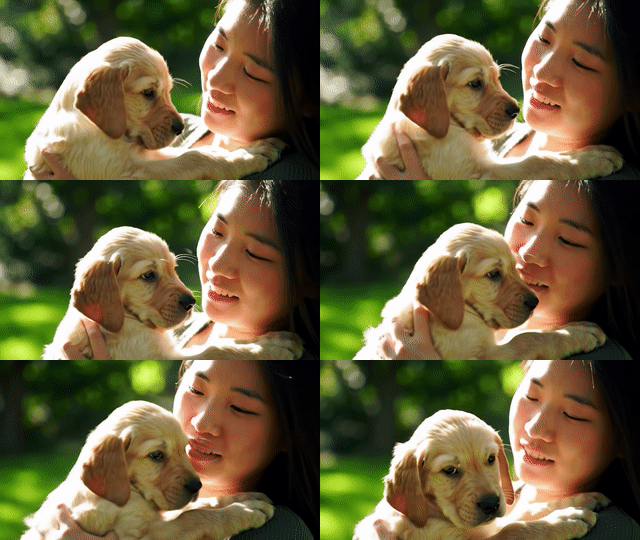
|
| Yağmurda otobüse binen üzgün bir kadının sinematik yakın çekimi, soğuk mavi tonlar, hüzünlü hava. |

|
En boy oranları
Veo, videonuzun en-boy oranını belirlemenize olanak tanır.
| İstem | Oluşturulan çıkış |
|---|---|
| Geniş ekran (16:9) 1970'lerde Palm Springs'te kırmızı üstü açık bir araba kullanan bir adamın takip eden drone görünümünü içeren bir video oluştur. Sıcak güneş ışığı, uzun gölgeler. |
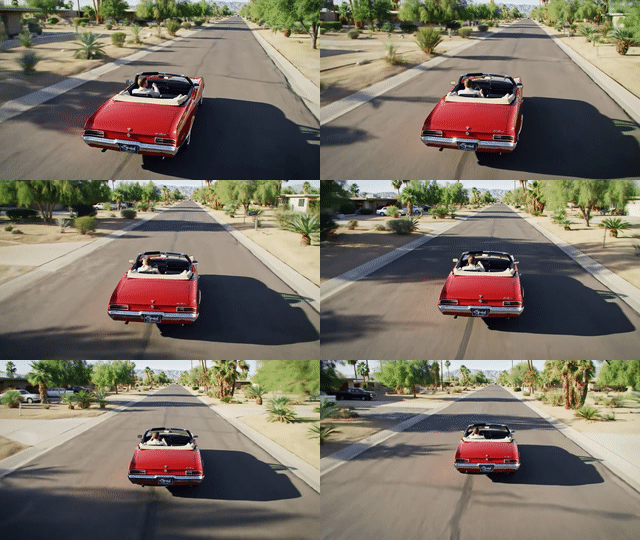
|
| Dikey (9:16) Yemyeşil bir yağmur ormanında görkemli bir Hawaii şelalesinin akışını gösteren bir video oluştur. Huzur hissi uyandırmak için gerçekçi su akışına, ayrıntılı yapraklara ve doğal ışıklandırmaya odaklan. Coşkun suları, puslu atmosferi ve sık ağaçların arasından süzülen güneş ışığını yakalayın. Şelaleyi ve çevresini göstermek için yumuşak, sinematik kamera hareketleri kullanın. İzleyiciyi Hawaii yağmur ormanlarının huzurlu güzelliğine götüren, sakin ve gerçekçi bir ton kullan. |
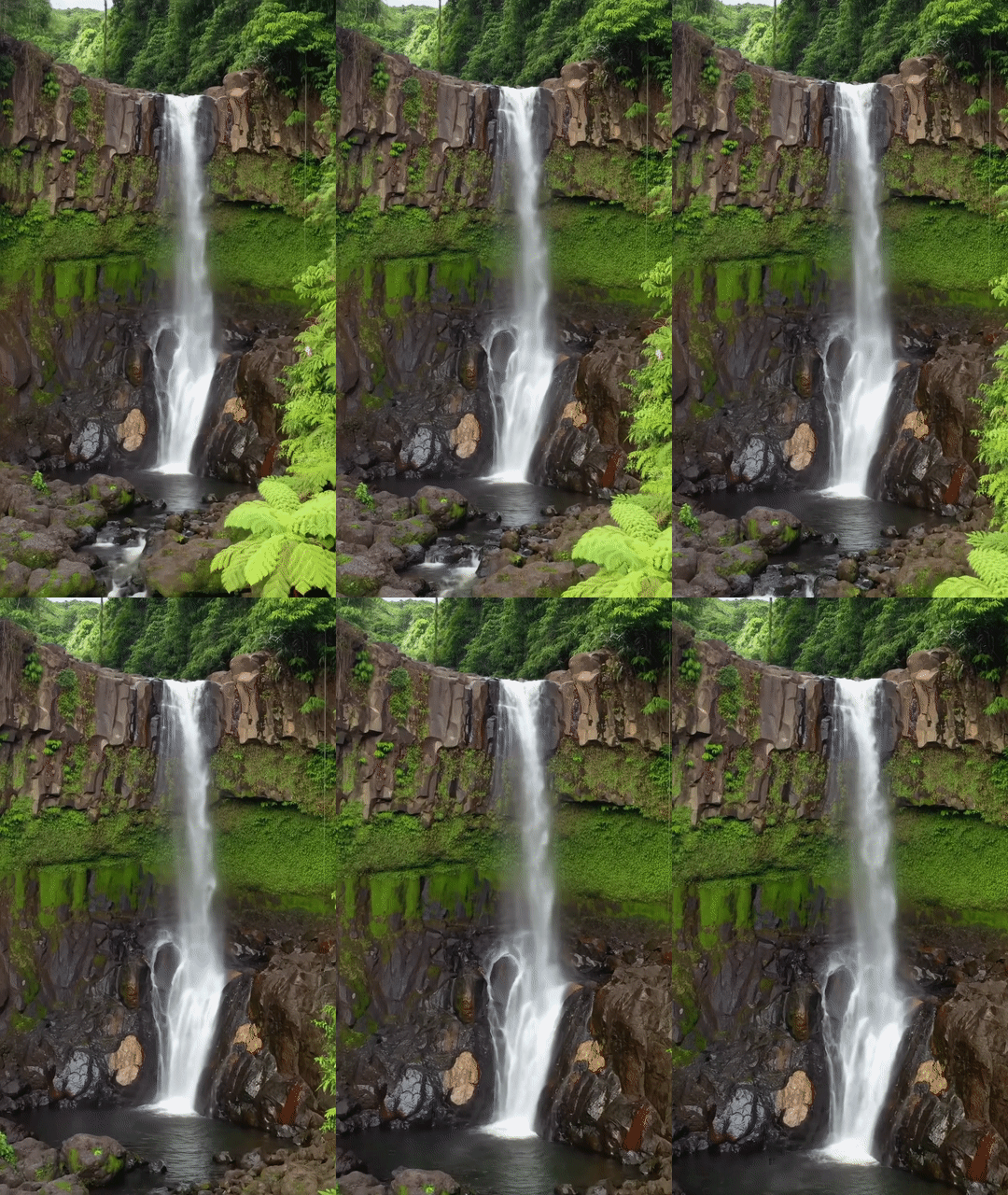
|
Model sürümleri
Veo modeline özgü kullanım ayrıntıları için Fiyatlandırma sayfasını ve Kullanım sınırları bölümünü inceleyin.
Veo 3.1 Preview
| Mülk | Açıklama |
|---|---|
| Model kodu |
Gemini API
|
| Desteklenen veri türleri |
Giriş Metin, resim Çıkış Sesli video |
| Limits |
Metin girişi 1.024 jeton Çıkış videosu 1 |
| Son güncelleme | Ocak 2026 |
Veo 3.1 Fast Preview
| Mülk | Açıklama |
|---|---|
| Model kodu |
Gemini API
|
| Desteklenen veri türleri |
Giriş Metin, resim Çıkış Sesli video |
| Limits |
Metin girişi 1.024 jeton Çıkış videosu 1 |
| Son güncelleme | Ocak 2026 |
Veo 3.1 Lite Preview
| Mülk | Açıklama |
|---|---|
| Model kodu |
Gemini API
|
| Desteklenen veri türleri |
Giriş Metin, resim Çıkış Sesli video |
| Limits |
Metin girişi 1.024 jeton Çıkış videosu 1 |
| Son güncelleme | Mart 2026 |
Veo 3 (Desteği sonlandırıldı)
| Mülk | Açıklama |
|---|---|
| Model kodu |
Gemini API
|
| Desteklenen veri türleri |
Giriş Metin, resim Çıkış Sesli video |
| Limits |
Metin girişi 1.024 jeton Çıkış videosu 1 |
| Son güncelleme | Temmuz 2025 |
Veo 3 Fast (Desteği sonlandırıldı)
| Mülk | Açıklama |
|---|---|
| Model kodu |
Gemini API
|
| Desteklenen veri türleri |
Giriş Metin, resim Çıkış Sesli video |
| Limits |
Metin girişi 1.024 jeton Çıkış videosu 1 |
| Son güncelleme | Temmuz 2025 |
Veo Fast sürümleri, geliştiricilerin yüksek kaliteden ödün vermeden, hız ve ticari kullanım alanları için optimize edilmiş sesli videolar oluşturmasına olanak tanır. Reklamları programatik olarak oluşturan arka uç hizmetleri, reklam öğesi konseptlerinin hızlı A/B testi için araçlar veya sosyal medya içeriklerini hızlıca üretmesi gereken uygulamalar için idealdir.
Sırada ne var?
- Veo Quickstart Colab ve Veo 3.1 applet'te denemeler yaparak Veo 3.1 API'yi kullanmaya başlayın.
- İstem tasarımına giriş kılavuzumuzla daha iyi istemler yazmayı öğrenin.