

Чтобы узнать больше о распознавании видео, ознакомьтесь с руководством по распознаванию видео.
Veo 3.1 – это модель для создания 8-секундных видео (720p, 1080p или 4K) с нативно сгенерированным аудио. Вы можете получить доступ к этой модели программным способом с помощью Gemini API. Подробнее о вариантах модели Veo…
Veo 3.1 поддерживает множество визуальных и кинематографических стилей и предлагает несколько новых возможностей:
- Вертикальные видео: выберите горизонтальные (
16:9) или вертикальные (9:16) видео. - Увеличение продолжительности видео. Увеличивайте продолжительность видео, созданных с помощью Veo.
- Генерация по кадрам. Создайте видео, указав первый и последний кадры.
- Направление на основе изображений. Используйте до трех референсных изображений, чтобы задать направление для сгенерированного видео.
Подробнее о том, как составлять эффективные текстовые запросы для создания видео, можно узнать из руководства по запросам для Veo.
Генерация видео из текста
Ниже приведены примеры того, как можно создать видео с диалогами, кинематографическим реализмом или креативной анимацией:
Диалоги и звуковые эффекты
Python
import time
from google import genai
from google.genai import types

client = genai.Client()

prompt = """A close up of two people staring at a cryptic drawing on a wall, torchlight flickering.
A man murmurs, 'This must be it. That's the secret code.' The woman looks at him and whispering excitedly, 'What did you find?'"""

operation = client.models.generate_videos(
    model="veo-3.1-generate-preview",
    prompt=prompt,
)

# Poll the operation status until the video is ready.
while not operation.done:
    print("Waiting for video generation to complete...")
    time.sleep(10)
    operation = client.operations.get(operation)

# Download the generated video.
generated_video = operation.response.generated_videos[0]
client.files.download(file=generated_video.video, destination="dialogue_example.mp4")
print("Generated video saved to dialogue_example.mp4")
JavaScript
import { GoogleGenAI } from "@google/genai";

const ai = new GoogleGenAI({});

const prompt = `A close up of two people staring at a cryptic drawing on a wall, torchlight flickering.
A man murmurs, 'This must be it. That's the secret code.' The woman looks at him and whispering excitedly, 'What did you find?'`;

let operation = await ai.models.generateVideos({
    model: "veo-3.1-generate-preview",
    prompt: prompt,
});

// Poll the operation status until the video is ready.
while (!operation.done) {
    console.log("Waiting for video generation to complete...")
    await new Promise((resolve) => setTimeout(resolve, 10000));
    operation = await ai.operations.getVideosOperation({
        operation: operation,
    });
}

// Download the generated video.
ai.files.download({
    file: operation.response.generatedVideos[0].video,
    downloadPath: "dialogue_example.mp4",
});
console.log(`Generated video saved to dialogue_example.mp4`);
Проложить маршрут
package main

import (
    "context"
    "log"
    "os"
    "time"

    "google.golang.org/genai"
)

func main() {
    ctx := context.Background()
    client, err := genai.NewClient(ctx, nil)
    if err != nil {
        log.Fatal(err)
    }

    prompt := `A close up of two people staring at a cryptic drawing on a wall, torchlight flickering.
    A man murmurs, 'This must be it. That's the secret code.' The woman looks at him and whispering excitedly, 'What did you find?'`

    operation, _ := client.Models.GenerateVideos(
        ctx,
        "veo-3.1-generate-preview",
        prompt,
        nil,
        nil,
    )

    // Poll the operation status until the video is ready.
    for !operation.Done {
    log.Println("Waiting for video generation to complete...")
        time.Sleep(10 * time.Second)
        operation, _ = client.Operations.GetVideosOperation(ctx, operation, nil)
    }

    // Download the generated video.
    video := operation.Response.GeneratedVideos[0]
    client.Files.Download(ctx, video.Video, nil)
    fname := "dialogue_example.mp4"
    _ = os.WriteFile(fname, video.Video.VideoBytes, 0644)
    log.Printf("Generated video saved to %s\n", fname)
}
Java
import com.google.genai.Client;
import com.google.genai.types.GenerateVideosOperation;
import com.google.genai.types.GeneratedVideo;

Client client = new Client();

String prompt =
    "A close up of two people staring at a cryptic drawing on a wall, torchlight flickering.\n"
        + "A man murmurs, 'This must be it. That's the secret code.' The woman looks at him and whispering excitedly, 'What did you find?'";

GenerateVideosOperation operation =
    client.models.generateVideos("veo-3.1-generate-preview", prompt, null, null);

// Poll the operation status until the video is ready.
while (!operation.done().orElse(false)) {
  System.out.println("Waiting for video generation to complete...");
  Thread.sleep(10000);
  operation = client.operations.getVideosOperation(operation, null);
}

// Download the generated video.
GeneratedVideo generatedVideo = operation.response().get().generatedVideos().get().get(0);
client.files.download(generatedVideo, "dialogue_example.mp4", null);
System.out.println("Generated video saved to dialogue_example.mp4");
REST
# Note: This script uses jq to parse the JSON response.
# GEMINI API Base URL
BASE_URL="https://generativelanguage.googleapis.com/v1beta"

# Send request to generate video and capture the operation name into a variable.
operation_name=$(curl -s "${BASE_URL}/models/veo-3.1-generate-preview:predictLongRunning" \
  -H "x-goog-api-key: $GEMINI_API_KEY" \
  -H "Content-Type: application/json" \
  -X "POST" \
  -d '{
    "instances": [{
        "prompt": "A close up of two people staring at a cryptic drawing on a wall, torchlight flickering. A man murmurs, \"This must be it. That'\''s the secret code.\" The woman looks at him and whispering excitedly, \"What did you find?\""
      }
    ]
  }' | jq -r .name)

# Poll the operation status until the video is ready
while true; do
  # Get the full JSON status and store it in a variable.
  status_response=$(curl -s -H "x-goog-api-key: $GEMINI_API_KEY" "${BASE_URL}/${operation_name}")

  # Check the "done" field from the JSON stored in the variable.
  is_done=$(echo "${status_response}" | jq .done)

  if [ "${is_done}" = "true" ]; then
    # Extract the download URI from the final response.
    video_uri=$(echo "${status_response}" | jq -r '.response.generateVideoResponse.generatedSamples[0].video.uri')
    echo "Downloading video from: ${video_uri}"

    # Download the video using the URI and API key and follow redirects.
    curl -L -o dialogue_example.mp4 -H "x-goog-api-key: $GEMINI_API_KEY" "${video_uri}"
    break
  fi
  # Wait for 5 seconds before checking again.
  sleep 10
done
Кинореализм
Python
import time
from google import genai
from google.genai import types

client = genai.Client()

prompt = """Drone shot following a classic red convertible driven by a man along a winding coastal road at sunset, waves crashing against the rocks below.
The convertible accelerates fast and the engine roars loudly."""

operation = client.models.generate_videos(
    model="veo-3.1-generate-preview",
    prompt=prompt,
)

# Poll the operation status until the video is ready.
while not operation.done:
    print("Waiting for video generation to complete...")
    time.sleep(10)
    operation = client.operations.get(operation)

# Download the generated video.
generated_video = operation.response.generated_videos[0]
client.files.download(file=generated_video.video, destination="realism_example.mp4")
print("Generated video saved to realism_example.mp4")
JavaScript
import { GoogleGenAI } from "@google/genai";

const ai = new GoogleGenAI({});

const prompt = `Drone shot following a classic red convertible driven by a man along a winding coastal road at sunset, waves crashing against the rocks below.
The convertible accelerates fast and the engine roars loudly.`;

let operation = await ai.models.generateVideos({
    model: "veo-3.1-generate-preview",
    prompt: prompt,
});

// Poll the operation status until the video is ready.
while (!operation.done) {
    console.log("Waiting for video generation to complete...")
    await new Promise((resolve) => setTimeout(resolve, 10000));
    operation = await ai.operations.getVideosOperation({
        operation: operation,
    });
}

// Download the generated video.
ai.files.download({
    file: operation.response.generatedVideos[0].video,
    downloadPath: "realism_example.mp4",
});
console.log(`Generated video saved to realism_example.mp4`);
Проложить маршрут
package main

import (
    "context"
    "log"
    "os"
    "time"

    "google.golang.org/genai"
)

func main() {
    ctx := context.Background()
    client, err := genai.NewClient(ctx, nil)
    if err != nil {
        log.Fatal(err)
    }

    prompt := `Drone shot following a classic red convertible driven by a man along a winding coastal road at sunset, waves crashing against the rocks below.
  The convertible accelerates fast and the engine roars loudly.`

    operation, _ := client.Models.GenerateVideos(
        ctx,
        "veo-3.1-generate-preview",
        prompt,
        nil,
        nil,
    )

    // Poll the operation status until the video is ready.
    for !operation.Done {
    log.Println("Waiting for video generation to complete...")
        time.Sleep(10 * time.Second)
        operation, _ = client.Operations.GetVideosOperation(ctx, operation, nil)
    }

    // Download the generated video.
    video := operation.Response.GeneratedVideos[0]
    client.Files.Download(ctx, video.Video, nil)
    fname := "realism_example.mp4"
    _ = os.WriteFile(fname, video.Video.VideoBytes, 0644)
    log.Printf("Generated video saved to %s\n", fname)
}
Java
import com.google.genai.Client;
import com.google.genai.types.GenerateVideosOperation;
import com.google.genai.types.GeneratedVideo;

Client client = new Client();

String prompt =
    "Drone shot following a classic red convertible driven by a man along a winding coastal road at sunset, waves crashing against the rocks below.\n"
        + "The convertible accelerates fast and the engine roars loudly.";

GenerateVideosOperation operation =
    client.models.generateVideos("veo-3.1-generate-preview", prompt, null, null);

// Poll the operation status until the video is ready.
while (!operation.done().orElse(false)) {
  System.out.println("Waiting for video generation to complete...");
  Thread.sleep(10000);
  operation = client.operations.getVideosOperation(operation, null);
}

// Download the generated video.
GeneratedVideo generatedVideo = operation.response().get().generatedVideos().get().get(0);
client.files.download(generatedVideo, "realism_example.mp4", null);
System.out.println("Generated video saved to realism_example.mp4");
REST
# Note: This script uses jq to parse the JSON response.
# GEMINI API Base URL
BASE_URL="https://generativelanguage.googleapis.com/v1beta"

# Send request to generate video and capture the operation name into a variable.
operation_name=$(curl -s "${BASE_URL}/models/veo-3.1-generate-preview:predictLongRunning" \
  -H "x-goog-api-key: $GEMINI_API_KEY" \
  -H "Content-Type: application/json" \
  -X "POST" \
  -d '{
    "instances": [{
        "prompt": "Drone shot following a classic red convertible driven by a man along a winding coastal road at sunset, waves crashing against the rocks below. The convertible accelerates fast and the engine roars loudly."
      }
    ]
  }' | jq -r .name)

# Poll the operation status until the video is ready
while true; do
  # Get the full JSON status and store it in a variable.
  status_response=$(curl -s -H "x-goog-api-key: $GEMINI_API_KEY" "${BASE_URL}/${operation_name}")

  # Check the "done" field from the JSON stored in the variable.
  is_done=$(echo "${status_response}" | jq .done)

  if [ "${is_done}" = "true" ]; then
    # Extract the download URI from the final response.
    video_uri=$(echo "${status_response}" | jq -r '.response.generateVideoResponse.generatedSamples[0].video.uri')
    echo "Downloading video from: ${video_uri}"

    # Download the video using the URI and API key and follow redirects.
    curl -L -o realism_example.mp4 -H "x-goog-api-key: $GEMINI_API_KEY" "${video_uri}"
    break
  fi
  # Wait for 5 seconds before checking again.
  sleep 10
done
Анимация креатива
Python
import time
from google import genai

client = genai.Client()
prompt = "A whimsical stop-motion animation of a tiny robot tending to a garden of glowing mushrooms on a miniature planet."

operation = client.models.generate_videos(
    model="veo-3.1-generate-preview",
    prompt=prompt,
)

# Poll the operation status until the video is ready.
while not operation.done:
    print("Waiting for video generation to complete...")
    time.sleep(10)
    operation = client.operations.get(operation)

# Download the generated video.
generated_video = operation.response.generated_videos[0]
client.files.download(file=generated_video.video, destination="style_example.mp4")
print("Generated video saved to style_example.mp4")
JavaScript
import { GoogleGenAI } from "@google/genai";

const ai = new GoogleGenAI({});

const prompt = "A whimsical stop-motion animation of a tiny robot tending to a garden of glowing mushrooms on a miniature planet.";

let operation = await ai.models.generateVideos({
    model: "veo-3.1-generate-preview",
    prompt: prompt,
});

// Poll the operation status until the video is ready.
while (!operation.done) {
    console.log("Waiting for video generation to complete...")
    await new Promise((resolve) => setTimeout(resolve, 10000));
    operation = await ai.operations.getVideosOperation({
        operation: operation,
    });
}

// Download the generated video.
ai.files.download({
    file: operation.response.generatedVideos[0].video,
    downloadPath: "style_example.mp4",
});
console.log(`Generated video saved to style_example.mp4`);
Проложить маршрут
package main

import (
    "context"
    "log"
    "os"
    "time"

    "google.golang.org/genai"
)

func main() {
    ctx := context.Background()
    client, err := genai.NewClient(ctx, nil)
    if err != nil {
        log.Fatal(err)
    }

    prompt := `A whimsical stop-motion animation of a tiny robot tending to a garden of glowing mushrooms on a miniature planet.`

    operation, _ := client.Models.GenerateVideos(
        ctx,
        "veo-3.1-generate-preview",
        prompt,
        nil,
        nil,
    )

    // Poll the operation status until the video is ready.
    for !operation.Done {
    log.Println("Waiting for video generation to complete...")
        time.Sleep(10 * time.Second)
        operation, _ = client.Operations.GetVideosOperation(ctx, operation, nil)
    }

    // Download the generated video.
    video := operation.Response.GeneratedVideos[0]
    client.Files.Download(ctx, video.Video, nil)
    fname := "style_example.mp4"
    _ = os.WriteFile(fname, video.Video.VideoBytes, 0644)
    log.Printf("Generated video saved to %s\n", fname)
}
Java
import com.google.genai.Client;
import com.google.genai.types.GenerateVideosOperation;
import com.google.genai.types.GeneratedVideo;

Client client = new Client();

String prompt =
    "A whimsical stop-motion animation of a tiny robot tending to a garden of glowing mushrooms on a miniature planet.";

GenerateVideosOperation operation =
    client.models.generateVideos("veo-3.1-generate-preview", prompt, null, null);

// Poll the operation status until the video is ready.
while (!operation.done().orElse(false)) {
  System.out.println("Waiting for video generation to complete...");
  Thread.sleep(10000);
  operation = client.operations.getVideosOperation(operation, null);
}

// Download the generated video.
GeneratedVideo generatedVideo = operation.response().get().generatedVideos().get().get(0);
client.files.download(generatedVideo, "style_example.mp4", null);
System.out.println("Generated video saved to style_example.mp4");
REST
# Note: This script uses jq to parse the JSON response.
# GEMINI API Base URL
BASE_URL="https://generativelanguage.googleapis.com/v1beta"

# Send request to generate video and capture the operation name into a variable.
operation_name=$(curl -s "${BASE_URL}/models/veo-3.1-generate-preview:predictLongRunning" \
  -H "x-goog-api-key: $GEMINI_API_KEY" \
  -H "Content-Type: application/json" \
  -X "POST" \
  -d '{
    "instances": [{
        "prompt": "A whimsical stop-motion animation of a tiny robot tending to a garden of glowing mushrooms on a miniature planet."
      }
    ]
  }' | jq -r .name)

# Poll the operation status until the video is ready
while true; do
  # Get the full JSON status and store it in a variable.
  status_response=$(curl -s -H "x-goog-api-key: $GEMINI_API_KEY" "${BASE_URL}/${operation_name}")

  # Check the "done" field from the JSON stored in the variable.
  is_done=$(echo "${status_response}" | jq .done)

  if [ "${is_done}" = "true" ]; then
    # Extract the download URI from the final response.
    video_uri=$(echo "${status_response}" | jq -r '.response.generateVideoResponse.generatedSamples[0].video.uri')
    echo "Downloading video from: ${video_uri}"

    # Download the video using the URI and API key and follow redirects.
    curl -L -o style_example.mp4 -H "x-goog-api-key: $GEMINI_API_KEY" "${video_uri}"
    break
  fi
  # Wait for 5 seconds before checking again.
  sleep 10
done
Как управлять соотношением сторон
Veo 3.1 позволяет создавать видео в альбомной (16:9, настройка по умолчанию) или портретной (9:16) ориентации. Вы можете указать, какую модель хотите использовать, с помощью параметра aspect_ratio:
Python
import time
from google import genai
from google.genai import types

client = genai.Client()

prompt = """A montage of pizza making: a chef tossing and flattening the floury dough, ladling rich red tomato sauce in a spiral, sprinkling mozzarella cheese and pepperoni, and a final shot of the bubbling golden-brown pizza, upbeat electronic music with a rhythmical beat is playing, high energy professional video."""

operation = client.models.generate_videos(
    model="veo-3.1-generate-preview",
    prompt=prompt,
    config=types.GenerateVideosConfig(
      aspect_ratio="9:16",
    ),
)

# Poll the operation status until the video is ready.
while not operation.done:
    print("Waiting for video generation to complete...")
    time.sleep(10)
    operation = client.operations.get(operation)

# Download the generated video.
generated_video = operation.response.generated_videos[0]
client.files.download(file=generated_video.video, destination="pizza_making.mp4")
print("Generated video saved to pizza_making.mp4")
JavaScript
import { GoogleGenAI } from "@google/genai";

const ai = new GoogleGenAI({});

const prompt = `A montage of pizza making: a chef tossing and flattening the floury dough, ladling rich red tomato sauce in a spiral, sprinkling mozzarella cheese and pepperoni, and a final shot of the bubbling golden-brown pizza, upbeat electronic music with a rhythmical beat is playing, high energy professional video.`;

let operation = await ai.models.generateVideos({
    model: "veo-3.1-generate-preview",
    prompt: prompt,
    config: {
      aspectRatio: "9:16",
    },
});

// Poll the operation status until the video is ready.
while (!operation.done) {
    console.log("Waiting for video generation to complete...")
    await new Promise((resolve) => setTimeout(resolve, 10000));
    operation = await ai.operations.getVideosOperation({
        operation: operation,
    });
}

// Download the generated video.
ai.files.download({
    file: operation.response.generatedVideos[0].video,
    downloadPath: "pizza_making.mp4",
});
console.log(`Generated video saved to pizza_making.mp4`);
Проложить маршрут
package main

import (
    "context"
    "log"
    "os"
    "time"

    "google.golang.org/genai"
)

func main() {
    ctx := context.Background()
    client, err := genai.NewClient(ctx, nil)
    if err != nil {
        log.Fatal(err)
    }

    prompt := `A montage of pizza making: a chef tossing and flattening the floury dough, ladling rich red tomato sauce in a spiral, sprinkling mozzarella cheese and pepperoni, and a final shot of the bubbling golden-brown pizza, upbeat electronic music with a rhythmical beat is playing, high energy professional video.`

  videoConfig := &genai.GenerateVideosConfig{
      AspectRatio: "9:16",
  }

    operation, _ := client.Models.GenerateVideos(
        ctx,
        "veo-3.1-generate-preview",
        prompt,
        nil,
        videoConfig,
    )

    // Poll the operation status until the video is ready.
    for !operation.Done {
    log.Println("Waiting for video generation to complete...")
        time.Sleep(10 * time.Second)
        operation, _ = client.Operations.GetVideosOperation(ctx, operation, nil)
    }

    // Download the generated video.
    video := operation.Response.GeneratedVideos[0]
    client.Files.Download(ctx, video.Video, nil)
    fname := "pizza_making.mp4"
    _ = os.WriteFile(fname, video.Video.VideoBytes, 0644)
    log.Printf("Generated video saved to %s\n", fname)
}
REST
# Note: This script uses jq to parse the JSON response.
# GEMINI API Base URL
BASE_URL="https://generativelanguage.googleapis.com/v1beta"

# Send request to generate video and capture the operation name into a variable.
operation_name=$(curl -s "${BASE_URL}/models/veo-3.1-generate-preview:predictLongRunning" \
  -H "x-goog-api-key: $GEMINI_API_KEY" \
  -H "Content-Type: application/json" \
  -X "POST" \
  -d '{
    "instances": [{
        "prompt": "A montage of pizza making: a chef tossing and flattening the floury dough, ladling rich red tomato sauce in a spiral, sprinkling mozzarella cheese and pepperoni, and a final shot of the bubbling golden-brown pizza, upbeat electronic music with a rhythmical beat is playing, high energy professional video."
      }
    ],
    "parameters": {
      "aspectRatio": "9:16"
    }
  }' | jq -r .name)

# Poll the operation status until the video is ready
while true; do
  # Get the full JSON status and store it in a variable.
  status_response=$(curl -s -H "x-goog-api-key: $GEMINI_API_KEY" "${BASE_URL}/${operation_name}")

  # Check the "done" field from the JSON stored in the variable.
  is_done=$(echo "${status_response}" | jq .done)

  if [ "${is_done}" = "true" ]; then
    # Extract the download URI from the final response.
    video_uri=$(echo "${status_response}" | jq -r '.response.generateVideoResponse.generatedSamples[0].video.uri')
    echo "Downloading video from: ${video_uri}"

    # Download the video using the URI and API key and follow redirects.
    curl -L -o pizza_making.mp4 -H "x-goog-api-key: $GEMINI_API_KEY" "${video_uri}"
    break
  fi
  # Wait for 5 seconds before checking again.
  sleep 10
done
Как управлять разрешением
Veo 3.1 также может напрямую генерировать видео с разрешением 720p, 1080p или 4K (4K недоступно в Veo 3.1 Lite).
Чем выше разрешение, тем больше задержка. 4K-видео также стоят дороже (см. цены).
Расширение "Видео" также ограничено видео с разрешением 720p.
Python
import time
from google import genai
from google.genai import types

client = genai.Client()

prompt = """A stunning drone view of the Grand Canyon during a flamboyant sunset that highlights the canyon's colors. The drone slowly flies towards the sun then accelerates, dives and flies inside the canyon."""

operation = client.models.generate_videos(
    model="veo-3.1-generate-preview",
    prompt=prompt,
    config=types.GenerateVideosConfig(
      resolution="4k",
    ),
)

# Poll the operation status until the video is ready.
while not operation.done:
    print("Waiting for video generation to complete...")
    time.sleep(10)
    operation = client.operations.get(operation)

# Download the generated video.
generated_video = operation.response.generated_videos[0]
client.files.download(file=generated_video.video, destination="4k_grand_canyon.mp4")
print("Generated video saved to 4k_grand_canyon.mp4")
JavaScript
import { GoogleGenAI } from "@google/genai";

const ai = new GoogleGenAI({});

const prompt = `A stunning drone view of the Grand Canyon during a flamboyant sunset that highlights the canyon's colors. The drone slowly flies towards the sun then accelerates, dives and flies inside the canyon.`;

let operation = await ai.models.generateVideos({
    model: "veo-3.1-generate-preview",
    prompt: prompt,
    config: {
      resolution: "4k",
    },
});

// Poll the operation status until the video is ready.
while (!operation.done) {
    console.log("Waiting for video generation to complete...")
    await new Promise((resolve) => setTimeout(resolve, 10000));
    operation = await ai.operations.getVideosOperation({
        operation: operation,
    });
}

// Download the generated video.
ai.files.download({
    file: operation.response.generatedVideos[0].video,
    downloadPath: "4k_grand_canyon.mp4",
});
console.log(`Generated video saved to 4k_grand_canyon.mp4`);
Проложить маршрут
package main

import (
    "context"
    "log"
    "os"
    "time"

    "google.golang.org/genai"
)

func main() {
    ctx := context.Background()
    client, err := genai.NewClient(ctx, nil)
    if err != nil {
        log.Fatal(err)
    }

    prompt := `A stunning drone view of the Grand Canyon during a flamboyant sunset that highlights the canyon's colors. The drone slowly flies towards the sun then accelerates, dives and flies inside the canyon.`

  videoConfig := &genai.GenerateVideosConfig{
      Resolution: "4k",
  }

    operation, _ := client.Models.GenerateVideos(
        ctx,
        "veo-3.1-generate-preview",
        prompt,
        nil,
        videoConfig,
    )

    // Poll the operation status until the video is ready.
    for !operation.Done {
    log.Println("Waiting for video generation to complete...")
        time.Sleep(10 * time.Second)
        operation, _ = client.Operations.GetVideosOperation(ctx, operation, nil)
    }

    // Download the generated video.
    video := operation.Response.GeneratedVideos[0]
    client.Files.Download(ctx, video.Video, nil)
    fname := "4k_grand_canyon.mp4"
    _ = os.WriteFile(fname, video.Video.VideoBytes, 0644)
    log.Printf("Generated video saved to %s\n", fname)
}
REST
# Note: This script uses jq to parse the JSON response.
# GEMINI API Base URL
BASE_URL="https://generativelanguage.googleapis.com/v1beta"

# Send request to generate video and capture the operation name into a variable.
operation_name=$(curl -s "${BASE_URL}/models/veo-3.1-generate-preview:predictLongRunning" \
  -H "x-goog-api-key: $GEMINI_API_KEY" \
  -H "Content-Type: application/json" \
  -X "POST" \
  -d '{
    "instances": [{
        "prompt": "A stunning drone view of the Grand Canyon during a flamboyant sunset that highlights the canyon'\''s colors. The drone slowly flies towards the sun then accelerates, dives and flies inside the canyon."
      }
    ],
    "parameters": {
      "resolution": "4k"
    }
  }' | jq -r .name)

# Poll the operation status until the video is ready
while true; do
  # Get the full JSON status and store it in a variable.
  status_response=$(curl -s -H "x-goog-api-key: $GEMINI_API_KEY" "${BASE_URL}/${operation_name}")

  # Check the "done" field from the JSON stored in the variable.
  is_done=$(echo "${status_response}" | jq .done)

  if [ "${is_done}" = "true" ]; then
    # Extract the download URI from the final response.
    video_uri=$(echo "${status_response}" | jq -r '.response.generateVideoResponse.generatedSamples[0].video.uri')
    echo "Downloading video from: ${video_uri}"

    # Download the video using the URI and API key and follow redirects.
    curl -L -o 4k_grand_canyon.mp4 -H "x-goog-api-key: $GEMINI_API_KEY" "${video_uri}"
    break
  fi
  # Wait for 5 seconds before checking again.
  sleep 10
done
Генерация видео из изображений
В следующем коде показано, как создать изображение с помощью Gemini 3.1 Flash Image (Nano Banana 2), а затем использовать его в качестве первого кадра для создания видео с помощью Veo 3.1.
Python
import time
from google import genai

client = genai.Client()

prompt = "Panning wide shot of a calico kitten sleeping in the sunshine"

# Step 1: Generate an image with Nano Banana 2.
image = client.models.generate_content(
    model="gemini-3.1-flash-image-preview",
    contents=prompt,
    config={"response_modalities":['IMAGE']}
)

# Step 2: Generate video with Veo 3.1 using the image.
operation = client.models.generate_videos(
    model="veo-3.1-generate-preview",
    prompt=prompt,
    image=image.parts[0].as_image(),
)

# Poll the operation status until the video is ready.
while not operation.done:
    print("Waiting for video generation to complete...")
    time.sleep(10)
    operation = client.operations.get(operation)

# Download the video.
video = operation.response.generated_videos[0]
client.files.download(file=video.video, destination="veo3_with_image_input.mp4")
print("Generated video saved to veo3_with_image_input.mp4")
JavaScript
import { GoogleGenAI } from "@google/genai";

const ai = new GoogleGenAI({});

const prompt = "Panning wide shot of a calico kitten sleeping in the sunshine";

// Step 1: Generate an image with Nano Banana 2.
const imageResponse = await ai.models.generateContent({
  model: "gemini-3.1-flash-image-preview",
  prompt: prompt,
});

// Step 2: Generate video with Veo 3.1 using the image.
let operation = await ai.models.generateVideos({
  model: "veo-3.1-generate-preview",
  prompt: prompt,
  image: {
    imageBytes: imageResponse.generatedImages[0].image.imageBytes,
    mimeType: "image/png",
  },
});

// Poll the operation status until the video is ready.
while (!operation.done) {
  console.log("Waiting for video generation to complete...")
  await new Promise((resolve) => setTimeout(resolve, 10000));
  operation = await ai.operations.getVideosOperation({
    operation: operation,
  });
}

// Download the video.
ai.files.download({
    file: operation.response.generatedVideos[0].video,
    downloadPath: "veo3_with_image_input.mp4",
});
console.log(`Generated video saved to veo3_with_image_input.mp4`);
Проложить маршрут
package main

import (
    "context"
    "log"
    "os"
    "time"

    "google.golang.org/genai"
)

func main() {
    ctx := context.Background()
    client, err := genai.NewClient(ctx, nil)
    if err != nil {
        log.Fatal(err)
    }

    prompt := "Panning wide shot of a calico kitten sleeping in the sunshine"

    // Step 1: Generate an image with Nano Banana 2.
    imageResponse, err := client.Models.GenerateContent(
        ctx,
        "gemini-3.1-flash-image-preview",
        prompt,
        nil, // GenerateImagesConfig
    )
    if err != nil {
        log.Fatal(err)
    }

    // Step 2: Generate video with Veo 3.1 using the image.
    operation, err := client.Models.GenerateVideos(
        ctx,
        "veo-3.1-generate-preview",
        prompt,
        imageResponse.GeneratedImages[0].Image,
        nil, // GenerateVideosConfig
    )
    if err != nil {
        log.Fatal(err)
    }

    // Poll the operation status until the video is ready.
    for !operation.Done {
        log.Println("Waiting for video generation to complete...")
        time.Sleep(10 * time.Second)
        operation, _ = client.Operations.GetVideosOperation(ctx, operation, nil)
    }

    // Download the video.
    video := operation.Response.GeneratedVideos[0]
    client.Files.Download(ctx, video.Video, nil)
    fname := "veo3_with_image_input.mp4"
    _ = os.WriteFile(fname, video.Video.VideoBytes, 0644)
    log.Printf("Generated video saved to %s\n", fname)
}
Java
import com.google.genai.Client;
import com.google.genai.types.Blob;
import com.google.genai.types.GenerateContentConfig;
import com.google.genai.types.GenerateContentResponse;
import com.google.genai.types.GenerateVideosOperation;
import com.google.genai.types.GeneratedVideo;
import com.google.genai.types.Image;

Client client = new Client();

String prompt = "Panning wide shot of a calico kitten sleeping in the sunshine";

// Step 1: Generate an image with Nano Banana 2.
GenerateContentResponse imageResponse =
    client.models.generateContent(
        "gemini-3.1-flash-image-preview",
        prompt,
        GenerateContentConfig.builder().responseModalities("IMAGE").build());

Blob inlineData = imageResponse.parts().get(0).inlineData().get();
Image image =
    Image.builder()
        .imageBytes(inlineData.data().get())
        .mimeType(inlineData.mimeType().orElse("image/png"))
        .build();

// Step 2: Generate video with Veo 3.1 using the image.
GenerateVideosOperation operation =
    client.models.generateVideos("veo-3.1-generate-preview", prompt, image, null);

// Poll the operation status until the video is ready.
while (!operation.done().orElse(false)) {
  System.out.println("Waiting for video generation to complete...");
  Thread.sleep(10000);
  operation = client.operations.getVideosOperation(operation, null);
}

// Download the video.
GeneratedVideo video = operation.response().get().generatedVideos().get().get(0);
client.files.download(video, "veo3_with_image_input.mp4", null);
System.out.println("Generated video saved to veo3_with_image_input.mp4");
Как использовать референсные изображения
Теперь Veo 3.1 принимает до трех референсных изображений, которые помогают ИИ создавать видео. Добавьте изображения человека, персонажа или товара, чтобы сохранить их внешний вид в выходном видео.
Например, если использовать три изображения, созданные с помощью Nano Banana, в качестве референсов и составить хороший запрос, можно получить следующее видео:
`dress_image` |
`woman_image` |
`glasses_image` |
|---|---|---|

|

|

|
Python
import time
from google import genai

client = genai.Client()

prompt = "The video opens with a medium, eye-level shot of a beautiful woman with dark hair and warm brown eyes. She wears a magnificent, high-fashion flamingo dress with layers of pink and fuchsia feathers, complemented by whimsical pink, heart-shaped sunglasses. She walks with serene confidence through the crystal-clear, shallow turquoise water of a sun-drenched lagoon. The camera slowly pulls back to a medium-wide shot, revealing the breathtaking scene as the dress's long train glides and floats gracefully on the water's surface behind her. The cinematic, dreamlike atmosphere is enhanced by the vibrant colors of the dress against the serene, minimalist landscape, capturing a moment of pure elegance and high-fashion fantasy."

dress_reference = types.VideoGenerationReferenceImage(
  image=dress_image, # Generated separately with Nano Banana
  reference_type="asset"
)

sunglasses_reference = types.VideoGenerationReferenceImage(
  image=glasses_image, # Generated separately with Nano Banana
  reference_type="asset"
)

woman_reference = types.VideoGenerationReferenceImage(
  image=woman_image, # Generated separately with Nano Banana
  reference_type="asset"
)

operation = client.models.generate_videos(
    model="veo-3.1-generate-preview",
    prompt=prompt,
    config=types.GenerateVideosConfig(
      reference_images=[dress_reference, glasses_reference, woman_reference],
    ),
)

# Poll the operation status until the video is ready.
while not operation.done:
    print("Waiting for video generation to complete...")
    time.sleep(10)
    operation = client.operations.get(operation)

# Download the video.
video = operation.response.generated_videos[0]
client.files.download(file=video.video, destination="veo3.1_with_reference_images.mp4")
print("Generated video saved to veo3.1_with_reference_images.mp4")
JavaScript
import { GoogleGenAI } from "@google/genai";

const ai = new GoogleGenAI({});

const prompt = "The video opens with a medium, eye-level shot of a beautiful woman with dark hair and warm brown eyes. She wears a magnificent, high-fashion flamingo dress with layers of pink and fuchsia feathers, complemented by whimsical pink, heart-shaped sunglasses. She walks with serene confidence through the crystal-clear, shallow turquoise water of a sun-drenched lagoon. The camera slowly pulls back to a medium-wide shot, revealing the breathtaking scene as the dress's long train glides and floats gracefully on the water's surface behind her. The cinematic, dreamlike atmosphere is enhanced by the vibrant colors of the dress against the serene, minimalist landscape, capturing a moment of pure elegance and high-fashion fantasy.";

// dressImage, glassesImage, womanImage generated separately with Nano Banana
// and available as objects like { imageBytes: "...", mimeType: "image/png" }
const dressReference = {
  image: dressImage,
  referenceType: "asset",
};
const sunglassesReference = {
  image: glassesImage,
  referenceType: "asset",
};
const womanReference = {
  image: womanImage,
  referenceType: "asset",
};

let operation = await ai.models.generateVideos({
  model: "veo-3.1-generate-preview",
  prompt: prompt,
  config: {
    referenceImages: [
      dressReference,
      sunglassesReference,
      womanReference,
    ],
  },
});

// Poll the operation status until the video is ready.
while (!operation.done) {
  console.log("Waiting for video generation to complete...");
  await new Promise((resolve) => setTimeout(resolve, 10000));
  operation = await ai.operations.getVideosOperation({
    operation: operation,
  });
}

// Download the video.
ai.files.download({
  file: operation.response.generatedVideos[0].video,
  downloadPath: "veo3.1_with_reference_images.mp4",
});
console.log(`Generated video saved to veo3.1_with_reference_images.mp4`);
Проложить маршрут
package main

import (
    "context"
    "log"
    "os"
    "time"

    "google.golang.org/genai"
)

func main() {
    ctx := context.Background()
    client, err := genai.NewClient(ctx, nil)
    if err != nil {
        log.Fatal(err)
    }

  prompt := `The video opens with a medium, eye-level shot of a beautiful woman with dark hair and warm brown eyes. She wears a magnificent, high-fashion flamingo dress with layers of pink and fuchsia feathers, complemented by whimsical pink, heart-shaped sunglasses. She walks with serene confidence through the crystal-clear, shallow turquoise water of a sun-drenched lagoon. The camera slowly pulls back to a medium-wide shot, revealing the breathtaking scene as the dress's long train glides and floats gracefully on the water's surface behind her. The cinematic, dreamlike atmosphere is enhanced by the vibrant colors of the dress against the serene, minimalist landscape, capturing a moment of pure elegance and high-fashion fantasy.`

  // dressImage, glassesImage, womanImage generated separately with Nano Banana
  // and available as *genai.Image objects.
  var dressImage, glassesImage, womanImage *genai.Image

  dressReference := &genai.VideoGenerationReferenceImage{
    Image: dressImage,
    ReferenceType: "asset",
  }
  sunglassesReference := &genai.VideoGenerationReferenceImage{
    Image: glassesImage,
    ReferenceType: "asset",
  }
  womanReference := &genai.VideoGenerationReferenceImage{
    Image: womanImage,
    ReferenceType: "asset",
  }

    operation, _ := client.Models.GenerateVideos(
        ctx,
        "veo-3.1-generate-preview",
        prompt,
    nil, // image
        &genai.GenerateVideosConfig{
      ReferenceImages: []*genai.VideoGenerationReferenceImage{
        dressReference,
        sunglassesReference,
        womanReference,
      },
    },
    )

    // Poll the operation status until the video is ready.
    for !operation.Done {
        log.Println("Waiting for video generation to complete...")
        time.Sleep(10 * time.Second)
        operation, _ = client.Operations.GetVideosOperation(ctx, operation, nil)
    }

    // Download the video.
    video := operation.Response.GeneratedVideos[0]
    client.Files.Download(ctx, video.Video, nil)
    fname := "veo3.1_with_reference_images.mp4"
    _ = os.WriteFile(fname, video.Video.VideoBytes, 0644)
    log.Printf("Generated video saved to %s\n", fname)
}
REST
# Note: This script uses jq to parse the JSON response.
# It assumes dress_image_base64, glasses_image_base64, and woman_image_base64
# contain base64-encoded image data.

# GEMINI API Base URL
BASE_URL="https://generativelanguage.googleapis.com/v1beta"

# Send request to generate video and capture the operation name into a variable.
operation_name=$(curl -s "${BASE_URL}/models/veo-3.1-generate-preview:predictLongRunning" \
  -H "x-goog-api-key: $GEMINI_API_KEY" \
  -H "Content-Type: application/json" \
  -X "POST" \
  -d '{
    "instances": [{
      "prompt": "The video opens with a medium, eye-level shot of a beautiful woman with dark hair and warm brown eyes. She wears a magnificent, high-fashion flamingo dress with layers of pink and fuchsia feathers, complemented by whimsical pink, heart-shaped sunglasses. She walks with serene confidence through the crystal-clear, shallow turquoise water of a sun-drenched lagoon. The camera slowly pulls back to a medium-wide shot, revealing the breathtaking scene as the dress'\''s long train glides and floats gracefully on the water'\''s surface behind her. The cinematic, dreamlike atmosphere is enhanced by the vibrant colors of the dress against the serene, minimalist landscape, capturing a moment of pure elegance and high-fashion fantasy.",
      "referenceImages": [
        {
          "image": {"inlineData": {"mimeType": "image/png", "data": "'"$dress_image_base64"'"}},
          "referenceType": "asset"
        },
        {
          "image": {"inlineData": {"mimeType": "image/png", "data": "'"$glasses_image_base64"'"}},
          "referenceType": "asset"
        },
        {
          "image": {"inlineData": {"mimeType": "image/png", "data": "'"$woman_image_base64"'"}},
          "referenceType": "asset"
        }
      ]
    }],
  }' | jq -r .name)

# Poll the operation status until the video is ready
while true; do
  # Get the full JSON status and store it in a variable.
  status_response=$(curl -s -H "x-goog-api-key: $GEMINI_API_KEY" "${BASE_URL}/${operation_name}")

  # Check the "done" field from the JSON stored in the variable.
  is_done=$(echo "${status_response}" | jq .done)

  if [ "${is_done}" = "true" ]; then
    # Extract the download URI from the final response.
    video_uri=$(echo "${status_response}" | jq -r '.response.generateVideoResponse.generatedSamples[0].video.uri')
    echo "Downloading video from: ${video_uri}"

    # Download the video using the URI and API key and follow redirects.
    curl -L -o veo3.1_with_reference_images.mp4 -H "x-goog-api-key: $GEMINI_API_KEY" "${video_uri}"
    break
  fi
  # Wait for 10 seconds before checking again.
  sleep 10
done
Как использовать первый и последний кадры
Veo 3.1 позволяет создавать видео с помощью интерполяции или указания первого и последнего кадров. Чтобы узнать, как создавать эффективные текстовые запросы для генерации видео, ознакомьтесь с руководством по запросам для Veo.
Python
import time
from google import genai

client = genai.Client()

prompt = "A cinematic, haunting video. A ghostly woman with long white hair and a flowing dress swings gently on a rope swing beneath a massive, gnarled tree in a foggy, moonlit clearing. The fog thickens and swirls around her, and she slowly fades away, vanishing completely. The empty swing is left swaying rhythmically on its own in the eerie silence."

operation = client.models.generate_videos(
    model="veo-3.1-generate-preview",
    prompt=prompt,
    image=first_image, # The starting frame is passed as a primary input
    config=types.GenerateVideosConfig(
      last_frame=last_image # The ending frame is passed as a generation constraint in the config
    ),
)

# Poll the operation status until the video is ready.
while not operation.done:
    print("Waiting for video generation to complete...")
    time.sleep(10)
    operation = client.operations.get(operation)

# Download the video.
video = operation.response.generated_videos[0]
client.files.download(file=video.video, destination="veo3.1_with_interpolation.mp4")
print("Generated video saved to veo3.1_with_interpolation.mp4")
JavaScript
import { GoogleGenAI } from "@google/genai";

const ai = new GoogleGenAI({});

const prompt = "A cinematic, haunting video. A ghostly woman with long white hair and a flowing dress swings gently on a rope swing beneath a massive, gnarled tree in a foggy, moonlit clearing. The fog thickens and swirls around her, and she slowly fades away, vanishing completely. The empty swing is left swaying rhythmically on its own in the eerie silence.";

// firstImage and lastImage generated separately with Nano Banana
// and available as objects like { imageBytes: "...", mimeType: "image/png" }
let operation = await ai.models.generateVideos({
    model: "veo-3.1-generate-preview",
    prompt: prompt,
    image: firstImage, // The starting frame is passed as a primary input
    config: {
      lastFrame: lastImage, // The ending frame is passed as a generation constraint in the config
    },
});

// Poll the operation status until the video is ready.
while (!operation.done) {
    console.log("Waiting for video generation to complete...")
    await new Promise((resolve) => setTimeout(resolve, 10000));
    operation = await ai.operations.getVideosOperation({
        operation: operation,
    });
}

// Download the video.
ai.files.download({
    file: operation.response.generatedVideos[0].video,
    downloadPath: "veo3.1_with_interpolation.mp4",
});
console.log(`Generated video saved to veo3.1_with_interpolation.mp4`);
Проложить маршрут
package main

import (
    "context"
    "log"
    "os"
    "time"

    "google.golang.org/genai"
)

func main() {
    ctx := context.Background()
    client, err := genai.NewClient(ctx, nil)
    if err != nil {
        log.Fatal(err)
    }

  prompt := `A cinematic, haunting video. A ghostly woman with long white hair and a flowing dress swings gently on a rope swing beneath a massive, gnarled tree in a foggy, moonlit clearing. The fog thickens and swirls around her, and she slowly fades away, vanishing completely. The empty swing is left swaying rhythmically on its own in the eerie silence.`

  // firstImage and lastImage generated separately with Nano Banana
  // and available as *genai.Image objects.
  var firstImage, lastImage *genai.Image

    operation, _ := client.Models.GenerateVideos(
        ctx,
        "veo-3.1-generate-preview",
        prompt,
    firstImage, // The starting frame is passed as a primary input
        &genai.GenerateVideosConfig{
      LastFrame: lastImage, // The ending frame is passed as a generation constraint in the config
    },
    )

    // Poll the operation status until the video is ready.
    for !operation.Done {
        log.Println("Waiting for video generation to complete...")
        time.Sleep(10 * time.Second)
        operation, _ = client.Operations.GetVideosOperation(ctx, operation, nil)
    }

    // Download the video.
    video := operation.Response.GeneratedVideos[0]
    client.Files.Download(ctx, video.Video, nil)
    fname := "veo3.1_with_interpolation.mp4"
    _ = os.WriteFile(fname, video.Video.VideoBytes, 0644)
    log.Printf("Generated video saved to %s\n", fname)
}
REST
# Note: This script uses jq to parse the JSON response.
# It assumes first_image_base64 and last_image_base64
# contain base64-encoded image data.

# GEMINI API Base URL
BASE_URL="https://generativelanguage.googleapis.com/v1beta"

# Send request to generate video and capture the operation name into a variable.
# The starting frame is passed as a primary input
# The ending frame is passed as a generation constraint in the config
operation_name=$(curl -s "${BASE_URL}/models/veo-3.1-generate-preview:predictLongRunning" \
  -H "x-goog-api-key: $GEMINI_API_KEY" \
  -H "Content-Type: application/json" \
  -X "POST" \
  -d '{
    "instances": [{
      "prompt": "A cinematic, haunting video. A ghostly woman with long white hair and a flowing dress swings gently on a rope swing beneath a massive, gnarled tree in a foggy, moonlit clearing. The fog thickens and swirls around her, and she slowly fades away, vanishing completely. The empty swing is left swaying rhythmically on its own in the eerie silence.",
      "image": {"inlineData": {"mimeType": "image/png", "data": "'"$first_image_base64"'"}},
      "lastFrame": {"inlineData": {"mimeType": "image/png", "data": "'"$last_image_base64"'"}}
    }],
  }' | jq -r .name)

# Poll the operation status until the video is ready
while true; do
  # Get the full JSON status and store it in a variable.
  status_response=$(curl -s -H "x-goog-api-key: $GEMINI_API_KEY" "${BASE_URL}/${operation_name}")

  # Check the "done" field from the JSON stored in the variable.
  is_done=$(echo "${status_response}" | jq .done)

  if [ "${is_done}" = "true" ]; then
    # Extract the download URI from the final response.
    video_uri=$(echo "${status_response}" | jq -r '.response.generateVideoResponse.generatedSamples[0].video.uri')
    echo "Downloading video from: ${video_uri}"

    # Download the video using the URI and API key and follow redirects.
    curl -L -o veo3.1_with_interpolation.mp4 -H "x-goog-api-key: $GEMINI_API_KEY" "${video_uri}"
    break
  fi
  # Wait for 10 seconds before checking again.
  sleep 10
done
`first_image` |
`last_image` |
veo3.1_with_interpolation.mp4 |
|---|---|---|

|

|
|
Как увеличить продолжительность видео, созданного с помощью Veo
С помощью Veo 3.1 можно продлевать видео, созданные в Veo, на 7 секунд до 20 раз.
Ограничения для входного видео:
- Видео, созданные в Veo, продолжительностью до 141 секунды.
- Gemini API поддерживает расширение только для видео, созданных в Veo.
- Видео должно быть снято на устройство предыдущего поколения, например
operation.response.generated_videos[0].video. - Видео хранятся 2 дня, но если видео используется в расширении, таймер хранения сбрасывается. Продлевать можно только видео, которые были сгенерированы или упомянуты в течение последних двух дней.
- Входные видео должны иметь определенную длину, соотношение сторон и размеры:
- Соотношение сторон: 9:16 или 16:9.
- Разрешение: 720p.
- Длительность видео: не более 141 секунды.
Расширение создает одно видео, объединяя исходное видео пользователя и сгенерированное продолжение. Общая продолжительность видео может составлять до 148 секунд.
В этом примере показано, как взять видео, созданное Veo, и расширить его с помощью параметра video и нового запроса.
| Запрос | Выходные данные: butterfly_video |
|---|---|
| Бабочка оригами машет крыльями и вылетает из французских дверей в сад. |
|
Python
import time
from google import genai

client = genai.Client()

prompt = "Track the butterfly into the garden as it lands on an orange origami flower. A fluffy white puppy runs up and gently pats the flower."

operation = client.models.generate_videos(
    model="veo-3.1-generate-preview",
    video=operation.response.generated_videos[0].video, # This must be a video from a previous generation
    prompt=prompt,
    config=types.GenerateVideosConfig(
        number_of_videos=1,
        resolution="720p"
    ),
)

# Poll the operation status until the video is ready.
while not operation.done:
    print("Waiting for video generation to complete...")
    time.sleep(10)
    operation = client.operations.get(operation)

# Download the video.
video = operation.response.generated_videos[0]
client.files.download(file=video.video, destination="veo3.1_extension.mp4")
print("Generated video saved to veo3.1_extension.mp4")
JavaScript
import { GoogleGenAI } from "@google/genai";

const ai = new GoogleGenAI({});

const prompt = "Track the butterfly into the garden as it lands on an orange origami flower. A fluffy white puppy runs up and gently pats the flower.";

// butterflyVideo must be a video from a previous generation
// available as an object like { videoBytes: "...", mimeType: "video/mp4" }
let operation = await ai.models.generateVideos({
    model: "veo-3.1-generate-preview",
    video: butterflyVideo,
    prompt: prompt,
    config: {
        numberOfVideos: 1,
        resolution: "720p",
    },
});

// Poll the operation status until the video is ready.
while (!operation.done) {
    console.log("Waiting for video generation to complete...")
    await new Promise((resolve) => setTimeout(resolve, 10000));
    operation = await ai.operations.getVideosOperation({
        operation: operation,
    });
}

// Download the video.
ai.files.download({
    file: operation.response.generatedVideos[0].video,
    downloadPath: "veo3.1_extension.mp4",
});
console.log(`Generated video saved to veo3.1_extension.mp4`);
Проложить маршрут
package main

import (
    "context"
    "log"
    "os"
    "time"

    "google.golang.org/genai"
)

func main() {
    ctx := context.Background()
    client, err := genai.NewClient(ctx, nil)
    if err != nil {
        log.Fatal(err)
    }

  prompt := `Track the butterfly into the garden as it lands on an orange origami flower. A fluffy white puppy runs up and gently pats the flower.`

  // butterflyVideo must be a video from a previous generation
  // available as a *genai.Video object.
  var butterflyVideo *genai.Video

    operation, _ := client.Models.GenerateVideos(
        ctx,
        "veo-3.1-generate-preview",
        prompt,
    nil, // image
    butterflyVideo,
        &genai.GenerateVideosConfig{
      NumberOfVideos: 1,
      Resolution: "720p",
    },
    )

    // Poll the operation status until the video is ready.
    for !operation.Done {
        log.Println("Waiting for video generation to complete...")
        time.Sleep(10 * time.Second)
        operation, _ = client.Operations.GetVideosOperation(ctx, operation, nil)
    }

    // Download the video.
    video := operation.Response.GeneratedVideos[0]
    client.Files.Download(ctx, video.Video, nil)
    fname := "veo3.1_extension.mp4"
    _ = os.WriteFile(fname, video.Video.VideoBytes, 0644)
    log.Printf("Generated video saved to %s\n", fname)
}
REST
# Note: This script uses jq to parse the JSON response.
# It assumes butterfly_video_base64 contains base64-encoded
# video data from a previous generation.

# GEMINI API Base URL
BASE_URL="https://generativelanguage.googleapis.com/v1beta"

# Send request to generate video and capture the operation name into a variable.
operation_name=$(curl -s "${BASE_URL}/models/veo-3.1-generate-preview:predictLongRunning" \
  -H "x-goog-api-key: $GEMINI_API_KEY" \
  -H "Content-Type: application/json" \
  -X "POST" \
  -d '{
    "instances": [{
      "prompt": "Track the butterfly into the garden as it lands on an orange origami flower. A fluffy white puppy runs up and gently pats the flower.",
      "video": {"inlineData": {"mimeType": "video/mp4", "data": "'"$butterfly_video_base64"'"}}
    }],
    "parameters": {
      "numberOfVideos": 1,
      "resolution": "720p"
    }
  }' | jq -r .name)

# Poll the operation status until the video is ready
while true; do
  # Get the full JSON status and store it in a variable.
  status_response=$(curl -s -H "x-goog-api-key: $GEMINI_API_KEY" "${BASE_URL}/${operation_name}")

  # Check the "done" field from the JSON stored in the variable.
  is_done=$(echo "${status_response}" | jq .done)

  if [ "${is_done}" = "true" ]; then
    # Extract the download URI from the final response.
    video_uri=$(echo "${status_response}" | jq -r '.response.generateVideoResponse.generatedSamples[0].video.uri')
    echo "Downloading video from: ${video_uri}"

    # Download the video using the URI and API key and follow redirects.
    curl -L -o veo3.1_extension.mp4 -H "x-goog-api-key: $GEMINI_API_KEY" "${video_uri}"
    break
  fi
  # Wait for 10 seconds before checking again.
  sleep 10
done
Информацию о том, как создавать эффективные текстовые запросы для генерации видео, можно найти в руководстве по запросам для Veo.
Как обрабатывать асинхронные операции
Генерация видео требует больших вычислительных мощностей. Когда вы отправляете запрос к API, запускается длительное задание и сразу возвращается объект operation. Затем необходимо отправлять запросы до тех пор, пока видео не будет готово (статус done станет true).
Основу этого процесса составляет цикл опроса, который периодически проверяет статус задания.
Python
import time
from google import genai
from google.genai import types

client = genai.Client()

# After starting the job, you get an operation object.
operation = client.models.generate_videos(
    model="veo-3.1-generate-preview",
    prompt="A cinematic shot of a majestic lion in the savannah.",
)

# Alternatively, you can use operation.name to get the operation.
operation = types.GenerateVideosOperation(name=operation.name)

# This loop checks the job status every 10 seconds.
while not operation.done:
    time.sleep(10)
    # Refresh the operation object to get the latest status.
    operation = client.operations.get(operation)

# Once done, the result is in operation.response.
# ... process and download your video ...
JavaScript
import { GoogleGenAI } from "@google/genai";

const ai = new GoogleGenAI({});

// After starting the job, you get an operation object.
let operation = await ai.models.generateVideos({
  model: "veo-3.1-generate-preview",
  prompt: "A cinematic shot of a majestic lion in the savannah.",
});

// Alternatively, you can use operation.name to get the operation.
// operation = types.GenerateVideosOperation(name=operation.name)

// This loop checks the job status every 10 seconds.
while (!operation.done) {
    await new Promise((resolve) => setTimeout(resolve, 1000));
    // Refresh the operation object to get the latest status.
    operation = await ai.operations.getVideosOperation({ operation });
}

// Once done, the result is in operation.response.
// ... process and download your video ...
Проложить маршрут
package main

import (
    "context"
    "log"
    "time"

    "google.golang.org/genai"
)

func main() {
    ctx := context.Background()
    client, err := genai.NewClient(ctx, nil)
    if err != nil {
        log.Fatal(err)
    }

    // After starting the job, you get an operation object.
    operation, _ := client.Models.GenerateVideos(
        ctx,
        "veo-3.1-generate-preview",
        "A cinematic shot of a majestic lion in the savannah.",
        nil,
        nil,
    )

    // This loop checks the job status every 10 seconds.
    for !operation.Done {
        time.Sleep(10 * time.Second)
        // Refresh the operation object to get the latest status.
        operation, _ = client.Operations.GetVideosOperation(ctx, operation, nil)
    }

    // Once done, the result is in operation.Response.
    // ... process and download your video ...
}
Java
import com.google.genai.Client;
import com.google.genai.types.GenerateVideosOperation;

Client client = new Client();

// After starting the job, you get an operation object.
GenerateVideosOperation operation =
    client.models.generateVideos(
        "veo-3.1-generate-preview",
        "A cinematic shot of a majestic lion in the savannah.",
        null,
        null);

// Alternatively, you can use operation.name to construct the operation.
operation = GenerateVideosOperation.builder().name(operation.name().get()).build();

// This loop checks the job status every 10 seconds.
while (!operation.done().orElse(false)) {
  Thread.sleep(10000);
  // Refresh the operation object to get the latest status.
  operation = client.operations.getVideosOperation(operation, null);
}

// Once done, the result is in operation.response().
// ... process and download your video ...
REST
# Note: This script uses jq to parse the JSON response.
# GEMINI API Base URL
BASE_URL="https://generativelanguage.googleapis.com/v1beta"

# Send request to generate video and capture the operation name into a variable.
operation_name=$(curl -s "${BASE_URL}/models/veo-3.1-generate-preview:predictLongRunning" \
  -H "x-goog-api-key: $GEMINI_API_KEY" \
  -H "Content-Type: application/json" \
  -X "POST" \
  -d '{
    "instances": [{
        "prompt": "A cinematic shot of a majestic lion in the savannah."
      }
    ]
  }' | jq -r .name)

# This loop checks the job status every 10 seconds.
while true; do
  # Get the full JSON status and store it in a variable.
  status_response=$(curl -s -H "x-goog-api-key: $GEMINI_API_KEY" "${BASE_URL}/${operation_name}")

  # Check the "done" field from the JSON stored in the variable.
  is_done=$(echo "${status_response}" | jq .done)

  if [ "${is_done}" = "true" ]; then
    # Once done, the result is in status_response.
    # ... process and download your video ...
    echo "Video generation complete."
    break
  fi
  # Wait for 10 seconds before checking again.
  echo "Waiting for video generation to complete..."
  sleep 10
done
Параметры и спецификации Veo API
Ниже перечислены параметры, которые можно задать в запросе к API, чтобы управлять процессом создания видео.
| Параметр | Veo 3.1 и Veo 3.1 Fast | Veo 3.1 Lite | Veo 3 и Veo 3 Fast |
|---|---|---|---|
| Экземпляры | |||
prompt:текстовое описание видео. Поддерживает аудиоподсказки. |
string |
string |
string |
imageИсходное изображение для анимации. |
Объект Image |
Объект Image |
Объект Image |
lastFrame:последнее изображение для перехода в видео с интерполяцией. Используется вместе с параметром image. |
Объект Image |
Объект Image |
Объект Image |
referenceImages:до трех изображений, которые будут использоваться в качестве референсов по стилю и контенту. |
Объект VideoGenerationReferenceImage |
Объект n/a |
– |
video:видео, которое будет использоваться для видеорасширения. |
Video объект предыдущего поколения |
– | – |
| Параметры | |||
aspectRatio:соотношение сторон видео. |
"16:9" (по умолчанию),"9:16" |
"16:9" (по умолчанию),"9:16" |
"16:9" (по умолчанию),"9:16" |
durationSeconds:длительность сгенерированного видео. |
"4", "6", "8".При использовании расширения, референсных изображений или разрешений 1080p и 4K должно быть указано значение "8". |
"4", "6", "8".При использовании референсных изображений или разрешения 1080p должно быть указано значение "8". |
"4", "6", "8".При использовании расширения, референсных изображений или разрешений 1080p и 4K должно быть указано значение "8". |
personGeneration:управляет генерацией изображений людей. (Ограничения по регионам описаны в разделе Ограничения.) |
Генерация видео из текста и расширение:"allow_all"Генерация видео из изображения, интерполяция и референсные изображения: "allow_adult"
|
Генерация видео из текста:"allow_all"Генерация видео из изображения, интерполяция и референсные изображения: "allow_adult"
|
Видео из текста:"allow_all" толькоВидео из изображения: "allow_adult" только
|
resolution:разрешение видео. |
"720p" (по умолчанию), "1080p" (поддерживается только продолжительность 8 с),"4k" (поддерживается только продолжительность 8 с)"720p" только для расширения
|
"720p" (по умолчанию), "1080p" (поддерживается только длительность 8 с) |
"720p" (по умолчанию), "1080p" (поддерживается только продолжительность 8 с),"4k" (поддерживается только продолжительность 8 с)"720p" только для расширения
|
Обратите внимание, что параметр seed также доступен для моделей Veo 3.
Это не гарантирует детерминизм, но немного улучшает его.
Функции модели
| Функция | Veo 3.1 и Veo 3.1 Fast | Veo 3.1 Lite | Veo 3 и Veo 3 Fast |
|---|---|---|---|
| Аудио. Создает аудио вместе с видео. |
✔️ Всегда включено | ✔️ Всегда включено | ✔️ Всегда включено |
| Тип входных данных. Тип входных данных, использованных для создания контента. |
Видео из текста, видео из изображения, видео из видео | Видео из текста, видео из изображения | Видео из текста, видео из изображения |
| Разрешение – разрешение выходного видео. |
720p, 1080p (только для видео длиной 8 секунд), 4K (только для видео длиной 8 секунд) 720p только при использовании видеорасширения. |
720p, 1080p (только 8 секунд) |
720p и 1080p (только 16:9) |
| Частота кадров. Частота кадров в выходном видео. |
24 кадра в секунду | 24 кадра в секунду | 24 кадра в секунду |
| Длина видео Длина сгенерированного видео. |
8, 6 или 4 секунды 8 секунд, только если разрешение 1080p или 4K или используются референсные изображения |
8, 6 или 4 секунды 8 секунд, только если разрешение 1080p или используются референсные изображения |
8 секунд |
| Видео на запрос: количество видео, сгенерированных на запрос. |
1 | 1 | 1 |
| Статус: Доступность модели |
Предпросмотр | Предпросмотр | Стабильная |
Ограничения
- Запросы с несколькими видео. Сейчас не поддерживаются запросы, в которых нужно ссылаться на несколько видео или рассуждать на их основе. При попытке использовать несколько видео в запросе может снизиться производительность модели или появиться неожиданный результат.
- Поддержка языков. Полностью поддерживается английский язык (EN). Другие языки не тестировались, поэтому могут работать, но результаты могут быть разными.
- Время реакции запроса: минимум 11 секунд, максимум 6 минут (в пиковые часы).
- Региональные ограничения. В ЕС, Великобритании, Швейцарии и странах MENA для атрибута
personGenerationразрешено только значениеallow_adult. - Хранение видео. Сгенерированные видео хранятся на сервере в течение двух дней, после чего удаляются. Чтобы сохранить локальную копию, скачайте видео в течение двух дней после его создания. Расширенные видео считаются новыми.
- Водяные знаки. В видео, созданные с помощью Veo, добавляются водяные знаки с помощью SynthID – нашего инструмента для добавления водяных знаков и обнаружения контента, созданного ИИ. Проверить видео можно с помощью платформы SynthID.
- Безопасность. Сгенерированные видео проходят проверку на безопасность и запоминание, чтобы снизить риски, связанные с конфиденциальностью, авторскими правами и предвзятостью.
- Ошибка аудио. Иногда Veo 3.1 блокирует создание видео из-за фильтров безопасности или других проблем с обработкой аудио. Если видео не будет сгенерировано, плата не взимается.
Руководство по составлению запросов для Veo
В этом разделе приведены примеры видео, которые можно создать с помощью Veo, и показано, как изменять запросы, чтобы получать разные результаты.
Фильтры безопасности
Veo применяет фильтры безопасности в Gemini, чтобы сгенерированные видео и загруженные фотографии не содержали оскорбительный контент. Запросы, нарушающие условия и правила, блокируются.
Основы написания запросов
Хорошие запросы должны быть описательными и понятными. Чтобы получить наилучший результат, сначала определите основную идею, затем добавьте ключевые слова и модификаторы, а также используйте в запросах термины, связанные с видео.
В запросе должны быть следующие элементы:
- Объект. Предмет, человек, животное или пейзаж, которые вы хотите видеть в видео, например городской пейзаж, природа, транспортные средства или щенки.
- Действие. Что делает объект (например, идет, бежит или поворачивает голову).
- Стиль. Укажите направление креатива, используя ключевые слова, связанные с определенным стилем кино, например научная фантастика, фильм ужасов, фильм нуар или анимационные стили, такие как мультфильм.
- Положение и движение камеры. [Необязательно.] Укажите, как должна быть расположена и как должна двигаться камера, используя такие термины, как вид с воздуха, на уровне глаз, сверху вниз, на тележке или снизу вверх.
- Композиция (необязательно). Положение камеры относительно субъекта, например общий план, крупный план, один план или два плана.
- Фокус и эффекты объектива. [Необязательно] Используйте такие термины, как малая глубина резкости, большая глубина резкости, мягкий фокус, макрообъектив и широкоугольный объектив, чтобы добиться определенных визуальных эффектов.
- Атмосфера. [Необязательно] Как цвет и свет влияют на сцену, например синие тона, ночь или теплые тона.
Дополнительные советы по написанию запросов
- Используйте описательные прилагательные и наречия, чтобы Veo мог понять, что вы хотите получить.
- Улучшить детали лица. Укажите, что лицо должно быть в фокусе, например, с помощью слова портрет в запросе.
Более подробные стратегии создания запросов можно найти в статье Введение в разработку запросов.
Запрос на аудио
Вы можете задать подсказки для звуковых эффектов, окружающего шума и диалогов. Модель учитывает нюансы этих сигналов, чтобы создать синхронизированный саундтрек.
- Диалог. Используйте кавычки для прямой речи. (Пример: "Это должен быть ключ," – пробормотал он.)
- Звуковые эффекты. Опишите звуки. (Пример: громкий визг шин, рев двигателя.)
- Окружающий шум. Опишите звуки окружающей среды. (Пример: на фоне слышится слабый, жутковатый гул.)
В этих видео показано, как создавать аудио с помощью Veo 3, используя запросы с разным уровнем детализации.
| Запрос | Сгенерированные выходные данные |
|---|---|
| Больше деталей (диалог и атмосфера) Широкий план туманного леса на северо-западе Тихоокеанского побережья. Два уставших туриста, мужчина и женщина, пробираются через папоротники. Внезапно мужчина останавливается и смотрит на дерево. Крупный план: свежие глубокие царапины на коре дерева. Мужчина (держит в руке охотничий нож): "Это не обычный медведь". Женщина (голос дрожит от страха, она оглядывает лес): "Тогда что это?" Шершавая кора, хруст веток, шаги по влажной земле. Чирикает одинокая птица. |
|
| Меньше деталей (диалог) Бумажная вырезная анимация. Новый библиотекарь: "Где вы храните запрещенные книги?" Старый куратор: "Нет. Они остаются с нами". |
|
Попробуйте сами, чтобы услышать аудио! Попробовать Veo
Запросы с референсными изображениями
Вы можете использовать одно или несколько изображений в качестве входных данных для создания видео с помощью функции преобразования изображений в видео. Veo использует входное изображение в качестве первого кадра. Выберите изображение, которое больше всего похоже на первую сцену вашего видео. Вы сможете анимировать обычные предметы, оживить рисунки и картины, а также добавить движение и звук в сцены природы.
| Запрос | Сгенерированные выходные данные |
|---|---|
| Исходное изображение (сгенерировано с помощью Nano Banana) Гиперреалистичная макрофотография крошечных миниатюрных серферов, катающихся на волнах в раковине в ванной комнате с каменной отделкой. Винтажный латунный кран открыт, и вода льется непрерывно. Сюрреалистический, причудливый, яркий естественный свет. |

|
| Выходное видео (сгенерировано Veo 3.1) Сюрреалистическое кинематографическое макровидео. Маленькие серферы катаются на бесконечных волнах в каменной раковине. Бесконечный шум прибоя создает старинный латунный кран. Камера медленно панорамирует по причудливой, залитой солнцем сцене, а миниатюрные фигурки умело рассекают бирюзовую воду. |
|
Veo 3.1 позволяет использовать референсные изображения или ингредиенты, чтобы задавать контент для сгенерированного видео. Добавьте до трех изображений одного человека, персонажа или товара. Veo сохраняет внешний вид объекта в выходном видео.
| Запрос | Сгенерированные выходные данные |
|---|---|
| Референсное изображение (сгенерировано Nano Banana) Морской черт скрывается в темных глубинах, его зубы оскалены, а приманка светится. |

|
| Референсное изображение (сгенерировано Nano Banana) Детский костюм принцессы розового цвета с волшебной палочкой и тиарой на однотонном фоне. |

|
| Сгенерированное видео (Veo 3.1) Создай мультяшную версию рыбы в костюме, которая плавает и машет волшебной палочкой. |
|
С помощью Veo 3.1 можно также создавать видео, указав первый и последний кадры.
| Запрос | Сгенерированные выходные данные |
|---|---|
| Первое изображение (сгенерировано Nano Banana) Высококачественное фотореалистичное изображение рыжего кота, управляющего красным кабриолетом на Французской Ривьере. |

|
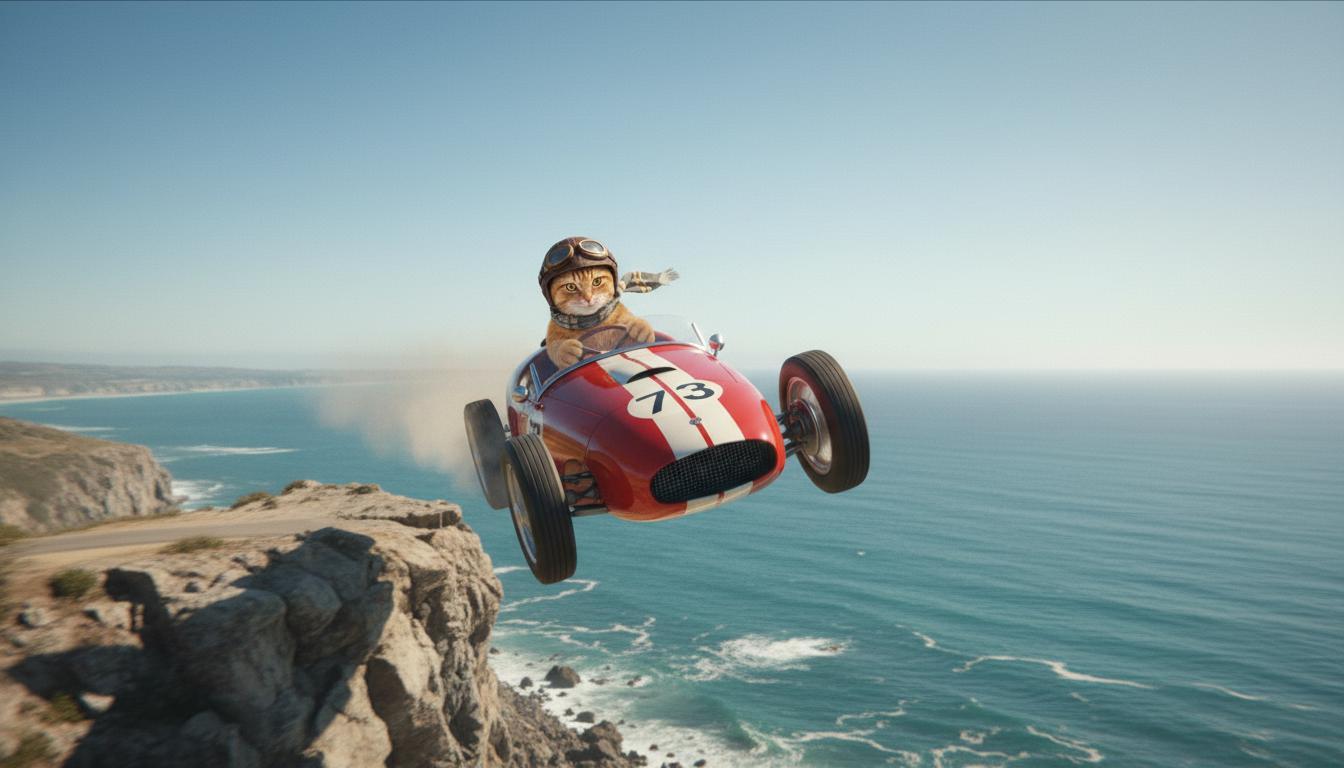
| Последнее изображение (сгенерировано Nano Banana) Покажи, что произойдет, если машина съедет с обрыва. |
|
| Выходное видео (сгенерировано Veo 3.1) Необязательно |
|
Эта функция позволяет точно управлять композицией кадра, задавая начальный и конечный кадры. Загрузите изображение или используйте кадр из предыдущего видео, чтобы начало и конец сцены были именно такими, как вы хотите.
Запрос на продолжение
Чтобы продлить видео, созданное с помощью Veo, с помощью Veo 3.1 (недоступно для Veo 3.1 Lite), используйте видео в качестве входных данных вместе с текстовым запросом (необязательно). Функция "Увеличить длину" позволяет добавить к видео последние секунды или 24 кадра и продолжить действие.
Обратите внимание, что голос нельзя эффективно продлить, если его нет в последнюю секунду видео.
| Запрос | Сгенерированные выходные данные |
|---|---|
| Исходное видео (сгенерировано Veo 3.1) Парапланерист взлетает с вершины горы и начинает скользить вниз, над долинами, покрытыми цветами. |
|
| Выходное видео (сгенерировано Veo 3.1) Продли это видео, добавив параплан, медленно спускающийся вниз. |
|
Примеры запросов и результатов
В этом разделе приведены примеры запросов, которые показывают, как подробные описания могут улучшить результат каждого видео.
Сосульки
В этом видео показано, как использовать основы написания запросов.
| Запрос | Сгенерированные выходные данные |
|---|---|
| Крупный план (композиция) тающих сосулек (объект) на замерзшей каменной стене (контекст) в холодных синих тонах (атмосфера), с увеличением (движение камеры), сохраняющий детализацию капель воды (действие). |
|
Мужчина разговаривает по телефону
В этих видео показано, как можно уточнять запрос, чтобы Veo создавал видео, которые вам понравятся.
| Запрос | Сгенерированные выходные данные |
|---|---|
| Меньше деталей Камера перемещается, чтобы показать крупным планом отчаявшегося мужчину в зеленом плаще. Он звонит по настенному телефону с дисковым набором, освещенному зеленым неоновым светом. Похоже на сцену из фильма. |
|
| Подробнее Крупный план отчаявшегося мужчины в потертом зеленом плаще, набирающего номер на дисковом телефоне, прикрепленном к кирпичной стене. Все освещено жутким светом зеленой неоновой вывески. Камера приближается, показывая напряжение в его челюсти и отчаяние на лице, пока он пытается позвонить. Небольшая глубина резкости позволяет сосредоточить внимание на его нахмуренных бровях и черном дисковом телефоне, размывая фон до неоновых цветов и нечетких теней, что создает ощущение срочности и изоляции. |
|
Снежный барс
| Запрос | Сгенерированные выходные данные |
|---|---|
| Простой запрос: Милое существо с шерстью, как у снежного барса, идет по зимнему лесу, 3D-мультфильм. |

|
| Подробный запрос: Создай короткую 3D-анимацию в веселом мультяшном стиле. Милое существо с шерстью, как у снежного барса, большими выразительными глазами и дружелюбной округлой формой радостно скачет по причудливому зимнему лесу. На изображении должны быть круглые заснеженные деревья, мягко падающие снежинки и теплый солнечный свет, пробивающийся сквозь ветви. Прыгающие движения и широкая улыбка существа должны передавать чистую радость. Используй жизнерадостный и трогательный тон, яркие и веселые цвета и игривую анимацию. |

|
Примеры по элементам текста
В этих примерах показано, как улучшить запросы, используя каждый из основных элементов.
Тема и контекст
Укажите основной объект и фон или окружение.
| Запрос | Сгенерированные выходные данные |
|---|---|
| Архитектурная визуализация многоквартирного дома из белого бетона с плавными органическими формами, органично сочетающимися с пышной зеленью и футуристическими элементами |
|
| Спутник, парящий в открытом космосе, на фоне луны и звезд. |
|
Действие
Укажите, что делает человек (например, идет, бежит или поворачивает голову).
| Запрос | Сгенерированные выходные данные |
|---|---|
| Широкий план: женщина идет по пляжу, смотрит на горизонт на закате и выглядит довольной и расслабленной. |
|
Стиль
Добавьте ключевые слова, чтобы задать определенную эстетику (например, сюрреализм, винтаж, футуризм, нуар).
| Запрос | Сгенерированные выходные данные |
|---|---|
| Стиль нуар, мужчина и женщина идут по улице, тайна, кинематографичность, черно-белое изображение. |
|
Движение камеры и композиция
Укажите, как движется камера (от первого лица, вид с воздуха, с дрона, следящего за объектом) и как кадрируется изображение (общий план, крупный план, снизу вверх).
| Запрос | Сгенерированные выходные данные |
|---|---|
| Съемка от первого лица из винтажного автомобиля, едущего в дождь, Канада ночью, кинематографический стиль. |
|
| Крупный план глаза, в котором отражается город. |
|
Обстановка
Цветовые палитры и освещение влияют на настроение. Попробуйте использовать такие запросы, как "приглушенный оранжевый, теплые тона", "естественное освещение", "восход" или "холодные синие тона".
| Запрос | Сгенерированные выходные данные |
|---|---|
| Крупный план девушки, держащей очаровательного щенка золотистого ретривера в парке, солнечный свет. |

|
| Крупный план грустной женщины, едущей в автобусе под дождем, в кинематографическом стиле, холодные синие тона, печальное настроение. |

|
Соотношения сторон
В Veo можно задать соотношение сторон видео.
| Запрос | Сгенерированные выходные данные |
|---|---|
| Широкий экран (16:9) Создай видео с видом на мужчину, который едет на красном кабриолете в Палм-Спрингс. Съемка с дрона, 1970-е годы, теплый солнечный свет, длинные тени. |

|
| Вертикальное (9:16) Создай видео, на котором будет показано плавное движение воды в величественном водопаде на Гавайях, расположенном в густом тропическом лесу. Сделай акцент на реалистичном течении воды, детализированной листве и естественном освещении, чтобы передать ощущение спокойствия. Сфотографируйте бурлящую воду, туманную атмосферу и солнечные лучи, пробивающиеся сквозь густую крону деревьев. Используйте плавные движения камеры, чтобы показать водопад и его окрестности. Используйте спокойный, реалистичный тон, чтобы зритель мог почувствовать безмятежную красоту гавайского тропического леса. |
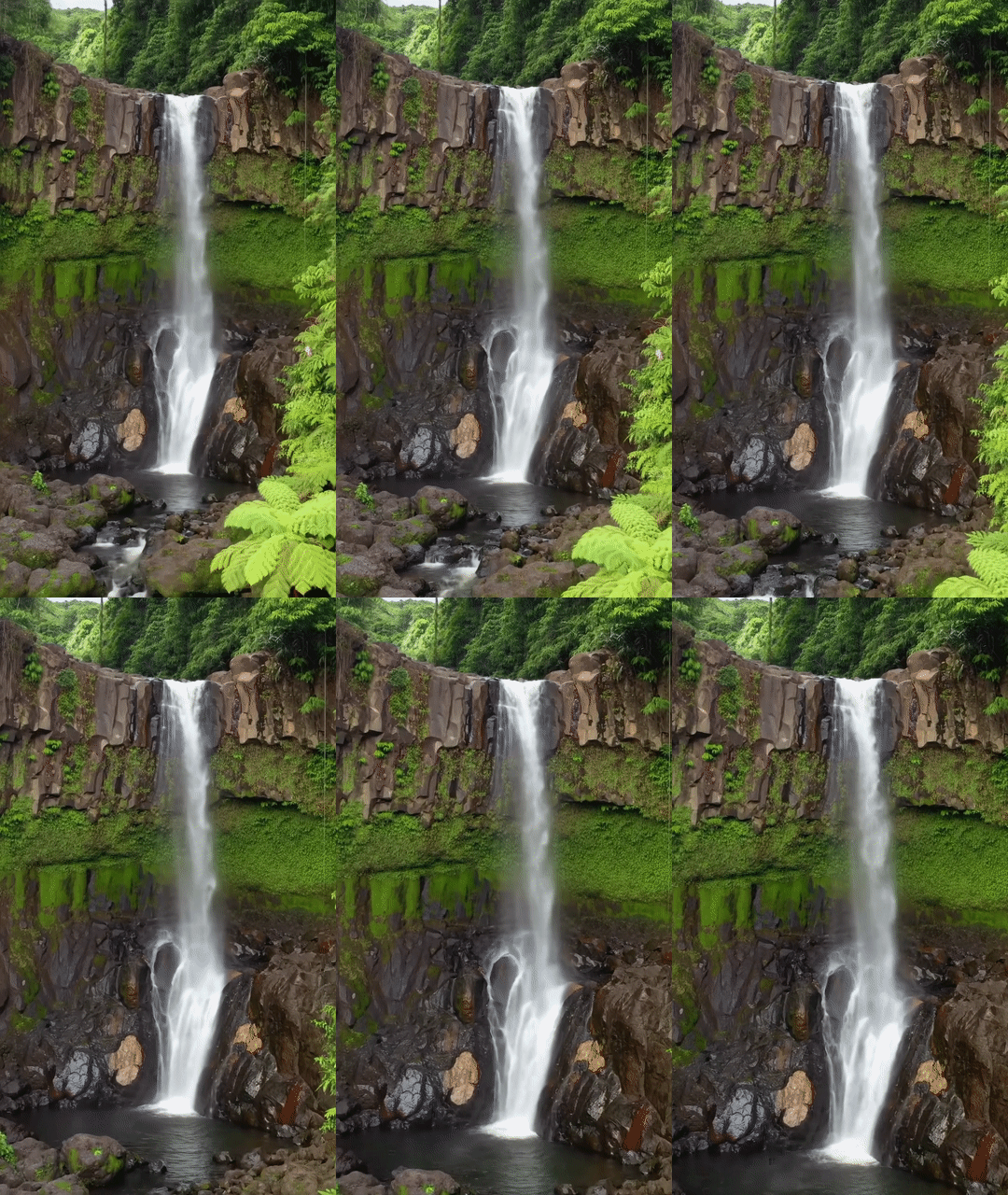
|
Версии модели
Подробнее о ценах и ограничениях частоты запросов для моделей Veo…
Veo 3.1 (предварительная версия)
| Свойство | Описание |
|---|---|
| Код модели |
Gemini API
|
| Поддерживаемые типы данных |
Ввод данных Текст, изображение Выходные данные Видео со звуком |
| Ограничения |
Текстовое поле 1024 токена Выходное видео 1 |
| Последнее обновление | Январь 2026 г. |
Veo 3.1 Fast (предварительная версия)
| Свойство | Описание |
|---|---|
| Код модели |
Gemini API
|
| Поддерживаемые типы данных |
Ввод данных Текст, изображение Выходные данные Видео со звуком |
| Ограничения |
Текстовое поле 1024 токена Выходное видео 1 |
| Последнее обновление | Январь 2026 г. |
Veo 3.1 Lite (предварительная версия)
| Свойство | Описание |
|---|---|
| Код модели |
Gemini API
|
| Поддерживаемые типы данных |
Ввод данных Текст, изображение Выходные данные Видео со звуком |
| Ограничения |
Текстовое поле 1024 токена Выходное видео 1 |
| Последнее обновление | Март 2026 г. |
Veo 3 (поддержка прекращена)
| Свойство | Описание |
|---|---|
| Код модели |
Gemini API
|
| Поддерживаемые типы данных |
Ввод данных Текст, изображение Выходные данные Видео со звуком |
| Ограничения |
Текстовое поле 1024 токена Выходное видео 1 |
| Последнее обновление | Июль 2025 г. |
Veo 3 Fast (поддержка прекращена)
| Свойство | Описание |
|---|---|
| Код модели |
Gemini API
|
| Поддерживаемые типы данных |
Ввод данных Текст, изображение Выходные данные Видео со звуком |
| Ограничения |
Текстовое поле 1024 токена Выходное видео 1 |
| Последнее обновление | Июль 2025 г. |
Версии Veo Fast позволяют разработчикам создавать видео со звуком, сохраняя высокое качество и оптимизируя скорость и варианты использования в коммерческих целях. Они идеально подходят для бэкенд-служб, которые программно генерируют объявления, инструментов для быстрого A/B-тестирования креативных концепций или приложений, которым нужно быстро создавать контент для социальных сетей.
Дальнейшие действия
- Начните работу с Veo 3.1 API, проведя эксперименты в Veo Quickstart Colab и Veo 3.1 applet.
- Узнайте, как писать более эффективные запросы, из вводной статьи о создании запросов.