

ভিডিও বোঝা সম্পর্কে জানতে, ভিডিও বোঝা গাইড দেখুন।
Veo 3.1 হল এমন একটি মডেল যা নেটিভভাবে তৈরি অডিও সহ ৮-সেকেন্ডের ভিডিও (৭২০p, ১০৮০p বা 4k) তৈরি করে। আপনি Gemini API ব্যবহার করে প্রোগ্রাম্যাটিকভাবে এই মডেল অ্যাক্সেস করতে পারবেন। উপলভ্য Veo মডেলের বিভিন্ন ভার্সন সম্পর্কে আরও জানতে, মডেল ভার্সন বিভাগ দেখুন।
Veo 3.1 বিভিন্ন ধরনের ভিজ্যুয়াল ও সিনেম্যাটিক স্টাইলে পারদর্শী এবং এতে একাধিক নতুন ক্ষমতা যোগ করা হয়েছে:
- পোর্ট্রেট ভিডিও: ল্যান্ডস্কেপ (
16:9) ও পোর্ট্রেট (9:16) ভিডিওর মধ্যে থেকে বেছে নিন। - ভিডিও এক্সটেনশন: Veo ব্যবহার করে আগে তৈরি করা ভিডিওর সময়সীমা বাড়ানো।
- ফ্রেম-নির্দিষ্ট জেনারেশন: প্রথম ও শেষ ফ্রেম উল্লেখ করে ভিডিও তৈরি করুন।
- ছবি-ভিত্তিক নির্দেশিকা: আপনার জেনারেট করা ভিডিওর কন্টেন্টকে নির্দেশিত করতে সর্বাধিক তিনটি রেফারেন্স ছবি ব্যবহার করুন।
ভিডিও জেনারেশনের জন্য কার্যকর টেক্সট প্রম্পট লেখা সম্পর্কে আরও তথ্য পেতে, Veo প্রম্পট নির্দেশিকা দেখুন
টেক্সট থেকে ভিডিও তৈরি করা
নিম্নলিখিত উদাহরণগুলি থেকে আপনি বুঝতে পারবেন যে কীভাবে ডায়ালগ, সিনেম্যাটিক রিয়ালিজম বা ক্রিয়েটিভ অ্যানিমেশন সহ ভিডিও তৈরি করতে পারবেন:
ডায়ালগ ও সাউন্ড এফেক্ট
Python
import time
from google import genai
from google.genai import types

client = genai.Client()

prompt = """A close up of two people staring at a cryptic drawing on a wall, torchlight flickering.
A man murmurs, 'This must be it. That's the secret code.' The woman looks at him and whispering excitedly, 'What did you find?'"""

operation = client.models.generate_videos(
    model="veo-3.1-generate-preview",
    prompt=prompt,
)

# Poll the operation status until the video is ready.
while not operation.done:
    print("Waiting for video generation to complete...")
    time.sleep(10)
    operation = client.operations.get(operation)

# Download the generated video.
generated_video = operation.response.generated_videos[0]
client.files.download(file=generated_video.video, destination="dialogue_example.mp4")
print("Generated video saved to dialogue_example.mp4")
জাভাস্ক্রিপ্ট
import { GoogleGenAI } from "@google/genai";

const ai = new GoogleGenAI({});

const prompt = `A close up of two people staring at a cryptic drawing on a wall, torchlight flickering.
A man murmurs, 'This must be it. That's the secret code.' The woman looks at him and whispering excitedly, 'What did you find?'`;

let operation = await ai.models.generateVideos({
    model: "veo-3.1-generate-preview",
    prompt: prompt,
});

// Poll the operation status until the video is ready.
while (!operation.done) {
    console.log("Waiting for video generation to complete...")
    await new Promise((resolve) => setTimeout(resolve, 10000));
    operation = await ai.operations.getVideosOperation({
        operation: operation,
    });
}

// Download the generated video.
ai.files.download({
    file: operation.response.generatedVideos[0].video,
    downloadPath: "dialogue_example.mp4",
});
console.log(`Generated video saved to dialogue_example.mp4`);
খুলুন
package main

import (
    "context"
    "log"
    "os"
    "time"

    "google.golang.org/genai"
)

func main() {
    ctx := context.Background()
    client, err := genai.NewClient(ctx, nil)
    if err != nil {
        log.Fatal(err)
    }

    prompt := `A close up of two people staring at a cryptic drawing on a wall, torchlight flickering.
    A man murmurs, 'This must be it. That's the secret code.' The woman looks at him and whispering excitedly, 'What did you find?'`

    operation, _ := client.Models.GenerateVideos(
        ctx,
        "veo-3.1-generate-preview",
        prompt,
        nil,
        nil,
    )

    // Poll the operation status until the video is ready.
    for !operation.Done {
    log.Println("Waiting for video generation to complete...")
        time.Sleep(10 * time.Second)
        operation, _ = client.Operations.GetVideosOperation(ctx, operation, nil)
    }

    // Download the generated video.
    video := operation.Response.GeneratedVideos[0]
    client.Files.Download(ctx, video.Video, nil)
    fname := "dialogue_example.mp4"
    _ = os.WriteFile(fname, video.Video.VideoBytes, 0644)
    log.Printf("Generated video saved to %s\n", fname)
}
Java
import com.google.genai.Client;
import com.google.genai.types.GenerateVideosOperation;
import com.google.genai.types.GeneratedVideo;

Client client = new Client();

String prompt =
    "A close up of two people staring at a cryptic drawing on a wall, torchlight flickering.\n"
        + "A man murmurs, 'This must be it. That's the secret code.' The woman looks at him and whispering excitedly, 'What did you find?'";

GenerateVideosOperation operation =
    client.models.generateVideos("veo-3.1-generate-preview", prompt, null, null);

// Poll the operation status until the video is ready.
while (!operation.done().orElse(false)) {
  System.out.println("Waiting for video generation to complete...");
  Thread.sleep(10000);
  operation = client.operations.getVideosOperation(operation, null);
}

// Download the generated video.
GeneratedVideo generatedVideo = operation.response().get().generatedVideos().get().get(0);
client.files.download(generatedVideo, "dialogue_example.mp4", null);
System.out.println("Generated video saved to dialogue_example.mp4");
REST
# Note: This script uses jq to parse the JSON response.
# GEMINI API Base URL
BASE_URL="https://generativelanguage.googleapis.com/v1beta"

# Send request to generate video and capture the operation name into a variable.
operation_name=$(curl -s "${BASE_URL}/models/veo-3.1-generate-preview:predictLongRunning" \
  -H "x-goog-api-key: $GEMINI_API_KEY" \
  -H "Content-Type: application/json" \
  -X "POST" \
  -d '{
    "instances": [{
        "prompt": "A close up of two people staring at a cryptic drawing on a wall, torchlight flickering. A man murmurs, \"This must be it. That'\''s the secret code.\" The woman looks at him and whispering excitedly, \"What did you find?\""
      }
    ]
  }' | jq -r .name)

# Poll the operation status until the video is ready
while true; do
  # Get the full JSON status and store it in a variable.
  status_response=$(curl -s -H "x-goog-api-key: $GEMINI_API_KEY" "${BASE_URL}/${operation_name}")

  # Check the "done" field from the JSON stored in the variable.
  is_done=$(echo "${status_response}" | jq .done)

  if [ "${is_done}" = "true" ]; then
    # Extract the download URI from the final response.
    video_uri=$(echo "${status_response}" | jq -r '.response.generateVideoResponse.generatedSamples[0].video.uri')
    echo "Downloading video from: ${video_uri}"

    # Download the video using the URI and API key and follow redirects.
    curl -L -o dialogue_example.mp4 -H "x-goog-api-key: $GEMINI_API_KEY" "${video_uri}"
    break
  fi
  # Wait for 5 seconds before checking again.
  sleep 10
done
সিনেম্যাটিক রিয়েলিজম
Python
import time
from google import genai
from google.genai import types

client = genai.Client()

prompt = """Drone shot following a classic red convertible driven by a man along a winding coastal road at sunset, waves crashing against the rocks below.
The convertible accelerates fast and the engine roars loudly."""

operation = client.models.generate_videos(
    model="veo-3.1-generate-preview",
    prompt=prompt,
)

# Poll the operation status until the video is ready.
while not operation.done:
    print("Waiting for video generation to complete...")
    time.sleep(10)
    operation = client.operations.get(operation)

# Download the generated video.
generated_video = operation.response.generated_videos[0]
client.files.download(file=generated_video.video, destination="realism_example.mp4")
print("Generated video saved to realism_example.mp4")
জাভাস্ক্রিপ্ট
import { GoogleGenAI } from "@google/genai";

const ai = new GoogleGenAI({});

const prompt = `Drone shot following a classic red convertible driven by a man along a winding coastal road at sunset, waves crashing against the rocks below.
The convertible accelerates fast and the engine roars loudly.`;

let operation = await ai.models.generateVideos({
    model: "veo-3.1-generate-preview",
    prompt: prompt,
});

// Poll the operation status until the video is ready.
while (!operation.done) {
    console.log("Waiting for video generation to complete...")
    await new Promise((resolve) => setTimeout(resolve, 10000));
    operation = await ai.operations.getVideosOperation({
        operation: operation,
    });
}

// Download the generated video.
ai.files.download({
    file: operation.response.generatedVideos[0].video,
    downloadPath: "realism_example.mp4",
});
console.log(`Generated video saved to realism_example.mp4`);
খুলুন
package main

import (
    "context"
    "log"
    "os"
    "time"

    "google.golang.org/genai"
)

func main() {
    ctx := context.Background()
    client, err := genai.NewClient(ctx, nil)
    if err != nil {
        log.Fatal(err)
    }

    prompt := `Drone shot following a classic red convertible driven by a man along a winding coastal road at sunset, waves crashing against the rocks below.
  The convertible accelerates fast and the engine roars loudly.`

    operation, _ := client.Models.GenerateVideos(
        ctx,
        "veo-3.1-generate-preview",
        prompt,
        nil,
        nil,
    )

    // Poll the operation status until the video is ready.
    for !operation.Done {
    log.Println("Waiting for video generation to complete...")
        time.Sleep(10 * time.Second)
        operation, _ = client.Operations.GetVideosOperation(ctx, operation, nil)
    }

    // Download the generated video.
    video := operation.Response.GeneratedVideos[0]
    client.Files.Download(ctx, video.Video, nil)
    fname := "realism_example.mp4"
    _ = os.WriteFile(fname, video.Video.VideoBytes, 0644)
    log.Printf("Generated video saved to %s\n", fname)
}
Java
import com.google.genai.Client;
import com.google.genai.types.GenerateVideosOperation;
import com.google.genai.types.GeneratedVideo;

Client client = new Client();

String prompt =
    "Drone shot following a classic red convertible driven by a man along a winding coastal road at sunset, waves crashing against the rocks below.\n"
        + "The convertible accelerates fast and the engine roars loudly.";

GenerateVideosOperation operation =
    client.models.generateVideos("veo-3.1-generate-preview", prompt, null, null);

// Poll the operation status until the video is ready.
while (!operation.done().orElse(false)) {
  System.out.println("Waiting for video generation to complete...");
  Thread.sleep(10000);
  operation = client.operations.getVideosOperation(operation, null);
}

// Download the generated video.
GeneratedVideo generatedVideo = operation.response().get().generatedVideos().get().get(0);
client.files.download(generatedVideo, "realism_example.mp4", null);
System.out.println("Generated video saved to realism_example.mp4");
REST
# Note: This script uses jq to parse the JSON response.
# GEMINI API Base URL
BASE_URL="https://generativelanguage.googleapis.com/v1beta"

# Send request to generate video and capture the operation name into a variable.
operation_name=$(curl -s "${BASE_URL}/models/veo-3.1-generate-preview:predictLongRunning" \
  -H "x-goog-api-key: $GEMINI_API_KEY" \
  -H "Content-Type: application/json" \
  -X "POST" \
  -d '{
    "instances": [{
        "prompt": "Drone shot following a classic red convertible driven by a man along a winding coastal road at sunset, waves crashing against the rocks below. The convertible accelerates fast and the engine roars loudly."
      }
    ]
  }' | jq -r .name)

# Poll the operation status until the video is ready
while true; do
  # Get the full JSON status and store it in a variable.
  status_response=$(curl -s -H "x-goog-api-key: $GEMINI_API_KEY" "${BASE_URL}/${operation_name}")

  # Check the "done" field from the JSON stored in the variable.
  is_done=$(echo "${status_response}" | jq .done)

  if [ "${is_done}" = "true" ]; then
    # Extract the download URI from the final response.
    video_uri=$(echo "${status_response}" | jq -r '.response.generateVideoResponse.generatedSamples[0].video.uri')
    echo "Downloading video from: ${video_uri}"

    # Download the video using the URI and API key and follow redirects.
    curl -L -o realism_example.mp4 -H "x-goog-api-key: $GEMINI_API_KEY" "${video_uri}"
    break
  fi
  # Wait for 5 seconds before checking again.
  sleep 10
done
ক্রিয়েটিভ অ্যানিমেশন
Python
import time
from google import genai

client = genai.Client()
prompt = "A whimsical stop-motion animation of a tiny robot tending to a garden of glowing mushrooms on a miniature planet."

operation = client.models.generate_videos(
    model="veo-3.1-generate-preview",
    prompt=prompt,
)

# Poll the operation status until the video is ready.
while not operation.done:
    print("Waiting for video generation to complete...")
    time.sleep(10)
    operation = client.operations.get(operation)

# Download the generated video.
generated_video = operation.response.generated_videos[0]
client.files.download(file=generated_video.video, destination="style_example.mp4")
print("Generated video saved to style_example.mp4")
জাভাস্ক্রিপ্ট
import { GoogleGenAI } from "@google/genai";

const ai = new GoogleGenAI({});

const prompt = "A whimsical stop-motion animation of a tiny robot tending to a garden of glowing mushrooms on a miniature planet.";

let operation = await ai.models.generateVideos({
    model: "veo-3.1-generate-preview",
    prompt: prompt,
});

// Poll the operation status until the video is ready.
while (!operation.done) {
    console.log("Waiting for video generation to complete...")
    await new Promise((resolve) => setTimeout(resolve, 10000));
    operation = await ai.operations.getVideosOperation({
        operation: operation,
    });
}

// Download the generated video.
ai.files.download({
    file: operation.response.generatedVideos[0].video,
    downloadPath: "style_example.mp4",
});
console.log(`Generated video saved to style_example.mp4`);
খুলুন
package main

import (
    "context"
    "log"
    "os"
    "time"

    "google.golang.org/genai"
)

func main() {
    ctx := context.Background()
    client, err := genai.NewClient(ctx, nil)
    if err != nil {
        log.Fatal(err)
    }

    prompt := `A whimsical stop-motion animation of a tiny robot tending to a garden of glowing mushrooms on a miniature planet.`

    operation, _ := client.Models.GenerateVideos(
        ctx,
        "veo-3.1-generate-preview",
        prompt,
        nil,
        nil,
    )

    // Poll the operation status until the video is ready.
    for !operation.Done {
    log.Println("Waiting for video generation to complete...")
        time.Sleep(10 * time.Second)
        operation, _ = client.Operations.GetVideosOperation(ctx, operation, nil)
    }

    // Download the generated video.
    video := operation.Response.GeneratedVideos[0]
    client.Files.Download(ctx, video.Video, nil)
    fname := "style_example.mp4"
    _ = os.WriteFile(fname, video.Video.VideoBytes, 0644)
    log.Printf("Generated video saved to %s\n", fname)
}
Java
import com.google.genai.Client;
import com.google.genai.types.GenerateVideosOperation;
import com.google.genai.types.GeneratedVideo;

Client client = new Client();

String prompt =
    "A whimsical stop-motion animation of a tiny robot tending to a garden of glowing mushrooms on a miniature planet.";

GenerateVideosOperation operation =
    client.models.generateVideos("veo-3.1-generate-preview", prompt, null, null);

// Poll the operation status until the video is ready.
while (!operation.done().orElse(false)) {
  System.out.println("Waiting for video generation to complete...");
  Thread.sleep(10000);
  operation = client.operations.getVideosOperation(operation, null);
}

// Download the generated video.
GeneratedVideo generatedVideo = operation.response().get().generatedVideos().get().get(0);
client.files.download(generatedVideo, "style_example.mp4", null);
System.out.println("Generated video saved to style_example.mp4");
REST
# Note: This script uses jq to parse the JSON response.
# GEMINI API Base URL
BASE_URL="https://generativelanguage.googleapis.com/v1beta"

# Send request to generate video and capture the operation name into a variable.
operation_name=$(curl -s "${BASE_URL}/models/veo-3.1-generate-preview:predictLongRunning" \
  -H "x-goog-api-key: $GEMINI_API_KEY" \
  -H "Content-Type: application/json" \
  -X "POST" \
  -d '{
    "instances": [{
        "prompt": "A whimsical stop-motion animation of a tiny robot tending to a garden of glowing mushrooms on a miniature planet."
      }
    ]
  }' | jq -r .name)

# Poll the operation status until the video is ready
while true; do
  # Get the full JSON status and store it in a variable.
  status_response=$(curl -s -H "x-goog-api-key: $GEMINI_API_KEY" "${BASE_URL}/${operation_name}")

  # Check the "done" field from the JSON stored in the variable.
  is_done=$(echo "${status_response}" | jq .done)

  if [ "${is_done}" = "true" ]; then
    # Extract the download URI from the final response.
    video_uri=$(echo "${status_response}" | jq -r '.response.generateVideoResponse.generatedSamples[0].video.uri')
    echo "Downloading video from: ${video_uri}"

    # Download the video using the URI and API key and follow redirects.
    curl -L -o style_example.mp4 -H "x-goog-api-key: $GEMINI_API_KEY" "${video_uri}"
    break
  fi
  # Wait for 5 seconds before checking again.
  sleep 10
done
অ্যাস্পেক্ট রেশিও কন্ট্রোল করা
Veo 3.1-এর সাহায্যে আপনি ল্যান্ডস্কেপ (16:9, ডিফল্ট সেটিং) বা পোর্ট্রেট
(9:16) ভিডিও তৈরি করতে পারবেন। আপনি কোন মডেলটি ব্যবহার করতে চান তা
aspect_ratio প্যারামিটার ব্যবহার করে মডেলকে জানাতে পারেন:
Python
import time
from google import genai
from google.genai import types

client = genai.Client()

prompt = """A montage of pizza making: a chef tossing and flattening the floury dough, ladling rich red tomato sauce in a spiral, sprinkling mozzarella cheese and pepperoni, and a final shot of the bubbling golden-brown pizza, upbeat electronic music with a rhythmical beat is playing, high energy professional video."""

operation = client.models.generate_videos(
    model="veo-3.1-generate-preview",
    prompt=prompt,
    config=types.GenerateVideosConfig(
      aspect_ratio="9:16",
    ),
)

# Poll the operation status until the video is ready.
while not operation.done:
    print("Waiting for video generation to complete...")
    time.sleep(10)
    operation = client.operations.get(operation)

# Download the generated video.
generated_video = operation.response.generated_videos[0]
client.files.download(file=generated_video.video, destination="pizza_making.mp4")
print("Generated video saved to pizza_making.mp4")
জাভাস্ক্রিপ্ট
import { GoogleGenAI } from "@google/genai";

const ai = new GoogleGenAI({});

const prompt = `A montage of pizza making: a chef tossing and flattening the floury dough, ladling rich red tomato sauce in a spiral, sprinkling mozzarella cheese and pepperoni, and a final shot of the bubbling golden-brown pizza, upbeat electronic music with a rhythmical beat is playing, high energy professional video.`;

let operation = await ai.models.generateVideos({
    model: "veo-3.1-generate-preview",
    prompt: prompt,
    config: {
      aspectRatio: "9:16",
    },
});

// Poll the operation status until the video is ready.
while (!operation.done) {
    console.log("Waiting for video generation to complete...")
    await new Promise((resolve) => setTimeout(resolve, 10000));
    operation = await ai.operations.getVideosOperation({
        operation: operation,
    });
}

// Download the generated video.
ai.files.download({
    file: operation.response.generatedVideos[0].video,
    downloadPath: "pizza_making.mp4",
});
console.log(`Generated video saved to pizza_making.mp4`);
খুলুন
package main

import (
    "context"
    "log"
    "os"
    "time"

    "google.golang.org/genai"
)

func main() {
    ctx := context.Background()
    client, err := genai.NewClient(ctx, nil)
    if err != nil {
        log.Fatal(err)
    }

    prompt := `A montage of pizza making: a chef tossing and flattening the floury dough, ladling rich red tomato sauce in a spiral, sprinkling mozzarella cheese and pepperoni, and a final shot of the bubbling golden-brown pizza, upbeat electronic music with a rhythmical beat is playing, high energy professional video.`

  videoConfig := &genai.GenerateVideosConfig{
      AspectRatio: "9:16",
  }

    operation, _ := client.Models.GenerateVideos(
        ctx,
        "veo-3.1-generate-preview",
        prompt,
        nil,
        videoConfig,
    )

    // Poll the operation status until the video is ready.
    for !operation.Done {
    log.Println("Waiting for video generation to complete...")
        time.Sleep(10 * time.Second)
        operation, _ = client.Operations.GetVideosOperation(ctx, operation, nil)
    }

    // Download the generated video.
    video := operation.Response.GeneratedVideos[0]
    client.Files.Download(ctx, video.Video, nil)
    fname := "pizza_making.mp4"
    _ = os.WriteFile(fname, video.Video.VideoBytes, 0644)
    log.Printf("Generated video saved to %s\n", fname)
}
REST
# Note: This script uses jq to parse the JSON response.
# GEMINI API Base URL
BASE_URL="https://generativelanguage.googleapis.com/v1beta"

# Send request to generate video and capture the operation name into a variable.
operation_name=$(curl -s "${BASE_URL}/models/veo-3.1-generate-preview:predictLongRunning" \
  -H "x-goog-api-key: $GEMINI_API_KEY" \
  -H "Content-Type: application/json" \
  -X "POST" \
  -d '{
    "instances": [{
        "prompt": "A montage of pizza making: a chef tossing and flattening the floury dough, ladling rich red tomato sauce in a spiral, sprinkling mozzarella cheese and pepperoni, and a final shot of the bubbling golden-brown pizza, upbeat electronic music with a rhythmical beat is playing, high energy professional video."
      }
    ],
    "parameters": {
      "aspectRatio": "9:16"
    }
  }' | jq -r .name)

# Poll the operation status until the video is ready
while true; do
  # Get the full JSON status and store it in a variable.
  status_response=$(curl -s -H "x-goog-api-key: $GEMINI_API_KEY" "${BASE_URL}/${operation_name}")

  # Check the "done" field from the JSON stored in the variable.
  is_done=$(echo "${status_response}" | jq .done)

  if [ "${is_done}" = "true" ]; then
    # Extract the download URI from the final response.
    video_uri=$(echo "${status_response}" | jq -r '.response.generateVideoResponse.generatedSamples[0].video.uri')
    echo "Downloading video from: ${video_uri}"

    # Download the video using the URI and API key and follow redirects.
    curl -L -o pizza_making.mp4 -H "x-goog-api-key: $GEMINI_API_KEY" "${video_uri}"
    break
  fi
  # Wait for 5 seconds before checking again.
  sleep 10
done
রেজোলিউশন কন্ট্রোল করা
এছাড়াও, Veo 3.1 সরাসরি 720p, 1080p বা 4k ভিডিও তৈরি করতে পারে (Veo 3.1 Lite-এর জন্য 4k উপলভ্য নয়)।
মনে রাখবেন, রেজোলিউশন যত বেশি হবে, লেটেন্সি তত বেশি হবে। 4k ভিডিওর দামও বেশি (দাম দেখুন)।
ভিডিও এক্সটেনশনও ৭২০p ভিডিওর ক্ষেত্রে সীমাবদ্ধ।
Python
import time
from google import genai
from google.genai import types

client = genai.Client()

prompt = """A stunning drone view of the Grand Canyon during a flamboyant sunset that highlights the canyon's colors. The drone slowly flies towards the sun then accelerates, dives and flies inside the canyon."""

operation = client.models.generate_videos(
    model="veo-3.1-generate-preview",
    prompt=prompt,
    config=types.GenerateVideosConfig(
      resolution="4k",
    ),
)

# Poll the operation status until the video is ready.
while not operation.done:
    print("Waiting for video generation to complete...")
    time.sleep(10)
    operation = client.operations.get(operation)

# Download the generated video.
generated_video = operation.response.generated_videos[0]
client.files.download(file=generated_video.video, destination="4k_grand_canyon.mp4")
print("Generated video saved to 4k_grand_canyon.mp4")
জাভাস্ক্রিপ্ট
import { GoogleGenAI } from "@google/genai";

const ai = new GoogleGenAI({});

const prompt = `A stunning drone view of the Grand Canyon during a flamboyant sunset that highlights the canyon's colors. The drone slowly flies towards the sun then accelerates, dives and flies inside the canyon.`;

let operation = await ai.models.generateVideos({
    model: "veo-3.1-generate-preview",
    prompt: prompt,
    config: {
      resolution: "4k",
    },
});

// Poll the operation status until the video is ready.
while (!operation.done) {
    console.log("Waiting for video generation to complete...")
    await new Promise((resolve) => setTimeout(resolve, 10000));
    operation = await ai.operations.getVideosOperation({
        operation: operation,
    });
}

// Download the generated video.
ai.files.download({
    file: operation.response.generatedVideos[0].video,
    downloadPath: "4k_grand_canyon.mp4",
});
console.log(`Generated video saved to 4k_grand_canyon.mp4`);
খুলুন
package main

import (
    "context"
    "log"
    "os"
    "time"

    "google.golang.org/genai"
)

func main() {
    ctx := context.Background()
    client, err := genai.NewClient(ctx, nil)
    if err != nil {
        log.Fatal(err)
    }

    prompt := `A stunning drone view of the Grand Canyon during a flamboyant sunset that highlights the canyon's colors. The drone slowly flies towards the sun then accelerates, dives and flies inside the canyon.`

  videoConfig := &genai.GenerateVideosConfig{
      Resolution: "4k",
  }

    operation, _ := client.Models.GenerateVideos(
        ctx,
        "veo-3.1-generate-preview",
        prompt,
        nil,
        videoConfig,
    )

    // Poll the operation status until the video is ready.
    for !operation.Done {
    log.Println("Waiting for video generation to complete...")
        time.Sleep(10 * time.Second)
        operation, _ = client.Operations.GetVideosOperation(ctx, operation, nil)
    }

    // Download the generated video.
    video := operation.Response.GeneratedVideos[0]
    client.Files.Download(ctx, video.Video, nil)
    fname := "4k_grand_canyon.mp4"
    _ = os.WriteFile(fname, video.Video.VideoBytes, 0644)
    log.Printf("Generated video saved to %s\n", fname)
}
REST
# Note: This script uses jq to parse the JSON response.
# GEMINI API Base URL
BASE_URL="https://generativelanguage.googleapis.com/v1beta"

# Send request to generate video and capture the operation name into a variable.
operation_name=$(curl -s "${BASE_URL}/models/veo-3.1-generate-preview:predictLongRunning" \
  -H "x-goog-api-key: $GEMINI_API_KEY" \
  -H "Content-Type: application/json" \
  -X "POST" \
  -d '{
    "instances": [{
        "prompt": "A stunning drone view of the Grand Canyon during a flamboyant sunset that highlights the canyon'\''s colors. The drone slowly flies towards the sun then accelerates, dives and flies inside the canyon."
      }
    ],
    "parameters": {
      "resolution": "4k"
    }
  }' | jq -r .name)

# Poll the operation status until the video is ready
while true; do
  # Get the full JSON status and store it in a variable.
  status_response=$(curl -s -H "x-goog-api-key: $GEMINI_API_KEY" "${BASE_URL}/${operation_name}")

  # Check the "done" field from the JSON stored in the variable.
  is_done=$(echo "${status_response}" | jq .done)

  if [ "${is_done}" = "true" ]; then
    # Extract the download URI from the final response.
    video_uri=$(echo "${status_response}" | jq -r '.response.generateVideoResponse.generatedSamples[0].video.uri')
    echo "Downloading video from: ${video_uri}"

    # Download the video using the URI and API key and follow redirects.
    curl -L -o 4k_grand_canyon.mp4 -H "x-goog-api-key: $GEMINI_API_KEY" "${video_uri}"
    break
  fi
  # Wait for 5 seconds before checking again.
  sleep 10
done
ছবি থেকে ভিডিও তৈরি করা
নিচের কোডটি Gemini 3.1 Flash Image, অর্থাৎ Nano Banana 2 ব্যবহার করে একটি ছবি তৈরি করার ডেমো দেখায়, তারপর সেই ছবিটিকে Veo 3.1-এর মাধ্যমে ভিডিও তৈরি করার জন্য শুরু করার ফ্রেম হিসেবে ব্যবহার করে।
Python
import time
from google import genai

client = genai.Client()

prompt = "Panning wide shot of a calico kitten sleeping in the sunshine"

# Step 1: Generate an image with Nano Banana 2.
image = client.models.generate_content(
    model="gemini-3.1-flash-image-preview",
    contents=prompt,
    config={"response_modalities":['IMAGE']}
)

# Step 2: Generate video with Veo 3.1 using the image.
operation = client.models.generate_videos(
    model="veo-3.1-generate-preview",
    prompt=prompt,
    image=image.parts[0].as_image(),
)

# Poll the operation status until the video is ready.
while not operation.done:
    print("Waiting for video generation to complete...")
    time.sleep(10)
    operation = client.operations.get(operation)

# Download the video.
video = operation.response.generated_videos[0]
client.files.download(file=video.video, destination="veo3_with_image_input.mp4")
print("Generated video saved to veo3_with_image_input.mp4")
জাভাস্ক্রিপ্ট
import { GoogleGenAI } from "@google/genai";

const ai = new GoogleGenAI({});

const prompt = "Panning wide shot of a calico kitten sleeping in the sunshine";

// Step 1: Generate an image with Nano Banana 2.
const imageResponse = await ai.models.generateContent({
  model: "gemini-3.1-flash-image-preview",
  prompt: prompt,
});

// Step 2: Generate video with Veo 3.1 using the image.
let operation = await ai.models.generateVideos({
  model: "veo-3.1-generate-preview",
  prompt: prompt,
  image: {
    imageBytes: imageResponse.generatedImages[0].image.imageBytes,
    mimeType: "image/png",
  },
});

// Poll the operation status until the video is ready.
while (!operation.done) {
  console.log("Waiting for video generation to complete...")
  await new Promise((resolve) => setTimeout(resolve, 10000));
  operation = await ai.operations.getVideosOperation({
    operation: operation,
  });
}

// Download the video.
ai.files.download({
    file: operation.response.generatedVideos[0].video,
    downloadPath: "veo3_with_image_input.mp4",
});
console.log(`Generated video saved to veo3_with_image_input.mp4`);
খুলুন
package main

import (
    "context"
    "log"
    "os"
    "time"

    "google.golang.org/genai"
)

func main() {
    ctx := context.Background()
    client, err := genai.NewClient(ctx, nil)
    if err != nil {
        log.Fatal(err)
    }

    prompt := "Panning wide shot of a calico kitten sleeping in the sunshine"

    // Step 1: Generate an image with Nano Banana 2.
    imageResponse, err := client.Models.GenerateContent(
        ctx,
        "gemini-3.1-flash-image-preview",
        prompt,
        nil, // GenerateImagesConfig
    )
    if err != nil {
        log.Fatal(err)
    }

    // Step 2: Generate video with Veo 3.1 using the image.
    operation, err := client.Models.GenerateVideos(
        ctx,
        "veo-3.1-generate-preview",
        prompt,
        imageResponse.GeneratedImages[0].Image,
        nil, // GenerateVideosConfig
    )
    if err != nil {
        log.Fatal(err)
    }

    // Poll the operation status until the video is ready.
    for !operation.Done {
        log.Println("Waiting for video generation to complete...")
        time.Sleep(10 * time.Second)
        operation, _ = client.Operations.GetVideosOperation(ctx, operation, nil)
    }

    // Download the video.
    video := operation.Response.GeneratedVideos[0]
    client.Files.Download(ctx, video.Video, nil)
    fname := "veo3_with_image_input.mp4"
    _ = os.WriteFile(fname, video.Video.VideoBytes, 0644)
    log.Printf("Generated video saved to %s\n", fname)
}
Java
import com.google.genai.Client;
import com.google.genai.types.Blob;
import com.google.genai.types.GenerateContentConfig;
import com.google.genai.types.GenerateContentResponse;
import com.google.genai.types.GenerateVideosOperation;
import com.google.genai.types.GeneratedVideo;
import com.google.genai.types.Image;

Client client = new Client();

String prompt = "Panning wide shot of a calico kitten sleeping in the sunshine";

// Step 1: Generate an image with Nano Banana 2.
GenerateContentResponse imageResponse =
    client.models.generateContent(
        "gemini-3.1-flash-image-preview",
        prompt,
        GenerateContentConfig.builder().responseModalities("IMAGE").build());

Blob inlineData = imageResponse.parts().get(0).inlineData().get();
Image image =
    Image.builder()
        .imageBytes(inlineData.data().get())
        .mimeType(inlineData.mimeType().orElse("image/png"))
        .build();

// Step 2: Generate video with Veo 3.1 using the image.
GenerateVideosOperation operation =
    client.models.generateVideos("veo-3.1-generate-preview", prompt, image, null);

// Poll the operation status until the video is ready.
while (!operation.done().orElse(false)) {
  System.out.println("Waiting for video generation to complete...");
  Thread.sleep(10000);
  operation = client.operations.getVideosOperation(operation, null);
}

// Download the video.
GeneratedVideo video = operation.response().get().generatedVideos().get().get(0);
client.files.download(video, "veo3_with_image_input.mp4", null);
System.out.println("Generated video saved to veo3_with_image_input.mp4");
রেফারেন্স ছবি ব্যবহার করা
Veo 3.1 এখন আপনার তৈরি করা ভিডিওর কন্টেন্টকে গাইড করার জন্য সর্বাধিক ৩টি রেফারেন্স ছবি গ্রহণ করে। আউটপুট ভিডিওতে সাবজেক্টের চেহারা বজায় রাখতে কোনও ব্যক্তি, চরিত্র বা প্রোডাক্টের ছবি দিন।
যেমন, Nano Banana-এর মাধ্যমে তৈরি করা এই তিনটি ছবিকে ভালভাবে লেখা প্রম্পট সহ রেফারেন্স হিসেবে ব্যবহার করলে, নিম্নলিখিত ভিডিওটি তৈরি হয়:
`dress_image` |
`woman_image` |
`glasses_image` |
|---|---|---|

|

|

|
Python
import time
from google import genai

client = genai.Client()

prompt = "The video opens with a medium, eye-level shot of a beautiful woman with dark hair and warm brown eyes. She wears a magnificent, high-fashion flamingo dress with layers of pink and fuchsia feathers, complemented by whimsical pink, heart-shaped sunglasses. She walks with serene confidence through the crystal-clear, shallow turquoise water of a sun-drenched lagoon. The camera slowly pulls back to a medium-wide shot, revealing the breathtaking scene as the dress's long train glides and floats gracefully on the water's surface behind her. The cinematic, dreamlike atmosphere is enhanced by the vibrant colors of the dress against the serene, minimalist landscape, capturing a moment of pure elegance and high-fashion fantasy."

dress_reference = types.VideoGenerationReferenceImage(
  image=dress_image, # Generated separately with Nano Banana
  reference_type="asset"
)

sunglasses_reference = types.VideoGenerationReferenceImage(
  image=glasses_image, # Generated separately with Nano Banana
  reference_type="asset"
)

woman_reference = types.VideoGenerationReferenceImage(
  image=woman_image, # Generated separately with Nano Banana
  reference_type="asset"
)

operation = client.models.generate_videos(
    model="veo-3.1-generate-preview",
    prompt=prompt,
    config=types.GenerateVideosConfig(
      reference_images=[dress_reference, glasses_reference, woman_reference],
    ),
)

# Poll the operation status until the video is ready.
while not operation.done:
    print("Waiting for video generation to complete...")
    time.sleep(10)
    operation = client.operations.get(operation)

# Download the video.
video = operation.response.generated_videos[0]
client.files.download(file=video.video, destination="veo3.1_with_reference_images.mp4")
print("Generated video saved to veo3.1_with_reference_images.mp4")
জাভাস্ক্রিপ্ট
import { GoogleGenAI } from "@google/genai";

const ai = new GoogleGenAI({});

const prompt = "The video opens with a medium, eye-level shot of a beautiful woman with dark hair and warm brown eyes. She wears a magnificent, high-fashion flamingo dress with layers of pink and fuchsia feathers, complemented by whimsical pink, heart-shaped sunglasses. She walks with serene confidence through the crystal-clear, shallow turquoise water of a sun-drenched lagoon. The camera slowly pulls back to a medium-wide shot, revealing the breathtaking scene as the dress's long train glides and floats gracefully on the water's surface behind her. The cinematic, dreamlike atmosphere is enhanced by the vibrant colors of the dress against the serene, minimalist landscape, capturing a moment of pure elegance and high-fashion fantasy.";

// dressImage, glassesImage, womanImage generated separately with Nano Banana
// and available as objects like { imageBytes: "...", mimeType: "image/png" }
const dressReference = {
  image: dressImage,
  referenceType: "asset",
};
const sunglassesReference = {
  image: glassesImage,
  referenceType: "asset",
};
const womanReference = {
  image: womanImage,
  referenceType: "asset",
};

let operation = await ai.models.generateVideos({
  model: "veo-3.1-generate-preview",
  prompt: prompt,
  config: {
    referenceImages: [
      dressReference,
      sunglassesReference,
      womanReference,
    ],
  },
});

// Poll the operation status until the video is ready.
while (!operation.done) {
  console.log("Waiting for video generation to complete...");
  await new Promise((resolve) => setTimeout(resolve, 10000));
  operation = await ai.operations.getVideosOperation({
    operation: operation,
  });
}

// Download the video.
ai.files.download({
  file: operation.response.generatedVideos[0].video,
  downloadPath: "veo3.1_with_reference_images.mp4",
});
console.log(`Generated video saved to veo3.1_with_reference_images.mp4`);
খুলুন
package main

import (
    "context"
    "log"
    "os"
    "time"

    "google.golang.org/genai"
)

func main() {
    ctx := context.Background()
    client, err := genai.NewClient(ctx, nil)
    if err != nil {
        log.Fatal(err)
    }

  prompt := `The video opens with a medium, eye-level shot of a beautiful woman with dark hair and warm brown eyes. She wears a magnificent, high-fashion flamingo dress with layers of pink and fuchsia feathers, complemented by whimsical pink, heart-shaped sunglasses. She walks with serene confidence through the crystal-clear, shallow turquoise water of a sun-drenched lagoon. The camera slowly pulls back to a medium-wide shot, revealing the breathtaking scene as the dress's long train glides and floats gracefully on the water's surface behind her. The cinematic, dreamlike atmosphere is enhanced by the vibrant colors of the dress against the serene, minimalist landscape, capturing a moment of pure elegance and high-fashion fantasy.`

  // dressImage, glassesImage, womanImage generated separately with Nano Banana
  // and available as *genai.Image objects.
  var dressImage, glassesImage, womanImage *genai.Image

  dressReference := &genai.VideoGenerationReferenceImage{
    Image: dressImage,
    ReferenceType: "asset",
  }
  sunglassesReference := &genai.VideoGenerationReferenceImage{
    Image: glassesImage,
    ReferenceType: "asset",
  }
  womanReference := &genai.VideoGenerationReferenceImage{
    Image: womanImage,
    ReferenceType: "asset",
  }

    operation, _ := client.Models.GenerateVideos(
        ctx,
        "veo-3.1-generate-preview",
        prompt,
    nil, // image
        &genai.GenerateVideosConfig{
      ReferenceImages: []*genai.VideoGenerationReferenceImage{
        dressReference,
        sunglassesReference,
        womanReference,
      },
    },
    )

    // Poll the operation status until the video is ready.
    for !operation.Done {
        log.Println("Waiting for video generation to complete...")
        time.Sleep(10 * time.Second)
        operation, _ = client.Operations.GetVideosOperation(ctx, operation, nil)
    }

    // Download the video.
    video := operation.Response.GeneratedVideos[0]
    client.Files.Download(ctx, video.Video, nil)
    fname := "veo3.1_with_reference_images.mp4"
    _ = os.WriteFile(fname, video.Video.VideoBytes, 0644)
    log.Printf("Generated video saved to %s\n", fname)
}
REST
# Note: This script uses jq to parse the JSON response.
# It assumes dress_image_base64, glasses_image_base64, and woman_image_base64
# contain base64-encoded image data.

# GEMINI API Base URL
BASE_URL="https://generativelanguage.googleapis.com/v1beta"

# Send request to generate video and capture the operation name into a variable.
operation_name=$(curl -s "${BASE_URL}/models/veo-3.1-generate-preview:predictLongRunning" \
  -H "x-goog-api-key: $GEMINI_API_KEY" \
  -H "Content-Type: application/json" \
  -X "POST" \
  -d '{
    "instances": [{
      "prompt": "The video opens with a medium, eye-level shot of a beautiful woman with dark hair and warm brown eyes. She wears a magnificent, high-fashion flamingo dress with layers of pink and fuchsia feathers, complemented by whimsical pink, heart-shaped sunglasses. She walks with serene confidence through the crystal-clear, shallow turquoise water of a sun-drenched lagoon. The camera slowly pulls back to a medium-wide shot, revealing the breathtaking scene as the dress'\''s long train glides and floats gracefully on the water'\''s surface behind her. The cinematic, dreamlike atmosphere is enhanced by the vibrant colors of the dress against the serene, minimalist landscape, capturing a moment of pure elegance and high-fashion fantasy.",
      "referenceImages": [
        {
          "image": {"inlineData": {"mimeType": "image/png", "data": "'"$dress_image_base64"'"}},
          "referenceType": "asset"
        },
        {
          "image": {"inlineData": {"mimeType": "image/png", "data": "'"$glasses_image_base64"'"}},
          "referenceType": "asset"
        },
        {
          "image": {"inlineData": {"mimeType": "image/png", "data": "'"$woman_image_base64"'"}},
          "referenceType": "asset"
        }
      ]
    }],
  }' | jq -r .name)

# Poll the operation status until the video is ready
while true; do
  # Get the full JSON status and store it in a variable.
  status_response=$(curl -s -H "x-goog-api-key: $GEMINI_API_KEY" "${BASE_URL}/${operation_name}")

  # Check the "done" field from the JSON stored in the variable.
  is_done=$(echo "${status_response}" | jq .done)

  if [ "${is_done}" = "true" ]; then
    # Extract the download URI from the final response.
    video_uri=$(echo "${status_response}" | jq -r '.response.generateVideoResponse.generatedSamples[0].video.uri')
    echo "Downloading video from: ${video_uri}"

    # Download the video using the URI and API key and follow redirects.
    curl -L -o veo3.1_with_reference_images.mp4 -H "x-goog-api-key: $GEMINI_API_KEY" "${video_uri}"
    break
  fi
  # Wait for 10 seconds before checking again.
  sleep 10
done
প্রথম ও শেষ ফ্রেম ব্যবহার করা
Veo 3.1 আপনাকে ইন্টারপোলেশন ব্যবহার করে অথবা ভিডিওর প্রথম ও শেষ ফ্রেম নির্দিষ্ট করে ভিডিও তৈরি করতে দেয়। ভিডিও জেনারেশনের জন্য কার্যকর টেক্সট প্রম্পট লেখা সম্পর্কে তথ্য পেতে, Veo প্রম্পট গাইড দেখুন।
Python
import time
from google import genai

client = genai.Client()

prompt = "A cinematic, haunting video. A ghostly woman with long white hair and a flowing dress swings gently on a rope swing beneath a massive, gnarled tree in a foggy, moonlit clearing. The fog thickens and swirls around her, and she slowly fades away, vanishing completely. The empty swing is left swaying rhythmically on its own in the eerie silence."

operation = client.models.generate_videos(
    model="veo-3.1-generate-preview",
    prompt=prompt,
    image=first_image, # The starting frame is passed as a primary input
    config=types.GenerateVideosConfig(
      last_frame=last_image # The ending frame is passed as a generation constraint in the config
    ),
)

# Poll the operation status until the video is ready.
while not operation.done:
    print("Waiting for video generation to complete...")
    time.sleep(10)
    operation = client.operations.get(operation)

# Download the video.
video = operation.response.generated_videos[0]
client.files.download(file=video.video, destination="veo3.1_with_interpolation.mp4")
print("Generated video saved to veo3.1_with_interpolation.mp4")
জাভাস্ক্রিপ্ট
import { GoogleGenAI } from "@google/genai";

const ai = new GoogleGenAI({});

const prompt = "A cinematic, haunting video. A ghostly woman with long white hair and a flowing dress swings gently on a rope swing beneath a massive, gnarled tree in a foggy, moonlit clearing. The fog thickens and swirls around her, and she slowly fades away, vanishing completely. The empty swing is left swaying rhythmically on its own in the eerie silence.";

// firstImage and lastImage generated separately with Nano Banana
// and available as objects like { imageBytes: "...", mimeType: "image/png" }
let operation = await ai.models.generateVideos({
    model: "veo-3.1-generate-preview",
    prompt: prompt,
    image: firstImage, // The starting frame is passed as a primary input
    config: {
      lastFrame: lastImage, // The ending frame is passed as a generation constraint in the config
    },
});

// Poll the operation status until the video is ready.
while (!operation.done) {
    console.log("Waiting for video generation to complete...")
    await new Promise((resolve) => setTimeout(resolve, 10000));
    operation = await ai.operations.getVideosOperation({
        operation: operation,
    });
}

// Download the video.
ai.files.download({
    file: operation.response.generatedVideos[0].video,
    downloadPath: "veo3.1_with_interpolation.mp4",
});
console.log(`Generated video saved to veo3.1_with_interpolation.mp4`);
খুলুন
package main

import (
    "context"
    "log"
    "os"
    "time"

    "google.golang.org/genai"
)

func main() {
    ctx := context.Background()
    client, err := genai.NewClient(ctx, nil)
    if err != nil {
        log.Fatal(err)
    }

  prompt := `A cinematic, haunting video. A ghostly woman with long white hair and a flowing dress swings gently on a rope swing beneath a massive, gnarled tree in a foggy, moonlit clearing. The fog thickens and swirls around her, and she slowly fades away, vanishing completely. The empty swing is left swaying rhythmically on its own in the eerie silence.`

  // firstImage and lastImage generated separately with Nano Banana
  // and available as *genai.Image objects.
  var firstImage, lastImage *genai.Image

    operation, _ := client.Models.GenerateVideos(
        ctx,
        "veo-3.1-generate-preview",
        prompt,
    firstImage, // The starting frame is passed as a primary input
        &genai.GenerateVideosConfig{
      LastFrame: lastImage, // The ending frame is passed as a generation constraint in the config
    },
    )

    // Poll the operation status until the video is ready.
    for !operation.Done {
        log.Println("Waiting for video generation to complete...")
        time.Sleep(10 * time.Second)
        operation, _ = client.Operations.GetVideosOperation(ctx, operation, nil)
    }

    // Download the video.
    video := operation.Response.GeneratedVideos[0]
    client.Files.Download(ctx, video.Video, nil)
    fname := "veo3.1_with_interpolation.mp4"
    _ = os.WriteFile(fname, video.Video.VideoBytes, 0644)
    log.Printf("Generated video saved to %s\n", fname)
}
REST
# Note: This script uses jq to parse the JSON response.
# It assumes first_image_base64 and last_image_base64
# contain base64-encoded image data.

# GEMINI API Base URL
BASE_URL="https://generativelanguage.googleapis.com/v1beta"

# Send request to generate video and capture the operation name into a variable.
# The starting frame is passed as a primary input
# The ending frame is passed as a generation constraint in the config
operation_name=$(curl -s "${BASE_URL}/models/veo-3.1-generate-preview:predictLongRunning" \
  -H "x-goog-api-key: $GEMINI_API_KEY" \
  -H "Content-Type: application/json" \
  -X "POST" \
  -d '{
    "instances": [{
      "prompt": "A cinematic, haunting video. A ghostly woman with long white hair and a flowing dress swings gently on a rope swing beneath a massive, gnarled tree in a foggy, moonlit clearing. The fog thickens and swirls around her, and she slowly fades away, vanishing completely. The empty swing is left swaying rhythmically on its own in the eerie silence.",
      "image": {"inlineData": {"mimeType": "image/png", "data": "'"$first_image_base64"'"}},
      "lastFrame": {"inlineData": {"mimeType": "image/png", "data": "'"$last_image_base64"'"}}
    }],
  }' | jq -r .name)

# Poll the operation status until the video is ready
while true; do
  # Get the full JSON status and store it in a variable.
  status_response=$(curl -s -H "x-goog-api-key: $GEMINI_API_KEY" "${BASE_URL}/${operation_name}")

  # Check the "done" field from the JSON stored in the variable.
  is_done=$(echo "${status_response}" | jq .done)

  if [ "${is_done}" = "true" ]; then
    # Extract the download URI from the final response.
    video_uri=$(echo "${status_response}" | jq -r '.response.generateVideoResponse.generatedSamples[0].video.uri')
    echo "Downloading video from: ${video_uri}"

    # Download the video using the URI and API key and follow redirects.
    curl -L -o veo3.1_with_interpolation.mp4 -H "x-goog-api-key: $GEMINI_API_KEY" "${video_uri}"
    break
  fi
  # Wait for 10 seconds before checking again.
  sleep 10
done
`first_image` |
`last_image` |
veo3.1_with_interpolation.mp4 |
|---|---|---|

|

|
|
Veo ভিডিওর সময়সীমা বাড়ানো
Veo 3.1 ব্যবহার করে, Veo-এর মাধ্যমে আগে জেনারেট করা ভিডিওর দৈর্ঘ্য ৭ সেকেন্ড পর্যন্ত এবং ২০ বার পর্যন্ত বাড়ান।
ইনপুট ভিডিও সংক্রান্ত সীমাবদ্ধতা:
- Veo-জেনারেটেড ভিডিওর দৈর্ঘ্য সর্বাধিক ১৪১ সেকেন্ড হতে পারে।
- Gemini API শুধুমাত্র Veo-জেনারেটেড ভিডিওর জন্য ভিডিও এক্সটেনশন কাজ করে।
- ভিডিওটি আগের কোনও জেনারেশন থেকে নেওয়া হলে ভাল, যেমন
operation.response.generated_videos[0].video - ভিডিও ২ দিনের জন্য স্টোর করা হয়, কিন্তু কোনও ভিডিওর মেয়াদ বাড়ানোর জন্য রেফারেন্স দেওয়া হলে, এর ২-দিনের স্টোরেজ টাইমার রিসেট হয়ে যায়। আপনি শুধুমাত্র সেইসব ভিডিওর সময়সীমা বাড়াতে পারবেন যেগুলি গত দু'দিনে জেনারেট করা হয়েছে বা রেফারেন্স হিসেবে ব্যবহার করা হয়েছে।
- ইনপুট ভিডিওর দৈর্ঘ্য, অ্যাস্পেক্ট রেশিও ও ডাইমেনশন নির্দিষ্ট হতে হবে:
- অ্যাস্পেক্ট রেশিও: ৯:১৬ বা ১৬:৯
- রেজোলিউশন: ৭২০p
- ভিডিওর দৈর্ঘ্য: ১৪১ সেকেন্ড বা তার কম
এক্সটেনশনের আউটপুট হল একটি ভিডিও যা ব্যবহারকারীর ইনপুট ভিডিও এবং জেনারেট করা এক্সটেন্ডেড ভিডিওকে একত্রিত করে। এই ভিডিওর দৈর্ঘ্য সর্বাধিক ১৪৮ সেকেন্ড হতে পারে।
এই উদাহরণে Veo-জেনারেটেড ভিডিও দেখানো হয়েছে, এখানে এর আসল প্রম্পট সহ
video প্যারামিটার ও নতুন
প্রম্পট ব্যবহার করে এটি এক্সটেন্ড করা হয়েছে:
| প্রম্পট | আউটপুট: butterfly_video |
|---|---|
| একটি অরিগ্যামি প্রজাপতি তার ডানা ঝাপটায় এবং ফ্রেঞ্চ দরজা দিয়ে বাগানে উড়ে যায়। |
|
Python
import time
from google import genai

client = genai.Client()

prompt = "Track the butterfly into the garden as it lands on an orange origami flower. A fluffy white puppy runs up and gently pats the flower."

operation = client.models.generate_videos(
    model="veo-3.1-generate-preview",
    video=operation.response.generated_videos[0].video, # This must be a video from a previous generation
    prompt=prompt,
    config=types.GenerateVideosConfig(
        number_of_videos=1,
        resolution="720p"
    ),
)

# Poll the operation status until the video is ready.
while not operation.done:
    print("Waiting for video generation to complete...")
    time.sleep(10)
    operation = client.operations.get(operation)

# Download the video.
video = operation.response.generated_videos[0]
client.files.download(file=video.video, destination="veo3.1_extension.mp4")
print("Generated video saved to veo3.1_extension.mp4")
জাভাস্ক্রিপ্ট
import { GoogleGenAI } from "@google/genai";

const ai = new GoogleGenAI({});

const prompt = "Track the butterfly into the garden as it lands on an orange origami flower. A fluffy white puppy runs up and gently pats the flower.";

// butterflyVideo must be a video from a previous generation
// available as an object like { videoBytes: "...", mimeType: "video/mp4" }
let operation = await ai.models.generateVideos({
    model: "veo-3.1-generate-preview",
    video: butterflyVideo,
    prompt: prompt,
    config: {
        numberOfVideos: 1,
        resolution: "720p",
    },
});

// Poll the operation status until the video is ready.
while (!operation.done) {
    console.log("Waiting for video generation to complete...")
    await new Promise((resolve) => setTimeout(resolve, 10000));
    operation = await ai.operations.getVideosOperation({
        operation: operation,
    });
}

// Download the video.
ai.files.download({
    file: operation.response.generatedVideos[0].video,
    downloadPath: "veo3.1_extension.mp4",
});
console.log(`Generated video saved to veo3.1_extension.mp4`);
খুলুন
package main

import (
    "context"
    "log"
    "os"
    "time"

    "google.golang.org/genai"
)

func main() {
    ctx := context.Background()
    client, err := genai.NewClient(ctx, nil)
    if err != nil {
        log.Fatal(err)
    }

  prompt := `Track the butterfly into the garden as it lands on an orange origami flower. A fluffy white puppy runs up and gently pats the flower.`

  // butterflyVideo must be a video from a previous generation
  // available as a *genai.Video object.
  var butterflyVideo *genai.Video

    operation, _ := client.Models.GenerateVideos(
        ctx,
        "veo-3.1-generate-preview",
        prompt,
    nil, // image
    butterflyVideo,
        &genai.GenerateVideosConfig{
      NumberOfVideos: 1,
      Resolution: "720p",
    },
    )

    // Poll the operation status until the video is ready.
    for !operation.Done {
        log.Println("Waiting for video generation to complete...")
        time.Sleep(10 * time.Second)
        operation, _ = client.Operations.GetVideosOperation(ctx, operation, nil)
    }

    // Download the video.
    video := operation.Response.GeneratedVideos[0]
    client.Files.Download(ctx, video.Video, nil)
    fname := "veo3.1_extension.mp4"
    _ = os.WriteFile(fname, video.Video.VideoBytes, 0644)
    log.Printf("Generated video saved to %s\n", fname)
}
REST
# Note: This script uses jq to parse the JSON response.
# It assumes butterfly_video_base64 contains base64-encoded
# video data from a previous generation.

# GEMINI API Base URL
BASE_URL="https://generativelanguage.googleapis.com/v1beta"

# Send request to generate video and capture the operation name into a variable.
operation_name=$(curl -s "${BASE_URL}/models/veo-3.1-generate-preview:predictLongRunning" \
  -H "x-goog-api-key: $GEMINI_API_KEY" \
  -H "Content-Type: application/json" \
  -X "POST" \
  -d '{
    "instances": [{
      "prompt": "Track the butterfly into the garden as it lands on an orange origami flower. A fluffy white puppy runs up and gently pats the flower.",
      "video": {"inlineData": {"mimeType": "video/mp4", "data": "'"$butterfly_video_base64"'"}}
    }],
    "parameters": {
      "numberOfVideos": 1,
      "resolution": "720p"
    }
  }' | jq -r .name)

# Poll the operation status until the video is ready
while true; do
  # Get the full JSON status and store it in a variable.
  status_response=$(curl -s -H "x-goog-api-key: $GEMINI_API_KEY" "${BASE_URL}/${operation_name}")

  # Check the "done" field from the JSON stored in the variable.
  is_done=$(echo "${status_response}" | jq .done)

  if [ "${is_done}" = "true" ]; then
    # Extract the download URI from the final response.
    video_uri=$(echo "${status_response}" | jq -r '.response.generateVideoResponse.generatedSamples[0].video.uri')
    echo "Downloading video from: ${video_uri}"

    # Download the video using the URI and API key and follow redirects.
    curl -L -o veo3.1_extension.mp4 -H "x-goog-api-key: $GEMINI_API_KEY" "${video_uri}"
    break
  fi
  # Wait for 10 seconds before checking again.
  sleep 10
done
ভিডিও জেনারেশনের জন্য কার্যকর টেক্সট প্রম্পট লেখা সম্পর্কে তথ্য পেতে, Veo প্রম্পট নির্দেশিকা দেখুন।
অ্যাসিঙ্ক্রোনাস অপারেশন ম্যানেজ করা
ভিডিও জেনারেশন হল একটি কম্পিউটেশনাল ইনটেনসিভ টাস্ক। আপনি API-তে কোনও অনুরোধ পাঠালে, এটি একটি দীর্ঘ-মেয়াদী জব শুরু করে এবং সঙ্গে সঙ্গে একটি operation
অবজেক্ট রিটার্ন করে। ভিডিও রেডি না হওয়া পর্যন্ত আপনাকে পোল করতে হবে, যা
done স্ট্যাটাস true হলে বোঝা যায়।
এই প্রসেসের মূল বিষয় হল একটি পোলিং লুপ, যা নির্দিষ্ট সময় অন্তর জবের স্ট্যাটাস চেক করে।
Python
import time
from google import genai
from google.genai import types

client = genai.Client()

# After starting the job, you get an operation object.
operation = client.models.generate_videos(
    model="veo-3.1-generate-preview",
    prompt="A cinematic shot of a majestic lion in the savannah.",
)

# Alternatively, you can use operation.name to get the operation.
operation = types.GenerateVideosOperation(name=operation.name)

# This loop checks the job status every 10 seconds.
while not operation.done:
    time.sleep(10)
    # Refresh the operation object to get the latest status.
    operation = client.operations.get(operation)

# Once done, the result is in operation.response.
# ... process and download your video ...
জাভাস্ক্রিপ্ট
import { GoogleGenAI } from "@google/genai";

const ai = new GoogleGenAI({});

// After starting the job, you get an operation object.
let operation = await ai.models.generateVideos({
  model: "veo-3.1-generate-preview",
  prompt: "A cinematic shot of a majestic lion in the savannah.",
});

// Alternatively, you can use operation.name to get the operation.
// operation = types.GenerateVideosOperation(name=operation.name)

// This loop checks the job status every 10 seconds.
while (!operation.done) {
    await new Promise((resolve) => setTimeout(resolve, 1000));
    // Refresh the operation object to get the latest status.
    operation = await ai.operations.getVideosOperation({ operation });
}

// Once done, the result is in operation.response.
// ... process and download your video ...
খুলুন
package main

import (
    "context"
    "log"
    "time"

    "google.golang.org/genai"
)

func main() {
    ctx := context.Background()
    client, err := genai.NewClient(ctx, nil)
    if err != nil {
        log.Fatal(err)
    }

    // After starting the job, you get an operation object.
    operation, _ := client.Models.GenerateVideos(
        ctx,
        "veo-3.1-generate-preview",
        "A cinematic shot of a majestic lion in the savannah.",
        nil,
        nil,
    )

    // This loop checks the job status every 10 seconds.
    for !operation.Done {
        time.Sleep(10 * time.Second)
        // Refresh the operation object to get the latest status.
        operation, _ = client.Operations.GetVideosOperation(ctx, operation, nil)
    }

    // Once done, the result is in operation.Response.
    // ... process and download your video ...
}
Java
import com.google.genai.Client;
import com.google.genai.types.GenerateVideosOperation;

Client client = new Client();

// After starting the job, you get an operation object.
GenerateVideosOperation operation =
    client.models.generateVideos(
        "veo-3.1-generate-preview",
        "A cinematic shot of a majestic lion in the savannah.",
        null,
        null);

// Alternatively, you can use operation.name to construct the operation.
operation = GenerateVideosOperation.builder().name(operation.name().get()).build();

// This loop checks the job status every 10 seconds.
while (!operation.done().orElse(false)) {
  Thread.sleep(10000);
  // Refresh the operation object to get the latest status.
  operation = client.operations.getVideosOperation(operation, null);
}

// Once done, the result is in operation.response().
// ... process and download your video ...
REST
# Note: This script uses jq to parse the JSON response.
# GEMINI API Base URL
BASE_URL="https://generativelanguage.googleapis.com/v1beta"

# Send request to generate video and capture the operation name into a variable.
operation_name=$(curl -s "${BASE_URL}/models/veo-3.1-generate-preview:predictLongRunning" \
  -H "x-goog-api-key: $GEMINI_API_KEY" \
  -H "Content-Type: application/json" \
  -X "POST" \
  -d '{
    "instances": [{
        "prompt": "A cinematic shot of a majestic lion in the savannah."
      }
    ]
  }' | jq -r .name)

# This loop checks the job status every 10 seconds.
while true; do
  # Get the full JSON status and store it in a variable.
  status_response=$(curl -s -H "x-goog-api-key: $GEMINI_API_KEY" "${BASE_URL}/${operation_name}")

  # Check the "done" field from the JSON stored in the variable.
  is_done=$(echo "${status_response}" | jq .done)

  if [ "${is_done}" = "true" ]; then
    # Once done, the result is in status_response.
    # ... process and download your video ...
    echo "Video generation complete."
    break
  fi
  # Wait for 10 seconds before checking again.
  echo "Waiting for video generation to complete..."
  sleep 10
done
Veo API প্যারামিটার ও স্পেসিফিকেশন
ভিডিও জেনারেট করার প্রসেস কন্ট্রোল করতে, আপনার API অনুরোধে এইসব প্যারামিটার সেট করতে পারবেন।
| প্যারামিটার | Veo 3.1 ও Veo 3.1 Fast | Veo 3.1 Lite | Veo 3 ও Veo 3 Fast |
|---|---|---|---|
| ইনস্ট্যান্সেস | |||
prompt:ভিডিওর টেক্সট বিবরণ। অডিও কিউ কাজ করে। |
string |
string |
string |
image:অ্যানিমেট করার জন্য প্রাথমিক ছবি। |
Image অবজেক্ট |
Image অবজেক্ট |
Image অবজেক্ট |
lastFrame:ট্রানজিশনের জন্য ইন্টারপোলেশন ভিডিওর চূড়ান্ত ছবি। image প্যারামিটারের সাথে একসাথে ব্যবহার করতে হবে। |
Image অবজেক্ট |
Image অবজেক্ট |
Image অবজেক্ট |
referenceImages:স্টাইল ও কন্টেন্ট রেফারেন্স হিসেবে ব্যবহার করার জন্য সর্বাধিক তিনটি ছবি। |
VideoGenerationReferenceImage অবজেক্ট |
n/a অবজেক্ট |
প্রযোজ্য নয় |
video:ভিডিও এক্সটেনশনের জন্য ব্যবহার করা হবে এমন ভিডিও। |
Video আগের প্রজন্মের অবজেক্ট |
প্রযোজ্য নয় | প্রযোজ্য নয় |
| প্যারামিটারগুলি | |||
aspectRatio:ভিডিওর অ্যাস্পেক্ট রেশিও। |
"16:9" (ডিফল্ট),"9:16" |
"16:9" (ডিফল্ট),"9:16" |
"16:9" (ডিফল্ট),"9:16" |
durationSeconds:জেনারেট করা ভিডিওর দৈর্ঘ্য। |
"4", "6", "8"।এক্সটেনশন, রেফারেন্স ছবি বা ১০৮০p ও 4k রেজোলিউশন ব্যবহার করার সময় "৮" হতে হবে |
"4", "6", "8"।রেফারেন্স ছবি বা ১০৮০p ব্যবহার করার সময় "৮" হতে হবে |
"4", "6", "8"।এক্সটেনশন, রেফারেন্স ছবি বা ১০৮০p ও 4k রেজোলিউশন ব্যবহার করার সময় "৮" হতে হবে |
personGeneration:মানুষের জেনারেশন কন্ট্রোল করে। (অঞ্চল ভিত্তিক বিধিনিষেধের জন্য সীমাবদ্ধতা দেখুন) |
টেক্সট-টু-ভিডিও ও এক্সটেনশন:"allow_all" শুধুমাত্রছবি-থেকে-ভিডিও, ইন্টারপোলেশন ও রেফারেন্স ছবি: "allow_adult" শুধুমাত্র
|
টেক্সট-টু-ভিডিও:"allow_all" শুধুমাত্রছবি-থেকে-ভিডিও, ইন্টারপোলেশন ও রেফারেন্স ছবি: "allow_adult" শুধুমাত্র
|
টেক্সট-টু-ভিডিও:"allow_all" শুধুমাত্রইমেজ-টু-ভিডিও: "allow_adult" শুধুমাত্র
|
resolution:ভিডিওর রেজোলিউশন। |
"720p" (ডিফল্ট), "1080p" (শুধুমাত্র ৮ সেকেন্ডের সময়সীমা কাজ করে),"4k" (শুধুমাত্র ৮ সেকেন্ডের সময়সীমা কাজ করে)"720p" শুধুমাত্র এক্সটেনশনের জন্য
|
"720p" (ডিফল্ট), "1080p" (শুধুমাত্র ৮ সেকেন্ডের সময়সীমা কাজ করে) |
"720p" (ডিফল্ট), "1080p" (শুধুমাত্র ৮ সেকেন্ডের সময়সীমা কাজ করে),"4k" (শুধুমাত্র ৮ সেকেন্ডের সময়সীমা কাজ করে)"720p" শুধুমাত্র এক্সটেনশনের জন্য
|
মনে রাখবেন, seed প্যারামিটারটি Veo 3 মডেলের জন্যও উপলভ্য।
এটি ডিটারমিনিজম নিশ্চিত করে না, তবে এটি কিছুটা উন্নত করে।
মডেলের ফিচার
| ফিচার | Veo 3.1 ও Veo 3.1 Fast | Veo 3.1 Lite | Veo 3 ও Veo 3 Fast |
|---|---|---|---|
| অডিও: ভিডিওর সাথে নেটিভভাবে অডিও তৈরি করে। |
✔️ সবসময় চালু | ✔️ সবসময় চালু | ✔️ সবসময় চালু |
| ইনপুট মোডালিটি: জেনারেট করার জন্য ব্যবহৃত ইনপুটের ধরন। |
টেক্সট-টু-ভিডিও, ইমেজ-টু-ভিডিও, ভিডিও-টু-ভিডিও | টেক্সট-টু-ভিডিও, ইমেজ-টু-ভিডিও | টেক্সট-টু-ভিডিও, ইমেজ-টু-ভিডিও |
| রেজোলিউশন: ভিডিওর আউটপুট রেজোলিউশন। |
720p, 1080p (শুধুমাত্র ৮ সেকেন্ডের দৈর্ঘ্য), 4k (শুধুমাত্র ৮ সেকেন্ডের দৈর্ঘ্য) ভিডিও এক্সটেনশন ব্যবহার করলে শুধুমাত্র 720p কোয়ালিটি। |
৭২০p, ১০৮০p (শুধুমাত্র ৮ সেকেন্ডের দৈর্ঘ্য) |
৭২০p ও ১০৮০p (শুধুমাত্র ১৬:৯) |
| ফ্রেম রেট: ভিডিওর আউটপুট ফ্রেম রেট। |
২৪fps | ২৪fps | ২৪fps |
| ভিডিওর সময়সীমা: জেনারেট করা ভিডিওর দৈর্ঘ্য। |
৮ সেকেন্ড, ৬ সেকেন্ড, ৪ সেকেন্ড শুধুমাত্র 1080p বা 4k হলে অথবা রেফারেন্স ছবি ব্যবহার করলে ৮ সেকেন্ড |
৮ সেকেন্ড, ৬ সেকেন্ড, ৪ সেকেন্ড শুধুমাত্র 1080p হলে বা রেফারেন্স ছবি ব্যবহার করলে ৮ সেকেন্ড |
৮ সেকেন্ড |
| প্রতিটি অনুরোধে ভিডিও: প্রতিটি অনুরোধে জেনারেট করা ভিডিওর সংখ্যা। |
1 | 1 | 1 |
| স্ট্যাটাস: মডেলের উপলভ্যতা |
প্রিভিউ | প্রিভিউ | স্থিতিশীল |
সীমাবদ্ধতা
- একাধিক ভিডিও প্রম্পট করা: একাধিক ভিডিও জুড়ে রেফারেন্স বা যুক্তি বর্তমানে কাজ করে না। একাধিক ভিডিও প্রম্পট করার চেষ্টা করলে মডেলের পারফর্ম্যান্স খারাপ হতে পারে বা অপ্রত্যাশিত আউটপুট পাওয়া যেতে পারে।
- ভাষা সংক্রান্ত সহায়তা: ইংরেজি (EN) সম্পূর্ণভাবে কাজ করে, তবে অন্যান্য ভাষা মূল্যায়ন করা হয়নি, তাই সেগুলি কাজ করতে পারে কিন্তু ফলাফল আলাদা হতে পারে।
- অনুরোধের লেটেন্সি: ন্যূনতম: ১১ সেকেন্ড; সর্বাধিক: ৬ মিনিট (পিক আওয়ারে)।
- আঞ্চলিক সীমাবদ্ধতা: ইউরোপীয় ইউনিয়ন (EU), যুক্তরাজ্য (UK), সুইজারল্যান্ড (CH), মধ্যপ্রাচ্য ও উত্তর আফ্রিকা (MENA) লোকেশনে,
allow_adultহলpersonGeneration-এর জন্য একমাত্র অনুমোদিত ভ্যালু। - ভিডিও কতদিন রাখা হয়: তৈরি করা ভিডিও সার্ভারে ২ দিন স্টোর করা হয়, তারপরে সেগুলি সরিয়ে দেওয়া হয়। স্থানীয় কপি সেভ করতে, তৈরি হওয়ার ২ দিনের মধ্যে আপনাকে ভিডিওটি ডাউনলোড করতে হবে। এক্সটেন্ড করা ভিডিওগুলিকে নতুন করে তৈরি করা ভিডিও হিসেবে বিবেচনা করা হয়।
- ওয়াটারমার্কিং: Veo-এর মাধ্যমে তৈরি করা ভিডিওতে SynthID ব্যবহার করে ওয়াটারমার্ক করা হয়, এটি হল AI-জেনারেটেড কন্টেন্ট ওয়াটারমার্ক ও শনাক্ত করার জন্য আমাদের টুল। ভিডিও SynthID যাচাইকরণ প্ল্যাটফর্ম ব্যবহার করে যাচাই করা যেতে পারে।
- নিরাপত্তা: জেনারেট করা ভিডিও নিরাপত্তা ফিল্টার ও মেমোরাইজেশন চেকিং প্রসেসের মাধ্যমে পাস করা হয় যা গোপনীয়তা, কপিরাইট ও পক্ষপাত সংক্রান্ত ঝুঁকি কমাতে সাহায্য করে।
- অডিও সংক্রান্ত সমস্যা: Veo 3.1 কখনও কখনও কোনও ভিডিও তৈরি করা ব্লক করে দেয় কারণ অডিওতে নিরাপত্তা ফিল্টার বা অন্যান্য প্রসেসিং সংক্রান্ত সমস্যা থাকে। আপনার ভিডিও জেনারেট করা ব্লক করা হলে আপনাকে চার্জ করা হবে না।
Veo প্রম্পট গাইড
এই বিভাগে, Veo ব্যবহার করে আপনি যেসব ভিডিও তৈরি করতে পারেন তার উদাহরণ দেওয়া আছে এবং কীভাবে আলাদা আলাদা ফলাফল পেতে প্রম্পট পরিবর্তন করতে হয় তা দেখানো হয়েছে।
নিরাপত্তা ফিল্টার
Gemini জুড়ে Veo নিরাপত্তা ফিল্টার প্রয়োগ করে, তৈরি করা ভিডিও ও আপলোড করা ফটোতে যাতে আপত্তিকর কন্টেন্ট না থাকে তা নিশ্চিত করতে সাহায্য করে। আমাদের শর্তাবলী ও নির্দেশিকা লঙ্ঘন করে এমন প্রম্পট ব্লক করা হয়।
প্রম্পট লেখা সংক্রান্ত প্রাথমিক তথ্য
ভালো প্রম্পট বর্ণনামূলক ও স্পষ্ট হয়। Veo থেকে সবচেয়ে বেশি সুবিধা পেতে, আপনার মূল আইডিয়া শনাক্ত করার মাধ্যমে শুরু করুন, কীওয়ার্ড ও মডিফায়ার যোগ করে আইডিয়াকে আরও উন্নত করুন এবং আপনার প্রম্পটে ভিডিও-নির্দিষ্ট পরিভাষা যোগ করুন।
আপনার প্রম্পটে নিম্নলিখিত এলিমেন্ট অন্তর্ভুক্ত থাকতে হবে:
- বিষয়: আপনার ভিডিওতে যে বস্তু, ব্যক্তি, প্রাণী বা দৃশ্য দেখাতে চান, যেমন শহরের দৃশ্য, প্রকৃতি, যানবাহন বা কুকুরের বাচ্চা।
- অ্যাকশন: সাবজেক্ট কী করছে (যেমন, হাঁটছে, দৌড়াচ্ছে অথবা মাথা ঘোরাচ্ছে)।
- স্টাইল: নির্দিষ্ট ফিল্ম স্টাইল কীওয়ার্ড ব্যবহার করে ক্রিয়েটিভ ডিরেকশন নির্দিষ্ট করুন, যেমন সাই-ফাই, হরর ফিল্ম, ফিল্ম নোয়ার অথবা অ্যানিমেটেড স্টাইল যেমন কার্টুন।
- ক্যামেরার পজিশন ও মোশন: [ঐচ্ছিক] এরিয়াল ভিউ, আই-লেভেল, টপ-ডাউন শট, ডলি শট বা ওয়ার্মস আই-এর মতো শব্দ ব্যবহার করে ক্যামেরার লোকেশন ও মুভমেন্ট কন্ট্রোল করুন।
- কম্পোজিশন: [ঐচ্ছিক] শটটি কীভাবে ফ্রেম করা হয়েছে, যেমন ওয়াইড শট, ক্লোজ-আপ, সিঙ্গেল-শট বা টু-শট।
- ফোকাস ও লেন্স এফেক্ট: [ঐচ্ছিক] নির্দিষ্ট ভিজ্যুয়াল এফেক্ট পেতে অগভীর ফোকাস, গভীর ফোকাস, সফ্ট ফোকাস, ম্যাক্রো লেন্স ও ওয়াইড-অ্যাঙ্গেল লেন্স-এর মতো শব্দ ব্যবহার করুন।
- পরিবেশ: [ঐচ্ছিক] রঙ ও আলো কীভাবে দৃশ্যে কন্ট্রিবিউট করে, যেমন নীল টোন, রাত্রি বা ওয়ার্ম টোন।
প্রম্পট লেখা সংক্রান্ত আরও পরামর্শ
- বিবরণমূলক ভাষা ব্যবহার করুন: Veo-কে একটি স্পষ্ট ছবি দেখাতে বিশেষণ ও ক্রিয়া বিশেষণ ব্যবহার করুন।
- মুখের বিবরণ উন্নত করা: প্রম্পটে পোর্ট্রেট শব্দের ব্যবহার করে মুখের বিবরণকে ফটোতে ফোকাস করা হয়েছে বলে উল্লেখ করুন।
আরও বিস্তারিত প্রম্পটিং কৌশল জানতে, প্রম্পট ডিজাইন সম্পর্কে ভূমিকা দেখুন।
অডিওর জন্য প্রম্পট করা
আপনি Veo-কে সাউন্ড এফেক্ট, অ্যাম্বিয়েন্ট নয়েজ এবং সংলাপের জন্য কিউ প্রদান করতে পারেন। মডেলটি সিঙ্ক্রোনাইজ করা সাউন্ডট্র্যাক তৈরি করতে এইসব কিউয়ের সূক্ষ্মতা ক্যাপচার করে।
- ডায়ালগ: নির্দিষ্ট কথোপকথনের জন্য কোটেশন ব্যবহার করুন। (যেমন: "এটিই সেই চাবি হতে হবে," তিনি বিড়বিড় করে বললেন।)
- সাউন্ড এফেক্ট (SFX): সাউন্ডের বিবরণ স্পষ্টভাবে দিন। (যেমন: টায়ার জোরালোভাবে ঘষা, ইঞ্জিনের আওয়াজ।)
- আশেপাশের আওয়াজ: পরিবেশের সাউন্ডস্কেপ বর্ণনা করুন। (যেমন: ব্যাকগ্রাউন্ডে একটি ক্ষীণ, ভয়ংকর গুঞ্জন অনুরণিত হচ্ছে।)
এইসব ভিডিওতে, ক্রমবর্ধমান বিবরণের লেভেল সহ Veo 3-এর অডিও জেনারেশনকে প্রম্পট করার ডেমো দেখানো হয়েছে।
| প্রম্পট | জেনারেট করা আউটপুট |
|---|---|
| আরও বিবরণ (ডায়লগ ও অ্যাম্বিয়েন্স) কুয়াশায় ঢাকা প্যাসিফিক নর্থওয়েস্টের জঙ্গলের ওয়াইড শট। ক্লান্ত দুই হাইকার, একজন পুরুষ ও একজন মহিলা, ফার্নের মধ্যে দিয়ে হেঁটে চলেছেন, হঠাৎ পুরুষটি দাঁড়িয়ে একটি গাছের দিকে তাকিয়ে রইলেন। ক্লোজ-আপ: গাছের বাকলে গভীর, নতুন নখের দাগ। লোকটি: (তার শিকার করার ছুরির উপর হাত রেখে) "এটি কোনও সাধারণ ভাল্লুক নয়।" মহিলা: (ভয়েস ভয়ে শক্ত হয়ে গেছে, বনভূমি স্ক্যান করছেন) "তাহলে এটি কী?" খসখসে বাকল, ডালপালা ভাঙার শব্দ, ভেজা মাটিতে পায়ের ছাপ। একটি পাখি কিচিরমিচির করছে। |
|
| কম বিবরণ (ডায়ালগ) কাগজ কেটে তৈরি অ্যানিমেশন। নতুন লাইব্রেরিয়ান: "নিষিদ্ধ বইগুলি কোথায় রাখা হয়?" পুরনো কিউরেটর: "আমরা করি না। তারা আমাদের সাথে যোগাযোগ করেন।" |
|
অডিও শোনার জন্য এইসব প্রম্পট নিজে ব্যবহার করে দেখুন! Veo ব্যবহার করে দেখুন
রেফারেন্স ছবি সহ প্রম্পট করা
Veo-এর ছবি থেকে ভিডিও ক্ষমতা ব্যবহার করে, আপনার জেনারেট করা ভিডিওকে গাইড করতে, ইনপুট হিসেবে এক বা একাধিক ছবি ব্যবহার করতে পারবেন। Veo ইনপুট করা ছবিকে প্রাথমিক ফ্রেম হিসেবে ব্যবহার করে। আপনার ভিডিওর প্রথম দৃশ্যের সাথে সবচেয়ে বেশি মিল আছে এমন একটি ছবি বেছে নিন যাতে দৈনন্দিন জিনিসপত্র অ্যানিমেট করা যায়, ড্রয়িং ও পেন্টিংয়ে প্রাণসঞ্চার করা যায় এবং প্রাকৃতিক দৃশ্যে মুভমেন্ট ও সাউন্ড যোগ করা যায়।
| প্রম্পট | জেনারেট করা আউটপুট |
|---|---|
| ইনপুট ছবি (Nano Banana-র মাধ্যমে জেনারেট করা) ছোট, মিনিয়েচার সার্ফাররা একটি পুরনো পাথরের বাথরুম সিঙ্কের মধ্যে সমুদ্রের ঢেউয়ে সার্ফিং করছে, এমন একটি হাইপার-রিয়েলিস্টিক ম্যাক্রো ফটো। একটি ভিনটেজ ব্রাস কল থেকে জল পড়ছে, যা অবিরাম সার্ফ তৈরি করছে। পরাবাস্তব, অদ্ভুত, উজ্জ্বল প্রাকৃতিক আলো। |

|
| আউটপুট ভিডিও (Veo 3.1-এর মাধ্যমে তৈরি) একটি অবাস্তব, সিনেম্যাটিক ম্যাক্রো ভিডিও। ছোট ছোট সার্ফাররা পাথরের বাথরুম সিঙ্কের মধ্যে অবিরাম ঢেউয়ে সার্ফ করছে। চলমান ভিনটেজ ব্রাস কল থেকে অবিরাম সার্ফ তৈরি হয়। ক্যামেরা ধীরে ধীরে অদ্ভুত, রোদ ঝলমলে দৃশ্য জুড়ে প্যান করে, কারণ মিনিয়েচার ফিগারগুলি দক্ষতার সাথে ফিরোজা জল খোদাই করে। |
|
Veo 3.1 আপনাকে রেফারেন্স ইমেজ বা ইনগ্রিডিয়েন্ট ব্যবহার করে তৈরি করা ভিডিওর কন্টেন্ট নির্দেশ করতে দেয়। কোনও একজন ব্যক্তি, চরিত্র বা প্রোডাক্টের সর্বাধিক তিনটি অ্যাসেট ছবি জমা দিন। আউটপুট ভিডিওতে Veo সাবজেক্টের চেহারা বজায় রাখে।
| প্রম্পট | জেনারেট করা আউটপুট |
|---|---|
| রেফারেন্স ছবি (Nano Banana-র মাধ্যমে তৈরি) গভীর সমুদ্রের অ্যাংলার ফিশ গভীর অন্ধকার জলে লুকিয়ে আছে, তার দাঁত বেরিয়ে আছে এবং টোপটি জ্বলজ্বল করছে। |

|
| রেফারেন্স ছবি (Nano Banana-র মাধ্যমে জেনারেট করা) একটি সাধারণ প্রোডাক্ট ব্যাকগ্রাউন্ডে, একটি ওয়ান্ড ও টিয়ারা সহ একটি গোলাপি রঙের বাচ্চার রাজকুমারীর পোশাক। |

|
| আউটপুট ভিডিও (Veo 3.1-এর মাধ্যমে জেনারেট করা) কস্টিউম পরা, সাঁতার কাটা ও জাদুদণ্ড নাড়ানো মাছের একটি মজাদার কার্টুন ভার্সন তৈরি করো। |
|
এছাড়াও, Veo 3.1 ব্যবহার করে, আপনি ভিডিওর প্রথম ও শেষ ফ্রেম নির্দিষ্ট করে ভিডিও তৈরি করতে পারবেন।
| প্রম্পট | জেনারেট করা আউটপুট |
|---|---|
| প্রথম ছবি (Nano Banana-র মাধ্যমে তৈরি) ফ্রেঞ্চ রিভিয়েরা কোস্টে একটি লাল রঙের কনভার্টিবল রেসিং কার চালাচ্ছে এমন একটি আদা রঙের বিড়ালের খুব ভালো কোয়ালিটির ফটোরেয়ালিস্টিক ফ্রন্ট ইমেজ। |
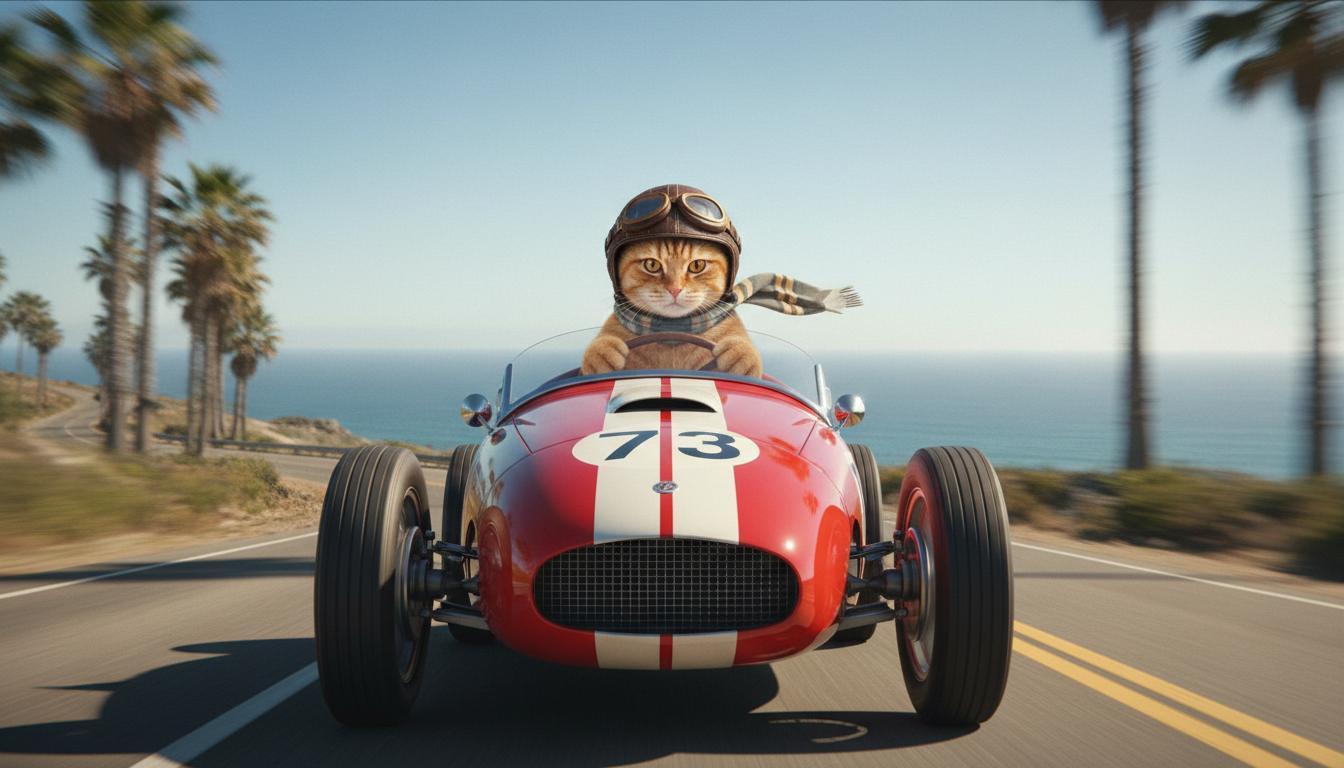
|
| শেষ ছবি (Nano Banana-র মাধ্যমে জেনারেট করা) দেখাও যে গাড়িটি একটি পাহাড়ের চূড়া থেকে উড়ে গেলে কী হবে। |
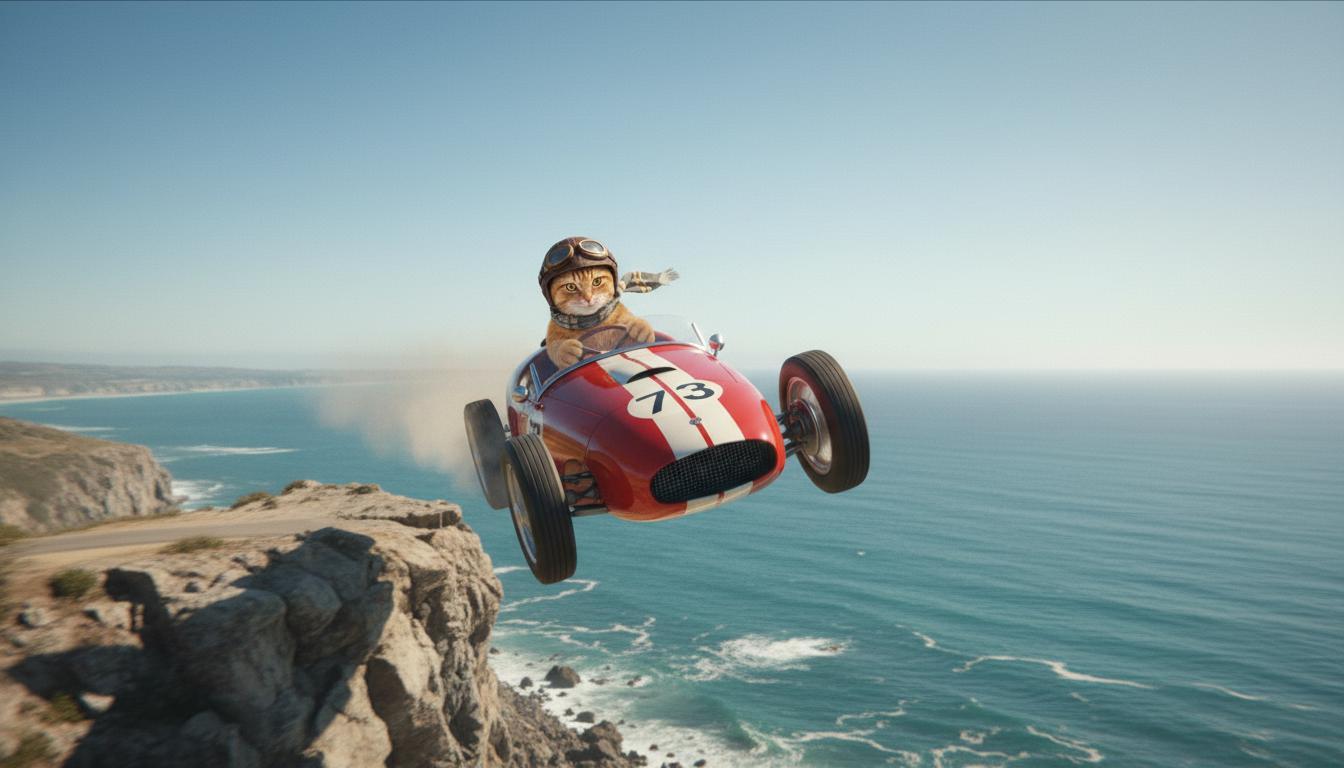
|
| আউটপুট ভিডিও (Veo 3.1 দ্বারা জেনারেট করা) ঐচ্ছিক |
|
এই ফিচার আপনাকে শুরু ও শেষ ফ্রেম নির্ধারণ করার সুযোগ দিয়ে আপনার শটের কম্পোজিশনের উপর সুনির্দিষ্ট কন্ট্রোল দেয়। আপনার দৃশ্য ঠিক যেমনটি ভেবেছেন তেমনভাবে শুরু ও শেষ হচ্ছে কিনা তা নিশ্চিত করতে, ছবি আপলোড করুন অথবা আগের ভিডিও জেনারেশন থেকে কোনও ফ্রেম ব্যবহার করুন।
এক্সটেনশনের জন্য প্রম্পট করা
Veo 3.1 (Veo 3.1 Lite-এ উপলভ্য নয়) ব্যবহার করে আপনার Veo-জেনারেটেড ভিডিওর দৈর্ঘ্য বাড়াতে, ঐচ্ছিক টেক্সট প্রম্পটের সাথে ভিডিওটিকে ইনপুট হিসেবে ব্যবহার করুন। এক্সটেন্ড আপনার ভিডিওর শেষ সেকেন্ড বা ২৪ ফ্রেম ফাইনাল করে এবং অ্যাকশন চালিয়ে যায়।
মনে রাখবেন, ভিডিওর শেষ ১ সেকেন্ডে ভয়েস না থাকলে সেটি কার্যকরভাবে বাড়ানো যায় না।
| প্রম্পট | জেনারেট করা আউটপুট |
|---|---|
| ইনপুট ভিডিও (Veo 3.1-এর মাধ্যমে জেনারেট করা) প্যারাগ্লাইডারটি পাহাড়ের চূড়া থেকে টেক-অফ করে এবং নিচে ফুল দিয়ে ঢাকা উপত্যকার দিকে পাহাড়ের ঢাল বেয়ে গ্লাইডিং শুরু করে। |
|
| আউটপুট ভিডিও (Veo 3.1-এর মাধ্যমে তৈরি) প্যারাগ্লাইডার ধীরে ধীরে নামছে, এমন দৃশ্য সহ এই ভিডিওটি আরও বড় করো। |
|
প্রম্পট ও আউটপুটের উদাহরণ
এই বিভাগে একাধিক প্রম্পট দেওয়া হয়েছে, যা থেকে বোঝা যায় যে কীভাবে বিস্তারিত বিবরণ প্রতিটি ভিডিওর ফলাফলকে আরও উন্নত করতে পারে।
মৃদু ধ্বনি
এই ভিডিওতে দেখানো হয়েছে যে কীভাবে আপনি নিজের প্রম্পটে প্রম্পট লেখার প্রাথমিক বিষয় ব্যবহার করতে পারবেন।
| প্রম্পট | জেনারেট করা আউটপুট |
|---|---|
| জমে যাওয়া পাথরের দেওয়ালে (প্রসঙ্গ) বরফের কুচি (সাবজেক্ট) গলে যাওয়ার ক্লোজ-আপ শট (কম্পোজিশন), শীতল নীল টোন (পরিবেশ), জুম ইন করা (ক্যামেরা মোশন) জলের ফোঁটা (অ্যাকশন) পড়ার ক্লোজ-আপ বিবরণ বজায় রাখা হয়েছে। |
|
ফোনে থাকা ব্যক্তি
এইসব ভিডিও থেকে আপনি জানতে পারবেন যে কীভাবে আরও বেশি নির্দিষ্ট বিবরণ সহ প্রম্পট রিভাইজ করে Veo-কে আপনার পছন্দমতো আউটপুট রিফাইন করতে বলতে পারেন।
| প্রম্পট | জেনারেট করা আউটপুট |
|---|---|
| কম বিবরণ ক্যামেরা ডলি করে সবুজ ট্রেঞ্চ কোট পরা একজন হতাশ ব্যক্তির ক্লোজ-আপ শট দেখানো হচ্ছে। তিনি একটি ঘুরিয়ে-ঘুরিয়ে ডায়াল করা ওয়াল ফোনে কল করছেন, যার নিয়ন সবুজ আলো জ্বলছে। এটি কোনও সিনেমার দৃশ্যের মতো লাগছে। |
|
| আরও বিবরণ সিনেম্যাটিক ক্লোজ-আপ শটে একজন হতাশ ব্যক্তিকে দেখানো হয়েছে, তিনি পুরনো দিনের ঘুরিয়ে-ঘুরিয়ে ডায়াল করা ল্যান্ডফোনে কল করছেন। ফোনটি একটি ইটের দেওয়ালে লাগানো আছে এবং সবুজ নিয়ন সাইনের অস্বাভাবিক আলোয় আলোকিত। ক্যামেরাটি ডলি-ইন করে, তার চোয়ালের পেশী শক্ত হয়ে যাওয়া এবং কল করার জন্য তার চেষ্টার ফলে তার মুখে ফুটে ওঠা হতাশা প্রকাশ করে। ফিল্ডের কম গভীরতা তার কুঁচকানো ভ্রু এবং কালো রোটারি ফোনের উপর ফোকাস করে, ব্যাকগ্রাউন্ডকে নিয়ন রঙের সমুদ্রে এবং অস্পষ্ট ছায়ায় অস্পষ্ট করে তোলে, যা জরুরি অবস্থা এবং বিচ্ছিন্নতার অনুভূতি তৈরি করে। |
|
স্নো লেপার্ড
| প্রম্পট | জেনারেট করা আউটপুট |
|---|---|
| সহজ প্রম্পট: তুষার চিতা-সদৃশ লোমযুক্ত একটি সুন্দর প্রাণী শীতের বনে হেঁটে বেড়াচ্ছে, 3D কার্টুন স্টাইলে রেন্ডার করা। |
|
| বিস্তারিত প্রম্পট: আনন্দদায়ক কার্টুন স্টাইলে একটি ছোট 3D অ্যানিমেটেড দৃশ্য তৈরি করো। তুষার চিতা-সদৃশ লোম, বড় বড় ভাবুক চোখ ও বন্ধুত্বপূর্ণ, গোলাকার আকৃতির একটি মিষ্টি প্রাণী মায়াবী শীতকালীন জঙ্গলে আনন্দে ঘুরে বেড়াচ্ছে। দৃশ্যে গোল গোল বরফে ঢাকা গাছ, ধীরে ধীরে বরফ পড়া এবং ডালপালার মধ্যে দিয়ে আসা উষ্ণ সূর্যের আলো দেখানো উচিত। ক্রিয়েচারের বাউন্সি মুভমেন্ট ও বড় হাসি যেন নির্মল আনন্দ প্রকাশ করে। উজ্জ্বল, প্রফুল্ল রঙ ও মজাদার অ্যানিমেশন সহ উচ্ছ্বসিত, হৃদয়গ্রাহী টোন ব্যবহার করার চেষ্টা করুন। |

|
উপাদান লেখার উদাহরণ
এইসব উদাহরণ থেকে আপনি জানতে পারবেন যে কীভাবে প্রতিটি মৌলিক এলিমেন্ট অনুযায়ী আপনার প্রম্পটকে আরও উন্নত করতে হয়।
বিষয় ও প্রসঙ্গ
প্রধান ফোকাস (বিষয়) এবং ব্যাকগ্রাউন্ড বা পরিবেশ (প্রসঙ্গ) উল্লেখ করুন।
| প্রম্পট | জেনারেট করা আউটপুট |
|---|---|
| সাদা কংক্রিটের অ্যাপার্টমেন্ট বিল্ডিংয়ের স্থাপত্য রেন্ডারিং, যার মধ্যে রয়েছে প্রবাহিত অর্গানিক আকৃতি, যা ঘন সবুজ গাছপালা ও ফিউচারিস্টিক এলিমেন্টের সাথে সুন্দরভাবে মিশে গেছে |
|
| মহাকাশে ভাসমান একটি স্যাটেলাইট, ব্যাকগ্রাউন্ডে চাঁদ ও কিছু তারা দেখা যাচ্ছে। |
|
অ্যাকশন
সাবজেক্ট কী করছে তা নির্দিষ্ট করুন (যেমন, হাঁটছে, দৌড়োচ্ছে বা তার মাথা ঘোরাচ্ছে)।
| প্রম্পট | জেনারেট করা আউটপুট |
|---|---|
| সূর্যাস্তের সময় দিগন্তের দিকে তাকিয়ে থাকা, সন্তুষ্ট ও আরামদায়ক ভঙ্গিতে সমুদ্র সৈকত ধরে হেঁটে যাওয়া এক মহিলার ওয়াইড শট। |
|
স্টাইল
নির্দিষ্ট নান্দনিকতার (যেমন, পরাবাস্তব, পুরনো, ফিউচারিস্টিক, ফিল্ম নোয়ার) দিকে জেনারেশনকে চালিত করতে কীওয়ার্ড যোগ করুন।
| প্রম্পট | জেনারেট করা আউটপুট |
|---|---|
| ফিল্ম নোয়ার স্টাইল, পুরুষ ও মহিলা রাস্তায় হাঁটছেন, রহস্য, সিনেমাটিক, সাদা-কালো। |
|
ক্যামেরা মোশন ও কম্পোজিশন
ক্যামেরা কীভাবে মুভ করে (POV শট, এরিয়াল ভিউ, ট্র্যাকিং ড্রোন ভিউ) এবং শট কীভাবে ফ্রেম করা হয় (ওয়াইড শট, ক্লোজ-আপ, লো অ্যাঙ্গেল) তা নির্দিষ্ট করুন।
| প্রম্পট | জেনারেট করা আউটপুট |
|---|---|
| বৃষ্টিতে ড্রাইভ করা একটি ভিনটেজ গাড়ি থেকে POV শট, কানাডা, রাত, সিনেমাটিক। |
|
| একটি চোখের এক্সট্রিম ক্লোজ-আপ, যার মধ্যে শহরের প্রতিচ্ছবি দেখা যাচ্ছে। |
|
পরিবেশ
রঙের প্যালেট ও আলো মুডকে প্রভাবিত করে। "মৃদু কমলা ওয়ার্ম টোন," "প্রাকৃতিক আলো," "সূর্যোদয়" বা "কুল নীল টোন"-এর মতো শব্দ ব্যবহার করে দেখুন।
| প্রম্পট | জেনারেট করা আউটপুট |
|---|---|
| পার্কে একটি মেয়ে আদুরে গোল্ডেন রিট্রিভার কুকুরছানা কোলে নিয়ে বসে আছে, ক্লোজ-আপ ছবি, রোদ ঝলমলে দিন। |
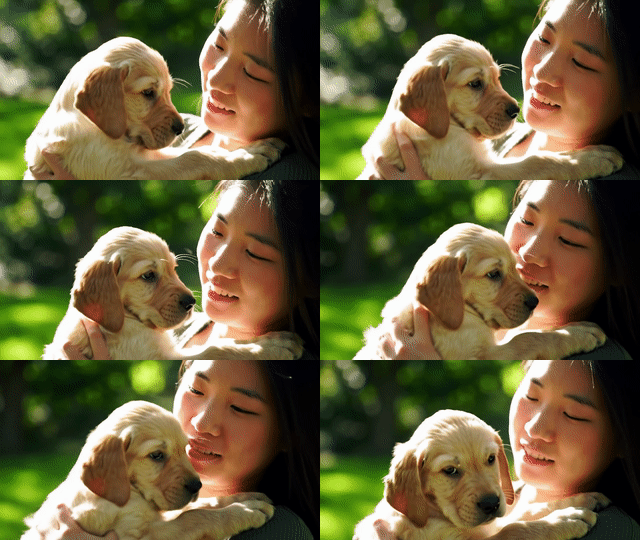
|
| বৃষ্টিতে বাসে করে যাওয়া বিষণ্ণ মহিলার ক্লোজ-আপ সিনেমেটিক শট, শীতল নীল টোন, বিষণ্ণ মুড। |

|
অ্যাস্পেক্ট রেশিও
Veo আপনাকে ভিডিওর অ্যাস্পেক্ট রেশিও নির্দিষ্ট করতে দেয়।
| প্রম্পট | জেনারেট করা আউটপুট |
|---|---|
| ওয়াইডস্ক্রিন (১৬:৯) ১৯৭০-এর দশকে পাম স্প্রিংসে লাল রঙের কনভার্টিবল গাড়ি চালাচ্ছেন এমন এক ব্যক্তির ট্র্যাকিং ড্রোন ভিউ সহ একটি ভিডিও তৈরি করো, উষ্ণ সূর্যালোক, দীর্ঘ ছায়া। |
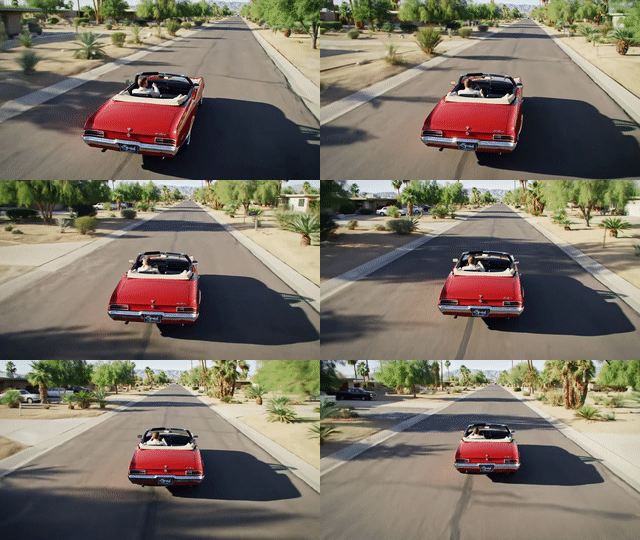
|
| পোর্ট্রেট (৯:১৬) ঘন রেনফরেস্টের মধ্যে অবস্থিত একটি দুর্দান্ত হাওয়াই জলপ্রপাতের মসৃণ গতি হাইলাইট করে একটি ভিডিও তৈরি করো। শান্তি বোঝাতে বাস্তবসম্মত জলপ্রবাহ, বিস্তারিত গাছপালা এবং প্রাকৃতিক আলোর উপর ফোকাস করো। দ্রুত বয়ে যাওয়া জল, কুয়াশাচ্ছন্ন পরিবেশ এবং ঘন পাতার ফাঁক দিয়ে আসা সূর্যের আলো ক্যাপচার করো। জলপ্রপাত ও তার আশেপাশের পরিবেশ দেখাতে মসৃণ, সিনেম্যাটিক ক্যামেরা মুভমেন্ট ব্যবহার করুন। শান্তিপূর্ণ, বাস্তবসম্মত টোন ব্যবহার করো যাতে দর্শককে হাওয়াইয়ের রেনফরেস্টের শান্ত সৌন্দর্য অনুভব করানো যায়। |
|
মডেলের ভার্সন
Veo মডেল-নির্দিষ্ট ব্যবহার সংক্রান্ত আরও বিবরণের জন্য মূল্য পৃষ্ঠা ও রেট সীমা চেক করে দেখুন।
Veo 3.1 প্রিভিউ
| প্রপার্টি | বিবরণ |
|---|---|
| মডেল কোড |
Gemini API
|
| ডেটার ধরন |
ইনপুট টেক্সট, ছবি আউটপুট অডিও সহ ভিডিও |
| সীমা |
টেক্সট ইনপুট ১,০২৪টি টোকেন আউটপুট ভিডিও 1 |
| লেটেস্ট আপডেট | জানুয়ারি, ২০২৬ |
Veo 3.1 Fast প্রিভিউ
| প্রপার্টি | বিবরণ |
|---|---|
| মডেল কোড |
Gemini API
|
| ডেটার ধরন |
ইনপুট টেক্সট, ছবি আউটপুট অডিও সহ ভিডিও |
| সীমা |
টেক্সট ইনপুট ১,০২৪টি টোকেন আউটপুট ভিডিও 1 |
| লেটেস্ট আপডেট | জানুয়ারি, ২০২৬ |
Veo 3.1 Lite প্রিভিউ
| প্রপার্টি | বিবরণ |
|---|---|
| মডেল কোড |
Gemini API
|
| ডেটার ধরন |
ইনপুট টেক্সট, ছবি আউটপুট অডিও সহ ভিডিও |
| সীমা |
টেক্সট ইনপুট ১,০২৪টি টোকেন আউটপুট ভিডিও 1 |
| লেটেস্ট আপডেট | মার্চ ২০২৬ |
Veo 3 (বন্ধ করে দেওয়া হয়েছে)
| প্রপার্টি | বিবরণ |
|---|---|
| মডেল কোড |
Gemini API
|
| ডেটার ধরন |
ইনপুট টেক্সট, ছবি আউটপুট অডিও সহ ভিডিও |
| সীমা |
টেক্সট ইনপুট ১,০২৪টি টোকেন আউটপুট ভিডিও 1 |
| লেটেস্ট আপডেট | জুলাই ২০২৫ |
Veo 3 Fast (বন্ধ হয়ে গেছে)
| প্রপার্টি | বিবরণ |
|---|---|
| মডেল কোড |
Gemini API
|
| ডেটার ধরন |
ইনপুট টেক্সট, ছবি আউটপুট অডিও সহ ভিডিও |
| সীমা |
টেক্সট ইনপুট ১,০২৪টি টোকেন আউটপুট ভিডিও 1 |
| লেটেস্ট আপডেট | জুলাই ২০২৫ |
Veo Fast ভার্সন ডেভেলপারদের সাউন্ড সহ ভিডিও তৈরি করতে দেয় এবং এর সাথে সাথে হাই কোয়ালিটি বজায় রাখে এবং স্পিড ও ব্যবসার ব্যবহারিক ক্ষেত্রের জন্য অপ্টিমাইজ করে। এগুলি ব্যাক-এন্ড পরিষেবার জন্য আদর্শ, যা প্রোগ্রাম অনুযায়ী বিজ্ঞাপন তৈরি করে, ক্রিয়েটিভ কনসেপ্টের দ্রুত A/B টেস্টিংয়ের জন্য টুল বা সোশ্যাল মিডিয়া কন্টেন্ট দ্রুত তৈরি করতে হয় এমন অ্যাপ।
এর পরে কী করতে হবে
- Veo Quickstart Colab ও Veo 3.1 অ্যাপলেট-এ এক্সপেরিমেন্ট করে Veo 3.1 API ব্যবহার করা শুরু করুন।
- আমাদের প্রম্পট ডিজাইন সংক্রান্ত ভূমিকা থেকে আরও ভাল প্রম্পট লেখার পদ্ধতি জানুন।