

การสร้างรูปภาพด้วย Nano Banana
- ลองใช้แอป Nano Banana 2
- หรือสร้างเองจากพรอมต์
-






-
สร้างโดย Nano Banana 2 พรอมต์: "รูปภาพหน้าปกนิตยสารแบบมัน หน้าปกสีน้ำเงินแบบมินิมอลมีคำว่า Nano Banana ตัวหนาขนาดใหญ่ ข้อความอยู่ในแบบอักษร Serif และแสดงเต็มมุมมอง ไม่มีข้อความอื่น ด้านหน้าข้อความมีภาพบุคคลที่สวมชุดเรียบหรูและมินิมอล โดยเธอถือหมายเลข 2 อย่างสนุกสนาน ซึ่งเป็นจุดโฟกัส
ใส่หมายเลขฉบับและวันที่ "ก.พ. 2026" ไว้ที่มุมพร้อมกับบาร์โค้ด นิตยสารวางอยู่บนชั้นวางติดกับผนังสีส้มที่ฉาบปูนภายในร้านค้าของดีไซเนอร์" -
สร้างโดย Nano Banana Pro พรอมต์: "นำเสนอฉากการ์ตูน 3 มิติขนาดเล็กแบบไอโซเมตริกจากมุมมองด้านบน 45° ที่ชัดเจนของลอนดอน โดยมีสถานที่สำคัญและองค์ประกอบทางสถาปัตยกรรมที่โดดเด่นที่สุด ใช้พื้นผิวที่นุ่มนวลและละเอียดด้วยวัสดุ PBR ที่สมจริง รวมถึงแสงและเงาที่นุ่มนวลและสมจริง ผสานรวมสภาพอากาศปัจจุบันเข้ากับสภาพแวดล้อมของเมืองโดยตรงเพื่อสร้างบรรยากาศที่สมจริง ใช้การจัดองค์ประกอบที่เรียบง่ายและสะอาดตาโดยมีพื้นหลังสีทึบแบบนุ่ม ที่ด้านบนตรงกลาง ให้วางชื่อ "ลอนดอน" เป็นข้อความตัวหนาขนาดใหญ่ ไอคอนสภาพอากาศที่โดดเด่นไว้ใต้ชื่อ จากนั้นวางวันที่ (ข้อความขนาดเล็ก) และอุณหภูมิ (ข้อความขนาดกลาง) ข้อความทั้งหมดต้องอยู่ตรงกลางโดยมีระยะห่างที่สอดคล้องกัน และอาจซ้อนทับส่วนบนของอาคารเล็กน้อย"ดูข้อมูลเพิ่มเติมเกี่ยวกับการอ้างอิงจาก Search และลองใช้ใน AI Studio -
สร้างโดย Nano Banana 2 พรอมต์: "ใช้การค้นหารูปภาพเพื่อหารูปภาพที่ถูกต้องของนกเควทซัลที่สวยงาม สร้างวอลเปเปอร์ขนาด 3:2 ที่สวยงามของนกตัวนี้ โดยใช้การไล่ระดับสีจากบนลงล่างตามธรรมชาติและองค์ประกอบที่เรียบง่าย"ใช้การอ้างอิง Image Search ของ Google กับ Nano Banana 2 ลองใช้ใน AI Studio -

สร้างโดย Nano Banana Pro พรอมต์: "ใส่โลโก้นี้ในโฆษณาน้ำหอมกลิ่นกล้วยระดับไฮเอนด์ โลโก้ผสานรวมเข้ากับขวดได้อย่างลงตัว"ลองใช้การคงรายละเอียดที่มีความเที่ยงตรงสูงของ Nano Banana ใน AI Studio -
สร้างโดย Nano Banana Pro พรอมต์: "รูปภาพฉากในชีวิตประจำวันที่คาเฟ่ที่วุ่นวายซึ่งเสิร์ฟอาหารเช้า ในเบื้องหน้าเป็นชายหนุ่มในการ์ตูนที่มีผมสีน้ำเงิน คนหนึ่งเป็นภาพร่างดินสอ อีกคนเป็นตัวละครดินน้ำมัน"ทดลองใช้สไตล์ศิลปะต่างๆ ด้วย Nano Banana ใน AI Studio -
สร้างโดย Nano Banana Pro พรอมต์: "ใช้ Search เพื่อดูว่าผู้คนตอบรับการเปิดตัว Gemini 3 Flash อย่างไร ใช้ข้อมูลนี้เพื่อเขียนบทความสั้นๆ เกี่ยวกับเรื่องนี้ (พร้อมหัวข้อ) ส่งคืนรูปภาพของบทความตามที่ปรากฏในนิตยสารแบบมันที่เน้นการออกแบบ เป็นรูปภาพของหน้าเดียวที่พับอยู่ ซึ่งแสดงบทความเกี่ยวกับ Gemini 3 Flash รูปภาพหลัก 1 รูป บรรทัดแรกในแบบอักษร Serif" -
สร้างโดย Nano Banana Pro พรอมต์: "ไอคอนที่แสดงสุนัขน่ารัก พื้นหลังเป็นสีขาว สร้างไอคอนในสไตล์ 3 มิติที่มีสีสันสดใสและรับรู้ได้ด้วยการสัมผัส ไม่มีข้อความ"สร้างไอคอน สติกเกอร์ และชิ้นงานด้วย Nano Banana ใน AI Studio -
สร้างโดย Nano Banana 2 พรอมต์: "สร้างรูปภาพที่สมมาตรอย่างสมบูรณ์ นี่ไม่ใช่ภาพขนาดเล็ก แต่เป็นภาพที่ถ่ายได้ซึ่งมีลักษณะเป็นไอโซเมตริกอย่างสมบูรณ์แบบ เป็นรูปภาพของสวนสมัยใหม่ที่สวยงาม มีสระว่ายน้ำขนาดใหญ่รูปเลข 2 และคำว่า "Nano Banana 2"ลองใช้การสร้างรูปภาพที่สมจริงใน AI Studio
Nano Banana คือชื่อของความสามารถในการสร้างรูปภาพดั้งเดิมของ Gemini Gemini สามารถสร้างและประมวลผลรูปภาพแบบสนทนา ด้วยข้อความ รูปภาพ วิดีโอ หรือการผสมผสานกัน ซึ่งช่วยให้คุณสร้าง แก้ไข และ ทำซ้ำภาพด้วยการควบคุมที่ไม่เคยมีมาก่อน
Nano Banana หมายถึงโมเดลที่แตกต่างกัน 4 โมเดลซึ่งพร้อมใช้งานใน Gemini API
- Nano Banana 2 Lite (Gemini 3.1 Flash Lite Image)
(
gemini-3.1-flash-lite-image): โมเดลรูปภาพ Gemini ที่เร็วและถูกที่สุดของเรา ออกแบบมาเพื่อความเร็วและขนาดที่ความเร็วและต้นทุนเป็น ข้อจำกัดในการดำเนินงานหลัก ไม่ได้เพิ่มประสิทธิภาพสำหรับการป้อนข้อมูลอ้างอิงหลายรายการ หรือการแก้ไขแบบต่อเนื่องหลายรอบ - Nano Banana 2 (Gemini 3.1 Flash Image)
(
gemini-3.1-flash-image): ทำหน้าที่เป็นโมเดลที่อเนกประสงค์ที่สุด ซึ่งเป็นโมเดล เวิร์กฮอร์สแบบทั่วไปสำหรับทุกงาน โดยจะผสานความเร็วเข้ากับการสร้างวิดีโอ 4K ที่ล้ำสมัย ความรู้เกี่ยวกับโลก และการแสดงข้อความที่เชื่อถือได้ ความสามารถในการ ประมวลผลรูปภาพอ้างอิงหลายรูปและความสอดคล้องกัน - Nano Banana Pro (Gemini 3 Pro Image)
(
gemini-3-pro-image): ตัวเลือกพรีเมียมสำหรับงานด้านภาพที่ซับซ้อนที่สุด ซึ่งมีความรู้เกี่ยวกับโลกในระดับสูงสุด การแปลขั้นสูง ความสอดคล้องของแบรนด์ที่แม่นยำ และการควบคุมครีเอทีฟโฆษณาที่แม่นยำ - Nano Banana (รูปภาพ Gemini 2.5 Flash)
(
gemini-2.5-flash-image): ผู้บุกเบิกซีรีส์ Nano Banana รุ่นเดิม แม้ว่าจะเป็นโมเดลที่ใช้งานได้ดี แต่เราขอแนะนำให้ลูกค้าเปลี่ยนไปใช้ Nano Banana 2 Lite เพื่อสัมผัสคุณภาพที่ดียิ่งขึ้น ความเร็วในการสร้างที่เร็วขึ้น และราคา API ที่ถูกลง
รูปภาพที่สร้างขึ้นทั้งหมดจะมีลายน้ำ SynthID
การสร้างรูปภาพ (เปลี่ยนข้อความเป็นรูปภาพ)
Python
from google import genai
from google.genai import types
from PIL import Image

client = genai.Client()

prompt = ("Create a picture of a nano banana dish in a fancy restaurant with a Gemini theme")
response = client.models.generate_content(
    model="gemini-3.1-flash-image",
    contents=[prompt],
)

for part in response.parts:
    if part.text is not None:
        print(part.text)
    elif part.inline_data is not None:
        image = part.as_image()
        image.save("generated_image.png")
JavaScript
import { GoogleGenAI } from "@google/genai";
import * as fs from "node:fs";

async function main() {

  const ai = new GoogleGenAI({});

  const prompt =
    "Create a picture of a nano banana dish in a fancy restaurant with a Gemini theme";

  const response = await ai.models.generateContent({
    model: "gemini-3.1-flash-image",
    contents: prompt,
  });
  for (const part of response.candidates[0].content.parts) {
    if (part.text) {
      console.log(part.text);
    } else if (part.inlineData) {
      const imageData = part.inlineData.data;
      const buffer = Buffer.from(imageData, "base64");
      fs.writeFileSync("gemini-native-image.png", buffer);
      console.log("Image saved as gemini-native-image.png");
    }
  }
}

main();
Go
package main

import (
  "context"
  "fmt"
  "log"
  "os"
  "google.golang.org/genai"
)

func main() {

  ctx := context.Background()
  client, err := genai.NewClient(ctx, nil)
  if err != nil {
      log.Fatal(err)
  }

  result, _ := client.Models.GenerateContent(
      ctx,
      "gemini-3.1-flash-image",
      genai.Text("Create a picture of a nano banana dish in a " +
                 " fancy restaurant with a Gemini theme"),
  )

  for _, part := range result.Candidates[0].Content.Parts {
      if part.Text != "" {
          fmt.Println(part.Text)
      } else if part.InlineData != nil {
          imageBytes := part.InlineData.Data
          outputFilename := "gemini_generated_image.png"
          _ = os.WriteFile(outputFilename, imageBytes, 0644)
      }
  }
}
Java
import com.google.genai.Client;
import com.google.genai.types.GenerateContentConfig;
import com.google.genai.types.GenerateContentResponse;
import com.google.genai.types.Part;

import java.io.IOException;
import java.nio.file.Files;
import java.nio.file.Paths;

public class TextToImage {
  public static void main(String[] args) throws IOException {

    try (Client client = new Client()) {
      GenerateContentConfig config = GenerateContentConfig.builder()
          .responseModalities("TEXT", "IMAGE")
          .build();

      GenerateContentResponse response = client.models.generateContent(
          "gemini-3.1-flash-image",
          "Create a picture of a nano banana dish in a fancy restaurant with a Gemini theme",
          config);

      for (Part part : response.parts()) {
        if (part.text().isPresent()) {
          System.out.println(part.text().get());
        } else if (part.inlineData().isPresent()) {
          var blob = part.inlineData().get();
          if (blob.data().isPresent()) {
            Files.write(Paths.get("_01_generated_image.png"), blob.data().get());
          }
        }
      }
    }
  }
}
C#
using Google.GenAI;
using System;
using System.Collections.Generic;
using System.IO;
using System.Threading.Tasks;

public class TextToImage {
  public static async Task Main(string[] args) {
    var client = new Client();

    var response = await client.Models.GenerateContentAsync(
        model: "gemini-3.1-flash-image",
        contents: new List<Part>
        {
            new Part { Text = "Create a picture of a nano banana dish in a fancy restaurant with a Gemini theme" }
        }
    );

    foreach (var candidate in response.Candidates) {
        foreach (var part in candidate.Content.Parts) {
            if (part.Text != null) {
                Console.WriteLine(part.Text);
            } else if (part.InlineData != null) {
                var imageBytes = Convert.FromBase64String(part.InlineData.Data);
                await File.WriteAllBytesAsync("generated_image.png", imageBytes);
                Console.WriteLine("Image saved as generated_image.png");
            }
        }
    }
  }
}
REST
curl -s -X POST \
  "https://generativelanguage.googleapis.com/v1/models/gemini-3.1-flash-image:generateContent" \
  -H "x-goog-api-key: $GEMINI_API_KEY" \
  -H "Content-Type: application/json" \
  -d '{
    "contents": [{
      "parts": [
        {"text": "Create a picture of a nano banana dish in a fancy restaurant with a Gemini theme"}
      ]
    }]
  }'
การแต่งรูป (เปลี่ยนข้อความและรูปภาพเป็นรูปภาพ)
โปรดทราบ: โปรดตรวจสอบว่าคุณมีสิทธิ์ที่จำเป็นสำหรับรูปภาพใดก็ตามที่คุณอัปโหลด อย่าสร้างเนื้อหาที่ละเมิดสิทธิของผู้อื่น รวมถึงวิดีโอหรือรูปภาพที่หลอกลวง คุกคาม หรือเป็นอันตราย การใช้บริการ Generative AI นี้อยู่ภายใต้นโยบายการใช้งานที่ไม่อนุญาตของเรา
ระบุรูปภาพและใช้พรอมต์ข้อความเพื่อเพิ่ม นำออก หรือแก้ไของค์ประกอบ เปลี่ยนสไตล์ หรือปรับการไล่ระดับสี
ตัวอย่างต่อไปนี้แสดงการอัปโหลดรูปภาพที่เข้ารหัส base64
สำหรับรูปภาพหลายรูป เพย์โหลดขนาดใหญ่ และประเภท MIME ที่รองรับ โปรดดูหน้าการทำความเข้าใจรูปภาพ
Python
from google import genai
from google.genai import types
from PIL import Image

client = genai.Client()

prompt = (
    "Create a picture of my cat eating a nano-banana in a "
    "fancy restaurant under the Gemini constellation",
)

image = Image.open("/path/to/cat_image.png")

response = client.models.generate_content(
    model="gemini-3.1-flash-image",
    contents=[prompt, image],
)

for part in response.parts:
    if part.text is not None:
        print(part.text)
    elif part.inline_data is not None:
        image = part.as_image()
        image.save("generated_image.png")
JavaScript
import { GoogleGenAI } from "@google/genai";
import * as fs from "node:fs";

async function main() {

  const ai = new GoogleGenAI({});

  const imagePath = "path/to/cat_image.png";
  const imageData = fs.readFileSync(imagePath);
  const base64Image = imageData.toString("base64");

  const prompt = [
    { text: "Create a picture of my cat eating a nano-banana in a" +
            "fancy restaurant under the Gemini constellation" },
    {
      inlineData: {
        mimeType: "image/png",
        data: base64Image,
      },
    },
  ];

  const response = await ai.models.generateContent({
    model: "gemini-3.1-flash-image",
    contents: prompt,
  });
  for (const part of response.candidates[0].content.parts) {
    if (part.text) {
      console.log(part.text);
    } else if (part.inlineData) {
      const imageData = part.inlineData.data;
      const buffer = Buffer.from(imageData, "base64");
      fs.writeFileSync("gemini-native-image.png", buffer);
      console.log("Image saved as gemini-native-image.png");
    }
  }
}

main();
Go
package main

import (
 "context"
 "fmt"
 "log"
 "os"
 "google.golang.org/genai"
)

func main() {

 ctx := context.Background()
 client, err := genai.NewClient(ctx, nil)
 if err != nil {
     log.Fatal(err)
 }

 imagePath := "/path/to/cat_image.png"
 imgData, _ := os.ReadFile(imagePath)

 parts := []*genai.Part{
   genai.NewPartFromText("Create a picture of my cat eating a nano-banana in a fancy restaurant under the Gemini constellation"),
   &genai.Part{
     InlineData: &genai.Blob{
       MIMEType: "image/png",
       Data:     imgData,
     },
   },
 }

 contents := []*genai.Content{
   genai.NewContentFromParts(parts, genai.RoleUser),
 }

 result, _ := client.Models.GenerateContent(
     ctx,
     "gemini-3.1-flash-image",
     contents,
 )

 for _, part := range result.Candidates[0].Content.Parts {
     if part.Text != "" {
         fmt.Println(part.Text)
     } else if part.InlineData != nil {
         imageBytes := part.InlineData.Data
         outputFilename := "gemini_generated_image.png"
         _ = os.WriteFile(outputFilename, imageBytes, 0644)
     }
 }
}
Java
import com.google.genai.Client;
import com.google.genai.types.Content;
import com.google.genai.types.GenerateContentConfig;
import com.google.genai.types.GenerateContentResponse;
import com.google.genai.types.Part;

import java.io.IOException;
import java.nio.file.Files;
import java.nio.file.Path;
import java.nio.file.Paths;

public class TextAndImageToImage {
  public static void main(String[] args) throws IOException {

    try (Client client = new Client()) {
      GenerateContentConfig config = GenerateContentConfig.builder()
          .responseModalities("TEXT", "IMAGE")
          .build();

      GenerateContentResponse response = client.models.generateContent(
          "gemini-3.1-flash-image",
          Content.fromParts(
              Part.fromText("""
                  Create a picture of my cat eating a nano-banana in
                  a fancy restaurant under the Gemini constellation
                  """),
              Part.fromBytes(
                  Files.readAllBytes(
                      Path.of("src/main/resources/cat.jpg")),
                  "image/jpeg")),
          config);

      for (Part part : response.parts()) {
        if (part.text().isPresent()) {
          System.out.println(part.text().get());
        } else if (part.inlineData().isPresent()) {
          var blob = part.inlineData().get();
          if (blob.data().isPresent()) {
            Files.write(Paths.get("gemini_generated_image.png"), blob.data().get());
          }
        }
      }
    }
  }
}
C#
using Google.GenAI;
using System;
using System.Collections.Generic;
using System.IO;
using System.Threading.Tasks;

public class TextAndImageToImage {
  public static async Task Main(string[] args) {
    var client = new Client();

    var response = await client.Models.GenerateContentAsync(
        model: "gemini-3.1-flash-image",
        contents: new List<Part>
        {
            new Part { Text = "Create a picture of my cat eating a nano-banana in a fancy restaurant under the Gemini constellation" },
            new Part
            {
                FileData = new FileData { FileUri = "file:///path/to/cat_image.png" }
            }
        }
    );

    foreach (var candidate in response.Candidates) {
        foreach (var part in candidate.Content.Parts) {
            if (part.Text != null) {
                Console.WriteLine(part.Text);
            } else if (part.InlineData != null) {
                var imageBytes = Convert.FromBase64String(part.InlineData.Data);
                await File.WriteAllBytesAsync("gemini_generated_image.png", imageBytes);
                Console.WriteLine("Image saved as gemini_generated_image.png");
            }
        }
    }
  }
}
REST
curl -s -X POST \
  "https://generativelanguage.googleapis.com/v1/models/gemini-3.1-flash-image:generateContent" \
    -H "x-goog-api-key: $GEMINI_API_KEY" \
    -H 'Content-Type: application/json' \
    -d "{
      \"contents\": [{
        \"parts\":[
            {\"text\": \"'Create a picture of my cat eating a nano-banana in a fancy restaurant under the Gemini constellation\"},
            {
              \"inline_data\": {
                \"mime_type\":\"image/jpeg\",
                \"data\": \"<BASE64_IMAGE_DATA>\"
              }
            }
        ]
      }]
    }"
การแต่งรูปภาพแบบต่อเนื่อง
สร้างและแก้ไขรูปภาพต่อไปด้วยการสนทนา แชทหรือการสนทนาไปมาเป็นวิธีที่แนะนำในการทำซ้ำรูปภาพ ตัวอย่างต่อไปนี้ แสดงพรอมต์ในการสร้างอินโฟกราฟิกเกี่ยวกับกระบวนการสังเคราะห์แสง
Python
from google import genai
from google.genai import types

client = genai.Client()

chat = client.chats.create(
    model="gemini-3.1-flash-image",
    config=types.GenerateContentConfig(
        response_modalities=['TEXT', 'IMAGE'],
        tools=[{"google_search": {}}]
    )
)

message = "Create a vibrant infographic that explains photosynthesis as if it were a recipe for a plant's favorite food. Show the \"ingredients\" (sunlight, water, CO2) and the \"finished dish\" (sugar/energy). The style should be like a page from a colorful kids' cookbook, suitable for a 4th grader."

response = chat.send_message(message)

for part in response.parts:
    if part.text is not None:
        print(part.text)
    elif image:= part.as_image():
        image.save("photosynthesis.png")
JavaScript
import { GoogleGenAI } from "@google/genai";

const ai = new GoogleGenAI({});

async function main() {
  const chat = ai.chats.create({
    model: "gemini-3.1-flash-image",
    config: {
      responseModalities: ['TEXT', 'IMAGE'],
      tools: [{googleSearch: {}}],
    },
  });
}

await main();

const message = "Create a vibrant infographic that explains photosynthesis as if it were a recipe for a plant's favorite food. Show the \"ingredients\" (sunlight, water, CO2) and the \"finished dish\" (sugar/energy). The style should be like a page from a colorful kids' cookbook, suitable for a 4th grader."

let response = await chat.sendMessage({message});

for (const part of response.candidates[0].content.parts) {
    if (part.text) {
      console.log(part.text);
    } else if (part.inlineData) {
      const imageData = part.inlineData.data;
      const buffer = Buffer.from(imageData, "base64");
      fs.writeFileSync("photosynthesis.png", buffer);
      console.log("Image saved as photosynthesis.png");
    }
}
Go
package main

import (
    "context"
    "fmt"
    "log"
    "os"

    "google.golang.org/genai"
)

func main() {
    ctx := context.Background()
    client, err := genai.NewClient(ctx, nil)
    if err != nil {
        log.Fatal(err)
    }
    defer client.Close()

    model := client.GenerativeModel("gemini-3.1-flash-image")
    model.GenerationConfig = &pb.GenerationConfig{
        ResponseModalities: []pb.ResponseModality{genai.Text, genai.Image},
    }
    chat := model.StartChat()

    message := "Create a vibrant infographic that explains photosynthesis as if it were a recipe for a plant's favorite food. Show the \"ingredients\" (sunlight, water, CO2) and the \"finished dish\" (sugar/energy). The style should be like a page from a colorful kids' cookbook, suitable for a 4th grader."

    resp, err := chat.SendMessage(ctx, genai.Text(message))
    if err != nil {
        log.Fatal(err)
    }

    for _, part := range resp.Candidates[0].Content.Parts {
        if txt, ok := part.(genai.Text); ok {
            fmt.Printf("%s", string(txt))
        } else if img, ok := part.(genai.ImageData); ok {
            err := os.WriteFile("photosynthesis.png", img.Data, 0644)
            if err != nil {
                log.Fatal(err)
            }
        }
    }
}
Java
import com.google.genai.Chat;
import com.google.genai.Client;
import com.google.genai.types.Content;
import com.google.genai.types.GenerateContentConfig;
import com.google.genai.types.GenerateContentResponse;
import com.google.genai.types.GoogleSearch;
import com.google.genai.types.ImageConfig;
import com.google.genai.types.Part;
import com.google.genai.types.RetrievalConfig;
import com.google.genai.types.Tool;
import com.google.genai.types.ToolConfig;

import java.io.IOException;
import java.nio.file.Files;
import java.nio.file.Path;
import java.nio.file.Paths;

public class MultiturnImageEditing {
  public static void main(String[] args) throws IOException {

    try (Client client = new Client()) {

      GenerateContentConfig config = GenerateContentConfig.builder()
          .responseModalities("TEXT", "IMAGE")
          .tools(Tool.builder()
              .googleSearch(GoogleSearch.builder().build())
              .build())
          .build();

      Chat chat = client.chats.create("gemini-3.1-flash-image", config);

      GenerateContentResponse response = chat.sendMessage("""
          Create a vibrant infographic that explains photosynthesis
          as if it were a recipe for a plant's favorite food.
          Show the "ingredients" (sunlight, water, CO2)
          and the "finished dish" (sugar/energy).
          The style should be like a page from a colorful
          kids' cookbook, suitable for a 4th grader.
          """);

      for (Part part : response.parts()) {
        if (part.text().isPresent()) {
          System.out.println(part.text().get());
        } else if (part.inlineData().isPresent()) {
          var blob = part.inlineData().get();
          if (blob.data().isPresent()) {
            Files.write(Paths.get("photosynthesis.png"), blob.data().get());
          }
        }
      }
      // ...
    }
  }
}
C#
using Google.GenAI;
using System;
using System.Collections.Generic;
using System.IO;
using System.Threading.Tasks;

public class MultiturnImageEditing {
  public static async Task Main(string[] args) {
    var client = new Client();

    var response = await client.Models.GenerateContentAsync(
        model: "gemini-3.1-flash-image",
        contents: new List<Part>
        {
            new Part { Text = "Create a vibrant infographic that explains photosynthesis as if it were a recipe for a plant's favorite food. Show the \"ingredients\" (sunlight, water, CO2) and the \"finished dish\" (sugar/energy). The style should be like a page from a colorful kids' cookbook, suitable for a 4th grader." }
        },
        config: new GenerateContentConfig
        {
            ResponseModalities = new List<string> { "TEXT", "IMAGE" },
            Tools = new List<Tool> { new Tool { GoogleSearch = new GoogleSearch() } }
        }
    );

    foreach (var candidate in response.Candidates) {
        foreach (var part in candidate.Content.Parts) {
            if (part.Text != null) {
                Console.WriteLine(part.Text);
            } else if (part.InlineData != null) {
                var imageBytes = Convert.FromBase64String(part.InlineData.Data);
                await File.WriteAllBytesAsync("photosynthesis.png", imageBytes);
                Console.WriteLine("Image saved as photosynthesis.png");
            }
        }
    }
  }
}
REST
curl -s -X POST \
  "https://generativelanguage.googleapis.com/v1/models/gemini-3.1-flash-image:generateContent" \
  -H "x-goog-api-key: $GEMINI_API_KEY" \
  -H "Content-Type: application/json" \
  -d '{
    "contents": [{
      "role": "user",
      "parts": [
        {"text": "Create a vibrant infographic that explains photosynthesis as if it were a recipe for a plants favorite food. Show the \"ingredients\" (sunlight, water, CO2) and the \"finished dish\" (sugar/energy). The style should be like a page from a colorful kids cookbook, suitable for a 4th grader."}
      ]
    }],
    "generationConfig": {
      "responseModalities": ["TEXT", "IMAGE"]
    }
  }'
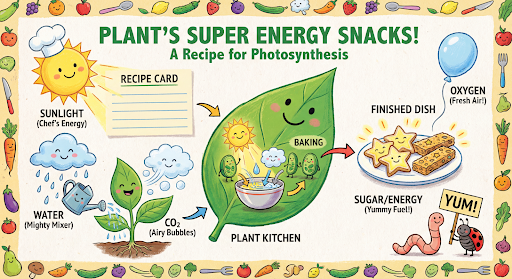
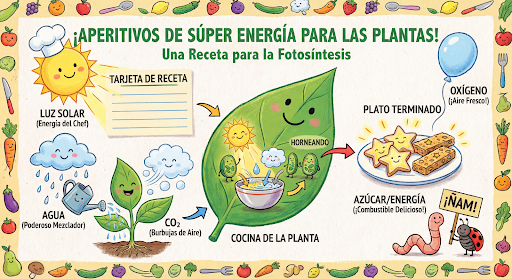
จากนั้นคุณสามารถใช้แชทเดียวกันเพื่อเปลี่ยนภาษาในกราฟิกเป็นภาษาสเปน
Python
message = "Update this infographic to be in Spanish. Do not change any other elements of the image."
aspect_ratio = "16:9" # "1:1","1:4","1:8","2:3","3:2","3:4","4:1","4:3","4:5","5:4","8:1","9:16","16:9","21:9"
resolution = "2K" # "512", "1K", "2K", "4K"

response = chat.send_message(message,
    config=types.GenerateContentConfig(
        response_format={"image": {aspect_ratio: aspect_ratio,                 image_size: resolution}},
    ))

for part in response.parts:
    if part.text is not None:
        print(part.text)
    elif image:= part.as_image():
        image.save("photosynthesis_spanish.png")
JavaScript
const message = 'Update this infographic to be in Spanish. Do not change any other elements of the image.';
const aspectRatio = '16:9';
const resolution = '2K';

let response = await chat.sendMessage({
  message,
  config: {
    responseModalities: ['TEXT', 'IMAGE'],
    responseFormat: {
    image: {
      aspectRatio: aspectRatio,
      imageSize: resolution,
    }
  },
    tools: [{googleSearch: {}}],
  },
});

for (const part of response.candidates[0].content.parts) {
    if (part.text) {
      console.log(part.text);
    } else if (part.inlineData) {
      const imageData = part.inlineData.data;
      const buffer = Buffer.from(imageData, "base64");
      fs.writeFileSync("photosynthesis2.png", buffer);
      console.log("Image saved as photosynthesis2.png");
    }
}
Go
message = "Update this infographic to be in Spanish. Do not change any other elements of the image."
aspect_ratio = "16:9" // "1:1","1:4","1:8","2:3","3:2","3:4","4:1","4:3","4:5","5:4","8:1","9:16","16:9","21:9"
resolution = "2K"     // "512", "1K", "2K", "4K"

model.GenerationConfig.ImageConfig = &pb.ImageConfig{
    AspectRatio: aspect_ratio,
    ImageSize:   resolution,
}

resp, err = chat.SendMessage(ctx, genai.Text(message))
if err != nil {
    log.Fatal(err)
}

for _, part := range resp.Candidates[0].Content.Parts {
    if txt, ok := part.(genai.Text); ok {
        fmt.Printf("%s", string(txt))
    } else if img, ok := part.(genai.ImageData); ok {
        err := os.WriteFile("photosynthesis_spanish.png", img.Data, 0644)
        if err != nil {
            log.Fatal(err)
        }
    }
}
Java
String aspectRatio = "16:9"; // "1:1","1:4","1:8","2:3","3:2","3:4","4:1","4:3","4:5","5:4","8:1","9:16","16:9","21:9"
String resolution = "2K"; // "512", "1K", "2K", "4K"

config = GenerateContentConfig.builder()
    .responseModalities("TEXT", "IMAGE")
    .imageConfig(ImageConfig.builder()
        .aspectRatio(aspectRatio)
        .imageSize(resolution)
        .build())
    .build();

response = chat.sendMessage(
    "Update this infographic to be in Spanish. " +
    "Do not change any other elements of the image.",
    config);

for (Part part : response.parts()) {
  if (part.text().isPresent()) {
    System.out.println(part.text().get());
  } else if (part.inlineData().isPresent()) {
    var blob = part.inlineData().get();
    if (blob.data().isPresent()) {
      Files.write(Paths.get("photosynthesis_spanish.png"), blob.data().get());
    }
  }
}
C#
using Google.GenAI;
using System;
using System.Collections.Generic;
using System.IO;
using System.Threading.Tasks;

public class MultiturnImageEditingSpanish {
  public static async Task Main(string[] args) {
    var client = new Client();

    var response = await client.Models.GenerateContentAsync(
        model: "gemini-3.1-flash-image",
        contents: new List<Part>
        {
            new Part { Text = "Update this infographic to be in Spanish. Do not change any other elements of the image." }
        },
        config: new GenerateContentConfig
        {
            ResponseModalities = new List<string> { "TEXT", "IMAGE" },
            ImageConfig = new ImageConfig
            {
                AspectRatio = "16:9",
                ImageSize = "2K"
            }
        }
    );

    foreach (var candidate in response.Candidates) {
        foreach (var part in candidate.Content.Parts) {
            if (part.Text != null) {
                Console.WriteLine(part.Text);
            } else if (part.InlineData != null) {
                var imageBytes = Convert.FromBase64String(part.InlineData.Data);
                await File.WriteAllBytesAsync("photosynthesis_spanish.png", imageBytes);
                Console.WriteLine("Image saved as photosynthesis_spanish.png");
            }
        }
    }
  }
}
REST
curl -s -X POST \
  "https://generativelanguage.googleapis.com/v1/models/gemini-3.1-flash-image:generateContent" \
  -H "x-goog-api-key: $GEMINI_API_KEY" \
  -H 'Content-Type: application/json' \
  -d '{
    "contents": [
      {
        "role": "user",
        "parts": [{"text": "Create a vibrant infographic that explains photosynthesis..."}]
      },
      {
        "role": "model",
        "parts": [{"inline_data": {"mime_type": "image/png", "data": "<PREVIOUS_IMAGE_DATA>"}}]
      },
      {
        "role": "user",
        "parts": [{"text": "Update this infographic to be in Spanish. Do not change any other elements of the image."}]
      }
    ],
    "tools": [{"google_search": {}}],
    "generationConfig": {
      "responseModalities": ["TEXT", "IMAGE"],
      "responseFormat": {
    "image": {
        "aspectRatio": "16:9",
        "imageSize": "2K"
      }
  }
    }
  }'
ฟีเจอร์ใหม่ในโมเดลรูปภาพ Gemini 3
Gemini 3 มีโมเดลการสร้างและแก้ไขรูปภาพที่ล้ำสมัย รูปภาพ Gemini 3.1 Flash ได้รับการเพิ่มประสิทธิภาพเพื่อความเร็วและกรณีการใช้งานที่มีปริมาณสูง ส่วนรูปภาพ Gemini 3 Pro ได้รับการเพิ่มประสิทธิภาพเพื่อการผลิตชิ้นงานระดับมืออาชีพ ออกแบบมาเพื่อจัดการเวิร์กโฟลว์ที่ท้าทายที่สุดผ่านการให้เหตุผลขั้นสูง จึงทำงานได้ดีในงานสร้างสรรค์และการแก้ไขที่ซับซ้อนแบบการสนทนาไปมา
- เอาต์พุตความละเอียดสูง: ความสามารถในการสร้างภาพความละเอียด 1K, 2K และ 4K ในตัว
- รูปภาพ Gemini 3.1 Flash เพิ่มความละเอียด 512 (0.5K) ที่เล็กลง
- รูปภาพ Gemini 3.1 Flash Lite รองรับความละเอียด 1K เท่านั้น
- การแสดงข้อความขั้นสูง: สร้างข้อความที่อ่านได้และมีสไตล์สำหรับอินโฟกราฟิก เมนู ไดอะแกรม และชิ้นงานทางการตลาด
- การอ้างอิงจาก Google Search: โมเดลสามารถใช้ Google Search เป็นเครื่องมือเพื่อ
ยืนยันข้อเท็จจริงและสร้างภาพตามข้อมูลแบบเรียลไทม์ (เช่น แผนที่
สภาพอากาศปัจจุบัน แผนภูมิหุ้น เหตุการณ์ล่าสุด)
- โมเดลรูปภาพ Gemini 3.1 Flash Lite ไม่รองรับ
- รูปภาพ Gemini 3.1 Flash เพิ่มการผสานรวมการเชื่อมต่อแหล่งข้อมูลกับ Google Search สำหรับ Google รูปภาพควบคู่ไปกับ Web Search
- โหมดการคิด: โมเดลใช้กระบวนการ "การคิด" เพื่อให้เหตุผลผ่านพรอมต์ที่ซับซ้อน โดยจะสร้าง "รูปภาพความคิด" ชั่วคราว (มองเห็นได้ในแบ็กเอนด์ แต่ไม่มีการเรียกเก็บเงิน) เพื่อปรับแต่งองค์ประกอบก่อนที่จะสร้างเอาต์พุตคุณภาพสูง ขั้นสุดท้าย
- รูปภาพอ้างอิงสูงสุด 14 รูป: ตอนนี้คุณสามารถผสมรูปภาพอ้างอิงได้สูงสุด 14 รูปเพื่อสร้างรูปภาพสุดท้าย
- สัดส่วนภาพใหม่: Gemini 3.1 Flash Lite Image เพิ่ม
1:1,3:2,2:3,3:4,4:3,4:5,5:4,9:16,16:9,21:9สัดส่วนภาพ
ใช้รูปภาพอ้างอิงได้สูงสุด 14 รูป
โมเดลรูปภาพ Gemini 3 ช่วยให้คุณผสมรูปภาพอ้างอิงได้สูงสุด 14 รูป รูปภาพทั้ง 14 รูป อาจมีลักษณะต่อไปนี้
| รูปภาพ Gemini 3.1 Flash Lite | รูปภาพ Gemini 3.1 Flash | รูปภาพ Gemini 3 Pro |
|---|---|---|
| รูปภาพวัตถุที่มีความเที่ยงตรงสูงสูงสุด 14 ภาพที่จะรวมไว้ในรูปภาพสุดท้าย | รูปภาพวัตถุที่มีความเที่ยงตรงสูงสูงสุด 10 ภาพที่จะรวมไว้ในรูปภาพสุดท้าย | รูปภาพวัตถุที่มีความเที่ยงตรงสูงสูงสุด 6 ภาพที่จะรวมไว้ในรูปภาพสุดท้าย |
| ไม่มี | รูปภาพตัวละครสูงสุด 4 ภาพเพื่อรักษาความสอดคล้องของตัวละคร | รูปภาพตัวละครสูงสุด 5 รูปเพื่อรักษาความสอดคล้องของตัวละคร |
| ไม่มี | ไม่มี | รูปภาพสูงสุด 3 รูปที่จะใช้เป็นข้อมูลอ้างอิงสไตล์ |
Python
from google import genai
from google.genai import types
from PIL import Image

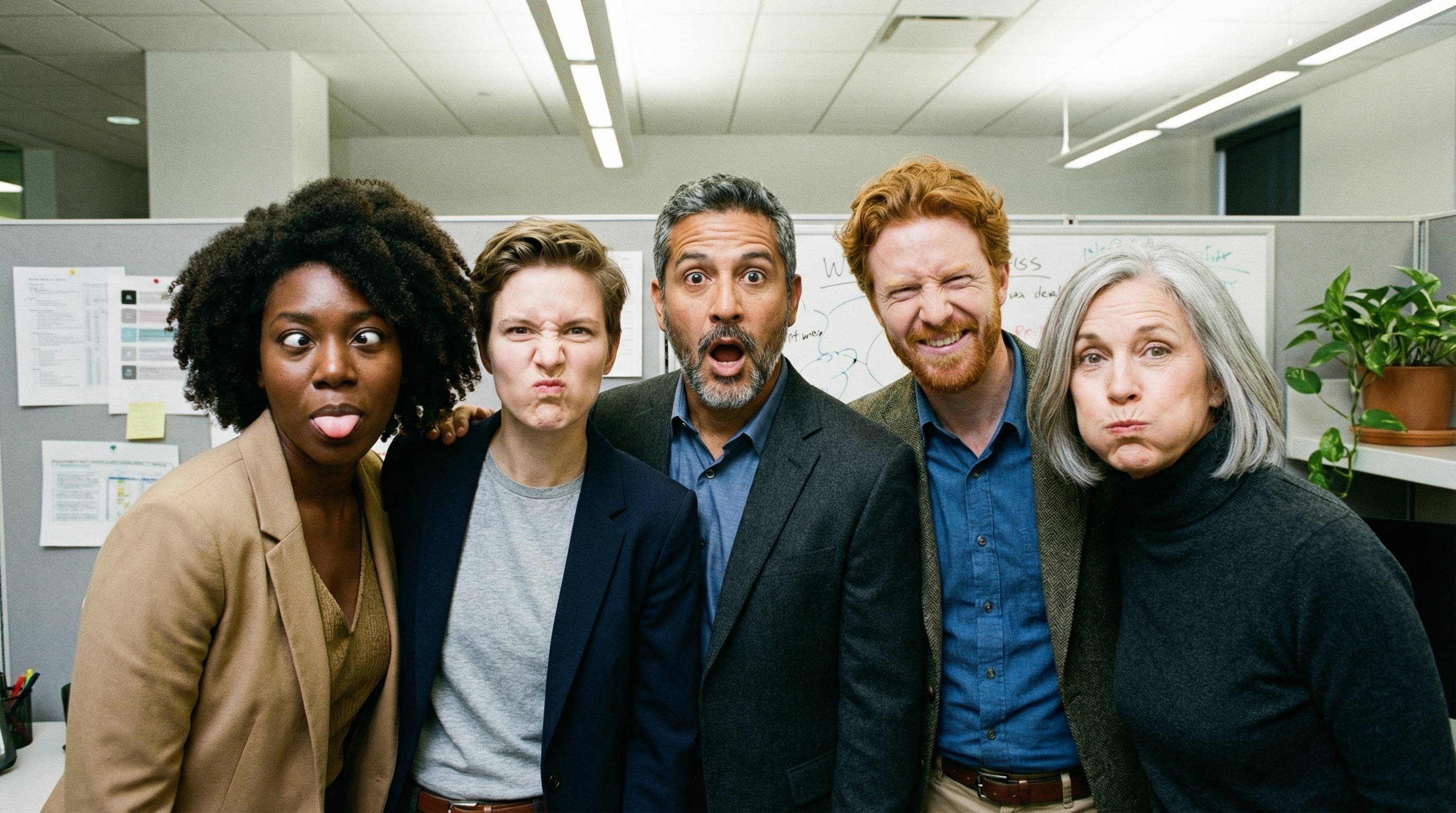
prompt = "An office group photo of these people, they are making funny faces."
aspect_ratio = "5:4" # "1:1","1:4","1:8","2:3","3:2","3:4","4:1","4:3","4:5","5:4","8:1","9:16","16:9","21:9"
resolution = "2K" # "512", "1K", "2K", "4K"

client = genai.Client()

response = client.models.generate_content(
    model="gemini-3.1-flash-image",
    contents=[
        prompt,
        Image.open('person1.png'),
        Image.open('person2.png'),
        Image.open('person3.png'),
        Image.open('person4.png'),
        Image.open('person5.png'),
    ],
    config=types.GenerateContentConfig(
        response_modalities=['TEXT', 'IMAGE'],
        response_format={"image": {aspect_ratio: aspect_ratio,                 image_size: resolution}},
    )
)

for part in response.parts:
    if part.text is not None:
        print(part.text)
    elif image:= part.as_image():
        image.save("office.png")
JavaScript
import { GoogleGenAI } from "@google/genai";
import * as fs from "node:fs";

async function main() {

  const ai = new GoogleGenAI({});

  const prompt =
      'An office group photo of these people, they are making funny faces.';
  const aspectRatio = '5:4';
  const resolution = '2K';

const contents = [
  { text: prompt },
  {
    inlineData: {
      mimeType: "image/jpeg",
      data: base64ImageFile1,
    },
  },
  {
    inlineData: {
      mimeType: "image/jpeg",
      data: base64ImageFile2,
    },
  },
  {
    inlineData: {
      mimeType: "image/jpeg",
      data: base64ImageFile3,
    },
  },
  {
    inlineData: {
      mimeType: "image/jpeg",
      data: base64ImageFile4,
    },
  },
  {
    inlineData: {
      mimeType: "image/jpeg",
      data: base64ImageFile5,
    },
  }
];

const response = await ai.models.generateContent({
    model: 'gemini-3.1-flash-image',
    contents: contents,
    config: {
      responseModalities: ['TEXT', 'IMAGE'],
      responseFormat: {
    image: {
        aspectRatio: aspectRatio,
        imageSize: resolution,
      }
  },
    },
  });

  for (const part of response.candidates[0].content.parts) {
    if (part.text) {
      console.log(part.text);
    } else if (part.inlineData) {
      const imageData = part.inlineData.data;
      const buffer = Buffer.from(imageData, "base64");
      fs.writeFileSync("image.png", buffer);
      console.log("Image saved as image.png");
    }
  }

}

main();
Go
package main

import (
    "context"
    "fmt"
    "log"
    "os"

    "google.golang.org/genai"
)

func main() {
    ctx := context.Background()
    client, err := genai.NewClient(ctx, nil)
    if err != nil {
        log.Fatal(err)
    }
    defer client.Close()

    model := client.GenerativeModel("gemini-3.1-flash-image")
    model.GenerationConfig = &pb.GenerationConfig{
        ResponseModalities: []pb.ResponseModality{genai.Text, genai.Image},
        ImageConfig: &pb.ImageConfig{
            AspectRatio: "5:4",
            ImageSize:   "2K",
        },
    }

    img1, err := os.ReadFile("person1.png")
    if err != nil { log.Fatal(err) }
    img2, err := os.ReadFile("person2.png")
    if err != nil { log.Fatal(err) }
    img3, err := os.ReadFile("person3.png")
    if err != nil { log.Fatal(err) }
    img4, err := os.ReadFile("person4.png")
    if err != nil { log.Fatal(err) }
    img5, err := os.ReadFile("person5.png")
    if err != nil { log.Fatal(err) }

    parts := []genai.Part{
        genai.Text("An office group photo of these people, they are making funny faces."),
        genai.ImageData{MIMEType: "image/png", Data: img1},
        genai.ImageData{MIMEType: "image/png", Data: img2},
        genai.ImageData{MIMEType: "image/png", Data: img3},
        genai.ImageData{MIMEType: "image/png", Data: img4},
        genai.ImageData{MIMEType: "image/png", Data: img5},
    }

    resp, err := model.GenerateContent(ctx, parts...)
    if err != nil {
        log.Fatal(err)
    }

    for _, part := range resp.Candidates[0].Content.Parts {
        if txt, ok := part.(genai.Text); ok {
            fmt.Printf("%s", string(txt))
        } else if img, ok := part.(genai.ImageData); ok {
            err := os.WriteFile("office.png", img.Data, 0644)
            if err != nil {
                log.Fatal(err)
            }
        }
    }
}
Java
import com.google.genai.Client;
import com.google.genai.types.Content;
import com.google.genai.types.GenerateContentConfig;
import com.google.genai.types.GenerateContentResponse;
import com.google.genai.types.ImageConfig;
import com.google.genai.types.Part;

import java.io.IOException;
import java.nio.file.Files;
import java.nio.file.Path;
import java.nio.file.Paths;

public class GroupPhoto {
  public static void main(String[] args) throws IOException {

    try (Client client = new Client()) {
      GenerateContentConfig config = GenerateContentConfig.builder()
          .responseModalities("TEXT", "IMAGE")
          .imageConfig(ImageConfig.builder()
              .aspectRatio("5:4")
              .imageSize("2K")
              .build())
          .build();

      GenerateContentResponse response = client.models.generateContent(
          "gemini-3.1-flash-image",
          Content.fromParts(
              Part.fromText("An office group photo of these people, they are making funny faces."),
              Part.fromBytes(Files.readAllBytes(Path.of("person1.png")), "image/png"),
              Part.fromBytes(Files.readAllBytes(Path.of("person2.png")), "image/png"),
              Part.fromBytes(Files.readAllBytes(Path.of("person3.png")), "image/png"),
              Part.fromBytes(Files.readAllBytes(Path.of("person4.png")), "image/png"),
              Part.fromBytes(Files.readAllBytes(Path.of("person5.png")), "image/png")
          ), config);

      for (Part part : response.parts()) {
        if (part.text().isPresent()) {
          System.out.println(part.text().get());
        } else if (part.inlineData().isPresent()) {
          var blob = part.inlineData().get();
          if (blob.data().isPresent()) {
            Files.write(Paths.get("office.png"), blob.data().get());
          }
        }
      }
    }
  }
}
C#
using Google.GenAI;
using System;
using System.Collections.Generic;
using System.IO;
using System.Threading.Tasks;

public class GroupPhoto {
  public static async Task Main(string[] args) {
    var client = new Client();

    var response = await client.Models.GenerateContentAsync(
        model: "gemini-3.1-flash-image",
        contents: new List<Part>
        {
            new Part { Text = "An office group photo of these people, they are making funny faces." },
            new Part { FileData = new FileData { FileUri = "file:///person1.png" } },
            new Part { FileData = new FileData { FileUri = "file:///person2.png" } },
            new Part { FileData = new FileData { FileUri = "file:///person3.png" } },
            new Part { FileData = new FileData { FileUri = "file:///person4.png" } },
            new Part { FileData = new FileData { FileUri = "file:///person5.png" } }
        },
        config: new GenerateContentConfig
        {
            ResponseModalities = new List<string> { "TEXT", "IMAGE" },
            ImageConfig = new ImageConfig
            {
                AspectRatio = "5:4",
                ImageSize = "2K"
            }
        }
    );

    foreach (var candidate in response.Candidates) {
        foreach (var part in candidate.Content.Parts) {
            if (part.Text != null) {
                Console.WriteLine(part.Text);
            } else if (part.InlineData != null) {
                var imageBytes = Convert.FromBase64String(part.InlineData.Data);
                await File.WriteAllBytesAsync("office.png", imageBytes);
                Console.WriteLine("Image saved as office.png");
            }
        }
    }
  }
}
REST
curl -s -X POST \
  "https://generativelanguage.googleapis.com/v1/models/gemini-3.1-flash-image:generateContent" \
    -H "x-goog-api-key: $GEMINI_API_KEY" \
    -H 'Content-Type: application/json' \
    -d "{
      \"contents\": [{
        \"parts\":[
            {\"text\": \"An office group photo of these people, they are making funny faces.\"},
            {\"inline_data\": {\"mime_type\":\"image/png\", \"data\": \"<BASE64_DATA_IMG_1>\"}},
            {\"inline_data\": {\"mime_type\":\"image/png\", \"data\": \"<BASE64_DATA_IMG_2>\"}},
            {\"inline_data\": {\"mime_type\":\"image/png\", \"data\": \"<BASE64_DATA_IMG_3>\"}},
            {\"inline_data\": {\"mime_type\":\"image/png\", \"data\": \"<BASE64_DATA_IMG_4>\"}},
            {\"inline_data\": {\"mime_type\":\"image/png\", \"data\": \"<BASE64_DATA_IMG_5>\"}}
        ]
      }],
      \"generationConfig\": {
        \"responseModalities\": [\"TEXT\", \"IMAGE\"],
        \"responseFormat\": {
        \"image\": {
          \"aspectRatio\": \"5:4\",
          \"imageSize\": \"2K\"
        }
      }
      }
    }"
การเชื่อมต่อแหล่งข้อมูลกับ Google Search
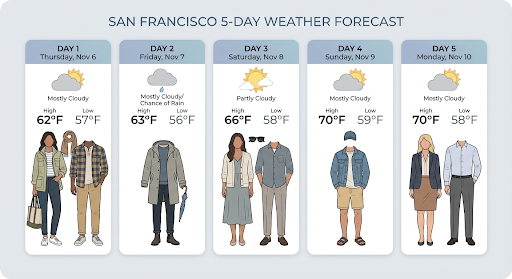
ใช้เครื่องมือ Google Search เพื่อสร้างรูปภาพ โดยอิงตามข้อมูลแบบเรียลไทม์ เช่น พยากรณ์อากาศ แผนภูมิหุ้น หรือ เหตุการณ์ล่าสุด
โปรดทราบว่าเมื่อใช้การเชื่อมต่อแหล่งข้อมูลกับ Google Search ร่วมกับการสร้างรูปภาพ ระบบจะไม่ส่งผลการค้นหาตามรูปภาพไปยังโมเดลการสร้างและจะ ยกเว้นผลการค้นหาดังกล่าวจากคำตอบ (ดูการเชื่อมต่อแหล่งข้อมูลกับ Google Search สำหรับรูปภาพ)
Python
from google import genai
prompt = "Visualize the current weather forecast for the next 5 days in San Francisco as a clean, modern weather chart. Add a visual on what I should wear each day"
aspect_ratio = "16:9" # "1:1","1:4","1:8","2:3","3:2","3:4","4:1","4:3","4:5","5:4","8:1","9:16","16:9","21:9"

client = genai.Client()

response = client.models.generate_content(
    model="gemini-3.1-flash-image",
    contents=prompt,
    config=types.GenerateContentConfig(
        response_modalities=['Text', 'Image'],
        response_format={"image": {aspect_ratio: aspect_ratio,}},
        tools=[{"google_search": {}}]
    )
)

for part in response.parts:
    if part.text is not None:
        print(part.text)
    elif image:= part.as_image():
        image.save("weather.png")
JavaScript
import { GoogleGenAI } from "@google/genai";
import * as fs from "node:fs";

async function main() {

  const ai = new GoogleGenAI({});

  const prompt = 'Visualize the current weather forecast for the next 5 days in San Francisco as a clean, modern weather chart. Add a visual on what I should wear each day';
  const aspectRatio = '16:9';
  const resolution = '2K';

const response = await ai.models.generateContent({
    model: 'gemini-3.1-flash-image',
    contents: prompt,
    config: {
      responseModalities: ['TEXT', 'IMAGE'],
      responseFormat: {
    image: {
        aspectRatio: aspectRatio,
        imageSize: resolution,
      }
  },
    tools: [{ googleSearch: {} }]
    },
  });

  for (const part of response.candidates[0].content.parts) {
    if (part.text) {
      console.log(part.text);
    } else if (part.inlineData) {
      const imageData = part.inlineData.data;
      const buffer = Buffer.from(imageData, "base64");
      fs.writeFileSync("image.png", buffer);
      console.log("Image saved as image.png");
    }
  }

}

main();
Java
import com.google.genai.Client;
import com.google.genai.types.GenerateContentConfig;
import com.google.genai.types.GenerateContentResponse;
import com.google.genai.types.GoogleSearch;
import com.google.genai.types.ImageConfig;
import com.google.genai.types.Part;
import com.google.genai.types.Tool;

import java.io.IOException;
import java.nio.file.Files;
import java.nio.file.Paths;

public class SearchGrounding {
  public static void main(String[] args) throws IOException {

    try (Client client = new Client()) {
      GenerateContentConfig config = GenerateContentConfig.builder()
          .responseModalities("TEXT", "IMAGE")
          .imageConfig(ImageConfig.builder()
              .aspectRatio("16:9")
              .build())
          .tools(Tool.builder()
              .googleSearch(GoogleSearch.builder().build())
              .build())
          .build();

      GenerateContentResponse response = client.models.generateContent(
          "gemini-3.1-flash-image", """
              Visualize the current weather forecast for the next 5 days
              in San Francisco as a clean, modern weather chart.
              Add a visual on what I should wear each day
              """,
          config);

      for (Part part : response.parts()) {
        if (part.text().isPresent()) {
          System.out.println(part.text().get());
        } else if (part.inlineData().isPresent()) {
          var blob = part.inlineData().get();
          if (blob.data().isPresent()) {
            Files.write(Paths.get("weather.png"), blob.data().get());
          }
        }
      }
    }
  }
}
C#
using Google.GenAI;
using System;
using System.Collections.Generic;
using System.IO;
using System.Threading.Tasks;

public class SearchGrounding {
  public static async Task Main(string[] args) {
    var client = new Client();

    var response = await client.Models.GenerateContentAsync(
        model: "gemini-3.1-flash-image",
        contents: new List<Part>
        {
            new Part { Text = "Visualize the current weather forecast for the next 5 days in San Francisco as a clean, modern weather chart. Add a visual on what I should wear each day" }
        },
        config: new GenerateContentConfig
        {
            ResponseModalities = new List<string> { "TEXT", "IMAGE" },
            ImageConfig = new ImageConfig
            {
                AspectRatio = "16:9"
            },
            Tools = new List<Tool> { new Tool { GoogleSearch = new GoogleSearch() } }
        }
    );

    foreach (var candidate in response.Candidates) {
        foreach (var part in candidate.Content.Parts) {
            if (part.Text != null) {
                Console.WriteLine(part.Text);
            } else if (part.InlineData != null) {
                var imageBytes = Convert.FromBase64String(part.InlineData.Data);
                await File.WriteAllBytesAsync("weather.png", imageBytes);
                Console.WriteLine("Image saved as weather.png");
            }
        }
    }
  }
}
REST
curl -s -X POST \
  "https://generativelanguage.googleapis.com/v1/models/gemini-3.1-flash-image:generateContent" \
  -H "x-goog-api-key: $GEMINI_API_KEY" \
  -H "Content-Type: application/json" \
  -d '{
    "contents": [{"parts": [{"text": "Visualize the current weather forecast for the next 5 days in San Francisco as a clean, modern weather chart. Add a visual on what I should wear each day"}]}],
    "tools": [{"google_search": {}}],
    "generationConfig": {
      "responseModalities": ["TEXT", "IMAGE"],
      "responseFormat": {
    "image": {"aspectRatio": "16:9"}
  }
    }
  }'
การตอบกลับมี groundingMetadata ซึ่งมีฟิลด์ที่จำเป็นต่อไปนี้
searchEntryPoint: มี HTML และ CSS เพื่อแสดงคำแนะนำในการค้นหาที่จำเป็นgroundingChunks: แสดงผลแหล่งที่มาบนเว็บ 3 อันดับแรกที่ใช้เป็นข้อมูลอ้างอิงสำหรับ รูปภาพที่สร้างขึ้น
การเชื่อมต่อแหล่งข้อมูลกับ Google Search สำหรับรูปภาพ (3.1 Flash)
การเชื่อมต่อแหล่งข้อมูลกับ Google Search สำหรับรูปภาพช่วยให้โมเดลใช้รูปภาพบนเว็บที่ดึงข้อมูลผ่าน Google Search เป็นบริบทภาพสำหรับการสร้างรูปภาพได้ การค้นหารูปภาพเป็น การค้นหาประเภทใหม่ภายในเครื่องมือการเชื่อมต่อแหล่งข้อมูลกับ Google Search ที่มีอยู่ ซึ่งทำงานควบคู่ไปกับWeb Searchมาตรฐาน
หากต้องการเปิดใช้การค้นหารูปภาพ ให้กำหนดค่าเครื่องมือ googleSearch ในคำขอ API
และระบุ imageSearch ภายในออบเจ็กต์ searchTypes คุณใช้ฟีเจอร์ค้นหารูปภาพแยกกันหรือใช้ร่วมกับฟีเจอร์ค้นหาเว็บก็ได้
โปรดทราบว่าคุณไม่สามารถใช้การอ้างอิงด้วย Google Search สำหรับรูปภาพเพื่อค้นหาบุคคลได้
Python
from google import genai
prompt = "A detailed painting of a Timareta butterfly resting on a flower"

client = genai.Client()

response = client.models.generate_content(
    model="gemini-3.1-flash-image",
    contents=prompt,
    config=types.GenerateContentConfig(
        response_modalities=["IMAGE"],
        tools=[
            types.Tool(google_search=types.GoogleSearch(
                search_types=types.SearchTypes(
                    web_search=types.WebSearch(),
                    image_search=types.ImageSearch()
                )
            ))
        ]
    )
)

# Display grounding sources if available
if response.candidates and response.candidates[0].grounding_metadata and response.candidates[0].grounding_metadata.search_entry_point:
    display(HTML(response.candidates[0].grounding_metadata.search_entry_point.rendered_content))
JavaScript
import { GoogleGenAI } from "@google/genai";

async function main() {

  const ai = new GoogleGenAI({});

  const prompt = "A detailed painting of a Timareta butterfly resting on a flower";

  const response = await ai.models.generateContent({
    model: "gemini-3.1-flash-image",
    contents: prompt,
    config: {
      responseModalities: ["IMAGE"],
      tools: [
        {
          googleSearch: {
            searchTypes: {
              webSearch: {},
              imageSearch: {}
            }
          }
        }
      ]
    }
  });

  // Display grounding sources if available
  if (response.candidates && response.candidates[0].groundingMetadata && response.candidates[0].groundingMetadata.searchEntryPoint) {
      console.log(response.candidates[0].groundingMetadata.searchEntryPoint.renderedContent);
  }
}

main();
Go
package main

import (
  "context"
  "fmt"
  "log"

  "google.golang.org/genai"
  pb "google.golang.org/genai/schema"
)

func main() {
  ctx := context.Background()
  client, err := genai.NewClient(ctx, nil)
  if err != nil {
    log.Fatal(err)
  }
  defer client.Close()

  model := client.GenerativeModel("gemini-3.1-flash-image")
  model.Tools = []*pb.Tool{
    {
      GoogleSearch: &pb.GoogleSearch{
        SearchTypes: &pb.SearchTypes{
          WebSearch:   &pb.WebSearch{},
          ImageSearch: &pb.ImageSearch{},
        },
      },
    },
  }
  model.GenerationConfig = &pb.GenerationConfig{
    ResponseModalities: []pb.ResponseModality{genai.Image},
  }

  prompt := "A detailed painting of a Timareta butterfly resting on a flower"
  resp, err := model.GenerateContent(ctx, genai.Text(prompt))
  if err != nil {
    log.Fatal(err)
  }

  if resp.Candidates[0].GroundingMetadata != nil && resp.Candidates[0].GroundingMetadata.SearchEntryPoint != nil {
    fmt.Println(resp.Candidates[0].GroundingMetadata.SearchEntryPoint.RenderedContent)
  }
}
Java
import com.google.genai.Client;
import com.google.genai.types.GenerateContentConfig;
import com.google.genai.types.GenerateContentResponse;
import com.google.genai.types.GoogleSearch;
import com.google.genai.types.ImageSearch;
import com.google.genai.types.SearchTypes;
import com.google.genai.types.Tool;
import com.google.genai.types.WebSearch;

import java.io.IOException;

public class ImageSearchGrounding {
  public static void main(String[] args) throws IOException {

    try (Client client = new Client()) {
      GenerateContentConfig config = GenerateContentConfig.builder()
          .responseModalities("IMAGE")
          .tools(Tool.builder()
              .googleSearch(GoogleSearch.builder()
                  .searchTypes(SearchTypes.builder()
                      .webSearch(WebSearch.builder().build())
                      .imageSearch(ImageSearch.builder().build())
                      .build())
                  .build())
              .build())
          .build();

      GenerateContentResponse response = client.models.generateContent(
          "gemini-3.1-flash-image",
          "A detailed painting of a Timareta butterfly resting on a flower",
          config);

      if (response.candidates().isPresent() && !response.candidates().get().isEmpty()) {
        var candidate = response.candidates().get().get(0);
        if (candidate.groundingMetadata().isPresent() && candidate.groundingMetadata().get().searchEntryPoint().isPresent()) {
          System.out.println(candidate.groundingMetadata().get().searchEntryPoint().get().renderedContent().orElse(""));
        }
      }
    }
  }
}
C#
using Google.GenAI;
using System;
using System.Collections.Generic;
using System.Threading.Tasks;

public class ImageSearchGrounding {
  public static async Task Main(string[] args) {
    var client = new Client();

    var response = await client.Models.GenerateContentAsync(
        model: "gemini-3.1-flash-image",
        contents: new List<Part>
        {
            new Part { Text = "A detailed painting of a Timareta butterfly resting on a flower" }
        },
        config: new GenerateContentConfig
        {
            ResponseModalities = new List<string> { "IMAGE" },
            Tools = new List<Tool>
            {
                new Tool
                {
                    GoogleSearch = new GoogleSearch
                    {
                        SearchTypes = new SearchTypes
                        {
                            WebSearch = new WebSearch(),
                            ImageSearch = new ImageSearch()
                        }
                    }
                }
            }
        }
    );

    foreach (var candidate in response.Candidates) {
        if (candidate.GroundingMetadata != null && candidate.GroundingMetadata.SearchEntryPoint != null) {
            Console.WriteLine(candidate.GroundingMetadata.SearchEntryPoint.RenderedContent);
        }
    }
  }
}
REST
curl -s -X POST \
  "https://generativelanguage.googleapis.com/v1/models/gemini-3.1-flash-image:generateContent" \
  -H "x-goog-api-key: $GEMINI_API_KEY" \
  -H "Content-Type: application/json" \
  -d '{
    "contents": [{"parts": [{"text": "A detailed painting of a Timareta butterfly resting on a flower"}]}],
    "tools": [{"google_search": {"searchTypes": {"webSearch": {}, "imageSearch": {}}}}],
    "generationConfig": {
      "responseModalities": ["IMAGE"]
    }
  }'
ข้อกำหนดในการแสดงผล
เมื่อใช้การค้นหารูปภาพภายใน การเชื่อมต่อแหล่งข้อมูลกับ Google Search คุณต้องปฏิบัติตามเงื่อนไขต่อไปนี้
- การระบุแหล่งที่มา: คุณต้องระบุลิงก์ไปยังหน้าเว็บที่มีรูปภาพต้นฉบับ ("หน้าที่มีรูปภาพ" ไม่ใช่ไฟล์รูปภาพเอง) ในลักษณะที่ผู้ใช้จะจดจำได้ว่าเป็นลิงก์
- การนำทางโดยตรง: หากเลือกแสดงรูปภาพต้นฉบับด้วย คุณต้องระบุเส้นทางแบบคลิกเดียวโดยตรงจากรูปภาพต้นฉบับไปยังหน้าเว็บต้นฉบับที่มีรูปภาพนั้น การติดตั้งใช้งานอื่นๆ ที่ทำให้การเข้าถึงหน้าเว็บแหล่งที่มาของผู้ใช้ปลายทางล่าช้าหรือซับซ้อน รวมถึงแต่ไม่จำกัดเพียงเส้นทางแบบหลายคลิกหรือการใช้โปรแกรมดูรูปภาพขั้นกลาง จะไม่ได้รับอนุญาต
การตอบกลับ
สำหรับคำตอบที่อิงตามการค้นหารูปภาพ API จะระบุแหล่งที่มาและข้อมูลเมตาอย่างชัดเจนเพื่อลิงก์เอาต์พุตกับแหล่งที่มาที่ได้รับการยืนยัน ฟิลด์หลักในออบเจ็กต์
groundingMetadata มีดังนี้
imageSearchQueries: คำค้นหาที่เฉพาะเจาะจงซึ่งโมเดลใช้สำหรับบริบทภาพ (การค้นหารูปภาพ)groundingChunks: มีข้อมูลแหล่งที่มาสำหรับผลการค้นหาที่ดึงข้อมูล สำหรับแหล่งที่มาของรูปภาพ ระบบจะแสดงผลเป็น URL เปลี่ยนเส้นทางโดยใช้ประเภทก้อนข้อมูลรูปภาพใหม่ โดยส่วนนี้ประกอบด้วยuri: URL ของหน้าเว็บสำหรับการระบุแหล่งที่มา (หน้า Landing Page)image_uri: URL ของรูปภาพโดยตรง
groundingSupports: ระบุการแมปที่เฉพาะเจาะจงซึ่งลิงก์เนื้อหาที่สร้างขึ้น ไปยังแหล่งที่มาของการอ้างอิงที่เกี่ยวข้องในก้อนข้อมูลsearchEntryPoint: มีชิป "Google Search" ที่มี HTML และ CSS ที่เป็นไปตามข้อกำหนดเพื่อแสดงผลคำแนะนำของ Search
การสร้างรูปภาพจากวิดีโอ (3.1 Flash และ 3.1 Flash Lite)
การสร้างรูปภาพจากวิดีโอช่วยให้คุณสร้างรูปภาพใหม่ได้โดยใช้บริบทของวิดีโอ เป็นข้อมูลอ้างอิงแบบมัลติโมดัล ซึ่งมีประโยชน์ในการสร้างภาพปกวิดีโอคุณภาพสูง โปสเตอร์ภาพยนตร์ อินโฟกราฟิกสรุป หรืออาร์ตเวิร์กใหม่ที่ได้แรงบันดาลใจจากฉากในวิดีโอ
ในระหว่างการสร้าง โมเดลจะวิเคราะห์เฟรมวิดีโอในบริบท (สูงสุดตามขีดจํากัดโทเค็นอินพุตของโมเดลที่ 131,072 โทเค็น) เพื่อดึงธีมภาพและเหตุการณ์สําคัญ จากนั้นจะใช้ธีมและเหตุการณ์เหล่านั้นร่วมกับพรอมต์ข้อความเพื่อสังเคราะห์รูปภาพเอาต์พุต
คุณสามารถส่ง URL ของ YouTube สาธารณะในคำขอ API โดยตรงหรืออัปโหลดไฟล์วิดีโอในเครื่องโดยใช้ Files API
Python
from google import genai
from google.genai import types

client = genai.Client()

# Pass a public YouTube video URL as part of the contents
response = client.models.generate_content(
    model="gemini-3.1-flash-image",
    contents=[
        types.Part(
          file_data=types.FileData(file_uri="https://www.youtube.com/watch?v=UTdfxFyOQTI"),
          video_metadata=types.VideoMetadata(fps=0.5)
        ),
        "Generate a poster image that captures the key themes of this video."
    ],
    config=types.GenerateContentConfig(
        response_modalities=["TEXT", "IMAGE"]
    )
)

# Save the generated image part
for part in response.parts:
    if part.inline_data is not None:
        image = part.as_image()
        image.save("video_poster.png")
        print("Image saved as video_poster.png")
JavaScript
import { GoogleGenAI } from "@google/genai";
import * as fs from "node:fs";

async function main() {
  const ai = new GoogleGenAI({});

  const response = await ai.models.generateContent({
    model: "gemini-3.1-flash-image",
    contents: [
      {
        fileData: {
          fileUri: "https://www.youtube.com/watch?v=UTdfxFyOQTI",
        },
        videoMetadata: {
          fps: 0.5
        }
      },
      { text: "Generate a poster image that captures the key themes of this video." }
    ],
    config: {
      responseModalities: ["TEXT", "IMAGE"]
    }
  });

  for (const part of response.candidates[0].content.parts) {
    if (part.inlineData) {
      const imageData = part.inlineData.data;
      const buffer = Buffer.from(imageData, "base64");
      fs.writeFileSync("video_poster.png", buffer);
      console.log("Image saved as video_poster.png");
    }
  }
}

main();
Go
package main

import (
    "context"
    "log"
    "os"
    "google.golang.org/genai"
)

func main() {
    ctx := context.Background()
    client, err := genai.NewClient(ctx, nil)
    if err != nil {
        log.Fatal(err)
    }

    videoPart := genai.NewPartFromURI("https://www.youtube.com/watch?v=UTdfxFyOQTI", "video/mp4")
    videoPart.VideoMetadata = &genai.VideoMetadata{FPS: genai.Ptr(0.5)}

    parts := []*genai.Part{
        videoPart,
        genai.NewPartFromText("Generate a poster image that captures the key themes of this video."),
    }

    contents := []*genai.Content{
        genai.NewContentFromParts(parts, genai.RoleUser),
    }

    result, err := client.Models.GenerateContent(
        ctx,
        "gemini-3.1-flash-image",
        contents,
        &genai.GenerateContentConfig{
            ResponseModalities: []string{"TEXT", "IMAGE"},
        },
    )
    if err != nil {
        log.Fatal(err)
    }

    for _, part := range result.Candidates[0].Content.Parts {
        if part.InlineData != nil {
            imageBytes := part.InlineData.Data
            _ = os.WriteFile("video_poster.png", imageBytes, 0644)
            log.Println("Image saved as video_poster.png")
        }
    }
}
Java
import com.google.genai.Client;
import com.google.genai.types.Content;
import com.google.genai.types.FileData;
import com.google.genai.types.GenerateContentConfig;
import com.google.genai.types.GenerateContentResponse;
import com.google.genai.types.Part;
import com.google.genai.types.VideoMetadata;
import com.google.common.collect.ImmutableList;

import java.io.IOException;
import java.nio.file.Files;
import java.nio.file.Paths;

public class VideoToImage {
  public static void main(String[] args) throws IOException {

    try (Client client = new Client()) {
      Part videoPart = Part.builder()
          .fileData(FileData.builder()
              .fileUri("https://www.youtube.com/watch?v=UTdfxFyOQTI")
              .build())
          .videoMetadata(VideoMetadata.builder()
              .fps(0.5)
              .build())
          .build();

      Part textPart = Part.builder()
          .text("Generate a poster image that captures the key themes of this video.")
          .build();

      GenerateContentConfig config = GenerateContentConfig.builder()
          .responseModalities("TEXT", "IMAGE")
          .build();

      GenerateContentResponse response = client.models.generateContent(
          "gemini-3.1-flash-image",
          Content.builder()
              .role("user")
              .parts(ImmutableList.of(videoPart, textPart))
              .build(),
          config);

      for (Part part : response.parts()) {
        if (part.inlineData().isPresent()) {
          var blob = part.inlineData().get();
          if (blob.data().isPresent()) {
            Files.write(Paths.get("video_poster.png"), blob.data().get());
            System.out.println("Image saved as video_poster.png");
          }
        }
      }
    }
  }
}
C#
using Google.GenAI;
using Google.GenAI.Types;
using System;
using System.Collections.Generic;
using System.IO;
using System.Threading.Tasks;

public class VideoToImage {
  public static async Task Main(string[] args) {
    var client = new Client();

    var response = await client.Models.GenerateContentAsync(
        model: "gemini-3.1-flash-image",
        contents: new List<Part>
        {
            new Part
            {
                FileData = new FileData { FileUri = "https://www.youtube.com/watch?v=UTdfxFyOQTI" },
                VideoMetadata = new VideoMetadata { Fps = 0.5 }
            },
            new Part { Text = "Generate a poster image that captures the key themes of this video." }
        },
        config: new GenerateContentConfig
        {
            ResponseModalities = new List<string> { "TEXT", "IMAGE" }
        }
    );

    foreach (var candidate in response.Candidates) {
        foreach (var part in candidate.Content.Parts) {
            if (part.InlineData != null) {
                var imageBytes = Convert.FromBase64String(part.InlineData.Data);
                await File.WriteAllBytesAsync("video_poster.png", imageBytes);
                Console.WriteLine("Image saved as video_poster.png");
            }
        }
    }
  }
}
REST
curl -s -X POST \
  "https://generativelanguage.googleapis.com/v1/models/gemini-3.1-flash-image:generateContent" \
  -H "x-goog-api-key: $GEMINI_API_KEY" \
  -H "Content-Type: application/json" \
  -d '{
    "contents": [{
      "parts": [
        {
          "file_data": {
            "file_uri": "https://www.youtube.com/watch?v=UTdfxFyOQTI"
          },
          "video_metadata": {
            "fps": 0.5
          }
        },
        {"text": "Generate a poster image that captures the key themes of this video."}
      ]
    }],
    "generationConfig": {
      "responseModalities": ["TEXT", "IMAGE"]
    }
  }'
สร้างรูปภาพที่มีความละเอียดสูงสุด 4K
โมเดลรูปภาพ Gemini 3 จะสร้างรูปภาพขนาด 1K โดยค่าเริ่มต้น แต่ก็สามารถแสดงรูปภาพขนาด 2K, 4K และ 512 (0.5K) ได้เช่นกัน (รูปภาพ Gemini 3.1 Flash เท่านั้น) หากต้องการสร้างชิ้นงานที่มีความละเอียดสูงขึ้น
ให้ระบุ image_size ใน generation_config
คุณต้องใช้ตัว "K" พิมพ์ใหญ่ (เช่น 1K, 2K, 4K) ค่า 512 ไม่ได้ใช้คำต่อท้าย "K" ระบบจะปฏิเสธพารามิเตอร์ตัวพิมพ์เล็ก (เช่น 1k)
Python
from google import genai
from google.genai import types

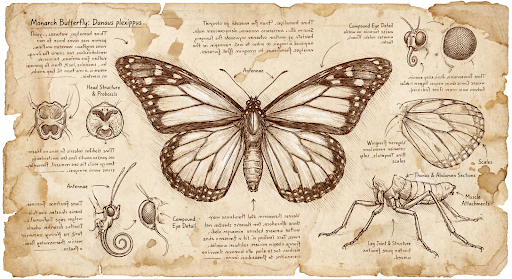
prompt = "Da Vinci style anatomical sketch of a dissected Monarch butterfly. Detailed drawings of the head, wings, and legs on textured parchment with notes in English."
aspect_ratio = "1:1" # "1:1","1:4","1:8","2:3","3:2","3:4","4:1","4:3","4:5","5:4","8:1","9:16","16:9","21:9"
resolution = "1K" # "512", "1K", "2K", "4K"

client = genai.Client()

response = client.models.generate_content(
    model="gemini-3.1-flash-image",
    contents=prompt,
    config=types.GenerateContentConfig(
        response_modalities=['TEXT', 'IMAGE'],
        response_format={"image": {aspect_ratio: aspect_ratio,                 image_size: resolution}},
    )
)

for part in response.parts:
    if part.text is not None:
        print(part.text)
    elif image:= part.as_image():
        image.save("butterfly.png")
JavaScript
import { GoogleGenAI } from "@google/genai";
import * as fs from "node:fs";

async function main() {

  const ai = new GoogleGenAI({});

  const prompt =
      'Da Vinci style anatomical sketch of a dissected Monarch butterfly. Detailed drawings of the head, wings, and legs on textured parchment with notes in English.';
  const aspectRatio = '1:1';
  const resolution = '1K';

  const response = await ai.models.generateContent({
    model: 'gemini-3.1-flash-image',
    contents: prompt,
    config: {
      responseModalities: ['TEXT', 'IMAGE'],
      responseFormat: {
    image: {
        aspectRatio: aspectRatio,
        imageSize: resolution,
      }
  },
    },
  });

  for (const part of response.candidates[0].content.parts) {
    if (part.text) {
      console.log(part.text);
    } else if (part.inlineData) {
      const imageData = part.inlineData.data;
      const buffer = Buffer.from(imageData, "base64");
      fs.writeFileSync("image.png", buffer);
      console.log("Image saved as image.png");
    }
  }

}

main();
Go
package main

import (
    "context"
    "fmt"
    "log"
    "os"

    "google.golang.org/genai"
)

func main() {
    ctx := context.Background()
    client, err := genai.NewClient(ctx, nil)
    if err != nil {
        log.Fatal(err)
    }
    defer client.Close()

    model := client.GenerativeModel("gemini-3.1-flash-image")
    model.GenerationConfig = &pb.GenerationConfig{
        ResponseModalities: []pb.ResponseModality{genai.Text, genai.Image},
        ImageConfig: &pb.ImageConfig{
            AspectRatio: "1:1",
            ImageSize:   "1K",
        },
    }

    prompt := "Da Vinci style anatomical sketch of a dissected Monarch butterfly. Detailed drawings of the head, wings, and legs on textured parchment with notes in English."
    resp, err := model.GenerateContent(ctx, genai.Text(prompt))
    if err != nil {
        log.Fatal(err)
    }

    for _, part := range resp.Candidates[0].Content.Parts {
        if txt, ok := part.(genai.Text); ok {
            fmt.Printf("%s", string(txt))
        } else if img, ok := part.(genai.ImageData); ok {
            err := os.WriteFile("butterfly.png", img.Data, 0644)
            if err != nil {
                log.Fatal(err)
            }
        }
    }
}
Java
import com.google.genai.Client;
import com.google.genai.types.GenerateContentConfig;
import com.google.genai.types.GenerateContentResponse;
import com.google.genai.types.GoogleSearch;
import com.google.genai.types.ImageConfig;
import com.google.genai.types.Part;
import com.google.genai.types.Tool;

import java.io.IOException;
import java.nio.file.Files;
import java.nio.file.Paths;

public class HiRes {
    public static void main(String[] args) throws IOException {

      try (Client client = new Client()) {
        GenerateContentConfig config = GenerateContentConfig.builder()
            .responseModalities("TEXT", "IMAGE")
            .imageConfig(ImageConfig.builder()
                .aspectRatio("16:9")
                .imageSize("4K")
                .build())
            .build();

        GenerateContentResponse response = client.models.generateContent(
            "gemini-3.1-flash-image", """
              Da Vinci style anatomical sketch of a dissected Monarch butterfly.
              Detailed drawings of the head, wings, and legs on textured
              parchment with notes in English.
              """,
            config);

        for (Part part : response.parts()) {
          if (part.text().isPresent()) {
            System.out.println(part.text().get());
          } else if (part.inlineData().isPresent()) {
            var blob = part.inlineData().get();
            if (blob.data().isPresent()) {
              Files.write(Paths.get("butterfly.png"), blob.data().get());
            }
          }
        }
      }
    }
}
C#
using Google.GenAI;
using System;
using System.Collections.Generic;
using System.IO;
using System.Threading.Tasks;

public class HiRes {
  public static async Task Main(string[] args) {
    var client = new Client();

    var response = await client.Models.GenerateContentAsync(
        model: "gemini-3.1-flash-image",
        contents: new List<Part>
        {
            new Part { Text = "Da Vinci style anatomical sketch of a dissected Monarch butterfly. Detailed drawings of the head, wings, and legs on textured parchment with notes in English." }
        },
        config: new GenerateContentConfig
        {
            ResponseModalities = new List<string> { "TEXT", "IMAGE" },
            ImageConfig = new ImageConfig
            {
                AspectRatio = "1:1",
                ImageSize = "1K"
            }
        }
    );

    foreach (var candidate in response.Candidates) {
        foreach (var part in candidate.Content.Parts) {
            if (part.Text != null) {
                Console.WriteLine(part.Text);
            } else if (part.InlineData != null) {
                var imageBytes = Convert.FromBase64String(part.InlineData.Data);
                await File.WriteAllBytesAsync("butterfly.png", imageBytes);
                Console.WriteLine("Image saved as butterfly.png");
            }
        }
    }
  }
}
REST
curl -s -X POST \
  "https://generativelanguage.googleapis.com/v1/models/gemini-3.1-flash-image:generateContent" \
  -H "x-goog-api-key: $GEMINI_API_KEY" \
  -H "Content-Type: application/json" \
  -d '{
    "contents": [{"parts": [{"text": "Da Vinci style anatomical sketch of a dissected Monarch butterfly. Detailed drawings of the head, wings, and legs on textured parchment with notes in English."}]}],
    "tools": [{"google_search": {}}],
    "generationConfig": {
      "responseModalities": ["TEXT", "IMAGE"],
      "responseFormat": {
    "image": {"aspectRatio": "1:1", "imageSize": "1K"}
  }
    }
  }'
ต่อไปนี้เป็นตัวอย่างรูปภาพที่สร้างขึ้นจากพรอมต์นี้
กระบวนการคิด
โมเดลรูปภาพ Gemini 3 เป็นโมเดลการคิดที่ใช้กระบวนการให้เหตุผล ("การคิด") สำหรับพรอมต์ที่ซับซ้อน ฟีเจอร์นี้เปิดใช้อยู่โดยค่าเริ่มต้นและ ปิดใช้ใน API ไม่ได้ ดูข้อมูลเพิ่มเติมเกี่ยวกับกระบวนการคิดได้ที่คำแนะนำการคิดของ Gemini
โมเดลจะสร้างรูปภาพชั่วคราวสูงสุด 2 รูปเพื่อทดสอบองค์ประกอบและตรรกะ รูปภาพสุดท้ายในส่วน "กำลังคิด" คือรูปภาพสุดท้ายที่แสดงผล
คุณสามารถตรวจสอบความคิดที่นำไปสู่การสร้างรูปภาพสุดท้ายได้
Python
for part in response.parts:
    if part.thought:
        if part.text:
            print(part.text)
        elif image:= part.as_image():
            image.show()
JavaScript
for (const part of response.candidates[0].content.parts) {
  if (part.thought) {
    if (part.text) {
      console.log(part.text);
    } else if (part.inlineData) {
      const imageData = part.inlineData.data;
      const buffer = Buffer.from(imageData, 'base64');
      fs.writeFileSync('image.png', buffer);
      console.log('Image saved as image.png');
    }
  }
}
Java
for (Part part : response.parts()) {
  if (part.thought().orElse(false)) {
    if (part.text().isPresent()) {
      System.out.println(part.text().get());
    } else if (part.inlineData().isPresent()) {
      var blob = part.inlineData().get();
      if (blob.data().isPresent()) {
        Files.write(Paths.get("image.png"), blob.data().get());
        System.out.println("Image saved as image.png");
      }
    }
  }
}
C#
foreach (var candidate in response.Candidates) {
    foreach (var part in candidate.Content.Parts) {
        if (part.Thought) {
            if (part.Text != null) {
                Console.WriteLine(part.Text);
            } else if (part.InlineData != null) {
                var imageBytes = Convert.FromBase64String(part.InlineData.Data);
                await File.WriteAllBytesAsync("image.png", imageBytes);
                Console.WriteLine("Image saved as image.png");
            }
        }
    }
}
การควบคุมระดับการคิด
Gemini 3.1 Flash Image และ Gemini 3.1 Flash Lite Image ช่วยให้คุณควบคุม
ปริมาณการคิดของโมเดล
เพื่อรักษาสมดุลระหว่างคุณภาพและเวลาในการตอบสนอง ค่าเริ่มต้น thinkingLevel คือ minimal
และระดับที่รองรับคือ minimal และ high การตั้งค่า thinkingLevel เป็น minimal จะให้การตอบสนองที่มีเวลาในการตอบสนองต่ำที่สุด โปรดทราบว่า
การคิดขั้นต่ำไม่ได้หมายความว่าโมเดลจะไม่ใช้การคิดเลย
คุณสามารถเพิ่มบูลีน includeThoughts เพื่อกำหนดว่าจะแสดงความคิดที่โมเดลสร้างขึ้นในการตอบกลับหรือซ่อนไว้
Python
from google import genai

response = client.models.generate_content(
    model="gemini-3.1-flash-image",
    contents="A futuristic city built inside a giant glass bottle floating in space",
    config=types.GenerateContentConfig(
        response_modalities=["IMAGE"],
        thinking_config=types.ThinkingConfig(
            thinking_level="High",
            include_thoughts=True
        ),
    )
)

for part in response.parts:
    if part.thought: # Skip outputting thoughts
      continue
    if part.text:
      display(Markdown(part.text))
    elif image:= part.as_image():
      image.show()
JavaScript
import { GoogleGenAI } from "@google/genai";
import * as fs from "node:fs";

async function main() {

  const ai = new GoogleGenAI({});

  const response = await ai.models.generateContent({
    model: "gemini-3.1-flash-image",
    contents: "A futuristic city built inside a giant glass bottle floating in space",
    config: {
      responseModalities: ["IMAGE"],
      thinkingConfig: {
        thinkingLevel: "High",
        includeThoughts: true
      },
    },
  });

  for (const part of response.candidates[0].content.parts) {
    if (part.thought) { // Skip outputting thoughts
      continue;
    }
    if (part.text) {
      console.log(part.text);
    } else if (part.inlineData) {
      const imageData = part.inlineData.data;
      const buffer = Buffer.from(imageData, "base64");
      fs.writeFileSync("image.png", buffer);
      console.log("Image saved as image.png");
    }
  }
}
main();
Go
package main

import (
    "context"
    "fmt"
    "log"
    "os"

    "google.golang.org/genai"
    pb "google.golang.org/genai/schema"
)

func main() {
    ctx := context.Background()
    client, err := genai.NewClient(ctx, nil)
    if err != nil {
        log.Fatal(err)
    }
    defer client.Close()

    model := client.GenerativeModel("gemini-3.1-flash-image")
    model.GenerationConfig = &pb.GenerationConfig{
        ResponseModalities: []pb.ResponseModality{genai.Image},
        ThinkingConfig: &pb.ThinkingConfig{
            ThinkingLevel:   "High",
            IncludeThoughts: true,
        },
    }

    prompt := "A futuristic city built inside a giant glass bottle floating in space"
    resp, err := model.GenerateContent(ctx, genai.Text(prompt))
    if err != nil {
        log.Fatal(err)
    }

    for _, part := range resp.Candidates[0].Content.Parts {
        if part.Thought { // Skip outputting thoughts
            continue
        }
        if txt, ok := part.(genai.Text); ok {
            fmt.Printf("%s", string(txt))
        } else if img, ok := part.(genai.ImageData); ok {
            err := os.WriteFile("image.png", img.Data, 0644)
            if err != nil {
                log.Fatal(err)
            }
        }
    }
}
Java
import com.google.genai.Client;
import com.google.genai.types.GenerateContentConfig;
import com.google.genai.types.GenerateContentResponse;
import com.google.genai.types.Part;
import com.google.genai.types.ThinkingConfig;

import java.io.IOException;
import java.nio.file.Files;
import java.nio.file.Paths;

public class ThinkingLevels {
  public static void main(String[] args) throws IOException {

    try (Client client = new Client()) {
      GenerateContentConfig config = GenerateContentConfig.builder()
          .responseModalities("IMAGE")
          .thinkingConfig(ThinkingConfig.builder()
              .thinkingLevel("High")
              .includeThoughts(true)
              .build())
          .build();

      GenerateContentResponse response = client.models.generateContent(
          "gemini-3.1-flash-image",
          "A futuristic city built inside a giant glass bottle floating in space",
          config);

      for (Part part : response.parts()) {
        if (part.thought().orElse(false)) {
          // Skip outputting thoughts
          continue;
        }
        if (part.text().isPresent()) {
          System.out.println(part.text().get());
        } else if (part.inlineData().isPresent()) {
          var blob = part.inlineData().get();
          if (blob.data().isPresent()) {
            Files.write(Paths.get("image.png"), blob.data().get());
            System.out.println("Image saved as image.png");
          }
        }
      }
    }
  }
}
C#
using Google.GenAI;
using System;
using System.Collections.Generic;
using System.IO;
using System.Threading.Tasks;

public class ThinkingLevels {
  public static async Task Main(string[] args) {
    var client = new Client();

    var response = await client.Models.GenerateContentAsync(
        model: "gemini-3.1-flash-image",
        contents: new List<Part>
        {
            new Part { Text = "A futuristic city built inside a giant glass bottle floating in space" }
        },
        config: new GenerateContentConfig
        {
            ResponseModalities = new List<string> { "IMAGE" },
            ThinkingConfig = new ThinkingConfig
            {
                ThinkingLevel = "High",
                IncludeThoughts = true
            }
        }
    );

    foreach (var candidate in response.Candidates) {
        foreach (var part in candidate.Content.Parts) {
            if (part.Thought) {
                // Skip outputting thoughts
                continue;
            }
            if (part.Text != null) {
                Console.WriteLine(part.Text);
            } else if (part.InlineData != null) {
                var imageBytes = Convert.FromBase64String(part.InlineData.Data);
                await File.WriteAllBytesAsync("image.png", imageBytes);
                Console.WriteLine("Image saved as image.png");
            }
        }
    }
  }
}
REST
curl -s -X POST \
  "https://generativelanguage.googleapis.com/v1/models/gemini-3.1-flash-image:generateContent" \
  -H "x-goog-api-key: $GEMINI_API_KEY" \
  -H "Content-Type: application/json" \
  -d '{
    "contents": [{"parts": [{"text": "A futuristic city built inside a giant glass bottle floating in space"}]}],
    "generationConfig": {
      "responseModalities": ["IMAGE"],
      "thinkingConfig": {
        "thinkingLevel": "High",
        "includeThoughts": true
      }
    }
  }'
โปรดทราบว่าระบบจะเรียกเก็บเงินสำหรับโทเค็นการคิดไม่ว่า includeThoughts จะตั้งค่าเป็น true หรือ false เนื่องจากกระบวนการคิดจะเกิดขึ้นโดยค่าเริ่มต้นเสมอไม่ว่าคุณจะดูกระบวนการนี้หรือไม่ก็ตาม
ลายเซ็นความคิด
ลายเซ็นความคิดคือการแสดงที่เข้ารหัสของกระบวนการคิดภายในของโมเดล และใช้เพื่อรักษาบริบทการให้เหตุผลในการสนทนาไปมา คำตอบทั้งหมดจะมีthought_signature
ฟิลด์ โดยทั่วไปแล้ว หากคุณได้รับลายเซ็นความคิดในคำตอบของโมเดล
คุณควรส่งลายเซ็นกลับไปตามที่ได้รับเมื่อส่งประวัติการสนทนาในรอบถัดไป
การไม่เผยแพร่ลายเซ็นความคิด
อาจทำให้การตอบกลับไม่สำเร็จ ดูคำอธิบายเพิ่มเติมเกี่ยวกับลายเซ็นโดยรวมได้ในเอกสารประกอบเกี่ยวกับลายเซ็นความคิด
วิธีการทำงานของลายเซ็นความคิดมีดังนี้
inline_dataส่วนทั้งหมดที่มีรูปภาพmimetypeซึ่งเป็นส่วนหนึ่งของการตอบกลับ ควรมีลายเซ็น- หากมีข้อความบางส่วนที่ตอนต้น (ก่อนรูปภาพ) หลังจากความคิดเห็น ข้อความส่วนแรกควรมีลายเซ็นด้วย
- หาก
inline_dataชิ้นส่วนที่มีรูปภาพmimetypeเป็นส่วนหนึ่งของความคิด ระบบจะไม่ใส่ลายเซ็น
โค้ดต่อไปนี้แสดงตัวอย่างตำแหน่งที่รวมลายเซ็นความคิด
[
  {
    "inline_data": {
      "data": "<base64_image_data_0>",
      "mime_type": "image/png"
    },
    "thought": true // Thoughts don't have signatures
  },
  {
    "inline_data": {
      "data": "<base64_image_data_1>",
      "mime_type": "image/png"
    },
    "thought": true // Thoughts don't have signatures
  },
  {
    "inline_data": {
      "data": "<base64_image_data_2>",
      "mime_type": "image/png"
    },
    "thought": true // Thoughts don't have signatures
  },
  {
    "text": "Here is a step-by-step guide to baking macarons, presented in three separate images.\n\n### Step 1: Piping the Batter\n\nThe first step after making your macaron batter is to pipe it onto a baking sheet. This requires a steady hand to create uniform circles.\n\n",
    "thought_signature": "<Signature_A>" // The first non-thought part always has a signature
  },
  {
    "inline_data": {
      "data": "<base64_image_data_3>",
      "mime_type": "image/png"
    },
    "thought_signature": "<Signature_B>" // All image parts have a signatures
  },
  {
    "text": "\n\n### Step 2: Baking and Developing Feet\n\nOnce piped, the macarons are baked in the oven. A key sign of a successful bake is the development of \"feet\"—the ruffled edge at the base of each macaron shell.\n\n"
    // Follow-up text parts don't have signatures
  },
  {
    "inline_data": {
      "data": "<base64_image_data_4>",
      "mime_type": "image/png"
    },
    "thought_signature": "<Signature_C>" // All image parts have a signatures
  },
  {
    "text": "\n\n### Step 3: Assembling the Macaron\n\nThe final step is to pair the cooled macaron shells by size and sandwich them together with your desired filling, creating the classic macaron dessert.\n\n"
  },
  {
    "inline_data": {
      "data": "<base64_image_data_5>",
      "mime_type": "image/png"
    },
    "thought_signature": "<Signature_D>" // All image parts have a signatures
  }
]
โหมดการสร้างรูปภาพอื่นๆ
Gemini รองรับโหมดการโต้ตอบกับรูปภาพอื่นๆ ตามโครงสร้างพรอมต์และบริบท ซึ่งรวมถึง
- ข้อความเป็นรูปภาพและข้อความ (แทรกสลับ): แสดงรูปภาพพร้อมข้อความที่เกี่ยวข้อง
- ตัวอย่างพรอมต์: "สร้างสูตรปาเอญ่าพร้อมภาพประกอบ"
- รูปภาพและข้อความเป็นรูปภาพและข้อความ (แทรกสลับ): ใช้รูปภาพและข้อความที่ป้อนเพื่อสร้างรูปภาพและข้อความใหม่ที่เกี่ยวข้อง
- ตัวอย่างพรอมต์: (พร้อมรูปภาพห้องที่มีเฟอร์นิเจอร์) "โซฟาสีอื่นจะเข้ากับพื้นที่ของฉันไหม อัปเดตรูปภาพได้ไหม"
สร้างรูปภาพเป็นชุด
หากต้องการสร้างรูปภาพจำนวนมาก ให้ใช้ Batch API คุณจะได้รับขีดจำกัดอัตราที่สูงขึ้น เพื่อแลกกับการดำเนินการที่ใช้เวลาไม่เกิน 24 ชั่วโมง
ดูเอกสารประกอบการสร้างรูปภาพด้วย Batch API และสูตรการแก้ปัญหา สำหรับตัวอย่างรูปภาพและโค้ดของ Batch API
คำแนะนำและกลยุทธ์ในการเขียนพรอมต์
การสร้างรูปภาพอย่างเชี่ยวชาญเริ่มต้นด้วยหลักการพื้นฐานข้อเดียว
อธิบายฉาก อย่าเพียงแสดงรายการคีย์เวิร์ด จุดแข็งหลักของโมเดลคือความเข้าใจภาษาอย่างลึกซึ้ง ย่อหน้าแบบบรรยาย ที่อธิบายรายละเอียดจะสร้างรูปภาพที่ดีขึ้นและสอดคล้องกันมากกว่า รายการคำที่ไม่ได้เชื่อมโยงกันเกือบเสมอ
พรอมต์สำหรับการสร้างรูปภาพ
กลยุทธ์ต่อไปนี้จะช่วยให้คุณสร้างพรอมต์ที่มีประสิทธิภาพเพื่อ สร้างรูปภาพที่คุณต้องการได้อย่างแม่นยำ
การถ่ายภาพ
หากต้องการรูปภาพที่สมจริง ให้ใช้คำศัพท์เกี่ยวกับการถ่ายภาพ ระบุมุมกล้อง ประเภทเลนส์ แสง และรายละเอียดเล็กๆ น้อยๆ เพื่อนำโมเดลไปสู่ผลลัพธ์ที่สมจริง
| พรอมต์ | เอาต์พุตที่ได้ |
|---|---|
| ภาพถ่ายระยะใกล้ของช่างเซรามิกชาวญี่ปุ่นสูงวัยที่มีรอยเหี่ยวย่นลึกที่เกิดจากแสงแดดและรอยยิ้มอันอบอุ่นที่สื่อถึงความรอบรู้ เขากำลังตรวจสอบชามชาที่เพิ่งเคลือบอย่างละเอียด ฉากหลังเป็นเวิร์กช็อปแบบเรียบง่ายที่สว่างไสวด้วยแสงแดด ฉากสว่างไสวด้วยแสงอ่อนๆ ช่วงเวลาแสงสีทองที่ส่องผ่านหน้าต่าง ซึ่งช่วยขับเน้นพื้นผิวที่ละเอียดของดินเหนียว ถ่ายด้วยเลนส์ภาพบุคคล 85 มม. ทำให้ได้พื้นหลังที่เบลออย่างนุ่มนวล (โบเก้) ให้บรรยากาศโดยรวมดูสงบและเชี่ยวชาญ การวางแนวตั้ง |

|
ภาพวาดและสติกเกอร์ที่มีสไตล์
หากต้องการสร้างสติกเกอร์ ไอคอน หรือชิ้นงาน ให้ระบุสไตล์อย่างชัดเจนและขอ พื้นหลังสีขาว
| พรอมต์ | เอาต์พุตที่ได้ |
|---|---|
| สติกเกอร์สไตล์คาวาอี้ของแพนด้าแดงที่มีความสุขสวมหมวกไม้ไผ่ใบเล็ก มันกำลังแทะใบไผ่สีเขียว การออกแบบมีโครงร่างที่ชัดเจนและสะอาดตา การแรเงาแบบเซลที่เรียบง่าย และชุดสีสดใส พื้นหลังต้องเป็นสีขาว |

|
ข้อความที่ถูกต้องในรูปภาพ
Gemini ทำงานด้านการแสดงข้อความได้ดีเยี่ยม ระบุข้อความ รูปแบบแบบอักษร (อย่างละเอียด) และการออกแบบโดยรวมให้ชัดเจน ใช้ Gemini 3 Pro สำหรับรูปภาพเพื่อ การผลิตชิ้นงานระดับมืออาชีพ
| พรอมต์ | เอาต์พุตที่ได้ |
|---|---|
| สร้างโลโก้สไตล์มินิมอลที่ทันสมัยสำหรับร้านกาแฟชื่อ "The Daily Grind" ข้อความควรอยู่ในแบบอักษร Sans-Serif ที่สะอาดตาและตัวหนา รูปแบบสีเป็นขาวดำ ใส่โลโก้ในวงกลม ใช้เมล็ดกาแฟอย่างชาญฉลาด |

|
ภาพจำลองผลิตภัณฑ์และการถ่ายภาพเชิงพาณิชย์
เหมาะอย่างยิ่งสำหรับการสร้างภาพผลิตภัณฑ์ที่สะอาดตาและดูเป็นมืออาชีพสำหรับอีคอมเมิร์ซ การโฆษณา หรือการสร้างแบรนด์
| พรอมต์ | เอาต์พุตที่ได้ |
|---|---|
| ภาพถ่ายผลิตภัณฑ์ความละเอียดสูงที่ถ่ายในสตูดิโอของแก้วกาแฟเซรามิกแบบมินิมอลสีดำด้านบนพื้นผิวคอนกรีตขัดเงา การจัดแสงเป็นแบบซอฟต์บ็อกซ์ 3 จุดที่ออกแบบมาเพื่อสร้างไฮไลต์ที่นุ่มนวลและกระจายแสง รวมถึงขจัดเงาที่แข็งกระด้าง มุมกล้องเป็นภาพมุมสูงเล็กน้อยที่ 45 องศาเพื่อแสดงให้เห็นเส้นสายที่สะอาดตา สมจริงสุดๆ โดยโฟกัสที่ไอน้ำที่ลอยขึ้นจากกาแฟอย่างคมชัด รูปภาพสี่เหลี่ยมจัตุรัส |
|
ดีไซน์เรียบง่ายและพื้นที่ว่างทางลบ
เหมาะอย่างยิ่งสำหรับการสร้างพื้นหลังสำหรับเว็บไซต์ งานนำเสนอ หรือสื่อการตลาด ที่จะมีการวางซ้อนข้อความ
| พรอมต์ | เอาต์พุตที่ได้ |
|---|---|
| องค์ประกอบแบบมินิมอลที่มีใบเมเปิลสีแดงที่บอบบางเพียงใบเดียววางอยู่ด้านขวาล่างของเฟรม พื้นหลังเป็นผืนผ้าใบสีขาวนวลที่ว่างเปล่าและกว้างใหญ่ ทำให้มีพื้นที่ว่างสำหรับข้อความ แสงนุ่มนวลที่กระจายจากด้านซ้ายบน รูปภาพสี่เหลี่ยมจัตุรัส |

|
ภาพต่อเนื่อง (แผงการ์ตูน / สตอรีบอร์ด)
สร้างความสม่ำเสมอของตัวละครและคำอธิบายฉากเพื่อสร้างแผงสำหรับ การเล่าเรื่องด้วยภาพ สำหรับความแม่นยำของข้อความและความสามารถในการเล่าเรื่อง พรอมต์เหล่านี้ จะทำงานได้ดีที่สุดกับ Gemini 3.1 Pro และ Gemini 3.1 Flash Image
| พรอมต์ | เอาต์พุตที่ได้ |
|---|---|
|
รูปภาพที่อินพุตเข้ามา: 
พรอมต์: สร้างการ์ตูน 3 ช่องในสไตล์ศิลปะแบบนัวร์ที่สมจริงด้วยหมึกสีขาวดำที่มีคอนทราสต์สูง ใส่ตัวละครในฉากตลก |
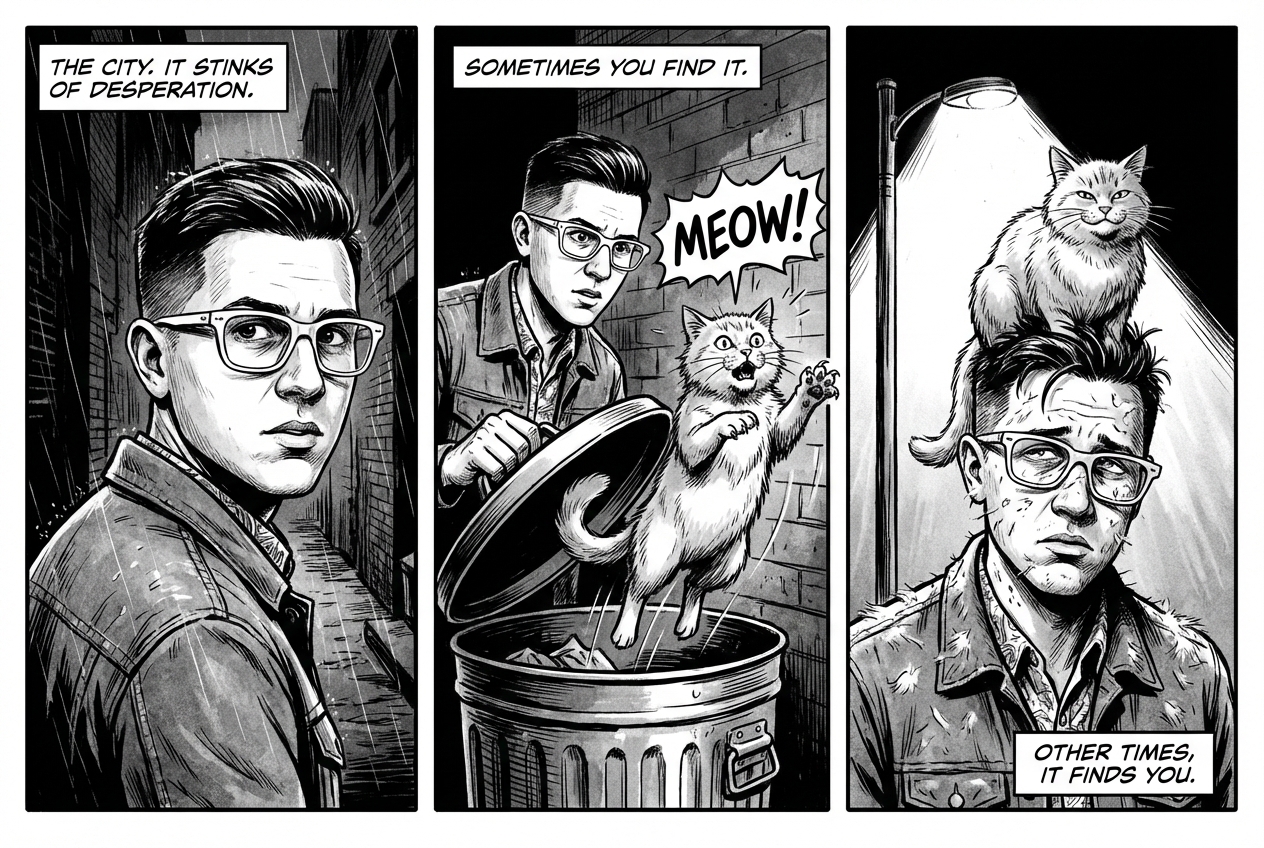
|
การเชื่อมต่อแหล่งข้อมูลกับ Google Search
ใช้ Google Search เพื่อสร้างรูปภาพโดยอิงตามข้อมูลล่าสุดหรือข้อมูลแบบเรียลไทม์ ซึ่งมีประโยชน์สำหรับข่าวสาร สภาพอากาศ และหัวข้ออื่นๆ ที่ต้องอัปเดตอยู่เสมอ
| พรอมต์ | เอาต์พุตที่ได้ |
|---|---|
| สร้างกราฟิกเรียบง่ายแต่มีสไตล์ของการแข่งขันของอาร์เซนอลเมื่อคืนในแชมเปียนส์ลีก |
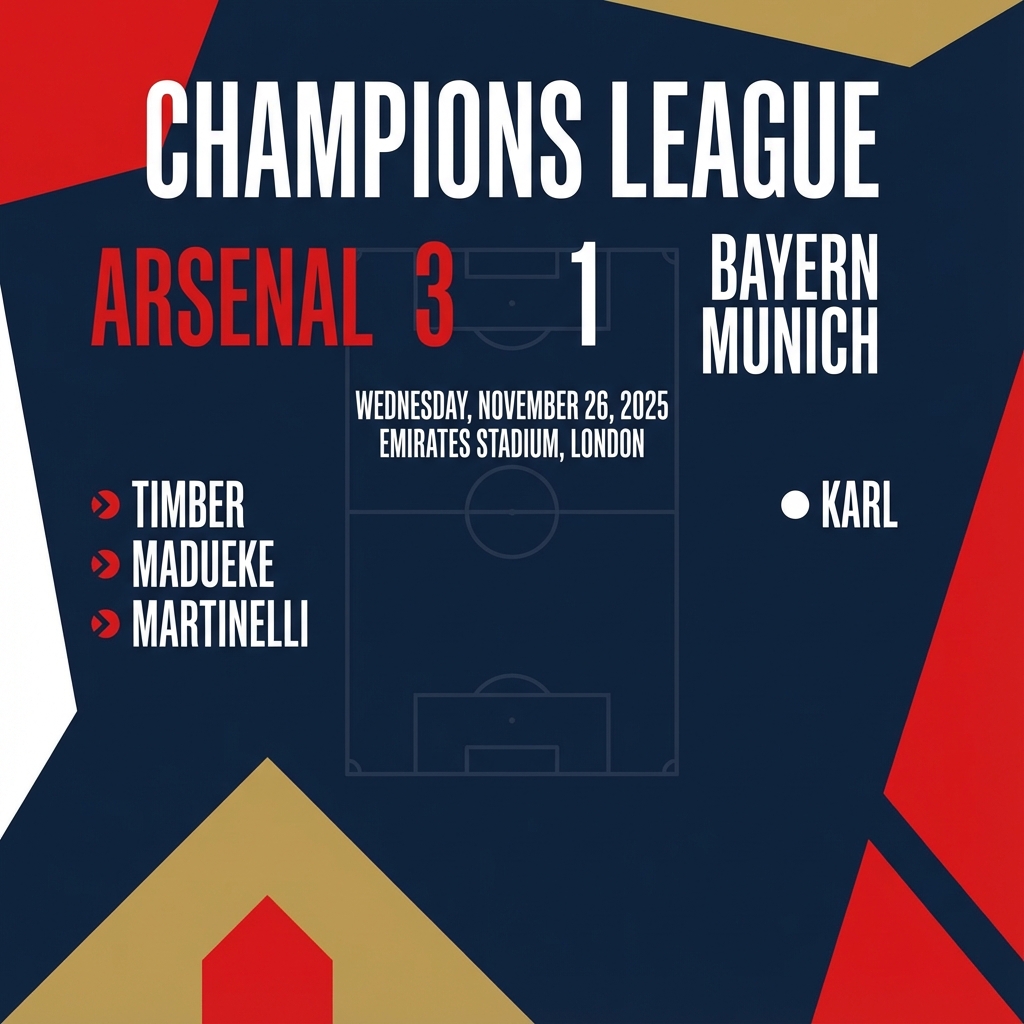
|
พรอมต์สำหรับการแก้ไขรูปภาพ
ตัวอย่างเหล่านี้แสดงวิธีระบุรูปภาพพร้อมกับพรอมต์ข้อความสำหรับการ แก้ไข องค์ประกอบ และการโอนสไตล์
การเพิ่มและนำองค์ประกอบออก
ระบุรูปภาพและอธิบายการเปลี่ยนแปลง โมเดลจะตรงกับสไตล์ แสง และมุมมองของรูปภาพต้นฉบับ
| พรอมต์ | เอาต์พุตที่ได้ |
|---|---|
|
รูปภาพที่อินพุตเข้ามา: 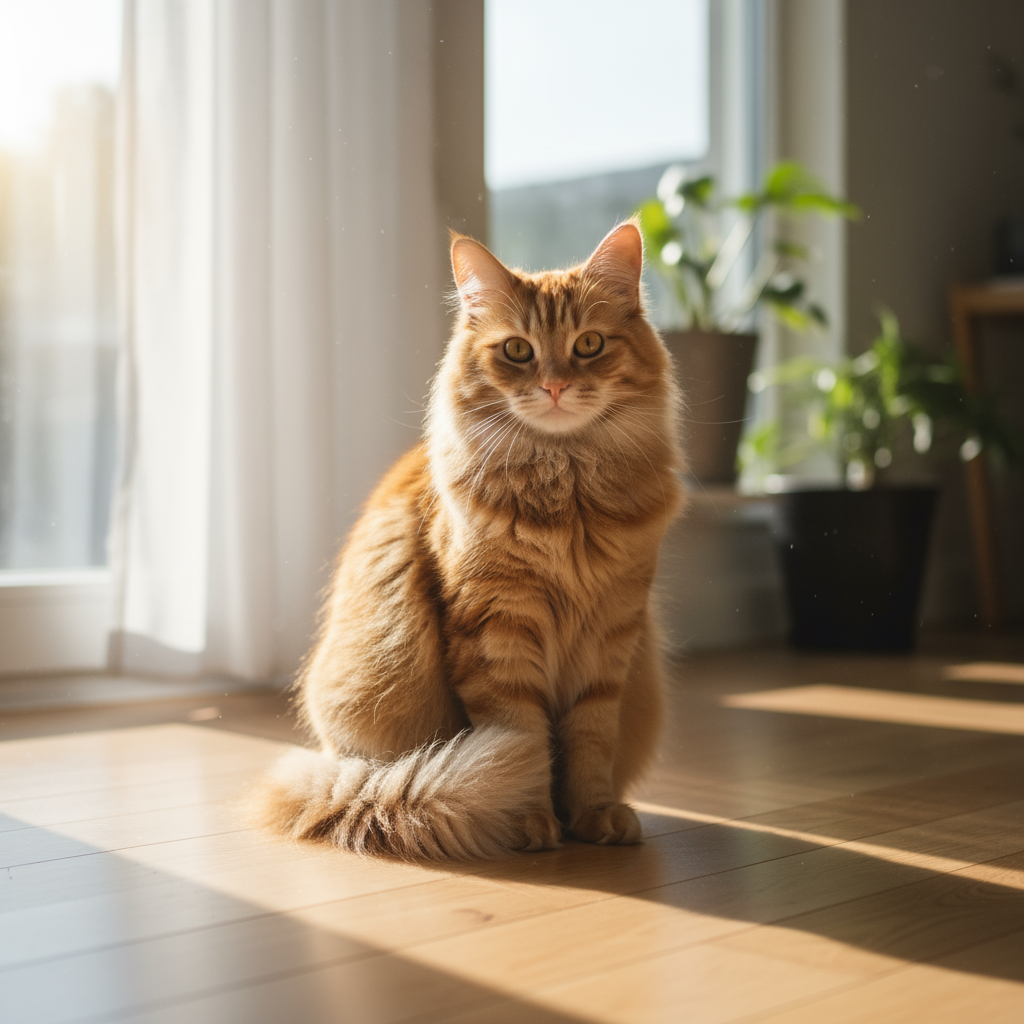
พรอมต์: ใช้รูปภาพแมวของฉันที่ให้มาเพื่อเพิ่มหมวกพ่อมดถักขนาดเล็กบนหัวของแมว ทำให้ดูเหมือนว่าวัตถุนั้นวางอยู่ได้อย่างสบายๆ และเข้ากับแสงที่นุ่มนวลของรูปภาพ |

|
การลบสิ่งที่ไม่ต้องการออกจากภาพ (การมาสก์เชิงความหมาย)
กำหนด "มาสก์" ในลักษณะการสนทนาเพื่อแก้ไขส่วนที่ต้องการของรูปภาพโดย ไม่แตะต้องส่วนอื่นๆ
| พรอมต์ | เอาต์พุตที่ได้ |
|---|---|
|
รูปภาพที่อินพุตเข้ามา: 
พรอมต์: ใช้รูปภาพห้องนั่งเล่นที่ให้มา เปลี่ยนเฉพาะโซฟาสีน้ำเงินให้เป็นโซฟาเชสเตอร์ฟิลด์หนังสีน้ำตาลสไตล์วินเทจ ส่วนอื่นๆ ของห้องจะยังคงเดิม รวมถึงหมอนบนโซฟาและแสงสว่าง |

|
การถ่ายโอนสไตล์
ส่งรูปภาพและขอให้โมเดลสร้างเนื้อหาของรูปภาพนั้นใหม่ใน สไตล์ศิลปะที่แตกต่างกัน
| พรอมต์ | เอาต์พุตที่ได้ |
|---|---|
|
รูปภาพที่อินพุตเข้ามา: 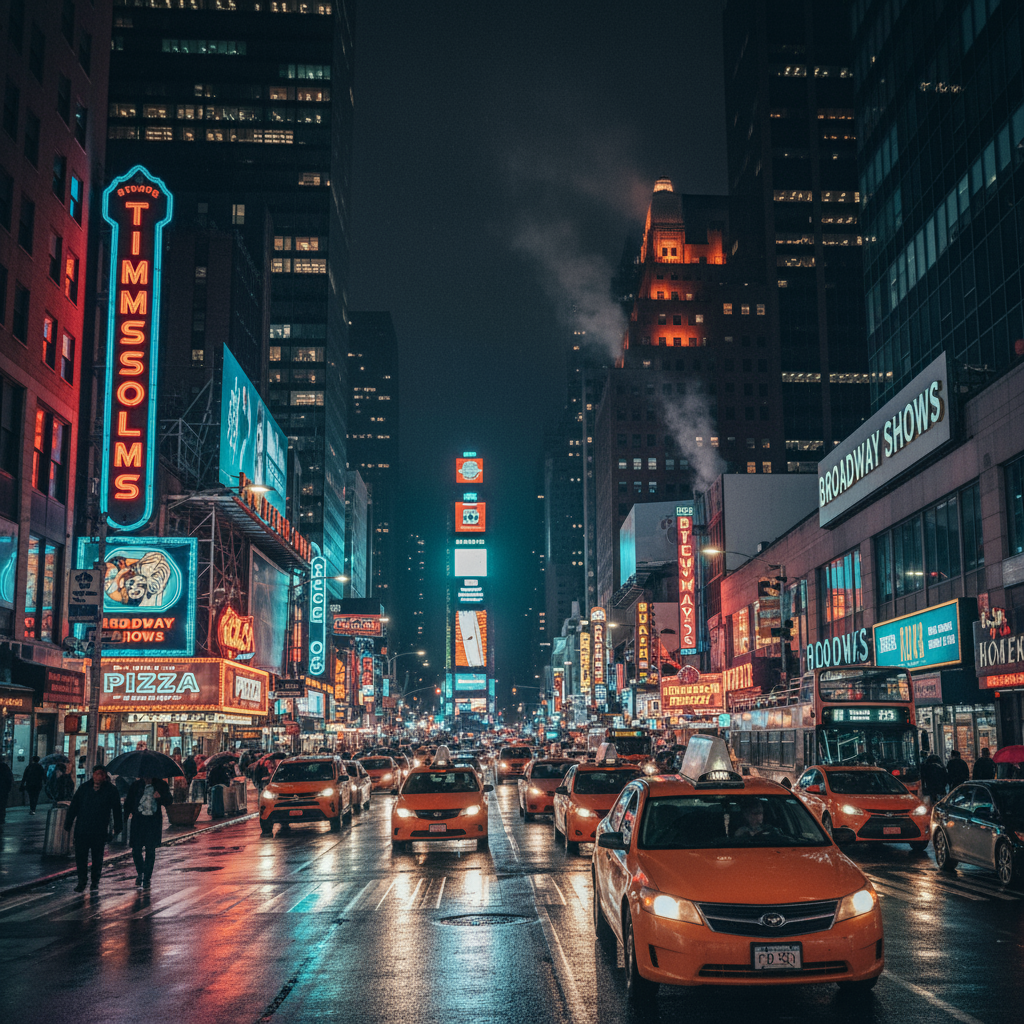
พรอมต์: เปลี่ยนภาพถ่ายถนนในเมืองสมัยใหม่ที่ให้มาในตอนกลางคืนให้เป็นสไตล์ศิลปะของภาพ "ราตรีประดับดาว" ของวินเซนต์ แวน โก๊ะ คงองค์ประกอบเดิมของอาคารและรถยนต์ไว้ แต่แสดงผลองค์ประกอบทั้งหมดด้วยฝีแปรงแบบอิมพาสโตที่หมุนวนและจานสีที่น่าทึ่งของสีน้ำเงินเข้มและสีเหลืองสดใส |
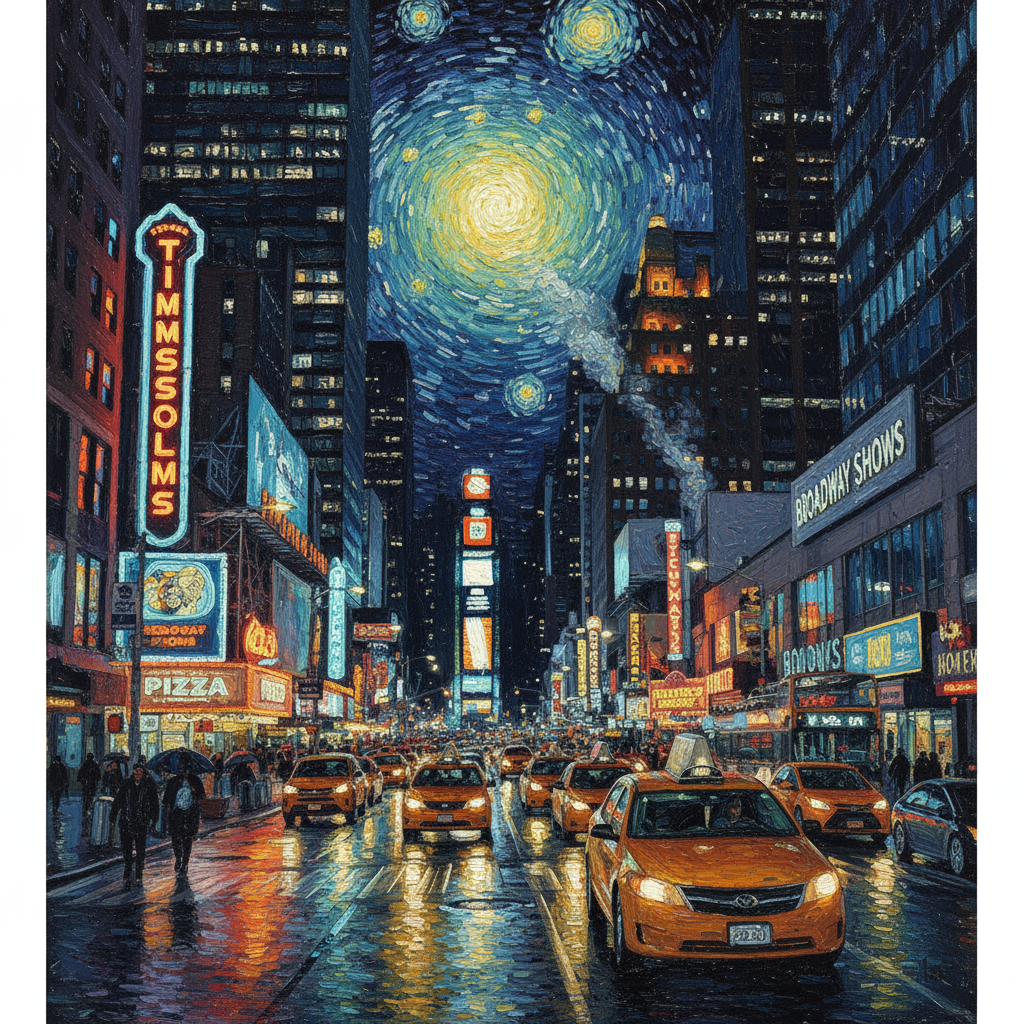
|
การจัดองค์ประกอบขั้นสูง: การรวมรูปภาพหลายรูป
ระบุรูปภาพหลายรูปเป็นบริบทเพื่อสร้างฉากคอมโพสิตใหม่ ซึ่งเหมาะสำหรับภาพจำลองผลิตภัณฑ์หรือภาพคอลลาจที่สร้างสรรค์
| พรอมต์ | เอาต์พุตที่ได้ |
|---|---|
|
รูปภาพอินพุต: 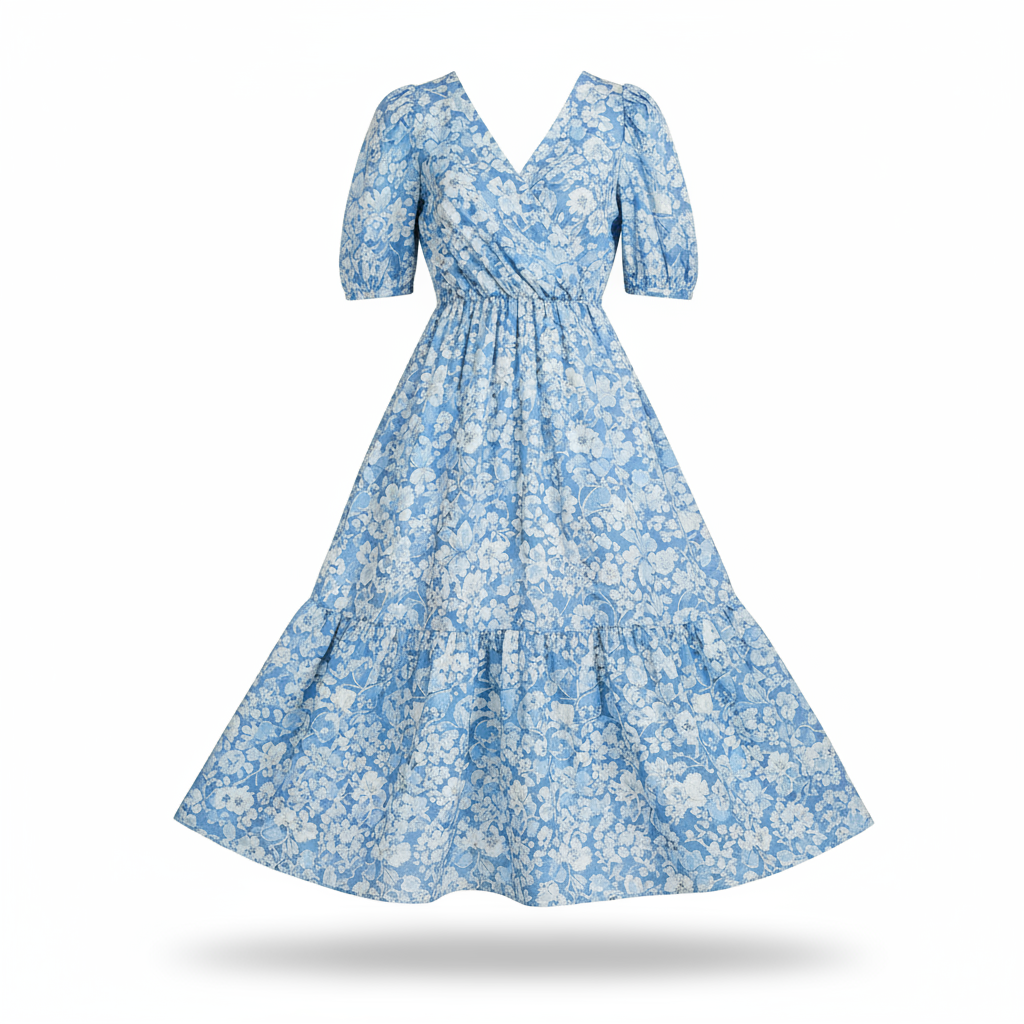
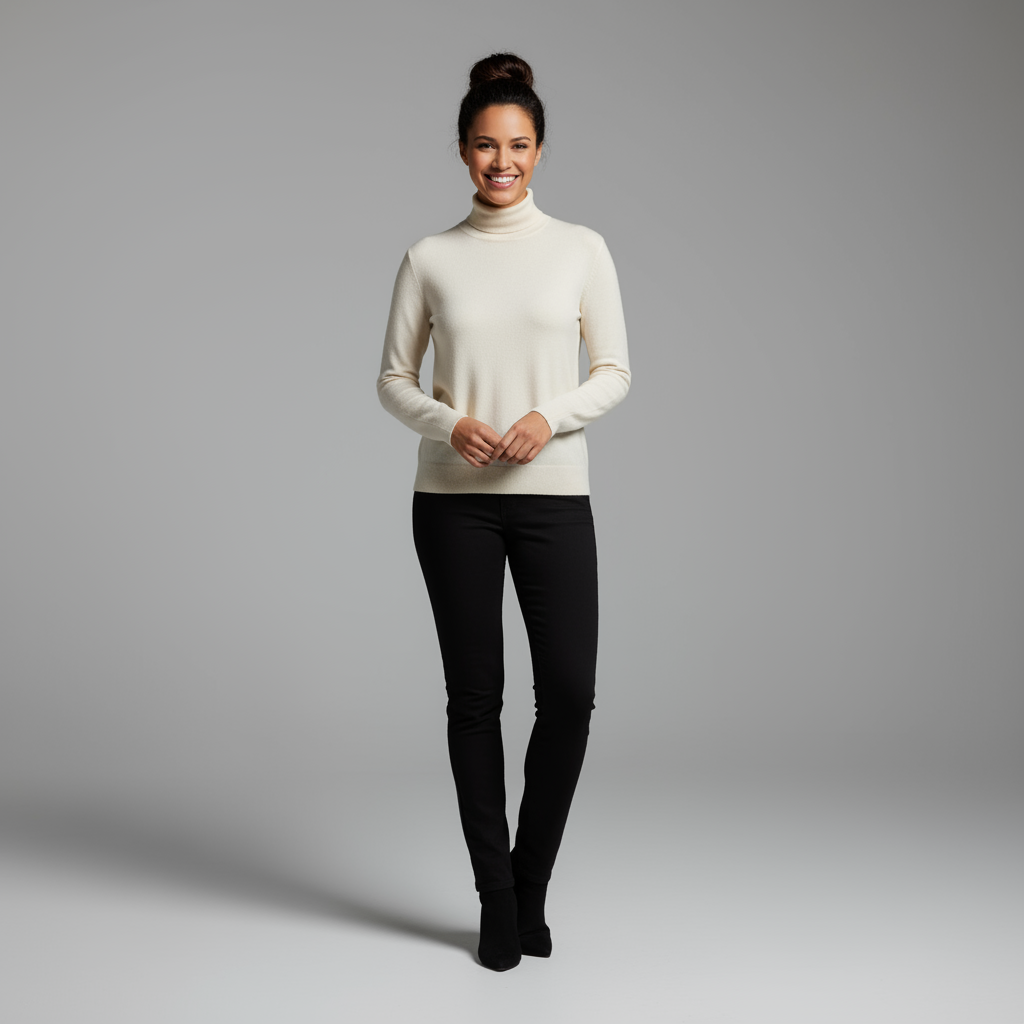
พรอมต์: สร้างภาพถ่ายแฟชั่นอีคอมเมิร์ซแบบมืออาชีพ นำชุดเดรสลายดอกไม้สีน้ำเงินจากรูปภาพแรกมาให้ผู้หญิงจากรูปภาพที่ 2 สวมใส่ สร้างภาพเต็มตัวที่สมจริงของผู้หญิงที่สวมชุด โดยปรับแสงและเงาให้เข้ากับสภาพแวดล้อมภายนอก |
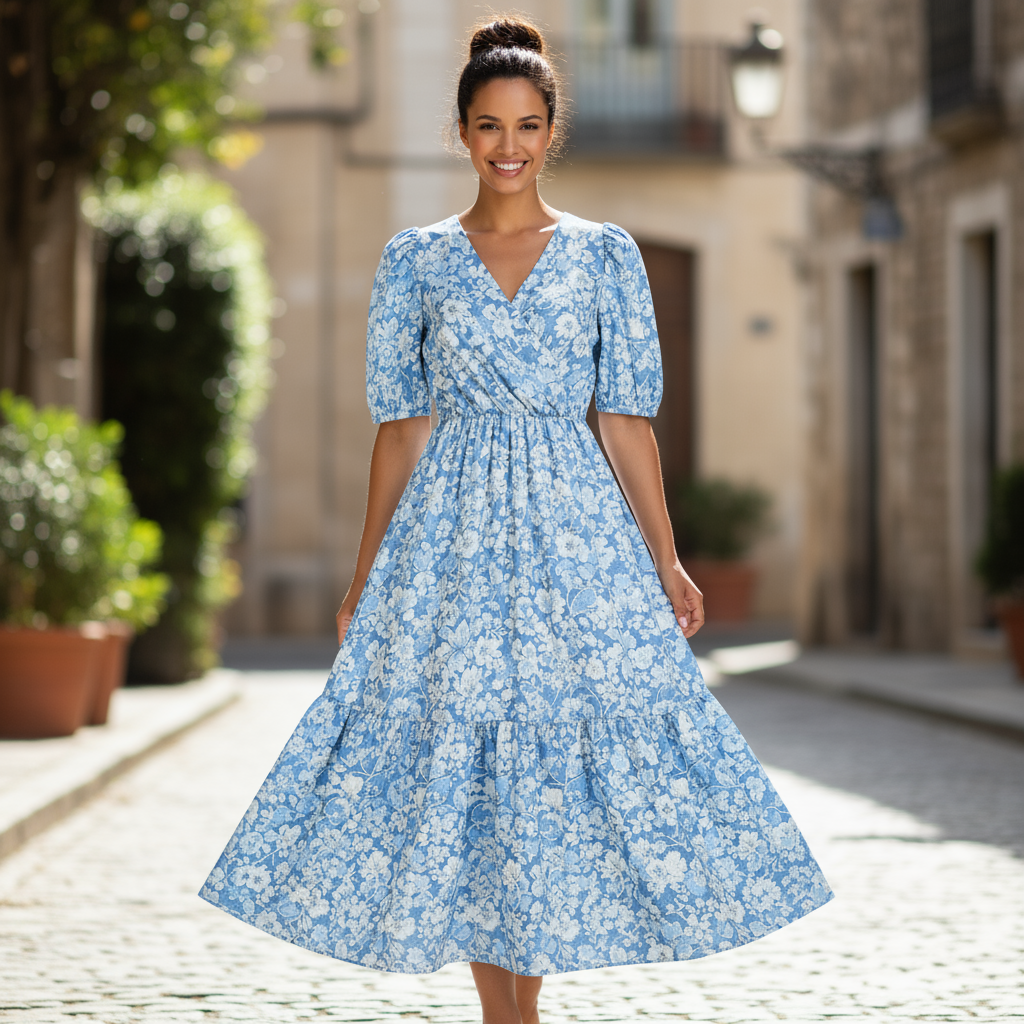
|
การรักษาความละเอียดสูง
หากต้องการให้ระบบคงรายละเอียดที่สำคัญ (เช่น ใบหน้าหรือโลโก้) ไว้ในระหว่างการแก้ไข โปรดอธิบายรายละเอียดเหล่านั้นพร้อมกับคำขอแก้ไข
| พรอมต์ | เอาต์พุตที่ได้ |
|---|---|
|
รูปภาพอินพุต: 

พรอมต์: ใช้รูปภาพแรกของผู้หญิงที่มีผมสีน้ำตาล ตาสีฟ้า และสีหน้าเป็นกลาง เพิ่มโลโก้จากรูปภาพที่ 2 ลงบนเสื้อยืดสีดำของเธอ ตรวจสอบว่าใบหน้าและลักษณะของหญิงสาวยังคงเหมือนเดิมทุกประการ โลโก้ควรดูเหมือนพิมพ์ลงบนเนื้อผ้าอย่างเป็นธรรมชาติตามรอยพับของเสื้อ |

|
ทำให้มีชีวิตชีวา
อัปโหลดภาพร่างหรือภาพวาดคร่าวๆ แล้วขอให้โมเดลปรับแต่งให้เป็นรูปภาพที่เสร็จสมบูรณ์
| พรอมต์ | เอาต์พุตที่ได้ |
|---|---|
|
รูปภาพที่อินพุตเข้ามา: 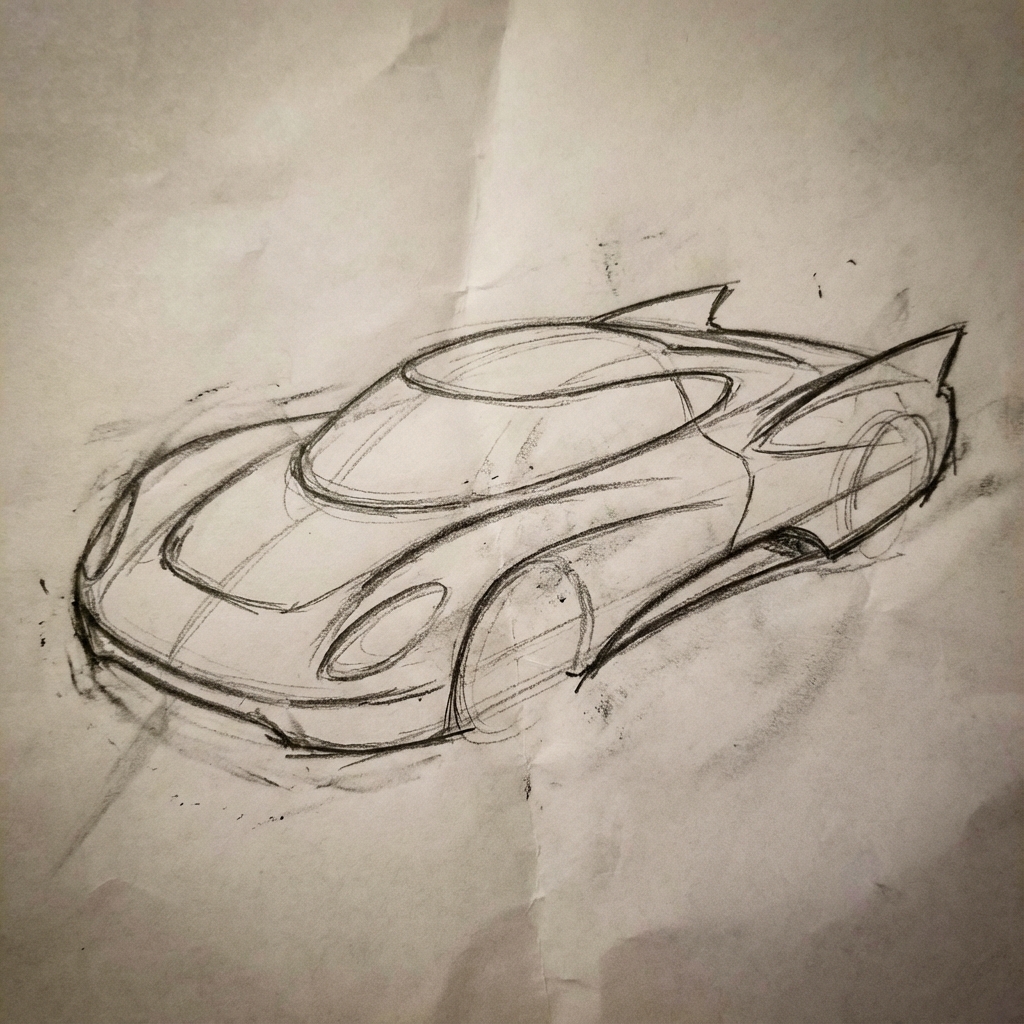
พรอมต์: เปลี่ยนภาพร่างด้วยดินสอคร่าวๆ ของรถยนต์แห่งอนาคตนี้ให้เป็นภาพถ่ายที่สวยงามของรถยนต์ต้นแบบที่เสร็จสมบูรณ์ในโชว์รูม คงเส้นสายที่โฉบเฉี่ยวและรูปลักษณ์ที่ต่ำจากภาพร่างไว้ แต่เพิ่มสีน้ำเงินเมทัลลิกและแสงขอบล้อสีนีออน |
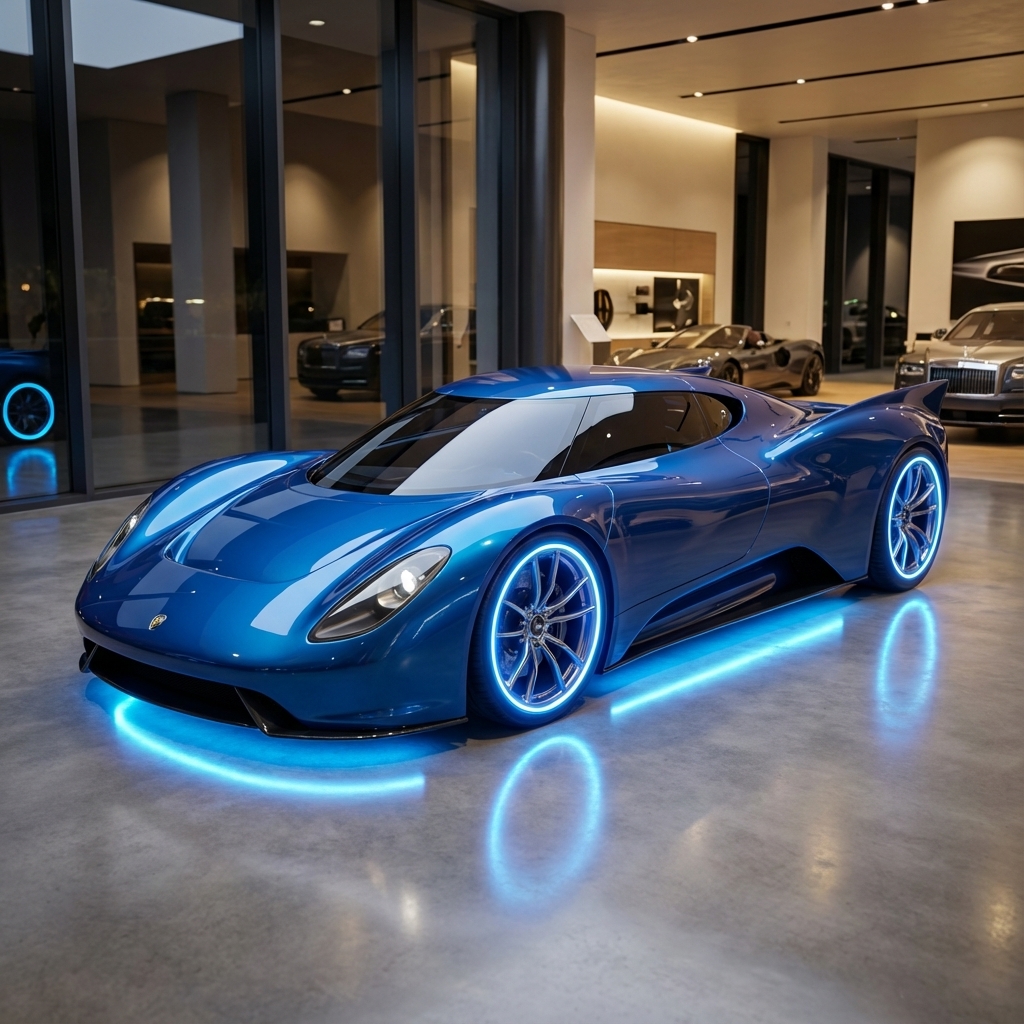
|
ความสอดคล้องของตัวละคร: มุมมอง 360 องศา
คุณสร้างมุมมอง 360 องศาของตัวละครได้โดยการป้อนพรอมต์ซ้ำๆ เพื่อให้ได้มุมที่แตกต่างกัน เพื่อผลลัพธ์ที่ดีที่สุด ให้ใส่รูปภาพที่สร้างไว้ก่อนหน้านี้ในพรอมต์ถัดไปเพื่อรักษาความสอดคล้องกัน สำหรับท่าทางที่ซับซ้อน ให้ใส่รูปภาพอ้างอิงของท่าทางที่ต้องการ
| พรอมต์ | เอาต์พุตที่ได้ |
|---|---|
|
รูปภาพที่อินพุตเข้ามา:
พรอมต์: ภาพถ่ายสตูดิโอของชายคนนี้บนพื้นหลังสีขาว โดยหันข้างไปทางขวา |


|
แนวทางปฏิบัติแนะนำ
หากต้องการยกระดับผลลัพธ์จากดีเป็นยอดเยี่ยม ให้ใช้กลยุทธ์ระดับมืออาชีพเหล่านี้ ในเวิร์กโฟลว์
- ระบุรายละเอียดให้ชัดเจน: ยิ่งให้รายละเอียดมากเท่าไหร่ คุณก็ยิ่งควบคุมได้มากขึ้นเท่านั้น แทนที่จะใช้คำว่า "ชุดเกราะแฟนตาซี" ให้อธิบายว่า "ชุดเกราะเพลทของเอลฟ์ที่ตกแต่งอย่างงดงาม สลักลายใบไม้สีเงิน มีคอเสื้อสูงและเกราะไหล่รูปปีกเหยี่ยว"
- ระบุบริบทและเจตนา: อธิบายวัตถุประสงค์ของรูปภาพ ความเข้าใจบริบทของโมเดลจะส่งผลต่อเอาต์พุตสุดท้าย เช่น "สร้างโลโก้สำหรับแบรนด์ผลิตภัณฑ์ดูแลผิวระดับไฮเอนด์ที่เน้นความเรียบง่าย" จะให้ผลลัพธ์ที่ดีกว่า เพียงแค่ "สร้างโลโก้"
- ทำซ้ำและปรับแต่ง: อย่าคาดหวังว่าจะได้รูปภาพที่สมบูรณ์แบบตั้งแต่ครั้งแรก ใช้ ลักษณะการสนทนาของโมเดลเพื่อทำการเปลี่ยนแปลงเล็กๆ น้อยๆ ติดตามด้วยพรอมต์ เช่น "ดีมาก แต่ช่วยปรับแสงให้ดูอบอุ่นขึ้นหน่อยได้ไหม" หรือ "คงทุกอย่างไว้เหมือนเดิม แต่เปลี่ยนสีหน้าของตัวละครให้ดู จริงจังมากขึ้น"
- ใช้คำสั่งแบบทีละขั้นตอน: สำหรับฉากที่ซับซ้อนซึ่งมีองค์ประกอบจำนวนมาก ให้แบ่งพรอมต์ออกเป็นขั้นตอน "ก่อนอื่น ให้สร้างพื้นหลังเป็นป่าที่เงียบสงบและมีหมอก ในตอนเช้า จากนั้นที่ด้านหน้า ให้เพิ่มแท่นบูชาหินโบราณที่ปกคลุมด้วยมอส สุดท้าย ให้วางดาบเรืองแสงเล่มเดียวไว้บนแท่นบูชา"
- ใช้ "พรอมต์เชิงลบเชิงความหมาย": แทนที่จะพูดว่า "ไม่มีรถ" ให้อธิบาย ฉากที่ต้องการในเชิงบวกว่า "ถนนที่ว่างเปล่าและรกร้างโดยไม่มีร่องรอย การจราจร"
- ควบคุมกล้อง: ใช้ภาษาที่เกี่ยวข้องกับการถ่ายภาพและภาพยนตร์เพื่อควบคุม
องค์ประกอบ คำอย่าง
wide-angle shot,macro shot,low-angle perspective
ข้อจำกัด
- เพื่อประสิทธิภาพสูงสุด ให้ใช้ภาษาต่อไปนี้ EN, ar-EG, de-DE, es-MX, fr-FR, hi-IN, id-ID, it-IT, ja-JP, ko-KR, pt-BR, ru-RU, ua-UA, vi-VN, zh-CN
- การสร้างรูปภาพไม่รองรับอินพุตเสียง ระบบรองรับอินพุตวิดีโอสำหรับรูปภาพ Gemini 3.1 Flash และรูปภาพ Gemini 3.1 Flash Lite เท่านั้น
- โมเดลจะไม่สร้างรูปภาพตามจำนวนที่ผู้ใช้ขออย่างชัดเจนเสมอไป
gemini-2.5-flash-imageทำงานได้ดีที่สุดเมื่อมีรูปภาพเป็นอินพุตไม่เกิน 3 รูป ส่วนgemini-3-pro-imageรองรับรูปภาพ 5 รูปที่มีความเที่ยงตรงสูง และรองรับรูปภาพทั้งหมดไม่เกิน 14 รูปgemini-3.1-flash-imageรองรับความคล้ายคลึงของตัวละคร ได้สูงสุด 4 ตัว และความสมจริงของออบเจ็กต์ได้สูงสุด 10 รายการใน เวิร์กโฟลว์เดียว- เมื่อสร้างข้อความสำหรับรูปภาพ Gemini จะทำงานได้ดีที่สุดหากคุณสร้างข้อความก่อน แล้วจึงขอรูปภาพที่มีข้อความนั้น
gemini-3.1-flash-imageขณะนี้การเชื่อมต่อแหล่งข้อมูลกับ Google Search ไม่รองรับการใช้รูปภาพของผู้คนในโลกแห่งความเป็นจริงจากการค้นหาบนเว็บ- รูปภาพที่สร้างขึ้นทั้งหมดจะมีลายน้ำ SynthID
การกำหนดค่าที่ไม่บังคับ
คุณจะกำหนดค่ารูปแบบการตอบกลับและสัดส่วนภาพของเอาต์พุตของโมเดลในฟิลด์ config ของการเรียกใช้ generate_content ก็ได้
ประเภทเอาต์พุต
โมเดลจะแสดงคำตอบเป็นข้อความและรูปภาพโดยค่าเริ่มต้น
(เช่น response_modalities=['Text', 'Image'])
คุณกำหนดค่าคำตอบให้แสดงเฉพาะรูปภาพโดยไม่มีข้อความได้โดยใช้
response_modalities=['Image']
Python
response = client.models.generate_content(
    model="gemini-3.1-flash-image",
    contents=[prompt],
    config=types.GenerateContentConfig(
        response_modalities=['Image']
    )
)
JavaScript
const response = await ai.models.generateContent({
    model: "gemini-3.1-flash-image",
    contents: prompt,
    config: {
        responseModalities: ['Image']
    }
  });
Go
result, _ := client.Models.GenerateContent(
    ctx,
    "gemini-3.1-flash-image",
    genai.Text("Create a picture of a nano banana dish in a " +
                " fancy restaurant with a Gemini theme"),
    &genai.GenerateContentConfig{
        ResponseModalities: "Image",
    },
  )
Java
response = client.models.generateContent(
    "gemini-3.1-flash-image",
    prompt,
    GenerateContentConfig.builder()
        .responseModalities("IMAGE")
        .build());
C#
var response = await client.Models.GenerateContentAsync(
    model: "gemini-3.1-flash-image",
    contents: new List<Part> { new Part { Text = prompt } },
    config: new GenerateContentConfig
    {
        ResponseModalities = new List<string> { "IMAGE" }
    }
);
REST
curl -s -X POST \
  "https://generativelanguage.googleapis.com/v1/models/gemini-3.1-flash-image:generateContent" \
  -H "x-goog-api-key: $GEMINI_API_KEY" \
  -H "Content-Type: application/json" \
  -d '{
    "contents": [{
      "parts": [
        {"text": "Create a picture of a nano banana dish in a fancy restaurant with a Gemini theme"}
      ]
    }],
    "generationConfig": {
      "responseModalities": ["Image"]
    }
  }'
สัดส่วนภาพและขนาดรูปภาพ
โดยค่าเริ่มต้น โมเดลจะจับคู่ขนาดรูปภาพเอาต์พุตกับขนาดของรูปภาพอินพุต หรือสร้างสี่เหลี่ยมจัตุรัส 1:1
คุณควบคุมสัดส่วนของรูปภาพเอาต์พุตได้โดยใช้ฟิลด์ aspect_ratio
ในส่วน response_format ในคำขอการตอบกลับ ดังที่แสดงที่นี่
Python
# For gemini-2.5-flash-image
response = client.models.generate_content(
    model="gemini-2.5-flash-image",
    contents=[prompt],
    config=types.GenerateContentConfig(
        response_format={"image": {aspect_ratio: "16:9",}}
    )
)

# For gemini-3.1-flash-image and gemini-3-pro-image
response = client.models.generate_content(
    model="gemini-3.1-flash-image",
    contents=[prompt],
    config=types.GenerateContentConfig(
        response_format={"image": {aspect_ratio: "16:9",                 image_size: "2K",}}
    )
)
JavaScript
// For gemini-2.5-flash-image
const response = await ai.models.generateContent({
    model: "gemini-2.5-flash-image",
    contents: prompt,
    config: {
      responseFormat: {
    image: {
        aspectRatio: "16:9",
      }
  },
    }
  });

// For gemini-3.1-flash-image and gemini-3-pro-image
const response_gemini3 = await ai.models.generateContent({
    model: "gemini-3.1-flash-image",
    contents: prompt,
    config: {
      responseFormat: {
    image: {
        aspectRatio: "16:9",
        imageSize: "2K",
      }
  },
    }
  });
Go
// For gemini-2.5-flash-image
result, _ := client.Models.GenerateContent(
    ctx,
    "gemini-2.5-flash-image",
    genai.Text("Create a picture of a nano banana dish in a " +
                " fancy restaurant with a Gemini theme"),
    &genai.GenerateContentConfig{
        ImageConfig: &genai.ImageConfig{
          AspectRatio: "16:9",
        },
    }
  )

// For gemini-3.1-flash-image and gemini-3-pro-image
result_gemini3, _ := client.Models.GenerateContent(
    ctx,
    "gemini-3.1-flash-image",
    genai.Text("Create a picture of a nano banana dish in a " +
                " fancy restaurant with a Gemini theme"),
    &genai.GenerateContentConfig{
        ImageConfig: &genai.ImageConfig{
          AspectRatio: "16:9",
          ImageSize: "2K",
        },
    }
  )
Java
// For gemini-2.5-flash-image
response = client.models.generateContent(
    "gemini-2.5-flash-image",
    prompt,
    GenerateContentConfig.builder()
        .imageConfig(ImageConfig.builder()
            .aspectRatio("16:9")
            .build())
        .build());

// For gemini-3.1-flash-image and gemini-3-pro-image
response_gemini3 = client.models.generateContent(
    "gemini-3.1-flash-image",
    prompt,
    GenerateContentConfig.builder()
        .imageConfig(ImageConfig.builder()
            .aspectRatio("16:9")
            .imageSize("2K")
            .build())
        .build());
C#
// For gemini-2.5-flash-image
var response = await client.Models.GenerateContentAsync(
    model: "gemini-2.5-flash-image",
    contents: new List<Part> { new Part { Text = prompt } },
    config: new GenerateContentConfig
    {
        ImageConfig = new ImageConfig
        {
            AspectRatio = "16:9"
        }
    }
);

// For gemini-3.1-flash-image and gemini-3-pro-image
var response_gemini3 = await client.Models.GenerateContentAsync(
    model: "gemini-3.1-flash-image",
    contents: new List<Part> { new Part { Text = prompt } },
    config: new GenerateContentConfig
    {
        ImageConfig = new ImageConfig
        {
            AspectRatio = "16:9",
            ImageSize = "2K"
        }
    }
);
REST
# For gemini-2.5-flash-image
curl -s -X POST \
  "https://generativelanguage.googleapis.com/v1/models/gemini-2.5-flash-image:generateContent" \
  -H "x-goog-api-key: $GEMINI_API_KEY" \
  -H 'Content-Type: application/json' \
  -d '{
    "contents": [{
      "parts": [
        {"text": "Create a picture of a nano banana dish in a fancy restaurant with a Gemini theme"}
      ]
    }],
    "generationConfig": {
      "responseFormat": {
    "image": {
        "aspectRatio": "16:9"
      }
  }
    }
  }'

# For gemini-3-pro-image
curl -s -X POST \
  "https://generativelanguage.googleapis.com/v1/models/gemini-3.1-flash-image:generateContent" \
  -H "x-goog-api-key: $GEMINI_API_KEY" \
  -H 'Content-Type: application/json' \
  -d '{
    "contents": [{
      "parts": [
        {"text": "Create a picture of a nano banana dish in a fancy restaurant with a Gemini theme"}
      ]
    }],
    "generationConfig": {
      "responseFormat": {
    "image": {
        "aspectRatio": "16:9",
        "imageSize": "2K"
      }
  }
    }
  }'
อัตราส่วนต่างๆ ที่ใช้ได้และขนาดของรูปภาพที่สร้างขึ้นแสดงอยู่ในตารางต่อไปนี้
3.1 รูปภาพ Flash
| สัดส่วนภาพ | ความละเอียด 512 | 0.5K โทเค็น | ความละเอียดระดับ 1K | 1,000 โทเค็น | ความละเอียดระดับ 2K | 2,000 โทเค็น | ความละเอียดระดับ 4K | 4,000 โทเค็น |
|---|---|---|---|---|---|---|---|---|
| 1:1 | 512x512 | 747 | 1024x1024 | 1120 | 2048x2048 | 1680 | 4096x4096 | 2520 |
| 1:4 | 256x1024 | 747 | 512x2048 | 1120 | 1024x4096 | 1680 | 2048x8192 | 2520 |
| 1:8 | 192x1536 | 747 | 384x3072 | 1120 | 768x6144 | 1680 | 1536x12288 | 2520 |
| 2:3 | 424x632 | 747 | 848x1264 | 1120 | 1696x2528 | 1680 | 3392x5056 | 2520 |
| 3:2 | 632x424 | 747 | 1264x848 | 1120 | 2528x1696 | 1680 | 5056x3392 | 2520 |
| 3:4 | 448x600 | 747 | 896x1200 | 1120 | 1792x2400 | 1680 | 3584x4800 | 2520 |
| 4:1 | 1024x256 | 747 | 2048x512 | 1120 | 4096x1024 | 1680 | 8192x2048 | 2520 |
| 4:3 | 600x448 | 747 | 1200x896 | 1120 | 2400x1792 | 1680 | 4800x3584 | 2520 |
| 4:5 | 464x576 | 747 | 928x1152 | 1120 | 1856x2304 | 1680 | 3712x4608 | 2520 |
| 5:4 | 576x464 | 747 | 1152x928 | 1120 | 2304x1856 | 1680 | 4608x3712 | 2520 |
| 8:1 | 1536x192 | 747 | 3072x384 | 1120 | 6144x768 | 1680 | 12288x1536 | 2520 |
| 9:16 | 384x688 | 747 | 768x1376 | 1120 | 1536x2752 | 1680 | 3072x5504 | 2520 |
| 16:9 | 688x384 | 747 | 1376x768 | 1120 | 2752x1536 | 1680 | 5504x3072 | 2520 |
| 21:9 | 792x168 | 747 | 1584x672 | 1120 | 3168x1344 | 1680 | 6336x2688 | 2520 |
3.1 รูปภาพ Flash Lite
| สัดส่วนภาพ | ความละเอียด 512 | 0.5K โทเค็น | ความละเอียดระดับ 1K | 1,000 โทเค็น |
|---|---|---|---|---|
| 1:1 | 512x512 | 747 | 1024x1024 | 1120 |
| 1:4 | 256x1024 | 747 | 512x2048 | 1120 |
| 1:8 | 192x1536 | 747 | 384x3072 | 1120 |
| 2:3 | 424x632 | 747 | 848x1264 | 1120 |
| 3:2 | 632x424 | 747 | 1264x848 | 1120 |
| 3:4 | 448x600 | 747 | 896x1200 | 1120 |
| 4:1 | 1024x256 | 747 | 2048x512 | 1120 |
| 4:3 | 600x448 | 747 | 1200x896 | 1120 |
| 4:5 | 464x576 | 747 | 928x1152 | 1120 |
| 5:4 | 576x464 | 747 | 1152x928 | 1120 |
| 8:1 | 1536x192 | 747 | 3072x384 | 1120 |
| 9:16 | 384x688 | 747 | 768x1376 | 1120 |
| 16:9 | 688x384 | 747 | 1376x768 | 1120 |
| 21:9 | 792x168 | 747 | 1584x672 | 1120 |
3.1 Pro Image
| สัดส่วนภาพ | ความละเอียดระดับ 1K | 1,000 โทเค็น | ความละเอียดระดับ 2K | 2,000 โทเค็น | ความละเอียดระดับ 4K | 4,000 โทเค็น |
|---|---|---|---|---|---|---|
| 1:1 | 1024x1024 | 1120 | 2048x2048 | 1120 | 4096x4096 | 2000 |
| 2:3 | 848x1264 | 1120 | 1696x2528 | 1120 | 3392x5056 | 2000 |
| 3:2 | 1264x848 | 1120 | 2528x1696 | 1120 | 5056x3392 | 2000 |
| 3:4 | 896x1200 | 1120 | 1792x2400 | 1120 | 3584x4800 | 2000 |
| 4:3 | 1200x896 | 1120 | 2400x1792 | 1120 | 4800x3584 | 2000 |
| 4:5 | 928x1152 | 1120 | 1856x2304 | 1120 | 3712x4608 | 2000 |
| 5:4 | 1152x928 | 1120 | 2304x1856 | 1120 | 4608x3712 | 2000 |
| 9:16 | 768x1376 | 1120 | 1536x2752 | 1120 | 3072x5504 | 2000 |
| 16:9 | 1376x768 | 1120 | 2752x1536 | 1120 | 5504x3072 | 2000 |
| 21:9 | 1584x672 | 1120 | 3168x1344 | 1120 | 6336x2688 | 2000 |
รูปภาพ Gemini 2.5 Flash
| สัดส่วนภาพ | ความละเอียด | โทเค็น |
|---|---|---|
| 1:1 | 1024x1024 | 1290 |
| 2:3 | 832x1248 | 1290 |
| 3:2 | 1248x832 | 1290 |
| 3:4 | 864x1184 | 1290 |
| 4:3 | 1184x864 | 1290 |
| 4:5 | 896x1152 | 1290 |
| 5:4 | 1152x896 | 1290 |
| 9:16 | 768x1344 | 1290 |
| 16:9 | 1344x768 | 1290 |
| 21:9 | 1536x672 | 1290 |
การเลือกโมเดล
เลือกโมเดลที่เหมาะกับกรณีการใช้งานของคุณมากที่สุด
รูปภาพ Gemini 3.1 Flash (Nano Banana 2) ควรเป็นโมเดลการสร้างรูปภาพที่คุณเลือกใช้ เนื่องจากมีประสิทธิภาพและความอัจฉริยะรอบด้านที่ดีที่สุด รวมถึงความสมดุลระหว่างต้นทุนกับเวลาในการตอบสนอง ดูรายละเอียดเพิ่มเติมได้ที่หน้าราคาและความสามารถของโมเดล
รูปภาพ Gemini 3.1 Flash Lite (Nano Banana 2 Lite) ออกแบบมาเพื่อเป็น ผู้เชี่ยวชาญด้านประสิทธิภาพของตระกูลการสร้างรูปภาพ โดยมี การสร้างและแก้ไขรูปภาพที่มีเวลาในการตอบสนองต่ำมากและคุ้มค่า ดูรายละเอียดเพิ่มเติมได้ที่หน้าราคา และความสามารถของโมเดล
Gemini 3 Pro Image (Nano Banana Pro) ออกแบบมาเพื่อ การผลิตชิ้นงานระดับมืออาชีพและคำสั่งที่ซับซ้อน โมเดลนี้มี การอ้างอิงจากโลกแห่งความเป็นจริงโดยใช้ Google Search ซึ่งเป็นกระบวนการ "การคิด" เริ่มต้นที่ ปรับแต่งองค์ประกอบก่อนการสร้าง และสามารถสร้างรูปภาพที่มีความละเอียดสูงสุด 4K ดูรายละเอียดเพิ่มเติมได้ที่หน้าราคาและความสามารถของโมเดล
รูปภาพ Gemini 2.5 Flash (Nano Banana) ออกแบบมาเพื่อความเร็วและ ประสิทธิภาพ โมเดลนี้ได้รับการเพิ่มประสิทธิภาพสำหรับงานที่มีปริมาณมากและมีเวลาในการตอบสนองต่ำ และสร้างรูปภาพที่ความละเอียด 1024 พิกเซล ดูรายละเอียดเพิ่มเติมได้ที่หน้าราคาและ ความสามารถของโมเดล
กรณีที่ควรใช้ Imagen
นอกเหนือจากการใช้ความสามารถในการสร้างรูปภาพในตัวของ Gemini แล้ว คุณยังเข้าถึง Imagen ซึ่งเป็นโมเดลการสร้างรูปภาพเฉพาะของเราผ่าน Gemini API ได้ด้วย โปรดวางแผนที่จะย้ายข้อมูลก่อนวันที่ปิดตัว
ขั้นตอนถัดไป
- ดูตัวอย่างและตัวอย่างโค้ดเพิ่มเติมได้ในคู่มือสูตรการแก้ปัญหา
- ดูคู่มือ Veo เพื่อดูวิธีสร้างวิดีโอด้วย Gemini API
- ดูข้อมูลเพิ่มเติมเกี่ยวกับโมเดล Gemini ได้ที่โมเดล Gemini