

מידע נוסף על הבנת סרטונים זמין במדריך בנושא הבנת סרטונים.
Veo 3.1 הוא מודל ליצירת סרטונים באורך 8 שניות (720p, 1, 080p או 4k) עם אודיו שנוצר באופן טבעי. אפשר לגשת למודל הזה באופן פרוגרמטי באמצעות Gemini API. מידע נוסף על הגרסאות הזמינות של מודל Veo זמין בקטע גרסאות המודל.
Veo 3.1 מצטיין במגוון רחב של סגנונות ויזואליים וקולנועיים, וכולל כמה יכולות חדשות:
- סרטונים לאורך: אפשר לבחור בין סרטונים לרוחב (
16:9) לבין סרטונים לאורך (9:16). - הארכת סרטון: הארכת סרטונים שנוצרו בעבר באמצעות Veo.
- יצירה של פריים ספציפי: אפשר ליצור סרטון על ידי ציון הפריים הראשון והאחרון.
- הנחיה מבוססת-תמונה: אפשר להשתמש בעד שלוש תמונות לדוגמה כדי להנחות את התוכן של הסרטון שנוצר.
מידע נוסף על כתיבת פרומפטים טקסטואליים יעילים ליצירת סרטונים זמין במדריך לכתיבת פרומפטים ל-Veo
יצירת סרטונים לפי טקסט
בדוגמאות הבאות אפשר לראות איך ליצור סרטון עם דיאלוג, ריאליזם קולנועי או אנימציה יצירתית:
דיאלוג ואפקטים קוליים
Python
import time
from google import genai
from google.genai import types

client = genai.Client()

prompt = """A close up of two people staring at a cryptic drawing on a wall, torchlight flickering.
A man murmurs, 'This must be it. That's the secret code.' The woman looks at him and whispering excitedly, 'What did you find?'"""

operation = client.models.generate_videos(
    model="veo-3.1-generate-preview",
    prompt=prompt,
)

# Poll the operation status until the video is ready.
while not operation.done:
    print("Waiting for video generation to complete...")
    time.sleep(10)
    operation = client.operations.get(operation)

# Download the generated video.
generated_video = operation.response.generated_videos[0]
client.files.download(file=generated_video.video, destination="dialogue_example.mp4")
print("Generated video saved to dialogue_example.mp4")
JavaScript
import { GoogleGenAI } from "@google/genai";

const ai = new GoogleGenAI({});

const prompt = `A close up of two people staring at a cryptic drawing on a wall, torchlight flickering.
A man murmurs, 'This must be it. That's the secret code.' The woman looks at him and whispering excitedly, 'What did you find?'`;

let operation = await ai.models.generateVideos({
    model: "veo-3.1-generate-preview",
    prompt: prompt,
});

// Poll the operation status until the video is ready.
while (!operation.done) {
    console.log("Waiting for video generation to complete...")
    await new Promise((resolve) => setTimeout(resolve, 10000));
    operation = await ai.operations.getVideosOperation({
        operation: operation,
    });
}

// Download the generated video.
ai.files.download({
    file: operation.response.generatedVideos[0].video,
    downloadPath: "dialogue_example.mp4",
});
console.log(`Generated video saved to dialogue_example.mp4`);
Go
package main

import (
    "context"
    "log"
    "os"
    "time"

    "google.golang.org/genai"
)

func main() {
    ctx := context.Background()
    client, err := genai.NewClient(ctx, nil)
    if err != nil {
        log.Fatal(err)
    }

    prompt := `A close up of two people staring at a cryptic drawing on a wall, torchlight flickering.
    A man murmurs, 'This must be it. That's the secret code.' The woman looks at him and whispering excitedly, 'What did you find?'`

    operation, _ := client.Models.GenerateVideos(
        ctx,
        "veo-3.1-generate-preview",
        prompt,
        nil,
        nil,
    )

    // Poll the operation status until the video is ready.
    for !operation.Done {
    log.Println("Waiting for video generation to complete...")
        time.Sleep(10 * time.Second)
        operation, _ = client.Operations.GetVideosOperation(ctx, operation, nil)
    }

    // Download the generated video.
    video := operation.Response.GeneratedVideos[0]
    client.Files.Download(ctx, video.Video, nil)
    fname := "dialogue_example.mp4"
    _ = os.WriteFile(fname, video.Video.VideoBytes, 0644)
    log.Printf("Generated video saved to %s\n", fname)
}
Java
import com.google.genai.Client;
import com.google.genai.types.GenerateVideosOperation;
import com.google.genai.types.Video;
import java.nio.file.Files;
import java.nio.file.Path;
import java.nio.file.Paths;

class GenerateVideoFromText {
  public static void main(String[] args) throws Exception {
    Client client = new Client();

    String prompt = "A close up of two people staring at a cryptic drawing on a wall, torchlight flickering.\n" +
"A man murmurs, 'This must be it. That's the secret code.' The woman looks at him and whispering excitedly, 'What did you find?'";

    GenerateVideosOperation operation =
        client.models.generateVideos("veo-3.1-generate-preview", prompt, null, null);

    // Poll the operation status until the video is ready.
    while (!operation.done().isPresent() || !operation.done().get()) {
      System.out.println("Waiting for video generation to complete...");
      Thread.sleep(10000);
      operation = client.operations.getVideosOperation(operation, null);
    }

    // Download the generated video.
    Video video = operation.response().get().generatedVideos().get().get(0).video().get();
    Path path = Paths.get("dialogue_example.mp4");
    client.files.download(video, path.toString(), null);
    if (video.videoBytes().isPresent()) {
      Files.write(path, video.videoBytes().get());
      System.out.println("Generated video saved to dialogue_example.mp4");
    }
  }
}
REST
# Note: This script uses jq to parse the JSON response.
# GEMINI API Base URL
BASE_URL="https://generativelanguage.googleapis.com/v1beta"

# Send request to generate video and capture the operation name into a variable.
operation_name=$(curl -s "${BASE_URL}/models/veo-3.1-generate-preview:predictLongRunning" \
  -H "x-goog-api-key: $GEMINI_API_KEY" \
  -H "Content-Type: application/json" \
  -X "POST" \
  -d '{
    "instances": [{
        "prompt": "A close up of two people staring at a cryptic drawing on a wall, torchlight flickering. A man murmurs, \"This must be it. That'\''s the secret code.\" The woman looks at him and whispering excitedly, \"What did you find?\""
      }
    ]
  }' | jq -r .name)

# Poll the operation status until the video is ready
while true; do
  # Get the full JSON status and store it in a variable.
  status_response=$(curl -s -H "x-goog-api-key: $GEMINI_API_KEY" "${BASE_URL}/${operation_name}")

  # Check the "done" field from the JSON stored in the variable.
  is_done=$(echo "${status_response}" | jq .done)

  if [ "${is_done}" = "true" ]; then
    # Extract the download URI from the final response.
    video_uri=$(echo "${status_response}" | jq -r '.response.generateVideoResponse.generatedSamples[0].video.uri')
    echo "Downloading video from: ${video_uri}"

    # Download the video using the URI and API key and follow redirects.
    curl -L -o dialogue_example.mp4 -H "x-goog-api-key: $GEMINI_API_KEY" "${video_uri}"
    break
  fi
  # Wait for 5 seconds before checking again.
  sleep 10
done
ריאליזם קולנועי
Python
import time
from google import genai
from google.genai import types

client = genai.Client()

prompt = """Drone shot following a classic red convertible driven by a man along a winding coastal road at sunset, waves crashing against the rocks below.
The convertible accelerates fast and the engine roars loudly."""

operation = client.models.generate_videos(
    model="veo-3.1-generate-preview",
    prompt=prompt,
)

# Poll the operation status until the video is ready.
while not operation.done:
    print("Waiting for video generation to complete...")
    time.sleep(10)
    operation = client.operations.get(operation)

# Download the generated video.
generated_video = operation.response.generated_videos[0]
client.files.download(file=generated_video.video, destination="realism_example.mp4")
print("Generated video saved to realism_example.mp4")
JavaScript
import { GoogleGenAI } from "@google/genai";

const ai = new GoogleGenAI({});

const prompt = `Drone shot following a classic red convertible driven by a man along a winding coastal road at sunset, waves crashing against the rocks below.
The convertible accelerates fast and the engine roars loudly.`;

let operation = await ai.models.generateVideos({
    model: "veo-3.1-generate-preview",
    prompt: prompt,
});

// Poll the operation status until the video is ready.
while (!operation.done) {
    console.log("Waiting for video generation to complete...")
    await new Promise((resolve) => setTimeout(resolve, 10000));
    operation = await ai.operations.getVideosOperation({
        operation: operation,
    });
}

// Download the generated video.
ai.files.download({
    file: operation.response.generatedVideos[0].video,
    downloadPath: "realism_example.mp4",
});
console.log(`Generated video saved to realism_example.mp4`);
Go
package main

import (
    "context"
    "log"
    "os"
    "time"

    "google.golang.org/genai"
)

func main() {
    ctx := context.Background()
    client, err := genai.NewClient(ctx, nil)
    if err != nil {
        log.Fatal(err)
    }

    prompt := `Drone shot following a classic red convertible driven by a man along a winding coastal road at sunset, waves crashing against the rocks below.
  The convertible accelerates fast and the engine roars loudly.`

    operation, _ := client.Models.GenerateVideos(
        ctx,
        "veo-3.1-generate-preview",
        prompt,
        nil,
        nil,
    )

    // Poll the operation status until the video is ready.
    for !operation.Done {
    log.Println("Waiting for video generation to complete...")
        time.Sleep(10 * time.Second)
        operation, _ = client.Operations.GetVideosOperation(ctx, operation, nil)
    }

    // Download the generated video.
    video := operation.Response.GeneratedVideos[0]
    client.Files.Download(ctx, video.Video, nil)
    fname := "realism_example.mp4"
    _ = os.WriteFile(fname, video.Video.VideoBytes, 0644)
    log.Printf("Generated video saved to %s\n", fname)
}
Java
import com.google.genai.Client;
import com.google.genai.types.GenerateVideosOperation;
import com.google.genai.types.Video;
import java.nio.file.Files;
import java.nio.file.Path;
import java.nio.file.Paths;

class GenerateVideoFromText {
  public static void main(String[] args) throws Exception {
    Client client = new Client();

    String prompt = "Drone shot following a classic red convertible driven by a man along a winding coastal road at sunset, waves crashing against the rocks below.\n" +
"The convertible accelerates fast and the engine roars loudly.";

    GenerateVideosOperation operation =
        client.models.generateVideos("veo-3.1-generate-preview", prompt, null, null);

    // Poll the operation status until the video is ready.
    while (!operation.done().isPresent() || !operation.done().get()) {
      System.out.println("Waiting for video generation to complete...");
      Thread.sleep(10000);
      operation = client.operations.getVideosOperation(operation, null);
    }

    // Download the generated video.
    Video video = operation.response().get().generatedVideos().get().get(0).video().get();
    Path path = Paths.get("realism_example.mp4");
    client.files.download(video, path.toString(), null);
    if (video.videoBytes().isPresent()) {
      Files.write(path, video.videoBytes().get());
      System.out.println("Generated video saved to realism_example.mp4");
    }
  }
}
REST
# Note: This script uses jq to parse the JSON response.
# GEMINI API Base URL
BASE_URL="https://generativelanguage.googleapis.com/v1beta"

# Send request to generate video and capture the operation name into a variable.
operation_name=$(curl -s "${BASE_URL}/models/veo-3.1-generate-preview:predictLongRunning" \
  -H "x-goog-api-key: $GEMINI_API_KEY" \
  -H "Content-Type: application/json" \
  -X "POST" \
  -d '{
    "instances": [{
        "prompt": "Drone shot following a classic red convertible driven by a man along a winding coastal road at sunset, waves crashing against the rocks below. The convertible accelerates fast and the engine roars loudly."
      }
    ]
  }' | jq -r .name)

# Poll the operation status until the video is ready
while true; do
  # Get the full JSON status and store it in a variable.
  status_response=$(curl -s -H "x-goog-api-key: $GEMINI_API_KEY" "${BASE_URL}/${operation_name}")

  # Check the "done" field from the JSON stored in the variable.
  is_done=$(echo "${status_response}" | jq .done)

  if [ "${is_done}" = "true" ]; then
    # Extract the download URI from the final response.
    video_uri=$(echo "${status_response}" | jq -r '.response.generateVideoResponse.generatedSamples[0].video.uri')
    echo "Downloading video from: ${video_uri}"

    # Download the video using the URI and API key and follow redirects.
    curl -L -o realism_example.mp4 -H "x-goog-api-key: $GEMINI_API_KEY" "${video_uri}"
    break
  fi
  # Wait for 5 seconds before checking again.
  sleep 10
done
אנימציה של קריאייטיב
Python
import time
from google import genai

client = genai.Client()
prompt = "A whimsical stop-motion animation of a tiny robot tending to a garden of glowing mushrooms on a miniature planet."

operation = client.models.generate_videos(
    model="veo-3.1-generate-preview",
    prompt=prompt,
)

# Poll the operation status until the video is ready.
while not operation.done:
    print("Waiting for video generation to complete...")
    time.sleep(10)
    operation = client.operations.get(operation)

# Download the generated video.
generated_video = operation.response.generated_videos[0]
client.files.download(file=generated_video.video, destination="style_example.mp4")
print("Generated video saved to style_example.mp4")
JavaScript
import { GoogleGenAI } from "@google/genai";

const ai = new GoogleGenAI({});

const prompt = "A whimsical stop-motion animation of a tiny robot tending to a garden of glowing mushrooms on a miniature planet.";

let operation = await ai.models.generateVideos({
    model: "veo-3.1-generate-preview",
    prompt: prompt,
});

// Poll the operation status until the video is ready.
while (!operation.done) {
    console.log("Waiting for video generation to complete...")
    await new Promise((resolve) => setTimeout(resolve, 10000));
    operation = await ai.operations.getVideosOperation({
        operation: operation,
    });
}

// Download the generated video.
ai.files.download({
    file: operation.response.generatedVideos[0].video,
    downloadPath: "style_example.mp4",
});
console.log(`Generated video saved to style_example.mp4`);
Go
package main

import (
    "context"
    "log"
    "os"
    "time"

    "google.golang.org/genai"
)

func main() {
    ctx := context.Background()
    client, err := genai.NewClient(ctx, nil)
    if err != nil {
        log.Fatal(err)
    }

    prompt := `A whimsical stop-motion animation of a tiny robot tending to a garden of glowing mushrooms on a miniature planet.`

    operation, _ := client.Models.GenerateVideos(
        ctx,
        "veo-3.1-generate-preview",
        prompt,
        nil,
        nil,
    )

    // Poll the operation status until the video is ready.
    for !operation.Done {
    log.Println("Waiting for video generation to complete...")
        time.Sleep(10 * time.Second)
        operation, _ = client.Operations.GetVideosOperation(ctx, operation, nil)
    }

    // Download the generated video.
    video := operation.Response.GeneratedVideos[0]
    client.Files.Download(ctx, video.Video, nil)
    fname := "style_example.mp4"
    _ = os.WriteFile(fname, video.Video.VideoBytes, 0644)
    log.Printf("Generated video saved to %s\n", fname)
}
Java
import com.google.genai.Client;
import com.google.genai.types.GenerateVideosOperation;
import com.google.genai.types.Video;
import java.nio.file.Files;
import java.nio.file.Path;
import java.nio.file.Paths;

class GenerateVideoFromText {
  public static void main(String[] args) throws Exception {
    Client client = new Client();

    String prompt = "A whimsical stop-motion animation of a tiny robot tending to a garden of glowing mushrooms on a miniature planet.";

    GenerateVideosOperation operation =
        client.models.generateVideos("veo-3.1-generate-preview", prompt, null, null);

    // Poll the operation status until the video is ready.
    while (!operation.done().isPresent() || !operation.done().get()) {
      System.out.println("Waiting for video generation to complete...");
      Thread.sleep(10000);
      operation = client.operations.getVideosOperation(operation, null);
    }

    // Download the generated video.
    Video video = operation.response().get().generatedVideos().get().get(0).video().get();
    Path path = Paths.get("style_example.mp4");
    client.files.download(video, path.toString(), null);
    if (video.videoBytes().isPresent()) {
      Files.write(path, video.videoBytes().get());
      System.out.println("Generated video saved to style_example.mp4");
    }
  }
}
REST
# Note: This script uses jq to parse the JSON response.
# GEMINI API Base URL
BASE_URL="https://generativelanguage.googleapis.com/v1beta"

# Send request to generate video and capture the operation name into a variable.
operation_name=$(curl -s "${BASE_URL}/models/veo-3.1-generate-preview:predictLongRunning" \
  -H "x-goog-api-key: $GEMINI_API_KEY" \
  -H "Content-Type: application/json" \
  -X "POST" \
  -d '{
    "instances": [{
        "prompt": "A whimsical stop-motion animation of a tiny robot tending to a garden of glowing mushrooms on a miniature planet."
      }
    ]
  }' | jq -r .name)

# Poll the operation status until the video is ready
while true; do
  # Get the full JSON status and store it in a variable.
  status_response=$(curl -s -H "x-goog-api-key: $GEMINI_API_KEY" "${BASE_URL}/${operation_name}")

  # Check the "done" field from the JSON stored in the variable.
  is_done=$(echo "${status_response}" | jq .done)

  if [ "${is_done}" = "true" ]; then
    # Extract the download URI from the final response.
    video_uri=$(echo "${status_response}" | jq -r '.response.generateVideoResponse.generatedSamples[0].video.uri')
    echo "Downloading video from: ${video_uri}"

    # Download the video using the URI and API key and follow redirects.
    curl -L -o style_example.mp4 -H "x-goog-api-key: $GEMINI_API_KEY" "${video_uri}"
    break
  fi
  # Wait for 5 seconds before checking again.
  sleep 10
done
שליטה ביחס הגובה-רוחב
Veo 3.1 מאפשר ליצור סרטונים לרוחב (16:9, הגדרת ברירת המחדל) או לאורך (9:16). אפשר לציין למודל באיזה מהם רוצים להשתמש באמצעות הפרמטר aspect_ratio:
Python
import time
from google import genai
from google.genai import types

client = genai.Client()

prompt = """A montage of pizza making: a chef tossing and flattening the floury dough, ladling rich red tomato sauce in a spiral, sprinkling mozzarella cheese and pepperoni, and a final shot of the bubbling golden-brown pizza, upbeat electronic music with a rhythmical beat is playing, high energy professional video."""

operation = client.models.generate_videos(
    model="veo-3.1-generate-preview",
    prompt=prompt,
    config=types.GenerateVideosConfig(
      aspect_ratio="9:16",
    ),
)

# Poll the operation status until the video is ready.
while not operation.done:
    print("Waiting for video generation to complete...")
    time.sleep(10)
    operation = client.operations.get(operation)

# Download the generated video.
generated_video = operation.response.generated_videos[0]
client.files.download(file=generated_video.video, destination="pizza_making.mp4")
print("Generated video saved to pizza_making.mp4")
JavaScript
import { GoogleGenAI } from "@google/genai";

const ai = new GoogleGenAI({});

const prompt = `A montage of pizza making: a chef tossing and flattening the floury dough, ladling rich red tomato sauce in a spiral, sprinkling mozzarella cheese and pepperoni, and a final shot of the bubbling golden-brown pizza, upbeat electronic music with a rhythmical beat is playing, high energy professional video.`;

let operation = await ai.models.generateVideos({
    model: "veo-3.1-generate-preview",
    prompt: prompt,
    config: {
      aspectRatio: "9:16",
    },
});

// Poll the operation status until the video is ready.
while (!operation.done) {
    console.log("Waiting for video generation to complete...")
    await new Promise((resolve) => setTimeout(resolve, 10000));
    operation = await ai.operations.getVideosOperation({
        operation: operation,
    });
}

// Download the generated video.
ai.files.download({
    file: operation.response.generatedVideos[0].video,
    downloadPath: "pizza_making.mp4",
});
console.log(`Generated video saved to pizza_making.mp4`);
Go
package main

import (
    "context"
    "log"
    "os"
    "time"

    "google.golang.org/genai"
)

func main() {
    ctx := context.Background()
    client, err := genai.NewClient(ctx, nil)
    if err != nil {
        log.Fatal(err)
    }

    prompt := `A montage of pizza making: a chef tossing and flattening the floury dough, ladling rich red tomato sauce in a spiral, sprinkling mozzarella cheese and pepperoni, and a final shot of the bubbling golden-brown pizza, upbeat electronic music with a rhythmical beat is playing, high energy professional video.`

  videoConfig := &genai.GenerateVideosConfig{
      AspectRatio: "9:16",
  }

    operation, _ := client.Models.GenerateVideos(
        ctx,
        "veo-3.1-generate-preview",
        prompt,
        nil,
        videoConfig,
    )

    // Poll the operation status until the video is ready.
    for !operation.Done {
    log.Println("Waiting for video generation to complete...")
        time.Sleep(10 * time.Second)
        operation, _ = client.Operations.GetVideosOperation(ctx, operation, nil)
    }

    // Download the generated video.
    video := operation.Response.GeneratedVideos[0]
    client.Files.Download(ctx, video.Video, nil)
    fname := "pizza_making.mp4"
    _ = os.WriteFile(fname, video.Video.VideoBytes, 0644)
    log.Printf("Generated video saved to %s\n", fname)
}
REST
# Note: This script uses jq to parse the JSON response.
# GEMINI API Base URL
BASE_URL="https://generativelanguage.googleapis.com/v1beta"

# Send request to generate video and capture the operation name into a variable.
operation_name=$(curl -s "${BASE_URL}/models/veo-3.1-generate-preview:predictLongRunning" \
  -H "x-goog-api-key: $GEMINI_API_KEY" \
  -H "Content-Type: application/json" \
  -X "POST" \
  -d '{
    "instances": [{
        "prompt": "A montage of pizza making: a chef tossing and flattening the floury dough, ladling rich red tomato sauce in a spiral, sprinkling mozzarella cheese and pepperoni, and a final shot of the bubbling golden-brown pizza, upbeat electronic music with a rhythmical beat is playing, high energy professional video."
      }
    ],
    "parameters": {
      "aspectRatio": "9:16"
    }
  }' | jq -r .name)

# Poll the operation status until the video is ready
while true; do
  # Get the full JSON status and store it in a variable.
  status_response=$(curl -s -H "x-goog-api-key: $GEMINI_API_KEY" "${BASE_URL}/${operation_name}")

  # Check the "done" field from the JSON stored in the variable.
  is_done=$(echo "${status_response}" | jq .done)

  if [ "${is_done}" = "true" ]; then
    # Extract the download URI from the final response.
    video_uri=$(echo "${status_response}" | jq -r '.response.generateVideoResponse.generatedSamples[0].video.uri')
    echo "Downloading video from: ${video_uri}"

    # Download the video using the URI and API key and follow redirects.
    curl -L -o pizza_making.mp4 -H "x-goog-api-key: $GEMINI_API_KEY" "${video_uri}"
    break
  fi
  # Wait for 5 seconds before checking again.
  sleep 10
done
שליטה ברזולוציה
Veo 3.1 יכול גם ליצור ישירות סרטונים באיכות 720p, 1080p או 4k (איכות 4k לא זמינה ב-Veo 3.1 Lite).
שימו לב: ככל שהרזולוציה גבוהה יותר, כך זמן האחזור יהיה ארוך יותר. סרטונים באיכות 4K גם יקרים יותר (ראו תמחור).
תוסף הווידאו מוגבל גם הוא לסרטונים ברזולוציה 720p.
Python
import time
from google import genai
from google.genai import types

client = genai.Client()

prompt = """A stunning drone view of the Grand Canyon during a flamboyant sunset that highlights the canyon's colors. The drone slowly flies towards the sun then accelerates, dives and flies inside the canyon."""

operation = client.models.generate_videos(
    model="veo-3.1-generate-preview",
    prompt=prompt,
    config=types.GenerateVideosConfig(
      resolution="4k",
    ),
)

# Poll the operation status until the video is ready.
while not operation.done:
    print("Waiting for video generation to complete...")
    time.sleep(10)
    operation = client.operations.get(operation)

# Download the generated video.
generated_video = operation.response.generated_videos[0]
client.files.download(file=generated_video.video, destination="4k_grand_canyon.mp4")
print("Generated video saved to 4k_grand_canyon.mp4")
JavaScript
import { GoogleGenAI } from "@google/genai";

const ai = new GoogleGenAI({});

const prompt = `A stunning drone view of the Grand Canyon during a flamboyant sunset that highlights the canyon's colors. The drone slowly flies towards the sun then accelerates, dives and flies inside the canyon.`;

let operation = await ai.models.generateVideos({
    model: "veo-3.1-generate-preview",
    prompt: prompt,
    config: {
      resolution: "4k",
    },
});

// Poll the operation status until the video is ready.
while (!operation.done) {
    console.log("Waiting for video generation to complete...")
    await new Promise((resolve) => setTimeout(resolve, 10000));
    operation = await ai.operations.getVideosOperation({
        operation: operation,
    });
}

// Download the generated video.
ai.files.download({
    file: operation.response.generatedVideos[0].video,
    downloadPath: "4k_grand_canyon.mp4",
});
console.log(`Generated video saved to 4k_grand_canyon.mp4`);
Go
package main

import (
    "context"
    "log"
    "os"
    "time"

    "google.golang.org/genai"
)

func main() {
    ctx := context.Background()
    client, err := genai.NewClient(ctx, nil)
    if err != nil {
        log.Fatal(err)
    }

    prompt := `A stunning drone view of the Grand Canyon during a flamboyant sunset that highlights the canyon's colors. The drone slowly flies towards the sun then accelerates, dives and flies inside the canyon.`

  videoConfig := &genai.GenerateVideosConfig{
      Resolution: "4k",
  }

    operation, _ := client.Models.GenerateVideos(
        ctx,
        "veo-3.1-generate-preview",
        prompt,
        nil,
        videoConfig,
    )

    // Poll the operation status until the video is ready.
    for !operation.Done {
    log.Println("Waiting for video generation to complete...")
        time.Sleep(10 * time.Second)
        operation, _ = client.Operations.GetVideosOperation(ctx, operation, nil)
    }

    // Download the generated video.
    video := operation.Response.GeneratedVideos[0]
    client.Files.Download(ctx, video.Video, nil)
    fname := "4k_grand_canyon.mp4"
    _ = os.WriteFile(fname, video.Video.VideoBytes, 0644)
    log.Printf("Generated video saved to %s\n", fname)
}
REST
# Note: This script uses jq to parse the JSON response.
# GEMINI API Base URL
BASE_URL="https://generativelanguage.googleapis.com/v1beta"

# Send request to generate video and capture the operation name into a variable.
operation_name=$(curl -s "${BASE_URL}/models/veo-3.1-generate-preview:predictLongRunning" \
  -H "x-goog-api-key: $GEMINI_API_KEY" \
  -H "Content-Type: application/json" \
  -X "POST" \
  -d '{
    "instances": [{
        "prompt": "A stunning drone view of the Grand Canyon during a flamboyant sunset that highlights the canyon'\''s colors. The drone slowly flies towards the sun then accelerates, dives and flies inside the canyon."
      }
    ],
    "parameters": {
      "resolution": "4k"
    }
  }' | jq -r .name)

# Poll the operation status until the video is ready
while true; do
  # Get the full JSON status and store it in a variable.
  status_response=$(curl -s -H "x-goog-api-key: $GEMINI_API_KEY" "${BASE_URL}/${operation_name}")

  # Check the "done" field from the JSON stored in the variable.
  is_done=$(echo "${status_response}" | jq .done)

  if [ "${is_done}" = "true" ]; then
    # Extract the download URI from the final response.
    video_uri=$(echo "${status_response}" | jq -r '.response.generateVideoResponse.generatedSamples[0].video.uri')
    echo "Downloading video from: ${video_uri}"

    # Download the video using the URI and API key and follow redirects.
    curl -L -o 4k_grand_canyon.mp4 -H "x-goog-api-key: $GEMINI_API_KEY" "${video_uri}"
    break
  fi
  # Wait for 5 seconds before checking again.
  sleep 10
done
יצירת סרטון מתמונה
בדוגמה הבאה מוצג קוד ליצירת תמונה באמצעות Gemini 3.1 Flash Image (שנקרא גם Nano Banana 2), ואז שימוש בתמונה הזו כפריים הפתיחה ליצירת סרטון באמצעות Veo 3.1.
Python
import time
from google import genai

client = genai.Client()

prompt = "Panning wide shot of a calico kitten sleeping in the sunshine"

# Step 1: Generate an image with Nano Banana 2.
image = client.models.generate_content(
    model="gemini-3.1-flash-image-preview",
    contents=prompt,
    config={"response_modalities":['IMAGE']}
)

# Step 2: Generate video with Veo 3.1 using the image.
operation = client.models.generate_videos(
    model="veo-3.1-generate-preview",
    prompt=prompt,
    image=image.parts[0].as_image(),
)

# Poll the operation status until the video is ready.
while not operation.done:
    print("Waiting for video generation to complete...")
    time.sleep(10)
    operation = client.operations.get(operation)

# Download the video.
video = operation.response.generated_videos[0]
client.files.download(file=video.video, destination="veo3_with_image_input.mp4")
print("Generated video saved to veo3_with_image_input.mp4")
JavaScript
import { GoogleGenAI } from "@google/genai";

const ai = new GoogleGenAI({});

const prompt = "Panning wide shot of a calico kitten sleeping in the sunshine";

// Step 1: Generate an image with Nano Banana 2.
const imageResponse = await ai.models.generateContent({
  model: "gemini-3.1-flash-image-preview",
  prompt: prompt,
});

// Step 2: Generate video with Veo 3.1 using the image.
let operation = await ai.models.generateVideos({
  model: "veo-3.1-generate-preview",
  prompt: prompt,
  image: {
    imageBytes: imageResponse.generatedImages[0].image.imageBytes,
    mimeType: "image/png",
  },
});

// Poll the operation status until the video is ready.
while (!operation.done) {
  console.log("Waiting for video generation to complete...")
  await new Promise((resolve) => setTimeout(resolve, 10000));
  operation = await ai.operations.getVideosOperation({
    operation: operation,
  });
}

// Download the video.
ai.files.download({
    file: operation.response.generatedVideos[0].video,
    downloadPath: "veo3_with_image_input.mp4",
});
console.log(`Generated video saved to veo3_with_image_input.mp4`);
Go
package main

import (
    "context"
    "log"
    "os"
    "time"

    "google.golang.org/genai"
)

func main() {
    ctx := context.Background()
    client, err := genai.NewClient(ctx, nil)
    if err != nil {
        log.Fatal(err)
    }

    prompt := "Panning wide shot of a calico kitten sleeping in the sunshine"

    // Step 1: Generate an image with Nano Banana 2.
    imageResponse, err := client.Models.GenerateContent(
        ctx,
        "gemini-3.1-flash-image-preview",
        prompt,
        nil, // GenerateImagesConfig
    )
    if err != nil {
        log.Fatal(err)
    }

    // Step 2: Generate video with Veo 3.1 using the image.
    operation, err := client.Models.GenerateVideos(
        ctx,
        "veo-3.1-generate-preview",
        prompt,
        imageResponse.GeneratedImages[0].Image,
        nil, // GenerateVideosConfig
    )
    if err != nil {
        log.Fatal(err)
    }

    // Poll the operation status until the video is ready.
    for !operation.Done {
        log.Println("Waiting for video generation to complete...")
        time.Sleep(10 * time.Second)
        operation, _ = client.Operations.GetVideosOperation(ctx, operation, nil)
    }

    // Download the video.
    video := operation.Response.GeneratedVideos[0]
    client.Files.Download(ctx, video.Video, nil)
    fname := "veo3_with_image_input.mp4"
    _ = os.WriteFile(fname, video.Video.VideoBytes, 0644)
    log.Printf("Generated video saved to %s\n", fname)
}
Java
import com.google.genai.Client;
import com.google.genai.types.GenerateVideosOperation;
import com.google.genai.types.Image;
import com.google.genai.types.Video;
import java.nio.file.Files;
import java.nio.file.Path;
import java.nio.file.Paths;

class GenerateVideoFromImage {
  public static void main(String[] args) throws Exception {
    Client client = new Client();

    String prompt = "Panning wide shot of a calico kitten sleeping in the sunshine";

    // Step 1: Generate an image with Nano Banana 2:
    // Assume 'image' contains the generated image,
    // or is loaded from a file:
    Image image = Image.fromFile("path/to/your/image.png");

    // Step 2: Generate video with Veo 3.1 using the image.
    GenerateVideosOperation operation =
        client.models.generateVideos("veo-3.1-generate-preview", prompt, image, null);

    // Poll the operation status until the video is ready.
    while (!operation.done().isPresent() || !operation.done().get()) {
      System.out.println("Waiting for video generation to complete...");
      Thread.sleep(10000);
      operation = client.operations.getVideosOperation(operation, null);
    }

    // Download the video.
    Video video = operation.response().get().generatedVideos().get().get(0).video().get();
    Path path = Paths.get("veo3_with_image_input.mp4");
    client.files.download(video, path.toString(), null);
    if (video.videoBytes().isPresent()) {
      Files.write(path, video.videoBytes().get());
      System.out.println("Generated video saved to veo3_with_image_input.mp4");
    }
  }
}
שימוש בתמונות לדוגמה
מעכשיו אפשר להעלות עד 3 תמונות לדוגמה ל-Veo 3.1 כדי להנחות את ה-AI ליצור סרטון עם תוכן שמתאים לסגנון החזותי שלכם. כדי לשמור על המראה של הנושא בסרטון הפלט, צריך לספק תמונות של אדם, דמות או מוצר.
לדוגמה, אם משתמשים בשלוש התמונות האלה שנוצרו באמצעות Nano Banana כדוגמאות עם פרומפט כתוב היטב, נוצר הסרטון הבא:
`dress_image` |
`woman_image` |
`glasses_image` |
|---|---|---|

|

|

|
Python
import time
from google import genai

client = genai.Client()

prompt = "The video opens with a medium, eye-level shot of a beautiful woman with dark hair and warm brown eyes. She wears a magnificent, high-fashion flamingo dress with layers of pink and fuchsia feathers, complemented by whimsical pink, heart-shaped sunglasses. She walks with serene confidence through the crystal-clear, shallow turquoise water of a sun-drenched lagoon. The camera slowly pulls back to a medium-wide shot, revealing the breathtaking scene as the dress's long train glides and floats gracefully on the water's surface behind her. The cinematic, dreamlike atmosphere is enhanced by the vibrant colors of the dress against the serene, minimalist landscape, capturing a moment of pure elegance and high-fashion fantasy."

dress_reference = types.VideoGenerationReferenceImage(
  image=dress_image, # Generated separately with Nano Banana
  reference_type="asset"
)

sunglasses_reference = types.VideoGenerationReferenceImage(
  image=glasses_image, # Generated separately with Nano Banana
  reference_type="asset"
)

woman_reference = types.VideoGenerationReferenceImage(
  image=woman_image, # Generated separately with Nano Banana
  reference_type="asset"
)

operation = client.models.generate_videos(
    model="veo-3.1-generate-preview",
    prompt=prompt,
    config=types.GenerateVideosConfig(
      reference_images=[dress_reference, glasses_reference, woman_reference],
    ),
)

# Poll the operation status until the video is ready.
while not operation.done:
    print("Waiting for video generation to complete...")
    time.sleep(10)
    operation = client.operations.get(operation)

# Download the video.
video = operation.response.generated_videos[0]
client.files.download(file=video.video, destination="veo3.1_with_reference_images.mp4")
print("Generated video saved to veo3.1_with_reference_images.mp4")
JavaScript
import { GoogleGenAI } from "@google/genai";

const ai = new GoogleGenAI({});

const prompt = "The video opens with a medium, eye-level shot of a beautiful woman with dark hair and warm brown eyes. She wears a magnificent, high-fashion flamingo dress with layers of pink and fuchsia feathers, complemented by whimsical pink, heart-shaped sunglasses. She walks with serene confidence through the crystal-clear, shallow turquoise water of a sun-drenched lagoon. The camera slowly pulls back to a medium-wide shot, revealing the breathtaking scene as the dress's long train glides and floats gracefully on the water's surface behind her. The cinematic, dreamlike atmosphere is enhanced by the vibrant colors of the dress against the serene, minimalist landscape, capturing a moment of pure elegance and high-fashion fantasy.";

// dressImage, glassesImage, womanImage generated separately with Nano Banana
// and available as objects like { imageBytes: "...", mimeType: "image/png" }
const dressReference = {
  image: dressImage,
  referenceType: "asset",
};
const sunglassesReference = {
  image: glassesImage,
  referenceType: "asset",
};
const womanReference = {
  image: womanImage,
  referenceType: "asset",
};

let operation = await ai.models.generateVideos({
  model: "veo-3.1-generate-preview",
  prompt: prompt,
  config: {
    referenceImages: [
      dressReference,
      sunglassesReference,
      womanReference,
    ],
  },
});

// Poll the operation status until the video is ready.
while (!operation.done) {
  console.log("Waiting for video generation to complete...");
  await new Promise((resolve) => setTimeout(resolve, 10000));
  operation = await ai.operations.getVideosOperation({
    operation: operation,
  });
}

// Download the video.
ai.files.download({
  file: operation.response.generatedVideos[0].video,
  downloadPath: "veo3.1_with_reference_images.mp4",
});
console.log(`Generated video saved to veo3.1_with_reference_images.mp4`);
Go
package main

import (
    "context"
    "log"
    "os"
    "time"

    "google.golang.org/genai"
)

func main() {
    ctx := context.Background()
    client, err := genai.NewClient(ctx, nil)
    if err != nil {
        log.Fatal(err)
    }

  prompt := `The video opens with a medium, eye-level shot of a beautiful woman with dark hair and warm brown eyes. She wears a magnificent, high-fashion flamingo dress with layers of pink and fuchsia feathers, complemented by whimsical pink, heart-shaped sunglasses. She walks with serene confidence through the crystal-clear, shallow turquoise water of a sun-drenched lagoon. The camera slowly pulls back to a medium-wide shot, revealing the breathtaking scene as the dress's long train glides and floats gracefully on the water's surface behind her. The cinematic, dreamlike atmosphere is enhanced by the vibrant colors of the dress against the serene, minimalist landscape, capturing a moment of pure elegance and high-fashion fantasy.`

  // dressImage, glassesImage, womanImage generated separately with Nano Banana
  // and available as *genai.Image objects.
  var dressImage, glassesImage, womanImage *genai.Image

  dressReference := &genai.VideoGenerationReferenceImage{
    Image: dressImage,
    ReferenceType: "asset",
  }
  sunglassesReference := &genai.VideoGenerationReferenceImage{
    Image: glassesImage,
    ReferenceType: "asset",
  }
  womanReference := &genai.VideoGenerationReferenceImage{
    Image: womanImage,
    ReferenceType: "asset",
  }

    operation, _ := client.Models.GenerateVideos(
        ctx,
        "veo-3.1-generate-preview",
        prompt,
    nil, // image
        &genai.GenerateVideosConfig{
      ReferenceImages: []*genai.VideoGenerationReferenceImage{
        dressReference,
        sunglassesReference,
        womanReference,
      },
    },
    )

    // Poll the operation status until the video is ready.
    for !operation.Done {
        log.Println("Waiting for video generation to complete...")
        time.Sleep(10 * time.Second)
        operation, _ = client.Operations.GetVideosOperation(ctx, operation, nil)
    }

    // Download the video.
    video := operation.Response.GeneratedVideos[0]
    client.Files.Download(ctx, video.Video, nil)
    fname := "veo3.1_with_reference_images.mp4"
    _ = os.WriteFile(fname, video.Video.VideoBytes, 0644)
    log.Printf("Generated video saved to %s\n", fname)
}
REST
# Note: This script uses jq to parse the JSON response.
# It assumes dress_image_base64, glasses_image_base64, and woman_image_base64
# contain base64-encoded image data.

# GEMINI API Base URL
BASE_URL="https://generativelanguage.googleapis.com/v1beta"

# Send request to generate video and capture the operation name into a variable.
operation_name=$(curl -s "${BASE_URL}/models/veo-3.1-generate-preview:predictLongRunning" \
  -H "x-goog-api-key: $GEMINI_API_KEY" \
  -H "Content-Type: application/json" \
  -X "POST" \
  -d '{
    "instances": [{
      "prompt": "The video opens with a medium, eye-level shot of a beautiful woman with dark hair and warm brown eyes. She wears a magnificent, high-fashion flamingo dress with layers of pink and fuchsia feathers, complemented by whimsical pink, heart-shaped sunglasses. She walks with serene confidence through the crystal-clear, shallow turquoise water of a sun-drenched lagoon. The camera slowly pulls back to a medium-wide shot, revealing the breathtaking scene as the dress'\''s long train glides and floats gracefully on the water'\''s surface behind her. The cinematic, dreamlike atmosphere is enhanced by the vibrant colors of the dress against the serene, minimalist landscape, capturing a moment of pure elegance and high-fashion fantasy.",
      "referenceImages": [
        {
          "image": {"inlineData": {"mimeType": "image/png", "data": "'"$dress_image_base64"'"}},
          "referenceType": "asset"
        },
        {
          "image": {"inlineData": {"mimeType": "image/png", "data": "'"$glasses_image_base64"'"}},
          "referenceType": "asset"
        },
        {
          "image": {"inlineData": {"mimeType": "image/png", "data": "'"$woman_image_base64"'"}},
          "referenceType": "asset"
        }
      ]
    }],
  }' | jq -r .name)

# Poll the operation status until the video is ready
while true; do
  # Get the full JSON status and store it in a variable.
  status_response=$(curl -s -H "x-goog-api-key: $GEMINI_API_KEY" "${BASE_URL}/${operation_name}")

  # Check the "done" field from the JSON stored in the variable.
  is_done=$(echo "${status_response}" | jq .done)

  if [ "${is_done}" = "true" ]; then
    # Extract the download URI from the final response.
    video_uri=$(echo "${status_response}" | jq -r '.response.generateVideoResponse.generatedSamples[0].video.uri')
    echo "Downloading video from: ${video_uri}"

    # Download the video using the URI and API key and follow redirects.
    curl -L -o veo3.1_with_reference_images.mp4 -H "x-goog-api-key: $GEMINI_API_KEY" "${video_uri}"
    break
  fi
  # Wait for 10 seconds before checking again.
  sleep 10
done
שימוש בפריים הראשון ובפריים האחרון
עם Veo 3.1, אתם יכולים ליצור סרטונים באמצעות אינטרפולציה, או על ידי ציון הפריימים הראשון והאחרון של הסרטון. למידע על כתיבת פרומפטים טקסטואליים יעילים ליצירת סרטונים, ראו את מדריך לכתיבת פרומפטים ל-Veo.
Python
import time
from google import genai

client = genai.Client()

prompt = "A cinematic, haunting video. A ghostly woman with long white hair and a flowing dress swings gently on a rope swing beneath a massive, gnarled tree in a foggy, moonlit clearing. The fog thickens and swirls around her, and she slowly fades away, vanishing completely. The empty swing is left swaying rhythmically on its own in the eerie silence."

operation = client.models.generate_videos(
    model="veo-3.1-generate-preview",
    prompt=prompt,
    image=first_image, # The starting frame is passed as a primary input
    config=types.GenerateVideosConfig(
      last_frame=last_image # The ending frame is passed as a generation constraint in the config
    ),
)

# Poll the operation status until the video is ready.
while not operation.done:
    print("Waiting for video generation to complete...")
    time.sleep(10)
    operation = client.operations.get(operation)

# Download the video.
video = operation.response.generated_videos[0]
client.files.download(file=video.video, destination="veo3.1_with_interpolation.mp4")
print("Generated video saved to veo3.1_with_interpolation.mp4")
JavaScript
import { GoogleGenAI } from "@google/genai";

const ai = new GoogleGenAI({});

const prompt = "A cinematic, haunting video. A ghostly woman with long white hair and a flowing dress swings gently on a rope swing beneath a massive, gnarled tree in a foggy, moonlit clearing. The fog thickens and swirls around her, and she slowly fades away, vanishing completely. The empty swing is left swaying rhythmically on its own in the eerie silence.";

// firstImage and lastImage generated separately with Nano Banana
// and available as objects like { imageBytes: "...", mimeType: "image/png" }
let operation = await ai.models.generateVideos({
    model: "veo-3.1-generate-preview",
    prompt: prompt,
    image: firstImage, // The starting frame is passed as a primary input
    config: {
      lastFrame: lastImage, // The ending frame is passed as a generation constraint in the config
    },
});

// Poll the operation status until the video is ready.
while (!operation.done) {
    console.log("Waiting for video generation to complete...")
    await new Promise((resolve) => setTimeout(resolve, 10000));
    operation = await ai.operations.getVideosOperation({
        operation: operation,
    });
}

// Download the video.
ai.files.download({
    file: operation.response.generatedVideos[0].video,
    downloadPath: "veo3.1_with_interpolation.mp4",
});
console.log(`Generated video saved to veo3.1_with_interpolation.mp4`);
Go
package main

import (
    "context"
    "log"
    "os"
    "time"

    "google.golang.org/genai"
)

func main() {
    ctx := context.Background()
    client, err := genai.NewClient(ctx, nil)
    if err != nil {
        log.Fatal(err)
    }

  prompt := `A cinematic, haunting video. A ghostly woman with long white hair and a flowing dress swings gently on a rope swing beneath a massive, gnarled tree in a foggy, moonlit clearing. The fog thickens and swirls around her, and she slowly fades away, vanishing completely. The empty swing is left swaying rhythmically on its own in the eerie silence.`

  // firstImage and lastImage generated separately with Nano Banana
  // and available as *genai.Image objects.
  var firstImage, lastImage *genai.Image

    operation, _ := client.Models.GenerateVideos(
        ctx,
        "veo-3.1-generate-preview",
        prompt,
    firstImage, // The starting frame is passed as a primary input
        &genai.GenerateVideosConfig{
      LastFrame: lastImage, // The ending frame is passed as a generation constraint in the config
    },
    )

    // Poll the operation status until the video is ready.
    for !operation.Done {
        log.Println("Waiting for video generation to complete...")
        time.Sleep(10 * time.Second)
        operation, _ = client.Operations.GetVideosOperation(ctx, operation, nil)
    }

    // Download the video.
    video := operation.Response.GeneratedVideos[0]
    client.Files.Download(ctx, video.Video, nil)
    fname := "veo3.1_with_interpolation.mp4"
    _ = os.WriteFile(fname, video.Video.VideoBytes, 0644)
    log.Printf("Generated video saved to %s\n", fname)
}
REST
# Note: This script uses jq to parse the JSON response.
# It assumes first_image_base64 and last_image_base64
# contain base64-encoded image data.

# GEMINI API Base URL
BASE_URL="https://generativelanguage.googleapis.com/v1beta"

# Send request to generate video and capture the operation name into a variable.
# The starting frame is passed as a primary input
# The ending frame is passed as a generation constraint in the config
operation_name=$(curl -s "${BASE_URL}/models/veo-3.1-generate-preview:predictLongRunning" \
  -H "x-goog-api-key: $GEMINI_API_KEY" \
  -H "Content-Type: application/json" \
  -X "POST" \
  -d '{
    "instances": [{
      "prompt": "A cinematic, haunting video. A ghostly woman with long white hair and a flowing dress swings gently on a rope swing beneath a massive, gnarled tree in a foggy, moonlit clearing. The fog thickens and swirls around her, and she slowly fades away, vanishing completely. The empty swing is left swaying rhythmically on its own in the eerie silence.",
      "image": {"inlineData": {"mimeType": "image/png", "data": "'"$first_image_base64"'"}},
      "lastFrame": {"inlineData": {"mimeType": "image/png", "data": "'"$last_image_base64"'"}}
    }],
  }' | jq -r .name)

# Poll the operation status until the video is ready
while true; do
  # Get the full JSON status and store it in a variable.
  status_response=$(curl -s -H "x-goog-api-key: $GEMINI_API_KEY" "${BASE_URL}/${operation_name}")

  # Check the "done" field from the JSON stored in the variable.
  is_done=$(echo "${status_response}" | jq .done)

  if [ "${is_done}" = "true" ]; then
    # Extract the download URI from the final response.
    video_uri=$(echo "${status_response}" | jq -r '.response.generateVideoResponse.generatedSamples[0].video.uri')
    echo "Downloading video from: ${video_uri}"

    # Download the video using the URI and API key and follow redirects.
    curl -L -o veo3.1_with_interpolation.mp4 -H "x-goog-api-key: $GEMINI_API_KEY" "${video_uri}"
    break
  fi
  # Wait for 10 seconds before checking again.
  sleep 10
done
`first_image` |
`last_image` |
veo3.1_with_interpolation.mp4 |
|---|---|---|

|

|
|
הארכת סרטונים ב-Veo
אפשר להשתמש ב-Veo 3.1 כדי להאריך סרטונים שנוצרו קודם באמצעות Veo ב-7 שניות ומעלה, ועד 20 פעמים.
מגבלות על סרטוני קלט:
- אפשר ליצור ב-Veo סרטונים באורך של עד 141 שניות בלבד.
- Gemini API תומך בהארכת סרטונים רק בסרטונים שנוצרו ב-Veo.
- הסרטון צריך להיות מדור קודם, כמו
operation.response.generated_videos[0].video - הסרטונים נשמרים למשך יומיים, אבל אם נעשה שימוש בסרטון כדי להאריך את השיחה, טיימר האחסון של היומיים מתאפס. אפשר להאריך רק סרטונים שנוצרו או שהייתה אליהם הפניה ביומיים האחרונים.
- הסרטונים שמוזנים צריכים להיות באורך מסוים, ביחס גובה-רוחב מסוים ובגודל מסוים:
- יחס גובה-רוחב: 9:16 או 16:9
- רזולוציה: 720p
- אורך הסרטון: 141 שניות או פחות
הפלט של התוסף הוא סרטון אחד שמשלב את סרטון הקלט של המשתמש ואת הסרטון המורחב שנוצר, באורך של עד 148 שניות.
בדוגמה הזו, סרטון שנוצר ב-Veo, שמוצג כאן עם הפרומפט המקורי שלו, מורחב באמצעות הפרמטר video ופרומפט חדש:
| פרומפט | פלט: butterfly_video |
|---|---|
| פרפר אוריגמי מנפנף בכנפיו ועף מחוץ לדלתות הצרפתיות אל הגן. |
|
Python
import time
from google import genai

client = genai.Client()

prompt = "Track the butterfly into the garden as it lands on an orange origami flower. A fluffy white puppy runs up and gently pats the flower."

operation = client.models.generate_videos(
    model="veo-3.1-generate-preview",
    video=operation.response.generated_videos[0].video, # This must be a video from a previous generation
    prompt=prompt,
    config=types.GenerateVideosConfig(
        number_of_videos=1,
        resolution="720p"
    ),
)

# Poll the operation status until the video is ready.
while not operation.done:
    print("Waiting for video generation to complete...")
    time.sleep(10)
    operation = client.operations.get(operation)

# Download the video.
video = operation.response.generated_videos[0]
client.files.download(file=video.video, destination="veo3.1_extension.mp4")
print("Generated video saved to veo3.1_extension.mp4")
JavaScript
import { GoogleGenAI } from "@google/genai";

const ai = new GoogleGenAI({});

const prompt = "Track the butterfly into the garden as it lands on an orange origami flower. A fluffy white puppy runs up and gently pats the flower.";

// butterflyVideo must be a video from a previous generation
// available as an object like { videoBytes: "...", mimeType: "video/mp4" }
let operation = await ai.models.generateVideos({
    model: "veo-3.1-generate-preview",
    video: butterflyVideo,
    prompt: prompt,
    config: {
        numberOfVideos: 1,
        resolution: "720p",
    },
});

// Poll the operation status until the video is ready.
while (!operation.done) {
    console.log("Waiting for video generation to complete...")
    await new Promise((resolve) => setTimeout(resolve, 10000));
    operation = await ai.operations.getVideosOperation({
        operation: operation,
    });
}

// Download the video.
ai.files.download({
    file: operation.response.generatedVideos[0].video,
    downloadPath: "veo3.1_extension.mp4",
});
console.log(`Generated video saved to veo3.1_extension.mp4`);
Go
package main

import (
    "context"
    "log"
    "os"
    "time"

    "google.golang.org/genai"
)

func main() {
    ctx := context.Background()
    client, err := genai.NewClient(ctx, nil)
    if err != nil {
        log.Fatal(err)
    }

  prompt := `Track the butterfly into the garden as it lands on an orange origami flower. A fluffy white puppy runs up and gently pats the flower.`

  // butterflyVideo must be a video from a previous generation
  // available as a *genai.Video object.
  var butterflyVideo *genai.Video

    operation, _ := client.Models.GenerateVideos(
        ctx,
        "veo-3.1-generate-preview",
        prompt,
    nil, // image
    butterflyVideo,
        &genai.GenerateVideosConfig{
      NumberOfVideos: 1,
      Resolution: "720p",
    },
    )

    // Poll the operation status until the video is ready.
    for !operation.Done {
        log.Println("Waiting for video generation to complete...")
        time.Sleep(10 * time.Second)
        operation, _ = client.Operations.GetVideosOperation(ctx, operation, nil)
    }

    // Download the video.
    video := operation.Response.GeneratedVideos[0]
    client.Files.Download(ctx, video.Video, nil)
    fname := "veo3.1_extension.mp4"
    _ = os.WriteFile(fname, video.Video.VideoBytes, 0644)
    log.Printf("Generated video saved to %s\n", fname)
}
REST
# Note: This script uses jq to parse the JSON response.
# It assumes butterfly_video_base64 contains base64-encoded
# video data from a previous generation.

# GEMINI API Base URL
BASE_URL="https://generativelanguage.googleapis.com/v1beta"

# Send request to generate video and capture the operation name into a variable.
operation_name=$(curl -s "${BASE_URL}/models/veo-3.1-generate-preview:predictLongRunning" \
  -H "x-goog-api-key: $GEMINI_API_KEY" \
  -H "Content-Type: application/json" \
  -X "POST" \
  -d '{
    "instances": [{
      "prompt": "Track the butterfly into the garden as it lands on an orange origami flower. A fluffy white puppy runs up and gently pats the flower.",
      "video": {"inlineData": {"mimeType": "video/mp4", "data": "'"$butterfly_video_base64"'"}}
    }],
    "parameters": {
      "numberOfVideos": 1,
      "resolution": "720p"
    }
  }' | jq -r .name)

# Poll the operation status until the video is ready
while true; do
  # Get the full JSON status and store it in a variable.
  status_response=$(curl -s -H "x-goog-api-key: $GEMINI_API_KEY" "${BASE_URL}/${operation_name}")

  # Check the "done" field from the JSON stored in the variable.
  is_done=$(echo "${status_response}" | jq .done)

  if [ "${is_done}" = "true" ]; then
    # Extract the download URI from the final response.
    video_uri=$(echo "${status_response}" | jq -r '.response.generateVideoResponse.generatedSamples[0].video.uri')
    echo "Downloading video from: ${video_uri}"

    # Download the video using the URI and API key and follow redirects.
    curl -L -o veo3.1_extension.mp4 -H "x-goog-api-key: $GEMINI_API_KEY" "${video_uri}"
    break
  fi
  # Wait for 10 seconds before checking again.
  sleep 10
done
מידע על כתיבת פרומפטים טקסטואליים יעילים ליצירת סרטונים זמין במדריך לכתיבת פרומפטים ל-Veo.
טיפול בפעולות אסינכרוניות
יצירת סרטונים היא משימה שדורשת הרבה כוח מחשוב. כששולחים בקשה ל-API, מתחילה משימה ארוכה ומוחזר מיד אובייקט operation. לאחר מכן, צריך לשלוח בקשות חוזרות עד שהסרטון יהיה מוכן, כלומר עד שהסטטוס done יהיה true.
הליבה של התהליך הזה היא לולאת דגימה, שבודקת מעת לעת את סטטוס העבודה.
Python
import time
from google import genai
from google.genai import types

client = genai.Client()

# After starting the job, you get an operation object.
operation = client.models.generate_videos(
    model="veo-3.1-generate-preview",
    prompt="A cinematic shot of a majestic lion in the savannah.",
)

# Alternatively, you can use operation.name to get the operation.
operation = types.GenerateVideosOperation(name=operation.name)

# This loop checks the job status every 10 seconds.
while not operation.done:
    time.sleep(10)
    # Refresh the operation object to get the latest status.
    operation = client.operations.get(operation)

# Once done, the result is in operation.response.
# ... process and download your video ...
JavaScript
import { GoogleGenAI } from "@google/genai";

const ai = new GoogleGenAI({});

// After starting the job, you get an operation object.
let operation = await ai.models.generateVideos({
  model: "veo-3.1-generate-preview",
  prompt: "A cinematic shot of a majestic lion in the savannah.",
});

// Alternatively, you can use operation.name to get the operation.
// operation = types.GenerateVideosOperation(name=operation.name)

// This loop checks the job status every 10 seconds.
while (!operation.done) {
    await new Promise((resolve) => setTimeout(resolve, 1000));
    // Refresh the operation object to get the latest status.
    operation = await ai.operations.getVideosOperation({ operation });
}

// Once done, the result is in operation.response.
// ... process and download your video ...
Go
package main

import (
    "context"
    "log"
    "time"

    "google.golang.org/genai"
)

func main() {
    ctx := context.Background()
    client, err := genai.NewClient(ctx, nil)
    if err != nil {
        log.Fatal(err)
    }

    // After starting the job, you get an operation object.
    operation, _ := client.Models.GenerateVideos(
        ctx,
        "veo-3.1-generate-preview",
        "A cinematic shot of a majestic lion in the savannah.",
        nil,
        nil,
    )

    // This loop checks the job status every 10 seconds.
    for !operation.Done {
        time.Sleep(10 * time.Second)
        // Refresh the operation object to get the latest status.
        operation, _ = client.Operations.GetVideosOperation(ctx, operation, nil)
    }

    // Once done, the result is in operation.Response.
    // ... process and download your video ...
}
Java
import com.google.genai.Client;
import com.google.genai.types.GenerateVideosOperation;
import com.google.genai.types.Video;
import java.nio.file.Files;
import java.nio.file.Path;
import java.nio.file.Paths;

class HandleAsync {
  public static void main(String[] args) throws Exception {
    Client client = new Client();

    // After starting the job, you get an operation object.
    GenerateVideosOperation operation =
        client.models.generateVideos(
            "veo-3.1-generate-preview",
            "A cinematic shot of a majestic lion in the savannah.",
            null,
            null);

    // This loop checks the job status every 10 seconds.
    while (!operation.done().isPresent() || !operation.done().get()) {
      Thread.sleep(10000);
      // Refresh the operation object to get the latest status.
      operation = client.operations.getVideosOperation(operation, null);
    }

    // Once done, the result is in operation.response.
    // Download the generated video.
    Video video = operation.response().get().generatedVideos().get().get(0).video().get();
    Path path = Paths.get("async_example.mp4");
    client.files.download(video, path.toString(), null);
    if (video.videoBytes().isPresent()) {
      Files.write(path, video.videoBytes().get());
      System.out.println("Generated video saved to async_example.mp4");
    }
  }
}
REST
# Note: This script uses jq to parse the JSON response.
# GEMINI API Base URL
BASE_URL="https://generativelanguage.googleapis.com/v1beta"

# Send request to generate video and capture the operation name into a variable.
operation_name=$(curl -s "${BASE_URL}/models/veo-3.1-generate-preview:predictLongRunning" \
  -H "x-goog-api-key: $GEMINI_API_KEY" \
  -H "Content-Type: application/json" \
  -X "POST" \
  -d '{
    "instances": [{
        "prompt": "A cinematic shot of a majestic lion in the savannah."
      }
    ]
  }' | jq -r .name)

# This loop checks the job status every 10 seconds.
while true; do
  # Get the full JSON status and store it in a variable.
  status_response=$(curl -s -H "x-goog-api-key: $GEMINI_API_KEY" "${BASE_URL}/${operation_name}")

  # Check the "done" field from the JSON stored in the variable.
  is_done=$(echo "${status_response}" | jq .done)

  if [ "${is_done}" = "true" ]; then
    # Once done, the result is in status_response.
    # ... process and download your video ...
    echo "Video generation complete."
    break
  fi
  # Wait for 10 seconds before checking again.
  echo "Waiting for video generation to complete..."
  sleep 10
done
פרמטרים ומפרטים של Veo API
אלה הפרמטרים שאפשר להגדיר בבקשת ה-API כדי לשלוט בתהליך יצירת הסרטון.
| פרמטר | Veo 3.1 ו-Veo 3.1 Fast | Veo 3.1 Lite | Veo 3 ו-Veo 3 Fast |
|---|---|---|---|
| קולאז' מתמונה | |||
prompt:תיאור הטקסט של הסרטון. תומך בסימנים קוליים. |
string |
string |
string |
image:תמונה ראשונית ליצירת אנימציה. |
אובייקט Image |
אובייקט Image |
אובייקט Image |
lastFrame:התמונה הסופית של סרטון אינטרפולציה למעבר. חובה להשתמש בו בשילוב עם הפרמטר image. |
אובייקט Image |
אובייקט Image |
אובייקט Image |
referenceImages:עד שלוש תמונות שישמשו כרפרנס לסגנון ולתוכן. |
אובייקט VideoGenerationReferenceImage |
אובייקט n/a |
לא רלוונטי |
video:סרטון לשימוש בתוסף סרטון. |
אובייקט Video מדור קודם |
לא רלוונטי | לא רלוונטי |
| פרמטרים | |||
aspectRatio:יחס הגובה-רוחב של הסרטון. |
"16:9" (ברירת מחדל),"9:16" |
"16:9" (ברירת מחדל),"9:16" |
"16:9" (ברירת מחדל),"9:16" |
durationSeconds:אורך הסרטון שנוצר. |
"4", "6", "8".הערך חייב להיות 8 כשמשתמשים בתוסף, בתמונות לדוגמה או ברזולוציות של 1080p ו-4k |
"4", "6", "8".הערך חייב להיות 8 כשמשתמשים בתמונות לדוגמה או ברזולוציה של 1080p |
"4", "6", "8".הערך חייב להיות 8 כשמשתמשים בתוסף, בתמונות לדוגמה או ברזולוציות של 1080p ו-4k |
personGeneration:שליטה ביצירת אנשים. (הגבלות אזוריות מפורטות בקטע מגבלות) |
סרטון לפי טקסט ותוסף:"allow_all" בלבדסרטון לפי תמונה, אינטרפולציה ותמונות להשוואה: "allow_adult" בלבד
|
סרטון לפי טקסט:"allow_all" בלבדסרטון לפי תמונה, אינטרפולציה ותמונות עזר: "allow_adult" בלבד
|
טקסט לווידאו:"allow_all" בלבדתמונה לווידאו: "allow_adult" בלבד
|
resolution:הרזולוציה של הסרטון. |
"720p" (ברירת מחדל), "1080p" (תמיכה רק במשך 8 שניות),"4k" (תמיכה רק במשך 8 שניות)"720p" רק לתוסף
|
"720p" (ברירת מחדל), "1080p" (תמיכה רק במשך 8 שניות) |
"720p" (ברירת מחדל), "1080p" (תמיכה רק במשך 8 שניות),"4k" (תמיכה רק במשך 8 שניות)"720p" רק לתוסף
|
שימו לב שפרמטר seed זמין גם במודלים של Veo 3.
הפעולה הזו לא מבטיחה דטרמיניזם, אבל היא משפרת אותו קצת.
תכונות המודל
| תכונה | Veo 3.1 ו-Veo 3.1 Fast | Veo 3.1 Lite | Veo 3 ו-Veo 3 Fast |
|---|---|---|---|
| אודיו: יצירת אודיו באופן טבעי עם וידאו. |
✔️ תמיד מופעל | ✔️ תמיד מופעל | ✔️ תמיד מופעל |
| אמצעי קלט: סוג הקלט שמשמש ליצירה. |
סרטון לפי טקסט, סרטון לפי תמונה, סרטון לפי סרטון | סרטון לפי טקסט, סרטון לפי תמונה | סרטון לפי טקסט, סרטון לפי תמונה |
| רזולוציה: רזולוציית הפלט של הסרטון. |
720p, 1080p (אורך 8 שניות בלבד), 4k (אורך 8 שניות בלבד) 720p רק כשמשתמשים בתוסף סרטונים. |
720p, 1080p (אורך של 8 שניות בלבד) |
720p ו-1080p (רק ביחס גובה-רוחב של 16:9) |
| קצב פריימים: קצב הפריימים של פלט הסרטון. |
24 פריימים לשנייה | 24 פריימים לשנייה | 24 פריימים לשנייה |
| משך נכס הווידאו: אורך הסרטון שנוצר. |
8 שניות, 6 שניות, 4 שניות 8 שניות רק אם הרזולוציה היא 1080p או 4k או אם משתמשים בתמונות להשוואה |
8 שניות, 6 שניות, 4 שניות 8 שניות רק אם הרזולוציה היא 1080p או אם משתמשים בתמונות להשוואה |
8 שניות |
| סרטונים לכל בקשה: מספר הסרטונים שנוצרו לכל בקשה. |
1 | 1 | 1 |
| סטטוס: זמינות המודל |
לתצוגה המקדימה | לתצוגה המקדימה | יציב |
מגבלות
- הנחיות לכמה סרטונים: נכון לעכשיו, אי אפשר להפנות לכמה סרטונים או להסיק מסקנות לגבי כמה סרטונים. ניסיון ליצור הנחיות לכמה סרטונים עלול להוביל לירידה בביצועי המודל או לפלטים לא צפויים.
- תמיכה בשפות: יש תמיכה מלאה באנגלית (EN), אבל לא בוצעה הערכה של שפות אחרות, כך שהן עשויות לפעול אבל התוצאות יכולות להיות שונות.
- זמן האחזור של הבקשה: מינימום: 11 שניות; מקסימום: 6 דקות (בשעות השיא).
- הגבלות אזוריות: במיקומים באיחוד האירופי, בבריטניה, בשווייץ ובמזרח התיכון וצפון אפריקה,
allow_adultהוא הערך המותר היחיד לpersonGeneration. - שמירת סרטונים: סרטונים שנוצרו מאוחסנים בשרת למשך יומיים, ולאחר מכן הם מוסרים. כדי לשמור עותק מקומי, צריך להוריד את הסרטון תוך יומיים ממועד היצירה. סרטונים מורחבים נחשבים לסרטונים שנוצרו לאחרונה.
- הוספת סימני מים: לסרטונים שנוצרו על ידי Veo מתווסף סימן מים באמצעות SynthID, הכלי שלנו להוספת סימני מים ולזיהוי תוכן שנוצר על ידי AI. אפשר לאמת סרטונים באמצעות פלטפורמת האימות SynthID.
- בטיחות: הסרטונים שנוצרים עוברים דרך מסנני בטיחות ותהליכי בדיקה של זיכרון, שעוזרים לצמצם את הסיכונים לפגיעה בפרטיות, בזכויות יוצרים ובדעות קדומות.
- שגיאה באודיו: לפעמים Veo 3.1 חוסם יצירת סרטון בגלל מסנני בטיחות או בעיות אחרות בעיבוד האודיו. לא נחייב אתכם אם הסרטון שלכם ייחסם ולא תתאפשר יצירה שלו.
מדריך לכתיבת פרומפטים ב-Veo
בקטע הזה יש דוגמאות לסרטונים שאפשר ליצור באמצעות Veo, והסברים על שינוי ההנחיות כדי לקבל תוצאות שונות.
מסנני בטיחות
ב-Gemini יש מסנני בטיחות שמופעלים ב-Veo כדי לוודא שהסרטונים שנוצרו והתמונות שהועלו לא מכילים תוכן פוגעני. הנחיות שמפירות את התנאים וההנחיות שלנו נחסמות.
יסודות כתיבת פרומפטים
ההנחיות הטובות הן ברורות ומפורטות. כדי להפיק את המרב מ-Veo, כדאי להתחיל בזיהוי הרעיון המרכזי, לשפר את הרעיון על ידי הוספת מילות מפתח ומשנים, ולשלב בהנחיות מינוח ספציפי לסרטונים.
האלמנטים הבאים צריכים להיכלל בהנחיה:
- נושא: האובייקט, האדם, החיה או הנוף שרוצים בסרטון, כמו נוף עירוני, טבע, כלי רכב או גורי כלבים.
- פעולה: מה הנושא עושה (לדוגמה, הליכה, ריצה או הפניית הראש).
- סגנון: מציינים כיוון קריאייטיבי באמצעות מילות מפתח ספציפיות של סגנון סרט, כמו מדע בדיוני, סרט אימה, סרט אפל או סגנונות אנימציה כמו סרט מצויר.
- מיקום המצלמה ותנועת המצלמה: [אופציונלי] שליטה במיקום המצלמה ובתנועה שלה באמצעות מונחים כמו תצוגה אווירית, גובה העיניים, צילום מלמעלה למטה, צילום בעגלת דולי או מבט מלמטה למעלה.
- קומפוזיציה: [אופציונלי] איך הצילום ממוסגר, למשל צילום רחב, תקריב, צילום של אדם אחד או צילום של שני אנשים.
- פוקוס ואפקטים של עדשה: [אופציונלי] אפשר להשתמש במונחים כמו פוקוס רדוד, פוקוס עמוק, פוקוס רך, עדשת מאקרו ועדשה רחבה כדי להשיג אפקטים חזותיים ספציפיים.
- אווירה: [אופציונלי] איך הצבע והאור תורמים לסצנה, למשל גוונים כחולים, לילה או גוונים חמים.
טיפים נוספים לכתיבת הנחיות
- שימוש בשפה תיאורית: השתמשו בשמות תואר ובתוארי פועל כדי ליצור תמונה ברורה ב-Veo.
- שיפור הפרטים של הפנים: מציינים פרטים של הפנים כמוקד של התמונה, למשל באמצעות המילה דיוקן בהנחיה.
למידע נוסף על אסטרטגיות מקיפות יותר ליצירת הנחיות, אפשר לעיין במאמר מבוא לתכנון הנחיות.
הנחיות לאודיו
אתם יכולים לספק ל-Veo רמזים לאפקטים קוליים, לרעשי הסביבה ולדיאלוג. המודל מזהה את הניואנסים של הרמזים האלה כדי ליצור פסקול מסונכרן.
- דיאלוג: משתמשים במירכאות לציטוט של דיבור ספציפי. (דוגמה: "זו בטח המפתח", הוא לחש.)
- אפקטים קוליים (SFX): מתארים במפורש את הצלילים. (דוגמה: צמיגים חורקים בעוצמה, מנוע שואג).
- רעשי הסביבה: תיאור של נוף הצלילים בסביבה. (דוגמה: המהום חלש ומפחיד נשמע ברקע).
בסרטונים האלה מוצגות הנחיות ליצירת אודיו ב-Veo 3 עם רמות פירוט שונות.
| פרומפט | פלט שנוצר באמצעות AI |
|---|---|
| יותר פרטים (דיאלוג ואווירה) צילום רחב של יער מעורפל באזור הפסיפיק נורת' וסט. שני מטיילים מותשים, גבר ואישה, עוברים בין שרכים כשהגבר עוצר בפתאומיות ובוהה בעץ. תקריב: סימני שריטות עמוקים וטריים חרוטים בקליפת העץ. גבר: (יד על סכין הציד) "זה לא דוב רגיל". אישה: (קולה מתוח מפחד, סורקת את היער) "אז מה זה?" נביחה חדה, ענפים נשברים, צעדים על האדמה הלחה. ציפור בודדה מצייצת. |
|
| פחות פרטים (דיאלוג) אנימציה של נייר חתוך. ספרן חדש: "איפה אתם שומרים את הספרים האסורים?" האוצר הישן: "לא. הם שומרים אותם אצלם". |
|
כדאי לנסות את הפרומפטים האלה בעצמכם כדי לשמוע את האודיו. רוצה לנסות את Veo?
יצירת פרומפטים עם תמונות רפרנס
אתם יכולים להשתמש בתמונה אחת או יותר כקלט כדי להנחות את הסרטונים שנוצרו, באמצעות היכולות של Veo ליצירת סרטון מתמונה. Veo משתמש בתמונת הקלט כפריים הראשוני. בוחרים תמונה שהכי קרובה למה שרוצים שתהיה הסצנה הראשונה בסרטון, כדי להנפיש חפצים יומיומיים, להפיח חיים בציורים, ולהוסיף תנועה וקול לסצנות טבע.
| פרומפט | פלט שנוצר באמצעות AI |
|---|---|
| תמונת קלט (נוצרה על ידי Nano Banana) תמונת מאקרו היפר-ריאליסטית של גולשים זעירים שגולשים על גלי האוקיינוס בתוך כיור אבן כפרי בחדר אמבטיה. ברז פליז ישן פתוח, ויוצר גל מתמשך. סוריאליסטי, גחמני, תאורה טבעית בהירה. |

|
| סרטון הפלט (נוצר על ידי Veo 3.1) סרטון מאקרו סוריאליסטי בסגנון קולנועי. גולשים קטנים גולשים על גלים מתגלגלים בכיור אבן בחדר רחצה. ברז פליז ישן שפועל יוצר את הגלים האינסופיים. המצלמה מבצעת פנינג איטי על פני הסצנה המוזרה והמוארת בשמש, כשדמויות מיניאטוריות חורטות במיומנות את מי הטורקיז. |
|
ב-Veo 3.1 אפשר להשתמש בתמונות לדוגמה או ב"מרכיבים" כדי לכוון את התוכן של הסרטון שנוצר. אפשר לספק עד שלוש תמונות של נכס שמציגות אדם אחד, דמות אחת או מוצר אחד. Veo שומר על המראה של האובייקט בסרטון הפלט.
| פרומפט | פלט שנוצר באמצעות AI |
|---|---|
| תמונת רפרנס (נוצרה על ידי Nano Banana) דג חכאי ממעמקי הים אורב במים העמוקים והחשוכים, השיניים חשופות והפיתיון זוהר. |

|
| תמונת הפניה (נוצרה על ידי Nano Banana) תחפושת נסיכה לילדות בצבע ורוד, כולל שרביט וכתר, על רקע מוצר פשוט. |

|
| סרטון הפלט (נוצר על ידי Veo 3.1) צור גרסת קריקטורה מטופשת של הדג כשהוא לובש את התחפושת, שוחה ומנופף בשרביט. |
|
בעזרת Veo 3.1, אתם יכולים גם ליצור סרטונים על ידי ציון הפריים הראשון והפריים האחרון של הסרטון.
| פרומפט | פלט שנוצר באמצעות AI |
|---|---|
| התמונה הראשונה (נוצרה על ידי Nano Banana) תמונה מציאותית באיכות גבוהה של חתול ג'ינג'י נוהג במכונית מרוץ אדומה עם גג נפתח בחוף הריביירה הצרפתית. |

|
| התמונה האחרונה (נוצרה על ידי Nano Banana) תראה מה קורה כשהמכונית ממריאה מצוק. |

|
| פלט וידאו (נוצר על ידי Veo 3.1) אופציונלי |
|
התכונה הזו מאפשרת לכם לשלוט במדויק בקומפוזיציה של הצילום, כי אתם יכולים להגדיר את פריים ההתחלה ופריים הסיום. כדי לוודא שהסצנה מתחילה ומסתיימת בדיוק כמו שדמיינתם, אתם יכולים להעלות תמונה או להשתמש בפריים מסרטון קודם שיצרתם.
מתן פרומפט לתוסף
כדי להאריך סרטון שנוצר ב-Veo באמצעות Veo 3.1 (לא זמין ב-Veo 3.1 Lite), משתמשים בסרטון כקלט יחד עם פרומפט טקסטואלי אופציונלי. הארכה – המצלמה ממשיכה לצלם את הסצנה בלי הפרעה, ומסיימת את השנייה האחרונה או את 24 הפריימים האחרונים של הסרטון.
שימו לב: אי אפשר להאריך את משך ההשמעה של קטע דיבור בצורה יעילה אם הוא לא מופיע בשנייה האחרונה של הסרטון.
| פרומפט | פלט שנוצר באמצעות AI |
|---|---|
| סרטון קלט (נוצר על ידי Veo 3.1) הדאון-היל מתחיל מפסגת ההר ומתחיל לגלוש במורד ההרים שמשקיפים על העמקים המכוסים בפרחים למטה. |
|
| סרטון פלט (נוצר על ידי Veo 3.1) תאריך את הסרטון הזה עם מצנח רחיפה שיורד לאט. |
|
פרומפטים ופלט לדוגמה
בקטע הזה מוצגות כמה הנחיות, שמדגימות איך פרטים תיאוריים יכולים לשפר את התוצאה של כל סרטון.
נטיפי קרח
בסרטון הזה מוצגות דוגמאות לשימוש ברכיבים של כתיבת הנחיות בסיסית בהנחיה.
| פרומפט | פלט שנוצר באמצעות AI |
|---|---|
| תקריב (קומפוזיציה) של נטיפי קרח נמסים (נושא) על קיר סלע קפוא (הקשר) עם גוונים כחולים קרירים (אווירה), בהגדלה (תנועת מצלמה) תוך שמירה על פרטי התקריב של טיפות מים (פעולה). |
|
גבר בטלפון
בסרטונים האלה מוצגות דוגמאות לאופן שבו אפשר לשנות את ההנחיה ולהוסיף לה פרטים ספציפיים יותר כדי לשפר את הפלט ב-Veo כך שיתאים לטעם שלכם.
| פרומפט | פלט שנוצר באמצעות AI |
|---|---|
| פחות פרטים המצלמה מתקרבת כדי להציג תקריב של גבר נואש במעיל גשם ירוק. הוא מתקשר בטלפון קיר עם חוגה, עם תאורת ניאון ירוקה. זה נראה כמו סצנה מסרט. |
|
| פרטים נוספים תקריב קולנועי של גבר נואש במעיל גשם ירוק דהוי, מחייג בטלפון חוגה שמחובר לקיר לבנים מחוספס, שטוף באור המפחיד של שלט ניאון ירוק. המצלמה מתקרבת אליו, ורואים את המתח בלסת שלו ואת הייאוש שמוטבע בפניו כשהוא מנסה להתקשר. עומק השדה הרדוד מתמקד במצח המקומט ובטלפון השחור עם החוגה, ומטשטש את הרקע לים של צבעי ניאון וצללים לא ברורים, ויוצר תחושה של דחיפות ובידוד. |
|
נמר השלג
| פרומפט | פלט שנוצר באמצעות AI |
|---|---|
| הנחיה פשוטה: יצור חמוד עם פרווה כמו של נמר שלג הולך ביער חורפי, רינדור בסגנון סרטים מצוירים בתלת ממד. |

|
| הנחיה מפורטת: תיצור סצנת אנימציה קצרה בתלת-ממד בסגנון סרטים מצוירים שמח. יצור חמוד עם פרווה כמו של נמר שלג, עיניים גדולות ומלאות הבעה וגוף ידידותי ומעוגל, רוקד בשמחה ביער חורפי קסום. הסצנה צריכה לכלול עצים מעוגלים ומכוסים בשלג, פתיתי שלג עדינים שנופלים ואור שמש חמים שמסתנן מבעד לענפים. התנועות הקופצניות של היצור והחיוך הרחב שלו צריכים לשדר שמחה טהורה. השתמש בטון אופטימי ומרגש עם צבעים בהירים ועליזים ואנימציה שובבה. |

|
דוגמאות לפי אלמנטים של כתיבה
בדוגמאות האלה מוסבר איך לשפר את ההנחיות לפי כל אחד מהרכיבים הבסיסיים.
נושא והקשר
מציינים את המיקוד העיקרי (הנושא) ואת הרקע או הסביבה (ההקשר).
| פרומפט | פלט שנוצר באמצעות AI |
|---|---|
| הדמיה אדריכלית של בניין דירות מבטון לבן עם צורות אורגניות זורמות, שמשתלבות בצורה חלקה עם צמחייה עשירה ואלמנטים עתידניים |
|
| לוויין שמרחף בחלל החיצון עם הירח וכמה כוכבים ברקע. |
|
פעולה
מציינים מה הנושא עושה (למשל, הליכה, ריצה או סיבוב הראש).
| פרומפט | פלט שנוצר באמצעות AI |
|---|---|
| צילום רחב של אישה הולכת לאורך החוף, נראית מרוצה ורגועה, ומביטה אל האופק בשקיעה. |
|
סגנון
מוסיפים מילות מפתח כדי להכווין את היצירה לאסתטיקה ספציפית (למשל, סוריאליסטי, וינטג', עתידני, פילם נואר).
| פרומפט | פלט שנוצר באמצעות AI |
|---|---|
| סגנון פילם נואר, גבר ואישה הולכים ברחוב, מסתורין, קולנועי, שחור-לבן. |
|
תנועת המצלמה והקומפוזיציה
מציינים איך המצלמה זזה (צילום מנקודת מבט מסוימת, צילום אווירי, צילום במעקב עם רחפן) ואיך התמונה ממוסגרת (צילום רחב, תקריב, צילום מזווית נמוכה).
| פרומפט | פלט שנוצר באמצעות AI |
|---|---|
| צילום מנקודת מבט של נסיעה במכונית וינטג' בגשם, קנדה בלילה, בסגנון קולנועי. |
|
| תקריב קיצוני של עין שהעיר משתקפת בה. |
|
אווירה
לוחות הצבעים והתאורה משפיעים על האווירה. אפשר לנסות מונחים כמו "כתום מושתק, גוונים חמים", "אור טבעי", "זריחה" או "גוונים כחולים קרירים".
| פרומפט | פלט שנוצר באמצעות AI |
|---|---|
| תקריב של ילדה שמחזיקה גור גולדן רטריבר חמוד בפארק, באור שמש. |

|
| תקריב קולנועי של אישה עצובה שנוסעת באוטובוס בגשם, עם גוונים כחולים קרירים ואווירה עצובה. |

|
יחסי גובה-רוחב
ב-Veo אפשר לציין את יחס הגובה-רוחב של הסרטון.
| פרומפט | פלט שנוצר באמצעות AI |
|---|---|
| מסך רחב (16:9) יצירת סרטון עם צילום מרחפן שעוקב אחרי גבר שנוהג במכונית קבריולט אדומה בפאלם ספרינגס, שנות ה-70, אור שמש חם, צללים ארוכים. |

|
| לאורך (9:16) יוצרים סרטון שמציג את התנועה החלקה של מפל מפואר בהוואי בתוך יער גשם עשיר. התמקדות בזרימת מים ריאליסטית, בעלווה מפורטת ובתאורה טבעית כדי להעביר תחושה של שלווה. צלם את המים הזורמים, את האווירה הערפילית ואת אור השמש המנוקד שמסתנן מבעד לצמרות העצים הצפופות. כדאי להשתמש בתנועות מצלמה חלקות בסגנון קולנועי כדי להציג את המפל ואת הסביבה שלו. הסרטון צריך להיות שליו וריאליסטי, ולשדר לצופים את היופי השליו של יער הגשם בהוואי. |
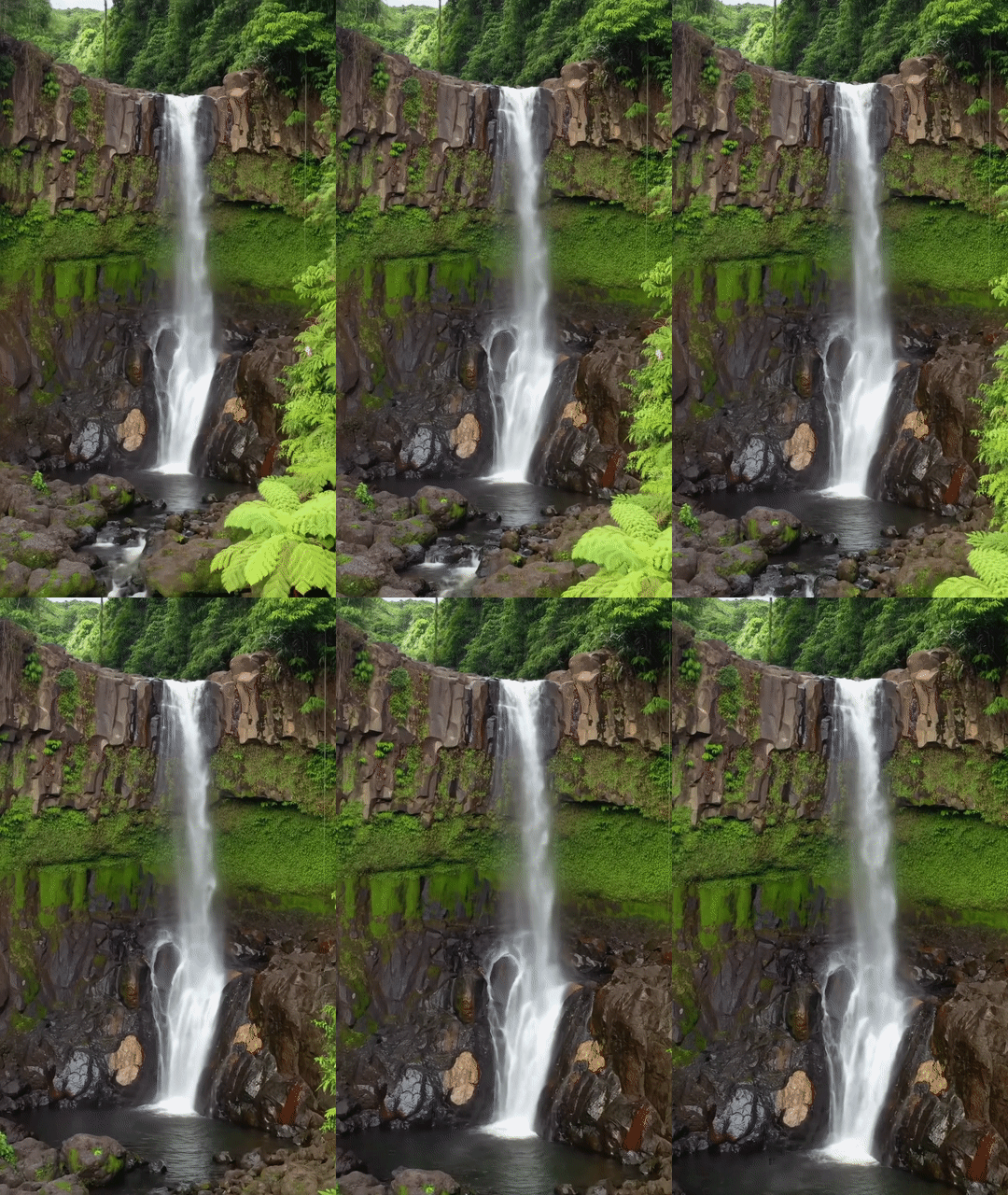
|
גרסאות המודלים
פרטים נוספים על השימוש במודלים של Veo זמינים בדף תמחור ובמאמר מגבלות קצב.
Veo 3.1 (גרסת טרום-השקה)
| נכס | תיאור |
|---|---|
| קוד מודל |
Gemini API
|
| סוגי נתונים נתמכים |
קלט טקסט, תמונה פלט סרטון עם אודיו |
| מגבלות |
קלט טקסט 1,024 טוקנים סרטון הפלט 1 |
| העדכון האחרון | ינואר 2026 |
גרסת טרום-השקה של Veo 3.1 Fast
| נכס | תיאור |
|---|---|
| קוד מודל |
Gemini API
|
| סוגי נתונים נתמכים |
קלט טקסט, תמונה פלט סרטון עם אודיו |
| מגבלות |
קלט טקסט 1,024 טוקנים סרטון הפלט 1 |
| העדכון האחרון | ינואר 2026 |
Veo 3.1 Lite Preview
| נכס | תיאור |
|---|---|
| קוד מודל |
Gemini API
|
| סוגי נתונים נתמכים |
קלט טקסט, תמונה פלט סרטון עם אודיו |
| מגבלות |
קלט טקסט 1,024 טוקנים סרטון הפלט 1 |
| העדכון האחרון | מרץ 2026 |
Veo 3 (הוצא משימוש)
| נכס | תיאור |
|---|---|
| קוד מודל |
Gemini API
|
| סוגי נתונים נתמכים |
קלט טקסט, תמונה פלט סרטון עם אודיו |
| מגבלות |
קלט טקסט 1,024 טוקנים סרטון הפלט 1 |
| העדכון האחרון | יולי 2025 |
Veo 3 Fast (הוצא משימוש)
| נכס | תיאור |
|---|---|
| קוד מודל |
Gemini API
|
| סוגי נתונים נתמכים |
קלט טקסט, תמונה פלט סרטון עם אודיו |
| מגבלות |
קלט טקסט 1,024 טוקנים סרטון הפלט 1 |
| העדכון האחרון | יולי 2025 |
גרסאות Veo Fast מאפשרות למפתחים ליצור סרטונים עם סאונד, תוך שמירה על איכות גבוהה ואופטימיזציה של מהירות ותרחישי שימוש עסקיים. הם מתאימים במיוחד לשירותי קצה עורפי (backend) שמייצרים מודעות באופן פרוגרמטי, לכלים לבדיקות A/B מהירות של רעיונות קריאייטיב או לאפליקציות שצריכות ליצור במהירות תוכן לרשתות החברתיות.
המאמרים הבאים
- כדי להתחיל להשתמש ב-Veo 3.1 API, אפשר להתנסות ב-Veo Quickstart Colab וב-Veo 3.1 applet.
- כדי ללמוד איך לכתוב הנחיות טובות עוד יותר, אפשר לעיין במבוא לעיצוב הנחיות.