

Geração de imagens com o Nano Banana
- Ou crie o seu próprio com comandos:
-






-
Gerado pelo Nano Banana 2 Comando: "Uma foto da capa brilhante de uma revista. A capa azul minimalista tem as palavras grandes e em negrito Nano Banana. O texto está em uma fonte serifada e preenche a visualização. Nenhum outro texto. Na frente do texto, há um retrato de uma pessoa com um vestido elegante e minimalista. Ela está segurando o número 2, que é o ponto focal.
Coloque o número da edição e a data "Fev 2026" no canto junto com um código de barras. A revista está em uma prateleira contra uma parede laranja rebocada, dentro de uma loja de design." -
Gerado pelo Nano Banana Pro Comando: "Apresente uma miniatura 3D isométrica vista de cima para baixo com 45° de inclinação de Londres, mostrando os marcos e elementos arquitetônicos mais icônicos. Use texturas suaves e refinadas com materiais PBR realistas e iluminação e sombras suaves e realistas. Integre as condições climáticas atuais diretamente ao ambiente da cidade para criar uma atmosfera imersiva. Use uma composição limpa e minimalista com um fundo macio e de cor sólida. Na parte de cima, no centro, coloque o título "Londres" em texto grande e em negrito, um ícone de clima em destaque abaixo dele e, em seguida, a data (texto pequeno) e a temperatura (texto médio). Todo o texto precisa estar centralizado com espaçamento consistente e pode se sobrepor sutilmente aos topos dos edifícios". -
Gerado pelo Nano Banana 2 Comando: "Use a pesquisa por imagens para encontrar imagens precisas de um quetzal-resplandecente. Crie um plano de fundo 3:2 lindo dessa ave, com um gradiente natural de cima para baixo e composição minimalista." -

Gerado pelo Nano Banana Pro Comando: "Coloque este logotipo em um anúncio sofisticado de um perfume com aroma de banana. O logotipo está perfeitamente integrado à garrafa". -
Gerado pelo Nano Banana Pro Comando: "Uma foto de uma cena cotidiana em um café movimentado que serve café da manhã. Em primeiro plano, um homem de anime com cabelo azul, uma das pessoas é um esboço a lápis, outra é uma pessoa de animação com massa de modelar" -
Gerado pelo Nano Banana Pro Comando: "Use a pesquisa para saber como foi a recepção do lançamento do Gemini 3 Flash. Use essas informações para escrever um pequeno artigo sobre o assunto (com títulos). Retorne uma foto do artigo como ele apareceu em uma revista brilhante focada em design. É uma foto de uma única página dobrada, mostrando o artigo sobre o Gemini 3 Flash. Uma foto principal. Título em serifada." -
Gerado pelo Nano Banana Pro Comando: "Um ícone representando um cachorro fofo. O fundo é branco. Crie os ícones em um estilo 3D colorido e tátil. Sem texto." -
Gerado pelo Nano Banana 2 Comando: "Crie uma foto perfeitamente isométrica. Não é uma miniatura, é uma foto que acabou ficando perfeitamente isométrica. É uma foto de um lindo jardim moderno. Há uma grande piscina em forma de 2 e as palavras: Nano Banana 2."
Nano Banana é o nome dos recursos nativos de geração de imagens do Gemini. O Gemini pode gerar e processar imagens de forma conversacional com texto, imagens, vídeo ou uma combinação. Isso permite criar, editar e fazer iterações em recursos visuais com controle incomparável.
Nano Banana se refere a quatro modelos distintos disponíveis na API Gemini:
- Nano Banana 2 Lite (Gemini 3.1 Flash Lite Image)
(
gemini-3.1-flash-lite-image): nosso modelo de imagem do Gemini mais rápido e barato, projetado para velocidade e escala em que velocidade e custo são as principais restrições operacionais. Não é otimizado para várias entradas de referência ou edição sequencial multiturno. - Nano Banana 2 (Gemini 3.1 Flash Image)
(
gemini-3.1-flash-image): é o modelo mais versátil e generalista para todas as tarefas. Ele equilibra a velocidade com a geração de 4K de última geração, o conhecimento do mundo e a renderização de texto confiável. Excelente no processamento e na consistência de várias imagens de referência. - Nano Banana Pro (Imagens no Gemini 3 Pro)
(
gemini-3-pro-image): a opção premium para as tarefas visuais mais complexas, oferecendo o mais alto nível de conhecimento do mundo, localização avançada, consistência precisa da marca e controle criativo preciso. - Nano Banana (Gemini 2.5 Flash Image)
(
gemini-2.5-flash-image): o pioneiro legado da série Nano Banana. Embora tenha sido um cavalo de batalha confiável, recomendamos que os clientes façam a transição para o Nano Banana 2 Lite para aproveitar uma qualidade aprimorada, velocidades de geração mais rápidas e preços de API mais baixos.
Todas as imagens geradas incluem uma marca-d'água do SynthID.
Geração de imagens (criação de imagens a partir de texto)
Python
from google import genai
from PIL import Image
import base64

client = genai.Client()

interaction = client.interactions.create(
    model="gemini-3.1-flash-image",
    input="Create a picture of a nano banana dish in a fancy restaurant with a Gemini theme",
)

with open("generated_image.png", "wb") as f:
    f.write(base64.b64decode(interaction.output_image.data))
JavaScript
import { GoogleGenAI } from "@google/genai";
import * as fs from "node:fs";

async function main() {

  const ai = new GoogleGenAI({});

  const prompt =
    "Create a picture of a nano banana dish in a fancy restaurant with a Gemini theme";

  const interaction = await ai.interactions.create({
    model: "gemini-3.1-flash-image",
    input: prompt,
  });
  const generatedImage = interaction.output_image;
  if (generatedImage) {
    const buffer = Buffer.from(generatedImage.data, "base64");
    fs.writeFileSync("gemini-native-image.png", buffer);
    console.log("Image saved as gemini-native-image.png");
  }
}

main();
Java
import com.google.genai.Client;
import com.google.genai.gaos.models.interactions.CreateModelInteraction;
import com.google.genai.gaos.models.interactions.Interaction;
import com.google.genai.gaos.models.interactions.InteractionsInput;
import com.google.genai.gaos.models.interactions.Model;
import com.google.genai.gaos.models.operations.CreateInteractionRequestBody;
import java.nio.file.Files;
import java.nio.file.Paths;
import java.util.Base64;

Client client = new Client();

CreateModelInteraction params =
    CreateModelInteraction.builder()
        .model(Model.of("gemini-3.1-flash-image"))
        .input(
            InteractionsInput.of(
                "Create a picture of a nano banana dish in a fancy restaurant with a Gemini theme"))
        .build();

Interaction interaction =
    client.interactions.create(CreateInteractionRequestBody.of(params)).interaction().get();

if (interaction.outputImage().isPresent()
    && interaction.outputImage().get().data().isPresent()) {
  byte[] imageBytes =
      Base64.getDecoder().decode(interaction.outputImage().get().data().get());
  Files.write(Paths.get("generated_image.png"), imageBytes);
}
Go
package main

import (
    "context"
    "encoding/base64"
    "log"
    "os"

    "google.golang.org/genai"
    "google.golang.org/genai/interactions/models/interactions"
    "google.golang.org/genai/interactions/models/operations"
)

func main() {
    ctx := context.Background()
    client, err := genai.NewClient(ctx, nil)
    if err != nil {
        log.Fatal(err)
    }

    res, err := client.Interactions.Create(ctx, operations.CreateInteractionRequest{
        Body: operations.NewCreateInteractionRequestBody(interactions.CreateModelInteraction{
            Model: interactions.Model("gemini-3.1-flash-image"),
            Input: interactions.NewInteractionsInput("Create a picture of a nano banana dish in a fancy restaurant with a Gemini theme"),
        }),
    })
    if err != nil {
        log.Fatal(err)
    }

    if res.Interaction.OutputImage != nil && res.Interaction.OutputImage.Data != nil {
        imageBytes, err := base64.StdEncoding.DecodeString(*res.Interaction.OutputImage.Data)
        if err != nil {
            log.Fatal(err)
        }
        if err := os.WriteFile("generated_image.png", imageBytes, 0644); err != nil {
            log.Fatal(err)
        }
    }
}
REST
curl -s -X POST \
  "https://generativelanguage.googleapis.com/v1beta/interactions" \
  -H "x-goog-api-key: $GEMINI_API_KEY" \
  -H "Content-Type: application/json" \
  -d '{
    "model": "gemini-3.1-flash-image",
    "input": [
      {"type": "text", "text": "Create a picture of a nano banana dish in a fancy restaurant with a Gemini theme"}
    ]
  }'
É possível recuperar os dados da imagem gerada usando a propriedade interaction.output_image, que retorna o último bloco de imagem gerado. Para mais detalhes sobre
propriedades de conveniência, consulte a
Visão geral das interações.
Edição de imagens (texto e imagem para imagem)
Lembrete: confira se você tem os direitos necessários sobre as imagens que enviar. Não gere conteúdo que viole os direitos de terceiros, incluindo vídeos ou imagens que enganem, assediem ou prejudiquem pessoas. O uso deste serviço de IA generativa está sujeito à nossa Política de uso proibido.
Forneça uma imagem e use comandos de texto para adicionar, remover ou modificar elementos, mudar o estilo ou ajustar a gradação de cores.
O exemplo a seguir demonstra o upload de imagens codificadas em base64.
Para várias imagens, payloads maiores e tipos MIME compatíveis, consulte a página Entendimento de imagens.
Python
from google import genai
from PIL import Image
import base64

client = genai.Client()

with open("/path/to/cat_image.png", "rb") as f:
    image_bytes = f.read()

interaction = client.interactions.create(
    model="gemini-3.1-flash-image",
    input=[
        {
          "type": "text",
          "text": "Create a picture of a nano banana dish in a fancy restaurant with a Gemini theme"
        },
        {
            "type": "image",
            "data": base64.b64encode(image_bytes).decode('utf-8'),
            "mime_type": "image/png"
        }
    ],
)

with open("generated_image.png", "wb") as f:
    f.write(base64.b64decode(interaction.output_image.data))
JavaScript
import { GoogleGenAI } from "@google/genai";
import * as fs from "node:fs";

async function main() {

  const ai = new GoogleGenAI({});

  const imagePath = "path/to/cat_image.png";
  const imageData = fs.readFileSync(imagePath);
  const base64Image = imageData.toString("base64");

  const prompt = [
    { type: "text", text: "Create a picture of my cat eating a nano-banana in a" +
            "fancy restaurant under the Gemini constellation" },
    {
      type: "image",
      mime_type: "image/png",
      data: base64Image
    },
  ];

  const interaction = await ai.interactions.create({
    model: "gemini-3.1-flash-image",
    input: prompt,
  });
  const generatedImage = interaction.output_image;
  if (generatedImage) {
    const buffer = Buffer.from(generatedImage.data, "base64");
    fs.writeFileSync("gemini-native-image.png", buffer);
    console.log("Image saved as gemini-native-image.png");
  }
}

main();
Java
import com.google.genai.Client;
import com.google.genai.gaos.models.interactions.Content;
import com.google.genai.gaos.models.interactions.CreateModelInteraction;
import com.google.genai.gaos.models.interactions.ImageContent;
import com.google.genai.gaos.models.interactions.ImageContentMimeType;
import com.google.genai.gaos.models.interactions.Interaction;
import com.google.genai.gaos.models.interactions.InteractionsInput;
import com.google.genai.gaos.models.interactions.Model;
import com.google.genai.gaos.models.interactions.TextContent;
import com.google.genai.gaos.models.operations.CreateInteractionRequestBody;
import java.nio.file.Files;
import java.nio.file.Paths;
import java.util.Arrays;
import java.util.Base64;
import java.util.List;

Client client = new Client();

byte[] inputBytes = Files.readAllBytes(Paths.get("/path/to/cat_image.png"));
String base64Image = Base64.getEncoder().encodeToString(inputBytes);

Content textContent =
    TextContent.builder()
        .text("Create a picture of a nano banana dish in a fancy restaurant with a Gemini theme")
        .build();
Content imageContent =
    ImageContent.builder()
        .data(base64Image)
        .mimeType(ImageContentMimeType.IMAGE_PNG)
        .build();

List<Content> contents = Arrays.asList(textContent, imageContent);

CreateModelInteraction params =
    CreateModelInteraction.builder()
        .model(Model.of("gemini-3.1-flash-image"))
        .input(InteractionsInput.ofContent(contents))
        .build();

Interaction interaction =
    client.interactions.create(CreateInteractionRequestBody.of(params)).interaction().get();

if (interaction.outputImage().isPresent()
    && interaction.outputImage().get().data().isPresent()) {
  byte[] outputBytes =
      Base64.getDecoder().decode(interaction.outputImage().get().data().get());
  Files.write(Paths.get("generated_image.png"), outputBytes);
}
Go
package main

import (
    "context"
    "encoding/base64"
    "log"
    "os"

    "google.golang.org/genai"
    "google.golang.org/genai/interactions/models/interactions"
    "google.golang.org/genai/interactions/models/operations"
)

func main() {
    ctx := context.Background()
    client, err := genai.NewClient(ctx, nil)
    if err != nil {
        log.Fatal(err)
    }

    inputBytes, err := os.ReadFile("/path/to/cat_image.png")
    if err != nil {
        log.Fatal(err)
    }
    base64Image := base64.StdEncoding.EncodeToString(inputBytes)

    res, err := client.Interactions.Create(ctx, operations.CreateInteractionRequest{
        Body: operations.NewCreateInteractionRequestBody(interactions.CreateModelInteraction{
            Model: interactions.Model("gemini-3.1-flash-image"),
            Input: interactions.NewInteractionsInput([]interactions.Content{
                interactions.NewContent(interactions.TextContent{
                    Text: "Create a picture of a nano banana dish in a fancy restaurant with a Gemini theme",
                }),
                interactions.NewContent(interactions.ImageContent{
                    Data:     genai.Ptr(base64Image),
                    MimeType: interactions.ImageContentMimeTypeImagePng.ToPointer(),
                }),
            }),
        }),
    })
    if err != nil {
        log.Fatal(err)
    }

    if res.Interaction.OutputImage != nil && res.Interaction.OutputImage.Data != nil {
        outputBytes, err := base64.StdEncoding.DecodeString(*res.Interaction.OutputImage.Data)
        if err != nil {
            log.Fatal(err)
        }
        if err := os.WriteFile("generated_image.png", outputBytes, 0644); err != nil {
            log.Fatal(err)
        }
    }
}
REST
curl -s -X POST \
  "https://generativelanguage.googleapis.com/v1beta/interactions" \
    -H "x-goog-api-key: $GEMINI_API_KEY" \
    -H 'Content-Type: application/json' \
    -d "{
      \"model\": \"gemini-3.1-flash-image\",
      \"input\": [
        {\"type\": \"text\", \"text\": \"Create a picture of my cat eating a nano-banana in a fancy restaurant under the Gemini constellation\"},
        {
          \"type\": \"image\",
          \"mime_type\": \"image/jpeg\",
          \"data\": \"<BASE64_IMAGE_DATA>\"
        }
      ]
    }"
Edição de imagens multiturno
Continue gerando e editando imagens de forma conversacional. A conversa multiturno é a maneira recomendada de iterar imagens. O exemplo a seguir mostra um comando para gerar um infográfico sobre a fotossíntese.
Python
from google import genai
import base64

client = genai.Client()

interaction = client.interactions.create(
    model="gemini-3.1-flash-image",
    input="Create a vibrant infographic that explains photosynthesis as if it were a recipe for a plant's favorite food. Show the \"ingredients\" (sunlight, water, CO2) and the \"finished dish\" (sugar/energy). The style should be like a page from a colorful kids' cookbook, suitable for a 4th grader.",
    tools=[{"type": "google_search"}],
)

with open("photosynthesis.png", "wb") as f:
    f.write(base64.b64decode(interaction.output_image.data))
JavaScript
import { GoogleGenAI } from "@google/genai";
import * as fs from "node:fs";

const ai = new GoogleGenAI({});

async function main() {
  const interaction = await ai.interactions.create({
    model: "gemini-3.1-flash-image",
    input: "Create a vibrant infographic that explains photosynthesis as if it were a recipe for a plant's favorite food. Show the \"ingredients\" (sunlight, water, CO2) and the \"finished dish\" (sugar/energy). The style should be like a page from a colorful kids' cookbook, suitable for a 4th grader.",
    tools: [{"type": "google_search"}],
  });

  const generatedImage = interaction.output_image;
  if (generatedImage) {
    const buffer = Buffer.from(generatedImage.data, "base64");
    fs.writeFileSync("photosynthesis.png", buffer);
    console.log("Image saved as photosynthesis.png");
  }
}

await main();
Java
import com.google.genai.Client;
import com.google.genai.gaos.models.interactions.CreateModelInteraction;
import com.google.genai.gaos.models.interactions.GoogleSearch;
import com.google.genai.gaos.models.interactions.Interaction;
import com.google.genai.gaos.models.interactions.InteractionsInput;
import com.google.genai.gaos.models.interactions.Model;
import com.google.genai.gaos.models.operations.CreateInteractionRequestBody;
import java.nio.file.Files;
import java.nio.file.Paths;
import java.util.Arrays;
import java.util.Base64;

Client client = new Client();

CreateModelInteraction params =
    CreateModelInteraction.builder()
        .model(Model.of("gemini-3.1-flash-image"))
        .input(
            InteractionsInput.of(
                "Create a vibrant infographic that explains photosynthesis as if it were a recipe for a plant's favorite food. Show the \"ingredients\" (sunlight, water, CO2) and the \"finished dish\" (sugar/energy). The style should be like a page from a colorful kids' cookbook, suitable for a 4th grader."))
        .tools(Arrays.asList(new GoogleSearch()))
        .build();

Interaction interaction =
    client.interactions.create(CreateInteractionRequestBody.of(params)).interaction().get();

if (interaction.outputImage().isPresent()
    && interaction.outputImage().get().data().isPresent()) {
  byte[] imageBytes =
      Base64.getDecoder().decode(interaction.outputImage().get().data().get());
  Files.write(Paths.get("photosynthesis.png"), imageBytes);
}
Go
package main

import (
    "context"
    "encoding/base64"
    "log"
    "os"

    "google.golang.org/genai"
    "google.golang.org/genai/interactions/models/interactions"
    "google.golang.org/genai/interactions/models/operations"
)

func main() {
    ctx := context.Background()
    client, err := genai.NewClient(ctx, nil)
    if err != nil {
        log.Fatal(err)
    }

    res, err := client.Interactions.Create(ctx, operations.CreateInteractionRequest{
        Body: operations.NewCreateInteractionRequestBody(interactions.CreateModelInteraction{
            Model: interactions.Model("gemini-3.1-flash-image"),
            Input: interactions.NewInteractionsInput(`Create a vibrant infographic that explains photosynthesis as if it were a recipe for a plant's favorite food. Show the "ingredients" (sunlight, water, CO2) and the "finished dish" (sugar/energy). The style should be like a page from a colorful kids' cookbook, suitable for a 4th grader.`),
            Tools: []interactions.Tool{
                interactions.NewTool(interactions.GoogleSearch{}),
            },
        }),
    })
    if err != nil {
        log.Fatal(err)
    }

    if res.Interaction.OutputImage != nil && res.Interaction.OutputImage.Data != nil {
        imageBytes, err := base64.StdEncoding.DecodeString(*res.Interaction.OutputImage.Data)
        if err != nil {
            log.Fatal(err)
        }
        if err := os.WriteFile("photosynthesis.png", imageBytes, 0644); err != nil {
            log.Fatal(err)
        }
    }
}
REST
curl -s -X POST \
  "https://generativelanguage.googleapis.com/v1beta/interactions" \
  -H "x-goog-api-key: $GEMINI_API_KEY" \
  -H "Content-Type: application/json" \
  -d '{
    "model": "gemini-3.1-flash-image",
    "input": [
      {"type": "text", "text": "Create a vibrant infographic that explains photosynthesis as if it were a recipe for a plants favorite food. Show the \"ingredients\" (sunlight, water, CO2) and the \"finished dish\" (sugar/energy). The style should be like a page from a colorful kids cookbook, suitable for a 4th grader."}
    ],
    "tools": [{"type": "google_search"}]
  }'
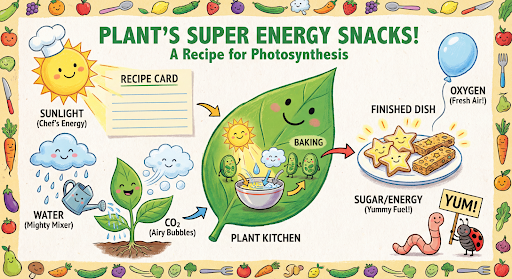
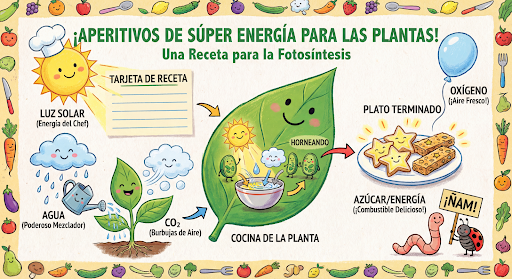
Em seguida, use previous_interaction_id para mudar o idioma do gráfico para espanhol.
Python
interaction_2 = client.interactions.create(
    model="gemini-3.1-flash-image",
    input="Update this infographic to be in Spanish. Do not change any other elements of the image.",
    previous_interaction_id=interaction.id,
    response_format={
        "type": "image",
        "mime_type": "image/jpeg",
        "aspect_ratio": "16:9",
        "image_size": "2K"
    },
)

generated_image = interaction_2.output_image
if generated_image:
    with open("photosynthesis_spanish.png", "wb") as f:
        f.write(base64.b64decode(generated_image.data))
JavaScript
const interaction2 = await ai.interactions.create({
  model: "gemini-3.1-flash-image",
  input: "Update this infographic to be in Spanish. Do not change any other elements of the image.",
  previous_interaction_id: interaction.id,
  response_format: {
    type: "image",
    mime_type: "image/png",
    aspect_ratio: "16:9",
    image_size: "2K"
  },
});

const generatedImage = interaction2.output_image;
if (generatedImage) {
  const buffer = Buffer.from(generatedImage.data, "base64");
  fs.writeFileSync("photosynthesis_spanish.png", buffer);
}
Java
import com.google.genai.Client;
import com.google.genai.gaos.models.interactions.CreateModelInteraction;
import com.google.genai.gaos.models.interactions.CreateModelInteractionResponseFormat;
import com.google.genai.gaos.models.interactions.GoogleSearch;
import com.google.genai.gaos.models.interactions.ImageResponseFormat;
import com.google.genai.gaos.models.interactions.ImageResponseFormatAspectRatio;
import com.google.genai.gaos.models.interactions.ImageResponseFormatImageSize;
import com.google.genai.gaos.models.interactions.ImageResponseFormatMimeType;
import com.google.genai.gaos.models.interactions.Interaction;
import com.google.genai.gaos.models.interactions.InteractionsInput;
import com.google.genai.gaos.models.interactions.Model;
import com.google.genai.gaos.models.interactions.ResponseFormat;
import com.google.genai.gaos.models.operations.CreateInteractionRequestBody;
import java.nio.file.Files;
import java.nio.file.Paths;
import java.util.Arrays;
import java.util.Base64;

Client client = new Client();

CreateModelInteraction turn1Params =
    CreateModelInteraction.builder()
        .model(Model.of("gemini-3.1-flash-image"))
        .input(
            InteractionsInput.of(
                "Create a vibrant infographic that explains photosynthesis as if it were a recipe for a plant's favorite food."))
        .tools(Arrays.asList(new GoogleSearch()))
        .build();

Interaction interaction =
    client.interactions.create(CreateInteractionRequestBody.of(turn1Params)).interaction().get();

CreateModelInteractionResponseFormat format =
    CreateModelInteractionResponseFormat.of(
        ResponseFormat.of(
            ImageResponseFormat.builder()
                .mimeType(ImageResponseFormatMimeType.IMAGE_JPEG)
                .aspectRatio(ImageResponseFormatAspectRatio.of("16:9"))
                .imageSize(ImageResponseFormatImageSize.TWO_K)
                .build()));

CreateModelInteraction turn2Params =
    CreateModelInteraction.builder()
        .model(Model.of("gemini-3.1-flash-image"))
        .input(
            InteractionsInput.of(
                "Update this infographic to be in Spanish. Do not change any other elements of the image."))
        .previousInteractionId(interaction.id().orElse(""))
        .responseFormat(format)
        .build();

Interaction interaction2 =
    client.interactions.create(CreateInteractionRequestBody.of(turn2Params)).interaction().get();

if (interaction2.outputImage().isPresent()
    && interaction2.outputImage().get().data().isPresent()) {
  byte[] imageBytes =
      Base64.getDecoder().decode(interaction2.outputImage().get().data().get());
  Files.write(Paths.get("photosynthesis_spanish.png"), imageBytes);
}
Go
package main

import (
    "context"
    "encoding/base64"
    "log"
    "os"

    "google.golang.org/genai"
    "google.golang.org/genai/interactions/models/interactions"
    "google.golang.org/genai/interactions/models/operations"
)

func main() {
    ctx := context.Background()
    client, err := genai.NewClient(ctx, nil)
    if err != nil {
        log.Fatal(err)
    }

    res1, err := client.Interactions.Create(ctx, operations.CreateInteractionRequest{
        Body: operations.NewCreateInteractionRequestBody(interactions.CreateModelInteraction{
            Model: interactions.Model("gemini-3.1-flash-image"),
            Input: interactions.NewInteractionsInput("Create a vibrant infographic that explains photosynthesis as if it were a recipe for a plant's favorite food."),
            Tools: []interactions.Tool{
                interactions.NewTool(interactions.GoogleSearch{}),
            },
        }),
    })
    if err != nil {
        log.Fatal(err)
    }

    format := interactions.NewCreateModelInteractionResponseFormat(
        interactions.NewResponseFormat(interactions.ImageResponseFormat{
            MimeType:    interactions.ImageResponseFormatMimeTypeImageJpeg.ToPointer(),
            AspectRatio: interactions.ImageResponseFormatAspectRatio("16:9").ToPointer(),
            ImageSize:   interactions.ImageResponseFormatImageSizeTwoK.ToPointer(),
        }),
    )

    res2, err := client.Interactions.Create(ctx, operations.CreateInteractionRequest{
        Body: operations.NewCreateInteractionRequestBody(interactions.CreateModelInteraction{
            Model:                 interactions.Model("gemini-3.1-flash-image"),
            Input:                 interactions.NewInteractionsInput("Update this infographic to be in Spanish. Do not change any other elements of the image."),
            PreviousInteractionID: res1.Interaction.ID,
            ResponseFormat:        genai.Ptr(format),
        }),
    })
    if err != nil {
        log.Fatal(err)
    }

    if res2.Interaction.OutputImage != nil && res2.Interaction.OutputImage.Data != nil {
        imageBytes, err := base64.StdEncoding.DecodeString(*res2.Interaction.OutputImage.Data)
        if err != nil {
            log.Fatal(err)
        }
        if err := os.WriteFile("photosynthesis_spanish.png", imageBytes, 0644); err != nil {
            log.Fatal(err)
        }
    }
}
REST
curl -s -X POST \
  "https://generativelanguage.googleapis.com/v1beta/interactions" \
  -H "x-goog-api-key: $GEMINI_API_KEY" \
  -H 'Content-Type: application/json' \
  -d '{
    "model": "gemini-3.1-flash-image",
    "input": "Update this infographic to be in Spanish. Do not change any other elements of the image.",
    "previous_interaction_id": "<PREVIOUS_INTERACTION_ID>",
    "response_format": {
      "type": "image",
      "mime_type": "image/jpeg",
      "aspect_ratio": "16:9",
      "image_size": "2K"
    }
  }'
Novidade com os modelos de imagem do Gemini 3
O Gemini 3 oferece modelos de edição e geração de imagens de última geração. O Gemini 3.1 Flash Image é otimizado para velocidade e casos de uso de alto volume, e o Gemini 3 Pro Image é otimizado para produção de recursos profissionais. Projetados para lidar com os fluxos de trabalho mais desafiadores usando raciocínio avançado, eles são excelentes em tarefas complexas de criação e modificação multiturno.
- Saída de alta resolução: recursos de geração integrados para visuais em 1K, 2K e 4K.
- O Gemini 3.1 Flash Image adiciona a resolução menor de 512 pixels (0,5K).
- O Gemini 3.1 Flash Lite Image só é compatível com resolução 1K.
- Renderização avançada de texto: capaz de gerar texto legível e estilizado para infográficos, menus, diagramas e recursos de marketing.
- Embasamento com a Pesquisa Google: o modelo pode usar a Pesquisa Google como uma ferramenta para verificar fatos e gerar imagens com base em dados em tempo real (por exemplo, mapas meteorológicos atuais, gráficos de ações, eventos recentes).
- Indisponível para o modelo de imagem do Gemini 3.1 Flash Lite.
- O Gemini 3.1 Flash Image adiciona a integração do embasamento da Pesquisa de Imagens do Google com a Pesquisa na Web.
- Modo de raciocínio: o modelo usa um processo de "raciocínio" para analisar comandos complexos. Ele gera "imagens de pensamento" provisórias (visíveis no back-end, mas não cobradas) para refinar a composição antes de produzir a saída final de alta qualidade.
- Até 14 imagens de referência: agora você pode misturar até 14 imagens de referência para produzir a imagem final.
- Novas proporções: a criação de imagens do Gemini 3.1 Flash Lite adiciona
1:1,3:2,2:3,3:4,4:3,4:5,5:4,9:16,16:9e21:9proporções.
Usar até 14 imagens de referência
Com os modelos de imagem do Gemini 3, você pode combinar até 14 imagens de referência. Essas 14 imagens podem incluir o seguinte:
| Imagem do Gemini 3.1 Flash Lite | Imagem do Gemini 3.1 Flash | Gemini 3 Pro Image |
|---|---|---|
| Até 14 imagens de objetos de alta fidelidade para incluir na imagem final | Até 10 imagens de objetos com alta fidelidade para incluir na imagem final | Até seis imagens de objetos com alta fidelidade para incluir na imagem final |
| N/A | Até quatro imagens de personagens para manter a consistência de personagem | Até cinco imagens de personagens para manter a consistência de personagem |
| N/A | N/A | Até três imagens para usar como referências de estilo |
Python
from google import genai
from google.genai import types
from PIL import Image
import base64

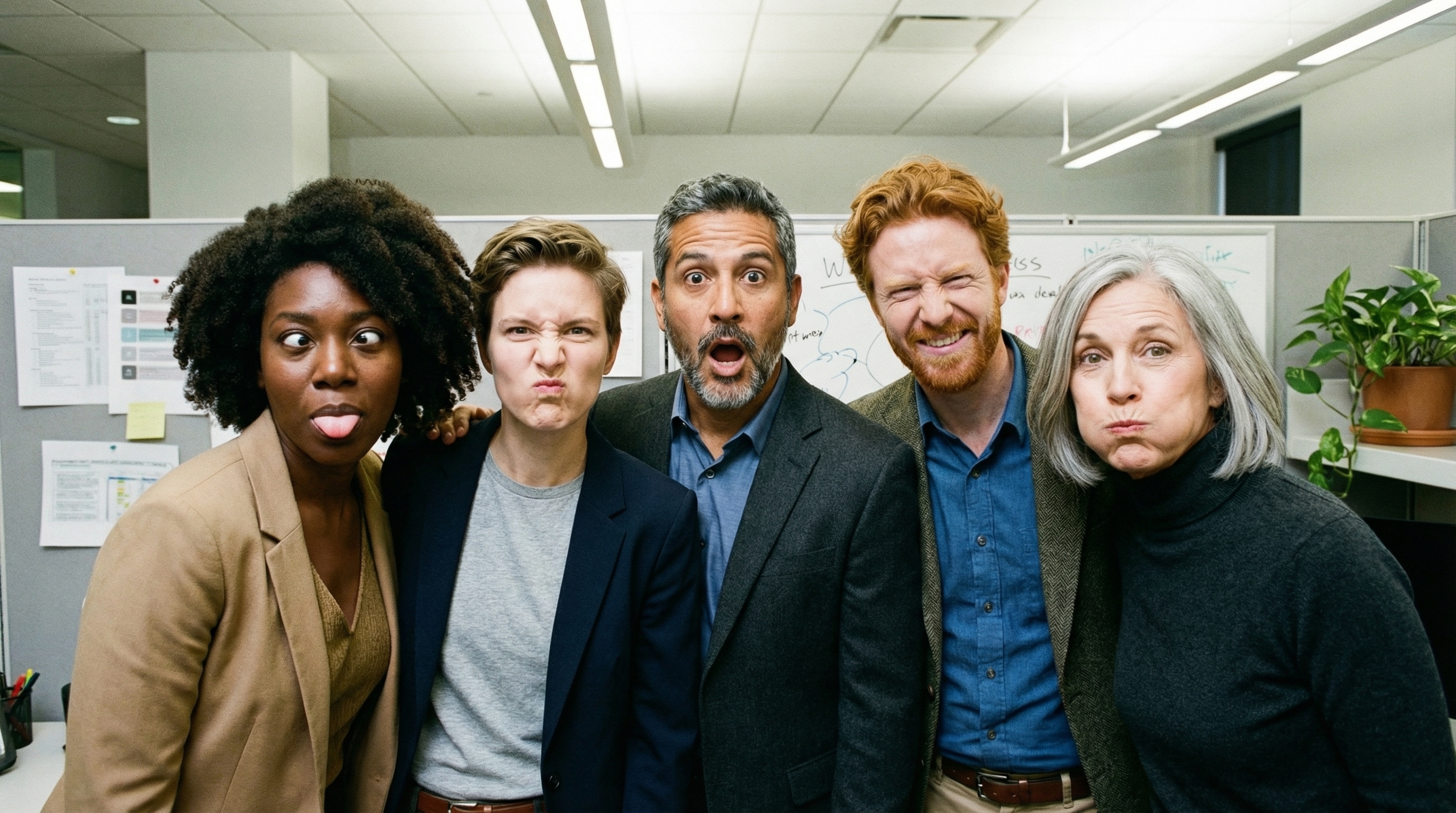
prompt = "An office group photo of these people, they are making funny faces."

client = genai.Client()

interaction = client.interactions.create(
    model="gemini-3.1-flash-image",
    input=[
        {
            "type": "text",
            "text": prompt,
        },
        {
            "type": "image",
            "data": base64.b64encode(image_bytes).decode('utf-8'),
            "mime_type": "image/png"
        },
        {
            "type": "image",
            "data": base64.b64encode(image_bytes).decode('utf-8'),
            "mime_type": "image/png"
        },
        {
            "type": "image",
            "data": base64.b64encode(image_bytes).decode('utf-8'),
            "mime_type": "image/png"
        },
        {
            "type": "image",
            "data": base64.b64encode(image_bytes).decode('utf-8'),
            "mime_type": "image/png"
        },
        {
            "type": "image",
            "data": base64.b64encode(image_bytes).decode('utf-8'),
            "mime_type": "image/png"
        },
    ],
    response_format={
        "type": "image",
        "aspect_ratio": "5:4",
        "image_size": "2K"
    },
)

with open("office.png", "wb") as f:
    f.write(base64.b64decode(interaction.output_image.data))
JavaScript
import { GoogleGenAI } from "@google/genai";
import * as fs from "node:fs";

async function main() {
  const ai = new GoogleGenAI({});

  const input = [
    {
      type: "text",
      text: "An office group photo of these people, they are making funny faces.",
    },
    { type: "image", mime_type: "image/jpeg", data: base64ImageFile1 },
    { type: "image", mime_type: "image/jpeg", data: base64ImageFile2 },
    { type: "image", mime_type: "image/jpeg", data: base64ImageFile3 },
    { type: "image", mime_type: "image/jpeg", data: base64ImageFile4 },
    { type: "image", mime_type: "image/jpeg", data: base64ImageFile5 },
  ];

  const interaction = await ai.interactions.create({
    model: "gemini-3.1-flash-image",
    input: input,
    response_format: {
      type: "image",
      aspect_ratio: "5:4",
      image_size: "2K",
    },
  });

  const buffer = Buffer.from(interaction.output_image.data, 'base64');

  fs.writeFileSync('office.png', buffer);
}

main();
Java
import com.google.genai.Client;
import com.google.genai.gaos.models.interactions.Content;
import com.google.genai.gaos.models.interactions.CreateModelInteraction;
import com.google.genai.gaos.models.interactions.CreateModelInteractionResponseFormat;
import com.google.genai.gaos.models.interactions.ImageContent;
import com.google.genai.gaos.models.interactions.ImageContentMimeType;
import com.google.genai.gaos.models.interactions.ImageResponseFormat;
import com.google.genai.gaos.models.interactions.ImageResponseFormatAspectRatio;
import com.google.genai.gaos.models.interactions.ImageResponseFormatImageSize;
import com.google.genai.gaos.models.interactions.Interaction;
import com.google.genai.gaos.models.interactions.InteractionsInput;
import com.google.genai.gaos.models.interactions.Model;
import com.google.genai.gaos.models.interactions.ResponseFormat;
import com.google.genai.gaos.models.interactions.TextContent;
import com.google.genai.gaos.models.operations.CreateInteractionRequestBody;
import java.nio.file.Files;
import java.nio.file.Paths;
import java.util.Arrays;
import java.util.Base64;
import java.util.List;

String prompt = "An office group photo of these people, they are making funny faces.";

byte[] imageBytes = Files.readAllBytes(Paths.get("/path/to/person.png"));
String base64Image = Base64.getEncoder().encodeToString(imageBytes);

Content textContent = TextContent.builder().text(prompt).build();
Content imageContent =
    ImageContent.builder()
        .data(base64Image)
        .mimeType(ImageContentMimeType.IMAGE_PNG)
        .build();

List<Content> contents =
    Arrays.asList(
        textContent,
        imageContent,
        imageContent,
        imageContent,
        imageContent,
        imageContent);

CreateModelInteractionResponseFormat format =
    CreateModelInteractionResponseFormat.of(
        ResponseFormat.of(
            ImageResponseFormat.builder()
                .aspectRatio(ImageResponseFormatAspectRatio.of("5:4"))
                .imageSize(ImageResponseFormatImageSize.TWO_K)
                .build()));

Client client = new Client();

CreateModelInteraction params =
    CreateModelInteraction.builder()
        .model(Model.of("gemini-3.1-flash-image"))
        .input(InteractionsInput.ofContent(contents))
        .responseFormat(format)
        .build();

Interaction interaction =
    client.interactions.create(CreateInteractionRequestBody.of(params)).interaction().get();

if (interaction.outputImage().isPresent()
    && interaction.outputImage().get().data().isPresent()) {
  byte[] outBytes =
      Base64.getDecoder().decode(interaction.outputImage().get().data().get());
  Files.write(Paths.get("office.png"), outBytes);
}
Go
package main

import (
    "context"
    "encoding/base64"
    "log"
    "os"

    "google.golang.org/genai"
    "google.golang.org/genai/interactions/models/interactions"
    "google.golang.org/genai/interactions/models/operations"
)

func main() {
    ctx := context.Background()
    client, err := genai.NewClient(ctx, nil)
    if err != nil {
        log.Fatal(err)
    }

    prompt := "An office group photo of these people, they are making funny faces."

    imageBytes, err := os.ReadFile("/path/to/person.png")
    if err != nil {
        log.Fatal(err)
    }
    base64Image := base64.StdEncoding.EncodeToString(imageBytes)

    textContent := interactions.NewContent(interactions.TextContent{
        Text: prompt,
    })
    imageContent := interactions.NewContent(interactions.ImageContent{
        Data:     genai.Ptr(base64Image),
        MimeType: interactions.ImageContentMimeTypeImagePng.ToPointer(),
    })

    contents := []interactions.Content{
        textContent,
        imageContent,
        imageContent,
        imageContent,
        imageContent,
        imageContent,
    }

    format := interactions.NewCreateModelInteractionResponseFormat(
        interactions.NewResponseFormat(interactions.ImageResponseFormat{
            AspectRatio: interactions.ImageResponseFormatAspectRatio("5:4").ToPointer(),
            ImageSize:   interactions.ImageResponseFormatImageSizeTwoK.ToPointer(),
        }),
    )

    res, err := client.Interactions.Create(ctx, operations.CreateInteractionRequest{
        Body: operations.NewCreateInteractionRequestBody(interactions.CreateModelInteraction{
            Model:          interactions.Model("gemini-3.1-flash-image"),
            Input:          interactions.NewInteractionsInput(contents),
            ResponseFormat: genai.Ptr(format),
        }),
    })
    if err != nil {
        log.Fatal(err)
    }

    if res.Interaction.OutputImage != nil && res.Interaction.OutputImage.Data != nil {
        outBytes, err := base64.StdEncoding.DecodeString(*res.Interaction.OutputImage.Data)
        if err != nil {
            log.Fatal(err)
        }
        if err := os.WriteFile("office.png", outBytes, 0644); err != nil {
            log.Fatal(err)
        }
    }
}
REST
curl -s -X POST \
  "https://generativelanguage.googleapis.com/v1beta/interactions" \
    -H "x-goog-api-key: $GEMINI_API_KEY" \
    -H 'Content-Type: application/json' \
    -d "{
      \"model\": \"gemini-3.1-flash-image\",
      \"input\": [
        {\"type\": \"text\", \"text\": \"An office group photo of these people, they are making funny faces.\"},
        {\"type\": \"image\", \"mime_type\": \"image/png\", \"data\": \"<BASE64_DATA_IMG_1>\"},
        {\"type\": \"image\", \"mime_type\": \"image/png\", \"data\": \"<BASE64_DATA_IMG_2>\"},
        {\"type\": \"image\", \"mime_type\": \"image/png\", \"data\": \"<BASE64_DATA_IMG_3>\"},
        {\"type\": \"image\", \"mime_type\": \"image/png\", \"data\": \"<BASE64_DATA_IMG_4>\"},
        {\"type\": \"image\", \"mime_type\": \"image/png\", \"data\": \"<BASE64_DATA_IMG_5>\"}
      ],
      \"response_format\": {
        \"type\": \"image\",
        \"aspect_ratio\": \"5:4\",
        \"image_size\": \"2K\"
      }
    }"
Embasamento com a Pesquisa Google
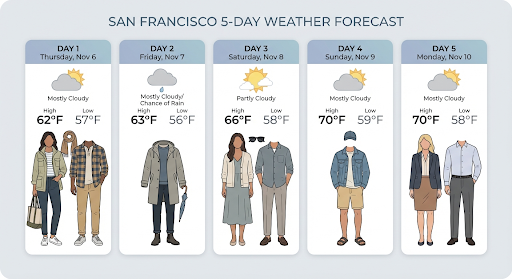
Use a ferramenta da Pesquisa Google para gerar imagens com base em informações em tempo real, como previsões do tempo, gráficos de ações ou eventos recentes.
Ao usar o embasamento com a Pesquisa Google para geração de imagens, os resultados da pesquisa baseados em imagens não são transmitidos ao modelo de geração e são excluídos da resposta. Consulte Embasamento com a Pesquisa de imagens do Google.
Python
from google import genai
from google.genai import types
import base64
prompt = "Visualize the current weather forecast for the next 5 days in San Francisco as a clean, modern weather chart. Add a visual on what I should wear each day"

client = genai.Client()

interaction = client.interactions.create(
    model="gemini-3.1-flash-image",
    input=prompt,
    tools=[{"type": "google_search"}],
    response_format={
        "type": "image",
        "mime_type": "image/jpeg",
        "aspect_ratio": "16:9"
    },
)

with open("weather.png", "wb") as f:
    f.write(base64.b64decode(interaction.output_image.data))
JavaScript
import { GoogleGenAI } from "@google/genai";
import * as fs from "node:fs";

async function main() {
  const ai = new GoogleGenAI({});

  const interaction = await ai.interactions.create({
    model: "gemini-3.1-flash-image",
    input: "Visualize the current weather forecast for the next 5 days in San Francisco as a clean, modern weather chart. Add a visual on what I should wear each day",
    tools: [{"type": "google_search"}],
    response_format: {
      type: "image",
      mime_type: "image/png",
      aspect_ratio: "16:9",
      image_size: "2K"
    },
  });

  const buffer = Buffer.from(interaction.output_image.data, 'base64');

  fs.writeFileSync('weather.png', buffer);
}

main();
Java
import com.google.genai.Client;
import com.google.genai.gaos.models.interactions.CreateModelInteraction;
import com.google.genai.gaos.models.interactions.CreateModelInteractionResponseFormat;
import com.google.genai.gaos.models.interactions.GoogleSearch;
import com.google.genai.gaos.models.interactions.ImageResponseFormat;
import com.google.genai.gaos.models.interactions.ImageResponseFormatAspectRatio;
import com.google.genai.gaos.models.interactions.ImageResponseFormatMimeType;
import com.google.genai.gaos.models.interactions.Interaction;
import com.google.genai.gaos.models.interactions.InteractionsInput;
import com.google.genai.gaos.models.interactions.Model;
import com.google.genai.gaos.models.interactions.ResponseFormat;
import com.google.genai.gaos.models.operations.CreateInteractionRequestBody;
import java.nio.file.Files;
import java.nio.file.Paths;
import java.util.Arrays;
import java.util.Base64;

String prompt =
    "Visualize the current weather forecast for the next 5 days in San Francisco as a clean, modern weather chart. Add a visual on what I should wear each day";

Client client = new Client();

CreateModelInteractionResponseFormat format =
    CreateModelInteractionResponseFormat.of(
        ResponseFormat.of(
            ImageResponseFormat.builder()
                .mimeType(ImageResponseFormatMimeType.IMAGE_JPEG)
                .aspectRatio(ImageResponseFormatAspectRatio.of("16:9"))
                .build()));

CreateModelInteraction params =
    CreateModelInteraction.builder()
        .model(Model.of("gemini-3.1-flash-image"))
        .input(InteractionsInput.of(prompt))
        .tools(Arrays.asList(new GoogleSearch()))
        .responseFormat(format)
        .build();

Interaction interaction =
    client.interactions.create(CreateInteractionRequestBody.of(params)).interaction().get();

if (interaction.outputImage().isPresent()
    && interaction.outputImage().get().data().isPresent()) {
  byte[] imageBytes =
      Base64.getDecoder().decode(interaction.outputImage().get().data().get());
  Files.write(Paths.get("weather.png"), imageBytes);
}
Go
package main

import (
    "context"
    "encoding/base64"
    "log"
    "os"

    "google.golang.org/genai"
    "google.golang.org/genai/interactions/models/interactions"
    "google.golang.org/genai/interactions/models/operations"
)

func main() {
    ctx := context.Background()
    client, err := genai.NewClient(ctx, nil)
    if err != nil {
        log.Fatal(err)
    }

    prompt := "Visualize the current weather forecast for the next 5 days in San Francisco as a clean, modern weather chart. Add a visual on what I should wear each day"

    format := interactions.NewCreateModelInteractionResponseFormat(
        interactions.NewResponseFormat(interactions.ImageResponseFormat{
            MimeType:    interactions.ImageResponseFormatMimeTypeImageJpeg.ToPointer(),
            AspectRatio: interactions.ImageResponseFormatAspectRatio("16:9").ToPointer(),
        }),
    )

    res, err := client.Interactions.Create(ctx, operations.CreateInteractionRequest{
        Body: operations.NewCreateInteractionRequestBody(interactions.CreateModelInteraction{
            Model: interactions.Model("gemini-3.1-flash-image"),
            Input: interactions.NewInteractionsInput(prompt),
            Tools: []interactions.Tool{
                interactions.NewTool(interactions.GoogleSearch{}),
            },
            ResponseFormat: genai.Ptr(format),
        }),
    })
    if err != nil {
        log.Fatal(err)
    }

    if res.Interaction.OutputImage != nil && res.Interaction.OutputImage.Data != nil {
        imageBytes, err := base64.StdEncoding.DecodeString(*res.Interaction.OutputImage.Data)
        if err != nil {
            log.Fatal(err)
        }
        if err := os.WriteFile("weather.png", imageBytes, 0644); err != nil {
            log.Fatal(err)
        }
    }
}
REST
curl -s -X POST \
  "https://generativelanguage.googleapis.com/v1beta/interactions" \
  -H "x-goog-api-key: $GEMINI_API_KEY" \
  -H "Content-Type: application/json" \
  -d '{
    "model": "gemini-3.1-flash-image",
    "input": [
      {"type": "text", "text": "Visualize the current weather forecast for the next 5 days in San Francisco as a clean, modern weather chart. Add a visual on what I should wear each day"}
    ],
    "tools": [{"type": "google_search"}],
    "response_format": {
      "type": "image",
      "mime_type": "image/jpeg",
      "aspect_ratio": "16:9"
    }
  }'
A resposta inclui as etapas google_search_call e google_search_result, além de anotações url_citation in-line na etapa de texto:
google_search_result: contémsearch_suggestions, um snippet HTML para renderizar sugestões de pesquisa na sua interface.- Anotações
url_citation: citações inline na etapa de texto que vinculam partes da resposta às fontes da Web.
Embasamento com a Pesquisa Google para imagens (3.1 Flash)
Com o embasamento na Pesquisa de imagens do Google, os modelos podem usar imagens da Web recuperadas pela Pesquisa de imagens do Google como contexto visual para a geração de imagens. A Pesquisa de imagens é um novo tipo de pesquisa na ferramenta de embasamento com a Pesquisa Google, que funciona junto com a Pesquisa na Web padrão.
Para ativar a Pesquisa de imagens, configure a ferramenta google_search na solicitação de API
e especifique image_search na matriz search_types. A pesquisa por imagens pode ser usada de forma independente ou com a pesquisa na Web.
Python
from google import genai

client = genai.Client()

interaction = client.interactions.create(
    model="gemini-3.1-flash-image",
    input="A detailed painting of a Timareta butterfly resting on a flower",
    tools=[{
      "type": "google_search",
      "search_types": ["web_search", "image_search"]
    }]
)
JavaScript
import { GoogleGenAI } from "@google/genai";

async function main() {
  const ai = new GoogleGenAI({});

  const interaction = await ai.interactions.create({
    model: "gemini-3.1-flash-image",
    input: "A detailed painting of a Timareta butterfly resting on a flower",
    tools: [{
      "type": "google_search",
      "search_types": ["web_search", "image_search"]
    }]
  });
}

main();
Java
import com.google.genai.Client;
import com.google.genai.gaos.models.interactions.CreateModelInteraction;
import com.google.genai.gaos.models.interactions.GoogleSearch;
import com.google.genai.gaos.models.interactions.GoogleSearchSearchType;
import com.google.genai.gaos.models.interactions.Interaction;
import com.google.genai.gaos.models.interactions.InteractionsInput;
import com.google.genai.gaos.models.interactions.Model;
import com.google.genai.gaos.models.operations.CreateInteractionRequestBody;
import java.util.Arrays;

Client client = new Client();

GoogleSearch searchTool =
    GoogleSearch.builder()
        .searchTypes(
            Arrays.asList(
                GoogleSearchSearchType.WEB_SEARCH, GoogleSearchSearchType.IMAGE_SEARCH))
        .build();

CreateModelInteraction params =
    CreateModelInteraction.builder()
        .model(Model.of("gemini-3.1-flash-image"))
        .input(
            InteractionsInput.of(
                "A detailed painting of a Timareta butterfly resting on a flower"))
        .tools(Arrays.asList(searchTool))
        .build();

Interaction interaction =
    client.interactions.create(CreateInteractionRequestBody.of(params)).interaction().get();
Go
package main

import (
    "context"
    "log"

    "google.golang.org/genai"
    "google.golang.org/genai/interactions/models/interactions"
    "google.golang.org/genai/interactions/models/operations"
)

func main() {
    ctx := context.Background()
    client, err := genai.NewClient(ctx, nil)
    if err != nil {
        log.Fatal(err)
    }

    searchTool := interactions.GoogleSearch{
        SearchTypes: []interactions.GoogleSearchSearchType{
            interactions.GoogleSearchSearchTypeWebSearch,
            interactions.GoogleSearchSearchTypeImageSearch,
        },
    }

    res, err := client.Interactions.Create(ctx, operations.CreateInteractionRequest{
        Body: operations.NewCreateInteractionRequestBody(interactions.CreateModelInteraction{
            Model: interactions.Model("gemini-3.1-flash-image"),
            Input: interactions.NewInteractionsInput("A detailed painting of a Timareta butterfly resting on a flower"),
            Tools: []interactions.Tool{
                interactions.NewTool(searchTool),
            },
        }),
    })
    if err != nil {
        log.Fatal(err)
    }
    _ = res
}
REST
curl -s -X POST \
  "https://generativelanguage.googleapis.com/v1beta/interactions" \
  -H "x-goog-api-key: $GEMINI_API_KEY" \
  -H "Content-Type: application/json" \
  -d '{
    "model": "gemini-3.1-flash-image",
    "input": "A detailed painting of a Timareta butterfly resting on a flower",
    "tools": [{"type": "google_search", "search_types": ["web_search", "image_search"]}]
  }'
Requisitos de exibição
Ao usar a Pesquisa de imagens no Embasamento com a Pesquisa Google, você precisa mostrar o search_suggestions da etapa google_search_result. Os requisitos de uso
completo estão detalhados nos
Termos de Serviço.
Resposta
Para respostas embasadas que usam a pesquisa por imagens, a API retorna citações inline e metadados de atribuição como parte das etapas de resposta:
Anotações
url_citation: citações inline no bloco de conteúdo de texto emmodel_output, vinculando o conteúdo gerado à fonte.google_search_result: contémsearch_suggestions, um snippet HTML para renderizar sugestões de pesquisa na sua interface.
Geração de vídeo para imagem (3.1 Flash e 3.1 Flash Lite)
A geração de vídeo para imagem permite criar novas imagens usando o contexto de um vídeo como referência multimodal. Isso é útil para criar miniaturas de vídeo de alta qualidade, pôsteres de filmes, infográficos de resumo ou novas artes inspiradas em uma cena de vídeo.
Durante a geração, o modelo analisa os frames do vídeo no contexto para extrair temas visuais e eventos principais. Em seguida, ele usa essas informações com seu comando de texto para sintetizar a imagem de saída.
Você pode transmitir URLs públicos do YouTube diretamente na solicitação de API ou fazer upload de arquivos de vídeo locais usando a API Files.
Python
from google import genai
from google.genai import types
import base64

client = genai.Client()

interaction = client.interactions.create(
    model="gemini-3.1-flash-image",
    input=[
        {
            "type": "video",
            "uri": "https://www.youtube.com/watch?v=UTdfxFyOQTI",
            "mime_type": "video/mp4"
        },
        {"type": "text", "text": "Generate a poster image that captures the key themes of this video."}
    ],
    response_format={"type": "image", "aspect_ratio": "16:9"}
)

# Save the generated image part
for step in interaction.steps:
    if step.type == "model_output":
        for content_block in step.content:
            if content_block.type == "text":
                print(content_block.text)
            elif content_block.type == "image":
                with open("video_poster.png", "wb") as f:
                    f.write(base64.b64decode(content_block.data))
                print("Image saved as video_poster.png")
JavaScript
import { GoogleGenAI } from "@google/genai";
import * as fs from "node:fs";

async function main() {
  const ai = new GoogleGenAI({});

  const interaction = await ai.interactions.create({
    model: "gemini-3.1-flash-image",
    input: [
      {
        type: "video",
        uri: "https://www.youtube.com/watch?v=UTdfxFyOQTI",
        mime_type: "video/mp4"
      },
      { type: "text", text: "Generate a poster image that captures the key themes of this video." }
    ],
    response_format: {
      type: "image",
      aspect_ratio: "16:9"
    }
  });

  for (const step of interaction.steps) {
    if (step.type === "model_output") {
      for (const contentBlock of step.content) {
        if (contentBlock.type === "text") {
          console.log(contentBlock.text);
        } else if (contentBlock.type === "image") {
          const buffer = Buffer.from(contentBlock.data, "base64");
          fs.writeFileSync("video_poster.png", buffer);
          console.log("Image saved as video_poster.png");
        }
      }
    }
  }
}

main();
Java
import com.google.genai.Client;
import com.google.genai.gaos.models.interactions.Content;
import com.google.genai.gaos.models.interactions.CreateModelInteraction;
import com.google.genai.gaos.models.interactions.CreateModelInteractionResponseFormat;
import com.google.genai.gaos.models.interactions.ImageContent;
import com.google.genai.gaos.models.interactions.ImageResponseFormat;
import com.google.genai.gaos.models.interactions.ImageResponseFormatAspectRatio;
import com.google.genai.gaos.models.interactions.Interaction;
import com.google.genai.gaos.models.interactions.InteractionsInput;
import com.google.genai.gaos.models.interactions.Model;
import com.google.genai.gaos.models.interactions.ModelOutputStep;
import com.google.genai.gaos.models.interactions.ResponseFormat;
import com.google.genai.gaos.models.interactions.Step;
import com.google.genai.gaos.models.interactions.TextContent;
import com.google.genai.gaos.models.interactions.VideoContent;
import com.google.genai.gaos.models.interactions.VideoContentMimeType;
import com.google.genai.gaos.models.operations.CreateInteractionRequestBody;
import java.nio.file.Files;
import java.nio.file.Paths;
import java.util.Arrays;
import java.util.Base64;
import java.util.List;

Client client = new Client();

Content videoContent =
    VideoContent.builder()
        .uri("https://www.youtube.com/watch?v=UTdfxFyOQTI")
        .mimeType(VideoContentMimeType.VIDEO_MP4)
        .build();
Content textContent =
    TextContent.builder()
        .text("Generate a poster image that captures the key themes of this video.")
        .build();

List<Content> contents = Arrays.asList(videoContent, textContent);

CreateModelInteractionResponseFormat format =
    CreateModelInteractionResponseFormat.of(
        ResponseFormat.of(
            ImageResponseFormat.builder()
                .aspectRatio(ImageResponseFormatAspectRatio.of("16:9"))
                .build()));

CreateModelInteraction params =
    CreateModelInteraction.builder()
        .model(Model.of("gemini-3.1-flash-image"))
        .input(InteractionsInput.ofContent(contents))
        .responseFormat(format)
        .build();

Interaction interaction =
    client.interactions.create(CreateInteractionRequestBody.of(params)).interaction().get();

if (interaction.steps().isPresent()) {
  for (Step step : interaction.steps().get()) {
    if (step instanceof ModelOutputStep) {
      ModelOutputStep outputStep = (ModelOutputStep) step;
      if (outputStep.content().isPresent()) {
        for (Content block : outputStep.content().get()) {
          if (block instanceof TextContent) {
            System.out.println(((TextContent) block).text().orElse(""));
          } else if (block instanceof ImageContent) {
            ImageContent img = (ImageContent) block;
            if (img.data().isPresent()) {
              byte[] imgBytes = Base64.getDecoder().decode(img.data().get());
              Files.write(Paths.get("video_poster.png"), imgBytes);
              System.out.println("Image saved as video_poster.png");
            }
          }
        }
      }
    }
  }
}
Go
package main

import (
    "context"
    "encoding/base64"
    "fmt"
    "log"
    "os"

    "google.golang.org/genai"
    "google.golang.org/genai/interactions/models/interactions"
    "google.golang.org/genai/interactions/models/operations"
)

func main() {
    ctx := context.Background()
    client, err := genai.NewClient(ctx, nil)
    if err != nil {
        log.Fatal(err)
    }

    contents := []interactions.Content{
        interactions.NewContent(interactions.VideoContent{
            URI:      genai.Ptr("https://www.youtube.com/watch?v=UTdfxFyOQTI"),
            MimeType: interactions.VideoContentMimeTypeVideoMp4.ToPointer(),
        }),
        interactions.NewContent(interactions.TextContent{
            Text: "Generate a poster image that captures the key themes of this video.",
        }),
    }

    format := interactions.NewCreateModelInteractionResponseFormat(
        interactions.NewResponseFormat(interactions.ImageResponseFormat{
            AspectRatio: interactions.ImageResponseFormatAspectRatio("16:9").ToPointer(),
        }),
    )

    res, err := client.Interactions.Create(ctx, operations.CreateInteractionRequest{
        Body: operations.NewCreateInteractionRequestBody(interactions.CreateModelInteraction{
            Model:          interactions.Model("gemini-3.1-flash-image"),
            Input:          interactions.NewInteractionsInput(contents),
            ResponseFormat: genai.Ptr(format),
        }),
    })
    if err != nil {
        log.Fatal(err)
    }

    for _, step := range res.Interaction.Steps {
        if step.ModelOutputStep != nil {
            for _, block := range step.ModelOutputStep.Content {
                if block.TextContent != nil {
                    fmt.Println(block.TextContent.Text)
                } else if block.ImageContent != nil && block.ImageContent.Data != nil {
                    imgBytes, err := base64.StdEncoding.DecodeString(*block.ImageContent.Data)
                    if err != nil {
                        log.Fatal(err)
                    }
                    if err := os.WriteFile("video_poster.png", imgBytes, 0644); err != nil {
                        log.Fatal(err)
                    }
                    fmt.Println("Image saved as video_poster.png")
                }
            }
        }
    }
}
REST
curl -s -X POST \
  "https://generativelanguage.googleapis.com/v1beta/interactions" \
  -H "x-goog-api-key: $GEMINI_API_KEY" \
  -H 'Content-Type: application/json' \
  -d '{
    "model": "gemini-3.1-flash-image",
    "input": [
      {
        "type": "video",
        "uri": "https://www.youtube.com/watch?v=UTdfxFyOQTI",
        "mime_type": "video/mp4"
      },
      {
        "type": "text",
        "text": "Generate a poster image that captures the key themes of this video."
      }
    ],
    "response_format": {
      "type": "image",
      "aspect_ratio": "16:9"
    }
  }'
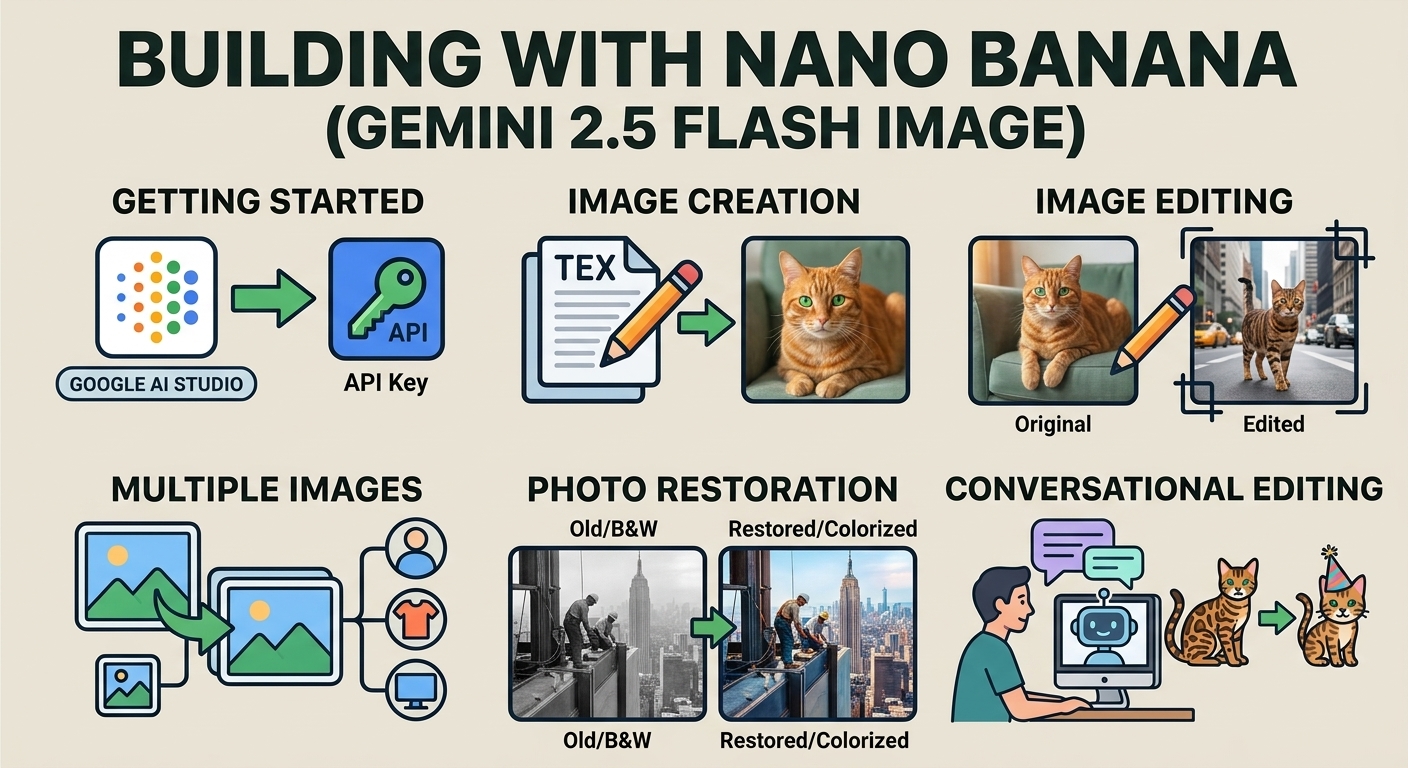
Gerar imagens com resolução de até 4K
Os modelos de imagem do Gemini 3 geram 1.000 imagens por padrão, mas também podem gerar imagens de 2K, 4K e 512 px (05.K) (somente o Gemini 3.1 Flash Image). Para gerar recursos de resolução mais alta, especifique o image_size no response_format.
Use um "K" maiúsculo (por exemplo, 512px (05.K), 1K, 2K, 4K). Parâmetros em letras minúsculas (por exemplo, 1k) serão rejeitados.
Python
from google import genai
from google.genai import types
import base64

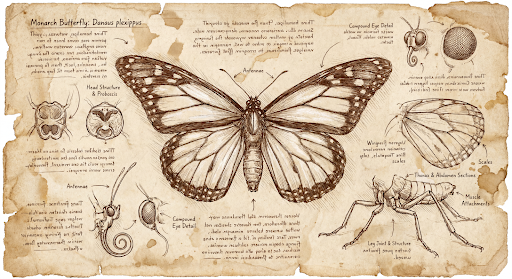
prompt = "Da Vinci style anatomical sketch of a dissected Monarch butterfly. Detailed drawings of the head, wings, and legs on textured parchment with notes in English."

client = genai.Client()

interaction = client.interactions.create(
    model="gemini-3.1-flash-image",
    input=prompt,
    response_format={
        "type": "image",
        "mime_type": "image/jpeg",
        "aspect_ratio": "1:1",
        "image_size": "1K"
    },
)

print(interaction.output_text)

with open("butterfly.png", "wb") as f:
    f.write(base64.b64decode(interaction.output_image.data))
JavaScript
import { GoogleGenAI } from "@google/genai";
import * as fs from "node:fs";

async function main() {
  const ai = new GoogleGenAI({});

  const interaction = await ai.interactions.create({
    model: "gemini-3.1-flash-image",
    input: "Da Vinci style anatomical sketch of a dissected Monarch butterfly. Detailed drawings of the head, wings, and legs on textured parchment with notes in English.",
    response_format: {
      type: "image",
      mime_type: "image/png",
      aspect_ratio: "1:1",
      image_size: "1K",
    },
  });

  console.log(interaction.output_text);

  const buffer = Buffer.from(interaction.output_image.data, 'base64');

  fs.writeFileSync('butterfly.png', buffer);
}

main();
Java
import com.google.genai.Client;
import com.google.genai.gaos.models.interactions.CreateModelInteraction;
import com.google.genai.gaos.models.interactions.CreateModelInteractionResponseFormat;
import com.google.genai.gaos.models.interactions.ImageResponseFormat;
import com.google.genai.gaos.models.interactions.ImageResponseFormatAspectRatio;
import com.google.genai.gaos.models.interactions.ImageResponseFormatImageSize;
import com.google.genai.gaos.models.interactions.ImageResponseFormatMimeType;
import com.google.genai.gaos.models.interactions.Interaction;
import com.google.genai.gaos.models.interactions.InteractionsInput;
import com.google.genai.gaos.models.interactions.Model;
import com.google.genai.gaos.models.interactions.ResponseFormat;
import com.google.genai.gaos.models.operations.CreateInteractionRequestBody;
import java.nio.file.Files;
import java.nio.file.Paths;
import java.util.Base64;

String prompt =
    "Da Vinci style anatomical sketch of a dissected Monarch butterfly. Detailed drawings of the head, wings, and legs on textured parchment with notes in English.";

Client client = new Client();

CreateModelInteractionResponseFormat format =
    CreateModelInteractionResponseFormat.of(
        ResponseFormat.of(
            ImageResponseFormat.builder()
                .mimeType(ImageResponseFormatMimeType.IMAGE_JPEG)
                .aspectRatio(ImageResponseFormatAspectRatio.of("1:1"))
                .imageSize(ImageResponseFormatImageSize.ONE_K)
                .build()));

CreateModelInteraction params =
    CreateModelInteraction.builder()
        .model(Model.of("gemini-3.1-flash-image"))
        .input(InteractionsInput.of(prompt))
        .responseFormat(format)
        .build();

Interaction interaction =
    client.interactions.create(CreateInteractionRequestBody.of(params)).interaction().get();

System.out.println(interaction.outputText().orElse(""));

if (interaction.outputImage().isPresent()
    && interaction.outputImage().get().data().isPresent()) {
  byte[] imageBytes =
      Base64.getDecoder().decode(interaction.outputImage().get().data().get());
  Files.write(Paths.get("butterfly.png"), imageBytes);
}
Go
package main

import (
    "context"
    "encoding/base64"
    "fmt"
    "log"
    "os"

    "google.golang.org/genai"
    "google.golang.org/genai/interactions/models/interactions"
    "google.golang.org/genai/interactions/models/operations"
)

func main() {
    ctx := context.Background()
    client, err := genai.NewClient(ctx, nil)
    if err != nil {
        log.Fatal(err)
    }

    prompt := "Da Vinci style anatomical sketch of a dissected Monarch butterfly. Detailed drawings of the head, wings, and legs on textured parchment with notes in English."

    format := interactions.NewCreateModelInteractionResponseFormat(
        interactions.NewResponseFormat(interactions.ImageResponseFormat{
            MimeType:    interactions.ImageResponseFormatMimeTypeImageJpeg.ToPointer(),
            AspectRatio: interactions.ImageResponseFormatAspectRatio("1:1").ToPointer(),
            ImageSize:   interactions.ImageResponseFormatImageSizeOneK.ToPointer(),
        }),
    )

    res, err := client.Interactions.Create(ctx, operations.CreateInteractionRequest{
        Body: operations.NewCreateInteractionRequestBody(interactions.CreateModelInteraction{
            Model:          interactions.Model("gemini-3.1-flash-image"),
            Input:          interactions.NewInteractionsInput(prompt),
            ResponseFormat: genai.Ptr(format),
        }),
    })
    if err != nil {
        log.Fatal(err)
    }

    if res.Interaction.OutputText != nil {
        fmt.Println(*res.Interaction.OutputText)
    }

    if res.Interaction.OutputImage != nil && res.Interaction.OutputImage.Data != nil {
        imageBytes, err := base64.StdEncoding.DecodeString(*res.Interaction.OutputImage.Data)
        if err != nil {
            log.Fatal(err)
        }
        if err := os.WriteFile("butterfly.png", imageBytes, 0644); err != nil {
            log.Fatal(err)
        }
    }
}
REST
curl -s -X POST \
  "https://generativelanguage.googleapis.com/v1beta/interactions" \
  -H "x-goog-api-key: $GEMINI_API_KEY" \
  -H "Content-Type: application/json" \
  -d '{
    "model": "gemini-3.1-flash-image",
    "input": "Da Vinci style anatomical sketch of a dissected Monarch butterfly. Detailed drawings of the head, wings, and legs on textured parchment with notes in English.",
    "response_format": {
      "type": "image",
      "mime_type": "image/jpeg",
      "aspect_ratio": "1:1",
      "image_size": "1K"
    }
  }'
Confira um exemplo de imagem gerada com esse comando:
Processo de raciocínio
Os modelos de imagem do Gemini 3 são modelos de raciocínio que usam um processo de raciocínio ("Pensamento") para comandos complexos. Esse recurso é ativado por padrão e não pode ser desativado na API. Para saber mais sobre o processo de pensamento, consulte o guia Pensamento do Gemini.
O modelo gera até duas imagens provisórias para testar a composição e a lógica. A última imagem em "Pensando" também é a imagem renderizada final.
Você pode conferir as ideias que levaram à produção da imagem final.
Python
for step in interaction.steps:
    if step.type == "thought":
        for content_block in step.summary:
            if content_block.type == "text":
                print(content_block.text)
            elif content_block.type == "image":
                image = Image.open(io.BytesIO(base64.b64decode(content_block.data)))
                image.show()
JavaScript
for (const step of interaction.steps) {
  if (step.type === "thought") {
    for (const contentBlock of step.summary) {
      if (contentBlock.type === "text") {
        console.log(contentBlock.text);
      } else if (contentBlock.type === "image") {
        const buffer = Buffer.from(contentBlock.data, 'base64');
        fs.writeFileSync('thought_image.png', buffer);
      }
    }
  }
}
Java
import com.google.genai.Client;
import com.google.genai.gaos.models.interactions.CreateModelInteraction;
import com.google.genai.gaos.models.interactions.ImageContent;
import com.google.genai.gaos.models.interactions.Interaction;
import com.google.genai.gaos.models.interactions.InteractionsInput;
import com.google.genai.gaos.models.interactions.Model;
import com.google.genai.gaos.models.interactions.Step;
import com.google.genai.gaos.models.interactions.TextContent;
import com.google.genai.gaos.models.interactions.ThoughtStep;
import com.google.genai.gaos.models.interactions.ThoughtSummaryContent;
import com.google.genai.gaos.models.operations.CreateInteractionRequestBody;
import java.nio.file.Files;
import java.nio.file.Paths;
import java.util.Base64;

Client client = new Client();

CreateModelInteraction params =
    CreateModelInteraction.builder()
        .model(Model.of("gemini-3.1-flash-image"))
        .input(
            InteractionsInput.of(
                "A futuristic city built inside a giant glass bottle floating in space"))
        .build();

Interaction interaction =
    client.interactions.create(CreateInteractionRequestBody.of(params)).interaction().get();

if (interaction.steps().isPresent()) {
  for (Step step : interaction.steps().get()) {
    if (step instanceof ThoughtStep) {
      ThoughtStep thoughtStep = (ThoughtStep) step;
      if (thoughtStep.summary().isPresent()) {
        for (ThoughtSummaryContent contentBlock : thoughtStep.summary().get()) {
          if (contentBlock instanceof TextContent) {
            System.out.println(((TextContent) contentBlock).text().orElse(""));
          } else if (contentBlock instanceof ImageContent) {
            ImageContent img = (ImageContent) contentBlock;
            if (img.data().isPresent()) {
              byte[] imgBytes = Base64.getDecoder().decode(img.data().get());
              Files.write(Paths.get("thought_image.png"), imgBytes);
            }
          }
        }
      }
    }
  }
}
Go
package main

import (
    "context"
    "encoding/base64"
    "fmt"
    "log"
    "os"

    "google.golang.org/genai"
    "google.golang.org/genai/interactions/models/interactions"
    "google.golang.org/genai/interactions/models/operations"
)

func main() {
    ctx := context.Background()
    client, err := genai.NewClient(ctx, nil)
    if err != nil {
        log.Fatal(err)
    }

    res, err := client.Interactions.Create(ctx, operations.CreateInteractionRequest{
        Body: operations.NewCreateInteractionRequestBody(interactions.CreateModelInteraction{
            Model: interactions.Model("gemini-3.1-flash-image"),
            Input: interactions.NewInteractionsInput("A futuristic city built inside a giant glass bottle floating in space"),
        }),
    })
    if err != nil {
        log.Fatal(err)
    }

    for _, step := range res.Interaction.Steps {
        if step.ThoughtStep != nil {
            for _, contentBlock := range step.ThoughtStep.Summary {
                if contentBlock.TextContent != nil {
                    fmt.Println(contentBlock.TextContent.Text)
                } else if contentBlock.ImageContent != nil && contentBlock.ImageContent.Data != nil {
                    imgBytes, err := base64.StdEncoding.DecodeString(*contentBlock.ImageContent.Data)
                    if err != nil {
                        log.Fatal(err)
                    }
                    if err := os.WriteFile("thought_image.png", imgBytes, 0644); err != nil {
                        log.Fatal(err)
                    }
                }
            }
        }
    }
}
Texto e imagens intercaladas
Enquanto os modelos padrão de geração de imagens só produzem imagens, alguns modelos avançados do Gemini 3 (como o gemini-3-pro-image) podem gerar conteúdo intercalado, como histórias ou guias de instruções que contêm blocos de texto e ilustrações na mesma resposta.
Como a saída é complexa e intercalada, propriedades de conveniência como .output_image ou .output_text não capturam a sequência completa. Para acessar e salvar conteúdo intercalado, é necessário iterar manualmente em steps:
Python
interaction = client.interactions.create(
    model="gemini-3-pro-image",
    input="Write the story of the lifecycle of a monarch butterfly, interleave illustrations",
)

image_counter = 1
for step in interaction.steps:
    if step.type == "model_output":
        for content_block in step.content:
            if content_block.type == "text":
                print(content_block.text)
            elif content_block.type == "image":
                filename = f"butterfly_lifecycle_{image_counter}.png"
                with open(filename, "wb") as f:
                    f.write(base64.b64decode(content_block.data))
                print(f"\n[Saved illustration: {filename}]\n")
                image_counter += 1
JavaScript
const interaction = await ai.interactions.create({
    model: "gemini-3-pro-image",
    input: "Write the story of the lifecycle of a monarch butterfly, interleave illustrations",
});

let imageCounter = 1;
for (const step of interaction.steps) {
  if (step.type === "model_output") {
    for (const contentBlock of step.content) {
      if (contentBlock.type === "text") {
        console.log(contentBlock.text);
      } else if (contentBlock.type === "image") {
        const buffer = Buffer.from(contentBlock.data, "base64");
        const filename = `butterfly_lifecycle_${imageCounter}.png`;
        fs.writeFileSync(filename, buffer);
        console.log(`\n[Saved illustration: ${filename}]\n`);
        imageCounter++;
      }
    }
  }
}
Java
import com.google.genai.Client;
import com.google.genai.gaos.models.interactions.Content;
import com.google.genai.gaos.models.interactions.CreateModelInteraction;
import com.google.genai.gaos.models.interactions.ImageContent;
import com.google.genai.gaos.models.interactions.Interaction;
import com.google.genai.gaos.models.interactions.InteractionsInput;
import com.google.genai.gaos.models.interactions.Model;
import com.google.genai.gaos.models.interactions.ModelOutputStep;
import com.google.genai.gaos.models.interactions.Step;
import com.google.genai.gaos.models.interactions.TextContent;
import com.google.genai.gaos.models.operations.CreateInteractionRequestBody;
import java.nio.file.Files;
import java.nio.file.Paths;
import java.util.Base64;

Client client = new Client();

CreateModelInteraction params =
    CreateModelInteraction.builder()
        .model(Model.of("gemini-3-pro-image"))
        .input(
            InteractionsInput.of(
                "Write the story of the lifecycle of a monarch butterfly, interleave illustrations"))
        .build();

Interaction interaction =
    client.interactions.create(CreateInteractionRequestBody.of(params)).interaction().get();

int imageCounter = 1;
if (interaction.steps().isPresent()) {
  for (Step step : interaction.steps().get()) {
    if (step instanceof ModelOutputStep) {
      ModelOutputStep outputStep = (ModelOutputStep) step;
      if (outputStep.content().isPresent()) {
        for (Content contentBlock : outputStep.content().get()) {
          if (contentBlock instanceof TextContent) {
            System.out.println(((TextContent) contentBlock).text().orElse(""));
          } else if (contentBlock instanceof ImageContent) {
            ImageContent img = (ImageContent) contentBlock;
            if (img.data().isPresent()) {
              String filename = String.format("butterfly_lifecycle_%d.png", imageCounter);
              byte[] imgBytes = Base64.getDecoder().decode(img.data().get());
              Files.write(Paths.get(filename), imgBytes);
              System.out.printf("%n[Saved illustration: %s]%n", filename);
              imageCounter++;
            }
          }
        }
      }
    }
  }
}
Go
package main

import (
    "context"
    "encoding/base64"
    "fmt"
    "log"
    "os"

    "google.golang.org/genai"
    "google.golang.org/genai/interactions/models/interactions"
    "google.golang.org/genai/interactions/models/operations"
)

func main() {
    ctx := context.Background()
    client, err := genai.NewClient(ctx, nil)
    if err != nil {
        log.Fatal(err)
    }

    res, err := client.Interactions.Create(ctx, operations.CreateInteractionRequest{
        Body: operations.NewCreateInteractionRequestBody(interactions.CreateModelInteraction{
            Model: interactions.Model("gemini-3-pro-image"),
            Input: interactions.NewInteractionsInput("Write the story of the lifecycle of a monarch butterfly, interleave illustrations"),
        }),
    })
    if err != nil {
        log.Fatal(err)
    }

    imageCounter := 1
    for _, step := range res.Interaction.Steps {
        if step.ModelOutputStep != nil {
            for _, contentBlock := range step.ModelOutputStep.Content {
                if contentBlock.TextContent != nil {
                    fmt.Println(contentBlock.TextContent.Text)
                } else if contentBlock.ImageContent != nil && contentBlock.ImageContent.Data != nil {
                    filename := fmt.Sprintf("butterfly_lifecycle_%d.png", imageCounter)
                    imgBytes, err := base64.StdEncoding.DecodeString(*contentBlock.ImageContent.Data)
                    if err != nil {
                        log.Fatal(err)
                    }
                    if err := os.WriteFile(filename, imgBytes, 0644); err != nil {
                        log.Fatal(err)
                    }
                    fmt.Printf("\n[Saved illustration: %s]\n", filename)
                    imageCounter++
                }
            }
        }
    }
}
Controlar os níveis de raciocínio
Com o Gemini 3.1 Flash Image e o Gemini 3.1 Flash Lite Image, você pode controlar a quantidade de raciocínio que o modelo usa para equilibrar qualidade e latência. O thinking_level padrão é minimal, e os níveis compatíveis são minimal e high.
Python
from google import genai
from PIL import Image
import base64
import io

client = genai.Client()

interaction = client.interactions.create(
    model="gemini-3.1-flash-image",
    input="A futuristic city built inside a giant glass bottle floating in space",
    generation_config={"thinking_level": "high"},
)

print(interaction.output_text)

image = Image.open(io.BytesIO(base64.b64decode(interaction.output_image.data)))

image.show()
JavaScript
import { GoogleGenAI } from "@google/genai";
import * as fs from "node:fs";

async function main() {
  const ai = new GoogleGenAI({});

  const interaction = await ai.interactions.create({
    model: "gemini-3.1-flash-image",
    input: "A futuristic city built inside a giant glass bottle floating in space",
    generation_config: { thinking_level: "high" },
  });

  console.log(interaction.output_text);

  const buffer = Buffer.from(interaction.output_image.data, 'base64');

  fs.writeFileSync('image.png', buffer);
}
main();
Java
import com.google.genai.Client;
import com.google.genai.gaos.models.interactions.CreateModelInteraction;
import com.google.genai.gaos.models.interactions.GenerationConfig;
import com.google.genai.gaos.models.interactions.Interaction;
import com.google.genai.gaos.models.interactions.InteractionsInput;
import com.google.genai.gaos.models.interactions.Model;
import com.google.genai.gaos.models.interactions.ThinkingLevel;
import com.google.genai.gaos.models.operations.CreateInteractionRequestBody;
import java.nio.file.Files;
import java.nio.file.Paths;
import java.util.Base64;

Client client = new Client();

CreateModelInteraction params =
    CreateModelInteraction.builder()
        .model(Model.of("gemini-3.1-flash-image"))
        .input(
            InteractionsInput.of(
                "A futuristic city built inside a giant glass bottle floating in space"))
        .generationConfig(GenerationConfig.builder().thinkingLevel(ThinkingLevel.HIGH).build())
        .build();

Interaction interaction =
    client.interactions.create(CreateInteractionRequestBody.of(params)).interaction().get();

System.out.println(interaction.outputText().orElse(""));

if (interaction.outputImage().isPresent()
    && interaction.outputImage().get().data().isPresent()) {
  byte[] imageBytes =
      Base64.getDecoder().decode(interaction.outputImage().get().data().get());
  Files.write(Paths.get("futuristic_city.png"), imageBytes);
}
Go
package main

import (
    "context"
    "encoding/base64"
    "fmt"
    "log"
    "os"

    "google.golang.org/genai"
    "google.golang.org/genai/interactions/models/interactions"
    "google.golang.org/genai/interactions/models/operations"
)

func main() {
    ctx := context.Background()
    client, err := genai.NewClient(ctx, nil)
    if err != nil {
        log.Fatal(err)
    }

    res, err := client.Interactions.Create(ctx, operations.CreateInteractionRequest{
        Body: operations.NewCreateInteractionRequestBody(interactions.CreateModelInteraction{
            Model: interactions.Model("gemini-3.1-flash-image"),
            Input: interactions.NewInteractionsInput("A futuristic city built inside a giant glass bottle floating in space"),
            GenerationConfig: &interactions.GenerationConfig{
                ThinkingLevel: interactions.ThinkingLevelHigh.ToPointer(),
            },
        }),
    })
    if err != nil {
        log.Fatal(err)
    }

    if res.Interaction.OutputText != nil {
        fmt.Println(*res.Interaction.OutputText)
    }

    if res.Interaction.OutputImage != nil && res.Interaction.OutputImage.Data != nil {
        imageBytes, err := base64.StdEncoding.DecodeString(*res.Interaction.OutputImage.Data)
        if err != nil {
            log.Fatal(err)
        }
        if err := os.WriteFile("futuristic_city.png", imageBytes, 0644); err != nil {
            log.Fatal(err)
        }
    }
}
REST
curl -s -X POST \
  "https://generativelanguage.googleapis.com/v1beta/interactions" \
  -H "x-goog-api-key: $GEMINI_API_KEY" \
  -H "Content-Type: application/json" \
  -d '{
    "model": "gemini-3.1-flash-image",
    "input": "A futuristic city built inside a giant glass bottle floating in space",
    "generation_config": {
      "thinking_level": "high"
    }
  }'
Os tokens de pensamento são cobrados por padrão para modelos de pensamento, já que o processo de pensamento sempre acontece por padrão, mesmo que você veja ou não o processo.
Outros modos de geração de imagens
Embora os modelos de geração de imagens do Nano Banana sejam recomendados para a maioria dos casos de uso, você também pode conhecer modelos dedicados:
- Imagen: modelos legados de criação de imagens a partir de texto do Google (desativados).
- Veo: modelo de geração de vídeo do Google.
Gerar imagens em lote
Todos os recursos de geração de imagens descritos nesta página também podem ser executados como jobs em lote usando a API Batch, ideal se você precisar gerar muitas imagens.Você recebe limites de taxa mais altos em troca de um tempo de resposta de até 24 horas.
Guia e estratégias para a criação de comandos
Nesta seção, apresentamos exemplos e modelos de comandos para fluxos de trabalho comuns de geração e edição de imagens. Cada exemplo inclui um modelo reutilizável e um comando de amostra para a API Interactions.
Comandos para gerar imagens
Os exemplos a seguir mostram como usar comandos de texto para gerar vários tipos de imagens.
1. Cenas fotorrealistas
Descreva uma cena com muitos detalhes. Quanto mais específico for o comando, mais controle você terá sobre os resultados.
Modelo
A photorealistic [type of shot] of a [subject description] in a [setting
description]. [Description of the light]. Shot from a [camera angle]
with a [lens type].
Comando
A photorealistic wide-angle shot of a vibrant coral reef teeming with tropical fish. Crystal-clear turquoise water with sunbeams filtering down from the surface, illuminating a sea turtle gliding gracefully over the coral. Shot from a low perspective with a wide-angle lens. Aspect ratio 16:9.
Python
from google import genai
from google.genai import types
import base64

client = genai.Client()

interaction = client.interactions.create(
    model="gemini-3.1-flash-image",
    input="A photorealistic wide-angle shot of a vibrant coral reef teeming with tropical fish. Crystal-clear turquoise water with sunbeams filtering down from the surface, illuminating a sea turtle gliding gracefully over the coral. Shot from a low perspective with a wide-angle lens. Aspect ratio 16:9.",
    response_format=[
        {
            "type": "image",
            "mime_type": "image/jpeg",
            "aspect_ratio": "16:9",
        }
    ],
)

print(interaction.output_text)

with open("coral_reef.png", "wb") as f:

    f.write(base64.b64decode(interaction.output_image.data))
JavaScript
import { GoogleGenAI } from "@google/genai";
import * as fs from "node:fs";

async function main() {
  const ai = new GoogleGenAI({});

  const interaction = await ai.interactions.create({
    model: "gemini-3.1-flash-image",
    input: "A photorealistic wide-angle shot of a vibrant coral reef teeming with tropical fish. Crystal-clear turquoise water with sunbeams filtering down from the surface, illuminating a sea turtle gliding gracefully over the coral. Shot from a low perspective with a wide-angle lens. Aspect ratio 16:9.",
    response_format: [
      {
        type: "image",
        mime_type: "image/jpeg",
        aspect_ratio: "16:9",
      }
    ],
  });
  console.log(interaction.output_text);

  const buffer = Buffer.from(interaction.output_image.data, 'base64');

  fs.writeFileSync('coral_reef.png', buffer);
}

main();
Java
import com.google.genai.Client;
import com.google.genai.gaos.models.interactions.CreateModelInteraction;
import com.google.genai.gaos.models.interactions.CreateModelInteractionResponseFormat;
import com.google.genai.gaos.models.interactions.ImageResponseFormat;
import com.google.genai.gaos.models.interactions.ImageResponseFormatAspectRatio;
import com.google.genai.gaos.models.interactions.ImageResponseFormatMimeType;
import com.google.genai.gaos.models.interactions.Interaction;
import com.google.genai.gaos.models.interactions.InteractionsInput;
import com.google.genai.gaos.models.interactions.Model;
import com.google.genai.gaos.models.interactions.ResponseFormat;
import com.google.genai.gaos.models.operations.CreateInteractionRequestBody;
import java.nio.file.Files;
import java.nio.file.Paths;
import java.util.Arrays;
import java.util.Base64;

Client client = new Client();

CreateModelInteractionResponseFormat format =
    CreateModelInteractionResponseFormat.of(
        Arrays.asList(
            ResponseFormat.of(
                ImageResponseFormat.builder()
                    .mimeType(ImageResponseFormatMimeType.IMAGE_JPEG)
                    .aspectRatio(ImageResponseFormatAspectRatio.of("16:9"))
                    .build())));

CreateModelInteraction params =
    CreateModelInteraction.builder()
        .model(Model.of("gemini-3.1-flash-image"))
        .input(
            InteractionsInput.of(
                "A photorealistic wide-angle shot of a vibrant coral reef teeming with tropical fish. Crystal-clear turquoise water with sunbeams filtering down from the surface, illuminating a sea turtle gliding gracefully over the coral. Shot from a low perspective with a wide-angle lens. Aspect ratio 16:9."))
        .responseFormat(format)
        .build();

Interaction interaction =
    client.interactions.create(CreateInteractionRequestBody.of(params)).interaction().get();

System.out.println(interaction.outputText().orElse(""));

if (interaction.outputImage().isPresent()
    && interaction.outputImage().get().data().isPresent()) {
  byte[] imageBytes =
      Base64.getDecoder().decode(interaction.outputImage().get().data().get());
  Files.write(Paths.get("coral_reef.png"), imageBytes);
}
Go
package main

import (
    "context"
    "encoding/base64"
    "fmt"
    "log"
    "os"

    "google.golang.org/genai"
    "google.golang.org/genai/interactions/models/interactions"
    "google.golang.org/genai/interactions/models/operations"
)

func main() {
    ctx := context.Background()
    client, err := genai.NewClient(ctx, nil)
    if err != nil {
        log.Fatal(err)
    }

    format := interactions.NewCreateModelInteractionResponseFormat([]interactions.ResponseFormat{
        interactions.NewResponseFormat(interactions.ImageResponseFormat{
            MimeType:    interactions.ImageResponseFormatMimeTypeImageJpeg.ToPointer(),
            AspectRatio: interactions.ImageResponseFormatAspectRatio("16:9").ToPointer(),
        }),
    })

    res, err := client.Interactions.Create(ctx, operations.CreateInteractionRequest{
        Body: operations.NewCreateInteractionRequestBody(interactions.CreateModelInteraction{
            Model:          interactions.Model("gemini-3.1-flash-image"),
            Input:          interactions.NewInteractionsInput("A photorealistic wide-angle shot of a vibrant coral reef teeming with tropical fish. Crystal-clear turquoise water with sunbeams filtering down from the surface, illuminating a sea turtle gliding gracefully over the coral. Shot from a low perspective with a wide-angle lens. Aspect ratio 16:9."),
            ResponseFormat: genai.Ptr(format),
        }),
    })
    if err != nil {
        log.Fatal(err)
    }

    if res.Interaction.OutputText != nil {
        fmt.Println(*res.Interaction.OutputText)
    }

    if res.Interaction.OutputImage != nil && res.Interaction.OutputImage.Data != nil {
        imageBytes, err := base64.StdEncoding.DecodeString(*res.Interaction.OutputImage.Data)
        if err != nil {
            log.Fatal(err)
        }
        if err := os.WriteFile("coral_reef.png", imageBytes, 0644); err != nil {
            log.Fatal(err)
        }
    }
}
REST
curl -s -X POST \
  "https://generativelanguage.googleapis.com/v1beta/interactions" \
  -H "x-goog-api-key: $GEMINI_API_KEY" \
  -H "Content-Type: application/json" \
  -d '{
    "model": "gemini-3.1-flash-image",
    "input": "A photorealistic wide-angle shot of a vibrant coral reef teeming with tropical fish. Crystal-clear turquoise water with sunbeams filtering down from the surface, illuminating a sea turtle gliding gracefully over the coral. Shot from a low perspective with a wide-angle lens. Aspect ratio 16:9.",
    "response_format": {
      "type": "image",
      "mime_type": "image/png",
      "aspect_ratio": "16:9"
    }
  }'
2. Ilustrações e adesivos estilizados
Descreva o estilo artístico, o assunto e o meio. Seja específico sobre o detalhe visual (linhas em negrito, cores etc.) para ter resultados consistentes.
Modelo
A [style] of a [subject, with details about accessories or actions]
doing [activity]. The design features [visual qualities, e.g., bold outlines,
cel-shading, etc.] and [color/background preference].
Comando
A kawaii-style sticker of a happy red panda wearing a tiny bamboo hat. It's munching on a green bamboo leaf. The design features bold, clean outlines, simple cel-shading, and a vibrant color palette. The background must be white.
Python
from google import genai
import base64

client = genai.Client()

interaction = client.interactions.create(
    model="gemini-3.1-flash-image",
    input="A kawaii-style sticker of a happy red panda wearing a tiny bamboo hat. It's munching on a green bamboo leaf. The design features bold, clean outlines, simple cel-shading, and a vibrant color palette. The background must be white.",
)

for step in interaction.steps:
    if step.type == "model_output":
        for content_block in step.content:
            if content_block.type == "text":
                print(content_block.text)
            elif content_block.type == "image":
                with open("red_panda_sticker.png", "wb") as f:
                    f.write(base64.b64decode(content_block.data))
JavaScript
import { GoogleGenAI } from "@google/genai";
import * as fs from "node:fs";

async function main() {
  const ai = new GoogleGenAI({});

  const interaction = await ai.interactions.create({
    model: "gemini-3.1-flash-image",
    input: "A kawaii-style sticker of a happy red panda wearing a tiny bamboo hat. It's munching on a green bamboo leaf. The design features bold, clean outlines, simple cel-shading, and a vibrant color palette. The background must be white.",
  });
  for (const step of interaction.steps) {
    if (step.type === "model_output") {
      for (const contentBlock of step.content) {
        if (contentBlock.type === "text") {
          console.log(contentBlock.text);
        } else if (contentBlock.type === "image") {
          const buffer = Buffer.from(contentBlock.data, "base64");
          fs.writeFileSync("red_panda_sticker.png", buffer);
        }
      }
    }
  }
}

main();
Java
import com.google.genai.Client;
import com.google.genai.gaos.models.interactions.Content;
import com.google.genai.gaos.models.interactions.CreateModelInteraction;
import com.google.genai.gaos.models.interactions.ImageContent;
import com.google.genai.gaos.models.interactions.Interaction;
import com.google.genai.gaos.models.interactions.InteractionsInput;
import com.google.genai.gaos.models.interactions.Model;
import com.google.genai.gaos.models.interactions.ModelOutputStep;
import com.google.genai.gaos.models.interactions.Step;
import com.google.genai.gaos.models.interactions.TextContent;
import com.google.genai.gaos.models.operations.CreateInteractionRequestBody;
import java.nio.file.Files;
import java.nio.file.Paths;
import java.util.Base64;

Client client = new Client();

CreateModelInteraction params =
    CreateModelInteraction.builder()
        .model(Model.of("gemini-3.1-flash-image"))
        .input(
            InteractionsInput.of(
                "A kawaii-style sticker of a happy red panda wearing a tiny bamboo hat. It's munching on a green bamboo leaf. The design features bold, clean outlines, simple cel-shading, and a vibrant color palette. The background must be white."))
        .build();

Interaction interaction =
    client.interactions.create(CreateInteractionRequestBody.of(params)).interaction().get();

if (interaction.steps().isPresent()) {
  for (Step step : interaction.steps().get()) {
    if (step instanceof ModelOutputStep) {
      ModelOutputStep outputStep = (ModelOutputStep) step;
      if (outputStep.content().isPresent()) {
        for (Content contentBlock : outputStep.content().get()) {
          if (contentBlock instanceof TextContent) {
            System.out.println(((TextContent) contentBlock).text().orElse(""));
          } else if (contentBlock instanceof ImageContent) {
            ImageContent img = (ImageContent) contentBlock;
            if (img.data().isPresent()) {
              byte[] imgBytes = Base64.getDecoder().decode(img.data().get());
              Files.write(Paths.get("red_panda_sticker.png"), imgBytes);
            }
          }
        }
      }
    }
  }
}
Go
package main

import (
    "context"
    "encoding/base64"
    "fmt"
    "log"
    "os"

    "google.golang.org/genai"
    "google.golang.org/genai/interactions/models/interactions"
    "google.golang.org/genai/interactions/models/operations"
)

func main() {
    ctx := context.Background()
    client, err := genai.NewClient(ctx, nil)
    if err != nil {
        log.Fatal(err)
    }

    res, err := client.Interactions.Create(ctx, operations.CreateInteractionRequest{
        Body: operations.NewCreateInteractionRequestBody(interactions.CreateModelInteraction{
            Model: interactions.Model("gemini-3.1-flash-image"),
            Input: interactions.NewInteractionsInput("A kawaii-style sticker of a happy red panda wearing a tiny bamboo hat. It's munching on a green bamboo leaf. The design features bold, clean outlines, simple cel-shading, and a vibrant color palette. The background must be white."),
        }),
    })
    if err != nil {
        log.Fatal(err)
    }

    for _, step := range res.Interaction.Steps {
        if step.ModelOutputStep != nil {
            for _, contentBlock := range step.ModelOutputStep.Content {
                if contentBlock.TextContent != nil {
                    fmt.Println(contentBlock.TextContent.Text)
                } else if contentBlock.ImageContent != nil && contentBlock.ImageContent.Data != nil {
                    imgBytes, err := base64.StdEncoding.DecodeString(*contentBlock.ImageContent.Data)
                    if err != nil {
                        log.Fatal(err)
                    }
                    if err := os.WriteFile("red_panda_sticker.png", imgBytes, 0644); err != nil {
                        log.Fatal(err)
                    }
                }
            }
        }
    }
}
REST
curl -s -X POST \
  "https://generativelanguage.googleapis.com/v1beta/interactions" \
  -H "x-goog-api-key: $GEMINI_API_KEY" \
  -H "Content-Type: application/json" \
  -d '{
    "model": "gemini-3.1-flash-image",
    "input": "A kawaii-style sticker of a happy red panda wearing a tiny bamboo hat. It is munching on a green bamboo leaf. The design features bold, clean outlines, simple cel-shading, and a vibrant color palette. The background must be white."
  }'

3. Texto preciso em imagens
O Gemini é excelente na renderização de texto. Seja claro sobre o texto, o estilo da fonte (de forma descritiva) e o design geral. Use o Gemini 3 Pro Image para produção de recursos profissionais.
Modelo
Create a [image type] for [brand/concept] with the text "[text to render]"
in a [font style]. The design should be [style description], with a
[color scheme].
Comando
Create a modern, minimalist logo for a coffee shop called 'The Daily Grind'. The text should be in a clean, bold, sans-serif font. The color scheme is black and white. Put the logo in a circle. Use a coffee bean in a clever way.
Python
from google import genai
import base64

client = genai.Client()

interaction = client.interactions.create(
    model="gemini-3.1-flash-image",
    input="Create a modern, minimalist logo for a coffee shop called 'The Daily Grind'. The text should be in a clean, bold, sans-serif font. The color scheme is black and white. Put the logo in a circle. Use a coffee bean in a clever way.",
    response_format={"type": "image", "aspect_ratio": "1:1"},
)

for step in interaction.steps:
    if step.type == "model_output":
        for content_block in step.content:
            if content_block.type == "text":
                print(content_block.text)
            elif content_block.type == "image":
                with open("logo_example.jpg", "wb") as f:
                    f.write(base64.b64decode(content_block.data))
JavaScript
import { GoogleGenAI } from "@google/genai";
import * as fs from "node:fs";

async function main() {
  const ai = new GoogleGenAI({});

  const interaction = await ai.interactions.create({
    model: "gemini-3.1-flash-image",
    input: "Create a modern, minimalist logo for a coffee shop called 'The Daily Grind'. The text should be in a clean, bold, sans-serif font. The color scheme is black and white. Put the logo in a circle. Use a coffee bean in a clever way.",
    response_format: { type: "image", aspect_ratio: "1:1" },
  });
  for (const step of interaction.steps) {
    if (step.type === "model_output") {
      for (const contentBlock of step.content) {
        if (contentBlock.type === "text") {
          console.log(contentBlock.text);
        } else if (contentBlock.type === "image") {
          const buffer = Buffer.from(contentBlock.data, "base64");
          fs.writeFileSync("logo_example.jpg", buffer);
        }
      }
    }
  }
}

main();
Java
import com.google.genai.Client;
import com.google.genai.gaos.models.interactions.Content;
import com.google.genai.gaos.models.interactions.CreateModelInteraction;
import com.google.genai.gaos.models.interactions.CreateModelInteractionResponseFormat;
import com.google.genai.gaos.models.interactions.ImageContent;
import com.google.genai.gaos.models.interactions.ImageResponseFormat;
import com.google.genai.gaos.models.interactions.ImageResponseFormatAspectRatio;
import com.google.genai.gaos.models.interactions.Interaction;
import com.google.genai.gaos.models.interactions.InteractionsInput;
import com.google.genai.gaos.models.interactions.Model;
import com.google.genai.gaos.models.interactions.ModelOutputStep;
import com.google.genai.gaos.models.interactions.ResponseFormat;
import com.google.genai.gaos.models.interactions.Step;
import com.google.genai.gaos.models.interactions.TextContent;
import com.google.genai.gaos.models.operations.CreateInteractionRequestBody;
import java.nio.file.Files;
import java.nio.file.Paths;
import java.util.Base64;

Client client = new Client();

CreateModelInteractionResponseFormat format =
    CreateModelInteractionResponseFormat.of(
        ResponseFormat.of(
            ImageResponseFormat.builder()
                .aspectRatio(ImageResponseFormatAspectRatio.of("1:1"))
                .build()));

CreateModelInteraction params =
    CreateModelInteraction.builder()
        .model(Model.of("gemini-3.1-flash-image"))
        .input(
            InteractionsInput.of(
                "Create a modern, minimalist logo for a coffee shop called 'The Daily Grind'. The text should be in a clean, bold, sans-serif font. The color scheme is black and white. Put the logo in a circle. Use a coffee bean in a clever way."))
        .responseFormat(format)
        .build();

Interaction interaction =
    client.interactions.create(CreateInteractionRequestBody.of(params)).interaction().get();

if (interaction.steps().isPresent()) {
  for (Step step : interaction.steps().get()) {
    if (step instanceof ModelOutputStep) {
      ModelOutputStep outputStep = (ModelOutputStep) step;
      if (outputStep.content().isPresent()) {
        for (Content contentBlock : outputStep.content().get()) {
          if (contentBlock instanceof TextContent) {
            System.out.println(((TextContent) contentBlock).text().orElse(""));
          } else if (contentBlock instanceof ImageContent) {
            ImageContent img = (ImageContent) contentBlock;
            if (img.data().isPresent()) {
              byte[] imgBytes = Base64.getDecoder().decode(img.data().get());
              Files.write(Paths.get("logo_example.jpg"), imgBytes);
            }
          }
        }
      }
    }
  }
}
Go
package main

import (
    "context"
    "encoding/base64"
    "fmt"
    "log"
    "os"

    "google.golang.org/genai"
    "google.golang.org/genai/interactions/models/interactions"
    "google.golang.org/genai/interactions/models/operations"
)

func main() {
    ctx := context.Background()
    client, err := genai.NewClient(ctx, nil)
    if err != nil {
        log.Fatal(err)
    }

    format := interactions.NewCreateModelInteractionResponseFormat(
        interactions.NewResponseFormat(interactions.ImageResponseFormat{
            AspectRatio: interactions.ImageResponseFormatAspectRatio("1:1").ToPointer(),
        }),
    )

    res, err := client.Interactions.Create(ctx, operations.CreateInteractionRequest{
        Body: operations.NewCreateInteractionRequestBody(interactions.CreateModelInteraction{
            Model:          interactions.Model("gemini-3.1-flash-image"),
            Input:          interactions.NewInteractionsInput("Create a modern, minimalist logo for a coffee shop called 'The Daily Grind'. The text should be in a clean, bold, sans-serif font. The color scheme is black and white. Put the logo in a circle. Use a coffee bean in a clever way."),
            ResponseFormat: genai.Ptr(format),
        }),
    })
    if err != nil {
        log.Fatal(err)
    }

    for _, step := range res.Interaction.Steps {
        if step.ModelOutputStep != nil {
            for _, contentBlock := range step.ModelOutputStep.Content {
                if contentBlock.TextContent != nil {
                    fmt.Println(contentBlock.TextContent.Text)
                } else if contentBlock.ImageContent != nil && contentBlock.ImageContent.Data != nil {
                    imgBytes, err := base64.StdEncoding.DecodeString(*contentBlock.ImageContent.Data)
                    if err != nil {
                        log.Fatal(err)
                    }
                    if err := os.WriteFile("logo_example.jpg", imgBytes, 0644); err != nil {
                        log.Fatal(err)
                    }
                }
            }
        }
    }
}
REST
curl -s -X POST \
  "https://generativelanguage.googleapis.com/v1beta/interactions" \
  -H "x-goog-api-key: $GEMINI_API_KEY" \
  -H "Content-Type: application/json" \
  -d '{
    "model": "gemini-3.1-flash-image",
    "input": "Create a modern, minimalist logo for a coffee shop called The Daily Grind. The text should be in a clean, bold, sans-serif font. The color scheme is black and white. Put the logo in a circle. Use a coffee bean in a clever way.",
    "response_format": {
      "type": "image",
      "aspect_ratio": "1:1"
    }
  }'

4. Simulações de produtos e fotografia comercial
Perfeito para criar fotos de produtos limpas e profissionais para e-commerce, publicidade ou branding.
Modelo
A high-resolution, studio-lit product photograph of a [product description]
on a [background surface/description]. The lighting is a [lighting setup,
e.g., three-point softbox setup] to [lighting purpose]. The camera angle is
a [angle type] to showcase [specific feature]. Ultra-realistic, with sharp
focus on [key detail]. [Aspect ratio].
Comando
A high-resolution, studio-lit product photograph of a minimalist ceramic
coffee mug in matte black, presented on a polished concrete surface. The
lighting is a three-point softbox setup designed to create soft, diffused
highlights and eliminate harsh shadows. The camera angle is a slightly
elevated 45-degree shot to showcase its clean lines. Ultra-realistic, with
sharp focus on the steam rising from the coffee. Square image.
Python
from google import genai
import base64

client = genai.Client()

interaction = client.interactions.create(
    model="gemini-3.1-flash-image",
    input="A high-resolution, studio-lit product photograph of a minimalist ceramic coffee mug in matte black, presented on a polished concrete surface. The lighting is a three-point softbox setup designed to create soft, diffused highlights and eliminate harsh shadows. The camera angle is a slightly elevated 45-degree shot to showcase its clean lines. Ultra-realistic, with sharp focus on the steam rising from the coffee. Square image.",
)

for step in interaction.steps:
    if step.type == "model_output":
        for content_block in step.content:
            if content_block.type == "text":
                print(content_block.text)
            elif content_block.type == "image":
                with open("product_mockup.png", "wb") as f:
                    f.write(base64.b64decode(content_block.data))
JavaScript
import { GoogleGenAI } from "@google/genai";
import * as fs from "node:fs";

async function main() {
  const ai = new GoogleGenAI({});

  const interaction = await ai.interactions.create({
    model: "gemini-3.1-flash-image",
    input: "A high-resolution, studio-lit product photograph of a minimalist ceramic coffee mug in matte black, presented on a polished concrete surface. The lighting is a three-point softbox setup designed to create soft, diffused highlights and eliminate harsh shadows. The camera angle is a slightly elevated 45-degree shot to showcase its clean lines. Ultra-realistic, with sharp focus on the steam rising from the coffee. Square image.",
  });
  for (const step of interaction.steps) {
    if (step.type === "model_output") {
      for (const contentBlock of step.content) {
        if (contentBlock.type === "text") {
          console.log(contentBlock.text);
        } else if (contentBlock.type === "image") {
          const buffer = Buffer.from(contentBlock.data, "base64");
          fs.writeFileSync("product_mockup.png", buffer);
        }
      }
    }
  }
}

main();
Java
import com.google.genai.Client;
import com.google.genai.gaos.models.interactions.Content;
import com.google.genai.gaos.models.interactions.CreateModelInteraction;
import com.google.genai.gaos.models.interactions.ImageContent;
import com.google.genai.gaos.models.interactions.Interaction;
import com.google.genai.gaos.models.interactions.InteractionsInput;
import com.google.genai.gaos.models.interactions.Model;
import com.google.genai.gaos.models.interactions.ModelOutputStep;
import com.google.genai.gaos.models.interactions.Step;
import com.google.genai.gaos.models.interactions.TextContent;
import com.google.genai.gaos.models.operations.CreateInteractionRequestBody;
import java.nio.file.Files;
import java.nio.file.Paths;
import java.util.Base64;

Client client = new Client();

CreateModelInteraction params =
    CreateModelInteraction.builder()
        .model(Model.of("gemini-3.1-flash-image"))
        .input(
            InteractionsInput.of(
                "A high-resolution, studio-lit product photograph of a minimalist ceramic coffee mug in matte black, presented on a polished concrete surface. The lighting is a three-point softbox setup designed to create soft, diffused highlights and eliminate harsh shadows. The camera angle is a slightly elevated 45-degree shot to showcase its clean lines. Ultra-realistic, with sharp focus on the steam rising from the coffee. Square image."))
        .build();

Interaction interaction =
    client.interactions.create(CreateInteractionRequestBody.of(params)).interaction().get();

if (interaction.steps().isPresent()) {
  for (Step step : interaction.steps().get()) {
    if (step instanceof ModelOutputStep) {
      ModelOutputStep outputStep = (ModelOutputStep) step;
      if (outputStep.content().isPresent()) {
        for (Content contentBlock : outputStep.content().get()) {
          if (contentBlock instanceof TextContent) {
            System.out.println(((TextContent) contentBlock).text().orElse(""));
          } else if (contentBlock instanceof ImageContent) {
            ImageContent img = (ImageContent) contentBlock;
            if (img.data().isPresent()) {
              byte[] imgBytes = Base64.getDecoder().decode(img.data().get());
              Files.write(Paths.get("product_mockup.png"), imgBytes);
            }
          }
        }
      }
    }
  }
}
Go
package main

import (
    "context"
    "encoding/base64"
    "fmt"
    "log"
    "os"

    "google.golang.org/genai"
    "google.golang.org/genai/interactions/models/interactions"
    "google.golang.org/genai/interactions/models/operations"
)

func main() {
    ctx := context.Background()
    client, err := genai.NewClient(ctx, nil)
    if err != nil {
        log.Fatal(err)
    }

    res, err := client.Interactions.Create(ctx, operations.CreateInteractionRequest{
        Body: operations.NewCreateInteractionRequestBody(interactions.CreateModelInteraction{
            Model: interactions.Model("gemini-3.1-flash-image"),
            Input: interactions.NewInteractionsInput("A high-resolution, studio-lit product photograph of a minimalist ceramic coffee mug in matte black, presented on a polished concrete surface. The lighting is a three-point softbox setup designed to create soft, diffused highlights and eliminate harsh shadows. The camera angle is a slightly elevated 45-degree shot to showcase its clean lines. Ultra-realistic, with sharp focus on the steam rising from the coffee. Square image."),
        }),
    })
    if err != nil {
        log.Fatal(err)
    }

    for _, step := range res.Interaction.Steps {
        if step.ModelOutputStep != nil {
            for _, contentBlock := range step.ModelOutputStep.Content {
                if contentBlock.TextContent != nil {
                    fmt.Println(contentBlock.TextContent.Text)
                } else if contentBlock.ImageContent != nil && contentBlock.ImageContent.Data != nil {
                    imgBytes, err := base64.StdEncoding.DecodeString(*contentBlock.ImageContent.Data)
                    if err != nil {
                        log.Fatal(err)
                    }
                    if err := os.WriteFile("product_mockup.png", imgBytes, 0644); err != nil {
                        log.Fatal(err)
                    }
                }
            }
        }
    }
}
REST
curl -s -X POST \
  "https://generativelanguage.googleapis.com/v1beta/interactions" \
  -H "x-goog-api-key: $GEMINI_API_KEY" \
  -H "Content-Type: application/json" \
  -d '{
    "model": "gemini-3.1-flash-image",
    "input": "A high-resolution, studio-lit product photograph of a minimalist ceramic coffee mug in matte black, presented on a polished concrete surface. The lighting is a three-point softbox setup designed to create soft, diffused highlights and eliminate harsh shadows. The camera angle is a slightly elevated 45-degree shot to showcase its clean lines. Ultra-realistic, with sharp focus on the steam rising from the coffee. Square image."
  }'
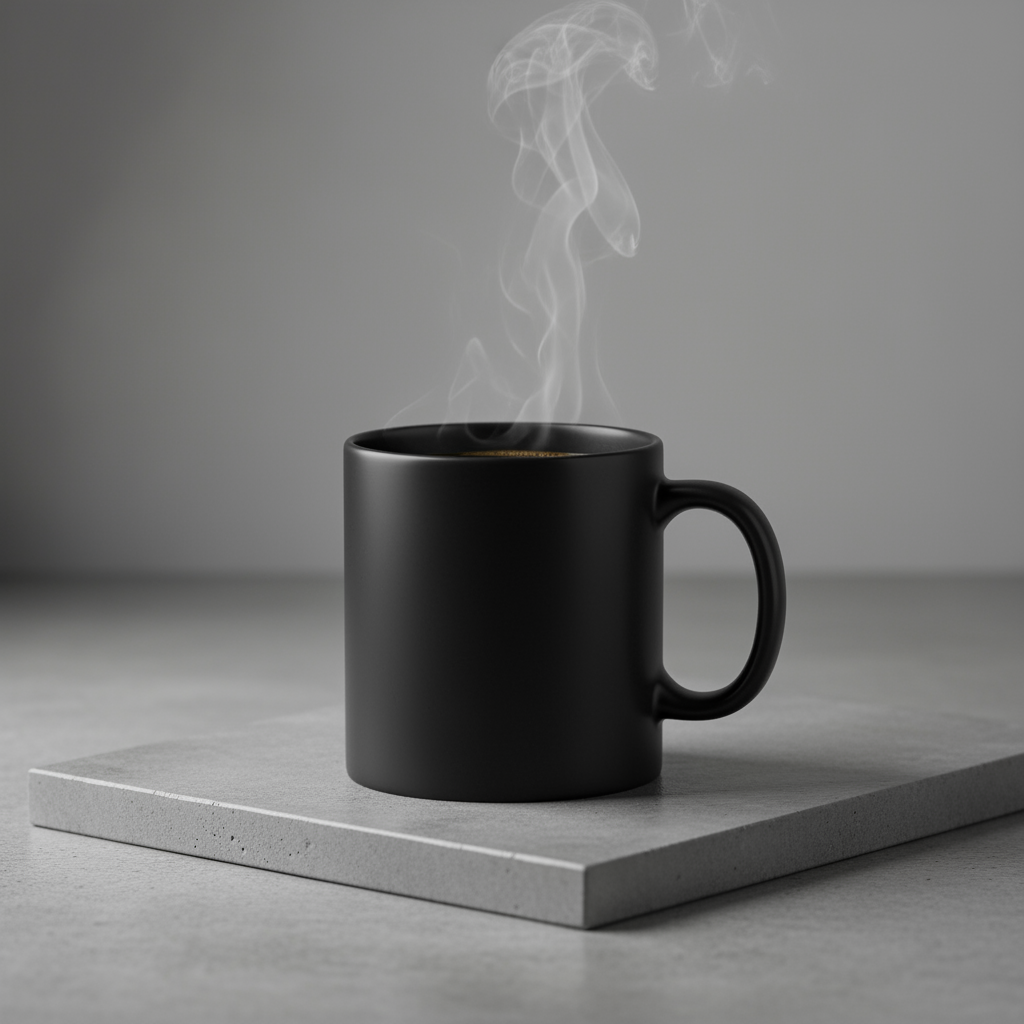
5. Design minimalista e com espaço negativo
Excelente para criar planos de fundo para sites, apresentações ou materiais de marketing em que o texto será sobreposto.
Modelo
A minimalist composition featuring a single [subject] positioned in the
[bottom-right/top-left/etc.] of the frame. The background is a vast, empty
[color] canvas, creating significant negative space. Soft, subtle lighting.
[Aspect ratio].
Comando
A minimalist composition featuring a single, delicate red maple leaf
positioned in the bottom-right of the frame. The background is a vast, empty
off-white canvas, creating significant negative space for text. Soft,
diffused lighting from the top left. Square image.
Python
from google import genai
import base64

client = genai.Client()

interaction = client.interactions.create(
    model="gemini-3.1-flash-image",
    input="A minimalist composition featuring a single, delicate red maple leaf positioned in the bottom-right of the frame. The background is a vast, empty off-white canvas, creating significant negative space for text. Soft, diffused lighting from the top left. Square image.",
)

for step in interaction.steps:
    if step.type == "model_output":
        for content_block in step.content:
            if content_block.type == "text":
                print(content_block.text)
            elif content_block.type == "image":
                with open("minimalist_design.png", "wb") as f:
                    f.write(base64.b64decode(content_block.data))
JavaScript
import { GoogleGenAI } from "@google/genai";
import * as fs from "node:fs";

async function main() {
  const ai = new GoogleGenAI({});

  const interaction = await ai.interactions.create({
    model: "gemini-3.1-flash-image",
    input: "A minimalist composition featuring a single, delicate red maple leaf positioned in the bottom-right of the frame. The background is a vast, empty off-white canvas, creating significant negative space for text. Soft, diffused lighting from the top left. Square image.",
  });
  for (const step of interaction.steps) {
    if (step.type === "model_output") {
      for (const contentBlock of step.content) {
        if (contentBlock.type === "text") {
          console.log(contentBlock.text);
        } else if (contentBlock.type === "image") {
          const buffer = Buffer.from(contentBlock.data, "base64");
          fs.writeFileSync("minimalist_design.png", buffer);
        }
      }
    }
  }
}

main();
Java
import com.google.genai.Client;
import com.google.genai.gaos.models.interactions.Content;
import com.google.genai.gaos.models.interactions.CreateModelInteraction;
import com.google.genai.gaos.models.interactions.ImageContent;
import com.google.genai.gaos.models.interactions.Interaction;
import com.google.genai.gaos.models.interactions.InteractionsInput;
import com.google.genai.gaos.models.interactions.Model;
import com.google.genai.gaos.models.interactions.ModelOutputStep;
import com.google.genai.gaos.models.interactions.Step;
import com.google.genai.gaos.models.interactions.TextContent;
import com.google.genai.gaos.models.operations.CreateInteractionRequestBody;
import java.nio.file.Files;
import java.nio.file.Paths;
import java.util.Base64;

Client client = new Client();

CreateModelInteraction params =
    CreateModelInteraction.builder()
        .model(Model.of("gemini-3.1-flash-image"))
        .input(
            InteractionsInput.of(
                "A minimalist composition featuring a single, delicate red maple leaf positioned in the bottom-right of the frame. The background is a vast, empty off-white canvas, creating significant negative space for text. Soft, diffused lighting from the top left. Square image."))
        .build();

Interaction interaction =
    client.interactions.create(CreateInteractionRequestBody.of(params)).interaction().get();

if (interaction.steps().isPresent()) {
  for (Step step : interaction.steps().get()) {
    if (step instanceof ModelOutputStep) {
      ModelOutputStep outputStep = (ModelOutputStep) step;
      if (outputStep.content().isPresent()) {
        for (Content contentBlock : outputStep.content().get()) {
          if (contentBlock instanceof TextContent) {
            System.out.println(((TextContent) contentBlock).text().orElse(""));
          } else if (contentBlock instanceof ImageContent) {
            ImageContent img = (ImageContent) contentBlock;
            if (img.data().isPresent()) {
              byte[] imgBytes = Base64.getDecoder().decode(img.data().get());
              Files.write(Paths.get("minimalist_design.png"), imgBytes);
            }
          }
        }
      }
    }
  }
}
Go
package main

import (
    "context"
    "encoding/base64"
    "fmt"
    "log"
    "os"

    "google.golang.org/genai"
    "google.golang.org/genai/interactions/models/interactions"
    "google.golang.org/genai/interactions/models/operations"
)

func main() {
    ctx := context.Background()
    client, err := genai.NewClient(ctx, nil)
    if err != nil {
        log.Fatal(err)
    }

    res, err := client.Interactions.Create(ctx, operations.CreateInteractionRequest{
        Body: operations.NewCreateInteractionRequestBody(interactions.CreateModelInteraction{
            Model: interactions.Model("gemini-3.1-flash-image"),
            Input: interactions.NewInteractionsInput("A minimalist composition featuring a single, delicate red maple leaf positioned in the bottom-right of the frame. The background is a vast, empty off-white canvas, creating significant negative space for text. Soft, diffused lighting from the top left. Square image."),
        }),
    })
    if err != nil {
        log.Fatal(err)
    }

    for _, step := range res.Interaction.Steps {
        if step.ModelOutputStep != nil {
            for _, contentBlock := range step.ModelOutputStep.Content {
                if contentBlock.TextContent != nil {
                    fmt.Println(contentBlock.TextContent.Text)
                } else if contentBlock.ImageContent != nil && contentBlock.ImageContent.Data != nil {
                    imgBytes, err := base64.StdEncoding.DecodeString(*contentBlock.ImageContent.Data)
                    if err != nil {
                        log.Fatal(err)
                    }
                    if err := os.WriteFile("minimalist_design.png", imgBytes, 0644); err != nil {
                        log.Fatal(err)
                    }
                }
            }
        }
    }
}
REST
curl -s -X POST \
  "https://generativelanguage.googleapis.com/v1beta/interactions" \
  -H "x-goog-api-key: $GEMINI_API_KEY" \
  -H "Content-Type: application/json" \
  -d '{
    "model": "gemini-3.1-flash-image",
    "input": "A minimalist composition featuring a single, delicate red maple leaf positioned in the bottom-right of the frame. The background is a vast, empty off-white canvas, creating significant negative space for text. Soft, diffused lighting from the top left. Square image."
  }'

6. Arte sequencial (quadrinho / storyboard)
Cria painéis para contar histórias visuais com base na consistência de personagem e na descrição da cena. Para ter mais precisão com texto e capacidade de contar histórias, esses comandos funcionam melhor com o Gemini 3 Pro e o Gemini 3.1 Flash Image.
Modelo
Make a 3 panel comic in a [style]. Put the character in a [type of scene].
Comando
Make a 3 panel comic in a gritty, noir art style with high-contrast black and white inks. Put the character in a humurous scene.
Python
from google import genai
from PIL import Image
import base64

client = genai.Client()

with open('/path/to/your/man_in_white_glasses.jpg', 'rb') as f:
    image_bytes = f.read()
text_input = "Make a 3 panel comic in a gritty, noir art style with high-contrast black and white inks. Put the character in a humurous scene."

interaction = client.interactions.create(
    model="gemini-3.1-flash-image",
    input=[
        {"type": "text", "text": text_input},
        {
            "type": "image",
            "data": base64.b64encode(image_bytes).decode('utf-8'),
            "mime_type": "image/jpeg"
        }
    ],
)

for step in interaction.steps:
    if step.type == "model_output":
        for content_block in step.content:
            if content_block.type == "text":
                print(content_block.text)
            elif content_block.type == "image":
                with open("comic_panel.jpg", "wb") as f:
                    f.write(base64.b64decode(content_block.data))
JavaScript
import { GoogleGenAI } from "@google/genai";
import * as fs from "node:fs";

async function main() {
  const ai = new GoogleGenAI({});

  const imagePath = "/path/to/your/man_in_white_glasses.jpg";
  const imageData = fs.readFileSync(imagePath);
  const base64Image = imageData.toString("base64");

  const input = [
    { type: "text", text: "Make a 3 panel comic in a gritty, noir art style with high-contrast black and white inks. Put the character in a humurous scene." },
    {
      type: "image",
      mime_type: "image/jpeg",
      data: base64Image
    },
  ];

  const interaction = await ai.interactions.create({
    model: "gemini-3.1-flash-image",
    input: input,
  });
  for (const step of interaction.steps) {
    if (step.type === "model_output") {
      for (const contentBlock of step.content) {
        if (contentBlock.type === "text") {
          console.log(contentBlock.text);
        } else if (contentBlock.type === "image") {
          const buffer = Buffer.from(contentBlock.data, "base64");
          fs.writeFileSync("comic_panel.jpg", buffer);
        }
      }
    }
  }
}

main();
Java
import com.google.genai.Client;
import com.google.genai.gaos.models.interactions.Content;
import com.google.genai.gaos.models.interactions.CreateModelInteraction;
import com.google.genai.gaos.models.interactions.ImageContent;
import com.google.genai.gaos.models.interactions.ImageContentMimeType;
import com.google.genai.gaos.models.interactions.Interaction;
import com.google.genai.gaos.models.interactions.InteractionsInput;
import com.google.genai.gaos.models.interactions.Model;
import com.google.genai.gaos.models.interactions.ModelOutputStep;
import com.google.genai.gaos.models.interactions.Step;
import com.google.genai.gaos.models.interactions.TextContent;
import com.google.genai.gaos.models.operations.CreateInteractionRequestBody;
import java.nio.file.Files;
import java.nio.file.Paths;
import java.util.Arrays;
import java.util.Base64;
import java.util.List;

Client client = new Client();

byte[] imageBytes = Files.readAllBytes(Paths.get("/path/to/your/man_in_white_glasses.jpg"));
String base64Image = Base64.getEncoder().encodeToString(imageBytes);
String textInput =
    "Make a 3 panel comic in a gritty, noir art style with high-contrast black and white inks. Put the character in a humurous scene.";

Content textContent = TextContent.builder().text(textInput).build();
Content imageContent =
    ImageContent.builder()
        .data(base64Image)
        .mimeType(ImageContentMimeType.IMAGE_JPEG)
        .build();

List<Content> contents = Arrays.asList(textContent, imageContent);

CreateModelInteraction params =
    CreateModelInteraction.builder()
        .model(Model.of("gemini-3.1-flash-image"))
        .input(InteractionsInput.ofContent(contents))
        .build();

Interaction interaction =
    client.interactions.create(CreateInteractionRequestBody.of(params)).interaction().get();

if (interaction.steps().isPresent()) {
  for (Step step : interaction.steps().get()) {
    if (step instanceof ModelOutputStep) {
      ModelOutputStep outputStep = (ModelOutputStep) step;
      if (outputStep.content().isPresent()) {
        for (Content contentBlock : outputStep.content().get()) {
          if (contentBlock instanceof TextContent) {
            System.out.println(((TextContent) contentBlock).text().orElse(""));
          } else if (contentBlock instanceof ImageContent) {
            ImageContent img = (ImageContent) contentBlock;
            if (img.data().isPresent()) {
              byte[] outBytes = Base64.getDecoder().decode(img.data().get());
              Files.write(Paths.get("comic_panel.jpg"), outBytes);
            }
          }
        }
      }
    }
  }
}
Go
package main

import (
    "context"
    "encoding/base64"
    "fmt"
    "log"
    "os"

    "google.golang.org/genai"
    "google.golang.org/genai/interactions/models/interactions"
    "google.golang.org/genai/interactions/models/operations"
)

func main() {
    ctx := context.Background()
    client, err := genai.NewClient(ctx, nil)
    if err != nil {
        log.Fatal(err)
    }

    imageBytes, err := os.ReadFile("/path/to/your/man_in_white_glasses.jpg")
    if err != nil {
        log.Fatal(err)
    }
    base64Image := base64.StdEncoding.EncodeToString(imageBytes)
    textInput := "Make a 3 panel comic in a gritty, noir art style with high-contrast black and white inks. Put the character in a humurous scene."

    contents := []interactions.Content{
        interactions.NewContent(interactions.TextContent{
            Text: textInput,
        }),
        interactions.NewContent(interactions.ImageContent{
            Data:     genai.Ptr(base64Image),
            MimeType: interactions.ImageContentMimeTypeImageJpeg.ToPointer(),
        }),
    }

    res, err := client.Interactions.Create(ctx, operations.CreateInteractionRequest{
        Body: operations.NewCreateInteractionRequestBody(interactions.CreateModelInteraction{
            Model: interactions.Model("gemini-3.1-flash-image"),
            Input: interactions.NewInteractionsInput(contents),
        }),
    })
    if err != nil {
        log.Fatal(err)
    }

    for _, step := range res.Interaction.Steps {
        if step.ModelOutputStep != nil {
            for _, contentBlock := range step.ModelOutputStep.Content {
                if contentBlock.TextContent != nil {
                    fmt.Println(contentBlock.TextContent.Text)
                } else if contentBlock.ImageContent != nil && contentBlock.ImageContent.Data != nil {
                    outBytes, err := base64.StdEncoding.DecodeString(*contentBlock.ImageContent.Data)
                    if err != nil {
                        log.Fatal(err)
                    }
                    if err := os.WriteFile("comic_panel.jpg", outBytes, 0644); err != nil {
                        log.Fatal(err)
                    }
                }
            }
        }
    }
}
REST
curl -s -X POST \
  "https://generativelanguage.googleapis.com/v1beta/interactions" \
  -H "x-goog-api-key: $GEMINI_API_KEY" \
  -H "Content-Type: application/json" \
  -d '{
    "model": "gemini-3.1-flash-image",
    "input": [
      {"type": "text", "text": "Make a 3 panel comic in a gritty, noir art style with high-contrast black and white inks. Put the character in a humurous scene."},
      {"type": "image", "data": "<BASE64_IMAGE_DATA>", "mime_type": "image/jpeg"}
    ]
  }'
Entrada |
Saída |

|
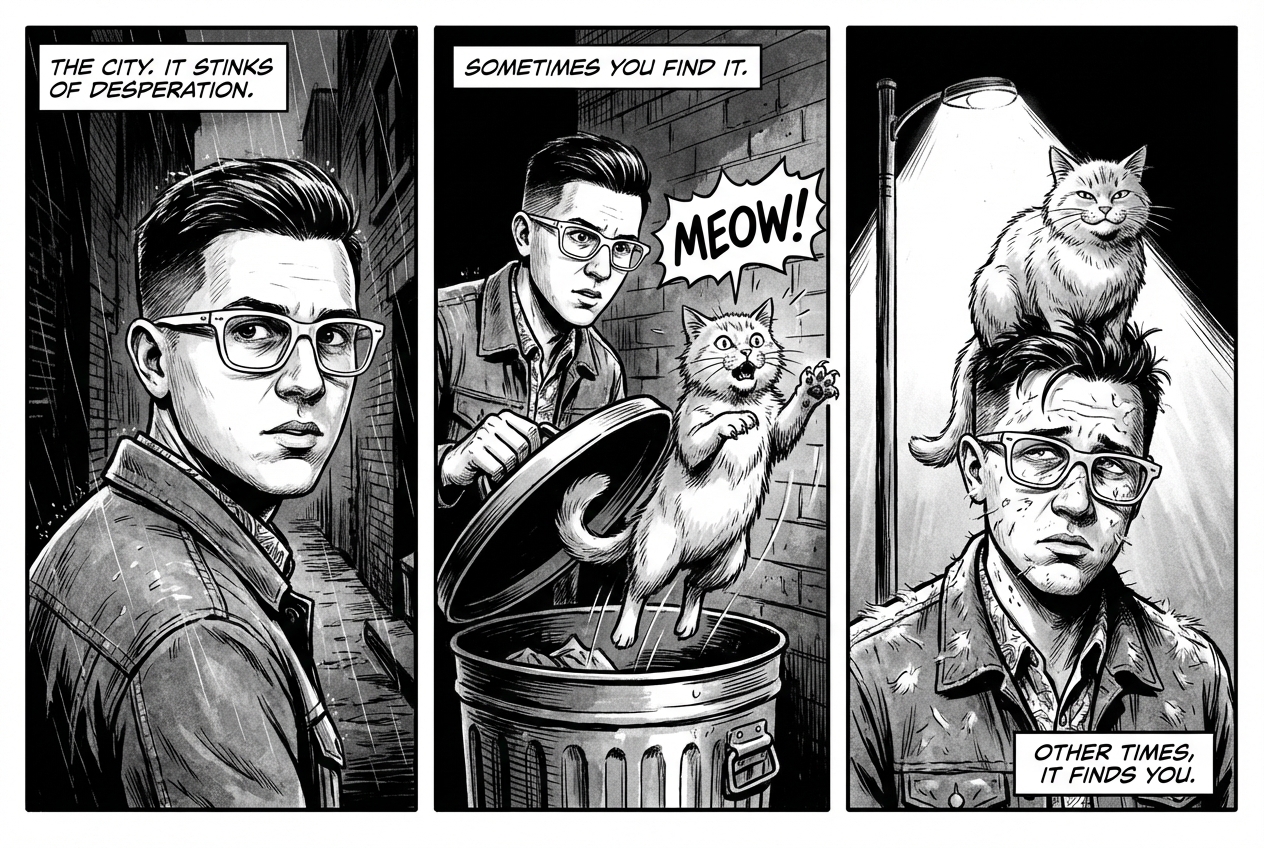
|
7. Embasamento com a Pesquisa Google
Use a Pesquisa Google para gerar imagens com base em informações recentes ou em tempo real. Isso é útil para notícias, clima e outros assuntos urgentes.
Comando
Make a simple but stylish graphic of last night's Arsenal game in the Champion's League
Python
from google import genai
from google.genai import types
import base64

client = genai.Client()

interaction = client.interactions.create(
    model="gemini-3.1-flash-image",
    input="Make a simple but stylish graphic of last night's Arsenal game in the Champion's League",
    tools=[{"type": "google_search"}],
    response_format={"type": "image", "aspect_ratio": "16:9"},
)

for step in interaction.steps:
    if step.type == "model_output":
        for content_block in step.content:
            if content_block.type == "text":
                print(content_block.text)
            elif content_block.type == "image":
                with open("football-score.jpg", "wb") as f:
                    f.write(base64.b64decode(content_block.data))
JavaScript
import { GoogleGenAI } from "@google/genai";
import * as fs from "node:fs";

async function main() {
  const ai = new GoogleGenAI({});

  const interaction = await ai.interactions.create({
    model: "gemini-3.1-flash-image",
    input: "Make a simple but stylish graphic of last night's Arsenal game in the Champion's League",
    tools: [{ type: "google_search" }],
    response_format: { type: "image", aspect_ratio: "16:9", image_size: "2K" },
  });

  for (const step of interaction.steps) {
    if (step.type === "model_output") {
      for (const contentBlock of step.content) {
        if (contentBlock.type === "text") {
          console.log(contentBlock.text);
        } else if (contentBlock.type === "image") {
          const buffer = Buffer.from(contentBlock.data, "base64");
          fs.writeFileSync("football-score.jpg", buffer);
        }
      }
    }
  }
}

main();
Java
import com.google.genai.Client;
import com.google.genai.gaos.models.interactions.Content;
import com.google.genai.gaos.models.interactions.CreateModelInteraction;
import com.google.genai.gaos.models.interactions.CreateModelInteractionResponseFormat;
import com.google.genai.gaos.models.interactions.GoogleSearch;
import com.google.genai.gaos.models.interactions.ImageContent;
import com.google.genai.gaos.models.interactions.ImageResponseFormat;
import com.google.genai.gaos.models.interactions.ImageResponseFormatAspectRatio;
import com.google.genai.gaos.models.interactions.Interaction;
import com.google.genai.gaos.models.interactions.InteractionsInput;
import com.google.genai.gaos.models.interactions.Model;
import com.google.genai.gaos.models.interactions.ModelOutputStep;
import com.google.genai.gaos.models.interactions.ResponseFormat;
import com.google.genai.gaos.models.interactions.Step;
import com.google.genai.gaos.models.interactions.TextContent;
import com.google.genai.gaos.models.operations.CreateInteractionRequestBody;
import java.nio.file.Files;
import java.nio.file.Paths;
import java.util.Arrays;
import java.util.Base64;

Client client = new Client();

CreateModelInteractionResponseFormat format =
    CreateModelInteractionResponseFormat.of(
        ResponseFormat.of(
            ImageResponseFormat.builder()
                .aspectRatio(ImageResponseFormatAspectRatio.of("16:9"))
                .build()));

CreateModelInteraction params =
    CreateModelInteraction.builder()
        .model(Model.of("gemini-3.1-flash-image"))
        .input(
            InteractionsInput.of(
                "Make a simple but stylish graphic of last night's Arsenal game in the Champion's League"))
        .tools(Arrays.asList(new GoogleSearch()))
        .responseFormat(format)
        .build();

Interaction interaction =
    client.interactions.create(CreateInteractionRequestBody.of(params)).interaction().get();

if (interaction.steps().isPresent()) {
  for (Step step : interaction.steps().get()) {
    if (step instanceof ModelOutputStep) {
      ModelOutputStep outputStep = (ModelOutputStep) step;
      if (outputStep.content().isPresent()) {
        for (Content contentBlock : outputStep.content().get()) {
          if (contentBlock instanceof TextContent) {
            System.out.println(((TextContent) contentBlock).text().orElse(""));
          } else if (contentBlock instanceof ImageContent) {
            ImageContent img = (ImageContent) contentBlock;
            if (img.data().isPresent()) {
              byte[] imgBytes = Base64.getDecoder().decode(img.data().get());
              Files.write(Paths.get("football-score.jpg"), imgBytes);
            }
          }
        }
      }
    }
  }
}
Go
package main

import (
    "context"
    "encoding/base64"
    "fmt"
    "log"
    "os"

    "google.golang.org/genai"
    "google.golang.org/genai/interactions/models/interactions"
    "google.golang.org/genai/interactions/models/operations"
)

func main() {
    ctx := context.Background()
    client, err := genai.NewClient(ctx, nil)
    if err != nil {
        log.Fatal(err)
    }

    format := interactions.NewCreateModelInteractionResponseFormat(
        interactions.NewResponseFormat(interactions.ImageResponseFormat{
            AspectRatio: interactions.ImageResponseFormatAspectRatio("16:9").ToPointer(),
        }),
    )

    res, err := client.Interactions.Create(ctx, operations.CreateInteractionRequest{
        Body: operations.NewCreateInteractionRequestBody(interactions.CreateModelInteraction{
            Model: interactions.Model("gemini-3.1-flash-image"),
            Input: interactions.NewInteractionsInput("Make a simple but stylish graphic of last night's Arsenal game in the Champion's League"),
            Tools: []interactions.Tool{
                interactions.NewTool(interactions.GoogleSearch{}),
            },
            ResponseFormat: genai.Ptr(format),
        }),
    })
    if err != nil {
        log.Fatal(err)
    }

    for _, step := range res.Interaction.Steps {
        if step.ModelOutputStep != nil {
            for _, contentBlock := range step.ModelOutputStep.Content {
                if contentBlock.TextContent != nil {
                    fmt.Println(contentBlock.TextContent.Text)
                } else if contentBlock.ImageContent != nil && contentBlock.ImageContent.Data != nil {
                    imgBytes, err := base64.StdEncoding.DecodeString(*contentBlock.ImageContent.Data)
                    if err != nil {
                        log.Fatal(err)
                    }
                    if err := os.WriteFile("football-score.jpg", imgBytes, 0644); err != nil {
                        log.Fatal(err)
                    }
                }
            }
        }
    }
}
REST
curl -s -X POST \
  "https://generativelanguage.googleapis.com/v1beta/interactions" \
  -H "x-goog-api-key: $GEMINI_API_KEY" \
  -H "Content-Type: application/json" \
  -d '{
    "model": "gemini-3.1-flash-image",
    "input": "Make a simple but stylish graphic of last nights Arsenal game in the Champions League",
    "tools": [{"type": "google_search"}],
    "response_format": {
      "type": "image",
      "aspect_ratio": "16:9"
    }
  }'
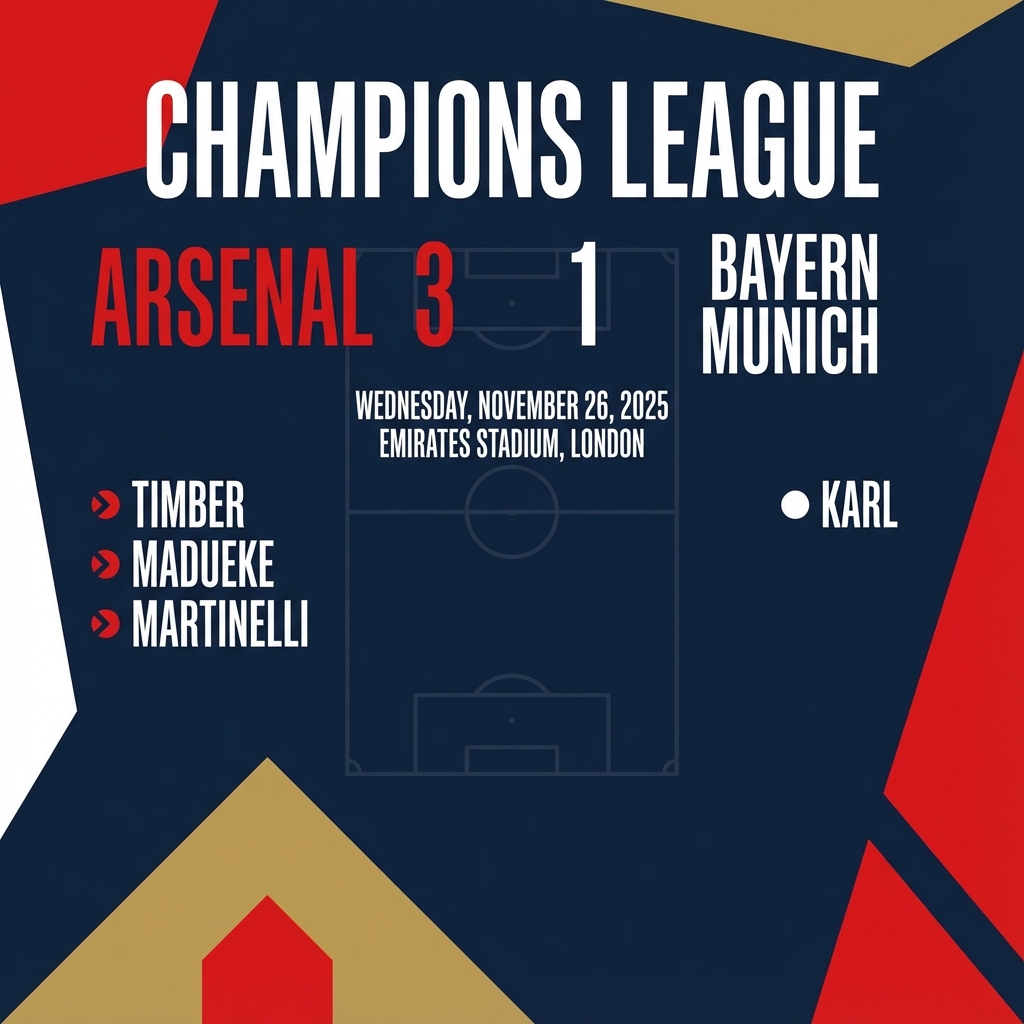
Comandos para editar imagens
Estes exemplos mostram como fornecer imagens junto com seus comandos de texto para edição, composição e transferência de estilo.
1. Adicionar e remover elementos
Envie uma imagem e descreva a mudança. O modelo vai corresponder ao estilo, à iluminação e à perspectiva da imagem original.
Modelo
Using the provided image of [subject], please [add/remove/modify] [element]
to/from the scene. Ensure the change is [description of how the change should
integrate].
Comando
"Using the provided image of my cat, please add a small, knitted wizard hat
on its head. Make it look like it's sitting comfortably and matches the soft
lighting of the photo."
Python
from google import genai
from PIL import Image
import base64

client = genai.Client()

with open('/path/to/your/cat_photo.png', 'rb') as f:
    image_bytes = f.read()
text_input = """Using the provided image of my cat, please add a small, knitted wizard hat on its head. Make it look like it's sitting comfortably and not falling off."""

interaction = client.interactions.create(
    model="gemini-3.1-flash-image",
    input=[
        {"type": "text", "text": text_input},
        {
            "type": "image",
            "data": base64.b64encode(image_bytes).decode('utf-8'),
            "mime_type": "image/png"
        }
    ],
)

for step in interaction.steps:
    if step.type == "model_output":
        for content_block in step.content:
            if content_block.type == "text":
                print(content_block.text)
            elif content_block.type == "image":
                with open("cat_with_hat.png", "wb") as f:
                    f.write(base64.b64decode(content_block.data))
JavaScript
import { GoogleGenAI } from "@google/genai";
import * as fs from "node:fs";

async function main() {
  const ai = new GoogleGenAI({});

  const imagePath = "/path/to/your/cat_photo.png";
  const imageData = fs.readFileSync(imagePath);
  const base64Image = imageData.toString("base64");

  const input = [
    { type: "text", text: "Using the provided image of my cat, please add a small, knitted wizard hat on its head. Make it look like it's sitting comfortably and not falling off." },
    {
      type: "image",
      mime_type: "image/png",
      data: base64Image
    },
  ];

  const interaction = await ai.interactions.create({
    model: "gemini-3.1-flash-image",
    input: input,
  });
  for (const step of interaction.steps) {
    if (step.type === "model_output") {
      for (const contentBlock of step.content) {
        if (contentBlock.type === "text") {
          console.log(contentBlock.text);
        } else if (contentBlock.type === "image") {
          const buffer = Buffer.from(contentBlock.data, "base64");
          fs.writeFileSync("cat_with_hat.png", buffer);
        }
      }
    }
  }
}

main();
Java
import com.google.genai.Client;
import com.google.genai.gaos.models.interactions.Content;
import com.google.genai.gaos.models.interactions.CreateModelInteraction;
import com.google.genai.gaos.models.interactions.ImageContent;
import com.google.genai.gaos.models.interactions.ImageContentMimeType;
import com.google.genai.gaos.models.interactions.Interaction;
import com.google.genai.gaos.models.interactions.InteractionsInput;
import com.google.genai.gaos.models.interactions.Model;
import com.google.genai.gaos.models.interactions.ModelOutputStep;
import com.google.genai.gaos.models.interactions.Step;
import com.google.genai.gaos.models.interactions.TextContent;
import com.google.genai.gaos.models.operations.CreateInteractionRequestBody;
import java.nio.file.Files;
import java.nio.file.Paths;
import java.util.Arrays;
import java.util.Base64;
import java.util.List;

Client client = new Client();

byte[] imageBytes = Files.readAllBytes(Paths.get("/path/to/your/cat_photo.png"));
String base64Image = Base64.getEncoder().encodeToString(imageBytes);
String textInput =
    "Using the provided image of my cat, please add a small, knitted wizard hat on its head. Make it look like it's sitting comfortably and not falling off.";

Content textContent = TextContent.builder().text(textInput).build();
Content imageContent =
    ImageContent.builder()
        .data(base64Image)
        .mimeType(ImageContentMimeType.IMAGE_PNG)
        .build();

List<Content> contents = Arrays.asList(textContent, imageContent);

CreateModelInteraction params =
    CreateModelInteraction.builder()
        .model(Model.of("gemini-3.1-flash-image"))
        .input(InteractionsInput.ofContent(contents))
        .build();

Interaction interaction =
    client.interactions.create(CreateInteractionRequestBody.of(params)).interaction().get();

if (interaction.steps().isPresent()) {
  for (Step step : interaction.steps().get()) {
    if (step instanceof ModelOutputStep) {
      ModelOutputStep outputStep = (ModelOutputStep) step;
      if (outputStep.content().isPresent()) {
        for (Content contentBlock : outputStep.content().get()) {
          if (contentBlock instanceof TextContent) {
            System.out.println(((TextContent) contentBlock).text().orElse(""));
          } else if (contentBlock instanceof ImageContent) {
            ImageContent img = (ImageContent) contentBlock;
            if (img.data().isPresent()) {
              byte[] outBytes = Base64.getDecoder().decode(img.data().get());
              Files.write(Paths.get("cat_with_hat.png"), outBytes);
            }
          }
        }
      }
    }
  }
}
Go
package main

import (
    "context"
    "encoding/base64"
    "fmt"
    "log"
    "os"

    "google.golang.org/genai"
    "google.golang.org/genai/interactions/models/interactions"
    "google.golang.org/genai/interactions/models/operations"
)

func main() {
    ctx := context.Background()
    client, err := genai.NewClient(ctx, nil)
    if err != nil {
        log.Fatal(err)
    }

    imageBytes, err := os.ReadFile("/path/to/your/cat_photo.png")
    if err != nil {
        log.Fatal(err)
    }
    base64Image := base64.StdEncoding.EncodeToString(imageBytes)
    textInput := "Using the provided image of my cat, please add a small, knitted wizard hat on its head. Make it look like it's sitting comfortably and not falling off."

    contents := []interactions.Content{
        interactions.NewContent(interactions.TextContent{
            Text: textInput,
        }),
        interactions.NewContent(interactions.ImageContent{
            Data:     genai.Ptr(base64Image),
            MimeType: interactions.ImageContentMimeTypeImagePng.ToPointer(),
        }),
    }

    res, err := client.Interactions.Create(ctx, operations.CreateInteractionRequest{
        Body: operations.NewCreateInteractionRequestBody(interactions.CreateModelInteraction{
            Model: interactions.Model("gemini-3.1-flash-image"),
            Input: interactions.NewInteractionsInput(contents),
        }),
    })
    if err != nil {
        log.Fatal(err)
    }

    for _, step := range res.Interaction.Steps {
        if step.ModelOutputStep != nil {
            for _, contentBlock := range step.ModelOutputStep.Content {
                if contentBlock.TextContent != nil {
                    fmt.Println(contentBlock.TextContent.Text)
                } else if contentBlock.ImageContent != nil && contentBlock.ImageContent.Data != nil {
                    outBytes, err := base64.StdEncoding.DecodeString(*contentBlock.ImageContent.Data)
                    if err != nil {
                        log.Fatal(err)
                    }
                    if err := os.WriteFile("cat_with_hat.png", outBytes, 0644); err != nil {
                        log.Fatal(err)
                    }
                }
            }
        }
    }
}
REST
curl -s -X POST \
  "https://generativelanguage.googleapis.com/v1beta/interactions" \
    -H "x-goog-api-key: $GEMINI_API_KEY" \
    -H 'Content-Type: application/json' \
    -d "{
      \"model\": \"gemini-3.1-flash-image\",
      \"input\": [
            {\"type\": \"text\", \"text\": \"Using the provided image of my cat, please add a small, knitted wizard hat on its head. Make it look like it's sitting comfortably and not falling off.\"},
            {\"type\": \"image\", \"mime_type\":\"image/png\", \"data\": \"<BASE64_IMAGE_DATA>\"}
        ]
    }"
Entrada |
Saída |
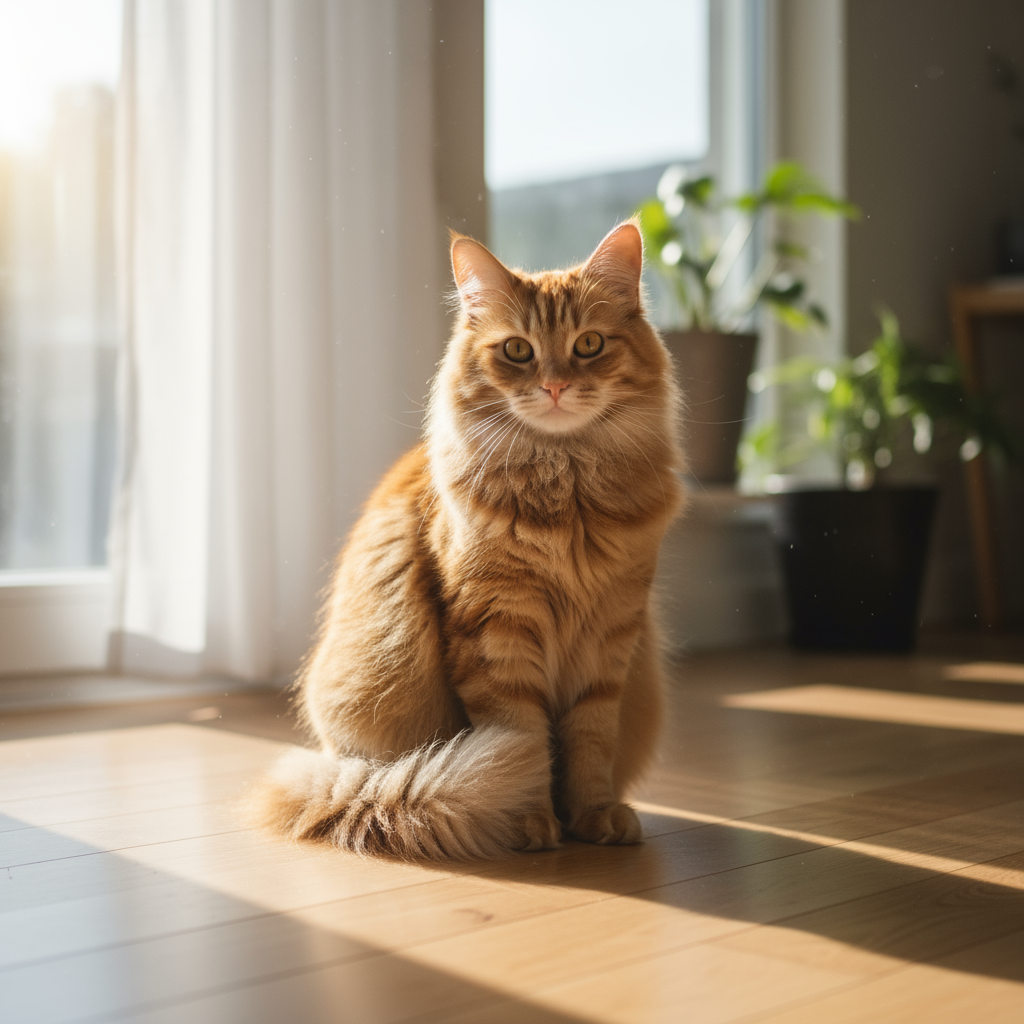
|
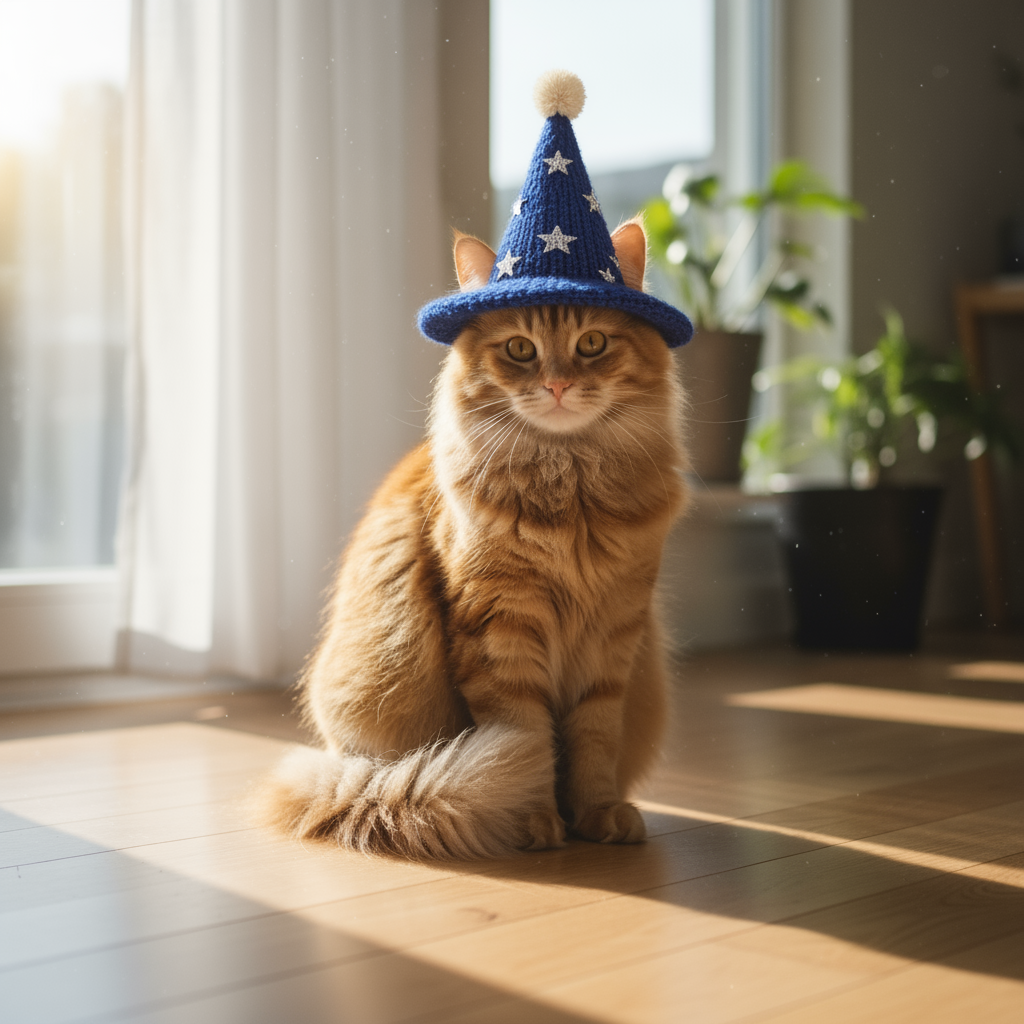
|
2. Retoque (mascaramento semântico)
Defina uma "máscara" por conversa para editar uma parte específica de uma imagem sem alterar o restante.
Modelo
Using the provided image, change only the [specific element] to [new
element/description]. Keep everything else in the image exactly the same,
preserving the original style, lighting, and composition.
Comando
"Using the provided image of a living room, change only the blue sofa to be
a vintage, brown leather chesterfield sofa. Keep the rest of the room,
including the pillows on the sofa and the lighting, unchanged."
Python
from google import genai
from PIL import Image
import base64

client = genai.Client()

with open('/path/to/your/living_room.png', 'rb') as f:
    image_bytes = f.read()
text_input = """Using the provided image of a living room, change only the blue sofa to be a vintage, brown leather chesterfield sofa. Keep the rest of the room, including the pillows on the sofa and the lighting, unchanged."""

interaction = client.interactions.create(
    model="gemini-3.1-flash-image",
    input=[
        {
            "type": "image",
            "data": base64.b64encode(image_bytes).decode('utf-8'),
            "mime_type": "image/png"
        },
        {"type": "text", "text": text_input}
    ],
)

for step in interaction.steps:
    if step.type == "model_output":
        for content_block in step.content:
            if content_block.type == "text":
                print(content_block.text)
            elif content_block.type == "image":
                with open("living_room_edited.png", "wb") as f:
                    f.write(base64.b64decode(content_block.data))
JavaScript
import { GoogleGenAI } from "@google/genai";
import * as fs from "node:fs";

async function main() {
  const ai = new GoogleGenAI({});

  const imagePath = "/path/to/your/living_room.png";
  const imageData = fs.readFileSync(imagePath);
  const base64Image = imageData.toString("base64");

  const input = [
    {
      type: "image",
      mime_type: "image/png",
      data: base64Image
    },
    { type: "text", text: "Using the provided image of a living room, change only the blue sofa to be a vintage, brown leather chesterfield sofa. Keep the rest of the room, including the pillows on the sofa and the lighting, unchanged." },
  ];

  const interaction = await ai.interactions.create({
    model: "gemini-3.1-flash-image",
    input: input,
  });
  for (const step of interaction.steps) {
    if (step.type === "model_output") {
      for (const contentBlock of step.content) {
        if (contentBlock.type === "text") {
          console.log(contentBlock.text);
        } else if (contentBlock.type === "image") {
          const buffer = Buffer.from(contentBlock.data, "base64");
          fs.writeFileSync("living_room_edited.png", buffer);
        }
      }
    }
  }
}

main();
Java
import com.google.genai.Client;
import com.google.genai.gaos.models.interactions.Content;
import com.google.genai.gaos.models.interactions.CreateModelInteraction;
import com.google.genai.gaos.models.interactions.ImageContent;
import com.google.genai.gaos.models.interactions.ImageContentMimeType;
import com.google.genai.gaos.models.interactions.Interaction;
import com.google.genai.gaos.models.interactions.InteractionsInput;
import com.google.genai.gaos.models.interactions.Model;
import com.google.genai.gaos.models.interactions.ModelOutputStep;
import com.google.genai.gaos.models.interactions.Step;
import com.google.genai.gaos.models.interactions.TextContent;
import com.google.genai.gaos.models.operations.CreateInteractionRequestBody;
import java.nio.file.Files;
import java.nio.file.Paths;
import java.util.Arrays;
import java.util.Base64;
import java.util.List;

Client client = new Client();

byte[] imageBytes = Files.readAllBytes(Paths.get("/path/to/your/living_room.png"));
String base64Image = Base64.getEncoder().encodeToString(imageBytes);
String textInput =
    "Using the provided image of a living room, change only the blue sofa to be a vintage, brown leather chesterfield sofa. Keep the rest of the room, including the pillows on the sofa and the lighting, unchanged.";

Content imageContent =
    ImageContent.builder()
        .data(base64Image)
        .mimeType(ImageContentMimeType.IMAGE_PNG)
        .build();
Content textContent = TextContent.builder().text(textInput).build();

List<Content> contents = Arrays.asList(imageContent, textContent);

CreateModelInteraction params =
    CreateModelInteraction.builder()
        .model(Model.of("gemini-3.1-flash-image"))
        .input(InteractionsInput.ofContent(contents))
        .build();

Interaction interaction =
    client.interactions.create(CreateInteractionRequestBody.of(params)).interaction().get();

if (interaction.steps().isPresent()) {
  for (Step step : interaction.steps().get()) {
    if (step instanceof ModelOutputStep) {
      ModelOutputStep outputStep = (ModelOutputStep) step;
      if (outputStep.content().isPresent()) {
        for (Content contentBlock : outputStep.content().get()) {
          if (contentBlock instanceof TextContent) {
            System.out.println(((TextContent) contentBlock).text().orElse(""));
          } else if (contentBlock instanceof ImageContent) {
            ImageContent img = (ImageContent) contentBlock;
            if (img.data().isPresent()) {
              byte[] outBytes = Base64.getDecoder().decode(img.data().get());
              Files.write(Paths.get("living_room_edited.png"), outBytes);
            }
          }
        }
      }
    }
  }
}
Go
package main

import (
    "context"
    "encoding/base64"
    "fmt"
    "log"
    "os"

    "google.golang.org/genai"
    "google.golang.org/genai/interactions/models/interactions"
    "google.golang.org/genai/interactions/models/operations"
)

func main() {
    ctx := context.Background()
    client, err := genai.NewClient(ctx, nil)
    if err != nil {
        log.Fatal(err)
    }

    imageBytes, err := os.ReadFile("/path/to/your/living_room.png")
    if err != nil {
        log.Fatal(err)
    }
    base64Image := base64.StdEncoding.EncodeToString(imageBytes)
    textInput := "Using the provided image of a living room, change only the blue sofa to be a vintage, brown leather chesterfield sofa. Keep the rest of the room, including the pillows on the sofa and the lighting, unchanged."

    contents := []interactions.Content{
        interactions.NewContent(interactions.ImageContent{
            Data:     genai.Ptr(base64Image),
            MimeType: interactions.ImageContentMimeTypeImagePng.ToPointer(),
        }),
        interactions.NewContent(interactions.TextContent{
            Text: textInput,
        }),
    }

    res, err := client.Interactions.Create(ctx, operations.CreateInteractionRequest{
        Body: operations.NewCreateInteractionRequestBody(interactions.CreateModelInteraction{
            Model: interactions.Model("gemini-3.1-flash-image"),
            Input: interactions.NewInteractionsInput(contents),
        }),
    })
    if err != nil {
        log.Fatal(err)
    }

    for _, step := range res.Interaction.Steps {
        if step.ModelOutputStep != nil {
            for _, contentBlock := range step.ModelOutputStep.Content {
                if contentBlock.TextContent != nil {
                    fmt.Println(contentBlock.TextContent.Text)
                } else if contentBlock.ImageContent != nil && contentBlock.ImageContent.Data != nil {
                    outBytes, err := base64.StdEncoding.DecodeString(*contentBlock.ImageContent.Data)
                    if err != nil {
                        log.Fatal(err)
                    }
                    if err := os.WriteFile("living_room_edited.png", outBytes, 0644); err != nil {
                        log.Fatal(err)
                    }
                }
            }
        }
    }
}
REST
curl -s -X POST \
  "https://generativelanguage.googleapis.com/v1beta/interactions" \
    -H "x-goog-api-key: $GEMINI_API_KEY" \
    -H 'Content-Type: application/json' \
    -d "{
      \"model\": \"gemini-3.1-flash-image\",
      \"input\": [
        {\"type\": \"image\", \"mime_type\":\"image/png\", \"data\": \"<BASE64_IMAGE_DATA>\"},
        {\"type\": \"text\", \"text\": \"Using the provided image of a living room, change only the blue sofa to be a vintage, brown leather chesterfield sofa. Keep the rest of the room, including the pillows on the sofa and the lighting, unchanged.\"}
      ]
    }"
Entrada |
Saída |

|

|
3. Transferência de estilo
Forneça uma imagem e peça para o modelo recriar o conteúdo dela em um estilo artístico diferente.
Modelo
Transform the provided photograph of [subject] into the artistic style of [artist/art style]. Preserve the original composition but render it with [description of stylistic elements].
Comando
"Transform the provided photograph of a modern city street at night into the artistic style of Vincent van Gogh's 'Starry Night'. Preserve the original composition of buildings and cars, but render all elements with swirling, impasto brushstrokes and a dramatic palette of deep blues and bright yellows."
Python
from google import genai
from PIL import Image
import base64

client = genai.Client()

with open('/path/to/your/city.png', 'rb') as f:
    image_bytes = f.read()
text_input = """Transform the provided photograph of a modern city street at night into the artistic style of Vincent van Gogh's 'Starry Night'. Preserve the original composition of buildings and cars, but render all elements with swirling, impasto brushstrokes and a dramatic palette of deep blues and bright yellows."""

interaction = client.interactions.create(
    model="gemini-3.1-flash-image",
    input=[
        {
            "type": "image",
            "data": base64.b64encode(image_bytes).decode('utf-8'),
            "mime_type": "image/png"
        },
        {"type": "text", "text": text_input}
    ],
)

for step in interaction.steps:
    if step.type == "model_output":
        for content_block in step.content:
            if content_block.type == "text":
                print(content_block.text)
            elif content_block.type == "image":
                with open("city_style_transfer.png", "wb") as f:
                    f.write(base64.b64decode(content_block.data))
JavaScript
import { GoogleGenAI } from "@google/genai";
import * as fs from "node:fs";

async function main() {
  const ai = new GoogleGenAI({});
  const imageData = fs.readFileSync("/path/to/your/city.png");
  const base64Image = imageData.toString("base64");

  const interaction = await ai.interactions.create({
    model: "gemini-3.1-flash-image",
    input: [
      {
        type: "image",
        mime_type: "image/png",
        data: base64Image
      },
      { type: "text", text: "Transform the provided photograph of a modern city street at night into the artistic style of Vincent van Gogh's 'Starry Night'. Preserve the original composition of buildings and cars, but render all elements with swirling, impasto brushstrokes and a dramatic palette of deep blues and bright yellows." },
    ],
  });
  for (const step of interaction.steps) {
    if (step.type === "model_output") {
      for (const contentBlock of step.content) {
        if (contentBlock.type === "text") {
          console.log(contentBlock.text);
        } else if (contentBlock.type === "image") {
          const buffer = Buffer.from(contentBlock.data, "base64");
          fs.writeFileSync("city_style_transfer.png", buffer);
        }
      }
    }
  }
}

main();
Java
import com.google.genai.Client;
import com.google.genai.gaos.models.interactions.Content;
import com.google.genai.gaos.models.interactions.CreateModelInteraction;
import com.google.genai.gaos.models.interactions.ImageContent;
import com.google.genai.gaos.models.interactions.ImageContentMimeType;
import com.google.genai.gaos.models.interactions.Interaction;
import com.google.genai.gaos.models.interactions.InteractionsInput;
import com.google.genai.gaos.models.interactions.Model;
import com.google.genai.gaos.models.interactions.ModelOutputStep;
import com.google.genai.gaos.models.interactions.Step;
import com.google.genai.gaos.models.interactions.TextContent;
import com.google.genai.gaos.models.operations.CreateInteractionRequestBody;
import java.nio.file.Files;
import java.nio.file.Paths;
import java.util.Arrays;
import java.util.Base64;
import java.util.List;

Client client = new Client();

byte[] imageBytes = Files.readAllBytes(Paths.get("/path/to/your/city.png"));
String base64Image = Base64.getEncoder().encodeToString(imageBytes);
String textInput =
    "Transform the provided photograph of a modern city street at night into the artistic style of Vincent van Gogh's 'Starry Night'. Preserve the original composition of buildings and cars, but render all elements with swirling, impasto brushstrokes and a dramatic palette of deep blues and bright yellows.";

Content imageContent =
    ImageContent.builder()
        .data(base64Image)
        .mimeType(ImageContentMimeType.IMAGE_PNG)
        .build();
Content textContent = TextContent.builder().text(textInput).build();

List<Content> contents = Arrays.asList(imageContent, textContent);

CreateModelInteraction params =
    CreateModelInteraction.builder()
        .model(Model.of("gemini-3.1-flash-image"))
        .input(InteractionsInput.ofContent(contents))
        .build();

Interaction interaction =
    client.interactions.create(CreateInteractionRequestBody.of(params)).interaction().get();

if (interaction.steps().isPresent()) {
  for (Step step : interaction.steps().get()) {
    if (step instanceof ModelOutputStep) {
      ModelOutputStep outputStep = (ModelOutputStep) step;
      if (outputStep.content().isPresent()) {
        for (Content contentBlock : outputStep.content().get()) {
          if (contentBlock instanceof TextContent) {
            System.out.println(((TextContent) contentBlock).text().orElse(""));
          } else if (contentBlock instanceof ImageContent) {
            ImageContent img = (ImageContent) contentBlock;
            if (img.data().isPresent()) {
              byte[] outBytes = Base64.getDecoder().decode(img.data().get());
              Files.write(Paths.get("city_style_transfer.png"), outBytes);
            }
          }
        }
      }
    }
  }
}
Go
package main

import (
    "context"
    "encoding/base64"
    "fmt"
    "log"
    "os"

    "google.golang.org/genai"
    "google.golang.org/genai/interactions/models/interactions"
    "google.golang.org/genai/interactions/models/operations"
)

func main() {
    ctx := context.Background()
    client, err := genai.NewClient(ctx, nil)
    if err != nil {
        log.Fatal(err)
    }

    imageBytes, err := os.ReadFile("/path/to/your/city.png")
    if err != nil {
        log.Fatal(err)
    }
    base64Image := base64.StdEncoding.EncodeToString(imageBytes)
    textInput := "Transform the provided photograph of a modern city street at night into the artistic style of Vincent van Gogh's 'Starry Night'. Preserve the original composition of buildings and cars, but render all elements with swirling, impasto brushstrokes and a dramatic palette of deep blues and bright yellows."

    contents := []interactions.Content{
        interactions.NewContent(interactions.ImageContent{
            Data:     genai.Ptr(base64Image),
            MimeType: interactions.ImageContentMimeTypeImagePng.ToPointer(),
        }),
        interactions.NewContent(interactions.TextContent{
            Text: textInput,
        }),
    }

    res, err := client.Interactions.Create(ctx, operations.CreateInteractionRequest{
        Body: operations.NewCreateInteractionRequestBody(interactions.CreateModelInteraction{
            Model: interactions.Model("gemini-3.1-flash-image"),
            Input: interactions.NewInteractionsInput(contents),
        }),
    })
    if err != nil {
        log.Fatal(err)
    }

    for _, step := range res.Interaction.Steps {
        if step.ModelOutputStep != nil {
            for _, contentBlock := range step.ModelOutputStep.Content {
                if contentBlock.TextContent != nil {
                    fmt.Println(contentBlock.TextContent.Text)
                } else if contentBlock.ImageContent != nil && contentBlock.ImageContent.Data != nil {
                    outBytes, err := base64.StdEncoding.DecodeString(*contentBlock.ImageContent.Data)
                    if err != nil {
                        log.Fatal(err)
                    }
                    if err := os.WriteFile("city_style_transfer.png", outBytes, 0644); err != nil {
                        log.Fatal(err)
                    }
                }
            }
        }
    }
}
REST
curl -s -X POST \
  "https://generativelanguage.googleapis.com/v1beta/interactions" \
    -H "x-goog-api-key: $GEMINI_API_KEY" \
    -H 'Content-Type: application/json' \
    -d "{
      \"model\": \"gemini-3.1-flash-image\",
      \"input\": [
        {\"type\": \"image\", \"mime_type\":\"image/png\", \"data\": \"<BASE64_IMAGE_DATA>\"},
        {\"type\": \"text\", \"text\": \"Transform the provided photograph of a modern city street at night into the artistic style of Vincent van Gogh's 'Starry Night'. Preserve the original composition of buildings and cars, but render all elements with swirling, impasto brushstrokes and a dramatic palette of deep blues and bright yellows.\"}
      ]
    }"
Entrada |
Saída |
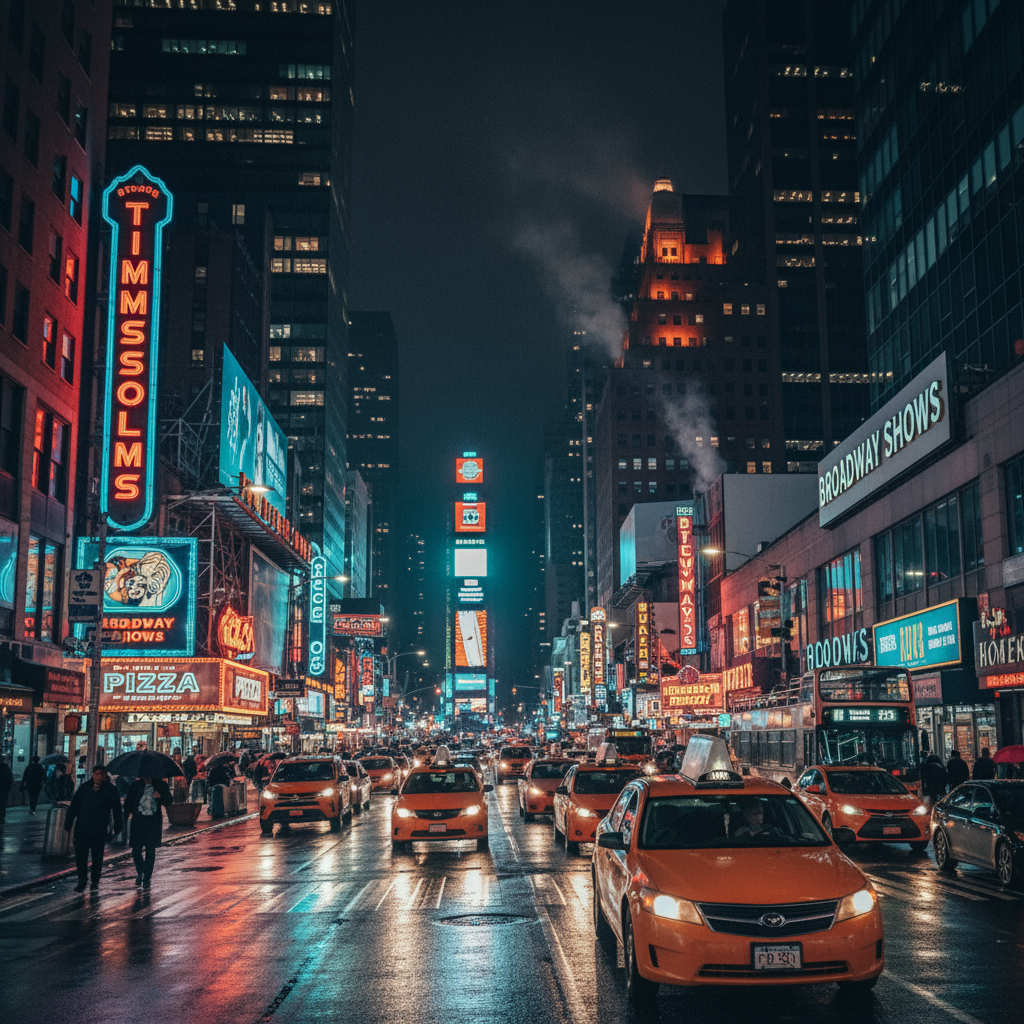
|
|
4. Composição avançada: combinar várias imagens
Forneça várias imagens como contexto para criar uma cena nova e composta. Isso é perfeito para simulações de produtos ou colagens criativas.
Modelo
Create a new image by combining the elements from the provided images. Take
the [element from image 1] and place it with/on the [element from image 2].
The final image should be a [description of the final scene].
Comando
"Create a professional e-commerce fashion photo. Take the blue floral dress
from the first image and let the woman from the second image wear it.
Generate a realistic, full-body shot of the woman wearing the dress, with
the lighting and shadows adjusted to match the outdoor environment."
Python
from google import genai
from PIL import Image
import base64

client = genai.Client()

with open('/path/to/your/dress.png', 'rb') as f:
    dress_bytes = f.read()
with open('/path/to/your/model.png', 'rb') as f:
    model_bytes = f.read()
text_input = """Create a professional e-commerce fashion photo. Take the blue floral dress from the first image and let the woman from the second image wear it. Generate a realistic, full-body shot of the woman wearing the dress, with the lighting and shadows adjusted to match the outdoor environment."""

interaction = client.interactions.create(
    model="gemini-3.1-flash-image",
    input=[
        {
            "type": "image",
            "data": base64.b64encode(dress_bytes).decode('utf-8'),
            "mime_type": "image/png"
        },
        {
            "type": "image",
            "data": base64.b64encode(model_bytes).decode('utf-8'),
            "mime_type": "image/png"
        },
        {"type": "text", "text": text_input}
    ],
)

for step in interaction.steps:
    if step.type == "model_output":
        for content_block in step.content:
            if content_block.type == "text":
                print(content_block.text)
            elif content_block.type == "image":
                with open("fashion_ecommerce_shot.png", "wb") as f:
                    f.write(base64.b64decode(content_block.data))
JavaScript
import { GoogleGenAI } from "@google/genai";
import * as fs from "node:fs";

async function main() {
  const ai = new GoogleGenAI({});

  const imagePath1 = "/path/to/your/dress.png";
  const imageData1 = fs.readFileSync(imagePath1);
  const base64Image1 = imageData1.toString("base64");
  const imagePath2 = "/path/to/your/model.png";
  const imageData2 = fs.readFileSync(imagePath2);
  const base64Image2 = imageData2.toString("base64");

  const input = [
    {
      type: "image",
      mime_type: "image/png",
      data: base64Image1
    },
    {
      type: "image",
      mime_type: "image/png",
      data: base64Image2
    },
    { type: "text", text: "Create a professional e-commerce fashion photo. Take the blue floral dress from the first image and let the woman from the second image wear it. Generate a realistic, full-body shot of the woman wearing the dress, with the lighting and shadows adjusted to match the outdoor environment." },
  ];

  const interaction = await ai.interactions.create({
    model: "gemini-3.1-flash-image",
    input: input,
  });
  for (const step of interaction.steps) {
    if (step.type === "model_output") {
      for (const contentBlock of step.content) {
        if (contentBlock.type === "text") {
          console.log(contentBlock.text);
        } else if (contentBlock.type === "image") {
          const buffer = Buffer.from(contentBlock.data, "base64");
          fs.writeFileSync("fashion_ecommerce_shot.png", buffer);
        }
      }
    }
  }
}

main();
Java
import com.google.genai.Client;
import com.google.genai.gaos.models.interactions.Content;
import com.google.genai.gaos.models.interactions.CreateModelInteraction;
import com.google.genai.gaos.models.interactions.ImageContent;
import com.google.genai.gaos.models.interactions.ImageContentMimeType;
import com.google.genai.gaos.models.interactions.Interaction;
import com.google.genai.gaos.models.interactions.InteractionsInput;
import com.google.genai.gaos.models.interactions.Model;
import com.google.genai.gaos.models.interactions.ModelOutputStep;
import com.google.genai.gaos.models.interactions.Step;
import com.google.genai.gaos.models.interactions.TextContent;
import com.google.genai.gaos.models.operations.CreateInteractionRequestBody;
import java.nio.file.Files;
import java.nio.file.Paths;
import java.util.Arrays;
import java.util.Base64;
import java.util.List;

Client client = new Client();

byte[] dressBytes = Files.readAllBytes(Paths.get("/path/to/your/dress.png"));
byte[] modelBytes = Files.readAllBytes(Paths.get("/path/to/your/model.png"));
String textInput =
    "Create a professional e-commerce fashion photo. Take the blue floral dress from the first image and let the woman from the second image wear it. Generate a realistic, full-body shot of the woman wearing the dress, with the lighting and shadows adjusted to match the outdoor environment.";

Content dressContent =
    ImageContent.builder()
        .data(Base64.getEncoder().encodeToString(dressBytes))
        .mimeType(ImageContentMimeType.IMAGE_PNG)
        .build();
Content modelContent =
    ImageContent.builder()
        .data(Base64.getEncoder().encodeToString(modelBytes))
        .mimeType(ImageContentMimeType.IMAGE_PNG)
        .build();
Content textContent = TextContent.builder().text(textInput).build();

List<Content> contents = Arrays.asList(dressContent, modelContent, textContent);

CreateModelInteraction params =
    CreateModelInteraction.builder()
        .model(Model.of("gemini-3.1-flash-image"))
        .input(InteractionsInput.ofContent(contents))
        .build();

Interaction interaction =
    client.interactions.create(CreateInteractionRequestBody.of(params)).interaction().get();

if (interaction.steps().isPresent()) {
  for (Step step : interaction.steps().get()) {
    if (step instanceof ModelOutputStep) {
      ModelOutputStep outputStep = (ModelOutputStep) step;
      if (outputStep.content().isPresent()) {
        for (Content contentBlock : outputStep.content().get()) {
          if (contentBlock instanceof TextContent) {
            System.out.println(((TextContent) contentBlock).text().orElse(""));
          } else if (contentBlock instanceof ImageContent) {
            ImageContent img = (ImageContent) contentBlock;
            if (img.data().isPresent()) {
              byte[] outBytes = Base64.getDecoder().decode(img.data().get());
              Files.write(Paths.get("fashion_ecommerce_shot.png"), outBytes);
            }
          }
        }
      }
    }
  }
}
Go
package main

import (
    "context"
    "encoding/base64"
    "fmt"
    "log"
    "os"

    "google.golang.org/genai"
    "google.golang.org/genai/interactions/models/interactions"
    "google.golang.org/genai/interactions/models/operations"
)

func main() {
    ctx := context.Background()
    client, err := genai.NewClient(ctx, nil)
    if err != nil {
        log.Fatal(err)
    }

    dressBytes, err := os.ReadFile("/path/to/your/dress.png")
    if err != nil {
        log.Fatal(err)
    }
    modelBytes, err := os.ReadFile("/path/to/your/model.png")
    if err != nil {
        log.Fatal(err)
    }
    textInput := "Create a professional e-commerce fashion photo. Take the blue floral dress from the first image and let the woman from the second image wear it. Generate a realistic, full-body shot of the woman wearing the dress, with the lighting and shadows adjusted to match the outdoor environment."

    contents := []interactions.Content{
        interactions.NewContent(interactions.ImageContent{
            Data:     genai.Ptr(base64.StdEncoding.EncodeToString(dressBytes)),
            MimeType: interactions.ImageContentMimeTypeImagePng.ToPointer(),
        }),
        interactions.NewContent(interactions.ImageContent{
            Data:     genai.Ptr(base64.StdEncoding.EncodeToString(modelBytes)),
            MimeType: interactions.ImageContentMimeTypeImagePng.ToPointer(),
        }),
        interactions.NewContent(interactions.TextContent{
            Text: textInput,
        }),
    }

    res, err := client.Interactions.Create(ctx, operations.CreateInteractionRequest{
        Body: operations.NewCreateInteractionRequestBody(interactions.CreateModelInteraction{
            Model: interactions.Model("gemini-3.1-flash-image"),
            Input: interactions.NewInteractionsInput(contents),
        }),
    })
    if err != nil {
        log.Fatal(err)
    }

    for _, step := range res.Interaction.Steps {
        if step.ModelOutputStep != nil {
            for _, contentBlock := range step.ModelOutputStep.Content {
                if contentBlock.TextContent != nil {
                    fmt.Println(contentBlock.TextContent.Text)
                } else if contentBlock.ImageContent != nil && contentBlock.ImageContent.Data != nil {
                    outBytes, err := base64.StdEncoding.DecodeString(*contentBlock.ImageContent.Data)
                    if err != nil {
                        log.Fatal(err)
                    }
                    if err := os.WriteFile("fashion_ecommerce_shot.png", outBytes, 0644); err != nil {
                        log.Fatal(err)
                    }
                }
            }
        }
    }
}
REST
curl -s -X POST \
  "https://generativelanguage.googleapis.com/v1beta/interactions" \
    -H "x-goog-api-key: $GEMINI_API_KEY" \
    -H 'Content-Type: application/json' \
    -d "{
      \"model\": \"gemini-3.1-flash-image\",
      \"input\": [
            {\"type\": \"image\", \"mime_type\":\"image/png\", \"data\": \"<BASE64_IMAGE_DATA_1>\"},
            {\"type\": \"image\", \"mime_type\":\"image/png\", \"data\": \"<BASE64_IMAGE_DATA_2>\"},
            {\"type\": \"text\", \"text\": \"Create a professional e-commerce fashion photo. Take the blue floral dress from the first image and let the woman from the second image wear it. Generate a realistic, full-body shot of the woman wearing the dress, with the lighting and shadows adjusted to match the outdoor environment.\"}
      }]
    }"
Entrada 1 |
Entrada 2 |
Saída |
|
|
|
5. Preservação de detalhes de alta fidelidade
Para garantir que detalhes importantes (como um rosto ou um logotipo) sejam preservados durante uma edição, descreva-os com muitos detalhes junto com sua solicitação de edição.
Modelo
Using the provided images, place [element from image 2] onto [element from
image 1]. Ensure that the features of [element from image 1] remain
completely unchanged. The added element should [description of how the
element should integrate].
Comando
"Take the first image of the woman with brown hair, blue eyes, and a neutral
expression. Add the logo from the second image onto her black t-shirt.
Ensure the woman's face and features remain completely unchanged. The logo
should look like it's naturally printed on the fabric, following the folds
of the shirt."
Python
from google import genai
from PIL import Image
import base64

client = genai.Client()

with open('/path/to/your/woman.png', 'rb') as f:
    woman_bytes = f.read()
with open('/path/to/your/logo.png', 'rb') as f:
    logo_bytes = f.read()
text_input = """Take the first image of the woman with brown hair, blue eyes, and a neutral expression. Add the logo from the second image onto her black t-shirt. Ensure the woman's face and features remain completely unchanged. The logo should look like it's naturally printed on the fabric, following the folds of the shirt."""

interaction = client.interactions.create(
    model="gemini-3.1-flash-image",
    input=[
      {"type": "image", "mime_type":"image/png", "data": base64.b64encode(woman_bytes).decode('utf-8')},
      {"type": "image", "mime_type":"image/png", "data": base64.b64encode(logo_bytes).decode('utf-8')},
      {"type": "text", "text": text_input}
    ],
)

for step in interaction.steps:
    if step.type == "model_output":
        for content_block in step.content:
            if content_block.type == "text":
                print(content_block.text)
            elif content_block.type == "image":
                with open("woman_with_logo.png", "wb") as f:
                    f.write(base64.b64decode(content_block.data))
JavaScript
import { GoogleGenAI } from "@google/genai";
import * as fs from "node:fs";

async function main() {
  const ai = new GoogleGenAI({});

  const imagePath1 = "/path/to/your/woman.png";
  const imageData1 = fs.readFileSync(imagePath1);
  const base64Image1 = imageData1.toString("base64");
  const imagePath2 = "/path/to/your/logo.png";
  const imageData2 = fs.readFileSync(imagePath2);
  const base64Image2 = imageData2.toString("base64");

  const input = [
    {"type": "image", "mime_type":"image/png", "data": base64Image1},
    {"type": "image", "mime_type":"image/png", "data": base64Image2},
    {"type": "text", "text": "Take the first image of the woman with brown hair, blue eyes, and a neutral expression. Add the logo from the second image onto her black t-shirt. Ensure the woman's face and features remain completely unchanged. The logo should look like it's naturally printed on the fabric, following the folds of the shirt."},
  ];

  const interaction = await ai.interactions.create({
    model: "gemini-3.1-flash-image",
    input: input,
  });
  for (const step of interaction.steps) {
    if (step.type === "model_output") {
      for (const contentBlock of step.content) {
        if (contentBlock.type === "text") {
          console.log(contentBlock.text);
        } else if (contentBlock.type === "image") {
          const buffer = Buffer.from(contentBlock.data, "base64");
          fs.writeFileSync("woman_with_logo.png", buffer);
        }
      }
    }
  }
}

main();
Java
import com.google.genai.Client;
import com.google.genai.gaos.models.interactions.Content;
import com.google.genai.gaos.models.interactions.CreateModelInteraction;
import com.google.genai.gaos.models.interactions.ImageContent;
import com.google.genai.gaos.models.interactions.ImageContentMimeType;
import com.google.genai.gaos.models.interactions.Interaction;
import com.google.genai.gaos.models.interactions.InteractionsInput;
import com.google.genai.gaos.models.interactions.Model;
import com.google.genai.gaos.models.interactions.ModelOutputStep;
import com.google.genai.gaos.models.interactions.Step;
import com.google.genai.gaos.models.interactions.TextContent;
import com.google.genai.gaos.models.operations.CreateInteractionRequestBody;
import java.nio.file.Files;
import java.nio.file.Paths;
import java.util.Arrays;
import java.util.Base64;
import java.util.List;

Client client = new Client();

byte[] womanBytes = Files.readAllBytes(Paths.get("/path/to/your/woman.png"));
byte[] logoBytes = Files.readAllBytes(Paths.get("/path/to/your/logo.png"));
String textInput =
    "Take the first image of the woman with brown hair, blue eyes, and a neutral expression. Add the logo from the second image onto her black t-shirt. Ensure the woman's face and features remain completely unchanged. The logo should look like it's naturally printed on the fabric, following the folds of the shirt.";

Content womanContent =
    ImageContent.builder()
        .data(Base64.getEncoder().encodeToString(womanBytes))
        .mimeType(ImageContentMimeType.IMAGE_PNG)
        .build();
Content logoContent =
    ImageContent.builder()
        .data(Base64.getEncoder().encodeToString(logoBytes))
        .mimeType(ImageContentMimeType.IMAGE_PNG)
        .build();
Content textContent = TextContent.builder().text(textInput).build();

List<Content> contents = Arrays.asList(womanContent, logoContent, textContent);

CreateModelInteraction params =
    CreateModelInteraction.builder()
        .model(Model.of("gemini-3.1-flash-image"))
        .input(InteractionsInput.ofContent(contents))
        .build();

Interaction interaction =
    client.interactions.create(CreateInteractionRequestBody.of(params)).interaction().get();

if (interaction.steps().isPresent()) {
  for (Step step : interaction.steps().get()) {
    if (step instanceof ModelOutputStep) {
      ModelOutputStep outputStep = (ModelOutputStep) step;
      if (outputStep.content().isPresent()) {
        for (Content contentBlock : outputStep.content().get()) {
          if (contentBlock instanceof TextContent) {
            System.out.println(((TextContent) contentBlock).text().orElse(""));
          } else if (contentBlock instanceof ImageContent) {
            ImageContent img = (ImageContent) contentBlock;
            if (img.data().isPresent()) {
              byte[] outBytes = Base64.getDecoder().decode(img.data().get());
              Files.write(Paths.get("woman_with_logo.png"), outBytes);
            }
          }
        }
      }
    }
  }
}
Go
package main

import (
    "context"
    "encoding/base64"
    "fmt"
    "log"
    "os"

    "google.golang.org/genai"
    "google.golang.org/genai/interactions/models/interactions"
    "google.golang.org/genai/interactions/models/operations"
)

func main() {
    ctx := context.Background()
    client, err := genai.NewClient(ctx, nil)
    if err != nil {
        log.Fatal(err)
    }

    womanBytes, err := os.ReadFile("/path/to/your/woman.png")
    if err != nil {
        log.Fatal(err)
    }
    logoBytes, err := os.ReadFile("/path/to/your/logo.png")
    if err != nil {
        log.Fatal(err)
    }
    textInput := "Take the first image of the woman with brown hair, blue eyes, and a neutral expression. Add the logo from the second image onto her black t-shirt. Ensure the woman's face and features remain completely unchanged. The logo should look like it's naturally printed on the fabric, following the folds of the shirt."

    contents := []interactions.Content{
        interactions.NewContent(interactions.ImageContent{
            Data:     genai.Ptr(base64.StdEncoding.EncodeToString(womanBytes)),
            MimeType: interactions.ImageContentMimeTypeImagePng.ToPointer(),
        }),
        interactions.NewContent(interactions.ImageContent{
            Data:     genai.Ptr(base64.StdEncoding.EncodeToString(logoBytes)),
            MimeType: interactions.ImageContentMimeTypeImagePng.ToPointer(),
        }),
        interactions.NewContent(interactions.TextContent{
            Text: textInput,
        }),
    }

    res, err := client.Interactions.Create(ctx, operations.CreateInteractionRequest{
        Body: operations.NewCreateInteractionRequestBody(interactions.CreateModelInteraction{
            Model: interactions.Model("gemini-3.1-flash-image"),
            Input: interactions.NewInteractionsInput(contents),
        }),
    })
    if err != nil {
        log.Fatal(err)
    }

    for _, step := range res.Interaction.Steps {
        if step.ModelOutputStep != nil {
            for _, contentBlock := range step.ModelOutputStep.Content {
                if contentBlock.TextContent != nil {
                    fmt.Println(contentBlock.TextContent.Text)
                } else if contentBlock.ImageContent != nil && contentBlock.ImageContent.Data != nil {
                    outBytes, err := base64.StdEncoding.DecodeString(*contentBlock.ImageContent.Data)
                    if err != nil {
                        log.Fatal(err)
                    }
                    if err := os.WriteFile("woman_with_logo.png", outBytes, 0644); err != nil {
                        log.Fatal(err)
                    }
                }
            }
        }
    }
}
REST
curl -s -X POST \
  "https://generativelanguage.googleapis.com/v1beta/interactions" \
    -H "x-goog-api-key: $GEMINI_API_KEY" \
    -H 'Content-Type: application/json' \
    -d "{
      \"model\": \"gemini-3.1-flash-image\",
      \"input\": [
        {\"type\": \"image\", \"mime_type\":\"image/png\", \"data\": \"<BASE64_IMAGE_DATA_1>\"},
        {\"type\": \"image\", \"mime_type\":\"image/png\", \"data\": \"<BASE64_IMAGE_DATA_2>\"},
        {\"type\": \"text\", \"text\": \"Take the first image of the woman with brown hair, blue eyes, and a neutral expression. Add the logo from the second image onto her black t-shirt. Ensure the woman's face and features remain completely unchanged. The logo should look like it's naturally printed on the fabric, following the folds of the shirt.\"}
      ]
    }"
Entrada 1 |
Entrada 2 |
Saída |

|

|

|
6. Dar vida a algo
Faça upload de um esboço ou desenho e peça ao modelo para refinar e criar uma imagem finalizada.
Modelo
Turn this rough [medium] sketch of a [subject] into a [style description]
photo. Keep the [specific features] from the sketch but add [new details/materials].
Comando
"Turn this rough pencil sketch of a futuristic car into a polished photo of the finished concept car in a showroom. Keep the sleek lines and low profile from the sketch but add metallic blue paint and neon rim lighting."
Python
from google import genai
from PIL import Image
import base64

client = genai.Client()

with open('/path/to/your/car_sketch.png', 'rb') as f:
    sketch_bytes = f.read()
text_input = """Turn this rough pencil sketch of a futuristic car into a polished photo of the finished concept car in a showroom. Keep the sleek lines and low profile from the sketch but add metallic blue paint and neon rim lighting."""

interaction = client.interactions.create(
    model="gemini-3.1-flash-image",
    input=[
      {"type": "image", "mime_type":"image/png", "data": base64.b64encode(sketch_bytes).decode('utf-8')},
      {"type": "text", "text": text_input}
    ],
)

for step in interaction.steps:
    if step.type == "model_output":
        for content_block in step.content:
            if content_block.type == "text":
                print(content_block.text)
            elif content_block.type == "image":
                with open("car_photo.png", "wb") as f:
                    f.write(base64.b64decode(content_block.data))
JavaScript
import { GoogleGenAI } from "@google/genai";
import * as fs from "node:fs";

async function main() {
  const ai = new GoogleGenAI({});

  const imagePath = "/path/to/your/car_sketch.png";
  const imageData = fs.readFileSync(imagePath);
  const base64Image = imageData.toString("base64");

  const input = [
    {"type": "image", "mime_type":"image/png", "data": base64Image},
    {"type": "text", "text": "Turn this rough pencil sketch of a futuristic car into a polished photo of the finished concept car in a showroom. Keep the sleek lines and low profile from the sketch but add metallic blue paint and neon rim lighting."},
  ];

  const interaction = await ai.interactions.create({
    model: "gemini-3.1-flash-image",
    input: input,
  });
  for (const step of interaction.steps) {
    if (step.type === "model_output") {
      for (const contentBlock of step.content) {
        if (contentBlock.type === "text") {
          console.log(contentBlock.text);
        } else if (contentBlock.type === "image") {
          const buffer = Buffer.from(contentBlock.data, "base64");
          fs.writeFileSync("car_photo.png", buffer);
        }
      }
    }
  }
}

main();
Java
import com.google.genai.Client;
import com.google.genai.gaos.models.interactions.Content;
import com.google.genai.gaos.models.interactions.CreateModelInteraction;
import com.google.genai.gaos.models.interactions.ImageContent;
import com.google.genai.gaos.models.interactions.ImageContentMimeType;
import com.google.genai.gaos.models.interactions.Interaction;
import com.google.genai.gaos.models.interactions.InteractionsInput;
import com.google.genai.gaos.models.interactions.Model;
import com.google.genai.gaos.models.interactions.ModelOutputStep;
import com.google.genai.gaos.models.interactions.Step;
import com.google.genai.gaos.models.interactions.TextContent;
import com.google.genai.gaos.models.operations.CreateInteractionRequestBody;
import java.nio.file.Files;
import java.nio.file.Paths;
import java.util.Arrays;
import java.util.Base64;
import java.util.List;

Client client = new Client();

byte[] sketchBytes = Files.readAllBytes(Paths.get("/path/to/your/car_sketch.png"));
String textInput =
    "Turn this rough pencil sketch of a futuristic car into a polished photo of the finished concept car in a showroom. Keep the sleek lines and low profile from the sketch but add metallic blue paint and neon rim lighting.";

Content sketchContent =
    ImageContent.builder()
        .data(Base64.getEncoder().encodeToString(sketchBytes))
        .mimeType(ImageContentMimeType.IMAGE_PNG)
        .build();
Content textContent = TextContent.builder().text(textInput).build();

List<Content> contents = Arrays.asList(sketchContent, textContent);

CreateModelInteraction params =
    CreateModelInteraction.builder()
        .model(Model.of("gemini-3.1-flash-image"))
        .input(InteractionsInput.ofContent(contents))
        .build();

Interaction interaction =
    client.interactions.create(CreateInteractionRequestBody.of(params)).interaction().get();

if (interaction.steps().isPresent()) {
  for (Step step : interaction.steps().get()) {
    if (step instanceof ModelOutputStep) {
      ModelOutputStep outputStep = (ModelOutputStep) step;
      if (outputStep.content().isPresent()) {
        for (Content contentBlock : outputStep.content().get()) {
          if (contentBlock instanceof TextContent) {
            System.out.println(((TextContent) contentBlock).text().orElse(""));
          } else if (contentBlock instanceof ImageContent) {
            ImageContent img = (ImageContent) contentBlock;
            if (img.data().isPresent()) {
              byte[] outBytes = Base64.getDecoder().decode(img.data().get());
              Files.write(Paths.get("car_photo.png"), outBytes);
            }
          }
        }
      }
    }
  }
}
Go
package main

import (
    "context"
    "encoding/base64"
    "fmt"
    "log"
    "os"

    "google.golang.org/genai"
    "google.golang.org/genai/interactions/models/interactions"
    "google.golang.org/genai/interactions/models/operations"
)

func main() {
    ctx := context.Background()
    client, err := genai.NewClient(ctx, nil)
    if err != nil {
        log.Fatal(err)
    }

    sketchBytes, err := os.ReadFile("/path/to/your/car_sketch.png")
    if err != nil {
        log.Fatal(err)
    }
    textInput := "Turn this rough pencil sketch of a futuristic car into a polished photo of the finished concept car in a showroom. Keep the sleek lines and low profile from the sketch but add metallic blue paint and neon rim lighting."

    contents := []interactions.Content{
        interactions.NewContent(interactions.ImageContent{
            Data:     genai.Ptr(base64.StdEncoding.EncodeToString(sketchBytes)),
            MimeType: interactions.ImageContentMimeTypeImagePng.ToPointer(),
        }),
        interactions.NewContent(interactions.TextContent{
            Text: textInput,
        }),
    }

    res, err := client.Interactions.Create(ctx, operations.CreateInteractionRequest{
        Body: operations.NewCreateInteractionRequestBody(interactions.CreateModelInteraction{
            Model: interactions.Model("gemini-3.1-flash-image"),
            Input: interactions.NewInteractionsInput(contents),
        }),
    })
    if err != nil {
        log.Fatal(err)
    }

    for _, step := range res.Interaction.Steps {
        if step.ModelOutputStep != nil {
            for _, contentBlock := range step.ModelOutputStep.Content {
                if contentBlock.TextContent != nil {
                    fmt.Println(contentBlock.TextContent.Text)
                } else if contentBlock.ImageContent != nil && contentBlock.ImageContent.Data != nil {
                    outBytes, err := base64.StdEncoding.DecodeString(*contentBlock.ImageContent.Data)
                    if err != nil {
                        log.Fatal(err)
                    }
                    if err := os.WriteFile("car_photo.png", outBytes, 0644); err != nil {
                        log.Fatal(err)
                    }
                }
            }
        }
    }
}
REST
curl -s -X POST \
  "https://generativelanguage.googleapis.com/v1beta/interactions" \
    -H "x-goog-api-key: $GEMINI_API_KEY" \
    -H 'Content-Type: application/json' \
    -d "{
      \"model\": \"gemini-3.1-flash-image\",
      \"input\": [
        {\"type\": \"image\", \"mime_type\":\"image/png\", \"data\": \"<BASE64_IMAGE_DATA>\"},
        {\"type\": \"text\", \"text\": \"Turn this rough pencil sketch of a futuristic car into a polished photo of the finished concept car in a showroom. Keep the sleek lines and low profile from the sketch but add metallic blue paint and neon rim lighting.\"}
      ]
    }"
Entrada |
Saída |
|
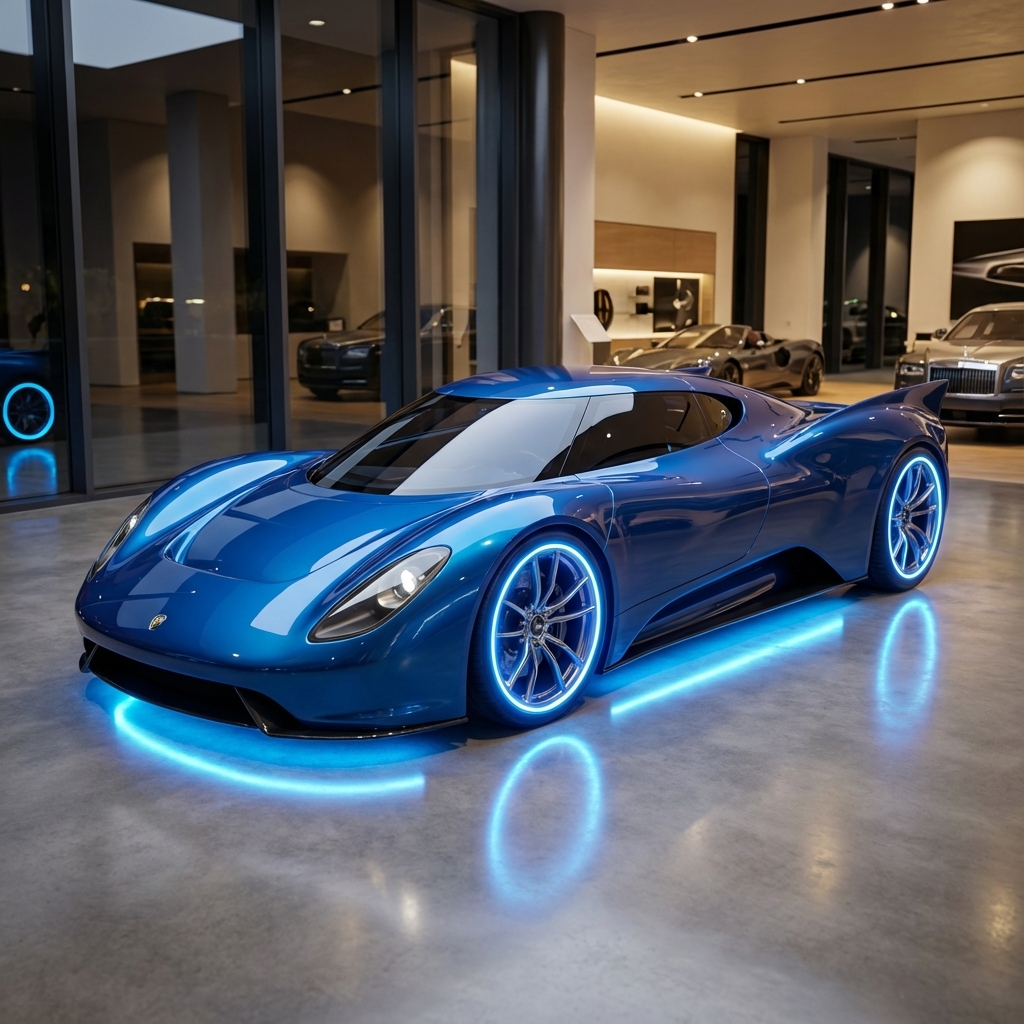
|
7. Consistência de personagens: visualização em 360 graus
É possível gerar visualizações em 360 graus de um personagem pedindo ângulos diferentes de forma iterativa. Para ter os melhores resultados, inclua imagens geradas anteriormente em comandos subsequentes para manter a consistência. Para poses complexas, inclua uma imagem de referência da pose selecionada.
Modelo
A studio portrait of [person] against [background], [looking forward/in profile looking right/etc.]
Comando
A studio portrait of this man against white, in profile looking right
Python
from google import genai
from PIL import Image
import base64

client = genai.Client()

with open('/path/to/your/man_in_white_glasses.jpg', 'rb') as f:
    image_bytes = f.read()
text_input = """A studio portrait of this man against white, in profile looking right"""

interaction = client.interactions.create(
    model="gemini-3.1-flash-image",
    input={
      {"type": "text", "text": text_input},
      {"type": "image", "mime_type":"image/png", "data": base64.b64encode(image_bytes).decode('utf-8')}
    },
)

for step in interaction.steps:
    if step.type == "model_output":
        for content_block in step.content:
            if content_block.type == "text":
                print(content_block.text)
            elif content_block.type == "image":
                with open("man_right_profile.png", "wb") as f:
                    f.write(base64.b64decode(content_block.data))
Entrada |
Saída 1 |
Resposta 2 |
|
|

|

|
Práticas recomendadas
Para melhorar ainda mais seus resultados, incorpore estas estratégias profissionais ao seu fluxo de trabalho.
- Seja muito específico:quanto mais detalhes você fornecer, mais controle terá. Em vez de "armadura de fantasia", descreva: "armadura de placas élficas ornamentada, gravada com padrões de folhas de prata, com uma gola alta e ombreiras em forma de asas de falcão".
- Forneça contexto e objetivo:explique a finalidade da imagem. A compreensão do contexto pelo modelo influencia o resultado final. Por exemplo, "Crie um logotipo para uma marca de skincare minimalista e sofisticada" vai gerar resultados melhores do que apenas "Crie um logotipo".
- Itere e refine:não espere uma imagem perfeita na primeira tentativa. Use a natureza conversacional do modelo para fazer pequenas mudanças. Faça perguntas complementares como: "Ótimo, mas você pode deixar a iluminação um pouco mais quente?" ou "Mantenha tudo igual, mas mude a expressão do personagem para algo mais sério".
- Use instruções passo a passo:para cenas complexas com muitos elementos, divida o comando em etapas. "Primeiro, crie um plano de fundo de uma floresta serena e enevoada ao amanhecer. Em seguida, em primeiro plano, adicione um altar de pedra antigo coberto de musgo. Por fim, coloque uma espada brilhante em cima do altar."
- Use comandos negativos semânticos: em vez de dizer "sem carros", descreva a cena desejada de forma positiva: "uma rua vazia e deserta, sem sinais de trânsito".
- Controle a câmera:use linguagem fotográfica e cinematográfica para controlar a composição. Termos como
wide-angle shot,macro shotelow-angle perspective.
Limitações
- Para ter o melhor desempenho, use os seguintes idiomas: EN, ar-EG, de-DE, es-MX, fr-FR, hi-IN, id-ID, it-IT, ja-JP, ko-KR, pt-BR, ru-RU, ua-UA, vi-VN, zh-CN.
- A geração de imagens não aceita entradas de áudio. As entradas de vídeo só são compatíveis com o Gemini 3.1 Flash Image e o Gemini 3.1 Flash Lite Image.
- O modelo nem sempre segue o número exato de imagens que o usuário pede explicitamente.
- O
gemini-2.5-flash-imagefunciona melhor com até três imagens como entrada, enquanto ogemini-3-pro-imageaceita cinco imagens de alta fidelidade e até 14 imagens no total. Ogemini-3.1-flash-imageaceita semelhança de até quatro caracteres e fidelidade de até 10 objetos em um único fluxo de trabalho. - Ao gerar texto para uma imagem, o Gemini funciona melhor se você primeiro gerar o texto e depois pedir uma imagem com ele.
gemini-3.1-flash-imageNo momento, o embasamento com a Pesquisa Google não é compatível com o uso de imagens de pessoas do mundo real na pesquisa na Web.- Todas as imagens geradas incluem uma marca-d'água do SynthID.
Configurações opcionais
Você pode configurar o formato de saída, a proporção e o tamanho da imagem usando o parâmetro response_format.
Formato da saída
Por padrão, o modelo retorna respostas de texto e imagem. É possível configurar a resposta para retornar apenas as imagens geradas (omitindo o texto da conversa) especificando um formato de imagem no parâmetro response_format.
Para solicitar várias modalidades (por exemplo, texto e imagem gerada), transmita uma matriz de entradas de formato para response_format.
Python
interaction = client.interactions.create(
    model="gemini-3.1-flash-image",
    input="Write a short poem about a starry night and generate an image of it.",
    response_format=[
        {"type": "text"},
        {"type": "image"},
    ],
)
JavaScript
const interaction = await ai.interactions.create({
  model: "gemini-3.1-flash-image",
  input: "Write a short poem about a starry night and generate an image of it.",
  response_format: [
    { type: "text" },
    { type: "image" },
  ],
});
Java
import com.google.genai.Client;
import com.google.genai.gaos.models.interactions.CreateModelInteraction;
import com.google.genai.gaos.models.interactions.CreateModelInteractionResponseFormat;
import com.google.genai.gaos.models.interactions.ImageResponseFormat;
import com.google.genai.gaos.models.interactions.Interaction;
import com.google.genai.gaos.models.interactions.InteractionsInput;
import com.google.genai.gaos.models.interactions.Model;
import com.google.genai.gaos.models.interactions.ResponseFormat;
import com.google.genai.gaos.models.interactions.TextResponseFormat;
import com.google.genai.gaos.models.operations.CreateInteractionRequestBody;
import java.util.Arrays;

Client client = new Client();

CreateModelInteractionResponseFormat format =
    CreateModelInteractionResponseFormat.of(
        Arrays.asList(
            ResponseFormat.of(TextResponseFormat.builder().build()),
            ResponseFormat.of(ImageResponseFormat.builder().build())));

CreateModelInteraction params =
    CreateModelInteraction.builder()
        .model(Model.of("gemini-3.1-flash-image"))
        .input(
            InteractionsInput.of(
                "Write a short poem about a starry night and generate an image of it."))
        .responseFormat(format)
        .build();

Interaction interaction =
    client.interactions.create(CreateInteractionRequestBody.of(params)).interaction().get();
Go
package main

import (
    "context"
    "log"

    "google.golang.org/genai"
    "google.golang.org/genai/interactions/models/interactions"
    "google.golang.org/genai/interactions/models/operations"
)

func main() {
    ctx := context.Background()
    client, err := genai.NewClient(ctx, nil)
    if err != nil {
        log.Fatal(err)
    }

    format := interactions.NewCreateModelInteractionResponseFormat([]interactions.ResponseFormat{
        interactions.NewResponseFormat(interactions.TextResponseFormat{}),
        interactions.NewResponseFormat(interactions.ImageResponseFormat{}),
    })

    res, err := client.Interactions.Create(ctx, operations.CreateInteractionRequest{
        Body: operations.NewCreateInteractionRequestBody(interactions.CreateModelInteraction{
            Model:          interactions.Model("gemini-3.1-flash-image"),
            Input:          interactions.NewInteractionsInput("Write a short poem about a starry night and generate an image of it."),
            ResponseFormat: genai.Ptr(format),
        }),
    })
    if err != nil {
        log.Fatal(err)
    }
    _ = res
}
REST
curl -s -X POST \
  "https://generativelanguage.googleapis.com/v1beta/interactions" \
  -H "x-goog-api-key: $GEMINI_API_KEY" \
  -H 'Content-Type: application/json' \
  -d '{
    "model": "gemini-3.1-flash-image",
    "input": "Write a short poem about a starry night and generate an image of it.",
    "response_format": [
      { "type": "text" },
      { "type": "image" }
    ]
  }'
Proporções e tamanho da imagem
Por padrão, o modelo corresponde ao tamanho da imagem de saída com o da imagem de entrada ou gera quadrados de 1:1. Você pode controlar a proporção e o tamanho da imagem de saída usando os campos aspect_ratio e image_size em response_format quando type está definido como "image".
Python
interaction = client.interactions.create(
    model="gemini-3.1-flash-image",
    input=prompt,
    response_format={
        "type": "image",
        "aspect_ratio": "16:9",
        "image_size": "2K",
    },
)
JavaScript
const interaction = await ai.interactions.create({
    model: "gemini-3.1-flash-image",
    input: prompt,
    response_format: {
      type: "image",
      aspect_ratio: "16:9",
      image_size: "2K",
    },
  });
Java
import com.google.genai.Client;
import com.google.genai.gaos.models.interactions.CreateModelInteraction;
import com.google.genai.gaos.models.interactions.CreateModelInteractionResponseFormat;
import com.google.genai.gaos.models.interactions.ImageResponseFormat;
import com.google.genai.gaos.models.interactions.ImageResponseFormatAspectRatio;
import com.google.genai.gaos.models.interactions.ImageResponseFormatImageSize;
import com.google.genai.gaos.models.interactions.Interaction;
import com.google.genai.gaos.models.interactions.InteractionsInput;
import com.google.genai.gaos.models.interactions.Model;
import com.google.genai.gaos.models.interactions.ResponseFormat;
import com.google.genai.gaos.models.operations.CreateInteractionRequestBody;

Client client = new Client();
String prompt = "Create a picture of a nano banana dish in a fancy restaurant with a Gemini theme";

CreateModelInteractionResponseFormat format =
    CreateModelInteractionResponseFormat.of(
        ResponseFormat.of(
            ImageResponseFormat.builder()
                .aspectRatio(ImageResponseFormatAspectRatio.of("16:9"))
                .imageSize(ImageResponseFormatImageSize.TWO_K)
                .build()));

CreateModelInteraction params =
    CreateModelInteraction.builder()
        .model(Model.of("gemini-3.1-flash-image"))
        .input(InteractionsInput.of(prompt))
        .responseFormat(format)
        .build();

Interaction interaction =
    client.interactions.create(CreateInteractionRequestBody.of(params)).interaction().get();
Go
package main

import (
    "context"
    "log"

    "google.golang.org/genai"
    "google.golang.org/genai/interactions/models/interactions"
    "google.golang.org/genai/interactions/models/operations"
)

func main() {
    ctx := context.Background()
    client, err := genai.NewClient(ctx, nil)
    if err != nil {
        log.Fatal(err)
    }

    prompt := "Create a picture of a nano banana dish in a fancy restaurant with a Gemini theme"

    format := interactions.NewCreateModelInteractionResponseFormat(
        interactions.NewResponseFormat(interactions.ImageResponseFormat{
            AspectRatio: interactions.ImageResponseFormatAspectRatio("16:9").ToPointer(),
            ImageSize:   interactions.ImageResponseFormatImageSizeTwoK.ToPointer(),
        }),
    )

    res, err := client.Interactions.Create(ctx, operations.CreateInteractionRequest{
        Body: operations.NewCreateInteractionRequestBody(interactions.CreateModelInteraction{
            Model:          interactions.Model("gemini-3.1-flash-image"),
            Input:          interactions.NewInteractionsInput(prompt),
            ResponseFormat: genai.Ptr(format),
        }),
    })
    if err != nil {
        log.Fatal(err)
    }
    _ = res
}
REST
curl -s -X POST \
  "https://generativelanguage.googleapis.com/v1beta/interactions" \
  -H "x-goog-api-key: $GEMINI_API_KEY" \
  -H 'Content-Type: application/json' \
  -d '{
    "model": "gemini-3.1-flash-image",
    "input": "Create a picture of a nano banana dish in a fancy restaurant with a Gemini theme",
    "response_format": {
      "type": "image",
      "aspect_ratio": "16:9",
      "image_size": "2K"
    }
  }'
As diferentes proporções disponíveis e o tamanho da imagem gerada estão listados nas tabelas a seguir:
3.1 Flash Image
| Proporção | Resolução de 512 px | 500 tokens | Resolução 1K | 1.000 tokens | Resolução 2K | 2 mil tokens | Resolução 4K | 4K tokens |
|---|---|---|---|---|---|---|---|---|
| 1:1 | 512x512 | 747 | 1024x1024 | 1120 | 2.048 x 2.048 | 1680 | 4096x4096 | 2520 |
| 1:4 | 256x1024 | 747 | 512 x 2.048 | 1120 | 1024x4096 | 1680 | 2048x8192 | 2520 |
| 1:8 | 192x1536 | 747 | 384x3072 | 1120 | 768x6144 | 1680 | 1536x12288 | 2520 |
| 2:3 | 424x632 | 747 | 848x1264 | 1120 | 1696x2528 | 1680 | 3392x5056 | 2520 |
| 3:2 | 632x424 | 747 | 1264x848 | 1120 | 2.528 x 1.696 | 1680 | 5056x3392 | 2520 |
| 3:4 | 448x600 | 747 | 896x1200 | 1120 | 1792x2400 | 1680 | 3584x4800 | 2520 |
| 4:1 | 1024x256 | 747 | 2048x512 | 1120 | 4096x1024 | 1680 | 8192x2048 | 2520 |
| 4:3 | 600x448 | 747 | 1200x896 | 1120 | 2400x1792 | 1680 | 4800x3584 | 2520 |
| 4:5 | 464x576 | 747 | 928x1152 | 1120 | 1856x2304 | 1680 | 3712x4608 | 2520 |
| 5:4 | 576x464 | 747 | 1152x928 | 1120 | 2304x1856 | 1680 | 4608x3712 | 2520 |
| 8:1 | 1536x192 | 747 | 3072x384 | 1120 | 6144x768 | 1680 | 12288x1536 | 2520 |
| 9:16 | 384x688 | 747 | 768 x 1.376 | 1120 | 1536x2752 | 1680 | 3072x5504 | 2520 |
| 16:9 | 688x384 | 747 | 1376x768 | 1120 | 2752x1536 | 1680 | 5504x3072 | 2520 |
| 21:9 | 792x168 | 747 | 1584x672 | 1120 | 3168x1344 | 1680 | 6336x2688 | 2520 |
3.1 Pro Image
| Proporção | Resolução 1K | 1.000 tokens | Resolução 2K | 2 mil tokens | Resolução 4K | 4K tokens |
|---|---|---|---|---|---|---|
| 1:1 | 1024x1024 | 1120 | 2.048 x 2.048 | 1120 | 4096x4096 | 2000 |
| 2:3 | 848x1264 | 1120 | 1696x2528 | 1120 | 3392x5056 | 2000 |
| 3:2 | 1264x848 | 1120 | 2.528 x 1.696 | 1120 | 5056x3392 | 2000 |
| 3:4 | 896x1200 | 1120 | 1792x2400 | 1120 | 3584x4800 | 2000 |
| 4:3 | 1200x896 | 1120 | 2400x1792 | 1120 | 4800x3584 | 2000 |
| 4:5 | 928x1152 | 1120 | 1856x2304 | 1120 | 3712x4608 | 2000 |
| 5:4 | 1152x928 | 1120 | 2304x1856 | 1120 | 4608x3712 | 2000 |
| 9:16 | 768 x 1.376 | 1120 | 1536x2752 | 1120 | 3072x5504 | 2000 |
| 16:9 | 1376x768 | 1120 | 2752x1536 | 1120 | 5504x3072 | 2000 |
| 21:9 | 1584x672 | 1120 | 3168x1344 | 1120 | 6336x2688 | 2000 |
Imagem do Gemini 2.5 Flash
| Proporção | Resolução | Tokens |
|---|---|---|
| 1:1 | 1024x1024 | 1290 |
| 2:3 | 832x1248 | 1290 |
| 3:2 | 1248x832 | 1290 |
| 3:4 | 864x1184 | 1290 |
| 4:3 | 1184x864 | 1290 |
| 4:5 | 896x1152 | 1290 |
| 5:4 | 1152x896 | 1290 |
| 9:16 | 768x1344 | 1290 |
| 16:9 | 1344x768 | 1290 |
| 21:9 | 1536x672 | 1290 |
Seleção de modelos
Escolha o modelo mais adequado ao seu caso de uso específico.
O Gemini 3.1 Flash Image (Nano Banana 2) é o modelo de geração de imagens ideal, já que oferece o melhor desempenho e inteligência em geral para equilibrar custo e latência. Confira mais detalhes na página de preços e recursos do modelo.
O Gemini 3.1 Flash Lite Image (Nano Banana 2 Lite) é o modelo mais eficiente da família de geração de imagens, oferecendo latência ultrabaixa e geração e edição de imagens econômicas. Confira a página de preços e recursos do modelo para mais detalhes.
O Gemini 3 Pro Image (Nano Banana Pro) foi desenvolvido para produção de recursos profissionais e instruções complexas. Esse modelo tem embasamento no mundo real usando a Pesquisa Google, um processo padrão de "Pensamento" que refina a composição antes da geração e pode gerar imagens com resoluções de até 4K. Confira mais detalhes na página de preços e recursos do modelo.
O Gemini 2.5 Flash Image (Nano Banana) foi projetado para ser rápido e eficiente. Ele é otimizado para tarefas de alto volume e baixa latência e gera imagens com resolução de 1024 pixels. Confira a página de preços e recursos do modelo para mais detalhes.
Quando usar o Imagen
A Imagen foi desativada e não está mais disponível na API Gemini. Use o Nano Banana para gerar e editar imagens.
A seguir
- Confira o guia do Veo para saber como gerar vídeos com a API Gemini.
- Para saber mais sobre os modelos do Gemini, consulte Modelos do Gemini.