

Tạo hình ảnh bằng Nano Banana
- Hoặc tạo hình ảnh của riêng bạn từ câu lệnh:
-






-
Do Nano Banana 2 tạo Câu lệnh: "Ảnh chụp một trang bìa tạp chí bóng bẩy, trang bìa màu xanh dương tối giản có dòng chữ Nano Banana lớn và đậm. Văn bản có phông chữ có chân và lấp đầy khung hiển thị. Không có văn bản nào khác. Phía trước văn bản là ảnh chân dung một người mặc chiếc váy thanh lịch và tối giản. Cô đang cầm số 2 một cách tinh nghịch, đây là tâm điểm của bức ảnh.
Đặt số phát hành và ngày "tháng 2 năm 2026" ở góc cùng với mã vạch. Tạp chí này nằm trên một chiếc kệ dựa vào bức tường trát vữa màu cam, bên trong một cửa hàng thiết kế." -
Do Nano Banana Pro tạo Câu lệnh: "Tạo một cảnh hoạt hình 3D thu nhỏ, rõ nét, đẳng cự, góc nhìn 45° từ trên xuống về London, có các địa danh và yếu tố kiến trúc tiêu biểu nhất. Sử dụng các đường nét mềm mại, tinh tế với chất liệu PBR chân thực cùng ánh sáng và bóng đổ nhẹ nhàng, sống động. Tích hợp tình hình thời tiết hiện tại trực tiếp vào môi trường thành phố để tạo ra một bầu không khí sống động và chân thực. Sử dụng bố cục tối giản, gọn gàng với nền có màu đồng nhất và dịu nhẹ. Ở phía trên cùng ở giữa, hãy đặt tiêu đề "London" bằng văn bản in đậm cỡ lớn, một biểu tượng thời tiết nổi bật bên dưới, sau đó là ngày (chữ nhỏ) và nhiệt độ (chữ cỡ trung). Tất cả văn bản phải được căn giữa với khoảng cách nhất quán và có thể hơi chồng lên phần trên của các toà nhà." -
Do Nano Banana 2 tạo Câu lệnh: "Sử dụng tính năng tìm kiếm hình ảnh để tìm hình ảnh chính xác về chim đuôi quạt rực rỡ. Tạo một hình nền 3:2 đẹp mắt về loài chim này, có hiệu ứng chuyển màu tự nhiên từ trên xuống dưới và bố cục tối giản." -

Do Nano Banana Pro tạo Câu lệnh: "Đặt biểu trưng này lên một quảng cáo cao cấp cho nước hoa có mùi chuối. Biểu trưng được tích hợp hoàn hảo vào chai." -
Do Nano Banana Pro tạo Câu lệnh: "Một bức ảnh chụp cảnh sinh hoạt thường ngày tại một quán cà phê đông đúc phục vụ bữa sáng. Ở tiền cảnh là một người đàn ông trong phim hoạt hình có mái tóc xanh dương, một trong số những người này là bản phác thảo bằng bút chì, người còn lại là nhân vật hoạt hình bằng đất sét" -
Do Nano Banana Pro tạo Câu lệnh: "Tìm thông tin về phản ứng của mọi người đối với việc ra mắt Gemini 3 Flash. Hãy dùng thông tin này để viết một bài viết ngắn về chủ đề đó (có tiêu đề). Trả về ảnh của bài viết như xuất hiện trong một tạp chí bóng bẩy tập trung vào thiết kế. Đây là ảnh chụp một trang giấy được gấp lại, cho thấy bài viết về Gemini 3 Flash. Một bức ảnh chính. Dòng tiêu đề có chân." -
Do Nano Banana Pro tạo Câu lệnh: "Một biểu tượng đại diện cho một chú chó dễ thương. Nền có màu trắng. Tạo các biểu tượng theo phong cách 3D nhiều màu sắc và tạo cảm giác có thể chạm vào. Không có văn bản." -
Do Nano Banana 2 tạo Câu lệnh: "Tạo một bức ảnh có góc nhìn hoàn toàn đẳng cự. Đây không phải là một mô hình thu nhỏ mà là một bức ảnh chụp tình cờ có góc chụp hoàn toàn đẳng cự. Đây là ảnh chụp một khu vườn hiện đại tuyệt đẹp. Có một bể bơi lớn có hình số 2 và dòng chữ: Nano Banana 2".
Nano Banana là tên gọi của các tính năng tạo hình ảnh gốc của Gemini. Gemini có thể tạo và xử lý hình ảnh theo cách đàm thoại bằng văn bản, hình ảnh, video hoặc kết hợp các loại nội dung này. Điều này giúp bạn tạo, chỉnh sửa và lặp lại các hình ảnh với khả năng kiểm soát chưa từng có.
Nano Banana là tên gọi của 4 mô hình riêng biệt có trong Gemini API:
- Nano Banana 2 Lite (Hình ảnh Gemini 3.1 Flash Lite)
(
gemini-3.1-flash-lite-image): Mô hình hình ảnh Gemini nhanh nhất và rẻ nhất của chúng tôi, được thiết kế để có tốc độ và quy mô lớn, trong đó tốc độ và chi phí là những hạn chế chính về hoạt động. Không được tối ưu hoá cho nhiều dữ liệu đầu vào tham chiếu hoặc chỉnh sửa tuần tự nhiều lượt. - Nano Banana 2 (Gemini 3.1 Flash Image)
(
gemini-3.1-flash-image): Là mô hình linh hoạt nhất, mô hình đa năng cho mọi tác vụ. Mô hình này cân bằng giữa tốc độ với khả năng tạo hình ảnh 4K tiên tiến, kiến thức sâu rộng về thế giới và khả năng hiển thị văn bản đáng tin cậy. Xử lý nhiều hình ảnh tham khảo và tính nhất quán một cách xuất sắc. - Nano Banana Pro (Hình ảnh Gemini 3 Pro)
(
gemini-3-pro-image): Lựa chọn cao cấp cho những tác vụ phức tạp nhất về hình ảnh, mang đến kiến thức toàn cầu ở cấp độ cao nhất, khả năng bản địa hoá nâng cao, tính nhất quán chính xác của thương hiệu và khả năng kiểm soát sáng tạo chính xác. - Nano Banana (Hình ảnh Gemini 2.5 Flash)
(
gemini-2.5-flash-image): Phiên bản tiên phong cũ của dòng Nano Banana. Mặc dù là một công cụ đáng tin cậy, nhưng chúng tôi đặc biệt khuyến khích khách hàng chuyển sang Nano Banana 2 Lite để trải nghiệm chất lượng cao hơn, tốc độ tạo nhanh hơn và giá API thấp hơn.
Tất cả hình ảnh được tạo đều có hình mờ SynthID.
Tạo hình ảnh (chuyển văn bản thành hình ảnh)
Python
from google import genai
from PIL import Image
import base64

client = genai.Client()

interaction = client.interactions.create(
    model="gemini-3.1-flash-image",
    input="Create a picture of a nano banana dish in a fancy restaurant with a Gemini theme",
)

with open("generated_image.png", "wb") as f:
    f.write(base64.b64decode(interaction.output_image.data))
JavaScript
import { GoogleGenAI } from "@google/genai";
import * as fs from "node:fs";

async function main() {

  const ai = new GoogleGenAI({});

  const prompt =
    "Create a picture of a nano banana dish in a fancy restaurant with a Gemini theme";

  const interaction = await ai.interactions.create({
    model: "gemini-3.1-flash-image",
    input: prompt,
  });
  const generatedImage = interaction.output_image;
  if (generatedImage) {
    const buffer = Buffer.from(generatedImage.data, "base64");
    fs.writeFileSync("gemini-native-image.png", buffer);
    console.log("Image saved as gemini-native-image.png");
  }
}

main();
Java
import com.google.genai.Client;
import com.google.genai.gaos.models.interactions.CreateModelInteraction;
import com.google.genai.gaos.models.interactions.Interaction;
import com.google.genai.gaos.models.interactions.InteractionsInput;
import com.google.genai.gaos.models.interactions.Model;
import com.google.genai.gaos.models.operations.CreateInteractionRequestBody;
import java.nio.file.Files;
import java.nio.file.Paths;
import java.util.Base64;

Client client = new Client();

CreateModelInteraction params =
    CreateModelInteraction.builder()
        .model(Model.of("gemini-3.1-flash-image"))
        .input(
            InteractionsInput.of(
                "Create a picture of a nano banana dish in a fancy restaurant with a Gemini theme"))
        .build();

Interaction interaction =
    client.interactions.create(CreateInteractionRequestBody.of(params)).interaction().get();

if (interaction.outputImage().isPresent()
    && interaction.outputImage().get().data().isPresent()) {
  byte[] imageBytes =
      Base64.getDecoder().decode(interaction.outputImage().get().data().get());
  Files.write(Paths.get("generated_image.png"), imageBytes);
}
Go
package main

import (
    "context"
    "encoding/base64"
    "log"
    "os"

    "google.golang.org/genai"
    "google.golang.org/genai/interactions/models/interactions"
    "google.golang.org/genai/interactions/models/operations"
)

func main() {
    ctx := context.Background()
    client, err := genai.NewClient(ctx, nil)
    if err != nil {
        log.Fatal(err)
    }

    res, err := client.Interactions.Create(ctx, operations.CreateInteractionRequest{
        Body: operations.NewCreateInteractionRequestBody(interactions.CreateModelInteraction{
            Model: interactions.Model("gemini-3.1-flash-image"),
            Input: interactions.NewInteractionsInput("Create a picture of a nano banana dish in a fancy restaurant with a Gemini theme"),
        }),
    })
    if err != nil {
        log.Fatal(err)
    }

    if res.Interaction.OutputImage != nil && res.Interaction.OutputImage.Data != nil {
        imageBytes, err := base64.StdEncoding.DecodeString(*res.Interaction.OutputImage.Data)
        if err != nil {
            log.Fatal(err)
        }
        if err := os.WriteFile("generated_image.png", imageBytes, 0644); err != nil {
            log.Fatal(err)
        }
    }
}
REST
curl -s -X POST \
  "https://generativelanguage.googleapis.com/v1beta/interactions" \
  -H "x-goog-api-key: $GEMINI_API_KEY" \
  -H "Content-Type: application/json" \
  -d '{
    "model": "gemini-3.1-flash-image",
    "input": [
      {"type": "text", "text": "Create a picture of a nano banana dish in a fancy restaurant with a Gemini theme"}
    ]
  }'
Bạn có thể truy xuất dữ liệu hình ảnh được tạo bằng cách sử dụng thuộc tính interaction.output_image. Thuộc tính này trả về khối hình ảnh được tạo gần đây nhất. Để biết thông tin chi tiết về các thuộc tính tiện lợi, hãy xem phần Tổng quan về các hoạt động tương tác.
Chỉnh sửa hình ảnh (chuyển văn bản và hình ảnh thành hình ảnh)
Lời nhắc: Hãy đảm bảo rằng bạn có các quyền cần thiết đối với mọi hình ảnh mà bạn tải lên. Bạn không được tạo nội dung vi phạm quyền của người khác, kể cả video hoặc hình ảnh lừa gạt, quấy rối hoặc gây hại. Khi sử dụng dịch vụ AI tạo sinh này, bạn phải tuân theo Chính sách về các hành vi bị cấm của chúng tôi.
Cung cấp hình ảnh và sử dụng câu lệnh dạng văn bản để thêm, xoá hoặc sửa đổi các phần tử, thay đổi kiểu hoặc điều chỉnh phân loại màu.
Ví dụ sau đây minh hoạ việc tải hình ảnh được mã hoá base64 lên.
Để biết thông tin về nhiều hình ảnh, tải trọng lớn hơn và các loại MIME được hỗ trợ, hãy xem trang Hiểu hình ảnh.
Python
from google import genai
from PIL import Image
import base64

client = genai.Client()

with open("/path/to/cat_image.png", "rb") as f:
    image_bytes = f.read()

interaction = client.interactions.create(
    model="gemini-3.1-flash-image",
    input=[
        {
          "type": "text",
          "text": "Create a picture of a nano banana dish in a fancy restaurant with a Gemini theme"
        },
        {
            "type": "image",
            "data": base64.b64encode(image_bytes).decode('utf-8'),
            "mime_type": "image/png"
        }
    ],
)

with open("generated_image.png", "wb") as f:
    f.write(base64.b64decode(interaction.output_image.data))
JavaScript
import { GoogleGenAI } from "@google/genai";
import * as fs from "node:fs";

async function main() {

  const ai = new GoogleGenAI({});

  const imagePath = "path/to/cat_image.png";
  const imageData = fs.readFileSync(imagePath);
  const base64Image = imageData.toString("base64");

  const prompt = [
    { type: "text", text: "Create a picture of my cat eating a nano-banana in a" +
            "fancy restaurant under the Gemini constellation" },
    {
      type: "image",
      mime_type: "image/png",
      data: base64Image
    },
  ];

  const interaction = await ai.interactions.create({
    model: "gemini-3.1-flash-image",
    input: prompt,
  });
  const generatedImage = interaction.output_image;
  if (generatedImage) {
    const buffer = Buffer.from(generatedImage.data, "base64");
    fs.writeFileSync("gemini-native-image.png", buffer);
    console.log("Image saved as gemini-native-image.png");
  }
}

main();
Java
import com.google.genai.Client;
import com.google.genai.gaos.models.interactions.Content;
import com.google.genai.gaos.models.interactions.CreateModelInteraction;
import com.google.genai.gaos.models.interactions.ImageContent;
import com.google.genai.gaos.models.interactions.ImageContentMimeType;
import com.google.genai.gaos.models.interactions.Interaction;
import com.google.genai.gaos.models.interactions.InteractionsInput;
import com.google.genai.gaos.models.interactions.Model;
import com.google.genai.gaos.models.interactions.TextContent;
import com.google.genai.gaos.models.operations.CreateInteractionRequestBody;
import java.nio.file.Files;
import java.nio.file.Paths;
import java.util.Arrays;
import java.util.Base64;
import java.util.List;

Client client = new Client();

byte[] inputBytes = Files.readAllBytes(Paths.get("/path/to/cat_image.png"));
String base64Image = Base64.getEncoder().encodeToString(inputBytes);

Content textContent =
    TextContent.builder()
        .text("Create a picture of a nano banana dish in a fancy restaurant with a Gemini theme")
        .build();
Content imageContent =
    ImageContent.builder()
        .data(base64Image)
        .mimeType(ImageContentMimeType.IMAGE_PNG)
        .build();

List<Content> contents = Arrays.asList(textContent, imageContent);

CreateModelInteraction params =
    CreateModelInteraction.builder()
        .model(Model.of("gemini-3.1-flash-image"))
        .input(InteractionsInput.ofContent(contents))
        .build();

Interaction interaction =
    client.interactions.create(CreateInteractionRequestBody.of(params)).interaction().get();

if (interaction.outputImage().isPresent()
    && interaction.outputImage().get().data().isPresent()) {
  byte[] outputBytes =
      Base64.getDecoder().decode(interaction.outputImage().get().data().get());
  Files.write(Paths.get("generated_image.png"), outputBytes);
}
Go
package main

import (
    "context"
    "encoding/base64"
    "log"
    "os"

    "google.golang.org/genai"
    "google.golang.org/genai/interactions/models/interactions"
    "google.golang.org/genai/interactions/models/operations"
)

func main() {
    ctx := context.Background()
    client, err := genai.NewClient(ctx, nil)
    if err != nil {
        log.Fatal(err)
    }

    inputBytes, err := os.ReadFile("/path/to/cat_image.png")
    if err != nil {
        log.Fatal(err)
    }
    base64Image := base64.StdEncoding.EncodeToString(inputBytes)

    res, err := client.Interactions.Create(ctx, operations.CreateInteractionRequest{
        Body: operations.NewCreateInteractionRequestBody(interactions.CreateModelInteraction{
            Model: interactions.Model("gemini-3.1-flash-image"),
            Input: interactions.NewInteractionsInput([]interactions.Content{
                interactions.NewContent(interactions.TextContent{
                    Text: "Create a picture of a nano banana dish in a fancy restaurant with a Gemini theme",
                }),
                interactions.NewContent(interactions.ImageContent{
                    Data:     genai.Ptr(base64Image),
                    MimeType: interactions.ImageContentMimeTypeImagePng.ToPointer(),
                }),
            }),
        }),
    })
    if err != nil {
        log.Fatal(err)
    }

    if res.Interaction.OutputImage != nil && res.Interaction.OutputImage.Data != nil {
        outputBytes, err := base64.StdEncoding.DecodeString(*res.Interaction.OutputImage.Data)
        if err != nil {
            log.Fatal(err)
        }
        if err := os.WriteFile("generated_image.png", outputBytes, 0644); err != nil {
            log.Fatal(err)
        }
    }
}
REST
curl -s -X POST \
  "https://generativelanguage.googleapis.com/v1beta/interactions" \
    -H "x-goog-api-key: $GEMINI_API_KEY" \
    -H 'Content-Type: application/json' \
    -d "{
      \"model\": \"gemini-3.1-flash-image\",
      \"input\": [
        {\"type\": \"text\", \"text\": \"Create a picture of my cat eating a nano-banana in a fancy restaurant under the Gemini constellation\"},
        {
          \"type\": \"image\",
          \"mime_type\": \"image/jpeg\",
          \"data\": \"<BASE64_IMAGE_DATA>\"
        }
      ]
    }"
Chỉnh sửa hình ảnh nhiều lượt
Tiếp tục tạo và chỉnh sửa hình ảnh theo cách trò chuyện. Cuộc trò chuyện nhiều lượt là cách nên dùng để lặp lại hình ảnh. Ví dụ sau đây cho thấy một câu lệnh để tạo bản đồ hoạ thông tin về quá trình quang hợp.
Python
from google import genai
import base64

client = genai.Client()

interaction = client.interactions.create(
    model="gemini-3.1-flash-image",
    input="Create a vibrant infographic that explains photosynthesis as if it were a recipe for a plant's favorite food. Show the \"ingredients\" (sunlight, water, CO2) and the \"finished dish\" (sugar/energy). The style should be like a page from a colorful kids' cookbook, suitable for a 4th grader.",
    tools=[{"type": "google_search"}],
)

with open("photosynthesis.png", "wb") as f:
    f.write(base64.b64decode(interaction.output_image.data))
JavaScript
import { GoogleGenAI } from "@google/genai";
import * as fs from "node:fs";

const ai = new GoogleGenAI({});

async function main() {
  const interaction = await ai.interactions.create({
    model: "gemini-3.1-flash-image",
    input: "Create a vibrant infographic that explains photosynthesis as if it were a recipe for a plant's favorite food. Show the \"ingredients\" (sunlight, water, CO2) and the \"finished dish\" (sugar/energy). The style should be like a page from a colorful kids' cookbook, suitable for a 4th grader.",
    tools: [{"type": "google_search"}],
  });

  const generatedImage = interaction.output_image;
  if (generatedImage) {
    const buffer = Buffer.from(generatedImage.data, "base64");
    fs.writeFileSync("photosynthesis.png", buffer);
    console.log("Image saved as photosynthesis.png");
  }
}

await main();
Java
import com.google.genai.Client;
import com.google.genai.gaos.models.interactions.CreateModelInteraction;
import com.google.genai.gaos.models.interactions.GoogleSearch;
import com.google.genai.gaos.models.interactions.Interaction;
import com.google.genai.gaos.models.interactions.InteractionsInput;
import com.google.genai.gaos.models.interactions.Model;
import com.google.genai.gaos.models.operations.CreateInteractionRequestBody;
import java.nio.file.Files;
import java.nio.file.Paths;
import java.util.Arrays;
import java.util.Base64;

Client client = new Client();

CreateModelInteraction params =
    CreateModelInteraction.builder()
        .model(Model.of("gemini-3.1-flash-image"))
        .input(
            InteractionsInput.of(
                "Create a vibrant infographic that explains photosynthesis as if it were a recipe for a plant's favorite food. Show the \"ingredients\" (sunlight, water, CO2) and the \"finished dish\" (sugar/energy). The style should be like a page from a colorful kids' cookbook, suitable for a 4th grader."))
        .tools(Arrays.asList(new GoogleSearch()))
        .build();

Interaction interaction =
    client.interactions.create(CreateInteractionRequestBody.of(params)).interaction().get();

if (interaction.outputImage().isPresent()
    && interaction.outputImage().get().data().isPresent()) {
  byte[] imageBytes =
      Base64.getDecoder().decode(interaction.outputImage().get().data().get());
  Files.write(Paths.get("photosynthesis.png"), imageBytes);
}
Go
package main

import (
    "context"
    "encoding/base64"
    "log"
    "os"

    "google.golang.org/genai"
    "google.golang.org/genai/interactions/models/interactions"
    "google.golang.org/genai/interactions/models/operations"
)

func main() {
    ctx := context.Background()
    client, err := genai.NewClient(ctx, nil)
    if err != nil {
        log.Fatal(err)
    }

    res, err := client.Interactions.Create(ctx, operations.CreateInteractionRequest{
        Body: operations.NewCreateInteractionRequestBody(interactions.CreateModelInteraction{
            Model: interactions.Model("gemini-3.1-flash-image"),
            Input: interactions.NewInteractionsInput(`Create a vibrant infographic that explains photosynthesis as if it were a recipe for a plant's favorite food. Show the "ingredients" (sunlight, water, CO2) and the "finished dish" (sugar/energy). The style should be like a page from a colorful kids' cookbook, suitable for a 4th grader.`),
            Tools: []interactions.Tool{
                interactions.NewTool(interactions.GoogleSearch{}),
            },
        }),
    })
    if err != nil {
        log.Fatal(err)
    }

    if res.Interaction.OutputImage != nil && res.Interaction.OutputImage.Data != nil {
        imageBytes, err := base64.StdEncoding.DecodeString(*res.Interaction.OutputImage.Data)
        if err != nil {
            log.Fatal(err)
        }
        if err := os.WriteFile("photosynthesis.png", imageBytes, 0644); err != nil {
            log.Fatal(err)
        }
    }
}
REST
curl -s -X POST \
  "https://generativelanguage.googleapis.com/v1beta/interactions" \
  -H "x-goog-api-key: $GEMINI_API_KEY" \
  -H "Content-Type: application/json" \
  -d '{
    "model": "gemini-3.1-flash-image",
    "input": [
      {"type": "text", "text": "Create a vibrant infographic that explains photosynthesis as if it were a recipe for a plants favorite food. Show the \"ingredients\" (sunlight, water, CO2) and the \"finished dish\" (sugar/energy). The style should be like a page from a colorful kids cookbook, suitable for a 4th grader."}
    ],
    "tools": [{"type": "google_search"}]
  }'
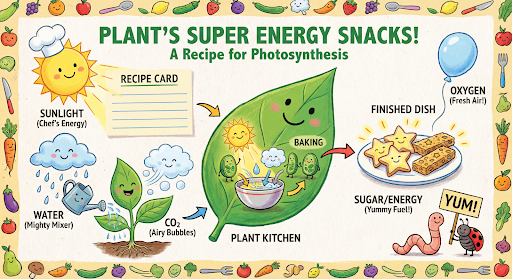
Sau đó, bạn có thể dùng previous_interaction_id để thay đổi ngôn ngữ trên hình ảnh thành tiếng Tây Ban Nha.
Python
interaction_2 = client.interactions.create(
    model="gemini-3.1-flash-image",
    input="Update this infographic to be in Spanish. Do not change any other elements of the image.",
    previous_interaction_id=interaction.id,
    response_format={
        "type": "image",
        "mime_type": "image/jpeg",
        "aspect_ratio": "16:9",
        "image_size": "2K"
    },
)

generated_image = interaction_2.output_image
if generated_image:
    with open("photosynthesis_spanish.png", "wb") as f:
        f.write(base64.b64decode(generated_image.data))
JavaScript
const interaction2 = await ai.interactions.create({
  model: "gemini-3.1-flash-image",
  input: "Update this infographic to be in Spanish. Do not change any other elements of the image.",
  previous_interaction_id: interaction.id,
  response_format: {
    type: "image",
    mime_type: "image/png",
    aspect_ratio: "16:9",
    image_size: "2K"
  },
});

const generatedImage = interaction2.output_image;
if (generatedImage) {
  const buffer = Buffer.from(generatedImage.data, "base64");
  fs.writeFileSync("photosynthesis_spanish.png", buffer);
}
Java
import com.google.genai.Client;
import com.google.genai.gaos.models.interactions.CreateModelInteraction;
import com.google.genai.gaos.models.interactions.CreateModelInteractionResponseFormat;
import com.google.genai.gaos.models.interactions.GoogleSearch;
import com.google.genai.gaos.models.interactions.ImageResponseFormat;
import com.google.genai.gaos.models.interactions.ImageResponseFormatAspectRatio;
import com.google.genai.gaos.models.interactions.ImageResponseFormatImageSize;
import com.google.genai.gaos.models.interactions.ImageResponseFormatMimeType;
import com.google.genai.gaos.models.interactions.Interaction;
import com.google.genai.gaos.models.interactions.InteractionsInput;
import com.google.genai.gaos.models.interactions.Model;
import com.google.genai.gaos.models.interactions.ResponseFormat;
import com.google.genai.gaos.models.operations.CreateInteractionRequestBody;
import java.nio.file.Files;
import java.nio.file.Paths;
import java.util.Arrays;
import java.util.Base64;

Client client = new Client();

CreateModelInteraction turn1Params =
    CreateModelInteraction.builder()
        .model(Model.of("gemini-3.1-flash-image"))
        .input(
            InteractionsInput.of(
                "Create a vibrant infographic that explains photosynthesis as if it were a recipe for a plant's favorite food."))
        .tools(Arrays.asList(new GoogleSearch()))
        .build();

Interaction interaction =
    client.interactions.create(CreateInteractionRequestBody.of(turn1Params)).interaction().get();

CreateModelInteractionResponseFormat format =
    CreateModelInteractionResponseFormat.of(
        ResponseFormat.of(
            ImageResponseFormat.builder()
                .mimeType(ImageResponseFormatMimeType.IMAGE_JPEG)
                .aspectRatio(ImageResponseFormatAspectRatio.of("16:9"))
                .imageSize(ImageResponseFormatImageSize.TWO_K)
                .build()));

CreateModelInteraction turn2Params =
    CreateModelInteraction.builder()
        .model(Model.of("gemini-3.1-flash-image"))
        .input(
            InteractionsInput.of(
                "Update this infographic to be in Spanish. Do not change any other elements of the image."))
        .previousInteractionId(interaction.id().orElse(""))
        .responseFormat(format)
        .build();

Interaction interaction2 =
    client.interactions.create(CreateInteractionRequestBody.of(turn2Params)).interaction().get();

if (interaction2.outputImage().isPresent()
    && interaction2.outputImage().get().data().isPresent()) {
  byte[] imageBytes =
      Base64.getDecoder().decode(interaction2.outputImage().get().data().get());
  Files.write(Paths.get("photosynthesis_spanish.png"), imageBytes);
}
Go
package main

import (
    "context"
    "encoding/base64"
    "log"
    "os"

    "google.golang.org/genai"
    "google.golang.org/genai/interactions/models/interactions"
    "google.golang.org/genai/interactions/models/operations"
)

func main() {
    ctx := context.Background()
    client, err := genai.NewClient(ctx, nil)
    if err != nil {
        log.Fatal(err)
    }

    res1, err := client.Interactions.Create(ctx, operations.CreateInteractionRequest{
        Body: operations.NewCreateInteractionRequestBody(interactions.CreateModelInteraction{
            Model: interactions.Model("gemini-3.1-flash-image"),
            Input: interactions.NewInteractionsInput("Create a vibrant infographic that explains photosynthesis as if it were a recipe for a plant's favorite food."),
            Tools: []interactions.Tool{
                interactions.NewTool(interactions.GoogleSearch{}),
            },
        }),
    })
    if err != nil {
        log.Fatal(err)
    }

    format := interactions.NewCreateModelInteractionResponseFormat(
        interactions.NewResponseFormat(interactions.ImageResponseFormat{
            MimeType:    interactions.ImageResponseFormatMimeTypeImageJpeg.ToPointer(),
            AspectRatio: interactions.ImageResponseFormatAspectRatio("16:9").ToPointer(),
            ImageSize:   interactions.ImageResponseFormatImageSizeTwoK.ToPointer(),
        }),
    )

    res2, err := client.Interactions.Create(ctx, operations.CreateInteractionRequest{
        Body: operations.NewCreateInteractionRequestBody(interactions.CreateModelInteraction{
            Model:                 interactions.Model("gemini-3.1-flash-image"),
            Input:                 interactions.NewInteractionsInput("Update this infographic to be in Spanish. Do not change any other elements of the image."),
            PreviousInteractionID: res1.Interaction.ID,
            ResponseFormat:        genai.Ptr(format),
        }),
    })
    if err != nil {
        log.Fatal(err)
    }

    if res2.Interaction.OutputImage != nil && res2.Interaction.OutputImage.Data != nil {
        imageBytes, err := base64.StdEncoding.DecodeString(*res2.Interaction.OutputImage.Data)
        if err != nil {
            log.Fatal(err)
        }
        if err := os.WriteFile("photosynthesis_spanish.png", imageBytes, 0644); err != nil {
            log.Fatal(err)
        }
    }
}
REST
curl -s -X POST \
  "https://generativelanguage.googleapis.com/v1beta/interactions" \
  -H "x-goog-api-key: $GEMINI_API_KEY" \
  -H 'Content-Type: application/json' \
  -d '{
    "model": "gemini-3.1-flash-image",
    "input": "Update this infographic to be in Spanish. Do not change any other elements of the image.",
    "previous_interaction_id": "<PREVIOUS_INTERACTION_ID>",
    "response_format": {
      "type": "image",
      "mime_type": "image/jpeg",
      "aspect_ratio": "16:9",
      "image_size": "2K"
    }
  }'

Tính năng mới của các mô hình hình ảnh Gemini 3
Gemini 3 cung cấp các mô hình tạo và chỉnh sửa hình ảnh tiên tiến. Gemini 3.1 Flash Image được tối ưu hoá về tốc độ và các trường hợp sử dụng với khối lượng lớn, còn Gemini 3 Pro Image được tối ưu hoá để sản xuất nội dung chuyên nghiệp. Được thiết kế để giải quyết những quy trình làm việc khó khăn nhất thông qua khả năng suy luận nâng cao, các mô hình này có thể thực hiện xuất sắc những nhiệm vụ tạo và sửa đổi phức tạp, nhiều lượt.
- Đầu ra có độ phân giải cao: Khả năng tạo hình ảnh 1K, 2K và 4K được tích hợp sẵn.
- Hình ảnh Gemini 3.1 Flash có thêm độ phân giải nhỏ hơn là 512 px (0,5K).
- Hình ảnh Gemini 3.1 Flash Lite chỉ hỗ trợ độ phân giải 1K.
- Kết xuất văn bản nâng cao: Có khả năng tạo văn bản dễ đọc, cách điệu cho đồ hoạ thông tin, thực đơn, sơ đồ và thành phần tiếp thị.
- Neo bám vào Google Tìm kiếm: Mô hình có thể sử dụng Google Tìm kiếm làm công cụ để xác minh thông tin và tạo hình ảnh tạo sinh dựa trên dữ liệu theo thời gian thực (ví dụ: bản đồ thời tiết hiện tại, biểu đồ cổ phiếu, sự kiện gần đây).
- Không được mô hình Gemini 3.1 Flash Lite Image hỗ trợ.
- Hình ảnh Gemini 3.1 Flash bổ sung tính năng tích hợp Google Tìm kiếm hình ảnh cùng với Tìm kiếm trên web.
- Chế độ tư duy: Mô hình sử dụng quy trình "tư duy" để suy luận thông qua các câu lệnh phức tạp. Công cụ này tạo ra "hình ảnh ý tưởng" tạm thời (có thể nhìn thấy ở phần phụ trợ nhưng không tính phí) để tinh chỉnh bố cục trước khi tạo ra thành phẩm chất lượng cao cuối cùng.
- Tối đa 14 hình ảnh tham khảo: Giờ đây, bạn có thể kết hợp tối đa 14 hình ảnh tham khảo để tạo ra hình ảnh cuối cùng.
- Tỷ lệ khung hình mới: Gemini 3.1 Flash Lite Image bổ sung
1:1,3:2,2:3,3:4,4:3,4:5,5:4,9:16,16:9,21:9tỷ lệ khung hình.
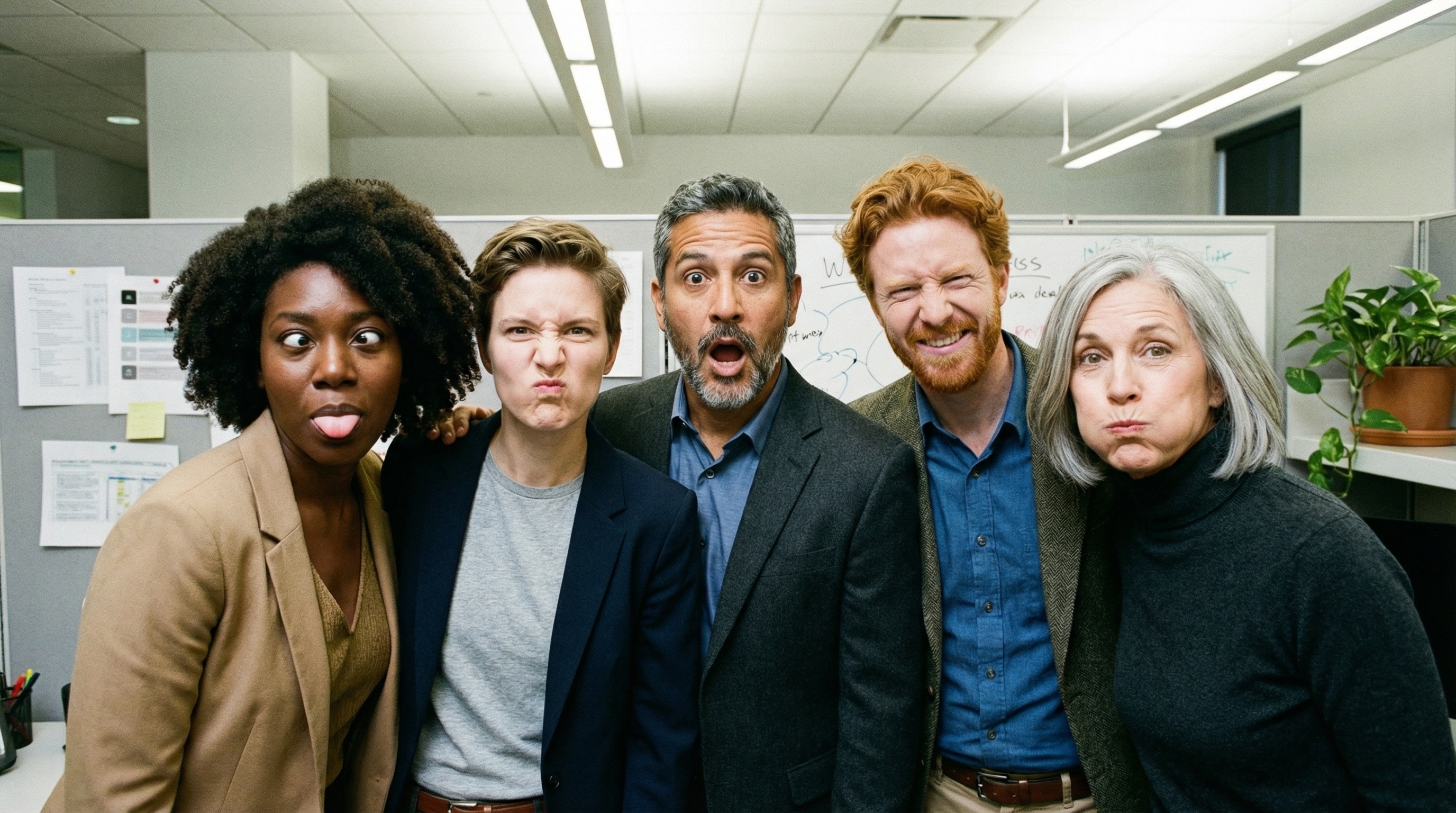
Sử dụng tối đa 14 hình ảnh tham khảo
Các mô hình hình ảnh Gemini 3 cho phép bạn kết hợp tối đa 14 hình ảnh tham khảo. 14 hình ảnh này có thể bao gồm:
| Hình ảnh Gemini 3.1 Flash Lite | Hình ảnh Gemini 3.1 Flash | Hình ảnh Gemini 3 Pro |
|---|---|---|
| Tối đa 14 hình ảnh về các đối tượng có độ trung thực cao để đưa vào hình ảnh cuối cùng | Tối đa 10 hình ảnh về các đối tượng có độ trung thực cao để đưa vào hình ảnh cuối cùng | Tối đa 6 hình ảnh có độ trung thực cao về các đối tượng để đưa vào hình ảnh cuối cùng |
| Không áp dụng | Tối đa 4 hình ảnh về nhân vật để duy trì tính nhất quán của nhân vật | Tối đa 5 hình ảnh về nhân vật để đảm bảo tính nhất quán của nhân vật |
| Không áp dụng | Không áp dụng | Tối đa 3 hình ảnh được dùng làm hình ảnh tham khảo về phong cách |
Python
from google import genai
from google.genai import types
from PIL import Image
import base64

prompt = "An office group photo of these people, they are making funny faces."

client = genai.Client()

interaction = client.interactions.create(
    model="gemini-3.1-flash-image",
    input=[
        {
            "type": "text",
            "text": prompt,
        },
        {
            "type": "image",
            "data": base64.b64encode(image_bytes).decode('utf-8'),
            "mime_type": "image/png"
        },
        {
            "type": "image",
            "data": base64.b64encode(image_bytes).decode('utf-8'),
            "mime_type": "image/png"
        },
        {
            "type": "image",
            "data": base64.b64encode(image_bytes).decode('utf-8'),
            "mime_type": "image/png"
        },
        {
            "type": "image",
            "data": base64.b64encode(image_bytes).decode('utf-8'),
            "mime_type": "image/png"
        },
        {
            "type": "image",
            "data": base64.b64encode(image_bytes).decode('utf-8'),
            "mime_type": "image/png"
        },
    ],
    response_format={
        "type": "image",
        "aspect_ratio": "5:4",
        "image_size": "2K"
    },
)

with open("office.png", "wb") as f:
    f.write(base64.b64decode(interaction.output_image.data))
JavaScript
import { GoogleGenAI } from "@google/genai";
import * as fs from "node:fs";

async function main() {
  const ai = new GoogleGenAI({});

  const input = [
    {
      type: "text",
      text: "An office group photo of these people, they are making funny faces.",
    },
    { type: "image", mime_type: "image/jpeg", data: base64ImageFile1 },
    { type: "image", mime_type: "image/jpeg", data: base64ImageFile2 },
    { type: "image", mime_type: "image/jpeg", data: base64ImageFile3 },
    { type: "image", mime_type: "image/jpeg", data: base64ImageFile4 },
    { type: "image", mime_type: "image/jpeg", data: base64ImageFile5 },
  ];

  const interaction = await ai.interactions.create({
    model: "gemini-3.1-flash-image",
    input: input,
    response_format: {
      type: "image",
      aspect_ratio: "5:4",
      image_size: "2K",
    },
  });

  const buffer = Buffer.from(interaction.output_image.data, 'base64');

  fs.writeFileSync('office.png', buffer);
}

main();
Java
import com.google.genai.Client;
import com.google.genai.gaos.models.interactions.Content;
import com.google.genai.gaos.models.interactions.CreateModelInteraction;
import com.google.genai.gaos.models.interactions.CreateModelInteractionResponseFormat;
import com.google.genai.gaos.models.interactions.ImageContent;
import com.google.genai.gaos.models.interactions.ImageContentMimeType;
import com.google.genai.gaos.models.interactions.ImageResponseFormat;
import com.google.genai.gaos.models.interactions.ImageResponseFormatAspectRatio;
import com.google.genai.gaos.models.interactions.ImageResponseFormatImageSize;
import com.google.genai.gaos.models.interactions.Interaction;
import com.google.genai.gaos.models.interactions.InteractionsInput;
import com.google.genai.gaos.models.interactions.Model;
import com.google.genai.gaos.models.interactions.ResponseFormat;
import com.google.genai.gaos.models.interactions.TextContent;
import com.google.genai.gaos.models.operations.CreateInteractionRequestBody;
import java.nio.file.Files;
import java.nio.file.Paths;
import java.util.Arrays;
import java.util.Base64;
import java.util.List;

String prompt = "An office group photo of these people, they are making funny faces.";

byte[] imageBytes = Files.readAllBytes(Paths.get("/path/to/person.png"));
String base64Image = Base64.getEncoder().encodeToString(imageBytes);

Content textContent = TextContent.builder().text(prompt).build();
Content imageContent =
    ImageContent.builder()
        .data(base64Image)
        .mimeType(ImageContentMimeType.IMAGE_PNG)
        .build();

List<Content> contents =
    Arrays.asList(
        textContent,
        imageContent,
        imageContent,
        imageContent,
        imageContent,
        imageContent);

CreateModelInteractionResponseFormat format =
    CreateModelInteractionResponseFormat.of(
        ResponseFormat.of(
            ImageResponseFormat.builder()
                .aspectRatio(ImageResponseFormatAspectRatio.of("5:4"))
                .imageSize(ImageResponseFormatImageSize.TWO_K)
                .build()));

Client client = new Client();

CreateModelInteraction params =
    CreateModelInteraction.builder()
        .model(Model.of("gemini-3.1-flash-image"))
        .input(InteractionsInput.ofContent(contents))
        .responseFormat(format)
        .build();

Interaction interaction =
    client.interactions.create(CreateInteractionRequestBody.of(params)).interaction().get();

if (interaction.outputImage().isPresent()
    && interaction.outputImage().get().data().isPresent()) {
  byte[] outBytes =
      Base64.getDecoder().decode(interaction.outputImage().get().data().get());
  Files.write(Paths.get("office.png"), outBytes);
}
Go
package main

import (
    "context"
    "encoding/base64"
    "log"
    "os"

    "google.golang.org/genai"
    "google.golang.org/genai/interactions/models/interactions"
    "google.golang.org/genai/interactions/models/operations"
)

func main() {
    ctx := context.Background()
    client, err := genai.NewClient(ctx, nil)
    if err != nil {
        log.Fatal(err)
    }

    prompt := "An office group photo of these people, they are making funny faces."

    imageBytes, err := os.ReadFile("/path/to/person.png")
    if err != nil {
        log.Fatal(err)
    }
    base64Image := base64.StdEncoding.EncodeToString(imageBytes)

    textContent := interactions.NewContent(interactions.TextContent{
        Text: prompt,
    })
    imageContent := interactions.NewContent(interactions.ImageContent{
        Data:     genai.Ptr(base64Image),
        MimeType: interactions.ImageContentMimeTypeImagePng.ToPointer(),
    })

    contents := []interactions.Content{
        textContent,
        imageContent,
        imageContent,
        imageContent,
        imageContent,
        imageContent,
    }

    format := interactions.NewCreateModelInteractionResponseFormat(
        interactions.NewResponseFormat(interactions.ImageResponseFormat{
            AspectRatio: interactions.ImageResponseFormatAspectRatio("5:4").ToPointer(),
            ImageSize:   interactions.ImageResponseFormatImageSizeTwoK.ToPointer(),
        }),
    )

    res, err := client.Interactions.Create(ctx, operations.CreateInteractionRequest{
        Body: operations.NewCreateInteractionRequestBody(interactions.CreateModelInteraction{
            Model:          interactions.Model("gemini-3.1-flash-image"),
            Input:          interactions.NewInteractionsInput(contents),
            ResponseFormat: genai.Ptr(format),
        }),
    })
    if err != nil {
        log.Fatal(err)
    }

    if res.Interaction.OutputImage != nil && res.Interaction.OutputImage.Data != nil {
        outBytes, err := base64.StdEncoding.DecodeString(*res.Interaction.OutputImage.Data)
        if err != nil {
            log.Fatal(err)
        }
        if err := os.WriteFile("office.png", outBytes, 0644); err != nil {
            log.Fatal(err)
        }
    }
}
REST
curl -s -X POST \
  "https://generativelanguage.googleapis.com/v1beta/interactions" \
    -H "x-goog-api-key: $GEMINI_API_KEY" \
    -H 'Content-Type: application/json' \
    -d "{
      \"model\": \"gemini-3.1-flash-image\",
      \"input\": [
        {\"type\": \"text\", \"text\": \"An office group photo of these people, they are making funny faces.\"},
        {\"type\": \"image\", \"mime_type\": \"image/png\", \"data\": \"<BASE64_DATA_IMG_1>\"},
        {\"type\": \"image\", \"mime_type\": \"image/png\", \"data\": \"<BASE64_DATA_IMG_2>\"},
        {\"type\": \"image\", \"mime_type\": \"image/png\", \"data\": \"<BASE64_DATA_IMG_3>\"},
        {\"type\": \"image\", \"mime_type\": \"image/png\", \"data\": \"<BASE64_DATA_IMG_4>\"},
        {\"type\": \"image\", \"mime_type\": \"image/png\", \"data\": \"<BASE64_DATA_IMG_5>\"}
      ],
      \"response_format\": {
        \"type\": \"image\",
        \"aspect_ratio\": \"5:4\",
        \"image_size\": \"2K\"
      }
    }"
Bám sát nguồn bằng Google Tìm kiếm
Sử dụng công cụ Google Tìm kiếm để tạo hình ảnh dựa trên thông tin theo thời gian thực, chẳng hạn như dự báo thời tiết, biểu đồ cổ phiếu hoặc sự kiện gần đây.
Xin lưu ý rằng khi sử dụng tính năng Liên kết thực tế với Google Tìm kiếm để tạo hình ảnh, kết quả tìm kiếm dựa trên hình ảnh sẽ không được chuyển đến mô hình tạo và sẽ bị loại trừ khỏi câu trả lời (xem phần Liên kết thực tế với Google Tìm kiếm hình ảnh)
Python
from google import genai
from google.genai import types
import base64
prompt = "Visualize the current weather forecast for the next 5 days in San Francisco as a clean, modern weather chart. Add a visual on what I should wear each day"

client = genai.Client()

interaction = client.interactions.create(
    model="gemini-3.1-flash-image",
    input=prompt,
    tools=[{"type": "google_search"}],
    response_format={
        "type": "image",
        "mime_type": "image/jpeg",
        "aspect_ratio": "16:9"
    },
)

with open("weather.png", "wb") as f:
    f.write(base64.b64decode(interaction.output_image.data))
JavaScript
import { GoogleGenAI } from "@google/genai";
import * as fs from "node:fs";

async function main() {
  const ai = new GoogleGenAI({});

  const interaction = await ai.interactions.create({
    model: "gemini-3.1-flash-image",
    input: "Visualize the current weather forecast for the next 5 days in San Francisco as a clean, modern weather chart. Add a visual on what I should wear each day",
    tools: [{"type": "google_search"}],
    response_format: {
      type: "image",
      mime_type: "image/png",
      aspect_ratio: "16:9",
      image_size: "2K"
    },
  });

  const buffer = Buffer.from(interaction.output_image.data, 'base64');

  fs.writeFileSync('weather.png', buffer);
}

main();
Java
import com.google.genai.Client;
import com.google.genai.gaos.models.interactions.CreateModelInteraction;
import com.google.genai.gaos.models.interactions.CreateModelInteractionResponseFormat;
import com.google.genai.gaos.models.interactions.GoogleSearch;
import com.google.genai.gaos.models.interactions.ImageResponseFormat;
import com.google.genai.gaos.models.interactions.ImageResponseFormatAspectRatio;
import com.google.genai.gaos.models.interactions.ImageResponseFormatMimeType;
import com.google.genai.gaos.models.interactions.Interaction;
import com.google.genai.gaos.models.interactions.InteractionsInput;
import com.google.genai.gaos.models.interactions.Model;
import com.google.genai.gaos.models.interactions.ResponseFormat;
import com.google.genai.gaos.models.operations.CreateInteractionRequestBody;
import java.nio.file.Files;
import java.nio.file.Paths;
import java.util.Arrays;
import java.util.Base64;

String prompt =
    "Visualize the current weather forecast for the next 5 days in San Francisco as a clean, modern weather chart. Add a visual on what I should wear each day";

Client client = new Client();

CreateModelInteractionResponseFormat format =
    CreateModelInteractionResponseFormat.of(
        ResponseFormat.of(
            ImageResponseFormat.builder()
                .mimeType(ImageResponseFormatMimeType.IMAGE_JPEG)
                .aspectRatio(ImageResponseFormatAspectRatio.of("16:9"))
                .build()));

CreateModelInteraction params =
    CreateModelInteraction.builder()
        .model(Model.of("gemini-3.1-flash-image"))
        .input(InteractionsInput.of(prompt))
        .tools(Arrays.asList(new GoogleSearch()))
        .responseFormat(format)
        .build();

Interaction interaction =
    client.interactions.create(CreateInteractionRequestBody.of(params)).interaction().get();

if (interaction.outputImage().isPresent()
    && interaction.outputImage().get().data().isPresent()) {
  byte[] imageBytes =
      Base64.getDecoder().decode(interaction.outputImage().get().data().get());
  Files.write(Paths.get("weather.png"), imageBytes);
}
Go
package main

import (
    "context"
    "encoding/base64"
    "log"
    "os"

    "google.golang.org/genai"
    "google.golang.org/genai/interactions/models/interactions"
    "google.golang.org/genai/interactions/models/operations"
)

func main() {
    ctx := context.Background()
    client, err := genai.NewClient(ctx, nil)
    if err != nil {
        log.Fatal(err)
    }

    prompt := "Visualize the current weather forecast for the next 5 days in San Francisco as a clean, modern weather chart. Add a visual on what I should wear each day"

    format := interactions.NewCreateModelInteractionResponseFormat(
        interactions.NewResponseFormat(interactions.ImageResponseFormat{
            MimeType:    interactions.ImageResponseFormatMimeTypeImageJpeg.ToPointer(),
            AspectRatio: interactions.ImageResponseFormatAspectRatio("16:9").ToPointer(),
        }),
    )

    res, err := client.Interactions.Create(ctx, operations.CreateInteractionRequest{
        Body: operations.NewCreateInteractionRequestBody(interactions.CreateModelInteraction{
            Model: interactions.Model("gemini-3.1-flash-image"),
            Input: interactions.NewInteractionsInput(prompt),
            Tools: []interactions.Tool{
                interactions.NewTool(interactions.GoogleSearch{}),
            },
            ResponseFormat: genai.Ptr(format),
        }),
    })
    if err != nil {
        log.Fatal(err)
    }

    if res.Interaction.OutputImage != nil && res.Interaction.OutputImage.Data != nil {
        imageBytes, err := base64.StdEncoding.DecodeString(*res.Interaction.OutputImage.Data)
        if err != nil {
            log.Fatal(err)
        }
        if err := os.WriteFile("weather.png", imageBytes, 0644); err != nil {
            log.Fatal(err)
        }
    }
}
REST
curl -s -X POST \
  "https://generativelanguage.googleapis.com/v1beta/interactions" \
  -H "x-goog-api-key: $GEMINI_API_KEY" \
  -H "Content-Type: application/json" \
  -d '{
    "model": "gemini-3.1-flash-image",
    "input": [
      {"type": "text", "text": "Visualize the current weather forecast for the next 5 days in San Francisco as a clean, modern weather chart. Add a visual on what I should wear each day"}
    ],
    "tools": [{"type": "google_search"}],
    "response_format": {
      "type": "image",
      "mime_type": "image/jpeg",
      "aspect_ratio": "16:9"
    }
  }'

Phản hồi bao gồm các bước google_search_call và google_search_result, cùng với chú thích url_citation trong dòng trên bước văn bản:
google_search_result: Chứasearch_suggestions, một đoạn mã HTML để hiển thị các đề xuất tìm kiếm trong giao diện người dùng của bạn.- Chú thích
url_citation: Trích dẫn cùng dòng trên bước văn bản, liên kết các phần của câu trả lời với nguồn trên web.
Neo bám vào Google Tìm kiếm cho hình ảnh (3.1 Flash)
Tính năng tiếp đất bằng Google Tìm kiếm hình ảnh cho phép các mô hình sử dụng hình ảnh trên web được truy xuất thông qua Google Tìm kiếm hình ảnh làm bối cảnh trực quan để tạo hình ảnh. Tìm kiếm bằng hình ảnh là một loại tìm kiếm mới trong công cụ Grounding with Google Search hiện có, hoạt động cùng với tính năng Tìm kiếm trên web tiêu chuẩn.
Để bật tính năng Tìm kiếm bằng hình ảnh, hãy định cấu hình công cụ google_search trong yêu cầu API của bạn và chỉ định image_search trong mảng search_types. Bạn có thể sử dụng tính năng Tìm kiếm hình ảnh một cách độc lập hoặc kết hợp với tính năng Tìm kiếm trên web.
Python
from google import genai

client = genai.Client()

interaction = client.interactions.create(
    model="gemini-3.1-flash-image",
    input="A detailed painting of a Timareta butterfly resting on a flower",
    tools=[{
      "type": "google_search",
      "search_types": ["web_search", "image_search"]
    }]
)
JavaScript
import { GoogleGenAI } from "@google/genai";

async function main() {
  const ai = new GoogleGenAI({});

  const interaction = await ai.interactions.create({
    model: "gemini-3.1-flash-image",
    input: "A detailed painting of a Timareta butterfly resting on a flower",
    tools: [{
      "type": "google_search",
      "search_types": ["web_search", "image_search"]
    }]
  });
}

main();
Java
import com.google.genai.Client;
import com.google.genai.gaos.models.interactions.CreateModelInteraction;
import com.google.genai.gaos.models.interactions.GoogleSearch;
import com.google.genai.gaos.models.interactions.GoogleSearchSearchType;
import com.google.genai.gaos.models.interactions.Interaction;
import com.google.genai.gaos.models.interactions.InteractionsInput;
import com.google.genai.gaos.models.interactions.Model;
import com.google.genai.gaos.models.operations.CreateInteractionRequestBody;
import java.util.Arrays;

Client client = new Client();

GoogleSearch searchTool =
    GoogleSearch.builder()
        .searchTypes(
            Arrays.asList(
                GoogleSearchSearchType.WEB_SEARCH, GoogleSearchSearchType.IMAGE_SEARCH))
        .build();

CreateModelInteraction params =
    CreateModelInteraction.builder()
        .model(Model.of("gemini-3.1-flash-image"))
        .input(
            InteractionsInput.of(
                "A detailed painting of a Timareta butterfly resting on a flower"))
        .tools(Arrays.asList(searchTool))
        .build();

Interaction interaction =
    client.interactions.create(CreateInteractionRequestBody.of(params)).interaction().get();
Go
package main

import (
    "context"
    "log"

    "google.golang.org/genai"
    "google.golang.org/genai/interactions/models/interactions"
    "google.golang.org/genai/interactions/models/operations"
)

func main() {
    ctx := context.Background()
    client, err := genai.NewClient(ctx, nil)
    if err != nil {
        log.Fatal(err)
    }

    searchTool := interactions.GoogleSearch{
        SearchTypes: []interactions.GoogleSearchSearchType{
            interactions.GoogleSearchSearchTypeWebSearch,
            interactions.GoogleSearchSearchTypeImageSearch,
        },
    }

    res, err := client.Interactions.Create(ctx, operations.CreateInteractionRequest{
        Body: operations.NewCreateInteractionRequestBody(interactions.CreateModelInteraction{
            Model: interactions.Model("gemini-3.1-flash-image"),
            Input: interactions.NewInteractionsInput("A detailed painting of a Timareta butterfly resting on a flower"),
            Tools: []interactions.Tool{
                interactions.NewTool(searchTool),
            },
        }),
    })
    if err != nil {
        log.Fatal(err)
    }
    _ = res
}
REST
curl -s -X POST \
  "https://generativelanguage.googleapis.com/v1beta/interactions" \
  -H "x-goog-api-key: $GEMINI_API_KEY" \
  -H "Content-Type: application/json" \
  -d '{
    "model": "gemini-3.1-flash-image",
    "input": "A detailed painting of a Timareta butterfly resting on a flower",
    "tools": [{"type": "google_search", "search_types": ["web_search", "image_search"]}]
  }'
Yêu cầu về việc hiển thị
Khi sử dụng tính năng Tìm kiếm bằng hình ảnh trong tính năng Neo bám vào Google Tìm kiếm, bạn phải hiển thị search_suggestions từ bước google_search_result. Các yêu cầu đầy đủ về việc sử dụng được nêu chi tiết trong Điều khoản dịch vụ.
Đáp
Đối với các câu trả lời có căn cứ sử dụng tính năng tìm kiếm hình ảnh, API sẽ trả về trích dẫn nội dòng và siêu dữ liệu ghi nhận quyền tác giả trong các bước phản hồi:
Chú thích
url_citation: Trích dẫn nội dòng trên khối nội dung văn bản trongmodel_output, liên kết nội dung được tạo với nguồn của nội dung đó.google_search_result: Chứasearch_suggestions, một đoạn mã HTML để hiển thị các đề xuất tìm kiếm trong giao diện người dùng.
Tạo hình ảnh từ video (3.1 Flash và 3.1 Flash Lite)
Tính năng tạo hình ảnh từ video giúp bạn tạo hình ảnh mới bằng cách sử dụng bối cảnh của video làm thông tin tham khảo đa phương thức. Tính năng này hữu ích khi bạn muốn tạo hình thu nhỏ chất lượng cao cho video, áp phích điện ảnh, ảnh đồ hoạ tóm tắt hoặc tác phẩm nghệ thuật mới lấy cảm hứng từ một cảnh trong video.
Trong quá trình tạo, mô hình sẽ phân tích các khung hình video trong bối cảnh để trích xuất các chủ đề trực quan và sự kiện chính, sau đó sử dụng các chủ đề và sự kiện này cùng với câu lệnh văn bản của bạn để tổng hợp hình ảnh đầu ra.
Bạn có thể truyền trực tiếp URL công khai của YouTube trong yêu cầu API hoặc tải tệp video cục bộ lên bằng Files API.
Python
from google import genai
from google.genai import types
import base64

client = genai.Client()

interaction = client.interactions.create(
    model="gemini-3.1-flash-image",
    input=[
        {
            "type": "video",
            "uri": "https://www.youtube.com/watch?v=UTdfxFyOQTI",
            "mime_type": "video/mp4"
        },
        {"type": "text", "text": "Generate a poster image that captures the key themes of this video."}
    ],
    response_format={"type": "image", "aspect_ratio": "16:9"}
)

# Save the generated image part
for step in interaction.steps:
    if step.type == "model_output":
        for content_block in step.content:
            if content_block.type == "text":
                print(content_block.text)
            elif content_block.type == "image":
                with open("video_poster.png", "wb") as f:
                    f.write(base64.b64decode(content_block.data))
                print("Image saved as video_poster.png")
JavaScript
import { GoogleGenAI } from "@google/genai";
import * as fs from "node:fs";

async function main() {
  const ai = new GoogleGenAI({});

  const interaction = await ai.interactions.create({
    model: "gemini-3.1-flash-image",
    input: [
      {
        type: "video",
        uri: "https://www.youtube.com/watch?v=UTdfxFyOQTI",
        mime_type: "video/mp4"
      },
      { type: "text", text: "Generate a poster image that captures the key themes of this video." }
    ],
    response_format: {
      type: "image",
      aspect_ratio: "16:9"
    }
  });

  for (const step of interaction.steps) {
    if (step.type === "model_output") {
      for (const contentBlock of step.content) {
        if (contentBlock.type === "text") {
          console.log(contentBlock.text);
        } else if (contentBlock.type === "image") {
          const buffer = Buffer.from(contentBlock.data, "base64");
          fs.writeFileSync("video_poster.png", buffer);
          console.log("Image saved as video_poster.png");
        }
      }
    }
  }
}

main();
Java
import com.google.genai.Client;
import com.google.genai.gaos.models.interactions.Content;
import com.google.genai.gaos.models.interactions.CreateModelInteraction;
import com.google.genai.gaos.models.interactions.CreateModelInteractionResponseFormat;
import com.google.genai.gaos.models.interactions.ImageContent;
import com.google.genai.gaos.models.interactions.ImageResponseFormat;
import com.google.genai.gaos.models.interactions.ImageResponseFormatAspectRatio;
import com.google.genai.gaos.models.interactions.Interaction;
import com.google.genai.gaos.models.interactions.InteractionsInput;
import com.google.genai.gaos.models.interactions.Model;
import com.google.genai.gaos.models.interactions.ModelOutputStep;
import com.google.genai.gaos.models.interactions.ResponseFormat;
import com.google.genai.gaos.models.interactions.Step;
import com.google.genai.gaos.models.interactions.TextContent;
import com.google.genai.gaos.models.interactions.VideoContent;
import com.google.genai.gaos.models.interactions.VideoContentMimeType;
import com.google.genai.gaos.models.operations.CreateInteractionRequestBody;
import java.nio.file.Files;
import java.nio.file.Paths;
import java.util.Arrays;
import java.util.Base64;
import java.util.List;

Client client = new Client();

Content videoContent =
    VideoContent.builder()
        .uri("https://www.youtube.com/watch?v=UTdfxFyOQTI")
        .mimeType(VideoContentMimeType.VIDEO_MP4)
        .build();
Content textContent =
    TextContent.builder()
        .text("Generate a poster image that captures the key themes of this video.")
        .build();

List<Content> contents = Arrays.asList(videoContent, textContent);

CreateModelInteractionResponseFormat format =
    CreateModelInteractionResponseFormat.of(
        ResponseFormat.of(
            ImageResponseFormat.builder()
                .aspectRatio(ImageResponseFormatAspectRatio.of("16:9"))
                .build()));

CreateModelInteraction params =
    CreateModelInteraction.builder()
        .model(Model.of("gemini-3.1-flash-image"))
        .input(InteractionsInput.ofContent(contents))
        .responseFormat(format)
        .build();

Interaction interaction =
    client.interactions.create(CreateInteractionRequestBody.of(params)).interaction().get();

if (interaction.steps().isPresent()) {
  for (Step step : interaction.steps().get()) {
    if (step instanceof ModelOutputStep) {
      ModelOutputStep outputStep = (ModelOutputStep) step;
      if (outputStep.content().isPresent()) {
        for (Content block : outputStep.content().get()) {
          if (block instanceof TextContent) {
            System.out.println(((TextContent) block).text().orElse(""));
          } else if (block instanceof ImageContent) {
            ImageContent img = (ImageContent) block;
            if (img.data().isPresent()) {
              byte[] imgBytes = Base64.getDecoder().decode(img.data().get());
              Files.write(Paths.get("video_poster.png"), imgBytes);
              System.out.println("Image saved as video_poster.png");
            }
          }
        }
      }
    }
  }
}
Go
package main

import (
    "context"
    "encoding/base64"
    "fmt"
    "log"
    "os"

    "google.golang.org/genai"
    "google.golang.org/genai/interactions/models/interactions"
    "google.golang.org/genai/interactions/models/operations"
)

func main() {
    ctx := context.Background()
    client, err := genai.NewClient(ctx, nil)
    if err != nil {
        log.Fatal(err)
    }

    contents := []interactions.Content{
        interactions.NewContent(interactions.VideoContent{
            URI:      genai.Ptr("https://www.youtube.com/watch?v=UTdfxFyOQTI"),
            MimeType: interactions.VideoContentMimeTypeVideoMp4.ToPointer(),
        }),
        interactions.NewContent(interactions.TextContent{
            Text: "Generate a poster image that captures the key themes of this video.",
        }),
    }

    format := interactions.NewCreateModelInteractionResponseFormat(
        interactions.NewResponseFormat(interactions.ImageResponseFormat{
            AspectRatio: interactions.ImageResponseFormatAspectRatio("16:9").ToPointer(),
        }),
    )

    res, err := client.Interactions.Create(ctx, operations.CreateInteractionRequest{
        Body: operations.NewCreateInteractionRequestBody(interactions.CreateModelInteraction{
            Model:          interactions.Model("gemini-3.1-flash-image"),
            Input:          interactions.NewInteractionsInput(contents),
            ResponseFormat: genai.Ptr(format),
        }),
    })
    if err != nil {
        log.Fatal(err)
    }

    for _, step := range res.Interaction.Steps {
        if step.ModelOutputStep != nil {
            for _, block := range step.ModelOutputStep.Content {
                if block.TextContent != nil {
                    fmt.Println(block.TextContent.Text)
                } else if block.ImageContent != nil && block.ImageContent.Data != nil {
                    imgBytes, err := base64.StdEncoding.DecodeString(*block.ImageContent.Data)
                    if err != nil {
                        log.Fatal(err)
                    }
                    if err := os.WriteFile("video_poster.png", imgBytes, 0644); err != nil {
                        log.Fatal(err)
                    }
                    fmt.Println("Image saved as video_poster.png")
                }
            }
        }
    }
}
REST
curl -s -X POST \
  "https://generativelanguage.googleapis.com/v1beta/interactions" \
  -H "x-goog-api-key: $GEMINI_API_KEY" \
  -H 'Content-Type: application/json' \
  -d '{
    "model": "gemini-3.1-flash-image",
    "input": [
      {
        "type": "video",
        "uri": "https://www.youtube.com/watch?v=UTdfxFyOQTI",
        "mime_type": "video/mp4"
      },
      {
        "type": "text",
        "text": "Generate a poster image that captures the key themes of this video."
      }
    ],
    "response_format": {
      "type": "image",
      "aspect_ratio": "16:9"
    }
  }'
Tạo hình ảnh có độ phân giải lên đến 4K
Các mô hình hình ảnh Gemini 3 tạo ra 1.000 hình ảnh theo mặc định nhưng cũng có thể xuất ra hình ảnh 2K, 4K và 512px (05.K) (chỉ có Gemini 3.1 Flash Image). Để tạo thành phần có độ phân giải cao hơn, hãy chỉ định image_size trong response_format.
Bạn phải sử dụng chữ "K" viết hoa (ví dụ: 512px (05.K), 1K, 2K, 4K). Các thông số viết thường (ví dụ: 1k) sẽ bị từ chối.
Python
from google import genai
from google.genai import types
import base64

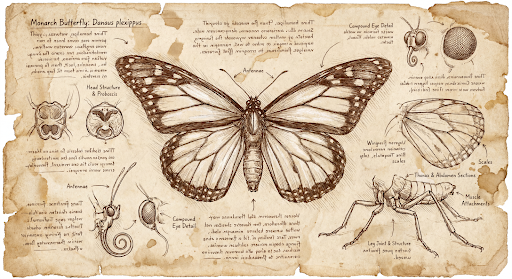
prompt = "Da Vinci style anatomical sketch of a dissected Monarch butterfly. Detailed drawings of the head, wings, and legs on textured parchment with notes in English."

client = genai.Client()

interaction = client.interactions.create(
    model="gemini-3.1-flash-image",
    input=prompt,
    response_format={
        "type": "image",
        "mime_type": "image/jpeg",
        "aspect_ratio": "1:1",
        "image_size": "1K"
    },
)

print(interaction.output_text)

with open("butterfly.png", "wb") as f:
    f.write(base64.b64decode(interaction.output_image.data))
JavaScript
import { GoogleGenAI } from "@google/genai";
import * as fs from "node:fs";

async function main() {
  const ai = new GoogleGenAI({});

  const interaction = await ai.interactions.create({
    model: "gemini-3.1-flash-image",
    input: "Da Vinci style anatomical sketch of a dissected Monarch butterfly. Detailed drawings of the head, wings, and legs on textured parchment with notes in English.",
    response_format: {
      type: "image",
      mime_type: "image/png",
      aspect_ratio: "1:1",
      image_size: "1K",
    },
  });

  console.log(interaction.output_text);

  const buffer = Buffer.from(interaction.output_image.data, 'base64');

  fs.writeFileSync('butterfly.png', buffer);
}

main();
Java
import com.google.genai.Client;
import com.google.genai.gaos.models.interactions.CreateModelInteraction;
import com.google.genai.gaos.models.interactions.CreateModelInteractionResponseFormat;
import com.google.genai.gaos.models.interactions.ImageResponseFormat;
import com.google.genai.gaos.models.interactions.ImageResponseFormatAspectRatio;
import com.google.genai.gaos.models.interactions.ImageResponseFormatImageSize;
import com.google.genai.gaos.models.interactions.ImageResponseFormatMimeType;
import com.google.genai.gaos.models.interactions.Interaction;
import com.google.genai.gaos.models.interactions.InteractionsInput;
import com.google.genai.gaos.models.interactions.Model;
import com.google.genai.gaos.models.interactions.ResponseFormat;
import com.google.genai.gaos.models.operations.CreateInteractionRequestBody;
import java.nio.file.Files;
import java.nio.file.Paths;
import java.util.Base64;

String prompt =
    "Da Vinci style anatomical sketch of a dissected Monarch butterfly. Detailed drawings of the head, wings, and legs on textured parchment with notes in English.";

Client client = new Client();

CreateModelInteractionResponseFormat format =
    CreateModelInteractionResponseFormat.of(
        ResponseFormat.of(
            ImageResponseFormat.builder()
                .mimeType(ImageResponseFormatMimeType.IMAGE_JPEG)
                .aspectRatio(ImageResponseFormatAspectRatio.of("1:1"))
                .imageSize(ImageResponseFormatImageSize.ONE_K)
                .build()));

CreateModelInteraction params =
    CreateModelInteraction.builder()
        .model(Model.of("gemini-3.1-flash-image"))
        .input(InteractionsInput.of(prompt))
        .responseFormat(format)
        .build();

Interaction interaction =
    client.interactions.create(CreateInteractionRequestBody.of(params)).interaction().get();

System.out.println(interaction.outputText().orElse(""));

if (interaction.outputImage().isPresent()
    && interaction.outputImage().get().data().isPresent()) {
  byte[] imageBytes =
      Base64.getDecoder().decode(interaction.outputImage().get().data().get());
  Files.write(Paths.get("butterfly.png"), imageBytes);
}
Go
package main

import (
    "context"
    "encoding/base64"
    "fmt"
    "log"
    "os"

    "google.golang.org/genai"
    "google.golang.org/genai/interactions/models/interactions"
    "google.golang.org/genai/interactions/models/operations"
)

func main() {
    ctx := context.Background()
    client, err := genai.NewClient(ctx, nil)
    if err != nil {
        log.Fatal(err)
    }

    prompt := "Da Vinci style anatomical sketch of a dissected Monarch butterfly. Detailed drawings of the head, wings, and legs on textured parchment with notes in English."

    format := interactions.NewCreateModelInteractionResponseFormat(
        interactions.NewResponseFormat(interactions.ImageResponseFormat{
            MimeType:    interactions.ImageResponseFormatMimeTypeImageJpeg.ToPointer(),
            AspectRatio: interactions.ImageResponseFormatAspectRatio("1:1").ToPointer(),
            ImageSize:   interactions.ImageResponseFormatImageSizeOneK.ToPointer(),
        }),
    )

    res, err := client.Interactions.Create(ctx, operations.CreateInteractionRequest{
        Body: operations.NewCreateInteractionRequestBody(interactions.CreateModelInteraction{
            Model:          interactions.Model("gemini-3.1-flash-image"),
            Input:          interactions.NewInteractionsInput(prompt),
            ResponseFormat: genai.Ptr(format),
        }),
    })
    if err != nil {
        log.Fatal(err)
    }

    if res.Interaction.OutputText != nil {
        fmt.Println(*res.Interaction.OutputText)
    }

    if res.Interaction.OutputImage != nil && res.Interaction.OutputImage.Data != nil {
        imageBytes, err := base64.StdEncoding.DecodeString(*res.Interaction.OutputImage.Data)
        if err != nil {
            log.Fatal(err)
        }
        if err := os.WriteFile("butterfly.png", imageBytes, 0644); err != nil {
            log.Fatal(err)
        }
    }
}
REST
curl -s -X POST \
  "https://generativelanguage.googleapis.com/v1beta/interactions" \
  -H "x-goog-api-key: $GEMINI_API_KEY" \
  -H "Content-Type: application/json" \
  -d '{
    "model": "gemini-3.1-flash-image",
    "input": "Da Vinci style anatomical sketch of a dissected Monarch butterfly. Detailed drawings of the head, wings, and legs on textured parchment with notes in English.",
    "response_format": {
      "type": "image",
      "mime_type": "image/jpeg",
      "aspect_ratio": "1:1",
      "image_size": "1K"
    }
  }'
Sau đây là một hình ảnh mẫu được tạo từ câu lệnh này:
Quá trình tư duy
Mô hình hình ảnh Gemini 3 là mô hình tư duy sử dụng quy trình suy luận ("Tư duy") cho các câu lệnh phức tạp. Tính năng này được bật theo mặc định và không thể tắt trong API. Để tìm hiểu thêm về quy trình suy nghĩ, hãy xem hướng dẫn Quy trình suy nghĩ của Gemini.
Mô hình này tạo tối đa 2 hình ảnh tạm thời để kiểm thử bố cục và logic. Hình ảnh cuối cùng trong phần Suy nghĩ cũng là hình ảnh được kết xuất cuối cùng.
Bạn có thể xem những suy nghĩ dẫn đến việc tạo ra hình ảnh cuối cùng.
Python
for step in interaction.steps:
    if step.type == "thought":
        for content_block in step.summary:
            if content_block.type == "text":
                print(content_block.text)
            elif content_block.type == "image":
                image = Image.open(io.BytesIO(base64.b64decode(content_block.data)))
                image.show()
JavaScript
for (const step of interaction.steps) {
  if (step.type === "thought") {
    for (const contentBlock of step.summary) {
      if (contentBlock.type === "text") {
        console.log(contentBlock.text);
      } else if (contentBlock.type === "image") {
        const buffer = Buffer.from(contentBlock.data, 'base64');
        fs.writeFileSync('thought_image.png', buffer);
      }
    }
  }
}
Java
import com.google.genai.Client;
import com.google.genai.gaos.models.interactions.CreateModelInteraction;
import com.google.genai.gaos.models.interactions.ImageContent;
import com.google.genai.gaos.models.interactions.Interaction;
import com.google.genai.gaos.models.interactions.InteractionsInput;
import com.google.genai.gaos.models.interactions.Model;
import com.google.genai.gaos.models.interactions.Step;
import com.google.genai.gaos.models.interactions.TextContent;
import com.google.genai.gaos.models.interactions.ThoughtStep;
import com.google.genai.gaos.models.interactions.ThoughtSummaryContent;
import com.google.genai.gaos.models.operations.CreateInteractionRequestBody;
import java.nio.file.Files;
import java.nio.file.Paths;
import java.util.Base64;

Client client = new Client();

CreateModelInteraction params =
    CreateModelInteraction.builder()
        .model(Model.of("gemini-3.1-flash-image"))
        .input(
            InteractionsInput.of(
                "A futuristic city built inside a giant glass bottle floating in space"))
        .build();

Interaction interaction =
    client.interactions.create(CreateInteractionRequestBody.of(params)).interaction().get();

if (interaction.steps().isPresent()) {
  for (Step step : interaction.steps().get()) {
    if (step instanceof ThoughtStep) {
      ThoughtStep thoughtStep = (ThoughtStep) step;
      if (thoughtStep.summary().isPresent()) {
        for (ThoughtSummaryContent contentBlock : thoughtStep.summary().get()) {
          if (contentBlock instanceof TextContent) {
            System.out.println(((TextContent) contentBlock).text().orElse(""));
          } else if (contentBlock instanceof ImageContent) {
            ImageContent img = (ImageContent) contentBlock;
            if (img.data().isPresent()) {
              byte[] imgBytes = Base64.getDecoder().decode(img.data().get());
              Files.write(Paths.get("thought_image.png"), imgBytes);
            }
          }
        }
      }
    }
  }
}
Go
package main

import (
    "context"
    "encoding/base64"
    "fmt"
    "log"
    "os"

    "google.golang.org/genai"
    "google.golang.org/genai/interactions/models/interactions"
    "google.golang.org/genai/interactions/models/operations"
)

func main() {
    ctx := context.Background()
    client, err := genai.NewClient(ctx, nil)
    if err != nil {
        log.Fatal(err)
    }

    res, err := client.Interactions.Create(ctx, operations.CreateInteractionRequest{
        Body: operations.NewCreateInteractionRequestBody(interactions.CreateModelInteraction{
            Model: interactions.Model("gemini-3.1-flash-image"),
            Input: interactions.NewInteractionsInput("A futuristic city built inside a giant glass bottle floating in space"),
        }),
    })
    if err != nil {
        log.Fatal(err)
    }

    for _, step := range res.Interaction.Steps {
        if step.ThoughtStep != nil {
            for _, contentBlock := range step.ThoughtStep.Summary {
                if contentBlock.TextContent != nil {
                    fmt.Println(contentBlock.TextContent.Text)
                } else if contentBlock.ImageContent != nil && contentBlock.ImageContent.Data != nil {
                    imgBytes, err := base64.StdEncoding.DecodeString(*contentBlock.ImageContent.Data)
                    if err != nil {
                        log.Fatal(err)
                    }
                    if err := os.WriteFile("thought_image.png", imgBytes, 0644); err != nil {
                        log.Fatal(err)
                    }
                }
            }
        }
    }
}
Văn bản và hình ảnh xen kẽ
Mặc dù các mô hình tạo hình ảnh tiêu chuẩn chỉ xuất hình ảnh, nhưng một số mô hình Gemini 3 tiên tiến (chẳng hạn như gemini-3-pro-image) có thể tạo nội dung xen kẽ (chẳng hạn như truyện hoặc hướng dẫn có cả khối văn bản và hình minh hoạ trong cùng một câu trả lời).
Vì đầu ra phức tạp và xen kẽ, nên các thuộc tính tiện lợi như .output_image hoặc .output_text sẽ không ghi lại toàn bộ chuỗi. Để truy cập và lưu nội dung xen kẽ, bạn phải lặp lại steps theo cách thủ công:
Python
interaction = client.interactions.create(
    model="gemini-3-pro-image",
    input="Write the story of the lifecycle of a monarch butterfly, interleave illustrations",
)

image_counter = 1
for step in interaction.steps:
    if step.type == "model_output":
        for content_block in step.content:
            if content_block.type == "text":
                print(content_block.text)
            elif content_block.type == "image":
                filename = f"butterfly_lifecycle_{image_counter}.png"
                with open(filename, "wb") as f:
                    f.write(base64.b64decode(content_block.data))
                print(f"\n[Saved illustration: {filename}]\n")
                image_counter += 1
JavaScript
const interaction = await ai.interactions.create({
    model: "gemini-3-pro-image",
    input: "Write the story of the lifecycle of a monarch butterfly, interleave illustrations",
});

let imageCounter = 1;
for (const step of interaction.steps) {
  if (step.type === "model_output") {
    for (const contentBlock of step.content) {
      if (contentBlock.type === "text") {
        console.log(contentBlock.text);
      } else if (contentBlock.type === "image") {
        const buffer = Buffer.from(contentBlock.data, "base64");
        const filename = `butterfly_lifecycle_${imageCounter}.png`;
        fs.writeFileSync(filename, buffer);
        console.log(`\n[Saved illustration: ${filename}]\n`);
        imageCounter++;
      }
    }
  }
}
Java
import com.google.genai.Client;
import com.google.genai.gaos.models.interactions.Content;
import com.google.genai.gaos.models.interactions.CreateModelInteraction;
import com.google.genai.gaos.models.interactions.ImageContent;
import com.google.genai.gaos.models.interactions.Interaction;
import com.google.genai.gaos.models.interactions.InteractionsInput;
import com.google.genai.gaos.models.interactions.Model;
import com.google.genai.gaos.models.interactions.ModelOutputStep;
import com.google.genai.gaos.models.interactions.Step;
import com.google.genai.gaos.models.interactions.TextContent;
import com.google.genai.gaos.models.operations.CreateInteractionRequestBody;
import java.nio.file.Files;
import java.nio.file.Paths;
import java.util.Base64;

Client client = new Client();

CreateModelInteraction params =
    CreateModelInteraction.builder()
        .model(Model.of("gemini-3-pro-image"))
        .input(
            InteractionsInput.of(
                "Write the story of the lifecycle of a monarch butterfly, interleave illustrations"))
        .build();

Interaction interaction =
    client.interactions.create(CreateInteractionRequestBody.of(params)).interaction().get();

int imageCounter = 1;
if (interaction.steps().isPresent()) {
  for (Step step : interaction.steps().get()) {
    if (step instanceof ModelOutputStep) {
      ModelOutputStep outputStep = (ModelOutputStep) step;
      if (outputStep.content().isPresent()) {
        for (Content contentBlock : outputStep.content().get()) {
          if (contentBlock instanceof TextContent) {
            System.out.println(((TextContent) contentBlock).text().orElse(""));
          } else if (contentBlock instanceof ImageContent) {
            ImageContent img = (ImageContent) contentBlock;
            if (img.data().isPresent()) {
              String filename = String.format("butterfly_lifecycle_%d.png", imageCounter);
              byte[] imgBytes = Base64.getDecoder().decode(img.data().get());
              Files.write(Paths.get(filename), imgBytes);
              System.out.printf("%n[Saved illustration: %s]%n", filename);
              imageCounter++;
            }
          }
        }
      }
    }
  }
}
Go
package main

import (
    "context"
    "encoding/base64"
    "fmt"
    "log"
    "os"

    "google.golang.org/genai"
    "google.golang.org/genai/interactions/models/interactions"
    "google.golang.org/genai/interactions/models/operations"
)

func main() {
    ctx := context.Background()
    client, err := genai.NewClient(ctx, nil)
    if err != nil {
        log.Fatal(err)
    }

    res, err := client.Interactions.Create(ctx, operations.CreateInteractionRequest{
        Body: operations.NewCreateInteractionRequestBody(interactions.CreateModelInteraction{
            Model: interactions.Model("gemini-3-pro-image"),
            Input: interactions.NewInteractionsInput("Write the story of the lifecycle of a monarch butterfly, interleave illustrations"),
        }),
    })
    if err != nil {
        log.Fatal(err)
    }

    imageCounter := 1
    for _, step := range res.Interaction.Steps {
        if step.ModelOutputStep != nil {
            for _, contentBlock := range step.ModelOutputStep.Content {
                if contentBlock.TextContent != nil {
                    fmt.Println(contentBlock.TextContent.Text)
                } else if contentBlock.ImageContent != nil && contentBlock.ImageContent.Data != nil {
                    filename := fmt.Sprintf("butterfly_lifecycle_%d.png", imageCounter)
                    imgBytes, err := base64.StdEncoding.DecodeString(*contentBlock.ImageContent.Data)
                    if err != nil {
                        log.Fatal(err)
                    }
                    if err := os.WriteFile(filename, imgBytes, 0644); err != nil {
                        log.Fatal(err)
                    }
                    fmt.Printf("\n[Saved illustration: %s]\n", filename)
                    imageCounter++
                }
            }
        }
    }
}
Kiểm soát các cấp độ tư duy
Với Gemini 3.1 Flash Image và Gemini 3.1 Flash Lite Image, bạn có thể kiểm soát lượng suy nghĩ mà mô hình sử dụng để cân bằng chất lượng và độ trễ. thinking_level mặc định là minimal và các cấp độ được hỗ trợ là minimal và high.
Python
from google import genai
from PIL import Image
import base64
import io

client = genai.Client()

interaction = client.interactions.create(
    model="gemini-3.1-flash-image",
    input="A futuristic city built inside a giant glass bottle floating in space",
    generation_config={"thinking_level": "high"},
)

print(interaction.output_text)

image = Image.open(io.BytesIO(base64.b64decode(interaction.output_image.data)))

image.show()
JavaScript
import { GoogleGenAI } from "@google/genai";
import * as fs from "node:fs";

async function main() {
  const ai = new GoogleGenAI({});

  const interaction = await ai.interactions.create({
    model: "gemini-3.1-flash-image",
    input: "A futuristic city built inside a giant glass bottle floating in space",
    generation_config: { thinking_level: "high" },
  });

  console.log(interaction.output_text);

  const buffer = Buffer.from(interaction.output_image.data, 'base64');

  fs.writeFileSync('image.png', buffer);
}
main();
Java
import com.google.genai.Client;
import com.google.genai.gaos.models.interactions.CreateModelInteraction;
import com.google.genai.gaos.models.interactions.GenerationConfig;
import com.google.genai.gaos.models.interactions.Interaction;
import com.google.genai.gaos.models.interactions.InteractionsInput;
import com.google.genai.gaos.models.interactions.Model;
import com.google.genai.gaos.models.interactions.ThinkingLevel;
import com.google.genai.gaos.models.operations.CreateInteractionRequestBody;
import java.nio.file.Files;
import java.nio.file.Paths;
import java.util.Base64;

Client client = new Client();

CreateModelInteraction params =
    CreateModelInteraction.builder()
        .model(Model.of("gemini-3.1-flash-image"))
        .input(
            InteractionsInput.of(
                "A futuristic city built inside a giant glass bottle floating in space"))
        .generationConfig(GenerationConfig.builder().thinkingLevel(ThinkingLevel.HIGH).build())
        .build();

Interaction interaction =
    client.interactions.create(CreateInteractionRequestBody.of(params)).interaction().get();

System.out.println(interaction.outputText().orElse(""));

if (interaction.outputImage().isPresent()
    && interaction.outputImage().get().data().isPresent()) {
  byte[] imageBytes =
      Base64.getDecoder().decode(interaction.outputImage().get().data().get());
  Files.write(Paths.get("futuristic_city.png"), imageBytes);
}
Go
package main

import (
    "context"
    "encoding/base64"
    "fmt"
    "log"
    "os"

    "google.golang.org/genai"
    "google.golang.org/genai/interactions/models/interactions"
    "google.golang.org/genai/interactions/models/operations"
)

func main() {
    ctx := context.Background()
    client, err := genai.NewClient(ctx, nil)
    if err != nil {
        log.Fatal(err)
    }

    res, err := client.Interactions.Create(ctx, operations.CreateInteractionRequest{
        Body: operations.NewCreateInteractionRequestBody(interactions.CreateModelInteraction{
            Model: interactions.Model("gemini-3.1-flash-image"),
            Input: interactions.NewInteractionsInput("A futuristic city built inside a giant glass bottle floating in space"),
            GenerationConfig: &interactions.GenerationConfig{
                ThinkingLevel: interactions.ThinkingLevelHigh.ToPointer(),
            },
        }),
    })
    if err != nil {
        log.Fatal(err)
    }

    if res.Interaction.OutputText != nil {
        fmt.Println(*res.Interaction.OutputText)
    }

    if res.Interaction.OutputImage != nil && res.Interaction.OutputImage.Data != nil {
        imageBytes, err := base64.StdEncoding.DecodeString(*res.Interaction.OutputImage.Data)
        if err != nil {
            log.Fatal(err)
        }
        if err := os.WriteFile("futuristic_city.png", imageBytes, 0644); err != nil {
            log.Fatal(err)
        }
    }
}
REST
curl -s -X POST \
  "https://generativelanguage.googleapis.com/v1beta/interactions" \
  -H "x-goog-api-key: $GEMINI_API_KEY" \
  -H "Content-Type: application/json" \
  -d '{
    "model": "gemini-3.1-flash-image",
    "input": "A futuristic city built inside a giant glass bottle floating in space",
    "generation_config": {
      "thinking_level": "high"
    }
  }'
Xin lưu ý rằng theo mặc định, các mô hình tư duy sẽ tính phí mã thông báo tư duy, vì quy trình tư duy luôn diễn ra theo mặc định cho dù bạn có xem quy trình đó hay không.
Các chế độ tạo hình ảnh khác
Mặc dù mô hình tạo hình ảnh Nano Banana được đề xuất cho hầu hết các trường hợp sử dụng, nhưng bạn cũng có thể khám phá các mô hình tạo hình ảnh chuyên dụng:
- Imagen: Các mô hình chuyển văn bản thành hình ảnh cũ của Google (đã ngừng hoạt động).
- Veo: Mô hình tạo video của Google.
Tạo hàng loạt hình ảnh
Tất cả các chức năng tạo hình ảnh được mô tả trên trang này cũng có thể chạy dưới dạng các công việc hàng loạt bằng Batch API. Đây là lựa chọn lý tưởng nếu bạn cần tạo nhiều hình ảnh. Bạn sẽ nhận được hạn mức cao hơn để đổi lấy thời gian xử lý tối đa là 24 giờ.
Hướng dẫn và chiến lược đặt câu lệnh
Phần này cung cấp các ví dụ và mẫu câu lệnh cho quy trình tạo và chỉnh sửa hình ảnh phổ biến. Mỗi ví dụ đều có một mẫu có thể dùng lại và một câu lệnh mẫu cho Interactions API.
Câu lệnh để tạo hình ảnh
Các ví dụ sau đây cho thấy cách sử dụng câu lệnh dạng văn bản để tạo nhiều loại hình ảnh.
1. Cảnh trông như thật
Mô tả chi tiết một cảnh. Bạn càng trình bày cụ thể, bạn càng có nhiều quyền kiểm soát kết quả.
Mẫu
A photorealistic [type of shot] of a [subject description] in a [setting
description]. [Description of the light]. Shot from a [camera angle]
with a [lens type].
Câu lệnh
A photorealistic wide-angle shot of a vibrant coral reef teeming with tropical fish. Crystal-clear turquoise water with sunbeams filtering down from the surface, illuminating a sea turtle gliding gracefully over the coral. Shot from a low perspective with a wide-angle lens. Aspect ratio 16:9.
Python
from google import genai
from google.genai import types
import base64

client = genai.Client()

interaction = client.interactions.create(
    model="gemini-3.1-flash-image",
    input="A photorealistic wide-angle shot of a vibrant coral reef teeming with tropical fish. Crystal-clear turquoise water with sunbeams filtering down from the surface, illuminating a sea turtle gliding gracefully over the coral. Shot from a low perspective with a wide-angle lens. Aspect ratio 16:9.",
    response_format=[
        {
            "type": "image",
            "mime_type": "image/jpeg",
            "aspect_ratio": "16:9",
        }
    ],
)

print(interaction.output_text)

with open("coral_reef.png", "wb") as f:

    f.write(base64.b64decode(interaction.output_image.data))
JavaScript
import { GoogleGenAI } from "@google/genai";
import * as fs from "node:fs";

async function main() {
  const ai = new GoogleGenAI({});

  const interaction = await ai.interactions.create({
    model: "gemini-3.1-flash-image",
    input: "A photorealistic wide-angle shot of a vibrant coral reef teeming with tropical fish. Crystal-clear turquoise water with sunbeams filtering down from the surface, illuminating a sea turtle gliding gracefully over the coral. Shot from a low perspective with a wide-angle lens. Aspect ratio 16:9.",
    response_format: [
      {
        type: "image",
        mime_type: "image/jpeg",
        aspect_ratio: "16:9",
      }
    ],
  });
  console.log(interaction.output_text);

  const buffer = Buffer.from(interaction.output_image.data, 'base64');

  fs.writeFileSync('coral_reef.png', buffer);
}

main();
Java
import com.google.genai.Client;
import com.google.genai.gaos.models.interactions.CreateModelInteraction;
import com.google.genai.gaos.models.interactions.CreateModelInteractionResponseFormat;
import com.google.genai.gaos.models.interactions.ImageResponseFormat;
import com.google.genai.gaos.models.interactions.ImageResponseFormatAspectRatio;
import com.google.genai.gaos.models.interactions.ImageResponseFormatMimeType;
import com.google.genai.gaos.models.interactions.Interaction;
import com.google.genai.gaos.models.interactions.InteractionsInput;
import com.google.genai.gaos.models.interactions.Model;
import com.google.genai.gaos.models.interactions.ResponseFormat;
import com.google.genai.gaos.models.operations.CreateInteractionRequestBody;
import java.nio.file.Files;
import java.nio.file.Paths;
import java.util.Arrays;
import java.util.Base64;

Client client = new Client();

CreateModelInteractionResponseFormat format =
    CreateModelInteractionResponseFormat.of(
        Arrays.asList(
            ResponseFormat.of(
                ImageResponseFormat.builder()
                    .mimeType(ImageResponseFormatMimeType.IMAGE_JPEG)
                    .aspectRatio(ImageResponseFormatAspectRatio.of("16:9"))
                    .build())));

CreateModelInteraction params =
    CreateModelInteraction.builder()
        .model(Model.of("gemini-3.1-flash-image"))
        .input(
            InteractionsInput.of(
                "A photorealistic wide-angle shot of a vibrant coral reef teeming with tropical fish. Crystal-clear turquoise water with sunbeams filtering down from the surface, illuminating a sea turtle gliding gracefully over the coral. Shot from a low perspective with a wide-angle lens. Aspect ratio 16:9."))
        .responseFormat(format)
        .build();

Interaction interaction =
    client.interactions.create(CreateInteractionRequestBody.of(params)).interaction().get();

System.out.println(interaction.outputText().orElse(""));

if (interaction.outputImage().isPresent()
    && interaction.outputImage().get().data().isPresent()) {
  byte[] imageBytes =
      Base64.getDecoder().decode(interaction.outputImage().get().data().get());
  Files.write(Paths.get("coral_reef.png"), imageBytes);
}
Go
package main

import (
    "context"
    "encoding/base64"
    "fmt"
    "log"
    "os"

    "google.golang.org/genai"
    "google.golang.org/genai/interactions/models/interactions"
    "google.golang.org/genai/interactions/models/operations"
)

func main() {
    ctx := context.Background()
    client, err := genai.NewClient(ctx, nil)
    if err != nil {
        log.Fatal(err)
    }

    format := interactions.NewCreateModelInteractionResponseFormat([]interactions.ResponseFormat{
        interactions.NewResponseFormat(interactions.ImageResponseFormat{
            MimeType:    interactions.ImageResponseFormatMimeTypeImageJpeg.ToPointer(),
            AspectRatio: interactions.ImageResponseFormatAspectRatio("16:9").ToPointer(),
        }),
    })

    res, err := client.Interactions.Create(ctx, operations.CreateInteractionRequest{
        Body: operations.NewCreateInteractionRequestBody(interactions.CreateModelInteraction{
            Model:          interactions.Model("gemini-3.1-flash-image"),
            Input:          interactions.NewInteractionsInput("A photorealistic wide-angle shot of a vibrant coral reef teeming with tropical fish. Crystal-clear turquoise water with sunbeams filtering down from the surface, illuminating a sea turtle gliding gracefully over the coral. Shot from a low perspective with a wide-angle lens. Aspect ratio 16:9."),
            ResponseFormat: genai.Ptr(format),
        }),
    })
    if err != nil {
        log.Fatal(err)
    }

    if res.Interaction.OutputText != nil {
        fmt.Println(*res.Interaction.OutputText)
    }

    if res.Interaction.OutputImage != nil && res.Interaction.OutputImage.Data != nil {
        imageBytes, err := base64.StdEncoding.DecodeString(*res.Interaction.OutputImage.Data)
        if err != nil {
            log.Fatal(err)
        }
        if err := os.WriteFile("coral_reef.png", imageBytes, 0644); err != nil {
            log.Fatal(err)
        }
    }
}
REST
curl -s -X POST \
  "https://generativelanguage.googleapis.com/v1beta/interactions" \
  -H "x-goog-api-key: $GEMINI_API_KEY" \
  -H "Content-Type: application/json" \
  -d '{
    "model": "gemini-3.1-flash-image",
    "input": "A photorealistic wide-angle shot of a vibrant coral reef teeming with tropical fish. Crystal-clear turquoise water with sunbeams filtering down from the surface, illuminating a sea turtle gliding gracefully over the coral. Shot from a low perspective with a wide-angle lens. Aspect ratio 16:9.",
    "response_format": {
      "type": "image",
      "mime_type": "image/png",
      "aspect_ratio": "16:9"
    }
  }'
2. Hình minh hoạ và hình dán cách điệu
Mô tả phong cách nghệ thuật, chủ đề và phương tiện. Hãy mô tả cụ thể về chi tiết hình ảnh (đường kẻ đậm, màu sắc, v.v.) để có kết quả nhất quán.
Mẫu
A [style] of a [subject, with details about accessories or actions]
doing [activity]. The design features [visual qualities, e.g., bold outlines,
cel-shading, etc.] and [color/background preference].
Câu lệnh
A kawaii-style sticker of a happy red panda wearing a tiny bamboo hat. It's munching on a green bamboo leaf. The design features bold, clean outlines, simple cel-shading, and a vibrant color palette. The background must be white.
Python
from google import genai
import base64

client = genai.Client()

interaction = client.interactions.create(
    model="gemini-3.1-flash-image",
    input="A kawaii-style sticker of a happy red panda wearing a tiny bamboo hat. It's munching on a green bamboo leaf. The design features bold, clean outlines, simple cel-shading, and a vibrant color palette. The background must be white.",
)

for step in interaction.steps:
    if step.type == "model_output":
        for content_block in step.content:
            if content_block.type == "text":
                print(content_block.text)
            elif content_block.type == "image":
                with open("red_panda_sticker.png", "wb") as f:
                    f.write(base64.b64decode(content_block.data))
JavaScript
import { GoogleGenAI } from "@google/genai";
import * as fs from "node:fs";

async function main() {
  const ai = new GoogleGenAI({});

  const interaction = await ai.interactions.create({
    model: "gemini-3.1-flash-image",
    input: "A kawaii-style sticker of a happy red panda wearing a tiny bamboo hat. It's munching on a green bamboo leaf. The design features bold, clean outlines, simple cel-shading, and a vibrant color palette. The background must be white.",
  });
  for (const step of interaction.steps) {
    if (step.type === "model_output") {
      for (const contentBlock of step.content) {
        if (contentBlock.type === "text") {
          console.log(contentBlock.text);
        } else if (contentBlock.type === "image") {
          const buffer = Buffer.from(contentBlock.data, "base64");
          fs.writeFileSync("red_panda_sticker.png", buffer);
        }
      }
    }
  }
}

main();
Java
import com.google.genai.Client;
import com.google.genai.gaos.models.interactions.Content;
import com.google.genai.gaos.models.interactions.CreateModelInteraction;
import com.google.genai.gaos.models.interactions.ImageContent;
import com.google.genai.gaos.models.interactions.Interaction;
import com.google.genai.gaos.models.interactions.InteractionsInput;
import com.google.genai.gaos.models.interactions.Model;
import com.google.genai.gaos.models.interactions.ModelOutputStep;
import com.google.genai.gaos.models.interactions.Step;
import com.google.genai.gaos.models.interactions.TextContent;
import com.google.genai.gaos.models.operations.CreateInteractionRequestBody;
import java.nio.file.Files;
import java.nio.file.Paths;
import java.util.Base64;

Client client = new Client();

CreateModelInteraction params =
    CreateModelInteraction.builder()
        .model(Model.of("gemini-3.1-flash-image"))
        .input(
            InteractionsInput.of(
                "A kawaii-style sticker of a happy red panda wearing a tiny bamboo hat. It's munching on a green bamboo leaf. The design features bold, clean outlines, simple cel-shading, and a vibrant color palette. The background must be white."))
        .build();

Interaction interaction =
    client.interactions.create(CreateInteractionRequestBody.of(params)).interaction().get();

if (interaction.steps().isPresent()) {
  for (Step step : interaction.steps().get()) {
    if (step instanceof ModelOutputStep) {
      ModelOutputStep outputStep = (ModelOutputStep) step;
      if (outputStep.content().isPresent()) {
        for (Content contentBlock : outputStep.content().get()) {
          if (contentBlock instanceof TextContent) {
            System.out.println(((TextContent) contentBlock).text().orElse(""));
          } else if (contentBlock instanceof ImageContent) {
            ImageContent img = (ImageContent) contentBlock;
            if (img.data().isPresent()) {
              byte[] imgBytes = Base64.getDecoder().decode(img.data().get());
              Files.write(Paths.get("red_panda_sticker.png"), imgBytes);
            }
          }
        }
      }
    }
  }
}
Go
package main

import (
    "context"
    "encoding/base64"
    "fmt"
    "log"
    "os"

    "google.golang.org/genai"
    "google.golang.org/genai/interactions/models/interactions"
    "google.golang.org/genai/interactions/models/operations"
)

func main() {
    ctx := context.Background()
    client, err := genai.NewClient(ctx, nil)
    if err != nil {
        log.Fatal(err)
    }

    res, err := client.Interactions.Create(ctx, operations.CreateInteractionRequest{
        Body: operations.NewCreateInteractionRequestBody(interactions.CreateModelInteraction{
            Model: interactions.Model("gemini-3.1-flash-image"),
            Input: interactions.NewInteractionsInput("A kawaii-style sticker of a happy red panda wearing a tiny bamboo hat. It's munching on a green bamboo leaf. The design features bold, clean outlines, simple cel-shading, and a vibrant color palette. The background must be white."),
        }),
    })
    if err != nil {
        log.Fatal(err)
    }

    for _, step := range res.Interaction.Steps {
        if step.ModelOutputStep != nil {
            for _, contentBlock := range step.ModelOutputStep.Content {
                if contentBlock.TextContent != nil {
                    fmt.Println(contentBlock.TextContent.Text)
                } else if contentBlock.ImageContent != nil && contentBlock.ImageContent.Data != nil {
                    imgBytes, err := base64.StdEncoding.DecodeString(*contentBlock.ImageContent.Data)
                    if err != nil {
                        log.Fatal(err)
                    }
                    if err := os.WriteFile("red_panda_sticker.png", imgBytes, 0644); err != nil {
                        log.Fatal(err)
                    }
                }
            }
        }
    }
}
REST
curl -s -X POST \
  "https://generativelanguage.googleapis.com/v1beta/interactions" \
  -H "x-goog-api-key: $GEMINI_API_KEY" \
  -H "Content-Type: application/json" \
  -d '{
    "model": "gemini-3.1-flash-image",
    "input": "A kawaii-style sticker of a happy red panda wearing a tiny bamboo hat. It is munching on a green bamboo leaf. The design features bold, clean outlines, simple cel-shading, and a vibrant color palette. The background must be white."
  }'

3. Văn bản chính xác trong hình ảnh
Gemini có khả năng kết xuất văn bản xuất sắc. Nêu rõ văn bản, kiểu phông chữ (mô tả) và thiết kế tổng thể. Sử dụng Gemini 3 Pro Image để sản xuất tài sản chuyên nghiệp.
Mẫu
Create a [image type] for [brand/concept] with the text "[text to render]"
in a [font style]. The design should be [style description], with a
[color scheme].
Câu lệnh
Create a modern, minimalist logo for a coffee shop called 'The Daily Grind'. The text should be in a clean, bold, sans-serif font. The color scheme is black and white. Put the logo in a circle. Use a coffee bean in a clever way.
Python
from google import genai
import base64

client = genai.Client()

interaction = client.interactions.create(
    model="gemini-3.1-flash-image",
    input="Create a modern, minimalist logo for a coffee shop called 'The Daily Grind'. The text should be in a clean, bold, sans-serif font. The color scheme is black and white. Put the logo in a circle. Use a coffee bean in a clever way.",
    response_format={"type": "image", "aspect_ratio": "1:1"},
)

for step in interaction.steps:
    if step.type == "model_output":
        for content_block in step.content:
            if content_block.type == "text":
                print(content_block.text)
            elif content_block.type == "image":
                with open("logo_example.jpg", "wb") as f:
                    f.write(base64.b64decode(content_block.data))
JavaScript
import { GoogleGenAI } from "@google/genai";
import * as fs from "node:fs";

async function main() {
  const ai = new GoogleGenAI({});

  const interaction = await ai.interactions.create({
    model: "gemini-3.1-flash-image",
    input: "Create a modern, minimalist logo for a coffee shop called 'The Daily Grind'. The text should be in a clean, bold, sans-serif font. The color scheme is black and white. Put the logo in a circle. Use a coffee bean in a clever way.",
    response_format: { type: "image", aspect_ratio: "1:1" },
  });
  for (const step of interaction.steps) {
    if (step.type === "model_output") {
      for (const contentBlock of step.content) {
        if (contentBlock.type === "text") {
          console.log(contentBlock.text);
        } else if (contentBlock.type === "image") {
          const buffer = Buffer.from(contentBlock.data, "base64");
          fs.writeFileSync("logo_example.jpg", buffer);
        }
      }
    }
  }
}

main();
Java
import com.google.genai.Client;
import com.google.genai.gaos.models.interactions.Content;
import com.google.genai.gaos.models.interactions.CreateModelInteraction;
import com.google.genai.gaos.models.interactions.CreateModelInteractionResponseFormat;
import com.google.genai.gaos.models.interactions.ImageContent;
import com.google.genai.gaos.models.interactions.ImageResponseFormat;
import com.google.genai.gaos.models.interactions.ImageResponseFormatAspectRatio;
import com.google.genai.gaos.models.interactions.Interaction;
import com.google.genai.gaos.models.interactions.InteractionsInput;
import com.google.genai.gaos.models.interactions.Model;
import com.google.genai.gaos.models.interactions.ModelOutputStep;
import com.google.genai.gaos.models.interactions.ResponseFormat;
import com.google.genai.gaos.models.interactions.Step;
import com.google.genai.gaos.models.interactions.TextContent;
import com.google.genai.gaos.models.operations.CreateInteractionRequestBody;
import java.nio.file.Files;
import java.nio.file.Paths;
import java.util.Base64;

Client client = new Client();

CreateModelInteractionResponseFormat format =
    CreateModelInteractionResponseFormat.of(
        ResponseFormat.of(
            ImageResponseFormat.builder()
                .aspectRatio(ImageResponseFormatAspectRatio.of("1:1"))
                .build()));

CreateModelInteraction params =
    CreateModelInteraction.builder()
        .model(Model.of("gemini-3.1-flash-image"))
        .input(
            InteractionsInput.of(
                "Create a modern, minimalist logo for a coffee shop called 'The Daily Grind'. The text should be in a clean, bold, sans-serif font. The color scheme is black and white. Put the logo in a circle. Use a coffee bean in a clever way."))
        .responseFormat(format)
        .build();

Interaction interaction =
    client.interactions.create(CreateInteractionRequestBody.of(params)).interaction().get();

if (interaction.steps().isPresent()) {
  for (Step step : interaction.steps().get()) {
    if (step instanceof ModelOutputStep) {
      ModelOutputStep outputStep = (ModelOutputStep) step;
      if (outputStep.content().isPresent()) {
        for (Content contentBlock : outputStep.content().get()) {
          if (contentBlock instanceof TextContent) {
            System.out.println(((TextContent) contentBlock).text().orElse(""));
          } else if (contentBlock instanceof ImageContent) {
            ImageContent img = (ImageContent) contentBlock;
            if (img.data().isPresent()) {
              byte[] imgBytes = Base64.getDecoder().decode(img.data().get());
              Files.write(Paths.get("logo_example.jpg"), imgBytes);
            }
          }
        }
      }
    }
  }
}
Go
package main

import (
    "context"
    "encoding/base64"
    "fmt"
    "log"
    "os"

    "google.golang.org/genai"
    "google.golang.org/genai/interactions/models/interactions"
    "google.golang.org/genai/interactions/models/operations"
)

func main() {
    ctx := context.Background()
    client, err := genai.NewClient(ctx, nil)
    if err != nil {
        log.Fatal(err)
    }

    format := interactions.NewCreateModelInteractionResponseFormat(
        interactions.NewResponseFormat(interactions.ImageResponseFormat{
            AspectRatio: interactions.ImageResponseFormatAspectRatio("1:1").ToPointer(),
        }),
    )

    res, err := client.Interactions.Create(ctx, operations.CreateInteractionRequest{
        Body: operations.NewCreateInteractionRequestBody(interactions.CreateModelInteraction{
            Model:          interactions.Model("gemini-3.1-flash-image"),
            Input:          interactions.NewInteractionsInput("Create a modern, minimalist logo for a coffee shop called 'The Daily Grind'. The text should be in a clean, bold, sans-serif font. The color scheme is black and white. Put the logo in a circle. Use a coffee bean in a clever way."),
            ResponseFormat: genai.Ptr(format),
        }),
    })
    if err != nil {
        log.Fatal(err)
    }

    for _, step := range res.Interaction.Steps {
        if step.ModelOutputStep != nil {
            for _, contentBlock := range step.ModelOutputStep.Content {
                if contentBlock.TextContent != nil {
                    fmt.Println(contentBlock.TextContent.Text)
                } else if contentBlock.ImageContent != nil && contentBlock.ImageContent.Data != nil {
                    imgBytes, err := base64.StdEncoding.DecodeString(*contentBlock.ImageContent.Data)
                    if err != nil {
                        log.Fatal(err)
                    }
                    if err := os.WriteFile("logo_example.jpg", imgBytes, 0644); err != nil {
                        log.Fatal(err)
                    }
                }
            }
        }
    }
}
REST
curl -s -X POST \
  "https://generativelanguage.googleapis.com/v1beta/interactions" \
  -H "x-goog-api-key: $GEMINI_API_KEY" \
  -H "Content-Type: application/json" \
  -d '{
    "model": "gemini-3.1-flash-image",
    "input": "Create a modern, minimalist logo for a coffee shop called The Daily Grind. The text should be in a clean, bold, sans-serif font. The color scheme is black and white. Put the logo in a circle. Use a coffee bean in a clever way.",
    "response_format": {
      "type": "image",
      "aspect_ratio": "1:1"
    }
  }'

4. Bản mô phỏng sản phẩm và ảnh chụp thương mại
Phù hợp để tạo ảnh chụp sản phẩm chuyên nghiệp, rõ ràng cho thương mại điện tử, quảng cáo hoặc hoạt động xây dựng thương hiệu.
Mẫu
A high-resolution, studio-lit product photograph of a [product description]
on a [background surface/description]. The lighting is a [lighting setup,
e.g., three-point softbox setup] to [lighting purpose]. The camera angle is
a [angle type] to showcase [specific feature]. Ultra-realistic, with sharp
focus on [key detail]. [Aspect ratio].
Câu lệnh
A high-resolution, studio-lit product photograph of a minimalist ceramic
coffee mug in matte black, presented on a polished concrete surface. The
lighting is a three-point softbox setup designed to create soft, diffused
highlights and eliminate harsh shadows. The camera angle is a slightly
elevated 45-degree shot to showcase its clean lines. Ultra-realistic, with
sharp focus on the steam rising from the coffee. Square image.
Python
from google import genai
import base64

client = genai.Client()

interaction = client.interactions.create(
    model="gemini-3.1-flash-image",
    input="A high-resolution, studio-lit product photograph of a minimalist ceramic coffee mug in matte black, presented on a polished concrete surface. The lighting is a three-point softbox setup designed to create soft, diffused highlights and eliminate harsh shadows. The camera angle is a slightly elevated 45-degree shot to showcase its clean lines. Ultra-realistic, with sharp focus on the steam rising from the coffee. Square image.",
)

for step in interaction.steps:
    if step.type == "model_output":
        for content_block in step.content:
            if content_block.type == "text":
                print(content_block.text)
            elif content_block.type == "image":
                with open("product_mockup.png", "wb") as f:
                    f.write(base64.b64decode(content_block.data))
JavaScript
import { GoogleGenAI } from "@google/genai";
import * as fs from "node:fs";

async function main() {
  const ai = new GoogleGenAI({});

  const interaction = await ai.interactions.create({
    model: "gemini-3.1-flash-image",
    input: "A high-resolution, studio-lit product photograph of a minimalist ceramic coffee mug in matte black, presented on a polished concrete surface. The lighting is a three-point softbox setup designed to create soft, diffused highlights and eliminate harsh shadows. The camera angle is a slightly elevated 45-degree shot to showcase its clean lines. Ultra-realistic, with sharp focus on the steam rising from the coffee. Square image.",
  });
  for (const step of interaction.steps) {
    if (step.type === "model_output") {
      for (const contentBlock of step.content) {
        if (contentBlock.type === "text") {
          console.log(contentBlock.text);
        } else if (contentBlock.type === "image") {
          const buffer = Buffer.from(contentBlock.data, "base64");
          fs.writeFileSync("product_mockup.png", buffer);
        }
      }
    }
  }
}

main();
Java
import com.google.genai.Client;
import com.google.genai.gaos.models.interactions.Content;
import com.google.genai.gaos.models.interactions.CreateModelInteraction;
import com.google.genai.gaos.models.interactions.ImageContent;
import com.google.genai.gaos.models.interactions.Interaction;
import com.google.genai.gaos.models.interactions.InteractionsInput;
import com.google.genai.gaos.models.interactions.Model;
import com.google.genai.gaos.models.interactions.ModelOutputStep;
import com.google.genai.gaos.models.interactions.Step;
import com.google.genai.gaos.models.interactions.TextContent;
import com.google.genai.gaos.models.operations.CreateInteractionRequestBody;
import java.nio.file.Files;
import java.nio.file.Paths;
import java.util.Base64;

Client client = new Client();

CreateModelInteraction params =
    CreateModelInteraction.builder()
        .model(Model.of("gemini-3.1-flash-image"))
        .input(
            InteractionsInput.of(
                "A high-resolution, studio-lit product photograph of a minimalist ceramic coffee mug in matte black, presented on a polished concrete surface. The lighting is a three-point softbox setup designed to create soft, diffused highlights and eliminate harsh shadows. The camera angle is a slightly elevated 45-degree shot to showcase its clean lines. Ultra-realistic, with sharp focus on the steam rising from the coffee. Square image."))
        .build();

Interaction interaction =
    client.interactions.create(CreateInteractionRequestBody.of(params)).interaction().get();

if (interaction.steps().isPresent()) {
  for (Step step : interaction.steps().get()) {
    if (step instanceof ModelOutputStep) {
      ModelOutputStep outputStep = (ModelOutputStep) step;
      if (outputStep.content().isPresent()) {
        for (Content contentBlock : outputStep.content().get()) {
          if (contentBlock instanceof TextContent) {
            System.out.println(((TextContent) contentBlock).text().orElse(""));
          } else if (contentBlock instanceof ImageContent) {
            ImageContent img = (ImageContent) contentBlock;
            if (img.data().isPresent()) {
              byte[] imgBytes = Base64.getDecoder().decode(img.data().get());
              Files.write(Paths.get("product_mockup.png"), imgBytes);
            }
          }
        }
      }
    }
  }
}
Go
package main

import (
    "context"
    "encoding/base64"
    "fmt"
    "log"
    "os"

    "google.golang.org/genai"
    "google.golang.org/genai/interactions/models/interactions"
    "google.golang.org/genai/interactions/models/operations"
)

func main() {
    ctx := context.Background()
    client, err := genai.NewClient(ctx, nil)
    if err != nil {
        log.Fatal(err)
    }

    res, err := client.Interactions.Create(ctx, operations.CreateInteractionRequest{
        Body: operations.NewCreateInteractionRequestBody(interactions.CreateModelInteraction{
            Model: interactions.Model("gemini-3.1-flash-image"),
            Input: interactions.NewInteractionsInput("A high-resolution, studio-lit product photograph of a minimalist ceramic coffee mug in matte black, presented on a polished concrete surface. The lighting is a three-point softbox setup designed to create soft, diffused highlights and eliminate harsh shadows. The camera angle is a slightly elevated 45-degree shot to showcase its clean lines. Ultra-realistic, with sharp focus on the steam rising from the coffee. Square image."),
        }),
    })
    if err != nil {
        log.Fatal(err)
    }

    for _, step := range res.Interaction.Steps {
        if step.ModelOutputStep != nil {
            for _, contentBlock := range step.ModelOutputStep.Content {
                if contentBlock.TextContent != nil {
                    fmt.Println(contentBlock.TextContent.Text)
                } else if contentBlock.ImageContent != nil && contentBlock.ImageContent.Data != nil {
                    imgBytes, err := base64.StdEncoding.DecodeString(*contentBlock.ImageContent.Data)
                    if err != nil {
                        log.Fatal(err)
                    }
                    if err := os.WriteFile("product_mockup.png", imgBytes, 0644); err != nil {
                        log.Fatal(err)
                    }
                }
            }
        }
    }
}
REST
curl -s -X POST \
  "https://generativelanguage.googleapis.com/v1beta/interactions" \
  -H "x-goog-api-key: $GEMINI_API_KEY" \
  -H "Content-Type: application/json" \
  -d '{
    "model": "gemini-3.1-flash-image",
    "input": "A high-resolution, studio-lit product photograph of a minimalist ceramic coffee mug in matte black, presented on a polished concrete surface. The lighting is a three-point softbox setup designed to create soft, diffused highlights and eliminate harsh shadows. The camera angle is a slightly elevated 45-degree shot to showcase its clean lines. Ultra-realistic, with sharp focus on the steam rising from the coffee. Square image."
  }'
5. Thiết kế tối giản và không gian âm
Rất phù hợp để tạo nền cho trang web, bản trình bày hoặc tài liệu tiếp thị có văn bản được đặt lên trên.
Mẫu
A minimalist composition featuring a single [subject] positioned in the
[bottom-right/top-left/etc.] of the frame. The background is a vast, empty
[color] canvas, creating significant negative space. Soft, subtle lighting.
[Aspect ratio].
Câu lệnh
A minimalist composition featuring a single, delicate red maple leaf
positioned in the bottom-right of the frame. The background is a vast, empty
off-white canvas, creating significant negative space for text. Soft,
diffused lighting from the top left. Square image.
Python
from google import genai
import base64

client = genai.Client()

interaction = client.interactions.create(
    model="gemini-3.1-flash-image",
    input="A minimalist composition featuring a single, delicate red maple leaf positioned in the bottom-right of the frame. The background is a vast, empty off-white canvas, creating significant negative space for text. Soft, diffused lighting from the top left. Square image.",
)

for step in interaction.steps:
    if step.type == "model_output":
        for content_block in step.content:
            if content_block.type == "text":
                print(content_block.text)
            elif content_block.type == "image":
                with open("minimalist_design.png", "wb") as f:
                    f.write(base64.b64decode(content_block.data))
JavaScript
import { GoogleGenAI } from "@google/genai";
import * as fs from "node:fs";

async function main() {
  const ai = new GoogleGenAI({});

  const interaction = await ai.interactions.create({
    model: "gemini-3.1-flash-image",
    input: "A minimalist composition featuring a single, delicate red maple leaf positioned in the bottom-right of the frame. The background is a vast, empty off-white canvas, creating significant negative space for text. Soft, diffused lighting from the top left. Square image.",
  });
  for (const step of interaction.steps) {
    if (step.type === "model_output") {
      for (const contentBlock of step.content) {
        if (contentBlock.type === "text") {
          console.log(contentBlock.text);
        } else if (contentBlock.type === "image") {
          const buffer = Buffer.from(contentBlock.data, "base64");
          fs.writeFileSync("minimalist_design.png", buffer);
        }
      }
    }
  }
}

main();
Java
import com.google.genai.Client;
import com.google.genai.gaos.models.interactions.Content;
import com.google.genai.gaos.models.interactions.CreateModelInteraction;
import com.google.genai.gaos.models.interactions.ImageContent;
import com.google.genai.gaos.models.interactions.Interaction;
import com.google.genai.gaos.models.interactions.InteractionsInput;
import com.google.genai.gaos.models.interactions.Model;
import com.google.genai.gaos.models.interactions.ModelOutputStep;
import com.google.genai.gaos.models.interactions.Step;
import com.google.genai.gaos.models.interactions.TextContent;
import com.google.genai.gaos.models.operations.CreateInteractionRequestBody;
import java.nio.file.Files;
import java.nio.file.Paths;
import java.util.Base64;

Client client = new Client();

CreateModelInteraction params =
    CreateModelInteraction.builder()
        .model(Model.of("gemini-3.1-flash-image"))
        .input(
            InteractionsInput.of(
                "A minimalist composition featuring a single, delicate red maple leaf positioned in the bottom-right of the frame. The background is a vast, empty off-white canvas, creating significant negative space for text. Soft, diffused lighting from the top left. Square image."))
        .build();

Interaction interaction =
    client.interactions.create(CreateInteractionRequestBody.of(params)).interaction().get();

if (interaction.steps().isPresent()) {
  for (Step step : interaction.steps().get()) {
    if (step instanceof ModelOutputStep) {
      ModelOutputStep outputStep = (ModelOutputStep) step;
      if (outputStep.content().isPresent()) {
        for (Content contentBlock : outputStep.content().get()) {
          if (contentBlock instanceof TextContent) {
            System.out.println(((TextContent) contentBlock).text().orElse(""));
          } else if (contentBlock instanceof ImageContent) {
            ImageContent img = (ImageContent) contentBlock;
            if (img.data().isPresent()) {
              byte[] imgBytes = Base64.getDecoder().decode(img.data().get());
              Files.write(Paths.get("minimalist_design.png"), imgBytes);
            }
          }
        }
      }
    }
  }
}
Go
package main

import (
    "context"
    "encoding/base64"
    "fmt"
    "log"
    "os"

    "google.golang.org/genai"
    "google.golang.org/genai/interactions/models/interactions"
    "google.golang.org/genai/interactions/models/operations"
)

func main() {
    ctx := context.Background()
    client, err := genai.NewClient(ctx, nil)
    if err != nil {
        log.Fatal(err)
    }

    res, err := client.Interactions.Create(ctx, operations.CreateInteractionRequest{
        Body: operations.NewCreateInteractionRequestBody(interactions.CreateModelInteraction{
            Model: interactions.Model("gemini-3.1-flash-image"),
            Input: interactions.NewInteractionsInput("A minimalist composition featuring a single, delicate red maple leaf positioned in the bottom-right of the frame. The background is a vast, empty off-white canvas, creating significant negative space for text. Soft, diffused lighting from the top left. Square image."),
        }),
    })
    if err != nil {
        log.Fatal(err)
    }

    for _, step := range res.Interaction.Steps {
        if step.ModelOutputStep != nil {
            for _, contentBlock := range step.ModelOutputStep.Content {
                if contentBlock.TextContent != nil {
                    fmt.Println(contentBlock.TextContent.Text)
                } else if contentBlock.ImageContent != nil && contentBlock.ImageContent.Data != nil {
                    imgBytes, err := base64.StdEncoding.DecodeString(*contentBlock.ImageContent.Data)
                    if err != nil {
                        log.Fatal(err)
                    }
                    if err := os.WriteFile("minimalist_design.png", imgBytes, 0644); err != nil {
                        log.Fatal(err)
                    }
                }
            }
        }
    }
}
REST
curl -s -X POST \
  "https://generativelanguage.googleapis.com/v1beta/interactions" \
  -H "x-goog-api-key: $GEMINI_API_KEY" \
  -H "Content-Type: application/json" \
  -d '{
    "model": "gemini-3.1-flash-image",
    "input": "A minimalist composition featuring a single, delicate red maple leaf positioned in the bottom-right of the frame. The background is a vast, empty off-white canvas, creating significant negative space for text. Soft, diffused lighting from the top left. Square image."
  }'

6. Nghệ thuật tuần tự (bảng phân cảnh / truyện tranh)
Dựa trên tính nhất quán của nhân vật và nội dung mô tả cảnh để tạo các bảng cho việc kể chuyện bằng hình ảnh. Để đảm bảo độ chính xác về văn bản và khả năng kể chuyện, những câu lệnh này hoạt động hiệu quả nhất với Gemini 3 Pro và Gemini 3.1 Flash Image.
Mẫu
Make a 3 panel comic in a [style]. Put the character in a [type of scene].
Câu lệnh
Make a 3 panel comic in a gritty, noir art style with high-contrast black and white inks. Put the character in a humurous scene.
Python
from google import genai
from PIL import Image
import base64

client = genai.Client()

with open('/path/to/your/man_in_white_glasses.jpg', 'rb') as f:
    image_bytes = f.read()
text_input = "Make a 3 panel comic in a gritty, noir art style with high-contrast black and white inks. Put the character in a humurous scene."

interaction = client.interactions.create(
    model="gemini-3.1-flash-image",
    input=[
        {"type": "text", "text": text_input},
        {
            "type": "image",
            "data": base64.b64encode(image_bytes).decode('utf-8'),
            "mime_type": "image/jpeg"
        }
    ],
)

for step in interaction.steps:
    if step.type == "model_output":
        for content_block in step.content:
            if content_block.type == "text":
                print(content_block.text)
            elif content_block.type == "image":
                with open("comic_panel.jpg", "wb") as f:
                    f.write(base64.b64decode(content_block.data))
JavaScript
import { GoogleGenAI } from "@google/genai";
import * as fs from "node:fs";

async function main() {
  const ai = new GoogleGenAI({});

  const imagePath = "/path/to/your/man_in_white_glasses.jpg";
  const imageData = fs.readFileSync(imagePath);
  const base64Image = imageData.toString("base64");

  const input = [
    { type: "text", text: "Make a 3 panel comic in a gritty, noir art style with high-contrast black and white inks. Put the character in a humurous scene." },
    {
      type: "image",
      mime_type: "image/jpeg",
      data: base64Image
    },
  ];

  const interaction = await ai.interactions.create({
    model: "gemini-3.1-flash-image",
    input: input,
  });
  for (const step of interaction.steps) {
    if (step.type === "model_output") {
      for (const contentBlock of step.content) {
        if (contentBlock.type === "text") {
          console.log(contentBlock.text);
        } else if (contentBlock.type === "image") {
          const buffer = Buffer.from(contentBlock.data, "base64");
          fs.writeFileSync("comic_panel.jpg", buffer);
        }
      }
    }
  }
}

main();
Java
import com.google.genai.Client;
import com.google.genai.gaos.models.interactions.Content;
import com.google.genai.gaos.models.interactions.CreateModelInteraction;
import com.google.genai.gaos.models.interactions.ImageContent;
import com.google.genai.gaos.models.interactions.ImageContentMimeType;
import com.google.genai.gaos.models.interactions.Interaction;
import com.google.genai.gaos.models.interactions.InteractionsInput;
import com.google.genai.gaos.models.interactions.Model;
import com.google.genai.gaos.models.interactions.ModelOutputStep;
import com.google.genai.gaos.models.interactions.Step;
import com.google.genai.gaos.models.interactions.TextContent;
import com.google.genai.gaos.models.operations.CreateInteractionRequestBody;
import java.nio.file.Files;
import java.nio.file.Paths;
import java.util.Arrays;
import java.util.Base64;
import java.util.List;

Client client = new Client();

byte[] imageBytes = Files.readAllBytes(Paths.get("/path/to/your/man_in_white_glasses.jpg"));
String base64Image = Base64.getEncoder().encodeToString(imageBytes);
String textInput =
    "Make a 3 panel comic in a gritty, noir art style with high-contrast black and white inks. Put the character in a humurous scene.";

Content textContent = TextContent.builder().text(textInput).build();
Content imageContent =
    ImageContent.builder()
        .data(base64Image)
        .mimeType(ImageContentMimeType.IMAGE_JPEG)
        .build();

List<Content> contents = Arrays.asList(textContent, imageContent);

CreateModelInteraction params =
    CreateModelInteraction.builder()
        .model(Model.of("gemini-3.1-flash-image"))
        .input(InteractionsInput.ofContent(contents))
        .build();

Interaction interaction =
    client.interactions.create(CreateInteractionRequestBody.of(params)).interaction().get();

if (interaction.steps().isPresent()) {
  for (Step step : interaction.steps().get()) {
    if (step instanceof ModelOutputStep) {
      ModelOutputStep outputStep = (ModelOutputStep) step;
      if (outputStep.content().isPresent()) {
        for (Content contentBlock : outputStep.content().get()) {
          if (contentBlock instanceof TextContent) {
            System.out.println(((TextContent) contentBlock).text().orElse(""));
          } else if (contentBlock instanceof ImageContent) {
            ImageContent img = (ImageContent) contentBlock;
            if (img.data().isPresent()) {
              byte[] outBytes = Base64.getDecoder().decode(img.data().get());
              Files.write(Paths.get("comic_panel.jpg"), outBytes);
            }
          }
        }
      }
    }
  }
}
Go
package main

import (
    "context"
    "encoding/base64"
    "fmt"
    "log"
    "os"

    "google.golang.org/genai"
    "google.golang.org/genai/interactions/models/interactions"
    "google.golang.org/genai/interactions/models/operations"
)

func main() {
    ctx := context.Background()
    client, err := genai.NewClient(ctx, nil)
    if err != nil {
        log.Fatal(err)
    }

    imageBytes, err := os.ReadFile("/path/to/your/man_in_white_glasses.jpg")
    if err != nil {
        log.Fatal(err)
    }
    base64Image := base64.StdEncoding.EncodeToString(imageBytes)
    textInput := "Make a 3 panel comic in a gritty, noir art style with high-contrast black and white inks. Put the character in a humurous scene."

    contents := []interactions.Content{
        interactions.NewContent(interactions.TextContent{
            Text: textInput,
        }),
        interactions.NewContent(interactions.ImageContent{
            Data:     genai.Ptr(base64Image),
            MimeType: interactions.ImageContentMimeTypeImageJpeg.ToPointer(),
        }),
    }

    res, err := client.Interactions.Create(ctx, operations.CreateInteractionRequest{
        Body: operations.NewCreateInteractionRequestBody(interactions.CreateModelInteraction{
            Model: interactions.Model("gemini-3.1-flash-image"),
            Input: interactions.NewInteractionsInput(contents),
        }),
    })
    if err != nil {
        log.Fatal(err)
    }

    for _, step := range res.Interaction.Steps {
        if step.ModelOutputStep != nil {
            for _, contentBlock := range step.ModelOutputStep.Content {
                if contentBlock.TextContent != nil {
                    fmt.Println(contentBlock.TextContent.Text)
                } else if contentBlock.ImageContent != nil && contentBlock.ImageContent.Data != nil {
                    outBytes, err := base64.StdEncoding.DecodeString(*contentBlock.ImageContent.Data)
                    if err != nil {
                        log.Fatal(err)
                    }
                    if err := os.WriteFile("comic_panel.jpg", outBytes, 0644); err != nil {
                        log.Fatal(err)
                    }
                }
            }
        }
    }
}
REST
curl -s -X POST \
  "https://generativelanguage.googleapis.com/v1beta/interactions" \
  -H "x-goog-api-key: $GEMINI_API_KEY" \
  -H "Content-Type: application/json" \
  -d '{
    "model": "gemini-3.1-flash-image",
    "input": [
      {"type": "text", "text": "Make a 3 panel comic in a gritty, noir art style with high-contrast black and white inks. Put the character in a humurous scene."},
      {"type": "image", "data": "<BASE64_IMAGE_DATA>", "mime_type": "image/jpeg"}
    ]
  }'
Đầu vào |
Đầu ra |

|
|
7. Bám sát nguồn bằng Google Tìm kiếm
Sử dụng Google Tìm kiếm để tạo hình ảnh dựa trên thông tin gần đây hoặc thông tin theo thời gian thực. Điều này hữu ích cho tin tức, thông tin thời tiết và các chủ đề khác nhạy cảm về thời gian.
Câu lệnh
Make a simple but stylish graphic of last night's Arsenal game in the Champion's League
Python
from google import genai
from google.genai import types
import base64

client = genai.Client()

interaction = client.interactions.create(
    model="gemini-3.1-flash-image",
    input="Make a simple but stylish graphic of last night's Arsenal game in the Champion's League",
    tools=[{"type": "google_search"}],
    response_format={"type": "image", "aspect_ratio": "16:9"},
)

for step in interaction.steps:
    if step.type == "model_output":
        for content_block in step.content:
            if content_block.type == "text":
                print(content_block.text)
            elif content_block.type == "image":
                with open("football-score.jpg", "wb") as f:
                    f.write(base64.b64decode(content_block.data))
JavaScript
import { GoogleGenAI } from "@google/genai";
import * as fs from "node:fs";

async function main() {
  const ai = new GoogleGenAI({});

  const interaction = await ai.interactions.create({
    model: "gemini-3.1-flash-image",
    input: "Make a simple but stylish graphic of last night's Arsenal game in the Champion's League",
    tools: [{ type: "google_search" }],
    response_format: { type: "image", aspect_ratio: "16:9", image_size: "2K" },
  });

  for (const step of interaction.steps) {
    if (step.type === "model_output") {
      for (const contentBlock of step.content) {
        if (contentBlock.type === "text") {
          console.log(contentBlock.text);
        } else if (contentBlock.type === "image") {
          const buffer = Buffer.from(contentBlock.data, "base64");
          fs.writeFileSync("football-score.jpg", buffer);
        }
      }
    }
  }
}

main();
Java
import com.google.genai.Client;
import com.google.genai.gaos.models.interactions.Content;
import com.google.genai.gaos.models.interactions.CreateModelInteraction;
import com.google.genai.gaos.models.interactions.CreateModelInteractionResponseFormat;
import com.google.genai.gaos.models.interactions.GoogleSearch;
import com.google.genai.gaos.models.interactions.ImageContent;
import com.google.genai.gaos.models.interactions.ImageResponseFormat;
import com.google.genai.gaos.models.interactions.ImageResponseFormatAspectRatio;
import com.google.genai.gaos.models.interactions.Interaction;
import com.google.genai.gaos.models.interactions.InteractionsInput;
import com.google.genai.gaos.models.interactions.Model;
import com.google.genai.gaos.models.interactions.ModelOutputStep;
import com.google.genai.gaos.models.interactions.ResponseFormat;
import com.google.genai.gaos.models.interactions.Step;
import com.google.genai.gaos.models.interactions.TextContent;
import com.google.genai.gaos.models.operations.CreateInteractionRequestBody;
import java.nio.file.Files;
import java.nio.file.Paths;
import java.util.Arrays;
import java.util.Base64;

Client client = new Client();

CreateModelInteractionResponseFormat format =
    CreateModelInteractionResponseFormat.of(
        ResponseFormat.of(
            ImageResponseFormat.builder()
                .aspectRatio(ImageResponseFormatAspectRatio.of("16:9"))
                .build()));

CreateModelInteraction params =
    CreateModelInteraction.builder()
        .model(Model.of("gemini-3.1-flash-image"))
        .input(
            InteractionsInput.of(
                "Make a simple but stylish graphic of last night's Arsenal game in the Champion's League"))
        .tools(Arrays.asList(new GoogleSearch()))
        .responseFormat(format)
        .build();

Interaction interaction =
    client.interactions.create(CreateInteractionRequestBody.of(params)).interaction().get();

if (interaction.steps().isPresent()) {
  for (Step step : interaction.steps().get()) {
    if (step instanceof ModelOutputStep) {
      ModelOutputStep outputStep = (ModelOutputStep) step;
      if (outputStep.content().isPresent()) {
        for (Content contentBlock : outputStep.content().get()) {
          if (contentBlock instanceof TextContent) {
            System.out.println(((TextContent) contentBlock).text().orElse(""));
          } else if (contentBlock instanceof ImageContent) {
            ImageContent img = (ImageContent) contentBlock;
            if (img.data().isPresent()) {
              byte[] imgBytes = Base64.getDecoder().decode(img.data().get());
              Files.write(Paths.get("football-score.jpg"), imgBytes);
            }
          }
        }
      }
    }
  }
}
Go
package main

import (
    "context"
    "encoding/base64"
    "fmt"
    "log"
    "os"

    "google.golang.org/genai"
    "google.golang.org/genai/interactions/models/interactions"
    "google.golang.org/genai/interactions/models/operations"
)

func main() {
    ctx := context.Background()
    client, err := genai.NewClient(ctx, nil)
    if err != nil {
        log.Fatal(err)
    }

    format := interactions.NewCreateModelInteractionResponseFormat(
        interactions.NewResponseFormat(interactions.ImageResponseFormat{
            AspectRatio: interactions.ImageResponseFormatAspectRatio("16:9").ToPointer(),
        }),
    )

    res, err := client.Interactions.Create(ctx, operations.CreateInteractionRequest{
        Body: operations.NewCreateInteractionRequestBody(interactions.CreateModelInteraction{
            Model: interactions.Model("gemini-3.1-flash-image"),
            Input: interactions.NewInteractionsInput("Make a simple but stylish graphic of last night's Arsenal game in the Champion's League"),
            Tools: []interactions.Tool{
                interactions.NewTool(interactions.GoogleSearch{}),
            },
            ResponseFormat: genai.Ptr(format),
        }),
    })
    if err != nil {
        log.Fatal(err)
    }

    for _, step := range res.Interaction.Steps {
        if step.ModelOutputStep != nil {
            for _, contentBlock := range step.ModelOutputStep.Content {
                if contentBlock.TextContent != nil {
                    fmt.Println(contentBlock.TextContent.Text)
                } else if contentBlock.ImageContent != nil && contentBlock.ImageContent.Data != nil {
                    imgBytes, err := base64.StdEncoding.DecodeString(*contentBlock.ImageContent.Data)
                    if err != nil {
                        log.Fatal(err)
                    }
                    if err := os.WriteFile("football-score.jpg", imgBytes, 0644); err != nil {
                        log.Fatal(err)
                    }
                }
            }
        }
    }
}
REST
curl -s -X POST \
  "https://generativelanguage.googleapis.com/v1beta/interactions" \
  -H "x-goog-api-key: $GEMINI_API_KEY" \
  -H "Content-Type: application/json" \
  -d '{
    "model": "gemini-3.1-flash-image",
    "input": "Make a simple but stylish graphic of last nights Arsenal game in the Champions League",
    "tools": [{"type": "google_search"}],
    "response_format": {
      "type": "image",
      "aspect_ratio": "16:9"
    }
  }'
Câu lệnh chỉnh sửa hình ảnh
Những ví dụ này cho thấy cách cung cấp hình ảnh cùng với câu lệnh văn bản để chỉnh sửa, tạo thành phần và biến đổi phong cách.
1. Thêm và xoá phần tử
Cung cấp một hình ảnh và mô tả thay đổi bạn muốn thực hiện. Mô hình sẽ khớp với phong cách, ánh sáng và góc nhìn của hình ảnh gốc.
Mẫu
Using the provided image of [subject], please [add/remove/modify] [element]
to/from the scene. Ensure the change is [description of how the change should
integrate].
Câu lệnh
"Using the provided image of my cat, please add a small, knitted wizard hat
on its head. Make it look like it's sitting comfortably and matches the soft
lighting of the photo."
Python
from google import genai
from PIL import Image
import base64

client = genai.Client()

with open('/path/to/your/cat_photo.png', 'rb') as f:
    image_bytes = f.read()
text_input = """Using the provided image of my cat, please add a small, knitted wizard hat on its head. Make it look like it's sitting comfortably and not falling off."""

interaction = client.interactions.create(
    model="gemini-3.1-flash-image",
    input=[
        {"type": "text", "text": text_input},
        {
            "type": "image",
            "data": base64.b64encode(image_bytes).decode('utf-8'),
            "mime_type": "image/png"
        }
    ],
)

for step in interaction.steps:
    if step.type == "model_output":
        for content_block in step.content:
            if content_block.type == "text":
                print(content_block.text)
            elif content_block.type == "image":
                with open("cat_with_hat.png", "wb") as f:
                    f.write(base64.b64decode(content_block.data))
JavaScript
import { GoogleGenAI } from "@google/genai";
import * as fs from "node:fs";

async function main() {
  const ai = new GoogleGenAI({});

  const imagePath = "/path/to/your/cat_photo.png";
  const imageData = fs.readFileSync(imagePath);
  const base64Image = imageData.toString("base64");

  const input = [
    { type: "text", text: "Using the provided image of my cat, please add a small, knitted wizard hat on its head. Make it look like it's sitting comfortably and not falling off." },
    {
      type: "image",
      mime_type: "image/png",
      data: base64Image
    },
  ];

  const interaction = await ai.interactions.create({
    model: "gemini-3.1-flash-image",
    input: input,
  });
  for (const step of interaction.steps) {
    if (step.type === "model_output") {
      for (const contentBlock of step.content) {
        if (contentBlock.type === "text") {
          console.log(contentBlock.text);
        } else if (contentBlock.type === "image") {
          const buffer = Buffer.from(contentBlock.data, "base64");
          fs.writeFileSync("cat_with_hat.png", buffer);
        }
      }
    }
  }
}

main();
Java
import com.google.genai.Client;
import com.google.genai.gaos.models.interactions.Content;
import com.google.genai.gaos.models.interactions.CreateModelInteraction;
import com.google.genai.gaos.models.interactions.ImageContent;
import com.google.genai.gaos.models.interactions.ImageContentMimeType;
import com.google.genai.gaos.models.interactions.Interaction;
import com.google.genai.gaos.models.interactions.InteractionsInput;
import com.google.genai.gaos.models.interactions.Model;
import com.google.genai.gaos.models.interactions.ModelOutputStep;
import com.google.genai.gaos.models.interactions.Step;
import com.google.genai.gaos.models.interactions.TextContent;
import com.google.genai.gaos.models.operations.CreateInteractionRequestBody;
import java.nio.file.Files;
import java.nio.file.Paths;
import java.util.Arrays;
import java.util.Base64;
import java.util.List;

Client client = new Client();

byte[] imageBytes = Files.readAllBytes(Paths.get("/path/to/your/cat_photo.png"));
String base64Image = Base64.getEncoder().encodeToString(imageBytes);
String textInput =
    "Using the provided image of my cat, please add a small, knitted wizard hat on its head. Make it look like it's sitting comfortably and not falling off.";

Content textContent = TextContent.builder().text(textInput).build();
Content imageContent =
    ImageContent.builder()
        .data(base64Image)
        .mimeType(ImageContentMimeType.IMAGE_PNG)
        .build();

List<Content> contents = Arrays.asList(textContent, imageContent);

CreateModelInteraction params =
    CreateModelInteraction.builder()
        .model(Model.of("gemini-3.1-flash-image"))
        .input(InteractionsInput.ofContent(contents))
        .build();

Interaction interaction =
    client.interactions.create(CreateInteractionRequestBody.of(params)).interaction().get();

if (interaction.steps().isPresent()) {
  for (Step step : interaction.steps().get()) {
    if (step instanceof ModelOutputStep) {
      ModelOutputStep outputStep = (ModelOutputStep) step;
      if (outputStep.content().isPresent()) {
        for (Content contentBlock : outputStep.content().get()) {
          if (contentBlock instanceof TextContent) {
            System.out.println(((TextContent) contentBlock).text().orElse(""));
          } else if (contentBlock instanceof ImageContent) {
            ImageContent img = (ImageContent) contentBlock;
            if (img.data().isPresent()) {
              byte[] outBytes = Base64.getDecoder().decode(img.data().get());
              Files.write(Paths.get("cat_with_hat.png"), outBytes);
            }
          }
        }
      }
    }
  }
}
Go
package main

import (
    "context"
    "encoding/base64"
    "fmt"
    "log"
    "os"

    "google.golang.org/genai"
    "google.golang.org/genai/interactions/models/interactions"
    "google.golang.org/genai/interactions/models/operations"
)

func main() {
    ctx := context.Background()
    client, err := genai.NewClient(ctx, nil)
    if err != nil {
        log.Fatal(err)
    }

    imageBytes, err := os.ReadFile("/path/to/your/cat_photo.png")
    if err != nil {
        log.Fatal(err)
    }
    base64Image := base64.StdEncoding.EncodeToString(imageBytes)
    textInput := "Using the provided image of my cat, please add a small, knitted wizard hat on its head. Make it look like it's sitting comfortably and not falling off."

    contents := []interactions.Content{
        interactions.NewContent(interactions.TextContent{
            Text: textInput,
        }),
        interactions.NewContent(interactions.ImageContent{
            Data:     genai.Ptr(base64Image),
            MimeType: interactions.ImageContentMimeTypeImagePng.ToPointer(),
        }),
    }

    res, err := client.Interactions.Create(ctx, operations.CreateInteractionRequest{
        Body: operations.NewCreateInteractionRequestBody(interactions.CreateModelInteraction{
            Model: interactions.Model("gemini-3.1-flash-image"),
            Input: interactions.NewInteractionsInput(contents),
        }),
    })
    if err != nil {
        log.Fatal(err)
    }

    for _, step := range res.Interaction.Steps {
        if step.ModelOutputStep != nil {
            for _, contentBlock := range step.ModelOutputStep.Content {
                if contentBlock.TextContent != nil {
                    fmt.Println(contentBlock.TextContent.Text)
                } else if contentBlock.ImageContent != nil && contentBlock.ImageContent.Data != nil {
                    outBytes, err := base64.StdEncoding.DecodeString(*contentBlock.ImageContent.Data)
                    if err != nil {
                        log.Fatal(err)
                    }
                    if err := os.WriteFile("cat_with_hat.png", outBytes, 0644); err != nil {
                        log.Fatal(err)
                    }
                }
            }
        }
    }
}
REST
curl -s -X POST \
  "https://generativelanguage.googleapis.com/v1beta/interactions" \
    -H "x-goog-api-key: $GEMINI_API_KEY" \
    -H 'Content-Type: application/json' \
    -d "{
      \"model\": \"gemini-3.1-flash-image\",
      \"input\": [
            {\"type\": \"text\", \"text\": \"Using the provided image of my cat, please add a small, knitted wizard hat on its head. Make it look like it's sitting comfortably and not falling off.\"},
            {\"type\": \"image\", \"mime_type\":\"image/png\", \"data\": \"<BASE64_IMAGE_DATA>\"}
        ]
    }"
Đầu vào |
Đầu ra |
|
|
2. Chỉnh sửa cụ thể (tạo mặt nạ ngữ nghĩa)
Xác định "mặt nạ" bằng cách trò chuyện để chỉnh sửa một phần cụ thể của hình ảnh mà không ảnh hưởng đến phần còn lại.
Mẫu
Using the provided image, change only the [specific element] to [new
element/description]. Keep everything else in the image exactly the same,
preserving the original style, lighting, and composition.
Câu lệnh
"Using the provided image of a living room, change only the blue sofa to be
a vintage, brown leather chesterfield sofa. Keep the rest of the room,
including the pillows on the sofa and the lighting, unchanged."
Python
from google import genai
from PIL import Image
import base64

client = genai.Client()

with open('/path/to/your/living_room.png', 'rb') as f:
    image_bytes = f.read()
text_input = """Using the provided image of a living room, change only the blue sofa to be a vintage, brown leather chesterfield sofa. Keep the rest of the room, including the pillows on the sofa and the lighting, unchanged."""

interaction = client.interactions.create(
    model="gemini-3.1-flash-image",
    input=[
        {
            "type": "image",
            "data": base64.b64encode(image_bytes).decode('utf-8'),
            "mime_type": "image/png"
        },
        {"type": "text", "text": text_input}
    ],
)

for step in interaction.steps:
    if step.type == "model_output":
        for content_block in step.content:
            if content_block.type == "text":
                print(content_block.text)
            elif content_block.type == "image":
                with open("living_room_edited.png", "wb") as f:
                    f.write(base64.b64decode(content_block.data))
JavaScript
import { GoogleGenAI } from "@google/genai";
import * as fs from "node:fs";

async function main() {
  const ai = new GoogleGenAI({});

  const imagePath = "/path/to/your/living_room.png";
  const imageData = fs.readFileSync(imagePath);
  const base64Image = imageData.toString("base64");

  const input = [
    {
      type: "image",
      mime_type: "image/png",
      data: base64Image
    },
    { type: "text", text: "Using the provided image of a living room, change only the blue sofa to be a vintage, brown leather chesterfield sofa. Keep the rest of the room, including the pillows on the sofa and the lighting, unchanged." },
  ];

  const interaction = await ai.interactions.create({
    model: "gemini-3.1-flash-image",
    input: input,
  });
  for (const step of interaction.steps) {
    if (step.type === "model_output") {
      for (const contentBlock of step.content) {
        if (contentBlock.type === "text") {
          console.log(contentBlock.text);
        } else if (contentBlock.type === "image") {
          const buffer = Buffer.from(contentBlock.data, "base64");
          fs.writeFileSync("living_room_edited.png", buffer);
        }
      }
    }
  }
}

main();
Java
import com.google.genai.Client;
import com.google.genai.gaos.models.interactions.Content;
import com.google.genai.gaos.models.interactions.CreateModelInteraction;
import com.google.genai.gaos.models.interactions.ImageContent;
import com.google.genai.gaos.models.interactions.ImageContentMimeType;
import com.google.genai.gaos.models.interactions.Interaction;
import com.google.genai.gaos.models.interactions.InteractionsInput;
import com.google.genai.gaos.models.interactions.Model;
import com.google.genai.gaos.models.interactions.ModelOutputStep;
import com.google.genai.gaos.models.interactions.Step;
import com.google.genai.gaos.models.interactions.TextContent;
import com.google.genai.gaos.models.operations.CreateInteractionRequestBody;
import java.nio.file.Files;
import java.nio.file.Paths;
import java.util.Arrays;
import java.util.Base64;
import java.util.List;

Client client = new Client();

byte[] imageBytes = Files.readAllBytes(Paths.get("/path/to/your/living_room.png"));
String base64Image = Base64.getEncoder().encodeToString(imageBytes);
String textInput =
    "Using the provided image of a living room, change only the blue sofa to be a vintage, brown leather chesterfield sofa. Keep the rest of the room, including the pillows on the sofa and the lighting, unchanged.";

Content imageContent =
    ImageContent.builder()
        .data(base64Image)
        .mimeType(ImageContentMimeType.IMAGE_PNG)
        .build();
Content textContent = TextContent.builder().text(textInput).build();

List<Content> contents = Arrays.asList(imageContent, textContent);

CreateModelInteraction params =
    CreateModelInteraction.builder()
        .model(Model.of("gemini-3.1-flash-image"))
        .input(InteractionsInput.ofContent(contents))
        .build();

Interaction interaction =
    client.interactions.create(CreateInteractionRequestBody.of(params)).interaction().get();

if (interaction.steps().isPresent()) {
  for (Step step : interaction.steps().get()) {
    if (step instanceof ModelOutputStep) {
      ModelOutputStep outputStep = (ModelOutputStep) step;
      if (outputStep.content().isPresent()) {
        for (Content contentBlock : outputStep.content().get()) {
          if (contentBlock instanceof TextContent) {
            System.out.println(((TextContent) contentBlock).text().orElse(""));
          } else if (contentBlock instanceof ImageContent) {
            ImageContent img = (ImageContent) contentBlock;
            if (img.data().isPresent()) {
              byte[] outBytes = Base64.getDecoder().decode(img.data().get());
              Files.write(Paths.get("living_room_edited.png"), outBytes);
            }
          }
        }
      }
    }
  }
}
Go
package main

import (
    "context"
    "encoding/base64"
    "fmt"
    "log"
    "os"

    "google.golang.org/genai"
    "google.golang.org/genai/interactions/models/interactions"
    "google.golang.org/genai/interactions/models/operations"
)

func main() {
    ctx := context.Background()
    client, err := genai.NewClient(ctx, nil)
    if err != nil {
        log.Fatal(err)
    }

    imageBytes, err := os.ReadFile("/path/to/your/living_room.png")
    if err != nil {
        log.Fatal(err)
    }
    base64Image := base64.StdEncoding.EncodeToString(imageBytes)
    textInput := "Using the provided image of a living room, change only the blue sofa to be a vintage, brown leather chesterfield sofa. Keep the rest of the room, including the pillows on the sofa and the lighting, unchanged."

    contents := []interactions.Content{
        interactions.NewContent(interactions.ImageContent{
            Data:     genai.Ptr(base64Image),
            MimeType: interactions.ImageContentMimeTypeImagePng.ToPointer(),
        }),
        interactions.NewContent(interactions.TextContent{
            Text: textInput,
        }),
    }

    res, err := client.Interactions.Create(ctx, operations.CreateInteractionRequest{
        Body: operations.NewCreateInteractionRequestBody(interactions.CreateModelInteraction{
            Model: interactions.Model("gemini-3.1-flash-image"),
            Input: interactions.NewInteractionsInput(contents),
        }),
    })
    if err != nil {
        log.Fatal(err)
    }

    for _, step := range res.Interaction.Steps {
        if step.ModelOutputStep != nil {
            for _, contentBlock := range step.ModelOutputStep.Content {
                if contentBlock.TextContent != nil {
                    fmt.Println(contentBlock.TextContent.Text)
                } else if contentBlock.ImageContent != nil && contentBlock.ImageContent.Data != nil {
                    outBytes, err := base64.StdEncoding.DecodeString(*contentBlock.ImageContent.Data)
                    if err != nil {
                        log.Fatal(err)
                    }
                    if err := os.WriteFile("living_room_edited.png", outBytes, 0644); err != nil {
                        log.Fatal(err)
                    }
                }
            }
        }
    }
}
REST
curl -s -X POST \
  "https://generativelanguage.googleapis.com/v1beta/interactions" \
    -H "x-goog-api-key: $GEMINI_API_KEY" \
    -H 'Content-Type: application/json' \
    -d "{
      \"model\": \"gemini-3.1-flash-image\",
      \"input\": [
        {\"type\": \"image\", \"mime_type\":\"image/png\", \"data\": \"<BASE64_IMAGE_DATA>\"},
        {\"type\": \"text\", \"text\": \"Using the provided image of a living room, change only the blue sofa to be a vintage, brown leather chesterfield sofa. Keep the rest of the room, including the pillows on the sofa and the lighting, unchanged.\"}
      ]
    }"
Đầu vào |
Đầu ra |

|

|
3. Chuyển đổi kiểu
Cung cấp một hình ảnh và yêu cầu mô hình tạo lại nội dung của hình ảnh đó theo một phong cách nghệ thuật khác.
Mẫu
Transform the provided photograph of [subject] into the artistic style of [artist/art style]. Preserve the original composition but render it with [description of stylistic elements].
Câu lệnh
"Transform the provided photograph of a modern city street at night into the artistic style of Vincent van Gogh's 'Starry Night'. Preserve the original composition of buildings and cars, but render all elements with swirling, impasto brushstrokes and a dramatic palette of deep blues and bright yellows."
Python
from google import genai
from PIL import Image
import base64

client = genai.Client()

with open('/path/to/your/city.png', 'rb') as f:
    image_bytes = f.read()
text_input = """Transform the provided photograph of a modern city street at night into the artistic style of Vincent van Gogh's 'Starry Night'. Preserve the original composition of buildings and cars, but render all elements with swirling, impasto brushstrokes and a dramatic palette of deep blues and bright yellows."""

interaction = client.interactions.create(
    model="gemini-3.1-flash-image",
    input=[
        {
            "type": "image",
            "data": base64.b64encode(image_bytes).decode('utf-8'),
            "mime_type": "image/png"
        },
        {"type": "text", "text": text_input}
    ],
)

for step in interaction.steps:
    if step.type == "model_output":
        for content_block in step.content:
            if content_block.type == "text":
                print(content_block.text)
            elif content_block.type == "image":
                with open("city_style_transfer.png", "wb") as f:
                    f.write(base64.b64decode(content_block.data))
JavaScript
import { GoogleGenAI } from "@google/genai";
import * as fs from "node:fs";

async function main() {
  const ai = new GoogleGenAI({});
  const imageData = fs.readFileSync("/path/to/your/city.png");
  const base64Image = imageData.toString("base64");

  const interaction = await ai.interactions.create({
    model: "gemini-3.1-flash-image",
    input: [
      {
        type: "image",
        mime_type: "image/png",
        data: base64Image
      },
      { type: "text", text: "Transform the provided photograph of a modern city street at night into the artistic style of Vincent van Gogh's 'Starry Night'. Preserve the original composition of buildings and cars, but render all elements with swirling, impasto brushstrokes and a dramatic palette of deep blues and bright yellows." },
    ],
  });
  for (const step of interaction.steps) {
    if (step.type === "model_output") {
      for (const contentBlock of step.content) {
        if (contentBlock.type === "text") {
          console.log(contentBlock.text);
        } else if (contentBlock.type === "image") {
          const buffer = Buffer.from(contentBlock.data, "base64");
          fs.writeFileSync("city_style_transfer.png", buffer);
        }
      }
    }
  }
}

main();
Java
import com.google.genai.Client;
import com.google.genai.gaos.models.interactions.Content;
import com.google.genai.gaos.models.interactions.CreateModelInteraction;
import com.google.genai.gaos.models.interactions.ImageContent;
import com.google.genai.gaos.models.interactions.ImageContentMimeType;
import com.google.genai.gaos.models.interactions.Interaction;
import com.google.genai.gaos.models.interactions.InteractionsInput;
import com.google.genai.gaos.models.interactions.Model;
import com.google.genai.gaos.models.interactions.ModelOutputStep;
import com.google.genai.gaos.models.interactions.Step;
import com.google.genai.gaos.models.interactions.TextContent;
import com.google.genai.gaos.models.operations.CreateInteractionRequestBody;
import java.nio.file.Files;
import java.nio.file.Paths;
import java.util.Arrays;
import java.util.Base64;
import java.util.List;

Client client = new Client();

byte[] imageBytes = Files.readAllBytes(Paths.get("/path/to/your/city.png"));
String base64Image = Base64.getEncoder().encodeToString(imageBytes);
String textInput =
    "Transform the provided photograph of a modern city street at night into the artistic style of Vincent van Gogh's 'Starry Night'. Preserve the original composition of buildings and cars, but render all elements with swirling, impasto brushstrokes and a dramatic palette of deep blues and bright yellows.";

Content imageContent =
    ImageContent.builder()
        .data(base64Image)
        .mimeType(ImageContentMimeType.IMAGE_PNG)
        .build();
Content textContent = TextContent.builder().text(textInput).build();

List<Content> contents = Arrays.asList(imageContent, textContent);

CreateModelInteraction params =
    CreateModelInteraction.builder()
        .model(Model.of("gemini-3.1-flash-image"))
        .input(InteractionsInput.ofContent(contents))
        .build();

Interaction interaction =
    client.interactions.create(CreateInteractionRequestBody.of(params)).interaction().get();

if (interaction.steps().isPresent()) {
  for (Step step : interaction.steps().get()) {
    if (step instanceof ModelOutputStep) {
      ModelOutputStep outputStep = (ModelOutputStep) step;
      if (outputStep.content().isPresent()) {
        for (Content contentBlock : outputStep.content().get()) {
          if (contentBlock instanceof TextContent) {
            System.out.println(((TextContent) contentBlock).text().orElse(""));
          } else if (contentBlock instanceof ImageContent) {
            ImageContent img = (ImageContent) contentBlock;
            if (img.data().isPresent()) {
              byte[] outBytes = Base64.getDecoder().decode(img.data().get());
              Files.write(Paths.get("city_style_transfer.png"), outBytes);
            }
          }
        }
      }
    }
  }
}
Go
package main

import (
    "context"
    "encoding/base64"
    "fmt"
    "log"
    "os"

    "google.golang.org/genai"
    "google.golang.org/genai/interactions/models/interactions"
    "google.golang.org/genai/interactions/models/operations"
)

func main() {
    ctx := context.Background()
    client, err := genai.NewClient(ctx, nil)
    if err != nil {
        log.Fatal(err)
    }

    imageBytes, err := os.ReadFile("/path/to/your/city.png")
    if err != nil {
        log.Fatal(err)
    }
    base64Image := base64.StdEncoding.EncodeToString(imageBytes)
    textInput := "Transform the provided photograph of a modern city street at night into the artistic style of Vincent van Gogh's 'Starry Night'. Preserve the original composition of buildings and cars, but render all elements with swirling, impasto brushstrokes and a dramatic palette of deep blues and bright yellows."

    contents := []interactions.Content{
        interactions.NewContent(interactions.ImageContent{
            Data:     genai.Ptr(base64Image),
            MimeType: interactions.ImageContentMimeTypeImagePng.ToPointer(),
        }),
        interactions.NewContent(interactions.TextContent{
            Text: textInput,
        }),
    }

    res, err := client.Interactions.Create(ctx, operations.CreateInteractionRequest{
        Body: operations.NewCreateInteractionRequestBody(interactions.CreateModelInteraction{
            Model: interactions.Model("gemini-3.1-flash-image"),
            Input: interactions.NewInteractionsInput(contents),
        }),
    })
    if err != nil {
        log.Fatal(err)
    }

    for _, step := range res.Interaction.Steps {
        if step.ModelOutputStep != nil {
            for _, contentBlock := range step.ModelOutputStep.Content {
                if contentBlock.TextContent != nil {
                    fmt.Println(contentBlock.TextContent.Text)
                } else if contentBlock.ImageContent != nil && contentBlock.ImageContent.Data != nil {
                    outBytes, err := base64.StdEncoding.DecodeString(*contentBlock.ImageContent.Data)
                    if err != nil {
                        log.Fatal(err)
                    }
                    if err := os.WriteFile("city_style_transfer.png", outBytes, 0644); err != nil {
                        log.Fatal(err)
                    }
                }
            }
        }
    }
}
REST
curl -s -X POST \
  "https://generativelanguage.googleapis.com/v1beta/interactions" \
    -H "x-goog-api-key: $GEMINI_API_KEY" \
    -H 'Content-Type: application/json' \
    -d "{
      \"model\": \"gemini-3.1-flash-image\",
      \"input\": [
        {\"type\": \"image\", \"mime_type\":\"image/png\", \"data\": \"<BASE64_IMAGE_DATA>\"},
        {\"type\": \"text\", \"text\": \"Transform the provided photograph of a modern city street at night into the artistic style of Vincent van Gogh's 'Starry Night'. Preserve the original composition of buildings and cars, but render all elements with swirling, impasto brushstrokes and a dramatic palette of deep blues and bright yellows.\"}
      ]
    }"
Đầu vào |
Đầu ra |
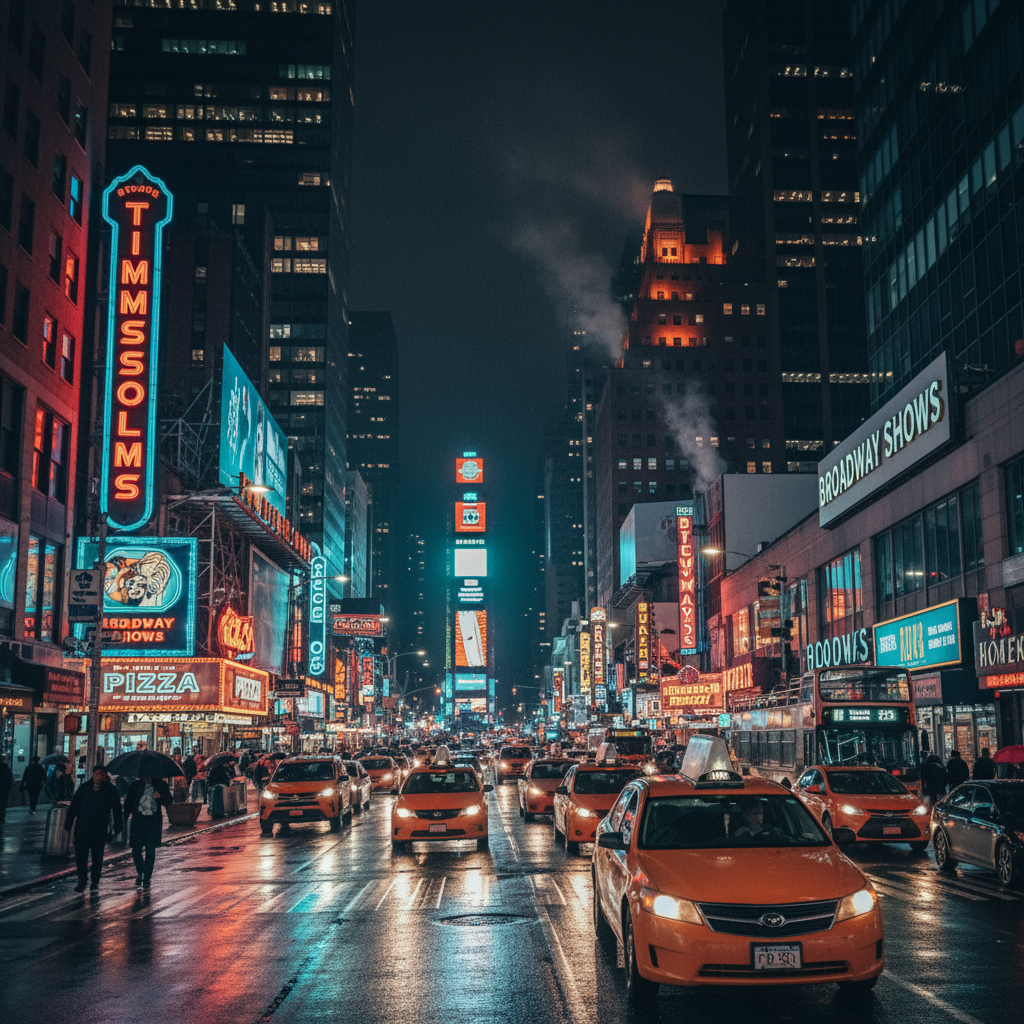
|
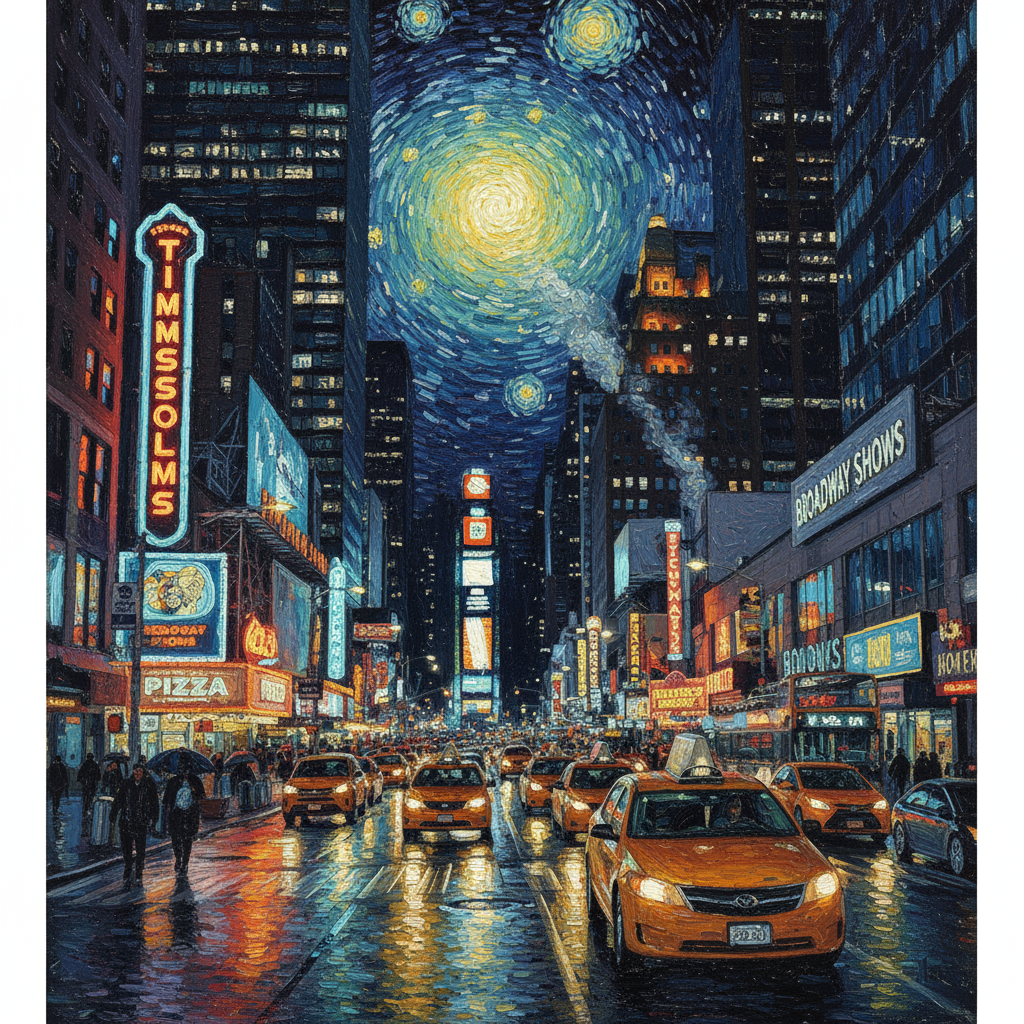
|
4. Bố cục nâng cao: kết hợp nhiều hình ảnh
Cung cấp nhiều hình ảnh làm bối cảnh để tạo một cảnh ghép mới. Đây là lựa chọn hoàn hảo cho bản mô phỏng sản phẩm hoặc ảnh ghép sáng tạo.
Mẫu
Create a new image by combining the elements from the provided images. Take
the [element from image 1] and place it with/on the [element from image 2].
The final image should be a [description of the final scene].
Câu lệnh
"Create a professional e-commerce fashion photo. Take the blue floral dress
from the first image and let the woman from the second image wear it.
Generate a realistic, full-body shot of the woman wearing the dress, with
the lighting and shadows adjusted to match the outdoor environment."
Python
from google import genai
from PIL import Image
import base64

client = genai.Client()

with open('/path/to/your/dress.png', 'rb') as f:
    dress_bytes = f.read()
with open('/path/to/your/model.png', 'rb') as f:
    model_bytes = f.read()
text_input = """Create a professional e-commerce fashion photo. Take the blue floral dress from the first image and let the woman from the second image wear it. Generate a realistic, full-body shot of the woman wearing the dress, with the lighting and shadows adjusted to match the outdoor environment."""

interaction = client.interactions.create(
    model="gemini-3.1-flash-image",
    input=[
        {
            "type": "image",
            "data": base64.b64encode(dress_bytes).decode('utf-8'),
            "mime_type": "image/png"
        },
        {
            "type": "image",
            "data": base64.b64encode(model_bytes).decode('utf-8'),
            "mime_type": "image/png"
        },
        {"type": "text", "text": text_input}
    ],
)

for step in interaction.steps:
    if step.type == "model_output":
        for content_block in step.content:
            if content_block.type == "text":
                print(content_block.text)
            elif content_block.type == "image":
                with open("fashion_ecommerce_shot.png", "wb") as f:
                    f.write(base64.b64decode(content_block.data))
JavaScript
import { GoogleGenAI } from "@google/genai";
import * as fs from "node:fs";

async function main() {
  const ai = new GoogleGenAI({});

  const imagePath1 = "/path/to/your/dress.png";
  const imageData1 = fs.readFileSync(imagePath1);
  const base64Image1 = imageData1.toString("base64");
  const imagePath2 = "/path/to/your/model.png";
  const imageData2 = fs.readFileSync(imagePath2);
  const base64Image2 = imageData2.toString("base64");

  const input = [
    {
      type: "image",
      mime_type: "image/png",
      data: base64Image1
    },
    {
      type: "image",
      mime_type: "image/png",
      data: base64Image2
    },
    { type: "text", text: "Create a professional e-commerce fashion photo. Take the blue floral dress from the first image and let the woman from the second image wear it. Generate a realistic, full-body shot of the woman wearing the dress, with the lighting and shadows adjusted to match the outdoor environment." },
  ];

  const interaction = await ai.interactions.create({
    model: "gemini-3.1-flash-image",
    input: input,
  });
  for (const step of interaction.steps) {
    if (step.type === "model_output") {
      for (const contentBlock of step.content) {
        if (contentBlock.type === "text") {
          console.log(contentBlock.text);
        } else if (contentBlock.type === "image") {
          const buffer = Buffer.from(contentBlock.data, "base64");
          fs.writeFileSync("fashion_ecommerce_shot.png", buffer);
        }
      }
    }
  }
}

main();
Java
import com.google.genai.Client;
import com.google.genai.gaos.models.interactions.Content;
import com.google.genai.gaos.models.interactions.CreateModelInteraction;
import com.google.genai.gaos.models.interactions.ImageContent;
import com.google.genai.gaos.models.interactions.ImageContentMimeType;
import com.google.genai.gaos.models.interactions.Interaction;
import com.google.genai.gaos.models.interactions.InteractionsInput;
import com.google.genai.gaos.models.interactions.Model;
import com.google.genai.gaos.models.interactions.ModelOutputStep;
import com.google.genai.gaos.models.interactions.Step;
import com.google.genai.gaos.models.interactions.TextContent;
import com.google.genai.gaos.models.operations.CreateInteractionRequestBody;
import java.nio.file.Files;
import java.nio.file.Paths;
import java.util.Arrays;
import java.util.Base64;
import java.util.List;

Client client = new Client();

byte[] dressBytes = Files.readAllBytes(Paths.get("/path/to/your/dress.png"));
byte[] modelBytes = Files.readAllBytes(Paths.get("/path/to/your/model.png"));
String textInput =
    "Create a professional e-commerce fashion photo. Take the blue floral dress from the first image and let the woman from the second image wear it. Generate a realistic, full-body shot of the woman wearing the dress, with the lighting and shadows adjusted to match the outdoor environment.";

Content dressContent =
    ImageContent.builder()
        .data(Base64.getEncoder().encodeToString(dressBytes))
        .mimeType(ImageContentMimeType.IMAGE_PNG)
        .build();
Content modelContent =
    ImageContent.builder()
        .data(Base64.getEncoder().encodeToString(modelBytes))
        .mimeType(ImageContentMimeType.IMAGE_PNG)
        .build();
Content textContent = TextContent.builder().text(textInput).build();

List<Content> contents = Arrays.asList(dressContent, modelContent, textContent);

CreateModelInteraction params =
    CreateModelInteraction.builder()
        .model(Model.of("gemini-3.1-flash-image"))
        .input(InteractionsInput.ofContent(contents))
        .build();

Interaction interaction =
    client.interactions.create(CreateInteractionRequestBody.of(params)).interaction().get();

if (interaction.steps().isPresent()) {
  for (Step step : interaction.steps().get()) {
    if (step instanceof ModelOutputStep) {
      ModelOutputStep outputStep = (ModelOutputStep) step;
      if (outputStep.content().isPresent()) {
        for (Content contentBlock : outputStep.content().get()) {
          if (contentBlock instanceof TextContent) {
            System.out.println(((TextContent) contentBlock).text().orElse(""));
          } else if (contentBlock instanceof ImageContent) {
            ImageContent img = (ImageContent) contentBlock;
            if (img.data().isPresent()) {
              byte[] outBytes = Base64.getDecoder().decode(img.data().get());
              Files.write(Paths.get("fashion_ecommerce_shot.png"), outBytes);
            }
          }
        }
      }
    }
  }
}
Go
package main

import (
    "context"
    "encoding/base64"
    "fmt"
    "log"
    "os"

    "google.golang.org/genai"
    "google.golang.org/genai/interactions/models/interactions"
    "google.golang.org/genai/interactions/models/operations"
)

func main() {
    ctx := context.Background()
    client, err := genai.NewClient(ctx, nil)
    if err != nil {
        log.Fatal(err)
    }

    dressBytes, err := os.ReadFile("/path/to/your/dress.png")
    if err != nil {
        log.Fatal(err)
    }
    modelBytes, err := os.ReadFile("/path/to/your/model.png")
    if err != nil {
        log.Fatal(err)
    }
    textInput := "Create a professional e-commerce fashion photo. Take the blue floral dress from the first image and let the woman from the second image wear it. Generate a realistic, full-body shot of the woman wearing the dress, with the lighting and shadows adjusted to match the outdoor environment."

    contents := []interactions.Content{
        interactions.NewContent(interactions.ImageContent{
            Data:     genai.Ptr(base64.StdEncoding.EncodeToString(dressBytes)),
            MimeType: interactions.ImageContentMimeTypeImagePng.ToPointer(),
        }),
        interactions.NewContent(interactions.ImageContent{
            Data:     genai.Ptr(base64.StdEncoding.EncodeToString(modelBytes)),
            MimeType: interactions.ImageContentMimeTypeImagePng.ToPointer(),
        }),
        interactions.NewContent(interactions.TextContent{
            Text: textInput,
        }),
    }

    res, err := client.Interactions.Create(ctx, operations.CreateInteractionRequest{
        Body: operations.NewCreateInteractionRequestBody(interactions.CreateModelInteraction{
            Model: interactions.Model("gemini-3.1-flash-image"),
            Input: interactions.NewInteractionsInput(contents),
        }),
    })
    if err != nil {
        log.Fatal(err)
    }

    for _, step := range res.Interaction.Steps {
        if step.ModelOutputStep != nil {
            for _, contentBlock := range step.ModelOutputStep.Content {
                if contentBlock.TextContent != nil {
                    fmt.Println(contentBlock.TextContent.Text)
                } else if contentBlock.ImageContent != nil && contentBlock.ImageContent.Data != nil {
                    outBytes, err := base64.StdEncoding.DecodeString(*contentBlock.ImageContent.Data)
                    if err != nil {
                        log.Fatal(err)
                    }
                    if err := os.WriteFile("fashion_ecommerce_shot.png", outBytes, 0644); err != nil {
                        log.Fatal(err)
                    }
                }
            }
        }
    }
}
REST
curl -s -X POST \
  "https://generativelanguage.googleapis.com/v1beta/interactions" \
    -H "x-goog-api-key: $GEMINI_API_KEY" \
    -H 'Content-Type: application/json' \
    -d "{
      \"model\": \"gemini-3.1-flash-image\",
      \"input\": [
            {\"type\": \"image\", \"mime_type\":\"image/png\", \"data\": \"<BASE64_IMAGE_DATA_1>\"},
            {\"type\": \"image\", \"mime_type\":\"image/png\", \"data\": \"<BASE64_IMAGE_DATA_2>\"},
            {\"type\": \"text\", \"text\": \"Create a professional e-commerce fashion photo. Take the blue floral dress from the first image and let the woman from the second image wear it. Generate a realistic, full-body shot of the woman wearing the dress, with the lighting and shadows adjusted to match the outdoor environment.\"}
      }]
    }"
Giá trị đầu vào 1 |
Đầu vào 2 |
Đầu ra |

|
|

|
5. Giữ lại chi tiết có độ trung thực cao
Để đảm bảo các chi tiết quan trọng (chẳng hạn như khuôn mặt hoặc biểu trưng) được giữ nguyên trong quá trình chỉnh sửa, hãy mô tả chi tiết các chi tiết đó cùng với yêu cầu chỉnh sửa của bạn.
Mẫu
Using the provided images, place [element from image 2] onto [element from
image 1]. Ensure that the features of [element from image 1] remain
completely unchanged. The added element should [description of how the
element should integrate].
Câu lệnh
"Take the first image of the woman with brown hair, blue eyes, and a neutral
expression. Add the logo from the second image onto her black t-shirt.
Ensure the woman's face and features remain completely unchanged. The logo
should look like it's naturally printed on the fabric, following the folds
of the shirt."
Python
from google import genai
from PIL import Image
import base64

client = genai.Client()

with open('/path/to/your/woman.png', 'rb') as f:
    woman_bytes = f.read()
with open('/path/to/your/logo.png', 'rb') as f:
    logo_bytes = f.read()
text_input = """Take the first image of the woman with brown hair, blue eyes, and a neutral expression. Add the logo from the second image onto her black t-shirt. Ensure the woman's face and features remain completely unchanged. The logo should look like it's naturally printed on the fabric, following the folds of the shirt."""

interaction = client.interactions.create(
    model="gemini-3.1-flash-image",
    input=[
      {"type": "image", "mime_type":"image/png", "data": base64.b64encode(woman_bytes).decode('utf-8')},
      {"type": "image", "mime_type":"image/png", "data": base64.b64encode(logo_bytes).decode('utf-8')},
      {"type": "text", "text": text_input}
    ],
)

for step in interaction.steps:
    if step.type == "model_output":
        for content_block in step.content:
            if content_block.type == "text":
                print(content_block.text)
            elif content_block.type == "image":
                with open("woman_with_logo.png", "wb") as f:
                    f.write(base64.b64decode(content_block.data))
JavaScript
import { GoogleGenAI } from "@google/genai";
import * as fs from "node:fs";

async function main() {
  const ai = new GoogleGenAI({});

  const imagePath1 = "/path/to/your/woman.png";
  const imageData1 = fs.readFileSync(imagePath1);
  const base64Image1 = imageData1.toString("base64");
  const imagePath2 = "/path/to/your/logo.png";
  const imageData2 = fs.readFileSync(imagePath2);
  const base64Image2 = imageData2.toString("base64");

  const input = [
    {"type": "image", "mime_type":"image/png", "data": base64Image1},
    {"type": "image", "mime_type":"image/png", "data": base64Image2},
    {"type": "text", "text": "Take the first image of the woman with brown hair, blue eyes, and a neutral expression. Add the logo from the second image onto her black t-shirt. Ensure the woman's face and features remain completely unchanged. The logo should look like it's naturally printed on the fabric, following the folds of the shirt."},
  ];

  const interaction = await ai.interactions.create({
    model: "gemini-3.1-flash-image",
    input: input,
  });
  for (const step of interaction.steps) {
    if (step.type === "model_output") {
      for (const contentBlock of step.content) {
        if (contentBlock.type === "text") {
          console.log(contentBlock.text);
        } else if (contentBlock.type === "image") {
          const buffer = Buffer.from(contentBlock.data, "base64");
          fs.writeFileSync("woman_with_logo.png", buffer);
        }
      }
    }
  }
}

main();
Java
import com.google.genai.Client;
import com.google.genai.gaos.models.interactions.Content;
import com.google.genai.gaos.models.interactions.CreateModelInteraction;
import com.google.genai.gaos.models.interactions.ImageContent;
import com.google.genai.gaos.models.interactions.ImageContentMimeType;
import com.google.genai.gaos.models.interactions.Interaction;
import com.google.genai.gaos.models.interactions.InteractionsInput;
import com.google.genai.gaos.models.interactions.Model;
import com.google.genai.gaos.models.interactions.ModelOutputStep;
import com.google.genai.gaos.models.interactions.Step;
import com.google.genai.gaos.models.interactions.TextContent;
import com.google.genai.gaos.models.operations.CreateInteractionRequestBody;
import java.nio.file.Files;
import java.nio.file.Paths;
import java.util.Arrays;
import java.util.Base64;
import java.util.List;

Client client = new Client();

byte[] womanBytes = Files.readAllBytes(Paths.get("/path/to/your/woman.png"));
byte[] logoBytes = Files.readAllBytes(Paths.get("/path/to/your/logo.png"));
String textInput =
    "Take the first image of the woman with brown hair, blue eyes, and a neutral expression. Add the logo from the second image onto her black t-shirt. Ensure the woman's face and features remain completely unchanged. The logo should look like it's naturally printed on the fabric, following the folds of the shirt.";

Content womanContent =
    ImageContent.builder()
        .data(Base64.getEncoder().encodeToString(womanBytes))
        .mimeType(ImageContentMimeType.IMAGE_PNG)
        .build();
Content logoContent =
    ImageContent.builder()
        .data(Base64.getEncoder().encodeToString(logoBytes))
        .mimeType(ImageContentMimeType.IMAGE_PNG)
        .build();
Content textContent = TextContent.builder().text(textInput).build();

List<Content> contents = Arrays.asList(womanContent, logoContent, textContent);

CreateModelInteraction params =
    CreateModelInteraction.builder()
        .model(Model.of("gemini-3.1-flash-image"))
        .input(InteractionsInput.ofContent(contents))
        .build();

Interaction interaction =
    client.interactions.create(CreateInteractionRequestBody.of(params)).interaction().get();

if (interaction.steps().isPresent()) {
  for (Step step : interaction.steps().get()) {
    if (step instanceof ModelOutputStep) {
      ModelOutputStep outputStep = (ModelOutputStep) step;
      if (outputStep.content().isPresent()) {
        for (Content contentBlock : outputStep.content().get()) {
          if (contentBlock instanceof TextContent) {
            System.out.println(((TextContent) contentBlock).text().orElse(""));
          } else if (contentBlock instanceof ImageContent) {
            ImageContent img = (ImageContent) contentBlock;
            if (img.data().isPresent()) {
              byte[] outBytes = Base64.getDecoder().decode(img.data().get());
              Files.write(Paths.get("woman_with_logo.png"), outBytes);
            }
          }
        }
      }
    }
  }
}
Go
package main

import (
    "context"
    "encoding/base64"
    "fmt"
    "log"
    "os"

    "google.golang.org/genai"
    "google.golang.org/genai/interactions/models/interactions"
    "google.golang.org/genai/interactions/models/operations"
)

func main() {
    ctx := context.Background()
    client, err := genai.NewClient(ctx, nil)
    if err != nil {
        log.Fatal(err)
    }

    womanBytes, err := os.ReadFile("/path/to/your/woman.png")
    if err != nil {
        log.Fatal(err)
    }
    logoBytes, err := os.ReadFile("/path/to/your/logo.png")
    if err != nil {
        log.Fatal(err)
    }
    textInput := "Take the first image of the woman with brown hair, blue eyes, and a neutral expression. Add the logo from the second image onto her black t-shirt. Ensure the woman's face and features remain completely unchanged. The logo should look like it's naturally printed on the fabric, following the folds of the shirt."

    contents := []interactions.Content{
        interactions.NewContent(interactions.ImageContent{
            Data:     genai.Ptr(base64.StdEncoding.EncodeToString(womanBytes)),
            MimeType: interactions.ImageContentMimeTypeImagePng.ToPointer(),
        }),
        interactions.NewContent(interactions.ImageContent{
            Data:     genai.Ptr(base64.StdEncoding.EncodeToString(logoBytes)),
            MimeType: interactions.ImageContentMimeTypeImagePng.ToPointer(),
        }),
        interactions.NewContent(interactions.TextContent{
            Text: textInput,
        }),
    }

    res, err := client.Interactions.Create(ctx, operations.CreateInteractionRequest{
        Body: operations.NewCreateInteractionRequestBody(interactions.CreateModelInteraction{
            Model: interactions.Model("gemini-3.1-flash-image"),
            Input: interactions.NewInteractionsInput(contents),
        }),
    })
    if err != nil {
        log.Fatal(err)
    }

    for _, step := range res.Interaction.Steps {
        if step.ModelOutputStep != nil {
            for _, contentBlock := range step.ModelOutputStep.Content {
                if contentBlock.TextContent != nil {
                    fmt.Println(contentBlock.TextContent.Text)
                } else if contentBlock.ImageContent != nil && contentBlock.ImageContent.Data != nil {
                    outBytes, err := base64.StdEncoding.DecodeString(*contentBlock.ImageContent.Data)
                    if err != nil {
                        log.Fatal(err)
                    }
                    if err := os.WriteFile("woman_with_logo.png", outBytes, 0644); err != nil {
                        log.Fatal(err)
                    }
                }
            }
        }
    }
}
REST
curl -s -X POST \
  "https://generativelanguage.googleapis.com/v1beta/interactions" \
    -H "x-goog-api-key: $GEMINI_API_KEY" \
    -H 'Content-Type: application/json' \
    -d "{
      \"model\": \"gemini-3.1-flash-image\",
      \"input\": [
        {\"type\": \"image\", \"mime_type\":\"image/png\", \"data\": \"<BASE64_IMAGE_DATA_1>\"},
        {\"type\": \"image\", \"mime_type\":\"image/png\", \"data\": \"<BASE64_IMAGE_DATA_2>\"},
        {\"type\": \"text\", \"text\": \"Take the first image of the woman with brown hair, blue eyes, and a neutral expression. Add the logo from the second image onto her black t-shirt. Ensure the woman's face and features remain completely unchanged. The logo should look like it's naturally printed on the fabric, following the folds of the shirt.\"}
      ]
    }"
Giá trị đầu vào 1 |
Đầu vào 2 |
Đầu ra |

|

|

|
6. Hiện thực hoá điều gì đó
Tải bản phác thảo hoặc bản vẽ thô lên và yêu cầu mô hình tinh chỉnh thành một hình ảnh hoàn chỉnh.
Mẫu
Turn this rough [medium] sketch of a [subject] into a [style description]
photo. Keep the [specific features] from the sketch but add [new details/materials].
Câu lệnh
"Turn this rough pencil sketch of a futuristic car into a polished photo of the finished concept car in a showroom. Keep the sleek lines and low profile from the sketch but add metallic blue paint and neon rim lighting."
Python
from google import genai
from PIL import Image
import base64

client = genai.Client()

with open('/path/to/your/car_sketch.png', 'rb') as f:
    sketch_bytes = f.read()
text_input = """Turn this rough pencil sketch of a futuristic car into a polished photo of the finished concept car in a showroom. Keep the sleek lines and low profile from the sketch but add metallic blue paint and neon rim lighting."""

interaction = client.interactions.create(
    model="gemini-3.1-flash-image",
    input=[
      {"type": "image", "mime_type":"image/png", "data": base64.b64encode(sketch_bytes).decode('utf-8')},
      {"type": "text", "text": text_input}
    ],
)

for step in interaction.steps:
    if step.type == "model_output":
        for content_block in step.content:
            if content_block.type == "text":
                print(content_block.text)
            elif content_block.type == "image":
                with open("car_photo.png", "wb") as f:
                    f.write(base64.b64decode(content_block.data))
JavaScript
import { GoogleGenAI } from "@google/genai";
import * as fs from "node:fs";

async function main() {
  const ai = new GoogleGenAI({});

  const imagePath = "/path/to/your/car_sketch.png";
  const imageData = fs.readFileSync(imagePath);
  const base64Image = imageData.toString("base64");

  const input = [
    {"type": "image", "mime_type":"image/png", "data": base64Image},
    {"type": "text", "text": "Turn this rough pencil sketch of a futuristic car into a polished photo of the finished concept car in a showroom. Keep the sleek lines and low profile from the sketch but add metallic blue paint and neon rim lighting."},
  ];

  const interaction = await ai.interactions.create({
    model: "gemini-3.1-flash-image",
    input: input,
  });
  for (const step of interaction.steps) {
    if (step.type === "model_output") {
      for (const contentBlock of step.content) {
        if (contentBlock.type === "text") {
          console.log(contentBlock.text);
        } else if (contentBlock.type === "image") {
          const buffer = Buffer.from(contentBlock.data, "base64");
          fs.writeFileSync("car_photo.png", buffer);
        }
      }
    }
  }
}

main();
Java
import com.google.genai.Client;
import com.google.genai.gaos.models.interactions.Content;
import com.google.genai.gaos.models.interactions.CreateModelInteraction;
import com.google.genai.gaos.models.interactions.ImageContent;
import com.google.genai.gaos.models.interactions.ImageContentMimeType;
import com.google.genai.gaos.models.interactions.Interaction;
import com.google.genai.gaos.models.interactions.InteractionsInput;
import com.google.genai.gaos.models.interactions.Model;
import com.google.genai.gaos.models.interactions.ModelOutputStep;
import com.google.genai.gaos.models.interactions.Step;
import com.google.genai.gaos.models.interactions.TextContent;
import com.google.genai.gaos.models.operations.CreateInteractionRequestBody;
import java.nio.file.Files;
import java.nio.file.Paths;
import java.util.Arrays;
import java.util.Base64;
import java.util.List;

Client client = new Client();

byte[] sketchBytes = Files.readAllBytes(Paths.get("/path/to/your/car_sketch.png"));
String textInput =
    "Turn this rough pencil sketch of a futuristic car into a polished photo of the finished concept car in a showroom. Keep the sleek lines and low profile from the sketch but add metallic blue paint and neon rim lighting.";

Content sketchContent =
    ImageContent.builder()
        .data(Base64.getEncoder().encodeToString(sketchBytes))
        .mimeType(ImageContentMimeType.IMAGE_PNG)
        .build();
Content textContent = TextContent.builder().text(textInput).build();

List<Content> contents = Arrays.asList(sketchContent, textContent);

CreateModelInteraction params =
    CreateModelInteraction.builder()
        .model(Model.of("gemini-3.1-flash-image"))
        .input(InteractionsInput.ofContent(contents))
        .build();

Interaction interaction =
    client.interactions.create(CreateInteractionRequestBody.of(params)).interaction().get();

if (interaction.steps().isPresent()) {
  for (Step step : interaction.steps().get()) {
    if (step instanceof ModelOutputStep) {
      ModelOutputStep outputStep = (ModelOutputStep) step;
      if (outputStep.content().isPresent()) {
        for (Content contentBlock : outputStep.content().get()) {
          if (contentBlock instanceof TextContent) {
            System.out.println(((TextContent) contentBlock).text().orElse(""));
          } else if (contentBlock instanceof ImageContent) {
            ImageContent img = (ImageContent) contentBlock;
            if (img.data().isPresent()) {
              byte[] outBytes = Base64.getDecoder().decode(img.data().get());
              Files.write(Paths.get("car_photo.png"), outBytes);
            }
          }
        }
      }
    }
  }
}
Go
package main

import (
    "context"
    "encoding/base64"
    "fmt"
    "log"
    "os"

    "google.golang.org/genai"
    "google.golang.org/genai/interactions/models/interactions"
    "google.golang.org/genai/interactions/models/operations"
)

func main() {
    ctx := context.Background()
    client, err := genai.NewClient(ctx, nil)
    if err != nil {
        log.Fatal(err)
    }

    sketchBytes, err := os.ReadFile("/path/to/your/car_sketch.png")
    if err != nil {
        log.Fatal(err)
    }
    textInput := "Turn this rough pencil sketch of a futuristic car into a polished photo of the finished concept car in a showroom. Keep the sleek lines and low profile from the sketch but add metallic blue paint and neon rim lighting."

    contents := []interactions.Content{
        interactions.NewContent(interactions.ImageContent{
            Data:     genai.Ptr(base64.StdEncoding.EncodeToString(sketchBytes)),
            MimeType: interactions.ImageContentMimeTypeImagePng.ToPointer(),
        }),
        interactions.NewContent(interactions.TextContent{
            Text: textInput,
        }),
    }

    res, err := client.Interactions.Create(ctx, operations.CreateInteractionRequest{
        Body: operations.NewCreateInteractionRequestBody(interactions.CreateModelInteraction{
            Model: interactions.Model("gemini-3.1-flash-image"),
            Input: interactions.NewInteractionsInput(contents),
        }),
    })
    if err != nil {
        log.Fatal(err)
    }

    for _, step := range res.Interaction.Steps {
        if step.ModelOutputStep != nil {
            for _, contentBlock := range step.ModelOutputStep.Content {
                if contentBlock.TextContent != nil {
                    fmt.Println(contentBlock.TextContent.Text)
                } else if contentBlock.ImageContent != nil && contentBlock.ImageContent.Data != nil {
                    outBytes, err := base64.StdEncoding.DecodeString(*contentBlock.ImageContent.Data)
                    if err != nil {
                        log.Fatal(err)
                    }
                    if err := os.WriteFile("car_photo.png", outBytes, 0644); err != nil {
                        log.Fatal(err)
                    }
                }
            }
        }
    }
}
REST
curl -s -X POST \
  "https://generativelanguage.googleapis.com/v1beta/interactions" \
    -H "x-goog-api-key: $GEMINI_API_KEY" \
    -H 'Content-Type: application/json' \
    -d "{
      \"model\": \"gemini-3.1-flash-image\",
      \"input\": [
        {\"type\": \"image\", \"mime_type\":\"image/png\", \"data\": \"<BASE64_IMAGE_DATA>\"},
        {\"type\": \"text\", \"text\": \"Turn this rough pencil sketch of a futuristic car into a polished photo of the finished concept car in a showroom. Keep the sleek lines and low profile from the sketch but add metallic blue paint and neon rim lighting.\"}
      ]
    }"
Đầu vào |
Đầu ra |
|
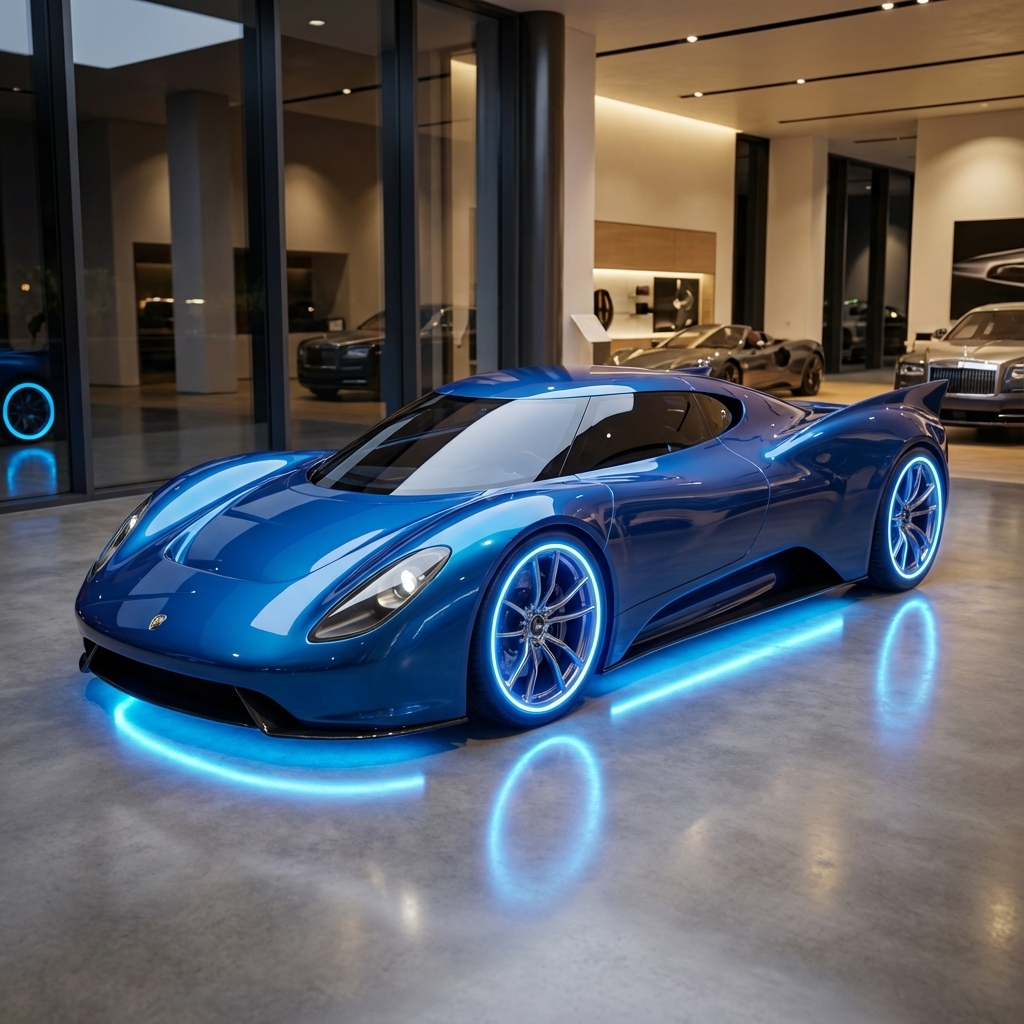
|
7. Đảm bảo tính nhất quán của nhân vật: Chế độ xem 360 độ
Bạn có thể tạo chế độ xem 360 độ của một nhân vật bằng cách liên tục đưa ra câu lệnh cho các góc khác nhau. Để có kết quả tốt nhất, hãy thêm hình ảnh đã tạo trước đó vào các câu lệnh tiếp theo để duy trì tính nhất quán. Đối với các tư thế phức tạp, hãy thêm một hình ảnh tham khảo về tư thế đã chọn.
Mẫu
A studio portrait of [person] against [background], [looking forward/in profile looking right/etc.]
Câu lệnh
A studio portrait of this man against white, in profile looking right
Python
from google import genai
from PIL import Image
import base64

client = genai.Client()

with open('/path/to/your/man_in_white_glasses.jpg', 'rb') as f:
    image_bytes = f.read()
text_input = """A studio portrait of this man against white, in profile looking right"""

interaction = client.interactions.create(
    model="gemini-3.1-flash-image",
    input={
      {"type": "text", "text": text_input},
      {"type": "image", "mime_type":"image/png", "data": base64.b64encode(image_bytes).decode('utf-8')}
    },
)

for step in interaction.steps:
    if step.type == "model_output":
        for content_block in step.content:
            if content_block.type == "text":
                print(content_block.text)
            elif content_block.type == "image":
                with open("man_right_profile.png", "wb") as f:
                    f.write(base64.b64decode(content_block.data))
Đầu vào |
Đầu ra 1 |
Đầu ra 2 |
|
|

|

|
Các phương pháp hay nhất
Để nâng kết quả từ tốt lên xuất sắc, hãy kết hợp những chiến lược chuyên nghiệp này vào quy trình làm việc của bạn.
- Nêu thông tin siêu cụ thể: Bạn càng cung cấp nhiều thông tin chi tiết, bạn càng có nhiều quyền kiểm soát. Thay vì "áo giáp giả tưởng", hãy mô tả nó: "áo giáp dạng tấm của người lùn được chạm khắc hoa văn lá bạc, có cổ áo cao và cầu vai có hình đôi cánh chim ưng".
- Cung cấp bối cảnh và ý định: Giải thích mục đích của hình ảnh. Mức độ hiểu biết của mô hình về ngữ cảnh sẽ ảnh hưởng đến kết quả đầu ra cuối cùng. Ví dụ: "Tạo một biểu trưng cho một thương hiệu chăm sóc da tối giản, cao cấp" sẽ mang lại kết quả tốt hơn so với chỉ "Tạo một biểu trưng".
- Lặp lại và tinh chỉnh: Đừng mong đợi một hình ảnh hoàn hảo ngay từ lần thử đầu tiên. Sử dụng tính chất đàm thoại của mô hình để thực hiện các thay đổi nhỏ. Tiếp tục đưa ra các câu lệnh như "Tuyệt vời, nhưng bạn có thể điều chỉnh ánh sáng ấm hơn một chút không?" hoặc "Giữ nguyên mọi thứ, nhưng thay đổi biểu cảm của nhân vật sao cho nghiêm túc hơn."
- Sử dụng hướng dẫn từng bước: Đối với những cảnh phức tạp có nhiều phần tử, hãy chia câu lệnh thành các bước. "Trước tiên, hãy tạo một hình nền là khu rừng yên bình, mờ sương vào lúc bình minh. Sau đó, ở nền trước, hãy thêm một bàn thờ bằng đá cổ xưa phủ đầy rêu. Cuối cùng, hãy đặt một thanh kiếm phát sáng duy nhất lên trên bàn thờ."
- Sử dụng "câu lệnh phủ định ngữ nghĩa": Thay vì nói "không có ô tô", hãy mô tả cảnh dự định theo hướng tích cực: "một con đường vắng vẻ, không có dấu hiệu giao thông."
- Kiểm soát camera: Sử dụng ngôn ngữ nhiếp ảnh và điện ảnh để kiểm soát bố cục. Các thuật ngữ như
wide-angle shot,macro shot,low-angle perspective.
Các điểm hạn chế
- Để có hiệu suất tốt nhất, hãy sử dụng các ngôn ngữ sau: tiếng Anh, tiếng Ả Rập (Ai Cập), tiếng Đức (Đức), tiếng Tây Ban Nha (Mexico), tiếng Pháp (Pháp), tiếng Hindi (Ấn Độ), tiếng Indonesia (Indonesia), tiếng Ý (Ý), tiếng Nhật (Nhật Bản), tiếng Hàn (Hàn Quốc), tiếng Bồ Đào Nha (Brazil), tiếng Nga (Nga), tiếng Ukraina (Ukraina), tiếng Việt (Việt Nam), tiếng Trung (Trung Quốc).
- Tính năng tạo hình ảnh không hỗ trợ dữ liệu đầu vào bằng âm thanh. Đầu vào video chỉ được hỗ trợ cho Gemini 3.1 Flash Image và Gemini 3.1 Flash Lite Image.
- Mô hình này không phải lúc nào cũng tạo ra chính xác số lượng hình ảnh mà người dùng yêu cầu.
gemini-2.5-flash-imagehoạt động hiệu quả nhất khi có tối đa 3 hình ảnh làm dữ liệu đầu vào, trong khigemini-3-pro-imagehỗ trợ 5 hình ảnh có độ trung thực cao và tổng cộng tối đa 14 hình ảnh.gemini-3.1-flash-imagehỗ trợ độ tương đồng ký tự lên đến 4 ký tự và độ trung thực lên đến 10 đối tượng trong một quy trình duy nhất.- Khi tạo văn bản cho một hình ảnh, Gemini hoạt động hiệu quả nhất nếu bạn tạo văn bản trước rồi yêu cầu tạo hình ảnh có văn bản đó.
gemini-3.1-flash-imageNeo bám vào Google Tìm kiếm hiện không hỗ trợ việc sử dụng hình ảnh thực tế về con người từ tìm kiếm trên web.- Tất cả hình ảnh được tạo đều có hình mờ SynthID.
Cấu hình không bắt buộc
Bạn có thể tuỳ ý định cấu hình định dạng đầu ra, tỷ lệ khung hình và kích thước hình ảnh bằng cách sử dụng tham số response_format.
Định dạng đầu ra
Theo mặc định, mô hình sẽ trả về cả văn bản và hình ảnh. Bạn có thể định cấu hình phản hồi để chỉ trả về hình ảnh được tạo (bỏ qua văn bản trò chuyện) bằng cách chỉ định một định dạng hình ảnh trong tham số response_format.
Để yêu cầu nhiều phương thức (ví dụ: cả văn bản và hình ảnh được tạo), hãy truyền một mảng các mục nhập định dạng đến response_format.
Python
interaction = client.interactions.create(
    model="gemini-3.1-flash-image",
    input="Write a short poem about a starry night and generate an image of it.",
    response_format=[
        {"type": "text"},
        {"type": "image"},
    ],
)
JavaScript
const interaction = await ai.interactions.create({
  model: "gemini-3.1-flash-image",
  input: "Write a short poem about a starry night and generate an image of it.",
  response_format: [
    { type: "text" },
    { type: "image" },
  ],
});
Java
import com.google.genai.Client;
import com.google.genai.gaos.models.interactions.CreateModelInteraction;
import com.google.genai.gaos.models.interactions.CreateModelInteractionResponseFormat;
import com.google.genai.gaos.models.interactions.ImageResponseFormat;
import com.google.genai.gaos.models.interactions.Interaction;
import com.google.genai.gaos.models.interactions.InteractionsInput;
import com.google.genai.gaos.models.interactions.Model;
import com.google.genai.gaos.models.interactions.ResponseFormat;
import com.google.genai.gaos.models.interactions.TextResponseFormat;
import com.google.genai.gaos.models.operations.CreateInteractionRequestBody;
import java.util.Arrays;

Client client = new Client();

CreateModelInteractionResponseFormat format =
    CreateModelInteractionResponseFormat.of(
        Arrays.asList(
            ResponseFormat.of(TextResponseFormat.builder().build()),
            ResponseFormat.of(ImageResponseFormat.builder().build())));

CreateModelInteraction params =
    CreateModelInteraction.builder()
        .model(Model.of("gemini-3.1-flash-image"))
        .input(
            InteractionsInput.of(
                "Write a short poem about a starry night and generate an image of it."))
        .responseFormat(format)
        .build();

Interaction interaction =
    client.interactions.create(CreateInteractionRequestBody.of(params)).interaction().get();
Go
package main

import (
    "context"
    "log"

    "google.golang.org/genai"
    "google.golang.org/genai/interactions/models/interactions"
    "google.golang.org/genai/interactions/models/operations"
)

func main() {
    ctx := context.Background()
    client, err := genai.NewClient(ctx, nil)
    if err != nil {
        log.Fatal(err)
    }

    format := interactions.NewCreateModelInteractionResponseFormat([]interactions.ResponseFormat{
        interactions.NewResponseFormat(interactions.TextResponseFormat{}),
        interactions.NewResponseFormat(interactions.ImageResponseFormat{}),
    })

    res, err := client.Interactions.Create(ctx, operations.CreateInteractionRequest{
        Body: operations.NewCreateInteractionRequestBody(interactions.CreateModelInteraction{
            Model:          interactions.Model("gemini-3.1-flash-image"),
            Input:          interactions.NewInteractionsInput("Write a short poem about a starry night and generate an image of it."),
            ResponseFormat: genai.Ptr(format),
        }),
    })
    if err != nil {
        log.Fatal(err)
    }
    _ = res
}
REST
curl -s -X POST \
  "https://generativelanguage.googleapis.com/v1beta/interactions" \
  -H "x-goog-api-key: $GEMINI_API_KEY" \
  -H 'Content-Type: application/json' \
  -d '{
    "model": "gemini-3.1-flash-image",
    "input": "Write a short poem about a starry night and generate an image of it.",
    "response_format": [
      { "type": "text" },
      { "type": "image" }
    ]
  }'
Tỷ lệ khung hình và kích thước hình ảnh
Theo mặc định, mô hình sẽ điều chỉnh kích thước hình ảnh đầu ra cho phù hợp với kích thước hình ảnh đầu vào của bạn, hoặc tạo ra các hình vuông có tỷ lệ 1:1. Bạn có thể kiểm soát tỷ lệ khung hình và kích thước của hình ảnh đầu ra bằng cách sử dụng các trường aspect_ratio và image_size trong response_format khi type được đặt thành "image".
Python
interaction = client.interactions.create(
    model="gemini-3.1-flash-image",
    input=prompt,
    response_format={
        "type": "image",
        "aspect_ratio": "16:9",
        "image_size": "2K",
    },
)
JavaScript
const interaction = await ai.interactions.create({
    model: "gemini-3.1-flash-image",
    input: prompt,
    response_format: {
      type: "image",
      aspect_ratio: "16:9",
      image_size: "2K",
    },
  });
Java
import com.google.genai.Client;
import com.google.genai.gaos.models.interactions.CreateModelInteraction;
import com.google.genai.gaos.models.interactions.CreateModelInteractionResponseFormat;
import com.google.genai.gaos.models.interactions.ImageResponseFormat;
import com.google.genai.gaos.models.interactions.ImageResponseFormatAspectRatio;
import com.google.genai.gaos.models.interactions.ImageResponseFormatImageSize;
import com.google.genai.gaos.models.interactions.Interaction;
import com.google.genai.gaos.models.interactions.InteractionsInput;
import com.google.genai.gaos.models.interactions.Model;
import com.google.genai.gaos.models.interactions.ResponseFormat;
import com.google.genai.gaos.models.operations.CreateInteractionRequestBody;

Client client = new Client();
String prompt = "Create a picture of a nano banana dish in a fancy restaurant with a Gemini theme";

CreateModelInteractionResponseFormat format =
    CreateModelInteractionResponseFormat.of(
        ResponseFormat.of(
            ImageResponseFormat.builder()
                .aspectRatio(ImageResponseFormatAspectRatio.of("16:9"))
                .imageSize(ImageResponseFormatImageSize.TWO_K)
                .build()));

CreateModelInteraction params =
    CreateModelInteraction.builder()
        .model(Model.of("gemini-3.1-flash-image"))
        .input(InteractionsInput.of(prompt))
        .responseFormat(format)
        .build();

Interaction interaction =
    client.interactions.create(CreateInteractionRequestBody.of(params)).interaction().get();
Go
package main

import (
    "context"
    "log"

    "google.golang.org/genai"
    "google.golang.org/genai/interactions/models/interactions"
    "google.golang.org/genai/interactions/models/operations"
)

func main() {
    ctx := context.Background()
    client, err := genai.NewClient(ctx, nil)
    if err != nil {
        log.Fatal(err)
    }

    prompt := "Create a picture of a nano banana dish in a fancy restaurant with a Gemini theme"

    format := interactions.NewCreateModelInteractionResponseFormat(
        interactions.NewResponseFormat(interactions.ImageResponseFormat{
            AspectRatio: interactions.ImageResponseFormatAspectRatio("16:9").ToPointer(),
            ImageSize:   interactions.ImageResponseFormatImageSizeTwoK.ToPointer(),
        }),
    )

    res, err := client.Interactions.Create(ctx, operations.CreateInteractionRequest{
        Body: operations.NewCreateInteractionRequestBody(interactions.CreateModelInteraction{
            Model:          interactions.Model("gemini-3.1-flash-image"),
            Input:          interactions.NewInteractionsInput(prompt),
            ResponseFormat: genai.Ptr(format),
        }),
    })
    if err != nil {
        log.Fatal(err)
    }
    _ = res
}
REST
curl -s -X POST \
  "https://generativelanguage.googleapis.com/v1beta/interactions" \
  -H "x-goog-api-key: $GEMINI_API_KEY" \
  -H 'Content-Type: application/json' \
  -d '{
    "model": "gemini-3.1-flash-image",
    "input": "Create a picture of a nano banana dish in a fancy restaurant with a Gemini theme",
    "response_format": {
      "type": "image",
      "aspect_ratio": "16:9",
      "image_size": "2K"
    }
  }'
Các tỷ lệ hiện có và kích thước của hình ảnh được tạo được liệt kê trong các bảng sau:
3.1 Flash Image
| Tỷ lệ khung hình | Độ phân giải 512 px | 500 mã thông báo | Độ phân giải 1K | 1.000 token | Độ phân giải 2K | 2.000 token | Độ phân giải 4K | 4.000 mã thông báo |
|---|---|---|---|---|---|---|---|---|
| 1:1 | 512x512 | 747 | 1024x1024 | 1120 | 2048x2048 | 1680 | 4096x4096 | 2520 |
| 1:4 | 256x1024 | 747 | 512x2048 | 1120 | 1024x4096 | 1680 | 2048x8192 | 2520 |
| 1:8 | 192x1536 | 747 | 384x3072 | 1120 | 768x6144 | 1680 | 1536x12288 | 2520 |
| 2:3 | 424x632 | 747 | 848x1264 | 1120 | 1696x2528 | 1680 | 3392x5056 | 2520 |
| 3:2 | 632x424 | 747 | 1264x848 | 1120 | 2528x1696 | 1680 | 5056x3392 | 2520 |
| 3:4 | 448x600 | 747 | 896x1200 | 1120 | 1792x2400 | 1680 | 3584x4800 | 2520 |
| 4:1 | 1024x256 | 747 | 2048x512 | 1120 | 4096x1024 | 1680 | 8192x2048 | 2520 |
| 4:3 | 600x448 | 747 | 1200x896 | 1120 | 2400x1792 | 1680 | 4800x3584 | 2520 |
| 4:5 | 464x576 | 747 | 928x1152 | 1120 | 1856x2304 | 1680 | 3712x4608 | 2520 |
| 5:4 | 576x464 | 747 | 1152x928 | 1120 | 2304x1856 | 1680 | 4608x3712 | 2520 |
| 8:1 | 1536x192 | 747 | 3072x384 | 1120 | 6144x768 | 1680 | 12288x1536 | 2520 |
| 9:16 | 384x688 | 747 | 768x1376 | 1120 | 1536x2752 | 1680 | 3072x5504 | 2520 |
| 16:9 | 688x384 | 747 | 1376x768 | 1120 | 2752x1536 | 1680 | 5504x3072 | 2520 |
| 21:9 | 792x168 | 747 | 1584x672 | 1120 | 3168x1344 | 1680 | 6336x2688 | 2520 |
3.1 Pro Image
| Tỷ lệ khung hình | Độ phân giải 1K | 1.000 token | Độ phân giải 2K | 2.000 token | Độ phân giải 4K | 4.000 mã thông báo |
|---|---|---|---|---|---|---|
| 1:1 | 1024x1024 | 1120 | 2048x2048 | 1120 | 4096x4096 | 2000 |
| 2:3 | 848x1264 | 1120 | 1696x2528 | 1120 | 3392x5056 | 2000 |
| 3:2 | 1264x848 | 1120 | 2528x1696 | 1120 | 5056x3392 | 2000 |
| 3:4 | 896x1200 | 1120 | 1792x2400 | 1120 | 3584x4800 | 2000 |
| 4:3 | 1200x896 | 1120 | 2400x1792 | 1120 | 4800x3584 | 2000 |
| 4:5 | 928x1152 | 1120 | 1856x2304 | 1120 | 3712x4608 | 2000 |
| 5:4 | 1152x928 | 1120 | 2304x1856 | 1120 | 4608x3712 | 2000 |
| 9:16 | 768x1376 | 1120 | 1536x2752 | 1120 | 3072x5504 | 2000 |
| 16:9 | 1376x768 | 1120 | 2752x1536 | 1120 | 5504x3072 | 2000 |
| 21:9 | 1584x672 | 1120 | 3168x1344 | 1120 | 6336x2688 | 2000 |
Hình ảnh Gemini 2.5 Flash
| Tỷ lệ khung hình | Độ phân giải | Mã thông báo |
|---|---|---|
| 1:1 | 1024x1024 | 1290 |
| 2:3 | 832x1248 | 1290 |
| 3:2 | 1248x832 | 1290 |
| 3:4 | 864x1184 | 1290 |
| 4:3 | 1184x864 | 1290 |
| 4:5 | 896x1152 | 1290 |
| 5:4 | 1152x896 | 1290 |
| 9:16 | 768x1344 | 1290 |
| 16:9 | 1344x768 | 1290 |
| 21:9 | 1536x672 | 1290 |
Lựa chọn mô hình
Chọn mô hình phù hợp nhất với trường hợp sử dụng cụ thể của bạn.
Hình ảnh Gemini 3.1 Flash (Nano Banana 2) nên là mô hình tạo hình ảnh mà bạn ưu tiên sử dụng, vì đây là mô hình có hiệu suất và trí thông minh toàn diện tốt nhất để cân bằng chi phí và độ trễ. Hãy xem trang giá và khả năng của mô hình để biết thêm thông tin chi tiết.
Gemini 3.1 Flash Lite Image (Nano Banana 2 Lite) là mô hình hiệu quả nhất trong nhóm mô hình tạo hình ảnh, mang đến độ trễ cực thấp và khả năng tạo cũng như chỉnh sửa hình ảnh hiệu quả về chi phí. Hãy xem trang giá và khả năng của mô hình để biết thêm thông tin.
Hình ảnh do Gemini 3 Pro (Nano Banana Pro) tạo được thiết kế để tạo ra các thành phần chuyên nghiệp và thực hiện các chỉ dẫn phức tạp. Mô hình này có tính năng liên kết với thế giới thực bằng Google Tìm kiếm, quy trình "Suy nghĩ" mặc định giúp tinh chỉnh thành phần trước khi tạo và có thể tạo hình ảnh có độ phân giải lên đến 4K. Hãy xem trang giá và khả năng của mô hình để biết thêm thông tin chi tiết.
Hình ảnh Gemini 2.5 Flash (Nano Banana) được thiết kế để mang lại tốc độ và hiệu quả. Mô hình này được tối ưu hoá cho các tác vụ có khối lượng lớn, độ trễ thấp và tạo hình ảnh ở độ phân giải 1024px. Hãy xem trang giá và khả năng của mô hình để biết thêm thông tin chi tiết.
Trường hợp nên sử dụng Imagen
Imagen đã ngừng hoạt động và không còn được cung cấp thông qua Gemini API nữa. Dùng Nano Banana để tạo và chỉnh sửa ảnh.
Bước tiếp theo
- Hãy xem hướng dẫn về Veo để tìm hiểu cách tạo video bằng Gemini API.
- Để tìm hiểu thêm về các mô hình Gemini, hãy xem phần Các mô hình Gemini.