

Генерация изображений нано-банана
- Или создайте свой собственный вариант, используя подсказки:






Создано с помощью Nano Banana 2 Задание: «Фотография обложки глянцевого журнала. На минималистичной синей обложке крупными жирными буквами написано Nano Banana. Текст выполнен шрифтом с засечками и заполняет всё изображение. Другого текста нет. Перед текстом — портрет человека в элегантном минималистичном платье. Она игриво держит цифру 2, которая является центральным элементом композиции».
В углу журнала укажите номер выпуска и дату «Февраль 2026», а также штрихкод. Журнал стоит на полке у оранжевой оштукатуренной стены в дизайнерском магазине.Создано с помощью Nano Banana Pro Задание: «Представьте четкую, изометрическую 3D-сцену Лондона в мультяшном стиле, снятую сверху под углом 45°, с изображением его самых знаковых достопримечательностей и архитектурных элементов. Используйте мягкие, изысканные текстуры с реалистичными PBR-материалами и мягким, реалистичным освещением и тенями. Интегрируйте текущие погодные условия непосредственно в городскую среду, чтобы создать захватывающую атмосферную обстановку. Используйте чистую, минималистичную композицию с мягким однотонным фоном. В верхней центральной части разместите заголовок «Лондон» крупным жирным шрифтом, под ним — заметный значок погоды, затем дату (мелким шрифтом) и температуру (средним шрифтом). Весь текст должен быть центрирован с одинаковым интервалом и может слегка перекрывать верхние части зданий».Создано с помощью Nano Banana 2 Задание: «Используйте поиск изображений, чтобы найти точные фотографии великолепной птицы кетцаль. Создайте красивые обои с изображением этой птицы в формате 3:2, с естественным градиентом сверху вниз и минималистичной композицией».
Создано с помощью Nano Banana Pro Задание: «Разместите этот логотип в высококачественной рекламе духов с ароматом банана. Логотип идеально интегрирован во флакон».Создано с помощью Nano Banana Pro Задание: «Фотография обычной сцены в оживленном кафе, где подают завтрак. На переднем плане — аниме-персонаж с синими волосами, один из персонажей — карандашный набросок, другой — персонаж из пластилина».Создано с помощью Nano Banana Pro Задание: «Используйте поиск, чтобы узнать, как был воспринят запуск Gemini 3 Flash. Используйте эту информацию для написания короткой статьи об этом (с заголовками). Приложите фотографию статьи в глянцевом журнале, посвященном дизайну. Это фотография одной сложенной страницы, на которой изображена статья о Gemini 3 Flash. Одна главная фотография. Заголовок с засечками».Создано с помощью Nano Banana Pro Задание: «Иконка, изображающая милую собачку. Белый фон. Создайте иконки в красочном и тактильном 3D-стиле. Без текста».Создано с помощью Nano Banana 2 Задание: «Сделайте фотографию, которая идеально изометрична. Это не миниатюра, это снимок, который случайно получился идеально изометричным. Это фотография красивого современного сада. На ней изображен большой бассейн в форме цифры 2 и надпись: Nano Banana 2».
Nano Banana — это название встроенных в Gemini возможностей генерации изображений. Gemini может генерировать и обрабатывать изображения в диалоговом режиме с текстом, изображениями или их комбинацией. Это позволяет создавать, редактировать и дорабатывать визуальные материалы с беспрецедентным контролем.
Nano Banana — это название двух различных моделей, доступных в API Gemini:
- Nano Banana 2 : Модель образа Gemini 3.1 Flash (
gemini-3.1-flash-image). Эта модель является высокоэффективным аналогом образа Gemini 3 Pro, оптимизированным для скорости и использования разработчиками в больших объемах данных. - Nano Banana Pro : Модель изображения Gemini 3 Pro (
gemini-3-pro-image). Эта модель разработана для профессионального создания графических ресурсов, использующая сложные логические рассуждения («мышление») для выполнения сложных инструкций и рендеринга высококачественного текста. - Nano Banana : Модель Gemini 2.5 Flash Image (
gemini-2.5-flash-image). Эта модель разработана для обеспечения скорости и эффективности, оптимизирована для задач с большим объемом данных и низкой задержкой.
Все сгенерированные изображения содержат водяной знак SynthID .
Генерация изображений (преобразование текста в изображение)
Python
from google import genai
from PIL import Image
import base64

client = genai.Client()

interaction = client.interactions.create(
    model="gemini-3.1-flash-image",
    input="Create a picture of a nano banana dish in a fancy restaurant with a Gemini theme",
)

with open("generated_image.png", "wb") as f:

    f.write(base64.b64decode(interaction.output_image.data))
JavaScript
import { GoogleGenAI } from "@google/genai";
import * as fs from "node:fs";

async function main() {

  const ai = new GoogleGenAI({});

  const prompt =
    "Create a picture of a nano banana dish in a fancy restaurant with a Gemini theme";

  const interaction = await ai.interactions.create({
    model: "gemini-3.1-flash-image",
    input: prompt,
  });
  const generatedImage = interaction.output_image;
  if (generatedImage) {
    const buffer = Buffer.from(generatedImage.data, "base64");
    fs.writeFileSync("gemini-native-image.png", buffer);
    console.log("Image saved as gemini-native-image.png");
  }
}

main();
ОТДЫХ
curl -s -X POST \
  "https://generativelanguage.googleapis.com/v1beta/interactions" \
  -H "x-goog-api-key: $GEMINI_API_KEY" \
  -H "Content-Type: application/json" \
  -d '{
    "model": "gemini-3.1-flash-image",
    "input": [
      {"type": "text", "text": "Create a picture of a nano banana dish in a fancy restaurant with a Gemini theme"}
    ]
  }'
Получить сгенерированные данные изображения можно с помощью свойства interaction.output_image , которое возвращает последний сгенерированный блок изображения. Подробную информацию о вспомогательных свойствах см. в обзоре взаимодействий .
Редактирование изображений (преобразование текста и изображения в изображение)
Напоминание : Убедитесь, что у вас есть необходимые права на любые загружаемые вами изображения. Не создавайте контент, нарушающий права других лиц, включая видео или изображения, которые вводят в заблуждение, преследуют или причиняют вред. Использование вами этого сервиса генеративного ИИ регулируется нашей Политикой запрещенного использования .
Предоставьте изображение и используйте текстовые подсказки для добавления, удаления или изменения элементов, изменения стиля или корректировки цветовой гаммы.
В следующем примере показана загрузка изображений в кодировке base64 . Для загрузки нескольких изображений, больших объемов данных и поддерживаемых типов MIME см. страницу "Понимание изображений" .
Python
from google import genai
from PIL import Image
import base64

client = genai.Client()

with open("/path/to/cat_image.png", "rb") as f:
    image_bytes = f.read()

interaction = client.interactions.create(
    model="gemini-3.1-flash-image",
    input=[
        {
          "type": "text",
          "text": "Create a picture of a nano banana dish in a fancy restaurant with a Gemini theme"
        },
        {
            "type": "image",
            "data": base64.b64encode(image_bytes).decode('utf-8'),
            "mime_type": "image/png"
        }
    ],
)

with open("generated_image.png", "wb") as f:

    f.write(base64.b64decode(interaction.output_image.data))
JavaScript
import { GoogleGenAI } from "@google/genai";
import * as fs from "node:fs";

async function main() {

  const ai = new GoogleGenAI({});

  const imagePath = "path/to/cat_image.png";
  const imageData = fs.readFileSync(imagePath);
  const base64Image = imageData.toString("base64");

  const prompt = [
    { type: "text", text: "Create a picture of my cat eating a nano-banana in a" +
            "fancy restaurant under the Gemini constellation" },
    {
      type: "image",
      mime_type: "image/png",
      data: base64Image
    },
  ];

  const interaction = await ai.interactions.create({
    model: "gemini-3.1-flash-image",
    input: prompt,
  });
  const generatedImage = interaction.output_image;
  if (generatedImage) {
    const buffer = Buffer.from(generatedImage.data, "base64");
    fs.writeFileSync("gemini-native-image.png", buffer);
    console.log("Image saved as gemini-native-image.png");
  }
}

main();
ОТДЫХ
curl -s -X POST \
  "https://generativelanguage.googleapis.com/v1beta/interactions" \
    -H "x-goog-api-key: $GEMINI_API_KEY" \
    -H 'Content-Type: application/json' \
    -d "{
      \"model\": \"gemini-3.1-flash-image\",
      \"input\": [
        {\"type\": \"text\", \"text\": \"Create a picture of my cat eating a nano-banana in a fancy restaurant under the Gemini constellation\"},
        {
          \"type\": \"image\",
          \"mime_type\": \"image/jpeg\",
          \"data\": \"<BASE64_IMAGE_DATA>\"
        }
      ]
    }"
Многоэтапная обработка изображений
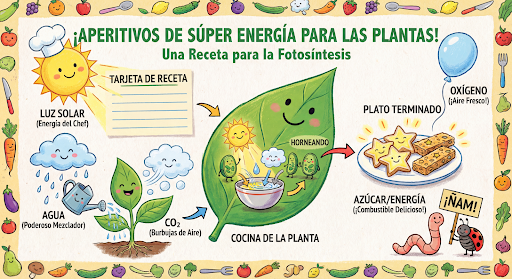
Продолжайте создавать и редактировать изображения в диалоге. Многоэтапный диалог — рекомендуемый способ итерации работы над изображениями. В следующем примере показано задание на создание инфографики о фотосинтезе.
Python
from google import genai
import base64

client = genai.Client()

interaction = client.interactions.create(
    model="gemini-3.1-flash-image",
    input="Create a vibrant infographic that explains photosynthesis as if it were a recipe for a plant's favorite food. Show the \"ingredients\" (sunlight, water, CO2) and the \"finished dish\" (sugar/energy). The style should be like a page from a colorful kids' cookbook, suitable for a 4th grader.",
    tools=[{"type": "google_search"}],
)

with open("photosynthesis.png", "wb") as f:

    f.write(base64.b64decode(interaction.output_image.data))
JavaScript
import { GoogleGenAI } from "@google/genai";
import * as fs from "node:fs";

const ai = new GoogleGenAI({});

async function main() {
  const interaction = await ai.interactions.create({
    model: "gemini-3.1-flash-image",
    input: "Create a vibrant infographic that explains photosynthesis as if it were a recipe for a plant's favorite food. Show the \"ingredients\" (sunlight, water, CO2) and the \"finished dish\" (sugar/energy). The style should be like a page from a colorful kids' cookbook, suitable for a 4th grader.",
    tools: [{"type": "google_search"}],
  });

  const generatedImage = interaction.output_image;
  if (generatedImage) {
    const buffer = Buffer.from(generatedImage.data, "base64");
    fs.writeFileSync("photosynthesis.png", buffer);
    console.log("Image saved as photosynthesis.png");
  }
}

await main();
ОТДЫХ
curl -s -X POST \
  "https://generativelanguage.googleapis.com/v1beta/interactions" \
  -H "x-goog-api-key: $GEMINI_API_KEY" \
  -H "Content-Type: application/json" \
  -d '{
    "model": "gemini-3.1-flash-image",
    "input": [
      {"type": "text", "text": "Create a vibrant infographic that explains photosynthesis as if it were a recipe for a plants favorite food. Show the \"ingredients\" (sunlight, water, CO2) and the \"finished dish\" (sugar/energy). The style should be like a page from a colorful kids cookbook, suitable for a 4th grader."}
    ],
    "tools": [{"type": "google_search"}]
  }'

Затем вы можете использовать previous_interaction_id , чтобы изменить язык графического изображения на испанский.
Python
interaction_2 = client.interactions.create(
    model="gemini-3.1-flash-image",
    input="Update this infographic to be in Spanish. Do not change any other elements of the image.",
    previous_interaction_id=interaction.id,
    response_format={
        "type": "image",
        "mime_type": "image/jpeg",
        "aspect_ratio": "16:9",
        "image_size": "2K"
    },
)

generated_image = interaction_2.output_image
if generated_image:
    with open("photosynthesis_spanish.png", "wb") as f:
        f.write(base64.b64decode(generated_image.data))
JavaScript
const interaction2 = await ai.interactions.create({
  model: "gemini-3.1-flash-image",
  input: "Update this infographic to be in Spanish. Do not change any other elements of the image.",
  previous_interaction_id: interaction.id,
  response_format: {
    type: "image",
    mime_type: "image/png",
    aspect_ratio: "16:9",
    image_size: "2K"
  },
});

const generatedImage = interaction2.output_image;
if (generatedImage) {
  const buffer = Buffer.from(generatedImage.data, "base64");
  fs.writeFileSync("photosynthesis_spanish.png", buffer);
}
ОТДЫХ
curl -s -X POST \
  "https://generativelanguage.googleapis.com/v1beta/interactions" \
  -H "x-goog-api-key: $GEMINI_API_KEY" \
  -H 'Content-Type: application/json' \
  -d '{
    "model": "gemini-3.1-flash-image",
    "input": "Update this infographic to be in Spanish. Do not change any other elements of the image.",
    "previous_interaction_id": "<PREVIOUS_INTERACTION_ID>",
    "response_format": {
      "type": "image",
      "mime_type": "image/jpeg",
      "aspect_ratio": "16:9",
      "image_size": "2K"
    }
  }'
Новые модели Gemini 3 Image
Gemini 3 предлагает передовые модели генерации и редактирования изображений. Gemini 3.1 Flash Image оптимизирован для высокой скорости и больших объемов работы, а Gemini 3 Pro Image оптимизирован для профессионального создания ресурсов. Разработанные для решения самых сложных задач благодаря использованию передовых алгоритмов, они превосходно справляются со сложными многоэтапными задачами создания и модификации.
- Вывод в высоком разрешении : встроенные возможности генерации изображений в разрешениях 1K, 2K и 4K.
- В Gemini 3.1 Flash Image добавлено разрешение меньшего размера — 512 пикселей (0,5K).
- Расширенные возможности рендеринга текста : позволяет создавать разборчивый, стилизованный текст для инфографики, меню, диаграмм и маркетинговых материалов.
- Использование поиска Google : Модель может использовать поиск Google в качестве инструмента для проверки фактов и генерации изображений на основе данных в реальном времени (например, текущие карты погоды, биржевые графики, последние события).
- В Gemini 3.1 Flash Image добавлена интеграция Google Image Search Grounding наряду с веб-поиском.
- Режим мышления : Модель использует процесс «мышления» для анализа сложных задач. Она генерирует промежуточные «образы мыслей» (видимые в бэкэнде, но не оплачиваемые) для уточнения композиции перед созданием окончательного высококачественного результата.
- До 14 эталонных изображений : Теперь вы можете комбинировать до 14 эталонных изображений для получения окончательного изображения.
- Новые соотношения сторон : в Gemini 3.1 Flash Image добавлены соотношения сторон 1:4, 4:1, 1:8 и 8:1.
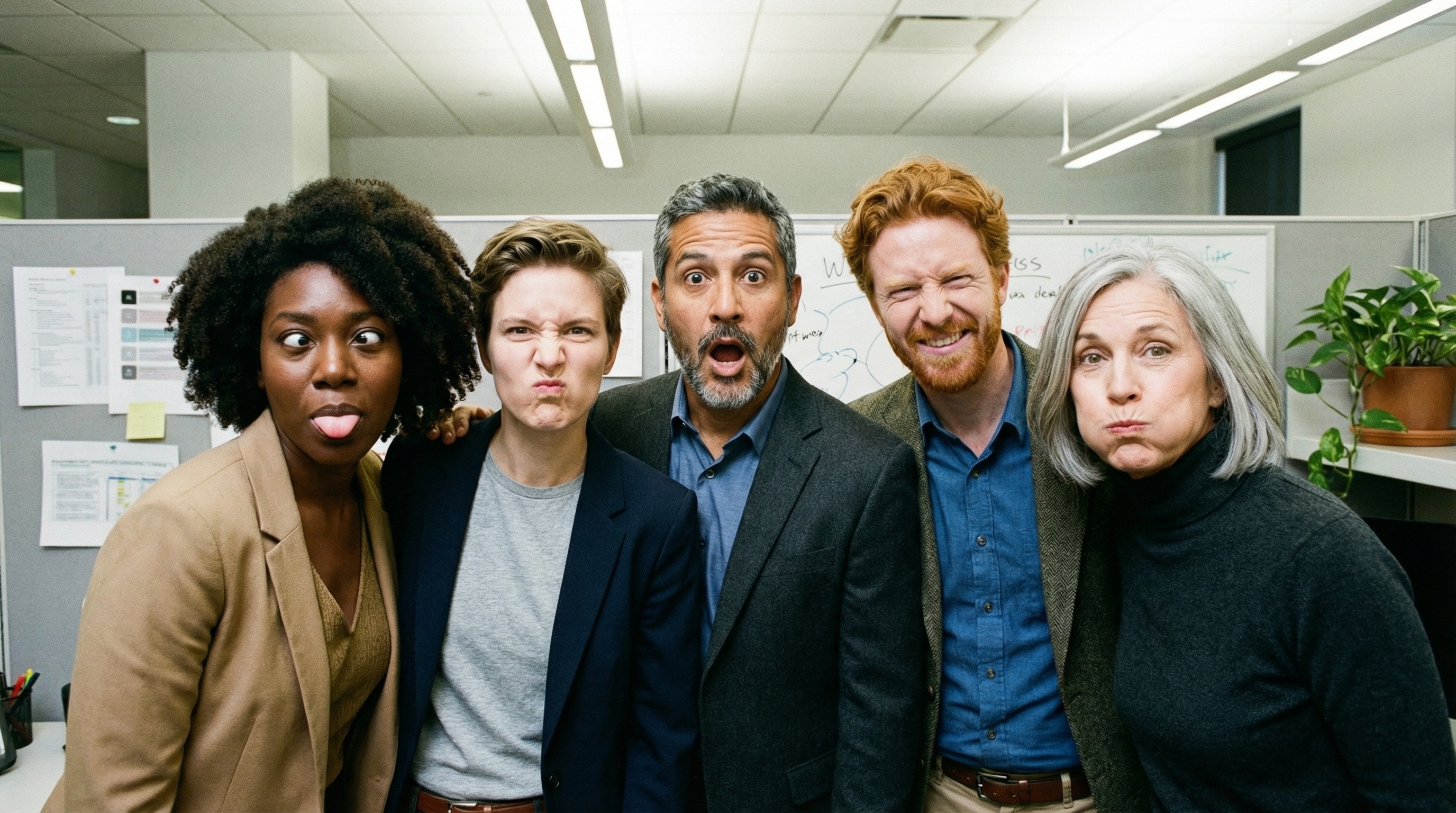
Используйте до 14 эталонных изображений.
Модели изображений Gemini 3 позволяют комбинировать до 14 эталонных изображений. Эти 14 изображений могут включать в себя следующее:
| Изображение Gemini 3.1 со вспышкой | Изображение Gemini 3 Pro |
|---|---|
| До 10 высококачественных изображений объектов для включения в итоговое изображение. | До 6 высококачественных изображений объектов для включения в итоговое изображение. |
| До 4 изображений персонажей для обеспечения единообразия их внешнего вида. | До 5 изображений персонажей для обеспечения единообразия их внешнего вида. |
| Н/Д | До 3 изображений могут быть использованы в качестве стилистических ориентиров. |
Python
from google import genai
from google.genai import types
from PIL import Image
import base64

prompt = "An office group photo of these people, they are making funny faces."

client = genai.Client()

interaction = client.interactions.create(
    model="gemini-3.1-flash-image",
    input=[
        {
            "type": "text",
            "text": prompt,
        },
        {
            "type": "image",
            "data": base64.b64encode(image_bytes).decode('utf-8'),
            "mime_type": "image/png"
        },
        {
            "type": "image",
            "data": base64.b64encode(image_bytes).decode('utf-8'),
            "mime_type": "image/png"
        },
        {
            "type": "image",
            "data": base64.b64encode(image_bytes).decode('utf-8'),
            "mime_type": "image/png"
        },
        {
            "type": "image",
            "data": base64.b64encode(image_bytes).decode('utf-8'),
            "mime_type": "image/png"
        },
        {
            "type": "image",
            "data": base64.b64encode(image_bytes).decode('utf-8'),
            "mime_type": "image/png"
        },
    ],
    response_format={
        "type": "image",
        "aspect_ratio": "5:4",
        "image_size": "2K"
    },
)

with open("office.png", "wb") as f:

    f.write(base64.b64decode(interaction.output_image.data))
JavaScript
import { GoogleGenAI } from "@google/genai";
import * as fs from "node:fs";

async function main() {
  const ai = new GoogleGenAI({});

  const input = [
    {
      type: "text",
      text: "An office group photo of these people, they are making funny faces.",
    },
    { type: "image", mime_type: "image/jpeg", data: base64ImageFile1 },
    { type: "image", mime_type: "image/jpeg", data: base64ImageFile2 },
    { type: "image", mime_type: "image/jpeg", data: base64ImageFile3 },
    { type: "image", mime_type: "image/jpeg", data: base64ImageFile4 },
    { type: "image", mime_type: "image/jpeg", data: base64ImageFile5 },
  ];

  const interaction = await ai.interactions.create({
    model: "gemini-3.1-flash-image",
    input: input,
    response_format: {
      type: "image",
      aspect_ratio: "5:4",
      image_size: "2K",
    },
  });

  const buffer = Buffer.from(interaction.output_image.data, 'base64');

  fs.writeFileSync('office.png', buffer);
}

main();
ОТДЫХ
curl -s -X POST \
  "https://generativelanguage.googleapis.com/v1beta/interactions" \
    -H "x-goog-api-key: $GEMINI_API_KEY" \
    -H 'Content-Type: application/json' \
    -d "{
      \"model\": \"gemini-3.1-flash-image\",
      \"input\": [
        {\"type\": \"text\", \"text\": \"An office group photo of these people, they are making funny faces.\"},
        {\"type\": \"image\", \"mime_type\": \"image/png\", \"data\": \"<BASE64_DATA_IMG_1>\"},
        {\"type\": \"image\", \"mime_type\": \"image/png\", \"data\": \"<BASE64_DATA_IMG_2>\"},
        {\"type\": \"image\", \"mime_type\": \"image/png\", \"data\": \"<BASE64_DATA_IMG_3>\"},
        {\"type\": \"image\", \"mime_type\": \"image/png\", \"data\": \"<BASE64_DATA_IMG_4>\"},
        {\"type\": \"image\", \"mime_type\": \"image/png\", \"data\": \"<BASE64_DATA_IMG_5>\"}
      ],
      \"response_format\": {
        \"type\": \"image\",
        \"aspect_ratio\": \"5:4\",
        \"image_size\": \"2K\"
      }
    }"
Освоение основ поиска Google
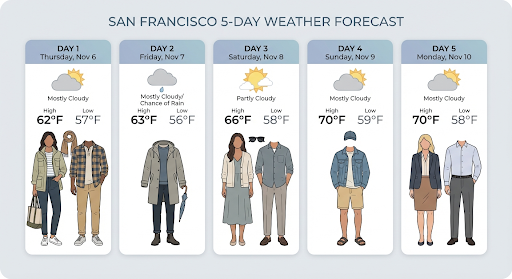
Используйте инструмент поиска Google для создания изображений на основе информации в реальном времени, такой как прогнозы погоды, графики фондового рынка или последние события.
Обратите внимание, что при использовании функции Grounding с поиском Google и генерацией изображений результаты поиска на основе изображений не передаются в модель генерации и исключаются из ответа (см. Grounding с поиском изображений Google ).
Python
from google import genai
from google.genai import types
import base64
prompt = "Visualize the current weather forecast for the next 5 days in San Francisco as a clean, modern weather chart. Add a visual on what I should wear each day"

client = genai.Client()

interaction = client.interactions.create(
    model="gemini-3.1-flash-image",
    input=prompt,
    tools=[{"type": "google_search"}],
    response_format={
        "type": "image",
        "mime_type": "image/jpeg",
        "aspect_ratio": "16:9"
    },
)

with open("weather.png", "wb") as f:

    f.write(base64.b64decode(interaction.output_image.data))
JavaScript
import { GoogleGenAI } from "@google/genai";
import * as fs from "node:fs";

async function main() {
  const ai = new GoogleGenAI({});

  const interaction = await ai.interactions.create({
    model: "gemini-3.1-flash-image",
    input: "Visualize the current weather forecast for the next 5 days in San Francisco as a clean, modern weather chart. Add a visual on what I should wear each day",
    tools: [{"type": "google_search"}],
    response_format: {
      type: "image",
      mime_type: "image/png",
      aspect_ratio: "16:9",
      image_size: "2K"
    },
  });

  const buffer = Buffer.from(interaction.output_image.data, 'base64');

  fs.writeFileSync('weather.png', buffer);
}

main();
ОТДЫХ
curl -s -X POST \
  "https://generativelanguage.googleapis.com/v1beta/interactions" \
  -H "x-goog-api-key: $GEMINI_API_KEY" \
  -H "Content-Type: application/json" \
  -d '{
    "model": "gemini-3.1-flash-image",
    "input": [
      {"type": "text", "text": "Visualize the current weather forecast for the next 5 days in San Francisco as a clean, modern weather chart. Add a visual on what I should wear each day"}
    ],
    "tools": [{"type": "google_search"}],
    "response_format": {
      "type": "image",
      "mime_type": "image/jpeg",
      "aspect_ratio": "16:9"
    }
  }'
В ответе содержатся шаги google_search_call и google_search_result , а также встроенные аннотации url_citation на шаге text:
-
google_search_result: Содержитsearch_suggestions, фрагмент HTML-кода для отображения поисковых подсказок в пользовательском интерфейсе. -
url_citationannotations : Встроенные ссылки на текстовый этап, связывающие части ответа с соответствующими веб-источниками.
Использование поиска изображений Google (3.1 Flash)
Функция «Использование изображений Google» позволяет моделям использовать веб-изображения, полученные через поиск изображений Google, в качестве визуального контекста для генерации изображений. Поиск изображений — это новый тип поиска в существующем инструменте «Использование изображений Google», работающий параллельно со стандартным веб-поиском .
Чтобы включить поиск по изображениям, настройте инструмент google_search в вашем API-запросе и укажите image_search в массиве search_types . Поиск по изображениям можно использовать как отдельно, так и совместно с веб-поиском.
Python
from google import genai

client = genai.Client()

interaction = client.interactions.create(
    model="gemini-3.1-flash-image",
    input="A detailed painting of a Timareta butterfly resting on a flower",
    tools=[{
      "type": "google_search",
      "search_types": ["web_search", "image_search"]
    }]
)
JavaScript
import { GoogleGenAI } from "@google/genai";

async function main() {
  const ai = new GoogleGenAI({});

  const interaction = await ai.interactions.create({
    model: "gemini-3.1-flash-image",
    input: "A detailed painting of a Timareta butterfly resting on a flower",
    tools: [{
      "type": "google_search",
      "search_types": ["web_search", "image_search"]
    }]
  });
}

main();
ОТДЫХ
curl -s -X POST \
  "https://generativelanguage.googleapis.com/v1beta/interactions" \
  -H "x-goog-api-key: $GEMINI_API_KEY" \
  -H "Content-Type: application/json" \
  -d '{
    "model": "gemini-3.1-flash-image",
    "input": "A detailed painting of a Timareta butterfly resting on a flower",
    "tools": [{"type": "google_search", "search_types": ["web_search", "image_search"]}]
  }'
Требования к отображению
При использовании поиска изображений в Grounding с поиском Google необходимо отображать подсказки search_suggestions из шага google_search_result . Полные требования к использованию подробно изложены в Условиях предоставления услуг .
Ответ
Для ответов, основанных на поиске изображений, API возвращает встроенные цитаты и метаданные об авторстве в рамках этапов обработки ответа:
url_citationannotations : Встроенные цитаты в блок текстового содержимого внутриmodel_output, связывающие сгенерированное содержимое с его источником.google_search_result: Содержитsearch_suggestions, фрагмент HTML-кода для отображения поисковых подсказок в пользовательском интерфейсе.
Преобразование видео в изображение (3.1 Flash)
Генерация видеоизображений позволяет создавать новые изображения, используя контекст видео в качестве мультимодальной привязки. Это полезно для создания высококачественных миниатюр видео, кинематографических постеров, сводных инфографик или новых художественных работ, вдохновленных видеосценой.
В процессе генерации модель анализирует кадры видео в контексте, чтобы извлечь визуальные темы и ключевые события, а затем использует их вместе с вашим текстовым запросом для синтеза выходного изображения.
Вы можете передавать общедоступные URL-адреса YouTube непосредственно в запросе к API или загружать локальные видеофайлы, используя Files API .
Python
from google import genai
from google.genai import types
import base64

client = genai.Client()

interaction = client.interactions.create(
    model="gemini-3.1-flash-image",
    input=[
        {
            "type": "video",
            "uri": "https://www.youtube.com/watch?v=UTdfxFyOQTI",
            "mime_type": "video/mp4"
        },
        {"type": "text", "text": "Generate a poster image that captures the key themes of this video."}
    ],
    response_format={"type": "image", "aspect_ratio": "16:9"}
)

# Save the generated image part
for step in interaction.steps:
    if step.type == "model_output":
        for content_block in step.content:
            if content_block.type == "text":
                print(content_block.text)
            elif content_block.type == "image":
                with open("video_poster.png", "wb") as f:
                    f.write(base64.b64decode(content_block.data))
                print("Image saved as video_poster.png")
JavaScript
import { GoogleGenAI } from "@google/genai";
import * as fs from "node:fs";

async function main() {
  const ai = new GoogleGenAI({});

  const interaction = await ai.interactions.create({
    model: "gemini-3.1-flash-image",
    input: [
      {
        type: "video",
        uri: "https://www.youtube.com/watch?v=UTdfxFyOQTI",
        mime_type: "video/mp4"
      },
      { type: "text", text: "Generate a poster image that captures the key themes of this video." }
    ],
    response_format: {
      type: "image",
      aspect_ratio: "16:9"
    }
  });

  for (const step of interaction.steps) {
    if (step.type === "model_output") {
      for (const contentBlock of step.content) {
        if (contentBlock.type === "text") {
          console.log(contentBlock.text);
        } else if (contentBlock.type === "image") {
          const buffer = Buffer.from(contentBlock.data, "base64");
          fs.writeFileSync("video_poster.png", buffer);
          console.log("Image saved as video_poster.png");
        }
      }
    }
  }
}

main();
ОТДЫХ
curl -s -X POST \
  "https://generativelanguage.googleapis.com/v1beta/interactions" \
  -H "x-goog-api-key: $GEMINI_API_KEY" \
  -H 'Content-Type: application/json' \
  -d '{
    "model": "gemini-3.1-flash-image",
    "input": [
      {
        "type": "video",
        "uri": "https://www.youtube.com/watch?v=UTdfxFyOQTI",
        "mime_type": "video/mp4"
      },
      {
        "type": "text",
        "text": "Generate a poster image that captures the key themes of this video."
      }
    ],
    "response_format": {
      "type": "image",
      "aspect_ratio": "16:9"
    }
  }'
Создавайте изображения с разрешением до 4K.
Модели изображений Gemini 3 по умолчанию генерируют изображения с разрешением 1K, но также могут выводить изображения с разрешением 2K, 4K и 512 пикселей (05K) (только для изображений Gemini 3.1 Flash). Для генерации изображений с более высоким разрешением укажите image_size в response_format .
Необходимо использовать заглавную букву «K» (например, 512px (05.K), 1K, 2K, 4K). Параметры в нижнем регистре (например, 1k) будут отклонены.
Python
from google import genai
from google.genai import types
import base64

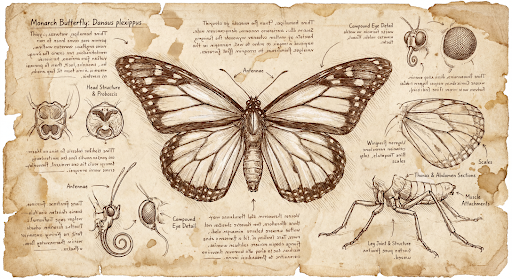
prompt = "Da Vinci style anatomical sketch of a dissected Monarch butterfly. Detailed drawings of the head, wings, and legs on textured parchment with notes in English."

client = genai.Client()

interaction = client.interactions.create(
    model="gemini-3.1-flash-image",
    input=prompt,
    response_format={
        "type": "image",
        "mime_type": "image/jpeg",
        "aspect_ratio": "1:1",
        "image_size": "1K"
    },
)

print(interaction.output_text)

with open("butterfly.png", "wb") as f:

    f.write(base64.b64decode(interaction.output_image.data))
JavaScript
import { GoogleGenAI } from "@google/genai";
import * as fs from "node:fs";

async function main() {
  const ai = new GoogleGenAI({});

  const interaction = await ai.interactions.create({
    model: "gemini-3.1-flash-image",
    input: "Da Vinci style anatomical sketch of a dissected Monarch butterfly. Detailed drawings of the head, wings, and legs on textured parchment with notes in English.",
    response_format: {
      type: "image",
      mime_type: "image/png",
      aspect_ratio: "1:1",
      image_size: "1K",
    },
  });

  console.log(interaction.output_text);

  const buffer = Buffer.from(interaction.output_image.data, 'base64');

  fs.writeFileSync('butterfly.png', buffer);
}

main();
ОТДЫХ
curl -s -X POST \
  "https://generativelanguage.googleapis.com/v1beta/interactions" \
  -H "x-goog-api-key: $GEMINI_API_KEY" \
  -H "Content-Type: application/json" \
  -d '{
    "model": "gemini-3.1-flash-image",
    "input": "Da Vinci style anatomical sketch of a dissected Monarch butterfly. Detailed drawings of the head, wings, and legs on textured parchment with notes in English.",
    "response_format": {
      "type": "image",
      "mime_type": "image/jpeg",
      "aspect_ratio": "1:1",
      "image_size": "1K"
    }
  }'
Ниже представлен пример изображения, сгенерированного по этому запросу:
Процесс мышления
Модели обработки изображений Gemini 3 — это модели мышления, использующие процесс рассуждения («Мышление») для сложных запросов. Эта функция включена по умолчанию и не может быть отключена в API. Чтобы узнать больше о процессе мышления, см. руководство по Gemini Thinking .
Модель генерирует до двух промежуточных изображений для проверки композиции и логики. Последнее изображение в режиме «Мышление» также является окончательным отрендеренным изображением.
Вы можете проверить мысли, которые привели к созданию окончательного изображения.
Python
for step in interaction.steps:
    if step.type == "thought":
        for content_block in step.summary:
            if content_block.type == "text":
                print(content_block.text)
            elif content_block.type == "image":
                image = Image.open(io.BytesIO(base64.b64decode(content_block.data)))
                image.show()
JavaScript
for (const step of interaction.steps) {
  if (step.type === "thought") {
    for (const contentBlock of step.summary) {
      if (contentBlock.type === "text") {
        console.log(contentBlock.text);
      } else if (contentBlock.type === "image") {
        const buffer = Buffer.from(contentBlock.data, 'base64');
        fs.writeFileSync('thought_image.png', buffer);
      }
    }
  }
}
Текст и изображения чередуются.
В то время как стандартные модели генерации изображений выводят только изображения, некоторые продвинутые модели Gemini 3 (например, gemini-3-pro-image ) могут генерировать чередующийся контент — например, рассказы или инструкции, содержащие как текстовые блоки, так и иллюстрации в одном ответе.
Поскольку выходные данные сложны и перемешаны, такие вспомогательные свойства, как .output_image или .output_text не смогут зафиксировать всю последовательность. Для доступа и сохранения перемешанного контента необходимо вручную перебирать steps :
Python
interaction = client.interactions.create(
    model="gemini-3-pro-image",
    input="Write the story of the lifecycle of a monarch butterfly, interleave illustrations",
)

image_counter = 1
for step in interaction.steps:
    if step.type == "model_output":
        for content_block in step.content:
            if content_block.type == "text":
                print(content_block.text)
            elif content_block.type == "image":
                filename = f"butterfly_lifecycle_{image_counter}.png"
                with open(filename, "wb") as f:
                    f.write(base64.b64decode(content_block.data))
                print(f"\n[Saved illustration: {filename}]\n")
                image_counter += 1
JavaScript
const interaction = await ai.interactions.create({
    model: "gemini-3-pro-image",
    input: "Write the story of the lifecycle of a monarch butterfly, interleave illustrations",
});

let imageCounter = 1;
for (const step of interaction.steps) {
  if (step.type === "model_output") {
    for (const contentBlock of step.content) {
      if (contentBlock.type === "text") {
        console.log(contentBlock.text);
      } else if (contentBlock.type === "image") {
        const buffer = Buffer.from(contentBlock.data, "base64");
        const filename = `butterfly_lifecycle_${imageCounter}.png`;
        fs.writeFileSync(filename, buffer);
        console.log(`\n[Saved illustration: ${filename}]\n`);
        imageCounter++;
      }
    }
  }
}
Контроль уровней мышления
В Gemini 3.1 Flash Image вы можете контролировать объем вычислений, используемых моделью для достижения баланса между качеством и задержкой. По умолчанию thinking_level имеет minimal , а поддерживаемые уровни — minimal и high .
Python
from google import genai
from PIL import Image
import base64
import io

client = genai.Client()

interaction = client.interactions.create(
    model="gemini-3.1-flash-image",
    input="A futuristic city built inside a giant glass bottle floating in space",
    generation_config={"thinking_level": "high"},
)

print(interaction.output_text)

image = Image.open(io.BytesIO(base64.b64decode(interaction.output_image.data)))

image.show()
JavaScript
import { GoogleGenAI } from "@google/genai";
import * as fs from "node:fs";

async function main() {
  const ai = new GoogleGenAI({});

  const interaction = await ai.interactions.create({
    model: "gemini-3.1-flash-image",
    input: "A futuristic city built inside a giant glass bottle floating in space",
    generation_config: { thinking_level: "high" },
  });

  console.log(interaction.output_text);

  const buffer = Buffer.from(interaction.output_image.data, 'base64');

  fs.writeFileSync('image.png', buffer);
}
main();
ОТДЫХ
curl -s -X POST \
  "https://generativelanguage.googleapis.com/v1beta/interactions" \
  -H "x-goog-api-key: $GEMINI_API_KEY" \
  -H "Content-Type: application/json" \
  -d '{
    "model": "gemini-3.1-flash-image",
    "input": "A futuristic city built inside a giant glass bottle floating in space",
    "generation_config": {
      "thinking_level": "high"
    }
  }'
Обратите внимание, что токены мышления по умолчанию оплачиваются за модели мышления, поскольку мыслительный процесс всегда происходит автоматически, независимо от того, просматриваете вы его или нет.
Другие режимы генерации изображений
Хотя модели генерации изображений Nano Banana рекомендуются для большинства случаев использования, вы также можете изучить специализированные модели генерации изображений:
- Imagen : модели преобразования текста в изображения от Google, оптимизированные для генерации высококачественных изображений.
- Veo : модель генерации видео от Google.
Создание изображений в пакетном режиме.
Все возможности генерации изображений, описанные на этой странице, также можно запускать в пакетном режиме с помощью API пакетной обработки .
Руководство по использованию подсказок и стратегии
В этом разделе представлены примеры и шаблоны для распространенных рабочих процессов создания и редактирования изображений. Каждый пример включает в себя многоразовый шаблон и пример запроса для API взаимодействий.
Подсказки для генерации изображений
Следующие примеры демонстрируют, как использовать текстовые подсказки для создания различных типов изображений.
1. Фотореалистичные сцены
Опишите сцену в мельчайших деталях. Чем подробнее вы опишете ситуацию, тем больше контроля у вас будет над результатом.
Шаблон
A photorealistic [type of shot] of a [subject description] in a [setting
description]. [Description of the light]. Shot from a [camera angle]
with a [lens type].
Быстрый
A photorealistic wide-angle shot of a vibrant coral reef teeming with tropical fish. Crystal-clear turquoise water with sunbeams filtering down from the surface, illuminating a sea turtle gliding gracefully over the coral. Shot from a low perspective with a wide-angle lens. Aspect ratio 16:9.
Python
from google import genai
from google.genai import types
import base64

client = genai.Client()

interaction = client.interactions.create(
    model="gemini-3.1-flash-image",
    input="A photorealistic wide-angle shot of a vibrant coral reef teeming with tropical fish. Crystal-clear turquoise water with sunbeams filtering down from the surface, illuminating a sea turtle gliding gracefully over the coral. Shot from a low perspective with a wide-angle lens. Aspect ratio 16:9.",
    response_format=[
        {
            "type": "image",
            "mime_type": "image/jpeg",
            "aspect_ratio": "16:9",
        }
    ],
)

print(interaction.output_text)

with open("coral_reef.png", "wb") as f:

    f.write(base64.b64decode(interaction.output_image.data))
JavaScript
import { GoogleGenAI } from "@google/genai";
import * as fs from "node:fs";

async function main() {
  const ai = new GoogleGenAI({});

  const interaction = await ai.interactions.create({
    model: "gemini-3.1-flash-image",
    input: "A photorealistic wide-angle shot of a vibrant coral reef teeming with tropical fish. Crystal-clear turquoise water with sunbeams filtering down from the surface, illuminating a sea turtle gliding gracefully over the coral. Shot from a low perspective with a wide-angle lens. Aspect ratio 16:9.",
    response_format: [
      {
        type: "image",
        mime_type: "image/jpeg",
        aspect_ratio: "16:9",
      }
    ],
  });
  console.log(interaction.output_text);

  const buffer = Buffer.from(interaction.output_image.data, 'base64');

  fs.writeFileSync('coral_reef.png', buffer);
}

main();
ОТДЫХ
curl -s -X POST \
  "https://generativelanguage.googleapis.com/v1beta/interactions" \
  -H "x-goog-api-key: $GEMINI_API_KEY" \
  -H "Content-Type: application/json" \
  -d '{
    "model": "gemini-3.1-flash-image",
    "input": "A photorealistic wide-angle shot of a vibrant coral reef teeming with tropical fish. Crystal-clear turquoise water with sunbeams filtering down from the surface, illuminating a sea turtle gliding gracefully over the coral. Shot from a low perspective with a wide-angle lens. Aspect ratio 16:9.",
    "response_format": {
      "type": "image",
      "mime_type": "image/png",
      "aspect_ratio": "16:9"
    }
  }'

2. Стилизованные иллюстрации и наклейки
Опишите художественный стиль, сюжет и используемые материалы. Для достижения единообразия результатов подробно опишите визуальные детали (жирные линии, цвета и т. д.).
Шаблон
A [style] of a [subject, with details about accessories or actions]
doing [activity]. The design features [visual qualities, e.g., bold outlines,
cel-shading, etc.] and [color/background preference].
Быстрый
A kawaii-style sticker of a happy red panda wearing a tiny bamboo hat. It's munching on a green bamboo leaf. The design features bold, clean outlines, simple cel-shading, and a vibrant color palette. The background must be white.
Python
from google import genai
import base64

client = genai.Client()

interaction = client.interactions.create(
    model="gemini-3.1-flash-image",
    input="A kawaii-style sticker of a happy red panda wearing a tiny bamboo hat. It's munching on a green bamboo leaf. The design features bold, clean outlines, simple cel-shading, and a vibrant color palette. The background must be white.",
)

for step in interaction.steps:
    if step.type == "model_output":
        for content_block in step.content:
            if content_block.type == "text":
                print(content_block.text)
            elif content_block.type == "image":
                with open("red_panda_sticker.png", "wb") as f:
                    f.write(base64.b64decode(content_block.data))
JavaScript
import { GoogleGenAI } from "@google/genai";
import * as fs from "node:fs";

async function main() {
  const ai = new GoogleGenAI({});

  const interaction = await ai.interactions.create({
    model: "gemini-3.1-flash-image",
    input: "A kawaii-style sticker of a happy red panda wearing a tiny bamboo hat. It's munching on a green bamboo leaf. The design features bold, clean outlines, simple cel-shading, and a vibrant color palette. The background must be white.",
  });
  for (const step of interaction.steps) {
    if (step.type === "model_output") {
      for (const contentBlock of step.content) {
        if (contentBlock.type === "text") {
          console.log(contentBlock.text);
        } else if (contentBlock.type === "image") {
          const buffer = Buffer.from(contentBlock.data, "base64");
          fs.writeFileSync("red_panda_sticker.png", buffer);
        }
      }
    }
  }
}

main();
ОТДЫХ
curl -s -X POST \
  "https://generativelanguage.googleapis.com/v1beta/interactions" \
  -H "x-goog-api-key: $GEMINI_API_KEY" \
  -H "Content-Type: application/json" \
  -d '{
    "model": "gemini-3.1-flash-image",
    "input": "A kawaii-style sticker of a happy red panda wearing a tiny bamboo hat. It is munching on a green bamboo leaf. The design features bold, clean outlines, simple cel-shading, and a vibrant color palette. The background must be white."
  }'

3. Точный текст в изображениях
Gemini отлично справляется с отображением текста. Четко указывайте текст, стиль шрифта (с описанием) и общий дизайн. Используйте Gemini 3 Pro Image для профессионального создания графических ресурсов.
Шаблон
Create a [image type] for [brand/concept] with the text "[text to render]"
in a [font style]. The design should be [style description], with a
[color scheme].
Быстрый
Create a modern, minimalist logo for a coffee shop called 'The Daily Grind'. The text should be in a clean, bold, sans-serif font. The color scheme is black and white. Put the logo in a circle. Use a coffee bean in a clever way.
Python
from google import genai
import base64

client = genai.Client()

interaction = client.interactions.create(
    model="gemini-3.1-flash-image",
    input="Create a modern, minimalist logo for a coffee shop called 'The Daily Grind'. The text should be in a clean, bold, sans-serif font. The color scheme is black and white. Put the logo in a circle. Use a coffee bean in a clever way.",
    response_format={"type": "image", "aspect_ratio": "1:1"},
)

for step in interaction.steps:
    if step.type == "model_output":
        for content_block in step.content:
            if content_block.type == "text":
                print(content_block.text)
            elif content_block.type == "image":
                with open("logo_example.jpg", "wb") as f:
                    f.write(base64.b64decode(content_block.data))
JavaScript
import { GoogleGenAI } from "@google/genai";
import * as fs from "node:fs";

async function main() {
  const ai = new GoogleGenAI({});

  const interaction = await ai.interactions.create({
    model: "gemini-3.1-flash-image",
    input: "Create a modern, minimalist logo for a coffee shop called 'The Daily Grind'. The text should be in a clean, bold, sans-serif font. The color scheme is black and white. Put the logo in a circle. Use a coffee bean in a clever way.",
    response_format: { type: "image", aspect_ratio: "1:1" },
  });
  for (const step of interaction.steps) {
    if (step.type === "model_output") {
      for (const contentBlock of step.content) {
        if (contentBlock.type === "text") {
          console.log(contentBlock.text);
        } else if (contentBlock.type === "image") {
          const buffer = Buffer.from(contentBlock.data, "base64");
          fs.writeFileSync("logo_example.jpg", buffer);
        }
      }
    }
  }
}

main();
ОТДЫХ
curl -s -X POST \
  "https://generativelanguage.googleapis.com/v1beta/interactions" \
  -H "x-goog-api-key: $GEMINI_API_KEY" \
  -H "Content-Type: application/json" \
  -d '{
    "model": "gemini-3.1-flash-image",
    "input": "Create a modern, minimalist logo for a coffee shop called The Daily Grind. The text should be in a clean, bold, sans-serif font. The color scheme is black and white. Put the logo in a circle. Use a coffee bean in a clever way.",
    "response_format": {
      "type": "image",
      "aspect_ratio": "1:1"
    }
  }'

4. Макеты продукции и коммерческая фотосъемка.
Идеально подходит для создания качественных, профессиональных фотографий товаров для электронной коммерции, рекламы или брендинга.
Шаблон
A high-resolution, studio-lit product photograph of a [product description]
on a [background surface/description]. The lighting is a [lighting setup,
e.g., three-point softbox setup] to [lighting purpose]. The camera angle is
a [angle type] to showcase [specific feature]. Ultra-realistic, with sharp
focus on [key detail]. [Aspect ratio].
Быстрый
A high-resolution, studio-lit product photograph of a minimalist ceramic
coffee mug in matte black, presented on a polished concrete surface. The
lighting is a three-point softbox setup designed to create soft, diffused
highlights and eliminate harsh shadows. The camera angle is a slightly
elevated 45-degree shot to showcase its clean lines. Ultra-realistic, with
sharp focus on the steam rising from the coffee. Square image.
Python
from google import genai
import base64

client = genai.Client()

interaction = client.interactions.create(
    model="gemini-3.1-flash-image",
    input="A high-resolution, studio-lit product photograph of a minimalist ceramic coffee mug in matte black, presented on a polished concrete surface. The lighting is a three-point softbox setup designed to create soft, diffused highlights and eliminate harsh shadows. The camera angle is a slightly elevated 45-degree shot to showcase its clean lines. Ultra-realistic, with sharp focus on the steam rising from the coffee. Square image.",
)

for step in interaction.steps:
    if step.type == "model_output":
        for content_block in step.content:
            if content_block.type == "text":
                print(content_block.text)
            elif content_block.type == "image":
                with open("product_mockup.png", "wb") as f:
                    f.write(base64.b64decode(content_block.data))
JavaScript
import { GoogleGenAI } from "@google/genai";
import * as fs from "node:fs";

async function main() {
  const ai = new GoogleGenAI({});

  const interaction = await ai.interactions.create({
    model: "gemini-3.1-flash-image",
    input: "A high-resolution, studio-lit product photograph of a minimalist ceramic coffee mug in matte black, presented on a polished concrete surface. The lighting is a three-point softbox setup designed to create soft, diffused highlights and eliminate harsh shadows. The camera angle is a slightly elevated 45-degree shot to showcase its clean lines. Ultra-realistic, with sharp focus on the steam rising from the coffee. Square image.",
  });
  for (const step of interaction.steps) {
    if (step.type === "model_output") {
      for (const contentBlock of step.content) {
        if (contentBlock.type === "text") {
          console.log(contentBlock.text);
        } else if (contentBlock.type === "image") {
          const buffer = Buffer.from(contentBlock.data, "base64");
          fs.writeFileSync("product_mockup.png", buffer);
        }
      }
    }
  }
}

main();
ОТДЫХ
curl -s -X POST \
  "https://generativelanguage.googleapis.com/v1beta/interactions" \
  -H "x-goog-api-key: $GEMINI_API_KEY" \
  -H "Content-Type: application/json" \
  -d '{
    "model": "gemini-3.1-flash-image",
    "input": "A high-resolution, studio-lit product photograph of a minimalist ceramic coffee mug in matte black, presented on a polished concrete surface. The lighting is a three-point softbox setup designed to create soft, diffused highlights and eliminate harsh shadows. The camera angle is a slightly elevated 45-degree shot to showcase its clean lines. Ultra-realistic, with sharp focus on the steam rising from the coffee. Square image."
  }'
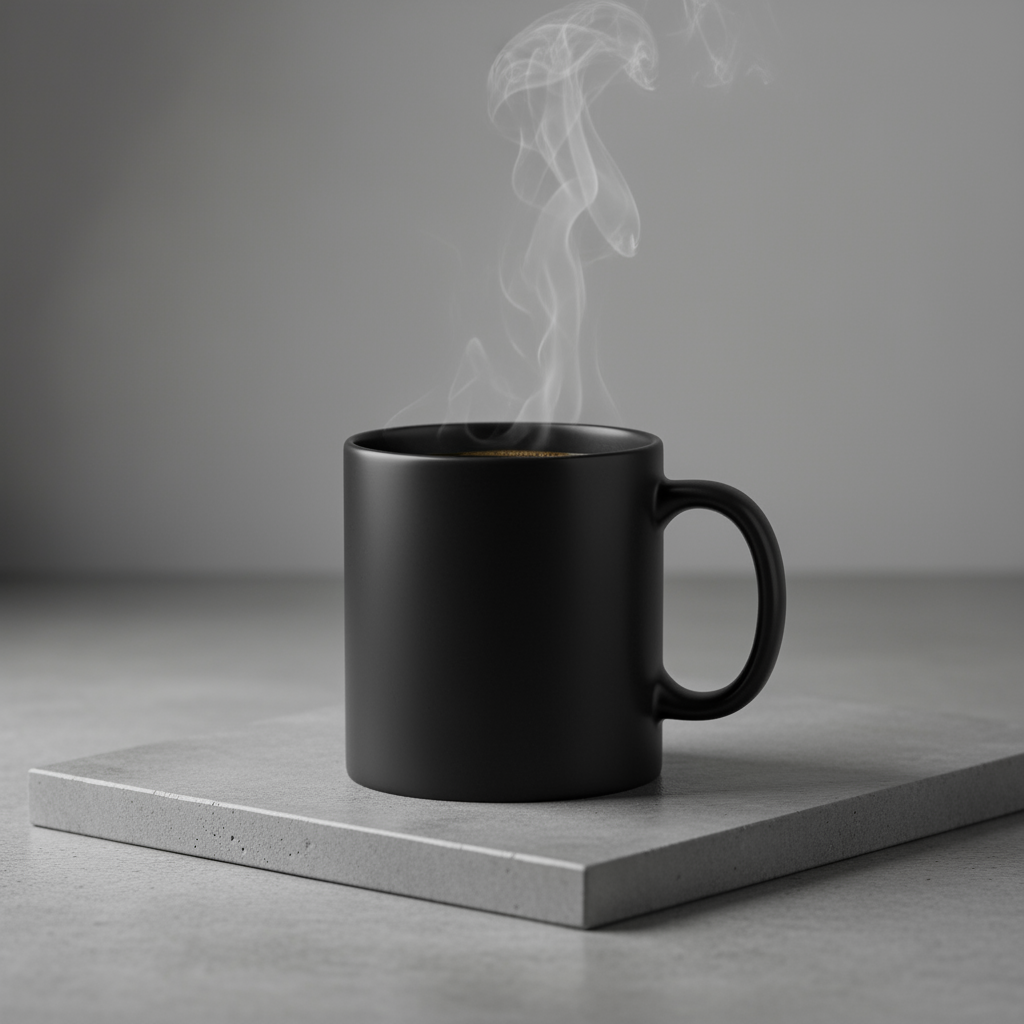
5. Минималистичный дизайн и использование негативного пространства.
Отлично подходит для создания фоновых изображений для веб-сайтов, презентаций или маркетинговых материалов, где будет накладываться текст.
Шаблон
A minimalist composition featuring a single [subject] positioned in the
[bottom-right/top-left/etc.] of the frame. The background is a vast, empty
[color] canvas, creating significant negative space. Soft, subtle lighting.
[Aspect ratio].
Быстрый
A minimalist composition featuring a single, delicate red maple leaf
positioned in the bottom-right of the frame. The background is a vast, empty
off-white canvas, creating significant negative space for text. Soft,
diffused lighting from the top left. Square image.
Python
from google import genai
import base64

client = genai.Client()

interaction = client.interactions.create(
    model="gemini-3.1-flash-image",
    input="A minimalist composition featuring a single, delicate red maple leaf positioned in the bottom-right of the frame. The background is a vast, empty off-white canvas, creating significant negative space for text. Soft, diffused lighting from the top left. Square image.",
)

for step in interaction.steps:
    if step.type == "model_output":
        for content_block in step.content:
            if content_block.type == "text":
                print(content_block.text)
            elif content_block.type == "image":
                with open("minimalist_design.png", "wb") as f:
                    f.write(base64.b64decode(content_block.data))
JavaScript
import { GoogleGenAI } from "@google/genai";
import * as fs from "node:fs";

async function main() {
  const ai = new GoogleGenAI({});

  const interaction = await ai.interactions.create({
    model: "gemini-3.1-flash-image",
    input: "A minimalist composition featuring a single, delicate red maple leaf positioned in the bottom-right of the frame. The background is a vast, empty off-white canvas, creating significant negative space for text. Soft, diffused lighting from the top left. Square image.",
  });
  for (const step of interaction.steps) {
    if (step.type === "model_output") {
      for (const contentBlock of step.content) {
        if (contentBlock.type === "text") {
          console.log(contentBlock.text);
        } else if (contentBlock.type === "image") {
          const buffer = Buffer.from(contentBlock.data, "base64");
          fs.writeFileSync("minimalist_design.png", buffer);
        }
      }
    }
  }
}

main();
ОТДЫХ
curl -s -X POST \
  "https://generativelanguage.googleapis.com/v1beta/interactions" \
  -H "x-goog-api-key: $GEMINI_API_KEY" \
  -H "Content-Type: application/json" \
  -d '{
    "model": "gemini-3.1-flash-image",
    "input": "A minimalist composition featuring a single, delicate red maple leaf positioned in the bottom-right of the frame. The background is a vast, empty off-white canvas, creating significant negative space for text. Soft, diffused lighting from the top left. Square image."
  }'

6. Последовательная графика (комиксные панели / раскадровка)
Основываясь на согласованности характеров и описании сцен, эти подсказки позволяют создавать панели для визуального повествования. Для большей точности текста и улучшения навыков рассказывания историй, эти подсказки лучше всего работают с Gemini 3 Pro и Gemini 3.1 Flash Image.
Шаблон
Make a 3 panel comic in a [style]. Put the character in a [type of scene].
Быстрый
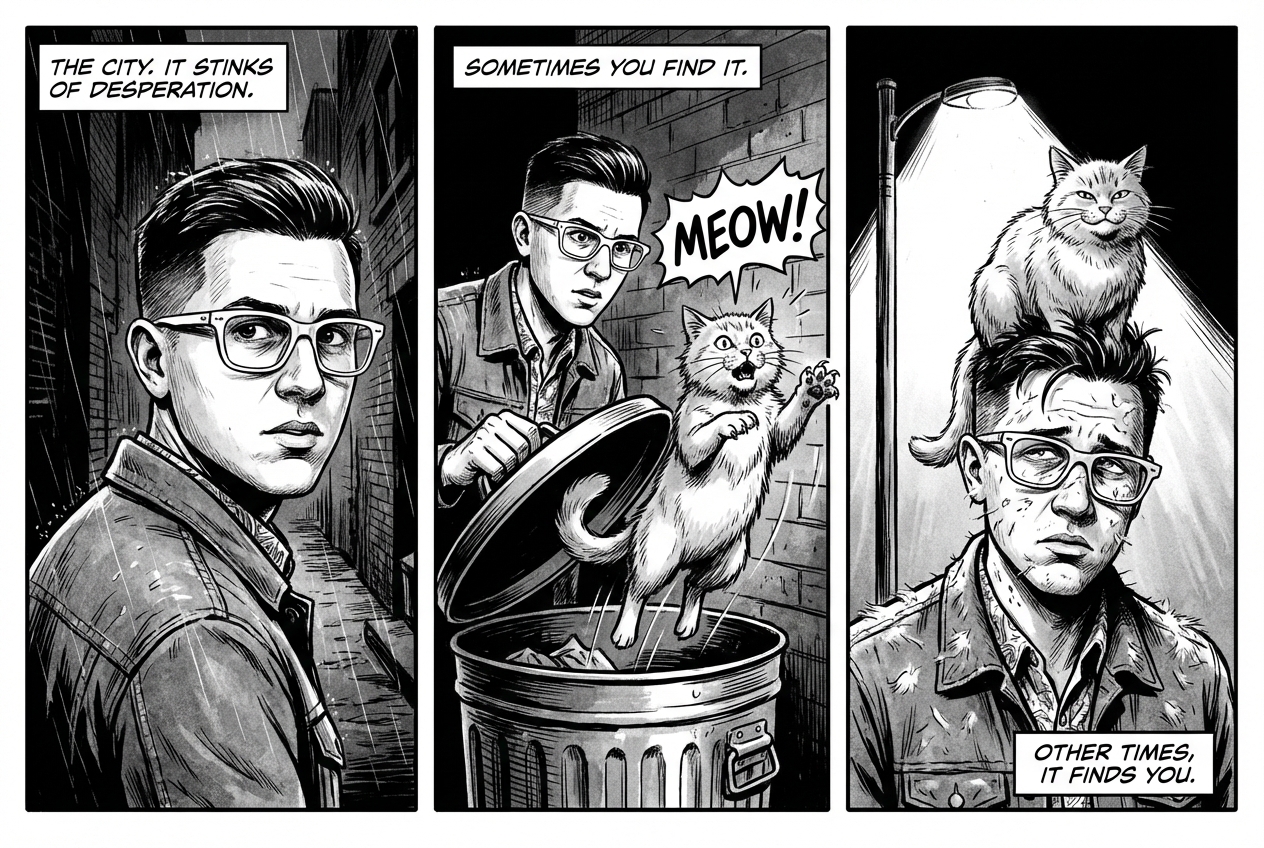
Make a 3 panel comic in a gritty, noir art style with high-contrast black and white inks. Put the character in a humurous scene.
Python
from google import genai
from PIL import Image
import base64

client = genai.Client()

with open('/path/to/your/man_in_white_glasses.jpg', 'rb') as f:
    image_bytes = f.read()
text_input = "Make a 3 panel comic in a gritty, noir art style with high-contrast black and white inks. Put the character in a humurous scene."

interaction = client.interactions.create(
    model="gemini-3.1-flash-image",
    input=[
        {"type": "text", "text": text_input},
        {
            "type": "image",
            "data": base64.b64encode(image_bytes).decode('utf-8'),
            "mime_type": "image/jpeg"
        }
    ],
)

for step in interaction.steps:
    if step.type == "model_output":
        for content_block in step.content:
            if content_block.type == "text":
                print(content_block.text)
            elif content_block.type == "image":
                with open("comic_panel.jpg", "wb") as f:
                    f.write(base64.b64decode(content_block.data))
JavaScript
import { GoogleGenAI } from "@google/genai";
import * as fs from "node:fs";

async function main() {
  const ai = new GoogleGenAI({});

  const imagePath = "/path/to/your/man_in_white_glasses.jpg";
  const imageData = fs.readFileSync(imagePath);
  const base64Image = imageData.toString("base64");

  const input = [
    { type: "text", text: "Make a 3 panel comic in a gritty, noir art style with high-contrast black and white inks. Put the character in a humurous scene." },
    {
      type: "image",
      mime_type: "image/jpeg",
      data: base64Image
    },
  ];

  const interaction = await ai.interactions.create({
    model: "gemini-3.1-flash-image",
    input: input,
  });
  for (const step of interaction.steps) {
    if (step.type === "model_output") {
      for (const contentBlock of step.content) {
        if (contentBlock.type === "text") {
          console.log(contentBlock.text);
        } else if (contentBlock.type === "image") {
          const buffer = Buffer.from(contentBlock.data, "base64");
          fs.writeFileSync("comic_panel.jpg", buffer);
        }
      }
    }
  }
}

main();
ОТДЫХ
curl -s -X POST \
  "https://generativelanguage.googleapis.com/v1beta/interactions" \
  -H "x-goog-api-key: $GEMINI_API_KEY" \
  -H "Content-Type: application/json" \
  -d '{
    "model": "gemini-3.1-flash-image",
    "input": [
      {"type": "text", "text": "Make a 3 panel comic in a gritty, noir art style with high-contrast black and white inks. Put the character in a humurous scene."},
      {"type": "image", "data": "<BASE64_IMAGE_DATA>", "mime_type": "image/jpeg"}
    ]
  }'
Вход | Выход |
 |  |
7. Основы работы с поиском Google.
Используйте поиск Google для создания изображений на основе актуальной или текущей информации. Это полезно для новостей, погоды и других тем, требующих оперативного реагирования.
Быстрый
Make a simple but stylish graphic of last night's Arsenal game in the Champion's League
Python
from google import genai
from google.genai import types
import base64

client = genai.Client()

interaction = client.interactions.create(
    model="gemini-3.1-flash-image",
    input="Make a simple but stylish graphic of last night's Arsenal game in the Champion's League",
    tools=[{"type": "google_search"}],
    response_format={"type": "image", "aspect_ratio": "16:9"},
)

for step in interaction.steps:
    if step.type == "model_output":
        for content_block in step.content:
            if content_block.type == "text":
                print(content_block.text)
            elif content_block.type == "image":
                with open("football-score.jpg", "wb") as f:
                    f.write(base64.b64decode(content_block.data))
JavaScript
import { GoogleGenAI } from "@google/genai";
import * as fs from "node:fs";

async function main() {
  const ai = new GoogleGenAI({});

  const interaction = await ai.interactions.create({
    model: "gemini-3.1-flash-image",
    input: "Make a simple but stylish graphic of last night's Arsenal game in the Champion's League",
    tools: [{ type: "google_search" }],
    response_format: { type: "image", aspect_ratio: "16:9", image_size: "2K" },
  });

  for (const step of interaction.steps) {
    if (step.type === "model_output") {
      for (const contentBlock of step.content) {
        if (contentBlock.type === "text") {
          console.log(contentBlock.text);
        } else if (contentBlock.type === "image") {
          const buffer = Buffer.from(contentBlock.data, "base64");
          fs.writeFileSync("football-score.jpg", buffer);
        }
      }
    }
  }
}

main();
ОТДЫХ
curl -s -X POST \
  "https://generativelanguage.googleapis.com/v1beta/interactions" \
  -H "x-goog-api-key: $GEMINI_API_KEY" \
  -H "Content-Type: application/json" \
  -d '{
    "model": "gemini-3.1-flash-image",
    "input": "Make a simple but stylish graphic of last nights Arsenal game in the Champions League",
    "tools": [{"type": "google_search"}],
    "response_format": {
      "type": "image",
      "aspect_ratio": "16:9"
    }
  }'
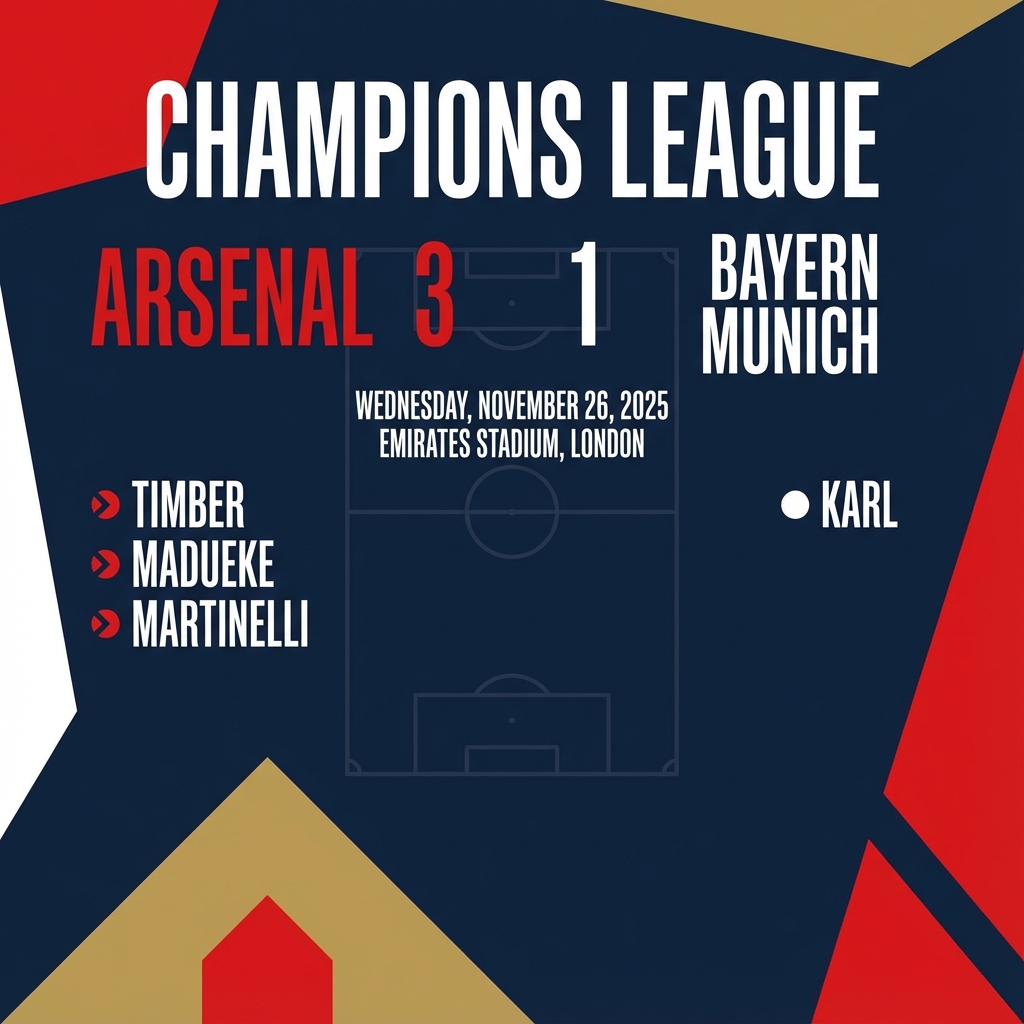
Подсказки для редактирования изображений
Эти примеры показывают, как добавлять изображения к текстовым подсказкам для редактирования, компоновки и переноса стиля.
1. Добавление и удаление элементов
Предоставьте изображение и опишите необходимые изменения. Модель должна соответствовать стилю, освещению и перспективе оригинального изображения.
Шаблон
Using the provided image of [subject], please [add/remove/modify] [element]
to/from the scene. Ensure the change is [description of how the change should
integrate].
Быстрый
"Using the provided image of my cat, please add a small, knitted wizard hat
on its head. Make it look like it's sitting comfortably and matches the soft
lighting of the photo."
Python
from google import genai
from PIL import Image
import base64

client = genai.Client()

with open('/path/to/your/cat_photo.png', 'rb') as f:
    image_bytes = f.read()
text_input = """Using the provided image of my cat, please add a small, knitted wizard hat on its head. Make it look like it's sitting comfortably and not falling off."""

interaction = client.interactions.create(
    model="gemini-3.1-flash-image",
    input=[
        {"type": "text", "text": text_input},
        {
            "type": "image",
            "data": base64.b64encode(image_bytes).decode('utf-8'),
            "mime_type": "image/png"
        }
    ],
)

for step in interaction.steps:
    if step.type == "model_output":
        for content_block in step.content:
            if content_block.type == "text":
                print(content_block.text)
            elif content_block.type == "image":
                with open("cat_with_hat.png", "wb") as f:
                    f.write(base64.b64decode(content_block.data))
JavaScript
import { GoogleGenAI } from "@google/genai";
import * as fs from "node:fs";

async function main() {
  const ai = new GoogleGenAI({});

  const imagePath = "/path/to/your/cat_photo.png";
  const imageData = fs.readFileSync(imagePath);
  const base64Image = imageData.toString("base64");

  const input = [
    { type: "text", text: "Using the provided image of my cat, please add a small, knitted wizard hat on its head. Make it look like it's sitting comfortably and not falling off." },
    {
      type: "image",
      mime_type: "image/png",
      data: base64Image
    },
  ];

  const interaction = await ai.interactions.create({
    model: "gemini-3.1-flash-image",
    input: input,
  });
  for (const step of interaction.steps) {
    if (step.type === "model_output") {
      for (const contentBlock of step.content) {
        if (contentBlock.type === "text") {
          console.log(contentBlock.text);
        } else if (contentBlock.type === "image") {
          const buffer = Buffer.from(contentBlock.data, "base64");
          fs.writeFileSync("cat_with_hat.png", buffer);
        }
      }
    }
  }
}

main();
ОТДЫХ
curl -s -X POST \
  "https://generativelanguage.googleapis.com/v1beta/interactions" \
    -H "x-goog-api-key: $GEMINI_API_KEY" \
    -H 'Content-Type: application/json' \
    -d "{
      \"model\": \"gemini-3.1-flash-image\",
      \"input\": [
            {\"type\": \"text\", \"text\": \"Using the provided image of my cat, please add a small, knitted wizard hat on its head. Make it look like it's sitting comfortably and not falling off.\"},
            {\"type\": \"image\", \"mime_type\":\"image/png\", \"data\": \"<BASE64_IMAGE_DATA>\"}
        ]
    }"
Вход | Выход |
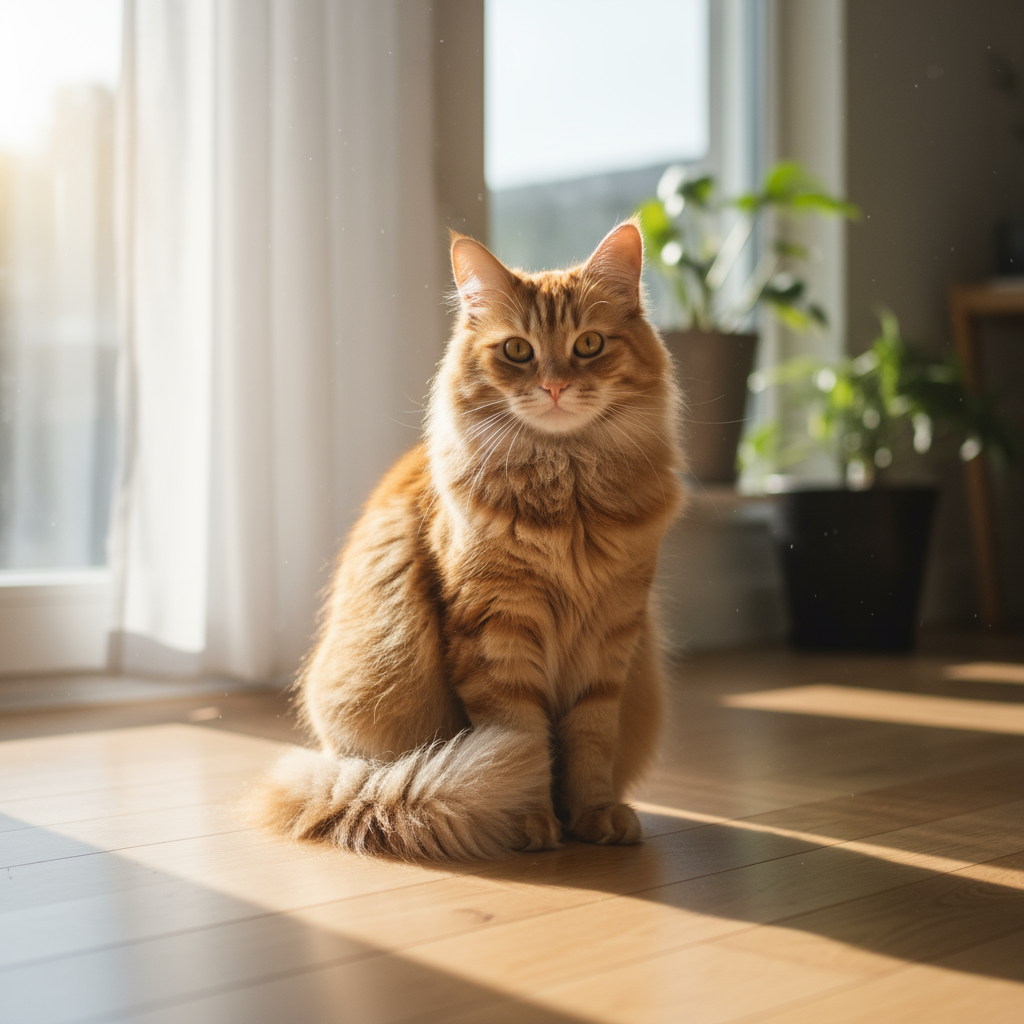 | 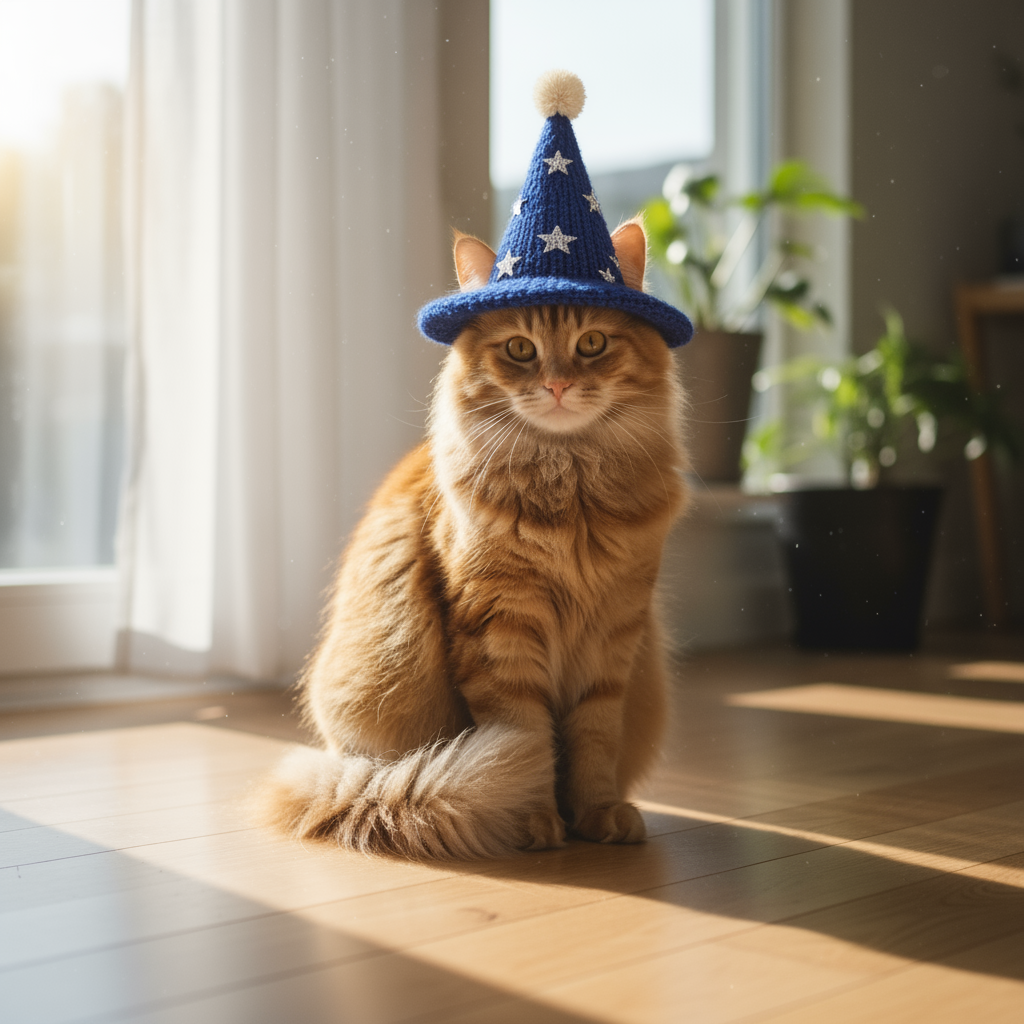 |
2. Заполнение пропущенных областей (семантическая маскировка)
В ходе беседы можно задать «маску» для редактирования определенной части изображения, оставив остальную часть нетронутой.
Шаблон
Using the provided image, change only the [specific element] to [new
element/description]. Keep everything else in the image exactly the same,
preserving the original style, lighting, and composition.
Быстрый
"Using the provided image of a living room, change only the blue sofa to be
a vintage, brown leather chesterfield sofa. Keep the rest of the room,
including the pillows on the sofa and the lighting, unchanged."
Python
from google import genai
from PIL import Image
import base64

client = genai.Client()

with open('/path/to/your/living_room.png', 'rb') as f:
    image_bytes = f.read()
text_input = """Using the provided image of a living room, change only the blue sofa to be a vintage, brown leather chesterfield sofa. Keep the rest of the room, including the pillows on the sofa and the lighting, unchanged."""

interaction = client.interactions.create(
    model="gemini-3.1-flash-image",
    input=[
        {
            "type": "image",
            "data": base64.b64encode(image_bytes).decode('utf-8'),
            "mime_type": "image/png"
        },
        {"type": "text", "text": text_input}
    ],
)

for step in interaction.steps:
    if step.type == "model_output":
        for content_block in step.content:
            if content_block.type == "text":
                print(content_block.text)
            elif content_block.type == "image":
                with open("living_room_edited.png", "wb") as f:
                    f.write(base64.b64decode(content_block.data))
JavaScript
import { GoogleGenAI } from "@google/genai";
import * as fs from "node:fs";

async function main() {
  const ai = new GoogleGenAI({});

  const imagePath = "/path/to/your/living_room.png";
  const imageData = fs.readFileSync(imagePath);
  const base64Image = imageData.toString("base64");

  const input = [
    {
      type: "image",
      mime_type: "image/png",
      data: base64Image
    },
    { type: "text", text: "Using the provided image of a living room, change only the blue sofa to be a vintage, brown leather chesterfield sofa. Keep the rest of the room, including the pillows on the sofa and the lighting, unchanged." },
  ];

  const interaction = await ai.interactions.create({
    model: "gemini-3.1-flash-image",
    input: input,
  });
  for (const step of interaction.steps) {
    if (step.type === "model_output") {
      for (const contentBlock of step.content) {
        if (contentBlock.type === "text") {
          console.log(contentBlock.text);
        } else if (contentBlock.type === "image") {
          const buffer = Buffer.from(contentBlock.data, "base64");
          fs.writeFileSync("living_room_edited.png", buffer);
        }
      }
    }
  }
}

main();
ОТДЫХ
curl -s -X POST \
  "https://generativelanguage.googleapis.com/v1beta/interactions" \
    -H "x-goog-api-key: $GEMINI_API_KEY" \
    -H 'Content-Type: application/json' \
    -d "{
      \"model\": \"gemini-3.1-flash-image\",
      \"input\": [
        {\"type\": \"image\", \"mime_type\":\"image/png\", \"data\": \"<BASE64_IMAGE_DATA>\"},
        {\"type\": \"text\", \"text\": \"Using the provided image of a living room, change only the blue sofa to be a vintage, brown leather chesterfield sofa. Keep the rest of the room, including the pillows on the sofa and the lighting, unchanged.\"}
      ]
    }"
Вход | Выход |
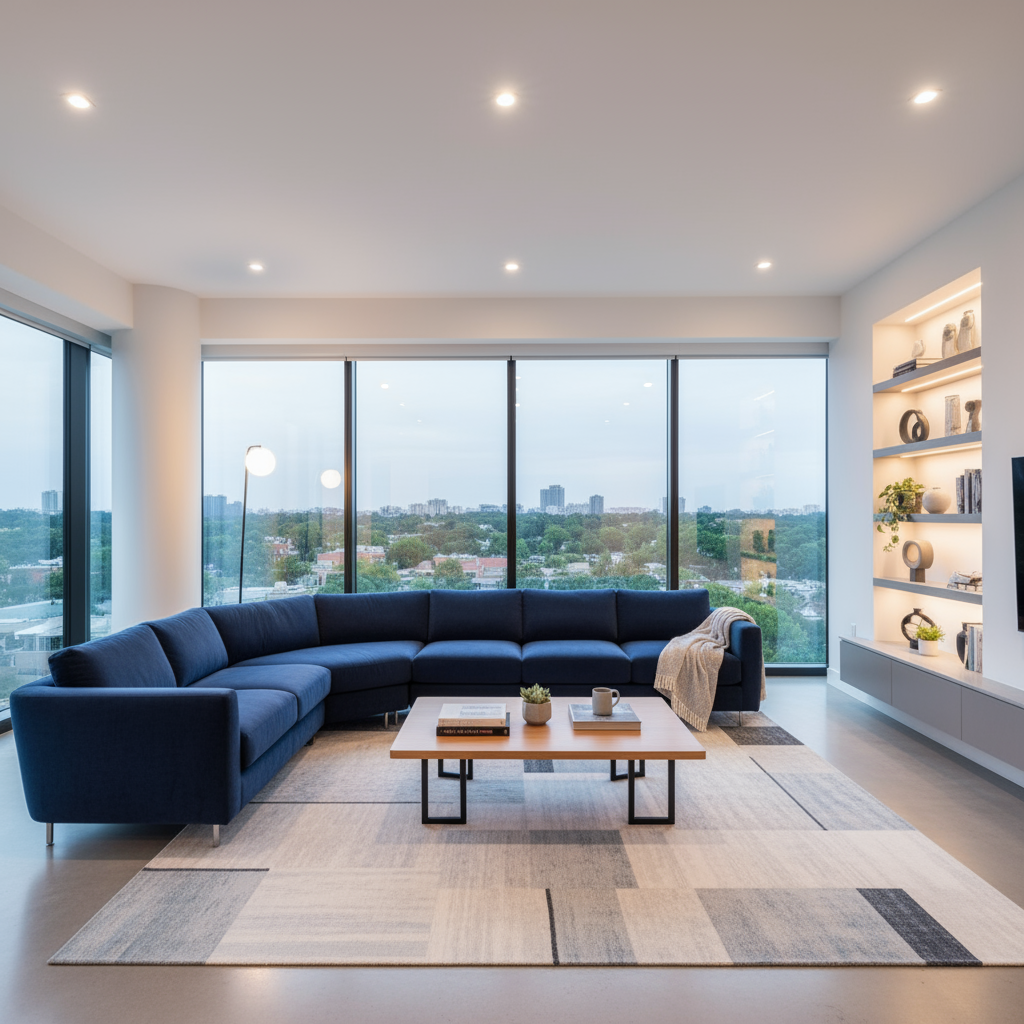 |  |
3. Перенос стиля
Предоставьте изображение и попросите модель воссоздать его содержание в другом художественном стиле.
Шаблон
Transform the provided photograph of [subject] into the artistic style of [artist/art style]. Preserve the original composition but render it with [description of stylistic elements].
Быстрый
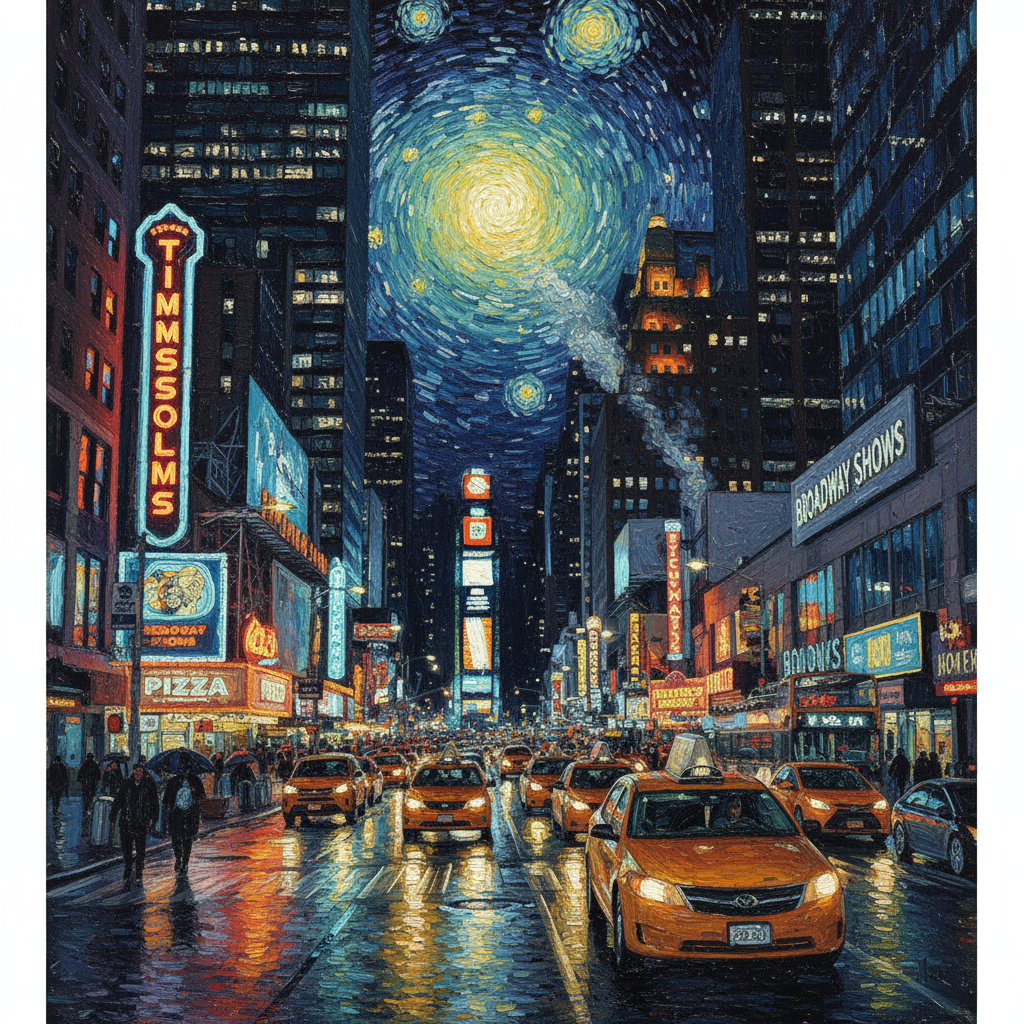
"Transform the provided photograph of a modern city street at night into the artistic style of Vincent van Gogh's 'Starry Night'. Preserve the original composition of buildings and cars, but render all elements with swirling, impasto brushstrokes and a dramatic palette of deep blues and bright yellows."
Python
from google import genai
from PIL import Image
import base64

client = genai.Client()

with open('/path/to/your/city.png', 'rb') as f:
    image_bytes = f.read()
text_input = """Transform the provided photograph of a modern city street at night into the artistic style of Vincent van Gogh's 'Starry Night'. Preserve the original composition of buildings and cars, but render all elements with swirling, impasto brushstrokes and a dramatic palette of deep blues and bright yellows."""

interaction = client.interactions.create(
    model="gemini-3.1-flash-image",
    input=[
        {
            "type": "image",
            "data": base64.b64encode(image_bytes).decode('utf-8'),
            "mime_type": "image/png"
        },
        {"type": "text", "text": text_input}
    ],
)

for step in interaction.steps:
    if step.type == "model_output":
        for content_block in step.content:
            if content_block.type == "text":
                print(content_block.text)
            elif content_block.type == "image":
                with open("city_style_transfer.png", "wb") as f:
                    f.write(base64.b64decode(content_block.data))
JavaScript
import { GoogleGenAI } from "@google/genai";
import * as fs from "node:fs";

async function main() {
  const ai = new GoogleGenAI({});
  const imageData = fs.readFileSync("/path/to/your/city.png");
  const base64Image = imageData.toString("base64");

  const interaction = await ai.interactions.create({
    model: "gemini-3.1-flash-image",
    input: [
      {
        type: "image",
        mime_type: "image/png",
        data: base64Image
      },
      { type: "text", text: "Transform the provided photograph of a modern city street at night into the artistic style of Vincent van Gogh's 'Starry Night'. Preserve the original composition of buildings and cars, but render all elements with swirling, impasto brushstrokes and a dramatic palette of deep blues and bright yellows." },
    ],
  });
  for (const step of interaction.steps) {
    if (step.type === "model_output") {
      for (const contentBlock of step.content) {
        if (contentBlock.type === "text") {
          console.log(contentBlock.text);
        } else if (contentBlock.type === "image") {
          const buffer = Buffer.from(contentBlock.data, "base64");
          fs.writeFileSync("city_style_transfer.png", buffer);
        }
      }
    }
  }
}

main();
ОТДЫХ
curl -s -X POST \
  "https://generativelanguage.googleapis.com/v1beta/interactions" \
    -H "x-goog-api-key: $GEMINI_API_KEY" \
    -H 'Content-Type: application/json' \
    -d "{
      \"model\": \"gemini-3.1-flash-image\",
      \"input\": [
        {\"type\": \"image\", \"mime_type\":\"image/png\", \"data\": \"<BASE64_IMAGE_DATA>\"},
        {\"type\": \"text\", \"text\": \"Transform the provided photograph of a modern city street at night into the artistic style of Vincent van Gogh's 'Starry Night'. Preserve the original composition of buildings and cars, but render all elements with swirling, impasto brushstrokes and a dramatic palette of deep blues and bright yellows.\"}
      ]
    }"
Вход | Выход |
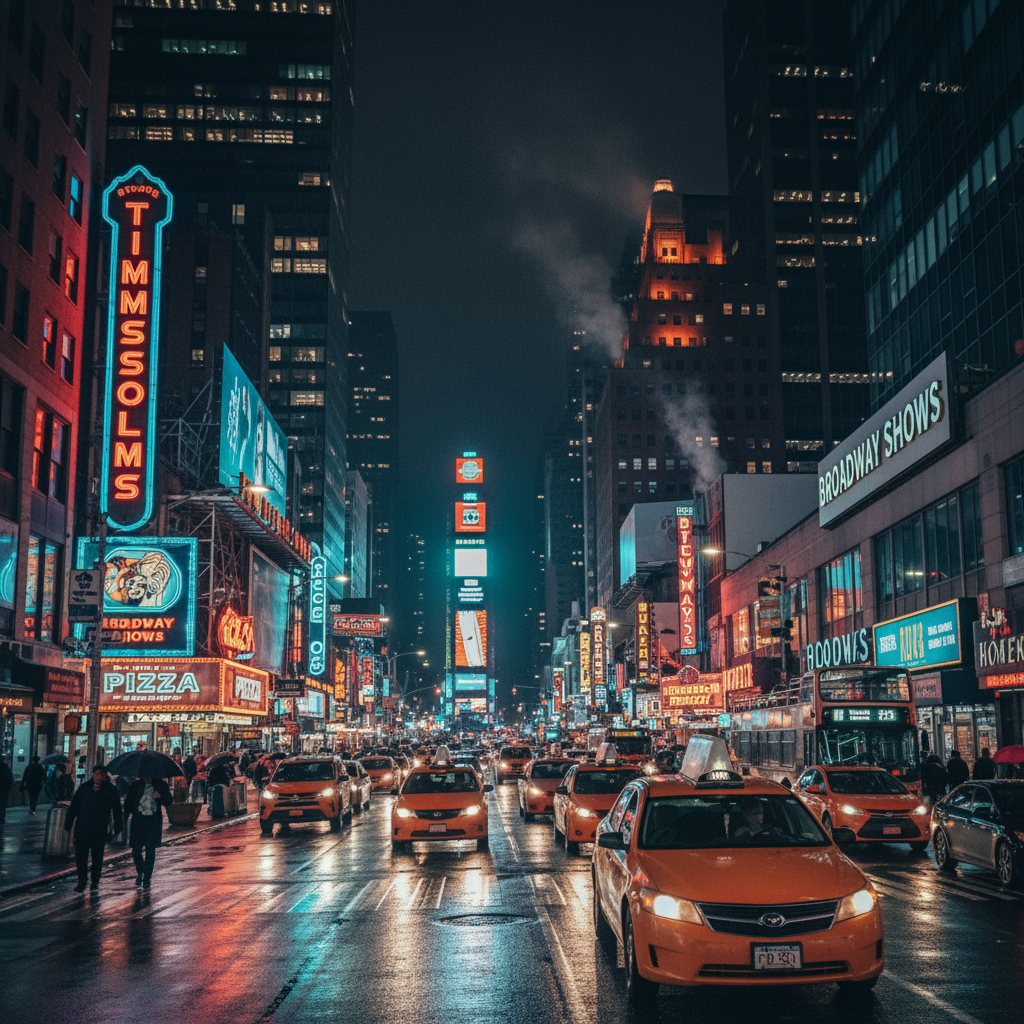 |  |
4. Продвинутая композиция: объединение нескольких изображений.
Предоставьте несколько изображений в качестве контекста для создания новой, составной сцены. Это идеально подходит для макетов продукции или креативных коллажей.
Шаблон
Create a new image by combining the elements from the provided images. Take
the [element from image 1] and place it with/on the [element from image 2].
The final image should be a [description of the final scene].
Быстрый
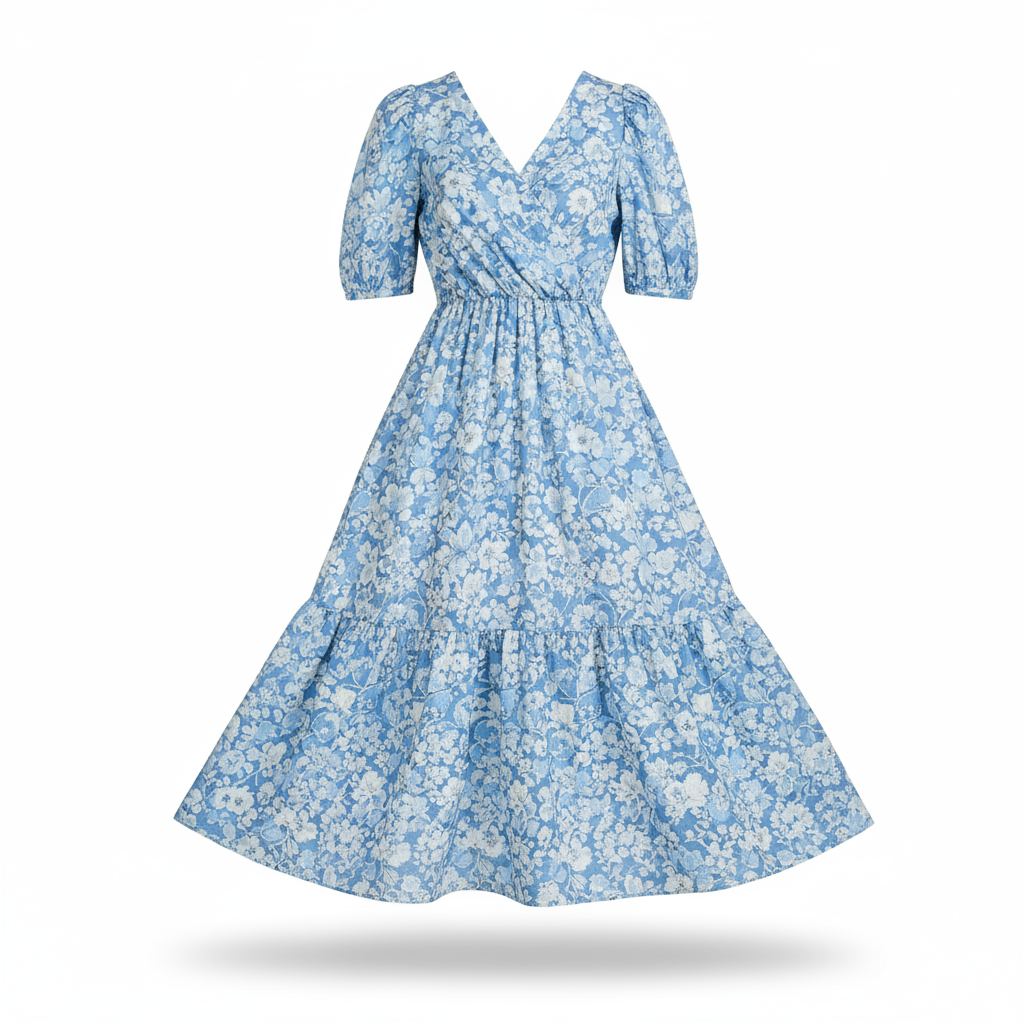
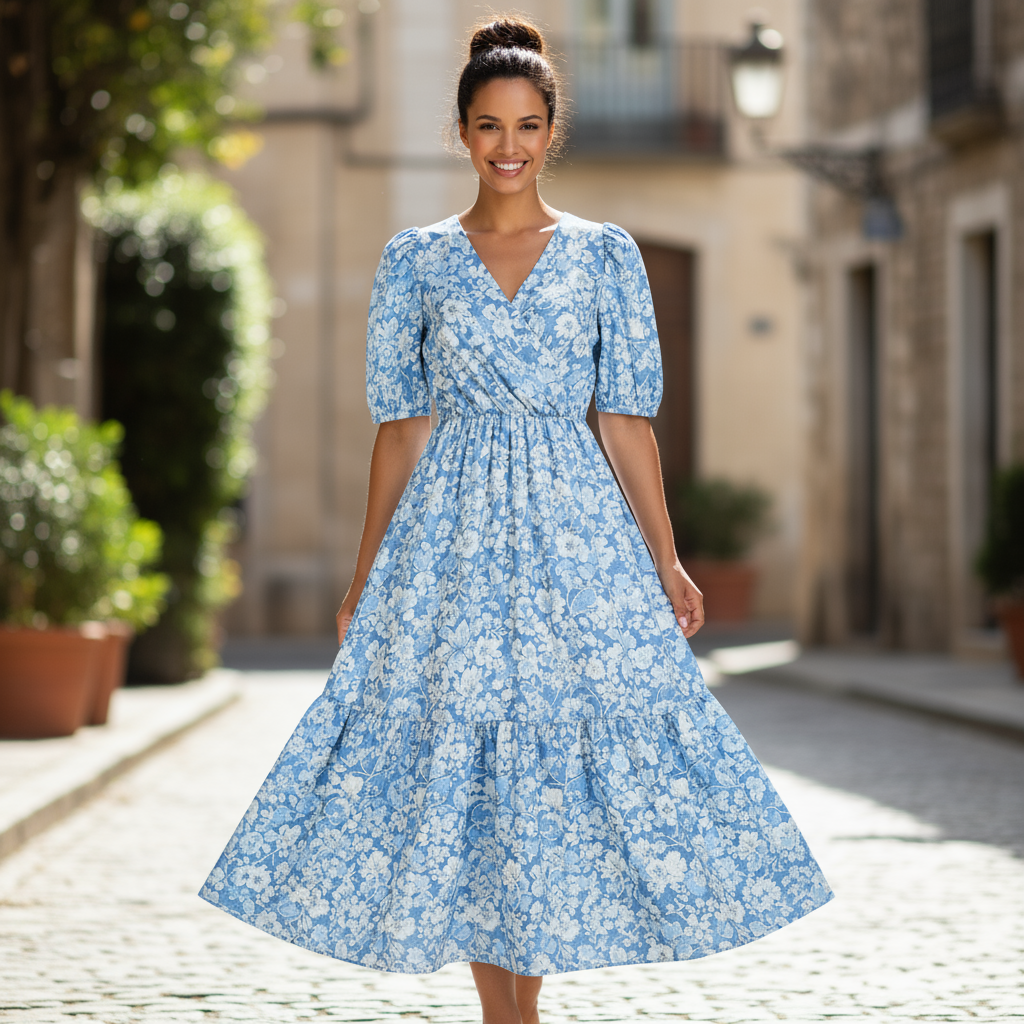
"Create a professional e-commerce fashion photo. Take the blue floral dress
from the first image and let the woman from the second image wear it.
Generate a realistic, full-body shot of the woman wearing the dress, with
the lighting and shadows adjusted to match the outdoor environment."
Python
from google import genai
from PIL import Image
import base64

client = genai.Client()

with open('/path/to/your/dress.png', 'rb') as f:
    dress_bytes = f.read()
with open('/path/to/your/model.png', 'rb') as f:
    model_bytes = f.read()
text_input = """Create a professional e-commerce fashion photo. Take the blue floral dress from the first image and let the woman from the second image wear it. Generate a realistic, full-body shot of the woman wearing the dress, with the lighting and shadows adjusted to match the outdoor environment."""

interaction = client.interactions.create(
    model="gemini-3.1-flash-image",
    input=[
        {
            "type": "image",
            "data": base64.b64encode(dress_bytes).decode('utf-8'),
            "mime_type": "image/png"
        },
        {
            "type": "image",
            "data": base64.b64encode(model_bytes).decode('utf-8'),
            "mime_type": "image/png"
        },
        {"type": "text", "text": text_input}
    ],
)

for step in interaction.steps:
    if step.type == "model_output":
        for content_block in step.content:
            if content_block.type == "text":
                print(content_block.text)
            elif content_block.type == "image":
                with open("fashion_ecommerce_shot.png", "wb") as f:
                    f.write(base64.b64decode(content_block.data))
JavaScript
import { GoogleGenAI } from "@google/genai";
import * as fs from "node:fs";

async function main() {
  const ai = new GoogleGenAI({});

  const imagePath1 = "/path/to/your/dress.png";
  const imageData1 = fs.readFileSync(imagePath1);
  const base64Image1 = imageData1.toString("base64");
  const imagePath2 = "/path/to/your/model.png";
  const imageData2 = fs.readFileSync(imagePath2);
  const base64Image2 = imageData2.toString("base64");

  const input = [
    {
      type: "image",
      mime_type: "image/png",
      data: base64Image1
    },
    {
      type: "image",
      mime_type: "image/png",
      data: base64Image2
    },
    { type: "text", text: "Create a professional e-commerce fashion photo. Take the blue floral dress from the first image and let the woman from the second image wear it. Generate a realistic, full-body shot of the woman wearing the dress, with the lighting and shadows adjusted to match the outdoor environment." },
  ];

  const interaction = await ai.interactions.create({
    model: "gemini-3.1-flash-image",
    input: input,
  });
  for (const step of interaction.steps) {
    if (step.type === "model_output") {
      for (const contentBlock of step.content) {
        if (contentBlock.type === "text") {
          console.log(contentBlock.text);
        } else if (contentBlock.type === "image") {
          const buffer = Buffer.from(contentBlock.data, "base64");
          fs.writeFileSync("fashion_ecommerce_shot.png", buffer);
        }
      }
    }
  }
}

main();
ОТДЫХ
curl -s -X POST \
  "https://generativelanguage.googleapis.com/v1beta/interactions" \
    -H "x-goog-api-key: $GEMINI_API_KEY" \
    -H 'Content-Type: application/json' \
    -d "{
      \"model\": \"gemini-3.1-flash-image\",
      \"input\": [
            {\"type\": \"image\", \"mime_type\":\"image/png\", \"data\": \"<BASE64_IMAGE_DATA_1>\"},
            {\"type\": \"image\", \"mime_type\":\"image/png\", \"data\": \"<BASE64_IMAGE_DATA_2>\"},
            {\"type\": \"text\", \"text\": \"Create a professional e-commerce fashion photo. Take the blue floral dress from the first image and let the woman from the second image wear it. Generate a realistic, full-body shot of the woman wearing the dress, with the lighting and shadows adjusted to match the outdoor environment.\"}
      }]
    }"
Ввод 1 | Вход 2 | Выход |
 |  |  |
5. Сохранение высокой точности деталей.
Чтобы гарантировать сохранение важных деталей (например, лица или логотипа) во время редактирования, подробно опишите их вместе с вашим запросом на редактирование.
Шаблон
Using the provided images, place [element from image 2] onto [element from
image 1]. Ensure that the features of [element from image 1] remain
completely unchanged. The added element should [description of how the
element should integrate].
Быстрый
"Take the first image of the woman with brown hair, blue eyes, and a neutral
expression. Add the logo from the second image onto her black t-shirt.
Ensure the woman's face and features remain completely unchanged. The logo
should look like it's naturally printed on the fabric, following the folds
of the shirt."
Python
from google import genai
from PIL import Image
import base64

client = genai.Client()

with open('/path/to/your/woman.png', 'rb') as f:
    woman_bytes = f.read()
with open('/path/to/your/logo.png', 'rb') as f:
    logo_bytes = f.read()
text_input = """Take the first image of the woman with brown hair, blue eyes, and a neutral expression. Add the logo from the second image onto her black t-shirt. Ensure the woman's face and features remain completely unchanged. The logo should look like it's naturally printed on the fabric, following the folds of the shirt."""

interaction = client.interactions.create(
    model="gemini-3.1-flash-image",
    input=[
      {"type": "image", "mime_type":"image/png", "data": base64.b64encode(woman_bytes).decode('utf-8')},
      {"type": "image", "mime_type":"image/png", "data": base64.b64encode(logo_bytes).decode('utf-8')},
      {"type": "text", "text": text_input}
    ],
)

for step in interaction.steps:
    if step.type == "model_output":
        for content_block in step.content:
            if content_block.type == "text":
                print(content_block.text)
            elif content_block.type == "image":
                with open("woman_with_logo.png", "wb") as f:
                    f.write(base64.b64decode(content_block.data))
JavaScript
import { GoogleGenAI } from "@google/genai";
import * as fs from "node:fs";

async function main() {
  const ai = new GoogleGenAI({});

  const imagePath1 = "/path/to/your/woman.png";
  const imageData1 = fs.readFileSync(imagePath1);
  const base64Image1 = imageData1.toString("base64");
  const imagePath2 = "/path/to/your/logo.png";
  const imageData2 = fs.readFileSync(imagePath2);
  const base64Image2 = imageData2.toString("base64");

  const input = [
    {"type": "image", "mime_type":"image/png", "data": base64Image1},
    {"type": "image", "mime_type":"image/png", "data": base64Image2},
    {"type": "text", "text": "Take the first image of the woman with brown hair, blue eyes, and a neutral expression. Add the logo from the second image onto her black t-shirt. Ensure the woman's face and features remain completely unchanged. The logo should look like it's naturally printed on the fabric, following the folds of the shirt."},
  ];

  const interaction = await ai.interactions.create({
    model: "gemini-3.1-flash-image",
    input: input,
  });
  for (const step of interaction.steps) {
    if (step.type === "model_output") {
      for (const contentBlock of step.content) {
        if (contentBlock.type === "text") {
          console.log(contentBlock.text);
        } else if (contentBlock.type === "image") {
          const buffer = Buffer.from(contentBlock.data, "base64");
          fs.writeFileSync("woman_with_logo.png", buffer);
        }
      }
    }
  }
}

main();
ОТДЫХ
curl -s -X POST \
  "https://generativelanguage.googleapis.com/v1beta/interactions" \
    -H "x-goog-api-key: $GEMINI_API_KEY" \
    -H 'Content-Type: application/json' \
    -d "{
      \"model\": \"gemini-3.1-flash-image\",
      \"input\": [
        {\"type\": \"image\", \"mime_type\":\"image/png\", \"data\": \"<BASE64_IMAGE_DATA_1>\"},
        {\"type\": \"image\", \"mime_type\":\"image/png\", \"data\": \"<BASE64_IMAGE_DATA_2>\"},
        {\"type\": \"text\", \"text\": \"Take the first image of the woman with brown hair, blue eyes, and a neutral expression. Add the logo from the second image onto her black t-shirt. Ensure the woman's face and features remain completely unchanged. The logo should look like it's naturally printed on the fabric, following the folds of the shirt.\"}
      ]
    }"
Ввод 1 | Вход 2 | Выход |
 |  |  |
6. Оживите что-нибудь.
Загрузите черновой эскиз или рисунок и попросите модель доработать его до готового изображения.
Шаблон
Turn this rough [medium] sketch of a [subject] into a [style description]
photo. Keep the [specific features] from the sketch but add [new details/materials].
Быстрый
"Turn this rough pencil sketch of a futuristic car into a polished photo of the finished concept car in a showroom. Keep the sleek lines and low profile from the sketch but add metallic blue paint and neon rim lighting."
Python
from google import genai
from PIL import Image
import base64

client = genai.Client()

with open('/path/to/your/car_sketch.png', 'rb') as f:
    sketch_bytes = f.read()
text_input = """Turn this rough pencil sketch of a futuristic car into a polished photo of the finished concept car in a showroom. Keep the sleek lines and low profile from the sketch but add metallic blue paint and neon rim lighting."""

interaction = client.interactions.create(
    model="gemini-3.1-flash-image",
    input=[
      {"type": "image", "mime_type":"image/png", "data": base64.b64encode(sketch_bytes).decode('utf-8')},
      {"type": "text", "text": text_input}
    ],
)

for step in interaction.steps:
    if step.type == "model_output":
        for content_block in step.content:
            if content_block.type == "text":
                print(content_block.text)
            elif content_block.type == "image":
                with open("car_photo.png", "wb") as f:
                    f.write(base64.b64decode(content_block.data))
JavaScript
import { GoogleGenAI } from "@google/genai";
import * as fs from "node:fs";

async function main() {
  const ai = new GoogleGenAI({});

  const imagePath = "/path/to/your/car_sketch.png";
  const imageData = fs.readFileSync(imagePath);
  const base64Image = imageData.toString("base64");

  const input = [
    {"type": "image", "mime_type":"image/png", "data": base64Image},
    {"type": "text", "text": "Turn this rough pencil sketch of a futuristic car into a polished photo of the finished concept car in a showroom. Keep the sleek lines and low profile from the sketch but add metallic blue paint and neon rim lighting."},
  ];

  const interaction = await ai.interactions.create({
    model: "gemini-3.1-flash-image",
    input: input,
  });
  for (const step of interaction.steps) {
    if (step.type === "model_output") {
      for (const contentBlock of step.content) {
        if (contentBlock.type === "text") {
          console.log(contentBlock.text);
        } else if (contentBlock.type === "image") {
          const buffer = Buffer.from(contentBlock.data, "base64");
          fs.writeFileSync("car_photo.png", buffer);
        }
      }
    }
  }
}

main();
ОТДЫХ
curl -s -X POST \
  "https://generativelanguage.googleapis.com/v1beta/interactions" \
    -H "x-goog-api-key: $GEMINI_API_KEY" \
    -H 'Content-Type: application/json' \
    -d "{
      \"model\": \"gemini-3.1-flash-image\",
      \"input\": [
        {\"type\": \"image\", \"mime_type\":\"image/png\", \"data\": \"<BASE64_IMAGE_DATA>\"},
        {\"type\": \"text\", \"text\": \"Turn this rough pencil sketch of a futuristic car into a polished photo of the finished concept car in a showroom. Keep the sleek lines and low profile from the sketch but add metallic blue paint and neon rim lighting.\"}
      ]
    }"
Вход | Выход |
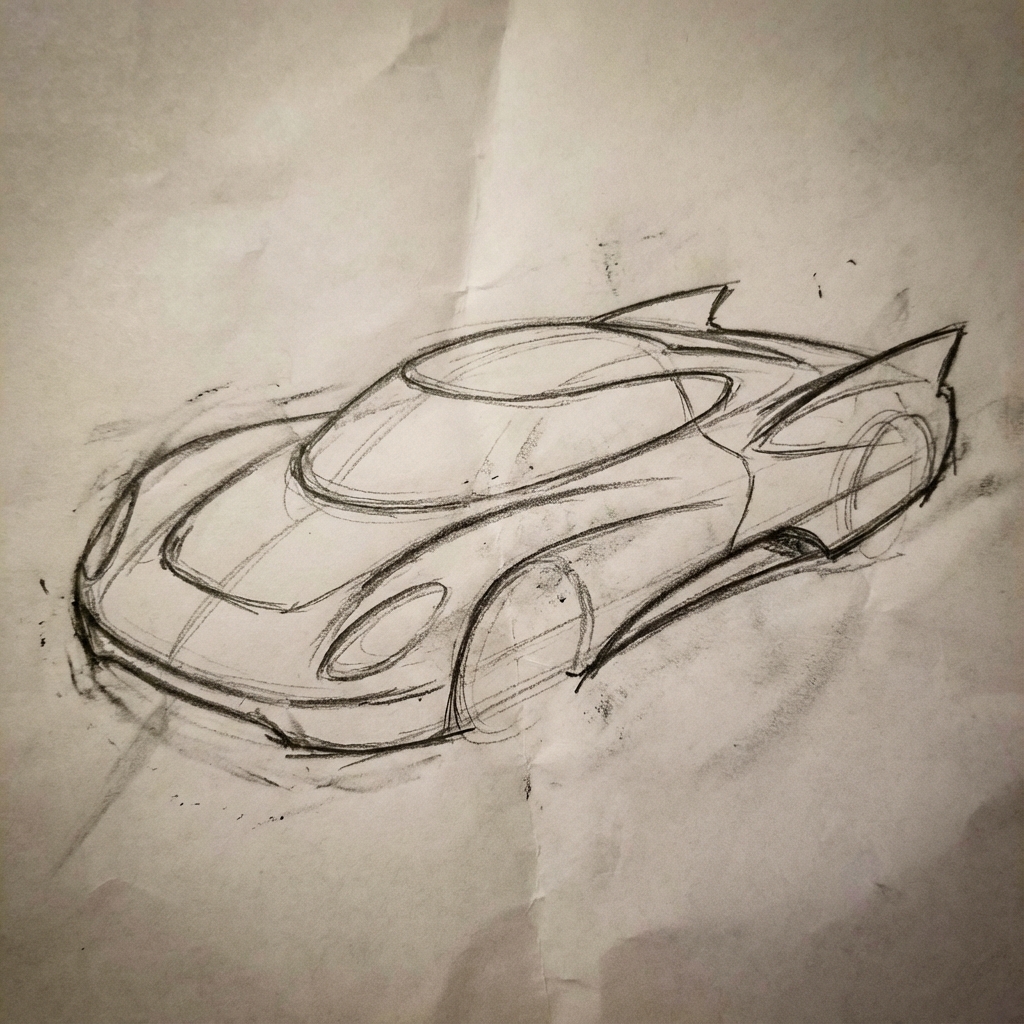 | 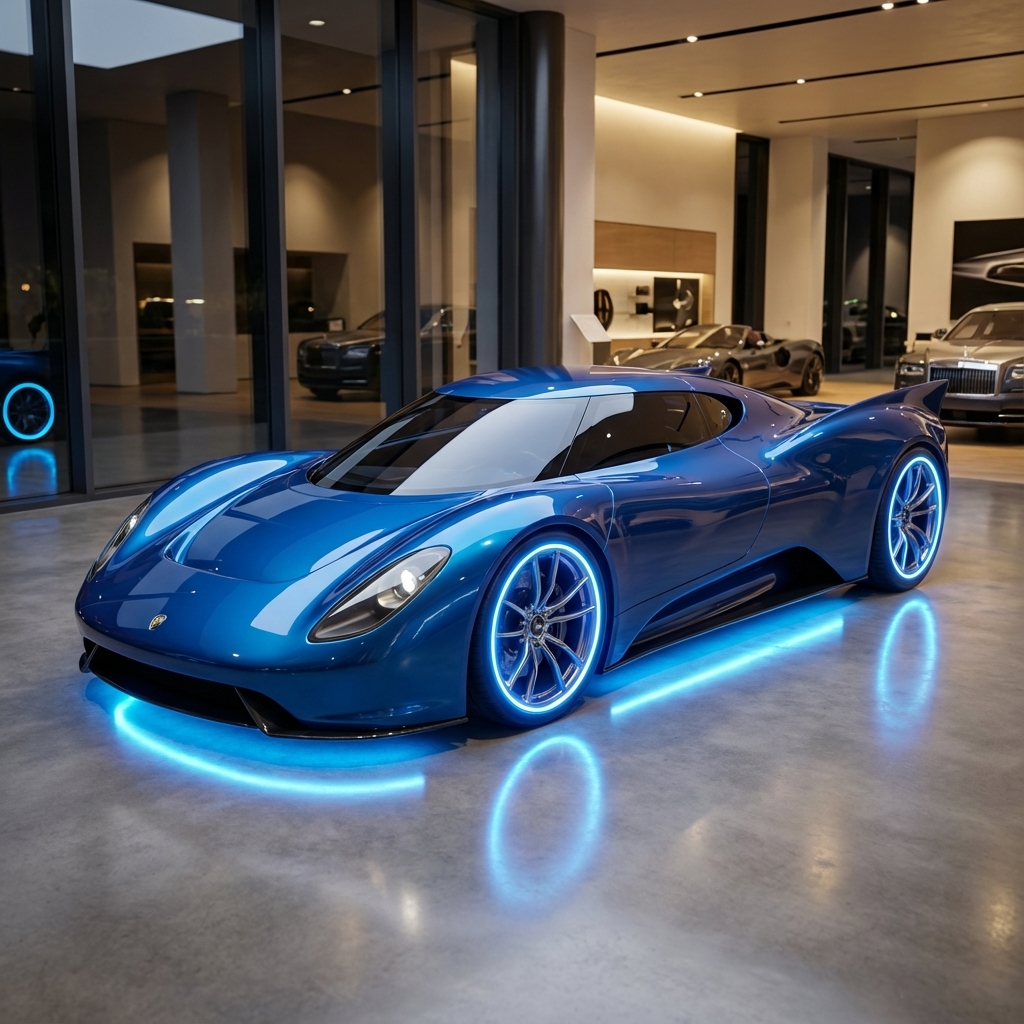 |
7. Единообразие персонажей: обзор на 360 градусов.
Вы можете создавать 360-градусные изображения персонажа, итеративно запрашивая разные ракурсы. Для достижения наилучших результатов включайте ранее созданные изображения в последующие запросы, чтобы обеспечить согласованность. Для сложных поз используйте эталонное изображение выбранной позы.
Шаблон
A studio portrait of [person] against [background], [looking forward/in profile looking right/etc.]
Быстрый
A studio portrait of this man against white, in profile looking right
Python
from google import genai
from PIL import Image
import base64

client = genai.Client()

with open('/path/to/your/man_in_white_glasses.jpg', 'rb') as f:
    image_bytes = f.read()
text_input = """A studio portrait of this man against white, in profile looking right"""

interaction = client.interactions.create(
    model="gemini-3.1-flash-image",
    input={
      {"type": "text", "text": text_input},
      {"type": "image", "mime_type":"image/png", "data": base64.b64encode(image_bytes).decode('utf-8')}
    },
)

for step in interaction.steps:
    if step.type == "model_output":
        for content_block in step.content:
            if content_block.type == "text":
                print(content_block.text)
            elif content_block.type == "image":
                with open("man_right_profile.png", "wb") as f:
                    f.write(base64.b64decode(content_block.data))
Вход | Выход 1 | Выход 2 |
| 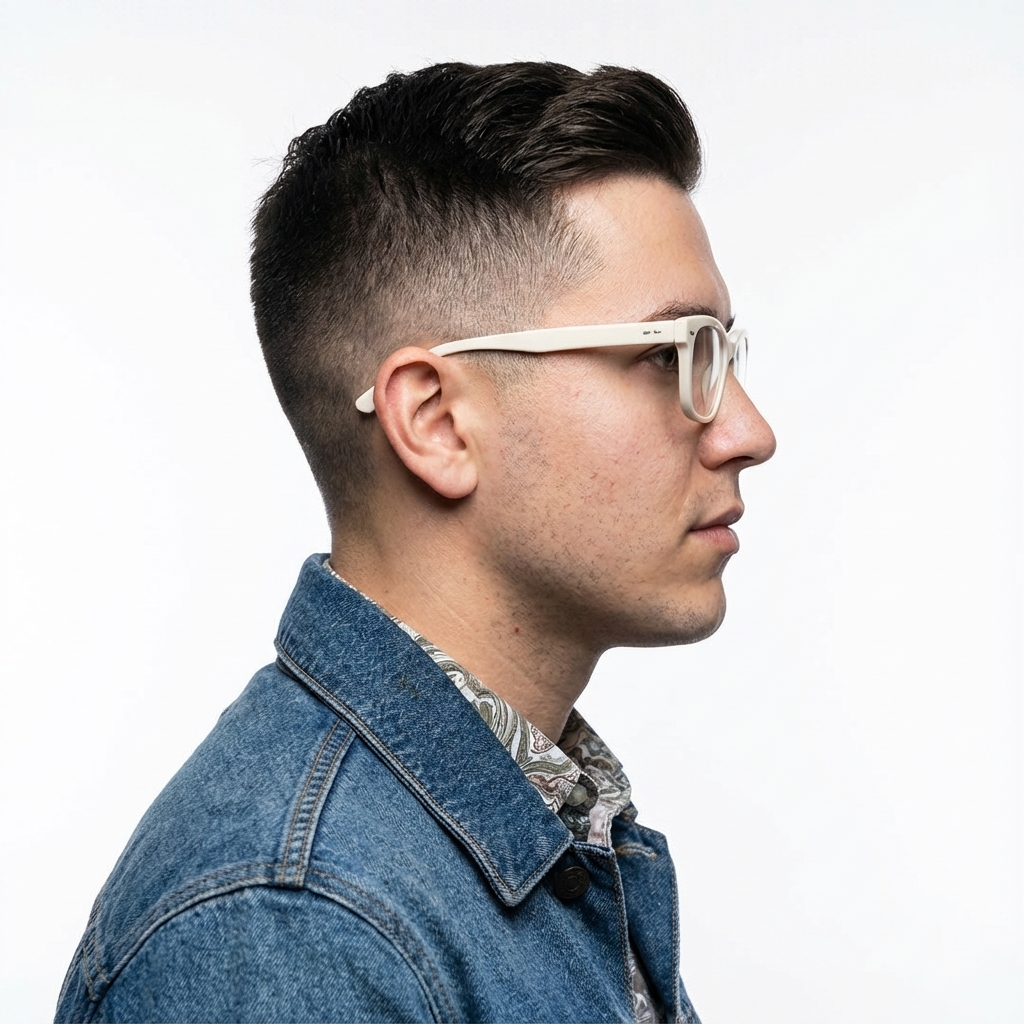 |  |
Передовые методы
Чтобы поднять ваши результаты с хороших до отличных, включите эти профессиональные стратегии в свой рабочий процесс.
- Будьте предельно конкретны: чем больше деталей вы предоставите, тем больше у вас будет контроля. Вместо «фэнтезийные доспехи» опишите их так: «изысканные эльфийские латы, украшенные узорами из серебряной фольги, с высоким воротником и наплечниками в форме соколиных крыльев».
- Укажите контекст и цель: объясните назначение изображения. Понимание контекста моделью повлияет на конечный результат. Например, фраза «Создать логотип для элитного минималистичного бренда средств по уходу за кожей» даст лучшие результаты, чем просто «Создать логотип».
- Итеративный подход и доработка: не ожидайте идеального изображения с первой попытки. Используйте разговорный характер модели для внесения небольших изменений. Задавайте уточняющие вопросы, например: «Отлично, но можно сделать освещение немного теплее?» или «Оставьте все как есть, но измените выражение лица персонажа на более серьезное».
- Используйте пошаговые инструкции: для сложных сцен с множеством элементов разбейте задание на этапы. «Сначала создайте фон безмятежного, туманного леса на рассвете. Затем на переднем плане добавьте покрытый мхом древний каменный алтарь. Наконец, поместите один светящийся меч на вершину алтаря».
- Используйте «семантические отрицательные подсказки»: вместо того, чтобы сказать «нет машин», опишите желаемую сцену в позитивном ключе: «пустая, безлюдная улица без признаков движения транспорта».
- Управляйте камерой: используйте фотографический и кинематографический язык для управления композицией. Применяйте такие термины, как
wide-angle shot,macro shot,low-angle perspective.
Ограничения
- Для достижения наилучших результатов используйте следующие языки: EN, ar-EG, de-DE, es-MX, fr-FR, hi-IN, id-ID, it-IT, ja-JP, ko-KR, pt-BR, ru-RU, ua-UA, vi-VN, zh-CN.
- В процессе создания изображений аудиовходы не поддерживаются. Видеовходы поддерживаются только для Gemini 3.1 Flash Image.
- Модель не всегда будет точно соответствовать тому количеству изображений, которое явно запрашивает пользователь.
-
gemini-2.5-flash-imageлучше всего работает с 3 изображениями на входе, в то время какgemini-3-pro-imageподдерживает 5 изображений с высокой точностью и до 14 изображений в общей сложности.gemini-3.1-flash-imageподдерживает сходство символов до 4 символов и точность отображения до 10 объектов в одном рабочем процессе. - При создании текста для изображения Gemini работает лучше всего, если сначала сгенерировать текст, а затем запросить изображение с этим текстом.
-
gemini-3.1-flash-imageВ настоящее время функция "Приземление с помощью поиска Google" не поддерживает использование реальных изображений людей из веб-поиска. - Все сгенерированные изображения содержат водяной знак SynthID .
Дополнительные конфигурации
При желании вы можете настроить формат вывода, соотношение сторон и размер изображения с помощью параметра response_format .
Формат вывода
По умолчанию модель возвращает как текстовые, так и графические ответы. Вы можете настроить ответ таким образом, чтобы он возвращал только сгенерированные изображения (без диалогового текста), указав формат изображения в параметре response_format .
Чтобы запросить несколько вариантов отображения (например, текст и сгенерированное изображение), передайте массив записей формата в функцию response_format .
Python
interaction = client.interactions.create(
    model="gemini-3.1-flash-image",
    input="Write a short poem about a starry night and generate an image of it.",
    response_format=[
        {"type": "text"},
        {"type": "image"},
    ],
)
JavaScript
const interaction = await ai.interactions.create({
  model: "gemini-3.1-flash-image",
  input: "Write a short poem about a starry night and generate an image of it.",
  response_format: [
    { type: "text" },
    { type: "image" },
  ],
});
ОТДЫХ
curl -s -X POST \
  "https://generativelanguage.googleapis.com/v1beta/interactions" \
  -H "x-goog-api-key: $GEMINI_API_KEY" \
  -H 'Content-Type: application/json' \
  -d '{
    "model": "gemini-3.1-flash-image",
    "input": "Write a short poem about a starry night and generate an image of it.",
    "response_format": [
      { "type": "text" },
      { "type": "image" }
    ]
  }'
Соотношение сторон и размер изображения
По умолчанию модель подбирает размер выходного изображения в соответствии с размером входного изображения или генерирует квадраты в масштабе 1:1. Вы можете управлять соотношением сторон и размером выходного изображения с помощью полей aspect_ratio и image_size в response_format , если для type установлено значение "image" .
Python
interaction = client.interactions.create(
    model="gemini-3.1-flash-image",
    input=prompt,
    response_format={
        "type": "image",
        "aspect_ratio": "16:9",
        "image_size": "2K",
    },
)
JavaScript
const interaction = await ai.interactions.create({
    model: "gemini-3.1-flash-image",
    input: prompt,
    response_format: {
      type: "image",
      aspect_ratio: "16:9",
      image_size: "2K",
    },
  });
ОТДЫХ
curl -s -X POST \
  "https://generativelanguage.googleapis.com/v1beta/interactions" \
  -H "x-goog-api-key: $GEMINI_API_KEY" \
  -H 'Content-Type: application/json' \
  -d '{
    "model": "gemini-3.1-flash-image",
    "input": "Create a picture of a nano banana dish in a fancy restaurant with a Gemini theme",
    "response_format": {
      "type": "image",
      "aspect_ratio": "16:9",
      "image_size": "2K"
    }
  }'
Доступные соотношения сторон и размер создаваемого изображения указаны в следующих таблицах:
3.1 Изображение вспышки
| Соотношение сторон | разрешение 512 пикселей | 0,5 тыс. токенов | разрешение 1K | 1K токенов | разрешение 2K | 2K токенов | разрешение 4K | 4K токенов |
|---|---|---|---|---|---|---|---|---|
| 1:1 | 512x512 | 747 | 1024x1024 | 1120 | 2048x2048 | 1120 | 4096x4096 | 2000 |
| 1:4 | 256x1024 | 747 | 512x2048 | 1120 | 1024x4096 | 1120 | 2048x8192 | 2000 |
| 1:8 | 192x1536 | 747 | 384x3072 | 1120 | 768x6144 | 1120 | 1536x12288 | 2000 |
| 2:3 | 424x632 | 747 | 848x1264 | 1120 | 1696x2528 | 1120 | 3392x5056 | 2000 |
| 3:2 | 632x424 | 747 | 1264x848 | 1120 | 2528x1696 | 1120 | 5056x3392 | 2000 |
| 3:4 | 448x600 | 747 | 896x1200 | 1120 | 1792x2400 | 1120 | 3584x4800 | 2000 |
| 4:1 | 1024x256 | 747 | 2048x512 | 1120 | 4096x1024 | 1120 | 8192x2048 | 2000 |
| 4:3 | 600x448 | 747 | 1200x896 | 1120 | 2400x1792 | 1120 | 4800x3584 | 2000 |
| 4:5 | 464x576 | 747 | 928x1152 | 1120 | 1856x2304 | 1120 | 3712x4608 | 2000 |
| 5:4 | 576x464 | 747 | 1152x928 | 1120 | 2304x1856 | 1120 | 4608x3712 | 2000 |
| 8:1 | 1536x192 | 747 | 3072x384 | 1120 | 6144x768 | 1120 | 12288x1536 | 2000 |
| 9:16 | 384x688 | 747 | 768x1376 | 1120 | 1536x2752 | 1120 | 3072x5504 | 2000 |
| 16:9 | 688x384 | 747 | 1376x768 | 1120 | 2752x1536 | 1120 | 5504x3072 | 2000 |
| 21:9 | 792x168 | 747 | 1584x672 | 1120 | 3168x1344 | 1120 | 6336x2688 | 2000 |
3 Pro Image
| Соотношение сторон | разрешение 1K | 1K токенов | разрешение 2K | 2K токенов | разрешение 4K | 4K токенов |
|---|---|---|---|---|---|---|
| 1:1 | 1024x1024 | 1120 | 2048x2048 | 1120 | 4096x4096 | 2000 |
| 2:3 | 848x1264 | 1120 | 1696x2528 | 1120 | 3392x5056 | 2000 |
| 3:2 | 1264x848 | 1120 | 2528x1696 | 1120 | 5056x3392 | 2000 |
| 3:4 | 896x1200 | 1120 | 1792x2400 | 1120 | 3584x4800 | 2000 |
| 4:3 | 1200x896 | 1120 | 2400x1792 | 1120 | 4800x3584 | 2000 |
| 4:5 | 928x1152 | 1120 | 1856x2304 | 1120 | 3712x4608 | 2000 |
| 5:4 | 1152x928 | 1120 | 2304x1856 | 1120 | 4608x3712 | 2000 |
| 9:16 | 768x1376 | 1120 | 1536x2752 | 1120 | 3072x5504 | 2000 |
| 16:9 | 1376x768 | 1120 | 2752x1536 | 1120 | 5504x3072 | 2000 |
| 21:9 | 1584x672 | 1120 | 3168x1344 | 1120 | 6336x2688 | 2000 |
Изображение со вспышкой Gemini 2.5
| Соотношение сторон | Разрешение | Токены |
|---|---|---|
| 1:1 | 1024x1024 | 1290 |
| 2:3 | 832x1248 | 1290 |
| 3:2 | 1248x832 | 1290 |
| 3:4 | 864x1184 | 1290 |
| 4:3 | 1184x864 | 1290 |
| 4:5 | 896x1152 | 1290 |
| 5:4 | 1152x896 | 1290 |
| 9:16 | 768x1344 | 1290 |
| 16:9 | 1344x768 | 1290 |
| 21:9 | 1536x672 | 1290 |
Выбор модели
Выберите модель, наиболее подходящую для ваших конкретных задач.
Gemini 3.1 Flash Image (Nano Banana 2) — ваш лучший выбор для создания изображений, поскольку он предлагает оптимальное соотношение производительности, интеллектуальных функций, стоимости и задержки. Подробную информацию о ценах и возможностях модели можно найти на соответствующей странице.
Gemini 3 Pro Image (Nano Banana Pro) разработан для профессионального создания графических ресурсов и сложных инструкций. Эта модель имеет реалистичную основу, созданную с помощью поиска Google, стандартный процесс «размышления», который уточняет композицию перед созданием изображения, и может генерировать изображения с разрешением до 4K. Более подробную информацию о ценах и возможностях модели можно найти на соответствующей странице.
Фотоаппарат Gemini 2.5 Flash Image (Nano Banana) разработан для обеспечения высокой скорости и эффективности. Эта модель оптимизирована для обработки больших объемов данных с низкой задержкой и генерирует изображения с разрешением 1024 пикселя. Более подробную информацию о ценах и возможностях модели можно найти на соответствующей странице.
Когда использовать Imagen
Помимо использования встроенных в Gemini возможностей генерации изображений, вы также можете получить доступ к Imagen , нашей специализированной модели генерации изображений, через API Gemini. Планируйте миграцию до даты закрытия.
Что дальше?
- Ознакомьтесь с руководством Veo , чтобы узнать, как создавать видео с помощью API Gemini.
- Чтобы узнать больше о моделях Gemini, см. раздел «Модели Gemini» .